
4” Smart Switch Pro
Product Presentation
Exterior view
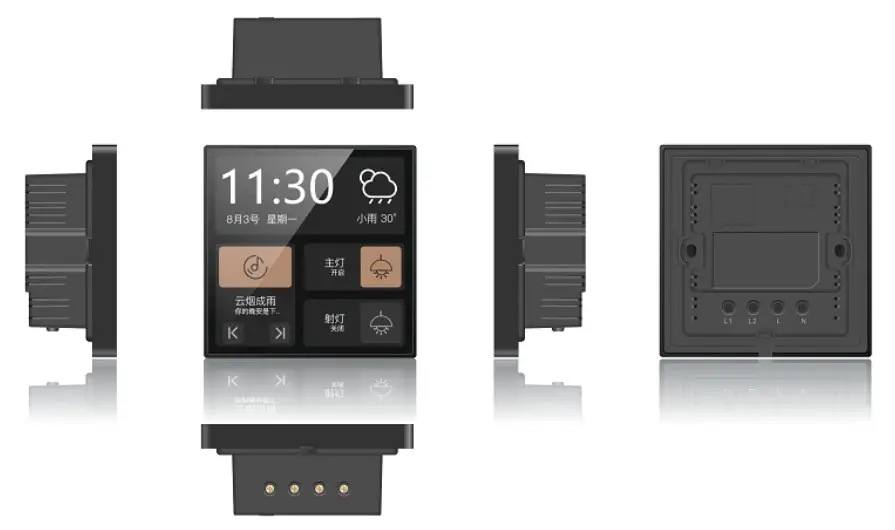
Product Main Features
- Compatible with Chinese standard wall boxes, simple in wall installation.
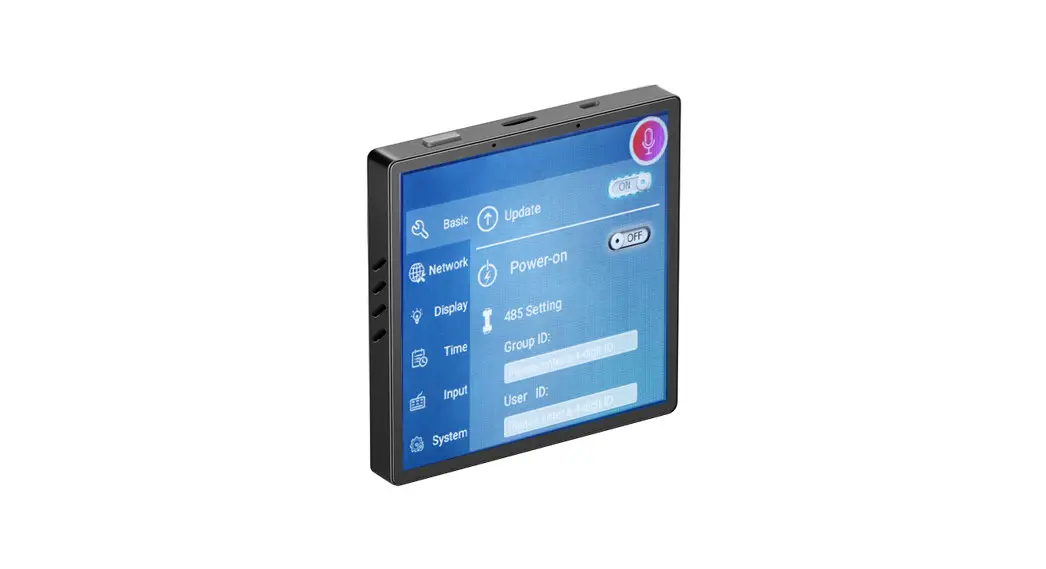
- 4-inch HD LCD, IPS, multi touch screen, Dual array microphone with noise reduction, Auto light sensor, built in 1W speaker.
- Android OS 8.1, Quad Core 1.8G, 2G RAM + 8G ROM, Built in WiFi, BLE 4.2, ZigBee 3.0, Ethernet, RS485.
- Smart Home voice control, ZigBee gateway function, APP remote control.
- Control the lights, curtains, air conditioners, and all other Smart Home devices.
- Configure Smart Home scenes in the APP, turn on the scene mode with one touch on the screen or easily voice control.
Specification
| Product | 4″ Smart Switch Pm (ZigBee 3.0) | Barna& | |
| Body Size | Dimensions(mm) | 86mmx86mmx10mm (without the base) 86mmx86mmx36.6mm (with the base) | |
| Weight(g) | 2109 | ||
| Color | Black glass + Black plastic frame + Black case | ||
| Screen | Type | Capacitive TP | |
| TP Type | G+F 5 points | ||
| LCD | TFT | ||
| Size | |||
| Resolution | 480*480 | ||
| Multitouch | 5 points | ||
| Sound | Speaker | 1 W | |
| Music play | Yes | ||
| Mic | Dual array microphone | ||
| General | Power | AC 100-240V 50/60Hz | |
| CPU | PX30 Quad Core Cortex- A35 | ||
| OS | Android 8.1 | ||
| Memory | 2GB RAM + 8GB ROM | ||
| Light Sensor | YES | ||
| Proximity Sensor | No | ||
| COMMunkattinS | ZigBee | Tuya ZigBee 3.0 | |
| RS485 | R5485 | ||
| Bluetooth | BLE 4.2 | ||
| WW1 | 802.11b/g/n 150Mbps 2.4G | ||
| Ports | Power | AC 100-240V 50/60Hz | |
| Relay | 2 relays | Load no more than 200W for each relay | |
| RS485 | RS485 | ||
| Ethernet port | 10M/ 100M Self-adaptive fast ethernet | ||
| Working conditions | Working temperature | 0 – 40 degrees | |
| Working humidity | 5% – 90% RH | ||
Installation instructions
- Turn off the main power in the electricity box and confirm the fire wire is not alive with a test pencil.
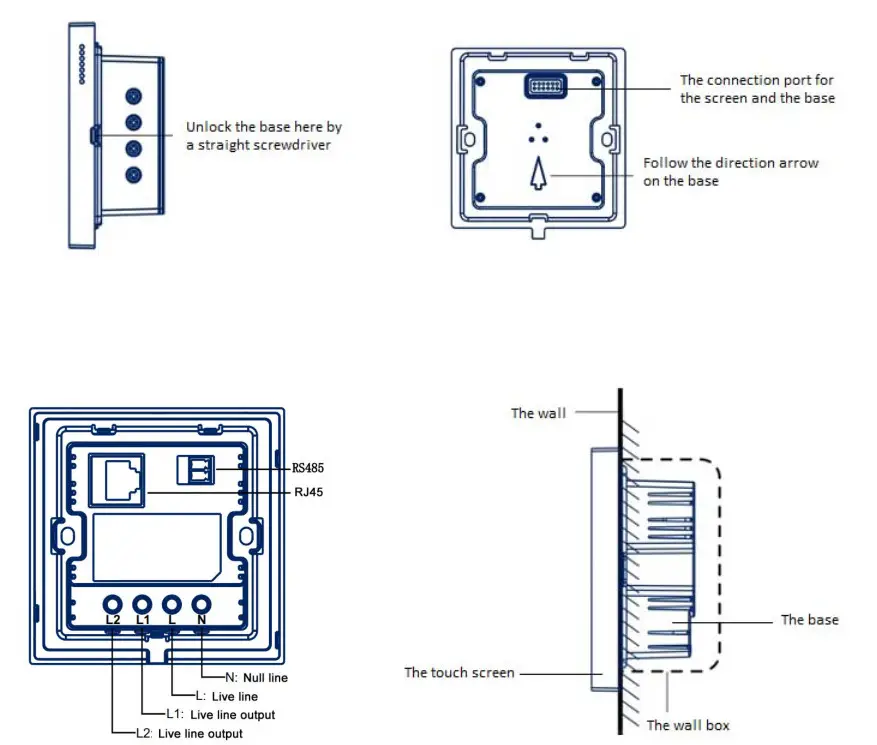
- Remove the base of the Smart Switch and install it in the wall box (as shown in the pictures following).
- Check the wires and make sure the wires are in good contact with the terminals and no exposed cooper wires.
- Fasten the base to the wall box with mounting screws and fix the Smart Switch back to the base.
- Note that the screws should not be screwed too tight during installation, in case any deformation or damage to the screen and hardware.
- If the Smart Switch is not flat after installation, do not press the screen violently, please check the wall box and the base installation at first.
- Please note the product does not support POE power supply.
- The product must be installed by professional electricians. The product should be kept away from fire and water during installation and use.
SHENZHEN SEEWIS TECHNOLOGY CO., LTD
WWW.SEEWIS.CN
 home
home