
Simply Better Connections
Let’s Start a Podcast!
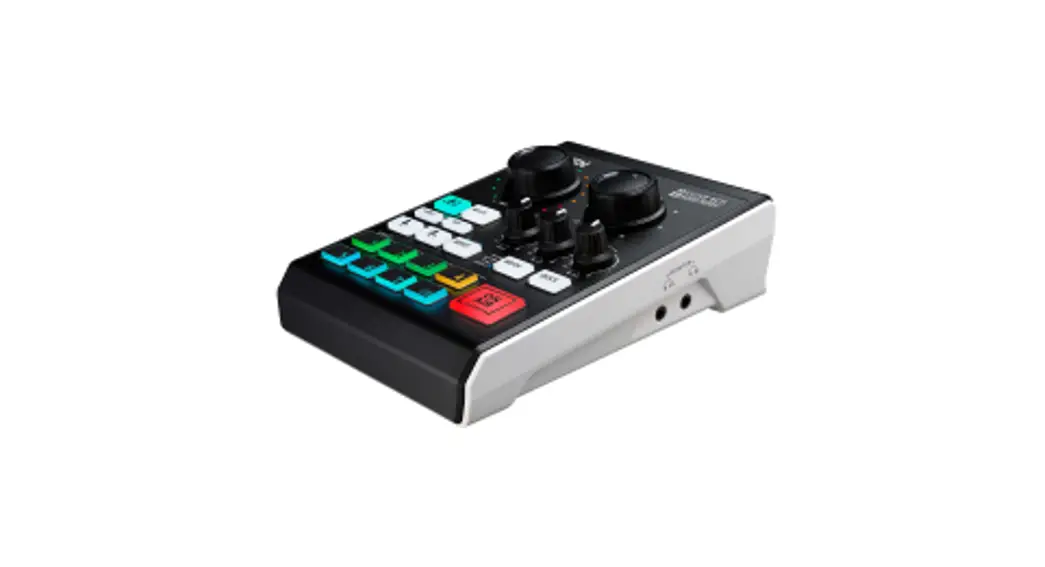
Al Audio Mixer I MicLIVETM 6-CH
Quick Start Guide
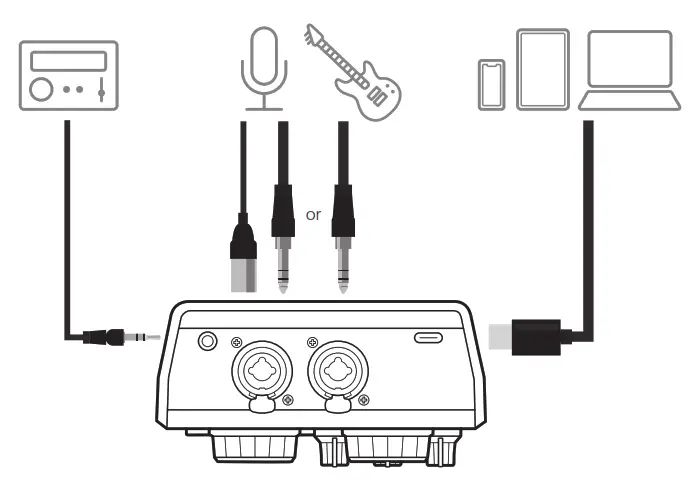
- Connect sub-audio (BGM)
- Connect main audio (microphone / instrument)
- Connect host (for power + audio in & out)

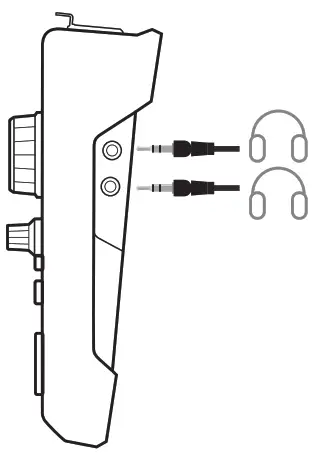
- Connect headphones

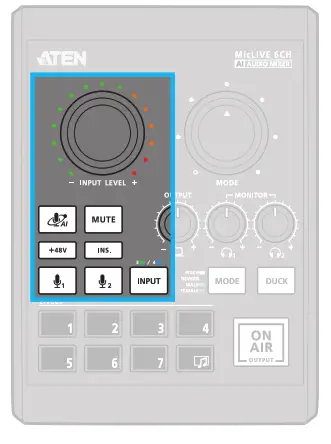
- Adjust input

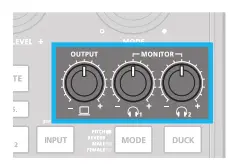
Note: Speak while mimicking your application scenario when setting AI. - Adjust output volume

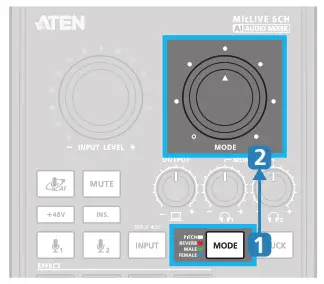
- Apply 1 of 4 Voice FX modes (Optional)

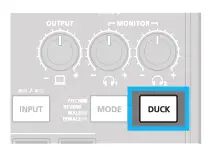
- Enable auto-ducking to lower the volumes of inputs 3 & 4 (Optional)

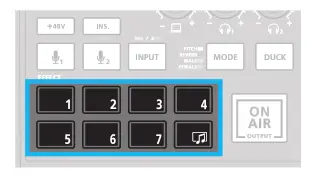
- Apply jingle (Optional)

TIP: When red, the mixer sends audio mix to the host device
For more info, scan
 http://www.aten.com/ext_libraries/manuals.php?n=uc8000
For software download, access: https://tinyurl.com/nsp6tnfn
- Connect sub-audio (BGM)
- Connect main audio (microphone / instrument)
- Connect host (for power + audio in & out)
- Connect headphones
- Adjust input
- Adjust output volume
- Apply 1 of 4 Voice FX modes (Optional)
- Enable auto-ducking to lower the volumes of inputs 3 & 4 (Optional)
- Apply jingle (Optional)
Package Contents
1 MicLIVE™ 6-CH AI Audio Mixer (UC8000)
1 USB-C cable
1 user instructions
Support and Documentation Notice
All information, documentation, fi firmware, software utilities, and specifi cations contained in this package are subject to change without prior notifi cation by the manufacturer.
To reduce the environmental impact of our products, ATEN documentation and software can be found online at http://www.aten.com/download/
Technical Support www.aten.com/support
ATEN Website
https://www.aten.com/global/en/products/modelno/uc8000/
© Copyright 2021 ATEN®International Co. Ltd.
ATEN and the ATEN logo are registered trademarks of ATEN International Co., Ltd.
All rights reserved. All other trademarks are the property of their respective owners.
Part No. PAPE-1223-W40G Released: 11/2021