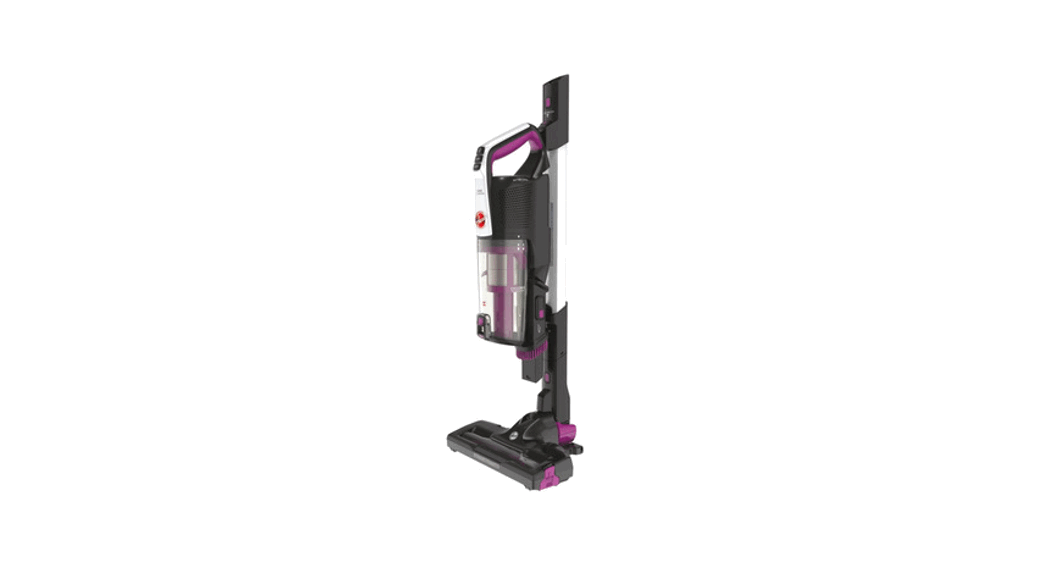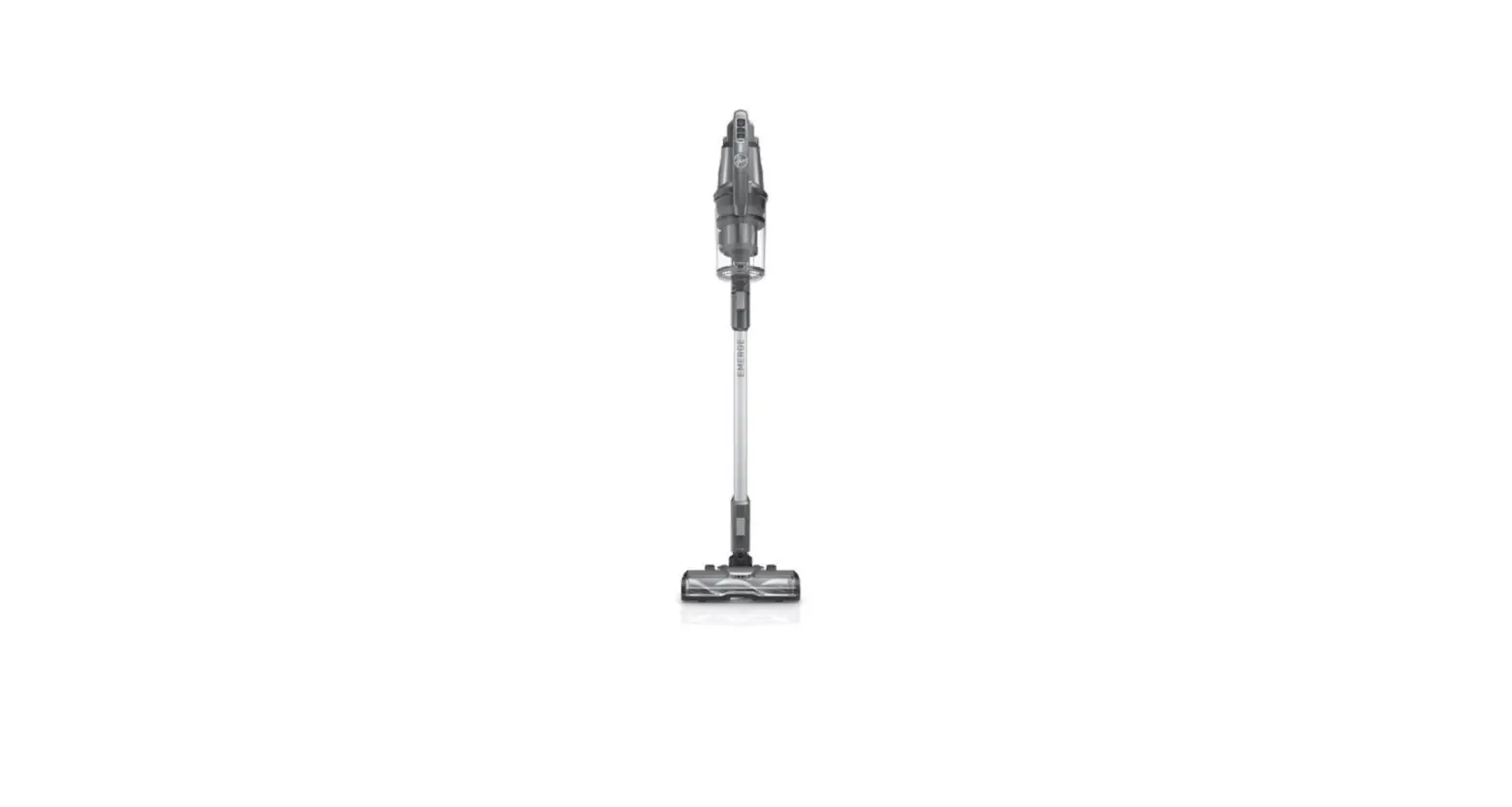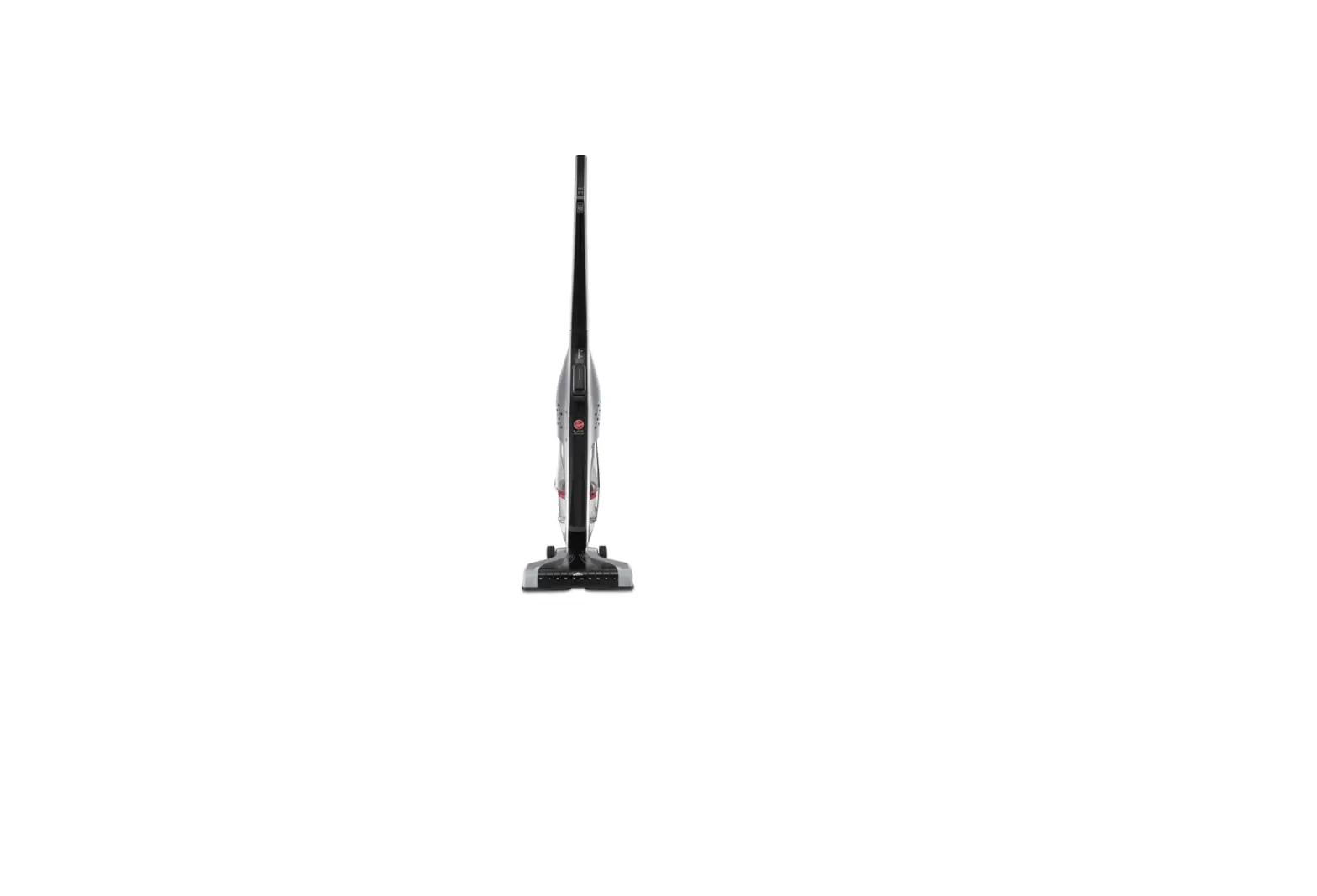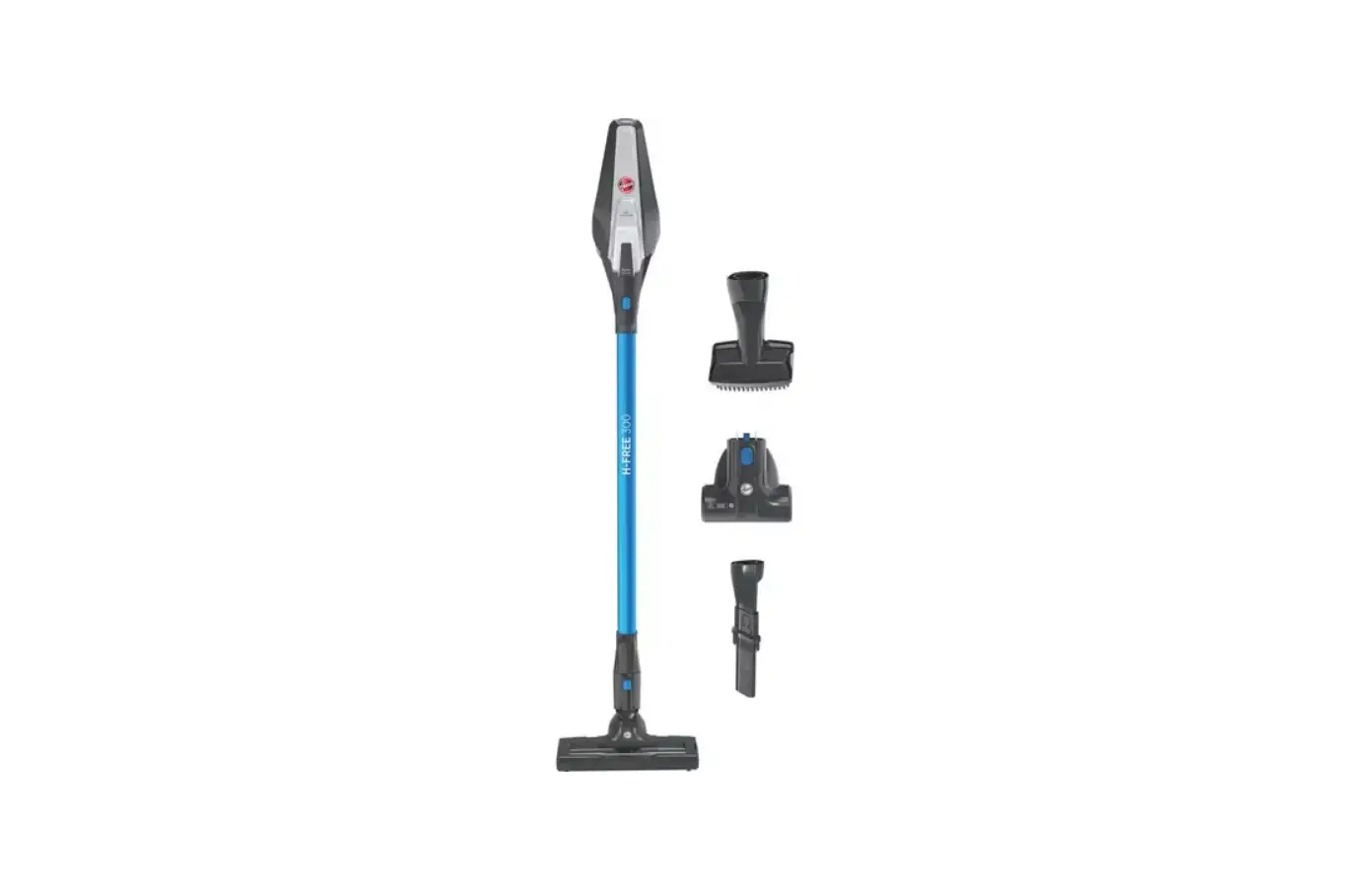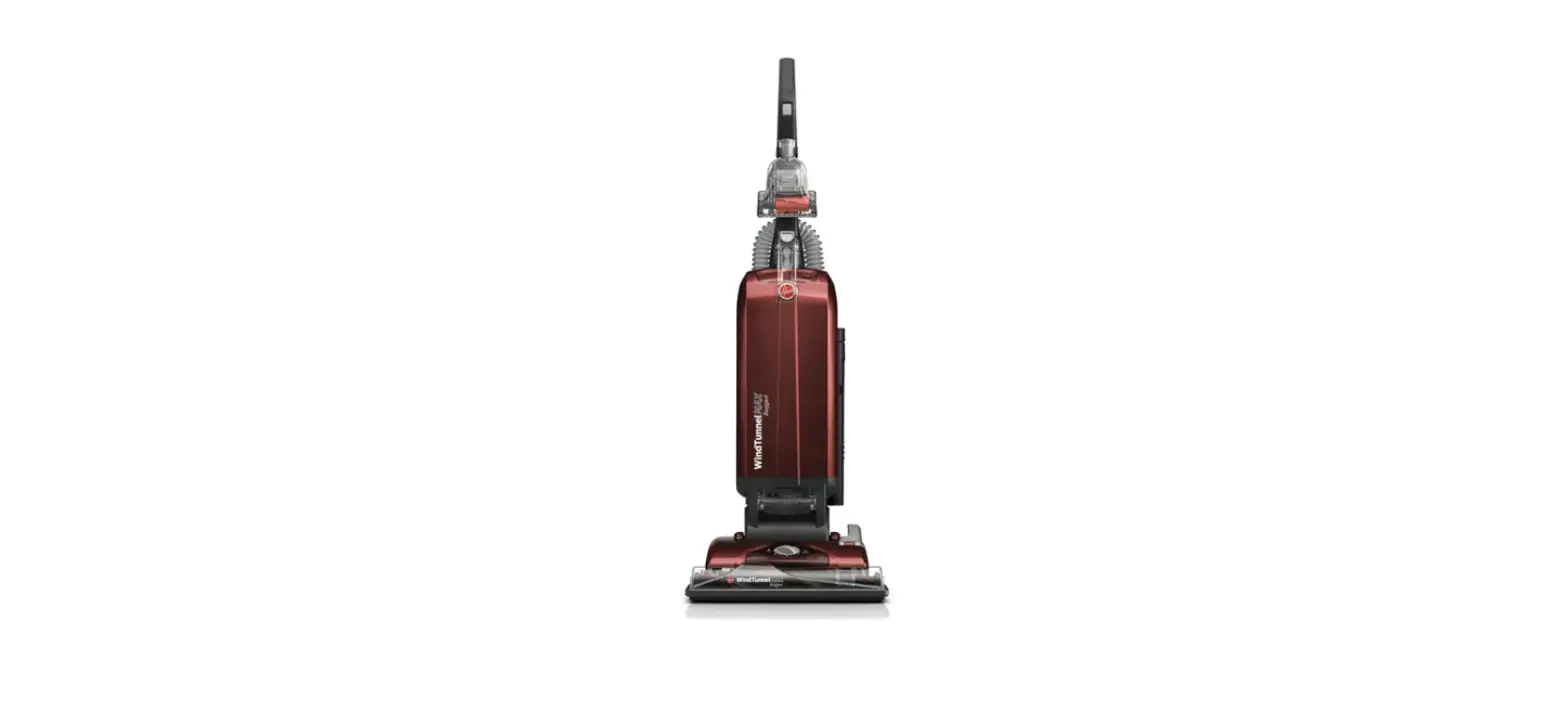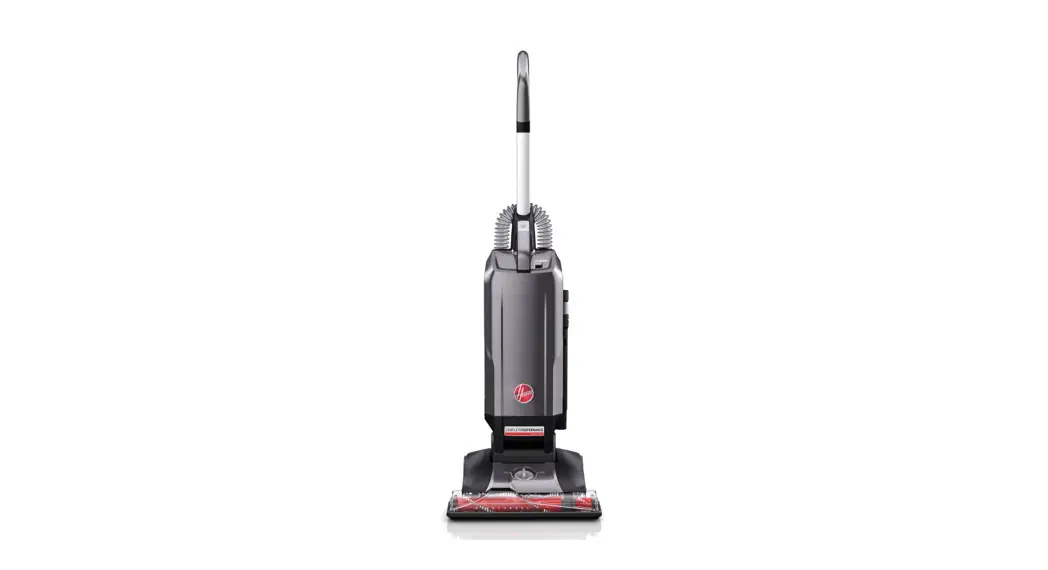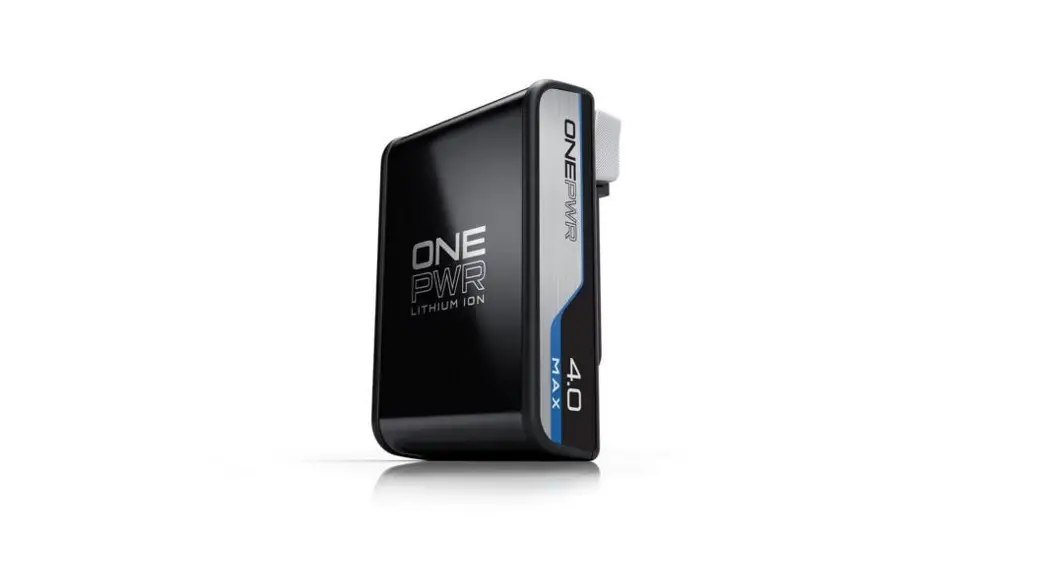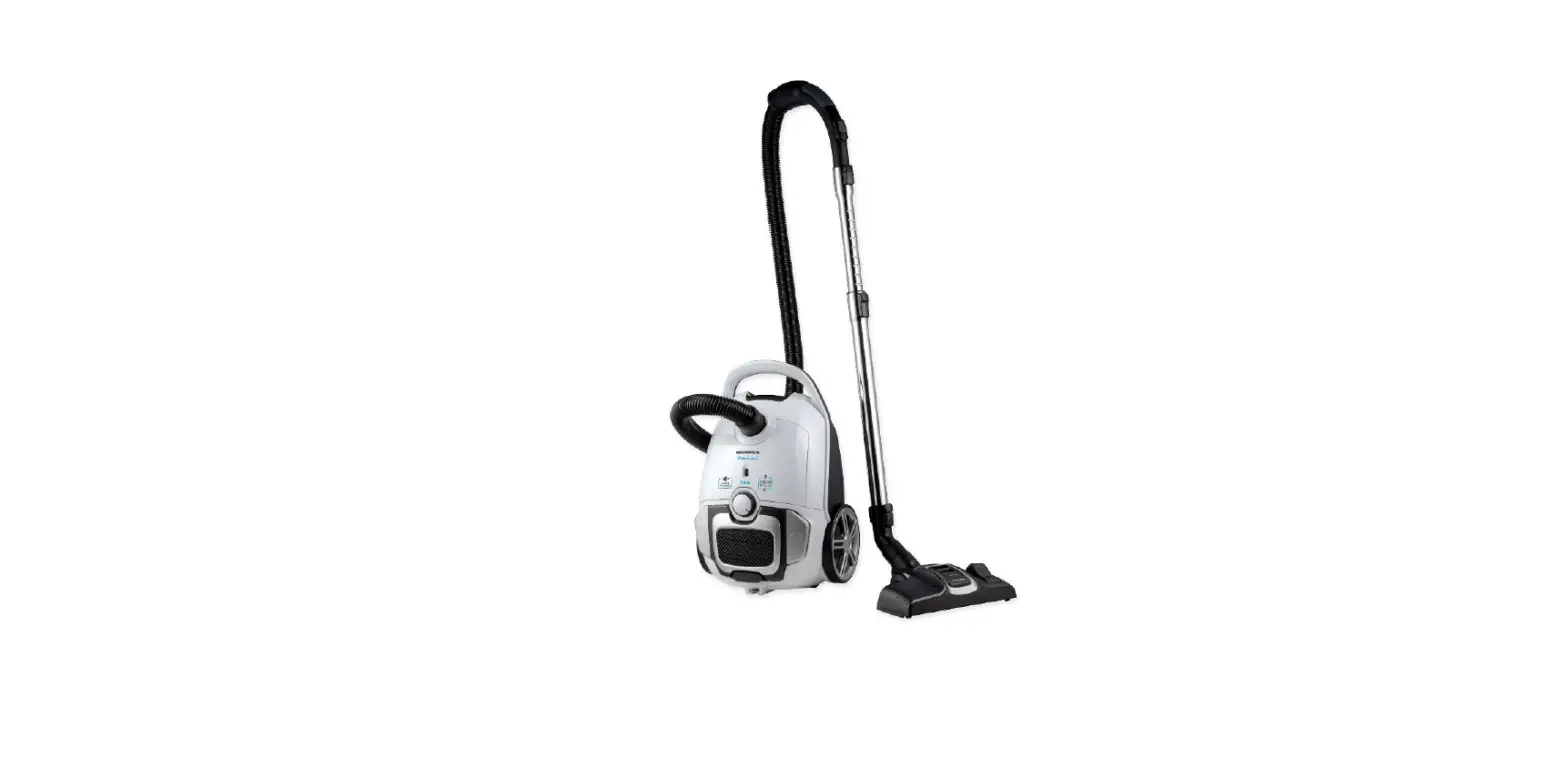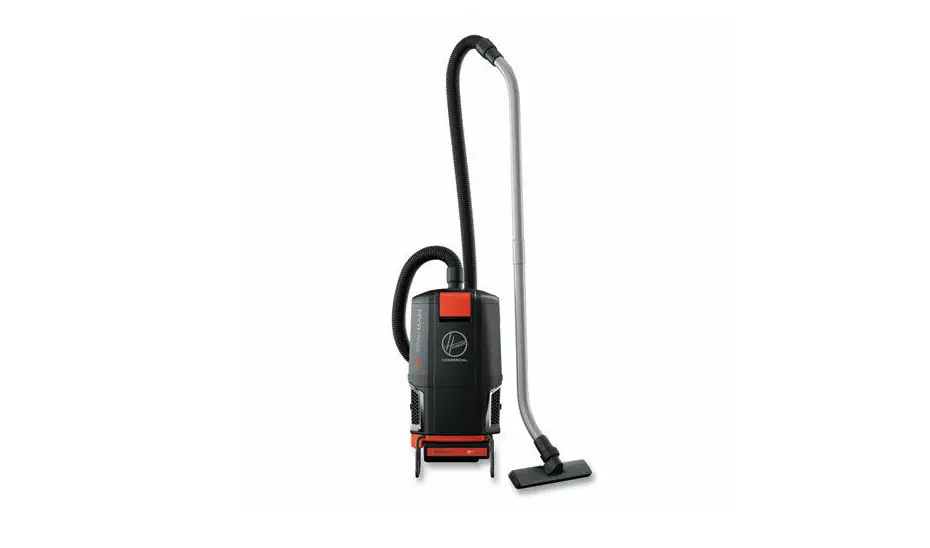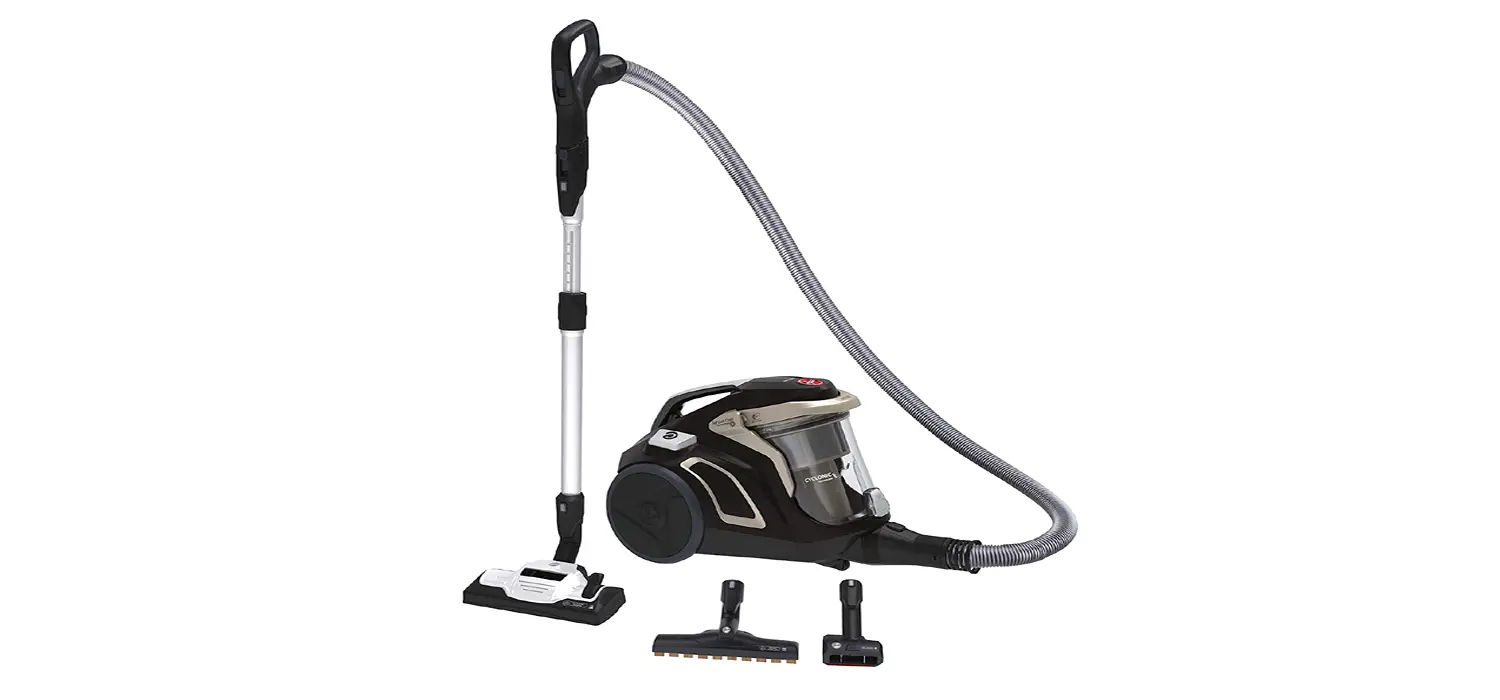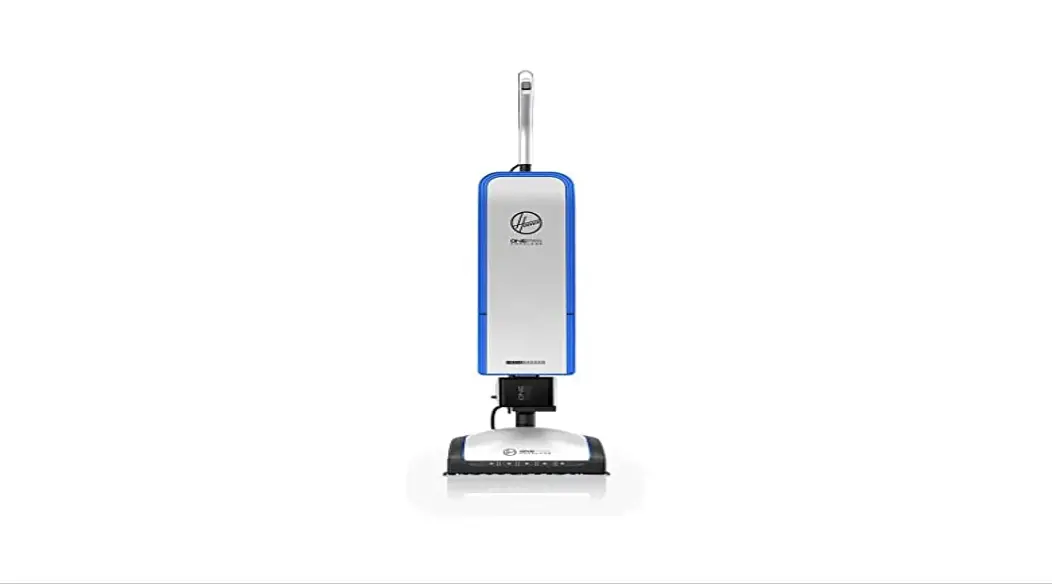

BH55500PC ONEPWR HEPA+ Cordless Bagged
User Manual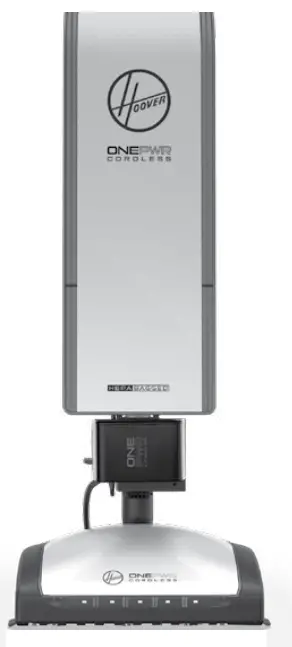
CORDLESS ESS UPRIGHT VACUUM
USER MANUAL MODELS: BH55500/BH55500PC
Please visit Hoover.com for video instructions and FAQs for this Cordless UprigIMPORTANT: READ ALL INSTRUCTIONS CAREFULLY BEFORE ASSEMBLY AND USE. This product is intended for Household use only. If used Commercially warranty is VOID Questions or concerns? For assistance, please call Customer Service at 1-800-406- 005 Mon-Fri 9 am-6 pm EST before returning this product to the store.
IMPORTANT SAFETY INSTRUCTIONS SAVE THESE INSTRUCTIONS
READ ALL SAFETY WARNINGS AND INSTRUCTIONS BEFORE USING THIS RODUCT.
WARNING: When using an electrical product, basic precautions should always be followed to avoid electric shock, fire, and/or serious injury, including the following:
- Fully assembled or install product prior to use.
- Do not use the charger outdoors
- Do not use the product or charger outdoors or on wet surfaces.
- Do not allow it to be used as a toy. Not intended for use by children age 12 and under. Close supervision is necessary when used by or near children. To avoid injury or damage, keep children away from products, and do not allow children to place fingers or other objects into any openings.
- Use only as described in this user manual. Use only HOOVER® recommended attachments and parts.
- Do not use the charger with a damaged cord or plug. If the product or charger is not working as it should, has been dropped, damaged, left outdoors, or dropped into water, call customer service at 1 (800) 406-2005 prior to continuing use.
- Do not pull or carry a charger by a cord. Keep cord away from heated surfaces.
- Do not unplug the charger by pulling on the cord. To unplug the charger, grasp the plug, not the cord.
- Do not handle charger, plug, or charger terminals with wet hands.
- Do not put any object into openings. Do not use with any opening blocked; keep free of dust, lint, hair, and anything that may reduce airflow.
- Keep hair, loose clothing, fingers, and all parts of the body away from openings and moving parts.
- Use extra care when cleaning on stairs. To avoid personal injury or damage, and to prevent the products from falling, always place products at bottom of stairs or on the floor. Do not place products on stairs or furniture.
- Do not use to pick up flammable or combustible liquids, such as gasoline, or fine wood sandings, or use in areas where they may be present.
- Do not pick up anything burning or smoking, such as cigarettes, matches, or hot ashes.
- Do not use without filters, separator, and dirt cup in place.
WARNING: RISK OF FIRE, PROPERTY DAMAGE, AND INJURY. NEVER EXPOSE YOUR BATTERY PACK OR CHARGER FOR WATER, MOISTURE, OR FLUIDS, INCLUDING BUT NOT LIMITED TO CORROSIVE OR CONDUCTIVE FLUIDS, OR ALLOW FLUIDS TO FLOW INSIDE THESE ITEMS.
Corrosive or conductive fluids, such as salt water, chlorine, certain industrial chemicals, and bleach or bleach-containing products, etc., can cause a short circuit in the battery pack. If your battery pack is exposed to a corrosive or conductive fluid, do not attempt to use or charge the battery pack and immediately perform the following steps:
.
- Wear appropriate personal protective equipment, including eye protection and rubber gloves.
- Place your exposed battery pack in a large bucket, such as a 5-gallon or similar bucket, and fill the bucket with regular tap water. Do not place more than two packs in the bucket.
- Locate the bucket outdoors in an area inaccessible to children and pets and away from tall buildings, garages sheds, structures, vehicles, and combustible flammable materials.
- Leave the battery pack(s) in the bucket filled with tap water and call Customer Service at 1 (800) 406-2005 for additional instructions on the proper disposal of the exposed battery pack(s).
- Prevent unintentional starting. Ensure the switch is in the off-position before (connecting to the battery pack,) picking up or carrying the product. Carrying the appliance with your finger on the switch or energizing appliance that has the switch on invites accidents.
- Disconnect the battery pack before making any adjustments, changing accessories, or storing the product. Such preventative measures reduce the risk of starting the product accidentally.
- Recharge only with the HOOVER® charger. A charger that is suitable for one type of battery pack may create a risk of injury and fire when used with another battery pack.
- Use products only with specifically designated battery packs. The use of any other battery packs may create a risk of injury and fire.
- When the battery pack is not in use, keep it away from other metal objects, like paper clips, coins, keys, nails, screws or other small metal objects, that can make a connection from one terminal to another. Shorting the battery terminals together may cause burns or a fire.
- Under abusive conditions, liquid may be ejected from
the battery; avoid contact. If contact accidentally occurs, flush with water. If liquid contacts eyes, additionally seek medical help. Liquid ejected from the battery may cause irritation or burns. - Do not use a battery pack or appliance that is damaged or modified. Damaged or modified batteries may exhibit unpredictable behavior resulting in fire, explosion or risk of injury.
- Do not expose a battery pack or appliance to fire or excessive temperatures. Exposure to fire or temperature above 265°F/130°C may cause an explosion.
Follow all charging instructions and do not charge the battery pack or appliance outside of the temperature range specified in the instructions. Charging improperly or at temperatures outside of the specified range may damage the battery and increase the risk of fire. - This product contains no serviceable parts.
- Do not modify or attempt to repair the appliance (or the battery pack) except as indicated in the instructions for use and care.
CAUTION: TO REDUCE THE RISK OF DAMAGE:
- Avoid picking up hard, sharp objects with this product, as they may cause damage.
- Store appropriately indoors in a dry place. Do not expose the machine to freezing temperatures.
- Do not allow nozzle with brush roll running to sit in one location for an extended period of time, as damage to the floor can result
BATTERY DISPOSAL WARNING: –RISK OF EXPLOSION OR EXPOSURE TO TOXIC MATERIAL
LITHIUM-ION BATTERIES.
 The battery must be collected, recycled or disposed of in an environmentally sound manner. The EPA-certified RBRC Battery Recycling Seal on the lithium-ion [Li-ion] battery indicated that Techtronic Industries, a corporate affiliate of HOOVER, Inc., is voluntarily participating in an industry program to collect and recycle these batteries at the end of their useful life, when taken out of service in the United States or Canada. The RBRC program provides a convenient alternative to placing used Li-ion batteries into the trash or the municipal waste stream, which may be illegal in your area. Please visit www.rbrc.org/call2recycle/ for information on Li-ion battery recycling and disposal ans/restrictions in your area. HOOVER’s involvement in this program is part of our commitment to preserving our environment and conserving our natural resources.
WARRANTY
LIMITED WARRANTY FOR HOOVER® ONEPWR™ PRODUCTTHREE YEAR LIMITED WARRANTY (DOMESTIC USE)
If this product is not as warranted, contact TTI Floor Care North America Customer Service at 1-800-406-2005.Please have available the proof of purchase and model number for the warranted product.
WHAT THIS LIMITED WARRANTY COVERS: his limited warranty was provided by Royal Appliance Mfg. Co., doing business as TTI Floor Care North America (referred to hereafter as “Warrantor”) applies only to products purchased in the U.S. (including its territories and possessions), a U.S. Military Exchange, or Canada. When used and maintained in normal household use and in accordance with the Owner’s Guide, this product is warranted against original defects in material and workmanship for THREE ears from the date of original purchase (the “Warranty Period”). If Warrantor determines that the issue you are experiencing is covered under the terms of this warranty (a “covered warranty claim”), we will, at our sole discretion and free of charge (subject to the cost of shipping), either (i) repair your product; (ii) ship you a replacement product, subject to availability; or (iii) in the event that the applicable parts or replacement are not reasonably available, ship you a similar product of equal or greater value. In the unlikely event that we are unable to repair your product or ship a replacement or similar product, we reserve the right, at our sole discretion, to issue you a refund or store credit (if applicable) of the actual purchase price at the time of the original purchase as reflected on the original sales receipt. Parts and replacements may be new, refurbished, lightly used, or remanufactured, in Warrantor’s sole discretion.
WHO THIS LIMITED WARRANTY COVERS: This limited warranty extends only to the original retail purchaser, with original proof of purchase from Warrantor or an authorized dealer of Warrantor products, in the U.S., U.S. Military Exchanges, and Canada.
WHAT THIS LIMITED WARRANTY DOES NOT COVER This warranty does not cover the use of the product in a commercial operation (such as maid, janitorial, and equipment rental services, or any other income-generating activity); improper maintenance of the product; the product if it has been subject to misuse, negligence, neglect,
vandalism, or the use of voltages other than that on the data plate of this product. This warranty does not cover damage resulting from an act of God, accident, owner’s acts or omissions, service of this product by other than Warrantor or a Warrantor authorized service provider (if applicable), or other acts beyond the control of Warrantor. This warranty also does not cover use outside the country in which the product was initially purchased or resale of the product by the original owner. Pick-up, delivery, transportation, and house calls are not covered by this warranty. In addition, this warranty does not cover any product that has been altered or modified, or repairs made necessary by normal wear or the use of other products, parts, or accessories which are either incompatible with this product or adversely affect this product’s operation, performance, or durability. Normal wear items are not covered under this warranty. Depending on the product, normal wear items may include, but are not limited to, belts, filters, brush rolls, blower fans, blower, vacuum tubes, and vacuum bags and straps.
OTHER IMPORTANT TERMS: This warranty is not transferable and may not be assigned; any assignment made in contravention of this prohibition is void. This warranty shall be governed and construed under the laws of the state of North Carolina. The Warranty Period will not be extended by any replacement of batteries, parts, or products or by virtue of any repair performed under this warranty.
THIS LIMITED WARRANTY IS THE EXCLUSIVE WARRANTY AND REMEDY, AND ALL EXPRESS AND IMPLIED WARRANTIES OTHER THAN THE LIMITED WARRANTY SET FORTH ABOVE, INCLUDING IMPLIED WARRANTIES OF MERCHANTABILITY AND FITNESS FOR A PARTICULAR PURPOSE, ARE EXPRESSLY DISCLAIMED. IN NO EVENT WILL THE WARRANTOR BE LIABLE FOR ANY SPECIAL, INDIRECT, INCIDENTAL, OR CONSEQUENTIAL DAMAGES OF ANY KIND OR NATURE TO THE OWNER OR ANY PARTY CLAIMING THROUGH THE OWNER, WHETHER BASED ON CONTRACT, NEGLIGENCE, TORT, OR STRICT PRODUCTS LIABILITY OR ARISING FROM ANY CAUSE WHATSOEVER, EVEN IF THIS WARRANTY FAILS OF ITS ESSENTIAL PURPOSE. TO THE EXTENT PERMITTED BY APPLICABLE LAW, NO WARRANTIES THAT ARISE BY OPERATION OF LAW, IF APPLICABLE, SHALL EXCEED THE DURATION OF THE LIMITED WARRANTY PROVIDED HEREIN. Warrantor’s liability for damages to you for any costs whatsoever arising out of this statement of the limited warranty shall be limited to the amount paid for this product at the time of original purchase.
Some states do not allow the exclusion or limitation of incidental or consequential damages, disclaimers of implied warranties, or limitations on the duration of implied warranties, so the above exclusions, disclaimers, and/ or limitations may not apply to you. This warranty gives you specific legal rights, and you may also have other rights, which vary from state to state.
GENUINE PARTS AND ACCESSORIES: We recommend using only genuine HOOVER® solutions (for carpet and spot cleaners), parts, and accessories. Damage caused by use with other than genuine HOOVER® solutions, parts, and accessories is not covered by and may void your warranty.
CHARGING THE BATTERY
NOTES: Batteries are shipped in a low-charge condition to prevent possible problems. You should charge them before first use. If the light on the charger flashes red, there is n error with the battery or the charger. Try again or call customer service for support at 1-800-406-2005. CHARGING AMBIENT TEMPERATURE RANGE: 5 °C – 40 °C (41 °F – 104 °F).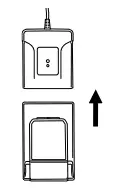
- To charge, align the battery to the charger and slide into place.
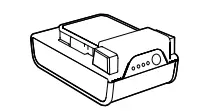
- When your battery is charging the lights on the charger will blink. Once charge is complete, lights on the battery will turn off.
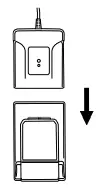 Press the latches and pull to remove.
HOW TO INSERT THE BATTERY
Fully assembled product prior to use.
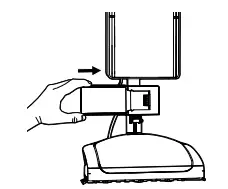
- To insert the battery, align the grooves and slide the battery until it clicks into place. To remove, press the latches and slide the battery out.
GETTING STARTED
HOW TO USE
Fully assembled product prior to use.
NOTE: Do not operate without a bag.
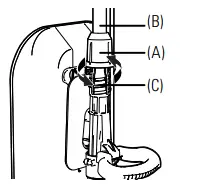
- Insert Upper Tube Connector (A) into the top of Debris Transfer Tube (C). Twist Upper Tube Connector until it clicks to secure Upper Tube (B).
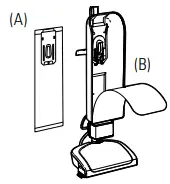 Make sure the filtration bag (A) is attached properly to the bag dock (B). Instructions can be found on the bag and in the maintenance section of this manual.
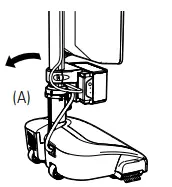 Step on power head (A) to lower the handle. NOTE: The auto-lock feature will disengage the motor when the vacuum is upright.
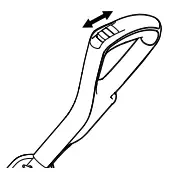 Push the power switch to change between Hard Floor, Carpet, and Power OFF modes.
MAINTENANCE
HOW TO REPLACE THE FILTER BAG FILTER BAG MODEL #AH15600
WARNING: To reduce the risk of personal injury, remove the battery before cleaning or servicing. Do not use a vacuum bag without a filtration bag in place.
WARNING: Very fine materials, such as face powder or cornstarch may seal the filtration bag and cause it to burst even though it is only partially full. Change the bag often when cleaning this type of material. Find available replacement parts and accessories at Hoover.com. If the appliance is not working as it should, has been dropped, damaged, left outdoors, or dropped into water, call customer service at 1.800.406.9005 prior to continuing use.
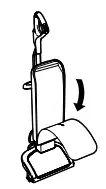 Unzip the Filtration Bag Case and Pull the cardboard collar downward to release the bag dock from the port.
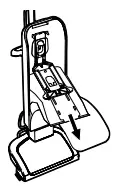 Gently pull the cardboard collar on the filtration bag up to engage the self-sealing lock and remove it from the bag dock. Discard.
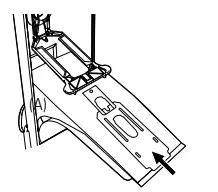 Slide a new filtration bag collar firmly into the bag dock ensuring all hooks on the dock door are inserted into the cardboard collar.
FILTER BAG MODEL AH15600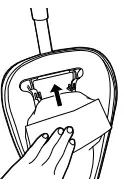 Rotate bag dock up and press firmly on the filtration bag at indicated points until it snaps into place.
QUICK ACCESS BRUSH ROLL CLEANING
WARNING: Risk of personal injury – Brush roll may suddenly restart. Turn the power switch off and remove the battery before cleaning or servicing.
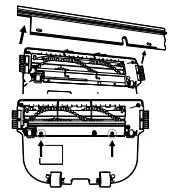 Remove the two black screws, then remove the bottom plate.
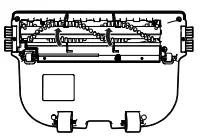 Lift up metal guards to access the brushroll channel.
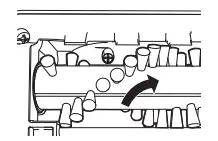 Clear brushroll of debris and obstructions by using scissors to cut across the channel.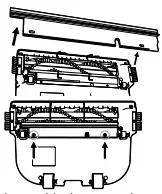
- Put metal guards back into place and secure the wiper back into place with the two black screws.
LUBRICATION: The motor and brush roll are equipped with bearings that contain sufficient lubrication for their lifetime. The addition of lubricant could cause damage. Do not add lubricant to the motor or brush roll.
REMOVING THE BRUSH ROLL AND BELT
WARNING: Risk of personal injury – Brush roll may suddenly restart. Turn the power switch off and remove the battery before cleaning or servicing.
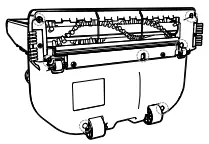 Lay the unit flat to access the power head nozzle. Remove the 7 screws to take off the baseplate from the power head.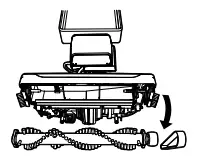
- Remove the brushroll belt and brushroll from the holding channels inside of the power head nozzle.
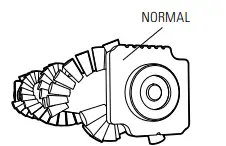 Rotate both plastic black endcaps at the ends of the brushroll to show a single notch “NORMAL” position. Insert back into the holding channels of the power head nozzle. NOTE: Ensure both end cap settings are the same facing up when replacing the brush roll.
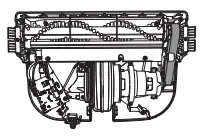 Reassemble the brushroll belt.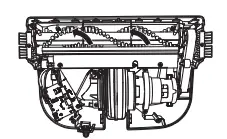
- Manually spin the brushroll to see that it turns freely.
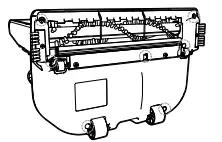 Replace the 7 screws to secure the baseplate to the power head nozzle.
MOTOR PROTECTIONS: If the vacuum becomes overloaded (which could occur when a large obstruction is sucked up or when vacuuming an extremely thick carpet), the lectronics are designed to shut down the vacuum. If this happens, the vacuum will automatically shut off. To reset the vacuum, turn the unit to “O” or off, then turn it on to continue use. If it shuts down again there may be a large obstruction in the vacuum. See Clearing Clogs for the steps on clearing a clog from the air path.
CLEARING CLOGS
WARNING: To reduce the risk of injury from moving parts – remove the battery before cleaning or servicing.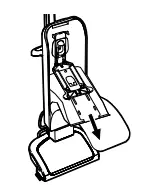
- An overloaded filtration bag may cause dirt and debris to back up into the airflow system. Open the bag dock and check for visible clogs at the bag port. Change filtration bag if ontents have reached the MAXIMUM FILL LINE.
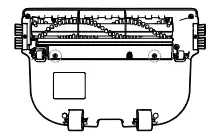
- Also, check for blockages in the power head nozzle.
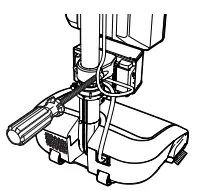
- If the blockage is not in the power head nozzle, remove the lower tube. Detach rubber straps at bottom of the bag and remove screws to tilt the battery dock forward.
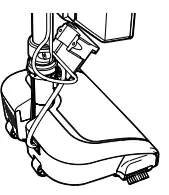 Twist the lower tube connector counterclockwise and slide up. Pull the lower tube out of the fan housing. Once removed, check for blockage.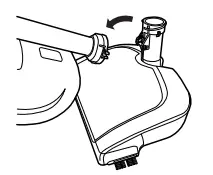
- If the lower tube is not blocked, look into the fan housing for blockage. Be sure to reassemble the lower tube and tighten the lower tube connector before continuing use.
THE BELT: This vacuum is equipped with the fiber-reinforced stretch belt, which is designed for long life and doesn’t need changing.
TROUBLESHOOTING
FIND AVAILABLE REPLACEMENT PARTS AND ACCESSORIES AT HOOVER.COM. IF THE APPLIANCE IS NOT WORKING AS IT SHOULD, HAS BEEN DROPPED, DAMAGED, LEFT OUTDOORS, OR DROPPED INTO WATER, CALL CUSTOMER SERVICE AT 1-800-406-2005 PRIOR TO CONTINUING USE.
ACCESSORIES
GENUINE PARTS AND ACCESSORIES: We recommend using only genuine HOOVER® replacement bags (for Hoover bagged uprights), parts, and accessories. the image caused by use with other than genuine HOOVER® bags, parts, and accessories is not covered by and may void your warranty.
TROUBLESHOOTING
FIND AVAILABLE REPLACEMENT PARTS AND ACCESSORIES AT HOOVER.COM. IF THE APPLIANCE IS NOT WORKING AS IT SHOULD, HAS BEEN DROPPED, DAMAGED, LEFT OUTDOORS, OR DROPPED INTO WATER, CALL CUSTOMER SERVICE AT 1-800-406-2005 PRIOR TO CONTINUING USE.
| Problem | Possible Cause | Possible Solution |
| The vacuum won’t run | 1. Auto Stop feature has been triggered. | 1. Unit may have been put in upright position white on. Recline the unit turns the power to “O” or Off and then turn it back on. |
| 2. Your battery may not be inserted properly. | 2. Make sure the battery is fully seated in the battery cavity. | |
| 3. Your battery may not be charged. | 3. Check the Charge Level Indicator and charge the battery if it’s low. | |
| 4. Your battery may be too hot. | 4. Remove the battery and let cool for 30 minutes, replace the battery and retry or replace with a second charged battery. | |
| 5. There may be internal component damage. | 5. Call for service: 1-800-406-2005. | |
| vacuum won’t pick up or low suction | 1. Filter Bag full and/or lower tube clogged. | 1. Empty Filter Bag |
| 2. Broken or worn belt. | 2. Replace the belt | |
| 3. Brushroll and/ or Lower Tube. | 3. Check Lower Tube Check Brushroll | |
| Dust escaping from vacuum | 1. Filter Bag full. | 1. Empty Filter Bag |
| 2. Filter Bag not installed correctly. | 2. Review Filter Bag removal & replacement | |
| 3.Tubes not installed correctly. | 3. Review Tube installation. | |
| Vacuum is difficult to push or won’t move forward | 1. Wiper blade and metal guards. | 1. Step 1, “Maintenance, Quick Access Brush roll Cleaning” |
| Smoky/burning smell detected | 1. Belt broken or stretched. | 1. Replace the brushroll belt |
| 2. Brushroll is clogged. | 2. Clear 1 remove debris from brushroll |
| Mode | Battery Pack | Red LED On Charger | White LED On Charger | Action Needed |
| POWER | Without Battery Pack | On for 3 seconds | On for 3 seconds | Ready to charge the battery pack |
| TESTING | Hot Battery Pack | ON | OFF | When the battery pack reaches normal temperature, the charger begins charge mode |
| COLD Battery Pack | ON | OFF | When the battery pack reaches normal temperature, the charger begins | |
| DEFECTIVE | Defective | Flashing | OFF | The battery pack or charger is defective |
| ||||
| CHARGING | Charging — LED lights will flash depending on the charge level | OFF | Flashing | The battery is being charged |
| FULL | Charged — lights will go off | OFF | On for 15 seconds | Charging is complete; charger maintains charge mode |
ACCESSORIES
Look for these accessories on Hoover.com or Hoover.ca or call 1-800-406-2005.
GENUINE PARTS AND ACCESSORIES: We recommend using only with genuine HOOVER® replacement bags (for Hoover bagged uprights), parts, and accessories. Damage caused by use with other than genuine HOOVER® bags, parts, and accessories is not covered by and may void YOUR WARRANTY.
| Every ONEPWR battery works with every ONEPWR “product | |||
| Battery: | Model tt | HEPA Media Filtration bags | AH15600 |
| 2.0 Ah | BH15020 | Charger | BH05000 |
| 3.0 Ah | BH15030 | Dual Bay Charger | BH05200 |
| 3.0 Ah MAX | BH25030 | 0.5A Compact Charger | 440014514 |
| 4.0 Ah | BH15240 | 1.5A Compact Charger | 440014513 |
| 4.0 Ah MAX | BH25040 | ||
| 6.0 Ah | 6H15260 | ||
 For assistance, please call Customer Service: 1-800-406-2005 Mon-Fri 9 am-6 pm EST
 Please visit Hoover.com for video instructions and FAQ’s for this Carpet Cleaner.
 Replacement parts and accessories such as solutions are available at Hoover.com.
©2020 Techtronic Floor Care Technology Limited.
All Rights Reserved. Distributed by, Royal Appliance Mfg. Co. Charlotte, NC 28262.
 Hoover Canada
 Vacuum Cleaners | Carpet Cleaners | Hard Floor Cleaners | Hoover
 Call2Recycle | United States