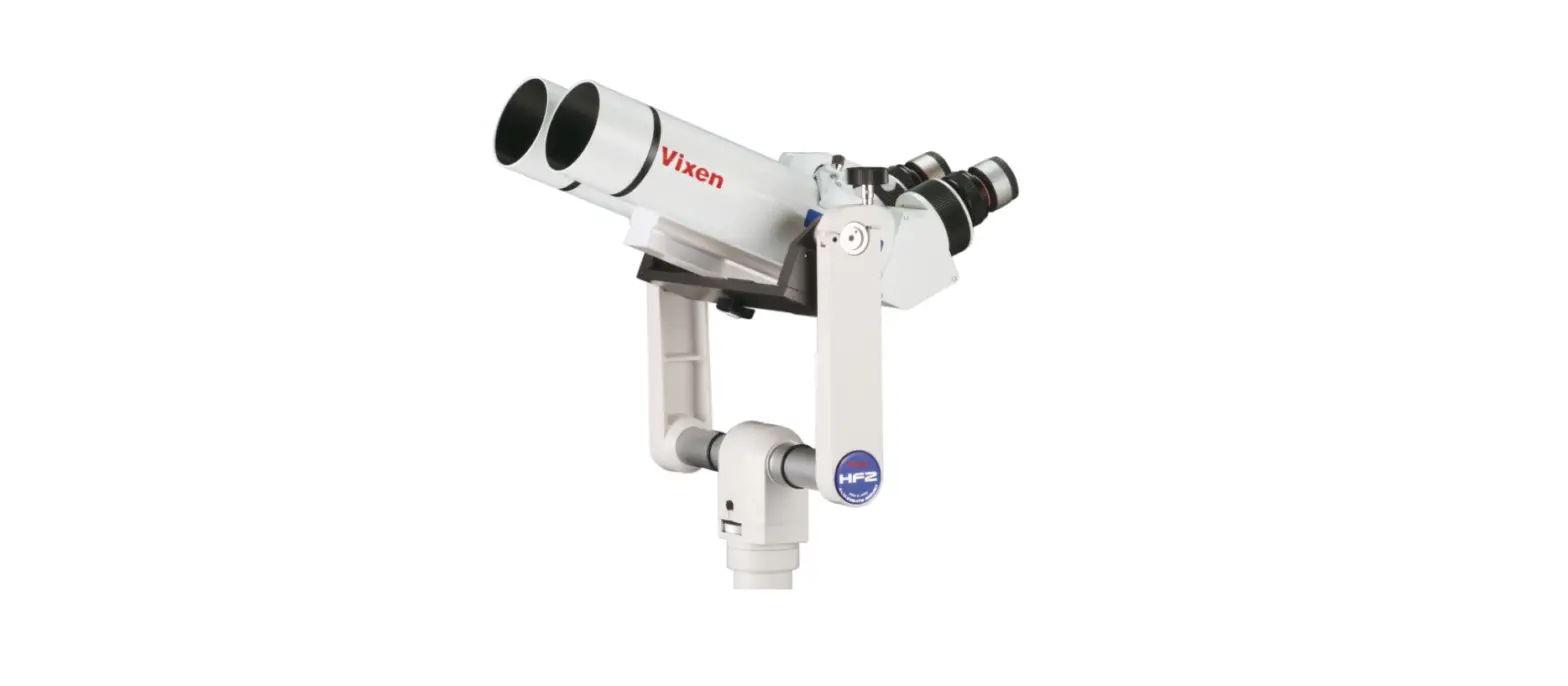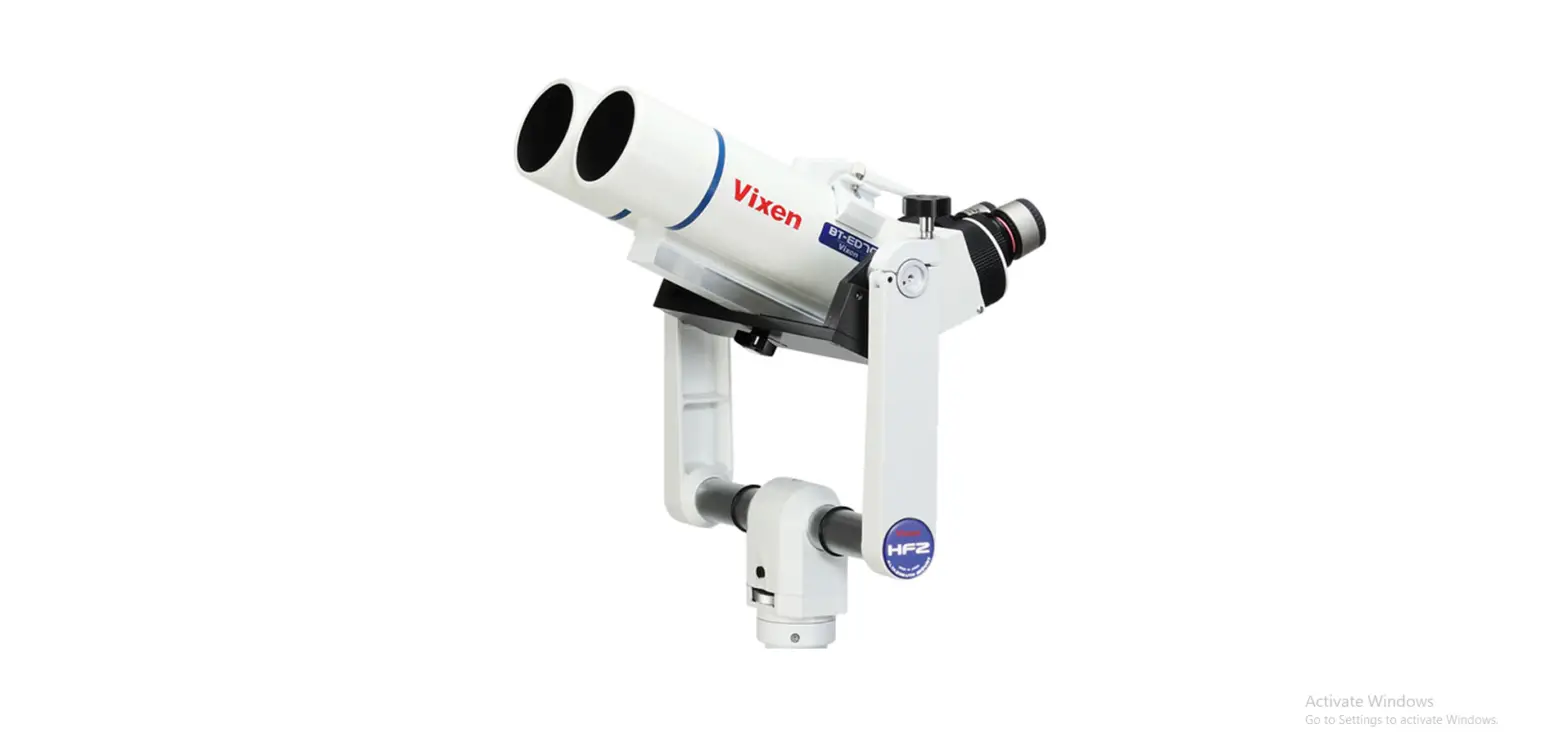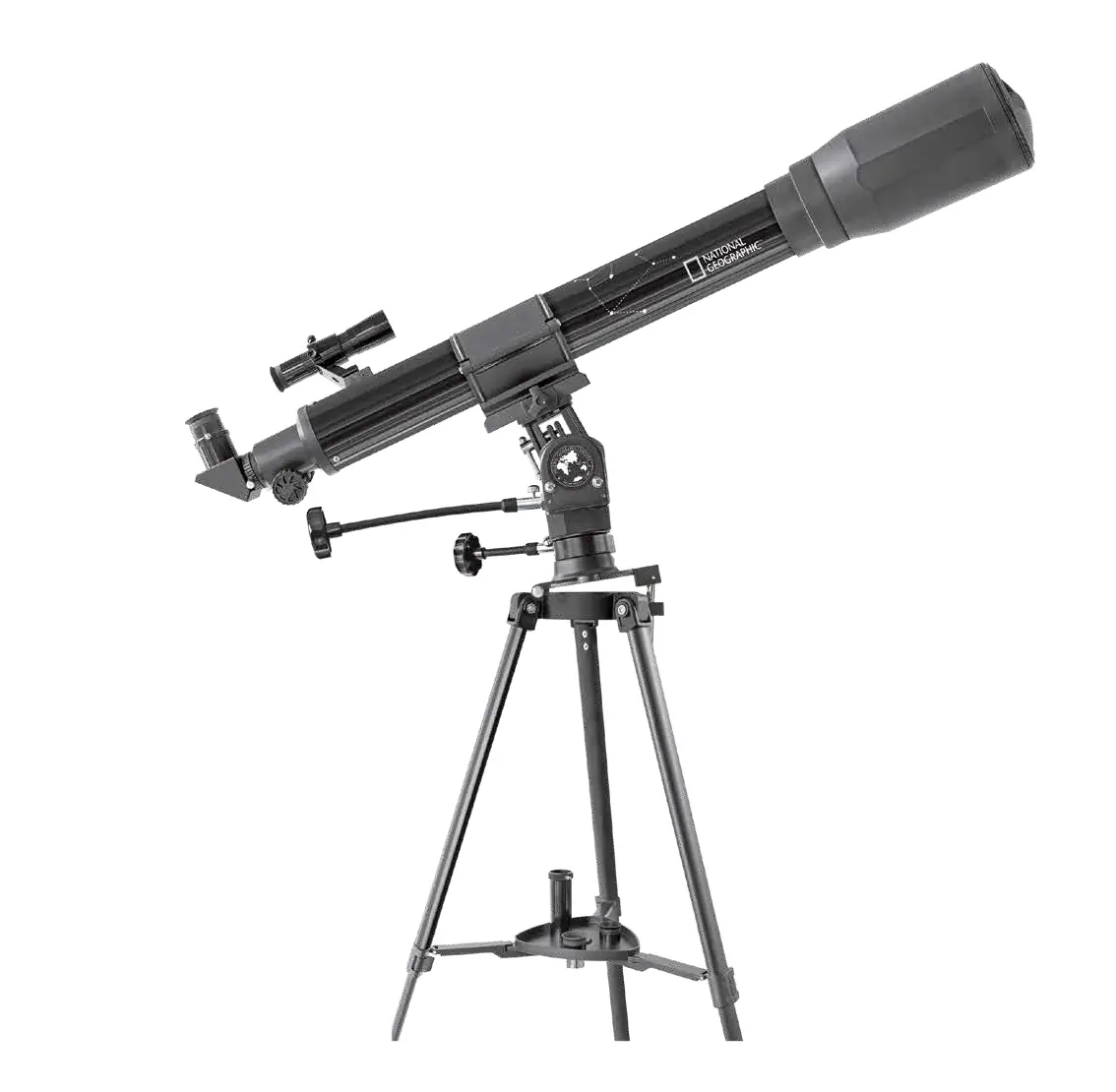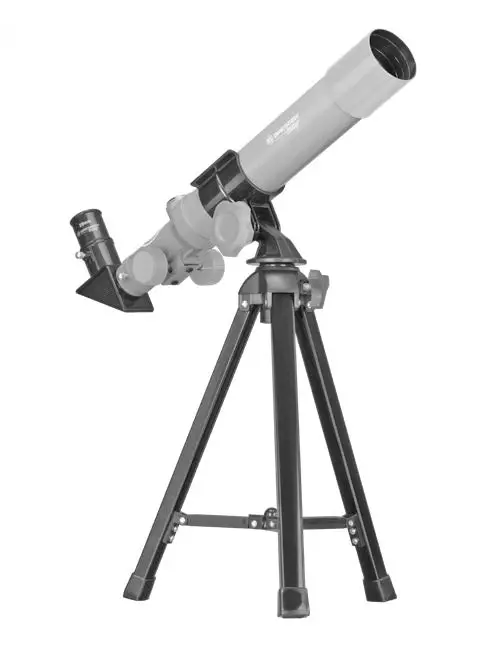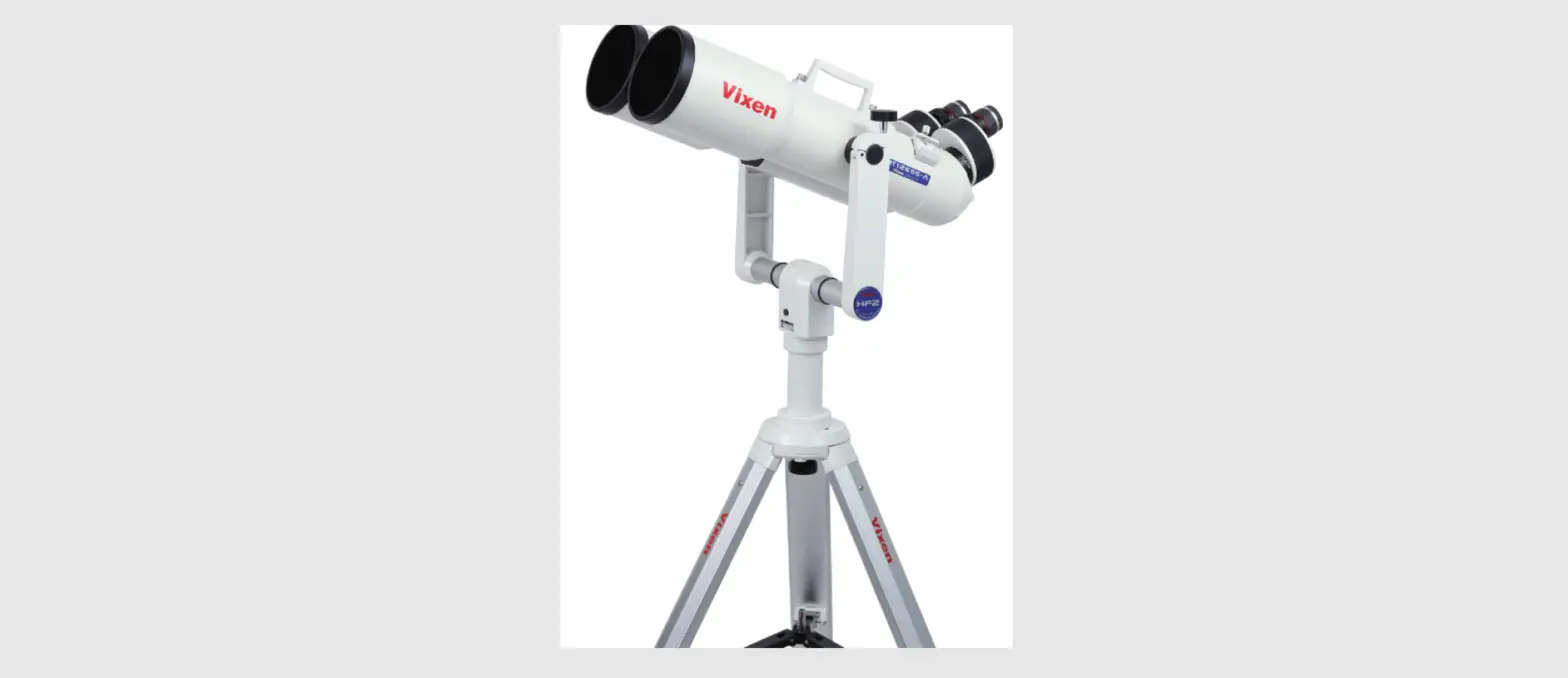

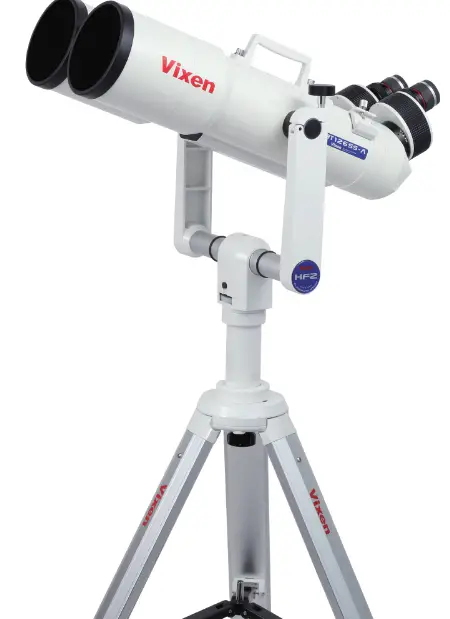
Vixen BT126SS-A Binocular Telescope
Description
The PDM is a portable single gas monitor designed to warn the user about the presence of dangerous concentrations of oxygen, combustible, or toxic gases in the atmosphere. It is simple to operate. The PDM alerts the workers to danger through acoustic alarm, flashing LEDs, and vibration when the concentration exceeds the safety gas levels. The PDM shows the gas concentration in real time and identifies the maximum and minimum concentration. The settings values can be modified through the optional WatchGas IR-Link.
Warning
- Any unauthorized attempt to repair or modify the product, or any other cause of damage beyond the range of the intended use, including damage by fire, lightening, or other hazard, voids liability of the manufacturer.
- Before each day of use preform a test using a known concentration of target gas above the alarm threshold( s), to ensure proper sensor response and alarm functionality.
- Activate this product only if sensor, visual, detection, and audible cover are clear from contaminants such as dirt and debris that could block the area where gas is to be detected.
- Do not clean and rub the LCD screen of the products with a dry cloth or hands in hazardous environment to prevent the static electricity.
- Perform cleaning and maintenance of the products in fresh air that is free of hazardous gases.
- Test the response of a sensor regularly by the gas concentration exceeding alarm set point.
- Test LED, audio and vibration manually.
- Gas concentration measurements by the sensor can vary based on the environment (pressure and humidity) Therefore, calibration of PDM should be performed in the same (or similar) environment of the device’s actual use.
- If the temperature changes sharply during use of the device (e g indoors vs outdoors), the value of the measured gas concentration can suddenly change Please use the PDM after the gas concentration value has stabilized.
- Severe vibration or shock to the device may cause a sudden reading change Please use PDM after the value of gas concentration has stabilized Excessive shock to PDM can cause the device and/or sensor to malfunction.
- All alarm value is set based on the alarm standard that is required by international standard Therefore, alarm values should be changed only under the responsibility and approval of the administration of the work site where the instrument is used.
- Use IR communications in the safety zone which is free of hazardous gases.
- Do not attempt to replace the battery and sensor as PDM is designed to be disposable Changing the battery and sensor may impair intrinsic safety and the attempt will void warranty.
Caution
- Before operating this device, please read the manual carefully.
- This device is not a measurement device, but a gas detector.
- If calibration and self-test fails continuously, please do not use the device.
- For the O2 detector, perform calibration every 30 days in the fresh air environment.
- Before use, please check the activation date, and if the activation date is past, please do not use the device.
- Clean detectors with a soft cloth and do not use chemical substances for cleaning
- To maintain 24 months lifetime, avoid the below activities except the necessary cases to check events(Max/ Min), lifetime/concentration, and alarm set points Otherwise, the frequent use of the button will deplete the battery life less than 24 months.
- Push the button frequently without valid reasons
- Frequent alarm operations or alarms remain for a long time .
- Normal Alarm Use 1 time and 2 minutes per day
- Connect with the PDM IR Link frequently except the bump testing
- View a serial number on the label at the back side of the device.
Product Overview
DETECTOR COMPONENTS
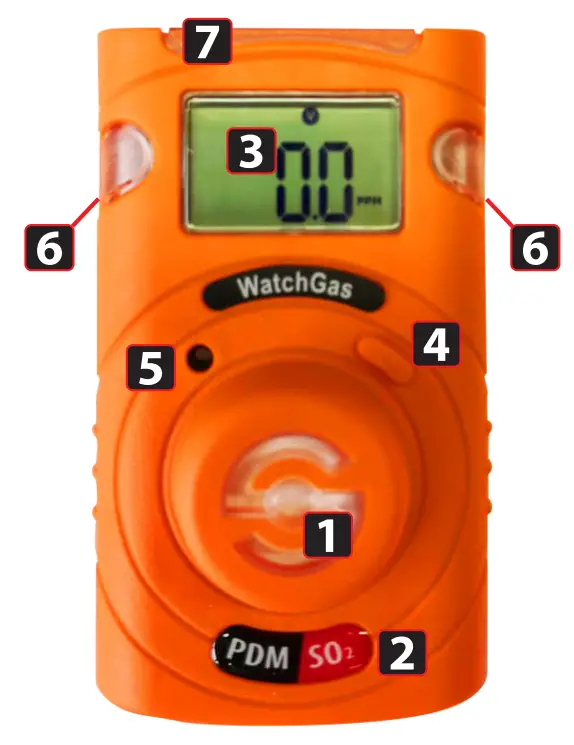
- Gas sensor
- Gas type sticker
- LCD display
- Button
- Buzzer
- Alarm LEDs
- IR port
DISPLAY SYMBOLS
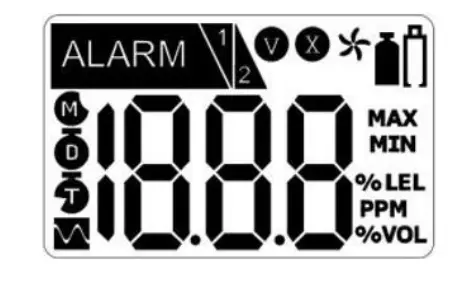
 Alarm condition
 Low Alarm
 High Alarm
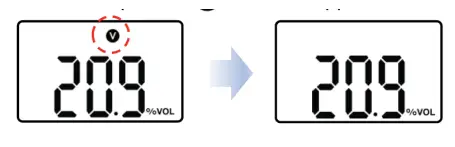
 Stabilization Success
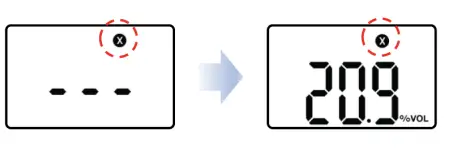
 Failure
 Fresh Air Calibration
 Standard Gas Calibration
 Remaining Months
 Remaining Days
 Remaining Hours
 Max Concentration Value
 Min Concentration Value
 Unit of Measurement
 Lifetime less than 30 days or low battery
 Alarm condition
 Fresh Air Calibration
 Unit of Measurement
 Lifetime less than 30 days or low battery
Activation
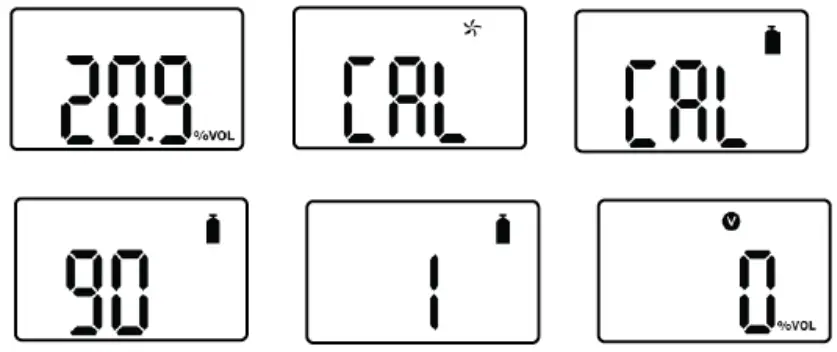
In a safe environment, press and hold down the button for three seconds, after the three-second countdown the monitor will turn on. Gas type and firmware version (eg. 1.2.6) will be displayed. During a 10 seconds countdown, the device will stabilize itself. After stabilization is complete
 will appear on the display screen and the device will move to the Measuring mode.
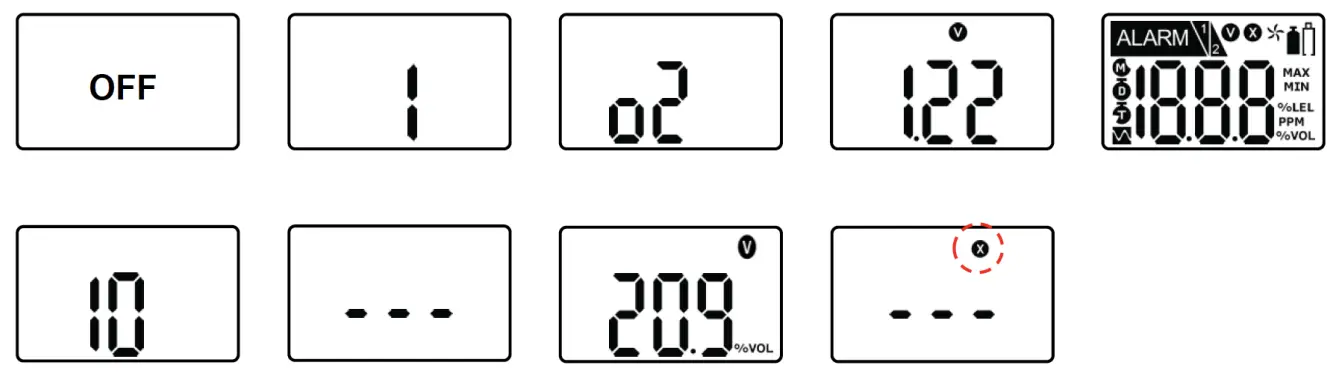 In the event that stabilization of the device fails
 will appear on the display, and gas measurement mode will not be entered. In this case, perform calibration or contact an authorized reseller for repair/ return information.
Mode
MEASUREMENT MODE
When activated, in the detection mode, gas concentration or remaining life appears on the screen. Oxygen concentration is displayed in percent by volume (%Vol) and toxic concentration is displayed in parts per million (ppm).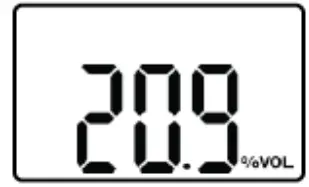
DISPLAY MODE
In the Detection Mode, by pressing push the button for one second, the following icons will appear in order:  (only for oxygen) ->
  CLR -> Remaining Life time(

 ) ->Low alarm set point ->High alarm set point -> Firmware version -> Calibration Concentration At the last step, if you press the key or do not push any button for a second, the PDM will return to Measuring mode.
ALARMS / BATTERY / TEST FAILURE DISPLAY
When a gas concentration exceeds alarm set points,
 will be displayed and the device will vibrate, flash its LEDs, and beep. To stop alarms, evacuate immediately to a clean air location. The gas concentration will decrease and the alarm will stop.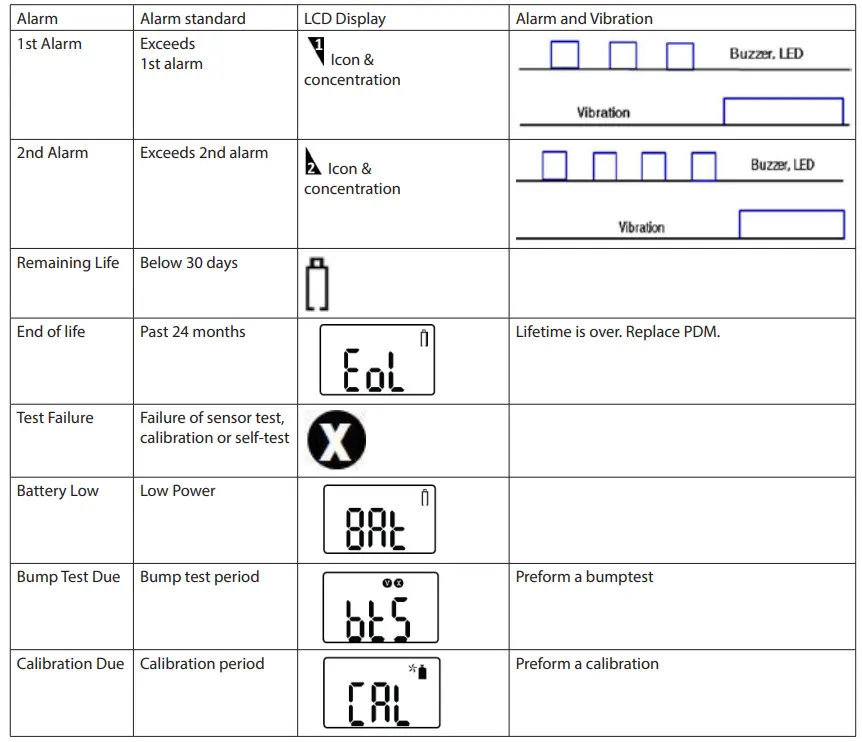
ALARM SET POINTS
| Gas | O2 | CO | H2S | H2 | SO2 | NH3 | NO2 |
| Low alarm | 19% | 25 ppm | 5 ppm | 100 ppm | 1 ppm | 20 ppm | 5 ppm |
| High Alarm | 23% | 25 ppm | 5 ppm | 100 ppm | 1 ppm | 20 ppm | 5 ppm |
DEFAULT CALIBRATION CONCENTRATIONS
| GaS | O2 | CO | H2S | H2 | SO2 | NH3 | NO2 |
| Concentration | 18.0% Vol. | 50 ppm | 10 ppm | 500 ppm | 5 ppm | 50 ppm | 5 ppm |
Event Log
Last 30 events are stored on the PDM. Once 30 events are stored, the oldest log events get overwritten. Stored log events can be transferred via WatchGas-IR Link. Each alarm event is recorded as follows:
- Types of alarms
- Alarm concentration in ppm or %
- Peak concentration
Calibration

FRESH AIR CALIBRATION
- To enter the calibration menu press the button x times untill the calibration concentration is displayed.
- Then hold down the button for 3 seconds
- Press and hold the key for 5 seconds to enter the calibration mode ( ), icon and ‘CAL’ mark will appear on the LCD.
- Press the key for three seconds to initiate calibration. When calibration begins, a countdown (starting at 10) will appear on the screen.

- Once completed, will appear on the LCD.

- If calibration fails, will appear on the LCD
 .
. - Check that the air is clean and that no contaminants are blocking the sensor opening and try again. If fresh air calibration fails repeatedly, contact WatchGas.

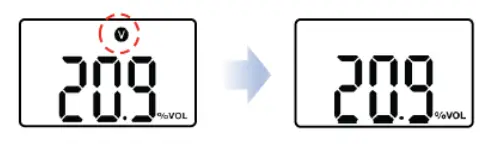
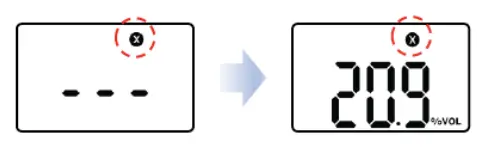 .
.STANDARD GAS CALIBRATION
- Attach the calibration adapter to the PDM and to a gas cylinder with a concentration matching the calibration concentration. Check 3.1. Display Mode to check the calibration concentration.
- Press and hold the key for 5 seconds to enter calibration mode ( ) , icon and ‘CAL’ mark will appear on the LCD. Press the key again for a second, to switch to standard gas calibration, appears. Start the flow of the gas cylinder by opening the regulator.
- Press the key for three seconds to initiate calibration. When calibration begins, a countdown will appear on the screen. The duration of the countdown depends upon the sensor type and can be changed using the WatchGas IR link.

- Once completed, will appear on the LCD. After a few seconds, the PDM will return to Measuring mode. If calibration fails, will appear on the LCD.

- Check that the gas cylinder is not empty and that is has not expired. Also make sure that no contaminants are blocking the sensor opening and try again. If standard gas calibration fails repeatedly, contact WatchGas.

RETURN TO THE MEASUREMENT MODE
In the standard calibration mode , press the key for a second to toggle fresh air calibration, standard calibration, and ESC. In the ESC mode, press the key for 3 seconds, the PDM will get out of the calibration mode and return to detection mode.
Self Test & Bump test
SELF TEST
The default interval of the Self-Test is 20hr, meaning the PDM will ask for a self test after each 20 hours of use.
The interval is configurable via IR-Link between 8~20 hours. The self test can also be switched off via
IR-Link.
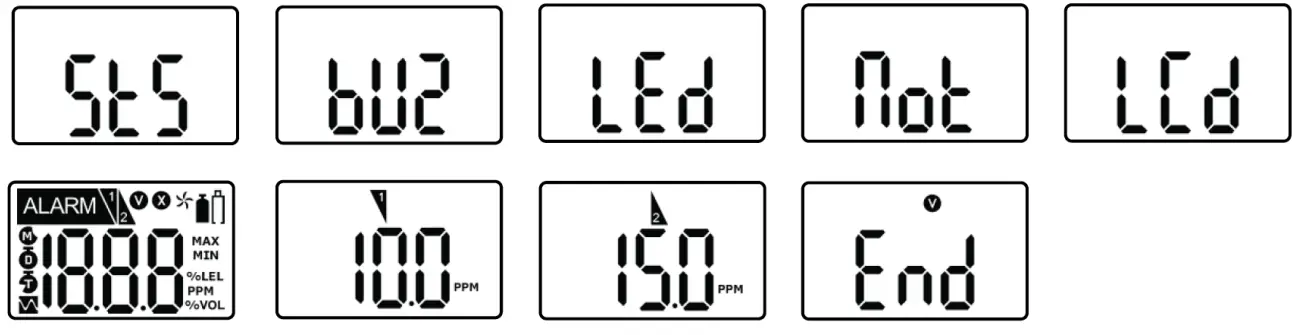
When the interval is activated, STS message will flash. The message will flash until users perform the
Self test.
Once you press the button, it will test buzzer, LED, Vibration, LCD, and show alarm thresholds. After the test is completed, END message with icon will be displayed. (Users are required to check the test processes.)
BUMP TEST
The interval of Bump test is 1~365days, and the default is switched off. To initiate the bump test, set the bump test interval. Once the bump test interval expires, Bts message will flash. Put the PDM in the docking station with a valid and full gas cylinder. Alternatively, attach the calibration adapter to PDM and a valid and full gas cylinder. Press and hold the key for 3 seconds, the TST message will be displayed for 45 seconds (To cancel, press the button for one second). Within the 45 seconds, start the flow from the gas cylinder. If no gas is applied, the bts message will flash again. If the test is successful, SUC message with will be displayed for 30 seconds. Stop the flow, remove the calibration adapter. If the test fails, FA message with , will be displayed and BTS message will be flashing until the test is successful. If the bump test repeatedly fails, contact WatchGas. NOTE: Calibration can be done with the Docking Station.
Specifications
| Size | 48mm(W) x 85mm(H) x 22mm(D) (Sensor and clip excluded) |
| Weight | 93g (Toxic), 104g (O2) (Battery, clip included) |
| Sensor technology | Electrochemical Cell |
| Temperature | -40ºC ~ +50ºC (Toxic) / -35ºC ~ +50ºC (O2) |
| Humidity | 5% ~ 95% RH (Non-condensing) |
| Alarm type | High Alarm, Low Alarm, Over range alarm, Battery Alarm |
| Alarm signal | Acoustic: 95dB @ 30cm Visual: Red flashing LED’s Vibration alarm |
| Display | LCD Display |
| Calibration | 2-point calibration, zero and span |
| Event log | 30 Most recent events |
| Battery | Lithium Primary Battery SB-AA02(P) 3.6V, 1.2Ah |
| Measurement | Diffusion |
| Housing | Polycarbonate and rubber |
| Accuracy deviation | 2-3% |
| IP-Rating | IP67 |
| Safety certifications | ATEX: II 1G Ex ia IIC T4 Ga CSA: Class 1, Zone 0, Ex ia IIC T4 Ga INMETRO: Ex ia IIC T4 Ga IECEx: Ex ia IIC T4 Ga CE: Conformité Européenne |
| Sensor Life | 24 months with Normal Alarm Use 1 time and 2 minutes per day |
| Warranty | 24 months |
| Model | Detectable Gas Ranges | Resolution | Article Number |
| PDM O₂ | 0-30% vol | 0.1% vol | 7181411 |
| PDM CO | 0-500 ppm | 1 ppm | 7181412 |
| PDM H₂S | 0-100 ppm | 0.1 ppm | 7181413 |
| PDM SO₂ | 0-50 ppm | 0.1 ppm | 7181414 |
| PDM NH3 | 0-100 ppm | 1 ppm | 7181415 |
| PDM H₂ | 0-1000 ppm | 1 ppm | 7181416 |
| PDM NO₂ | 0-20 ppm | 0.1 ppm | 7181417 |
Certificates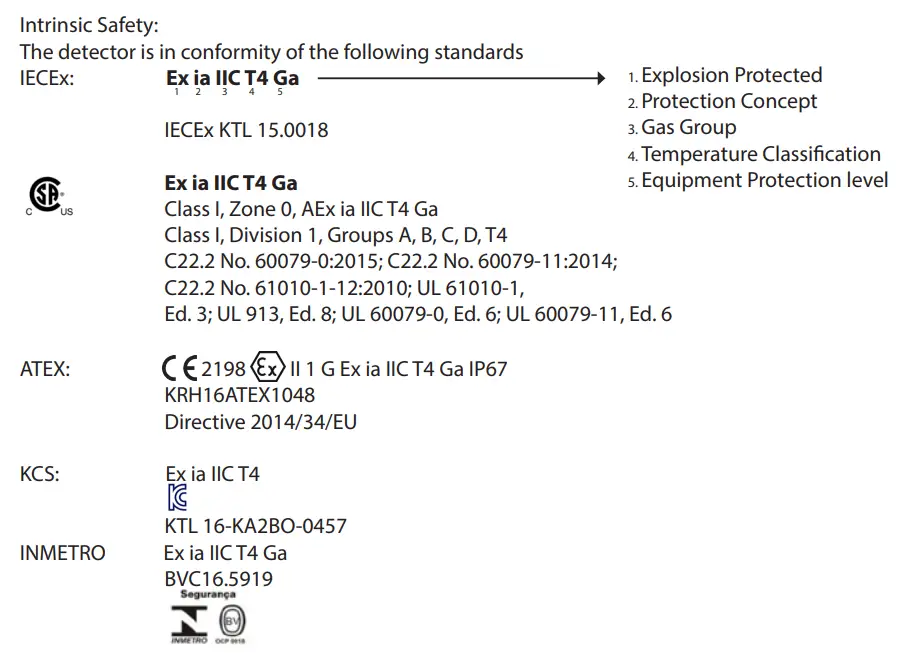
Standards
The electrical apparatus and any acceptable variations to it specified in the schedule of this certificate and the identified documents, was found to comply with the following standards:
- IEC 60079 0: 2011 Ed. 6
- IEC 60079 11: 2011 Ed 6
- UL 61010 1, Ed. 3
- UL 913, Ed. 8
- UL 60079 0, Ed. 6
- UL 60079 11, Ed. 6
- C22.2 No. 60079 0:2015
- C22.2 No. 60079 11:2014
- C22.2 No. 61010 1 12:2012
- EN 60079 0: 2012+A11:2013
- EN 60079 11: 2012
Limited Warranty
WATCH AS warrants this product to be free of defects in workmanship and materials under normal use and service for two years from the date of purchase from the manufacturer or from the product’s authorized reseller. The manufacturer is not liable (under this warranty) if its testing and examination disclose that the alleged defect in the product does not exist or was caused by the purchaser’s (or any third party’s) misuse, neglect, or improper installation, testing, or calibrations. Any unauthorized attempt to repair or modify the product, or any other cause of damage beyond the range of the intended use, including damage by fire, lightning, water damage or another hazard, voids the liability of the manufacturer. In the event that a product should fail to perform up to manufacturer specifications during the applicable warranty period, please contact the product’s authorized reseller or WATCHGAS service center at +31 (0)85 01 87 709 for repair/return information.
 Bresser | Startseite | Expand Your Horizon mit BRESSER