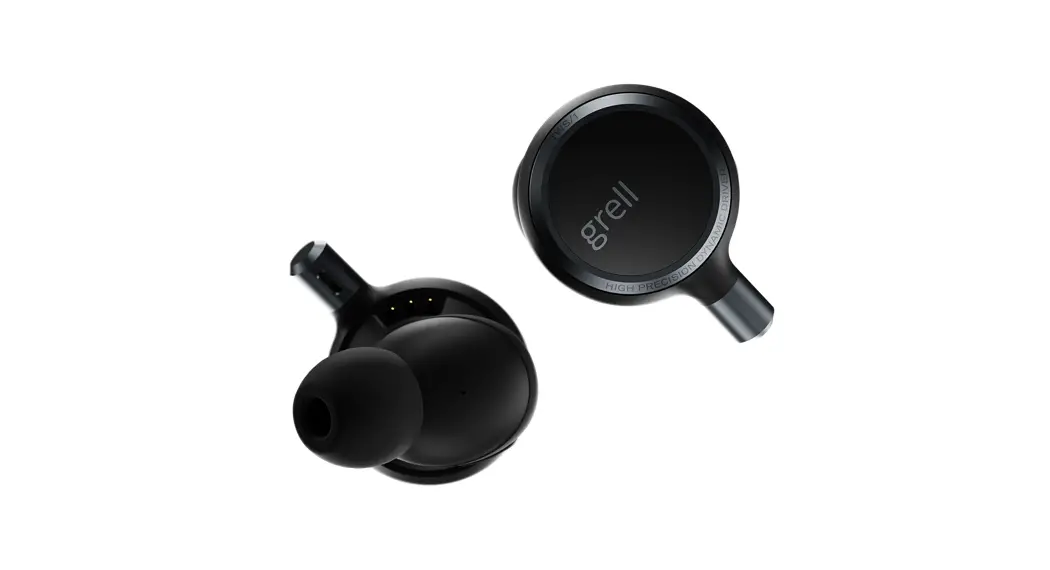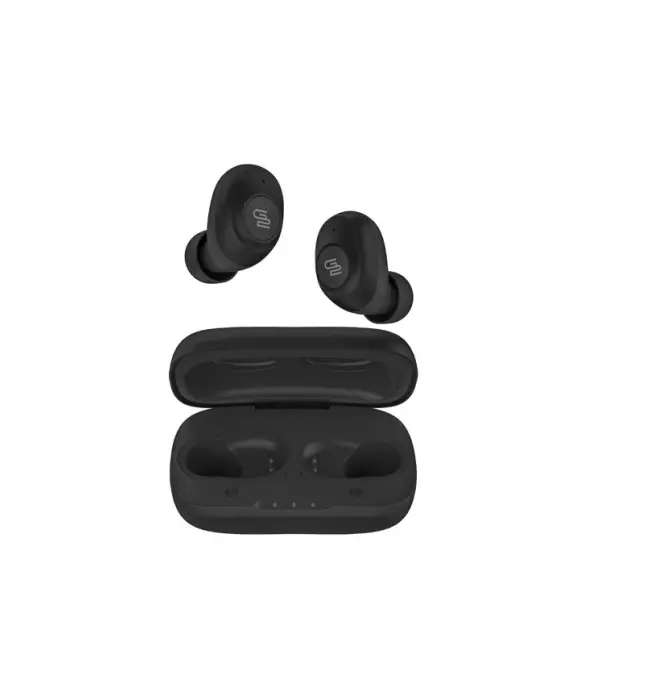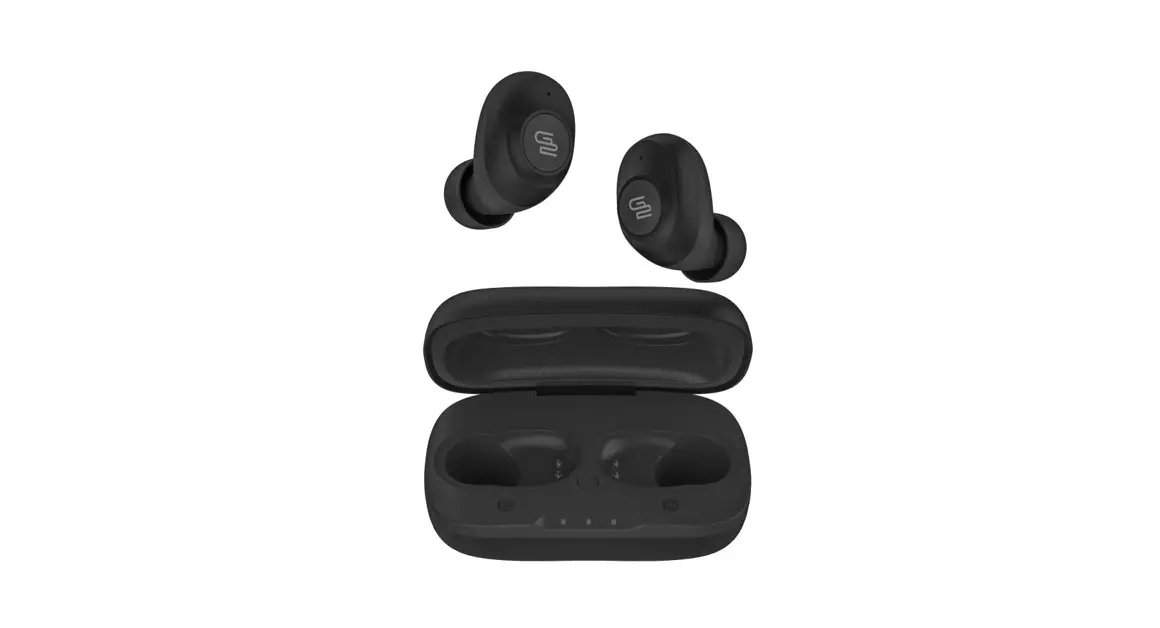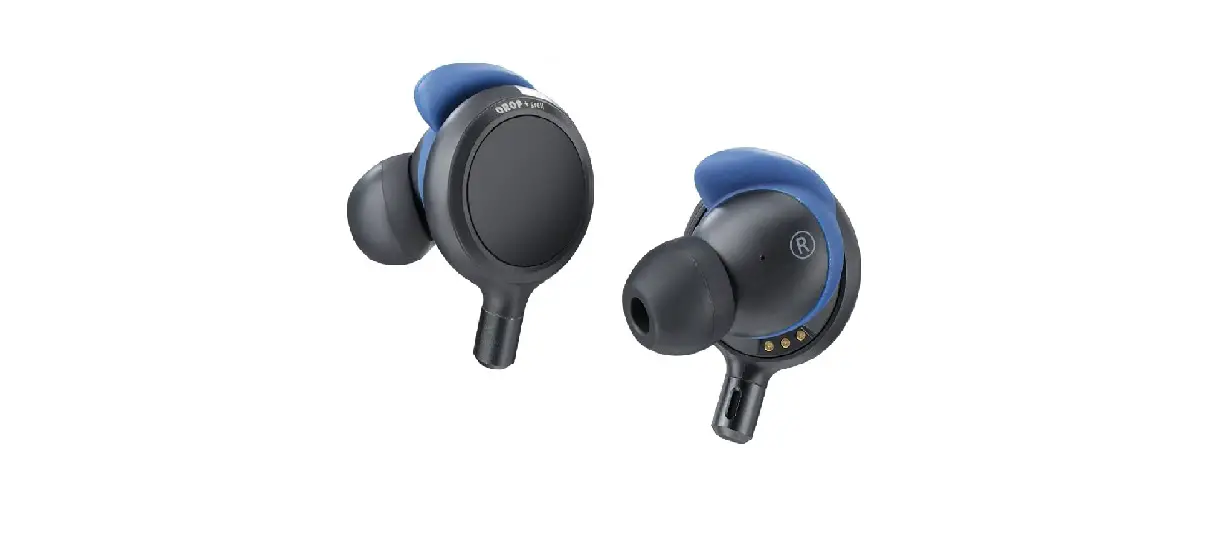

Drop + Grell TWS1X Wireless Audiophile IEM
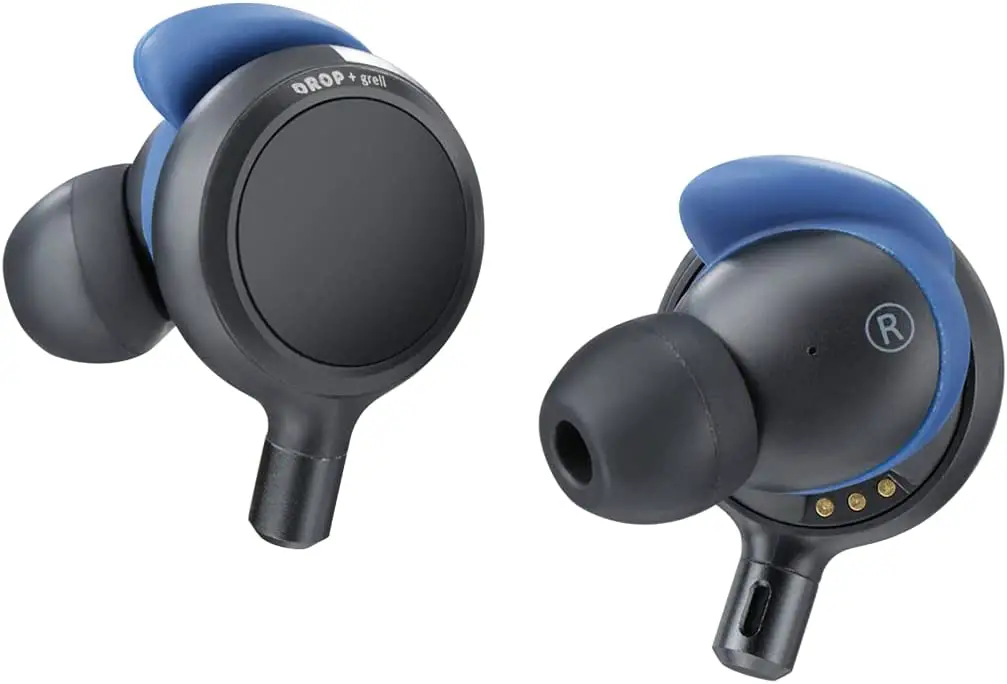
Specifications
- ITEM TYPE: Closed-back
- DRIVERS: Custom-designed 10 mm dynamic drivers
- OPERATION: Glass touchpad and touch-sensor
- MAXIMUM SPL: 105 dB (1 kHz)
- FREQUENCY RESPONSE: 4 Hz – 22 kHz
- THD: < 0.06 % (1 kHz, 100 dB SPL)
- NOISE-CANCELING: Psycho-acoustical Noise Annoyance Reduction (NAR)
- MICROPHONES: Patent-pending Multilayer Turbulence Eliminator (MTE) microphone array
- ACTIVE NOISE-CANCELING: 2 microphones per side
- MICROPHONES: Matched pairs, low noise
- MICROPHONE FREQUENCY RESPONSE: 100 Hz – 10 kHz
- CONNECTIVITY: Bluetooth 5.2
- BLUETOOTH CODECS SUPPORTED: SBC, AAC, aptX Adaptive, LHDC
- PLAYBACK TIME: 5 hours
- BATTERY LIFE (EARPHONES/CASE): 45 hours
Product overview
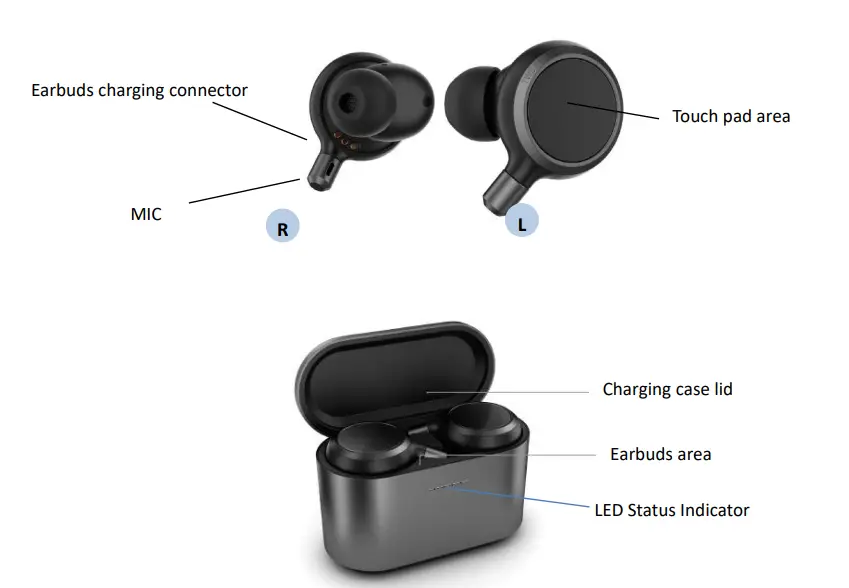
Operation
Before using the earphone for the first time, please fully charge the earphone and the charging case to make sure both work normally. To pair your earphone with your mobile phone, please follow the steps:
- 1) Open the charging case, your earphone will power up automatically.
2) Enable Bluetooth on your smartphone, scan and select “STX-EVT” from Bluetooth device list, and tap to connect. Once paired, the earphone will be added to the paired device list.
To manually pair your earphone with your mobile phone, please follow steps as below:
- 1) Please delete (or ignore) your earphone from Bluetooth Settings \ Bluetooth \ Paired device list in phone system settings.
- 2) Wearing the earbuds, tap and hold both surfaces for 3 seconds. You will hear “paring” sound to indicate the status.
- 3) Enable Bluetooth on your smart phone and scan for available devices, select “STX01-EVT” from the scan list and tap to pair.
- 4) Once paired, your earphone will be added to the paired device list and be connected.
- 5) Later, every time your earphone powers up, it will connect the last paired system automatically.
- 6) If you fail, please repeat step 1-4.
If connection fails, you can restore your earphone to factory settings and connect again. To do this, please follow the steps as below:
- 1) Delete (or ignore) your device from Bluetooth Settings \ Bluetooth \ Paired device list in your mobile phone system.
- 2) Tap and hold both surfaces for more than 10 seconds to reset the paring information.
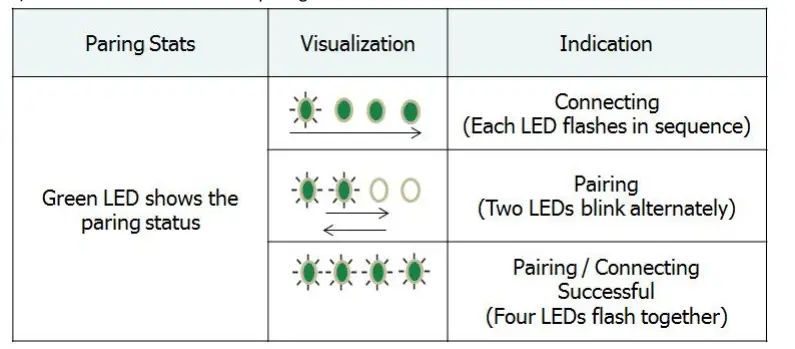
Paring Indication on Charging Case
- The Green LED indicate the paring status.

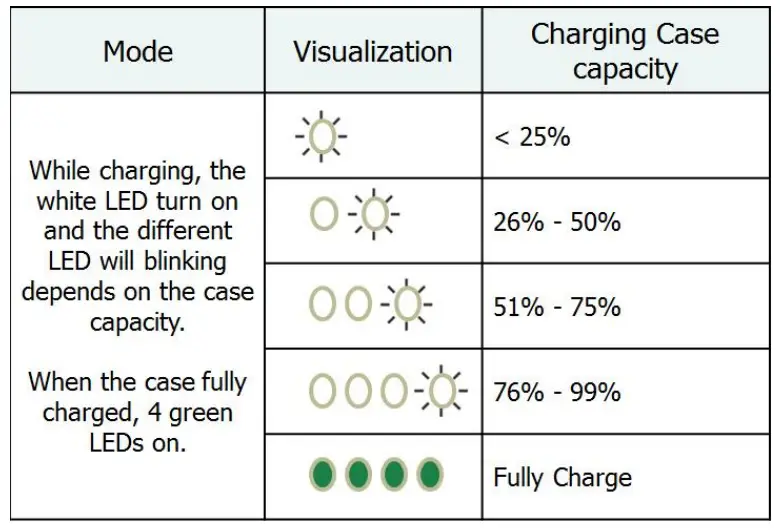
- Use the enclosed charging cable or wireless charging pad to charge the case battery, below table shows the White LED indication while the case in the charging mode. Paring Indication on Charging Case C

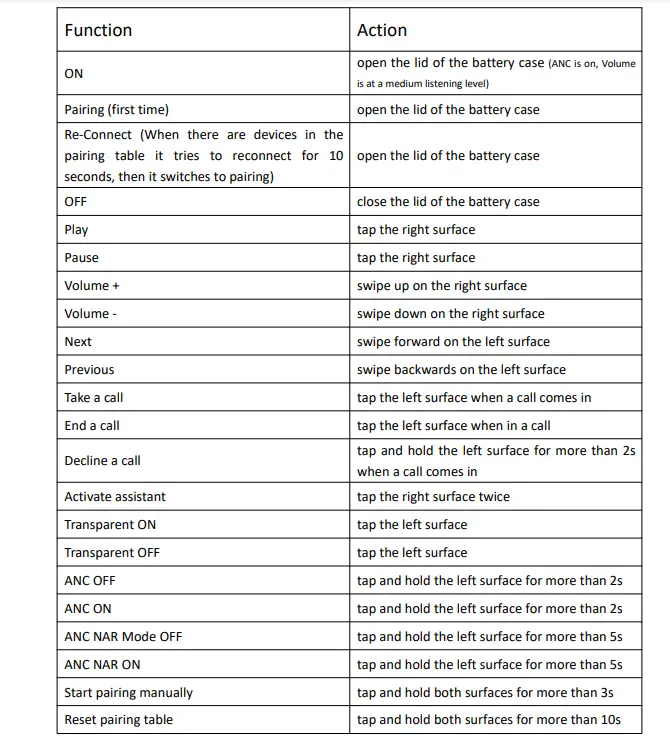
Earphone Operation
Cautions
- 1) If you use the earphones for the first time, please read this quick guide first and keepit properly.
- 2) The first time you use this product, please fully charge the device.
- 3) If the product is left unused for a long time (over 2 weeks), please charge it first.
- 4) Please use the enclosed charging cable and certified chargers.
- 5) Provided that your earphones fail to connect, please try manual Bluetooth pairing again. If unsuccessful, you can try to reset your earphones and do pairing once more.
- 6) Do not wear earphones to bathe, swim, or expose them to the rain, or put them in water.
- 7) Please use this product with care to avoid hitting or dropping the earphones on a hardground, which may cause damage to the product.
- 8) Battery capacity, battery life and charging time of the product are based on IAC laboratory test results. The actual value may vary depending on the use environment, personal preferences and different chargers.


Safety
FCC Disclaimer
This equipment has been tested and found to comply with the limits for a Class B digital device, pursuant to part 15 of the FCC Rules. These limits are designed to provide reasonable protection against harmful interference in a residential installation. FCC ID: 2AXVUTWS-1 This equipment generates, uses and can radiate radio frequency energy and, if not installed and used in accordance with the instructions, may cause harmful interference to radio communications. However, there is no guarantee that interference will not occur in a particular installation. If this equipment does cause harmful interference to radio or television reception, which can be determined by turning the equipment off and on, the user is encouraged to try to correct the interference by one or more of the following measures:
Reorient or relocate the receiving antenna. Increase the separation between the equipment and receiver. Connect the equipment into an outlet on a circuit different from that to which the receiver is connected. Consult the dealer or an experienced radio/TV technician for help. FCC Caution: To assure continued compliance, any changes or modifications to this device not expressly approved by manufacturer could void your authority to operate this equipment. This device complies with part 15 of the FCC Rules. Operation is subject to the following two conditions: (1) This device may not cause harmful interference, and (2) this device must accept any interference received, including interference that may cause undesired operation. The device has been evaluated to meet general RF exposure requirement. The device can be used in portable exposure condition without restriction. Declaration of Conformity for EU Countries
- EMC Directive 2014/30/EU (including amendments) – Low Voltage Directive 2014/35/EU
- RED Directive 2014/53/EU (if product has RF function) WEEE Disposal instructions
- Do not throw this electronic device into the trash when discarding.
To minimize pollution and ensure utmost protection of the global environment, please recycle it.
Replacement of a battery with an incorrect type that can defeat a safeguard (for example, in the case of some lithium battery types); disposal of a battery into fire or a hot oven, or mechanically crushing or cutting of a battery, that can result in an explosion; – leaving a battery in an extremely high temperature surrounding environment that can result in an explosion or the leakage of flammable liquid or gas; – a battery subjected to extremely low air pressure that may result in an explosion or the leakage of flammable liquid or gas. CAUTION “Risk of explosion if the battery is replaced by an incorrect type” CAUTION: “The hearing damage risk and Do not listen at high volume levels for long periods
FAQ’s
- Are silicone earphones preferable?}
The material of choice for ear tip fabrication is silicone. Although it is pleasant and washable, it doesn’t isolate sound as well as foam. Additionally, silicone is frequently more cheap and more resilient than foam. There are many silicone ear tip quality levels. - What to do if your earphones fall out?
Take out your headphones as soon as possible if they end up in the water. Remove any water that has become stuck to the headphones. Use your tongue to blow-dry the earpiece, and then clean the headphones with a soft cloth or paper towel. Look for any signs of moisture in the headband, ear cushions, and ear cups. - What is the name of the rubber component on earbuds?
On their earphones and earbuds, many headphones employ silicone rubber eartips. Since they cancel out background noise, the silicone rubber substance actually aids in the transmission of sound to the inner walls of your ears. - Does it harm if I drop my earbuds?
My Sennheiser HD558 headphones have been dropped on occasion. Although I haven’t experienced any physical harm or a decline in sound quality, would continued decreasing eventually have an impact on sound quality? Are you for real? Of course, dropping them can harm them. - What’s better, silicone or foam?
If you want the most noise reduction possible, foam earplugs are the best choice. They are significantly more effective than silicone putty and moldable wax earplugs for low-frequency noise in particular. - Foam ear tips vs silicone ear tips
While exercising, sweat can make the silicone surface of the IEMs slippery, causing them to slide or fall out of the ear. Foam ear tips are more effective at blocking out noise than silicone ear tips. They therefore provide a safer option for people who need to be conscious of their surroundings, particularly runners. - Are earbuds repairable?
Don’t throw away an expensive set of headphones, but cheap ones can be thrown away. If the issue is a damaged connection, you may repair it yourself using an electronics soldering iron and solder. - Why do earphones fail so frequently?
placing earbuds in your pockets or purses, or carrying them without a case. harming the wires by winding the rope into a knot while using it or after. turning up the volume for too long and too frequently. exposing the earphones to perspiration, moisture, and humidity all day