 1870908 DecoFlex WireFree 3-Button
Instructions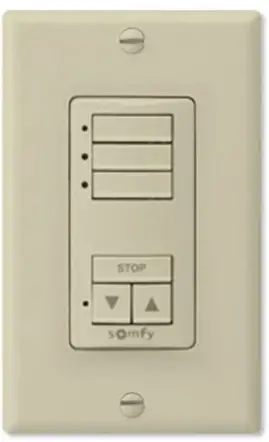
Item #:1870908 (White)
Product Overview
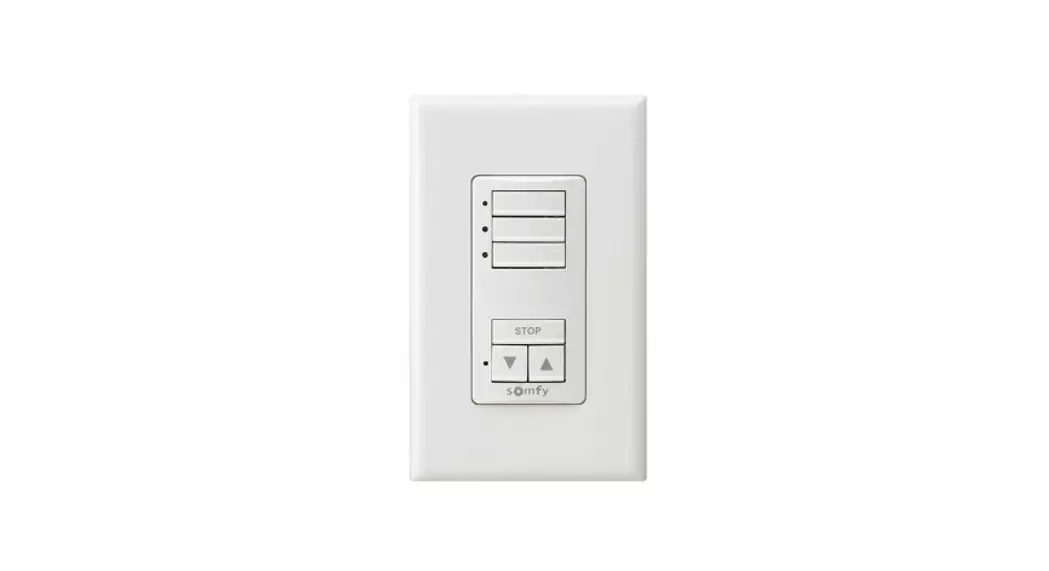
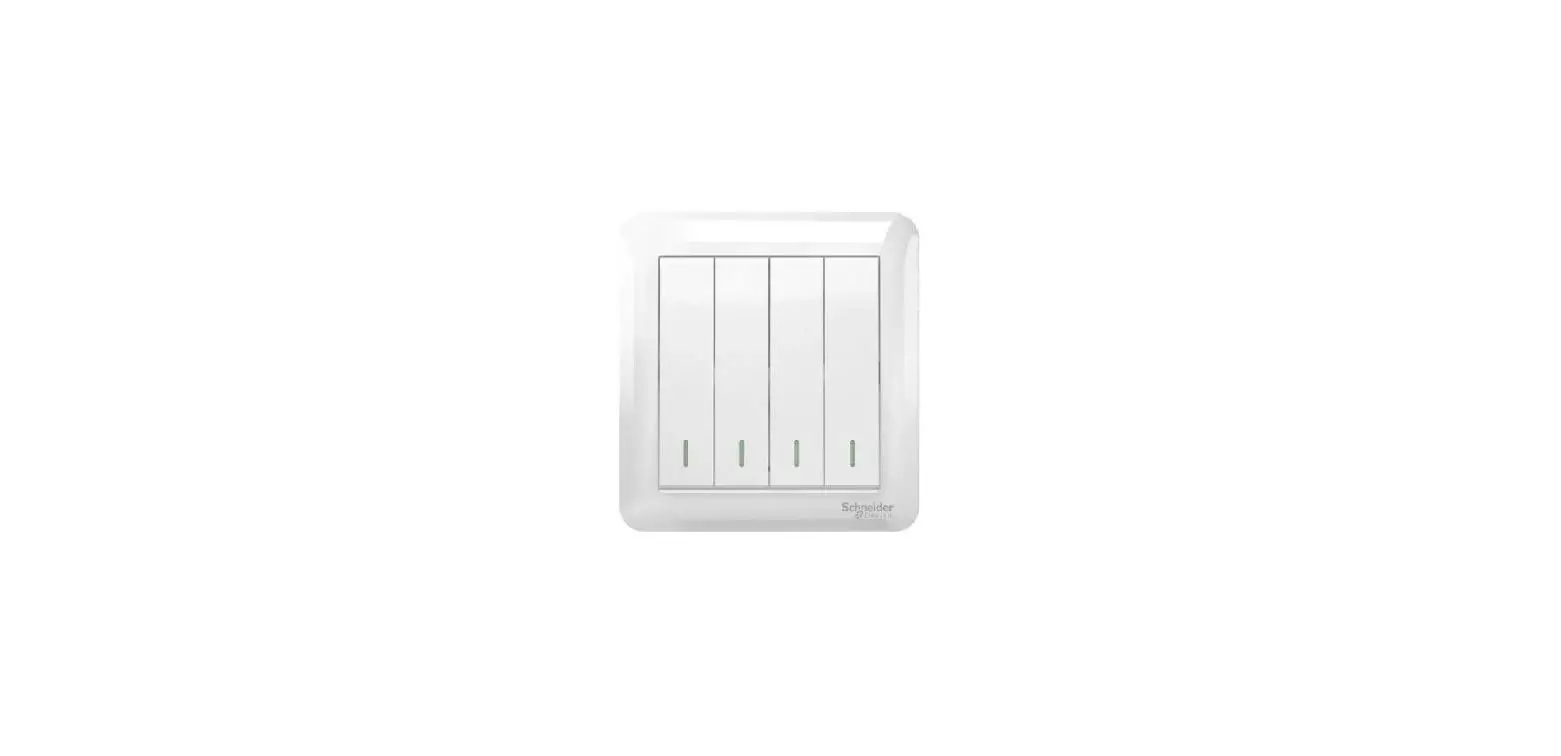
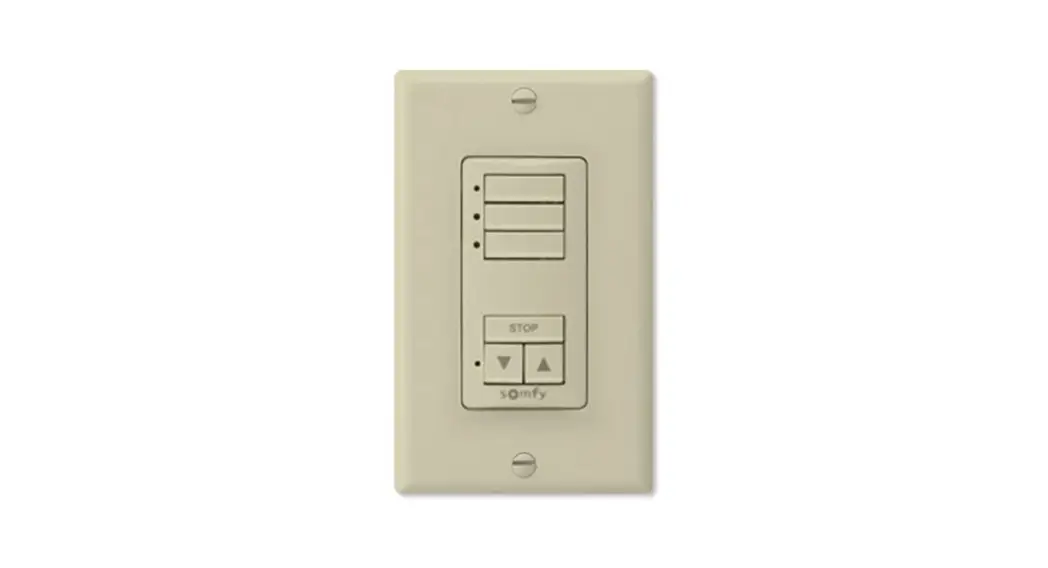
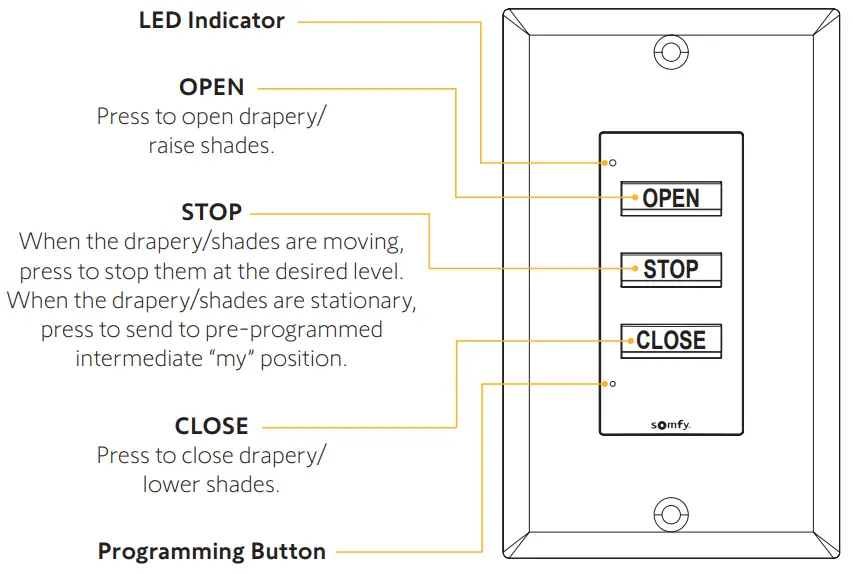
The DecoFlex WireFree™ 3-Button keypad provides a simple and elegant way to control Somfy-powered RTS interior shades. This keypad is compatible with all Somfy RTS motors and brings an intuitive single channel control experience to the DecoFlex WireFree product line.
Control Operation
What’s In the Box
- DecoFlex WireFree™ 3-Button keypad
- Instructions
- CR2450 battery
- Mounting bracket
- Decora Switch Plate
- Mounting screws (x2)
Important Notes
Codes: Install in accordance with all local and National Electrical Codes.
Environment: Ambient operating temperature is 41° F to 104° F (5° C to 40° C).
Mounting: Mounting bracket (included) allows for direct mounting to drywall. No junction box required.
Battery: DO NOT use rechargeable batteries. Using improper batteries could damage the DecoFlex keypad.
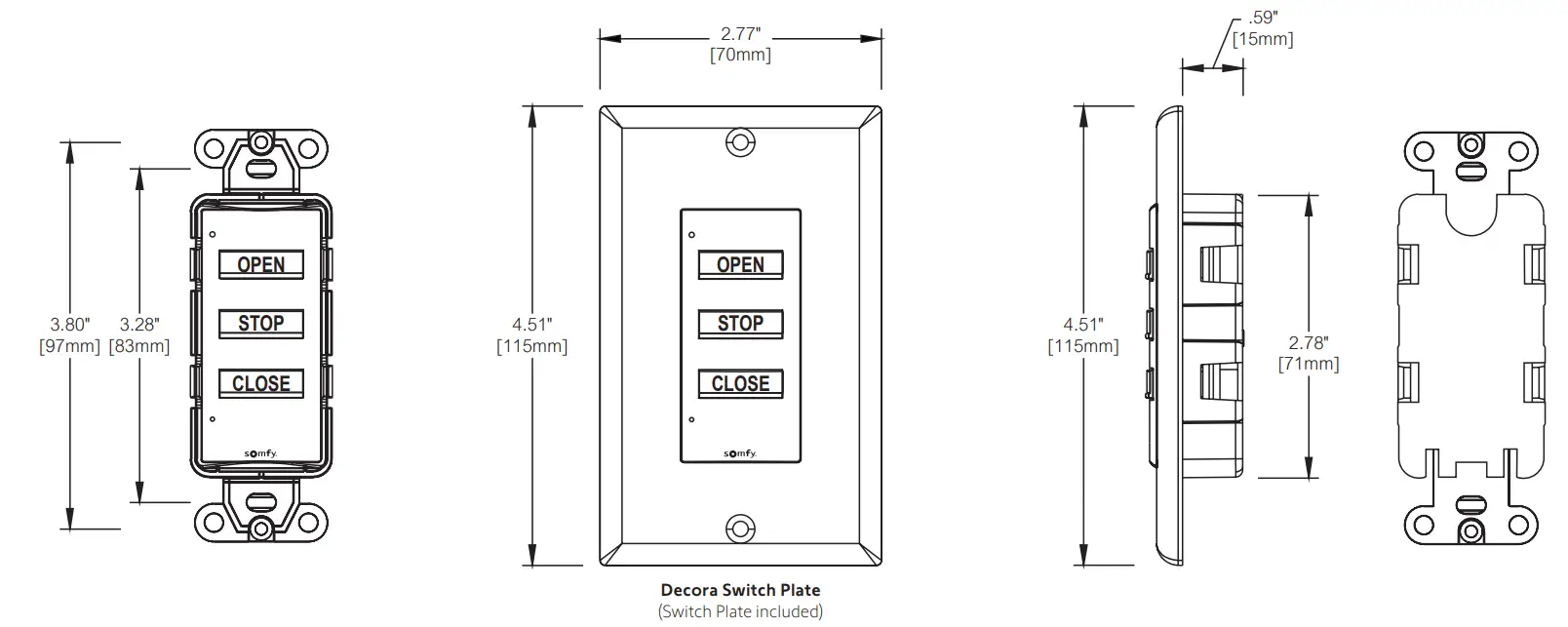
Dimensions
Installation
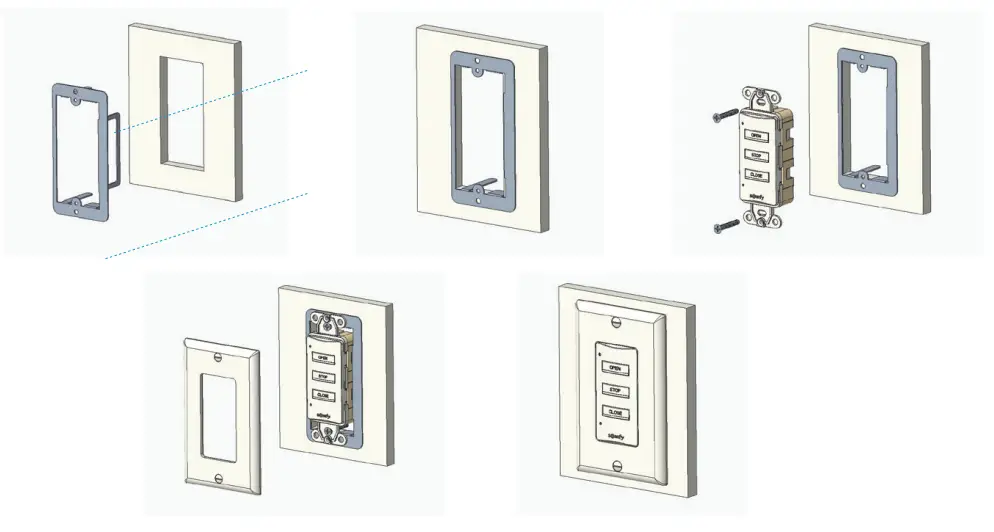
The keypad can be wall-mounted with the following steps:
- Cut an opening into drywall using the mounting bracket as a guide.
- Install the bracket securely in place.
- Secure the keypad to the bracket using the screws provided (do not over-tighten).
- Attach the Decora Switch Plate on to the keypad
Initial Programming
For detailed steps on programming, please refer to the pocket programming guide at www.somfypro.com/pocket-programming-guide
STEP 1: INITIATE PROGRAMMING
On the keypad, PRESS & HOLD both the OPEN and CLOSE buttons simultaneously until the window covering jogs. This may take up to 10 seconds.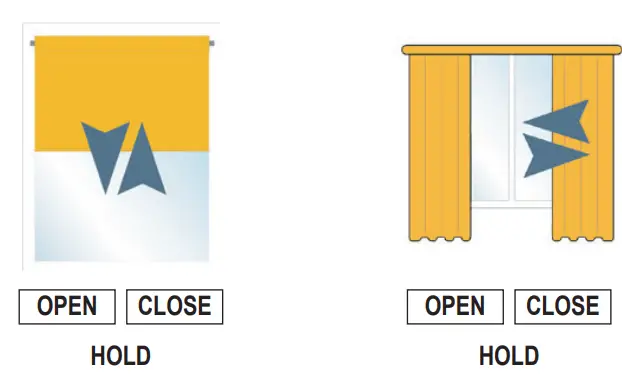 STEP 2: CHECK THE DIRECTION OF OPERATION
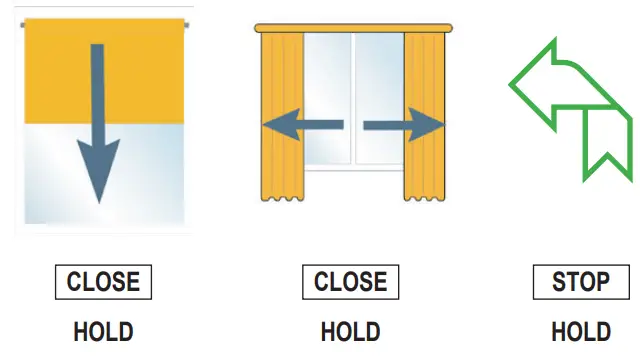 On the keypad, PRESS & HOLD the CLOSE button and check if the window covering is closing. If the window covering does not correspond with the expected direction, PRESS & HOLD the STOP button until the window covering jogs to reverse the direction. Confirm before proceeding.
STEP 3: SETTING MOTOR LIMITS (The end limits can be set in any order) For drapery, BRIEFLY PRESS the OPEN or CLOSE buttons. The drapery will automatically run to record both hard stop positions.
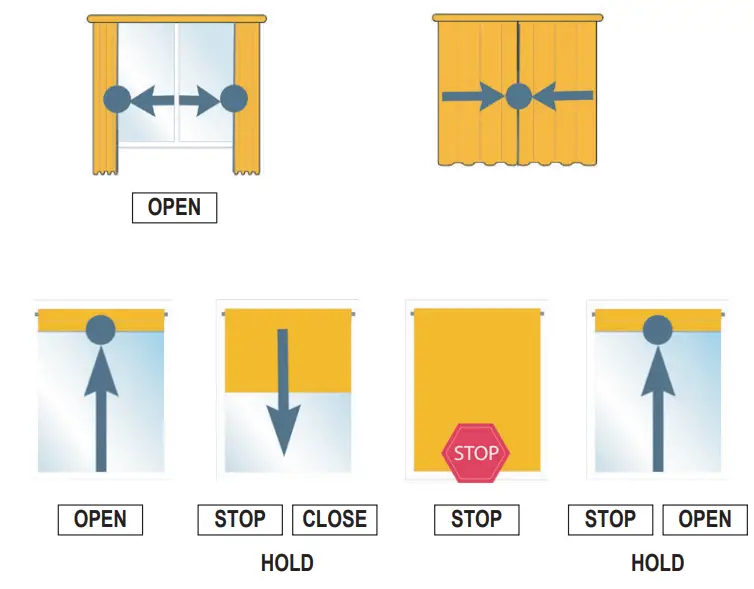 Bring the window covering to the desired upper limit position, then PRESS & HOLD both the STOP and CLOSE buttons simultaneously until the window covering starts to move.
PRESS the STOP button to stop the motor when the desired lower limit position is reached. PRESS the OPEN or CLOSE button to adjust to the exact position.
PRESS & HOLD both the STOP and OPEN buttons simultaneously until the window covering starts to move. The window covering will stop at the previously set upper position.
PRESS & HOLD the STOP button until the window covering jogs to confirm the limit settings.
STEP 4: COMPLETE PROGRAMMING
BRIEFLY PRESS the PROGRAMMING button on the front of the keypad. The window covering will jog indicating programming is complete and the keypad is now ready to be used. 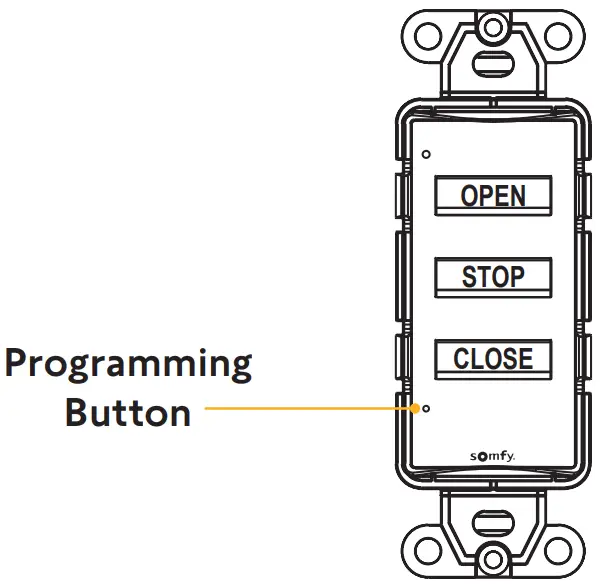
Modifying Keypad Programming
For detailed steps on programming, please refer to the pocket programming guide at www.somfypro.com/pocket-programming-guide
SETTING INTERMEDIATE PREFERRED “MY” POSITION
Stop the window covering at the desired intermediate position, then PRESS & HOLD the STOP button until the window covering jogs.
The intermediate position is now confirmed. PRESS the STOP button to move the window covering to this position.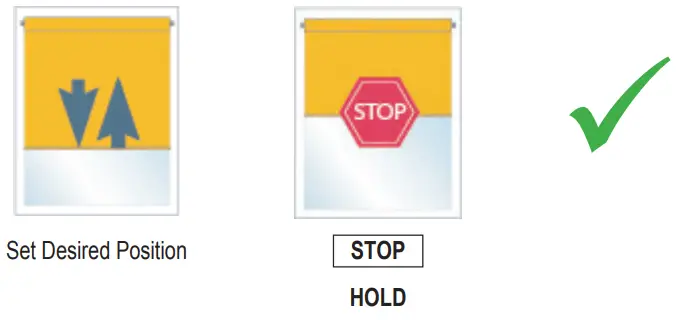
MODIFYING UPPER/LOWER LIMITS
Move the window covering to its current upper or lower limit, then PRESS & HOLD both the OPEN and CLOSE buttons simultaneously until the window covering jogs. This could take up to 10 seconds.
Adjust the shade to the new desired limit position with the OPEN and CLOSE buttons, then PRESS & HOLD the STOP button until the window covering jogs to confirm the new limit. 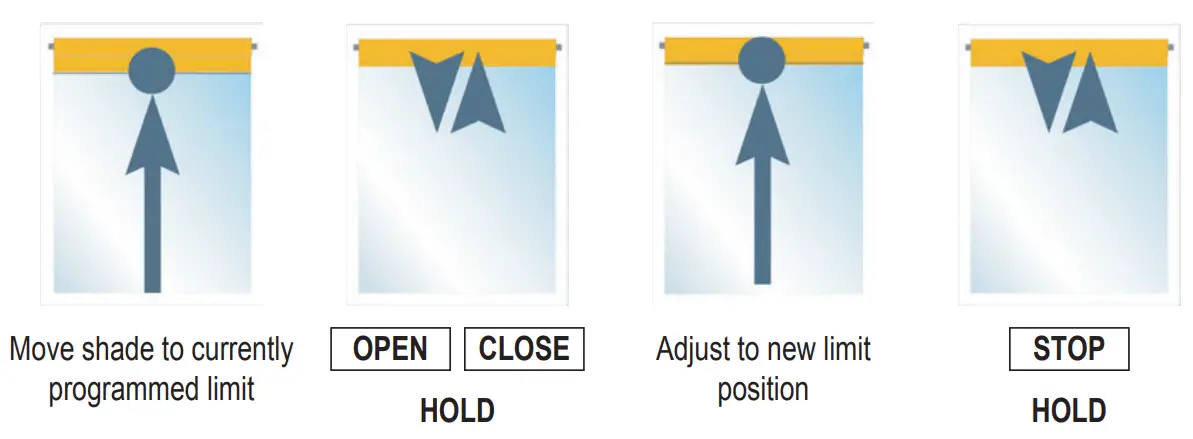 MODIFYING THE OPERATION DIRECTION
Move the window covering away from its current upper or lower limit, then PRESS & HOLD both the OPEN and CLOSE buttons simultaneously until the window covering jogs. This could take up to 10 seconds.
Hold the STOP button until the window covering jogs to confirm the change of the operation direction.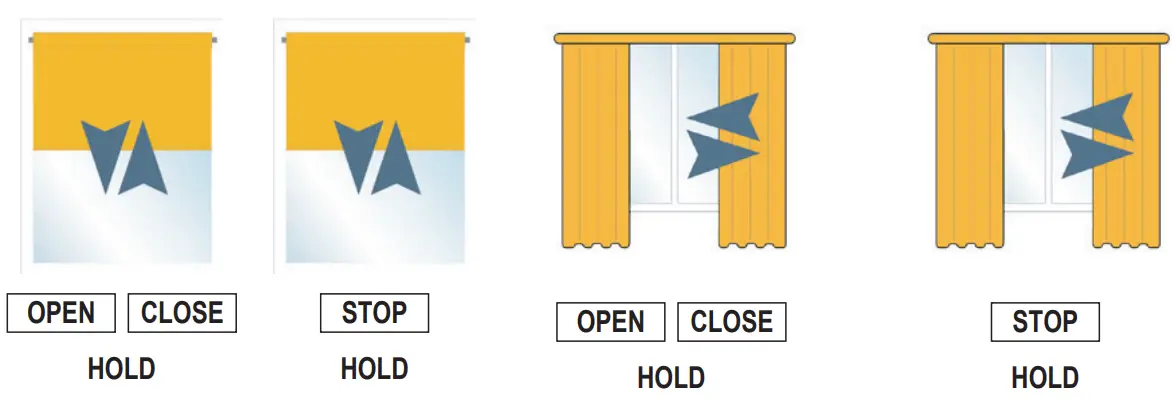 ADJUSTING THE SPEED (Supported motors only)
Move the window covering away from its upper or lower limit, then PRESS & HOLD both the OPEN, STOP, and CLOSE buttons simultaneously until the window covering jogs and the window covering starts moving. This could take up to 10 seconds.
To increase the speed, PRESS & HOLD the OPEN button until the shade jogs. Repeat as needed. To decrease the speed, PRESS & HOLD the CLOSE button until the window covering jogs.
Repeat as needed.
PRESS & HOLD the STOP button until the window covering jogs to confirm the new speed.
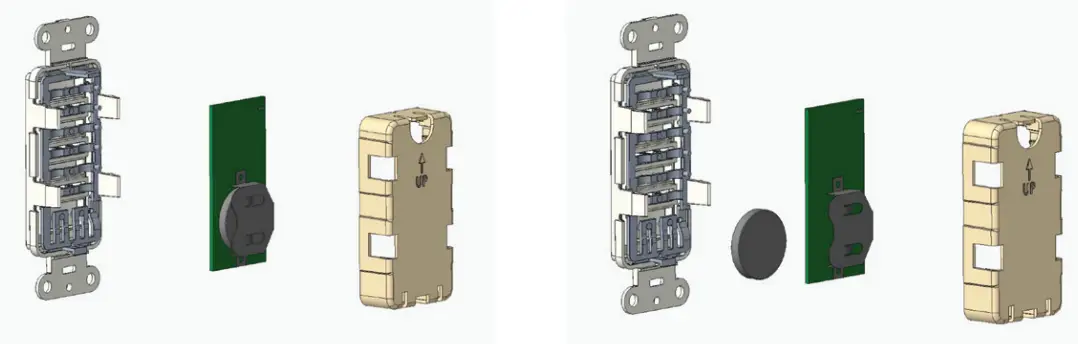
Battery Replacement
WARNING: Burn hazard. To avoid the risk of fire, explosion, or burns, DO NOT recharge, disassemble, crush, puncture, or incinerate the battery. Please recycle battery appropriately.
- Remove the keypad from the wall and disassemble.
- Slide a new CR2450 battery into the holder and reassemble the keypad.

FCC/IC Information
This device complies with part 15 of the FCC Rules and Industry Canada license-exempt RSS standard(s).
Operation is subject to the following two conditions:
- This device may not cause interference, and
- this device must accept any interference, including interference that may cause undesired operation.
Somfy Systems, Inc.
T: (800) 22-SOMFY
www.somfypro.com
| New Jersey 121 Herrod Blvd. Dayton, NJ 08810 T: (800) 22-SOMFY F: (609) 395-1300 | Florida 1200 SW 35th Ave. Boynton Beach, FL 33426 T: (877) 22-SOMFY F: (561) 995-7502 |
Somfy ULC
T: (800) 66-SOMFY
www.somfypro.ca
| California 15301 Barranca Parkway Irvine, CA 92618-2201 T: (877) 72-SOMFY F: (949) 727-3510 | 6411 Edwards Blvd Mississauga, ON L5T 2P7 CN: (800) 66-SOMFY F: (905) 564-6446 |
© Somfy Systems, Inc. • FEB 2023
All brands, products, and trademarks are the property of their respective owners.
 somfypro.com/pocket-programming-guide