PIC Flex Precision Induction Cooktop
Precision Induction Cooktop – Product Information and Usage
Instructions
Quick Start Guide
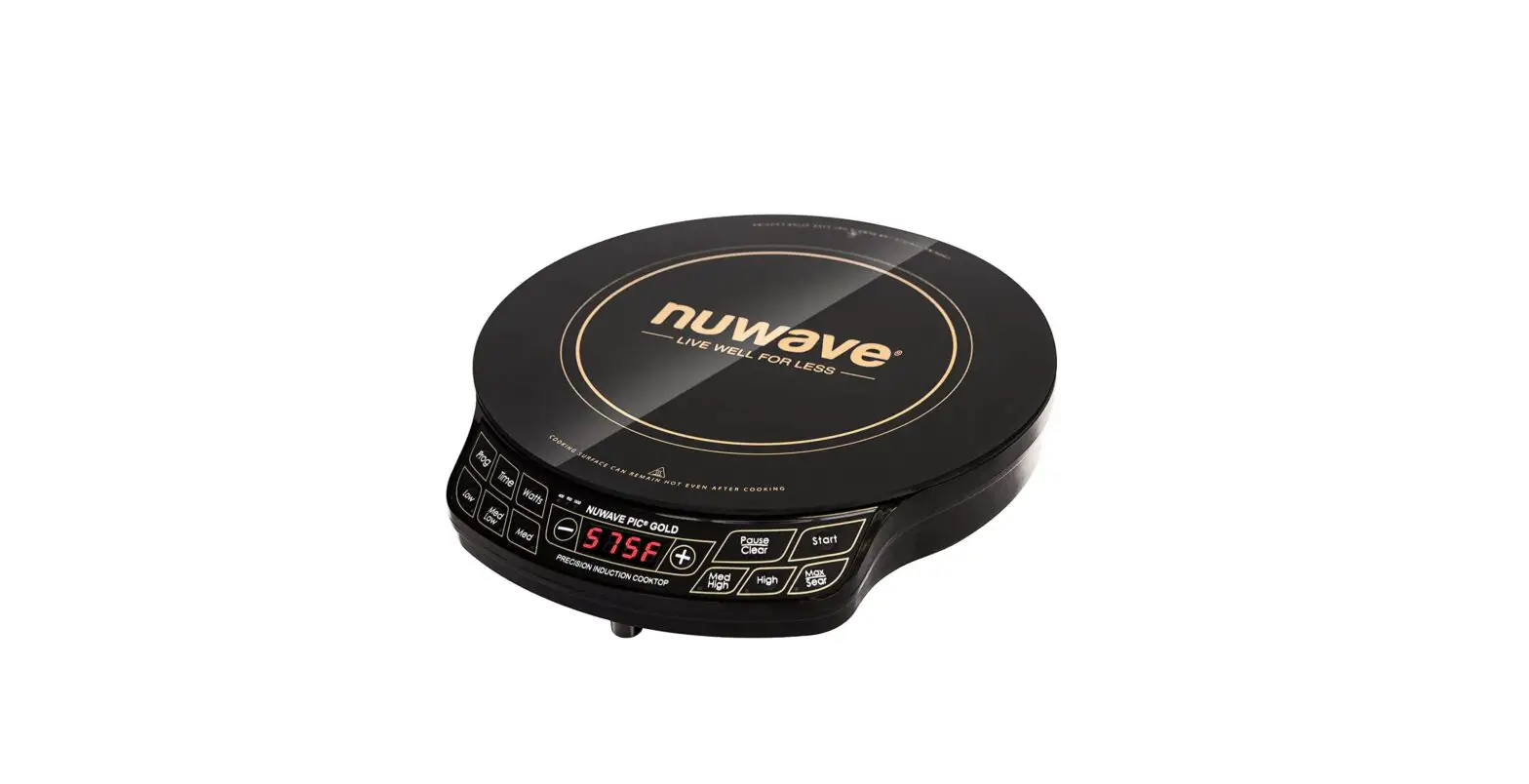
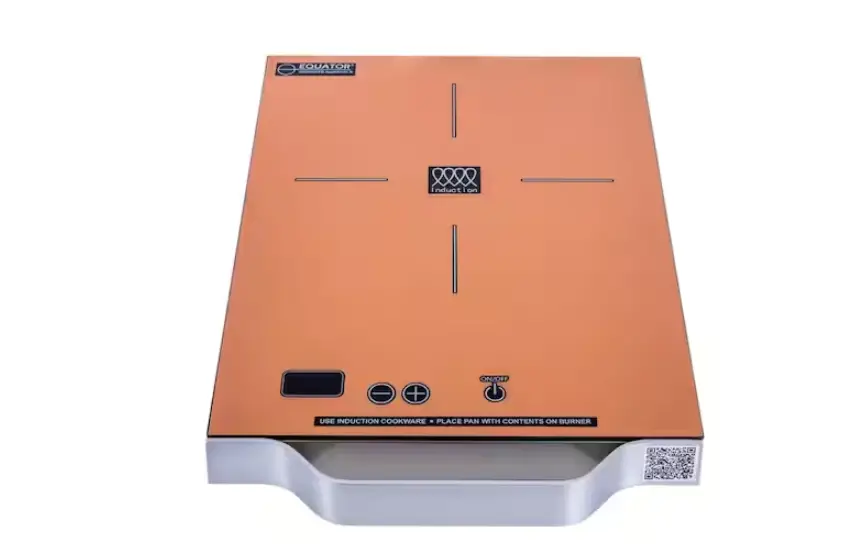
The Precision Induction Cooktop (PIC) Flex is a portable and
efficient cooking device with six temperature settings and a
10-inch heating surface. Follow the instructions below to get
started:
Getting Started
- To pause the cooking process, press Pause/Clear. Press Start to
resume. Press Pause/Clear twice to clear. - To change the temperature display from Fahrenheit to Celsius,
press Prog. Press (-) once to display Fahrenheit and again to
display Celsius. Press Pause/Clear to finish. - To adjust the cooking temperature, select one of the six
temperature settings or press (+) or (-) to adjust the temperature
by 10-degree increments. - To delay cooking, press Prog to set the delay time. Press Time,
then press (+) six times to delay for 6 minutes. Press Prog, then
press High. Press Time and then press (+) three times to cook for 3
minutes. Press Start to begin cooking.
PIC Specs
The PIC has three wattage settings: 600W, 900W, and 1300W. The
default wattage is set at 1300W. Press Watts until you reach the
appropriate wattage for your location. The PIC uses up to 10.8 amps
and cannot operate on batteries.
Cooking Guide
The following cooking guide provides suggested cooking times and
temperatures for various prepackaged foods, meats, poultry, and
seafood:
- Prepackaged Foods: Follow the directions on the package and
reduce temps and times by 15%. Check periodically. - Beef/Lamb: Refer to the cooking guide for suggested cooking
times and temperatures for patties, steaks, and beef stew. - Poultry: Refer to the cooking guide for suggested cooking times
and temperatures for chicken breasts, legs, thighs, bone-in,
boneless/skinless chicken breasts, turkey breast, duck breast,
chicken sausage, and hot dogs. - Pork: Refer to the cooking guide for suggested cooking times
and temperatures for pork chops and sausage. - Seafood: Refer to the cooking guide for suggested cooking times
and temperatures for bacon, sausage links and patties, Italian
sausage, bratwurst, and seafood.
Note: Temperatures and times may need minor adjustments to best
suit your desired results.
PIC®
Precision Induction Cooktop
Quick Start Guide
PIC Flex Part #: 30501
Getting Started
Temperatures and times can be adjusted on all functions before and during the cooking process. Start cooking. 375°F for 1 hour are the defaults. Press Start to begin cooking.
Note: Press Pause/Clear during cooking to pause the PIC. Press Start to resume. Press Pause/Clear twice to clear.
Changing Fahrenheit to Celsius. Press Prog. Press (-) once to display Fahrenheit (F). Press (-) again to display Celsius (C). Press Pause/Clear to finish. Adjust cooking temperature. Increase or decrease the temperature manually by selecting one of the six temperature settings or by pressing (+) or (-) to adjust the temperature by 10-degree increments.
Note: Refer to the owner’s manual for details. Adjust cooking Time. Press Time twice. The number on the far right will flash. Use the (-) or (+) keys to adjust. Press Time for each number to be changed. Note: The flashing digit is the number being altered. Stage/Program cooking. Program the PIC Flex to cook at different temperatures for different amounts of time. Ex: High for 5 min. then Low for 3 min. Press Prog to set the stages. Press High, Time and then press (+) five times for 5 min. at High. Press Low, Time, and then press (+) three times for 3 min. at Low. Press Start to begin cooking. Note: You can add additional stages by repeating steps.
PIC®
Precision Induction Cooktop
Getting Started
Delay cooking. You can program the PIC to delay cooking. Ex: Delay cooking for 6 min., then cook on High for 3 min.
Press Prog to set the delay. Press Time then press (+) six times to delay for 6 min. Press Prog then press High. Press Time and then press (+) three times to cook for 3 min. Press Start to begin cooking.
Note: Refer to owner’s manual for details. Watts controls the power consumption of your PIC. The default wattage on the PIC is 1300W. If you use the PIC in a location with limited wattage you can adjust the PIC’s wattage. Press Watts until you reach the appropriate wattage.
Note: When cooking at lower wattages cooking times may increase slightly.
PIC Specs
Cooking Area The heating surface is located inside the thicker silver ring. The minimum diameter of acceptable cookware is 3 inches. Always place cookware in the center of the heating circle. You may use pans measuring up to the total width of the PIC Flex, which measures 10 inches. However, in these situations heat will transfer more slowly to the outer edges. Not recommended for pans larger than 10 inches. There are no open flames or hot coils and the NuWave Precision Induction Cooktop Flex remains cool to the touch where not magnetically activated. The appliance can accommodate up to a 50-pound weight load.
Power & Temperature
Setting
Sear
High (425°F~490°F)
Wattage Setting*
600W 5.0 Amps
600W
900W 7.5 Amps
900W
1300W 10.8 Amps
1300W
600W
900W
1200W
Med/High (375°F~420°F)
600W
900W
1000W
Med (275°F~370°F)
600W
800W
800W
Med/Low (175°F~270°F)
600W
600W
600W
Low (100°F~170°F)
600W
600W
600W
10 Inches Heating Surface
(within silver ring)
*Based on line voltages registering 120V.
PIC On The Go For those cooking on the road or open water, operation of the NuWave PIC Flex requires up to 10.83 amps when used on an RV or boat. The cooktop uses up to 1300W of energy depending on the temperature and wattage setting. The appliance may be plugged into any standard electrical outlet, but cannot operate on batteries.
©2022 NuWave LLC · All Rights Reserved. · Customer Service: 1-877-689-2838 · [email protected] Item No: BQ30501-· Rev.12-CB · 08-17-22
PIC®
Precision Induction Cooktop
Cooking Guide
Note: Temperatures and times may need minor adjustments to best suit your desired results.
Prepackaged Foods: Follow the directions on the package and reduce temps and times by 15%. Check periodically.
Beef/Lamb
Temp
Fresh – Minutes
Frozen – Minutes Internal Temp. (Thermometer)
Patties 1 inch thick Steaks 1 inch thick*
Beef Stew *Let rest 10 minutes before serving. Poultry
370°F 400°F
325°F Temp
00:10 00:02 – 00:03 00:03 – 00:04 00:04 – 00:05 00:05 – 00:06 00:06 – 00:07 03:00 – 04:00 hours
00:18 – 00:20
00:08 – 00:10 00:10 – 00:12 00:12 – 00:14 00:14 – 00:16 00:16 – 00:18
04:00 – 05:00 hours
160°F
Rare: Med. Rare: Medium: Med. Well: Well:
Well:
125°F – 134°F 135°F – 144°F 145°F – 149°F 150°F – 159°F 160°F 160°F and higher
Fresh – Minutes
Frozen – Minutes Internal Temp. (Thermometer)
Chicken Breasts, Legs, Thighs, Bone-In
Boneless/Skinless Chicken Breasts, 2 (6-8 oz)
380°F 380°F
00:30 – 00:40 00:09 – 00:11
00:45 – 00:55 00:14 – 00:16
165°F 165°F
Turkey Breast (cutlet) Duck Breast 6 to 10 oz Chicken Sausage Pork
360°F 360°F 360°F Temp
00:05 – 00:08 00:10 – 00:14
00:10 – 00:15 Fresh – Minutes
00:10 -00:15 00:15 – 00:18 00:15 – 00:20 Frozen – Minutes
165°F 165°F 165°F Internal Temp. (Thermometer)
Bacon
400°F
*For extra crispy cook an additional 2-3 minutes.
Sausage Links (1-oz links)
375°F
Sausage Patties (2 oz)
175°F
Italian Sausage, Bratwurst, etc.
375°F
Chops, 2-3, (6-oz pork chops)
375°F
Tenderloins (1½-2 lbs)
350°F
Hot Dogs (boiled in water)
350°F
Seafood
Temp
00:08 – 00:10
00:12 – 00:16 00:12 – 00:14 00:09 – 00:13 00:10 – 00:12 00:18 – 00:20 00:05 Fresh – Minutes
Extra crispy.*
00:14 – 00:16 00:15 – 00:16 00:17 – 00:21
00:18 – 00:21 00:28 – 00:30 00:05 Frozen – Minutes
160°F 160°F 160°F 145°F 145°F 140°F
Internal Temp. (Thermometer)
Fish: Fillets, ½ inch thick Fish: Steaks and Fillets, 1 inch thick Shrimp (6-12 large, boiled) Scallops, Sea (6-12, large)
400°F 400°F 400°F 400°F
00:05 -00:07 00:10 – 00:12
00:03 – 00:05 00:04 – 00:05
00:10 – 00:12 00:14 – 00:18 00:14 – 00:17 00:10 – 00:14
145°F 145°F Cooking time may vary with size. Scallops and/or lobster turn opaque when cooking is complete.
Scallops, Bay (6-12, large) Vegetables
400°F Temp
00:06 – 00:08 Fresh – Minutes
00:08 – 00:10 Frozen – Minutes
Corn on the Cob (2-4 pc., boiled in water)
Potatoes: Pancakes Cut in ½ lengthwise French Fries
Broccoli (6-12 oz, boiled in water)
Squash (¼-inch )
350°F 350°F
350°F 350°F
00:05 – 00:06 00:05 – 00:06 00:05 – 00:08 00:03 – 00:06 00:04 – 00:05 00:02 – 00:04
Alternative, season to taste. 8 oz each
Varies with thickness. Cut in half, remove seeds and membrane, place in shallow dish, brush with oil.
Eggplant, ½-inch slices (1 pc., sliced)
350°F
00:04 – 00:06
PIC®
Precision Induction Cooktop
Induction
Compatible Cookware Three simple ways to check if your existing pots and pans or future cookware purchases are compatible with the NuWave PIC Flex: 1. A magnet is typically a great indicator. If it sticks to the bottom of a piece of cookware this typically means the pot or
pan is induction-ready. However, be cautioned that there are instances when a cooking vessel’s magnetic properties may not be strong enough for the pot to work efficiently with the PIC Flex.
2. Place a small amount of water in a pot or pan. If induction compatible, water will begin to boil.
3. An induction-ready symbol may be printed on the bottom of the cookware.
Induction Symbol
Troubleshoot Guide
E1 Error An E1 reading typically means that your PIC Flex does not detect cookware on its surface. This can occur for one of two reasons: 1. The induction coils contained within the PIC Flex will
only work when they are in direct contact with a piece of cookware. To maintain your appliance’s effectiveness, always ensure that it rests on a flat surface and set the cookware on the PIC Flex before pressing Start.
2. An E1 message may also occur if your chosen cookware is not induction-ready.
When an E1 error occurs the PIC will beep every 2 seconds until it detects a pot. If the PIC has not detected a pot after 1 minute, it will shut off automatically. In order to resume cooking, place induction-ready cookware on the PIC’s surface then press Start.
E7 Error & Cooking Fan An E7 error is displayed when the PIC becomes overheated. This is typically caused by obstruction of the PIC’s underside Cooling Fan. Always ensure that the PIC Flex is placed on a flat, level surface with the cooling fan unobstructed. Typical interferences include tablecloths, wooden cutting boards, placemats, etc.
PIC & Pacemakers Scientific tests are inconclusive as to whether the electrical field created by the PIC Flex will disrupt the function of a pacemaker. Please consult your doctor or medical professional for guidance before use.
©2022 NuWave LLC · All Rights Reserved. · Customer Service: 1-877-689-2838 · [email protected] Item No: BQ30501 · Rev.12-CB · 08-17-22