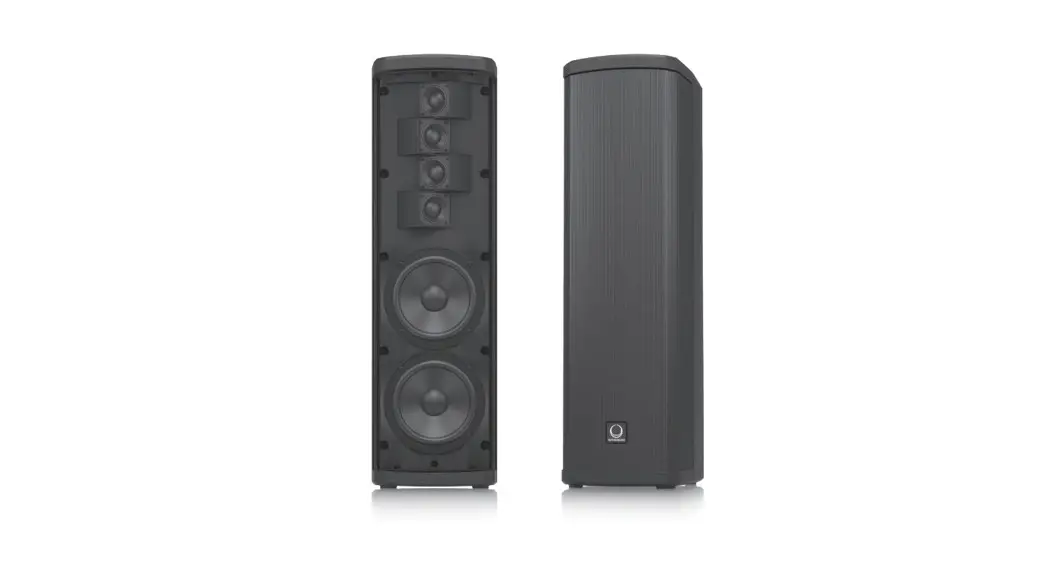
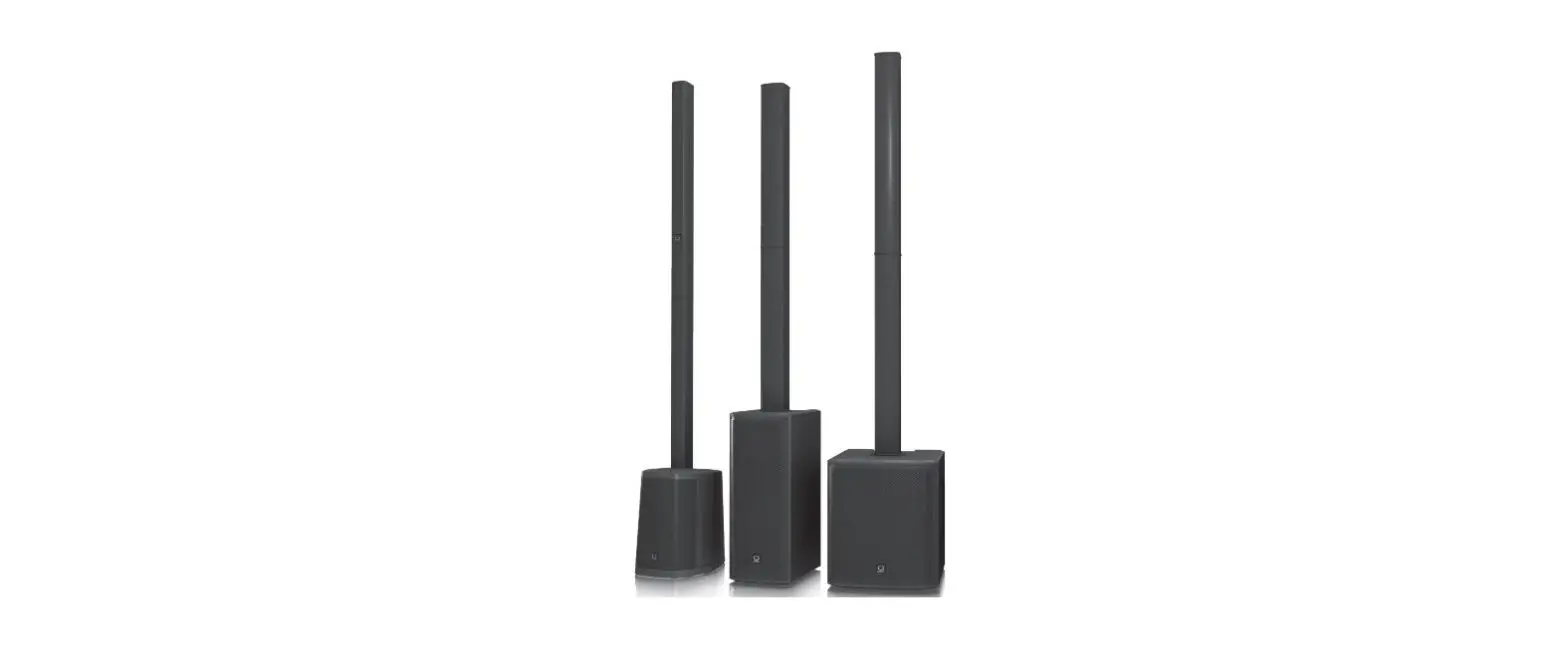
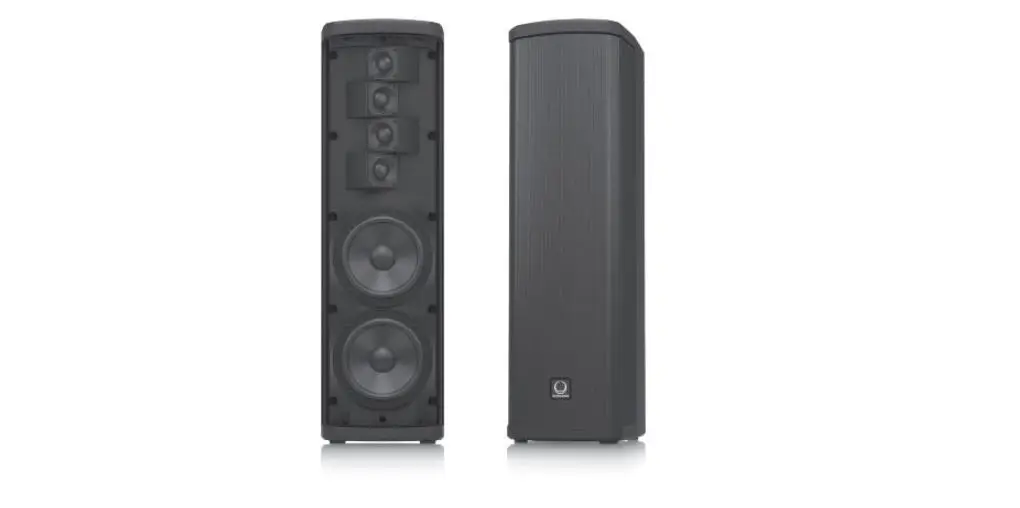
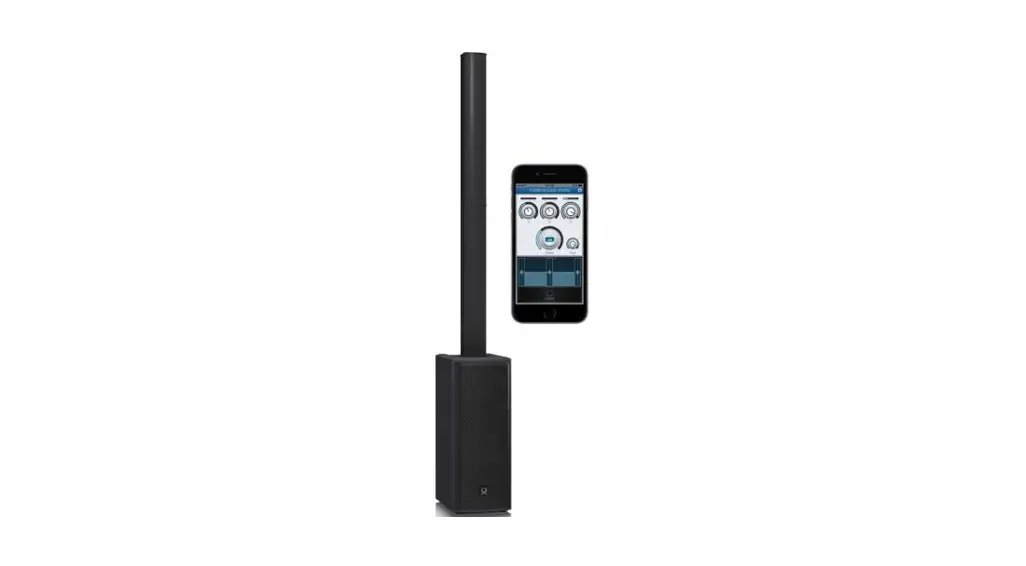
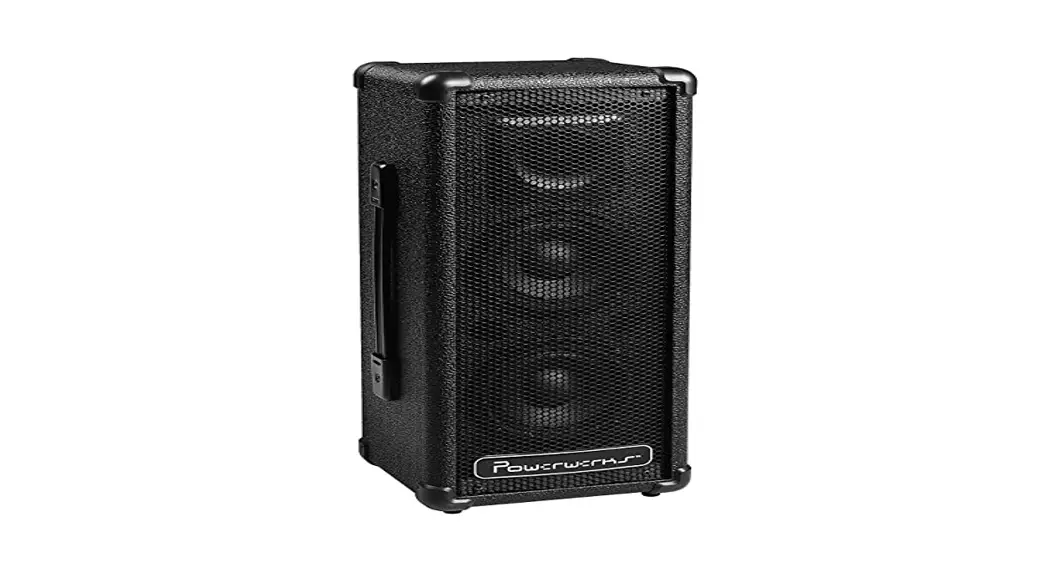
iNSPIRE iP300 600W Powered Column
iNSPIRE iP300 Quick Start Guide
Product Information
The iNSPIRE iP300 is a portable PA system designed for small to
medium-sized events. It is equipped with a 2-way speaker system and
delivers a total output power of 300 watts. The system includes a
built-in mixer with 3 channels and a Bluetooth audio streaming
function. The iP300 is lightweight and easy to transport, making it
ideal for outdoor events, conferences, and parties.
Important Safety Instructions
Please read the following safety instructions carefully before
using the iNSPIRE iP300:
- This symbol (!) alerts you to the presence of dangerous
voltage inside the enclosure. Do not remove the top cover or rear
section as there are no user-serviceable parts inside. Refer
servicing to qualified personnel. - Do not expose the iP300 to rain, moisture, or any object filled
with liquid. Do not place any objects filled with liquid on the
apparatus. - These service instructions are for use by qualified service
personnel only. Do not perform any servicing other than that
contained in the operation instructions. Repairs have to be
performed by qualified service personnel. - Do not use the iP300 near water and do not block any
ventilation openings. Install in accordance with the manufacturer’s
instructions. - Use only attachments/accessories specified by the
manufacturer. - Use only with the cart, stand, tripod, bracket, or table
specified by the manufacturer, or sold with the apparatus. When a
cart is used, use caution when moving the cart/apparatus
combination to avoid injury from tip-over. - Unplug this apparatus during lightning storms or when unused
for long periods of time. - Refer all servicing to qualified service personnel. Servicing
is required when the apparatus has been damaged in any way. - The apparatus shall be connected to a MAINS socket outlet with
a protective earthing connection. - Where the MAINS plug or an appliance coupler is used as the
disconnect device, the disconnect device shall remain readily
operable. - Do not install in a confined space, such as a bookcase or
similar unit. - Do not place naked flame sources, such as lighted candles, on
the apparatus.
Product Usage Instructions
Follow these instructions for proper usage of the iNSPIRE
iP300:
- Read and keep the user manual for future reference.
- Heed all warnings and follow all instructions.
- Clean the iP300 only with a dry cloth.
- Install the iP300 in accordance with the manufacturer’s
instructions and do not install near any heat sources such as
radiators, heat registers, stoves, or other apparatus that produce
heat. - Use only attachments/accessories specified by the
manufacturer. - Use only with the cart, stand, tripod, bracket, or table
specified by the manufacturer, or sold with the apparatus. When
using a cart, use caution when moving the cart/apparatus
combination to avoid injury from tip-over. - Unplug the iP300 during lightning storms or when unused for
long periods of time. - Refer all servicing to qualified service personnel. Do not
attempt to perform any servicing other than that contained in the
operation instructions. - Connect the iP300 to a MAINS socket outlet with a protective
earthing connection. - Ensure the disconnect device remains readily operable when
using the MAINS plug or an appliance coupler as the disconnect
device. - Do not place the iP300 in a confined space, such as a bookcase
or similar unit. - Do not place any naked flame sources, such as lighted candles,
on the apparatus.
Quick Start Guide
iNSPIRE iP300
600 Watt Powered Column Loudspeaker with 2 x 6.5″ woofers, 4 Neodymium Drivers, Klark Teknik Spatial Sound Technology, Reverb, Digital Mixer, Remote Control via iPhone/iPad and Bluetooth® Audio Streaming
V 1.0
2 iNSPIRE iP300
Important Safety Instructions
Terminals marked with this symbol carry electrical current of sufficient magnitude to constitute risk of electric shock. Use only high-quality professional speaker cables with ¼” TS or twist-locking plugs pre-installed. All other installation or modification should be performed only by qualified personnel.
This symbol, wherever it appears, alerts you to the presence of uninsulated dangerous voltage inside the enclosure – voltage that may be sufficient to constitute a risk of shock.
This symbol, wherever it appears, alerts you to important operating and maintenance instructions in the accompanying literature. Please read the manual.
Caution To reduce the risk of electric shock, do not remove the top cover (or the rear section). No user serviceable parts inside. Refer servicing to qualified personnel.
Caution To reduce the risk of fire or electric shock, do not expose this appliance to rain and moisture. The apparatus shall not be exposed to dripping or splashing liquids and no objects filled with liquids, such as vases, shall be placed on the apparatus.
Caution These service instructions are for use by qualified service personnel only. To reduce the risk of electric shock do not perform any servicing other than that contained in the operation instructions. Repairs have to be performed by qualified service personnel.
1. Read these instructions. 2. Keep these instructions. 3. Heed all warnings. 4. Follow all instructions. 5. Do not use this apparatus near water. 6. Clean only with dry cloth. 7. Do not block any ventilation openings. Install in accordance with the manufacturer’s instructions. 8. Do not install near any heat sources such as radiators, heat registers, stoves, or other apparatus (including amplifiers) that produce heat.
9. Do not defeat the safety purpose of the polarized or grounding-type plug. A polarized plug has two blades with one wider than the other. A grounding-type plug has two blades and a third grounding prong. The wide blade or the third prong are provided for your safety. If the provided plug does not fit into your outlet, consult an electrician for replacement of the obsolete outlet.
10. Protect the power cord from being walked on or pinched particularly at plugs, convenience receptacles, and the point where they exit from the apparatus.
11. Use only attachments/accessories specified by the manufacturer.
injury from tip-over.
12. Use only with the cart, stand, tripod, bracket, or table specified by the manufacturer, or sold with the apparatus. When a cart is used, use caution when moving the cart/apparatus combination to avoid
13. Unplug this apparatus during lightning storms or when unused for long periods of time.
14. Refer all servicing to qualified service personnel. Servicing is required when the apparatus has been damaged in any way, such as power supply cord or plug is damaged, liquid has been spilled or objects have fallen into the apparatus, the apparatus has been exposed to rain or moisture, does not operate normally, or has been dropped.
15. The apparatus shall be connected to a MAINS socket outlet with a protective earthing connection.
16. Where the MAINS plug or an appliance coupler is used as the disconnect device, the disconnect device shall remain readily operable.
17. Correct disposal of this product: This symbol indicates that this product must not be disposed of with household waste, according to the WEEE Directive (2012/19/EU) and your national law. This product should be taken to a collection center licensed for the recycling of waste electrical and electronic equipment (EEE). The mishandling of this type of waste could have a possible negative impact on the environment and human health due to potentially hazardous substances that are generally associated with EEE. At the same time, your cooperation in the correct disposal of this product will contribute to the efficient use of natural resources. For more information about where you can take your waste equipment for recycling, please contact your local city office, or your household waste collection service.
18. Do not install in a confined space, such as a book case or similar unit.
19. Do not place naked flame sources, such as lighted candles, on the apparatus.
20. Please keep the environmental aspects of battery disposal in mind. Batteries must be disposed-of at a battery collection point. 21. This apparatus may be used in tropical and moderate climates up to 45°C.
LEGAL DISCLAIMER
Music Tribe accepts no liability for any loss which may be suffered by any person who relies either wholly or in part upon any description, photograph, or statement contained herein. Technical specifications, appearances and other information are subject to change without notice. All trademarks are the property of their respective owners. Midas, Klark Teknik, Lab Gruppen, Lake, Tannoy, Turbosound, TC Electronic, TC Helicon, Behringer, Bugera, Aston Microphones and Coolaudio are trademarks or registered trademarks of Music Tribe Global Brands Ltd. © Music Tribe Global Brands Ltd. 2022 All rights reserved.
LIMITED WARRANTY
For the applicable warranty terms and conditions and additional information regarding Music Tribe’s Limited Warranty, please see complete details online at community.musictribe.com/pages/support#warranty.
Quick Start Guide 3
Instrucciones de seguridad
Las terminales marcadas con este símbolo transportan corriente eléctrica de magnitud suficiente como para constituir un riesgo de descarga eléctrica. Utilice solo cables de altavoz profesionales y de alta calidad con conectores TS de 6,3 mm o de bayoneta prefijados. Cualquier otra instalación o modificación debe ser realizada únicamente por un técnico cualificado.
Este símbolo, siempre que aparece, le advierte de la presencia de voltaje peligroso sin aislar dentro de la caja; este voltaje puede ser suficiente para constituir un riesgo de descarga.
Este símbolo, siempre que aparece, le advierte sobre instrucciones operativas y de mantenimiento que aparecen en la documentación adjunta. Por favor, lea el manual.
Atención Para reducir el riesgo de descarga eléctrica, no quite la tapa (o la parte posterior). No hay piezas en el interior del equipo que puedan ser reparadas por el usuario. Si es necesario, póngase en contacto con personal cualificado.
Atención Para reducir el riesgo de incendio o descarga eléctrica, no exponga este aparato a la lluvia, humedad o alguna otra fuente que pueda salpicar o derramar algún líquido sobre el aparato. No coloque ningún tipo de recipiente para líquidos sobre el aparato.
Atención Las instrucciones de servicio deben llevarlas a cabo exclusivamente personal cualificado. Para evitar el riesgo de una descarga eléctrica, no realice reparaciones que no se encuentren descritas en el manual de operaciones. Las reparaciones deben ser realizadas exclusivamente por personal cualificado.
1. Lea las instrucciones. 2. Conserve estas instrucciones. 3. Preste atención a todas las advertencias. 4. Siga todas las instrucciones. 5. No use este aparato cerca del agua. 6. Limpie este aparato con un paño seco. 7. No bloquee las aberturas de ventilación. Instale el equipo de acuerdo con las instrucciones del fabricante.
8. No instale este equipo cerca de fuentes de calor tales como radiadores, acumuladores de calor, estufas u otros aparatos (incluyendo amplificadores) que puedan producir calor.
9. No elimine o deshabilite nunca la conexión a tierra del aparato o del cable de alimentación de corriente. Un enchufe polarizado tiene dos polos, uno de los cuales tiene un contacto más ancho que el otro. Una clavija con puesta a tierra dispone de tres contactos: dos polos y la puesta a tierra. El contacto ancho y el tercer contacto, respectivamente, son los que garantizan una mayor seguridad. Si el enchufe suministrado con el equipo no concuerda con la toma de corriente, consulte con un electricista para cambiar la toma de corriente obsoleta.
10. Coloque el cable de suministro de energía de manera que no pueda ser pisado y que esté protegido de objetos afilados. Asegúrese de que el cable de suministro de energía esté protegido, especialmente en la zona de la clavija y en el punto donde sale del aparato.
11. Use únicamente los dispositivos o accesorios especificados por el fabricante.
12. Use únicamente la carretilla, plataforma, trípode, soporte o mesa especificados por el fabricante o suministrados junto con el equipo. Al transportar el equipo, tenga cuidado para evitar daños y caídas al tropezar con algún obstáculo.
13. Desenchufe el equipo durante tormentas o si no va a utilizarlo durante un periodo largo.
14. Confíe las reparaciones únicamente a servicios técnicos cualificados. La unidad requiere mantenimiento siempre que haya sufrido algún daño, si el cable de suministro de energía o el enchufe presentaran daños, se hubiera derramado un líquido o hubieran caído objetos dentro del equipo, si el aparato hubiera estado expuesto a la humedad o la lluvia, si ha dejado de funcionar de manera normal o si ha sufrido algún golpe o caída.
15. Al conectar la unidad a la toma de corriente eléctrica asegúrese de que la conexión disponga de una unión a tierra.
16. Si el enchufe o conector de red sirve como único medio de desconexión, éste debe ser accesible fácilmente.
17. Cómo debe deshacerse de este aparato: Este símbolo indica que este aparato no debe ser tratado como basura orgánica, según lo indicado en la Directiva WEEE (2012/19/EU) y a las normativas aplicables en su país. En lugar de ello deberá llevarlo al punto limpio más cercano para el reciclaje de sus elementos eléctricos / electrónicos (EEE). Al hacer esto estará ayudando a prevenir las posibles consecuencias negativas para el medio ambiente y la salud que podrían ser provocadas por una gestión inadecuada de este tipo de aparatos. Además, el reciclaje de materiales ayudará a conservar
los recursos naturales. Para más información acerca del reciclaje de este aparato, póngase en contacto con el Ayuntamiento de su ciudad o con el punto limpio local.
18. No instale esta unidad en un espacio muy reducido, tal como encastrada en una librería o similar.
19. No coloque objetos con llama, como una vela encendida, sobre este aparato.
20. Tenga presentes todas las advertencias relativas al reciclaje y correcta eliminación de las pilas. Las pilas deben ser siempre eliminadas en un punto limpio y nunca con el resto de la basura orgánica.
21. Puede usar este aparato en lugares con climas tropicales y moderados que soporten temperaturas de hasta 45°C.
NEGACIÓN LEGAL
Music Tribe no admite ningún tipo de responsabilidad por cualquier daño o pérdida que pudiera sufrir cualquier persona por confiar total o parcialmente en la descripciones, fotografías o afirmaciones contenidas en este documento. Las especificaciones técnicas, imágenes y otras informaciones contenidas en este documento están sujetas a modificaciones sin previo aviso. Todas las marcas comerciales que aparecen aquí son propiedad de sus respectivos dueños. Midas, Klark Teknik, Lab Gruppen, Lake, Tannoy, Turbosound, TC Electronic, TC Helicon, Behringer, Bugera, Aston Microphones y Coolaudio son marcas comerciales o marcas registradas de Music Tribe Global Brands Ltd. © Music Tribe Global Brands Ltd. 2022 Reservados todos los derechos.
GARANTÍA LIMITADA
Si quiere conocer los detalles y condiciones aplicables de la garantía así como información adicional sobre la Garantía limitada de Music Tribe, consulte online toda la información en la web community.musictribe.com/ pages/support#warranty.
4 iNSPIRE iP300
Consignes de sécurité
Les points repérés par ce symbole portent une tension électrique suffisante pour constituer un risque d’électrocution. Utilisez uniquement des câbles d’enceintes professionnels de haute qualité avec fiches Jack mono 6,35 mm ou fiches à verrouillages déjà installées. Toute autre installation ou modification doit être effectuée uniquement par un personnel qualifié.
Ce symbole avertit de la présence d’une tension dangereuse et non isolée à l’intérieur de l’appareil – elle peut provoquer des chocs électriques.
Attention Ce symbol signale les consignes d’utilisation et d’entre ! Tien importantes dans la documentation fournie. Lisez les consignes de sécurité du manuel d’utilisation de l’appareil.
Attention Pour éviter tout risque de choc électrique, ne pas ouvrir le capot de l’appareil ni démonter le panneau arrière. L’intérieur de l’appareil ne possède aucun élément réparable par l’utilisateur. Laisser toute réparation à un professionnel qualifié.
Attention Pour réduire les risques de feu et de choc électrique, n’exposez pas cet appareil à la pluie, à la moisissure, aux gouttes ou aux éclaboussures. Ne posez pas de récipient contenant un liquide sur l’appareil (un vase par exemple).
Attention Ces consignes de sécurité et d’entretien sont destinées à un personnel qualifié. Pour éviter tout risque de choc électrique, n’effectuez aucune réparation sur l’appareil qui ne soit décrite par le manuel d’utilisation. Les éventuelles réparations doivent être effectuées uniquement par un technicien spécialisé.
1. Lisez ces consignes. 2. Conservez ces consignes. 3. Respectez tous les avertissements. 4. Respectez toutes les consignes d’utilisation. 5. N’utilisez jamais l’appareil à proximité d’un liquide. 6. Nettoyez l’appareil avec un chiffon sec. 7. Veillez à ne pas empêcher la bonne ventilation de l’appareil via ses ouïes de ventilation. Respectez les consignes du fabricant concernant l’installation de l’appareil.
8. Ne placez pas l’appareil à proximité d’une source de chaleur telle qu’un chauffage, une cuisinière ou tout appareil dégageant de la chaleur (y compris un ampli de puissance).
9. Ne supprimez jamais la sécurité des prises bipolaires ou des prises terre. Les prises bipolaires possèdent deux contacts de largeur différente. Le plus large est le contact de sécurité. Les prises terre possèdent deux contacts plus une mise à la terre servant de sécurité. Si la prise du bloc d’alimentation ou du cordon d’ali-mentation fourni ne correspond pas à celles de votre installation électrique, faites appel à un électricien pour effectuer le changement de prise.
10. Installez le cordon d’alimentation de telle façon que personne ne puisse marcher dessus et qu’il soit protégé d’arêtes coupantes. Assurez-vous que le cordon d’alimentation est suffisamment protégé, notamment au niveau de sa prise électrique et de l’endroit où il est relié à l’appareil; cela est également valable pour une éventuelle rallonge électrique.
11. Utilisez exclusivement des accessoires et des appareils supplémentaires recommandés par le fabricant.
12. Utilisez exclusivement des chariots, des diables, des présentoirs, des pieds et des surfaces de travail recommandés par le fabricant ou livrés avec le produit. Déplacez précautionneusement tout chariot ou diable chargé pour éviter d’éventuelles blessures en cas de chute.
13. Débranchez l’appareil de la tension secteur en cas d’orage ou si l’appareil reste inutilisé pendant une longue période de temps.
14. Les travaux d’entretien de l’appareil doivent être effectués uniquement par du personnel qualifié. Aucun entretien n’est nécessaire sauf si l’appareil est endommagé de quelque façon que ce soit (dommages sur le cordon d’alimentation ou la prise par exemple), si un liquide ou un objet a pénétré à l’intérieur du châssis, si l’appareil a été exposé à la pluie ou à l’humidité, s’il ne fonctionne pas correctement ou à la suite d’une chute.
15. L’appareil doit être connecté à une prise secteur dotée d’une protection par mise à la terre.
16. La prise électrique ou la prise IEC de tout appareil dénué de bouton marche/arrêt doit rester accessible en permanence.
17. Mise au rebut appropriée de ce produit: Ce symbole indique qu’en accord avec la directive DEEE (2012/19/EU) et les lois en vigueur dans votre pays, ce produit ne doit pas être jeté avec les déchets ménagers. Ce produit doit être déposé dans un point de collecte agréé pour le recyclage des déchets d’équipements électriques et électroniques (EEE). Une mauvaise manipulation de ce type de déchets pourrait avoir un impact négatif sur l’environnement et la santé à cause des substances potentiellement
dangereuses généralement associées à ces équipements. En même temps, votre coopération dans la mise au rebut de ce produit contribuera à l’utilisation efficace des ressources naturelles. Pour plus d’informations sur l’endroit où vous pouvez déposer vos déchets d’équipements pour le recyclage, veuillez contacter votre mairie ou votre centre local de collecte des déchets.
18. N’installez pas l’appareil dans un espace confiné tel qu’une bibliothèque ou meuble similaire.
19. Ne placez jamais d’objets enflammés, tels que des bougies allumées, sur l’appareil.
20. Gardez à l’esprit l’impact environnemental lorsque vous mettez des piles au rebus. Les piles usées doivent être déposées dans un point de collecte adapté.
21. Cet appareil peut être utilisé sous un climat tropical ou modéré avec des températures de 45°C maximum.
DÉNI LÉGAL
Music Tribe ne peut être tenu pour responsable pour toute perte pouvant être subie par toute personne se fiant en partie ou en totalité à toute description, photographie ou affirmation contenue dans ce document. Les caractéristiques, l’apparence et d’autres informations peuvent faire l’objet de modifications sans notification. Toutes les marques appartiennent à leurs propriétaires respectifs. Midas, Klark Teknik, Lab Gruppen, Lake, Tannoy, Turbosound, TC Electronic, TC Helicon, Behringer, Bugera, Aston Microphones et Coolaudio sont des marques ou marques déposées de Music Tribe Global Brands Ltd. © Music Tribe Global Brands Ltd. 2022 Tous droits réservés.
GARANTIE LIMITÉE
Pour connaître les termes et conditions de garantie applicables, ainsi que les informations supplémentaires et détaillées sur la Garantie Limitée de Music Tribe, consultez le site Internet community.musictribe.com/pages/support#warranty.
Quick Start Guide 5
Wichtige Sicherheitshinweise
Vorsicht Die mit dem Symbol markierten Anschlüsse führen so viel Spannung, dass die Gefahr eines Stromschlags besteht. Verwenden Sie nur hochwertige, professionelle Lautsprecherkabel mit vorinstallierten 6,35 mm MONO-Klinkensteckern oder Lautsprecherstecker mit Drehverriegelung. Alle anderen Installationen oder Modifikationen sollten nur von qualifiziertem Fachpersonal ausgeführt werden.
Achtung Um eine Gefährdung durch Stromschlag auszuschließen, darf die Geräteabdeckung bzw. Geräterückwand nicht abgenommen werden. Im Innern des Geräts befinden sich keine vom Benutzer reparierbaren Teile. Reparaturarbeiten dürfen nur von qualifiziertem Personal ausgeführt werden.
Achtung Um eine Gefährdung durch Feuer bzw. Stromschlag auszuschließen, darf dieses Gerät weder Regen oder Feuchtigkeit ausgesetzt werden noch sollten Spritzwasser oder tropfende Flüssigkeiten in das Gerät gelangen können. Stellen Sie keine mit Flüssigkeit gefüllten Gegenstände, wie z. B. Vasen, auf das Gerät.
Achtung Die Service-Hinweise sind nur durch qualifiziertes Personal zu befolgen. Um eine Gefährdung durch Stromschlag zu vermeiden, führen Sie bitte keinerlei Reparaturen an dem Gerät durch, die nicht in der Bedienungsanleitung beschrieben sind. Reparaturen sind nur von qualifiziertem Fachpersonal durchzuführen.
1. Lesen Sie diese Hinweise. 2. Bewahren Sie diese Hinweise auf. 3. Beachten Sie alle Warnhinweise. 4. Befolgen Sie alle Bedienungshinweise. 5. Betreiben Sie das Gerät nicht in der Nähe von Wasser. 6. Reinigen Sie das Gerät mit einem trockenen Tuch. 7. Blockieren Sie nicht die Belüftungsschlitze. Beachten Sie beim Einbau des Gerätes die Herstellerhinweise. 8. Stellen Sie das Gerät nicht in der Nähe von Wärmequellen auf. Solche Wärmequellen sind z. B. Heizkörper, Herde oder andere Wärme erzeugende Geräte (auch Verstärker). 9. Entfernen Sie in keinem Fall die Sicherheitsvorrichtung von Zweipol- oder geerdeten Steckern. Ein Zweipolstecker hat zwei unterschiedlich breite Steckkontakte. Ein geerdeter Stecker hat zwei Steckkontakte und einen dritten Erdungskontakt. Der breitere Steckkontakt oder der zusätzliche
Erdungskontakt dient Ihrer Sicherheit. Falls das mitgelieferte Steckerformat nicht zu Ihrer Steckdose passt, wenden Sie sich bitte an einen Elektriker, damit die Steckdose entsprechend ausgetauscht wird.
10. Verlegen Sie das Netzkabel so, dass es vor Tritten und scharfen Kanten geschützt ist und nicht beschädigt werden kann. Achten Sie bitte insbesondere im Bereich der Stecker, Verlängerungskabel und an der Stelle, an der das Netzkabel das Gerät verlässt, auf ausreichenden Schutz.
11. Das Gerät muss jederzeit mit intaktem Schutzleiter an das Stromnetz angeschlossen sein.
12. Sollte der Hauptnetzstecker oder eine Gerätesteckdose die Funktionseinheit zum Abschalten sein, muss diese immer zugänglich sein.
13. Verwenden Sie nur Zusatzgeräte/Zubehörteile, die laut Hersteller geeignet sind.
14. Verwenden Sie nur Wagen, Standvorrichtungen, Stative, Halter oder Tische, die vom Hersteller benannt oder im Lieferumfang des Geräts enthalten sind. Falls Sie einen Wagen benutzen, seien Sie vorsichtig beim Bewegen der Wagen-Gerätkombination, um Verletzungen durch Stolpern zu vermeiden.
15. Ziehen Sie den Netzstecker bei Gewitter oder wenn Sie das Gerät längere Zeit nicht benutzen.
16. Lassen Sie alle Wartungsarbeiten nur von qualifiziertem Service-Personal ausführen. Eine Wartung ist notwendig, wenn das Gerät in irgendeiner Weise beschädigt wurde (z. B. Beschädigung des Netzkabels oder Steckers), Gegenstände oder Flüssigkeit in das Geräteinnere gelangt sind, das Gerät Regen oder Feuchtigkeit ausgesetzt wurde, das Gerät nicht ordnungsgemäß funktioniert oder auf den Boden gefallen ist.
17. Korrekte Entsorgung dieses Produkts: Dieses Symbol weist darauf hin, das Produkt entsprechend der WEEE Direktive (2012/19/EU) und der jeweiligen nationalen Gesetze nicht zusammen mit Ihren Haushaltsabfällen zu entsorgen. Dieses Produkt sollte bei einer autorisierten Sammelstelle für Recycling elektrischer und elektronischer Geräte (EEE) abgegeben werden. Wegen bedenklicher Substanzen, die generell mit elektrischen und elektronischen Geräten in Verbindung stehen, könnte eine unsachgemäße Behandlung dieser Abfallart eine negative Auswirkung auf Umwelt und Gesundheit haben. Gleichzeitig gewährleistet Ihr Beitrag zur richtigen Entsorgung dieses Produkts die effektive Nutzung natürlicher Ressourcen. Für weitere Informationen zur Entsorgung Ihrer Geräte bei einer Recycling-Stelle nehmen Sie bitte Kontakt zum zuständigen städtischen Büro, Entsorgungsamt oder zu Ihrem Haushaltsabfallentsorger auf.
18. Installieren Sie das Gerät nicht in einer beengten Umgebung, zum Beispiel Bücherregal oder ähnliches.
19. Stellen Sie keine Gegenstände mit offenen Flammen, etwa brennende Kerzen, auf das Gerät. 20. Beachten Sie bei der Entsorgung von Batterien den Umweltschutz-Aspekt. Batterien müssen bei einer Batterie-Sammelstelle entsorgt werden. 21. Dieses Gerät ist in tropischen und gemäßigten Klimazonen bis 45° C einsetzbar.
HAFTUNGSAUSSCHLUSS
Music Tribe übernimmt keine Haftung für Verluste, die Personen entstanden sind, die sich ganz oder teilweise auf hier enthaltene Beschreibungen, Fotos oder Aussagen verlassen haben. Technische Daten, Erscheinungsbild und andere Informationen können ohne vorherige Ankündigung geändert werden. Alle Warenzeichen sind Eigentum der jeweiligen Inhaber. Midas, Klark Teknik, Lab Gruppen, Lake, Tannoy, Turbosound, TC Electronic, TC Helicon, Behringer, Bugera, Aston Microphones und Coolaudio sind Warenzeichen oder eingetragene Warenzeichen der Music Tribe Global Brands Ltd. © Music Tribe Global Brands Ltd. 2022 Alle Rechte vorbehalten.
BESCHRÄNKTE GARANTIE
Die geltenden Garantiebedingungen und zusätzliche Informationen bezüglich der von Music Tribe gewährten beschränkten Garantie finden Sie online unter community.musictribe.com/pages/support#warranty.
6 iNSPIRE iP300
Instruções de Segurança Importantes
Aviso! Terminais marcados com o símbolo carregam corrente elétrica de magnitude suficiente para constituir um risco de choque elétrico. Use apenas cabos de alto-falantes de alta qualidade com plugues TS de ¼” ou plugues com trava de torção pré-instalados. Todas as outras instalações e modificações devem ser efetuadas por pessoas qualificadas.
Este símbolo, onde quer que o encontre, alerta-o para a leitura das instruções de manuseamento que acompanham o equipamento. Por favor leia o manual de instruções.
Atenção De forma a diminuir o risco de choque eléctrico, não remover a cobertura (ou a secção de trás). Não existem peças substituíveis por parte do utilizador no seu interior. Para esse efeito recorrer a um técnico qualificado.
Atenção Para reduzir o risco de incêndios ou choques eléctricos o aparelho não deve ser exposto à chuva nem à humidade. Além disso, não deve ser sujeito a salpicos, nem devem ser colocados em cima do aparelho objectos contendo líquidos, tais como jarras.
Atenção Estas instruções de operação devem ser utilizadas, em exclusivo, por técnicos de assistência qualificados. Para evitar choques eléctricos não proceda a reparações ou intervenções, que não as indicadas nas instruções de operação, salvo se possuir as qualifi-cações necessárias. Para evitar choques eléctricos não proceda a reparações ou intervenções, que não as indicadas nas instruções de operação. Só o deverá fazer se possuir as qualificações necessárias.
1. Leia estas instruções. 2. Guarde estas instruções. 3. Preste atenção a todos os avisos. 4. Siga todas as instruções. 5. Não utilize este dispositivo perto de água. 6. Limpe apenas com um pano seco. 7. Não obstrua as entradas de ventilação. Instale de acordo com as instruções do fabricante. 8. Não instale perto de quaisquer fontes de calor tais como radiadores, bocas de ar quente, fogões de sala ou outros aparelhos (incluindo amplificadores) que produzam calor. 9. Não anule o objectivo de segurança das fichas polarizadas ou do tipo de ligação à terra. Uma ficha polarizada dispõe de duas palhetas sendo uma mais larga do que a outra. Uma ficha do tipo ligação à terra dispõe
de duas palhetas e um terceiro dente de ligação à terra. A palheta larga ou o terceiro dente são fornecidos para sua segurança. Se a ficha fornecida não encaixar na sua tomada, consulte um electricista para a substituição da tomada obsoleta.
10. Proteja o cabo de alimentação de pisadelas ou apertos, especialmente nas fichas, extensões, e no local de saída da unidade. Certifique-se de que o cabo eléctrico está protegido. Verifique particularmente nas fichas, nos receptáculos e no ponto em que o cabo sai do aparelho.
11. O aparelho tem de estar sempre conectado à rede eléctrica com o condutor de protecção intacto.
12. Se utilizar uma ficha de rede principal ou uma tomada de aparelhos para desligar a unidade de funcionamento, esta deve estar sempre acessível.
13. Utilize apenas ligações/acessórios especificados pelo fabricante.
14. Utilize apenas com o carrinho, estrutura, tripé, suporte, ou mesa especificados pelo fabricante ou vendidos com o dispositivo. Quando utilizar um carrinho, tenha cuidado ao mover o conjunto carrinho/dispositivo para evitar danos provocados pela terpidação.
15. Desligue este dispositivo durante as trovoadas ou quando não for utilizado durante longos períodos de tempo.
16. Qualquer tipo de reparação deve ser sempre efectuado por pessoal qualificado. É necessária uma reparação sempre que a unidade tiver sido de alguma forma danificada, como por exemplo: no caso do cabo de alimentação ou ficha se encontrarem danificados; na eventualidade de líquido ter sido derramado ou objectos terem caído para dentro do dispositivo; no caso da unidade ter estado exposta à chuva ou à humidade; se esta não funcionar normalmente, ou se tiver caído.
17. Correcta eliminação deste produto: este símbolo indica que o produto não deve ser eliminado juntamente com os resíduos domésticos, segundo a Directiva REEE (2012/19/EU) e a legislação nacional. Este produto deverá ser levado para um centro de recolha licenciado para a reciclagem de resíduos de equipamentos eléctricos e electrónicos (EEE). O tratamento incorrecto deste tipo de resíduos pode ter um eventual impacto negativo no ambiente e na saúde humana devido a substâncias potencialmente perigosas que estão geralmente associadas aos EEE. Ao mesmo tempo, a sua colaboração para a eliminação correcta deste produto irá contribuir para a utilização eficiente dos recursos naturais. Para mais informação acerca dos locais onde poderá deixar o seu equipamento usado para reciclagem, é favor contactar os serviços municipais locais, a entidade de gestão de resíduos ou os serviços de recolha de resíduos domésticos.
18. Não instale em lugares confinados, tais como estantes ou unidades similares.
19. Não coloque fontes de chama, tais como velas acesas, sobre o aparelho. 20. Favor, obedecer os aspectos ambientais de descarte de bateria. Baterias devem ser descartadas em um ponto de coletas de baterias. 21. Esse aparelho pode ser usado em climas tropicais e moderados até 45°C.
LEGAL RENUNCIANTE
O Music Tribe não se responsabiliza por perda alguma que possa ser sofrida por qualquer pessoa que dependa, seja de maneira completa ou parcial, de qualquer descrição, fotografia, ou declaração aqui contidas. Dados técnicos, aparências e outras informações estão sujeitas a modificações sem aviso prévio. Todas as marcas são propriedade de seus respectivos donos. Midas, Klark Teknik, Lab Gruppen, Lake, Tannoy, Turbosound, TC Electronic, TC Helicon, Behringer, Bugera, Aston Microphones e Coolaudio são marcas ou marcas registradas do Music Tribe Global Brands Ltd. © Music Tribe Global Brands Ltd. 2022 Todos direitos reservados.
GARANTIA LIMITADA
Para obter os termos de garantia aplicáveis e condições e informações adicionais a respeito da garantia limitada do Music Tribe, favor verificar detalhes na íntegra através do website community.musictribe.com/pages/ support#warranty.
Quick Start Guide 7
Informazioni importanti
Attenzione I terminali contrassegnati da questo simbolo conducono una corrente elettrica di magnitudine sufficiente a costituire un rischio di scossa elettrica. Utilizzare solo cavi per altoparlanti professionali di alta qualità con jack sbilanciati da 6,35mm. o connettori con blocco a rotazione. Tutte le altre installazioni o modifiche devono essere eseguite esclusivamente da personale qualificato.
Attenzione Questo simbolo, ovunque appaia, avverte della presenza di una tensione pericolosa non isolata all’interno dello chassis, tensione che può essere sufficiente per costituire un rischio di scossa elettrica.
Attenzione Questo simbolo, ovunque appaia, segnala importanti istruzioni operative e di manutenzione nella documentazione allegata. Si invita a leggere il manuale.
Attenzione Per ridurre il rischio di scosse elettriche, non rimuovere il coperchio superiore (o la sezione posteriore). All’interno non ci sono parti riparabili dall’utente. Per la manutenzione rivolgersi a personale qualificato.
Attenzione Per ridurre il rischio di incendi o scosse elettriche, non esporre questo apparecchio a pioggia e umidità. L’apparecchio non deve essere esposto a gocciolio o schizzi di liquidi e nessun oggetto contenente liquidi, come vasi, deve essere collocato sull’apparecchio.
Attenzione Queste istruzioni di servizio sono destinate esclusivamente a personale qualificato. Per ridurre il rischio di scosse elettriche non eseguire interventi di manutenzione diversi da quelli contenuti nel manuale di istruzioni. Le riparazioni devono essere eseguite da personale di assistenza qualificato.
1. Leggere queste istruzioni. 2. Conservare queste istruzioni. 3. Prestare attenzione a tutti gli avvisi. 4. Applicare tutte le istruzioni. 5. Non utilizzare questo dispositivo vicino l’acqua. 6. Pulire esclusivamente con un panno asciutto. 7. Non bloccare le aperture di ventilazione. Installare in conformità con le istruzioni del produttore. 8. Non installare vicino a fonti di calore come radiatori, termoregolatori, stufe o altri apparecchi (inclusi amplificatori) che producono calore.
9. Non escludere la sicurezza fornita dalla spina polarizzata o con messa a terra. Una spina polarizzata ha due lame, una più larga dell’altra. Una spina con messa a terra ha due lame e un terzo polo di messa a terra. La lama larga o il terzo polo sono forniti per la vostra sicurezza. Se la spina fornita non si adatta alla presa, consultare un elettricista per la sostituzione della presa obsoleta.
10. Proteggere il cavo di alimentazione dal calpestio o essere schiacciato in particolare alle spine, prese di corrente e il punto in cui esce dall’apparecchio.
11. Utilizzare esclusivamente dispositivi/accessori specificati dal produttore.
12. Utilizzare solo carrelli, supporti, treppiedi, staffe o tavoli indicati dal produttore o venduti con l’apparecchio. Utilizzando un carrello, prestare attenzione quando si sposta la combinazione carrello/apparecchio per evitare lesioni dovute al ribaltamento.
13. Scollegare questo apparecchio durante i temporali o se non è utilizzato per lunghi periodi di tempo.
14. Per tutte le riparazioni rivolgersi a personale qualificato. La manutenzione è necessaria quando l’apparecchio è danneggiato in qualsiasi modo, come danneggiamento del cavo di alimentazione o della spina, versamento di liquido o oggetti caduti nell’apparecchio, se l’apparecchio è stato esposto a pioggia o umidità, se non funziona normalmente o è caduto.
15. L’apparecchio deve essere collegato a una presa di corrente elettrica con messa a terra di protezione.
16. Se la spina o una presa del dispositivo è utilizzata come dispositivo di disconnessione, deve essere facilmente utilizzabile.
17. Smaltimento corretto di questo prodotto: questo simbolo indica che questo dispositivo non deve essere smaltito insieme ai rifiuti domestici, secondo la Direttiva RAEE (2012/19 / UE) e la vostra legislazione nazionale. Questo prodotto deve essere portato in un centro di raccolta autorizzato per il riciclaggio di rifiuti di apparecchiature elettriche ed elettroniche (RAEE). La cattiva gestione di questo tipo di rifiuti potrebbe avere un possibile impatto negativo sull’ambiente e sulla salute umana a causa di sostanze potenzialmente pericolose che sono generalmente associate alle apparecchiature elettriche ed elettroniche. Nello stesso tempo la vostra collaborazione al corretto smaltimento di questo prodotto contribuirà all’utilizzo efficiente delle risorse naturali. Per ulteriori informazioni su dove è possibile trasportare le apparecchiature per il riciclaggio vi invitiamo a contattare l’ufficio comunale locale o il servizio di raccolta dei rifiuti domestici.
18. Non installare in uno spazio ristretto, come in una libreria o in una struttura simile.
19. Non collocare sul dispositivo fonti di fiamme libere, come candele accese.
20. Per lo smaltimento delle batterie, tenere in considerazione gli aspetti ambientali. Le batterie devono essere smaltite in un punto di raccolta delle batterie esauste. 21. Questo apparecchio può essere usato in climi tropicali e temperati fino a 45°C.
DISCLAIMER LEGALE
Music Tribe non si assume alcuna responsabilità per eventuali danni che possono essere subiti da chiunque si affidi in tutto o in parte a qualsiasi descrizione, fotografia o dichiarazione contenuta qui. Specifiche tecniche, aspetti e altre informazioni sono soggette a modifiche senza preavviso. Tutti i marchi sono di proprietà dei rispettivi titolari. Midas, Klark Teknik, Lab Gruppen, Lake, Tannoy, Turbosound, TC Electronic, TC Helicon, Behringer, Bugera, Aston Microphones e Coolaudio sono marchi o marchi registrati di Music Tribe Global Brands Ltd. © Music Tribe Global Brands Ltd. 2022 Tutti i diritti riservati .
GARANZIA LIMITATA
Per i termini e le condizioni di garanzia applicabili e le informazioni aggiuntive relative alla garanzia limitata di Music Tribe, consultare online i dettagli completi su community.musictribe.com/pages/support#warranty.
8 iNSPIRE iP300
Belangrijke veiligheidsvoorschriften
Waarschuwing Aansluitingen die gemerkt zijn met het symbool voeren een zodanig hoge spanning dat ze een risico vormen voor elektrische schokken. Gebruik uitsluitend kwalitatief hoogwaardige, in de handel verkrijgbare luidsprekerkabels die voorzien zijn van ¼” TS stekkers. Laat uitsluitend gekwalificeerd personeel alle overige installatie- of modificatiehandelingen uitvoeren.
Dit symbool wijst u altijd op belangrijke bedienings – en onderhoudsvoorschriften in de bijbehorende documenten. Wij vragen u dringend de handleiding te lezen.
Attentie Verwijder in geen geval de bovenste afdekking (van het achterste gedeelte) anders bestaat er gevaar voor een elektrische schok. Het apparaat bevat geen te onderhouden onderdelen. Reparatiewerkzaamheden mogen uitsluitend door gekwalificeerd personeel uitgevoerd worden.
Attentie Om het risico op brand of elektrische schokken te beperken, dient u te voorkomen dat dit apparaat wordt blootgesteld aan regen en vocht. Het apparaat mag niet worden blootgesteld aan neerdruppelend of opspattend water en er mogen geen met water gevulde voorwerpen zoals een vaas op het apparaat worden gezet.
Attentie Deze onderhoudsinstructies zijn uitsluitend bedoeld voor gekwalificeerd onderhoudspersoneel. Om elektrische schokken te voorkomen, mag u geen andere onderhoudshandelingen verrichten dan in de bedieningsinstructies vermeld staan. Reparatiewerkzaamheden mogen alleen uitgevoerd worden door gekwalificeerd onderhoudspersoneel.
1. Lees deze voorschriften. 2. Bewaar deze voorschriften. 3. Neem alle waarschuwingen in acht. 4. Volg alle voorschriften op. 5. Gebruik dit apparaat niet in de buurt van water. 6. Reinig het uitsluitend met een droge doek. 7. Let erop geen van de ventilatie-openingen te bedekken. Plaats en installeer het volgens de voor-schriften van de fabrikant. 8. Het apparaat mag niet worden geplaatst in de buurt van radiatoren, warmte-uitlaten, kachels of andere zaken (ook versterkers) die warmte afgeven.
9. Maak de veiligheid waarin door de polarisatieof aardingsstekker wordt voorzien, niet ongedaan. Een polarisatiestekker heeft twee bladen, waarvan er een breder is dan het andere. Een aardingsstekker heeft twee bladen en een derde uitsteeksel voor de aarding. Het bredere blad of het derde uitsteeksel zijn er voor uw veiligheid. Mocht de geleverde stekker niet in uw stopcontact passen, laat het contact dan door een elektricien vervangen.
10. Om beschadiging te voorkomen, moet de stroomleiding zo gelegd worden dat er niet kan worden over gelopen en dat ze beschermd is tegen scherpe kanten. Zorg zeker voor voldoende bescherming aan de stekkers, de verlengkabels en het punt waar het netsnoer het apparaat verlaat.
11. Het toestel met altijd met een intacte aarddraad aan het stroomnet aangesloten zijn.
12. Wanneer de stekker van het hoofdnetwerk of een apparaatstopcontact de functionele eenheid voor het uitschakelen is, dient deze altijd toegankelijk te zijn.
13. Gebruik uitsluitend door de producent gespeci-ficeerd toebehoren c.q. onderdelen.
14. Gebruik het apparaat uitsluitend in combinatie met de wagen, het statief, de driepoot, de beugel of tafel die door de producent is aangegeven, of die in combinatie met het apparaat wordt verkocht. Bij gebruik van een wagen dient men voorzichtig te zijn bij het verrijden van de combinatie wagen/apparaat en letsel door vallen te voorkomen.
15. Bij onweer en als u het apparaat langere tijd niet gebruikt, haalt u de stekker uit het stopcontact.
16. Laat alle voorkomende reparaties door vakkundig en bevoegd personeel uitvoeren. Reparatiewerk-zaamheden zijn nodig als het toestel op enige wijze beschadigd is geraakt, bijvoorbeeld als de hoofd-stroomkabel of -stekker is beschadigd, als er vloeistof of voorwerpen in terecht zijn gekomen, als het aan regen of vochtigheid heeft bloot-gestaan, niet normaal functioneert of wanneer het is gevallen.
17. Correcte afvoer van dit product: dit symbool geeft aan dat u dit product op grond van de AEEA-richtlijn (2012/19/EU) en de nationale wetgeving van uw land niet met het gewone huishoudelijke afval mag weggooien. Dit product moet na afloop van de nuttige levensduur naar een officiële inzamelpost voor afgedankte elektrische en elektronische apparatuur (AEEA) worden gebracht, zodat het kan worden gerecycleerd. Vanwege de potentieel gevaarlijke stoffen die in elektrische en elektronische apparatuur kunnen voorkomen, kan een onjuiste afvoer van afval van het onderhavige type een negatieve invloed op het milieu en de menselijke gezondheid hebben. Een juiste afvoer van dit product is echter niet alleen beter voor het milieu en de gezondheid, maar draagt tevens bij aan een doelmatiger gebruik
van de natuurlijke hulpbronnen. Voor meer informatie over de plaatsen waar u uw afgedankte apparatuur kunt inleveren, kunt u contact opnemen met uw gemeente of de plaatselijke reinigingsdienst. 18. Installeer niet in een kleine ruimte, zoals een boekenkast of iets dergelijks. 19. Plaats geen open vlammen, zoals brandende kaarsen, op het apparaat. 20. Houd rekening met de milieuaspecten van het afvoeren van batterijen. Batterijen moeten bij een inzamelpunt voor batterijen worden ingeleverd. 21. Dit apparaat kan worden gebruikt in tropische en gematigde klimaten tot 45 ° C.
WETTELIJKE ONTKENNING
Music Tribe aanvaardt geen aansprakelijkheid voor enig verlies dat kan worden geleden door een persoon die geheel of gedeeltelijk vertrouwt op enige beschrijving, foto of verklaring hierin. Technische specificaties, verschijningen en andere informatie kunnen zonder voorafgaande kennisgeving worden gewijzigd. Alle handelsmerken zijn eigendom van hun respectievelijke eigenaren. Midas, Klark Teknik, Lab Gruppen, Lake, Tannoy, Turbosound, TC Electronic, TC Helicon, Behringer, Bugera, Aston Microphones en Coolaudio zijn handelsmerken of gedeponeerde handelsmerken van Music Tribe Global Brands Ltd. © Music Tribe Global Brands Ltd. 2022 Alle rechten voorbehouden.
BEPERKTE GARANTIE
Voor de toepasselijke garantievoorwaarden en aanvullende informatie met betrekking tot de beperkte garantie van Music Tribe, zie de volledige details online op community.musictribe.com/pages/ support#warranty.
Quick Start Guide 9
Viktiga säkerhetsanvisningar
Varning Uttag markerade med symbolen leder elektrisk strömstyrka som är tillräckligt stark för att utgöra en risk för elchock. Använd endast högkvalitativa, kommersiellt tillgängliga högtalarkablar med förhandsinstallerade ¼” TS-kontakter. All annan installering eller modifikation bör endast utföras av kompetent personal.
Den här symbolen hänvisar till viktiga punkter om användning och underhåll i den medfölljande dokumentationen. Var vänlig och läs bruksanvisningen.
Försiktighet Minska risken för elektriska stötar genom att aldrig ta av höljet upptill på apparaten (eller ta av baksidan). Inuti apparaten finns det inga delar som kan repareras av användaren. Endast kvalificerad personal får genomföra reparationer.
Försiktighet För att minska risken för brand och elektriska stötar ska apparaten skyddas mot regn och fukt. Apparaten går inte utsättas för dropp eller spill och inga vattenbehållare som vaser etc. får placeras på den.
Försiktighet Serviceinstruktionen är enbart avsedd för kvalificerad servicepersonal. För att undvika risker genom elektriska stötar, genomför inga reparationer på apparaten, vilka inte är beskrivna i bruksanvisningen. Endast kvalificerad fackpersonal får genomföra reparationerna.
1. Läs dessa anvisningar. 2. Spara dessa anvisningar. 3. Beakta alla varningar. 4. Följ alla anvisningar. 5. Använd inte apparaten i närheten av vatten. 6. Rengör endast med torr trasa. 7. Blockera inte ventilationsöppningarna. Installera enligt tillverkarens anvisningar. 8. Installera aldrig intill värmekällor som värme-element, varmluftsintag, spisar eller annan utrustning som avger värme (inklusive förstärkare). 9. Ändra aldrig en polariserad eller jordad kontakt. En polariserad kontakt har två blad det ena bredare än det andra. En jordad kontakt har två blad och ett tredje jordstift. Det breda bladet eller jordstiftet är till för din säkerhet. Om den medföljande kontakten inte passar i ditt uttag, ska du kontakta en elektriker för att få uttaget bytt.
10. Förlägg elkabeln så, att det inte är möjligt att trampa på den och att den är skyddad mot skarpa kanter och inte kan skadas. Ge i synnerhet akt på områdena omkring stickkontakterna, förlängningskablarna och på det ställe, där elkabeln lämnar apparaten, är tillräckligt skyddade.
11. Apparaten måste alltid vara ansluten till elnätet med intakt skyddsledare.
12. Om huvudkontakten, eller ett apparatuttag, fungerar som avstängningsenhet måste denna alltid vara tillgänglig.
13. Använd endast tillkopplingar och tillbehör som angetts av tillverkaren.
14. Använd endast med vagn, stativ, trefot, hållare eller bord som angetts av tillverkaren, eller som sålts tillsammans med apparaten. Om du använder en vagn, var försiktig, när du förflyttar kombinationen vagn-apparat, för att förhindra olycksfall genom snubbling.
15. Dra ur anslutningskontakten und åskväder eller när apparaten inte ska användas under någon längre tid.
16. Låt kvalificerad personal utföra all service. Service är nödvändig när apparaten har skadats, t.ex. när en elkabel eller kontakt är skadad, vätska eller främmande föremål har kommit in i apparaten, eller när den har fallit i golvet.
17. Kassera produkten på rätt sätt: den här symbolen indikerar att produkten inte ska kastas i hushållssoporna, enligt WEEE direktivet (2012/19/EU) och gällande, nationell lagstiftning. Produkten ska lämnas till ett auktoriserat återvinningsställe för elektronisk och elektrisk utrustning (EEE). Om den här sortens avfall hanteras på fel sätt kan miljön, och människors hälsa, påverkas negativt på grund av potentiella risksubstanser som ofta associeras med EEE. Avfallshanteras produkten däremot på rätt sätt bidrar detta till att naturens resurser används på ett bra sätt. Kontakta kommun, ansvarig förvaltning eller avfallshanteringsföretag för mer information om återvinningscentral där produkten kan lämnas
18. Installera inte i ett trångt utrymme, t.ex. i en bokhylsa eller liknande enhet.
19. Placera inte källor med öppen eld, t.ex. tända ljus, på apparaten.
20. Tänk på miljöaspekterna vid kassering av batterier. Batterier måste kasseras på ett batteriuppsamlingsställe.
21. Denna apparat kan användas i tropiska och måttliga klimat upp till 45 ° C.
FRISKRIVNINGSKLAUSUL
Music Tribe tar inget ansvar för någon förlust som kan drabbas av någon person som helt eller delvis förlitar sig på någon beskrivning, fotografi eller uttalande som finns här. Tekniska specifikationer, utseenden och annan information kan ändras utan föregående meddelande. Alla varumärken tillhör respektive ägare. Midas, Klark Teknik, Lab Gruppen, Lake, Tannoy, Turbosound, TC Electronic, TC Helicon, Behringer, Bugera, Aston Microphones och Coolaudio är varumärken eller registrerade varumärken som tillhör Music Tribe Global Brands Ltd. © Music Tribe Global Brands Ltd. 2022 Alla Rättigheter reserverade.
BEGRÄNSAD GARANTI
För tillämpliga garantivillkor och ytterligare information om Music Tribes begränsade garanti, se fullständig information online på community.musictribe.com/ pages/support#warranty.
10 iNSPIRE iP300
Wane informacje o bezpieczestwie
Uwaga Terminale oznaczone symbolem przenosz wystarczajco wysokie napicie elektryczne, aby stworzy ryzyko poraenia prdem. Uywaj wylcznie wysokiej jakoci fabrycznie przygotowanych kabli z zainstalowanymi wtyczkami ¼” TS. Wszystkie inne instalacje lub modyfikacje powinny by wykonywane wylcznie przez wykwalifikowany personel techniczny.
Ten symbol informuje o wanych wskazówkach dotyczcych obslugi i konserwacji urzdzenia w dolczonej dokumentacji. Prosz przeczyta stosowne informacje w instrukcji obslugi.
Uwaga W celu wyeliminowania zagroenia poraenia prdem zabrania si zdejmowania obudowy lub tylnej cianki urzdzenia. Elementy znajdujce si we wntrzu urzdzenia nie mog by naprawiane przez uytkownika. Naprawy mog by wykonywane jedynie przez wykwalifikowany personel.
Uwaga W celu wyeliminowania zagroenia poraenia prdem lub zapalenia si urzdzenia nie wolno wystawia go na dzialanie deszczu i wilgotnoci oraz dopuszcza do tego, aby do wntrza dostala si woda lub inna ciecz. Nie naley stawia na urzdzeniu napelnionych ciecz przedmiotów takich jak np. wazony lub szklanki.
Uwaga Prace serwisowe mog by wykonywane jedynie przez wykwalifikowany personel. W celu uniknicia zagroenia poraenia prdem nie naley wykonywa adnych manipulacji, które nie s opisane w instrukcji obslugi. Naprawy wykonywane mog by jedynie przez wykwalifikowany personel techniczny.
1. Prosz przeczyta ponisze wskazówki. 2. Prosz przechowywa niniejsz instrukcj. 3. Naley przestrzega wszystkich wskazówek ostrzegawczych. 4. Naley postpowa zgodnie z instrukcj obslugi. 5. Urzdzenia nie wolno uywa w pobliu wody. 6. Urzdzenie mona czyci wylcznie such szmatk. 7. Nie zaslania otworów wentylacyjnych. W czasie podlczania urzdzenia naley przestrzega zalece producenta.
8. Nie stawia urzdzenia w pobliu ródel ciepla takich, jak grzejniki, piece lub urzdzenia produkujce cieplo (np. wzmacniacze).
9. W adnym wypadku nie naley usuwa zabezpiecze z wtyczek dwubiegunowych oraz wtyczek z uziemieniem. Wtyczka dwubiegunowa posiada dwa wtyki kontaktowe o rónej szerokoci. Wtyczka z uziemieniem ma dwa wtyki kontaktowe i trzeci wtyk uziemienia. Szerszy wtyk kontaktowy lub dodatkowy wtyk uziemienia slu do zapewnienia bezpieczestwa uytkownikowi. Jeli format wtyczki urzdzenia nie odpowiada standardowi gniazdka, prosz zwróci si do elektryka z prob o wymienienie gniazda.
10. Kabel sieciowy naley uloy tak, aby nie byl naraony na deptanie i dzialanie ostrych krawdzi, co mogloby doprowadzi do jego uszkodzenia. Szczególn uwag zwróci naley na odpowiedni ochron miejsc w pobliu wtyczek i przedluaczy oraz miejsce, w którym kabel sieciowy przymocowany jest do urzdzenia.
11. Urzdzenie musi by zawsze podlczone do sieci sprawnym przewodem z uziemieniem.
12. Jeeli wtyk sieciowy lub gniazdo sieciowe w urzdzeniu pelni funkcj wylcznika, to musz one by zawsze latwo dostpne.
13. Uywa wylcznie sprztu dodatkowego i akcesoriów zgodnie z zaleceniami producenta.
14. Uywa jedynie zalecanych przez producenta lub znajdujcych si w zestawie wózków, stojaków, statywów, uchwytów i stolów. W przypadku poslugiwania si wózkiem naley zachowa szczególn ostrono w trakcie przewoenia zestawu, aby unikn niebezpieczestwa potknicia si i zranienia.
15. W trakcie burzy oraz na czas dluszego nieuywania urzdzenia naley wyj wtyczk z gniazdka sieciowego.
16. Wykonywanie wszelkich napraw naley zleca jedynie wykwalifikowanym pracownikom serwisu. Przeprowadzenie przegldu technicznego staje si konieczne, jeli urzdzenie zostalo uszkodzone w jakikolwiek sposób (dotyczy to take kabla sieciowego lub wtyczki), jeli do wntrza urzdzenia dostaly si przedmioty lub ciecz, jeli urzdzenie wystawione bylo na dzialanie deszczu lub wilgoci, jeli urzdzenie nie funkcjonuje poprawnie oraz kiedy spadlo na podlog.
17. Prawidlowa utylizacja produktu: Ten symbol wskazuje, e tego produktu nie naley wyrzuca razem ze zwyklymi odpadami domowymi, tylko zgodnie z dyrektyw w sprawie zuytego sprztu elektrycznego i elektronicznego (WEEE) (2012/19/EU) oraz przepisami krajowymi. Niniejszy produkt naley przekaza do autoryzowanego punktu zbiórki zuytego sprztu elektrycznego i elektronicznego. Niewlaciwe postpowanie z tego typu odpadami moe wywola szkodliwe dzialanie na rodowisko naturalnej i
zdrowie czlowieka z powodu potencjalnych substancji niebezpiecznych zaliczanych jako zuyty sprzt elektryczny i elektroniczny. Jednoczenie, Twój wklad w prawidlow utylizacj niniejszego produktu przyczynia si do oszczdnego wykorzystywania zasobów naturalnych. Szczególowych informacji o miejscach, w których mona oddawa zuyty sprzt do recyklingu, udzielaj urzdy miejskie, przedsibiorstwa utylizacji odpadów lub najbliszy zaklad utylizacji odpadów.
18. Nie instaluj w ograniczonej przestrzeni, takiej jak pólka na ksiki lub podobny zestaw.
19. Nie stawiaj na urzdzeniu ródel otwartego ognia, takich jak zapalone wiece.
20. Naley pamita o rodowiskowych aspektach utylizacji baterii. Baterie naley utylizowa w punkcie zbiórki baterii.
21. To urzdzenie moe by uywane w klimacie tropikalnym i umiarkowanym do 45 ° C.
ZASTRZEENIA PRAWNE
Music Tribe nie ponosi odpowiedzialnoci za jakiekolwiek straty, które mog ponie osoby, które polegaj w caloci lub w czci na jakimkolwiek opisie, fotografii lub owiadczeniu zawartym w niniejszym dokumencie. Specyfikacje techniczne, wygld i inne informacje mog ulec zmianie bez powiadomienia. Wszystkie znaki towarowe s wlasnoci ich odpowiednich wlacicieli. Midas, Klark Teknik, Lab Gruppen, Lake, Tannoy, Turbosound, TC Electronic, TC Helicon, Behringer, Bugera, Aston Microphones i Coolaudio s znakami towarowymi lub zastrzeonymi znakami towarowymi firmy Music Tribe Global Brands Ltd. © Music Tribe Global Brands Ltd. 2022 Wszystkie prawa zastrzeone.
OGRANICZONA GWARANCJA
Aby zapozna si z obowizujcymi warunkami gwarancji i dodatkowymi informacjami dotyczcymi ograniczonej gwarancji Music Tribe, zapoznaj si ze wszystkimi szczególami w trybie online pod adresem community.musictribe.com/pages/support#warranty.
Quick Start Guide 11
12 iNSPIRE iP300
Thank you for choosing a Turbosound loudspeaker product for your application. If you would like further information about this or any other Turbosound product, please visit our website at turbosound.com.
Unpacking the Loudspeaker
After unpacking the unit please check carefully for damage. If damage is found, please notify your supplier at once. You, the consignee, must instigate any claim. Please retain all packaging in case of future re-shipment.
Controls
(2)
(1)
(3)
(6)
(4)
(5)
(7)
(8)
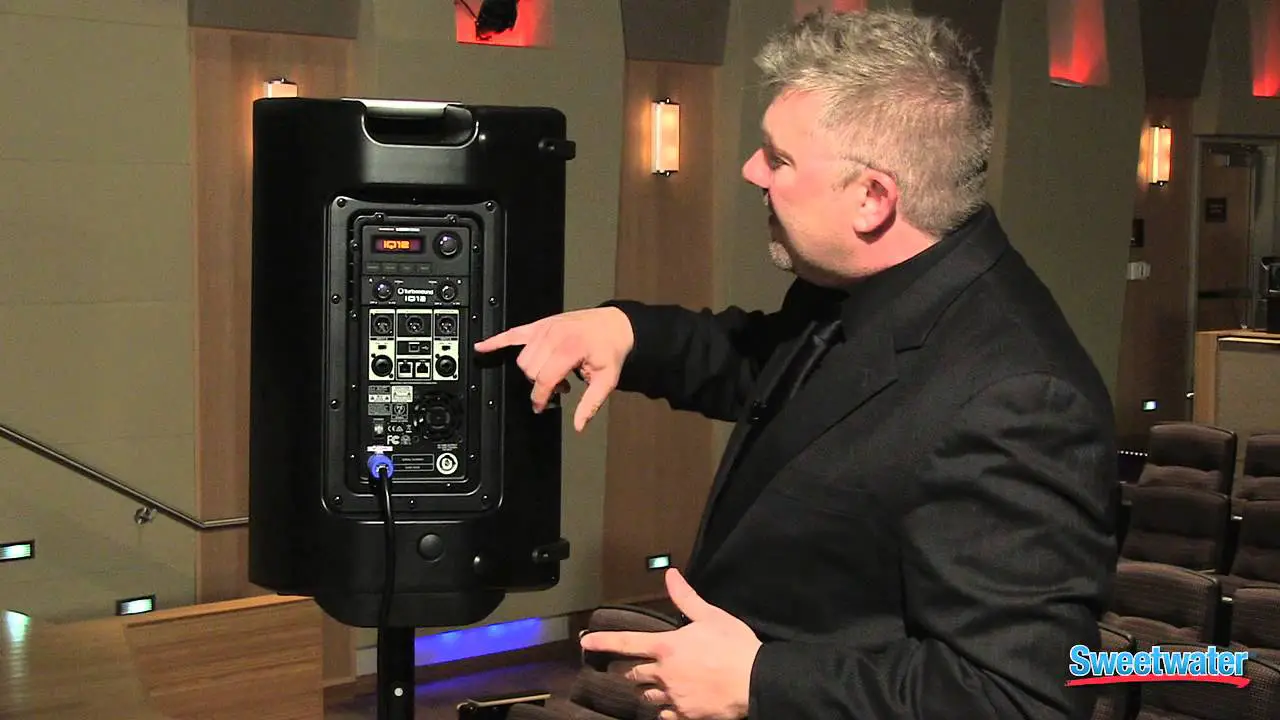
(1) ENCODER KNOB toggles between Graphic and Edit modes (when pressed) and changes parameter values (when rotated). (2) LCD SCREEN displays the current DSP module and parameter settings. (3) PROCESS button accesses the DSP signal processing menu. (4) SETUP accesses the setup features menu. (5) EXIT button saves changes and returns to the previous menu screen. (6) ENTER button selects sub-menu or confi rms parameter changes. (7) INPUT A/INPUT B combo jacks accept input signals using XLR, balanced ¼” TRS or unbalanced ¼” TS connectors. (8) LINK A/LINK B XLR connectors provide un-processed copies of the INPUT A or INPUT B signals.
iP300 DSP Menu Structure
Menu
Sub-Menu
PROCESS
Quick Start Guide 13
Fullrange
Main Screen
Volume INPUT EQ (Equalisation) MODE POSIT (Position)
Function Displays level indicators and model name. Displays the following Bluetooth* status information:
· Bluetooth symbol indicates connection to audio and/or remote control device (iPhone*, etc.).
· ” ” indicates that the remote control APP connected. · ” ” indicates audio streaming is connected. · “M” or “S” indicates that the speaker is linked to another iP
speaker as MASTER (left channel, “M”) or SLAVE annel, “S”). Rotate the encoder knob to adjust the output volume. Press the encoder knob enter the last used sub-menu. Press the Process and Setup buttons to access sub-menus.
Rotate the encoder to change the output volume.
Sets input mixer level EQ and reverb for analogue input A and B, as well as level for Bluetooth.
Allows adjustment of three band equaliser with controls for bass, midrange and treble.
Selects from 4 preset equalisations, depending on function and music type.
Selects DSP compensation depending on the speaker position: stand, wall, corner.
SETUP
Sets LCD back panel contrast, device lock and factory reset.
BT (Bluetooth)
Lets you pair the speaker with mobile Bluetooth devices and link to another iP speaker as MASTER / SLAVE.
INFO
Displays model and firmware information.
DFU
Indicates device is updating firmware from APP software via Bluetooth.
*iPhone is a trademark of Apple Inc. The Bluetooth word mark and logos are registered trademarks owned by Bluetooth SIG, Inc. and any use of such marks is under license.
iP Series Analogue Connection
Despite their sophistication, iP speakers offer straightforward analogue connectivity, and you can easily arrange the iP system to allow simple control of levels from other devices, such as mixers. You can also daisy-chain multiple iP speakers using only the analogue connections, and then directly control the overall level from your mixer’s master fader.
For example, you have four iP speakers and a mixer with simple left-right stereo outputs. For typical operation, set the DSP volume and input gain settings on all speakers to a flat “0 dB” setting. Connect the mixer’s left and right stereo outputs to the first two speakers’ analogue INPUT A connections (the left and right mixer outputs will go to separate speakers). Then, run cables from the OUTPUT analogue connections to the remaining two speakers. In a similar way, subwoofers can also be linked to the analogue OUTPUT.
14 iNSPIRE iP300
iP Series Bluetooth Instructions
Bluetooth Connection
To stream audio from a Bluetooth-enabled device, you will need at least one iP speaker and an iPad*/iPhone/Android*/Windows* device with basic Bluetooth connectivity. With a streaming-only Bluetooth connection, all related iP DSP functions must still be controlled directly from the iP rear panel via the rotary encoder. For Apple* iOS devices, you can also download a dedicated Turbosound iP Bluetooth app from the App Store. This iP Bluetooth app allows you to control a single or stereo pair of iP speakers, including all DSP functions, remotely from your iOS device (see “Bluetooth Control” below for more information).
Bluetooth Streaming
To stream Bluetooth audio with any Bluetooth device (iPad/iPhone/Android/Windows, etc.)
Mono operation 1. Enable Bluetooth on your remote device. 2. Switch on your iP speaker and minimize the volume. 3. Select “Pair device” from the iP speaker’s Bluetooth menu. 4. Check that your remote device is searching for a connection. 5. Once your device detects the iP speaker, select the iP speaker from your remote device’s menu (e.g., “Turbosound iP300”). 6. Wait until the remote device shows an active connection, and then check the speaker’s Bluetooth menu, which should display the name of the remote device
(e.g., “HUAWEI P7-L07”). 7. Bluetooth music can now be streamed to your iP speaker. The stereo signal will automatically mix down to mono. 8. The iP speaker will display the Bluetooth indicator on the main, top-level DSP screen.
Stereo operation 1. Complete the steps above to connect the fi rst speaker to Bluetooth audio. 2. The first connected speaker automatically becomes the MASTER speaker. 3. Switch on the second speaker, which becomes the SLAVE speaker. 4. Select “Link speaker” from the SLAVE speaker’s Bluetooth menu. 5. The SLAVE speaker will display “Slave linking…” 6. Select “Link speaker” from the MASTER speaker’s Bluetooth menu. 7. The MASTER speaker will display “Master Linking…” 8. WAIT for the speakers to link. 9. Once the linking process is complete, Bluetooth audio will stream to the two speakers. The MASTER speaker will receive the left channel, and the SLAVE speaker will
receive the right channel. 10. MASTER and SLAVE connection will be indicated on the main, top-level DSP screens.
*iPad and Apple are trademarks of Apple Inc. Android is a trademark of Google Inc. Windows is either a registered trademark or trademark of Microsoft Corporation in the United States and/or other countries.
Quick Start Guide 15
Bluetooth Control
A dedicated iOS control app for Turbosound Bluetooth speakers can be downloaded from the Apple Store. This iOS control app can be used with Bluetooth pairing, or without pairing if only analogue inputs are used. Operation with Bluetooth Pairing
· In both mono and stereo mode, first pair the MASTER speaker, and then launch the iOS control app. · The iOS control app will automatically detect and adapt for mono or stereo mode. · To alter the speaker settings, swipe the screen or press the settings icon. All iP speaker settings can be accessed from the iOS control app.
Operation without Bluetooth Pairing (Analogue Input Only)
· Power on the first (usually left-hand) speaker this speaker will become the MASTER speaker. · Start the control app on the IOS device. · Check that the app is connected and functioning with the single MASTER speaker. · Power up the second speaker this speaker becomes the SLAVE speaker. · Select “Link speaker” from the speaker Bluetooth menu in “Master” and “Slave” speaker to link each other. · Check that the app’s Main Page shows both MASTER and SLAVE input and balance control.
Main Page (1 speaker)
Main Page (2 speakers linked)
Settings Page
DFU Firmware Update
Where possible please update your iP300 firmware using the iOS app.
To update, go to the Settings screen in the app and look for the “CURRENT FIRMWARE” section. This section of the Settings screen will show the current firmware version. If a firmware update is needed, the screen will display this option:
· Swipe the update slider toward the right to initiate the firmware update. The update may take several minutes. · Update progress will be displayed on the app and the iP300 speaker’s DSP screen.
16 iNSPIRE iP300
Firmware Update Fallback Procedure
In the event you are unable to update the firmware using the iOS or Android app, you may also carry out the update using this fallback procedure:
1. Download the .dfu file with the new firmware version to your smartphone. 2. Force your iP300 speaker into DFU update mode by following these steps:
a. Power off the speaker. b. Hold the ENCODER KNOB. c. Power on the speaker. d. Please select the option “Firmware upgrade” then press the ENCODER KNOB. e. When you are successful, the DSP screen will show the system is ready for the firmware upgrade. 3. On your smartphone, select and hold the .dfu file until the smartphone offers options for file transfer. 4. Select your smartphone’s function for sharing via Bluetooth. 5. Select the iP300 speaker for Bluetooth sharing (e.g., “HUAWEI P7-L07”). 6. When the download begins, the DSP screen will show the download progress. 7. When the download is complete, the speaker will auto-restart and boot the new firmware.
IMPORTANT NOTE: The mounting of a permanently installed sound system may be dangerous unless undertaken by qualified personnel with the required experience and certification to perform the necessary tasks. Walls, floors or ceilings must be capable of safely and securely supporting the actual load. The mounting accessory used must be safely and securely fixed both to the loudspeaker and to the wall, floor or ceiling.
When mounting rigging components on walls, floors or ceilings, ensure that all fixings and fasteners used are of an appropriate size and load rating. Wall and ceiling claddings, and the construction and composition of walls and ceilings, all need to be taken into account when determining whether a particular fixing arrangement can be safely employed for a particular load. Cavity plugs or other specialist fixings, if required, must be of an appropriate type, and must be fitted and used in accordance with the maker’s instructions.
The operation of your speaker cabinet as part of a flown system, if installed incorrectly and improperly, can potentially expose persons to serious health risks and even death. In addition, please ensure that electrical, mechanical and acoustic considerations are discussed with qualified and certified (by local state or national authorities) personnel prior to any installation or flying.
Make sure that speaker cabinets are set up and flown by qualified and certified personnel only, using dedicated equipment and original parts and components delivered with the unit. If any parts or components are missing please contact your Dealer before attempting to set up the system.
Be sure to observe the local, state and other safety regulations applicable in your country. Music Tribe, including the Music Tribe companies listed on the enclosed “Service Information Sheet”, assumes no liability for any damage or personal injury resulting from improper use, installation or operation of the product.
Regular checks must be conducted by qualified personnel to ensure that the system remains in a secure and stable condition. Make sure that, where the speaker is flown, the area underneath the speaker is free of human traffic. Do not fly the speaker in areas that can be entered or used by members of the public.
Speakers create a magnetic field, even if not in operation. Therefore, please keep all materials that can be affected by such fields (discs, computers, monitors, etc.) at a safe distance. A safe distance is usually between 1 and 2 metres.
Quick Start Guide 17
Gracias por elegir un producto de altavoz Turbosound para su aplicación. Si desea obtener más información sobre este o cualquier otro producto Turbosound, visite nuestro sitio web en turbosound.com.
Desembalaje del altavoz
Después de desembalar la unidad, compruebe cuidadosamente si hay daños. Si encuentra daños, notifique a su proveedor de inmediato. Usted, el destinatario, debe iniciar cualquier reclamación. Conserve todo el embalaje en caso de reenvío futuro.
Controles
(1) PERILLA CODIFICADOR alterna entre los modos Gráfico y Edición (cuando se presiona) y cambia los valores de los parámetros (cuando se gira). (2) PANTALLA LCD muestra el módulo DSP actual y la configuración de los parámetros. (3) PROCESO El botón accede al menú de procesamiento de la señal DSP. (4) CONFIGURACIÓN accede al menú de funciones de configuración. (5) SALIDA El botón guarda los cambios y regresa a la pantalla del menú anterior. (6) INGRESAR El botón selecciona el submenú o confi rma los cambios de los parámetros. (7) ENTRADA A / ENTRADA B Las tomas combo aceptan señales de entrada usando conectores XLR, TRS balanceados de ¼” o TS de ¼” no balanceados. (8) ENLACE A / ENLACE B XLR Los conectores proporcionan copias sin procesar de las señales INPUT A o INPUT B.
iP300 DSP Estructura del menú
Menú
Submenú
PROCESO
Rango completo
Pantalla principal
Volumen APORTE EQ (ecualización) MODO POSIT (posición)
Función Muestra los indicadores de nivel y el nombre del modelo. Muestra la siguiente información de estado de Bluetooth*:
· El símbolo de Bluetooth indica la conexión a un dispositivo de audio y / o control remoto (iPhone*, etc.).
· ” ” Indica que la aplicación de control remoto está conectada.
· ” ” Indica que la transmisión de audio está conectada. · “M” o “S” indica que el altavoz está vinculado a otro altavoz
iP como MASTER (canal izquierdo, “M”) o SLAVE annel, “S”). Gire la perilla del codificador para ajustar el volumen de salida. Presione la perilla del codificador para ingresar al último submenú utilizado. Presione los botones Proceso y Configuración para acceder a los submenús.
Gire el codificador para cambiar el volumen de salida.
Establece el nivel de EQ y reverberación del mezclador de entrada para las entradas analógicas A y B, así como el nivel para Bluetooth.
Permite el ajuste del ecualizador de tres bandas con controles para graves, medios y agudos.
Selecciona entre 4 ecualizaciones preestablecidas, según la función y el tipo de música.
Selecciona la compensación DSP en función de la posición del altavoz: soporte, pared, esquina.
CONFIGURACIÓN BT (Bluetooth)
Establece el contraste del panel posterior del LCD, el bloqueo del dispositivo y el restablecimiento de fábrica.
Le permite emparejar el altavoz con dispositivos móviles Bluetooth y vincularlo a otro altavoz iP como MASTER / SLAVE.
INFO
Muestra información sobre el modelo y el firmware.
DFU
Indica que el dispositivo está actualizando el firmware del software de la aplicación a través de Bluetooth.
* iPhone es una marca comercial de Apple Inc. La marca denominativa y los logotipos de Bluetooth son marcas comerciales registradas propiedad de Bluetooth SIG, Inc. y cualquier uso de dichas marcas se realiza bajo licencia.
18 iNSPIRE iP300
Conexión analógica serie iP
A pesar de su sofisticación, los altavoces iP ofrecen una conectividad analógica sencilla, y puede organizar fácilmente el sistema iP para permitir un control simple de los niveles desde otros dispositivos, como mezcladores. También puede conectar en cadena varios altavoces iP usando solo las conexiones analógicas y luego controlar directamente el nivel general desde el fader maestro de su mezclador.
Por ejemplo, tiene cuatro altavoces iP y un mezclador con salidas estéreo simples de izquierda a derecha. Para un funcionamiento típico, configure el volumen DSP y la ganancia de entrada en todos los altavoces en un ajuste plano de “0 dB”. Conecte las salidas estéreo izquierda y derecha del mezclador a las conexiones INPUT A analógicas de los dos primeros altavoces (las salidas izquierda y derecha del mezclador irán a altavoces separados). Luego, pase los cables desde las conexiones analógicas de SALIDA a los dos altavoces restantes. De manera similar, los subwoofers también se pueden vincular a la SALIDA analógica.
Instrucciones de Bluetooth de la serie iP
Conexión Bluetooth
Para transmitir audio desde un dispositivo habilitado para Bluetooth, necesitará al menos un altavoz iP y un dispositivo iPad* / iPhone / Android* / Windows* con conectividad Bluetooth básica.
Con una conexión Bluetooth de solo transmisión, todas las funciones de iP DSP deben controlarse directamente desde el panel posterior del iP a través del codificador giratorio.
Para dispositivos Apple * iOS, también puede descargar una aplicación Bluetooth Turbosound iP dedicada desde la App Store. Esta aplicación iP Bluetooth le permite controlar un par único o estéreo de altavoces iP, incluidas todas las funciones DSP, de forma remota desde su dispositivo iOS (consulte “Control de Bluetooth” a continuación para obtener más información).
Transmisión por Bluetooth
Para transmitir audio Bluetooth con cualquier dispositivo Bluetooth (iPad / iPhone / Android / Windows, etc.)
Operación mono
1. Habilite Bluetooth en su dispositivo remoto. 2. Encienda su altavoz iP y minimice el volumen. 3. Seleccione “Emparejar dispositivo” en el menú de Bluetooth del altavoz del iP. 4. Compruebe que su dispositivo remoto esté buscando una conexión. 5. Una vez que su dispositivo detecte el altavoz iP, seleccione el altavoz iP en el menú de su dispositivo remoto (por ejemplo, “Turbosound iP300”). 6. Espere hasta que el dispositivo remoto muestre una conexión activa y luego verifique el menú Bluetooth del altavoz, que debería mostrar el nombre del dispositivo
remoto (por ejemplo, “HUAWEI P7-L07”). 7. La música Bluetooth ahora se puede transmitir a su altavoz iP. La señal estéreo se mezclará automáticamente a mono. 8. El altavoz del iP mostrará el indicador de Bluetooth en la pantalla principal de DSP de nivel superior. Operación estéreo
1. Complete los pasos anteriores para conectar el primer altavoz al audio Bluetooth. 2. El primer altavoz conectado se convierte automáticamente en el altavoz MASTER. 3. Encienda el segundo altavoz, que se convierte en el altavoz ESCLAVO. 4. Seleccione “Vincular altavoz” en el menú Bluetooth del altavoz SLAVE. 5. El altavoz SLAVE mostrará “Enlace esclavo …” 6. Seleccione “Vincular altavoz” en el menú Bluetooth del altavoz MASTER. 7. El altavoz MASTER mostrará “Master Linking …” 8. ESPERE a que los altavoces se vinculen. 9. Una vez que se completa el proceso de vinculación, el audio de Bluetooth se transmitirá a los dos altavoces. El altavoz MASTER recibirá el canal izquierdo y el altavoz
SLAVE recibirá el canal derecho. 10. La conexión MASTER y SLAVE se indicará en las pantallas principales de DSP de nivel superior.
* iPad y Apple son marcas comerciales de Apple Inc. Android es una marca comercial de Google Inc. Windows es una marca comercial registrada o una marca comercial de Microsoft Corporation en los Estados Unidos y / o en otros países.
Quick Start Guide 19
Control de Bluetooth
Se puede descargar una aplicación de control iOS dedicada para los altavoces Turbosound Bluetooth de Apple Store. Esta aplicación de control de iOS se puede utilizar con emparejamiento Bluetooth o sin emparejamiento si solo se utilizan entradas analógicas.
Funcionamiento con emparejamiento Bluetooth · En modo mono y estéreo, primero empareje el altavoz MASTER y luego inicie la aplicación de control de iOS. · La aplicación de control de iOS detectará y se adaptará automáticamente al modo mono o estéreo. · Para modificar la configuración de los altavoces, deslice el dedo por la pantalla o presione el icono de configuración. Se puede acceder a todas las configuraciones
de los altavoces iP desde la aplicación de control de iOS.
Funcionamiento sin emparejamiento Bluetooth (solo entrada analógica) · Encienda el primer altavoz (normalmente el izquierdo); este altavoz se convertirá en el altavoz MAESTRO. · Inicie la aplicación de control en el dispositivo IOS. · Compruebe que la aplicación esté conectada y funcionando con el único altavoz MASTER. · Encienda el segundo altavoz: este altavoz se convierte en el altavoz ESCLAVO. · Seleccione “Vincular altavoz” en el menú de Bluetooth del altavoz en el altavoz “Maestro” y “Esclavo” para vincularse entre sí. · Verifique que la página principal de la aplicación muestre tanto la entrada MASTER como la SLAVE y el control de balance.
Actualización de firmware DFU
Siempre que sea posible, actualice el firmware de su iP300 utilizando la aplicación iOS. Para actualizar, vaya a la pantalla Configuración en la aplicación y busque la sección “FIRMWARE ACTUAL”. Esta sección de la pantalla de Configuración mostrará la versión actual del firmware. Si se necesita una actualización de firmware, la pantalla mostrará esta opción:
· Deslice el control deslizante de actualización hacia la derecha para iniciar la actualización del firmware. La actualización puede tardar varios minutos. · El progreso de la actualización se mostrará en la aplicación y en la pantalla DSP del altavoz iP300.Procedimiento alternativo de actualización de firmware En caso de que no pueda actualizar el firmware con la aplicación iOS o Android, también puede realizar la actualización mediante este procedimiento alternativo: 1. Descargue el archivo .dfu con la nueva versión de firmware en su teléfono inteligente. 2. Forzar su altavoz iP300 en modo de actualización DFU siguiendo estos pasos:
a. Power off the speaker. b. Hold the ENCODER KNOB. c. Power on the speaker. d. Please select the option “Firmware upgrade” then press the ENCODER KNOB. e. When you are successful, the DSP screen will show the system is ready for the firmware upgrade. 3. En su teléfono inteligente, seleccione y mantenga presionado el archivo .dfu hasta que el teléfono inteligente ofrezca opciones para la transferencia de archivos. 4. Seleccione la función de su teléfono inteligente para compartir a través de Bluetooth. 5. Seleccione el altavoz iP300 para compartir por Bluetooth (por ejemplo, “HUAWEI P7-L07”). 6. Cuando comience la descarga, la pantalla DSP mostrará el progreso de la descarga. 7. Cuando se complete la descarga, el altavoz se reiniciará automáticamente y arrancará el nuevo firmware.
20 iNSPIRE iP300
NOTA IMPORTANTE: El montaje de un sistema de sonido instalado permanentemente puede ser peligroso a menos que sea realizado por personal calificado con la experiencia y certificación requeridas para realizar las tareas necesarias. Las paredes, los pisos o los techos deben ser capaces de soportar de manera segura la carga real. El accesorio de montaje utilizado debe fijarse de forma segura tanto al altavoz como a la pared, suelo o techo.
Al montar componentes de aparejos en paredes, pisos o techos, asegúrese de que todas las fijaciones y sujetadores utilizados sean del tamaño y la capacidad de carga adecuados. Los revestimientos de paredes y techos, y la construcción y composición de las paredes y techos, deben tenerse en cuenta al determinar si una disposición de fijación particular puede emplearse de manera segura para una carga particular. Los tapones de cavidad u otras fijaciones especializadas, si es necesario, deben ser del tipo apropiado y deben instalarse y utilizarse de acuerdo con las instrucciones del fabricante.
El funcionamiento de su caja de altavoces como parte de un sistema volado, si se instala de manera incorrecta e inapropiada, puede exponer a las personas a riesgos graves para la salud e incluso la muerte. Además, asegúrese de que las consideraciones eléctricas, mecánicas y acústicas se analicen con personal calificado y certificado (por las autoridades estatales o nacionales locales) antes de cualquier instalación o vuelo.
Asegúrese de que los gabinetes de altavoces sean instalados y volados únicamente por personal calificado y certificado, utilizando equipo dedicado y piezas y componentes originales entregados con la unidad. Si falta alguna pieza o componente, comuníquese con su distribuidor antes de intentar configurar el sistema.
Asegúrese de respetar las normativas de seguridad locales, estatales y de otro tipo aplicables en su país. Music Tribe, incluidas las empresas de Music Tribe enumeradas en la “Hoja de información de servicio” adjunta, no asume ninguna responsabilidad por cualquier daño o lesión personal que resulte del uso, instalación u operación inadecuados del producto.
Las verificaciones periódicas deben ser realizadas por personal calificado para garantizar que el sistema permanezca en condiciones seguras y estables. Asegúrese de que, donde se vuela el altavoz, el área debajo del altavoz esté libre de tráfico humano. No vuele el altavoz en áreas a las que el público pueda ingresar o usar.
Los altavoces crean un campo magnético, incluso si no están en funcionamiento. Por lo tanto, mantenga todos los materiales que puedan verse afectados por dichos campos (discos, computadoras, monitores, etc.) a una distancia segura. Una distancia segura suele estar entre 1 y 2 metros.
Quick Start Guide 21
Merci d’avoir choisi un produit d’enceinte Turbosound pour votre application. Si vous souhaitez plus d’informations à ce sujet ou sur tout autre produit Turbosound, veuillez visiter notre site Web à turbosound.com.
Déballage du haut-parleur
Après avoir déballé l’appareil, veuillez vérifier attentivement les dommages. En cas de dommage, veuillez en informer votre fournisseur immédiatement. Vous, le destinataire, devez introduire une réclamation. Veuillez conserver tous les emballages en cas de ré-expédition future.
Les contrôles
(1) BOUTON ENCODEUR bascule entre les modes Graphique et Édition (lorsqu’il est enfoncé) et change les valeurs des paramètres (lorsqu’il est tourné). (2) ÉCRAN LCD affiche le module DSP actuel et les réglages des paramètres. (3) TRAITER permet d’accéder au menu de traitement du signal DSP. (4) METTRE EN PLACE accède au menu des fonctions de configuration. (5) SORTIR Le bouton enregistre les modifications et revient à l’écran de menu précédent. (6) ENTRER Le bouton sélectionne le sous-menu ou confirme les changements de paramètres. (7) ENTRÉE A / ENTRÉE B Les prises combo acceptent les signaux d’entrée à l’aide de connecteurs XLR, TRS symétriques ¼” ou TS asymétriques ¼”. (8) LINK A / LINK B XLR Les connecteurs fournissent des copies non traitées des signaux INPUT A ou INPUT B.
iP300 DSP Menu Structure
Menu
Sous-menu
TRAITER
Gamme complète
Écran principal
Le volume CONTRIBUTION EQ (égalisation)
MODE POSITION (Position)
Une fonction Affiche les indicateurs de niveau et le nom du modèle. Affiche les informations d’état Bluetooth* suivantes:
· Le symbole Bluetooth indique la connexion à un appareil audio et / ou à télécommande (iPhone*, etc.).
· « » Indique que l’APP de la télécommande est connectée. · « » Indique que le streaming audio est connecté. · «M» ou «S» indique que l’enceinte est liée à une autre
enceinte iP en tant que MASTER (canal gauche, «M») ou SLAVE annel, «S»). Tournez le bouton de l’encodeur pour régler le volume de sortie. Appuyez sur le bouton encodeur pour accéder au dernier sousmenu utilisé. Appuyez sur les boutons Process et Setup pour accéder aux sous-menus.
Rotate the encoder to change the output volume.
Sets input mixer level EQ and reverb for analogue input A and B, as well as level for Bluetooth.
Allows adjustment of three band equaliser with controls for bass, midrange and treble.
Selects from 4 preset equalisations, depending on function and music type.
Selects DSP compensation depending on the speaker position: stand, wall, corner.
METTRE EN PLACE BT (Bluetooth)
INFO
Définit le contraste du panneau arrière de l’écran LCD, le verrouillage de l’appareil et la réinitialisation d’usine.
Vous permet de coupler l’enceinte avec des appareils Bluetooth mobiles et de la lier à une autre enceinte iP en tant que MAÎTRE / ESCLAVE.
Affiche des informations sur le modèle et le micrologiciel.
DFU
Indique que l’appareil met à jour le micrologiciel du logiciel APP via Bluetooth.
*iPhone est une marque commerciale d’Apple Inc. La marque et les logos Bluetooth sont des marques déposées appartenant à Bluetooth SIG, Inc. et toute utilisation de ces marques est sous licence.
22 iNSPIRE iP300
Connexion analogique de la série iP
Malgré leur sophistication, les haut-parleurs iP offrent une connectivité analogique simple et vous pouvez facilement organiser le système iP pour permettre un contrôle simple des niveaux à partir d’autres appareils, tels que des mélangeurs. Vous pouvez également connecter en série plusieurs haut-parleurs iP en utilisant uniquement les connexions analogiques, puis contrôler directement le niveau général à partir du fader principal de votre mixeur.
Par exemple, vous avez quatre haut-parleurs iP et une table de mixage avec de simples sorties stéréo gauche-droite. Pour un fonctionnement typique, réglez le volume du DSP et les réglages de gain d’entrée de toutes les enceintes sur un réglage plat «0 dB». Connectez les sorties stéréo gauche et droite de la console de mixage aux connexions INPUT A analogiques des deux premières enceintes (les sorties gauche et droite de la table de mixage iront à des enceintes séparées). Ensuite, faites passer les câbles des connexions analogiques de SORTIE aux deux enceintes restantes. De la même manière, les subwoofers peuvent également être liés à la sortie analogique.Instructions Bluetooth iP Series
Connexion Bluetooth
Pour diffuser de l’audio à partir d’un appareil compatible Bluetooth, vous aurez besoin d’au moins un haut-parleur iP et d’un appareil iPad* / iPhone / Android* / Windows* avec une connectivité Bluetooth de base.
Avec une connexion Bluetooth uniquement en streaming, toutes les fonctions iP DSP associées doivent toujours être contrôlées directement depuis le panneau arrière de l’iP via l’encodeur rotatif.
Pour les appareils Apple* iOS, vous pouvez également télécharger une application Bluetooth dédiée Turbosound iP depuis l’App Store. Cette application iP Bluetooth vous permet de contrôler une seule ou une paire stéréo d’enceintes iP, y compris toutes les fonctions DSP, à distance depuis votre appareil
Streaming Bluetooth
Pour diffuser de l’audio Bluetooth avec n’importe quel appareil Bluetooth (iPad / iPhone / Android / Windows, etc.)
Fonctionnement mono
1. Activez Bluetooth sur votre appareil distant. 2. Allumez votre enceinte iP et réduisez le volume. 3. Sélectionnez «Jumeler l’appareil» dans le menu Bluetooth de l’enceinte iP. 4. Vérifiez que votre appareil distant recherche une connexion. 5. Une fois que votre appareil détecte l’enceinte iP, sélectionnez l’enceinte iP dans le menu de votre appareil distant (par exemple, «Turbosound iP300»). 6. Attendez que l’appareil distant affiche une connexion active, puis vérifiez le menu Bluetooth de l’enceinte, qui devrait afficher le nom de l’appareil distant (par
exemple, «HUAWEI P7-L07»). 7. La musique Bluetooth peut désormais être diffusée sur votre enceinte iP. Le signal stéréo sera automatiquement mixé en mono. 8. L’enceinte iP affichera l’indicateur Bluetooth sur l’écran DSP principal de niveau supérieur. Fonctionnement stéréo
1. Suivez les étapes ci-dessus pour connecter le premier haut-parleur à l’audio Bluetooth. 2. La première enceinte connectée devient automatiquement l’enceinte MASTER. 3. Allumez le deuxième haut-parleur, qui devient le haut-parleur SLAVE. 4. Sélectionnez «Link speaker» dans le menu Bluetooth de l’enceinte SLAVE. 5. L’enceinte SLAVE affichera «Liaison esclave …» 6. Sélectionnez «Link speaker» dans le menu Bluetooth de l’enceinte MASTER. 7. L’enceinte MASTER affichera «Master Linking …» 8. ATTENDEZ que les haut-parleurs se lient. 9. Une fois le processus de liaison terminé, l’audio Bluetooth sera diffusé sur les deux haut-parleurs. L’enceinte MASTER recevra le canal gauche et l’enceinte SLAVE recevra
le canal droit. 10. Les connexions MASTER et SLAVE seront indiquées sur les écrans DSP principaux de niveau supérieur.
*iPad et Apple sont des marques commerciales d’Apple Inc. Android est une marque commerciale de Google Inc. Windows est une marque déposée ou une marque commerciale de Microsoft Corporation aux États-Unis et / ou dans d’autres pays.
Quick Start Guide 23
Contrôle Bluetooth
Une application de contrôle iOS dédiée pour les haut-parleurs Bluetooth Turbosound peut être téléchargée sur l’Apple Store. Cette application de contrôle iOS peut être utilisée avec le couplage Bluetooth, ou sans couplage si seules des entrées analogiques sont utilisées.
Fonctionnement avec couplage Bluetooth · En mode mono et stéréo, commencez par coupler l’enceinte MASTER, puis lancez l’application de contrôle iOS. · L’application de contrôle iOS détecte et s’adapte automatiquement au mode mono ou stéréo. · Pour modifier les paramètres du haut-parleur, faites glisser l’écran ou appuyez sur l’icône des paramètres. Tous les paramètres des haut-parleurs iP sont
accessibles à partir de l’application de contrôle iOS.
Fonctionnement sans couplage Bluetooth (entrée analogique uniquement) · Allumez le premier haut-parleur (généralement gauche) – ce haut-parleur deviendra le haut-parleur MASTER. · Démarrez l’application de contrôle sur l’appareil IOS. · Vérifiez que l’application est connectée et fonctionne avec le seul haut-parleur MASTER. · Allumez le deuxième haut-parleur – ce haut-parleur devient le haut-parleur SLAVE. · Sélectionnez «Link speaker» dans le menu Bluetooth du haut-parleur dans le haut-parleur «Master» et «Slave» pour se lier. · Vérifiez que la page principale de l’application affiche à la fois l’entrée MASTER et SLAVE et le contrôle de la balance.
Mise à jour du micrologiciel DFU
Dans la mesure du possible, veuillez mettre à jour le micrologiciel de votre iP300 à l’aide de l’application iOS. Pour mettre à jour, accédez à l’écran Paramètres de l’application et recherchez la section «FIRMWARE ACTUEL». Cette section de l’écran Paramètres affichera la version actuelle du micrologiciel. Si une mise à jour du micrologiciel est nécessaire, l’écran affichera cette option:
· Faites glisser le curseur de mise à jour vers la droite pour lancer la mise à jour du micrologiciel. La mise à jour peut prendre plusieurs minutes. · La progression de la mise à jour sera affichée sur l’application et sur l’écran DSP de l’enceinte iP300.Procédure de secours de mise à jour du micrologiciel Si vous ne parvenez pas à mettre à jour le micrologiciel à l’aide de l’application iOS ou Android, vous pouvez également effectuer la mise à jour en utilisant cette procédure de secours: 1. Téléchargez le fichier .dfu avec la nouvelle version du micrologiciel sur votre smartphone. 2. Forcez votre enceinte iP300 en mode de mise à jour DFU en suivant ces étapes:
a. Éteignez le haut-parleur. b. Tenez le BOUTON DE L’ENCODEUR. c. Mettez le haut-parleur sous tension. d. Veuillez sélectionner l’option «Mise à jour du micrologiciel», puis appuyez sur le BOUTON ENCODEUR. e. Lorsque vous réussissez, l’écran DSP indique que le système est prêt pour la mise à niveau du micrologiciel. 3. Sur votre smartphone, sélectionnez et maintenez le fichier .dfu jusqu’à ce que le smartphone propose des options de transfert de fichiers. 4. Sélectionnez la fonction de partage de votre smartphone via Bluetooth. 5. Sélectionnez l’enceinte iP300 pour le partage Bluetooth (par exemple, «HUAWEI P7-L07»). 6. Lorsque le téléchargement commence, l’écran DSP affiche la progression du téléchargement. 7. Une fois le téléchargement terminé, le haut-parleur redémarrera automatiquement et démarrera le nouveau micrologiciel.
24 iNSPIRE iP300
NOTE IMPORTANTE: Le montage d’un système de sonorisation installé en permanence peut être dangereux à moins qu’il ne soit effectué par du personnel qualifié ayant l’expérience et la certification requises pour effectuer les tâches nécessaires. Les murs, les planchers ou les plafonds doivent pouvoir supporter en toute sécurité et solidement la charge réelle. L’accessoire de montage utilisé doit être fixé de manière sûre et sûre à la fois au haut-parleur et au mur, au sol ou au plafond.
Lors du montage de composants d’accrochage sur des murs, des sols ou des plafonds, assurez-vous que toutes les fixations et attaches utilisées sont de taille et de capacité de charge appropriées. Les revêtements de murs et de plafonds, ainsi que la construction et la composition des murs et des plafonds, doivent tous être pris en compte pour déterminer si un dispositif de fixation particulier peut être utilisé en toute sécurité pour une charge particulière. Les bouchons de cavité ou autres fixations spécialisées, si nécessaire, doivent être d’un type approprié et doivent être installés et utilisés conformément aux instructions du fabricant.
Le fonctionnement de votre enceinte dans le cadre d’un système volant, s’il est installé de manière incorrecte et incorrecte, peut potentiellement exposer les personnes à de graves risques pour la santé, voire la mort. De plus, veuillez vous assurer que les considérations électriques, mécaniques et acoustiques sont discutées avec un personnel qualifié et certifié (par les autorités locales ou nationales) avant toute installation ou tout vol.
Assurez-vous que les enceintes sont installées et pilotées uniquement par du personnel qualifié et certifié, en utilisant un équipement dédié et des pièces et composants d’origine livrés avec l’unité. S’il manque des pièces ou des composants, veuillez contacter votre revendeur avant de tenter d’installer le système.
Assurez-vous de respecter les réglementations de sécurité locales, régionales et autres applicables dans votre pays. Music Tribe, y compris les sociétés du Music Tribe répertoriées sur la «Fiche d’information sur le service» ci-jointe, n’assume aucune responsabilité pour tout dommage ou blessure corporelle résultant d’une utilisation, d’une installation ou d’une utilisation incorrectes du produit.
Des contrôles réguliers doivent être effectués par du personnel qualifié pour s’assurer que le système reste dans un état sûr et stable. Assurez-vous que, là où le hautparleur est volé, la zone sous le haut-parleur est libre de trafic humain. Ne faites pas voler l’enceinte dans des zones qui peuvent être pénétrées ou utilisées par des membres du public.
Les haut-parleurs créent un champ magnétique, même s’ils ne fonctionnent pas. Par conséquent, veuillez conserver tous les matériaux susceptibles d’être affectés par de tels champs (disques, ordinateurs, moniteurs, etc.) à une distance de sécurité. Une distance de sécurité est généralement comprise entre 1 et 2 mètres.
Quick Start Guide 25
Vielen Dank, dass Sie sich für ein Turbosound-Lautsprecherprodukt für Ihre Anwendung entschieden haben. Wenn Sie weitere Informationen zu diesem oder einem anderen Turbosound-Produkt wünschen, besuchen Sie bitte unsere Website unter turbosound.com.
Auspacken des Lautsprechers
Überprüfen Sie das Gerät nach dem Auspacken sorgfältig auf Beschädigungen. Wenn ein Schaden festgestellt wird, benachrichtigen Sie bitte sofort Ihren Lieferanten. Sie als Empfänger müssen einen Anspruch geltend machen. Bitte bewahren Sie alle Verpackungen für den Fall eines zukünftigen Versands auf.
Kontrollen
(1) ENCODER-KNOPF Schaltet zwischen Grafik- und Bearbeitungsmodus um (wenn gedrückt) und ändert die Parameterwerte (wenn gedreht). (2) LCD BILDSCHIRM Zeigt die aktuellen DSP-Modul- und Parametereinstellungen an. (3) PROZESS Taste greift auf das DSP-Signalverarbeitungsmenü zu. (4) KONFIGURATION Ruft das Menü mit den Setup-Funktionen auf. (5) AUSFAHRT Die Schaltfläche speichert Änderungen und kehrt zum vorherigen Menübildschirm zurück. (6) EINGEBEN Taste wählt Untermenü oder bestätigt Parameteränderungen. (7) EINGANG A / EINGANG B. Combo-Buchsen akzeptieren Eingangssignale über XLR-, symmetrische ¼” TRS- oder unsymmetrische ¼” TS-Anschlüsse. (8) LINK A / LINK B XLR Anschlüsse liefern unverarbeitete Kopien der Signale INPUT A oder INPUT B.
iP300 DSP Menüstruktur
Speisekarte
Untermenü
PROZESS
Vollständige Palette
Hauptbildschirm
Volumen EINGANG EQ (Equalization) MODUS POSIT (Position)
Funktion Zeigt Füllstandsanzeigen und Modellnamen an. Zeigt die folgenden Bluetooth* -Statusinformationen an:
· Das Bluetooth-Symbol zeigt die Verbindung zum Audiound / oder Fernbedienungsgerät (iPhone* usw.) an.
· ” ” Zeigt an, dass die Fernbedienungs-APP verbunden ist. · ” ” Zeigt an, dass Audio-Streaming angeschlossen ist. · “M” oder “S” zeigt an, dass der Lautsprecher mit einem
anderen iP-Lautsprecher als MASTER (linker Kanal, “M”) oder SLAVE Annel, “S”) verbunden ist. Drehen Sie den Encoderknopf, um die Ausgangslautstärke einzustellen. Drücken Sie den Encoder-Knopf, um das zuletzt verwendete Untermenü aufzurufen. Drücken Sie die Schaltflächen Prozess und Setup, um auf Untermenüs zuzugreifen.
Drehen Sie den Encoder, um die Ausgangslautstärke zu ändern.
Stellt den EQ und den Hall des Eingangsmischers für Analogeingang A und B sowie den Pegel für Bluetooth ein.
Ermöglicht die Einstellung des Drei-Band-Equalizers mit Reglern für Bässe, Mitten und Höhen.
Wählt je nach Funktion und Musiktyp aus 4 voreingestellten Entzerrungen aus.
Wählt die DSP-Kompensation abhängig von der Lautsprecherposition aus: Ständer, Wand, Ecke.
KONFIGURATION BT (Bluetooth)
DIE INFO
Stellt den Kontrast der LCD-Rückseite, die Gerätesperre und das Zurücksetzen auf die Werkseinstellungen ein.
Hiermit können Sie den Lautsprecher mit mobilen BluetoothGeräten koppeln und eine Verbindung zu einem anderen iP-Lautsprecher als MASTER / SLAVE herstellen.
Zeigt Modell- und Firmware-Informationen an.
DFU
Zeigt an, dass das Gerät die Firmware von der APP-Software über Bluetooth aktualisiert.
*iPhone ist eine Marke von Apple Inc. Die Bluetooth-Wortmarke und -Logos sind eingetragene Marken von Bluetooth SIG, Inc., und jede Verwendung dieser Marken erfolgt unter Lizenz.
26 iNSPIRE iP300
Analoge Verbindung der iP-Serie
Trotz ihrer Raffinesse bieten iP-Lautsprecher eine einfache analoge Konnektivität, und Sie können das iP-System einfach so anordnen, dass die Pegel von anderen Geräten, z. B. Mischpulten, einfach gesteuert werden können. Sie können auch mehrere iP-Lautsprecher über die analogen Anschlüsse hintereinander schalten und dann den Gesamtpegel direkt über den Master-Fader Ihres Mischpults steuern.
Sie haben beispielsweise vier iP-Lautsprecher und einen Mixer mit einfachen Stereoausgängen von links nach rechts. Stellen Sie für einen typischen Betrieb die Einstellungen für DSP-Lautstärke und Eingangsverstärkung an allen Lautsprechern auf eine flache Einstellung von ,,0 dB” ein. Verbinden Sie den linken und rechten Stereoausgang des Mischpults mit den analogen EINGANG A-Anschlüssen der ersten beiden Lautsprecher (der linke und der rechte Mischpultausgang werden an separate Lautsprecher angeschlossen). Führen Sie dann die Kabel von den analogen OUTPUT-Anschlüssen zu den verbleibenden zwei Lautsprechern. In ähnlicher Weise können Subwoofer auch mit dem analogen AUSGANG verbunden werden.
Bluetooth-Anweisungen der iP-Serie
Bluetooth-Verbindung
Um Audio von einem Bluetooth-fähigen Gerät zu streamen, benötigen Sie mindestens einen iP-Lautsprecher und ein iPad* / iPhone / Android* / Windows* -Gerät mit grundlegender Bluetooth-Konnektivität.
Bei einer Nur-Streaming-Bluetooth-Verbindung müssen alle zugehörigen iP DSP-Funktionen weiterhin direkt von der iP-Rückseite über den Drehgeber gesteuert werden.
Für Apple * iOS-Geräte können Sie auch eine dedizierte Turbosound iP Bluetooth-App aus dem App Store herunterladen. Mit dieser iP Bluetooth-App können Sie ein einzelnes oder ein Stereo-Paar iP-Lautsprecher, einschließlich aller DSP-Funktionen, von Ihrem iOS-Gerät aus fernsteuern (weitere Informationen finden Sie unten unter ,,Bluetooth-Steuerung”).
Bluetooth-Streaming
So streamen Sie Bluetooth-Audio mit einem beliebigen Bluetooth-Gerät (iPad/iPhone/Android/Windows usw.)
Monobetrieb
1. Aktivieren Sie Bluetooth auf Ihrem Remote-Gerät. 2. Schalten Sie Ihren iP-Lautsprecher ein und minimieren Sie die Lautstärke. 3. Wählen Sie im Bluetooth-Menü des iP-Lautsprechers die Option ,,Gerät koppeln”. 4. Überprüfen Sie, ob Ihr Remote-Gerät nach einer Verbindung sucht. 5. Wenn Ihr Gerät den iP-Lautsprecher erkennt, wählen Sie den iP-Lautsprecher aus dem Menü Ihres Remote-Geräts aus (z. B. ,,Turbosound iP300″). 6. Warten Sie, bis das Remote-Gerät eine aktive Verbindung anzeigt, und überprüfen Sie dann das Bluetooth-Menü des Lautsprechers, in dem der Name des Remote-
Geräts angezeigt werden soll (z. B. ,,HUAWEI P7-L07″). 7. Bluetooth-Musik kann jetzt auf Ihren iP-Lautsprecher gestreamt werden. Das Stereosignal wird automatisch auf Mono heruntergemischt. 8. Der iP-Lautsprecher zeigt die Bluetooth-Anzeige auf dem DSP-Hauptbildschirm der obersten Ebene an. Stereobetrieb
1. Führen Sie die obigen Schritte aus, um den ersten Lautsprecher mit Bluetooth-Audio zu verbinden. 2. Der erste angeschlossene Lautsprecher wird automatisch zum MASTER-Lautsprecher. 3. Schalten Sie den zweiten Lautsprecher ein, der zum SLAVE-Lautsprecher wird. 4. Wählen Sie im Bluetooth-Menü des SLAVE-Lautsprechers die Option ,,Lautsprecher verbinden”. 5. Der SLAVE-Lautsprecher zeigt “Slave Linking …” an. 6. Wählen Sie im Bluetooth-Menü des MASTER-Lautsprechers die Option ,,Lautsprecher verbinden”. 7. Der MASTER-Lautsprecher zeigt “Master Linking …” an. 8. Warten Sie, bis sich die Lautsprecher verbunden haben. 9. Sobald der Verbindungsvorgang abgeschlossen ist, wird Bluetooth-Audio zu den beiden Lautsprechern gestreamt. Der MASTER-Lautsprecher empfängt den linken
Kanal und der SLAVE-Lautsprecher empfängt den rechten Kanal. 10. Die MASTER- und SLAVE-Verbindung wird auf den DSP-Hauptbildschirmen der obersten Ebene angezeigt.
* iPad und Apple sind Marken von Apple Inc. Android ist eine Marke von Google Inc. Windows ist entweder eine eingetragene Marke oder eine Marke der Microsoft Corporation in den USA und / oder anderen Ländern.
Quick Start Guide 27
Bluetooth-Steuerung
Eine spezielle iOS-Steuerungs-App für Turbosound Bluetooth-Lautsprecher kann im Apple Store heruntergeladen werden. Diese iOS-Steuerungs-App kann mit Bluetooth-Pairing oder ohne Pairing verwendet werden, wenn nur analoge Eingänge verwendet werden.
Betrieb mit Bluetooth-Pairing · Koppeln Sie im Mono- und Stereomodus zuerst den MASTER-Lautsprecher und starten Sie dann die iOS-Steuerungs-App. · Die iOS-Steuerungs-App erkennt automatisch den Mono- oder Stereomodus und passt ihn an. · Wischen Sie zum Ändern der Lautsprechereinstellungen über den Bildschirm oder drücken Sie auf das Einstellungssymbol. Auf alle iP-Lautsprechereinstellungen
kann über die iOS-Steuerungs-App zugegriffen werden.
Betrieb ohne Bluetooth-Pairing (nur Analogeingang) · Schalten Sie den ersten (normalerweise linken) Lautsprecher ein – dieser Lautsprecher wird zum MASTER-Lautsprecher. · Starten Sie die Steuerungs-App auf dem IOS-Gerät. · Überprüfen Sie, ob die App mit dem einzelnen MASTER-Lautsprecher verbunden ist und funktioniert. · Schalten Sie den zweiten Lautsprecher ein – dieser Lautsprecher wird zum SLAVE-Lautsprecher. · Wählen Sie “Lautsprecher verbinden” aus dem Bluetooth-Menü des Lautsprechers in “Master” – und “Slave” -Lautsprecher, um sich gegenseitig zu verbinden. · Überprüfen Sie, ob auf der Hauptseite der App sowohl die MASTER- als auch die SLAVE-Eingabe- und Balance-Steuerung angezeigt werden.
DFU-Firmware-Update
Bitte aktualisieren Sie Ihre iP300-Firmware nach Möglichkeit mit der iOS-App. Gehen Sie zum Aktualisieren in der App zum Bildschirm “Einstellungen” und suchen Sie den Abschnitt “AKTUELLE FIRMWARE”. In diesem Abschnitt des Einstellungsbildschirms wird die aktuelle Firmware-Version angezeigt. Wenn ein Firmware-Update erforderlich ist, wird auf dem Bildschirm die folgende Option angezeigt:
· Wischen Sie mit dem Update-Schieberegler nach rechts, um das Firmware-Update zu starten. Das Update kann einige Minuten dauern. · Der Aktualisierungsfortschritt wird in der App und auf dem DSP-Bildschirm des iP300-Lautsprechers angezeigt.
Fallback-Verfahren für das Firmware-Update
Falls Sie die Firmware nicht mit der iOS- oder Android-App aktualisieren können, können Sie das Update auch mithilfe des folgenden Fallback-Verfahrens durchführen: 1. Laden Sie die .dfu-Datei mit der neuen Firmware-Version auf Ihr Smartphone herunter. 2. Schalten Sie Ihren iP300-Lautsprecher in den DFU-Aktualisierungsmodus, indem Sie die folgenden Schritte ausführen:
a. Schalten Sie den Lautsprecher aus. b. Halten Sie den ENCODER-KNOPF gedrückt. c. Schalten Sie den Lautsprecher ein. d. Bitte wählen Sie die Option ,,Firmware-Aktualisierung” und drücken Sie den ENCODER-KNOPF. e. Wenn Sie erfolgreich sind, zeigt der DSP-Bildschirm an, dass das System für das Firmware-Upgrade bereit ist. 3. Wählen Sie auf Ihrem Smartphone die .dfu-Datei aus und halten Sie sie gedrückt, bis das Smartphone Optionen für die Dateiübertragung bietet. 4. Wählen Sie die Funktion Ihres Smartphones für die Freigabe über Bluetooth. 5. Wählen Sie den iP300-Lautsprecher für die Bluetooth-Freigabe aus (z. B. ,,HUAWEI P7-L07″). 6. Wenn der Download beginnt, zeigt der DSP-Bildschirm den Download-Fortschritt an. 7. Wenn der Download abgeschlossen ist, startet der Lautsprecher automatisch neu und startet die neue Firmware.
28 iNSPIRE iP300
WICHTIGER HINWEIS: Die Montage eines fest installierten Soundsystems kann gefährlich sein, es sei denn, es wird von qualifiziertem Personal durchgeführt, das über die erforderliche Erfahrung und Zertifizierung verfügt, um die erforderlichen Aufgaben auszuführen. Wände, Böden oder Decken müssen in der Lage sein, die tatsächliche Last sicher und sicher zu tragen. Das verwendete Montagezubehör muss sowohl am Lautsprecher als auch an Wand, Boden oder Decke sicher befestigt sein.
Stellen Sie bei der Montage von Takelagekomponenten an Wänden, Böden oder Decken sicher, dass alle verwendeten Befestigungen und Befestigungselemente eine angemessene Größe und Tragfähigkeit haben. Wand- und Deckenverkleidungen sowie die Konstruktion und Zusammensetzung von Wänden und Decken müssen berücksichtigt werden, wenn bestimmt wird, ob eine bestimmte Befestigungsanordnung für eine bestimmte Last sicher eingesetzt werden kann. Hohlraumstopfen oder andere Spezialbefestigungen müssen, falls erforderlich, von einem geeigneten Typ sein und gemäß den Anweisungen des Herstellers montiert und verwendet werden.
Der Betrieb Ihrer Lautsprecherbox als Teil eines geflogenen Systems kann bei falscher und unsachgemäßer Installation Personen möglicherweise ernsthaften Gesundheitsrisiken und sogar dem Tod aussetzen. Stellen Sie außerdem sicher, dass elektrische, mechanische und akustische Überlegungen vor jeder Installation oder jedem Flug mit qualifiziertem und zertifiziertem Personal (von den örtlichen oder nationalen Behörden) besprochen werden.
Stellen Sie sicher, dass die Lautsprecherboxen nur von qualifiziertem und zertifiziertem Personal mit speziellen Geräten und Originalteilen und -komponenten, die mit dem Gerät geliefert werden, aufgestellt und geflogen werden. Wenn Teile oder Komponenten fehlen, wenden Sie sich bitte an Ihren Händler, bevor Sie versuchen, das System einzurichten.
Beachten Sie unbedingt die in Ihrem Land geltenden örtlichen, staatlichen und sonstigen Sicherheitsbestimmungen. Die Music Tribe, einschließlich der im beigefügten ,,Service Information Sheet” aufgeführten Unternehmen der Music Tribe, übernimmt keine Haftung für Schäden oder Personenschäden, die durch unsachgemäße Verwendung, Installation oder Betrieb des Produkts entstehen.
Regelmäßige Überprüfungen müssen von qualifiziertem Personal durchgeführt werden, um sicherzustellen, dass das System in einem sicheren und stabilen Zustand bleibt. Stellen Sie sicher, dass der Bereich unter dem Lautsprecher dort, wo der Lautsprecher geflogen wird, frei von menschlichem Verkehr ist. Fliegen Sie den Lautsprecher nicht in Bereichen, die von Mitgliedern der Öffentlichkeit betreten oder benutzt werden können.
Lautsprecher erzeugen ein Magnetfeld, auch wenn sie nicht in Betrieb sind. Bewahren Sie daher alle Materialien, die von solchen Feldern betroffen sein können (Discs, Computer, Monitore usw.), in sicherem Abstand auf. Ein sicherer Abstand liegt normalerweise zwischen 1 und 2 Metern.
Quick Start Guide 29
Obrigado por escolher um produto de alto-falante Turbosound para sua aplicação. Se desejar mais informações sobre este ou qualquer outro produto Turbosound, visite nosso website em turbosound.com.
Desempacotar o alto-falante
Depois de desembalar a unidade, verifique cuidadosamente se há danos. Se algum dano for encontrado, notifique seu fornecedor imediatamente. Você, o consignatário, deve instigar qualquer reclamação. Guarde todas as embalagens para o caso de reenvio futuro.
Controles
(1) BOTÃO ENCODER alterna entre os modos Gráfico e Editar (quando pressionado) e altera os valores dos parâmetros (quando girado). (2) ECRÃ LCD exibe o módulo DSP atual e as configurações de parâmetro. (3) PROCESSAR O botão acessa o menu de processamento de sinal DSP. (4) CONFIGURAR acessa o menu de recursos de configuração. (5) SAÍDA O botão salva as alterações e retorna à tela do menu anterior. (6) ENTRAR O botão seleciona o submenu ou confi rma as alterações dos parâmetros. (7) INPUT A / INPUT B os jacks combinados aceitam sinais de entrada usando conectores XLR, TRS de ¼” balanceado ou TS de ¼” não balanceado. (8) LINK A / LINK B XLR conectores fornecem cópias não processadas dos sinais INPUT A ou INPUT B.
iP300 DSP Estrutura do Menu
Menu
Sub-Menu
PROCESSAR
Fullrange
Tela principal
Volume ENTRADA EQ (equalização)
MODO POSIT (posição)
Function Exibe indicadores de nível e nome do modelo. Exibe as seguintes informações de status do Bluetooth*:
· O símbolo do Bluetooth indica conexão com dispositivo de áudio e / ou controle remoto (iPhone*, etc.).
· ” ” Indica que o APP do controle remoto está conectado. · ” ” Indica que o streaming de áudio está conectado. · “M” ou “S” indica que o alto-falante está conectado a outro
alto-falante iP como MASTER (canal esquerdo, “M”) ou anel SLAVE, “S”). Gire o botão codificador para ajustar o volume de saída. Pressione o botão codificador para entrar no último submenu usado. Pressione os botões Processar e Configurar para acessar os submenus.
Gire o codificador para alterar o volume de saída.
Define o nível de equalização do mixer de entrada e reverberação para a entrada analógica A e B, bem como o nível para Bluetooth.
Permite ajuste de equalizador de três bandas com controles para graves, médios e agudos.
Seleciona entre 4 equalizações predefinidas, dependendo da função e do tipo de música.
Seleciona a compensação DSP dependendo da posição do altofalante: suporte, parede, canto.
CONFIGURAR BT (Bluetooth)
INFO
Define o contraste do painel traseiro do LCD, bloqueio do dispositivo e redefinição de fábrica.
Permite emparelhar o alto-falante com dispositivos Bluetooth móveis e conectar-se a outro alto-falante do iP como MASTER / SLAVE.
Exibe informações de modelo e firmware.
DFU
Indica que o dispositivo está atualizando o firmware do software APP via Bluetooth.
*iPhone é uma marca comercial da Apple Inc. A marca e os logotipos Bluetooth são marcas registradas de propriedade da Bluetooth SIG, Inc. e qualquer uso de tais marcas é feito sob licença.
30 iNSPIRE iP300
Conexão Analógica Série iP
Apesar de sua sofisticação, os alto-falantes iP oferecem conectividade analógica direta e você pode facilmente organizar o sistema iP para permitir um controle simples dos níveis de outros dispositivos, como mixers. Você também pode conectar vários alto-falantes iP usando apenas as conexões analógicas e, em seguida, controlar diretamente o nível geral do fader mestre do mixer.
Por exemplo, você tem quatro alto-falantes iP e um mixer com saídas estéreo simples da esquerda para a direita. Para uma operação típica, defina o volume do DSP e as configurações de ganho de entrada em todos os alto-falantes para uma configuração plana de “0 dB”. Conecte as saídas estéreo esquerda e direita do mixer às conexões INPUT A analógicas dos dois primeiros alto-falantes (as saídas esquerda e direita do mixer irão para alto-falantes separados). Em seguida, passe os cabos das conexões analógicas de SAÍDA para os dois alto-falantes restantes. De forma semelhante, os subwoofers também podem ser ligados à saída analógica.
Instruções do Bluetooth da série iP
Conexão Bluetooth
Para transmitir áudio de um dispositivo habilitado para Bluetooth, você precisará de pelo menos um alto-falante iP e um dispositivo iPad*/iPhone/Android*/Windows* com conectividade Bluetooth básica.
Com uma conexão Bluetooth somente streaming, todas as funções iP DSP relacionadas ainda devem ser controladas diretamente do painel traseiro do iP através do codificador rotativo.
Para dispositivos Apple* iOS, você também pode baixar um aplicativo Turbosound iP Bluetooth dedicado na App Store. Este aplicativo iP Bluetooth permite que você controle um par único ou estéreo de alto-falantes iP, incluindo todas as funções DSP, remotamente de seu dispositivo iOS (consulte “Controle de Bluetooth” abaixo para obter mais informações).
Streaming Bluetooth
Para transmitir áudio Bluetooth com qualquer dispositivo Bluetooth (iPad/iPhone/Android/Windows, etc.)
Operação mono
1. Habilite o Bluetooth em seu dispositivo remoto. 2. Ligue o alto-falante do iP e minimize o volume. 3. Selecione “Parear dispositivo” no menu Bluetooth do alto-falante do iP. 4. Verifique se o seu dispositivo remoto está procurando uma conexão. 5. Assim que o seu dispositivo detectar o alto-falante do iP, selecione-o no menu do seu dispositivo remoto (por exemplo, “Turbosound iP300”). 6. Aguarde até que o dispositivo remoto mostre uma conexão ativa e, em seguida, verifique o menu Bluetooth do alto-falante, que deve exibir o nome do dispositivo
remoto (por exemplo, “HUAWEI P7-L07”). 7. A música Bluetooth agora pode ser transmitida para o alto-falante do iP. O sinal estéreo será mixado automaticamente em mono. 8. O alto-falante do iP exibirá o indicador de Bluetooth na tela principal do DSP de nível superior. Operação estéreo
1. Complete the steps above to connect the fi rst speaker to Bluetooth audio. 2. The first connected speaker automatically becomes the MASTER speaker. 3. Switch on the second speaker, which becomes the SLAVE speaker. 4. Select “Link speaker” from the SLAVE speaker’s Bluetooth menu. 5. The SLAVE speaker will display “Slave linking…” 6. Select “Link speaker” from the MASTER speaker’s Bluetooth menu. 7. The MASTER speaker will display “Master Linking…” 8. WAIT for the speakers to link. 9. Once the linking process is complete, Bluetooth audio will stream to the two speakers. The MASTER speaker will receive the left channel, and the SLAVE speaker will
receive the right channel. 10. MASTER and SLAVE connection will be indicated on the main, top-level DSP screens.
*iPad e Apple são marcas comerciais da Apple Inc. Android é uma marca comercial da Google Inc. Windows é uma marca comercial registrada ou marca comercial da Microsoft Corporation nos Estados Unidos e / ou em outros países.
Quick Start Guide 31
Controle de Bluetooth
Um aplicativo de controle iOS dedicado para alto-falantes Bluetooth Turbosound pode ser baixado da Apple Store. Este aplicativo de controle iOS pode ser usado com emparelhamento Bluetooth ou sem emparelhamento se apenas entradas analógicas forem usadas.
Operação com emparelhamento Bluetooth · No modo mono e estéreo, primeiro emparelhe o alto-falante MASTER e, em seguida, inicie o aplicativo de controle iOS. · O aplicativo de controle do iOS detecta e se adapta automaticamente ao modo mono ou estéreo. · Para alterar as configurações do alto-falante, deslize a tela ou pressione o ícone de configurações. Todas as configurações de alto-falantes do iP podem ser
acessadas no aplicativo de controle do iOS.
Operação sem emparelhamento Bluetooth (apenas entrada analógica) · Ligue o primeiro alto-falante (geralmente à esquerda) – esse alto-falante se tornará o alto-falante MASTER. · Inicie o aplicativo de controle no dispositivo IOS. · Verifique se o aplicativo está conectado e funcionando com o único alto-falante MASTER. · Ligue o segundo alto-falante – esse alto-falante se torna o alto-falante SLAVE. · Selecione “Vincular alto-falante” no menu de alto-falante Bluetooth em alto-falante “Mestre” e “Escravo” para conectar um ao outro. · Verifique se a página principal do aplicativo mostra a entrada MASTER e SLAVE e o controle de equilíbrio.
Atualização de firmware DFU
Sempre que possível, atualize o firmware do iP300 usando o aplicativo iOS. Para atualizar, vá para a tela Configurações no aplicativo e procure a seção “FIRMWARE ATUAL”. Esta seção da tela Configurações mostrará a versão atual do firmware. Se uma atualização de firmware for necessária, a tela exibirá esta opção:
· Passe o controle deslizante de atualização para a direita para iniciar a atualização do firmware. A atualização pode demorar vários minutos. · O progresso da atualização será exibido no aplicativo e na tela DSP do alto-falante do iP300.Procedimento de fallback de atualização de firmware Caso você não consiga atualizar o firmware usando o aplicativo iOS ou Android, você também pode realizar a atualização usando este procedimento de fallback: 1. Baixe o arquivo .dfu com a nova versão do firmware para o seu smartphone. 2. Force seu alto-falante iP300 no modo de atualização DFU seguindo estas etapas:
a. Desligue o alto-falante. b. Segure o BOTÃO ENCODER. c. Ligue o alto-falante. d. Selecione a opção “Atualização de firmware” e pressione o BOTÃO ENCODER. e. Quando você tiver êxito, a tela do DSP mostrará que o sistema está pronto para a atualização do firmware. 3. Em seu smartphone, selecione e segure o arquivo .dfu até que o smartphone ofereça opções para transferência de arquivo. 4. Selecione a função do seu smartphone para compartilhar via Bluetooth. 5. Selecione o alto-falante iP300 para compartilhamento Bluetooth (por exemplo, “HUAWEI P7-L07”). 6. Quando o download começar, a tela do DSP mostrará o andamento do download. 7. Quando o download for concluído, o alto-falante será reiniciado automaticamente e inicializará o novo firmware.
32 iNSPIRE iP300
NOTA IMPORTANTE: A montagem de um sistema de som instalado permanentemente pode ser perigosa, a menos que realizada por pessoal qualificado com a experiência e certificação exigidas para executar as tarefas necessárias. Paredes, pisos ou tetos devem ser capazes de suportar com segurança a carga real. O acessório de montagem usado deve ser fixado de forma segura tanto no alto-falante quanto na parede, no chão ou no teto.
Ao montar componentes de amarração em paredes, pisos ou tetos, certifique-se de que todos os fixadores e fixadores usados sejam de tamanho e classificação de carga apropriados. Revestimentos de parede e teto, e a construção e composição de paredes e tetos, todos precisam ser levados em consideração ao determinar se um arranjo de fixação particular pode ser empregado com segurança para uma carga particular. Os tampões de cavidade ou outras fixações especializadas, se necessários, devem ser de um tipo apropriado e devem ser encaixados e usados de acordo com as instruções do fabricante.
A operação de seu gabinete de alto-falante como parte de um sistema voado, se instalado incorretamente e inadequadamente, pode expor pessoas a riscos graves para a saúde e até mesmo a morte. Além disso, certifique-se de que as considerações elétricas, mecânicas e acústicas sejam discutidas com pessoal qualificado e certificado (por autoridades locais ou nacionais) antes de qualquer instalação ou voo.
Certifique-se de que os gabinetes de alto-falante sejam instalados e operados apenas por pessoal qualificado e certificado, usando equipamento dedicado e peças e componentes originais fornecidos com a unidade. Se alguma peça ou componente estiver faltando, entre em contato com seu revendedor antes de tentar configurar o sistema.
Certifique-se de observar os regulamentos locais, estaduais e outros regulamentos de segurança aplicáveis em seu país. O Music Tribe, incluindo as empresas do Music Tribe listadas na “Folha de Informações de Serviço” inclusa, não assume qualquer responsabilidade por quaisquer danos ou ferimentos pessoais resultantes do uso, instalação ou operação inadequada do produto.
Verificações regulares devem ser conduzidas por pessoal qualificado para garantir que o sistema permaneça em uma condição segura e estável. Certifique-se de que, para onde o alto-falante está voando, a área sob o alto-falante está livre de tráfego humano. Não voe o alto-falante em áreas que podem ser acessadas ou usadas por membros do público.
Os alto-falantes criam um campo magnético, mesmo se não estiverem em operação. Portanto, mantenha todos os materiais que podem ser afetados por tais campos (discos, computadores, monitores, etc.) a uma distância segura. Uma distância segura é geralmente entre 1 e 2 metros.
Quick Start Guide 33
Grazie per aver scelto un altoparlante Turbosound per la tua applicazione. Se desideri ulteriori informazioni su questo o qualsiasi altro prodotto Turbosound, visita il nostro sito Web all’indirizzo turbosound.com.
Disimballaggio dell’altoparlante
Dopo aver disimballato l’unità, controllare attentamente che non siano danneggiati. Se viene rilevato un danno, avvisare immediatamente il fornitore. Tu, il destinatario, devi istigare qualsiasi reclamo. Si prega di conservare tutti gli imballaggi in caso di futura spedizione.
Controlli
(1) MANOPOLA ENCODER alterna tra le modalità Grafica e Modifica (se premuto) e cambia i valori dei parametri (se ruotato). (2) SCHERMO A CRISTALLI LIQUIDI visualizza il modulo DSP corrente e le impostazioni dei parametri. (3) PROCESSI il pulsante accede al menu di elaborazione del segnale DSP. (4) IMPOSTARE accede al menu delle funzioni di configurazione. (5) USCITA salva le modifiche e torna alla schermata del menu precedente. (6) ACCEDERE Il pulsante seleziona il sottomenu o conferma le modifiche ai parametri. (7) INGRESSO A / INGRESSO B i jack combo accettano segnali in ingresso utilizzando connettori XLR, TRS da ¼” bilanciati o TS da ¼” sbilanciati. (8) LINK A / LINK B XLR i connettori forniscono copie non elaborate dei segnali INPUT A o INPUT B.
iP300 DSP Struttura del menu
Menù
Sottomenu
PROCESSI
Gamma completa
Schermo principale
Volume INGRESSO EQ (equalizzazione) MODALITÀ POSIT (posizione)
Funzione Visualizza gli indicatori di livello e il nome del modello. Visualizza le seguenti informazioni sullo stato Bluetooth*:
· Il simbolo Bluetooth indica la connessione al dispositivo audio e / o di controllo remoto (iPhone*, ecc.).
· ” ” Indica che l’APP del telecomando è collegata. · ” ” Indica che lo streaming audio è connesso. · “M” o “S” indica che l’altoparlante è collegato a un altro
altoparlante iP come MASTER (canale sinistro, “M”) o SLAVE annel, “S”). Ruotare la manopola dell’encoder per regolare il volume di uscita. Premere la manopola dell’encoder per entrare nell’ultimo sottomenu utilizzato. Premere i pulsanti Process e Setup per accedere ai sottomenu.
Ruota l’encoder per modificare il volume di uscita.
Imposta il livello del mixer di ingresso EQ e riverbero per gli ingressi analogici A e B, nonché il livello per Bluetooth.
Consente la regolazione dell’equalizzatore a tre bande con controlli per bassi, medi e alti.
Seleziona tra 4 equalizzazioni preimpostate, a seconda della funzione e del tipo di musica.
Seleziona la compensazione DSP in base alla posizione dell’altoparlante: supporto, parete, angolo.
IMPOSTARE
Sets LCD back panel contrast, device lock and factory reset.
BT (Bluetooth)
Lets you pair the speaker with mobile Bluetooth devices and link to another iP speaker as MASTER / SLAVE.
INFORMAZIONI
Displays model and firmware information.
DFU
Indicates device is updating firmware from APP software via Bluetooth.
*iPhone è un marchio di Apple Inc. Il marchio e i loghi Bluetooth sono marchi registrati di proprietà di Bluetooth SIG, Inc. e qualsiasi utilizzo di tali marchi è concesso in licenza.
34 iNSPIRE iP300
Connessione analogica serie iP
Nonostante la loro raffinatezza, gli altoparlanti iP offrono una connettività analogica diretta e puoi facilmente organizzare il sistema iP per consentire un semplice controllo dei livelli da altri dispositivi, come i mixer. È inoltre possibile collegare a margherita più altoparlanti iP utilizzando solo le connessioni analogiche, quindi controllare direttamente il livello generale dal fader principale del mixer.
Ad esempio, hai quattro altoparlanti iP e un mixer con semplici uscite stereo sinistra-destra. Per il funzionamento tipico, impostare il volume DSP e le impostazioni di guadagno in ingresso su tutti gli altoparlanti su un’impostazione piatta “0 dB”. Collega le uscite stereo sinistra e destra del mixer alle connessioni INPUT A analogiche dei primi due altoparlanti (le uscite sinistra e destra del mixer andranno ad altoparlanti separati). Quindi, fai passare i cavi dalle connessioni analogiche OUTPUT ai restanti due altoparlanti. Allo stesso modo, anche i subwoofer possono essere collegati all’USCITA analogica.
Istruzioni Bluetooth serie iP
Connessione Bluetooth
Per riprodurre in streaming l’audio da un dispositivo abilitato Bluetooth, avrai bisogno di almeno un altoparlante iP e un dispositivo iPad*/iPhone/Android*/Windows* con connettività Bluetooth di base.
Con una connessione Bluetooth di solo streaming, tutte le funzioni dell’iP DSP correlate devono comunque essere controllate direttamente dal pannello posteriore dell’iP tramite l’encoder rotativo.
Per i dispositivi Apple* iOS, puoi anche scaricare un’app Turbosound iP Bluetooth dedicata dall’App Store. Questa app iP Bluetooth consente di controllare una coppia singola o stereo di altoparlanti iP, comprese tutte le funzioni DSP, in remoto dal proprio dispositivo iOS (vedere “Controllo Bluetooth” di seguito per ulteriori informazioni).
Streaming Bluetooth
Per eseguire lo streaming di audio Bluetooth con qualsiasi dispositivo Bluetooth (iPad/iPhone/Android/Windows, ecc.)
Funzionamento mono
1. Abilita il Bluetooth sul tuo dispositivo remoto. 2. Accendi l’altoparlante iP e riduci al minimo il volume. 3. Seleziona “Associa dispositivo” dal menu Bluetooth dell’altoparlante iP. 4. Verifica che il tuo dispositivo remoto stia cercando una connessione. 5. Una volta che il dispositivo rileva l’altoparlante iP, seleziona l’altoparlante iP dal menu del dispositivo remoto (ad esempio, “Turbosound iP300”). 6. Attendi fino a quando il dispositivo remoto mostra una connessione attiva, quindi controlla il menu Bluetooth dell’altoparlante, che dovrebbe visualizzare il nome del
dispositivo remoto (ad esempio, “HUAWEI P7-L07”). 7. La musica Bluetooth può ora essere trasmessa in streaming al tuo altoparlante iP. Il segnale stereo verrà automaticamente mixato in mono. 8. L’altoparlante iP visualizzerà l’indicatore Bluetooth sulla schermata DSP principale di livello superiore. Funzionamento stereo
1. Completare i passaggi precedenti per collegare il primo altoparlante all’audio Bluetooth. 2. Il primo altoparlante collegato diventa automaticamente l’altoparlante MASTER. 3. Accendi il secondo altoparlante, che diventa l’altoparlante SLAVE. 4. Seleziona “Collega altoparlante” dal menu Bluetooth dell’altoparlante SLAVE. 5. L’altoparlante SLAVE visualizzerà “Collegamento slave …” 6. Selezionare “Collega altoparlante” dal menu Bluetooth dell’altoparlante MASTER. 7. L’altoparlante MASTER visualizzerà “Master Linking …” 8. ATTENDI che gli altoparlanti si colleghino. 9. Una volta completato il processo di collegamento, l’audio Bluetooth verrà trasmesso in streaming ai due altoparlanti. L’altoparlante MASTER riceverà il canale sinistro e
l’altoparlante SLAVE riceverà il canale destro. 10. La connessione MASTER e SLAVE verrà indicata sulle schermate DSP principali di livello superiore.
* iPad e Apple sono marchi di Apple Inc. Android è un marchio di Google Inc. Windows è un marchio registrato o un marchio di Microsoft Corporation negli Stati Uniti e / o in altri paesi.
Quick Start Guide 35
Controllo Bluetooth
Un’app di controllo iOS dedicata per altoparlanti Bluetooth Turbosound può essere scaricata dall’Apple Store. Questa app di controllo iOS può essere utilizzata con l’accoppiamento Bluetooth o senza l’accoppiamento se vengono utilizzati solo ingressi analogici.
Operazione con accoppiamento Bluetooth · Sia in modalità mono che stereo, accoppia prima l’altoparlante MASTER, quindi avvia l’app di controllo iOS. · L’app di controllo iOS rileverà e si adatterà automaticamente alla modalità mono o stereo. · Per modificare le impostazioni dell’altoparlante, scorrere lo schermo o premere l’icona delle impostazioni. È possibile accedere a tutte le impostazioni degli
altoparlanti iP dall’app di controllo iOS.
Funzionamento senza accoppiamento Bluetooth (solo ingresso analogico) · Accendi il primo altoparlante (solitamente a sinistra): questo altoparlante diventerà l’altoparlante MASTER. · Avvia l’app di controllo sul dispositivo IOS. · Verificare che l’app sia connessa e funzionante con il singolo altoparlante MASTER. · Accendi il secondo altoparlante: questo altoparlante diventa l’altoparlante SLAVE. · Selezionare “Collega altoparlante” dal menu Bluetooth dell’altoparlante in altoparlante “Master” e “Slave” per collegarsi tra loro. · Verifica che la pagina principale dell’app mostri sia l’ingresso MASTER che quello SLAVE e il controllo del bilanciamento.
Aggiornamento firmware DFU
Ove possibile, aggiorna il firmware del tuo iP300 utilizzando l’app iOS. Per aggiornare, vai alla schermata Impostazioni nell’app e cerca la sezione “FIRMWARE ATTUALE”. Questa sezione della schermata Impostazioni mostrerà la versione corrente del firmware. Se è necessario un aggiornamento del firmware, lo schermo visualizzerà questa opzione:
· Fai scorrere il cursore di aggiornamento verso destra per avviare l’aggiornamento del firmware. L’aggiornamento potrebbe richiedere diversi minuti. · L’avanzamento dell’aggiornamento verrà visualizzato sull’app e sullo schermo DSP dell’altoparlante iP300.
Procedura di fallback per l’aggiornamento del firmware
Nel caso in cui non si riesca ad aggiornare il firmware tramite l’app iOS o Android, è possibile effettuare l’aggiornamento anche utilizzando questa procedura di fallback: 1. Scarica il file .dfu con la nuova versione del firmware sul tuo smartphone. 2. Forza il tuo altoparlante iP300 in modalità di aggiornamento DFU seguendo questi passaggi:
a. Spegni l’altoparlante. b. Tenere la MANOPOLA DELL’ENCODER. c. Accendi l’altoparlante. d. Selezionare l’opzione “Aggiornamento firmware”, quindi premere la MANOPOLA DELL’ENCODER. e. Quando hai successo, la schermata DSP mostrerà che il sistema è pronto per l’aggiornamento del firmware. 3. Sul tuo smartphone, seleziona e tieni premuto il file .dfu finché lo smartphone non offre le opzioni per il trasferimento del file. 4. Seleziona la funzione del tuo smartphone per la condivisione tramite Bluetooth. 5. Selezionare l’altoparlante iP300 per la condivisione Bluetooth (ad esempio, “HUAWEI P7-L07”). 6. Quando inizia il download, la schermata DSP mostrerà l’avanzamento del download. 7. Al termine del download, l’altoparlante si riavvierà automaticamente e avvierà il nuovo firmware.
36 iNSPIRE iP300
NOTA IMPORTANTE: Il montaggio di un sistema audio installato in modo permanente può essere pericoloso se non effettuato da personale qualificato con l’esperienza e la certificazione necessarie per eseguire le attività necessarie. Pareti, pavimenti o soffitti devono essere in grado di sostenere in modo sicuro e protetto il carico effettivo. L’accessorio di montaggio utilizzato deve essere fissato saldamente e saldamente sia all’altoparlante che a parete, pavimento o soffitto.
Quando si montano componenti di sartiame su pareti, pavimenti o soffitti, assicurarsi che tutti i fissaggi e gli elementi di fissaggio utilizzati siano di dimensioni e capacità di carico appropriate. I rivestimenti di pareti e soffitti, nonché la costruzione e la composizione di pareti e soffitti, devono essere tutti presi in considerazione quando si determina se una particolare disposizione di fissaggio può essere utilizzata in sicurezza per un particolare carico. I tappi per cavità o altri fissaggi specialistici, se richiesti, devono essere di tipo appropriato e devono essere montati e utilizzati secondo le istruzioni del produttore.
Il funzionamento dell’altoparlante come parte di un sistema in volo, se installato in modo errato e improprio, può potenzialmente esporre le persone a gravi rischi per la salute e persino alla morte. Inoltre, assicurarsi che le considerazioni elettriche, meccaniche e acustiche siano discusse con personale qualificato e certificato (dalle autorità locali o nazionali) prima di qualsiasi installazione o volo.
Assicurarsi che le casse acustiche siano installate e pilotate solo da personale qualificato e certificato, utilizzando apparecchiature dedicate e parti e componenti originali forniti con l’unità. Se mancano parti o componenti, contattare il proprio rivenditore prima di tentare di configurare il sistema.
Assicurati di osservare le norme di sicurezza locali, statali e di altro tipo applicabili nel tuo paese. Music Tribe, comprese le società del Music Tribe elencate nel “Foglio informativo di servizio” allegato, non si assume alcuna responsabilità per eventuali danni o lesioni personali derivanti da uso, installazione o funzionamento improprio del prodotto.
I controlli regolari devono essere condotti da personale qualificato per garantire che il sistema rimanga in con
 Music Tribe
 Music Tribe
 Turbosound | Home