Motor
Product Information:
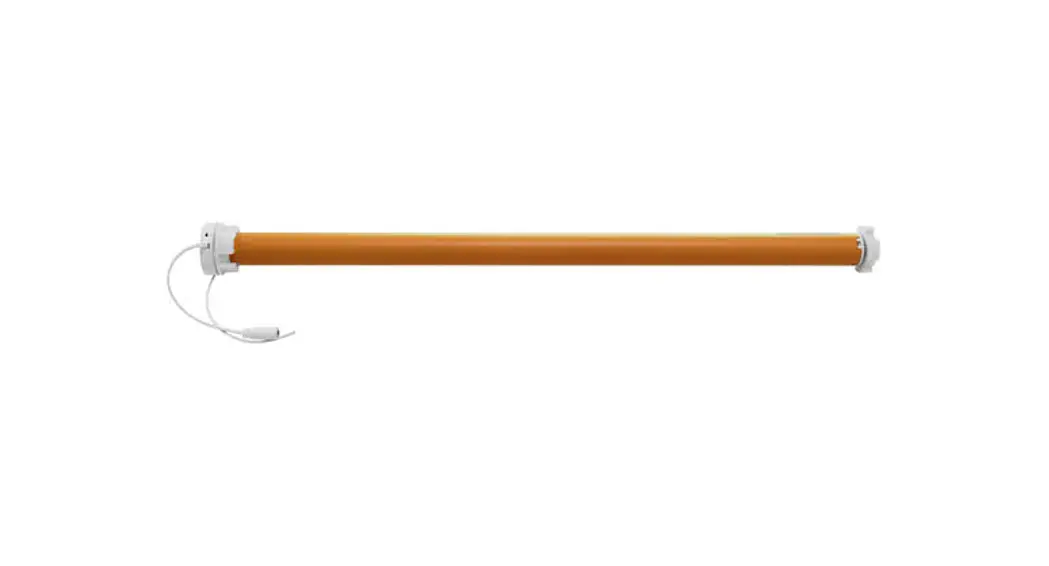
The Sun Glow Motor is a motorized shade system designed to
automate the operation of shades. It comes with a 15 channel remote
control and features a USB-C charging port for convenient
charging.
The motor has several troubleshooting features and settings to
ensure smooth operation. The troubleshooting guide provides
step-by-step instructions for various issues that may arise during
usage.
Contact information:
– Phone: (416) 266 3501
– Address: 50 Hollinger Rd, East York, ON M4B 3G5
– Email: [email protected]
– Website: mysunglow.com
Product Usage Instructions:
Motor Troubleshooting:
- Operate the remote to check if the motor responds.
- Make sure the antenna is visible for better signal
reception. - Charge the motor using the USB-C charging port.
- If the motor is still not operating normally, reset the motor
using the instructions in Appendix B.
Additional Troubleshooting:
A. The motor is operating but is not operating normally:
- Follow the instructions in Appendix B.
- After resetting the motor, reprogram it using the instructions
in Appendix C.
B. All remote channels are working except a certain
channel:
- Follow the instructions in Appendix B.
- After resetting the motor, reprogram it using the instructions
in Appendix C.
C. The motor is moving slowly:
Refer to Appendix D for instructions on changing the speed
setting.
D. Motor movement is not smooth (slipping):
Contact the manufacturer for instructions on replacing the crown
and drive on the motor.
Sun Glow Motor Troubleshooting Guide
FOLLOW EACH STEP IN ORDER
1 Operate the remote
· Does the remote have a lit screen when a button is pressed?
· Is the remote working with other shades in the room?
· If no to either, then the remote battery will have to be replaced (APPENDIX A).
2 Make the antenna visible
· If the motor antenna is not visible, please make sure it is visible.
· If the antenna is physically damaged (cut), then please contact us.
3 Charge the motor
· To charge, please plug in the USB charger into the motor head and the transformer into the wall outlet.
· If the LED is blinking green, then it is charging. If it is solid green, then is fully charged. If there is no light, then the motor is not charging.
· Please try another charger if the motor is not charging to check if the charger is broken.
4 Reset the motor
· Please follow the instruction in APPENDIX B. If the motor does not jog when the instructions are correctly followed, the motor will need replacement.
· If the motor correctly resets, then the motor will need to be reprogrammed. (APPENDIX C).
Motorized Shade Troubleshooting Guide (416) 266 3501 | 50 Hollinger Rd, East York, ON M4B 3G5 | [email protected] | mysunglow.com
1 of 7
Additional Troubleshooting
A
B
The motor is operating but is not operating normally.
1. Please follow the instructions in (APPENDIX B).
2. When the motor resets, then the motor will need to be reprogrammed
(APPENDIX C).
After the motor is reprogrammed, it will operate as normal.
All remote channels are working except a certain channel.
1. Please follow the instructions in (APPENDIX B).
2. When the motor resets, then the motor will need to be reprogrammed
(APPENDIX C).
After the motor is reprogrammed, it will operate as normal.
C
D
The motor is moving slowly.
See instructions to change the speed setting (APPENDIX D).
Motor movement is not smooth (slipping).
The crown and drive on the motor need to be replaced. Please contact
us for replacement instructions.
Motorized Shade Troubleshooting Guide (416) 266 3501 | 50 Hollinger Rd, East York, ON M4B 3G5 | [email protected] | mysunglow.com
2 of 7
Appendix A (Remote and Motor Layout)
15 Channel Remote
P2 Setting Button
P2
Up Button Stop Button Down Button Right/Left Buttons (for switching channels)
Remove Cover to Expose Standard
Remote Back Motor Setting
Button Motor Head
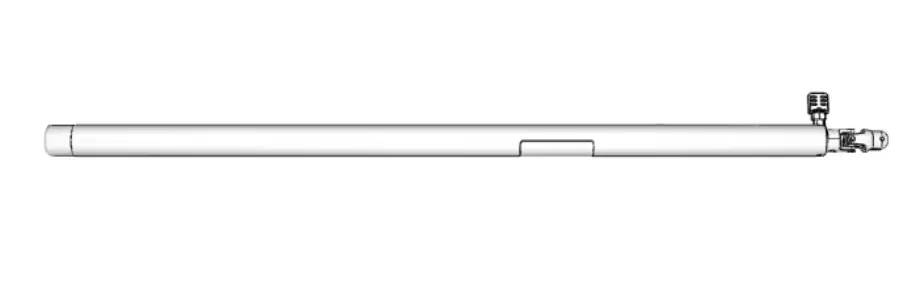
Antenna
USB-C Charging Port
Motorized Shade Troubleshooting Guide (416) 266 3501 | 50 Hollinger Rd, East York, ON M4B 3G5 | [email protected] | mysunglow.com
3 of 7
Appendix B (Motor Reset)
The motor factory reset mode will wipe all transmitters/remotes. Only perform a motor reset if necessary.
HOLD until motor jogs 4X then RELEASE
Motor beeps
4X
Setup is complete
Motorized Shade Troubleshooting Guide (416) 266 3501 | 50 Hollinger Rd, East York, ON M4B 3G5 | [email protected] | mysunglow.com
4 of 7
Appendix C (Programming)
1 Preparing for programming
Wake-Up Mode (Must Be Done Before Basic & Advanced Programming)
Required to make the connection between the remote channel and the motor. During each of the following settings the time between each operation must be shorter than 10 seconds, otherwise the program will be canceled, and the motor will be back in default mode. Follow the steps below to wake-up the motor.
HOLD
until motor jogs 1X then RELEASE to activate this motor
Motor beeps
1X
HOLD until motor jogs 2X
Motor beeps 3X
Setup is complete
Test shade: Move shade by holding the up or down button to ensure that the motor works on the desired channel and moves in the correct direction.
Do not let the shade crash into the valance or unroll from the tube.
Motorized Shade Troubleshooting Guide (416) 266 3501 | 50 Hollinger Rd, East York, ON M4B 3G5 | [email protected] | mysunglow.com
5 of 7
2 Basic programming
Setting Motor Limits
Allows you to set two positions: the upper and lower limits. This can be applied to each shade per channel. During limit setting, the time between two operations must be shorter than 2 minutes, otherwise the program will be cancelled, and the motor will be back in wake-up mode. Follow the steps below to set motor limits.
GO TO DESIRED UPPER
LIMIT
HOLD TOGETHER
Motor beeps until motor 3X jogs 2X
GO TO DESIRED LOWER LIMIT
HOLD TOGETHER
Motor beeps until motor 3X jogs 2X
Setup is complete
Holding up or down will move the shade automatically
Test shade: Move shade up and down to test upper and lower limits. Refer to “Adjusting Motor Limits” if limits require fine tuning.
Motorized Shade Troubleshooting Guide (416) 266 3501 | 50 Hollinger Rd, East York, ON M4B 3G5 | [email protected] | mysunglow.com
6 of 7
Appendix D (Setting Speed)
Speed Adjustment
Each motor has three speeds. To move between the different speeds, follow the diagram below.
PRESS
Gear Up
P2
Motor jogs 1X
Motor beeps
1X
Gear Down
PRESS
Motor jogs 1X
PRESS
Motor jogs 1X
Motor beeps
1X
Motor beeps
1X
PRESS
Motor Motor jogs 1X beeps
2X
PRESS
Motor jogs 1X
Motor beeps
2X
Motorized Shade Troubleshooting Guide (416) 266 3501 | 50 Hollinger Rd, East York, ON M4B 3G5 | [email protected] | mysunglow.com
7 of 7
 Window Shading Solutions and Custom Wallpaper | Sun Glow