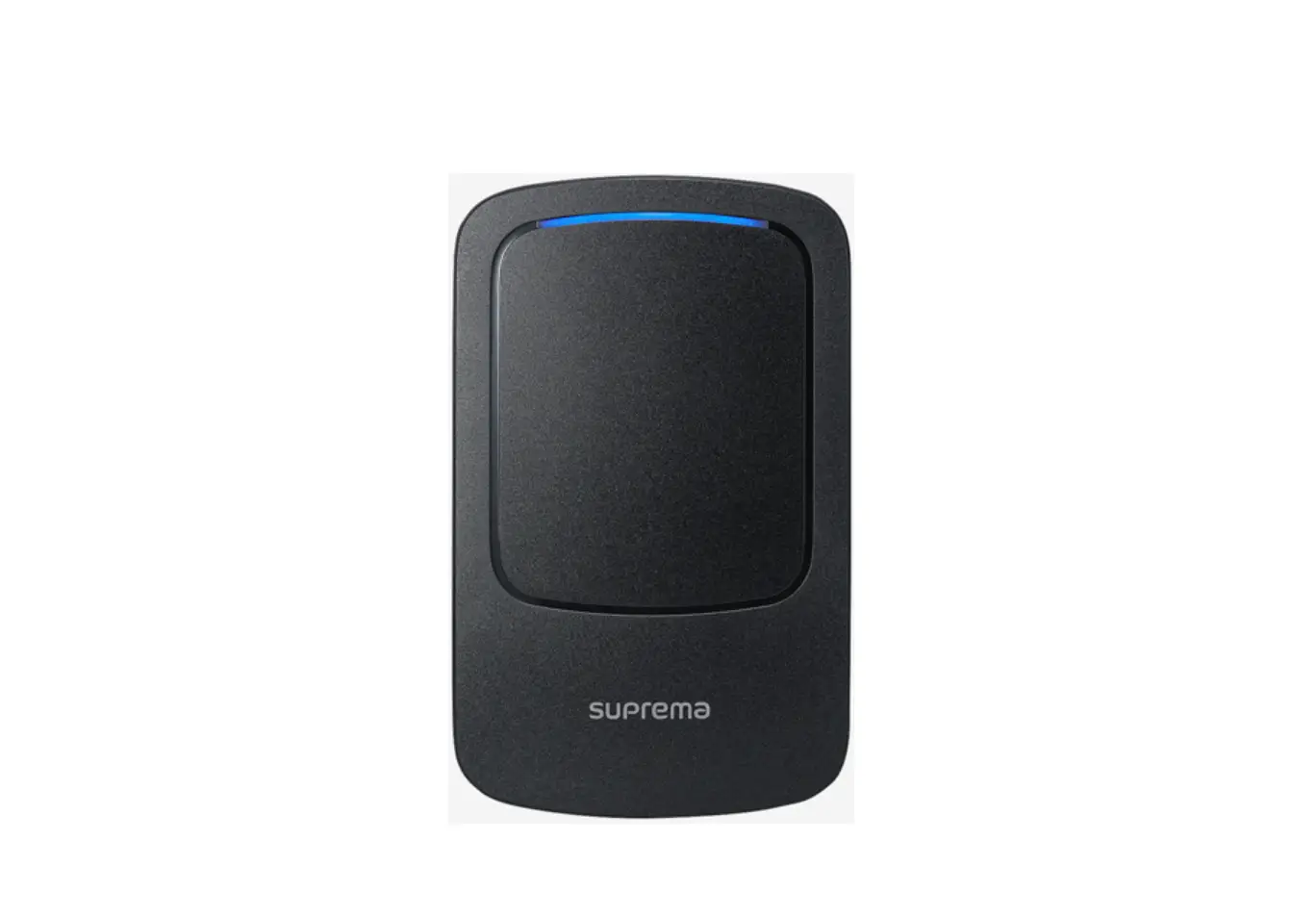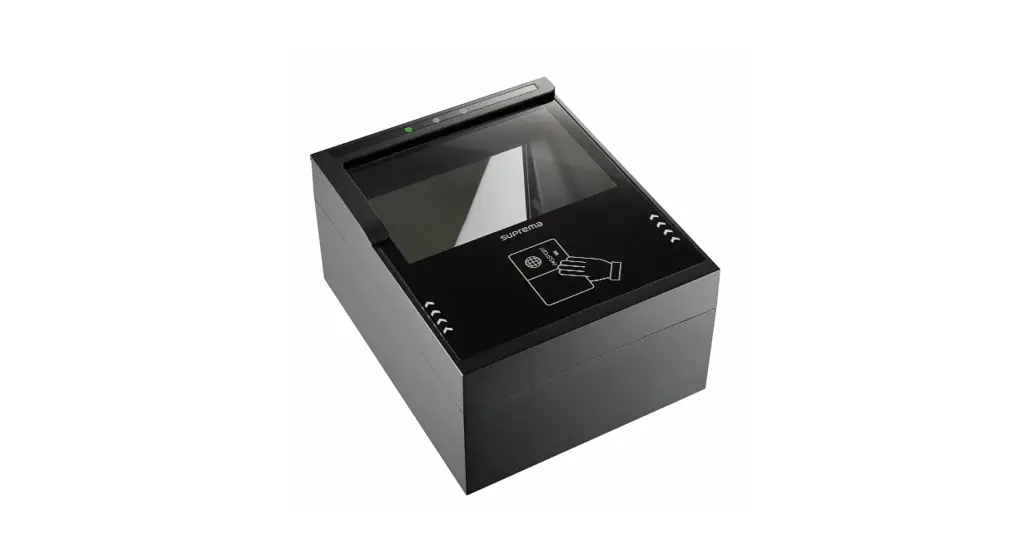
 RealPass-N
Compact Full-page Document Reader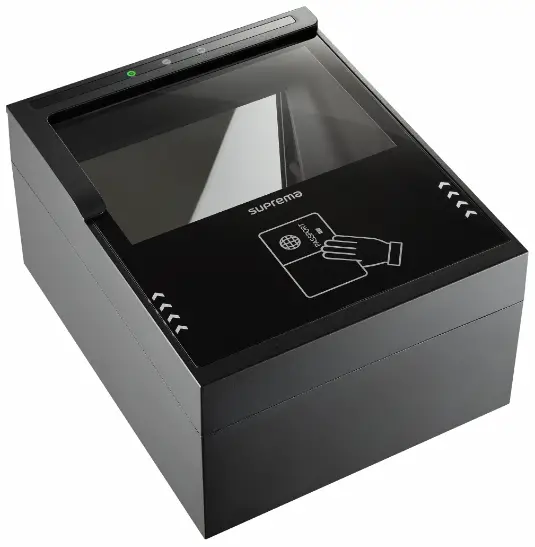 User Manual
INTRODUCTION
- RealPass-N
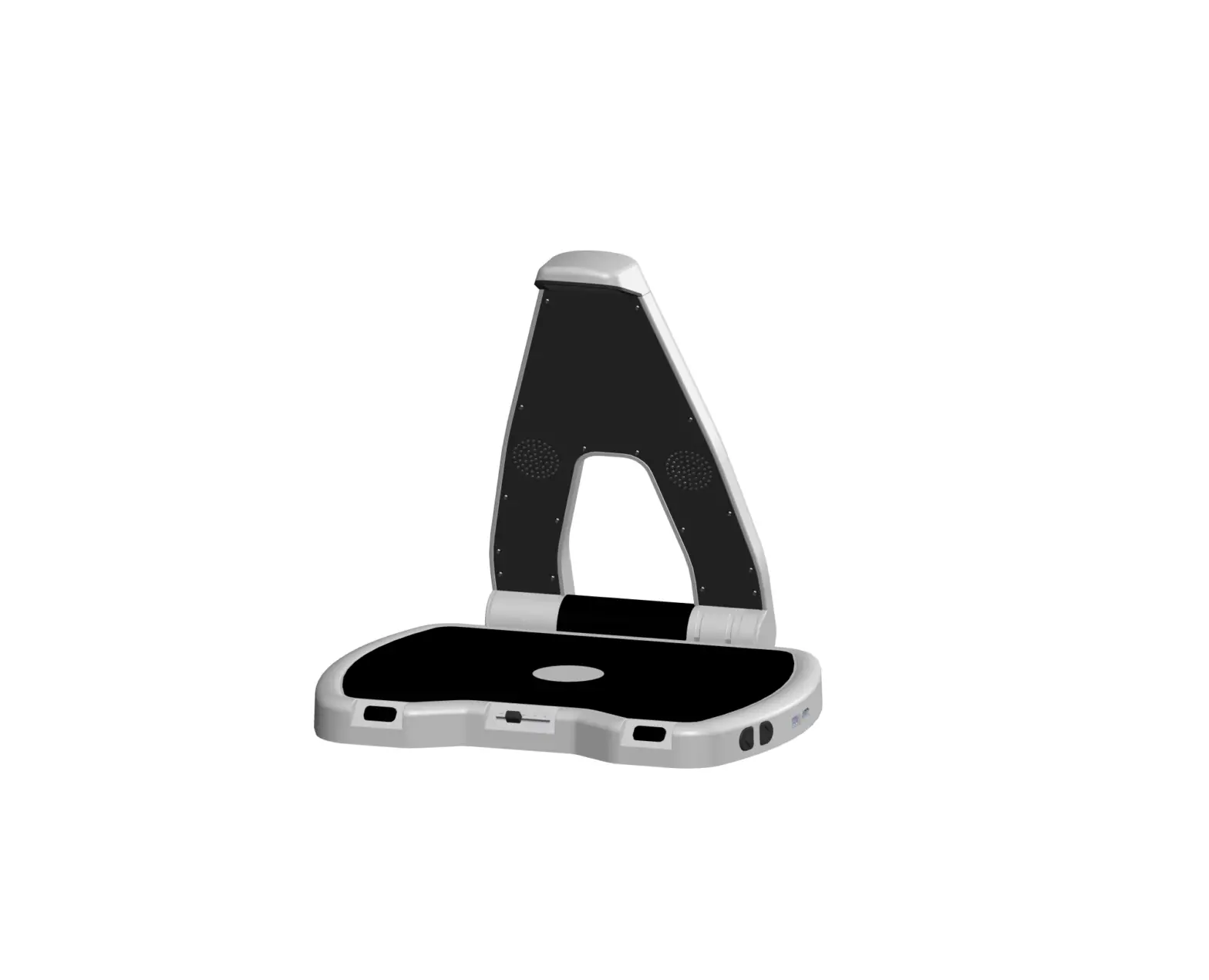
RealPass-N is a compact, full-page and multi-functional document reader for one-step reading of multiple document types including ICAO standard documents such as e-Passport, e-Visa, ID cards and 1D & 2D barcodes. It is designed to capture or extract data from visual data page and RFID chip of electronic documents quickly and reliably in a variety of public and commercial sectors. By design and performance innovation, it provides 500DPI high resolution, USB 2.0 high speed, tempered glass with IP54 surface and Anti-glare technology to capture image and data in multiple illuminations (White, IR, UV). RealPass-N is an ideal and ergonomic form factor with low profile and simple shape for space-saving and easy integration in self-service kiosks, egates
and counters. - Features
• Compact, full-page and multi-functional document reader
• One-step reading of visual data page and RFID chip of e-documents
• ICAO Doc 9303 Standard Compliance
• 500DPI high resolution (Configurable), 24bit true color image
• OCR data capture of the Machine Readable Zone (MRZ)
• Reads ISO14443 Type A/B contactless chip, 1D/2D Barcodes
• Multiple illumination (White, IR and UV)
• Hoodless Operation in various environments
• Anti-Glare Technology to capture high quality images
• Automatic document placement detection
• Smart power consumption is automatically activated once PC turned off
• Multi-color LED and beep sound for intuitive user interface
• USB 2.0 high speed interface Integrated USB 3.0 Hub – 2 ports for external peripheral device
• No moving parts, robust, minimal maintenance cost
• Rugged form factor with tempered glass and IP54 surface
• Low profile, simple shape for space-saving and easy integration
• Kensington® Security Lock, SAM Slot
• Provides SDK for easy integration into any systems - Application
• Border Control & Immigration Service
• Airport/Port Security Service
• Law Enforcement
• Bank & Insurance & Mobile Operators
• Hotels/Car Rental/Casinos/Duty-Free shop
• Travel Agencies/Airline Check-in
• Document & Visa Issuance
• Self-Service Kiosks & e-Gates
FEATURES AND SPECIFICATIONS
- Specifications
1.1. SpecificationsDimension (WxDxH, mm) 155 x 190 x 99.8 (103.8w/ Guide) Active Windows Size (HxV, mm) 130 x 90 Weight (kg) 1.01 Image Resolution (DPI) 500(Configurable), 5M Pixel Sensor Image Color Depth 24 bits / pixels Illuminations WhiteNisible, IR, UV(UVA) Contactless RFID Reading ISO 14443 A/B Type (up to 848Kbps) including BAC, PA, AA, EAC, PACE and SAC, PC/SC support Barcode Reading 1D: Code 11, 39, 39 Extended, 93,128 / UCC 128 / 2 of 5 Interleaved / EAN 8, 13 / UPC A, E / Add 2, 5
2D: PDF417, Data Matrix, QR Code, Micro QR CodeImage Formats BMP, PNG, JPEG Image Sensor 5M Pixel Processing Time Image Capture(HW, IR, UV) and MRZ reading < 2 sec. Indicator Multi-Color LED, Navigation LED, Beep(Programmable) Operating Temperature -20°C∼ 55°C Operating Humidity 0 to 95% (non-condensing) IP rate IPXO(surface), Tempered glass(scratch free) Power Supply USB (5V, 700mA) or External Power (DC12V, 1000mA) Interface USB 2.0 high speed, Integrated USB 3.0 Hub — 2 ports for external peripheral device Communication Protocol ISO 14443 Type A/B(607816), PCSC Interface Recommend Hardware 2GHz Pentium® 4 CPU (Intel Core 2 Duo), 1GB DRAM or above Operating Systems Windows 10, 8, 7(32/64bit), Linux Ubuntu and CentOS LTS(32/64bit) Software SDK including DLLs with demo programs in multiple programming languages, F/W Upgrade via USB interface Certificates KC, CE, FCC, CB, WEEE, RoHS, Reach *** This equipment shall be supplied by LPS (Limited Power Source)
Operating Frequency : 13.56 MHz
Modulation : ASK
Channel : 1 ch
Maximum target power
FCC : 44.78 dBuV/m
CE : 8.20 dBuA/m
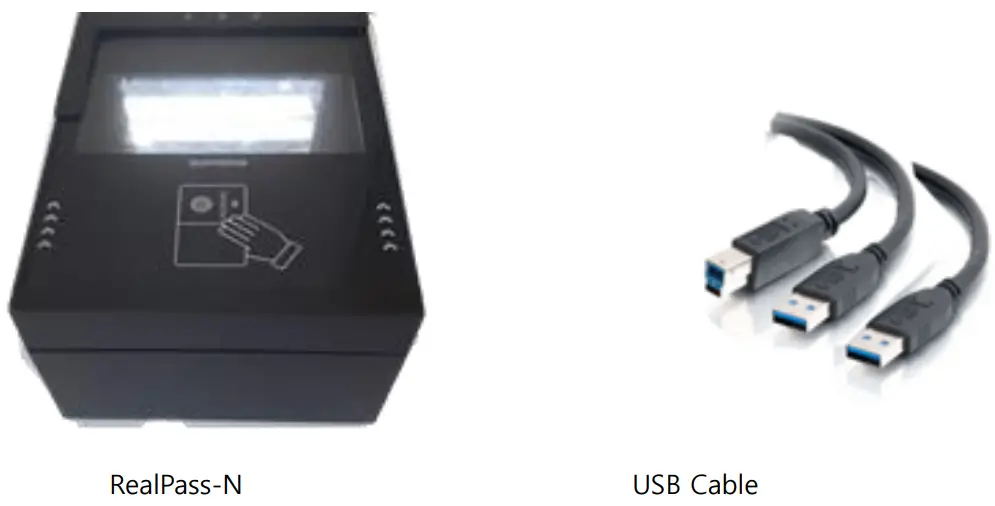
1.2 Device Configuration & Components FCC compliance information
THIS DEVICE COMPLIES WITH PART 15 OF THEFCC RULES. Operation is subject to the following two conditions:
(1) This device may not cause harmful interference, and
(2) This device must accept any interference received, including interference that may cause undesired operation.
This equipment has been tested and found to comply with the limits for a Class A digital device, pursuant to part 15 of the FCC Rules. These limits are designed to provide reasonable protection against harmful interference when the equipment is operated in a commercial environment. This equipment generates, uses, and can radiate radio frequency energy and, if not installed and used in accordance with the instruction manual, may cause harmful interference to radio communications. Operation of this equipment in a residential area is likely to cause harmful interference in which case the user will be required to correct the interference at his own expense.
FCC Caution Any changes or modifications not expressly approved by the party responsible for compliance could void the user’s authority to operate this equipment. This transmitter must not be co-located or operating in conjunction with any other antenna or transmitter. FCC Radiation Exposure Statement (Part 2.1091)This equipment complies with FCC radiation exposure limits set forth for an uncontrolled environment. This equipment should be installed and operated with minimum distance 20 cm between the radiator and your body. This transmitter must not be co-located or operating in conjunction with any other antenna or transmitter.
EU Declaration of Conformity (CE) This product is CE marked according to the provisions of the Radio Equipment Directive (RED) 2014/53/EU. Hereby, Suprema Inc. declares that this product is in compliance with the essential requirements and other relevant provisions of Radio Equipment Directive (RED) 2014/53/EU.
For more information, contact us at the following contact information.
Suprema Inc.
Website: https://www.suprema-id.com
Address: 1207, 37, Sagimakgol-ro 62beon-gil, Jungwon-gu, Seongnam-si, Gyeonggi-do, Republic of Korea
Tel: +82-31-710-4941 / Fax: +82-31-786-0552 - Exterior
2.1. Top View
2.1.1. Indication LED
1) OCR
– Green: Lights when OCR reading is succeeded
– Red: Lights when OCR reading failed
– Blue: Lights when OCR is operating
2) PWR (Power)
– Red: Lights when the device is supplied with power source
– Green: Lights when the device is connected to RealPass SDK application - Device Driver Installation
3.1. Disconnect USB cable to PC before starting the driver installation.
3.2. Double-Click & run “ReaPass_DeviceDriver(Win7 or Win 10). exe” as administrator. 1st Step of Installation
3.3. The driver installation starts 2nd Step of Installation
 3rd Step of Installation
3.4. Click “Finish” to exit the driver installation program. 4th Step of Installation
3.5. Connect USB cable to PC, and check status in Device Manager.
- Run RealPass-N with RealPassExample_VC.exe
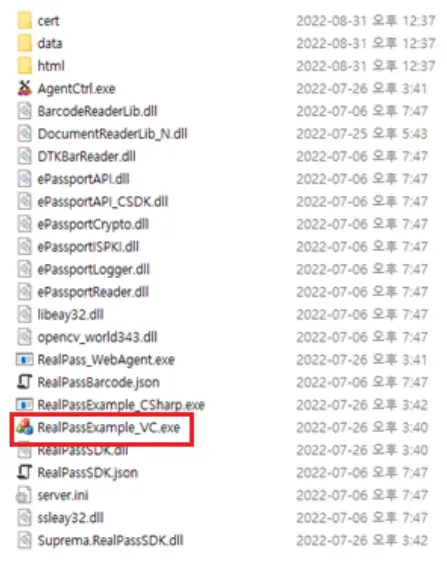
4.1. Go to the directory which is located ‘RealPassSDK’ and then go to the ‘bin’. 4.2. Run ‘RealPassExample_VC.exe’
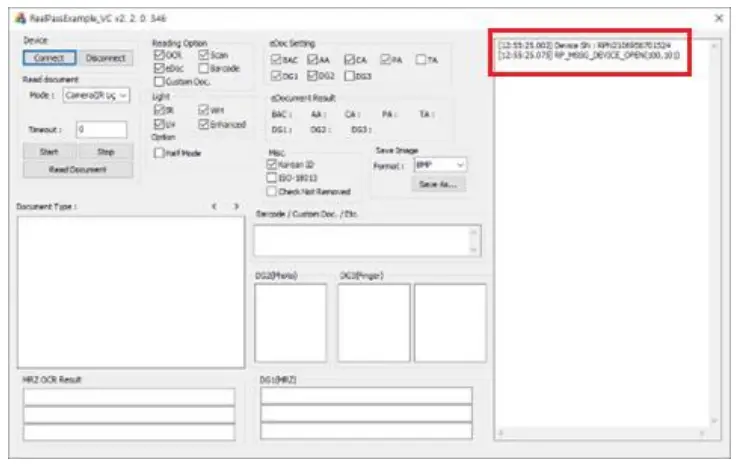
 4.3. Click ‘Connect’ button. (If you can hear beep sound, ‘RealPassExample_VC.exe’ connects RealPass-N automatically.)
 4.4. Place any passport on the platen, and then click ‘Start’ button.
(* Private information is deleted.)
 FCC compliance information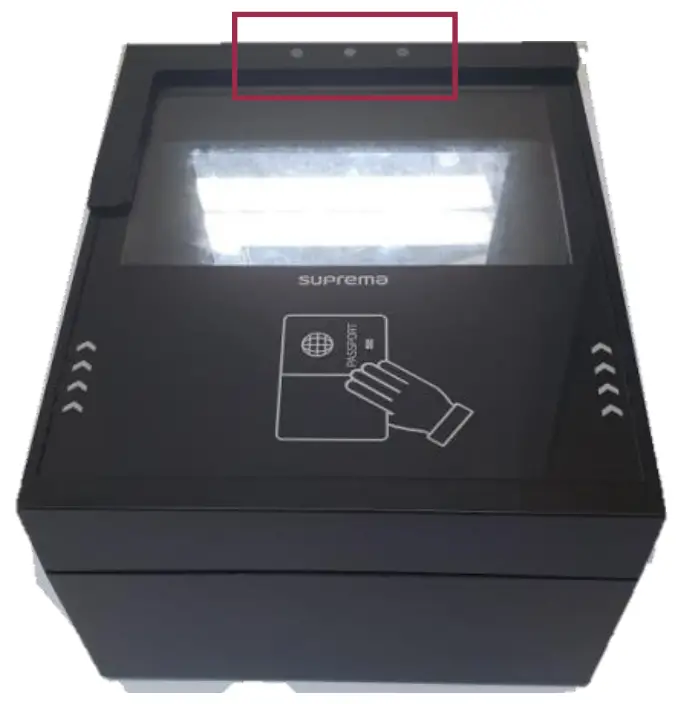
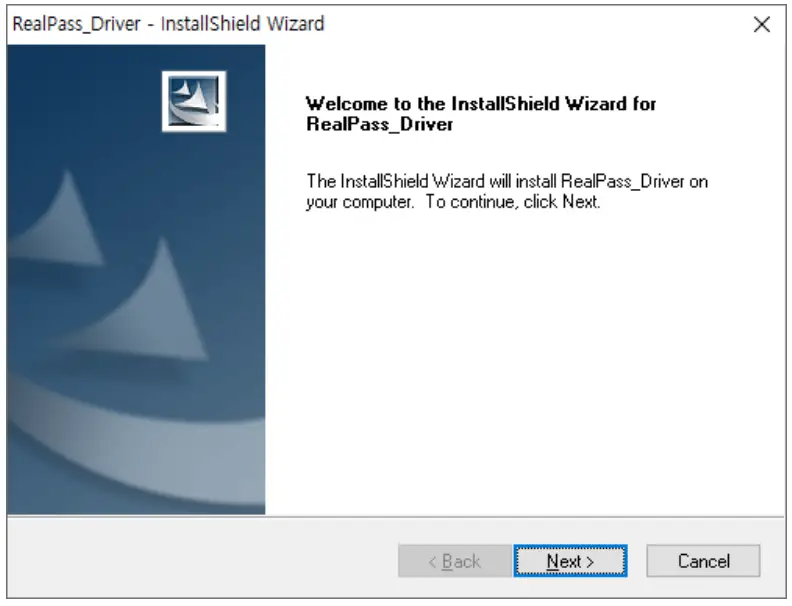 1st Step of Installation
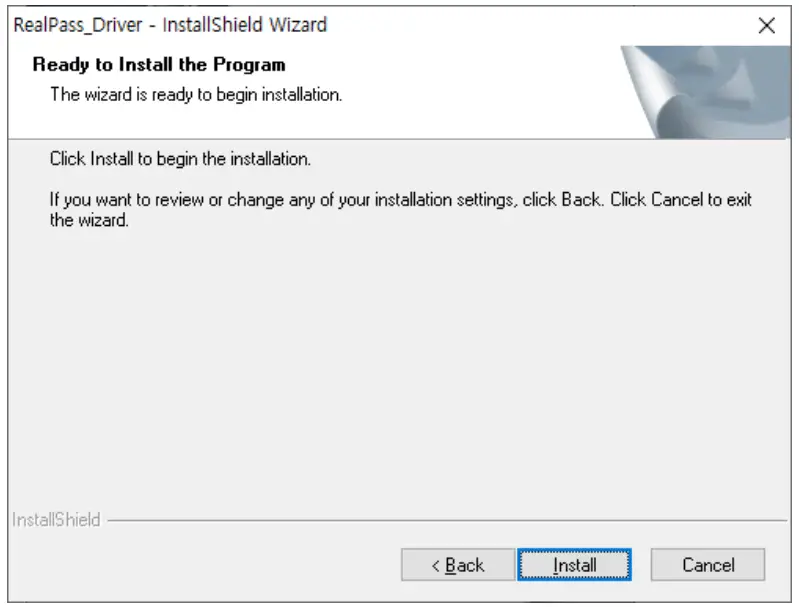 2nd Step of Installation
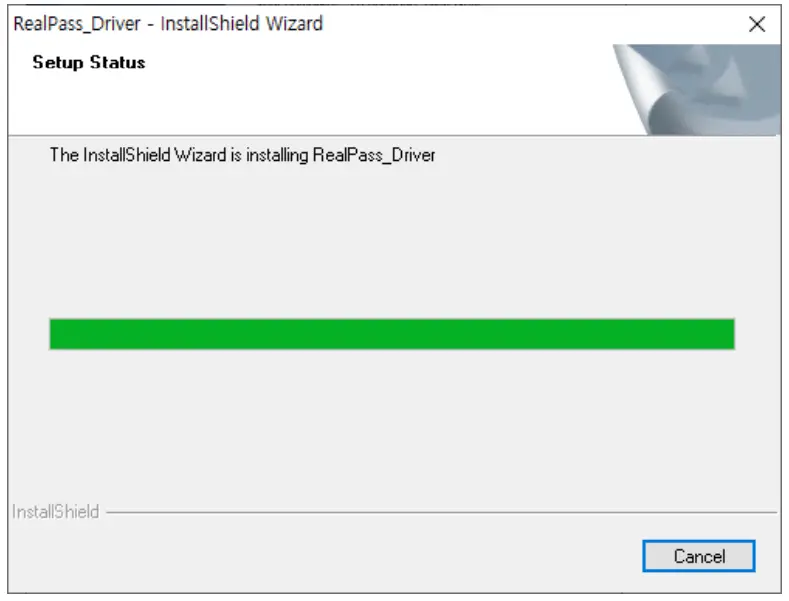 3rd Step of Installation
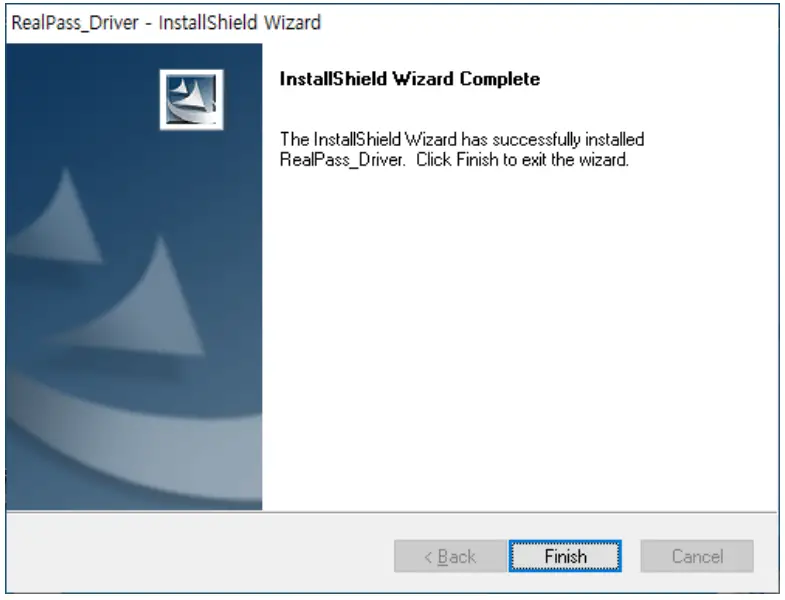 4th Step of Installation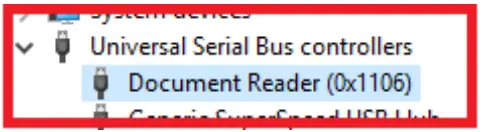
 4.2. Run ‘RealPassExample_VC.exe’
 4.3. Click ‘Connect’ button. (If you can hear beep sound, ‘RealPassExample_VC.exe’ connects RealPass-N automatically.)
 4.4. Place any passport on the platen, and then click ‘Start’ button.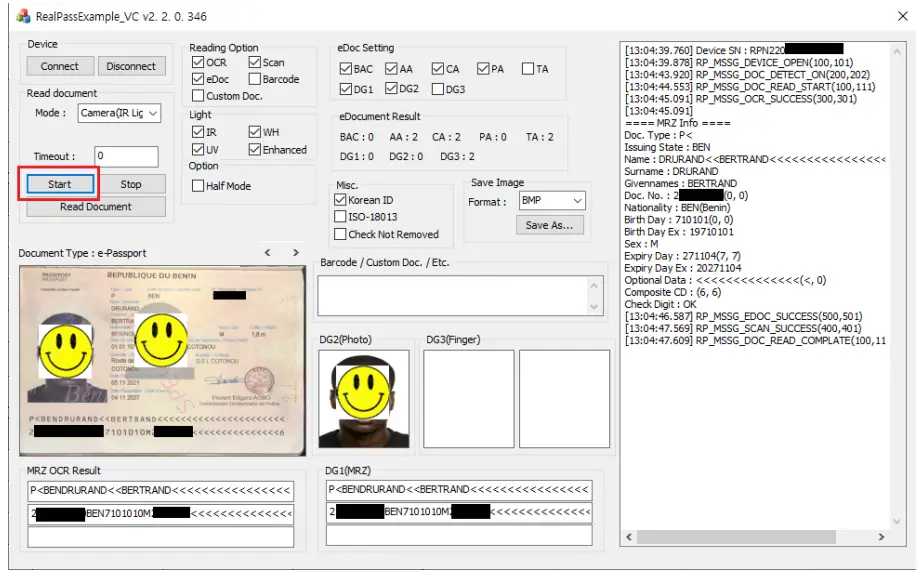
220831-RealPass-N-E001