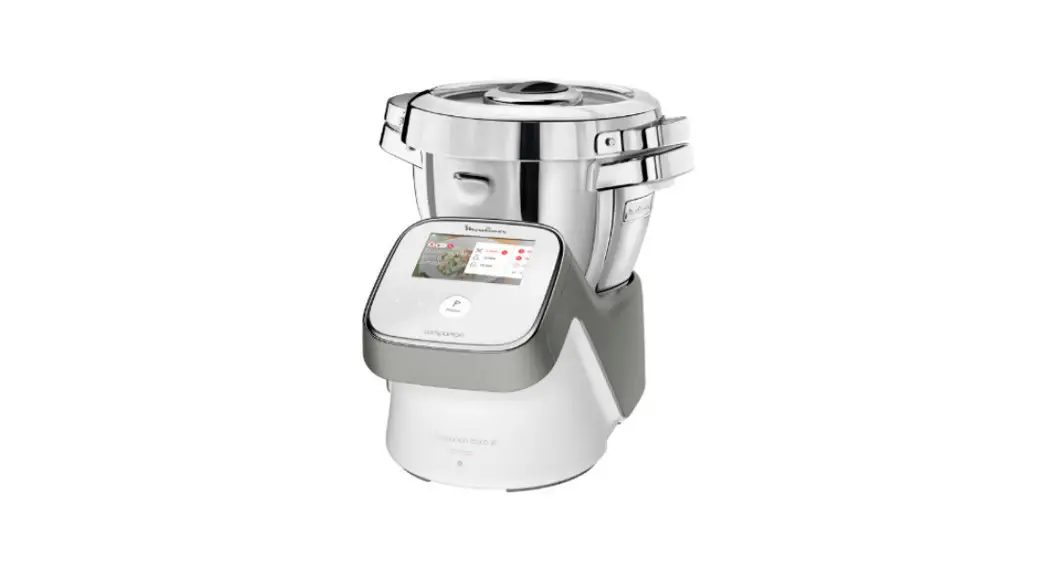
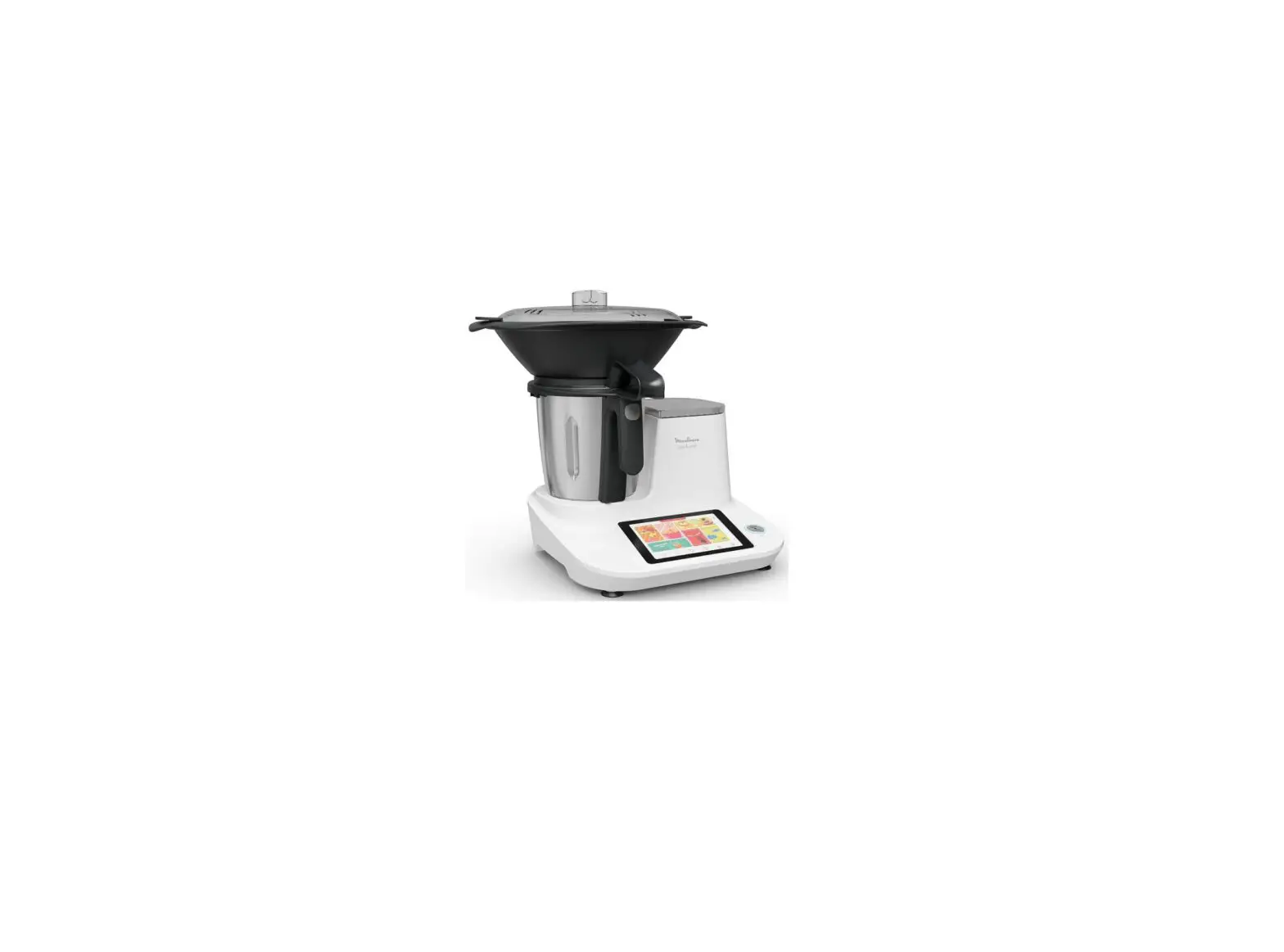
I-Coach Touch Pastry Processor
Product Information:
The i-Coach Touch kitchen machine is a versatile appliance
designed to assist you in all your baking needs. It comes with
various features and accessories to help you achieve your desired
results. The appliance includes the following components:
- A: Motor unit
- B: Interface
- C: Bowl assembly
- D: Accessories
The motor unit (A) consists of different outlets for different
purposes, including mixing, whisking, blending, chopping, grinding,
and food processing. The interface (B) features a touchscreen,
speed selector, stop button, pulse function, and incorporation
speed control. The bowl assembly (C) includes a splashguard lid,
splashguard, and bowl. The accessories (D) consist of a balloon
whisk, dough hook, beater, dough scraper, mini-chopper*, and
connected scale* (*depending on the model).
The appliance has a power of 1200W and offers various operating
time and duration ranges. It has multiple speeds, including a pulse
function and incorporation speed for delicate ingredients. The
appliance also features a standby mode after 15 minutes of
inactivity.
It is important to read the safety booklet provided with the
appliance before using it for the first time.
Product Usage Instructions:
Note: Unplug the appliance before cleaning or
disassembling.
- Cleaning the Appliance:
- Wipe the appliance (A) with a dry or slightly damp cloth. Do
not immerse it in water or put it under running water. - Disassemble the accessories (D) and rinse them soon after
use. - Wash, rinse, and dry the accessories. They are all
dishwasher-safe. - Refer to the cleaning table for further instructions.
Tips & Advice:
All models of the i-Coach Touch kitchen machine include the
whisk, beater, and dough hook attachments. Some models may also
include the mini-chopper.
Here are some recipe ideas, recommended speeds, and times of use
for the whisk (D1) attachment:
- Whipped Cream:
- Maximum 10 egg whites, maximum 1 liter cream, maximum 2 liters
preparation - Recommended speeds: V8, V7, V1-V3, V5, V6, V4
- Recommended times: 1 min 45 sec, 4 min, 5 sec, 30 sec, 1 min, 2
min, 2 min 30 sec, 75 sec, 10-40 sec - Note: Do not use the balloon whisk to knead dough or heavy
batters. - Egg Whites:
- 5 egg whites, 10g sugar
- For best results, use room temperature eggs.
- Add the egg whites to the bowl with the lid.
- Start the appliance on speed 7.
- After 40 seconds, add sugar.
- Switch the appliance to speed 8 for 50 seconds.
EN FR
i-Coach Touch NL
IT RU
EN
APPLIANCE DESCRIPTION ……………………………………………………………….01 TECHNICAL DATA FOR THE APPLIANCE ……………………………………………….01 GETTING STARTED …………………………………………………………………………02 CLEANING THE APPLIANCE ………………………………………………………………02 TIPS & ADVICE …………………………………………………………………………….03 I-COACH TOUCH: MY COACH TO DARE BAKING ……………………………………….05 OFFLINE MODE …………………………………………………………………………….09 IMPORTANT: APPLIANCE ENTERING SECURITY………………………………………..09 WHAT TO DO IF YOUR APPLIANCE DOES NOT WORK? ……………………………….10 RECYCLING ………………………………………………………………………………12
FR
DESCRIPTION DE L’APPAREIL ……………………………………………………………13 DONNEES TECHNIQUES DE L’APPAREIL ………………………………………………..13 DEMARRAGE ………………………………………………………………………………14 NETTOYAGE ………………………………………………………………………………14 ASTUCES ET CONSEILS ……………………………………………………………………15 I-COACH TOUCH : MON COACH POUR OSER LA PATISSERIE…………………………17 MODE NON CONNECTE …………………………………………………………………….21 IMPORTANT : APPAREIL EN MODE SECURITE …………………………………………. 21 QUE FAIRE SI VOTRE APPAREIL NE FONCTIONNE PAS ? …………………………….22 RECYCLAGE ………………………………………………………………………………24
NL
BESCHRIJVING VAN HET APPARAAT …………………………………………………..25 TECHNISCHE GEGEVENS VAN HET APPARAAT …………………………………………25 AAN DE SLAG ……………………………………………………………………………..26 HET APPARAAT REINIGEN ……………………………………………………………….26 TIPS EN ADVIES ……………………………………………………………………………27 I-COACH TOUCH: MIJN COACH OM TE BAKKEN. ………………………………………29 OFFLINE MODUS …………………………………………………………………………..33 BELANGRIJK: BEVEILIGING BIJ HET STARTEN VAN HET APPARAAT……………….33 WAT TE DOEN ALS UW APPARAAT NIET WERKT ……………………………………..34 MILIEUBESCHERMING ……………………………………………………………………36
IT
DESCRIZIONE DELL`APPARECCHIO ……………………………………………………..37 SPECIFICHE TECNICHE DELL`APPARECCHIO . ………………………………………….37 PER INIZIARE ……………………………………………………………………………. 38 PULIZIA DELL`APPARECCHIO ……………………………………………………………38 SUGGERIMENTI E CONSIGLI …………………………………………………………….39 I-COACH TOUCH: IL COACH CHE AIUTA A OSARE IN CUCINA. ……………………..41 MODALITÀ OFFLINE …………………………………………………………………….. 45 IMPORTANTE: MODALITÀ SICUREZZA ………………………………………………….45 COSA FARE SE L`APPARECCHIO NON FUNZIONA? …………………………………… 46 RICICLAGGIO ………………………………………………………………………………48
RU
…………………………………………………………………………………. 49 ……………………………………………….. 49 ……………………………………………………………………………………….. 50 . ……………………………………………………………………………………. 50 ……………………………………………………………………….. 51 I-COACH TOUCH: . ……………………………….. 53 ……………………………………………………………………………….. 57 . ……………………………… 57 , ? ………………………………………………… 58 ………………………………………………………………………………………………. 60
A1 A2 C
A6 A3
A7
A4 A5
A B
B1
B2
B4
A8
B5
B6
A9 B7
B3 D C1
C2
D1
D2
D3
C3
D4
D5*
D6*
2 1
1.1
1 2
1.3
1.5
1
2
CLIC
1.2
1 2
1.4
2 1
1.6
ON
1.7
1.8
1.9
2.1
2.2
2.3
2.4
ON
2.5
2.6
2.7
A A6 A7 C1 C2 C3 D1 D2 D3 D4 D5*
D6*
Hello and thank you for choosing our i-Coach Touch kitchen machine to help you succeed in all your baking desires and achievements! You will find in the following instructions for use all the information
EN
you need to use it. We hope you will enjoy it.
Warning: a safety booklet is also provided with this appliance. Before using your appliance for the first time, please read this booklet and the following instructions for use carefully and keep them in a safe place.
APPLIANCE DESCRIPTION:
A: Motor unit A1: Beater and hook mixing outlet A2: Whisk mixing outlet A3: Low speed outlet A4: High speed blender/mini-chopper/ grinder outlet A5: High speed food processor outlet A6: Low speed outlet cover A7: High speed outlet cover A8: Head release press button A9: Power switch O/I
B: Interface B1: Back / Cancel touch key B2: Touchscreen B3: Speed selector B4: Stop
B5: Pulse B6: Incorporation speed B7: Speeds 1 to 8 C: Bowl assembly C1: Splashguard lid C2: Splashguard C3: Bowl D: Accessories D1: Balloon whisk D2: Dough hook D3: Beater D4: Dough Scraper D5: Mini-chopper* D6: Connected scale*
*according to model
TECHNICAL DATA FOR THE APPLIANCE:
Power:
1200W
Operating time range: Screen ON
up to 30 minutes
Operating duration range: Screen ON
5 sec to 30 minutes adjustable in steps of 5 sec minimum to 1 min maximum.
Number of speeds:
Pulse: speed to use by impulsion Incorporation speed: Very slow speed to incorporate delicate ingredients like egg whites.
Speeds 1 to 8: to select according to the chosen preparation.
Standby mode:
The appliance goes in standby mode after 15 minutes of inactivity. To turn the appliance back on, press on Start/Stop or select a speed on the knob or select the pulse mode.
Max transmitted power: Frequency in connected mode:
1
20dBm_100mW 2412-2483.5 MHz
1
EN GETTING STARTED
Before using the appliance for the first time, wash all parts of the unit with soapy water except for the motor unit (see «Cleaning» section). We recommend washing all the accessories (D1), (D2) and (D3) in dishwasher at least once. Rinse and dry. Accessories are packed in non-woven bags; you can use them as storage pouches. Place the appliance on a flat, clean and dry surface, make sure that the speed selector (B7) is in position «Stop» (B4) and then plug in your appliance. Select the O/I power switch (A9) to start the unit. Never move the appliance by carrying it by an accessory fixed on the top (for example mini-chopper).
· ASSEMBLY: Follow diagrams 1.1 to 1.9
· USAGE: To start the appliance, turn the speed selector (B7) to the chosen speed and press the center of the selector on «Start/Stop» (B3).
Important: The appliance will only start if the high speed outlet cover (A7) and the head are locked. If you unlock the cover (A7) and/or the head during operation, the appliance will stop immediately. Place the cover (A7) and/or lock down the head, press «Start» (B3) or chose the control knob (B7) or «Pulse» (B5) function to restart the machine.
The appliance goes in standby mode after 15 minutes of inactivity. To turn the appliance back on, press on «Start/Stop» (B3) or select a speed on the knob (B7) or select the pulse mode (B5).
Food can be added through the lid funnel (C2) during a preparation. To stop the appliance, press the center of the speed selector (B3) on «Start/Stop» and return the selector to «Stop» (B4).
· DISASSEMBLY Wait for the appliance to come to a complete stop, then perform the assembly steps in reverse: diagrams 1.9 to 1.1.
CLEANING THE APPLIANCE
Unplug the appliance.
Do not immerse the appliance (A) in water or put it under running water. Wipe it with a dry or slightly damp cloth.
Disassemble completely and rinse the accessories soon after use. Wash, rinse and dry the accessories. They are all dishwasher-safe. Refer to the cleaning table.
Handle all blades with care to prevent injury (diagram 2.4).
2
2
TIPS & ADVICE
EN
All models include the whisk, beater and dough hook attachments. Depending on the model the Mini Chopper may also be included. Below you will find recipe ideas, recommended speeds and times of use.
WHISK (D1)
To whisk eggs, whip creams and emulsify preparations. Please find detailed recipes below.
Never use the balloon whisk to knead dough or heavy batters.
Egg whites Mayonnaise Crêpe batter
Whipped cream
Max 10 Max 1l Max 2l
Max 1l
V8
V7
V1-V3 V5 V6 V4
V5 V6 V7
1 min 45
4 min
5 sec 30 sec 1 min 2 min
2 min 30 75 sec
10 – 40 sec
Egg whites
5 egg whites 10g sugar
For best results, use room temperature eggs. Add the egg whites to the bowl with the lid. Start the appliance on speed 7. After 40 seconds, add sugar. Switch the appliance to speed 8 for 50 seconds.
Whipped
Place the bowl and whisk attachment in the refrigerator
cream
250g Liquid whole cream for 5 minutes before preparing the whipped cream. Add
(minimum 30% fat and the cream and powdered sugar to the bowl with the lid on
cold)
and start the appliance to speed 5 for 150 secondes, then
20g icing sugar
speed 6 for 75 secondes and speed 7 for 10 to 40 secondes.
Mayonnaise
2 egg yolks 20g mustard 1 pinch of salt 250ml oil
Add the egg yolks, mustard and salt to the bowl with the lid on and start the appliance at speed 7. Add the oil very gradually through the opening in the lid for 3 minutes. After 3 minutes, remove the bowl from the appliance and scrape down the sides with a spatula, smoothing the mayonnaise for 3 to 4 turns.
Crêpe batter
300g T45 flour 3 eggs 30g sugar 30 ml oil 600 ml milk
Add the flour, eggs, sugar, oil and 200 ml of milk to the bowl with the lid and run the appliance at speed 1 for 5 seconds, then at speed 3 for 5 seconds, at speed 5 for 30 seconds and finally at speed 6 for 1 minute. Scrape down the sides of the bowl, then start the appliance again at speed 4. Add the remaining 400 ml of milk gradually by the opening in the lid for 2 minutes. Remove the bowl from the appliance and pass the preparation through a fine sieve. Leave to rest for 1 hour before making your pancakes. Brush a pan with a little oil, heat over medium heat and add a ladleful of batter. Cook for 1 minute on one side and 30 seconds on the other.
3
3
EN DOUGH HOOK (D2) To prepare yeast doughs: bread, pizza and brioche doughs and fresh pasta.
Recipe
White bread dough
Max 1,8kg (1kg flour)
V1 V2
Brioche dough
Max 2.5kg (750g flour)
V5
Pasta dough
Max 1kg (600g flour)
V2
1 min 10 min 20 min
5 min
White bread dough
500g flour 340g water 20g fresh yeast 10g salt
In a separate bowl, let the yeast dissolve in the water for 5 minutes. Add the flour and salt to the bowl with the lid on and start the appliance at speed 1. Add the water and yeast gradually for 1 min. Switch to speed 2 for 10 minutes. Let the dough rise for 45 minutes at 30°C. Shape the bread and let it rise again for 90 minutes at 30°C. Preheat your oven to 230°C. Brush the surface of the bread with water and make slashes with a knife. Bake at 230°C for 25 minutes.
BEATER (D3)
For mixing cake and cookie batters, shortcrust and shortbread doughs. Never use the beater to knead heavy (yeast) doughs.
Recipe
Cake batter Shortcrust pastry
Max 2,7kg Max 700g
V1 V8 Pulse V5
30 sec 2 min 30
15 sec 5 min
Cake batter
180g flour 3g baking powder 3 eggs 150g soft butter 150g sugar
Take out the butter 1 hour before preparing your dough or put it in the microwave for 15 seconds to soften it without melting it. Preheat your oven to 180°C. Add the flour, baking powder, eggs, soft butter and sugar in the bowl with the lid. Start the appliance at speed 1 for 30 seconds, then at speed 8 for 2 minutes and 30 seconds, then scrape the wall of the bowl, and finally launch the device in Pulse mode for 15 seconds or until no more pieces of butter are visible. Butter and line a cake pan. Pour in the mixture and bake at 180°C for 1 hour. Let cool for 10 minutes before unmolding.
MINI-CHOPPER (D5)
To chop herbs, onions or small preparations. Recipe
Figs
60g
Pulse
3 sec
4
4
I-COACH TOUCH: MY COACH TO DARE BAKING
EN
The following control keys will light up when they are available for use:
Cancel/Go back
You should press the center of the Stop speed selector to start or stop
mixing at any speed in manual mode or within a program.
1. FIRST TIME USE
i-Coach Touch is a smart appliance that helps you bake and succeed in all your preparations. It offers you basic preparations with result verification, as well as step-by-step recipes, all available in just a few taps.
With its intuitive, interactive touchscreen, you will be able to prepare anything you like: guaranteed results and success!
i-Coach Touch takes care of preparing and mixing your ingredients. It will guide you step-by-step through all the stages of the recipe. Follow the steps–it couldn’t be easier!
Turn on your i-Coach Touch using the power switch 0/I (A9) and follow the instructions that appear on screen. Throughout each of the steps, the (?) icon offers helps on how to carry out each step.
· COUNTRY SPECIFIC SETTINGS
The first time you use the appliance, you will access the country-specific settings.
1 Select your country
2 select your language
Once these two steps have been completed, a welcome screen will be displayed.
· INTERNET CONNECTION
You can now connect your i-Coach Touch to your home Internet on a 2.4GHz wifi only (5GHz wifi are not supported).. You can complete this step now by selecting «Now» or later on by selecting «Later».
You can perform this step later by accessing the settings for your i-Coach Touch from the home screen. An Internet connection is required to use the following features: access to all Coach recipes, basic preparations, videos culinary techniques, «My recipe books», «In my fridge», photos and videos as part of the step-by-step guide for your recipes, product updates.
To connect your i-Coach Touch to the Internet, you must perform the following steps:
– Select your network (Can’t access your network? Go to «Settings» then «WiFi Settings» then «Turn on WiFi»)
– Enter the password for your WiFi connection
– A «Connection in progress» screen will open step may take a few minutes.
while the connection is loading. This
– A «Congratulations!» screen will confirm that the connection has been established successfully
– Lastly, you will need to select your time zone
5
5
What the WiFi connection indicators mean:
EN The product is not connected to WiFi.
The product is connecting to WiFi. The product is connected to WiFi.
· LINKING THE APP The Coach app lets you to keep an eye on your i-Coach Touch without needing to stay close to it. You can link the appliance to your smartphone or tablet. This also lets you access your recipes, wherever you are. Please check that your smartphone/tablet WiFi function is connected to the Internet (WiFi/5G/4G/3G, etc.). The i-Coach Touch must be plugged into a power outlet. You can perform this step later by accessing the settings for your i-Coach Touch from the home screen. Linking to your smartphone/tablet is required for use of the following features: «My recipe books», remote recipe progress tracking using a smartphone, sending recipes from your smartphone/tablet to your i-Coach Touch – Compatible devices: A list of smartphone and tablet models that are compatible with i-Coach Touch can be found at www.moulinex.com. – Downloading the app: Download the Coach app. Downloadable for free from the App Store (iPhone/iPad) and Google Play (Android).
– Linking your account : From the Coach app on your smartphone/tablet, select the i-Coach Touch product and create an account, or sign in to your account if you already have one. Your appliance will generate a code (the will appear on screen B2) that you will need to enter in your Coach app. If you want to link multiple smartphones/tablets with your i-Coach Touch, each app must be connected to the same Coach user account.
· MY FIRST RECIPE When using the appliance for the first time, your i-Coach Touch will offer you the chance to make a first recipe for you to get to grips with the appliance. Selecting «My First recipe» will provide you with step-by-step instructions to guide you through the recipe. This recipe will disappear from your home screen once it has been used, or after you have used your i-Coach Touch ten times.
2. PRODUCT FEATURES
Your i-Coach Touch appliance has the option of being operated in «online» mode but can also be EN
operated when in «offline» mode. It’s also packed with features to help inspire you every day and make every meal a success! 100 recipes are available in «offline» mode, while in «online» mode, you have access to more recipes and more coaching services!
· RECIPE SEARCH
From the home screen, you can search for recipes using the «Search» key . You can search by the name of the recipe, or by ingredients. Filters are also available for refining your search.
· RECIPE LIBRARY
From the home screen, you can access the «Recipe library» function. This function lets you access all recipes available in the Coach community. In «offline» mode, a selection of pre-loaded recipe cards can be found on the home screen for each function on your i-Coach Touch. You can start the step-by-step guidance directly from one of these recipe cards.
Number of portions
Resting time
Preparation time
Cooking time
You can also search for a recipe on the community by tapping the «Search» icon . To do this, simply type a dish or ingredient into the search bar and tap OK. You can refine your search by adding filters (type of dish, preparation time and recipe origin).
· BASIC PREPARATIONS
From the home screen, you can access the «Basic Preparations» function. This function allows you to find all the preparations whose results are guaranteed by the automatic programs and the result verifications. You can launch the step-by-step directly from one of these recipe cards.
· BAKING TECHNIQUES (only available with WiFi connection)
From the home screen, you can access the «Baking Techniques» function. This function allows you to find videos explaining specific tricks and tips for your preparations.
· RECIPE BOOKS (only available with WiFi connection)
You can access the «My recipe books» function from the home screen. This feature lets you find all recipes you have previously saved as favourites via the Coach app on your smartphone/tablet.
To use this feature you will need to download the Coach app and create an account. You can create and edit your recipe books on your smartphone/tablet and access them on your i-Coach Touch when it is connected to WiFi. Once your i-Coach Touch is connected via WiFi, your recipe books will automatically sync between your appliance and smartphone/tablet each time you make a recipe.
6
6
7
7
· IN MY FRIDGE (only available with WiFi connection)
EN
You can access the «In my fridge» function from the home screen. This function lets you search
for a recipe using ingredients of your choice.
To find a recipe idea, tap on the «In my fridge» function and then add up to two ingredients. For each ingredient, you can enter the quantities using the connected scales. Then tap «Search» and a list of recipes will be displayed thatmatch the settings you entered.
· MANUAL MODE
You can select the speed of your choice thanks to the speed selector (B3) and click the « Start » button at the center of the selector. A timer will start on the touchscreen (B6).
You can also set a timer before clicking « Start ».
· SETTINGS
You can access the «Settings» function from the home screen. This function allows you to update the data stored during your first use of your i-Coach Touch.
You can also connect your appliance to WiFi or link it to the app if you did not do so when you first used your appliance.
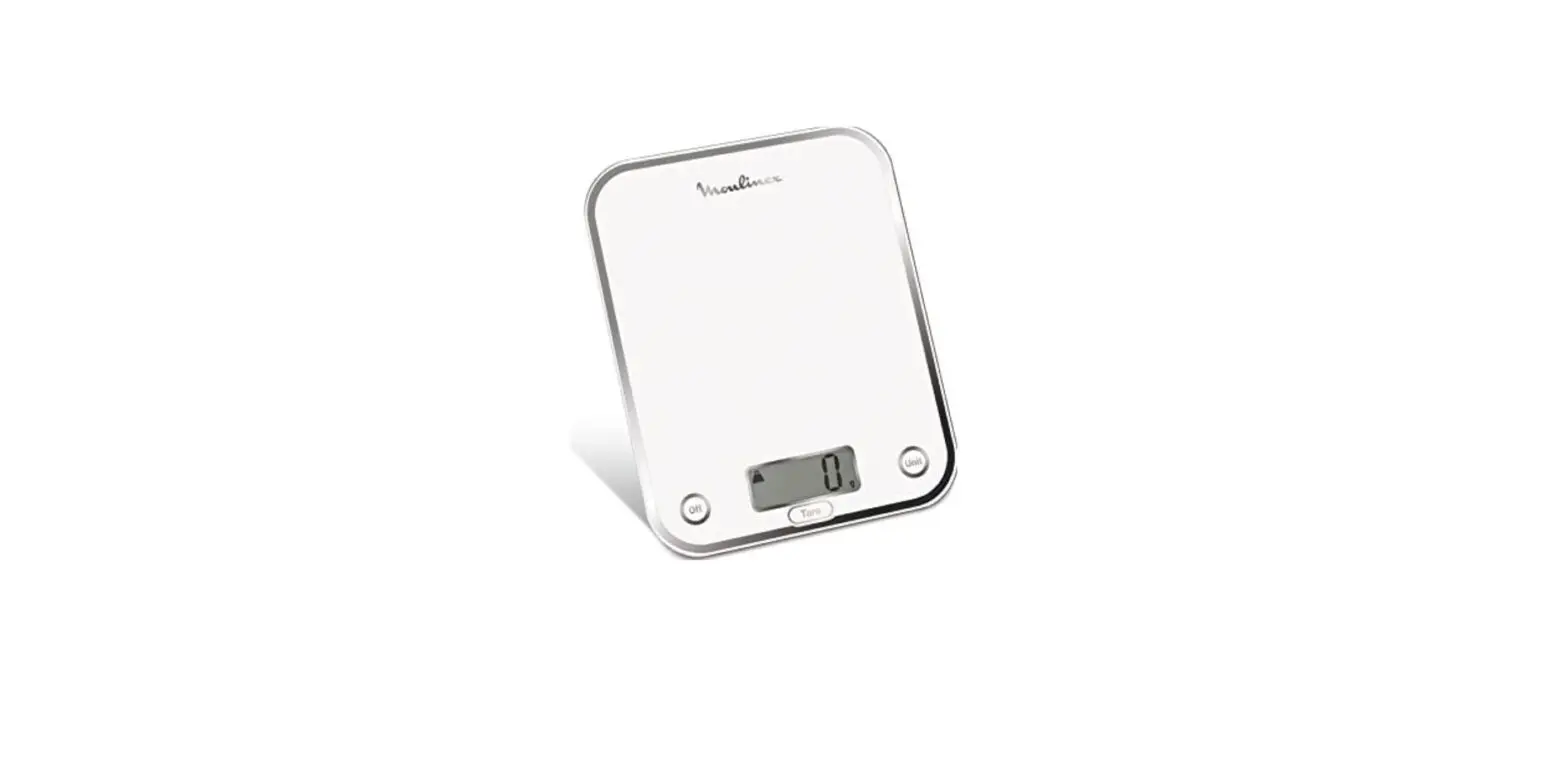
· CONNECTED SCALE * – Linking the connected scales accessory to your i-Coach Touch:
When a scale is provided with your i-Coach Touch, it has already been linked to the appliance; you do not need to do anything further.
For scales that have been purchased separately, go to your product settings and tap «My accessories». Lastly, select that you have a scale accessory. Your scale accessory is now linked.
– Using the connected scales accessory:
When the connected scale icon appears on your i-Coach Touch’s screen, you can weigh your ingredients during the recipe preparation process. To do this, press the scale icon and place the ingredients to be weighed on your scale accessory.
!! The scale enters in standby mode after 30 seconds of inactivity. To turn it back on, press OK.
There are three possible uses for the scale:
– Weighing during preparation: You can weigh all of your ingredients before starting your recipe.
– Weighing throughout a recipe: You can weigh your ingredients while making your recipe, at the beginning of each new step.
– Free weighing: Choose one or more ingredients from your fridge and select them in your Coach app using the search bar. Press the scale icon on your i-Coach Touch, then place your ingredients on the scale accessory: You can then access a list of recipes for your weighed quantities.
· UPDATES
To ensure that the product features function optimally, your product will offer you the option of performing updates. To do this, a window will appear on the screen and will prompt you to accept/ not accept the installation of the latest available update. Tap accept and your i-Coach Touch will perform the update.
OFFLINE MODE
You can use your i-Coach Touch when in offline mode. The below functions are available in offline
EN
mode:
· RECIPE LIBRARY
Detailed information on the Recipe library can be found on page The Recipe library gives you access to 100 recipes.
· BASIC PREPARATIONS
Detailed information about the basic preparations can be found on page 7.
· MANUAL MODE
Detailed information about the manual mode can be found on page 8.
IMPORTANT : APPLIANCE ENTERING SECURITY
Your appliance is equipped, as standard, with electronic motor protection devices to ensure a long lifespan. This electronic security system safeguards the motor against abnormal use, meaning your motor is completely protected.
Under certain, very extreme operating conditions that do not comply with the recommendations contained in the manual (see “TIPS & ADVICE» table: volumes potentially too big and/or unusually long operating time and/or not enough time allowed between recipes), the electronic protection system will be triggered to protect the motor; in this case, the appliance will stop and a «security message» will appear on the screen to indicate that the appliance has temporarily stopped working.
If a «security message» appears on your screen and your appliance stops operating, proceed as follows:
– Leave your appliance plugged in and the 0/I switch in position 1 «ON” (A9).
– Refer to the on-screen recommendations to modify your program settings (see “TIPS & ADVICE» table for ingredient quantities/speed/max time/accessory type).
Our Customer service department is available in case of any questions (see contact information in the warranty booklet).
8
8
9
9
WHAT TO DO IF YOUR APPLIANCE DOES NOT WORK EN
PROBLEM Difficulties when making certain recipes The appliance does not operate
Excessive vibration
Loud noise during operation Splashguard lid does not fixed during operation The head could not return on its initial position
CAUSE
Unsuitable recipes
It is not plugged in My screen is still black / Your appliance is in «standby» mode The switch is in position 0 The appliance is not placed on a flat surface; the appliance is not stable Volume of ingredients is too large Wrong accessory The bowl or lid is not positioned or locked correctly
Using the wrong accessory
The splashguard lid is not correctly fixed in both lugs of the head The splashguard lid is not correctly fixed in both lugs of the head
SOLUTION Your recipes–whether personal or found on the Internet–may not be suitable for your appliance and its accessories (quantities, cooking times, cooking time, unsuitable accessories): Before starting your recipe, ensure that you are following the operating instructions in this instruction manual. Plug the appliance into a power socket Press one of the touch keys START & STOP Move the switch to position 1
Place the appliance on a flat surface.
Reduce the amount of ingredients / Be sure you are following carefully instructions for use mentioned on this booklet Check that you are using the recommended accessory Check that the bowl or lid is correctly positioned and locked in accordance with the diagrams in the manual Ensure that you are using the appropriate attachment (e.g. do not use the whisk A2 to knead or mix dough). For more information, refer to the recommendations in the recipe and to the operating instructions in this instruction manual. Fix correctly the splashguard lid in both lugs of the heads (turn the lid clockwise) Fix correctly the splashguard lid in both lugs of the heads (turn the lid clockwise) and lower the head
10
10
PROBLEM SECU error message ERR 24
CAUSE The rotor is blocked. Your appliance has detected an anomaly
SOLUTION
EN
Empty the bowl. If the
problem persists, contact the
after-sales service
SECU error message ERR 26
Motor overheating
Allow the machine to cool for 30 min and reduce the amount of food in the bowl.
SECU error message ERR 29
Overtoque caused by big volume of ingredients or speed too high
Reduce the ingredients or reduce the speed
Error message head is lifted The head is lifted
Lower the head
SECU error message: lid
The splashguard lid is not
missing / accessory missing or correctly fixed or accessories
not correctly assembled
are not correctly fixed
Install the splashguard lid correctly or fix correctly the accessories (blender, minichopper, mini-grinder)
Error message ERR35
Your appliance has a problem with power card
Contact the after-sales service
Error message ERR37
Your appliance has a problem od overspeed
Contact the after-sales service
ERR02 / ERR30
Connection problem
Your i-Coach Touch is not able to communicate over WiFi. Unplug your appliance and plug it back in. If the problem persists, contact your aftersales service centre.
Message display
The product is not connected to WiFi
Check your WiFi network or unplug your appliance, the plug it back in. If the problem persists, contact your aftersales service centre.
Message display
The product is connecting to WiFi
Wait for the logo to be displayed before access to recipes
UI-1, UI-3
Your product is having trouble loading certain data over WiFi
If the problem is recurring, your WiFi signal may be too weak. Try moving your appliance closer to your router or install a WiFi extender close to your product to improve the quality of the WiFi signal.
UI-2, UI-4, UI-5, UI-6
Your appliance is having trouble retrieving certain local data or WiFi data
If your appliance is not connected, try connecting it and initiating data synchronisation. If your appliance is connected, try to improve the signal quality (see cell above)
11
11
REPAI RLDWIDE
PRICE 6200 APP
EN
RABLE AT FAIR
Is your appliance still not working? Contact an approved service centre (see the list in the service booklet).
ROVED
REPAIRERS
O W
RECYCLING
· DISPOSING OF THE PACKAGING AND THE APPLIANCE The packaging is made up of environmentally-safe materials and can therefore be disposed of in accordance with the recycling measures in force in your area. To dispose of the appliance, check with the appropriate service in your area.
· ENVIRONMENT PROTECTION FIRST!
Your appliance contains valuable materials which can be recovered or recycled. Leave it at a local civic waste collection point.
*The Bluetooth® trademark and logos are registered trademarks of Bluetooth SIG, Inc. and their use by the SEB Group has been authorized. Google Play and Android are trademarks of Google Inc. Apple and the Apple logo are trademarks of Apple Inc., registered in the U.S. and in other countries. App Store is a service mark of Apple Inc.
GLOSSARY Pair: The act of grouping or linking two appliances. This happens the first time that you connect your smartphone or tablet with the i-Coach Touch. Synchronize: The act of updating information. The app synchronizes with the i-Coach Touch in order to exchange information when they are connected. Connect: Establishing a link between the app (smartphone/tablet) and the appliance (i-Coach Touch). This is required for synchronization to take place. Cookies: This is the usage information sent to Moulinex to improve the app.
12
12
Bonjour et merci d’avoir choisi notre robot pâtissier i-Coach Touch pour vous aider à réussir dans toutes vos envies de pâtisserie. Vous trouverez, sur cette notice, toutes les informations nécessaires
EFNR
à son utilisation. Nous espérons que vous l’apprécierez !
Attention : un livret de consignes de sécurité est fourni avec cet appareil. Avant d’utiliser votre appareil pour la première fois, lisez attentivement ce livret et conservez-le soigneusement.
DESCRIPTION DE L’APPAREIL
A: Bloc moteur A1: Sortie pétrin et malaxeur A2: Sortie fouet multibrins A3: Sortie lente A4: Sortie rapide mixeur/mini-hachoir/ moulin à café A5: Sortie rapide robot multifonctions A6: Couvercle sortie lente A7: Couvercle sortie rapide A8: Bouton de déverrouillage A9: Bouton O/I
B: Interface B1: Touche Retour/Annuler B2: Ecran tactile B3: Bouton « Start/Stop » B4: Position «Stop»
B5: « Pulse » B6: Vitesse d’incorporation B7: Vitesse 1 à 8 C: Ensemble bol C1: Couvercle trappe C2: Couvercle antiéclaboussures C3: Bol D: Accessoires D1: Fouet multibrins D2: Pétrin D3: Malaxeur D4: Découpe pâte D5: Mini-hachoir* D6: Balance connectée*
*selon modèle
DONNEES TECHNIQUES DE L’APPAREIL
Puissance:
1200W
Plage de temps de fonctionnement: jusqu’à 30 minutes Ecran allumé
Durée de fonctionnement:
réglable par palier de 5 secondes jusqu’à 30 secondes réglable par palier de 10 secondes, de 30 secondes à 2 minutes réglable par palier de 30 secondes, de 2 minutes à 10 minutes réglable par palier de 1 minute, de 10 minutes à 30 minutes
Nombre de vitesses:
“Pulse” : Vitesse à utiliser par impulsion Vitesse d’incorporation : vitesse très lente pour incorporer les ingrédients délicats comme les blancs en neige. Vitesses 1 à 8 : à choisir selon votre préparation.
Mode veille :
L’appareil se met en veille au bout de 15 minutes d’inactivité. Pour le rallumer, appuyez sur « Start/Stop » (B3) ou sélectionnez une vitesse (B7) ou le mode « Pulse » (B5).
Puissance maxi de transmission: Fréquence en mode connectée:
20dBm_100mW 2412-2483.5 MHz
13
13
EFNR DEMARRAGE
Avant d’utiliser votre appareil pour la première fois, nettoyez toutes les pièces avec de l’eau savonneuse sauf le bloc moteur (voir partie « Nettoyage »). Nous vous recommandons de laver les accessoires (D1), (D2) et (D3) au lave-vaisselle au moins une fois. Rincez et séchez. Les accessoires sont emballés dans des sacs non-tissés que vous pourrez réutiliser en housse de rangement. Placez votre appareil sur une surface plate, propre et sèche en vous assurant que le bouton de vitesses (B7) est en position «Stop» (B4). Appuyez sur le bouton O/I (A9) pour démarrer votre appareil. Ne le déplacez jamais en le portant par un accessoire fixé sur le haut (par exemple, le mini–hachoir).
· MONTAGE: Suivez les schémas d’instruction 1.1 à 1.9.
· UTILISATION: Pour démarrer l’appareil, sélectionnez la vitesse choisie (B7) et appuyez sur « Start/Stop » (B3).
Important : l’appareil ne pourra démarrer que si le couvercle de sortie rapide (A7) et la tête sont fermés. Si vous déverrouillez le couvercle (A7) et/ou la tête durant une préparation, l’appareil s’arrêtera immédiatement. Remettez le couvercle de sortie rapide (A7) en place et/ou verrouillez la tête puis appuyez sur « Start/Stop » (B3) ou tournez le bouton de vitesses (B7) ou sélectionnez le mode « Pulse » (B5), pour redémarrer l’appareil.
L’appareil se met en veille au bout de 15 minutes d’inactivité. Pour le rallumer appuyez sur « Start/ Stop » (B3) ou tournez le bouton de vitesses (B7) ou sélectionnez le mode « Pulse » (B5).
Les ingrédients peuvent être ajoutés via l’ouverture du couvercle (C2) pendant la préparation. Pour arrêter l’appareil, appuyez sur « Start/Stop » (B3) et tournez le bouton à « Stop » (B4).
· DEMONTAGE Attendez que l’appareil s’arrête complètement, puis procédez aux étapes de montage dans le sens inverse : schémas 1.9 à 1.1.
NETTOYAGE
Débranchez l’appareil.
Ne plongez pas le bloc moteur (A) dans l’eau, ne le passez pas sous l’eau du robinet. Essuyez-le avec un linge sec ou légèrement humide.
Démontez et rincez les accessoires après chaque utilisation.
Nettoyez, rincez et séchez les accessoires. Ils sont compatibles au lave-vaisselle. Merci de vous référer au tableau de nettoyage. Manipulez les lames avec précaution pour éviter de vous blesser.
14
14
ASTUCES ET CONSEILS
EFNR
Tous les modèles comprennent un accessoire fouet multibrins, un accessoire malaxeur et un accessoire pétrin. Un mini-hachoir peut être inclus selon modèle. Vous trouverez ci-dessous des idées de recettes, les vitesses recommandées et les temps d’utilisation.
FOUET MULTIBRINS (D1)
Pour les blancs en neige, les crèmes fouettées et les préparations émulsionnées. Veuillez trouver les recettes détaillées ci-dessous.
Ne jamais utiliser le fouet multibrins pour pétrir des pâtes ou des pâtes lourdes.
Blancs en neige Mayonnaise Pâte à crêpes
Crème fouettée
Max 10 Max 1l Max 2l
Max 1l
V8
V7
V1-V3 V5 V6 V4
V5 V6 V7
1 min 45
4 min
5 sec 30 sec 1 min 2 min
2 min 30 75 sec
10 – 40 sec
Blancs en neige
5 blancs en neige 10 g de sucre
Pour de meilleurs résultats, utilisez des oeufs à température ambiante. Ajoutez les blancs d’oeufs dans le bol via le couvercle. Lancez l’appareil en vitesse 7. Après 40 secondes, ajoutez le sucre. Passez à la vitesse 8 pendant 50 secondes.
Crème fouettée
Placez le bol et l’accessoire fouet multibrins dans le réfrigérateur
250 g de crème liquide pendant 5 minutes avant de préparer la crème fouettée. Ajoutez
entière (30% de matières la crème et le sucre dans le bol via le couvercle et lancez
grasses minimum et l’appareil en vitesse 5 pendant 2 minutes 30, puis vitesse 6
froide)
pendant 75 secondes et vitesse 7 pendant 10 à 40 secondes. A
20 g de sucre glace
30 secondes de la fin du programme, surveillez la consistance
de la crème car elle peut vite évoluer.
Mayonnaise
2 jaunes d’oeufs 20 g de moutarde 1 pincée de sel 250 ml d’huile
Mettez les jaunes d’oeufs, la moutarde et le sel dans le bol, placez le couvercle et lancez l’appareil en vitesse 7. Ajoutez l’huile progressivement via l’ouverture du couvercle pendant 3 minutes. Après 3 minutes, retirer le bol, et essuyez les bords avec une spatule, puis lissez la mayonnaise en 3 ou 4 tours de spatule.
Pâte à crêpes 300 g de farine T45 3 oeufs 30 g de sucre 30 ml d’huile 600 ml de lait
Ajoutez la farine, les oeufs, le sucre, l’huile et 200 ml de lait dans le bol, placez le couvercle et lancez l’appareil en vitesse 1 pendant 5 secondes, puis en vitesse 3 pendant 5 secondes, en vitesse 5 pendant 30 secondes et enfin en vitesse 6 pendant 1 minute. Essuyez les bords du bol à l’aide d’une spatule, et relancez l’appareil en vitesse 4. Ajoutez les 400 ml de lait restant progressivement via l’ouverture du couvercle pendant 2 minutes. Retirez le bol de l’appareil et passez la préparation au tamis fin. Laissez reposer 1 heure avant de faire vos crêpes. Huilez une poêle, laissez la chauffer à feu moyen et déposez une louche de pâte. Laissez cuire 1 minute sur un côté puis 30 secondes sur l’autre.
15
15
PETRIN (D2)
EFNR
Pour préparer les pâtes à levure : pain, pizza, brioche et pâtes fraîches. Recettes
Pâte à pain blanc
Max 1,8kg (1 kg de farine)
V1 V2
Pâte à brioche
Max 2.5kg (750 g de farine)
V5
Pâtes fraîches
Max 1kg (600 g de farine)
V2
1 min 10 min 20 min
5 min
Pâte à pain blanc
500 g de farine 340 g d’eau 20 g de levure fraîche 10 g de sel
Dans un contenant séparé, laissez la levure se dissoudre dans l’eau pendant 5 minutes. Ajoutez la farine et le sel dans le bol, placez le couvercle et lancez l’appareil en vitesse 1. Ajoutez l’eau et la levure progressivement pendant 1 minute. Passez en vitesse 2 pendant 10 minutes. Laissez la pâte lever pendant 45 minutes à 30°C. Formez le pain, et laissez lever 90 minutes à 30°C. Préchauffez votre four à 230°C. Badigeonnez d’eau la surface du pain et faites des entailles à l’aide d’un couteau. Laissez cuire à 230°C pendant 25 minutes.
MALAXEUR (D3)
Pour les pâtes à gâteaux et à biscuits, les pâtes brisées et sablées. Ne jamais utiliser le malaxeur pour pétrir les pâtes lourdes (à levure).
Recettes
Pâte à cake Pâte brisée
2.7 kg maxi. 700 g maxi.
V1 V8 Pulse V5
30 sec 2 min 30
15 sec 5 min
Pâte à cake sucrée
180 g de farine 3 g de levure chimique 3 oeufs 150 g de beurre mou 150 g de sucre
Réservez le beurre mou hors du froid 1 heure avant la préparation ou passez-le au micro-onde pendant 15 secondes afin de le ramollir sans le faire fondre. Préchauffez le four à 180°C. Ajoutez la farine, la levure, les oeufs, le beurre mou et le sucre dans le bol puis placez le couvercle. Lancez l’appareil en vitesse 1 pendant 30 secondes, puis en vitesse 8 pendant 2 minutes et 30 secondes, raclez ensuite la paroi du bol, et enfin lancez l’appareil en mode Pulse pendant 15 secondes ou jusqu’à ce que les morceaux de beurre ne soient plus visibles. Beurrez et chemisez un moule à gâteau. Versez la préparation et laissez cuire à 180°C pendant 1 heure. Laissez refroidir pendant 10 minutes avant de le démouler.
MINI-HACHOIR (D5)
Pour hacher les herbes, les oignons et les petites préparations. Recettes
Figues
60g
Pulse
3 sec
16
16
I-COACH TOUCH : MON COACH POUR OSER LA PÂTISSERIE
EFNR
Les touches ci-dessous s’allumeront lorsqu’elles seront prêtes à l’emploi :
Annuler/Retour
Appuyez sur « Start/Stop » (B3) Stop pour démarrer, mettre en pause ou
arrêter le mélange à n’importe quelle vitesse.
1. PREMIERE UTILISATION
i-Coach Touch est un appareil intelligent qui vous aide à pâtisser et réussir toutes vos préparations. Il vous met à disposition des préparations de base avec vérifications des résultats ainsi que des recettes pas-à-pas, toutes disponibles en quelques étapes.
Grâce à son écran tactile, interactif et intuitif, vous serez en mesure de préparer tout ce que vous aimez : réussite et résultats garantis !
i-Coach Touch prend soin de préparer et mélanger vos ingrédients. Il vous guidera pas à pas à travers les différentes étapes des recettes. Suivez les étapes, rien de plus simple !
Allumez votre i-Coach Touch en appuyant sur le bouton O/I (A9) et suivez les instructions qui apparaissent sur l’écran. Tout au long des étapes de paramétrage, l’icône (?) vous aidera sur la façon de réaliser chacune des étapes.
· PARAMETRES SPECIFIQUES AUX PAYS
Lors de la toute première utilisation de votre appareil, vous aurez accès aux paramètres langues/pays.
1 Sélectionnez votre pays
2 Sélectionnez votre langue
Une fois que ces deux étapes sont complètes, un écran de bienvenue apparaîtra.
· CONNEXION INTERNET
Vous pouvez maintenant connecter votre i-Coach Touch à votre réseau Internet à domicile à une fréquence WiFi de 2.4GHz seulement (une fréquence de 5GHz ne sera pas prise en charge). Vous pouvez compléter cette étape maintenant en sélectionnant « Maintenant » ou ultérieurement en sélectionnant « Plus tard ».
Vous pouvez effectuer cette étape ultérieurement en vous rendant dans les paramètres de votre i-Coach Touch depuis l’écran d’accueil. Une connexion Internet sera demandée pour utiliser les fonctions suivantes : accéder à toutes les recettes Coach, aux préparations de base, aux vidéos des techniques culinaires, aux menus « Mes carnets de recettes » / « Dans mon frigo », aux photos et vidéos du guide pas-à-pas de vos recettes, des mises à jour de l’appareil.
Pour connecter votre i-Coach Touch à Internet, vous devez effectuer les étapes suivantes :
– Allez dans « Paramètres » puis « Paramètres WiFi » puis « Activer le WiFi »
– Sélectionnez votre réseau
– Entrez votre mot de passe de connexion WiFi
– Un message « Connexion en cours » s’ouvrira. Cette étape ne prend que quelques minutes.
– Un message « Félicitations » confirmera que la connexion a été établie avec succès
– Enfin, vous devrez sélectionner votre fuseau horaire.
17
17
Que signifient les icônes de connexion WiFi ?
EFNR Le produit n’est pas connecté au WiFi.
Le produit est en cours de connexion au WiFi. Le produit est connecté au WiFi.
· SE CONNECTER A L’ APPLICATION
L’ App Moulinex vous permet de garder un oeil sur votre i-Coach Touch sans avoir besoin de rester près de votre appareil. Vous pouvez relier votre appareil à votre smartphone ou tablette. Cela vous permet aussi d’accéder aux recettes, où que vous soyez.
Veuillez vérifier que votre smartphone ou tablette est connecté à Internet (WiFi/5G/4G/3G, etc.).
L’ i-Coach Touch doit être branchée à une prise de courant.
Vous pouvez effectuer cette étape ultérieurement en vous rendant dans les paramètres de votre i-Coach Touch depuis l’écran d’accueil.
L’ association de votre smartphone ou tablette est nécessaire pour utiliser les fonctions suivantes : « Mes carnets de recettes », suivre à distance l’avancement d’une recette à l’aide d’un smartphone ou d’une tablette, envoyer des recettes d’un smartphone ou d’une tablette à votre i-Coach Touch.
– Appareils compatibles:
Une liste de modèles de smartphones et tablettes compatibles avec i-Coach Touch est disponible sur www.moulinex.com
– Télécharger l’App:
Téléchargez l’App Moulinex, disponible gratuitement sur l’App Store (iPhone/iPad) et Google Play (Android).
Disponible sur
l’App Store
APPLI ANDROID SUR
– Associer votre compte:
Dans l’App Moulinex sur votre smartphone ou tablette, sélectionnez le produit i-Coach Touch et créez un compte, ou, connectez-vous à votre compte si vous en avez déjà un.
Dans l’écran de votre i-Coach Touch, allez dans « Paramètres », associez un compte pour obtenir un code que vous devrez renseigner sur l’App Moulinex.
Si vous souhaitez associer plusieurs smartphones et tablettes avec votre i-Coach Touch, chaque application doit être connectée à un même compte Moulinex.
· MA PREMIERE RECETTE
Lors de la première utilisation, votre i-Coach Touch vous offrira l’opportunité de réaliser une première recette pour vous permettre de prendre en main l’appareil.
En sélectionnant « Ma première recette », les instructions pas-à-pas vous seront fournies pour vous guider tout au long de la recette.
Cette tuile « Ma première recette » disparaîtra de votre écran d’accueil une fois réalisée, ou après que vous ayez utilisé votre i-Coach Touch à dix reprises.
18
18
2. CARACTERISTIQUES DU PRODUIT
Votre appareil i-Coach Touch a la possibilité de fonctionner en mode « connecté » mais EFNR
peut également fonctionner en mode « non-connecté ». De plus, il possède de nombreuses fonctionnalités pour vous permettre de vous inspirer tous les jours et de réussir toutes vos recettes ! 100 recettes sont disponibles en mode « non-connecté», tandis que vous avez accès à plus de recettes et à plus de services de coaching en mode « connecté » !
· RECHERCHE DE RECETTES
Depuis l’écran d’accueil, vous pouvez chercher des recettes en utilisant l’icône de « Recherche » . Vous pouvez rechercher par le nom de la recette ou par les ingrédients. Des filtres sont également disponibles pour affiner votre recherche.
· BIBLIOTHEQUE DES RECETTES
Depuis l’écran d’accueil, vous pouvez accéder à la fonction « Bibliothèque des recettes ». Cette fonction vous permettra d’accéder aux recettes disponibles dans l’espace communauté Moulinex. En mode «non-connecté», une sélection de fiches recettes préchargées est disponible depuis l’écran d’accueil pour chaque fonction de votre i-Coach Touch. Vous pouvez commencer les conseils pas-à-pas directement depuis l’une de ces fiches recettes.
Nombre de portions
Temps de repos
Temps de préparation
Temps de cuisson
Vous pouvez aussi chercher une recette dans l’espace communauté en tapant sur l’icône « Recherche » . Pour cela, saisissez simplement un plat ou un ingrédient dans la barre de recherche puis tapez sur OK. Vous pouvez affiner votre recherche en ajoutant des filtres (type de plats, temps de préparation et origine recette).
· RECETTES DE BASE
A partir de l’écran d’accueil, vous pouvez accéder à la fonction «Recettes de base ». Cette fonction vous permet de trouver toutes les préparations dont les résultats sont garantis grâce à un programme automatique et des vérifications de résultats. Vous pouvez lancer les pas-à-pas directement depuis l’une des fiches recettes.
· TECHNIQUES CULINAIRES (uniquement disponible avec une connexion WiFi)
A partir de l’écran d’accueil, vous pouvez accéder à la fonction « Techniques ». Cette fonction permet de trouver les vidéos (muettes) sur les conseils et astuces spécifiques à votre préparation.
· CARNETS DE RECETTES (uniquement disponible avec une connexion WiFi)
Vous pouvez accéder à la fonction « Carnets de recettes » à partir de l’écran d’accueil. Cette fonction vous permet de trouver toutes les recettes que vous avez enregistrées préalablement comme favorites via l’app Moulinex sur votre smartphone / tablette.
Pour utiliser cette fonction, vous devrez télécharger l’App Moulinex et créer un compte. Vous pouvez créer et modifier vos carnets de recettes sur votre smartphone / tablette et y accéder sur votre
19
19
i-Coach Touch lorsqu’elle est connectée au WiFi. Une fois que votre i-Coach Touch est connectée, vos
EFNR
carnets de recettes seront automatiquement synchronisés entre votre appareil et votre smartphone
ou tablette à chaque réalisation de recette.
· DANS MON FRIGO (uniquement disponible avec une connexion WiFi)
Vous pouvez accéder à la fonction « Dans mon frigo» à partir de l’écran d’accueil. Cette fonction vous permet de chercher une recette en utilisant des ingrédients de votre choix.
Pour trouver une idée de recette, appuyez sur la fonction « Dans mon frigo » puis ajoutez jusqu’à deux ingrédients. Pour chaque ingrédient, vous pouvez entrer les quantités en utilisant la balance connectée ou en saisissant le poids manuellement. Enfin, appuyez sur « Recherche » et une liste de recettes apparaîtra correspondant aux paramètres que vous aurez rentrés.
· MODE MANUEL
Vous pouvez sélectionner la vitesse de votre choix grâce au bouton de vitesses (B7) puis cliquer sur « Start » (B3). Un minuteur démarrera sur l’écran tactile (B2). Vous pouvez aussi programmer le minuteur avant de cliquer sur « Start » (B3).
· PARAMETRES
Vous pouvez accéder à la fonction « Paramètres » à partir de l’écran d’accueil. Cette fonction vous permet de mettre à jour les données enregistrées lors de la première utilisation de votre i-Coach Touch.
Vous pouvez aussi connecter votre appareil au WiFi ou associer l’App si vous ne l’avez pas fait lors de la première utilisation.
· BALANCE CONNECTEE* (*selon modèle)
– Appairage de la balance
La balance connectée est fournie avec votre appareil ou disponible séparément à l’achat.
Dans les deux cas, votre balance doit être associée à votre i-Coach Touch : allez dans « Paramètres », puis « Mes accessoires », indiquez que vous possédez la balance connectée en sélectionnant « Oui », puis appuyez sur la flèche « Retour » (B1) pour ressortir. Votre balance est maintenant associée à votre i-Coach Touch.
– Fonctionnement de la balance
Appuyez 2 secondes sur la balance pour l’allumer. Le bouton «ok» vous permet de l’appairer avec l’appareil.
Lorsque l’icône de la balance connectée s’allume sur l’écran de votre i-Coach Touch, cela signifie que vous pouvez peser vos ingrédients dans le cadre de la réalisation d’une recette.
Pour cela, appuyez sur ce bouton puis pesez vos ingrédients sur la balance. – Utilisation de la balance
En mode manuel : la balance peut être utilisée pour peser vos ingrédients sans qu’elle soit associée à votre i-Coach Touch.
En mode connectée : une fois associée à votre appareil, la balance peut être utilisée pour peser les ingrédients en respectant les étapes de réalisation d’une recette ou en amont, lors de la préparation des ingrédients.
La balance connectée se met en mode veille après 4 min d’inactivité. Appuyer 2 secondes sur la balance pour la rallumer.
· MISES A JOUR
Pour vous assurer que les caractéristiques de votre appareil fonctionnent correctement, votre EFNR
appareil vous permet d’effectuer des mises à jour. Pour cela, une fenêtre apparaitra sur l’écran pour vous demander d’accepter / ne pas accepter l’installation des dernières mises à jour disponibles. Appuyez sur « accepter » et la mise à jour de votre i-Coach Touch se fera.
MODE NON-CONNECTE
Vous pouvez utiliser votre i-Coach Touch en mode «non-connecté». Les fonctions ci-dessous sont disponibles en mode non-connecté: · BIBLIOTHEQUE DE RECETTES
La Bibliothèque des recettes vous donnera accès à 100 recettes. · RECETTES DE BASE · MODE MANUEL
IMPORTANT : APPAREIL EN MODE SECURITE
Votre appareil est équipé, par défaut, de protections électroniques du moteur afin d’en garantir sa longévité. Cette sécurité électronique vous garantit contre toute utilisation anormale ; ainsi votre moteur est parfaitement protégé. Dans certaines conditions de fonctionnement extrêmes ne respectant pas les recommandations de ce manuel (voir tableau « Astuces et Conseils» : quantités potentiellement trop grandes et/ou temps de préparation inhabituellement long et/ou pas assez de temps entre les recettes), le système de protection électronique se déclenchera pour protéger le moteur ; dans ce cas, l’appareil s’arrêtera et un message de sécurité apparaîtra sur l’écran pour indiquer qu’il s’est momentanément arrêté de fonctionner. Si un message de sécurité apparaît sur l’écran et que votre appareil cesse de fonctionner : – Laissez votre appareil branché et le bouton O/I (A9) en position « ON » (allumé). – Reportez-vous aux recommandations affichées pour modifier les paramètres de votre écran (voir le tableau « ASTUCES & CONSEILS » pour les quantités d’ingrédients/vitesses/temps max./type d’accessoires). Notre service clients est disponible pour toutes questions (voir coordonnées dans le livret de garantie).
20
20
21
21
QUE FAIRE SI VOTRE APPAREIL NE FONCTIONNE PAS ? EFNR
PROBLEMES Difficultés pour réussir certaines recettes
L’appareil ne fonctionne pas.
Vibrations excessives
Bruit excessif en fonctionnement Grand couvercle tombe quand le robot fonctionne La tête ne peut atteindre sa position basse
CAUSES
Recettes inadaptées
La prise n’est pas branchée. Mon écran reste noir / Votre appareil est en « veille » L’interrupteur est en position 0. L’appareil n’est pas posé sur une surface plane, l’appareil n’est pas stable. Volume d’ingrédients trop important. Erreur d’accessoires.
Utilisation d’un mauvais accessoire Le couvercle n’est pas correctement fixé dans les 2 ergots le tête Le couvercle n’est pas correctement fixé dans les 2 ergots le tête
SOLUTIONS Vos recettes, personnelles ou prises sur Internet peuvent ne pas être adaptées à votre appareil et à ses accessoires (quantités, temps de fonctionnement, durée, accessoires inadaptés) : avant de commencer votre recette, assurez-vous que vous respectez les consignes d’utilisation indiquées dans ce mode d’emploi Branchez l’appareil sur une prise électrique Tourner le bouton de vitesse ou appuyez sur le bouton START & STOP pour réveiller le produit Basculez l’interrupteur en position 1.
Placez l’appareil sur une surface plane
Réduisez la quantité d’ingrédients traités; assurez vous que vous respectez les consignes d’utilisation indiquées dans ce mode d’emploi Vérifiez que vous utilisez l’accessoire préconisé pour la recette Veillez à utiliser un accessoire adéquat (ex: n’utilisez pas le fouet pour pétrir ou mélanger des pâtes). Pour cela reportezvous aux préconisations des recettes et aux consignes d’utilisation indiquées dans ce mode d’emploi Fixer correctement le couvercle en s’assurant du verrouillage dans les 2 ergots (Fixation dans le sens horaire). Fixer correctement le couvercle en s’assurant du verouillage dans les 2 ergots (fermeture dans le le sens horaire) et rabaisser la tête
22
22
PROBLEMES Message d’erreur SECU ERR 24 Message d’erreur SECU ERR 26 Message d’erreur SECU ERR 29 Message d’erreur Tête levée Message d’erreur SECU Couvercle Message d’erreur ERR35 Message d’erreur ERR37 ERR02, ERR30
Affichage Affichage
UI-1, UI-3
UI-2, UI-4, UI-5, UI-6
CAUSES
SOLUTIONS
Rotor bloqué; Votre appareil a detecté une anomalie
Videz le bol et réessayez. Si le problème persiste, contactez le service après vente.
EFNR
Surchauffe moteur
Laissez refroidir le robot 30min et diminuez la quantité dans le bol.
Surcouple causé par une trop grosse quantité d’ingrédients ou une vitesse trop importante
Réduire la quantité et ou diminuer la vitesse.
La tête est en position haute
Abaissez la tête en position basse
Le couvercle supérieur n’est pas correctement fixé ou les accessoires ne sont pas correctement installés
Installez couvercle ou fixer correctement les accessoires (chopper & blenders & food pro)
Votre appareil rencontre un problème avec la carte de puissance
Veuillez contacter le service après vente
Votre appareil rencontre un problème de survitesse
Veuillez contacter le service après vente
Problème de connexion
Votre COACH n’arrive pas à communiquer en wifi… Débranchez et rebranchez votre appareil. Si le problème persiste, contactez votre centre SAV.
Le produit n’est pas connecté au wifi
Vérifiez votre réseau wifi ou Débranchez et rebranchez votre appareil. Si le problème persiste, contactez votre centre SAV.
Le produit est en cours de connexion au WiFi
Patientez jusqu’à l’affichage du attendre l’affichage du logo
WIFI avant d’accéder aux recettes
Votre produit a du mal à charger certaines données en wifi
Si le problème est récurrent le signal wifi que vous recevez est peut-être trop faible. Vous pouvez essayer de rapprocher votre produit et votre box ou installer un répéteur wifi à proximité de votre produit pour améliorer la qualité du signal wifi
Votre produit a du mal à récupérer certaines données locales ou wifi
Si votre produit n’est pas connecté, vous pouvez essayer de le connecter et de lancer une synchronisation des données. Si votre produit est connecté essayez d’améliorer la qualité du signal (voir ligne précédente)
23
23
RÉPAR
NDIAUX
E PRIX
6200 RÉ
EFNR
ABLE AU JUST
Votre appareil ne fonctionne toujours pas ?? Adressez-vous à un centre de service agréé (voir la liste dans le livret service).
PARATEURS AGRÉÉS MO
MILIEUBESCHERMING
· Elimination des matériaux d’emballage et de l’appareil L’emballage comprend exclusivement des matériaux sans danger pour l’environnement, pouvant être jetés conformément aux dispositions de recyclage en vigueur. Pour la mise au rebut de l’appareil, se renseigner auprès du service approprié de votre commune.
· Produits électroniques ou produits électriques en fin de vie
Participons à la protection de l’environnement ! Votre appareil contient de nombreux matériaux valorisables ou recyclables. Confiez celui-ci dans un point de collecte pour que son traitement soit effectué.
FR Cet appareil, ses accessoires, piles et cordons se recyclent
À DÉPOSER À DÉPOSER EN MAGASIN EN DÉCHÈTERIE
OU
Points de collecte sur www.quefairedemesdechets.fr Privilégiez la réparaon ou le don de votre appareil !
*La marque et les logos Bluetooth® sont des marques déposées de Bluetooth SIG, Inc. et leur utilisation par le Groupe SEB a été autorisée. Google Play et Android sont des marques commerciales de Google Inc. Apple et le logo Apple sont des marques commerciales d’Apple Inc., déposées aux États-Unis et dans d’autres pays. App Store est une marque de service d’Apple Inc
GLOSSAIRE
Appairer: Action de regrouper ou de relier deux appareils. Cela se produit la première fois que vous connectez votre smartphone ou tablette avec i-Coach Touch.
Synchroniser: Action de mettre à jour des informations. L’ Application se synchronise avec i-Coach Touch afin d’échanger des informations lorsqu’ils sont connectés.
Connecter: Établir un lien entre l’ Application (smartphone/tablette) et l’appareil (i-Coach Touch). Ceci est nécessaire pour que la synchronisation ait lieu.
Cookies: Il s’agit des informations d’utilisation envoyées à Moulinex pour améliorer l’Application.
24
24
Hallo en bedankt dat je hebt gekozen voor onze keukenmachine i-Coach Touch die je helpt bij het
vervullen van al je bakwensen! In deze instructies vind je alle informatie die je nodig hebt om de NENL
machine te gebruiken. We hopen dat je er veel plezier aan beleeft.
Waarschuwing: bij dit apparaat wordt een veiligheidsinstructieboekje meegeleverd. Lees voor het eerste gebruik dit boekje en de volgende instructies voor gebruik zorgvuldig door en bewaar ze op een veilige plaats.
BESCHRIJVING VAN HET APPARAAT:
A: Motoreenheid A1: Aansluiting voor klopper en haak A2: Aansluiting voor garde A3: Lagesnelheidsaansluiting A4: Aansluiting voor snelle blender/ minihakmolen/molen A5: Hogesnelheidsaansluiting keukenmachine A6: Afdekking voor lagesnelheidsaansluiting A7: Afdekking voor hogesnelheidsaansluiting A8: Ontgrendelingshendel A9: Aan-uitknop
B: Interface B1: Terug/Annuleren touch toets B2: Touchscreen B3: Snelheidsknop
B4: Stoppen (“Stop”) B5: Pulseren (“Pulse”) B6: Delicaat toevoegen snelheid B7: Snelheden 1-8 C: Komgedeelte C1: Spatdeksel C2: Anti-spatdeksel C3: Kom D: Accessoires D1: Garde D2: Deeghaak D3: Klopper D4: Deegschraper D5: Minihakmolen* D6: Aangesloten weegschaal*
*Volgens model
TECHNISCHE GEGEVENS VAN HET APPARAAT:
Vermogen:
1200W
Gebruiksduur: Scherm AAN
maximaal 30 minuten
Werkingsduur: Scherm AAN
5 seconden tot 30 minuten instelbaar in stappen van minimaal 5 seconden tot maximaal 1 minuut.
Aantal snelheden:
Pulseren: te gebruiken snelheid door pulseren Opnamesnelheid: Zeer lage snelheid om delicate ingrediënten zoals eiwitten te verwerken. Snelheden 1 tot 8: selecteren op basis van de gekozen voorbereiding.
Stand-bymodus:
Het apparaat schakelt na vijftien minuten inactiviteit over naar de stand-bymodus. Om het apparaat weer aan te zetten, druk je op Start/stop of selecteer je een snelheid op de regelaar of kies je de pulsmodus.
Maximale overgebracht vermogen: Frequentie in slimme modus:
25
20 dBm_100 mW 2412-2483.5 MHz
25
NENL AAN DE SLAG
Voordat je het apparaat voor de eerste keer gebruikt, was je alle onderdelen van het apparaat in een warm sopje, behalve de motoreenheid (Zie de sectie ‘Reiniging’). We raden je aan de accessoires (D1), (D2) en (D3) minimaal één keer in de vaatwasmachine te reinigen. Spoel af en laat drogen. Accessoires zijn verpakt in non-woven tassen ; je kunt ze gebruikenals opbergzakken. Plaats het apparaat op een vlakke, schone en droge ondergrond, zorg ervoor dat de snelkiesregelaar (B7) in stand `Stop’ (B4) staat en steek dan de stekker in het stopcontact. Kies de aan-uitknop (A9) om het apparaat te starten. Verplaats het apparaat nooit door het op te tillen aan een accessoire dat aan de bovenkant is bevestigd (bijv. de minihakmolen).
· MONTAGE: Volg afbeelding 1.1 t/m 1.9
· GEBRUIK: Om het apparaat te starten, draai je de snelkiesregelaar (B7) op de gekozen snelheid en druk je op het midden van de keuzeknop op ‘Start/stop’ (B3).
Belangrijk: Het apparaat start alleen als de afdekking van de aansluiting voor hoge snelheid (A7) en de kop zijn vergrendeld. Als je het deksel (A7) en/of de kop ontgrendelt terwijl het apparaat in werking is, stopt het apparaat onmiddellijk. Plaats het deksel (A7) en/of vergrendel de kop, druk op «Start» (B3) of kies de bedieningsknop (B7) of de functie «Pulse» (B5) om de machine opnieuw te starten.
Het apparaat schakelt na vijftien minuten inactiviteit over naar de stand-bymodus. Om het apparaat weer aan te zetten, druk je op `Start/Stop’ (B3), kies je een snelheid op de regelaar (B7) of kies je de pulsmodus (B5).
Tijdens een bereiding kunnen ingrediënten worden toegevoegd via de trechter op het deksel (C2). Om het apparaat te stoppen, druk je in het midden van de snelheidsschakelaar (B3) op ‘Start/stop’ en zet je de keuzeknop weer op `Stop’ (B4).
· DEMONTAGE Wacht tot het apparaat volledig tot stilstand is gekomen en voer vervolgens de montagestappen in omgekeerde volgorde uit: afbeeldingen 1.9 t/m 1.1.
HET APPARAAT REINIGEN
Haal de stekker uit het stopcontact.
Dompel het apparaat (A) niet onder in water en plaats het niet onder stromend water. Veeg het apparaat schoon met een droge of licht vochtige doek.
Demonteer de accessoires volledig en spoel deze kort na gebruik af. Was en spoel de accessoires af en droog ze af. Alle accessoires zijn vaatwasserbestendig. Zie de reinigingstabel.
Hanteer alle messen met de nodige voorzichtigheid om letsel te voorkomen (afbeelding 2.4).
26
26
TIPS EN ADVIES
NENL
Alle modellen worden geleverd met garde, klopper en deeghaak. Afhankelijk van het model wordt mogelijk ook de minihakmolen meegeleverd. Hieronder vind je receptideeën, aanbevolen snelheden en gebruikstijden.
GARDE (D1)
Voor het kloppen van eieren en slagroom, en het emulgeren van bereidingen. Hieronder vind je gedetailleerde recepten.
Gebruik de garde nooit om deeg of dik beslag te kneden.
Eiwit Slagroom Mayonaise Crêpebeslag
Eiwit Mayonaise Crêpebeslag
Slagroom
5 eiwitten 10 g suiker
250 g vloeibare room (minimaal 30% vet en koud) 20 g suikerpoeder 2 eiwitten 20 g mosterd 1 snufje zout 250 ml olie 300 g tarwebloem (T45) 3 eieren 30 g suiker 30 ml olie 600 ml melk
Max. 10 Max 1 l Max 2l
Max 1 l
V8
V7
V1-V3 V5 V6 V4
V5 V6 V7
1 min 45
4 min
5 sec 30 sec 1 min 2 min
2 min 30 75 sec
10 – 40 sec
Gebruik voor het beste resultaat eieren op kamertemperatuur. Doe de eiwitten in de kom met deksel. Start het apparaat op snelheid 7. Voeg na 40 sec suiker toe. Verhoog de snelheid van het apparaat gedurende 50 seconden naar snelheid 8. Zet de kom en de garde 5 minuten in de koelkast voor je de slagroom gaat bereiden. Doe de slagroom en poedersuiker in de kom met het deksel en zet het apparaat gedurende 150 seconden op snelheid 5, daarna gedurende 75 seconden op snelheid 6 en tot slot gedurende tussen 10 en 40 seconden snelheid 7. Doe dooiers, mosterd en zout in de kom met het deksel en start het apparaat op snelheid 7. Voeg de olie heel geleidelijk door de opening in het deksel toe en laat 3 minuten staan. Neem na 3 minuten de kom uit het apparaat en schraap met een spatel de zijkanten naar beneden, terwijl je de mayonaise 3 tot 4 keer gladstrijkt. Doe de bloem, de eieren, de suiker, de olie en 200 ml melk in de kom met het deksel en zet het apparaat gedurende 5 seconden op snelheid 1, daarna gedurende 5 seconden op snelheid 3, gedurende 30 seconden op snelheid 5 en uiteindelijk gedurende 1 minuut op snelheid 6. Schraap het beslag de zijkanten van de kom naar beneden en start het apparaat dan weer op snelheid 4. Voeg in een tijdsbestek van 2 minuten de resterende 400 ml melk geleidelijk toe door de opening in het deksel. Neem de kom van het apparaat en haal het geheel door een fijne zeef. Laat het 1 uur rusten voor je de pannenkoeken maakt. Bestrijk een pan met een beetje olie, verhit op middelhoog vuur en voeg een soeplepel beslag toe. Bak 1 minuut aan de ene kant en 30 seconden aan de andere kant.
27
27
DEEGHAAK (D2)
NENL
Voor het bereiden van gistdeeg: brood, pizza, briochedeeg en verse pasta. Recept
Wit brooddeeg
Max. 1,8 kg 1 kg bloem
V1 V2
Briochedeeg
Max. 2,5 kg 750 g bloem
V5
Pastadeeg
Max. 1 kg (600 g bloem)
V2
1 min 10 min 20 min
5 min
Wit brooddeeg 500 g bloem 340 g water 20 g verse gist 10 g zout
Laat in een aparte kom de gist in circa 5 minuten oplossen in het water. Doe de bloem en het zout in de kom met het deksel en start het apparaat op snelheid 1. Voeg gedurende 1 minuut geleidelijk het water en de gist toe. Schakel gedurende 10 minuten over naar snelheid 2. Laat het deeg 45 minuten rijzen bij 30 °C. Vorm het brood en laat het nogmaals 90 minuten rijzen bij 30 °C. Verwarm de oven voor op 230 °C. Bestrijk het oppervlak van het brood met water en maak inkepingen met een mes. Bak gedurende 25 minuten op 230 °C.
KLOPPER (D3)
Voor het mengen van beslag voor cakes en koekjes, en van blader- en zandkoekjesdeeg.
Gebruik de klopper nooit om zware (gist)degen te kneden.
Recept
Cakebeslag Zandkoekjesdeeg
Max. 2,7 kg Max. 700 g
V1 V8 Pulse V5
30 sec 2 min 30
15 sec 5 min
Cakebeslag
180 g bloem 3 g bakpoeder 3 eieren 150 g zachte boter 150 g suiker
Haal de boter 1 uur voor je het deeg gaat bereiden uit de pan of zet de boter 15 seconden in de magnetron om hem zachter te maken zonder dat de boter smelt. Verwarm de oven voor op 180 °C. Doe de bloem, het bakpoeder, de eieren, de zachte boter en de suiker in de kom met het deksel. Start het apparaat gedurende 30 seconden op snelheid 1, dan gedurende 2 minuten en 30 seconden op snelheid 8. Schraap vervolgens de zijkanten van de kom af en start de pulsmodus voor 15 seconden, of tot er geen stukjes boter meer te zien zijn, Beboter en bedek een cakevorm. Giet het mengsel erin en bak gedurende 1 uur op 180 °C. Laat 10 minuten afkoelen alvorens uit te vormen.
MINIHAKMOLEN (D5)
Voor het fijnhakken van kruiden, uien of kleine bereidingen. Recept
Vijgen 28
60 g 28
Pulseren
3 sec
I-COACH TOUCH: MIJN COACH OM TE BAKKEN
NENL
De volgende toetsen lichten op als ze beschikbaar zijn voor gebruik:
Annuleren/teruggaan 1. EERSTE GEBRUIK
Je moet op het midden van de Stop snelheidsschakelaar drukken om
het mengen op elke snelheid, in de handmatige modus of binnen een programma, te starten of te stoppen.
De i-Coach Touch is een slim apparaat dat je helpt bij het bakken en maakt een succes van al je gerechten. Het biedt je basisbereidingen met resultaatcontrole, maar ook stapsgewijze recepten, allemaal beschikbaar met slechts een paar tikjes.
Met zijn intuïtieve, interactieve aanraakscherm kun je alles bereiden wat je maar wilt: gegarandeerd resultaat en succes!
De i-Coach Touch bereidt en mixt de ingrediënten. Het apparaat begeleidt je stap voor stap door alle fasen van het recept. Volg de stappen, het kan niet eenvoudiger!
Zet de i-Coach Touch aan met de 0/I-schakelaar (A9) en volg de instructies op het scherm. Tijdens elke stap biedt het pictogram (?) hulp bij het uitvoeren van de stap.
· LANDSPECIFIEKE INSTELLINGEN
De eerste keer dat je het apparaat gebruikt, worden de landspecifieke instellingen geopend.
1 Selecteer het land
2 Selecteer de taal
Zodra deze twee stappen zijn voltooid, wordt er een welkomstscherm weergegeven.
· INTERNETVERBINDING
Je kunt de i-Coach Touch nu alleen via 2,4GHz-wifi verbinden met het thuisnetwerk (5GHz-wifi wordt niet ondersteund). Je kunt deze stap nu voltooien door `Nu’ te selecteren of later door `Later’ te selecteren.
Je kunt deze stap later uitvoeren door via het beginscherm naar de instellingen van de i-Coach Touch te gaan. Een internetverbinding is vereist om de volgende functies te gebruiken: toegang tot alle Coach-recepten, standaard bereidingen, video’s van culinaire technieken, `Mijn receptenboeken’, `In mijn koelkast’, foto’s en video’s als onderdeel van de stapsgewijze begeleiding voor je recepten en productupdates.
Voer de volgende stappen uit om de i-Coach Touch te verbinden met internet:
– Selecteer je netwerk (geen toegang tot je netwerk? Ga naar `Instellingen’, vervolgens naar ‘Wifi-instellingen’ en tot slot naar `Wifi inschakelen’)
– Voer het wachtwoord van de wifiverbinding in
– Het scherm `Verbinding maken’ wordt geopend gebracht. Dit kan enkele minuten duren.
terwijl de verbinding tot stand wordt
– Wanneer de melding `Gefeliciteerd!’ op het scherm verschijnt, is de verbinding tot stand gebracht
– Tenslotte moet je de tijdzone kiezen
29
29
Betekenis van de wifi-indicatoren:
NENL Het apparaat is niet verbonden met wifi.
Het apparaat maakt verbinding met wifi. Het apparaat is verbonden met wifi.
· DE APP KOPPELEN
Met de Coach-app kun je de i-Coach Touch in de gaten houden zonder dat je er naast hoeft te blijven staan. Je kunt het apparaat koppelen aan je smartphone of tablet. Zo heb je ook toegang tot je recepten, waar je ook bent.
Controleer of de wifi-functie van je smartphone/tablet is verbonden met internet (wifi/5G/4G/3G enzovoort).
De i-Coach Touch moet op een stopcontact zijn aangesloten.
Je kunt deze stap later uitvoeren door via het beginscherm naar de instellingen van de i-Coach Touch te gaan.
Om de volgende functies te kunnen gebruiken is een koppeling met je smartphone/tablet noodzakelijk:
‘Mijn receptenboeken’, de voortgang van recepten op afstand volgen met een smartphone, het verzenden van recepten vanaf je smartphone/tablet naar de i-Coach Touch
– Compatibele toestellen:
Op www.moulinex.com vind je een lijst van smartphones en tablets die compatibel zijn met de i-Coach Touch.
– De app downloaden:
Download de Coach-app. Gratis te downloaden in de App Store (iPhone/iPad) en Google Play (Android).
Downloaden uit de
Android-app op
– Je account koppelen:
Selecteer in de Coach-app op je smartphone/tablet de i-Coach Touch en maak een account, of meld je aan als je al een account hebt. Het apparaat genereert een code (deze verschijnt op scherm B2) die je moet invoeren in de Coach-app.
Als je meerdere smartphones/tablets aan de i-Coach Touch XL wilt koppelen, moet elk apparaat zijn verbonden met hetzelfde Coach-account.
· MIJN EERSTE RECEPT
Wanneer je het apparaat voor de eerste keer gebruikt, biedt de i-Coach Touch de mogelijkheid om een eerste recept te maken, zodat je het apparaat kunt leren kennen. Als je `Mijn eerste recept’ selecteert, krijg je stapsgewijze instructies om het recept te volgen.
Dit recept verdwijnt van het beginscherm nadat je het hebt gebruikt of nadat je de i-Coach Touch tien keer hebt gebruikt.
30
30
2. FUNCTIES VAN HET PRODUCT
De i-Coach Touch kan in zowel de online-modus als offline-modus worden gebruikt. Het apparaat NENL
heeft tal van functies die je dagelijks zullen inspireren en van elke maaltijd een succes maken! In de offline-modus heb je 100 recepten tot je beschikking en de online-modus geeft je toegang tot meer recepten en meer coachingsdiensten!
· RECEPTEN ZOEKEN
Via het beginscherm kun je naar recepten zoeken met de toets `Zoeken’ . Je kunt zoeken op de naam van het recept of op ingrediënten. Er zijn ook filters beschikbaar om de zoekopdracht te verfijnen.
· RECEPTENBIBLIOTHEEK
Via het beginscherm heb je toegang tot de ‘Receptenbibliotheek’. Met deze functie krijg je toegang tot alle recepten die in de Coach-community beschikbaar zijn. In de offline-modus vind je voor elke functie van de i-Coach Touch een selectie vooraf geladen receptkaarten op het beginscherm. Met deze receptkaarten kun je direct de stapsgewijze begeleiding starten.
Aantal porties
Rusttijd
Voorbereidingstijd
Kooktijd
Je kunt ook naar een recept in de community zoeken via het pictogram `Zoeken’ . Typ een gerecht of ingrediënt in de zoekbalk en druk op OK. Je kunt de zoekopdracht verfijnen door filters toe te voegen (soort gerecht, voorbereidingstijd en herkomst van het recept).
· STANDAARD BEREIDINGEN
Via het beginscherm heb je toegang tot de ‘Standaard bereidingen’. Met deze functie kun je alle bereidingen vinden waarvan de resultaten worden gegarandeerd door de automatische programma’s en de resultaatcontroles. Met deze receptkaarten kun je direct beginnen met de stappen.
· BAKTECHNIEKEN (alleen beschikbaar met wifiverbinding)
Via het beginscherm heb je toegang tot de ‘Baktechnieken’. Met deze functie kun je video’s vinden waarin specifieke trucs en tips voor de bereidingen worden uitgelegd.
· RECEPTENBOEKEN (alleen beschikbaar met wifiverbinding
Je kunt de functie ‘Mijn receptenboeken’ openen via het beginscherm. Met deze functie kun je alle recepten vinden die je eerder als favoriet hebt opgeslagen via de Coach-app op je smartphone/tablet.
Om deze functie te gebruiken, moet je de Coach-app downloaden en een account maken. Via je smartphone/tablet kun je receptenboeken maken en bewerken en deze openen op de i-Coach Touch wanneer het apparaat is verbonden met wifi. Zodra de i-Coach Touch is verbonden met wifi, worden je receptenboeken automatisch gesynchroniseerd tussen je apparaat en smartphone/tablet wanneer je een recept maakt.
31
31
NENL
· IN MIJN KOELKAST (alleen beschikbaar met wifiverbinding
Je kunt de functie ‘In mijn koelkast’ openen via het beginscherm. Met deze functie kun je een
recept zoeken met door jou gekozen ingrediënten.
Druk op de toets ‘In mijn koelkast’ en voeg maximaal twee ingrediënten toe om recepten te zoeken. Voor elk ingrediënt kun je de hoeveelheden invoeren met behulp van de connected scale. Druk vervolgens op ‘Zoeken’ om een lijst weer te geven van recepten die overeenkomen met je instellingen.
· HANDMATIGE MODUS
Je kunt de snelheid van je keuze selecteren met behulp van de snelheidsschakelaar (B3) en op de knop ‘Start’ klikken in het midden van de schakelaar. Op het aanraakscherm (B6) wordt een timer gestart.
Je kunt ook een timer instellen voordat je op ‘Start’ klikt.
· INSTELLINGEN
Je kunt de functie `Instellingen’ openen via het beginscherm. Met deze functie kun je de gegevens bewerken die zijn opgeslagen tijdens het eerste gebruik van de i-Coach Touch.
Je kunt het apparaat ook verbinden met wifi of koppelen aan de app als je dit niet hebt gedaan toen je het apparaat de eerste keer gebruikte.
· CONNECTED SCALE *
– De connected scale aan de i-Coach Touch koppelen:
Als de i-Coach Touch wordt geleverd met een weegschaal, is deze al gekoppeld aan het apparaat en hoef je verder niets te doen.
Voor apart aangeschafte weegschalen gaat je naar de productinstellingen en vervolgens naar ‘Mijn accessoires’. Selecteer hier dat je een weegschaal hebt. De weegschaal is nu gekoppeld.
– De connected scale gebruiken:
Wanneer het pictogram `connected scale’ wordt weergegeven op de i-Coach Touch, kun je de ingrediënten wegen tijdens de bereiding van het recept. Druk hiervoor op het
weegschaalpictogram en plaats de te wegen ingrediënten op de weegschaal.
!! De weegschaal schakelt na dertig seconden inactiviteit over naar de stand-bymodus. Druk op OK om deze weer aan te zetten.
Er zijn drie gebruiksmogelijkheden voor de weegschaal:
– Wegen tijdens voorbereiding: Je kunt alle ingrediënten wegen voordat je met het recept begint.
– Wegen tijdens bereiding van een recept: Je kunt de ingrediënten wegen tijdens het maken van het recept, aan het begin van elke nieuwe stap.
– Vrij wegen: Kies één of meer ingrediënten uit de koelkast en selecteer ze in de Coach-app met behulp van de zoekbalk. Druk op het weegschaalpictogram op de i-Coach Touch en plaats de ingrediënten op de weegschaal: je krijgt een lijst met recepten passend bij de gewogen hoeveelheden.
· UPDATES
Om ervoor te zorgen dat het product optimaal functioneert, biedt dit de mogelijkheid om updates uit te voeren. Hiervoor verschijnt een venster op het scherm waarop je wordt gevraagd de installatie van de laatste beschikbare update te accepteren/niet te accepteren. Druk op Accepteren om de i-Coach Touch de update te laten uitvoeren.
32
32
OFFLINE MODUS
Je kunt de i-Coach Touch ook offline gebruiken. De onderstaande functies zijn beschikbaar in de
NENL
offline modus:
· RECEPTENBIBLIOTHEEK
Gedetailleerde informatie over de receptenbibliotheek vind je op de pagina 7. De receptenbibliotheek biedt toegang tot 100 recepten.
· STANDAARD BEREIDINGEN
Gedetailleerde informatie over de standaard bereidingen vind je op pagina 7.
· HANDMATIGE MODUS
Gedetailleerde informatie over de handmatige modus vind je op pagina 8.
BELANGRIJK: BEVEILIGING BIJ HET STARTEN VAN HET APPARAAT
Het apparaat is standaard uitgerust met elektronische beveiliging om de levensduur van de motor te garanderen. Dit elektronische beveiligingssysteem beschermt de motor tegen abnormaal gebruik, wat betekent dat de motor volledig beschermd is.
Onder bepaalde zeer extreme gebruiksomstandigheden die niet in overeenstemming zijn met de aanbevelingen in de handleiding (zie de tabel `TIPS EN ADVIES’: te grote hoeveelheden en/of ongebruikelijk lange gebruiksduur en/of onvoldoende tijd tussen recepten), wordt het elektronische beveiligingssysteem ingeschakeld om de motor te beschermen. In dat geval stopt het apparaat en verschijnt er een waarschuwingsbericht op het scherm om aan te geven dat het apparaat tijdelijk niet meer werkt.
Neem de volgende stappen als er een waarschuwingsbericht op het scherm verschijnt en het apparaat stopt met werken:
– Laat de stekker in het stopcontact en laat de 0/I-schakelaar in stand 1 `ON’ (A9) staan.
– Volg de aanbevelingen op het scherm op om de programma-instellingen te wijzigen (zie de tabel `TIPIS EN ADVIES’ voor de hoeveelheid ingrediënten/snelheid/maximale tijd/type accessoire).
Neem voor vragen contact op met onze klantenservice (zie de contactgegevens in het garantieboekje).
33
33
WAT TE DOEN ALS HET APPARAAT NIET WERKT NENL
PROBLEEM Problemen bij bepaalde recepten bereiden Het apparaat werkt niet
Overmatige vibratie
Hard geluid tijdens gebruik Het spatdeksel zit niet vast tijdens het gebruik De kop kan niet in zijn uitgangspositie terugkeren
OORZAAK Ongeschikte recepten
OPLOSSING Mogelijk zijn de eigen of op internet gevonden recepten niet geschikt voor het apparaat en de accessoires (hoeveelheden, bereidingstijden, kooktijden, ongeschikte accessoires): Zorg ervoor dat je de instructies in deze handleiding volgt voordat je met het recept begint.
De stekker zit niet in het stopcontact
Sluit het apparaat aan op een stopcontact
Mijn scherm is nog steeds zwart / Het apparaat staat in de stand-bymodus
Druk op een van de toetsen van het touchscreen: START EN STOP
De schakelaar bevindt zich in positie 0
Zet de schakelaar op stand 1
Het apparaat staat niet op een vlakke ondergrond, het apparaat is niet stabiel
Plaats het apparaat op een vlakke, stabiele ondergrond.
De hoeveelheid ingrediënten is te groot
Verminder de hoeveelheid ingrediënten / Lees de instructies voor het gebruik in dit boekje zorgvuldig door
Verkeerd accessoire
Controleer of je het aanbevolen accessoire gebruikt
De kom of het deksel is niet correct geplaatst of vergrendeld
Controleer of de kom of het deksel juist is aangebracht en vergrendeld is volgens de schema’s in de handleiding
Gebruik van het verkeerde accessoire
Zorg ervoor dat je het juiste accessoire gebruikt (bijv.: gebruik voor het kneden van deeg niet de klopper A2). Raadpleeg voor meer informatie de aanbevelingen in het recept en de instructies in deze handleiding.
Het spatdeksel zit niet goed vast in beide uitsteeksels van de kop
Zet het spatdeksel goed vast in beide uitsteeksels van de koppen (draai het deksel met de wijzers van de klok mee)
Het spatdeksel zit niet goed vast in beide uitsteeksels van de kop
Zet het spatdeksel goed vast in beide uitsteeksels van de koppen (draai het deksel met de wijzers van de klok mee) en laat de kop zakken
34
34
PROBLEEM Foutmelding SECU ERR 24
OORZAAK
OPLOSSING Maak de kom leeg. Neem
NENL
De rotor zit vast. Het apparaat contact op met de service na
heeft een storing gedetecteerd verkoop als het probleem zich
blijft voordoen
Foutmelding SECU ERR 26
De motor is oververhit
Laat de machine ongeveer 30 minuten afkoelen en verminder de hoeveelheid ingrediënten in de kom.
Foutmelding SECU ERR 29
Te zware belasting veroorzaakt Verminder de hoeveelheid
door groot volume ingrediënten ingrediënten of verlaag de
of te hoge snelheid
snelheid
Foutmelding: kop is opgetild De kop is opgetild
Zet de kop omlaag
Foutmelding SECU: deksel/
Het spatdeksel is niet correct
accessoire ontbreekt of is niet bevestigd of de accessoires
correct gemonteerd
zijn niet correct bevestigd
Monteer het spatdeksel correct of bevestig de accessoires correct (blender, minihakmolen, minimolen)
Foutmelding ERR35
Het apparaat heeft een
Neem contact op met de
probleem met de stroomkaart service na verkoop
Foutmelding ERR37
Het apparaat heeft een probleem Neem contact op met de
met een te hoge snelheid
service na verkoop
ERR02/ERR30
Probleem bij het verbinden
De i-Coach Touch kan geen verbinding maken met wifi. Trek de stekker van het apparaat uit het stopcontact en steek hem er weer in. Neem contact op met de service na verkoop als het probleem zich blijft voordoen.
Berichtendisplay
Het apparaat is niet verbonden met wifi
Controleer het wifinetwerk of haal de stekker van het apparaat uit het stopcontact en steek deze er weer in. Neem contact op met de service na verkoop als het probleem zich blijft voordoen.
Berichtendisplay
Het apparaat maakt verbinding met wifi
Wacht tot het logo verschijnt voordat je toegang krijgt tot de recepten
UI-1, UI-3
Het apparaat heeft problemen met het laden van bepaalde gegevens via wifi
Als het probleem zich blijft voordoen, is de wifisignaal mogelijk te zwak. Plaats het apparaat dichter bij de router of plaats een wifi-extender in de buurt van het product om het wifisignaal te versterken.
UI-2, UI-4, UI-5, UI-6
Het apparaat heeft problemen met het ophalen van bepaalde lokale gegevens of wifigegevens
Als het apparaat niet is verbonden, kun je proberen verbinding te maken en de gegevenssynchronisatie te starten. Als het apparaat verbonden is, kun je proberen de signaalkwaliteit te verbeteren (zie de regel hierboven)
35
35
REPAREER JAAR RELDWIJD
IJKE PRIJS BIJ 6200 E
BAARTEGENEENREDEL Werkt het apparaat nog steeds niet?
NENL
Neem contact op met een erkend servicecentrum (zie de lijst in het serviceboekje).
RKENDE REPARATEURS WE
RECYCLING
· AFVOER VAN VERPAKKING EN APPARAAT De verpakking bestaat uit milieuvriendelijke materialen en kan daarom worden afgevoerd conform de geldende recyclingmaatregelen in jouw regio. Neem voor het afvoeren van het apparaat contact op met de gemeente.
· WEES VRIENDELIJK VOOR HET MILIEU !
Uw apparaat bevat materialen die geschikt zijn voor hergebruik. Lever het in bij het milieustation in uw gemeente of bij onze technische dienst.
*Het handelsmerk en de logo’s van Bluetooth® zijn gedeponeerde handelsmerken van Bluetooth SIG, Inc. en het gebruik ervan door de SEB Group is geautoriseerd. Google Play en Android zijn handelsmerken van Google Inc. Apple en het Apple-logo zijn handelsmerken van Apple Inc., geregistreerd in de VS en in andere landen. App Store is een dienstmerk van Apple Inc.
WOORDENLIJST Koppelen: De procedure waarbij twee apparaten worden gegroepeerd of aan elkaar worden gekoppeld. Dit gebeurt de eerste keer dat je de smartphone of tablet met de i-Coach Touch verbindt. Synchroniseren: Het proces van het bijwerken van informatie. De app wordt gesynchroniseerd met de i-Coach Touch om informatie uit te wisselen zodra ze met elkaar zijn verbonden. Verbinden: Het tot stand brengen van een verbinding tussen de app (smartphone/tablet) en het apparaat (i-Coach Touch). Dit is nodig voor de synchronisatie. Cookies: Dit is de gebruiksinformatie die naar Moulinex wordt gestuurd om de app te verbeteren.
36
36
Ciao e grazie per aver scelto la nostra impastatrice i-Coach Touch che ti aiuterà a preparare con
successo tutte le ricette che desideri! Troverai nelle seguenti istruzioni per l’uso tutte le informazioni EINT
necessarie per il suo utilizzo. Ci auguriamo che sia di tuo gradimento.
Attenzione: insieme a questo apparecchio viene fornito un opuscolo contenente le linee guida per la sicurezza. Prima di utilizzare l’apparecchio per la prima volta, leggere attentamente l’opuscolo e le seguenti istruzioni per l’uso e conservarli in un luogo sicuro.
DESCRIZIONE DELL’APPARECCHIO:
A: Unità motore
B3: Selettore di velocità
A1: Attacco sbattitore e gancio di
B4: Arresto (“Stop”)
miscelazione
B5: Pulse
A2: Attacco frusta di miscelazione
B6: Velocità di incorporazione
A3: Attacco per lavorazioni a bassa velocità
B7: Velocità da 1 a 8
A4: Attacco frullatore/mini-tritatutto/
C: Gruppo recipiente
macinacaffè ad alta velocità
C1: Coperchio paraspruzzi
A5: Attacco food processor ad alta velocità
C2: Paraspruzzi
A6: Coperchio attacco per lavorazioni a
C3: Recipiente
bassa velocità
D: Accessori
A7: Coperchio attacco per lavorazioni ad
D1: Frusta a filo
alta velocità
D2: Gancio impastatore
A8: Pedale di rilascio della testa
D3: Sbattitore
A9: Pulsante di alimentazione O/I
D4: Tagliapasta
B: Interfaccia
D5: Mini-tritatutto*
B1: Tasto touch “Indietro/Annulla”
D6: Bilancia connessa*
B2: Touch screen
*a seconda del modello
SPECIFICHE TECNICHE DELL’APPARECCHIO:
Alimentazione:
1200W
Tempo massimo di funzionamento: fino a 30 minuti Display ACCESO
Durata di funzionamento: Display ACCESO
da 5 sec a 30 minuti regolabile ad intervalli di minimo 5 secondi e massimo 1 minuto.
Numero di velocità:
Pulse: velocità da usare con la modalità a impulsi Velocità di incorporazione: velocità molto bassa per incorporare ingredienti delicati come gli albumi.
Velocità da 1 a 8: selezionare in base alla preparazione scelta.
Modalità standby:
L’apparecchio entra in modalità standby dopo 15 minuti di inattività. Per riaccendere l’apparecchio, premere su Avvio/Arresto oppure selezionare una velocità sulla manopola oppure selezionare la modalità Pulse.
Potenza massima trasmessa: Frequenza in modalità connessa:
20dBm_100mW 2412-2483.5 MHz
37
37
EINT PER INIZIARE
Prima di usare l’apparecchio per la prima volta, lavare tutte le parti dell’unità con acqua e sapone, a eccezione dell’unità motore (vedere la sezione “Pulizia”). Consigliamo di lavare tutti gli accessori (D1), (D2) e (D3) in lavastoviglie almeno una volta. Risciacquare e asciugare. Gli accessori sono confezionati in sacchetti di tessuto non tessuto ; puoi usarli come tasche portaoggetti. Posizionare l’apparecchio su una superficie piana, asciutta e pulita e accertarsi che il selettore della velocità (B7) sia in posizione “Stop” (B4), quindi collegare l’apparecchio a una presa di corrente. Selezionare il pulsante di alimentazione O/I (A9) per avviare l’unità. Non spostare mai l’apparecchio trasportandolo per un accessorio fissato sulla parte superiore (ad esempio il mini-tritatutto).
· ASSEMBLAGGIO: Seguire le figure da 1.1 a 1.9.
· UTILIZZO: Per avviare l’apparecchio, ruotare il selettore di velocità (B7) sulla velocità desiderata e premere “Avvio/Arresto” al centro del selettore.
Importante: l’apparecchio si avvia solamente se il coperchio dell’attacco per lavorazioni ad alta velocità (A7) e la testa sono bloccati in posizione. Se il coperchio (A7) e/o la testa vengono sbloccati durante il funzionamento dell’apparecchio, questo si arresterà immediatamente. Posizionare il coperchio (A7) e/o bloccare la testa, premere «Start» (B3) o scegliere il selettore di velocità (B7) o «Pulse» (B5) per riavviare l’apparecchio.
L’apparecchio entra in modalità standby dopo 15 minuti di inattività. Per riaccendere l’apparecchio, premere su “Start/Stop” (B3) oppure selezionare una velocità sulla manopola (B7), o ancora selezionare la modalità Pulse (B5).
Durante la preparazione di una ricetta, è possibile aggiungere gli alimenti attraverso l’imbuto del coperchio (C2). Per arrestare l’apparecchio, premere su “Start/Stop” al centro del selettore di velocità (B3) e riportare il selettore su “Stop” (B4).
· SMONTAGGIO Attendere l’arresto completo dell’apparecchio, quindi eseguire le operazioni di assemblaggio in senso inverso: figure da 1.9 a 1.1.
PULIZIA DELL’APPARECCHIO
Scollegare l’apparecchio dalla presa di corrente.
Non immergere l’apparecchio (A) in acqua né metterlo sotto l’acqua corrente. Pulirlo con un panno asciutto o leggermente umido.
Smontare completamente e risciacquare gli accessori subito dopo l’uso. Lavare, risciacquare e asciugare gli accessori. Tutti gli accessori sono lavabili in lavastoviglie. Fare riferimento alla tabella relativa alla pulizia.
Maneggiare con cura tutte le lame per evitare lesioni (figura 2.4).
38
38
SUGGERIMENTI E CONSIGLI
EINT
Tutti i modelli includono i seguenti accessori: frusta, sbattitore e gancio impastatore. A seconda del modello, potrebbe essere incluso anche il mini-tritatutto. Di seguito sono riportate idee per ricette, velocità raccomandate e tempi di utilizzo.
FRUSTA (D1)
Per sbattere le uova, montare la panna ed emulsionare le preparazioni. Di seguito sono riportate le ricette nel dettaglio.
Non usare mai la frusta a filo per impasti pesanti.
Albumi Panna montata Maionese Pastella per crêpe
Albumi Maionese
Pastella per crêpe
Max 10 Max 1 L
Max 2 L
Panna montata
Max 1 L
V8
V7
V1-V3 V5 V6 V4
V5 V6 V7
1 min e 45 sec
4 min
5 sec 30 sec 1 min 2 min
2 min 30 75 sec
10 – 40 sec
5 albumi 10 g di zucchero
Per risultati ottimali, usare uova a temperatura ambiente. Aggiungere gli albumi nel recipiente con il coperchio montato. Avviare l’apparecchio alla velocità 7. Dopo 40 secondi, aggiungere lo zucchero. Passare a velocità 8 per 50 secondi.
Posizionare il recipiente e la frusta in frigorifero per 5
250 g di panna intera minuti prima di preparare la panna montata. Aggiungere
liquida
la panna e lo zucchero a velo nel recipiente con il
(minimo 30% di grasso e coperchio montato e avviare l’apparecchio a velocità
fredda)
5 per 150 secondi, passare quindi a velocità 6 per 75
20 g di zucchero a velo secondi e a velocità 7 per tra 10 e 40 secondi.
2 tuorli d’uovo 20 g di senape 1 pizzico di sale 250 ml di olio
Aggiungere i tuorli, la senape e il sale nel recipiente con il coperchio montato e avviare l’apparecchio a velocità 7. Aggiungere l’olio molto gradualmente attraverso l’apertura del coperchio per 3 minuti. Dopo 3 minuti, rimuovere il recipiente dall’apparecchio e raschiare i lati con una spatola, livellando la maionese per 3-4 volte.
300 g di farina 00 3 uova 30 g di zucchero 30 ml di olio 600 ml di latte
Aggiungere la farina, le uova, lo zucchero, il olio e 200 ml di latte nel recipiente con il coperchio montato e attivare l’apparecchio a velocità 1 per 5 secondi, quindi passare a velocità 3 per 5 secondi, passare a velocità 5 per 30 secondi e, infine, a velocità 6 per 1 minuto. Raschiare le pareti del recipiente, quindi riavviare l’apparecchio a velocità 4. Aggiungere gradualmente i restanti 400 ml di latte attraverso l’apertura del coperchio per 2 minuti. Rimuovere il recipiente dall’apparecchio e passare la preparazione attraverso un setaccio fine. Lasciare riposare per 1 ora. Spennellare una padella con un filo d’olio, scaldare a fuoco medio e aggiungere un mestolo di pastella. Cuocere per 1 minuto da un lato e per 30 secondi dall’altro.
39
39
EINT
GANCIO IMPASTATORE (D2)
Per preparare impasti lievitati: impasti per pane, pizza, brioche e pasta fresca.
Ricetta
Impasto per pane
Max 1,8 kg
V1
bianco
(1 kg di farina)
V2
Impasto per brioche
Max 2,5 kg (750 g di farina)
V5
Impasto per pasta
Max 1 kg (600 g di farina)
V2
1 min 10 min 20 min
5 min
Impasto per pane bianco
500 g di farina 340 g di acqua 20 g di lievito fresco 10 g di sale
In una ciotola a parte, fare sciogliere il lievito nell’acqua per 5 minuti. Aggiungere la farina e il sale nel recipiente con il coperchio montato e avviare l’apparecchio a velocità 1. Aggiungere gradualmente l’acqua con il lievito per 1 minuto. Passare a velocità 2 per 10 minuti. Lasciare lievitare l’impasto per 45 minuti a 30°C. Dare la forma al pane e farlo lievitare ancora per 90 minuti a 30°C. Preriscaldare il forno a 230°C. Spennellare la superficie del pane con acqua e fare dei tagli con un coltello. Cuocere a 230°C per 25 minuti.
SBATTITORE (D3) Per impastare torte, biscotti e pasta frolla. Non usare mai lo sbattitore per impasti pesanti (lievitati)
Ricetta
Impasto per torte Pasta frolla
Max 2,7 kg Max 700 g
V1 V8 Pulse V5
30 sec 2 min 30
15 sec 5 min
Impasto per torte
180 g di farina 3 g di lievito in polvere 3 uova 150 g di burro morbido 150 g di zucchero
Tirare fuori il burro dal frigorifero 1 ora prima di preparare l’impasto o metterlo nel microonde per 15 secondi per ammorbidirlo senza farlo sciogliere. Preriscaldare il forno a 180°C. Aggiungere la farina, il lievito in polvere, le uova, il burro morbido e lo zucchero nel recipiente con il coperchio montato. Avviare l’apparecchio a velocità 1 per 30 secondi, quindi passare a velocità 8 per 2 munuti e 30 secondi, quindi raschia le pareti del contenitore e avvia il dispositivo in modalità Pulse per 15 secondi o fino a quando non sono più visibili pezzi di burro. Imburrare e foderare una tortiera. Versare il composto e infornare a 180°C per 1 ora. Lasciare raffreddare per 10 minuti prima di rimuovere dallo stampo.
MINI-TRITATUTTO (D5)
Per tritare erbe aromatiche, cipolle o piccoli alimenti. Ricetta
Fichi
60 g
Pulse
3 sec
40
40
I-COACH TOUCH: IL COACH CHE AIUTA A OSARE IN CUCINA
EINT
I seguenti pulsanti di controllo si accendono quando sono disponibili per l’uso:
Annulla/Indietro 1. PRIMO UTILIZZO
Premere al centro del selettore di Stop velocità per avviare o interrompere
la miscelazione a qualsiasi velocità in modalità manuale o all’interno di un programma.
i-Coach Touch è un apparecchio intelligente che ti aiuta a preparare con successo tutti i tuoi piatti. Offre preparazioni base con verifica del risultato, nonché ricette passo dopo passo, tutte disponibili con pochi tocchi.
Con il touch screen intuitivo e interattivo, potrai preparare tutto ciò che vuoi: risultati e successo sono garantiti!
i-Coach Touch è a tua completa disposizione per preparare e mescolare i tuoi ingredienti. Offre una guida passo dopo passo per tutte le fasi delle ricette. Segui la ricetta e cucinare non potrebbe essere più semplice!
Accendere i-Coach Touch usando l’interruttore 0/I (A9) e seguire le istruzioni mostrate sul display. In ciascuna delle fasi, l’icona (?) offre un aiuto per eseguire ogni passaggio.
· IMPOSTAZIONI SPECIFICHE PER IL PAESE
La prima volta che si utilizza l’apparecchio, si accederà alle impostazioni specifiche per il Paese.
1 Selezionare il proprio Paese
2 selezionare la lingua
Al termine di queste due fasi, verrà visualizzata una schermata di benvenuto.
· CONNESSIONE A INTERNET
Al momento è possibile collegare i-Coach Touch alla rete Internet domestica solo su rete Wi-Fi 2.4GHz (la rete Wi-Fi 5GHz non è supportata). È possibile completare subito questa fase selezionando “Adesso” o successivamente selezionando “Più tardi”.
È possibile eseguire questa fase in un secondo momento accedendo alle impostazioni di i-Coach Touch dalla schermata iniziale. Per usare le seguenti funzionalità è necessaria una connessione Internet: accesso a tutte le ricette Coach, preparazioni base, video tecniche culinarie, “Il mio ricettario”, “Nel mio frigorifero”, foto e video come parte della guida passo dopo passo per le tue ricette, aggiornamenti del prodotto.
Per connettere i-Coach Touch a Internet, è necessario effettuare le seguenti operazioni:
– Selezionare la rete (non è possibile accedere alla rete? Andare su “Impostazioni”, quindi “Impostazioni Wi-Fi” e “Attiva Wi-Fi”)
– Immettere la password per la connessione Wi-Fi
– Durante il caricamento della connessione, viene visualizzata la schermata “Connessione in
corso”
. Questa operazione potrebbe richiedere alcuni minuti.
– Una schermata di “Congratulazioni!” confermerà che la connessione è stata stabilita correttamente
– Infine, sarà necessario selezionare il fuso orario
41
41
Significato degli indicatori della connessione Wi-Fi:
EINT L’apparecchio non è connesso al Wi-Fi.
L’apparecchio sta effettuando la connessione al Wi-Fi. L’apparecchio è connesso al Wi-Fi.
· COLLEGAMENTO DELL’APP
L’app Coach consente di tenere sotto controllo i-Coach Touch anche da remoto. È possibile collegare l’apparecchio allo smartphone o al tablet. In questo modo si potrà accedere alle ricette ovunque ci si trovi.
Verificare che la funzione Wi-Fi dello smartphone/tablet sia connessa a Internet (WiFi/5G/4G/3G, ecc.).
i-Coach Touch deve essere collegato a una presa di corrente.
È possibile eseguire questa fase in un secondo momento accedendo alle impostazioni di i-Coach Touch dalla schermata iniziale.
Il collegamento allo smartphone/tablet è necessario per usare le seguenti funzioni:
“Il mio ricettario”, monitoraggio da remoto dell’avanzamento delle ricette tramite smartphone, invio di ricette dallo smartphone/tablet a i-Coach Touch
– Dispositivi compatibili:
Un elenco dei modelli di smartphone e tablet compatibili con i-Coach Touch è disponibile all’indirizzo www.moulinex.com.
– Download dell’app:
Scarica l’app Coach. Scaricabile gratuitamente dall’App Store (iPhone/iPad) e da Google Play (Android).
Scarica da
APP ANDROID SU
– Collegamento del proprio account:
Dall’app Coach sullo smartphone/tablet, selezionare i-Coach Touch e creare un account oppure accedervi se si dispone già di un account. L’apparecchio genererà un codice (verrà visualizzato sul display B2) che sarà necessario immettere nell’app Coach.
Se si desidera collegare più smartphone/tablet a i-Coach Touch, ogni app deve essere connessa allo stesso account utente Coach.
· LA MIA PRIMA RICETTA
Quando si utilizza l’apparecchio per la prima volta, i-Coach Touch offrirà la possibilità di preparare una prima ricetta per familiarizzare con l’apparecchio. Selezionando “La mia prima ricetta” verranno fornite istruzioni dettagliate che guideranno attraverso la ricetta.
La ricetta scomparirà dalla schermata iniziale una volta usata o dopo aver utilizzato i-Coach Touch 10 volte.
42
42
2. CARATTERISTICHE DEL PRODOTTO
L’apparecchio i-Coach Touch può essere utilizzato sia in modalità “online” che in modalità EINT
“offline”. È inoltre dotato di numerose funzioni che offrono ispirazione ogni giorno e rendono ogni piatto un successo! La modalità “offline” offre la possibilità di accedere a 100 ricette, mentre in modalità “online” si avrà accesso a un numero maggiore di ricette e servizi aggiuntivi di supporto!
· RICERCA DELLE RICETTE
Dalla schermata iniziale, è possibile cercare le ricette utilizzando il pulsante “Cerca” . È possibile effettuare la ricerca in base al nome della ricetta o agli ingredienti. Sono inoltre disponibili filtri per affinare la ricerca.
· LIBRERIA DI RICETTE
Dalla schermata iniziale, è possibile accedere alla funzione “Libreria di ricette”. Questa funzione consente di accedere a tutte le ricette disponibili nella community Coach. In modalità “offline”, è possibile trovare una serie di schede di ricette precaricate sulla schermata iniziale per ciascuna funzione dell’applicazione i-Coach Touch. È possibile avviare la guida passo dopo passo direttamente da una di queste schede di ricette.
Numero di porzioni
Tempo di riposo
Tempo di preparazione
Tempo di cottura
Inoltre è possibile cercare una ricetta all’interno della community toccando l’icona “Cerca” . A tale scopo, digitare semplicemente un piatto o un ingrediente nella barra di ricerca e toccare OK. È possibile perfezionare la ricerca aggiungendo filtri (tipo di piatto, tempo di preparazione e origine della ricetta).
· PREPARAZIONI BASE
Dalla schermata iniziale, è possibile accedere alla funzione “Preparazioni base”. Questa funzione consente di trovare tutte le preparazioni i cui risultati sono garantiti dai programmi automatici e dalle verifiche dei risultati. È possibile avviare la guida passo dopo passo direttamente da una di queste schede di ricette.
· TECNICHE DI PREPARAZIONE (disponibile solo con connessione Wi-Fi)
Dalla schermata iniziale, è possibile accedere alla funzione “Tecniche di preparazione”. Questa funzione consente di trovare video con trucchi e suggerimenti specifici per le preparazioni.
· IL MIO RICETTARIO (disponibile solo con connessione Wi-Fi)
È possibile accedere alla funzione “Il mio ricettario” dalla schermata iniziale. Questa funzione consente di trovare tutte le ricette salvate in precedenza come preferite tramite l’app Coach sullo smartphone/tablet.
Per usare questa funzione, è necessario scaricare l’app Coach e creare un account. È possibile creare e modificare il proprio ricettario sullo smartphone/tablet e accedervi da i-Coach Touch quando è connesso alla rete Wi-Fi. Una volta che i-Coach Touch è connesso tramite Wi-Fi,
43
43
avverrà la sincronizzazione automatica del ricettario tra l’apparecchio e lo smartphone/tablet
EINT
ogni volta che si esegue una ricetta.
· NEL MIO FRIGORIFERO (disponibile solo con connessione Wi-Fi)
È possibile accedere alla funzione “Nel mio frigorifero” dalla schermata iniziale. Questa funzione consente di cercare una ricetta usando ingredienti a scelta.
Per trovare un’idea di ricetta, toccare la funzione “Nel mio frigorifero” e aggiungere fino a due ingredienti. Per ciascuno di essi è possibile indicare le quantità utilizzando la bilancia connessa. Infine, toccare “Cerca” per visualizzare un elenco di ricette che corrispondono alle impostazioni inserite.
· MODALITÀ MANUALE
È possibile selezionare la velocità desiderata tramite il selettore di velocità (B3) e fare clic sul pulsante “Avvio” al centro del selettore. Sul touch screen partirà un timer (B6).
È possibile impostare il timer anche prima di fare clic su “Avvio”.
· IMPOSTAZIONI
È possibile accedere alla funzione “Impostazioni” dalla schermata iniziale. Questa funzione consente di aggiornare i dati memorizzati durante il primo utilizzo di i-Coach Touch.
È inoltre possibile collegare l’apparecchio alla rete Wi-Fi o all’app se non è stato fatto la prima volta che è stato utilizzato.
· BILANCIA CONNESSA *
– Collegamento dell’accessorio “Bilancia connessa” a i-Coach Touch:
Se con i-Coach Touch viene fornita una bilancia, questa è già stata collegata all’apparecchio; non è necessario eseguire altre operazioni.
Per bilance acquistate separatamente, accedere alle impostazioni del prodotto e toccare “I miei accessori”. Infine, selezionare l’opzione che indica che si dispone dell’accessorio bilancia. L’accessorio bilancia è ora collegato.
– Utilizzo dell’accessorio “bilancia connessa”:
Quando l’icona della bilancia connessa appare sul display di i-Coach Touch, è possibile pesare gli ingredienti necessari durante la preparazione della ricetta. A tale scopo, premere
l’icona della bilancia e posizionare gli ingredienti da pesare sull’accessorio bilancia.
!! La bilancia entra in modalità standby dopo 30 secondi di inattività. Per riattivarla, premere OK.
Sono possibili tre modi di utilizzo della bilancia:
– Pesatura prima di iniziare la ricetta: è possibile pesare tutti gli ingredienti prima di eseguire la ricetta.
– Pesatura durante la preparazione della ricetta: è possibile pesare gli ingredienti durante la preparazione della ricetta, all’inizio di ogni passaggio.
– Pesatura libera: scegliere uno o più ingredienti dal frigorifero e selezionarli nell’app Coach usando la barra di ricerca. Premere l’icona della bilancia su i-Coach Touch, quindi posizionare gli ingredienti sull’accessorio bilancia. È quindi possibile accedere a un elenco di ricette per le quantità pesate.
· AGGIORNAMENTI
MODALITÀ OFFLINE
Per garantire l’esecuzione ottimale di tutte le funzioni, l’apparecchio offre la possibilità di
EINT
eseguire degli aggiornamenti. A tale scopo, viene visualizzata una finestra che richiede di
accettare/non accettare l’installazione dell’ultimo aggiornamento disponibile. Toccare “Accetta”
per eseguire l’aggiornamento di i-Coach Touch.
È possibile utilizzare i-Coach Touch in modalità offline. Le seguenti funzioni sono disponibili in modalità offline:
· LIBRERIA DI RICETTE
Informazioni dettagliate sulla Libreria di ricette sono disponibili a pagina. La “Libreria di ricette” consente di accedere a 100 ricette.
· PREPARAZIONI BASE
Informazioni dettagliate sulle “Preparazioni base” sono disponibili a pagina 7.
· MODALITÀ MANUALE
Informazioni dettagliate sulla “Modalità manuale” sono disponibili a pagina 8.
IMPORTANTE: MODALITÀ SICUREZZA
L’apparecchio è dotato di dispositivi elettronici di protezione del motore per garantire una lunga durata. Questo dispositivo di sicurezza elettronico protegge il motore da un uso anomalo e ne garantisce protezione completa contro eventuali malfunzionamenti.
In alcune condizioni di utilizzo particolarmente intenso, non conforme alle raccomandazioni indicate nel manuale (vedere la tabella “SUGGERIMENTI E CONSIGLI” relativa a quantità eccessive e/o utilizzo eccessivamente lungo e/o sequenza troppo ravvicinata di ricette), il sistema di protezione elettronico si attiva per proteggere il motore. In tal caso, l’apparecchio si arresterà e sul display apparirà un “messaggio di sicurezza”, a indicare l’interruzione temporanea del funzionamento.
Se sul display viene visualizzato un “messaggio di sicurezza” e l’apparecchio smette di funzionare, procedere come descritto di seguito:
– Lasciare l’apparecchio collegato alla presa di corrente e l’interruttore 0/I in posizione 1 “ACCESO” (A9).
– Seguire le raccomandazioni visualizzate sul display per modificare le impostazioni del programma (vedere la tabella “SUGGERIMENTI E CONSIGLI” per impostare correttamente i seguenti parametri: quantità degli ingredienti/velocità/durata massima/tipo di accessorio).
Il nostro Servizio clienti rimane a disposizione per qualsiasi domanda (vedere le informazioni sui contatti riportate nel libretto di garanzia).
44
44
45
45
COSA FARE SE L’APPARECCHIO NON FUNZIONA? EINT
PROBLEMA Difficoltà nella preparazione di determinate ricette L’apparecchio non funziona
Vibrazione eccessiva
Rumore forte durante il funzionamento Il coperchio paraspruzzi non si fissa durante il funzionamento Non è possibile riportare la testa nella posizione iniziale
CAUSA
Ricette non adatte
L’apparecchio non è collegato alla presa Il display è ancora disattivo/ l’apparecchio è in modalità standby. L’interruttore è in posizione 0 L’apparecchio non è posizionato su una superficie piana; l’apparecchio non è stabile Volume degli ingredienti eccessivo Accessorio non adatto Il recipiente o il coperchio non sono posizionati o bloccati correttamente
Utilizzo dell’accessorio errato
Il coperchio paraspruzzi non è fissato correttamente in entrambe le alette della testa Il coperchio paraspruzzi non è fissato correttamente in entrambe le alette della testa
SOLUZIONE Le ricette, personali o disponibili su Internet, potrebbero non essere adatte all’apparecchio e ai suoi accessori (quantità, tempi di cottura, accessori inadeguati): prima di iniziare la ricetta, assicurarsi di seguire le istruzioni d’uso contenute in questo manuale. Collegare l’apparecchio a una presa di corrente
Premere uno dei tasti touch AVVIO o ARRESTO
Portare l’interruttore in posizione 1
Posizionare l’apparecchio su una superficie piana.
Ridurre la quantità di ingredienti. Assicurarsi di seguire attentamente le istruzioni per l’uso riportate in questo manuale Verificare che si stia utilizzando l’accessorio raccomandato Controllare che il recipiente o il coperchio siano posizionati e bloccati correttamente seguendo le figure riportate in questo manuale Assicurarsi di utilizzare l’accessorio appropriato (ad esempio, non utilizzare la frusta A2 per impastare o mescolare gli impasti pesanti). Per ulteriori informazioni, fare riferimento alle raccomandazioni riportate nella ricetta e alle istruzioni per l’uso contenute nel presente manuale. Fissare correttamente il coperchio paraspruzzi in entrambe le alette della testa (ruotare il coperchio in senso orario) Fissare correttamente il coperchio paraspruzzi in entrambe le alette della testa (ruotare il coperchio in senso orario) e abbassare la testa
46
46
PROBLEMA Messaggio di errore sicurezza ERR 24
CAUSA Il rotore è bloccato. L’apparecchio ha rilevato un’anomalia
SOLUZIONE
Svuotare il recipiente. Se il
EINT
problema persiste, contattare
il centro di assistenza
Messaggio di errore sicurezza ERR 26
Motore in surriscaldamento
Lasciare raffreddare l’apparecchio per 30 minuti e ridurre la quantità di alimenti nel recipiente.
Messaggio di errore sicurezza ERR 29
Coppia eccessiva causata dal volume di ingredienti o da velocità troppo elevata
Ridurre la quantità di ingredienti o la velocità
Messaggio di errore “testa sollevata”
La testa è sollevata
Abbassare la testa
Messaggio di errore sicurezza: coperchio mancante/accessorio mancante o non montato correttamente
Il coperchio paraspruzzi o gli accessori non sono fissati correttamente
Montare il coperchio paraspruzzi correttamente o fissare correttamente gli accessori (frullatore, minitritatutto, mini-macinacaffè)
Messaggio di errore ERR35
Problema con il cavo di
Contattare il centro di
alimentazione dell’apparecchio assistenza
Messaggio di errore ERR37
Problema di velocità eccessiva Contattare il centro di
dell’apparecchio
assistenza
ERR02/ERR30
Problema di connessione
i-Coach Touch non è in grado di comunicare tramite WiFi. Scollegare l’apparecchio dalla presa, quindi ricollegarlo. Se il problema persiste, contattare il servizio di assistenza.
Messaggio di errore
Il prodotto non è connesso al Wi-Fi
Controllare la rete Wi-Fi o scollegare dalla presa di corrente l’apparecchio, quindi ricollegarlo. Se il problema persiste, contattare il servizio di assistenza.
Messaggio di errore
Il prodotto si sta connettendo al Wi-Fi
Attendere la visualizzazione del simbolo prima di accedere alle ricette
UI-1, UI-3
Il prodotto non riesce a caricare alcuni dati tramite Wi-Fi
Se il problema persiste, è probabile che il segnale Wi-Fi sia troppo debole. Provare ad avvicinare l’apparecchio al router o a installare un amplificatore Wi-Fi più vicino all’apparecchio per migliorare la qualità del segnale Wi-Fi.
UI-2, UI-4, UI-5, UI-6
L’apparecchio non riesce a recuperare alcuni dati locali o Wi-Fi
Se l’apparecchio non è collegato, provare a collegarlo e ad avviare la sincronizzazione dei dati. Se l’apparecchio è collegato, provare a migliorare la qualità del segnale (vedere la cella precedente)
47
47
RIPARABI ANNI O IL MONDO
O ENTRO 6200 RIPAR
LEALPREZZOGIUST L’apparecchio continua a non funzionare?
EINT
Contattare un centro di assistenza autorizzato (consultare l’elenco nel manuale di assistenza).
ATORI AUTORIZZATI IN TUTT
RICICLAGGIO
· SMALTIMENTO DEI MATERIALI DI IMBALLAGGIO E DELL’APPARECCHIO L’imballaggio è stato realizzato con materiali sicuri per l’ambiente e può quindi essere smaltito in conformità alle normative di riciclaggio in vigore nella propria area. Per smaltire l’apparecchio, contattare il servizio comunale preposto.
· PARTECIPIAMO ALLA PROTEZIONE DELL’AMBIENTE !
Il vostro apparecchio è composto da diversi materiali che possono essere riciclati. Lasciatelo in un punto di raccolta o presso un Centro Assistenza Autorizzato.
*Il marchio e i loghi Bluetooth® sono marchi registrati di Bluetooth SIG, Inc. e il loro utilizzo da parte di Groupe SEB è stato autorizzato. Google Play e Android sono marchi di Google Inc. Apple e il logo Apple sono marchi di Apple Inc., registrati negli Stati Uniti e in altri paesi. App Store è un marchio di servizio di Apple Inc.
GLOSSARIO Associare: l’atto di accoppiare o collegare due apparecchi. Questo avviene la prima volta che si collega lo smartphone o il tablet a i-Coach Touch. Sincronizzare: l’atto di aggiornare alcuni dati. L’app si sincronizza con i-Coach Touch per scambiare informazioni in modalità connessa. Connettere: stabilire un collegamento tra l’app (smartphone/tablet) e l’apparecchio (i-Coach Touch). Questa operazione è necessaria per eseguire la sincronizzazione. Cookie: rappresentano le informazioni sull’uso inviate a Moulinex per migliorare l’app.
48
48
! , i-Coach Touch.
! RU
. , !
! . .
A: A1:
A2: A3: A4:
/-/ A5:
A6: A7: A8: A9: O/I B: B1: / B2:
B3: B4: («Stop») B5: («Pulse») B6: B7: 1 8 C: C1: C2: C3: D: D1: D2: D3: D4: D5: -* D6: Bluetooth*
*
:
1200
:
30
: 5 30
5 1 . .
:
: . : , .
1 8: .
:
15 . , Start/Stop (/) / .
: 20 _100
:
24122483.5
49
49
RENU
, , (. «»). (D1), (D2) (D3) . . ; . , , , (B7) «Stop» (B4), . O/I (A9), . , , , -, .
· , 1.1 1.9.
· , (B7) , , «Start/Stop» (/) (B3).
! , (A7) . (A7) / , . (A7) / , «» («Start») (B3) (B7) «» («Pulse») (B5), .
15 . , Start/Stop (/) (B3) / (B5).
(C2). , (B3) «Start/ Stop» (/) «Stop» (B4).
· , , 1.1 1.9, .
.
(A) . .
. , . . . .
, ( 2,4).
50
50
RU
, . -. , .
(D1)
, . .
.
. 10 . 1
. 2 .
. 1
V8
V7
V1-V3 V5 V6 V4
V5 V6 V7
1 . 45
4 .
5 . 30 . 1 . 2 .
2 . 30 75 cek.
10 – 40 .
5 10
. . 7. 40 . 8 50 .
250 5 .
(,
5 150 ,
30 %
6 75 , , 7
)
10-40 .
20
,
2
7.
20
1
3 . 3
250 ,
34 .
, , , 200
300 T45
3
1 5 , 3 5
30
, 5 30 , ,
30 6 1 .
, 4 .
600
400
2 .
.
1
.
,
. 1
30 .
51
51
RENU
(D2)
: , , .
. 1,8
V1
(1 )
V2
. 2,5 (750 )
V5
. 1 . (600 )
V2
1 . 10 20
5 .
500
340 20 10
5 . 1. 1 . 2 10 . 45 30°C. 90 30°C. 230°C. . 230°C 25 .
, , .
(D3) () .
. 2,7 . 700 .
V1 V8 Pulse
V5
30 . 2 30 15 cek.
5 .
1
180
3
15 ( ,
3
). 180°C.
150 , , ,
150
. 1 30 , 8 2 30 ,
15 . ,
.
.
180°C 1 . 10 ,
.
–
, .
(D5)
52
60 52
3 .
I-COACH TOUCH:
RU
, .
/ 1.
Stop
, .
i-Coach Touch — , . , — .
, . !
i-Coach Touch , . . — !
i-Coach Touch 0/I (A9) . (?) .
·
.
1.
2.
.
·
i-Coach Touch Wi-Fi 2,4 ( 5 ). , «Now» () , «Later» ().
, i-Coach Touch . : Coach, , , « », « », .
i-Coach Touch :
– ( ? «Settings» (), «WiFi Settings» ( Wi-Fi), «Turn on WiFi» ( Wi-Fi)).
– Wi-Fi.
–
«Connection in progress»
( ). .
– .
– .
53
53
Wi-Fi:
RENU
Wi-Fi. Wi-Fi. Wi-Fi.
·
Coach i-Coach Touch . . .
, Wi-Fi / , (Wi-Fi/5G/4G/3G . .)
i-Coach Touch .
, i-Coach Touch .
/:
« », , / i-Coach Touch
–
, i-Coach Touch, www.moulinex.com.
–
Coach. App Store (iPhone/iPad) Google Play (Android).
ANDROID B
–
Coach / i-Coach Touch , . , B2. Coach.
/ i-Coach Touch, Coach.
·
i-Coach Touch , . «My First recipe» ( ) .
, , i-Coach Touch.
54
54
2.
i-Coach Touch . RU
, ! 100 , «» !
·
«» . . .
·
« ». , Coach. i-Coach Touch . .
, . OK. , ( , ).
· « ». , . .
· ( Wi-Fi) « ». , .
· ( Wi-Fi) « » . , , Coach /. Coach
55
55
.
RENU
/ i-Coach Touch
Wi-Fi. i-Coach Touch Wi-Fi
/
.
· ( Wi-Fi)
« » . .
, « », . . «», , . ·
(B3) «Start» () . (B6).
«Start» ().
·
«» . , i-Coach Touch.
, Wi-Fi , .
· *
– i-Coach Touch
i-Coach Touch, ; .
, , «My accessories» ( ). . .
–
i-Coach Touch , . , .
!! 30 . , OK.
.
– . , .
– . .
– . Coach . i-Coach Touch, .
56
56
RU
.
·
. / . , i-Coach Touch .
i-Coach Touch . :
·
7. 100 .
·
. . 7.
·
. . 8.
.
, . , .
, , (. « »: / / ), . , , .
, .
– , 0/I 1 () (A9).
– (. « » / / / ).
( ).
57
57
, ? RENU
. .
. – / «0». , .
.
.
.
.
.
.
.
( , , ). , , .
.
START STOP.
«1».
.
/, , .
, .
, .
, (, A2 ). . , .
( ).
( ) .
58
58
SECU ERR 24
RU
. .
. , .
SECU ERR 26
30 .
SECU ERR 29
, .
.
«Head is lifted» ( )
.
.
SECU: /
.
(, -, -).
ERR35
.
.
ERR37
.
.
ERR02/ERR30
i-Coach Touch Wi-Fi . , . , .
Wi-Fi;
Wi-Fi , . , .
Wi-Fi;
,
.
UI-1, UI-3
Wi-Fi.
, , Wi-Fi . Wi-Fi, Wi-Fi .
UI-2, UI-4, UI-5, UI-6
Wi-Fi
, . , (. )
59
59
RENU
6200
– ? (. ).
· , , , . .
· ! . .
* Bluetooth® Bluetooth SIG, Inc., SEB Group . Google Play Android Google Inc. Apple Apple Apple Inc., . App Store Apple Inc.
: . i-Coach Touch.
: . i-Coach Touch .
: (/) (i-Coach Touch). .
cookie: , Moulinex .
60
60
EN p. 1 – 12 FR p. 13 – 24 NL p. 25 – 36 IT p. 37 – 48 RU p. 49 – 60
8020009477-02
 moulinex.com
 Que Faire de mes Déchets ? Découvrez les solutions pour tous vos déchets et nos conseils pour en produire moins.