
elcometer 456 Scan Probes
For the avoidance of doubt, please refer to the original English language version.
This product is packed in a cardboard package. Please ensure that all packaging is disposed of in an environmentally sensitive manner. Consult your local Environmental Authority for further guidance.
elcomefec is a registered trademark of Elcometer Limited, Edge Lane, Manchester, M43 6BU. United Kingdom
All other trademarks acknowledged.
Elcometer Limited 2008 – 2020. All rights reserved. No part of this document may be reproduced, transmitted, transcribed, stored (in a retrieval system or otherwise) or translated into any language, in any form or by any means (electronic, mechanical, magnetic, optical, manual or otherwise) without the prior written permission of ElcometerLimited.
OVERVIEW
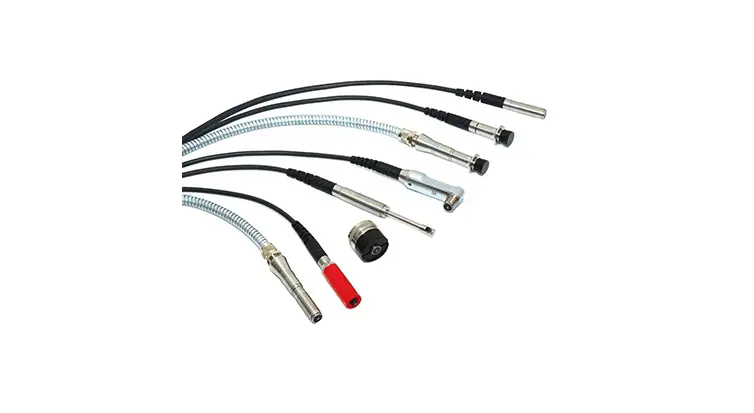
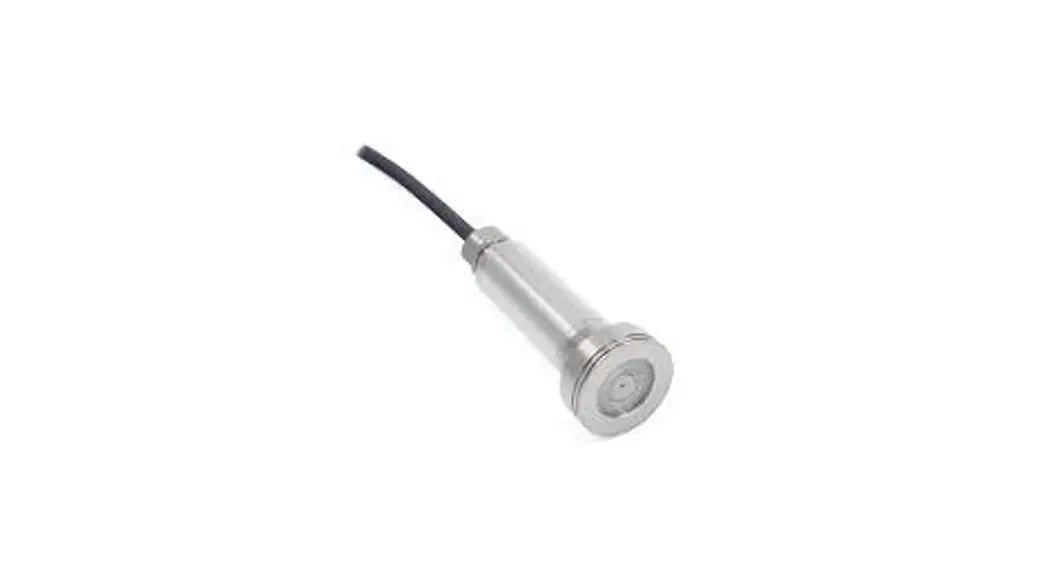
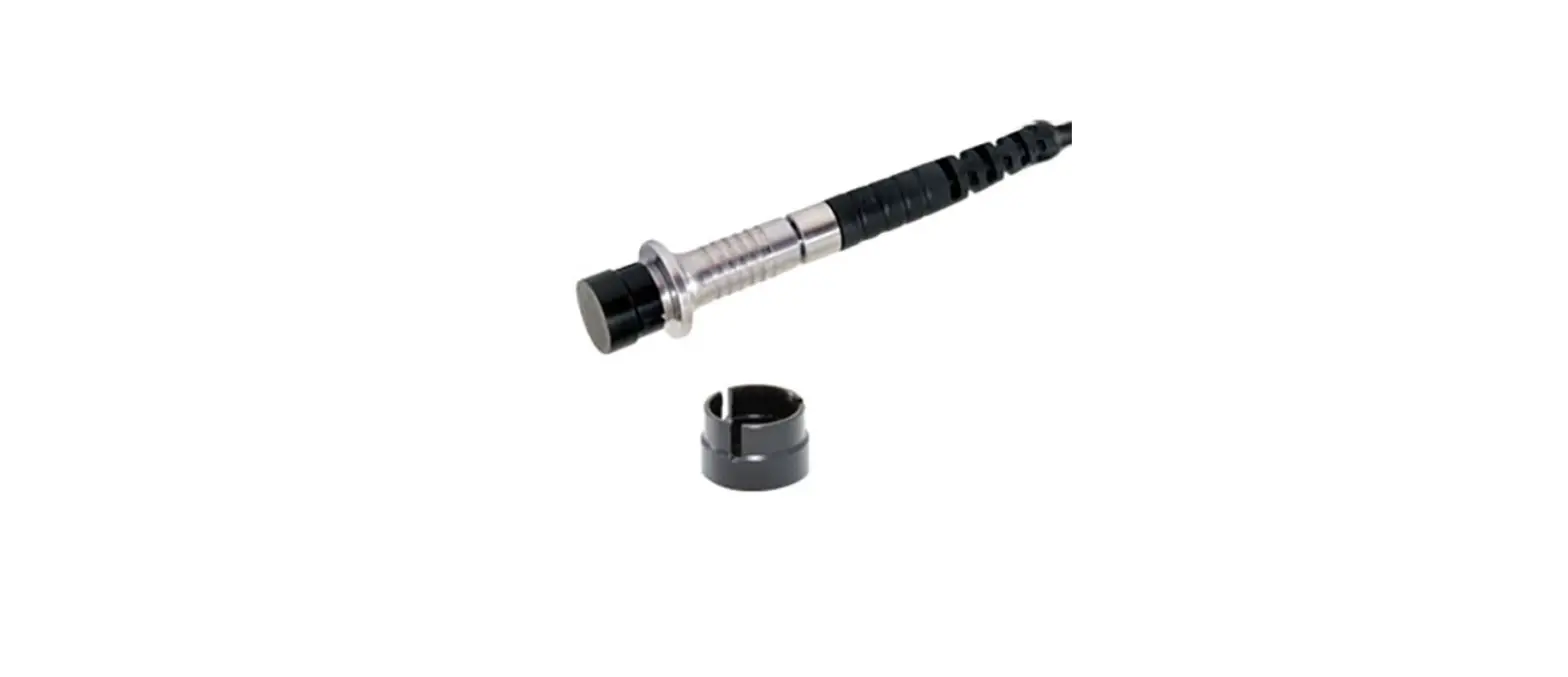
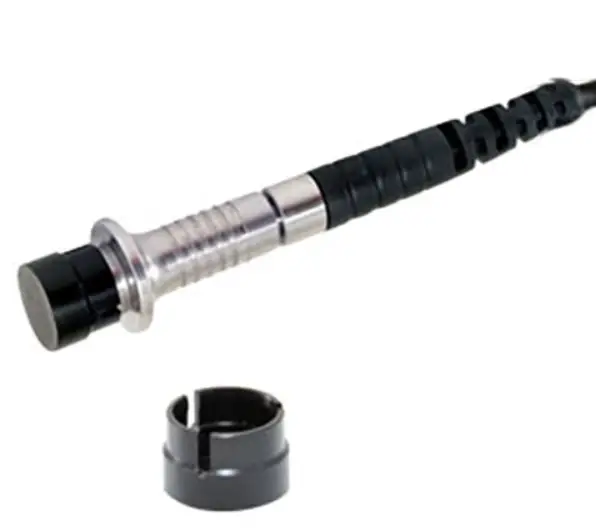
Elcometer 456 Scan Probes have been specifically designed for use with the “Scan” and “Auto Repeat” modes on Elcometer 456 Model T separate gauges. They are supplied with a highly durable ‘snap on, user replaceable, probe cap” – allowing users to take individual readings or rapidly scan large surface areas without damaging the probe or the coating.
Scan Mode: When Scan Mode is selected, users can slide the Scan Probe over the entire surface area. As the probe is lifted off the surface the gauge displays the average coating thickness value (x) together with the highest (Hi) and lowest (Lo) thickness values. Each set of three readings can be displayed on a run graph and stored into the memory. This is ideal for on line inspection. 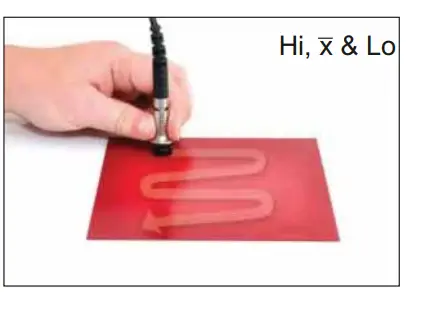
Scan Mode: When Scan Mode is selected, users can slide the Scan Probe over the entire surface area. As the probe is lifted off the surface the gauge displays the average coating thickness value (x) together with the highest (Hi) and lowest (Lo) thickness values. Each set of three readings can be displayed on a run graph and stored into the memory. This is ideal for on line inspection. 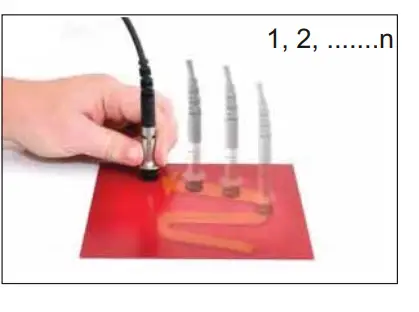
Note: “Scan Mode with Hold'” allows the probe to be lifted off the surface for a maximum of 1.5 seconds and replaced without starting a new set of readings – allowing the user to avoid holes, weld seams, etc. in the substrate without affecting the measurement results.
CALIBRATION USING A SCAN PROBE
When using a Scan Probe in “Scan” or “Auto Repeat” mode’, the probe cap must be fitted to avoid damage to the probe tip and the gauge can only be calibrated using either the “Smooth” or “Rough 2 Point” calibration methods.
Scale 1: For “Smooth” calibration a 1500um (60mils) nominal foil and uncoated base / zero plate is required. For “Rough /2 Point’ a 50um (2mil) nominal foil is also required.
Scale 2: For “Smooth” calibration a 4mm (160mils) nominal foil and uncoated base / zero plate is required. For “Rough/2 Point” a 50um (2mils) nominal foil is also required.
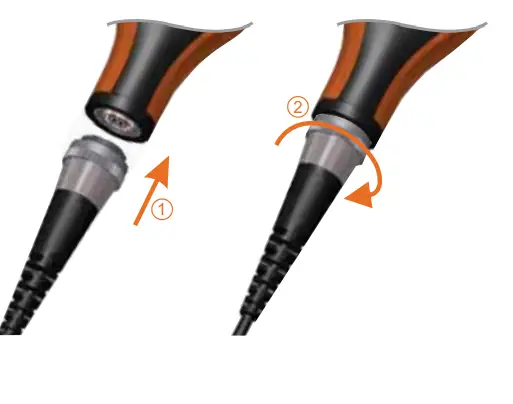
CONNECTING THE SCAN PROBE
- Rotate the probe plug to align the pins.
- Screw in the collar – clockwise.
CALIBRATING WHEN IN “SCAN” OR “AUTO REPEAT” MODE:
- Press the Cal softkey and select “Cal Method”.
- Select “Smooth” or “Rough/2 Point” followed by “Calibrate””.
- Follow the on screen instructions.

In order to avoid probe tip damage during “Scan” or “Auto Repeat” mode, a probe cap must be fitted. During the calibration procedure if, when asked by the gauge, no cap is to be used, the gauge will automatically revert to “Standard” measurement mode.
Scan Probes use the Elcometer 456’s patented offset feature ensuring that any cap wear during use is incorporated within the calibration procedure, displaying the maximum coating thickness range of the probe and cap” combination at the end of the calibration routine. To select the measurement mode go to Menu/Setup/Measurement Mode.
The Scale 2 probe is supplied with a 3mm (120mils) and 1mm (40mils) foil which can be used to make a 4mm (160mils) foil.
If an alternative calibration method has been selected, the gauge will prompt the user to select either “Smooth” or “Rough /2 Point”. Probe caps have a nominal thickness of 500um (20mils).
Technical Specification
Probe Cap Fitted
| 5DQJH | 6FDOH 1 | 100 – 1000P (4 – 40PLOV) |
| 6FDOH 2 | 0.1 – 4.5PP (4 – 180PLOV) | |
| 5HVROXWLRQ | 6FDOH 1 | 1P (0.1PLO) |
| 6FDOH 2 | 1ȝP: 0 – 1PP; 10ȝP: 1 – 5PP (0.1PLO: 0 – 50PLOV; 1PLO: 50 – 200PLOV) | |
| $FFXUDF\ | 6FDOH 1 | 3% RU 2.5P (0.1PLO)I |
| 6FDOH 2 | +1-3% RU +0.02PP (1PLO)I |
| 3DUW 1XPEHU | 3UREH ‘HVLJQ | 0LQLPXP +HDGURRP | 0LQLPXP 6DPSOH ‘LDPHWHU |
| 7456&)18 | )HUURXV 6FDOH 1 | 86PP (3.38″) | 15PP (0.59″) |
| 7456&)18$50 | )HUURXV 6FDOH 1 – $UPRXUHG &DEOH | 140PP (5.51″) | 15PP (0.59″) |
| 7456&)1)18 | ‘XDO )1) 6FDOH 1 | 89PP (3.50″) | 15PP (0.59″) |
| 7456&)28 | )HUURXV 6FDOH 2 | 90PP (3.54″) | 15PP (0.59″) |
Without Probe Cab
| 5DQJH | 6FDOH 1 | 0 – 1500P (0 – 60PLOV) |
| 6FDOH 2 | 0 – 5PP (0 – 200PLOV) | |
| 5HVROXWLRQ | 6FDOH 1 | 1P (0.1PLO) |
| 6FDOH 2 | 1ȝP: 0 – 1PP; 10ȝP: 1 – 5PP (0.1PLO: 0 – 50PLOV; 1PLO: 50 – 200PLOV) | |
| $FFXUDF\ | 6FDOH 1 | 1-3% RU 2.5P (0.1PLO)I |
| 6FDOH 2 | 1-3% RU 2.5P (0.1PLO)I |
| 3DUW 1XPEHU | 3UREH ‘HVLJQ | 0LQLPXP +HDGURRP | 0LQLPXP 6DPSOH ‘LDPHWHU |
| 7456&)18 | )HUURXV 6FDOH 1 | 85PP (3.35″) | 4PP (0.16″) |
| 7456&)18$50 | )HUURXV 6FDOH 1 – $UPRXUHG &DEOH | 139PP (5.47″) | 4PP (0.16″) |
| 7456&)1)18 | ‘XDO )1) 6FDOH 1 | 88PP (3.46″) | )J: 4PP (0.16″) 1J: 6PP (0.24″) |
| 7456&)28 | )HUURXV 6FDOH 2 | 89PP (3.50″) | 4PP (0.16″) |
Whichever is the greater. When calibrated using a sample of the uncoated base.
F: FNF probe in F mode; N: FNF probe in N mode.
SPARES
Probe caps wear over time and the gauge will inform the user during the calibration procedure if the cap needs replacing”. When tested using smooth surfaces, probe caps have been Scanned in excess of 50km (30 miles). Replacement caps are available to purchase from Elcometer or your local supplier.
Description
Scan Probe Caps (3 per pack)
Foil Set; Scale 1;0 – 1500um (0- 60mils)
Foil Set; Scale 1; 0 1500um (0 – 60mils) – Certified
Foil Set; Scale 2; 0 – 5mm (0 – 200mils)
Foil Set; Scale 2; 0 – 5mm (0 – 200mils) – Certified
Ferrous Zero Test Plate, 1%
Non-Ferrous Zero Test Plate, 1%
IMPORTANT INFORMATION
“Scan” and “Auto Repeat” modes are only available on Elcometer 456 Model T separate gauges. The probe cap must be fitted to the Scan Probe when used in these modes to avoId damage to the probe tip. Use in these modes without the cap will invalidate the probe warranty. Scan Probes can be used in “Standard” mode – with or without the probe cap fitted when connected to any Elcometer 456 separate gauge.
When fitted with the probe cap, Scan Probes are not recommended for use on coating thicknesses below 100um (4mils).