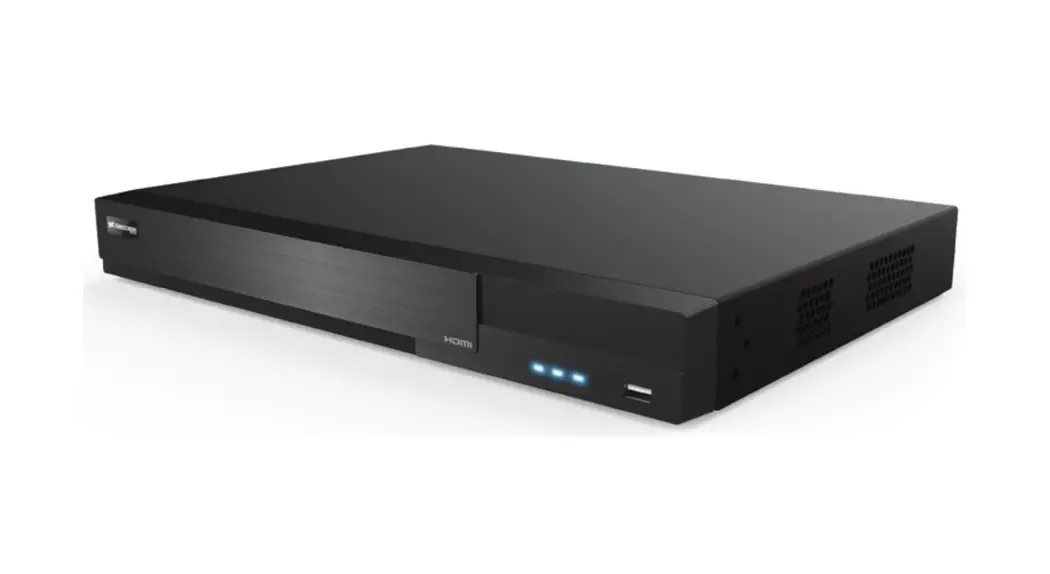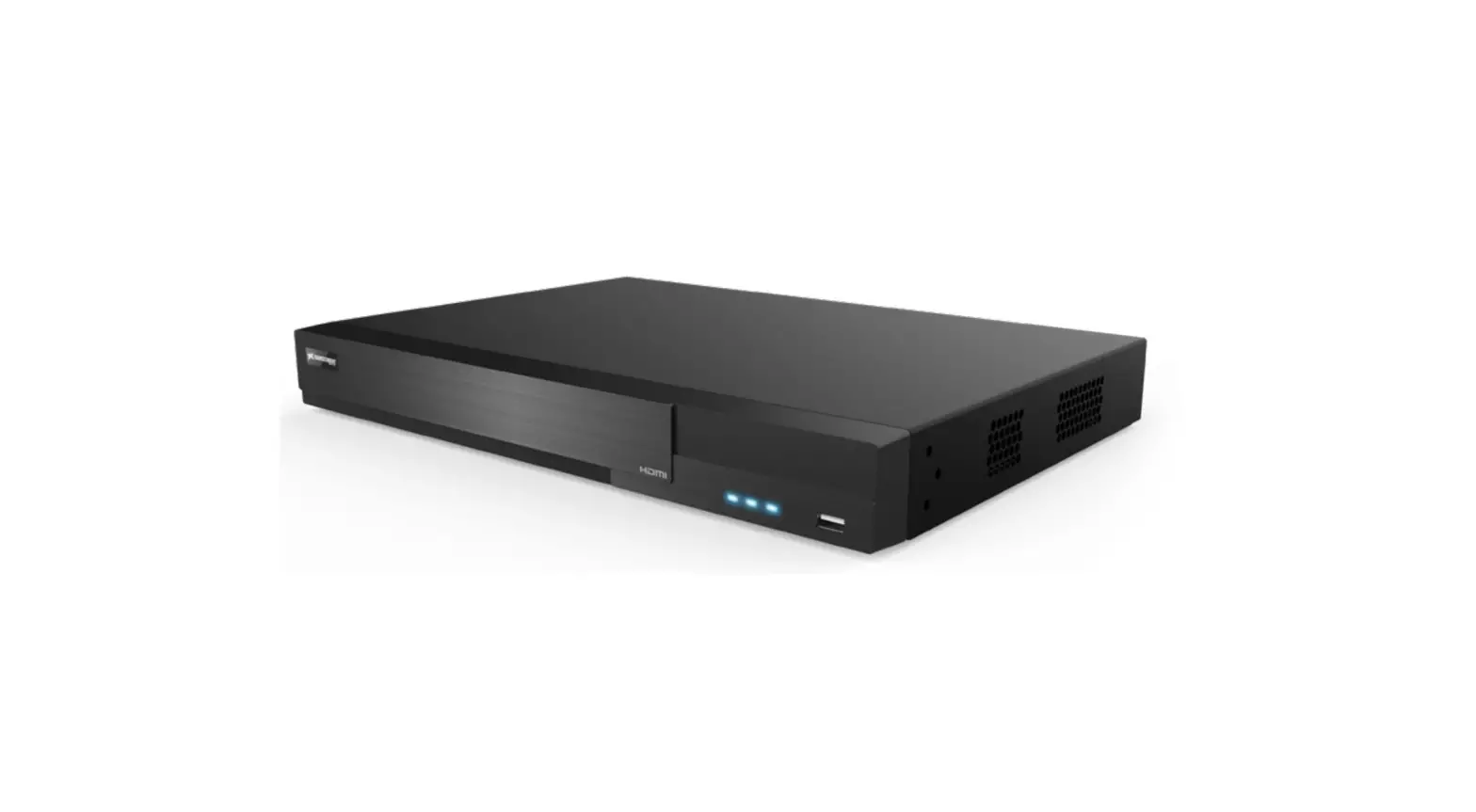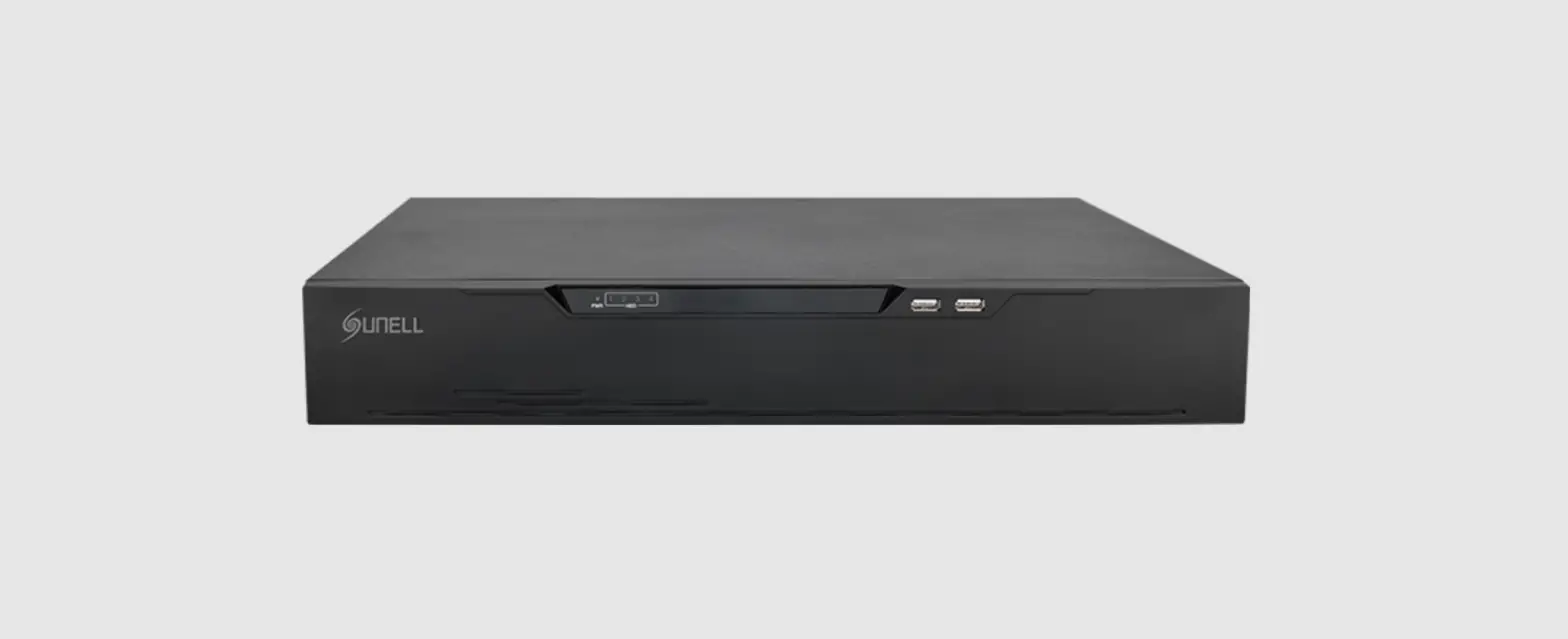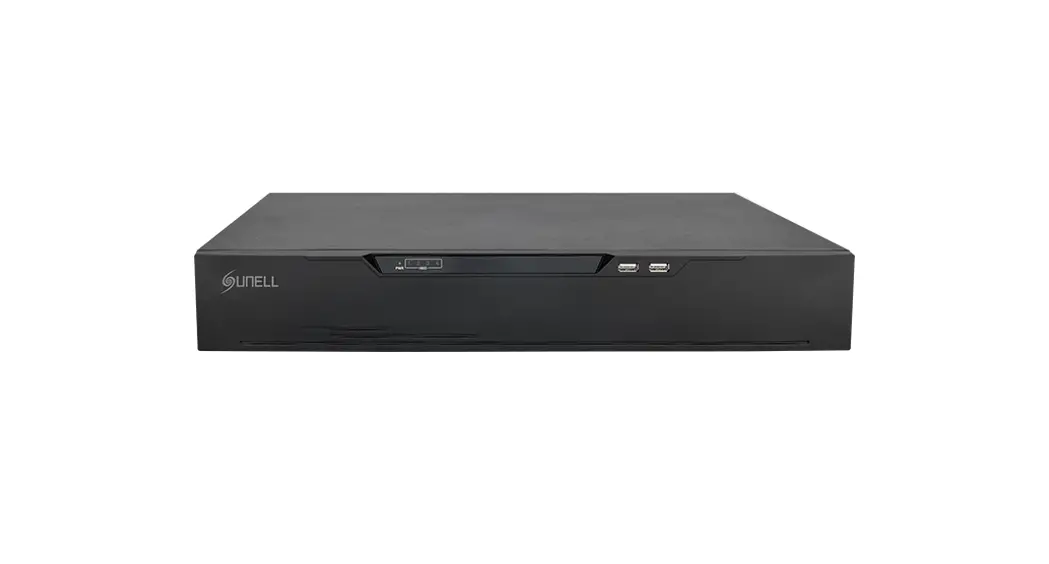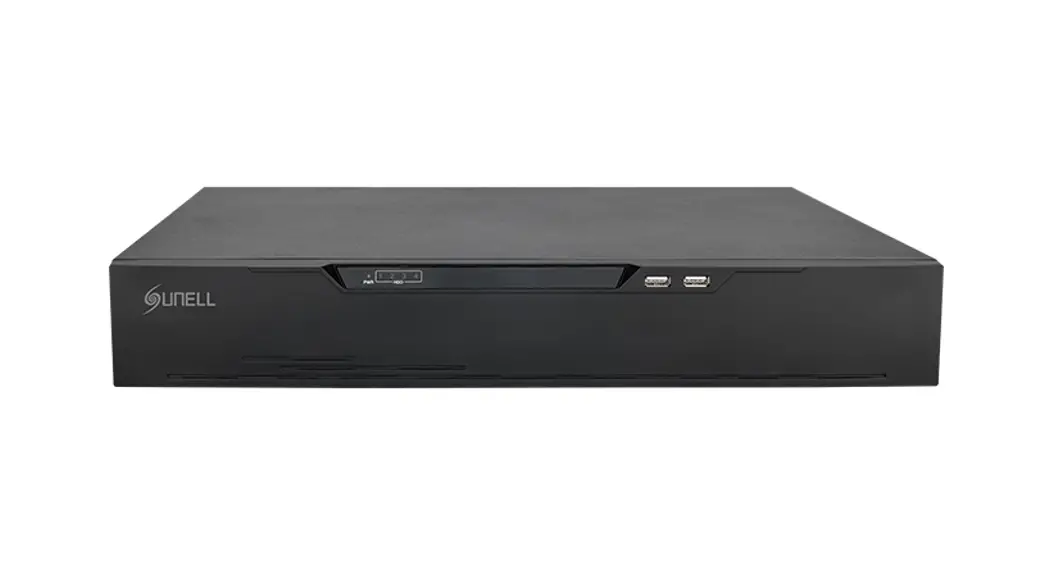
 8MP Real Time PoE
Network Video Recorder
VT-TNR414PN
VT-TNR818PN
User Guide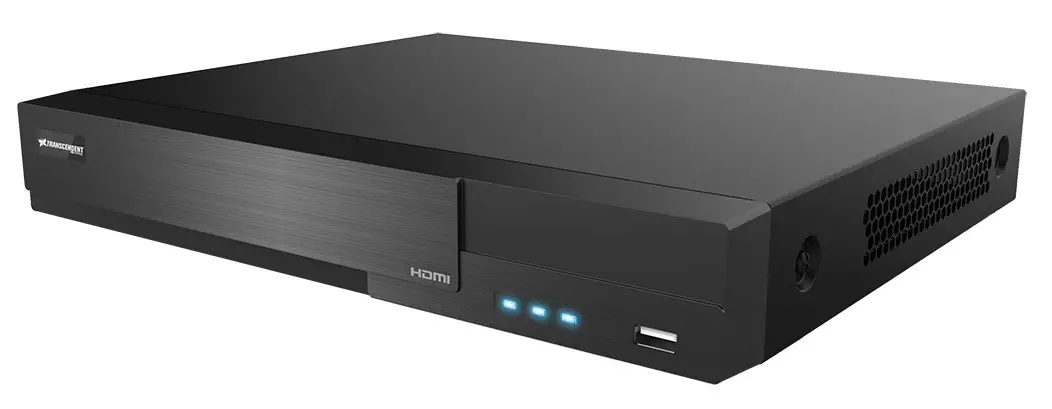
FEATURES
- 4 / 8 Channel Stand-alone Real-time IP Network Video Recorder
- Full 8MP (4K) Real-time recording (120fps / 240fps) with 120fps / 240fps Playback
- 4K HDMI & VGA Video Outputs
- H.265S / H.265+ / H.265 / H.264 Video Compression
- Tripwire, Intrusion, Object Detected/Missing, Exception, Crowd Density, People Intrusion and People Counting, License Plate Recognition, Human / Vehicle Classification
- Plug and Play & Auto configuration for many leading ONVIF compliant IP Camera models
- Internal 4 / 8-Port PoE Switch
- 1 Gigabit LAN Port
- Pentaplex: Live Display / Record / Playback / Backup / Remote Access
- 1 Internal SATA2 / SATA3 HDD Slot supporting up to 10TB (1 x 10TB HDD) Internal Storage
- Network-Based PTZ Control
- Applications for iOS® & Android®
- Remote Viewing over the Internet via Web Browser or LAN
- Free VMS (Video Management Software) Lite and Standard versions available for organized viewing of multiple sites [For Enterprise version please contact your Vitek Reseller]
- Supports both Dynamic and Static IP Addresses
- Web-based remote configuration
- Control locally via USB Mouse or with the Included IR Remote control
- 3 Year Warranty

 http://www.vitekcctv.com/Downloads
PLEASE NOTE:
Complete User Guide, Software, Tools, and Updates are available online. Scan the QR Code or visit: http://www.vitekcctv.com/Downloads
Notes
- Please read these instructions carefully before using the product and keep this guide for further reference.
- All the examples and pictures used here are for reference only.
- The contents of this manual are subject to change without notice.
- This device should be operated only from the type of power source indicated on the label. The voltage of the power supply must be verified before use.
Packing Check
Please check the device and the accessories after getting the device. If there is damage, missing parts or defects, please contact your re-seller immediately.
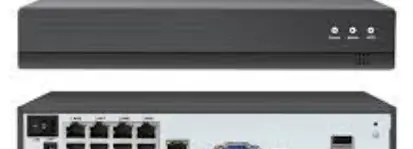
Rear Panel Instruction
The interfaces of the rear panel are for reference only.
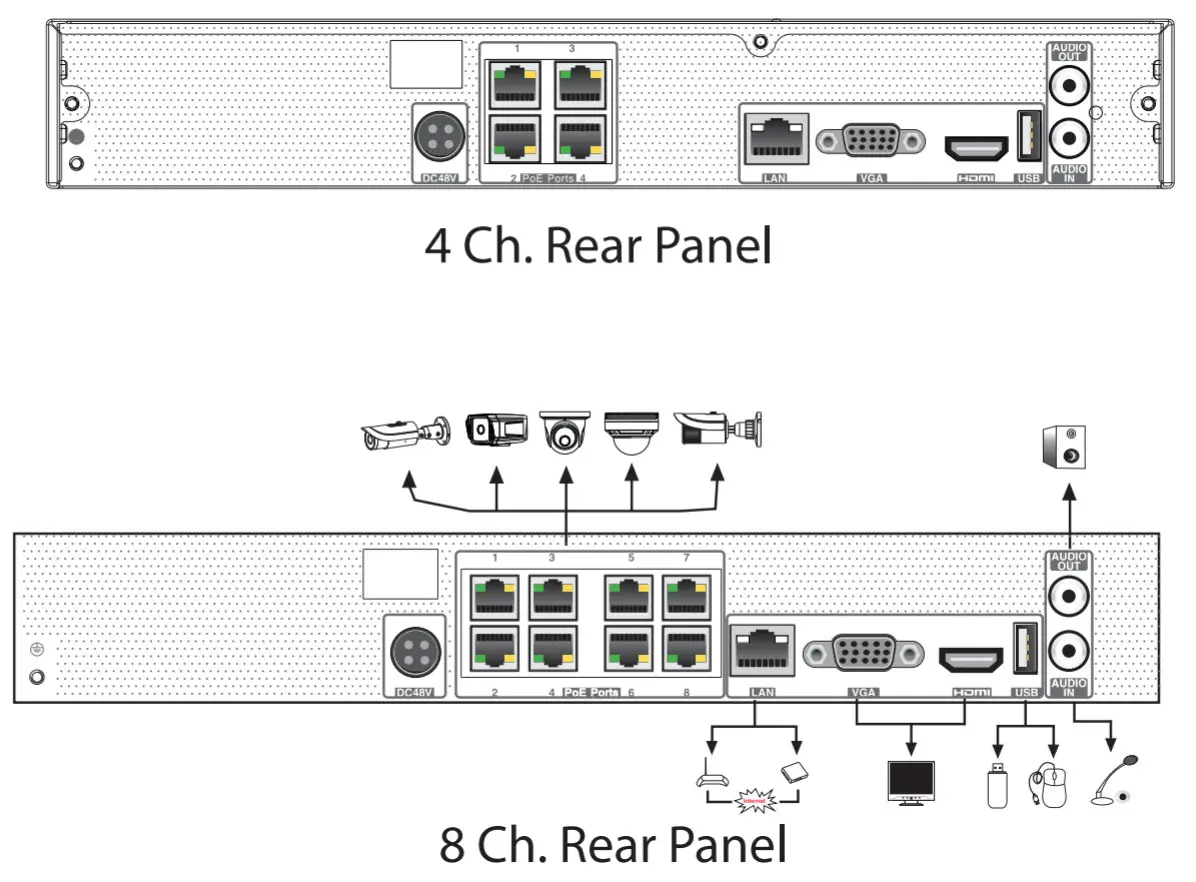
| Name | Description |
| DC48V | Connector for power input |
| PoE Ports | PoE network ports; connect to PoE IP cameras |
| LAN | Network port |
| VGA | Connect to monitor |
| HDMI | Connect to high definition display device |
| USB | Connect to USB storage device or USB mouse |
| AUDIO OUT | Audio output |
| AUDIO IN | Audio input |
Startup & Shutdown
Startup
- Connect the monitor and the power.
- The device will boot and the power indicator will display blue.
- A wizard window will pop up.
Shutdown
Click “Start” and then select the “Shutdown” icon. This will bring up a shutdown window. The device will shut down by clicking the “OK” button. Then disconnect the power.
System Login
You must configure the wizard when you start the NVR for the first time. Choose the language and read the privacy statement. Then set the date, time, and zone as needed. After that, set the login password.
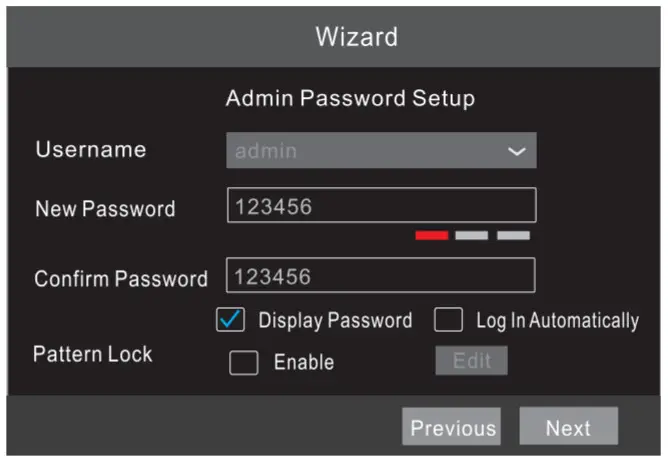
The default username is admin and the default password of the admin is 123456. Set your own password or use the default one when you use the wizard for the
first time. Enable pattern lock and click “Edit” to set the pattern lock. Then set security questions and answers. It is important for you to remember these answers, or you will not be able to reset your password. Click “Next” to continue.
Disk Settings
You can view the disk number, disk capacity of the NVR, serial number, and Read/Write status of the disk. Click “Format” to format the disk. Click “Next” to continue.
Network Configuration & Add IP Camera
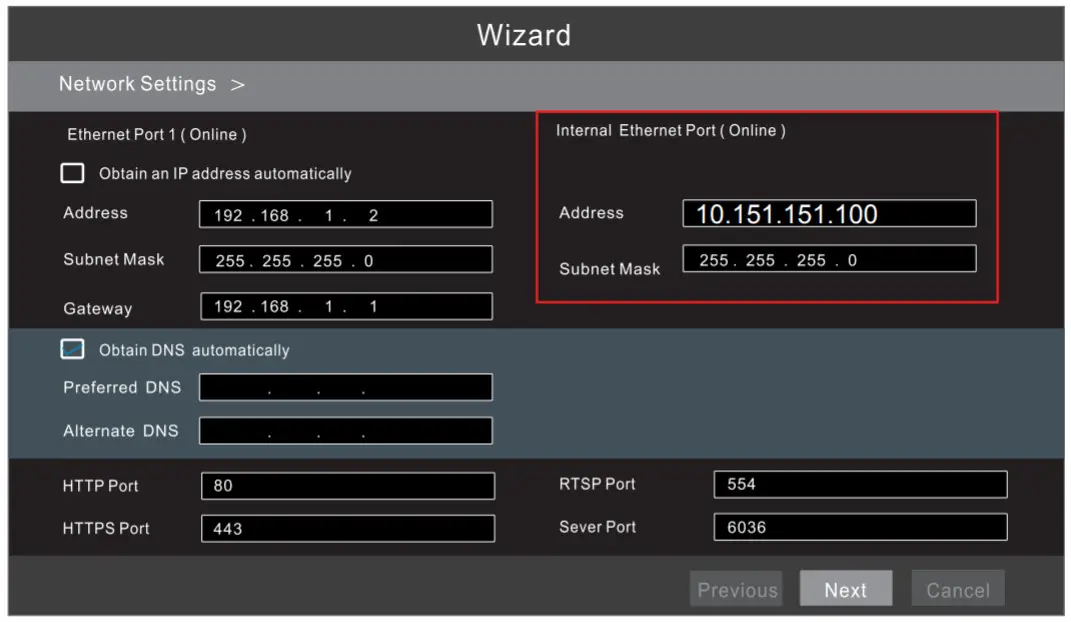
- Enter the IP address, subnet mask, gateway, etc. If using DHCP, please enable DHCP in both the NVR and the router.
- Enter HTTP port (the default value is 80) and server port (the default port is 6036).
- The internal ethemet port is the port that connects all the PoE ports with the NVR system. The PoE ports are available if the internal ethernet port is online; if it is offline, all the PoE ports will be unavailable.

- Add Camera. Click “Next” to go to the following interface.
 Click Refresh” to refresh the list of online IP cameras which are in the same local network as the NVR. Click+ to add the searched camera. Click “Add AI” to add all the cameras to the list. CIiet”Delete
  ” to delete the added camera. Click “Delete All to delete all the added cameras.
- Click
 to edit an IP camera as shown on the above left. Enter the new IP address, subnet mask, gateway, username, and password of the camera. click on” to save the settings.
Click to edit the added camera as shown on the above right. Enter the new camera name, IP address, port, username, and the password of the camera. You can click “Test” to test the effectiveness of the input information. Click OK” to save the settings. You can change the IP camera name only when the added camera is online. Click “Next” to contmue.
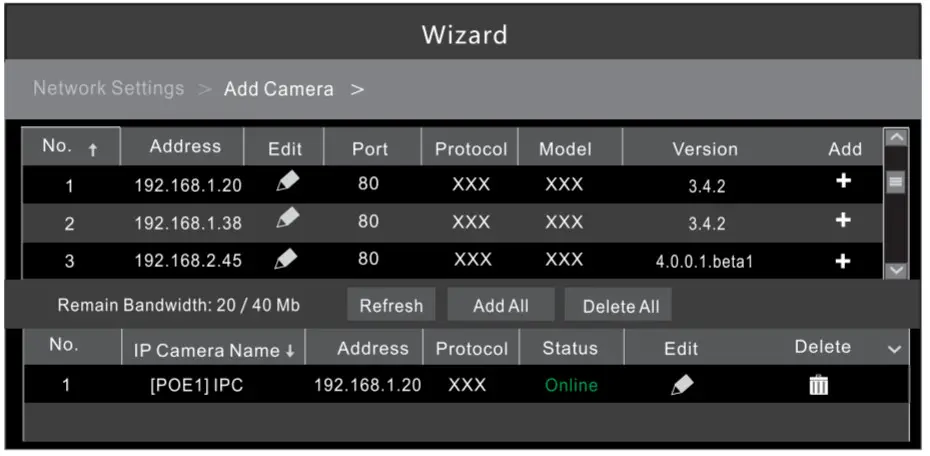 Click Refresh” to refresh the list of online IP cameras which are in the same local network as the NVR. Click+ to add the searched camera. Click “Add AI” to add all the cameras to the list. CIiet”Delete
  ” to delete the added camera. Click “Delete All to delete all the added cameras.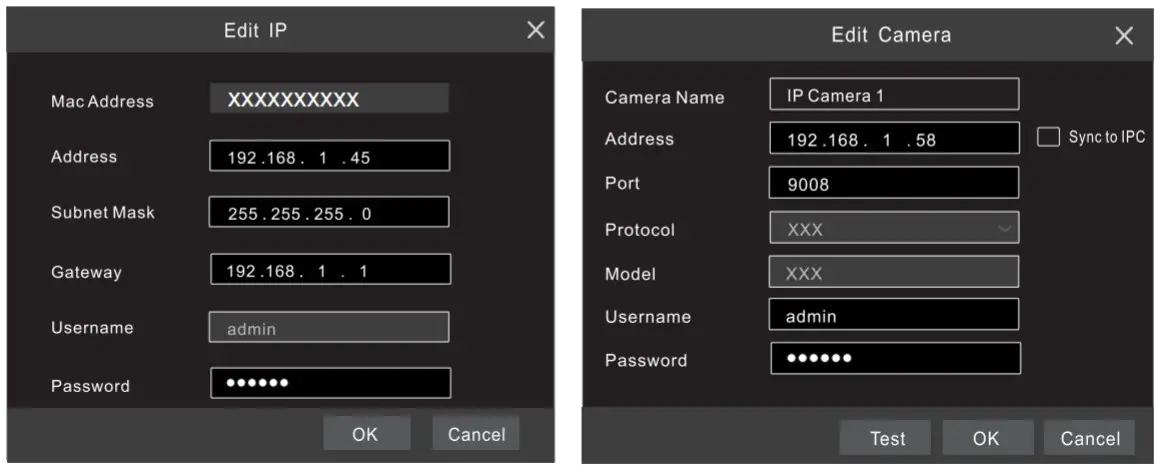
 to edit an IP camera as shown on the above left. Enter the new IP address, subnet mask, gateway, username, and password of the camera. click on” to save the settings.
Record Settings
There are two recording modes: auto and manual.
Auto Mode: Select an auto mode in the interface as shown below and then click “Next” to save the settings. Click “Advanced” to self-define a recording mode.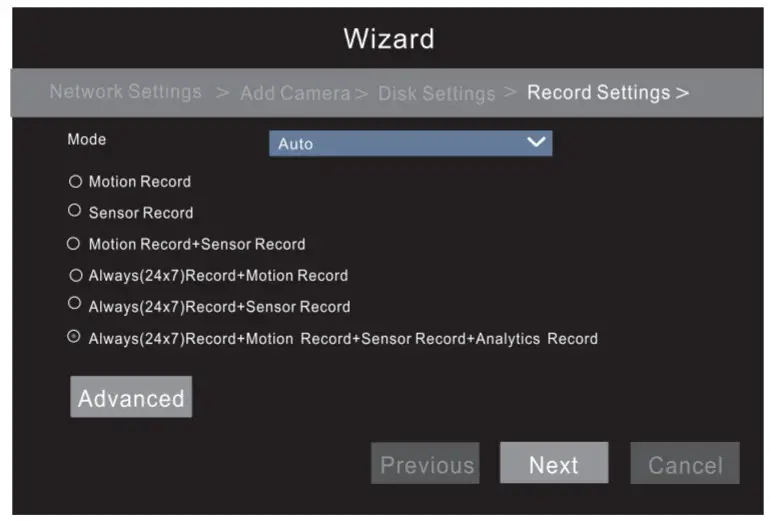
Manual Mode: Set the “Sensor Record”, “Motion Record”, “Analytics Record” and “Schedule Record” of each camera. Please enable recording as needed. Click “Next” to continue.
NAT
You can enable the NAT function in the interface or set it in the network configuration after exiting the wizard. You can scan the QR code through the mobile surveillance App available for iOS or Android to easily view your cameras.
Web Browser Access Through NAT Function
- Go to Start → Settings → Network → NAT tab. Enable NAT and select the NAT Server Address. Click “Apply” to save the parameters.

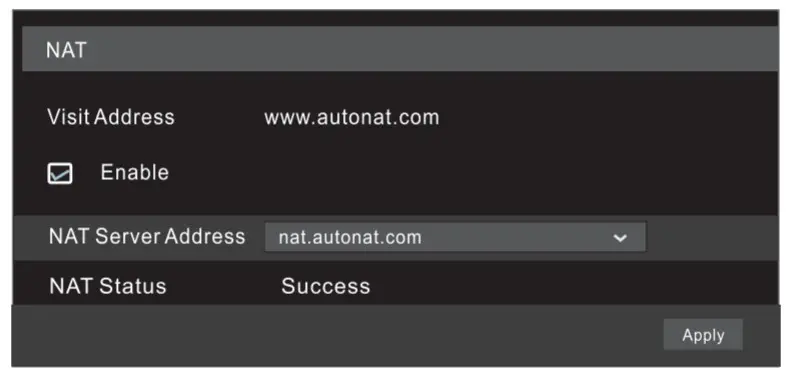
Enter www.autonat.com in the address bar of your browser and then press enter to go to the following interface. If this is the first time to access the NAT, download and install the plug-in according to the popup tips. After that, re open your web browser and enter the above-mentioned address. Then the login box will appear. Enter the device serial number, username, and password.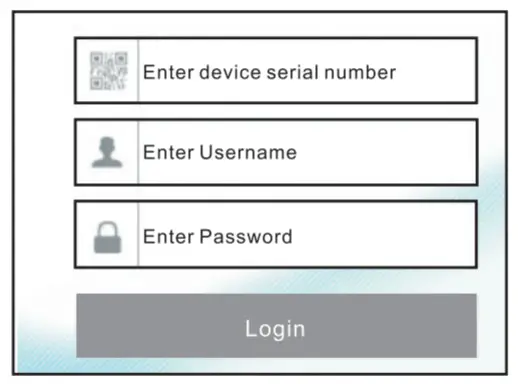
Device Serial Number: Click on the menu bar at the bottom of the live interface (or go to NAT interface or System→ Information →Basic interface) to view the serial number.
Username; The username of the NVR. The default username is admin.
Password: The password of the NVR. The password is set by yourself when you configure the wizard for the first time.
Manual Recording
Click the button to start recording. Click it again to stop recording. You can also click
 to check the status of the recording.
Playback
Instant playback
Click  Instant Playback” in the right-click menu of the camera’s preview window to select or drag the playback progress bar to change the playback
time to playback the record.
General playback
Click (9] on the toolbar at the bottom of the live view interface or click Start -» Playback to go to the playback interface as shown below. You can also add the playback cameras manually. Click  in the playback window to bring up the “Add Camera” window. Check the cameras in the window and then click “Add” to add a playback camera. The recorded files of the added playback camera will be played in the playback interface.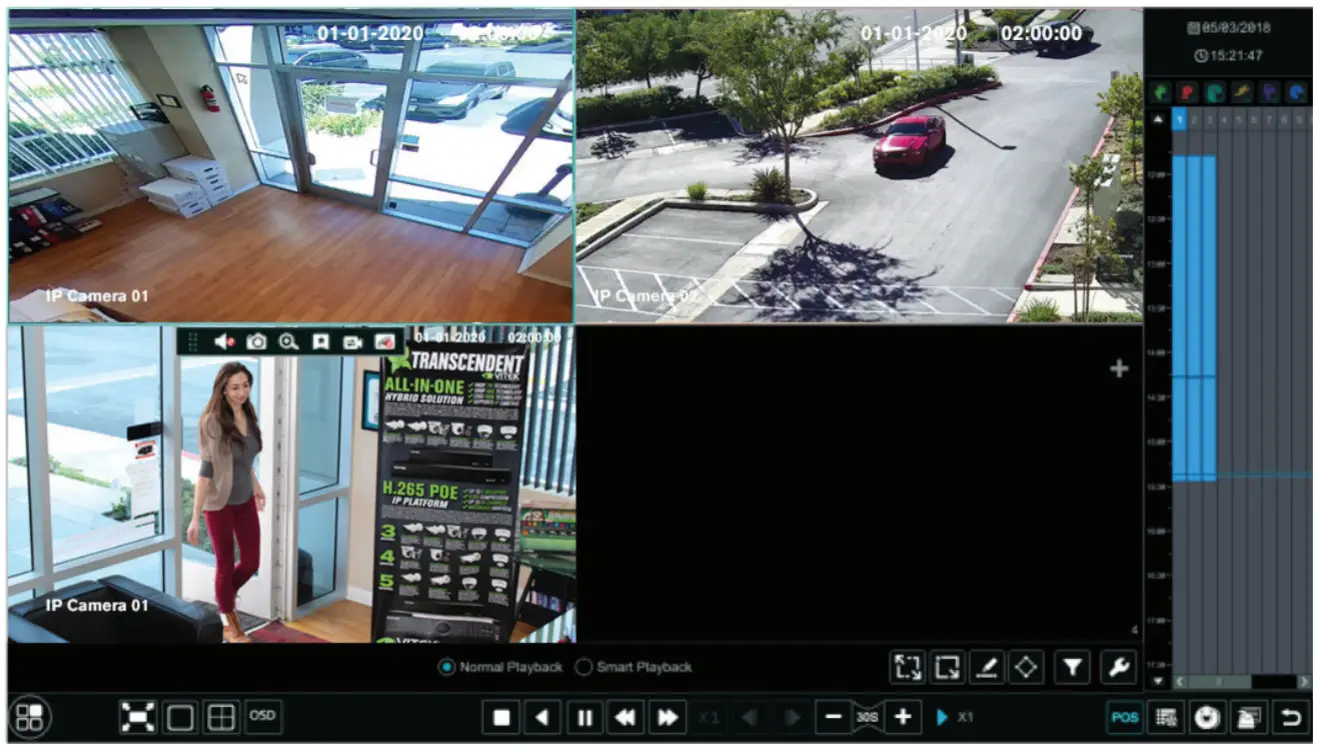
VT-TNR414PN DETAILED SPECIFICATIONS
| Video-Input / Resolution | 4 IP Channels up to 8 MegaPixel [411 |
| Main Monitor Output | 1 x 4K KIM! / 1 x 1080P VGA |
| Multi Operation | Pentaplex: Live Display / Record / Playback / Backup / Remote Acces |
| Recording Compression | HMS / IL265+ / H.285 / H.264 |
| OS | Embedded Linux |
| Recording | 120fps (30fps per channel) |
| Audio over IP Inputs | 4 (IP Camera Dependent) |
| Local Audio In/Out | IN: RCA x ICH / OUT: RCA x ICH |
| Two-Way Audio | YES |
| Encode | CBR |
| Duality Levels | 11 level (According to Bit Rate) |
| Recording Modes | Manual / Timer / Motion / Sensor |
| Local Playback | 4CH |
| Analytic | License Plate Recognition, Tripwire, Intrusion. Object Detected/ Missing, Exception, Crowd Density, People Counting, Human / Vehicle Classification |
| Search | Time sliced image search, Time/Calendar search, Event (Motion, External alarm), Tag search |
| Alarm Modes | Sensor, Motion, Video loss, IP conflict, Disk error, Illegal access, Network disconnection |
| Alarm Inputs | IP Camera Dependent (No Local Input) |
| Alarm Triggering | Record, Snap, PTZ move. Alarm out, E-mail. etc |
| Network Interface | RJ45 x 1 |
| PoE ports | RJ45 x 4, with PoE |
| PoE Standard | 802.3af 15W max per port |
| Total PoE Budget | 50W all ports |
| Bit Rate (Per Camera) | 512Kbps — 10 Mbps (Adjustable) |
| Total Bandwidth | 40Mbps Incoming / 40Mbps Outgoing |
| Dual-stream | Individual Network Video Stream and local recording stream, set separately |
| Network Protocols | TCP/IP, UOP, DHCP, DNS, PPPDE, DDNS, Email, UPNP, NAT, Telnet |
| Internet-streaming | lu Total 28 task resources (Local+Remote) 4 CH IE playback |
| Remote Viewing mil | I’m. CMS / Web Browser / Mobile Platforms |
| Remote Users | 10 Simultaneous Online Users |
| Backup | r- Network, USB |
| SATA HDD ir | SATA x 1, max 10TB each |
| PTZ Protocol | Through Network |
| USB | USB 2.0 x 2 (for mouse and USB backup device) I |
| Power Consumption | s 1 OW (Without HDD) I |
| Power Supply | 48V/1.25A |
| Working Environment | 32°-122°F @ 10% — 90% RH |
| Dimensions (1,/ x H x 0) | 11.81″ x 1.77″ x 9.80″ (300mm x 45mm x 249mm) |
| Weight | 2.62 (Net), 4.74Ibs (Shipping) / (1.19, 2.15kg) |
VT-TNR818PN DETAILED SPECIFICATIONS
| Video Input / Resolution | 8 IP Channels up to 8 MegaPixel [4K] |
| Main Monitor Output | 1 x 4K HDMI / 1 x 1080P VGA |
| Multi Operation | Pentaplex: Live Display / Record / Playback / Backup / Remote Access |
| Recording Compression | H.265S / H.265+ / H.265 / H.264 |
| OS | Embedded Linux |
| Recording | 240fps (30fps per channel) |
| Audio over IP Inputs | 8 (IP Camera Dependent) |
| Local Audio In/Out | IN: RCA x 1CH / OUT: RCA x 1CH |
| Two-Way Audio | YES |
| Encode | CBR |
| Quality Levels | 11 level (According to Bit Rate) |
| Recording Modes | Manual / Timer / Motion / Sensor |
| Local Playback | 8Ch. |
| Analytics | License Plate Recognition. Tripwire. Intrusion, Object Detected/ Missing, Exception. Crowd Density. People Counting, Human / Vehicle Classification |
| Search | Time sliced image search. Time/Calendar search, Event (Motion, External alarm), Tag search |
| Alarm Modes | Sensor. Motion. Video loss, IP conflict, Disk error. Illegal access, Network disconnection |
| Alarm Inputs | IP Camera Dependent (No Local Input) |
| Alarm Triggering | Record. Snap, PTZ move. Alarm out, E-mail, etc |
| Network Interface | RJ45 x 1 |
| PoE ports | RJ45 x 8, with PoE |
| PoE Standard | 802.3af 15W max per port |
| Total PoE Budget | 100W all ports |
| Bit Rate (Per Camera) | 512Kbps — 10 Mbps (Adjustable) |
| Total Bandwidth | 80Mbps Incoming / 80Mbps Outgoing |
| Dual-stream | Individual Network Video Stream and local recording stream, set separately |
| Network Protocols | TCP/IP, UDP, OHCP, DNS, PPPOE, DDNS, Email, UPNP, NAT, Telnet |
| Internet-streaming | Total 28 task resource (Local+Remote) 4 CH IE playback |
| Remote Viewing | CMS / Web Browser / Mobile Platforms |
| Remote Users | 10 Simultaneous Online Users |
| Backup | Network, USB |
| SATA HDD | SATA x 1, max 10TB each |
| PTZ Protocol | Through Network |
| USB | USB 2.0 x 2 (for mouse and USB backup device) |
| Power Consumption | s 10W (Without HOD) |
| Power Supply | 48V/2.5A |
| Working Environment | 32°-122°f @ 10% — 90% RH |
| Dimensions (W x H x D) | 11.81″ x 1.77″ x 9.80″ (300mm x 45mm x 249mm) |
| Weight | 2.69 (Net), 5.1/lbs (Shipping) / (1.22, 2.34kg) |
CONSIDER THESE OTHER GREAT TRANSCENDENT PRODUCTS
Optimize Your Surveillance System with Vitek Professional Grade Displays!
 |  |
| VTM-TLM19L Transcendent 19.5” HDMI and VGA CCTV Monitor with Full HD Display (1080P) | VTM-TLM21L Transcendent 21.5” HDMI and VGA CCTV Monitor with Full HD Display (1080P) |
FEATURES
- 19.5” Display (VTM-TLM19L) / 21.5” Display (VTM-TLM21L)
- 16 : 9 Aspect Ratio
- Full 1080p High Def. Display (1920 x 1080) / (1600 x 900 on VTM-TLM19L)
- Contrast Ratio of 1000:1
- HDMI / VGA Input
- Audio In (2 x Speakers)
- 5ms Response Time
- 178° Horizontal and Vertical Viewing Angle (178 / 170° on VTM-TLM19L)
- LED Backlit
- 100mm VESA mount
- Professional grade display designed for 24/7 continuous use in security applications with 50,000 Hour Panel Life
- 3 Year Warranty
LIMITED PRODUCT WARRANTY
This VITEK product carries a three (3) year limited warranty. VITEK warrants to the purchaser that products manufactured by VITEK are free of any rightful claim of infringement or the like, and when used in the manner intended, will be free of defects in materials and workmanship for a period of three (3) years, or as otherwise stated above, from the date of purchase by the end-user. This warranty is non-transferable and extends only to the original buyer or end user customer of a VITEK Authorized Reseller.
The product must have been used only for its intended purpose, and not been subjected to damage by misuse, willful or accidental damage, caused by excessive voltage or lightning.
The product must not have been tampered with in any way or the guarantee will be considered null and void.
This guarantee does not affect your statutory rights.
Contact your local VITEK Reseller should servicing become necessary.
CLASS A DIGITAL DEVICE (INDUSTRIAL & COMMERCIAL ENVIRONMENT)
This equipment has been tested and found to comply with the limits for a Class A digital device, pursuant to CE and FCC Rules. These limits are designed to provide reasonable protection against harmful interference when the equipment is operated in a commercial environment. This equipment generates, uses and radiates radio frequency energy and, if not installed and used in accordance with the instruction manual, may cause harmful interference to radio ommunications. Operation of this equipment in a residential area is likely to cause harmful interference in which case the user will be required to correct
INDUSTRIAL VIDEO PRODUCTS. INC.
28492 CONSTELLATION ROAD VALENCIA, CA 91355
WWW.VITEKCCTV.COM
Version 1.0
March 2021
 VITEK IVP, Inc. | USA Based Video Surveillance Manufacturer