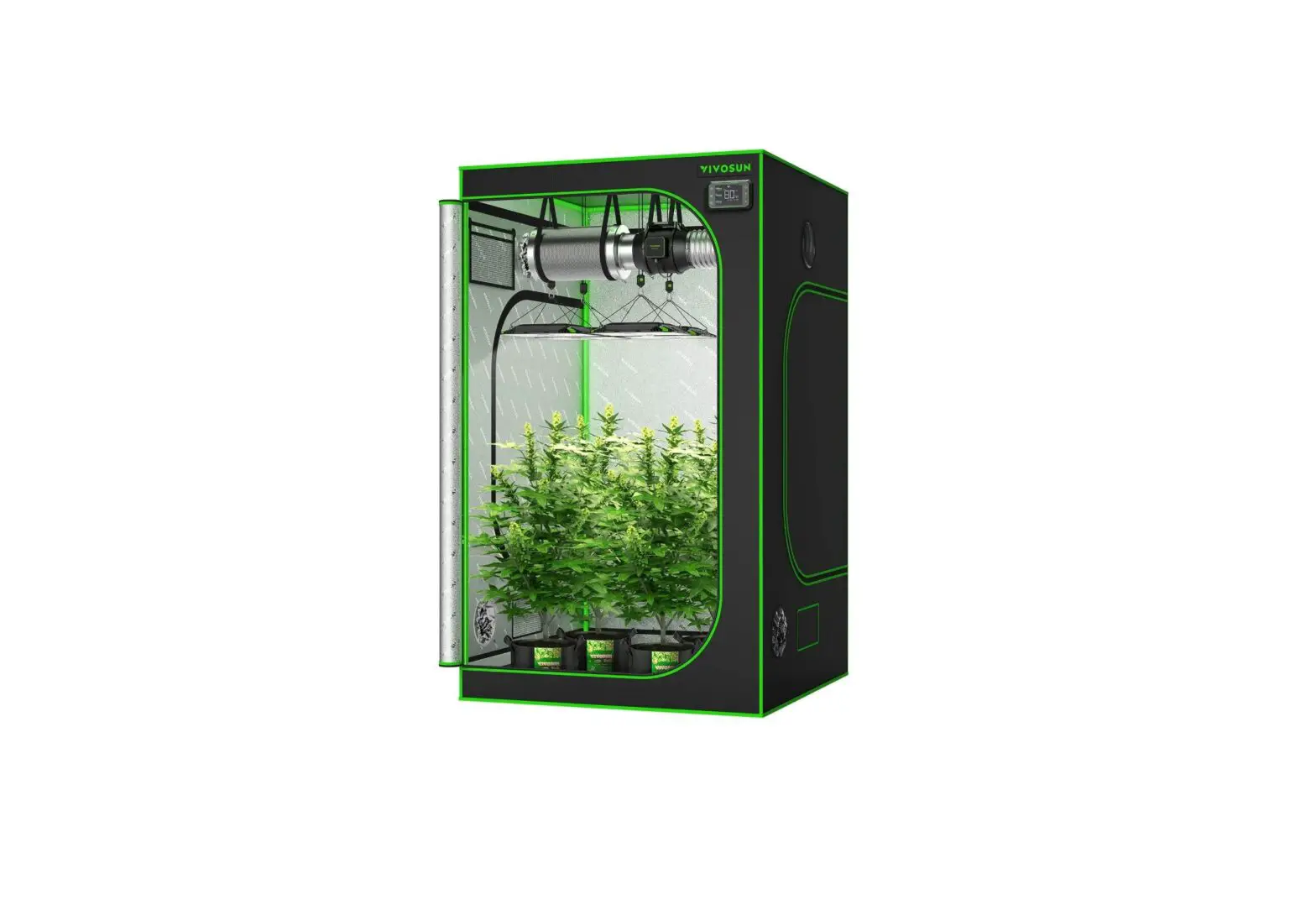
AC-CBD632 CLOUDLAB 632D 60 Inch Advance Grow Tent
Product Information: CLOUDLAB SERIES ADVANCE GROW TENT
Product Features:
- High-density canvas with 2000D density rating for 100% external
lightproofing - Diamond-patterned interior lining for enhanced
reflectivity - Clear and adjustable viewing window
- Double cinching ports for secure airflow routing
- Thick 22mm steel tubes and connectors for a sturdy
structure - Controller plate for mounting fan and lighting controllers
- Reflective waterproof spill tray to prevent leakage
Product Contents:
| Model | Tent | Canvas | Controller Plate | Spill Tray | Straps | Velcro | Screws | Wall | Drying Rack |
|---|---|---|---|---|---|---|---|---|---|
| CLOUDLAB 422 | x1 | x1 | x1 | x2 | x6 | x6 | N/A | N/A | N/A |
Product Usage Instructions:
- Start by unpacking the product contents as listed above.
- Refer to pages 10-14 and 27-29 of the user manual for setup
instructions specific to your model. - Assemble the frame poles according to the instructions
provided. The number and configuration of the poles vary based on
the model. - Attach the canvas to the frame using the provided straps and
screws. - If applicable, mount the controller plate on the designated
area of the tent for fan and lighting controllers. - Place the spill tray inside the tent to catch water, soil, and
debris. - Secure the tent to a wall using the included wall screws, if
desired. - If applicable, set up the drying rack according to the
instructions provided.
If you have any further questions or need assistance, please
contact AC Infinity via email at [email protected] or visit
their website at www.acinfinity.com.
CLOUDLAB SERIES
ADVANCE GROW TENT
USER MANUAL
WELCOME
Thank you for choosing AC Infinity. We are committed to product quality and friendly customer service. If you have any questions or suggestions, please don’t hesitate to contact us. Visit www.acinfinity. com and click contact for our contact information.
EMAIL
[email protected]
WEB
www.acinfinity.com
LOCATION
Los Angeles, CA
3
MANUAL CODE CL2106X1
PRODUCT CLOUDLAB 422 CLOUDLAB 632 CLOUDLAB 642 CLOUDLAB 733 CLOUDLAB 722 CLOUDLAB 844 CLOUDLAB 866 CLOUDLAB 816 CLOUDLAB 811 CLOUDLAB 899 CLOUDLAB 894 CLOUDLAB 632D CLOUDLAB 743D CLOUDLAB 864D
MODEL AC-CBA422 AC-CBA632 AC-CBA642 AC-CBA733 AC-CBA722 AC-CBA844 AC-CBA866 AC-CBA816 AC-CBA811 AC-CBA899 AC-CBA894 AC-CBD632 AC-CBD743 AC-CBD864
UPC-A 819137021532 819137021556 819137021549 819137021563 819137022102 819137021570 819137021587 819137021884 819137021877 819137021860 819137021853 819137022089 819137022096 819137022140
4
MANUAL INDEX
Manual Index ……………………………………………………………………… Page 5 Key Features ……………………………………………………………………… Page 6 Product Contents ………………………………………………………………… Page 7 Tent Set Up ………………………………………………………………………… Page 10 Controller Plate Set Up ………………………………………………………… Page 27 Mounting Guide …………………………………………………………………. Page 29 Ventilation Guide ………………………………………………………………… Page 30 Configuration Setup ……………………………………………………………. Page 31 Other AC Infinity Products…………………………………………………….. Page 32 Warranty ……………………………………………………………………………. Page 33
5
KEY FEATURES
HIGH-DENSITY CANVAS
Mylar canvas with 2000D density rating to be 100% external lightproof. Diamond-patterned interior lining amplifies reflectivity.
VIEWING WINDOW
Clear and adjustable window offers you a snapshot of the interior without compromising your environment.
DUCTWORK ACCESS
Double cinching ports secure your flexible ducting tubes on both sides of the tent to streamline airflow routing.
HEAVY-DUTY FRAME
Thick 22mm steel tubes and connectors provide the tent with a sturdy structure. Can carry fans and lights up to 150 pounds.
CONTROLLER PLATE
Steel plate designed to mount fan and lighting controllers. Their cords can enter the tent securely through the plate’s opening.
SPILL TRAY
Reflective waterproof lining that catches water, soil, and other debris to prevent leakage in the grow tent.
6
PRODUCT CONTENTS
CLOUDLAB SERIES
Canvas Controller Spill Filter Controller Controller Mylar
Tent
Plate Tray Straps Velcro Screws Wall
CLOUDLAB 422
x1
x1
x1
x2
x6
x6
N/A
Drying Rack
N/A
CLOUDLAB 632
x1
x1
x1
x2
x6
x6
N/A
N/A
CLOUDLAB 642
x1
x1
x1
x2
x6
x6
N/A
N/A
CLOUDLAB 722
x1
x1
x1
x2
x6
x6
N/A
N/A
CLOUDLAB 733
x1
x1
x1
x2
x6
x6
N/A
N/A
CLOUDLAB 844
x1
x1
x1
x2
x6
x6
N/A
N/A
CLOUDLAB 866
x1
x1
x1
x2
x6
x6
N/A
N/A
CLOUDLAB 816
x1
x2
x1
x2
x12
x12
N/A
N/A
CLOUDLAB 811
x1
x2
x2
x4
x12
x12
N/A
N/A
CLOUDLAB 899
x1
x2
x2
x4
x12
x12
N/A
N/A
CLOUDLAB 894
x1
CLOUDLAB 632D x1
x2
x1
x2
x12
x1
x3
x2
x6
x12
N/A
N/A
x6
x1
x1
CLOUDLAB 743D x1
x1
x3
x2
x6
x6
x1
x1
CLOUDLAB 864D x1
x1
x3
x2
x6
x6
x1
x1
7
PRODUCT CONTENTS
CLOUDLAB SERIES Included only with
CLOUDLAB 422 CLOUDLAB 722
AC-CBA422 AC-CBA722
PAGE 10-14, 27-29 For Setup Instructions
A
B
C
E
F
D
x8 x4 x4
x8
x1 x2
FRAME POLES
CLOUDLAB SERIES Included only with CLOUDLAB 632 AC-CBA632
PAGE 10-14, 27-29 For Setup Instructions
A1
A2
B
C
E
F
D
x4 x4 x4 x4
x8
x1 x2
FRAME POLES
CLOUDLAB SERIES Included only with CLOUDLAB 642 AC-CBA642
PAGE 10-14, 27-29 For Setup Instructions
A1
A2
B
C
E
F
D
x4 x4 x4 x4
x8
x1 x2
FRAME POLES
CLOUDLAB SERIES Included only with
CLOUDLAB 733 CLOUDLAB 844 CLOUDLAB 866
AC-CBA733 AC-CBA844 AC-CBA866
PAGE 10-14, 27-29 For Setup Instructions
A
B
C
E
F
D
x8 x4 x4
x8
x2 x2
FRAME POLES
8
PRODUCT CONTENTS
CLOUDLAB SERIES Included only with
CLOUDLAB 899 CLOUDLAB 811
AC-CBA899 AC-CBA811
PAGE 19-22, 27-29 For Setup Instructions
CLOUDLAB SERIES Included only with
CLOUDLAB 894 CLOUDLAB 816
AC-CBA894 AC-CBA816
PAGE 15-18, 27-29 For Setup Instructions
CLOUDLAB SERIES Included only with CLOUDLAB 632D AC-CBD632 CLOUDLAB 864D AC-CBD864
PAGE 23-29 For Setup Instructions
D1
D2
A
B
C
E
F
x8
x3
D3
D4
x22 x9 x9 x8 x8
x6
x1
FRAME POLES
D1
D2
A
B
C
E
F
x8
x2
D3
x13 x6 x6 x4 x4
x2
FRAME POLES
A1
A2
D1
E
F
C B
G
x8
D3
CLOUDLAB SERIES Included only with CLOUDLAB 743D AC-CBD743
PAGE 23-29 For Setup Instructions
x12 x12 x2 x6 x1 x2 x2
x8
FRAME POLES
D1
A
E
F
C B
G
x8
D3
x24 x2
x6 x1 x2 x2 FRAME POLES
x8
9
TENT SETUP
CLOUDLAB 422 / 632 / 642 / 722 / 733 / 844 / 866
STEP 1 Insert the eight (A) poles and into the floor end of the corner (D1) pieces to create two bases.
When assembling, make sure the feet of each corner (D1) piece faces the floor with the arrow facing down.
D1 A / A2
X2
A / A1
D1
A / A2
A / A1
D1
D1
*NOTE: Poles in models AC-CBA632 and AC-CBA642 are labeled A1 & A2.*
STEP 2 Insert the four (B) poles into Base One. Insert the four (C) poles into Base Two.
B
10
B B C
B
Base One
C C
C
Base Two
TENT SETUP
CLOUDLAB 422 / 632 / 642 / 722 / 733 / 844 / 866
STEP 3
Door
Unzip the tent so that three of the walls lay
flat.
Floor
Roof
STEP 4 Guide Base One into the floor of the tent, making sure its corners meet the tent’s corners.
Base One
Floor
11
TENT SETUP
CLOUDLAB 422 / 632 / 642 / 722 / 733 / 844 / 866
STEP 5 Insert the poles of Base Two into the poles of Base One to complete the frame.
Base Two
C
C
C
B
B
B
Base One
*Two people is recommended for this portion of the tent assembly.
STEP 6 Pull the roof over the assembled frame.
*Two people is recommended for this portion of the tent assembly. 12
TENT SETUP
CLOUDLAB 422 / 632 / 642 / 722 / 733 / 844 / 866
STEP 7 Pull the upper and lower zippers to close the walls and door.
*Two people is recommended for this portion of the tent assembly. STEP 8 You can neatly hold the window wall open any time by using its attached Velcro strap.
13
TENT SETUP
CLOUDLAB 422 / 632 / 642 / 722 / 733 / 844 / 866
STEP 9 Add the roof support beams (E) then (F). Insert the spill pool into the tent and secure the Velcro straps around the poles.
E FF
CLOUDLAB 422,722, 632
E FF
CLOUDLAB 733
E
FF
E
E
F
F
CLOUDLAB 642 14
CLOUDLAB 844, 866
TENT SETUP
CLOUDLAB 816 / 894
STEP 1 Insert six (A) poles into the floor end of the corner (D1) pieces and 3-way (D2) connectors to create the base.
Insert the six (B) poles into the corner (D1) pieces and the two 3-way (D2) connectors.
When assembling, make sure the feet of each corner (D1) piece faces the floor with the arrow facing down.
B
B
B A
A A
B B
B A
A
A
D1
D2
STEP 2
Insert the six (C) poles into the six (B) poles.
C
C
C
C
C
C
B B
B B
B B
15
TENT SETUP
CLOUDLAB 816 / 894
STEP 3 Insert four corner (D1) pieces into the corner (C) poles and the two 4-way (D3) connectors into the middle (C) poles.
Insert six (A) poles in between the corner (D1) pieces and 4-way (D3) connectors.
A
A
A
C D1
B
A A
A
D3
STEP 4 Unzip the tent so that it lays flat.
16
Floor
TENT SETUP
CLOUDLAB 816 / 894
STEP 5 Guide the completed frame into the floor of the tent, making sure its corners meet the tent’s corners.
Floor
*Two people is recommended for this portion of the tent assembly.
STEP 6 Pull the roof over the assembled frame. Pull the upper and lower zippers to close the walls.
*Two people is recommended for this portion of the tent assembly.
17
TENT SETUP
CLOUDLAB 816 / 894
STEP 7 Latch both walls together in the center and pull the zipper down, making sure the front flaps are over the walls.
STEP 8 Add the roof support beams (E) then (F). Insert the spill pool into the tent and secure the Velcro straps around the poles.
18
E
E
FF
EF
TENT SETUP
CLOUDLAB 811 / 899
STEP 1 Insert ten (A) poles into the floor end of the corner (D1) pieces, 3-way (D2) connectors, and 4-way (D3) connectors to create the base.
Two of the ten (A) poles will be set in the center, attached by a third 3-way (D2) connector.
Insert the nine (B) poles into the corner (D1) pieces and the (D2) and (D3) connectors.
When assembling, make sure the feet of each corner (D1) piece faces the floor with the arrow facing down.
B D1
B
A A
B D3 A
B
B
B A
A D2
D1 A
A
A
B B
B
D2 D1
A
A
D2
D1
D3
STEP 2 Insert the nine (C) poles into the nine (B) poles.
C
C
C
C
C C
C C
C
B
B
B
B
B
B B
B
B
19
TENT SETUP
CLOUDLAB 811 / 899
STEP 3 Insert four corner (D1) pieces into the corner (C) poles, four 4-way (D3) connectors into the middle (C) poles, and the 5-way (D4) connector into the center (C) pole.
Insert twelve Group (A) poles in between
D1
the corner (D1) pieces and 4-way (D3)
connectors.
A
A
A
A
A
A
D3
C
B
A A
A A
D4 C B
STEP 4 Unzip the tent so that it lays flat.
Floor
20
TENT SETUP
CLOUDLAB 811 / 899
STEP 5 Guide the completed frame into the floor of the tent, making sure its corners meet the tent’s corners.
Floor
*Two people is recommended for this portion of the tent assembly.
STEP 6 Pull the roof over the assembled frame. Pull the upper and lower zippers to close the walls.
*Two people is recommended for this portion of the tent assembly. 21
TENT SETUP
CLOUDLAB 811 / 899
STEP 7 Latch both walls together in the center and pull the zipper down, making sure the front flaps are over the walls.
STEP 8 Add the roof support beams (E) then (F). Insert the spill pool into the tent and secure the Velcro straps around the poles.
22
F FE
E E
E
FF
EF
TENT SETUP
CLOUDLAB 632D / 743D / 864D
STEP 1 Insert four (A2/A) poles in between two corner (D1) pieces and two 4-way (D3) connectors. Then insert two (C) poles to the two 4-way (D3) connectors.
Insert an (A2/A) pole to two corner (D1) pieces and connect them to the two (C) poles to complete the base.
Insert six (A1/A) poles into the corner (D1) pieces and the two 4-way (D3) connectors.
When assembling, make sure the feet of each corner piece faces the floor with the arrow facing down.
*(A) poles apply to model AC-CBA743D only
A1/A A1/A
A2/A D1
A1/A A1/A A1/A A1/A
A2/A
C A2/A
A2/A
A2/A C
D3
STEP 2 Insert four 4-way (D3) connectors into the four (A1/A) poles, connecting two (A2) and (C) poles between the connectors as shown here. Insert the two (B) pieces into the remaining two (A1/A) poles.
Insert six (A1/A) poles into the four 4-way (D3) connectors and two (B) pieces.
A1/A A1/A
B B
A1/A A1/A
A1/A
A1/A
C A2
A2 C
D3
23
TENT SETUP
CLOUDLAB 632D / 743D / 864D
STEP 3 Insert the remaining four corner (D1) pieces and two 4-way (D3) connectors into the poles.
Insert the remaining (A2/A) poles in between the connectors as shown here.
D3
A2/A
A2/A D1
A2/A
C
A2
A2
C
STEP 4 Add a rack (G) support beam onto the shelf.
G
24
TENT SETUP
CLOUDLAB 632D / 743D / 864D
STEP 5 Guide the completed frame through the tent canvas, pulling the tent floor and the ceiling a little at a time so that the canvas properly envelops the frame.
STEP 6 Locate the Velcro strip that lines the tent interior, making sure it extends out enough to fully apply the mylar wall.
25
TENT SETUP
CLOUDLAB 632D / 743D / 864D
STEP 7 Apply the mylar wall using the interior Velcro to divide the two chambers. Press the wall firmly to avoid gaps.
STEP 8 Add the roof support beams (G), (E) then (F). Insert the spill pool into the tent and secure the Velcro straps around the poles. Place the drying rack on the assembled shelf. (Make sure to tie the small spill pool on top of the drying rack.)
G
E
EF G
F
26
CONTROLLER PLATE SETUP
STEP 1 Mount your controller onto the included bracket. Use the included screws to mount an AC Infinity controller. Use the Velcro adhesive to attach a non-AC Infinity controller. Refer to page 29 for mounting instructions of your controller.
Controller Not Included
STEP 2 Slide the controller bracket assembly into the tent straps below the logo.
27
CONTROLLER PLATE SETUP
STEP 3 Route your inline duct fan’s power connector through the opening inside and plug it into your controller. Plug the probe into the controller and route its cables through the opening.
28
MOUNTING GUIDE
CONTROLLER PLATE This grow tent includes a steel plate with a mounting slot for AC Infinity controllers. Mount your controller to the corresponding areas on the plate’s slot. Route its wires through the oval opening and through the grow tent’s flap. Some controller models may contain a hidden magnet on the backside, which can stick onto this plate without screws.
To attach a non-AC Infinity controller, use the included Velcro adhesive to hold it onto the plate.
ONLY INCLUDED WITH CLOUDLAB 642 CLOUDLAB 844 CLOUDLAB 866 CLOUDLAB 894 CLOUDLAB 899 CLOUDLAB 816 CLOUDLAB 811
ONLY INCLUDED WITH CLOUDLAB 422 CLOUDLAB 632 CLOUDLAB 733 CLOUDLAB 722 CLOUDLAB 632D CLOUDLAB 743D CLOUDLAB 864D
*Controllers Sold Separately
29
VENTILATION GUIDE
INLINE FAN AND GROW LIGHT First hang your inline duct fan to be use as an exhaust fan by the roof support beams. Position the intake fan at the bottom end so the intake air will be passive through the bottom vents. If you are installing a carbon filter inside, use the included straps to hang the carbon filter. Then install your grow light. You may use rope clip hangers to install these products.
DOUBLE-SIDED CINCHES Install any necessary duct tubes onto the ducting ports. Use the cinches on either end to secure the duct tubes onto the grow tent.
INTAKE HOLES Introduce fresh air by using one of the two ventilation holes at the bottom of the grow tent. Open a passive intake screen or create active intake by attaching an additional inline fan to a duct port.
NEED MORE INFORMATION? Scan the QR code or visit www.acinfinity.com for more guides and tutorials.
30
CONFIGURATION SETUP
LIGHT AND VENTILATION PLACEMENT There are many ways to configure these components to bring airflow into your grow space. A typical setup places the fan and the filter inside, which makes it easier to manage while dampening the fan noise. Both can be situated in any order within the ventilation chain if air is being pulled out of your grow space.
Pre-filter can be placed inside filter
Fan Is Placed Outside The Tent
Filter Is Placed Outside The Tent
Fan and Filter placed Inside tent
For example, your grow lights might get in the way of your cooling equipment. In this case, you may set the fan and/or filter outside of your grow tent.
We recommend setting your extraction fan at the highest point possible. Since heat rises to the top, exhausting that hot air at that point will make the ventilation process efficient. Your carbon filter will also perform better if it’s positioned at the highest point.
31
AC INFINITY PRODUCTS
Inline Duct Fans
The CLOUDLINE series is a line of duct fans designed to quietly ventilate AV rooms and closets, as well as various DIY air circulation and exhaust projects. Features a thermal controller with intelligent programming that will automatically adjust duct fan speeds in response to changing temperatures.
Carbon Filters
The duct carbon filter is designed to eliminate odors and chemicals for grow tents and hydroponic spaces. It utilizes premium grade Australian charcoal that features greater absorption power and a longer lifespan. Enables maximum airflow pass through as part of an intake or an exhaust system.
Duct Tubes
The four-layer ducting tube is used to direct airflow, designed for ventilation systems in applications like HVAC, dryers, and grow rooms. It is highly durable and flexible, and can be used anywhere from tight spaces to wide open areas.
Discover the latest innovations in cooling and ventilation at acinfinity.com 32
WARRANTY
This warranty program is our commitment to you, the product sold by AC Infinity will be free from defects in manufacturing for a period of two years from the date of purchase. If a product is found to have a defect in material or workmanship, we will take the appropriate actions defined in this warranty to resolve any issues. The warranty program applies to any order, purchase, receipt, or use of any products sold by AC Infinity or our authorized dealerships. The program covers products that have become defective, malfunctioned, or expressively if the product becomes unusable. The warranty program goes into effect on the date of purchase. The program will expire two years from the date of purchase. If your product becomes defective during that period, AC Infinity will replace your product with a new one or issue you a full refund. The warranty program does not cover abuse or misuse. This includes physical damage, submersion of the product in water, incorrect Installation such as wrong voltage input, and misuse for any reason other than intended purposes. AC Infinity is not responsible for consequential loss or incidental damages of any nature caused by the product. We will not warrant damage from normal wear such as scratches and dings. For more information about our dealers and distributors, please contact our customer service at [email protected] or (626) 923-6399 Monday to Friday (9:00 am to 5:00 pm PST).
If you run into any issues with this product, contact us and we’ll happily issue a replacement or a full refund!
COPYRIGHT © 2021 AC INFINITY INC. ALL RIGHTS RESERVED No part of the materials including graphics or logos available in this booklet may be copied, photocopied, reproduced, translated or reduced to any electronic medium or machine readable form, in whole or in part, without specific permission from AC Infinity Inc.
33
www.acinfinity.com
 AC Infinity
 AC Infinity