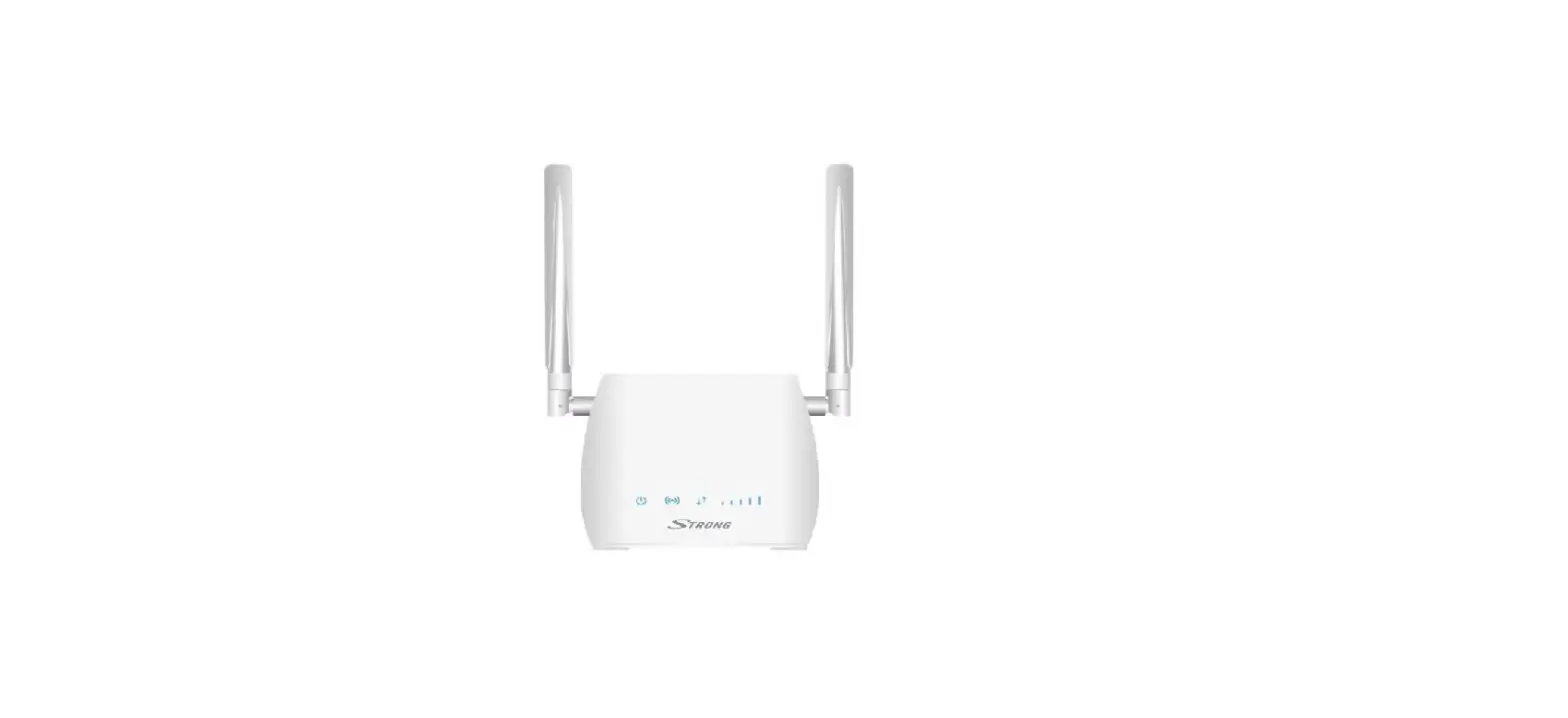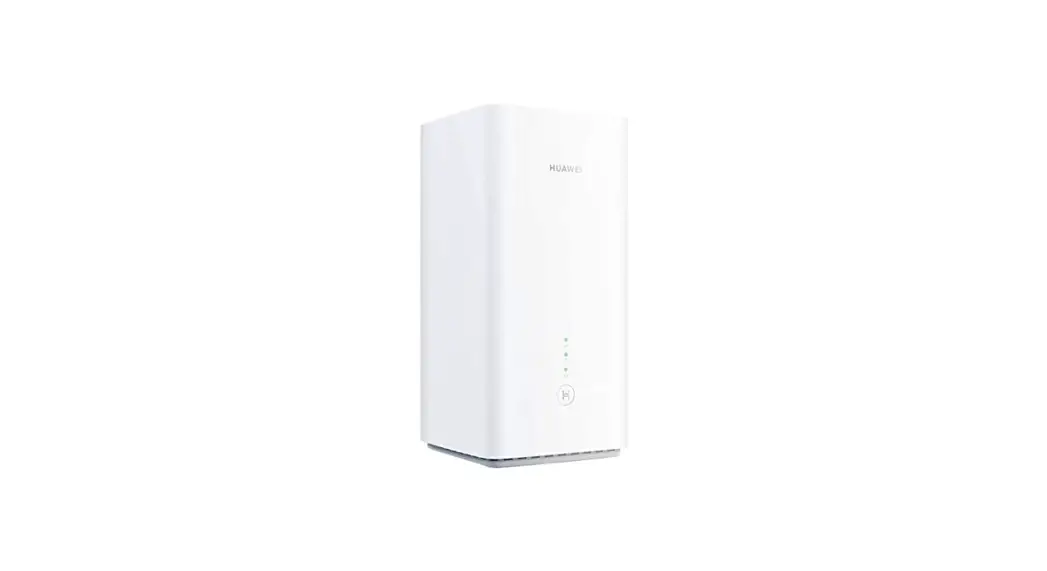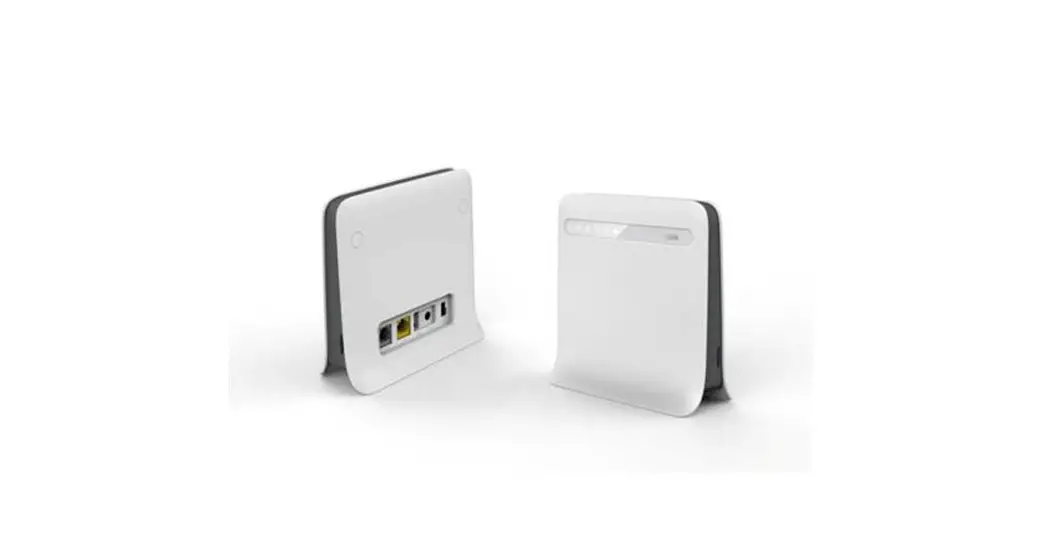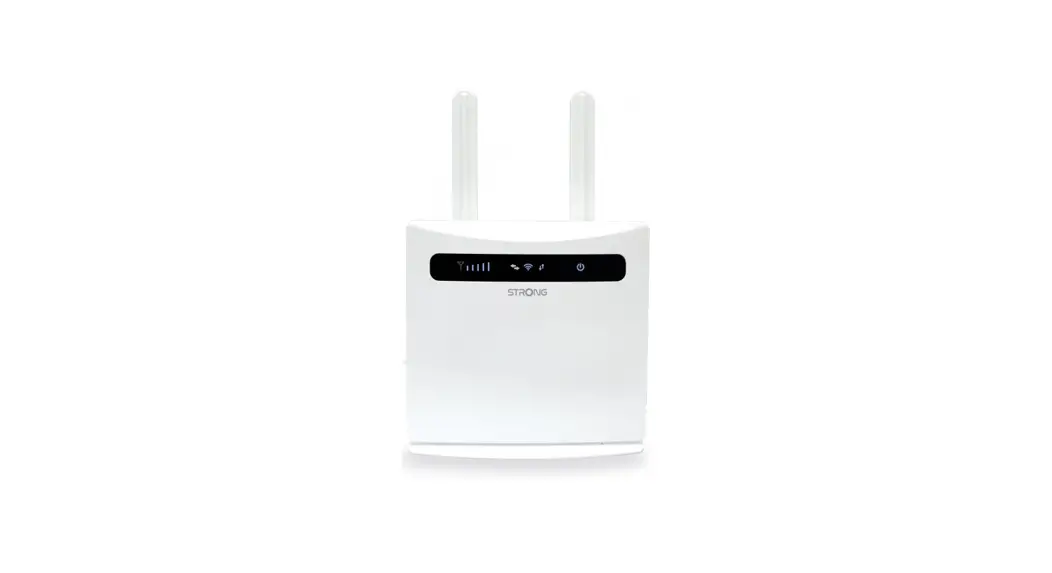

ROUTER 4G
8E4631 _ 4G Router 300
Quick Guide
rev. 1.0 07/2021


8E4631 4G Router 300 Index – Preface
All rights reserved; no part of this publication may be reproduced, stored in a retrieval system, or trasmitted in any form or by any means, electronic, otherwise, without the prior written permission of Digicom. The contents of this booklet may be modified without notice. Every possible care has been taken in testing and putting together all the documentation contained in this booklet, however Digicom can not take any responsability brought by the use of this booklet.
PREFACE
In order to guarantee your safety and a correct functioning, be sure to follow these safety warnings. The whole set (with cables included) must be installed in a place lacking of or distant from:
- Dust, humidity, high temperatures and direct exposure to sunlight.
- Heat irradiating objects, which may damage your device or cause any other problem.
- Objects producing a high electromagnetic field (Hi-Fi speakers, etc.).
- Corrosive liquids or chemical substances.
ENVIRONMENTAL CONDITIONS
Environment temperature: from -40°C to +75 °C Relative humidity: from 5 to 95 % n.c.
Any sudden change in temperature and humidity must be avoided.
CLEANING INFORMATION
Use a soft dry cloth and avoid any solvents or abrasive materials.
SHOCKS OR VIBRATIONS
Caution against shocks or vibrations.
SIMPLIFIED UE DECLARATION OF CONFORMITY
The manufacturer, Digicom S.r.l., declares that this radio equipments 4G Router 300, is compliant with Directive 2014/53/UE. The complete text of UE Declaration of Conformity is available at following internet address: www.digicom.it
ASSISTANCE AND CONTACTS
After reading the instructions carefully if you are unable to solve the problem, contact Digicom technical support.
E-mail: [email protected]
SAFETY WARNINGS
Read these instructions and norms carefully before powering the device.Violation of such norms may be illegal and cause hazard situations.
For any of the described situations please refer to the specific instructions and norms.
The device is a low power radio transmitter and receiver. When it is ON, it sends and receives radio frequency (RF) signals.
The device produces magnetic fields. Do not place it next to magnetic supports such as floppy disks, tapes, etc.
Operating your device close to other electrical and electronic equipment – such as a television, phone, radio or a personal computer – may cause interferences.
 INTERFERENCES
The device, like all other wireless devices, is subject to interferences that may reduce its performances.
 ROAD SAFETY
Do not use your device while driving. In case of use on cars, you must check that the electronic equipment is shielded against RF signals. Do not place the device in the air bag deployment area.
 AIRCRAFT SAFETY
Switch off your device when on board aircrafts by disconnecting the power supply and deactivating the internal backup battery. Using GSM devices on aircrafts is illegal.
 HOSPITAL SAFETY
Do not use the device near health equipment, especially pacemakers and hearing aids, in order to avoid potential interferences. Take care when utilizing the device inside hospitals and medical centres, which make use of equipment that could be sensitive to external RF signals. Switch it off when use is expressly forbidden.
 EXPLOSIVE MATERIALS
Do not use the device in refuelling points, near fuel or chemicals. Do not use the device where blasting is in progress. Observe restrictions and follow any specific regulation or instruction.
 INSTRUCTIONS FOR USE
Do not use this device in direct contact with the human body and keep a minimum distance of 20 cm from it and from the antenna. Use approved accessories only. Consult the user’s manual of eventual other equipment connected to this device. Do not connect incompatible products.
INFORMATION TO USERS according to Art. 26 “Information to Users” – Legislative Decree 14 March 2014, n. 49 “Actuation of the Directive 2012/19/ UE on the waste of electrical and electronic devices (RAEE).”
The symbol of a crossed waste container marked on the apparatus or on its package indicates that at the end of its useful life the product must be collected separately from other waste materials.
The user must therefore take the apparatus which has reached the end of its useful life to appropriate separate collection centres for electronic and electro-technical waste materials, or deliver it back to the reseller when purchasing a new apparatus of an equivalent type for a domestic unit, giving one piece in for one piece out, according to Art. 11, paragraph 3 of the above
mentioned Legislative Decree. Furthermore, as per Art.11, paragraph 3 of the above mentioned Legislative Decree it is possible, in the sale point, the free insertion of recyclable materials into appropriate receptacle, without any purchasing obligation for the very small size RAEE, coming from domestic units. Suitable separate waste collection for then sending the cast-off apparatus for recycling, treatment and environmentally friendly disposal, contributes towards preventing any possible negative effects on the environment and on health and encourages recycling of the materials the apparatus is made up of. Unauthorised disposal of the product by the user will lead to payment of the administrative sanctions in force in the country where it is put on the market.
INTRODUCTION
Dear Customer,
thank you for the trust you have placed in us in purchasing a Digicom product.
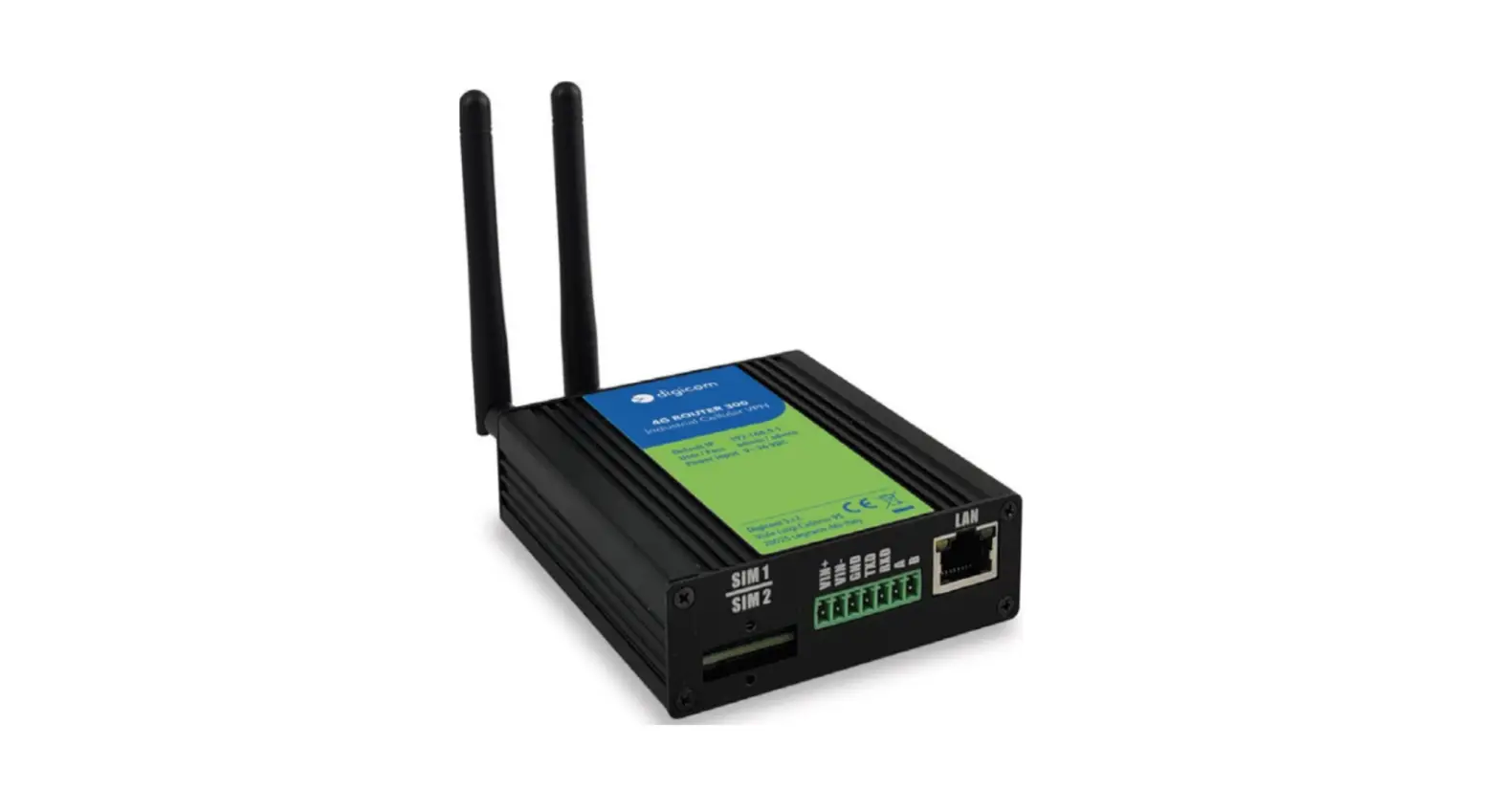
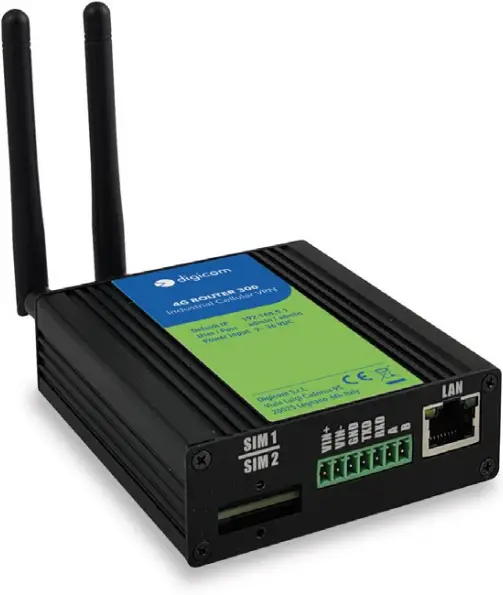
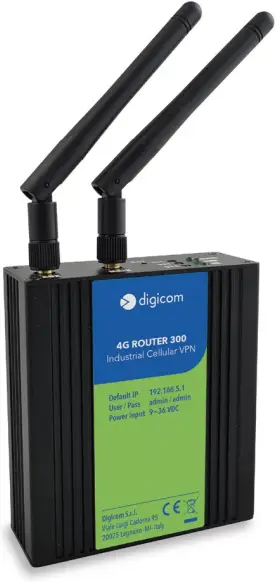
The 4G Router 300 is a Digicom Router suitable for most of the 4G connectivity needs in the industrial or monitoring environment, and constitutes a single and flexible platform. This Router allows data connectivity on LTE networks, at 4G speeds of 150M in Download and 50M in Upload.
The 4G Router 300 is equipped with a dual SIM for WAN backup, 1 LAN port, a serial RS232 interface and an RS485 serial interface with ModBUS support.
The 4G Router 300 supports 9 to 36 VDC wide range power inputs, designed with reverse-voltage protection mechanism for greater reliability.
TECHNICAL FEATURES
Mobile network type (Wireless Wan on 4G/3G/2G mobile network)
- GSM 900 operating frequency 880-915, 925-960 MHz, max Power 33 dBm
- GSM 1800 operating frequency 1710-1785, 1805-1880 MHz, max Power 30 dBm
- HSDPA/HSUPA/WCDMA bands 1/8 max Power 24 dBm
- 4G/LTE-FDD bands 1/3/7/8/20/28A max Power 23 dBm
- 2 x SMA female antenna connector
- 2 x SIM (3.0V & 1.8V)
Ethernet Interface
- Standard: IEEE 802.3, IEEE 802.3u
- 1 LAN x 10/100 Mbps, RJ45 connector
- 1.5KV magnetic isolation protection
Serial Interface
- 1 × RS232 (3 PIN): TX, RX, GND
- 1 x RS485 (2 PIN): Data+(A), Data-(B)
- Baud rate: 300 bps to 115200 bps
- Connector: terminal block
- 15KV ESD protection
Other Interfaces
- 1 × RST button
- LED instruction: 1 x SYS, 1 x NET, 1 x USR, 3 x RSSI
Software
- Main network protocols: DHCP, ICMP, HTTP, HTTPS, DNS, NTP
- VPN: GRE, OpenVPN, IPsec
- Policy: RIPv1/RIPv2/OSPF/BGP dynamic route (optional)
- Firewall & Filter: Port forwarding, DMZ, anti-DoS, ACL
- Serial port: TCP server and client, UDP
- Modbus Management
Power Supply and Consumption
- Connector: 7-pin 3.5 mm female socket
- Input voltage range: 9~36VDC
- Power consumption:
Idle: 50 mA@12V
Data link: 800 mA (peak) @12V
Physical Specification
- Housing & Weight: Aluminum, 200g
- Dimension: 82.8mm x 93.3mm x 28.8mm (excluding antenna)
- Installations: Din-rail mounting
PACKAGE CONTENT
- 1 x 8E4631 – 4G Router 300
- 1 x 7-pin 3.5 mm male terminal block for Power Input/RS232/RS485
- 1 x Ethernet cable
- 1 x DIN rail mounting kit
- 1 x Quick Guide
FRONT VIEW
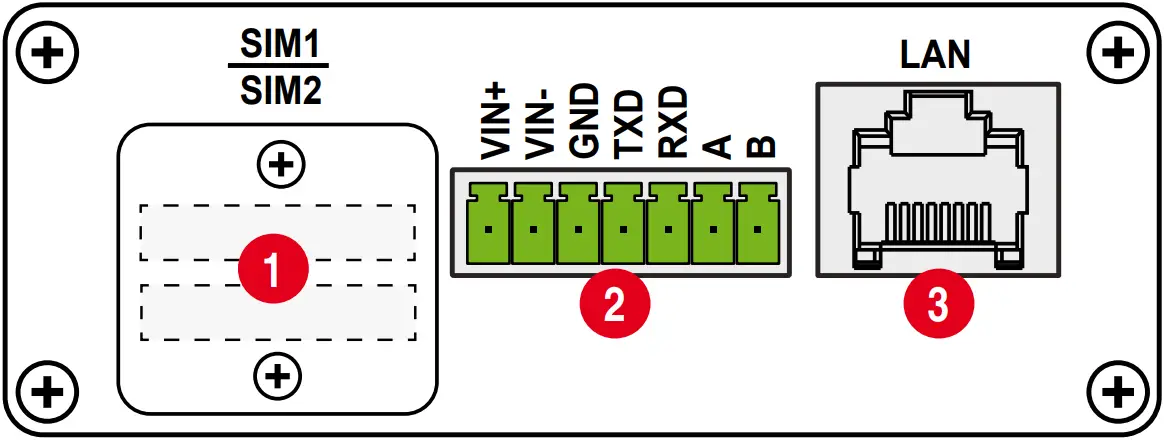
| DESCRIPTION | ||
| 1 | SIM | 2 slot for SIM |
| 2 | Input | Power: 1 RS232 (3 PIN): TX, RX, GND 1 RS485 (2 PIN): Data+(A), Data-(B) |
| 3 | Ethernet | RJ45 port for connecting the computer or other device in the Lan network – 10/100 Mbps |
REAR VIEW
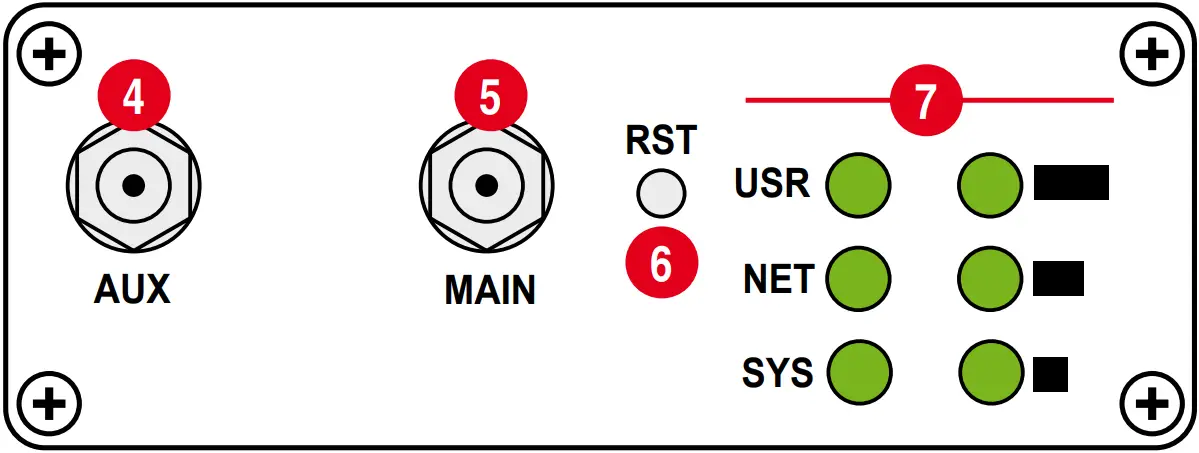
| ANTENNA | DESCRIPTION | |
| 4 | AUX | Antenna mobile network Aux removable, SMA female antenna connector |
| 5 | MAIN | Antenna mobile network Main removable, SMA female antenna connector |
| BUTTON | FUNCTION | ACTION | |
| 6 | RST | Reboot | Press the RST button within 3s under operation status |
| Factory Reset | Press the RST button between 3s to 10s, all LEDs blink few times then reboot the Router manually | ||
| Run Normally | Press the RST button more than 10s, router will run normally without reboot or factory reset |
| LED | COLOR | STATUS | DESCRIPTION | ||
| 7 | SYS | Green | Slow Blinking (500ms duration) | Operating normally | |
| Fast Blinking | System initialing | ||||
| Off | Power is off | ||||
| NET | Green | On | Register to Highest priority network service (depend on Radio, e.g. Radio support LTE as Highest priority network). | ||
| Fast Blinking (500ms duration) | Register to Non-Highest priority network service (depend on Radio, e.g. Radio support LTE as Highest priority network, then WCDMA and GPRS is non-highest priority network). | ||||
| Off | Register failed | ||||
| USR: SIM | Green | On | Router is trying cellular connection with SIM1 | ||
| Fast Blinking (250ms duration) | Router is trying cellular connection with SIM2 | ||||
| Off | No SIM detected | ||||
| Blinking | Wi-Fi is enabled and data transmission | ||||
| Off | Wi-Fi is disable or initialize failed | ||||
| Signal Strength Indicator
| Green | On, 3 LED light up | Signal strength (21-31) is high | ||
| On, 2 LED light up | Signal strength (11-20) is medium | ||||
| On, 1 LED light up | Signal strength (1-10) is low | ||||
| Off | No signal | ||||

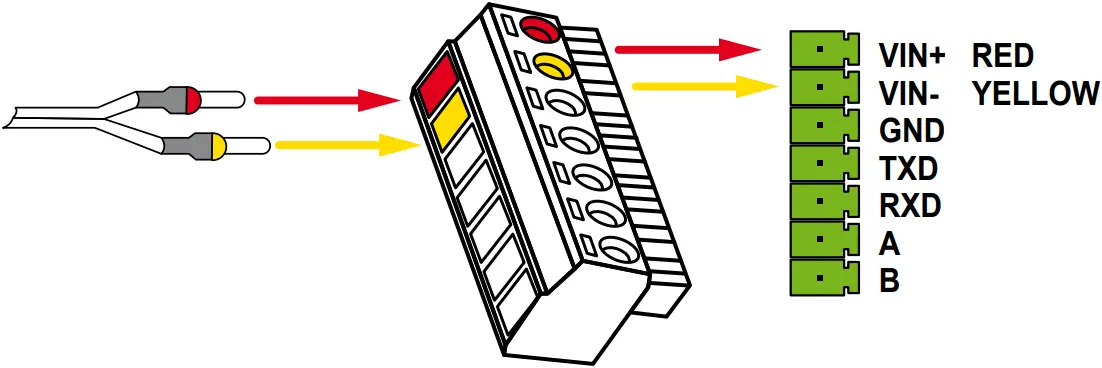
PIN DEFINITION OF TERMINAL BLOCK
| PIN | RS232 | RS485 | POWER INPUT | DIRECTION | |
| 1 | — | — | VIN+ | Positive (Red Line) |  VIN+ VIN+ |
| 2 | — | — | VIN- | Negative (Yellow Line) | VIN- |
| 3 | GND | — | — | — | GND |
| 4 | TXD | — | — | Router –> Device | TXD |
| 5 | RXD | — | — | Router <– Device | RXD |
| 6 | — | A | — | Router <–> Device | A |
| 7 | — | B | — | Router <–> Device | B |
INSERT / REMOVE SIM CARD
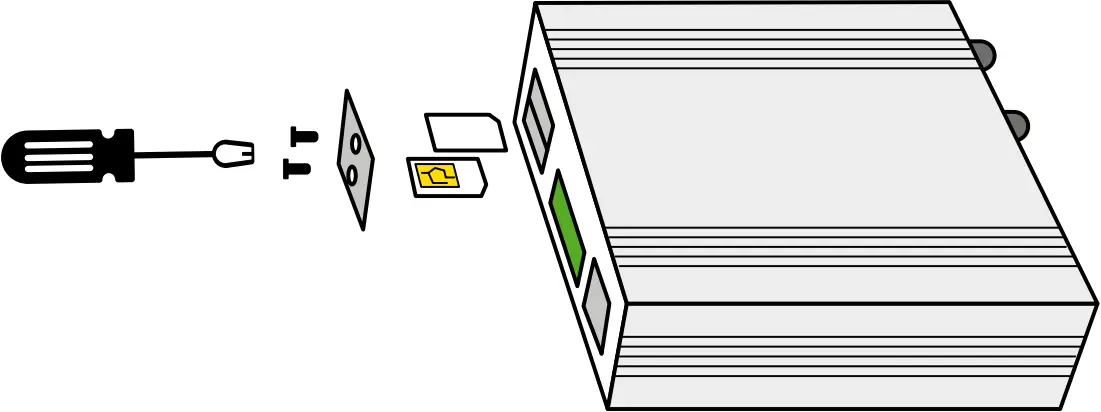
- Make sure the power is disconnected.
- Use a Phillips-head screwdriver to remove SIM slot cover.
- Insert the SIM card(s) in to the SIM sockets.
- Replace the SIM slot cover.
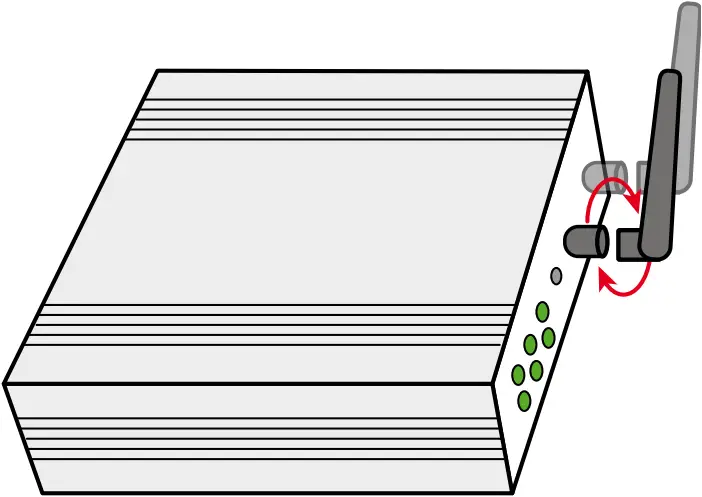
INSTALL ANTENNA
Connect the cellular antenna to the MAIN and AUX connector on the unit.
POWER SUPPLY INSTALLATION
- Remove the pluggable connector from the unit, then loosen the screws for the locking flanges as needed.
- Connect the wires of the power supply to the terminals.
POWER ON THE ROUTER
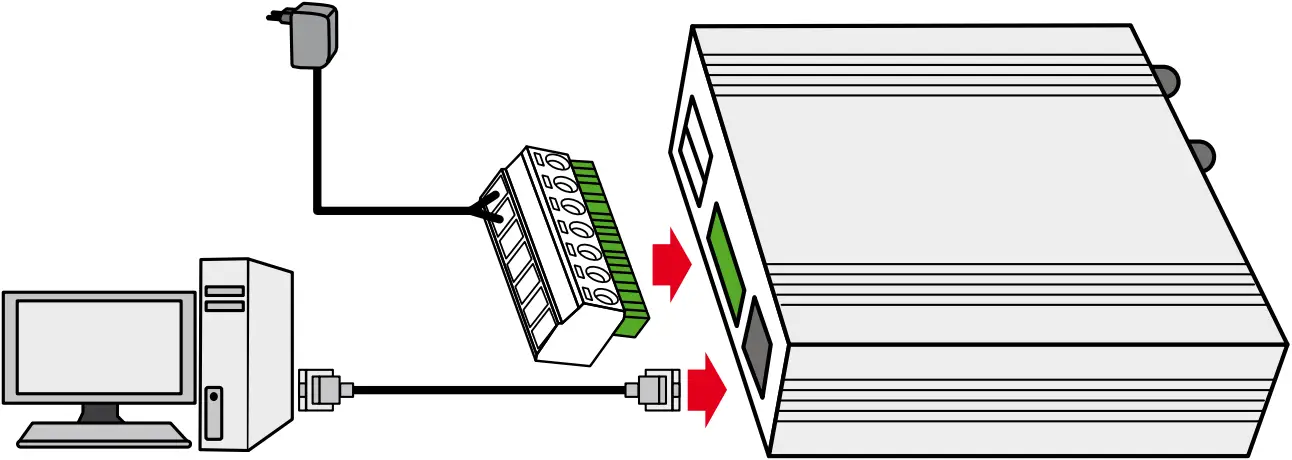
- Connect one end of the Ethernet cable to the LAN port on the unit and the other end to a LAN port on a PC.
- Connect the AC power to a power source.
- Router is ready when SYS LED is blinking.
ACCESS TO WEB PAGE
4G Router 300 supports Web-based configuration interface for management. If this is the first time for you to configure the Router, please refer to below default settings.
LAN IP Address: 192.168.5.1
Username: admin
Password: admin
DHCP Server: Enabled
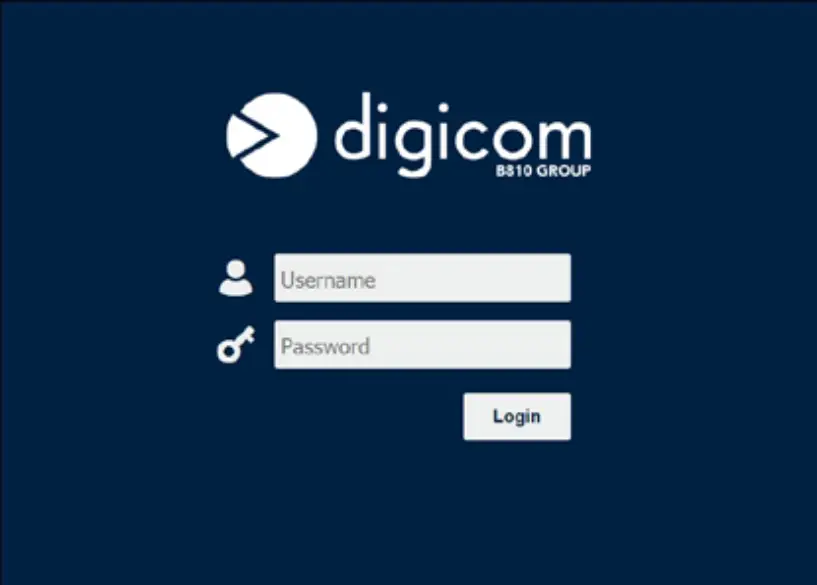
LOGIN TO WEB PAGE
- Start a Web browser on your PC (Chrome and IE are recommended), enter 192.168.5.1 into the address bar of the web browser.
- Then use the default username and password (admin/admin), to log in to the Router.
BASE CONFIGURATION
- Browse to Link Management / Cellular menu.
- Click on Cellular Tab.
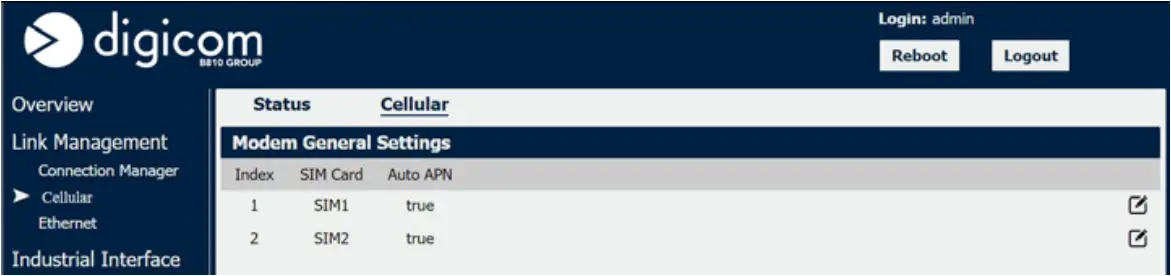

- Click on
 icon to access the configuration menu.
 icon to access the configuration menu.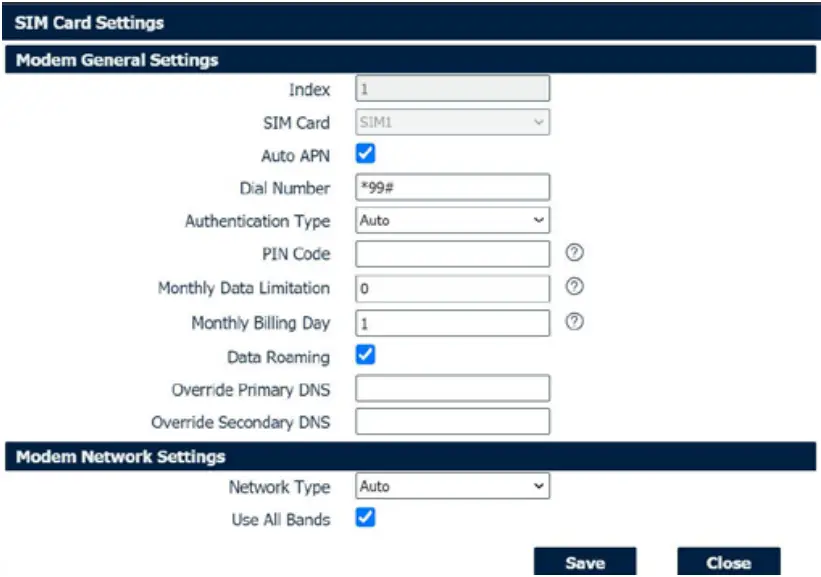
- Fill the required fields.
- Save the configuration.
- Reboot the device.
 NOTE: To obtain an optimal connection it is suggested to disable the Auto APN function and configure the connection using the parameters provided by the telephone company.

Digicom S.r.l.
ITALY • Viale Luigi Cadorna 95
20025 Legnano -MI- Tel. +39.0331.702611
www.digicom.it
 Digicom Srl Home Page