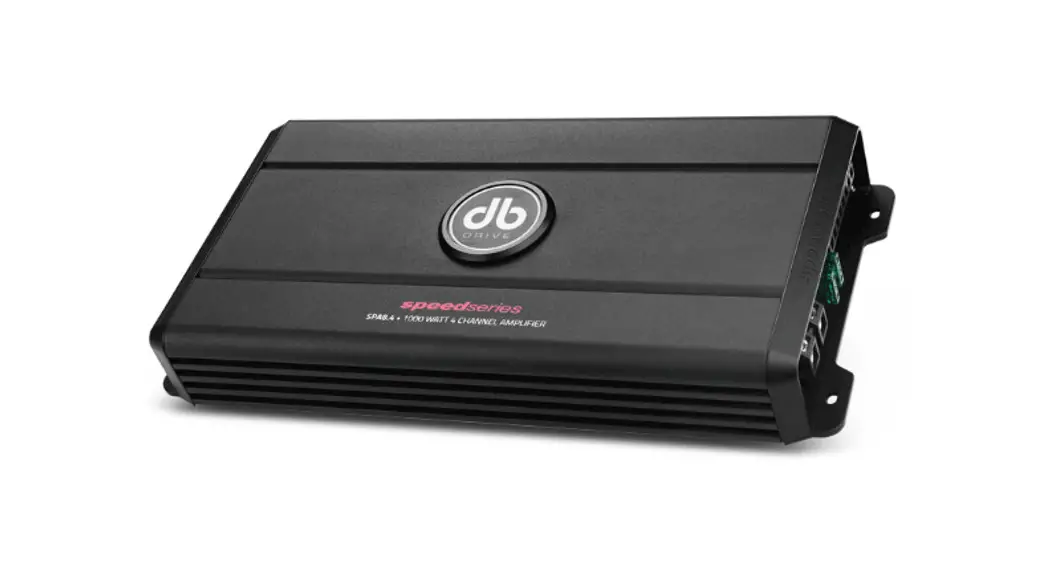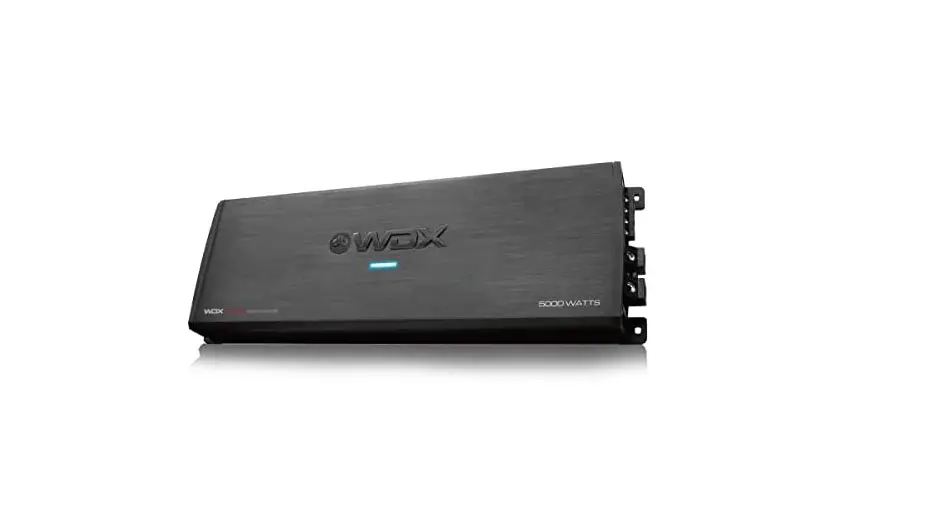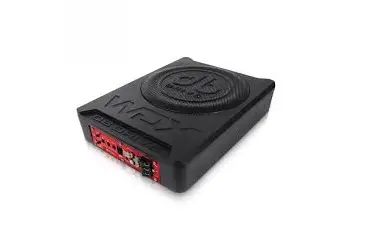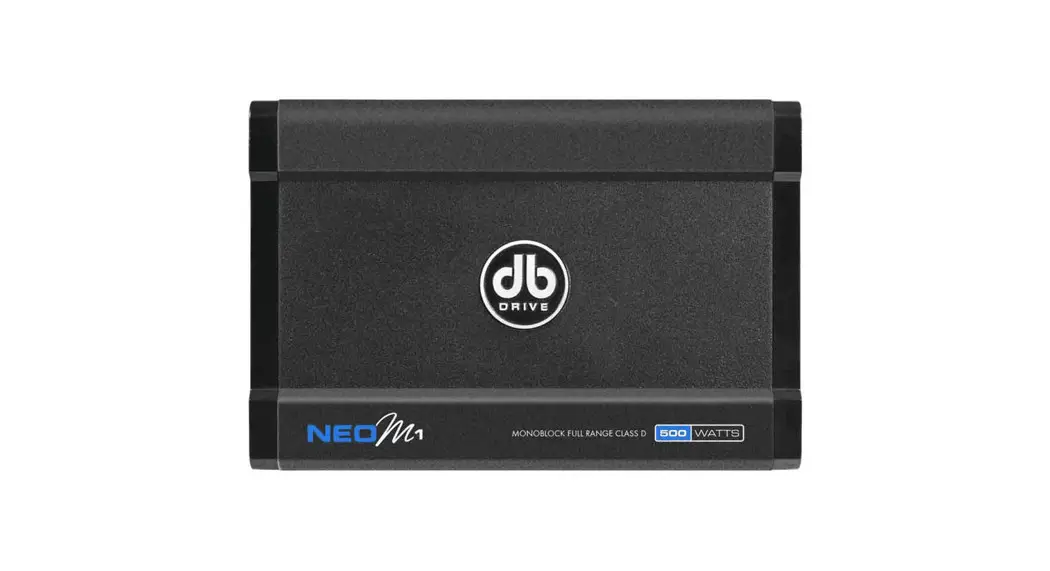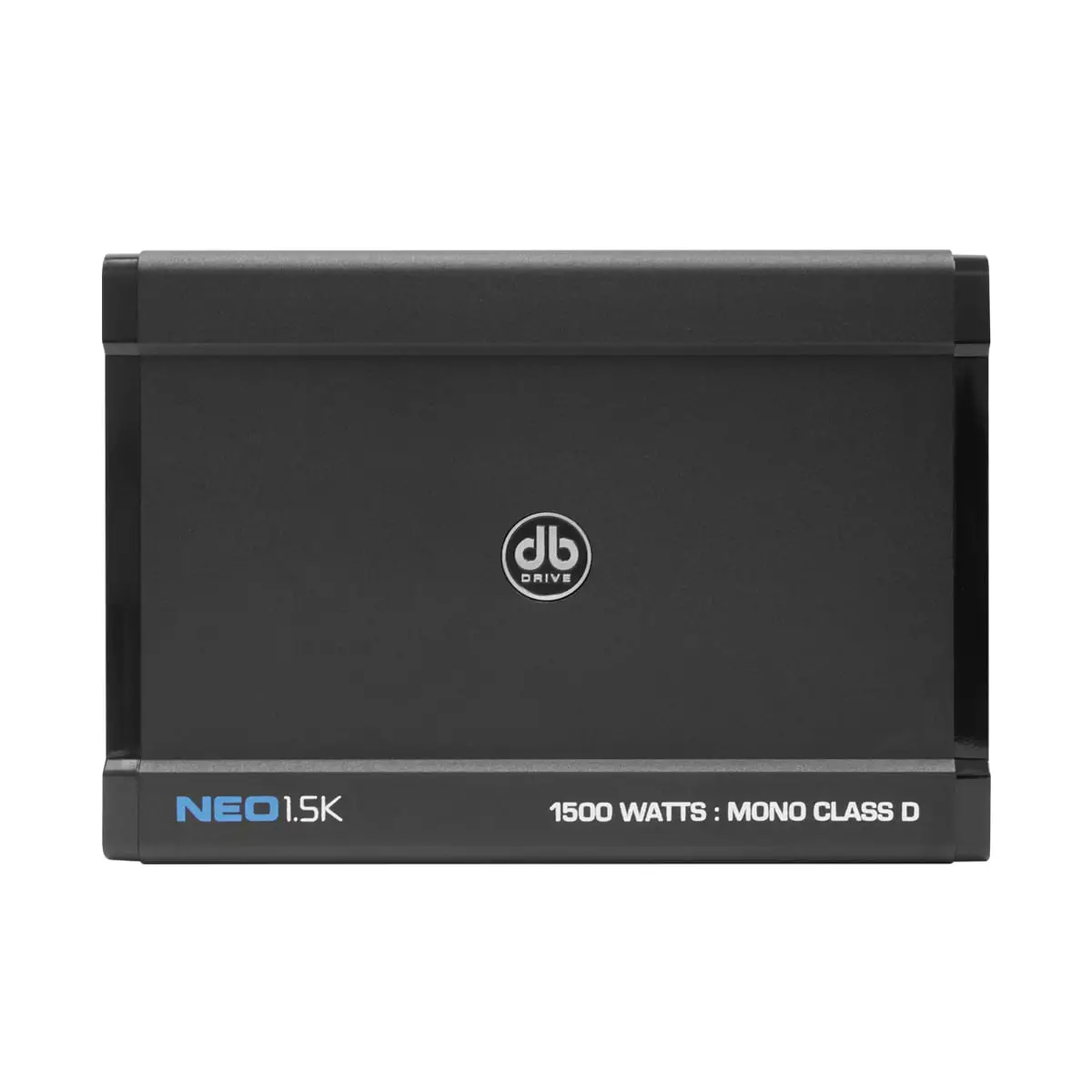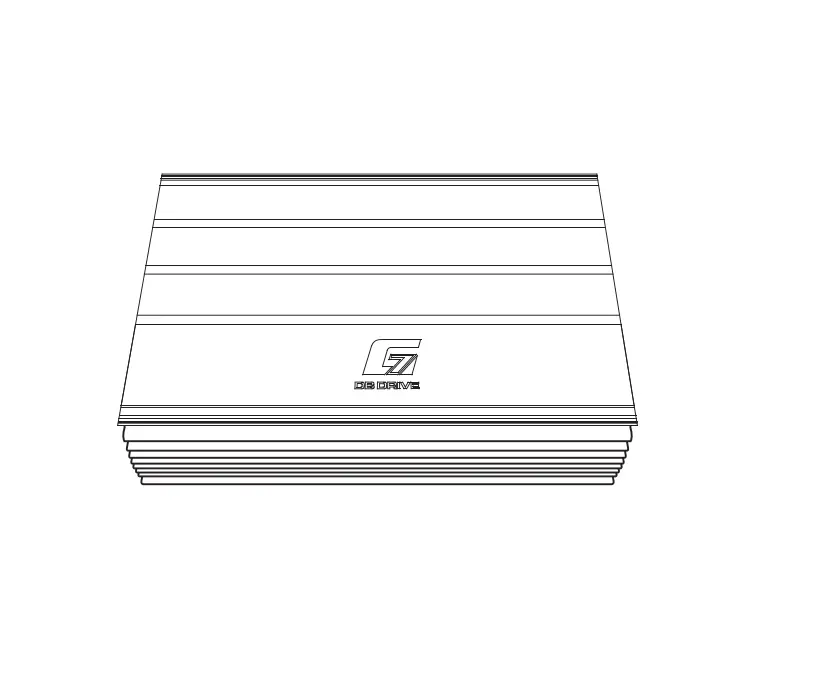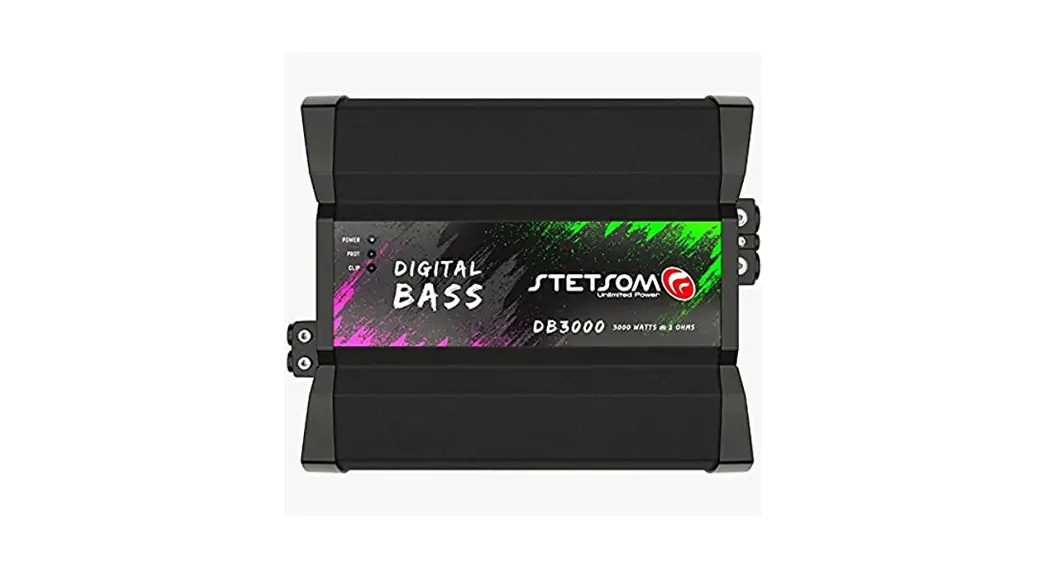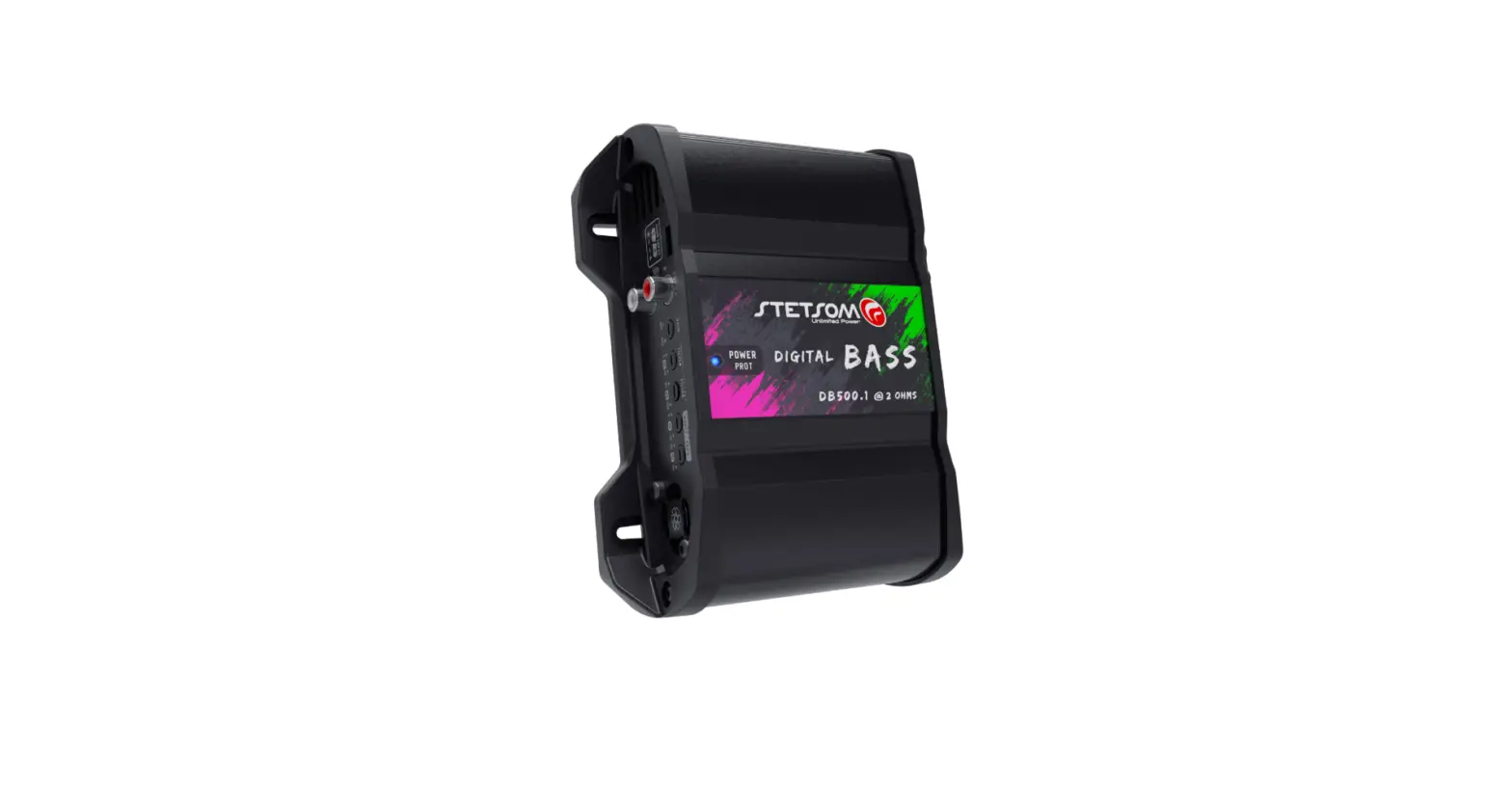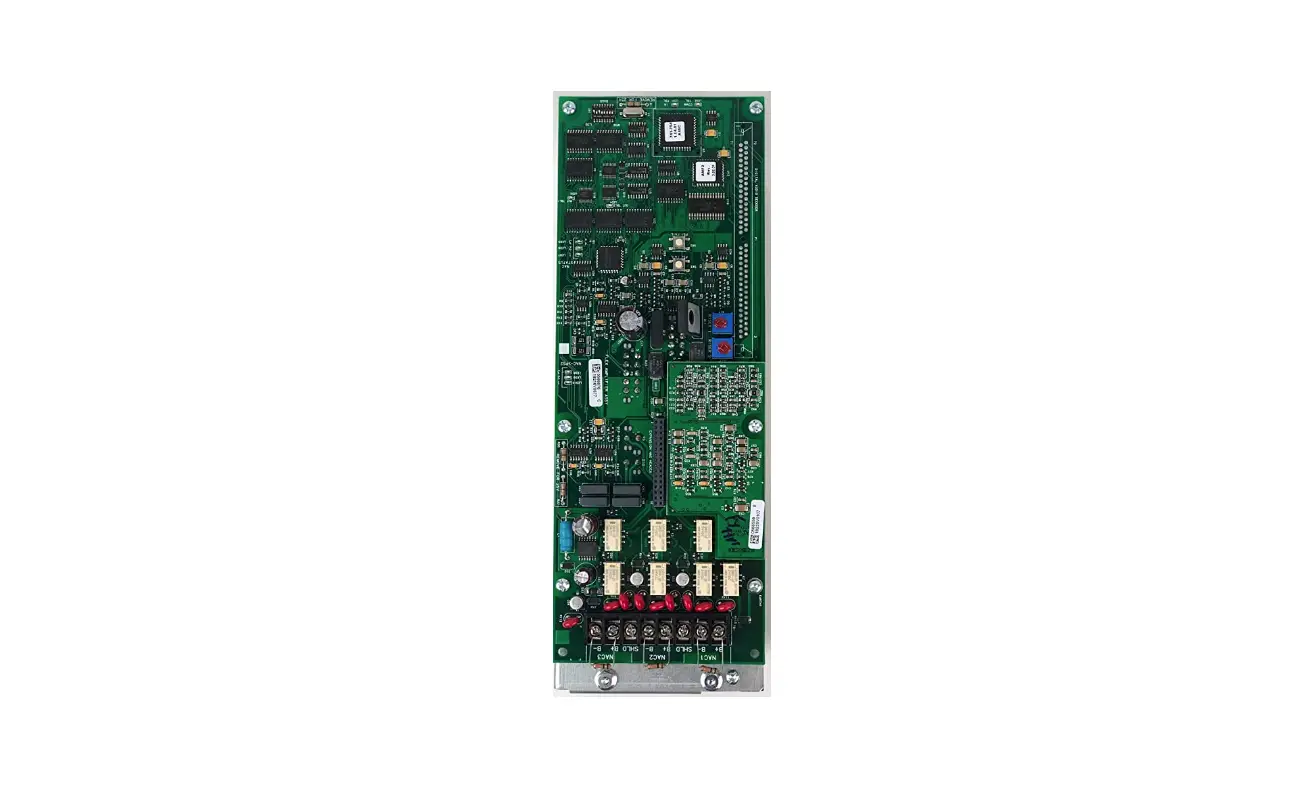
db DRIVE WDX-1000.1 WDX Mini Amplifier
Due to continuous improvement of the product, the specifications are subject to change without notice.
Introduction
Congratulations on your purchase of a DB Drive state-of-the-art amplifier. Your selection of a DB Drive product indicates a true appreciation of fine musical reproduction. Whether adding to an existing system or including your DB Drive amplifier in a new system, you are certain to notice immediate performance benefits.
Product Commitment
DB’s engineering professionals harnessed years of expertise, experience and passion, coupled with exhaustive testing and creative design to develop the optimal product and performance for your musical enjoyment. This is our commitment to you. It’s what you deserve and have come to expect from DB DRIVE. We appreciate the confidence and look forward to your positive experience.
Keep Your Sales Receipt
Take this time to attach your sales receipt to the manual and put in a safe place. In case of any unforeseen reason this product may need warranty service, your receipt will be necessary to establish purchase date
Recommendation
A power amplifier’s performance is only as good as its installation. Proper installation will maximize the system’s overall performance. It is recommended that you have our product installed by an authorized DB Drive retailer. However, if you decide to install it yourself, please carefully read through this manual and take your time to do a quality installation.
Optimal Product Choice
To get the Maximum performance out of your stereo system, we recommend using 100% authentic DB Drive electronics and DB LINK wiring and accessories. Matching DB Drive amplifiers and speakers with your state-of the art electronics purchase is critical to optimize your system’s performance. Wiring is the lifeblood of a system, make sure your audio system has the adequate current and signal transfer it deserves and needs. DB Link has it all, from wiring rolls; speaker power ground, remote to amplifier kits, RCAs, fuse holders, distribution blocks and battery connectors. Insist on getting the best, DB LINK. It’s what you deserve to get the optimum performance from your audio system.
IMPORTANT!
Before making any connections, disconnect the car’s battery until the installation is completed to avoid possible damage to the electrical system.
WARNING!
Exposure to high power sound system can cause hearing loss or damage. Listening to your system at loud levels while driving will impair your ability to hear traffic sounds and emergency vehicles. Use common sense when listening to your system.

WDX AMPLIFIER’S SPECIFICATION
WDX Digital Monoblock Class D Amplifiers
| Load | Voltage & THD | WDX 1000.1 | WDX 1500.1 | WDX 2000.1 | WDX 3000.1 | WDX 4000.1 |
4ohm | 14.4 volts & 1% | 1 X 250 Watts | 1 X 375 Watts | 1 X 500 Watts | 1 X 750 Watts | 1 X 1000 Watts |
| 2ohm | 14.4 volts & 1% | 1 X 500 Watts | 1 X 750 Watts | 1 X 1000Watts | 1 X 1500 Watts | 1 X 2000 Watts |
1ohm | 14.4 volts & 1% | 1 X 1000 Watts | 1 X 1500 Watts | 1 X 2000 Watts | 1 X 3000 Watts | 1 X 4000 Watts |
Frequency Response | 20Hz ~ 300Hz | 20Hz ~ 300Hz | 20Hz ~ 300Hz | 20Hz ~ 300Hz | 20Hz ~ 300Hz | |
Signal to Noise Ratio | < 95dB | < 95dB | < 95dB | < 95dB | < 95dB | |
| Damping Factor | 100dB < | 100dB < | 100dB < | 100dB < | 100dB < | |
| Working Voltage | 12 ~ 15 volts |
| Low Level Input | 6V – 0.2V |
| Low Pass Filter ( @ 12dB Slope ) | Variable 40Hz ~ 300Hz |
| Bass Equalizer | 0dB – 9dB |
| Subsonic Filter ( @ 12dB slope ) | Variable 10Hz ~ 40Hz |
| Included Remote Level Control | Yes |
*WDX Amplifiers are not recommended to run under 1 ohm. Running them below recommended value could cause serious damage to internal components and would void warranty.
WDX Multi-Channel Class D Amplifiers
Load | Voltage & THD | WDX 100.4 | WDX 200.4 | WDX 300.4 | WDX 5500.5 |
| 4ohm | 14.4 volts & 1% | 4 X 100 Watts | 4 X 200 Watts | 4 X 300 Watts | 4 X 200 Watts @4ohms + 500 Watts @2ohms |
| 2ohm | 14.4 volts & 1% | 4 X 150 Watts | 4 X 300 Watts | 4 X 400 Watts | 4 X 400 Watts @2ohms + 500 Watts @2ohms |
| 4ohm(bridged) | 14.4 volts & 1% | 2 X 150 Watts | 2 X 300 Watts | 2 X 400 Watts | |
| Frequency Response | 20Hz ~ 22KHz | 20Hz ~ 22KHz | 20Hz ~ 22KHz | 20Hz ~ 22KHz | |
| Signal to Noise Ratio | < 105dB | < 105dB | < 105dB | < 105dB | |
| Damping Factor | 200dB < | 200dB < | 200dB < | 200dB < | |
WDX 4 Channel Amplifiers
| Working Voltage | 12 ~ 15 volts |
| Low Level Input | 6V ~ 0.2V |
| High Pass Filter ( @ 12dB Slope ) | Variable 20Hz ~ 5KHz |
| Bass Equalizer | 0dB – 9dB |
| Independent Selectable X-over for F / R | HPF / LPF /BP/ FULL |
| Low Pass Filter ( @ 12dB Slope ) | Variable 50Hz ~ 5KHz |
WDX 5 Channel Amplifiers
| Working Voltage | 12 ~ 15 volts |
| Low Level Input | 6V ~ 0.2V |
| High Pass Filter ( @ 12dB Slope ) | Variable 40Hz ~ 300Hz |
| Bass Equalizer | 0dB – 12dB |
| Independent Selectable X-over for F / R | HPF / LPF / FULL |
| Low Pass Filter ( @ 12dB Slope ) | Variable 40Hz ~ 300Hz |
*WDX 4 Channel Amplifiers are not recommended to run under 2 ohm stereo or 4 ohm mono. Running them below recommended value could cause serious damage to internal components and would void warranty.
WDX AMPLIFIER’S CONTROL & CONNECTION.
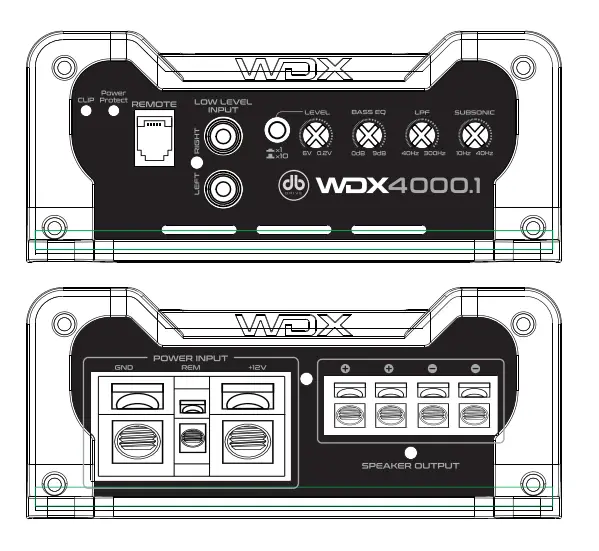
WDX Digital Monoblock Class D Amplifiers
 AUDIO PROTECTION CIRCUIT
POWER & PROTECTION INDICATOR Power LED – GREEN-lit shows normal operation
Protect LED – RED-lit shows general malfunction, faulty connection or thermal protection
 SIGNAL EVALUATION STATUS INDICATOR.
RED-lit LED shows clipping peaks of audio signal
 ADAPTIVE CROSSOVER TECHNOLOGY
LOW PASS FILTER ( 40Hz ~ 300Hz @ 12dB/Oct ) Controls the low pass filter for the speaker outputs.
GAIN ( 6V ~ 0.2V )
The gain control matches the voltage of the head unit’s RCA line-outs to WDX amplifiers’ input section.
SUBSONIC FILTER ( 10Hz ~ 40Hz @ 12dB/Oct )
Controls the high Pass filter for the subwoofer outputs to eliminate extreme low frequencies that can damage your subwoofers.
BASS EQUALIZER (0-9dB @45Hz)
The Bass EQ allows you to boost the low-end frequencies centered around 45Hz. This is helpful for tuning your enclosure to your vehicle. The setting will vary according to gain setting, enclosure and vehicle type.
REMOTE LEVEL CONTROL PORT
This port is for connecting remote gain level control.
+12V ( POWER CONNECTION )
This must be connected to the fuse positive terminal ( +12V ) of the battery. * Refer to chart below for recommended gauge values.
GND ( GROUND CONNECTION )
It is connected to the Negative or ground cables of the Vehicle. *Refer to chart below for recommended gauge values.
POWER CONNECTION GAUGE SIZE
MODEL | GAUGE |
WDX 1000.1 | 4 |
| WDX 1500.1 | 4 |
WDX 2000.1 | 4 |
| WDX 3000.1 | 4 |
| WDX 4000.1 | 0 |
REM ( REMOTE )
It is connected to switched +12V with a trigger cable coming from the head unit
SPEAKER OUTPUTS
It connects amplifier’s terminals to subwoofer speakers.
Minimum speaker wire is 12 guage.
Minimum impedance is 1 ohm for single unit.
Linked connection’s minimum impedance is 2 ohm.
FUSES
WDX amplifiers require external fuses. Protect the amplifiers power supply from any shorts by externally fusing your amplifier. Any use of overvalued fuses will void all warranty.
*Refer to page 6 for recommended fuse values.
WDX Multi-Channel Class D Amplifiers
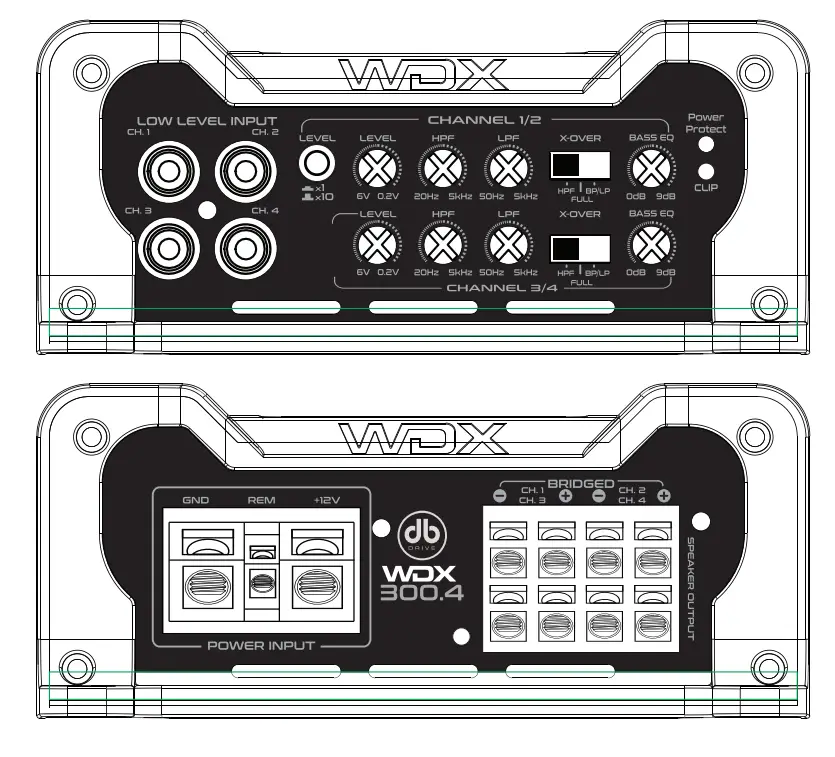
AUDIO PROTECTION CIRCUIT
POWER & PROTECTION INDICATOR
Power LED – GREEN-lit shows normal operation
Protect LED – RED-lit shows general malfunction, faulty connection or thermal protection
SIGNAL EVALUATION STATUS INDICATOR.
RED-lit LED shows clipping peaks of audio signal
GAIN ( 6V ~ 0.2V )
The gain control matches the voltage of the head unit’s RCA line-outs to WDX amplifiers’ input section.
ADAPTIVE CROSSOVER TECHNOLOGY CROSSOVER SELECTOR
Selectable @ HP-LP Band pass function ready.
*Refer to section 2-3C for more details.
HIGH PASS FILTER
(20Hz – 5KHz @ 12dB/Oct) – 4 Channel
(40Hz – 300Hz @ 12dB/Oct) – 5
Channel Controls the high pass point for the speaker outputs.
LOW PASS FILTER
(50Hz – 5KHz @ 12dB/Oct) – 4 Channel
(40Hz – 300Hz @12dB/Oct) – 5 Channel
Controls the low pass x-over point for the speaker outputs.
REMOTE LEVEL CONTROL PORT
This port is for connecting the remote gain level control.
GND ( GROUND CONNECTION )
It is connected to the Negative or ground cables of the Vehicle. Refer to chart below for recommended gauge values.
POWER CONNECTION GAUGE SIZE
MODEL | GAUGE |
WDX 100.4 | 4 |
WDX 200.4 | 4 |
| WDX 300.4 | 4 |
| WDX 5500.5 | 4 |
REM ( REMOTE )
Connected to switched +12V remote cable from the head unit.
+12V ( POWER CONNECTION )
This must be connected to a fused positive terminal ( +12V ) of the battery.
Refer to chart above for recommended gauge values.
SPEAKER OUTPUTS
The minimum recomended speaker wire is 12 guage.
The minimum impedance is 2 ohm stereo or 4 ohm mono.
FUSES
WDX amplifiers require external fuses. Protect the amplifiers power supply from any shorts by externally fusing your amplifier. Any use of overvalued fuses will void all warranty.
*Refer to page 6 for recommended fuse values.
ADAPTIVE CROSSOVER TECHNOLOGY
Adaptive Crossover Technology (4 Channel)
A) Settings for high-frequency speakers
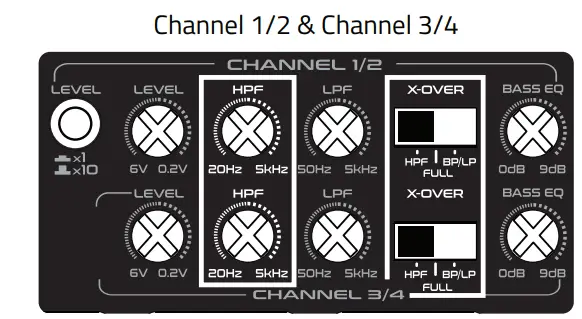
Crossover Selection to HPF position Variable Crossover HPF : 20Hz – 5KHz
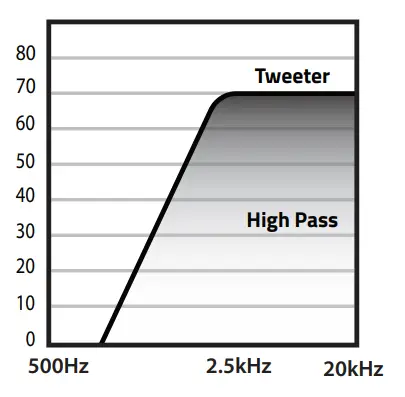
B) Settings for subwoofers
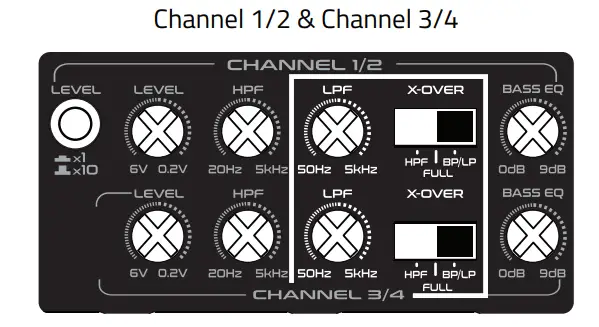
Crossover Selection to LP position Variable Crossover LPF : 50Hz – 5KHz
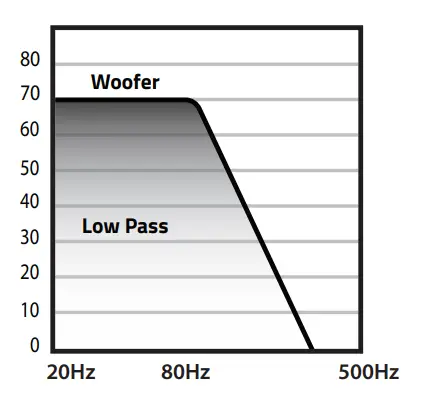
C) Settings for midrange speakers
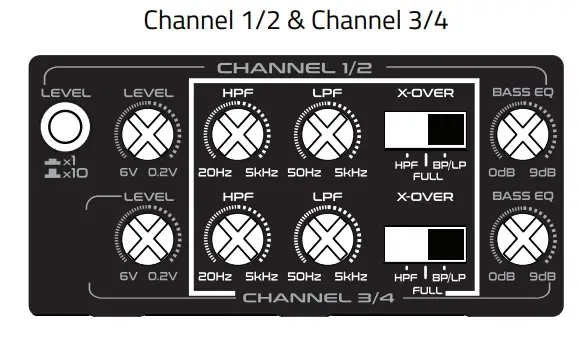
Crossover Selection to BP position: Variable Crossover HPF : 20Hz – 5KHz
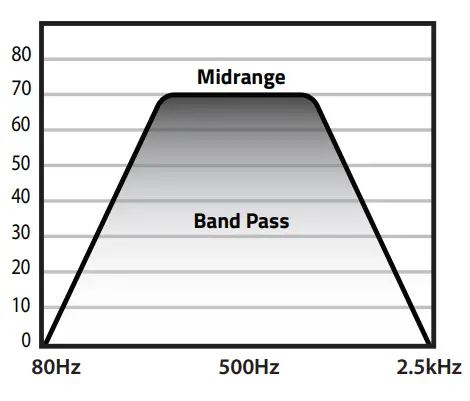
Variable Crossover HPF: 20Hz – 5KHz
Variable Crossover LPF: 50Hz – 5KHz
Variable Crossover BPF: 50Hz – 5KHz
Adaptive Crossover Technology (5 Channel)
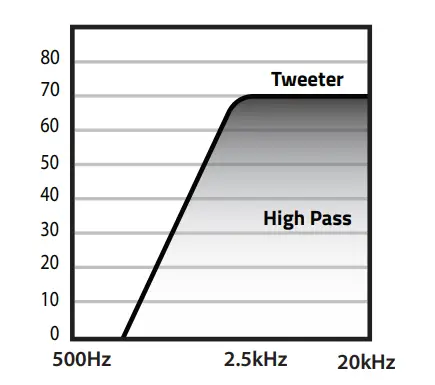
A) Settings for high-frequency speakers
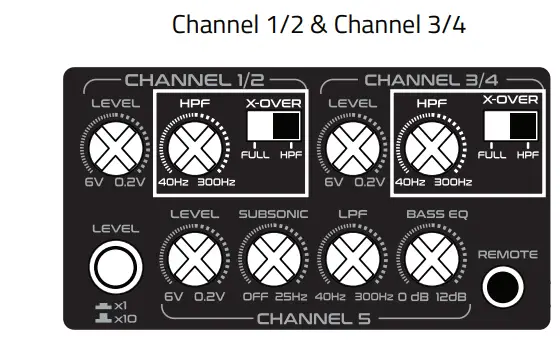
Crossover Selection to HPF position
Variable Crossover HPF : 40Hz – 300Hz
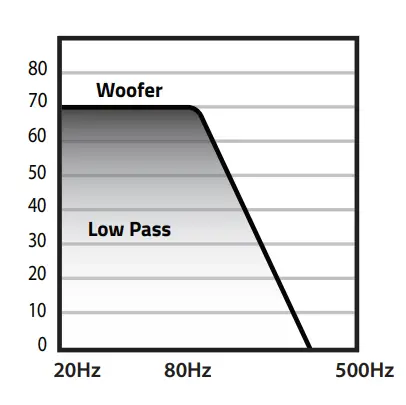
B) Settings for subwoofers
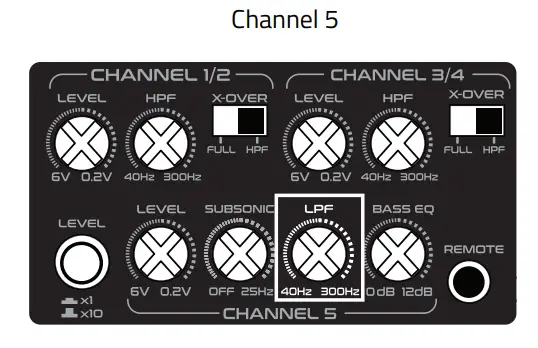
Variable Crossover LPF : 40Hz – 300Hz
INSTALLATION
Should you install the WDX amplifiers by yourself, please read the owner’s manual very carefully. Before you start your installation, please take all steps into consideration, or you can have a DB Drive or DB Research’s authorized dealer check the installation and help install your car audio system.
MOUNTING PREPARATION
Disconnect the negative ( – ) battery cable before mounting your WDX amplifier or making any connections. Check the battery and alternator ground ( – ) connections. Make sure they are properly connected and free of corrosion before selecting a mounting location. Please also take into consideration cooling efficiency and safety
MOUNTING PREPARATION
 COLLECTIVE HEAT MANAGEMENT
The WDX amplifier uses a specially designed heat radiation heatsink to avoid excessive heat from WDX circuitry. For better heat disipitation, it is recommended to find the mounting location where you can install WDX where the heatsink fins have better air flow. For safety, you have to find a dry, well ventilated location. Before mounting, be sure the location and drilling of pilot cables will not present a hazard to any cables, control cables, fuel lines, fuel tanks, hydraulic lines or other vehicle systems or components.
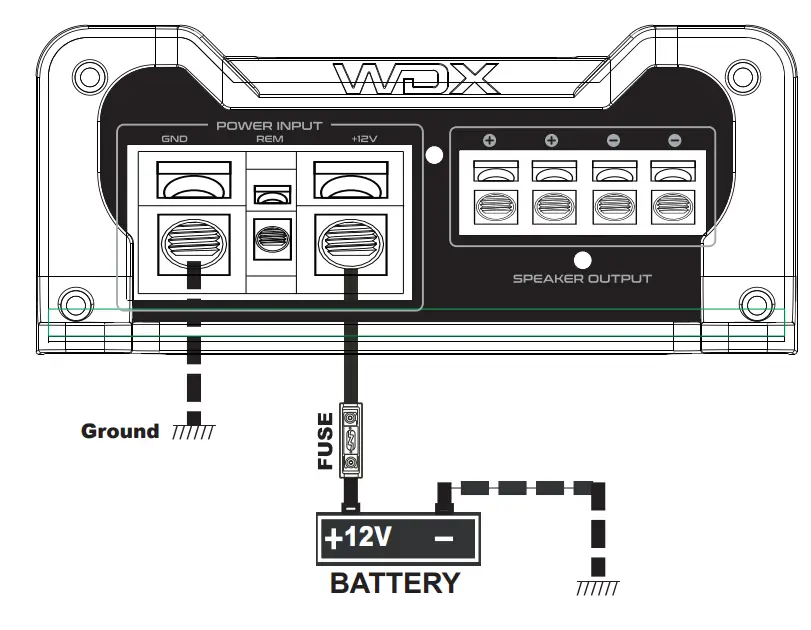
+12V, GND, REM CONNECTION
A) 12V ( POWER CONNECTION )
Before mounting WDX amplifiers, disconnect the negative ( – ) wire from battery to protect any accidental damage to the amplifier and the audio system. WDX 100.4, WDX 200.4, WDX 300.4, WDX 5500.5, WDX 1000.1, WDX 1500.1, WDX 2000.1, WDX 3000.1 are designed to use, at a minimum, 4 gauge power and ground cables. WDX 4000.1, is designed to use, at a minimum, 0 gauge cables. Connect the power cables to power terminal labeled as + 12V. WDX amplifiers are not equipped with fuses so you need to install external fuses.
| MODEL | FUSE |
| WDX 1000.1 | 60A |
| WDX 1500.1 | 90A |
| WDX 2000.1 | 120A |
| WDX 3000.1 | 200A |
| WDX 4000.1 | 250A |
| WDX 100.4 | 40A |
| WDX 200.4 | 50A |
| WDX 300.4 | 80A |
| WDX 5500.5 | 60A |
RECOMMENDED EXTERNAL FUSES
In order to install external fuses, connect one end of the fuse holder to the power cable and the other end of fuse holder within 18in of the positive battery terminal, using the same cable gauge. This fuse location will protect the system and the vehicle against the possibility of a short circuit in the power cable. Be sure to use fuses and fuse holder adequate for the current draw application.
B) GND ( GROUND CONNECTION )
Locate a secure grounding connection as close to WDX amplifiers as possible. Make sure the location is clean and provides a direct electrical connection to the frame of the vehicle. Connect one end of a short piece of the same gauge cable as the power cable to the grounding point. Run the one end of the cable to the grounding point. Run the other end of the cable to the mounting location. Connect the ground cable to the screw terminal labeled as GND.
C) REM ( REMOTE CONNECTION )
Run a remote turn on cable from the head units remote switched + 12V output.
WDX +12V, GROUND, REMOTE CONNECTION DIAGRAM.
SPEAKER CONNECTION
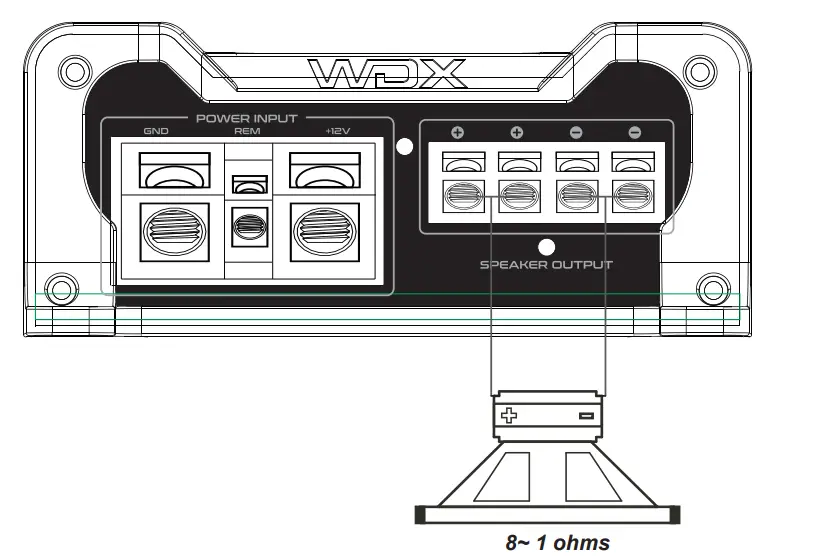
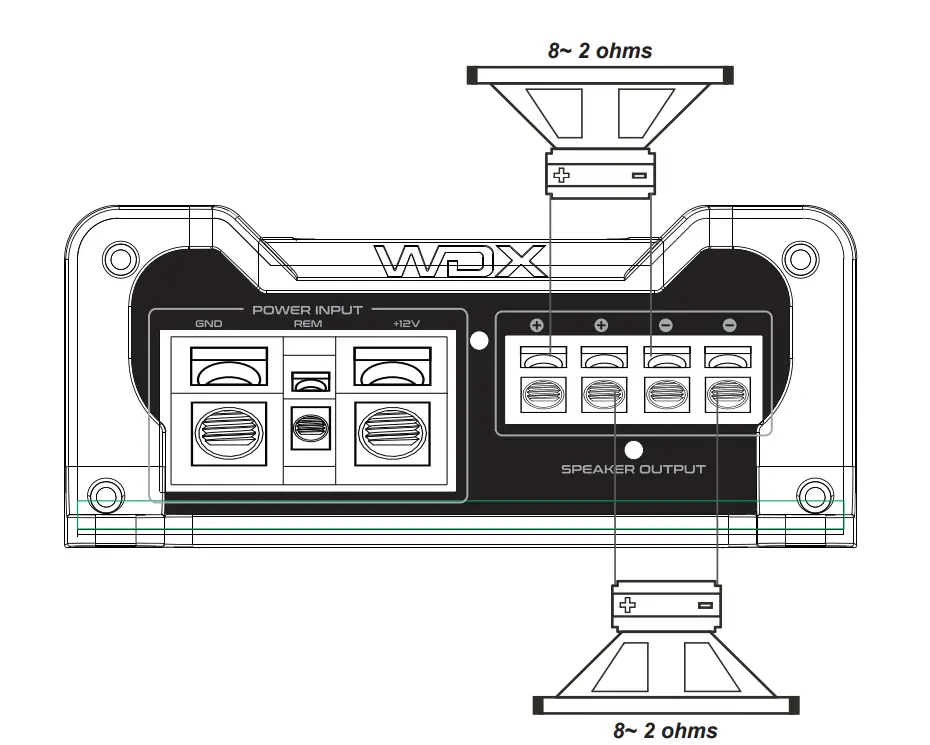
DB Drive recommends to use a minimum of 12 gauge speaker connecting cables. Run 12 gauge speaker connecting cables from your speakers to WDX amplifier’ s mounting location. Keep speaker cables away from power cables and WDX amplifier’s input cables. Use grommets anywhere the cables have to pass through the holes in the metal frame or sheet metal. Connect to the speakers according to the type of the terminals on each speaker. Strip 3/8″ of insulation from the end of each cable and twist the cables strands together tightly. Make sure there are no stray strands that might touch other cables or terminals causing a short. Crimp spade lugs over the cable ends or tin the ends with solder to provide a secure termination. Connect the cable ends to WDX amplifiers as shown on speaker system diagrams.
WDX MONOBLOCK AMPLIFIERS’ SPEAKER CONNECTION DIAGRAM 1.
WDX MONOBLOCK AMPLIFIERS’ SPEAKER CONNECTION DIAGRAM 2.
 CAUTION !!
WDX 1000.1, WDX 1500.1, WDX 2000.1, WDX 3000.1
WDX 4000.1 amplifiers minimum impedance is 1 ohms
WDX 4 CHANNEL AMPLIFIERS’ SPEAKER CONNECTION DIAGRAM 1.
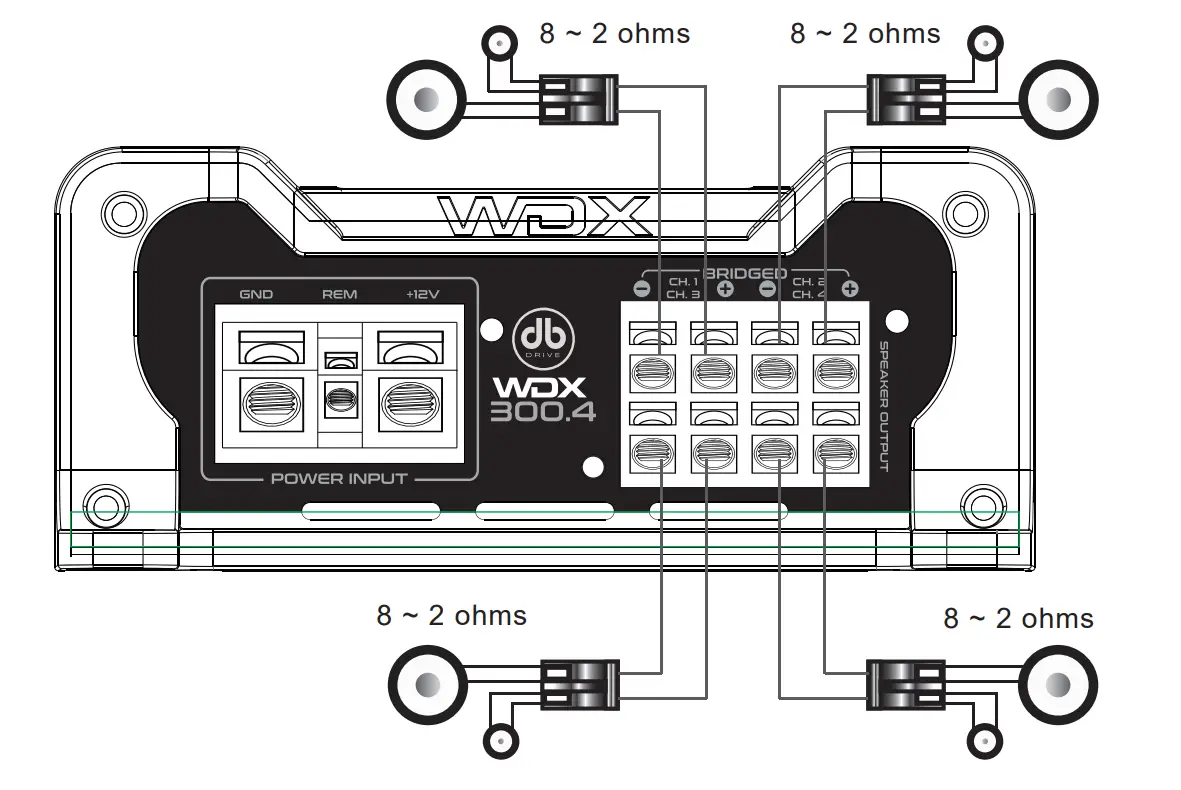
WDX 4 CHANNEL AMPLIFIERS’ SPEAKER CONNECTION DIAGRAM 2.
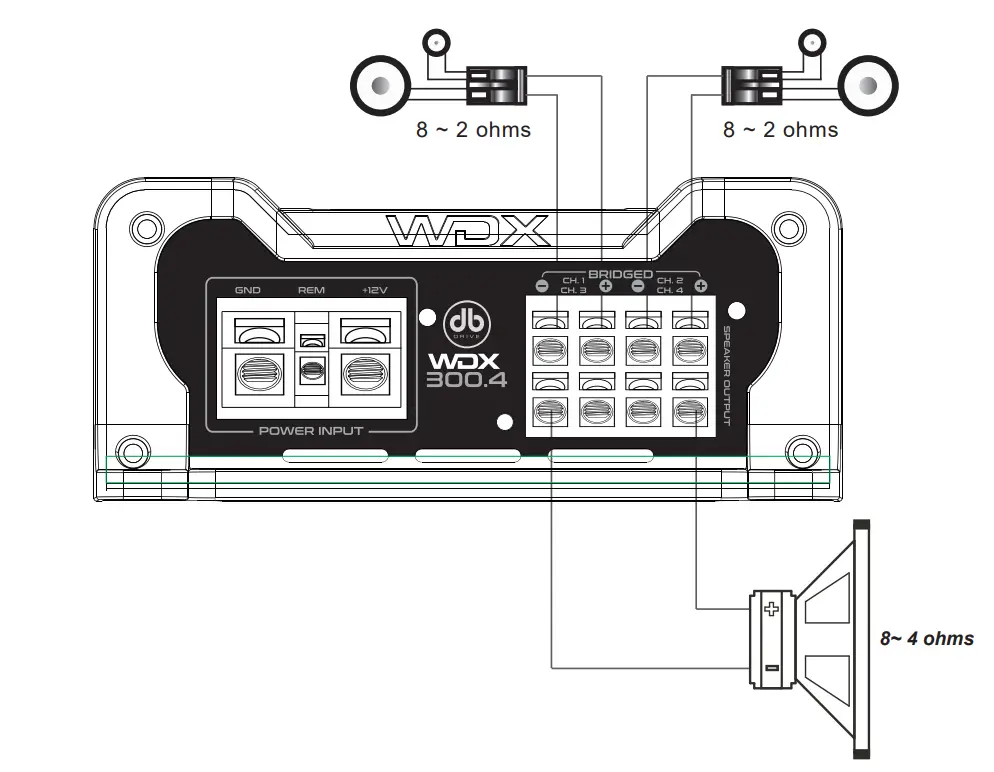
CAUTION!!
WDX 100.4, WDX 200.4 & WDX 300.4 Amplifiers’ minimum impedance is 2 ohms stereo or 4 ohm mono
WDX 5 CHANNEL AMPLIFIERS’ SPEAKER CONNECTION DIAGRAM.
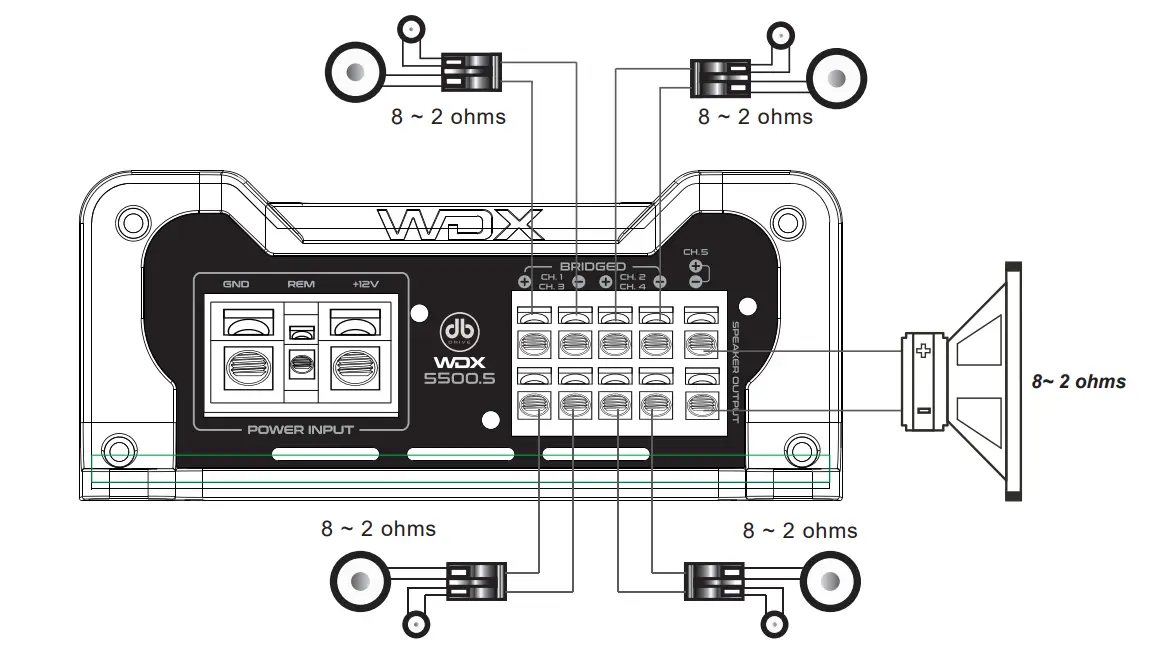
TROUBLESHOOTING
NO SOUND ( NO OUTPUT )
- Check all connections, cables’ routing, short and voltage at WDX amplifiers and headunit.
- Check external fuses. If any are blown, replace with new one.
- Check whether speakers work well. You can test speakers by connecting to another amplifier.
PROTECTION
- Please check overload, overheat ( thermal ), short, voltage and DC offset.
- Minimum working impedance for 4 channel amplifiers is 2 ohm stereo or 4 ohm mono Minimum working impedance for all Class D mono amplifiers is 1 ohm for single unit and 2 ohm for linked operation.
- If WDX amplifier shuts down due to overheat, reset by turning off the remote input and allowing time to cool down.
Please make sure there are no airflow obstructions around WDX amplifiers to prevent thermal protection. - WDX 100.4, WDX 200.4, WDX 300.4, WDX 5500.5, WDX 1000.1, WDX 1500.1, WDX 2000.1,
WDX 3000.1, and WDX 4000.1 have voltage operation of 12V~15V.
WDX amplifiers will protect if voltage is out of range.
POOR BASS RESPONSE
- Please check speaker polarities .
WHINING NOISE
- Engine noise is caused by poor grounding of WDX amplifiers, head unit battery, alternator, or other components. Please check all grounding connections.
LIMITED WARRANTY
DB Drive™ warrants any WDX™ amplifiers purchased in the USA from an authorized WDX™ dealer. All WDX™ amplifiers are warranted to be free from defects in material and workmanship under normal use and service for a period of one (1) year when the unit is installed by an authorized dealer. This warranty applies to original purchase only, non-transferable.
DB Drive™ will either repair or replace (at its option) any unit that has been found to be defective and under warranty, provided the defect occurs within the one (1) year warranty period.
This limited warranty does not extend to units that have been subjected to misuse, abuse, neglect, accident, or defaced. Products that in DB Drive™’s judgment show evidence of having been altered, modified, abused or serviced without DB Drive™’s authorization, will be ineligible under this warranty.
The original sales invoice must be presented at the time any warranty will be inspected before any warranty agreement is issued.
To obtain warranty services please contact your local retailer or DB Research directly or visit our website www.dbdrive.net for more details.
CUSTOMERS SUPPORT


DB Research L.L.P. ▪ 302 Hanmore Industrial Parkway ▪ Harlingen, TX 78550
Ph: (877) 787-0101 ▪ Fax: (956) 421-4513 ▪ tech support: [email protected]

 Breaking Car Audio World Records