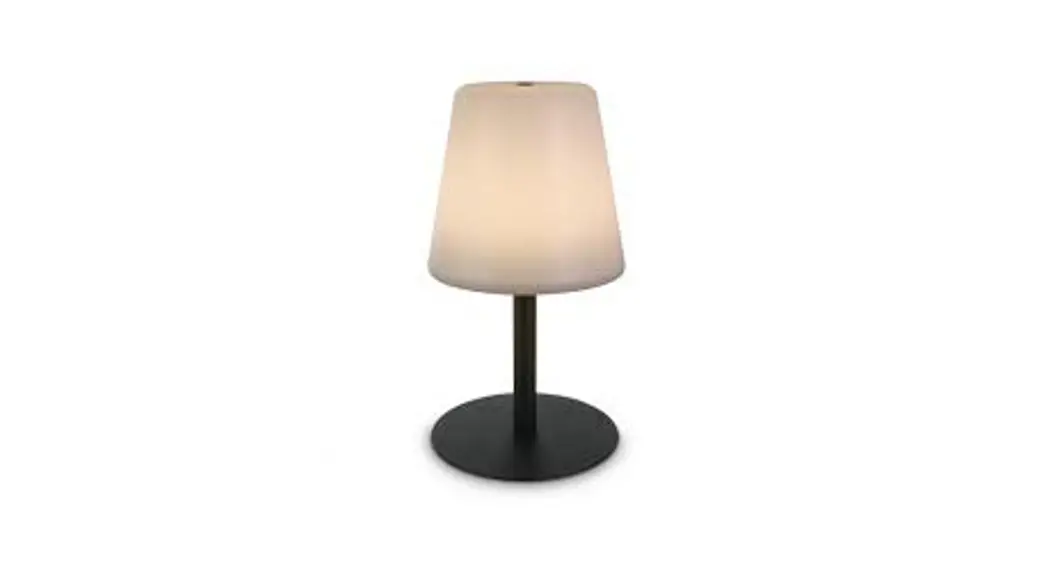
Lamp Intelligent
SACKit Lamp Intelligent
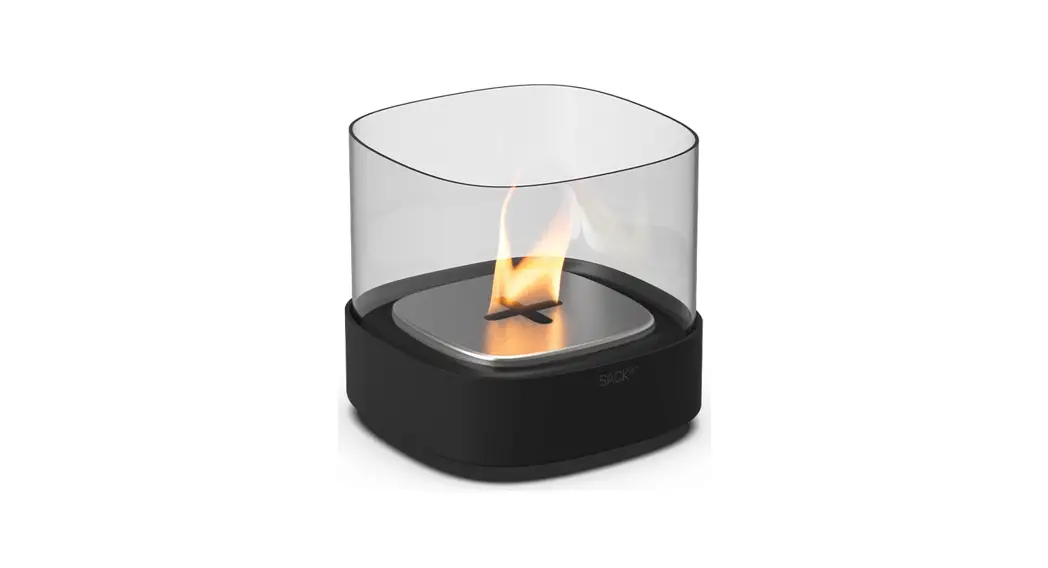
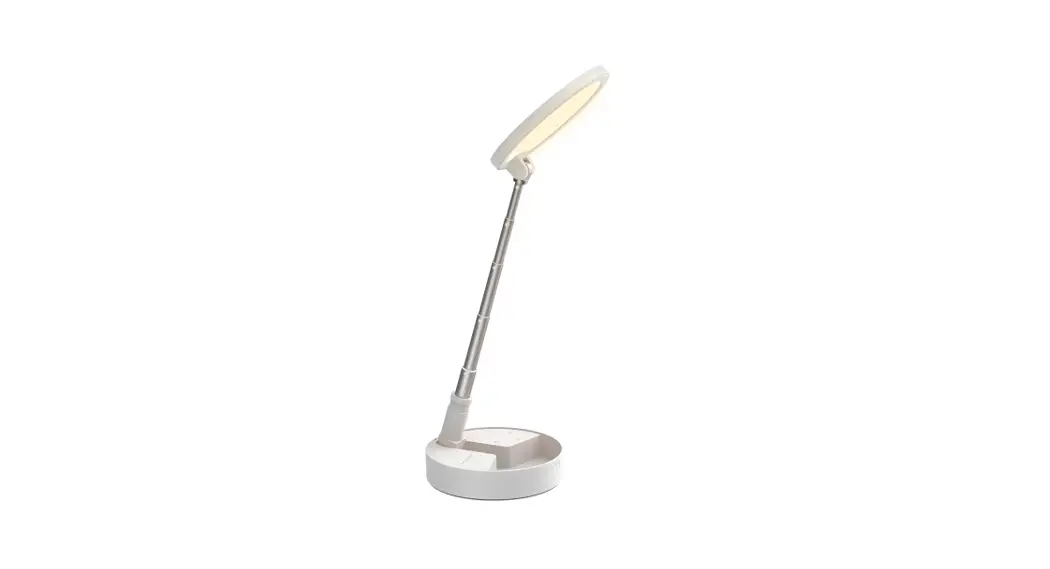
The SACKit Lamp Intelligent is a battery-powered lamp that can
be charged via USB-C charging cable. It comes with a quick start
guide and can be controlled through the SACKit Light app. The app
allows you to adjust light temperature and brightness on each
individual lamp or group up to 99 lamps.
Box Contents
- 1 x SACKit Lamp Intelligent
- 1 x USB-C charging cable (adapter not included)
- 1 x Quick start guide
Quick Start Guide
- Charge the lamp for a minimum of 3 hours.
- Turn on the light by pressing the top and hold for 1 sec.
- Toggle through three levels of brightness.
- Download SACKit light application for more functions.
- Now enjoy the moment with the pleasant light. *5 clicks in
total from the time you turn on the light until you turn it off
again.
NOTE: Turn off the lamp after use to extend
battery life.
Product Overview
- Lamp shade
- Charging zone
- SACKit Light App
The SACKit Light app lets you adjust, group, and operate up to
99 SACKit lamps. To operate the lamps, at least one of them needs
to be 10 – 25 meters from your phone (depending on the obstacles
between them). The same goes for the rest of the lamps, that needs
to be 10 – 25 meters from another lamp to stay connected.
How to use SACKit Lamp Intelligent
- Charge the lamp for a minimum of 3 hours using the USB-C
charging cable. - Turn on the lamp by pressing the top and holding for 1
second. - Toggle through three levels of brightness by pressing the top
once for low, twice for medium, and thrice for high
brightness. - Download the SACKit Light app from the Apple App Store or
Google Play to adjust light temperature and brightness on each
individual lamp or group up to 99 lamps. - Enjoy the moment with the pleasant light.
- Turn off the lamp after use to extend battery life.
NOTE: To operate the lamps, at least one of
them needs to be 10 – 25 meters from your phone (depending on the
obstacles between them). The same goes for the rest of the lamps,
that needs to be 10 – 25 meters from another lamp to stay
connected.
How to Charge the Lamp
Connect the USB-C charging cable to the charging zone of the
lamp and the adapter (not included) and plug it into a power
source.
Troubleshooting
If you experience technical problems, please contact our
customer service at [email protected].
Important Safety Information
- Do not use the lamp in wet or damp locations.
- Do not expose the lamp to fire or high temperatures.
- Do not disassemble or modify the lamp.
- Do not touch the lamp while it is charging.
Disposal of the Product
Please dispose of the product in accordance with your local
regulations for electronic waste.
Technical Specifications
- Input: DC 5V/1A
- Battery capacity: 2200mAh
- Power: 5W
- Color temperature: 2700K-6500K
- Brightness: 200lm
- Dimensions: Ø120 x H220 mm
SACKit Lamp Intelligent
USER MANUAL
CONTENT
THANK YOU! . . . . . . . . . . . . . . . . . . . . . . . . . .
3
BOX CONTENS . . . . . . . . . . . . . . . . . . . . . . .
4
QUICK START GUIDE . . . . . . . . . . . . . . . . . .
4
PRODUCT OVERVIEW . . . . . . . . . . . . . . . . . .
4
HOW TO USE SACKIT LAMP INTELLIGENT 5
HOW TO CHARGE THE LAMP . . . . . . . . . . .
6
TROUBLESHOOTING . . . . . . . . . . . . . . . . . . .
6
IMPORTANT SAFETY INFORMATION . . . . .
7
DISPOSAL OF THE PRODUCT . . . . . . . . . . .
7
TECHNICAL SPECIFICATIONS . . . . . . . . . . .
7
TAK! . . . . . . . . . . . . . . . . . . . . . . . . . . . . . . . . .
9
INDHOLD I KASSEN . . . . . . . . . . . . . . . . . . .
10
QUICK START GUIDE . . . . . . . . . . . . . . . . . .
10
PRODUKT OVERBLIK . . . . . . . . . . . . . . . . . . .
10
SÅDAN BRUGES SACKIT LAMP INTELLIGENT 11
SÅDAN OPALDES SACKIT LAMP INTELLIGNET 12
TROUBLESHOOTING . . . . . . . . . . . . . . . . . . .
12
VIGTIG SIKKERHEDSINFORMATION . . . . .
13
BORTSKAFFELSE AF PRODUKTET . . . . . . .
13
TEKNISKE SPECIFIKATIONER . . . . . . . . . . .
13
VIELEN DANK! . . . . . . . . . . . . . . . . . . . . . . . .
15
VERPACKUNGSINHALT . . . . . . . . . . . . . . . .
16
SCHNELLANLEITUNG . . . . . . . . . . . . . . . . .
16
PRODUKTÜBERSICHT . . . . . . . . . . . . . . . . . .
16
WIE BENUTZT MAN SACKIT LAMP . . . . . .
17
AKKULADUNG . . . . . . . . . . . . . . . . . . . . . . . .
18
FRAGEN UND ANTWORTEN . . . . . . . . . . . .
18
WICTIGE SICHERHEITSHINWEISE
19
ENTSORGUNG DES PRODUKTES . . . . . . . .
19
PRODUKTANGABEN . . . . . . . . . . . . . . . . . . .
19
THANK YOU!
Thank you for purchasing this SACKit Lamp intelligent battery-powered lamp. Please read this manual carefully before using your new lamp. We do not take responsibility for personal injury or product damage caused by incorrect or irresponsible use of the product. If you experience technical problems, you can contact our customer service at [email protected]. We hope you will enjoy your new SACKit Lamp intelligent. Enlight the best moments!
3
BOX CONTENTS
1 x SACKit Lamp Intelligent 1 x USB-C charging cable (adapter not included) 1 x Quick start guide
QUICK START GUIDE
1 . Charge the lamp for a minimum of 3 hours . 2 . Turn on the light by pressing the top and hold for 1 sec. 3 . Toggle through three levels of brightness. 4 . Download “SACKit light” application for more functions. 5 . Now enjoy the moment with the pleasant light.
*5 clicks in total from the time you turn on the light until you turn it off again.
NOTE: Turn off the lamp after use to extend battery life.
PRODUCT OVERVIEW
LAMPE SHADE
CHARGING ZONE
SACKit Light App
The SACKit Light app lets you adjust, group and operate up to 99 SACKit lamps . The app lets you adjust light temperature and brightness on each individual lamp or group.
The app can be downloaded on Apple App Store or Google Play .
NOTE: To operate the lamps, at least one of them needs to be 10 – 25 meters from your phone (depending on the opstacles between them). The same goes for the rest of the lamps, that needs to be 10 – 25 meters from another lamp to stay connected.
4
LAMP BASE
HOW TO USE SACKIT LAMP INTELLIGENT
SACKit Lamp Intelligent is switched on and operated by pressing the top of the lamp (A).
A
First press turns on the lamp
on *Saved brightness
Second press change
brightness to 33%
Third press increases brightness to 66%
Fifth press turns off the light
Fourth press increases brightness to 100%
PRESS & HOLD DOWN
Reset Mode:
If you experience trouble with a lamp you can reset it by putting it into Reset Mode. This is done by first turning off the lamp. Then press and hold down the button for 10 seconds until the light starts flashing. Release the button and the lamp is now reset.
Deep Sleep Mode:
When the lamp is turned off, it still uses a little power to search for your app. If you want to turn off the lamp completely to avoid using any power, it must be put into Deep Sleep Mode. This is done by first turning on the lamp. Then press and hold down the button for 15 seconds until the light starts flashing. Release the button and the lamp is now in Deep Sleep Mode.
NOTE: You cannot use the app to turn on a lamp that is put into Deep Sleep Mode.
PRESS & HOLD DOWN
*Saved Brightness:
When the lamp is on, you can set your own brightness at any time by pressing and holding the `Power button’. When you hold down the button, the brightness will change and either go towards a brighter or dimmer light. When you release the button, this brightness will be saved as; ‘Saved brightness’. This setting will always be the first brightness at which the lamp is turned on.
NOTE: You can only save one brightness at a time.
5
HOW TO CHARGE SACKIT LAMP INTELLIGENT
You charge the lamp by placing the magnetic end of the included USB cable on the charging area (B).
NOTE: – As a minimum you need to use an USB adapter with the following output: 5V/2A. – The lamp is fully charge in 6 hours .
C
B
CHARGING SACKIT LAMP
The lamp is charged through the area (B).
The LED (C) on the lamp will light red when charging and green when fully charged.
TROUBLESHOOTING
If you have trouble operating your SACKit Lamp Intelligent, please try the following solutions. If the following solutions do not solve your problem, please contact our customer service at [email protected] for further support .
There is no light when I turn on my SACKit Lamp Intelligent · Please check if the lamp has run out of power. If the lamp has run out, charge the battery pack for
about 6 hours for a full charge .
I cannot charge/turn on my SACKit Lamp Intelligent · Please make sure that the adapter and the charging cable is connected correctly. Please check the power adapter voltage and current demand.
6
IMPORTANT SAFETY INFORMATION
Please read and follow the following instructions to ensure that you use the SACKit Lamp Intelligent safely and correctly. Product damage caused by use contrary to the following information is not covered by the warranty.
Warning
To prevent any fires or electrical hazards please act according to the following guidelines:
· Do not disassemble or replace any parts of this device. Please contact professional maintenance or a qualified service center if there is any damage to the device.
· Before the product is connected to a power supply socket, please ensure that the voltage of the power supply and the lamp matches. If the voltage does not match, do not connect the battery pack to the power socket.
· Never charge the battery pack in or near water! · Do not place the lamp too close to excessive heat or fire (such as a fireplace). However, the lamp
can withstand up to 60 ° C and can withstand direct sunlight. · The operating temperature of the lamp is between -20°C to 60°C. · The charging temperature of the lamp should be between 10 °C to 45 °C. · This lamp is IP67 tight. This means it is dustproof and that it can be placed fully under water for a
short period of time.
Disposal of the product
SACKit Lamp Intelligent is made from recyclable and high-quality materials. Do not dispose of the lamp together with other living garbage. Please understand the local guidelines for the disposal of electronics containing batteries. Correct disposal of the lamp will help to prevent negative consequences for the environment and health.
TECHNICAL SPECIFICATIONS
· Model: SACKit Lamp Intelligent · Bluetooth version: 5.0 · Max brightness: 120 lumens · Light adjustment: 5 modes · Battery: 2.600 mAh · Battery time: 14 hours at 80% lumen · Dimensions: 11,6 x 9 cm · Waterproof level: IP67 · Operating temperature: -20oC to 60oC · Charging temperature: 10oC to 45oC
Contact your SACKit dealer if you experience problems and the lamp does not work. Never attempt to repair the lamp yourself .
7
CONTENT
THANK YOU! . . . . . . . . . . . . . . . . . . . . . . . . . .
3
BOX CONTENS . . . . . . . . . . . . . . . . . . . . . . .
4
QUICK START GUIDE . . . . . . . . . . . . . . . . . .
4
PRODUCT OVERVIEW . . . . . . . . . . . . . . . . . .
4
HOW TO USE SACKIT LIGHT 150 . . . . . . .
5
HOW TO CHANGE THE BATTERY . . . . . . .
6
BATTERY CHARGING . . . . . . . . . . . . . . . . . .
7
HOW TO CLOSE SACKIT LIGHT 150 . . . . .
8
TROUBLESHOOTING . . . . . . . . . . . . . . . . . . .
8
IMPORTANT SAFETY INFORMATION . . . . .
9
DISPOSAL OF THE PRODUCT . . . . . . . . . . .
9
TECHNICAL SPECIFICATIONS . . . . . . . . . . .
9
TAK! . . . . . . . . . . . . . . . . . . . . . . . . . . . . . . . . .
10
INDHOLD I KASSEN . . . . . . . . . . . . . . . . . . .
11
QUICK START GUIDE . . . . . . . . . . . . . . . . . .
11
PRODUKT OVERBLIK . . . . . . . . . . . . . . . . . . .
11
SÅDAN BRUGES SACKIT LIGHT 150 . . . . .
12
SÅDAN UDSKIFTES BATTERIET . . . . . . . . . .
13
OPLADNING AF BATTERI . . . . . . . . . . . . . . .
14
SÅDAN LUKKES SACKIT LIGHT 150 . . . . . .
15
TROUBLESHOOTING . . . . . . . . . . . . . . . . . . .
15
VIGTIG SIKKERHEDSINFORMATION . . . . .
16
BORTSKAFFELSE AF PRODUKTET . . . . . . .
16
TEKNISKE SPECIFIKATIONER . . . . . . . . . . .
16
VIELEN DANK! . . . . . . . . . . . . . . . . . . . . . . . .
17
VERPACKUNGSINHALT . . . . . . . . . . . . . . . .
18
SCHNELLANLEITUNG . . . . . . . . . . . . . . . . .
18
PRODUKTÜBERSICHT . . . . . . . . . . . . . . . . . .
18
WIE BENUTZT MAN SACKIT LIGHT 150 . .
19
ZUGANG ZUR AKKU . . . . . . . . . . . . . . . . . . .
20
AKKULADUNG . . . . . . . . . . . . . . . . . . . . . . . .
21
SO SCHLIESSEN SIE DAS SACKIT LIGHT 150 22
FRAGEN UND ANTWORTEN . . . . . . . . . . . .
22
WICTIGE SICHERHEITSHINWEISE
23
ENTSORGUNG DES PRODUKTES . . . . . . . .
23
PRODUKTANGABEN . . . . . . . . . . . . . . . . . . .
23
TAK!
Tak fordi du valgte SACKit Lamp Intelligent batteridrevet lampe. Vi beder dig læse denne manual grundigt, før du tager din nye lampe i brug. Vi tager ikke ansvar for person- eller produktskader forårsaget af forkert eller uansvarlig brug af produktet. Hvis du oplever tekniske problemer, kan du kontakte vores kundeservice på [email protected]. Vi håber, du får stor glæde af din nye SACKit Lamp Intelligent. Oplys de bedste øjeblikke!
9
INDHOLD I KASSEN
1 x SACKit Lamp Intelligent 1 x USB-C opladerkabel (adapter medfølger ikke) 1 x Quick start guide
QUICK START GUIDE
1 . Oplad lampen i minimum 3 timer 2 . Tænd lampen ved at trykke på toppen af lampen i ét sekund. 3 . Skift i mellem tre lysniveauer 4 . Download “SACKit light” app’en for flere funktioner. 5 . Nyd øjeblikket med et behangeligt lys..
*5 klik i alt fra du tænder lyset til du slukker igen.
NOTE: Sluk lampen efter brug for at forlænge batteriets levetid.
PRODUKTOVERSIGT
LAMPESKÆRM
LADEOMRÅDE
SACKit Light App
Ved hjælp af SACKit Light appen kan du indstille, gruppere og styre op til 99 SACKit lamper. Appen lader dig indstille lystemperatur og lysstyrke på hver enkelt lampe eller gruppe .
Appen kan downloades på Apple App Store eller Google Play .
BEMÆRK: For at styre lamperne skal minimum en af dem være indenfor 10 – 25 meter af din telefon (alt efter forhindringer imellem dem). På samme måde skal andre lamper også være indenfor 10 – 25 meter af en lampe for at være forbundet.
10
LAMPEFOD
SÅDAN BRUGES SACKIT LAMP INTELLIGENT
SACKit Lamp Intelligent tændes og betjenes ved at trykke på toppen af lampen (A).
A
Første tryk tænder lampen på Gemt lysstyrke*
Andet tryk ændre lysstyrken til 33 %
Tredje tryk øger lysstyrken til 66 %
Femte tryk slukker lampen.
Fjerde tryk øger lysstyrken til 100 %
TRYK & HOLD NEDE
Reset
Hvis der er problemer med lampen, kan den genstartes ved at sætte den i Reset Mode. Dette gøres ved først at slukke lampen. Derefter trykkes og holdes knappen nede i 10 sekunder, indtil lyset begynder at blinke. Slip derefter knappen, lampen er nu genstartet.
Deep Sleep Mode:
Når lampen er slukket bruger den stadig en smule strøm for at lede efter din app. Hvis du ønsker at lampen skal være helt slukket og ikke forbruge strøm, skal den sættes i Deep Sleep Mode. Dette gøres ved at tænde lampen. Derefter trykkes og holdes knappen nede i 15 sekunder, indtil lyset begynder at blinke. Slip derefter knappen, lampen er nu i Deep Sleep Mode.
BEMÆRK: Du kan ikke tænde en lampe ved hjælp af appen hvis den er i Deep Sleep Mode.
TRYK & HOLD NEDE
*Gemt lysstyrke:
Når lampen er tændt, kan du til enhver tid indstille din egen lysstyrke ved at trykke og holde ‘Power knappen’ nede. Når du holder knappen nede, vil lysstyrken ændres og enten gå mod et kraftigere eller svagere lys. Når du slipper knappen, vil denne lysstyrke blive gemt som; “Gemt lysstyrke”. Denne indstilling vil altid være den første lysstyrke, som lampen tændes på.
BEMÆRK: Du kan kun have én “Gemt lysstyrke” ad gangen.
11
SÅDAN OPLADES SACKIT LAMP INTELLIGENT
You charge the lamp by placing the magnetic end of the included USB cable on the charging area (B). NOTE:
– As a minimum you need to use an USB adapter with the following output: 5V/2A.
– The lamp is fully charge in 6 hours .
C B
OPLAD SACKIT LAMP INTELLIGENT
Lampen oplades via området markeret med (B). LED-lyset (C) på lampen lyser rødt når lampen oplades og grønt når lampen er fuldt opladt.
TROUBLESHOOTING
Hvis du har problemer med at betjene din SACKit Lamp Intelligent, beder vi dig afprøve følgende løsninger. Hvis følgende løsninger ikke afhjælper dit problem, kan du kontakte vores kundeservice på [email protected] for yderligere support. Der kommer intet lys når jeg tænder SACKit Lamp Intelligent · Tjek om lampen er løbet tør for strøm. Hvis lampen er løbet tør, skal du sætte lampen til opladning
i cirka 3 timer for fuld opladning. Jeg kan ikke oplade/tænde min SACKit Lamp Intelligent · Du skal sikre dig, at din adapter og opladerkablet er korrekt forbundet. · Tjek venligst om du bruger en korrekt adapter til opladning af lampens batteripakke
12
VIGTIG SIKKERHEDSINFORMATION
Læs og følg venligst følgende instruktioner for at sikre, at du anvender SACKit Lamp Intelligent sikkert og korrekt. Produktskader forårsaget af brug i modstrid med følgende information dækkes ikke af garantien.
Advarsel For at undgå brand, skader eller elektriske stød, skal du overholde følgende retningslinjer:
· Det er forbudt at erstatte dele på enheden. Kontakt venligst professionelt værksted eller kvalificeret servicecenter, hvis der er skader på lampen eller dens tilbehør.
· Før du slutter lampen til en stikkontakt, skal du sikre dig, at spændingen i opladeren og lampe matcher. Hvis spændingen ikke matcher, skal du ikke tilslutte lampen til stikkontakten.
· Oplad aldrig lampen i eller i nærheden af vand! · Placér ikke lampen for tæt på kraftig varme eller ild (eksempelvis
ildsted). Lampen kan dog klare op til 60 °C og kan godt modstå direkte sollys. · Lampens driftstemperatur er mellem -20 °C til 60 °C · Lampens ladetemperatur skal være mellem 10 °C til 45 °C. · Lampen er IP67 tæt. Det betyder at den er støvtæt og kan holde til kortvarigt at blive fuldt nedsænket i vand.
BORTSKAFFELSE AF PRODUKTET
SACKit Lamp Intelligent er fremstillet i genanvendelige højkvalitetsmaterialer. Du må ikke smide lampen ud sammen med din dagrenovation. Lampen skal bortskaffes i overensstemmelse med lokale retningslinjer for bortskaffelse af elektronik, som indeholder batterier. Forkert bortskaffelse af lampen har negative konsekvenser for miljø og sundhed.
TEKNISKE SPECIFIKATIONER
· Model: SACKit Lamp Intelligent · Bluetooth version: 5.0 · Max lysstyrke: 120 lumen · Tænd / sluk-knap: 5 trins dæmpning · Batteri: 2.600 mAh · Batteri tid: 14 timer på 80% lumen · Mål: 11,6 x 9 cm · Vandtæt niveau: IP67 · Driftstemperatur: -20oC til 60oC. · Ladetemperatur: 10oCtil 45oC.
Kontakt din SACKit forhandler, hvis du oplever problemer og lampen ikke virker. Forsøg aldrig at reparere lampen selv.
13
CONTENT
THANK YOU! . . . . . . . . . . . . . . . . . . . . . . . . . .
3
BOX CONTENS . . . . . . . . . . . . . . . . . . . . . . .
4
QUICK START GUIDE . . . . . . . . . . . . . . . . . .
4
PRODUCT OVERVIEW . . . . . . . . . . . . . . . . . .
4
HOW TO USE SACKIT LIGHT 150 . . . . . . .
5
HOW TO CHANGE THE BATTERY . . . . . . .
6
BATTERY CHARGING . . . . . . . . . . . . . . . . . .
7
HOW TO CLOSE SACKIT LIGHT 150 . . . . .
8
TROUBLESHOOTING . . . . . . . . . . . . . . . . . . .
8
IMPORTANT SAFETY INFORMATION . . . . .
9
DISPOSAL OF THE PRODUCT . . . . . . . . . . .
9
TECHNICAL SPECIFICATIONS . . . . . . . . . . .
9
TAK! . . . . . . . . . . . . . . . . . . . . . . . . . . . . . . . . .
10
INDHOLD I KASSEN . . . . . . . . . . . . . . . . . . .
11
QUICK START GUIDE . . . . . . . . . . . . . . . . . .
11
PRODUKT OVERBLIK . . . . . . . . . . . . . . . . . . .
11
SÅDAN BRUGES SACKIT LIGHT 150 . . . . .
12
SÅDAN UDSKIFTES BATTERIET . . . . . . . . . .
13
OPLADNING AF BATTERI . . . . . . . . . . . . . . .
14
SÅDAN LUKKES SACKIT LIGHT 150 . . . . . .
15
TROUBLESHOOTING . . . . . . . . . . . . . . . . . . .
15
VIGTIG SIKKERHEDSINFORMATION . . . . .
16
BORTSKAFFELSE AF PRODUKTET . . . . . . .
16
TEKNISKE SPECIFIKATIONER . . . . . . . . . . .
16
VIELEN DANK! . . . . . . . . . . . . . . . . . . . . . . . .
17
VERPACKUNGSINHALT . . . . . . . . . . . . . . . .
18
SCHNELLANLEITUNG . . . . . . . . . . . . . . . . .
18
PRODUKTÜBERSICHT . . . . . . . . . . . . . . . . . .
18
WIE BENUTZT MAN SACKIT LIGHT 150 . .
19
ZUGANG ZUR AKKU . . . . . . . . . . . . . . . . . . .
20
AKKULADUNG . . . . . . . . . . . . . . . . . . . . . . . .
21
SO SCHLIESSEN SIE DAS SACKIT LIGHT 150 22
FRAGEN UND ANTWORTEN . . . . . . . . . . . .
22
WICTIGE SICHERHEITSHINWEISE
23
ENTSORGUNG DES PRODUKTES . . . . . . . .
23
PRODUKTANGABEN . . . . . . . . . . . . . . . . . . .
23
VIELEN DANK!
Vielen Dank, dass Sie die batteriebetriebene Außenlampe SACKit Light 150 gekauft haben. Wir empfehlen Ihnen, dass Sie die Gebrauchsanleitung vor dem Gebrauch genau durchlesen. Bei Personen- und Sachschäden, die durch Falschanwendung entstanden sind, gibt es keine Produkthaftung. Bei technischen Problemen kontaktieren Sie bitte unseren Kundendienst unter [email protected]. Wir hoffen, dass Sie viel Freude mit Ihrem neuen SACKit Light 150 haben werden. Erleuchten Sie die besten Momente!
15
VERPACKUNGSINHALT
1 x SACKit Light Lamp Intelligent 1 x USB-C Ladekabel (Netzteil wird nicht mitgeliefert) 1 x Schnellanleitung
SCHNELLANLEITUNG
1 . Laden Sie die Lampe für mindestens 3 Stunden auf. 2 . Schalten Sie das Licht ein und klicken Sie auf den Einschaltknopf *. 3 . Wählen Sie die gewünschte Lichteinstellung. 4 . Genießen Sie den Moment und das angenehme Licht.
*Es sind insgesamt 5 Klicks vom Einschalten bis zum Ausschalten.
HINWEIS: Schalten Sie die Lampe nach Gebrauch aus, um den Akku zu verlängern.
PRODUKTÜBERSICHT
LAMPENSCHRIM
LADENBEREICH
SACKit Light App
The SACKit Light app lets you adjust, group and operate up to 99 SACKit lamps . The app lets you adjust light temperature and brightness on each individual lamp or group.
The app can be downloaded on Apple App Store or Google Play .
NOTE: To operate the lamps, at least one of them needs to be 10 – 25 meters from your phone (depending on the opstacles between them). The same goes for the rest of the lamps, that needs to be 10 – 25 meters from another lamp to stay connected.
16
LAMPENSOCKEL
WIE BENUTZT MAN SACKIT LAMP INTELLIGENT
WIE BENUTZT MAN DIE LAMPE
Schalten Sie die Lampe durch Drücken der Top (A) ein.
A
Beim ersten Drücken wird
die Lampe eingeschaltet: Gespeicherte Helligkeit*
Zweiter Druckwechsel Helligkeit bis 33%
Beim dritten Drücken wird die Helligkeit auf 66% erhöht
Beim fünften Drücken wird das Licht
ausgeschaltet
Beim vierten Drücken geht die Helligkeit auf 100%
DRÜCKEN & HALTEN
DRÜCKEN & HALTEN
Reset-Modus:
Wenn Sie Probleme mit einer Lampe haben, können Sie sie zurücksetzen, indem Sie sie in den Reset-Modus versetzen. Dies geschieht, indem zuerst die Lampe ausgeschaltet wird. Halten Sie dann die Taste 10 Sekunden lang gedrückt, bis das Licht zu blinken beginnt. Lassen Sie die Taste los und die Lampe ist jetzt zurückgesetzt.
Tiefschlafmodus:
Wenn die Lampe ausgeschaltet ist, verbraucht sie immer noch etwas Strom, um nach Ihrer App zu suchen. Wenn Sie die Lampe vollständig ausschalten möchten, um keinen Strom zu verbrauchen, muss sie in den Tiefschlafmodus versetzt werden. Dies geschieht, indem zuerst die Lampe eingeschaltet wird. Halten Sie dann die Taste 15 Sekunden lang gedrückt, bis das Licht zu blinken beginnt. Lassen Sie die Taste los und die Lampe befindet sich jetzt im Tiefschlafmodus.
ACHTUNG: Sie können die App nicht verwenden, um eine Lampe einzuschalten, die in den Tiefschlafmodus versetzt wurde.
*Gespeicherte Helligkeit:
Wenn die Lampe leuchtet, können Sie jederzeit Ihre eigene Helligkeit einstellen, indem Sie die Oberseite der Lampe (A) gedrückt halten . Wenn Sie die Oberseite gedrückt halten, ändert sich die Helligkeit und geht entweder in Richtung eines helleren oder dunkleren Lichts. Wenn Sie die Oberseite loslassen, wird diese Helligkeit gespeichert als; “Gespeicherte Helligkeit”. Diese Einstellung ist immer die erste Helligkeit, bei der die Lampe eingeschaltet wird.
ACHTUNG:’ Es kann jeweils nur eine Helligkeit gespeichert werden .
17
AKKULADUNG
Sie laden die Lampe auf, indem Sie das magnetische Ende des mitgelieferten USB-Kabels auf den Ladebereich (B) legen . ACHTUNG:
– Sie müssen mindestens einen USB-Adapter mit folgendem
Ausgang verwenden: 5V / 2A. – Die Lampe ist in 6 Stunden vollständig aufgeladen
C
B
Sie laden die Lampe auf, indem Sie das magnetische Ende des mitgelieferten USB-Kabels auf den Ladebereich (B) legen . ACHTUNG:
– Sie müssen mindestens einen USB-Adapter mit folgendem
Ausgang verwenden: 5V / 2A. – Die Lampe ist in 6 Stunden vollständig aufgeladen
FRAGEN UND ANTWORTEN
Wenn Sie Probleme bei der Anwendung Ihrer SACKit Lamp Intelligent haben, bitten wir Sie folgende Möglichkeiten auszuprobieren. Sollten diese Möglichkeiten nicht zur Lösung Ihres Problems beitragen, können Sie unseren Kundendienst auf [email protected] kontaktieren, um weitere Hilfe zu bekommen. Beim Einschalten meiner SACKit Light 150-Lampe leuchtet kein Licht · Bitte überprüfen Sie, ob der Akku von der Lampe leer ist. Wenn die Lampe leer ist, laden Sie den
Akku für etwa 3 Stunden lang auf.
Ich kann meine SACKit Light 150 Lampe nicht aufladen/einschalten · Bitte überprüfen Sie, dass der Adapter und das Ladekabel richtig verbunden sind. · Bitte überprüfen Sie die Spannung und den Strombedarf des Netzteils.
18
WICHTIGE SICHERHEITSHINWEISE
Lesen Sie bitte folgende Anweisungen, um sicher zu stellen, dass Sie Ihre SACKit Lamp Intelligent sicher und korrekt handhaben. Bei Produktschäden als Folge einer Falschanwendung kann die Garantie nicht geltend gemacht werden.
Warnung! Um einen möglichen Brand, Schäden oder Stromschläge zu vermeiden, beachten Sie bitte folgendes: · · Es ist nicht erlaubt einzelne Teile zu entfernen oder zu erstatten. Falls Schäden am Gerät vorhanden
sind, kontaktieren Sie bitte eine professionelle Werkstatt oder ein Servicecenter. · Bevor Sie das Ladegerät und die Lampe mit der Steckdose verbinden, sollten Sie sicherstellen, dass
die Spannung korrekt ist. Falls nicht, benutzen Sie diesen bitte nicht. · Laden Sie die Lampe niemals in oder in der Nähe von Wasser auf! · Stellen Sie die Lampe nicht zu nahe an übermäßiger Hitze oder Feuer (z. B. einem Kamin) auf. Die
Lampe hält bis zu 60°C und direktes Sonnenlicht aus. · Die Betriebstemperatur der Lampe liegt zwischen -20°C und 60°C. · Die Ladetemperatur des Lampe sollte zwischen 10°C und 45°C liegen. · Diese Lampe ist IP67-geschützt. Das bedeutet, dass sie staubdicht ist und für kurze Zeit unter
Wasser getaucht werden kann.
ENTSORGUNG DES PRODUKTES
SACKit Light 150 ist aus wiederverwendbaren Materialien hergestellt. Der Lampe darf nicht im Haushaltsmüll entsorgt werden und muss nach den geltenden Richtlinien für Elektronikmüll entsorgt werden. Eine unkorrekte Entsorgung der Lampe hat eine negative Einwirkung auf die Umwelt.
PRODUKTANGABEN
· Modell: SACKit Lamp Intelligent · Bluetooth version: 5.0 · Maximale Helligkeit: 120 Lumen · Lichteinstellungen: 5 Modi · Batterie: 2.600 mAh · Akkulaufzeit: 14 Stunden bei 80% Lumen · Grösse: 11,6 x 9 cm · Wasserschutz: IP67 · Betriebstemperatur: -20 ° C bis 60 ° C. · Ladetemperatur: 10 ° C bis 45 ° C.
Wenden Sie sich an Ihren SACKit-Händler, wenn Probleme auftreten und die Lampe nicht funktioniert. Versuchen Sie niemals, die Lampe selbst zu reparieren.
19