
HOSPITALITY&SPECIALTY
COMMUNICATIONS
Quick Start Guide
NEXEO | HDX™ HS7000 AIO HEADSET
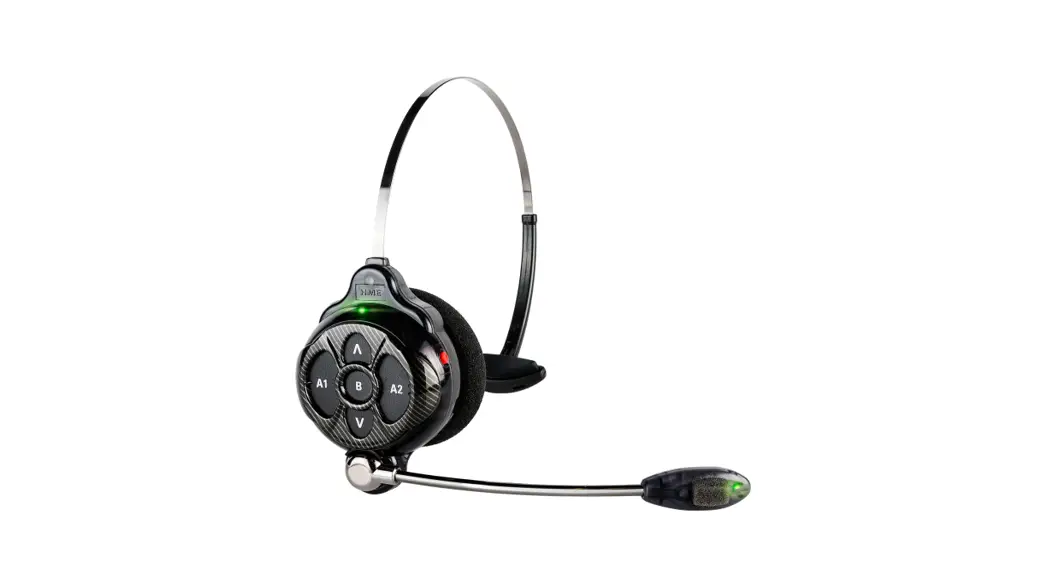
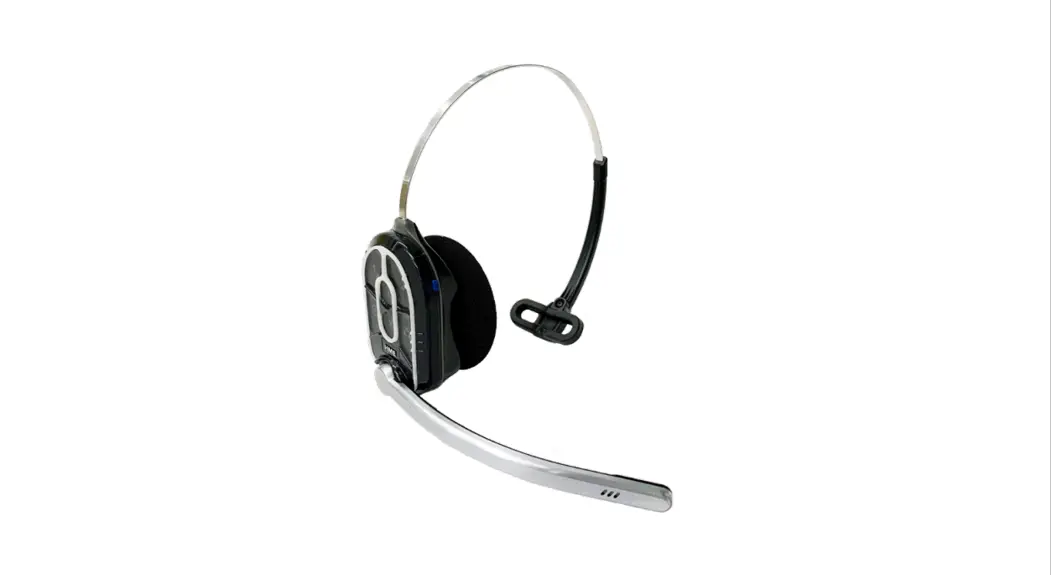
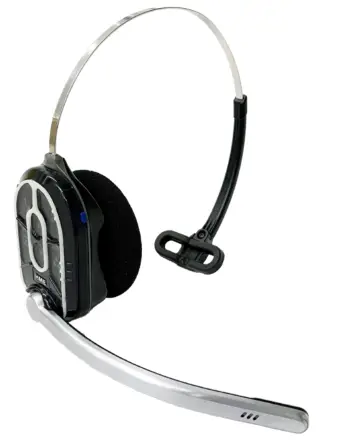 The HS7000 is an all-in-one headset used for communicating with employees and customers in a store or drive-thru lane environment. It uses one rechargeable lithium-ion battery (BAT70). With moderate use in a typical environment, the headset will operate for approximately eight hours on a single battery charge. It will alert you when the battery charge is low.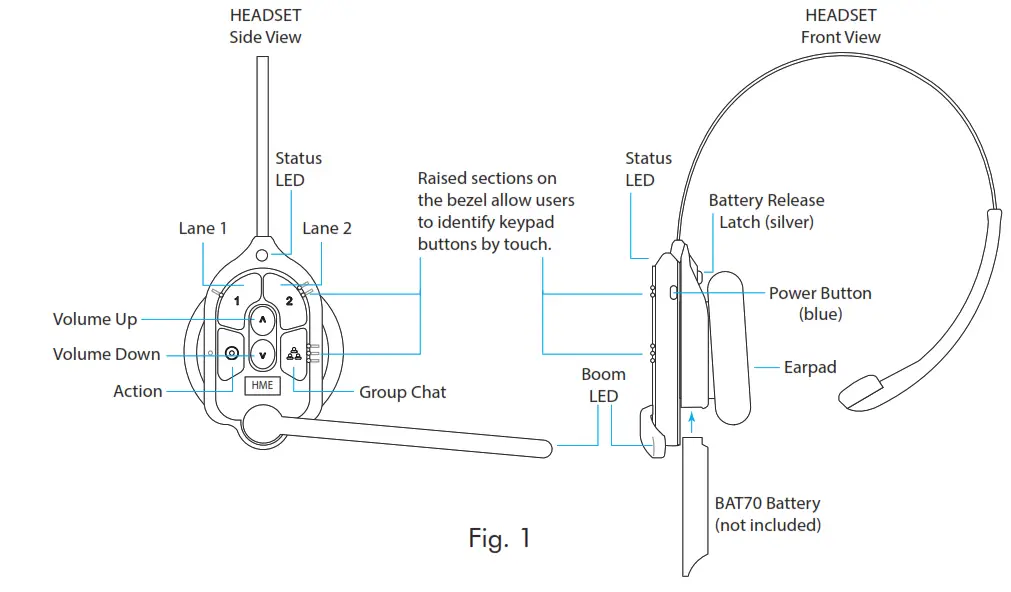
| Keypad Reference Table | ||||
| Icon | Label | Status LED | Boom LED | Status/Description (voice commands are initiated by saying “Ok Nexeo” first) |
| 1 | Lane 1 | Green | Green | Tap to talk to lane 1. The Status LED flashes green while the Boom LED turns on solid green. Tap again to stop. The Status LED turns solid; the Boom LED turns off. Voice Command: “lane 1” (to listen only) or “talk to lane 1,” or “change lane” if in lane 2 |
| 2 | Lane 2 | Red | Red | Tap to talk to lane 2. The Status LED flashes red while the Boom LED turns on solid red. Tap again to stop. The Status LED turns solid; the Boom LED turns off. Voice Command: “lane 2” (to listen only) or “talk to lane 2,” or “change lane” if in lane 1 |
 | Volume Up |
| Tap to increase volume (the headset beeps become louder as confirmation). Press and hold to maximize volume to the loudest. Voice Command: “volume up” or “volume #” | |
 | Volume Down | Tap to decrease volume (the headset beeps become quieter as confirmation). Press and hold to minimize volume to quietest. Voice Command: “volume down” or “volume #” | ||
 | Group |  | | Tap for group chat. Both Status and Boom LEDs flash quickly, alternating red & green. Tap again to stop. |
 | Action | No function. Reserved for future functionality. | ||
| Notes: Both the Status and Boom LEDs flash slowly with alternating colors when the headset needs to be paired. A yellow Status LEE  indicates a low battery. The low battery Status LED is also accompanied by audio prompts. indicates a low battery. The low battery Status LED is also accompanied by audio prompts.Voice commands can be used instead of tapping the keypad but must first be enabled on the Base Station. To use voice commands, begin by saying “Ok Nexeo,” then, once the Boom LED turns on white continue with a voice command (see above table for specifics). Volume # levels are 1-15. (E.g., saying: “Ok Nexeo, volume 12,” changes the volume level to 12. Mute is 0). | ||||
SETUP AND OPERATION
Pairing your Headset (AIO HS7000):
- Insert a fully charged BAT70 battery into the headset battery compartment until the battery clicks securely in place (see Fig. 1).
- Press the blue power button to turn on the headset (see Fig. 1). The headset LEDs turn on and flash slowly, alternating between green and red, indicating you now need to pair the headset.
- Hold the headset’s keypad side against the blue headset pairing ring on the base station to pair. Pairing begins automatically once the headset is sensed. The blue pairing ring turns a swirling green to indicate pairing is in progress (see Fig. 2).
- When the headset pairing ring turns solid green, pairing is successful. The headset Status LED also turns solid green. Registration happens automatically with the initial pairing. See note in Fig. 2 if pairing fails.
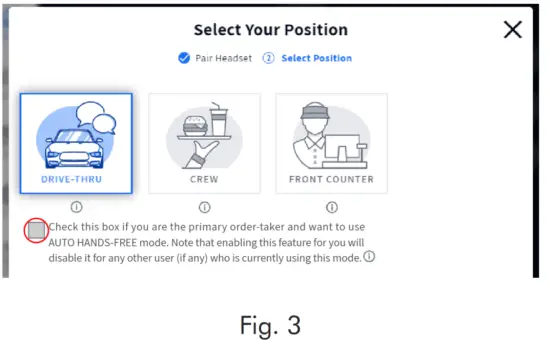
- When the Select Your Position screen appears (see Fig. 3), tap on a pane to select your position. If you select DRIVE-THRU, you also have the option of AUTO HANDS-FREE mode. This saves you from having to use headset buttons.
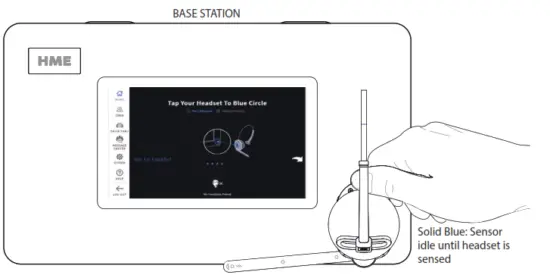
Note: If pairing fails (indicated by a swirling red ring), try again. Hold the headset steadily centered and flush against the Headset Pairing Ring (headset movement and distance from the Pairing Ring can cause pairing errors). The above pairing screen does not need to be visible to pair a headset.
Fig. 2
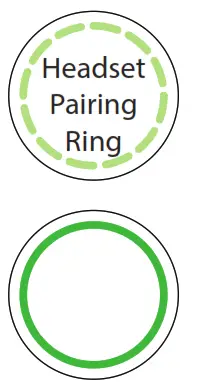 | Swirling Green Pairing in progress |
| Solid Green: Pairing successful. Begin using headset |
When the AUTO HANDS-FREE mode box is checked, you are automatically connected with customers when they arrive at the order point and then automatically disconnected when they leave. This feature is only available for one headset per drive-thru lane. The headset remains in this mode until the headset is taken out of use or powered off.
6. Select Next, and this Success prompt appears. Click OK and begin using headset.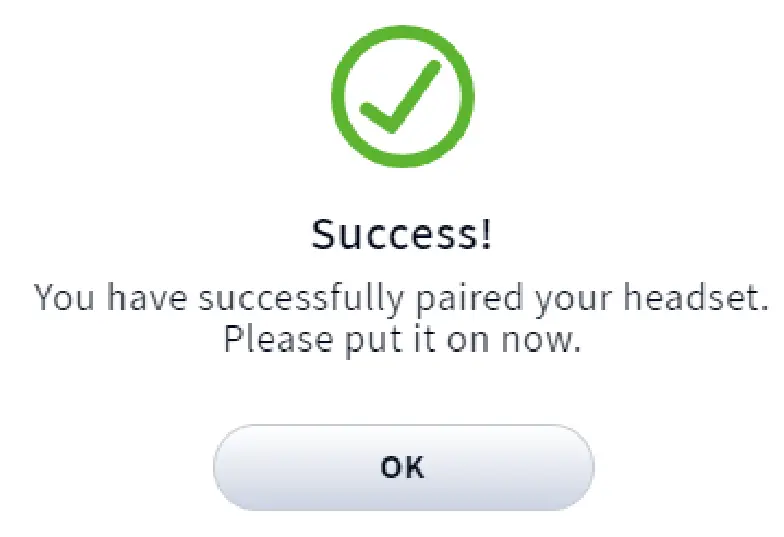
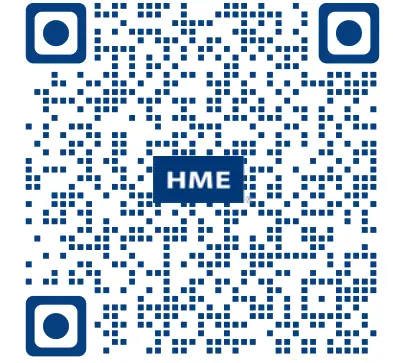
A copy of this guide and additional information including Regulatory, Compliance, and Safety information can be found under NEXEO | HDX by scanning this QR code or going to: https://www.hme.com/qsr/drive-thru-user-manuals/
HS7000 Technical Specifications
| Dimensions | 9.2” H x 5.2” W x 2.1” D (234.4 x 132.1 x 53.3 mm) with boom extended down |
| Weight | 3.67 oz (104.04 g) with battery included |
| Power Supply | Voltage: 3.7 VDC, powered from a rechargeable Lithium-ion battery |
| Frequency Range | Audio: 100 Hz to 7.4 kHz |
| Wireless | Main Radio: 5.180 GHz – 5.8525 GHz, Secondary Radio: 2.402 GHz – 2.480 GHz |
| Power, Watts | Nominal Power with listening only: 0.314 W (Max with dedicated mode: 0.407 W) |
| Temperature | Operating Temperature range: 0°C (32°F) to +50°C (+122°F) |
| Compliance | See NEXEO | HDX – Regulatory, Compliance, and Safety Guide online |
The HME logo and product names are registered trademarks or trademarks of HM Electronics, Inc.
© 2022 HM Electronics, Inc. All rights reserved.
HM ELECTRONICS, INC.
2848 Whiptail Loop, Carlsbad, CA 92010 USA
Phone: 1-800-848-4468 Fax: 858-552-0172
Website: www.hme.com Email: [email protected]
HME# PUB – 00072
Rev C 02/04/22
 Drive-Thru Systems | Pro Audio Equipment | Restaurant Pagers | HME