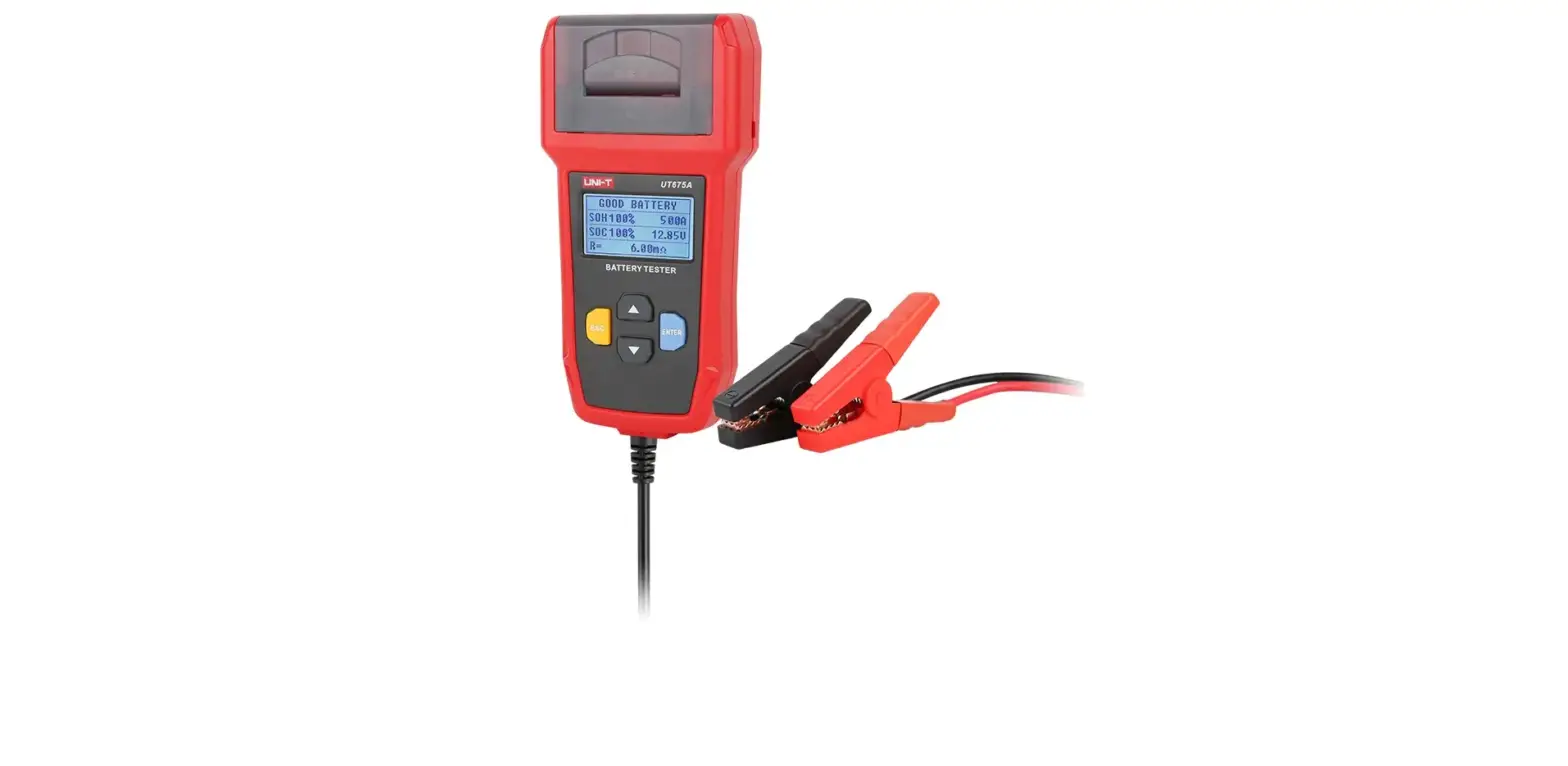

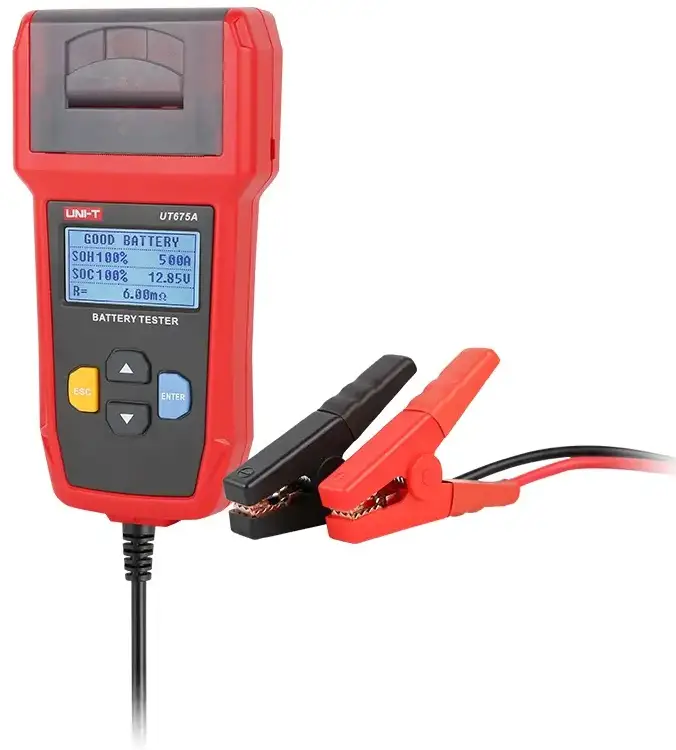
UNI-T UT675A Battery Tester
Overview
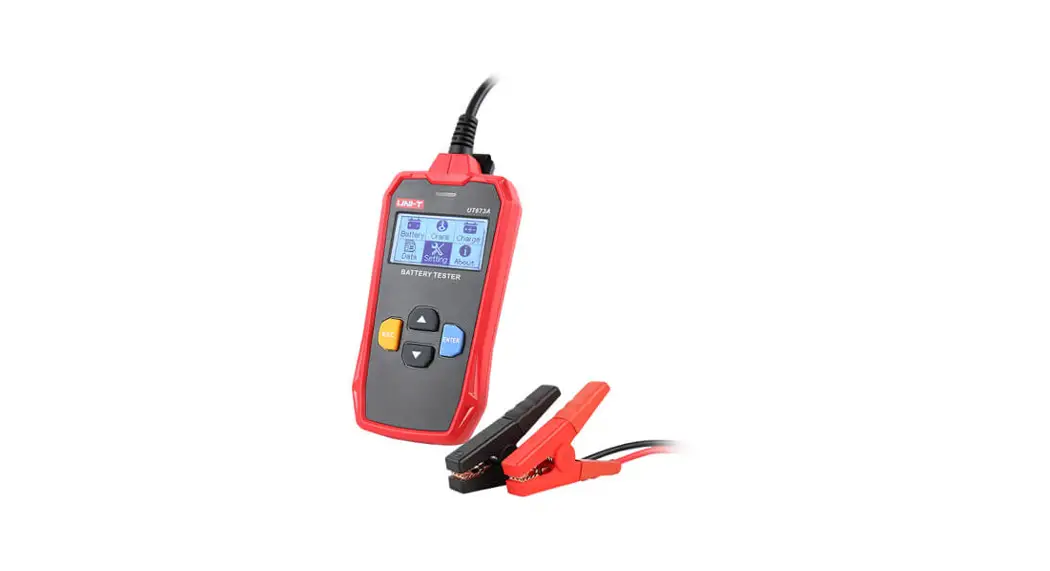
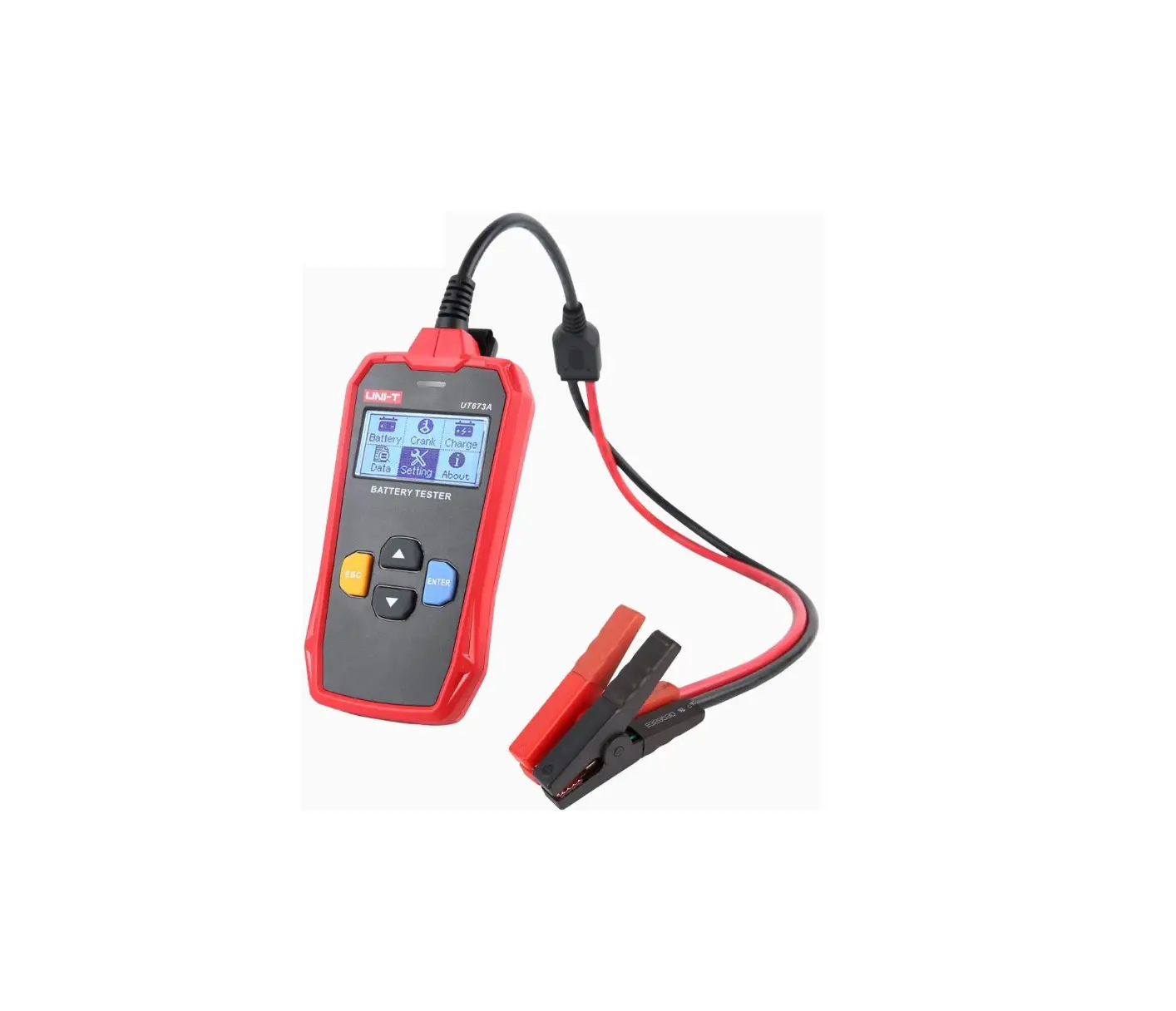
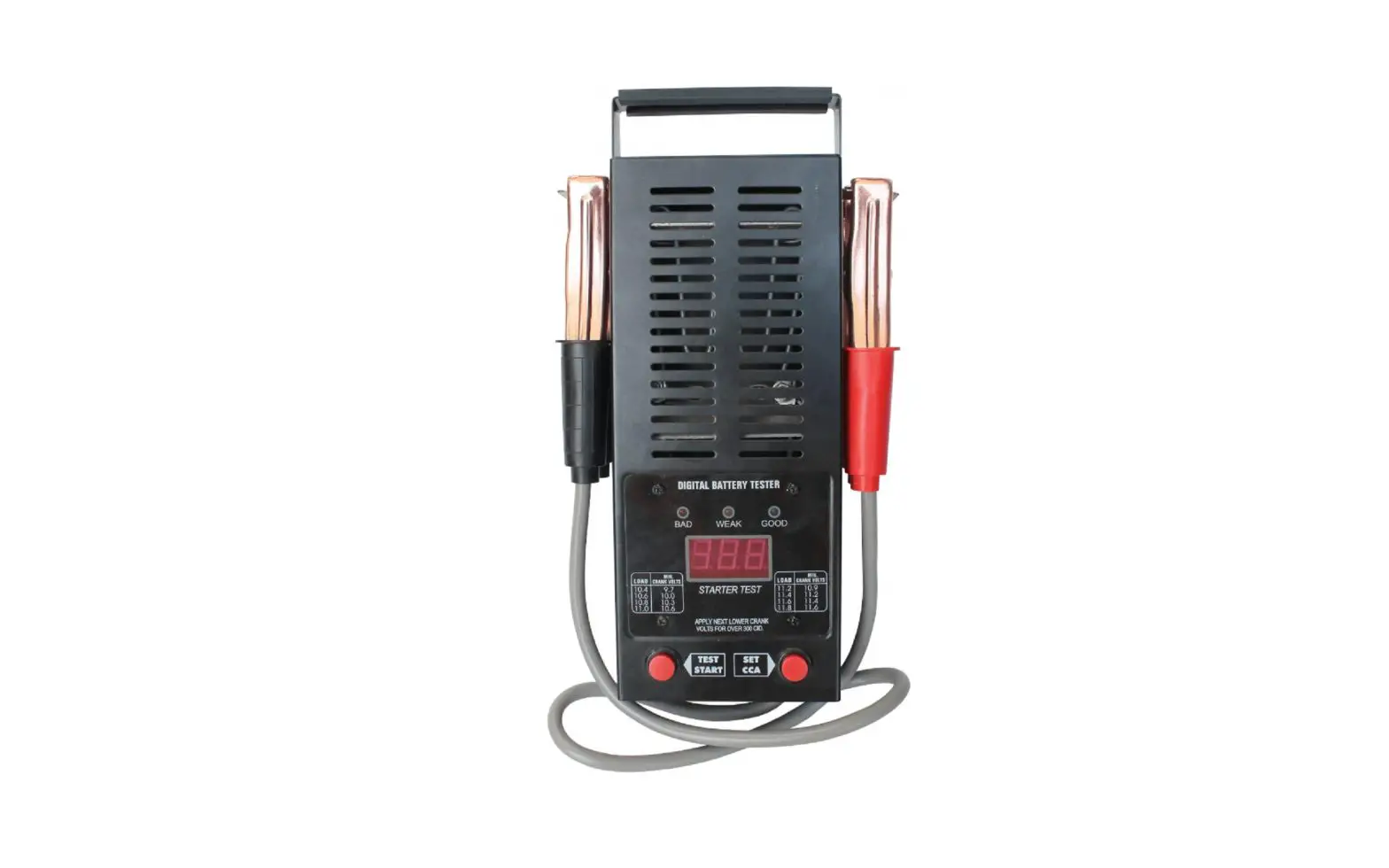
- UT673A/UT675A battery tester, with its leading-edge conductivity test technology, accurately and rapidly helps users to measure the cold cranking amps capability of the vehicle starting battery, healthy state of the battery itself, detect the common fault of vehicle starting and charging system, which helps repair vehicle quickly.
Safety information
- Please carefully read this manual and follow the warning and safety information before use.
- To avoid fire and overcurrent, please read all rated values and symbol descriptions before use.
- Do not open the case cover. Do not turn on the tester if its cover or front panel is open.
- Do not touch the connectors and components if the tester is powered on.
- Please contact the authorized repair personnel to detect, repair, maintain the tester if you find any fault on it.
- Do not use in humid, explosive or inflammable environment.
- Keep the tester surface clean and dry. Keep it well-ventilated.
Product introduction
Interface
UT673A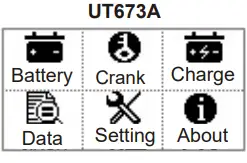
- Battery: Battery test.
- Crank: Vehicle Cranking system test.
- Charge: Vehicle Charging system test
- Data: The last test result can be viewed.
- Setting: Language setting.
- About: View the system information.
UT675A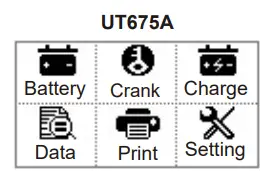
- Battery: Battery test.
- Crank: Vehicle Cranking system test.
- Charge: Vehicle Charging system test.
- Data: The last test result can be viewed or uploaded.
- Print: Print test data.
- Setting: Language and time setting, view the system information.
Feature
- Applicable to 12V battery testing and 12V/24V vehicle cranking/charging system test.
- Measurement standard and range:
| Battery identification | Standard | Battery parameter | Remark |
| 12V/60Ah/CCA 500A | CCA | 500 | 12V battery, the capacity is 60Ah, the cold-start current is 500A. |
| 300A EN | EN | 300 | The standard value is 300A. |
| 12V 250Ah 60Ah DIN | DIN | 250A | 12V battery, the capacity is 60Ah, the standard value is 250A. |
| 26A19R 12V 60Ah | JIS# | 200 | 12V battery, the capacity is 60Ah, check JIS CODE conversion table and find that 26A19R corresponds to 220A for CCA. |
| 26A19RMF 12V 60Ah | JIS# | 220 | 12V battery, the capacity is 60Ah, check JIS CODE conversion table and find that 26A19R corresponds to 220A for MF CCA. |
| 12V/60Ah | AH | 60Ah | If the standard is not found, estimate CCA value according to the battery capacity. |
Operation instruction
- Connect the red and black clips of tester to the measured battery, red is positive, black is negative, the tester screen will display startup interface. If the battery voltage is lower than 7.0V, the test will become abnormal.
- According to the prompts, press up and down button to select:
UT673A:
- Battery test,
- ranking test,
- Charging test,
- View test results,
- System setting,
- About.
UT675A:
- Battery test,
- Cranking test,
- Charging test,
- View test results,
- Print test result,
- Setting.
Tests below are based on 12V, 60Ah, CCA580A:
- Battery test

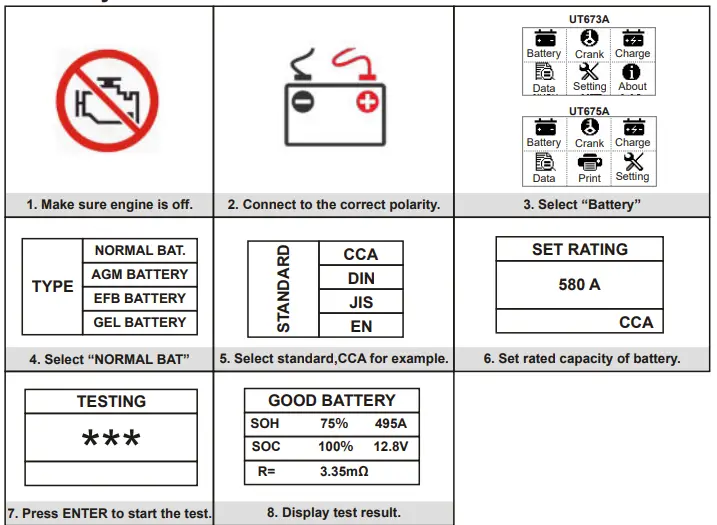
Battery Test results
| Description | Interpretation |
| The battery is in good condition. | The performance of storage battery is good, please continue using the battery. |
| The battery is in good condition, please charge the battery. | Because the voltage of storage battery is lower than 12.3V, so the performance of storage battery is good, please continue using the storage battery after it is fully charged. |
| Retest after charging | Because the battery voltage is lower than 12V, so please retest after it is fully charged. Incorrect reading may occur if the battery is not fully charged. Please replace the battery if “Retest after charging” displays again after charging. |
| Replace the battery | Replace the storage battery. |
| The battery is in bad condition, replace the battery. | Battery inside is damaged, replace the storage battery. |
- Battery capacity (SOC): The percentage of remaining battery capacity,
- SOC= ×100%. Remaining capacity Actual capacity
- Battery voltage (VOLTAGE): The voltage value of storage battery (Unit: V).
- Battery life (SOH): State of health of battery storage,
- SOH= ×100%. Actual capacity Nominal capacity
- The measured cold-start current: The measured cold-start current of tester.
- Nominal cold-start current: Nominal cold-start current of storage battery
- Internal resistance of battery (R): The measured internal resistance of storage battery.
NOTE: For low-capacity battery (For example, the vehicle is shut down for a long time, the battery is not charged in time, the battery power is significantly lost because the vehicle door is not closed.), the tester may prompt you to “Replace battery” during actual measurement, please consult the storage battery factory and charge the battery according to the designated method, and then retest.
Cranking test
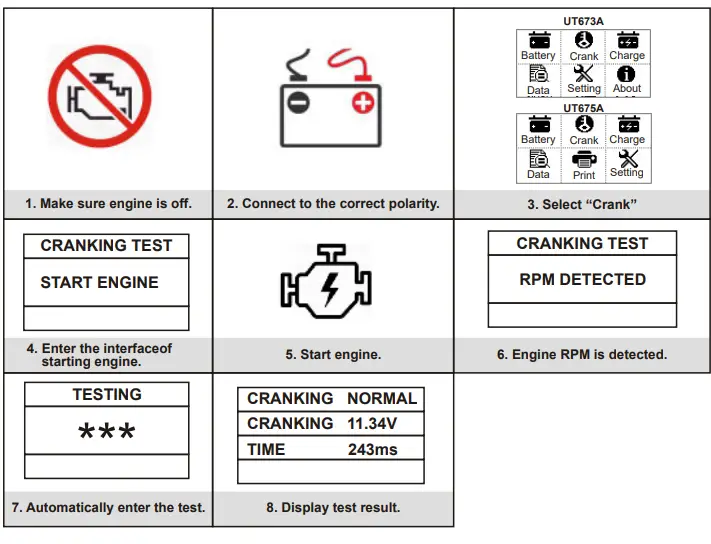
Test results
| Decision | Interpretation |
| Starting voltage is normal. | The starting voltage is higher than 9.6V. |
| Starting voltage is low. | The starting voltage is lower than 9.6V. |
Charging test
Test results:
| Decision | Interpretation |
| Charging voltage is normal. | Charging system is normal, the output voltage of engine is 13.5V~14.7V. |
| Charging voltage is low. | Charging system is under-voltage, the voltage is lower than 13.5V. |
| Charging voltage is high. | The voltage of charging system is higher than that of vehicle voltage stabilizer. |
| No voltage output. | Generator voltage output is not detected. Check if the connector and generator belt is normal. |
| Diode test. | Test via current waveform, for example, the diode is damaged due to high ripple voltage of diode. |
View test result
- a) For UT673A, ENTER to view the last test result of Battery test, Cranking and Charging system test.
- b) For UT675A, ENTER to view and export the last test result of Battery test, Cranking and Charging system test. Connect the computer to export the last test result via serial port and print the result.
- Note: Please find the application software on our website by searching UT675A and search under Docs & Software section.

- https://www.uni-trend.com.cn/index.php?m=content&c=index&a=show&catid=515&id=882
About (Applicable to UT673A)
- ENTER to view system information.
Print test result (Applicable to UT675A)
- ENTER to print the last test result of Battery test, Cranking and Charging system test. Note: The normal working voltage of the printer is 10~16V.
- Setting
ENTER to select language (English or Chinese).
Function
- ENTER to enter setting page.
Language selection
- User can select desired language as needed. After entering the language selection page, press ENTER to select English or Chinese.
- Time adjustment (Applicable to UT675A)
- User can adjust or correct the system time, time sequence adjustment (Year/Month/Day /Hour/Minute) does not affect the setting of date and time format.
- a. Press up or down button to adjust the last two digits of the YEAR, then press ENTER to confirm this adjustment and enter month adjustment.
- b. Press up or down button to adjust Month, then press ENTER to confirm this adjustment and enter date adjustment.
- c. Press up or down button to adjust DATE, then press ENTER to confirm this adjustment and enter hour adjustment.
- d. Press up or down button to adjust HOUR, then press ENTER to confirm this adjustment and minute adjustment.
- e. Press up or down button to adjust MINUTE, then press ENTER until “OK” is displayed.
- After finishing the adjustment, the tester will go back to main interface. When adjusting the time, the time character will flash. By pressing and holding the button, the character will increase or decrease continuously.
- NOTE: Make sure the button is pressed for more than one second when adjusting time.
- After entering time setting, pressing return button is disabled because the system time is protected, users need to set Year/Month/Day/Hour/Minute or press return button 5 times to return.
Specification
| Model | UT673A | UT675A | |||
| Applicable battery | 12V cranking lead acid battery | ||||
| Battery type | Ordinary lead acid battery, AGM flat plate battery, AGM spiral battery, GEL battery, EFB battery. | ||||
| Battery capacity | 3~250AH | ||||
| Battery standard and range | CCA:40~2000; BCI:40~2000; CA:40~2000; MCA: 40~2000; JIS:26A17~245H52; DIN:40~1400; IEC: 40~1400; EN:40~2000;SAE:40~2000; AH:3~250 AH | ||||
| Voltage range | 7~16V DC | ||||
| Test method | Four-terminal kelvin test lead | ||||
| AH rapid measurement | |||||
| Overvoltage protection | |||||
| Prevent counter voltage | |||||
| A prompt of poor contact | |||||
| Internal resistance measurement | |||||
| Battery life | |||||
| Remaining battery capacity | |||||
| Cranking test | 12/24V cranking system test | ||||
| Charging test | 12/24V charging system test | ||||
| USB data transfer | / | ||||
| Printing function | / | ||||
| LCD | LCD (128*64 black and white lattice) | ||||
| Language | Chinese and English | ||||
| General | |||||
| Working environment | Temperature | 0°C~50°C | |||
| Relative humidity | Operating: below +35°C, ≤90% Non-operating: +35°C~+40°C, ≤60% | ||||
| Net weight (excluding batteries) | 264g | 413g | |||
| Product dimension (excluding test leads) | 76mm*22mm*142mm | 95mm*47mm*183mm | |||
| Packing box dimension | 175mm*45mm*320mm | 285mm*90mm*230mm | |||
Accessories
| UT673A | UT675A |
| Tester host: 1 piece | Tester host: 1 piece |
| User manual: 1 piece | User manual: 1 piece |
| Velcro strap: 1 piece | USB cable: 1 piece |
| Printing paper: 3 pieces | |
| Cloth bag: 1 piece |
Maintenance
- Do not put or store the tester in the place where its LCD is exposed to direct sunlight for a long time. No sprays, liquids or solvents are allowed on the tester or fixtures.
- Please clean the dust on the tester with soft cloth. Do not scratch the protection screen of LCD. Wipe the tester with a damp but non-dripping soft cloth. Never use any corrosive chemical detergents.
- Warning: Before the tester is powered on, please make sure it is completely dry to avoid short circuit caused by moisture.
- UN-TREND TECHNOLOGY (CHINA) CO., LTD.
- No.6, Gong Ye Bei 1st Road,
- Songshan Lake National High-Tech Industrial
- Development Zone, Dongguan City,
- Guangdong Province, China
 优利德科技(中国)股份有限公司-优利德科技(中国)股份有限公司