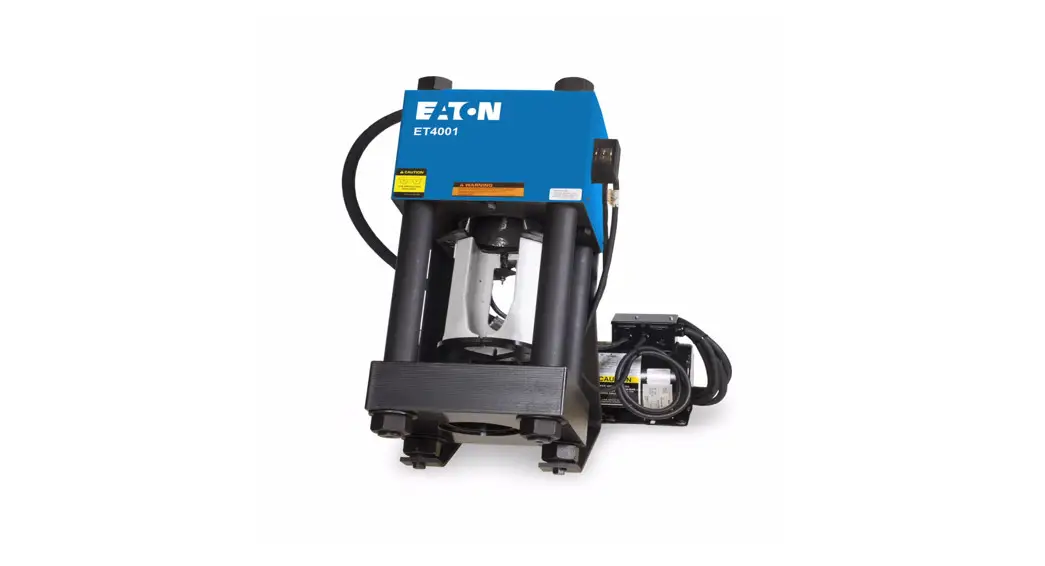
FT1380e Electronic Crimper
CRIMP MACHINE OPERATOR’S MANUAL
Danfoss Electronic FT1380e Crimp Machine Operator’s Manual
FT1380e Crimp Machine Operators Manual:
BC451878620793en-000101
Table of Contents
- Safety Instructions
- Product Information
- Product Usage Instructions
Safety Instructions
- Prevent Unauthorized operation. Do not permit anyone to operate
this equipment unless they have read and thoroughly understand this
manual. - Wear safety glasses. Do not wear loose clothing while operating
the machine. - Avoid pinch points. Do not rest your hand on the crimp ring.
Keep your hands clear of all moving parts. Do not allow anyone,
other than the operator, close to the equipment while it is in
operation. - Maintain dies with care. Dies used in the FT1380e crimp machine
are sintered powdered metal, offering the best combination of
strength and wear resistance for long life. Sintered powdered metal
dies are generally brittle and care should be taken to avoid any
sharp impact. Never strike a die with a hardened instrument. - Use only specified Danfoss products. Make hose assemblies using
only Danfoss hose assemblies specified for this assembly
equipment. - Verify correct crimp diameters. Check and verify correct crimp
diameters of all fittings after crimping. Do not put any hose
assemblies into service if the crimp diameters do not meet Danfoss
crimp specifications. - Make sure all dies are completely in place and the cage is
positioned properly on the pressure plate. - Do not over pressurize. Do not exceed the 10,000 psi hydraulic
pressure supplied to the machine. This setting is preset at the
factory and should not require adjustment.
Note: All components used to connect the pump and crimp cylinder
must meet the criteria set forth in the Material Handling Institute
Specification #IJ100 for hydraulic jacking applications. - Die change. Do not insert/remove dies while the power is
on. - Secure the equipment to a stable work surface. Prior to
operation, secure the crimp machine to a stable work surface to
prevent the equipment from tipping. - Unplug the power supply when not in use.
- Keep work area clean. Cluttered areas and benches invite
accidents.
Product Information
The Danfoss Electronic FT1380e Crimp Machine is designed for
crimping hose assemblies. It utilizes sintered powdered metal dies
that offer a combination of strength and wear resistance for long
life. The machine operates with a hydraulic pressure of 10,000 psi,
which is preset at the factory and should not require adjustment.
The components used to connect the pump and crimp cylinder must
meet the criteria set forth in the Material Handling Institute
Specification #IJ100 for hydraulic jacking applications.
Product Usage Instructions
- Read and understand the operator’s manual before attempting to
operate any equipment. - Ensure that only authorized personnel who have read and
thoroughly understood the manual operate the equipment. - Wear safety glasses and avoid wearing loose clothing while
operating the machine. - Keep your hands clear of all moving parts and avoid resting
your hand on the crimp ring. - Do not allow anyone other than the operator to be close to the
equipment while it is in operation. - Maintain the sintered powdered metal dies with care, avoiding
any sharp impacts or striking them with hardened instruments. - Use only specified Danfoss hose assemblies for making hose
assemblies with this equipment. - Check and verify the correct crimp diameters of all fittings
after crimping. Do not use hose assemblies that do not meet Danfoss
crimp specifications. - Ensure all dies are properly in place and the cage is
positioned correctly on the pressure plate. - Do not exceed the preset hydraulic pressure of 10,000 psi
supplied to the machine. Use components that meet the Material
Handling Institute Specification #IJ100 for hydraulic jacking
applications when connecting the pump and crimp cylinder. - Do not insert or remove dies while the power is on.
- Prior to operation, secure the crimp machine to a stable work
surface to prevent tipping. - Unplug the power supply when the machine is not in use.
- Keep the work area clean to avoid accidents.
CRIMP MACHINE OPERATOR’S MANUAL Danfoss Electronic FT1380e Crimp Machine Operator’s Manual
FT1380e Crimp Machine Operators Manual: BC451878620793en-000101
Table of Contents
· Safety Instructions · Specifications · Accessories · Setup and Installation · Operating Instructions · Crimping Procedures · Calibration
· Maintenance · Maintenance Intervals · Machine Maintenance Procedures · Die Cage Maintenance Procedures
· Troubleshooting Tips · Crimp Machine Components · Die Cage Components · Hydraulic Schematic
Safety Instructions
WARNING
Failure to follow Danfoss process and product instructions and limitations could lead to premature hose assembly failures, resulting in property damage, serious injury or death.
Danfoss fitting tolerances are engineered to match Danfoss hose tolerances. The use of Danfoss fittings on hose supplied by other manufacturers and/or the use of Danfoss hose fittings supplied by other manufacturers, may result in the production of unreliable and unsafe hose assemblies and is neither recommended nor authorized by Danfoss.
Read and understand the operator’s manual before attempting to operate any equipment.
Danfoss hereby disclaims any obligation or liability (including incidental and consequential damages) arising from breach of contract, warranty, or tort (under negligence or strict liability theories) should Danfoss Aeroquip or Danfoss Weatherhead hose, fittings or assembly equipment be used with the hose, fittings or assembly equipment supplied by another manufacturer, or in the event that product instructions for each specified hose assembly are not followed.
SAFETY INSTRUCTIONS
1. Prevent Unauthorized operation. Do not permit anyone to operate this equipment unless they have read and thoroughly understand this manual.
2. Wear safety glasses. Do not wear loose clothing while operating the machine.
3. Avoid pinch points. Do not rest your hand on the crimp ring. Keep your hands clear of all moving parts. Do not allow anyone, other than the operator, close to the equipment while it is in operation.
4. Maintain dies with care. Dies used in the FT1380e crimp machine are sintered powdered metal, offering the best combination of strength and wear resistance for long
life. Sintered powdered metal dies are generally brittle and care should be taken to avoid any sharp impact. Never strike a die with a hardened instrument.
5. Use only specified Danfoss products. Make hose assemblies using only Danfoss hose assemblies specified for this assembly equipment.
6. Verify correct crimp diameters. Check and verify correct crimp diameters of all fittings after crimping. Do not put any hose assemblies into service if the crimp diameters do not meet Danfoss crimp specifications.
7. Make sure all dies are completely in place and the cage is positioned properly on the pressure plate.
8. Do not over pressurize. Do not exceed the 10,000 psi hydraulic pressure supplied to the machine. This setting is preset at the factory and should not require adjustment.
Note: All components used to connect the pump and crimp cylinder must meet the criteria set forth in the Material Handling Institute Specification #IJ100 for hydraulic jacking applications.
9. Die change. Do not insert/remove dies while the power is on.
10. Secure the equipment to a stable work surface. Prior to operation, secure the crimp machine to a stable work surface to prevent the equipment from tipping.
11. Unplug the power supply when not in use.
12. Keep work area clean. Cluttered areas and benches invite accidents.
Specifications
ELECTRICAL REQUIREMENTS FT1380e-115 & FT1380e-115CSA: 115-Volt AC single phase (50/60) Hz circuit with a minimum of 20 amps
FT1380e-230 & FT1380e-230CSA: 208 to 230-Volt AC single phase (50/60) Hz circuit with a minimum of 15 amps
CRIMP MACHINE DIMENSIONS
Width
16.062 inches
Depth
25.75 inches
Height 29.875 inches
Weight258 pounds
PRODUCTION CAPACITY Danfoss braided and spiral hydraulic hoses which use TTC/Z or 4S/6S series hose ends through -20 size.
SETUP AND INSTALLATION
1. Mount your Danfoss FT1380e crimp machine onto a workbench that will support at least 300 pounds. Secure the unit using the holes provided in the corners of the crimp machine base.
2. Remove the plug from the hydraulic reservoir vent port and replace it with the vent cap that is supplied with the unit.
CAUTION: Failure to do so will cause cavitation and damage to the pumping mechanism. Hand tighten the vent cap.
3. Never use an extension cord, always plug directly into the power outlet.
CAUTION: Provide electrical service with a dedicated circuit (per the crimp machine electrical requirements) to eliminate the possibility of a low-voltage situation.
CRIMP MACHINE PART NUMBERS: FT1380e-115 Base machine with 115v pump FT1380e-115CSA Base machine with 115v pump, UL/CSA approved FT1380e-230 Base machine with 230v pump FT1380e-230CSA Base machine with 230v pump, UL/CSA approved
CRIMP MACHINE AND TOOLING PACKAGE PART NUMBERS:
FT1380e-115-9 Contains FT1380e crimper, 115v pump, and ET4020TP-0003 tooling package
FT1380e-115-9CSA Contains FT1380e crimper, 115v pump, and ET4020TP-0003 tooling package, UL/CSA approved
UPGRADE PACKAGE PART NUMBERS:
FT1380e-115-UP 115v Electronic Upgrade Package (requires shipment of current machine to manufacturer)
FT1380e-230-UP 230v Electronic Upgrade Package (requires shipment of current machine to manufacturer) FT1380e-115-UPCSA 115v Electronic Upgrade Package, UL/CSA approved (requires shipment of current machine to manufacturer) FT1380e-230-UPCSA 230v Electronic Upgrade Package, UL/CSA approved (requires shipment of current machine to manufacturer)
Accessories
DIE CAGE REPAIR KITS Die cage repair kits for FT1380-200-size, FT1380-275-size. Part number………………………………………………….. FT1380-2-9
OPTIONAL FITTING BACKSTOP Part number………………………………………………….. FT1380-4
TTC/Z SERIES FITTING LOCATORS Part number………………………………………………….. FT1330-XL
4S SERIES FITTING LOCATORS (cannot be used in combination with FT1330-XL locators) Part number………………………………………………….. FT1380-XL
USB DRIVE Part number………………………………………………….. FT1380e-1-7
STYLUS Part number………………………………………………….. FT1380e-1-8
WIPING CLOTH Part number………………………………………………….. FT1380e-1-9
DIE CAGES Part numbers: FT1380-275-M070 FT1380-275-M120 FT1380-200-M180 FT1380-200-M240 FT1380-200-M320 FT1380-200-M420 FT1382-275-M520
FT1380-275-M090 FT1380-200-M150 FT1380-200-M210 FT1381-200-M280 FT1380-200-M370 FT1382-200-M465
Operating instructions
FT1380e CONTROL PANEL TUTORIAL
The electronic FT1380e machine comes with an integrated touch screen to control the machine functions. This section provides instruction for how to use the touch screen controller.
ICON QUICK REFERENCE
Below is a quick reference guide for the icons that are shown when using the FT1380e touch screen.
Help including owner’s manual, icon quick
reference and tutorial
Product Library
Maintenance Admin Login
Favorites Menu
Rename Favorited Spec Delete Favorited Spec
Save Favorite
Load Selected Spec
Production Screen
Search
Calculator Page Up Page Down Scroll Up Scroll Down Move Spec Up Move Spec Down
Product Library
On the Product Library Screen, you can see the complete list of FT1380e crimp specs.
Favorites Menu
Commonly crimped hoses should be saved as Favorites. If an offset has been entered for the crimp spec, it will be stored with the Favorites record.
The screen displays available Crimp Spec options. To find your spec, select the search icon . Once the keyboard appears, type in the hose series name on the keyboard, then hit ENT. It will scroll to the first entry for the searched value. Scroll up or down using the arrow icons to locate the desired crimp spec.
To find your spec, select the search icon . Once the keyboard appears, type in the hose series name on the keyboard, then hit ENT. It will scroll to the first entry for the searched value. Scroll up or down using the arrow icons to locate the desired crimp spec.
Production Screen
The crimping procedure is performed from the Production Screen.
Maintenance
The Maintenance Screen displays crimp machine calibration information, revision level, and a crimp counter. Access to user privilege settings can also be found on this screen. This screen is only accessible when logged in as Admin.
The Production Screen displays all the information required for crimping and
includes color assembly photos for core hose products allowing for easy assembly verification.
If the CALIBRATION spec is loaded, a calculator icon will appear. Select the calculator to enter calibration measurements following the calibration procedure steps outlined in this manual.
Revision level for the HMI and PLC can be found under “Revision.”
To search for a crimp spec
A. Click Search icon B. Type in hose name, hit ENT
· Navigate to the Product Library Screen by selecting the Product Library icon .
· Click the Search icon on the bottom of the screen. Once the keyboard appears, type in the hose series name on the keyboard, then hit ENT.
Note: It will scroll to the first entry for the searched value. Scroll up or down using the arrow icons to locate the desired crimp spec.
Loading a hose assembly crimp spec into the machine
To load a crimp spec into the machine, go to the Product Library screen and select the relevant spec by either searching or scrolling. Hit the Load icon . Once the Load icon is selected, you are able to crimp with this spec via the production screen or navigate to the favorites screen to save the crimp spec as a favorite.
A. Select required spec
B. Hit Load icon -Spec is now able to be crimped or saved as a favorite
Saving a hose as a favorite
A. Highlight a blank row
To save a hose as a favorite: · Select the required spec and then load into machine by selecting
the Load icon . · Navigate to favorites menu . · Highlight a blank row and hit the Save Icon to save as a favorite. The spec is now saved as a favorite.
B. Hit Save icon
Note: If a location is not selected when the save icon is selected, the spec will save in the first available blank favorite row.
Note: If privileges are enabled, you can move a spec up and down by selecting the move spec up and move spec down arrows.
Moving a favorite record
If privileges are enabled, you can select a favorite row and then move the selected spec up or down in the favorites list by selecting the move spec up and move spec down arrows.
Crimping from product library menu
Load a hose into the machine by selecting the Load icon and navigate to production screen. Crimp spec details are shown. Verify the proper hose, fitting, and tooling selections and begin the crimping process by pressing the crimp switch on the machine. After crimping, measure the achieved crimp diameter to ensure a safe and reliable hose assembly.
*Warning Follow all instructions in this operator’s manual and do not permit anyone to operate this equipment unless they are properly trained and have read and thoroughly understand this manual.
* Offsets can be entered, but will not be saved for future use. An offset cannot be saved back to “Product Library.” Offsets can only be saved to “favorites.”
Crimping from Favorites Menu
Navigate to the Favorites menu . Highlight desired crimp spec and hit the Load icon to load the favorited spec into the machine.
Navigate to favorites menu A. Highlight desired spec B. Hit Load icon to load favorited spec into machine
Navigate to the production screen . Crimp Spec details are shown. Verify the proper hose, fitting, and tooling selections and begin the crimping process
by pressing the crimp switch on the machine.
*Warning
Follow all instructions in this operator’s manual and do not permit anyone to operate this equipment unless they are properly trained and have read and thoroughly understand this manual.
After crimping, measure the achieved crimp diameter to ensure a safe
and reliable hose assembly. Enter the measured crimp diameter using the calculator . The offset will automatically be calculated and saved with the favorites record.
Renaming Favorites
To rename a favorite, select a spec to rename. Then press the Rename Favorite icon .
A. Select spec to be renamed B. Press Rename Favorite icon
C. To save name hit ENT
The current name is populated. Use the keyboard to change the name as desired. Use the back button to erase the characters in the current name. To save the new name, hit ENT.
Removing a Favorite
A favorite record may be removed by highlighting it and selecting the remove favorite icon .
A. Select crimp spec to be removed B. Select the remove favorite icon
You will be prompted to confirm that you do wish to remove the Favorite.
Changing crimp offsets via calculator
After crimping, measure the crimp diameter across each of the flats of the crimped fitting. Press the Calculator Icon .
C
A. Press Calculator
The calculator window will open. Enter the four measurements and select the Calculate button. One or more values must be entered for the calculation to be performed. The offset value is automatically calculated based on the average of the measurements entered and stored with the Favorites record, if the spec was accessed from Favorites.
Note: The calculated offset may be adjusted and overwritten by selecting the Offset button and entering a new value.
A. Enter the 4 Measured Diameters in Measured “A”, “B”, “C”, and “D”
CB. Press “Calculate”
Changing crimp offsets via calculator (continued)
If further adjustment is needed after another crimp, select the Calculator Icon and enter the four measurements and select Calculate.
Note: The additional offset is calculated and added to original offset value.
Changing crimp offset manually
To change the crimp spec offset manually, press the “offset” field. Enter the desired offset using the keypad. Hit the ENT button to save and close window.
Offset Verification Once the offset has been verified, select the box next to Offset and a green checkmark will appear. This indicates that the offset has been verified.
Note – If unable to select the checkbox, the Administrator has not enabled this Offset Verification privilege for the Non-Admin user.
A. Press “Offset” field Type in desired offset
B. Hit ENT to save and close the window
Note: This function overwrites the offsets determined via the calculator
Setting variable retract position
To set the Variable Retract Position, jog the crimper to desired retract position. Then, note value in “Position” field, which is shown for reference.
Jog the crimper to the desired retract position A. Note value in “Position” field
B. Press “Retract” field
C. Type desired value, hit ENT
The crimper will now retract to the desired position.
Note: The retract position can be safely entered as values 0 – 1000. The retract position value is “global” and all crimps will retract to this position until the value is changed.
Note: Entering a retract value that is smaller than the target setting will cause the machine not to retract. The retract must then be performed manually by using the switch.
Logging in as Admin
To log in as Admin, press on Admin Login icon .
Enter the admin password provided and then press “ENTER” to log in as admin.
A. Press Admin Login icon · Keyboard pops up
Logging in as Admin (continued)
When logged in as Admin, “Admin” displays at the top of the screen and the maintenance icon becomes visible. Note: The Admin account logs out after the specified period of
time. This can be found and updated on the Privileges screen. The privileges screen can be accessed by selecting the Privileges button while on the maintenance screen.
A. “Admin” displays at the top of the screen B. Maintenance icon becomes visible Note: Admin account logs out automatically after
specified time period set on the privileges screen
Admin Auto Log Out There is a Logout button for the Admin on the Maintenance screen. In case the Admin forgets to log out, there is an auto logout feature. This setting can be found and changed by the Admin on the Privileges screen. To change the value, select the button and enter the desired value in minutes.
Loading custom crimp specs
To load custom crimp specs, log in as admin and navigate to the Favorites menu. Select a blank row and load it into the machine. All 10 fields to the right of the Favorites menu can now be edited by pressing on them.
After entering your custom values, edit the favorite name by selecting the Rename Favorite icon . Then press the Save icon to save the Favorite.
Caution: While logged in as admin, it is possible to edit attributes (such as crimp diameter) of other Danfoss crimp specs saved as favorites.
Machine Calibration
To check calibration or to recalibrate the machine, · Navigate to the Product Library. · Select CALIBRATION spec and load it into the machine. · Navigate to the production screen and crimp a TTC/Z series -8 fitting
with an M240 die. · Log in as admin.
While on the Maintenance screen, · Select the calculator icon . The calculator window will open. · Enter the FOUR MEASUREMENTS and select the Calculate button . The offset value is automatically calculated and stored.
Note:
The calculated offset may be adjusted and overwritten by selecting the Offset button and entering a new value. Note – Valid
values are between 0.900 and 1.100. Do not include decimal
points when entering. Examples: 0900, 1100
Note: The calculator icon only appears when the CALIBRATION spec is loaded.
Any additional offset is calculated and added to original offset value. Re-check an additional -8 TTC/Z series fitting and repeat as required.
Privileges
You must be logged in as Admin to set privileges. · First select the maintenance icon · Then select the Privileges button.
The admin can then set the privileges that the non-Admin user can access. Privileges that can be granted is a follows:
Add Favorite/Load Crimp Spec When enabled, allows common user to add a favorite and to load a crimp spec from the Favorites screen
Edit Name When enabled, allows common user to edit the names of Favorites
Offset Entry When enabled, allows common user to enter measured crimp diameters and to calculate the offset
Remove Favorite When enabled, allows common user to remove a favorite
Retract Position When enabled, allows common user to set the crimp machine retract position
Offset Verification When enabled, allows common user to verify an offset by selecting the box next to the offset (See B image above)
Move Favorite When enabled, allows common user to move and reorder favorites
Note – By default the common user will have access to all Privileges. The admin must disable access for privileges that the common user should not be able to access.
Updating software
The crimp machine will come loaded with the most current version of the software. When an update is available, it will be announced. To get to the current version of the software, visit Danfosscrimpersupport.com and download the software to the USB drive that was provided. When the machine is shipped, the USB drive, stylus, and wiping cloth are placed in a cardboard box that is taped to the inside of the white pusher on the machine. Make sure that all files are removed from the drive before loading the new version of the software to the drive. It is important that the file structure is not changed. To load the new software to the crimp machine:
· Turn on the machine. · Locate the USB port, which is located on the right side of the machine.
Remove the port cover and insert the drive once the crimper has booted up. The software installation will run automatically and will take just a few minutes. During this process, a menu will appear with several options: BACKUP, RESTORE, or EXIT.
Danfoss FT1380e USB UTILITY – MAIN MENU
EXIT
GO TO RESTORE MENU
GO TO BACKUP MENU
Selecting BACKUP brings up a menu to save your entire current program or to only backup your favorites list. EXIT closes the USB utility and returns to the crimper program.
Danfoss FT1380e USB UTILITY – BACKUP MENU GO BACK TO MAIN MENU
BACKUP YOUR FAVORITES LIST
BACKUP ALL YOUR FILES
Updating software (cont.)
The RESTORE option brings up a menu to load the new software, to load your current saved program, or to load your favorites list.
Danfoss FT1380e USB UTILITY – RESTORE MENU
GO BACK TO MAIN MENU
RESTORE YOUR FAVORITES LIST
RESTORE ALL YOUR FILES
FACTORY RESET – RESTORE ALL ORIGINAL Danfoss FT1380e FILES
To restore your favorites after a software update: · First backup all files. · Then backup the favorites list. · Next, restore all factory crimper files. Then restore the favorites list.
Select Exit to close the utility and use the crimper. To install new updates without restoring favorites:
· First backup all files. · Next, restore all factory crimper files. Select Exit to close the utility and use the crimper.
If there is a problem with the new program use the USB utility to restore all your files to their previous state. *Note offsets will need to be re-entered and verified.
PLC Updates In the event that a PLC update is required, a micro-SD memory card (SD or SDHC) with a capacity of 128 MB to 32 GB is required.
To perform update: 1. With the machine turned off, open the
electrical box and locate the PLC. 2. Open the drawer on the left side of the PLC and
insert the micro-SD card. 3. Close the SD card drawer. 4. Turn on the machine. Updates will
install automatically. 5. After updates complete, turn off the machine. 6. Remove the micro-SD card from the PLC
and close the electrical box. 7. Proceed with HMI update using the provided
USB drive as described above.
Crimping Procedures
Loading and Unloading Die Cages
To load the die cage, press and hold the RETRACT switch (figure 1) until the crimp ring reaches the “full retract” position and stops. The die cage may be inserted or removed in this position (figure 2). The FT1380e crimp machine will automatically retract when it has reached the target setting (this is when crimp is complete).
Figure 1
Figure 2
WARNING: Maintain clear distance from all moving parts.
Refer to the current Danfoss PowerSource Crimp Spec tool for complete and detailed crimp specification information for each hose and fitting style.
1. Retract the crimp ring by depressing the retract switch until the crimp ring is fully retracted. Select the proper die cage as shown in the PowerSource Crimp Spec tool. Use the high efficiency grease provided to grease the outside of each of the die segments and then slide the die cage into the cage holder slots.
2. Using the touch screen, navigate to the appropriate crimp spec production screen via selection from the Product Library or the Favorites menu.
3. Position the fitting within the crimp cage aligning the scribe line to the top of the dies.
4. To crimp the fitting, depress the CRIMP switch. The crimp ring will rise until the fitting is fully crimped. It will then stop and begin to retract, signifying
that the crimp is complete. Remove your finger from the CRIMP switch. The crimp ring will automatically retract.
5. Verify correct crimp diameter. Reminder: Full retraction is required for changing die cages.
Maintenance Procedures
Maintenance Intervals:
Die Cage Lubrication
Every 50 crimps:
Relube sliding surfaces of dies
Every 500 crimps:
Remove old grease and relube
Every 1000 crimps:
Die cage maintenance
Crimp Ring Maintenance
Every 500 crimps
Remove old grease and relube
Every 2000 crimps
Remove old grease, inspect for wear or
damage and relube if okay
Use high efficiency PTFE grease (part number T-400-G for 4 oz tube, FF91455 for 16 oz can)
Die Cage Maintenance Procedures
1. Lubricate the die cage. For maximum service, FT1380 die cages require lubrication at 50-crimp intervals with high efficiency PTFE grease. FF91455 is a 16 ounce container that will provide sufficient lubricant for about 10,000 crimps.
Periodically remove grease residue that has built up on the sides of the dies and in the crimp ring during the crimping process. Residue becomes contaminated with metal and plating chips and airborne contaminants, which can cause premature wear of the dies and crimp ring. It should carefully be removed without mixing it with newly applied grease.
2. Die cage maintenance should be performed at 1000- crimp intervals or every six months, whichever occurs first. Die cages should be free of grease and debris and inspected for worn or damaged components.
a. The sliding surface of the dies should appear smooth with no apparent galling. Galled dies must be replaced. Individual dies in a cage can be replaced without replacing all eight dies.
b. Replace springs that show any sign of damage or collapse such as those which are shorter than the other springs.
c. The spring plate should appear smooth with no apparent galling. Galled spring plates must be replaced.
d. Inspect remaining components, and replace those that are badly worn.
Reassemble components, and liberally apply high efficiency PTFE grease to the die surface which slides along the spring plate. Torque the die cage bolts to 50 in. -lbs. Ensure that all dies slide in and out freely.
Machine Maintenance Procedures
1. Sliding surfaces must be kept free of dirt and other abrasive materials.
2. All exposed black metal surfaces should be coated occasionally with a light film of oil to prevent corrosion.
3. Periodically check the oil level in the fluid reservoir of the hydraulic power unit. Maintain the oil level according to the indicator on top of the reservoir. Add hydraulic oil as needed.
Note: Completely retract the crimp ring when checking the oil level.
Troubleshooting Tips
Remember: The electric motor only runs during the crimping process. The motor energizes when the crimp switch is pressed and de-energizes when the crimp switch is released or when the crimp cycle is completed. While retracting, the hydraulic dump valve is energized. When the valve is energized, oil flow is directed from the pump to the cylinder. When the valve is de-energized, oil flows from the cylinder back to the reservoir.
Symptom Pump will not start
Corrective Action
· Make sure the power cord is plugged in to correct voltage outlet. Have electrician confirm correct voltage is available at outlet.
· Make sure switch on pump is in the `ON’ position. Pump may need service.
Sporadic operation
· Check oil level. · Bleed entire hydraulic system to remove trapped air.
Noisy operation
· Air in system….Check oil level. · Bleed entire hydraulic system to remove trapped air. · Clean pump filter screen.
Pump Runs but Does Not Build Pressure or Pump Oil Crimp diameters change
· Check oil level. · Clean pump filter screen. · Internal Leakage…Pump needs services at authorized repair facility.
· Verify the correct hose/fitting combination. · Verify the correct die cage. · Repair or replace the damaged die cage. · Tighten loose transducer and brackets, and then recalibrate them if necessary. · Tighten any loose bolts or screws. · Lubricate the die cage per the maintenance procedures. · Lubricate the tie rod bushings per the maintenance procedures.
If the symptom appears to be solely pump or cylinder related, refer to the Repair Parts Sheets. Any electrical checks must be performed by a qualified electrician.
Crimp Machine Components
Part Number
FT1380e-5-1 FT1380e-5-2 FT1380-3-2 FT1380e-3-1-115 FT1380e-3-1-230 FT1380e-3-1-115CSA FT1380e-3-1-230CSA FT1380e-1-2 FT1380e-1-1 FK8687GGG0320 FF2032T0606S FF2093T0606S FT1380-3-5 FT1380-3-9 FT1380-3-12 FT1380-3-13 FT1380-3-14 FT1380-3-15 FT1380-3-16 FT1380-3-17 222003-6-24S FF9339-04-12S
Description
Qty
Pump/Valve Assembly, 115v
1
Pump/Valve Assembly, 230v
1
Cylinder, Enerpac
1
FT1380e Controls Assembly, 115v
1
FT1380e Controls Assembly, 230v
1
FT1380e Controls Assembly, 115v CSA 1
FT1380e Controls Assembly, 230v CSA 1
Control Box Bracket
1
Light, 24v
1
Hose Assembly
1
Adapter, 90 Degree
1
Adapter, 45 Degree
1
Transducer, 3″ Stroke
1
Frame Weldment
1
Pressure Plate Casting
1
Crimp Ring
1
Tie Rod
2
Top Block
1
Transducer Mounting Bracket
1
Transducer Rod Bracket
1
3/8″-16 x 1.50″ SHCS
2
1/4″-20 x 0.75″ SHCS
4
Part Number
FT1380-3-21 FT1380-3-22 FT1380-3-24 FT1380-3-25 FT1380-3-26 FT1380-3-27 FF9230-0501S FT1330-3-64 FT1380e-1-4 FT1380e-1-5 FT1380e-1-12 FT1380e-1-10 FT1380e-1-11 FT1380e-1-6 FF91455 FT1380-3-34
Description
Qty
Nut, 1-1/4″-12 Grade 8
2
1/4-20 x 2.50″ SHCS
2
1/4-20 x 0.38″ Stainless SHCS
4
1/2-13 x 0.75″ SHCS
2
#8-32 x 0.38″ SHCS
8
#6-32 x 0.50″ SHCS
2
Washer
4
Caution Decal
1
Lomar Tech Support Decal
1
Serial Number Decal, 115v
1
Serial Number Decal, 230v
1
Serial Number Decal, 115v CSA
1
Serial Number Decal, 230v CSA
1
FT1380e Name Decal
1
Lubricant
1
Bushing, Bronze
2
Die Cage Components
Detail Number 1 2 3 4 5 6
FT1380-2-9 Bill of Material FT1330-2-9-21 FT1380-2-9-3 FT1330-2-9-13 FT1330-2-9-55 FT1330-2-9-66 FT1380-2-9-1
FT1380-2-9A Bill of Material FT1330-2-9-2 FT1380-2-9-2 FT1330-2-9-3 FT1330-2-9-5 FT1330-2-6-6 FT1380-2-9-1
FT1381-2-9 Bill of Material FT1330-2-9-21 FT1381-2-9-3 FT1330-2-9-13 FT1381-2-9-55 FT1381-2-9-66 FT1380-2-9-1
Description Die Spring Front Plate Spring Plate Cap Screw Spacers Back Plate
Qty Req’d 8 or 16* 1 1 4 4 1
*The FT1380-200-NO. (FT1380-2-9) and FT1381-200-NO (FT1391-2-9) require 16 springs and the FT1380201-NO. (FT1380-2-9A) requires 8 springs.
Hydraulic Schematic
SEQUENCE 1. Pump on Cylinder advances 2. Valve energized Cylinder retracts 3. Pump and valve de-energized Cylinder holds position
FT1380e Crimp Machine Operators Manual: BC451878620793en-000101
Frequently Asked Questions
Question 1: Why won’t the machine retract? Answer Check the global retract position. The retract position can be safely entered on the production screen as values 0 – 1200. The retract position value is “global” and all crimps will retract to this position until the value is changed. Entering a retract value that is smaller than the target setting will cause the machine not to retract. The retract must then be performed manually by using the switch. Question 2: Why are the calculated offsets not being saved
with my crimp spec? Answer For offsets to be saved with the crimp spec record, you must crimp from Favorites. If you crimp from Favorites, select the calculator icon, enter your measurements, and then select Calculate, the offset will be calculated and stored with the Favorite crimp spec record. If you are crimping with a spec from the product library, offsets will not be saved. No changes can be made to the product library.
FT1380e Crimp Machine Operators Manual: BC451878620793en-000101
FT1380e Crimp Machine Operators Manual: BC451878620793en-000101
 Danfoss App