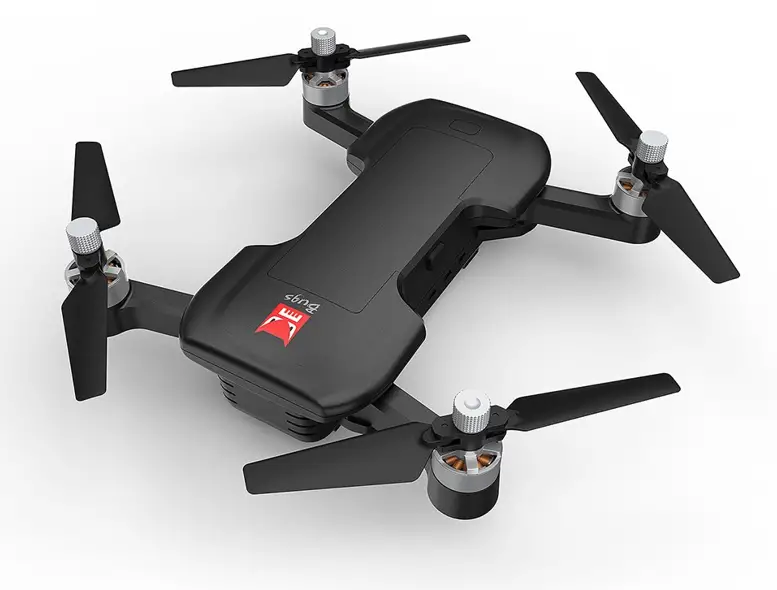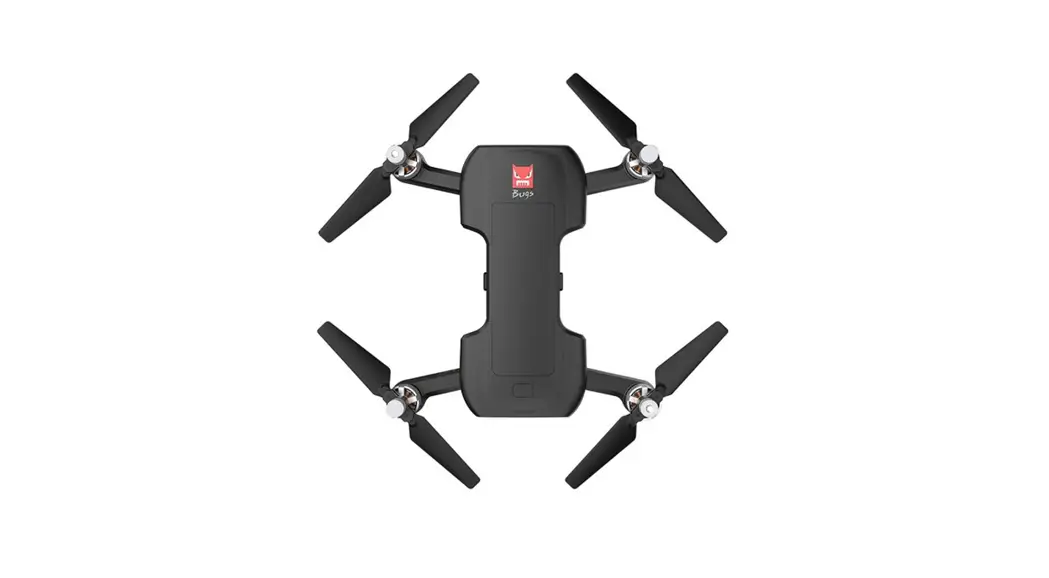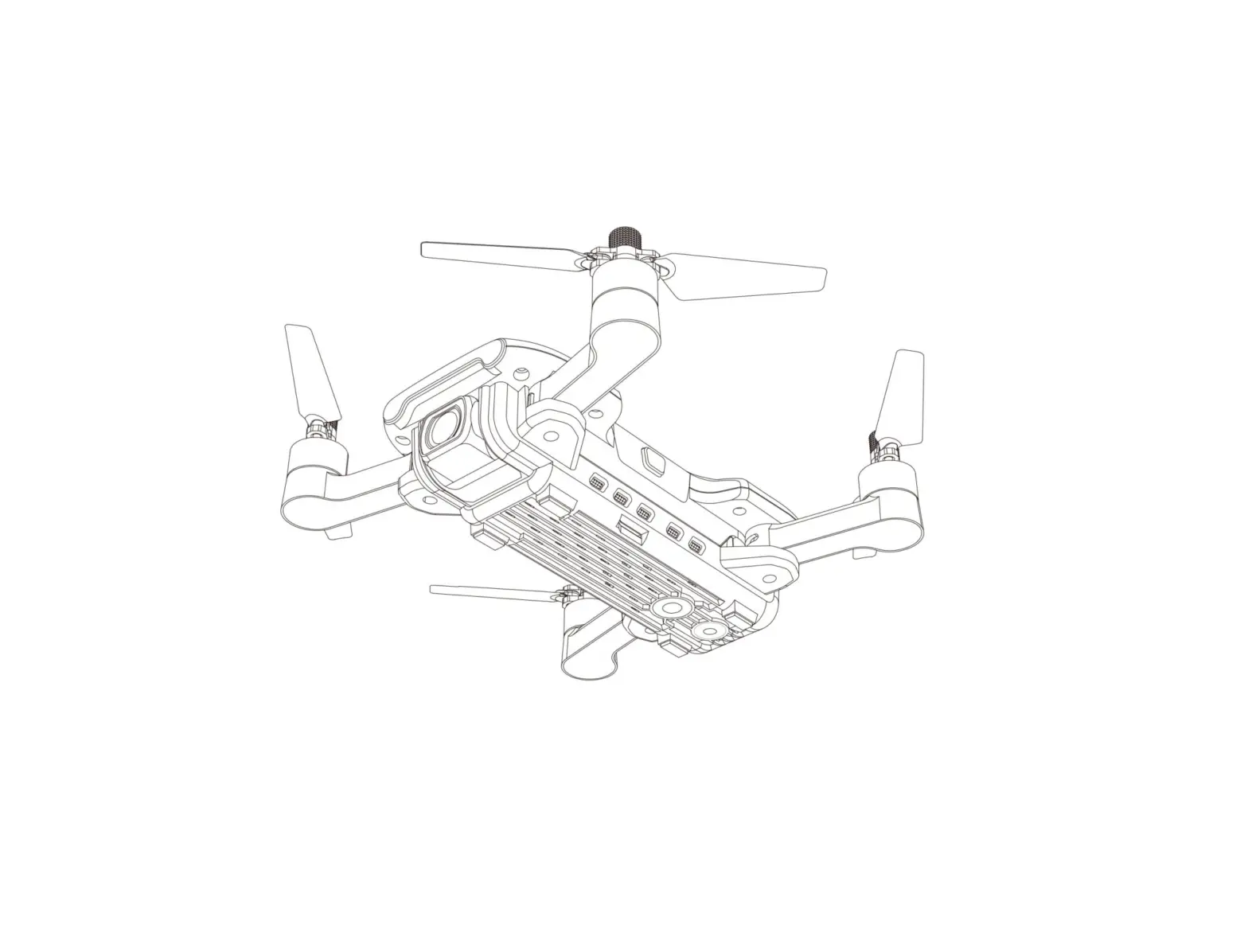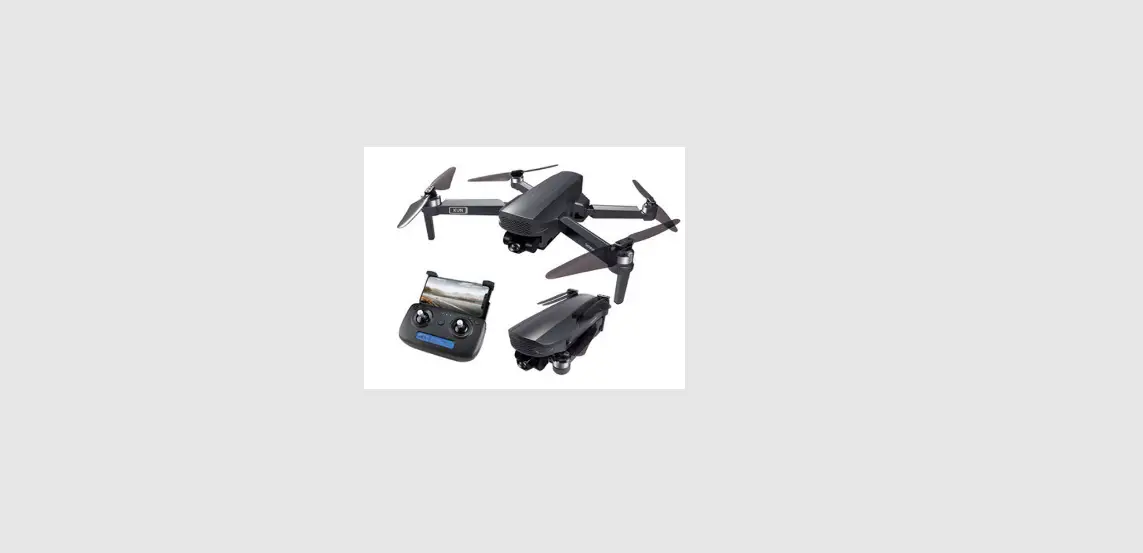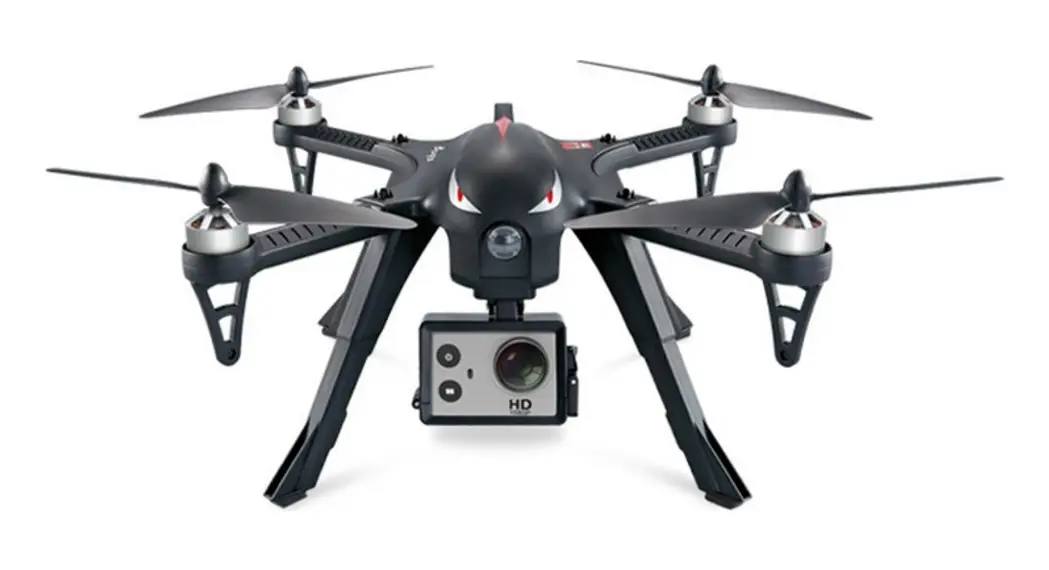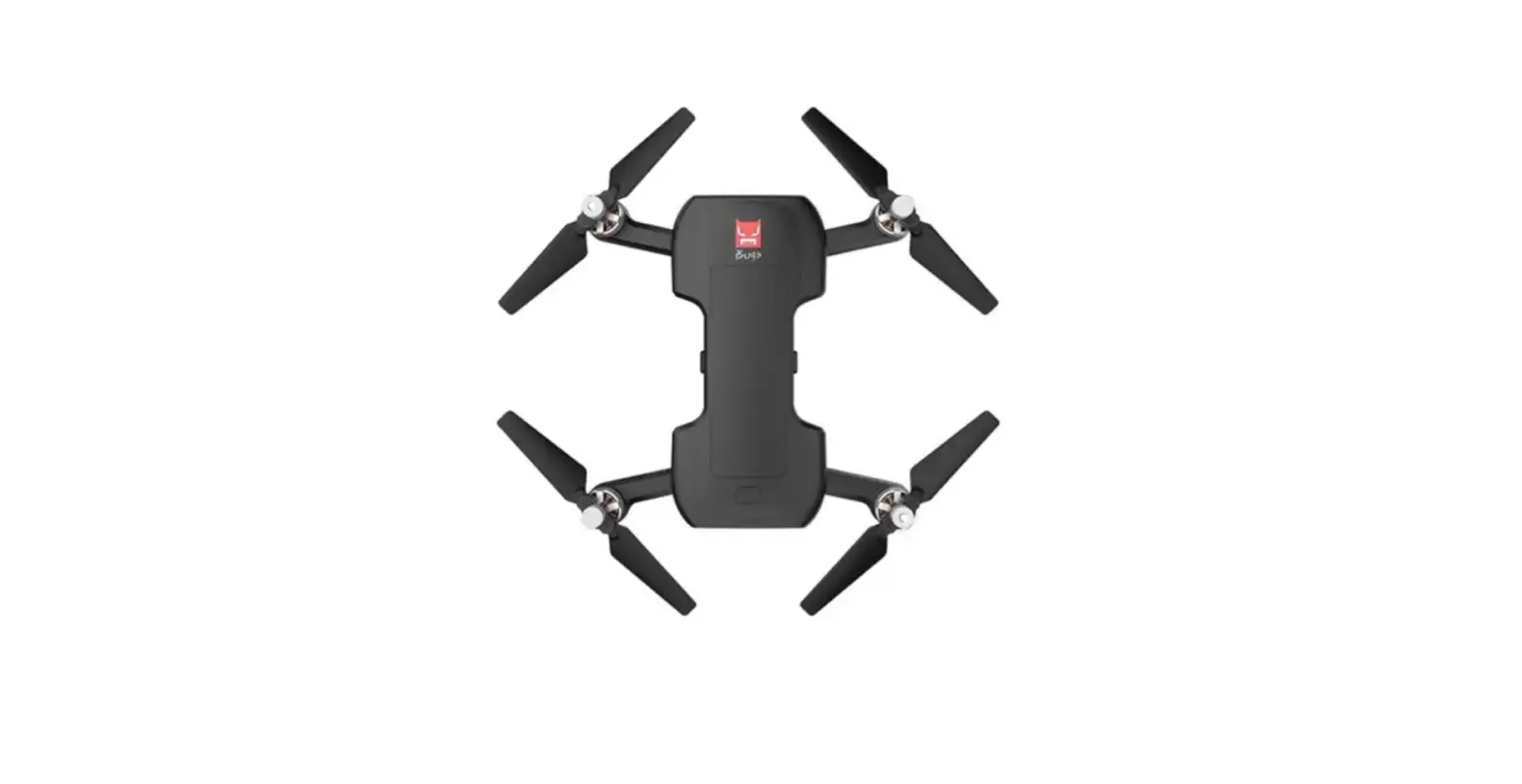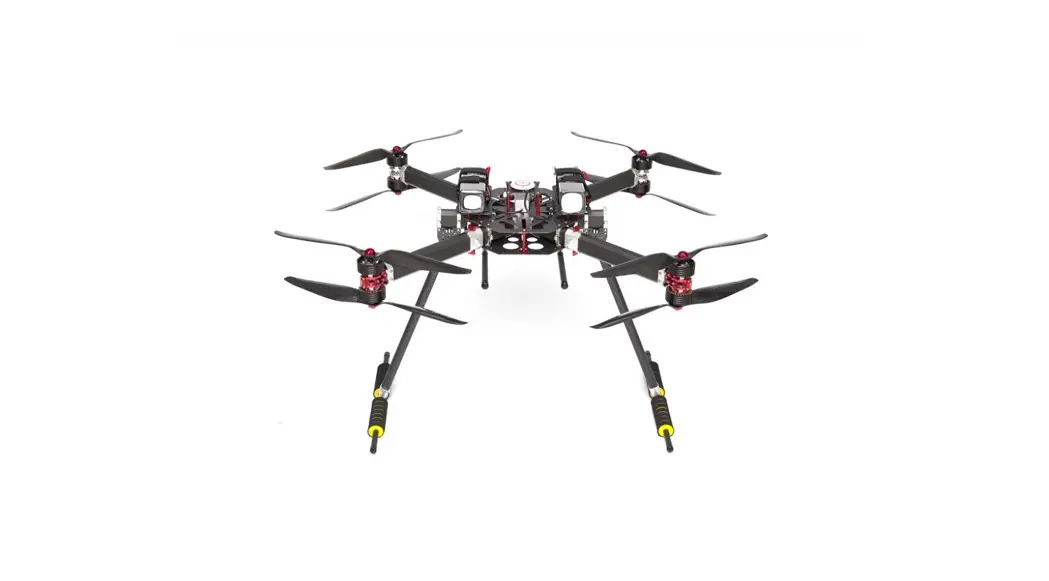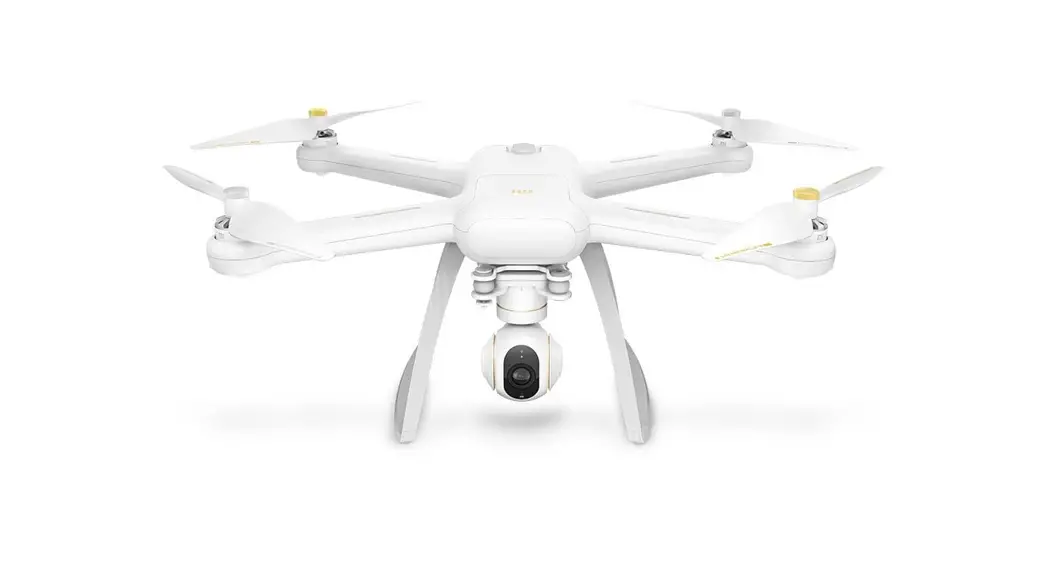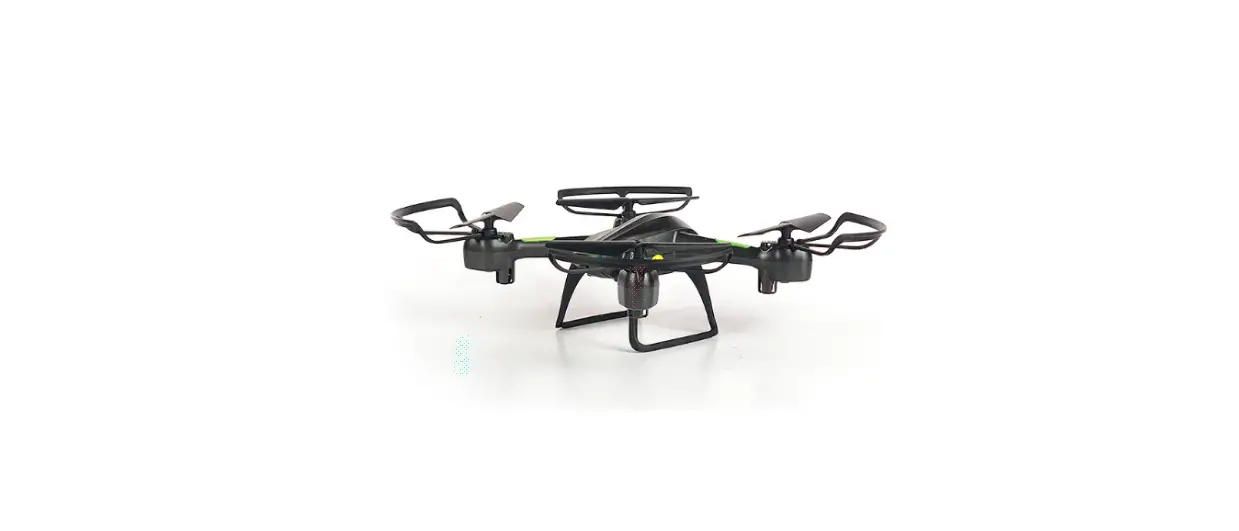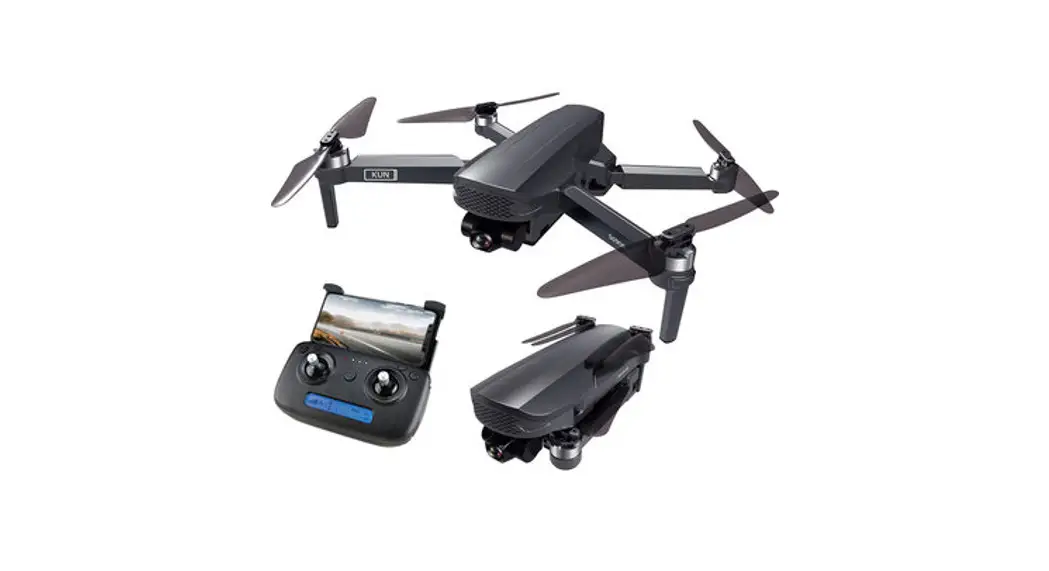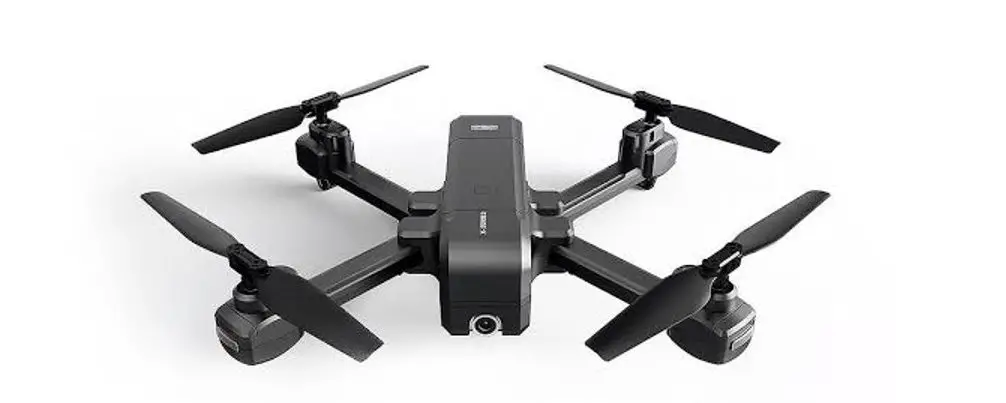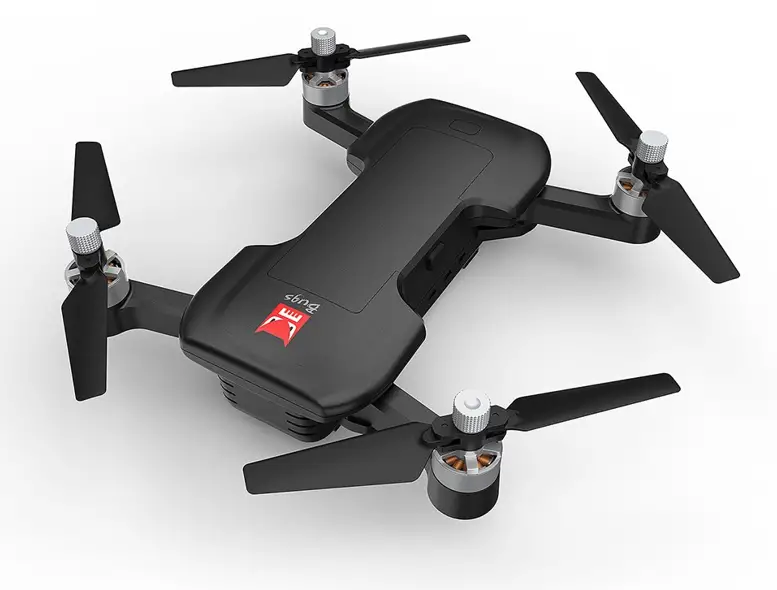

Guangdong Meijiaxin Bugs 7 Drone KK21 R/C drone
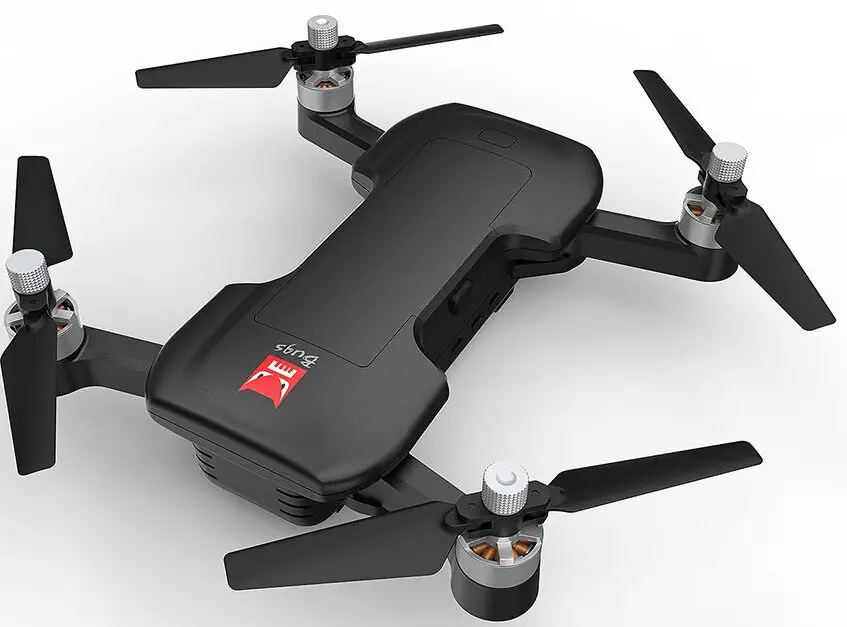
Attention: When the aircraft is not inserted with TF card or the TF card is malfunction, photos and videos taking can not be done by pressing the button of the remote controller, but by the icon on the APP interface.
One-key takeoff/landing
- After the B7 unlocked, short-press the “
 ” button (indicated as below), the aircraft will automatically take off and
hover at 1.5m altitude. - When the aircraft is flying, short-press the “ ” button (indicated as below), the aircraft will automatically land on the
ground. In aircraft’s landing automatically, press any joystick, the aircraft will exit the mode.
 ” button (indicated as below), the aircraft will automatically take off and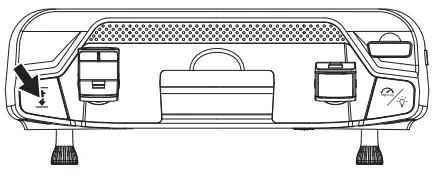
One-key RTH button
- Press the “
 ” with the buzzer having “Di”, it means the auto- return home is on.
 - The aircraft will return to lasted home point. Press the button shortly again, the return home will be closed.

 ” with the buzzer having “Di”, it means the auto- return home is on.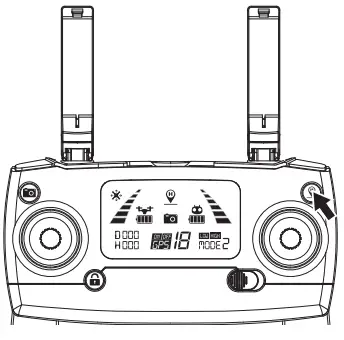
Low battery warning
- If the rear indicator light flash slow, the battery icon in transmitter LCD screen is “
 ”. As only the aircraft is beyond
30 meters altitude or 100 meters distance, the aircraft will return home automatically. As long as the aircraft is in 100
meters distance, the user can cancel the return by “ ”. - When the battery icon “
 ” is shown on the LCD screen (Pic. 2) with steady “beep …beep” sound, it means that the
aircraft battery is in low voltage. At this time, the aircraft front lights glow solid on and rear lights flash rapidly.
The aircraft will return when the altitude is over 15m or the distance is over 15m; if either the flying altitude or flying
distance is less than 15m, the aircraft will land to the ground.
 ”. As only the aircraft is beyond
 ” is shown on the LCD screen (Pic. 2) with steady “beep …beep” sound, it means that the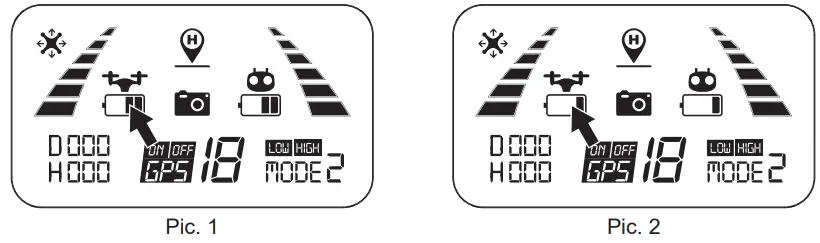
Remote control low voltage warning
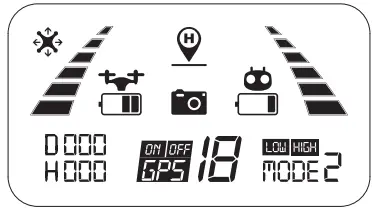
When the “  ” icon appears on the LCD screen and the remote control emits “beep beep” sound, it means that the
remote control battery is nearly out of power. Please change new battery for the remote control.
Signal strength indicator
- Signal strength bar “
 ” shows the strength of the received signal. The more, the better.
 - When the strength bar “
 ” changes from weak to strong circularly, it means that the remote controller is under
signal connection status. - There are 2 situations that the strength bar “
 ” is less than 2 grids or no displaying with steady long beep sounds.
- The distance between the aircraft and the remote controller is too far causing a weak signal.
- The battery is removed after the aircraft connects to the remote controller.

 ” shows the strength of the received signal. The more, the better.
 ” changes from weak to strong circularly, it means that the remote controller is under
 ” is less than 2 grids or no displaying with steady long beep sounds.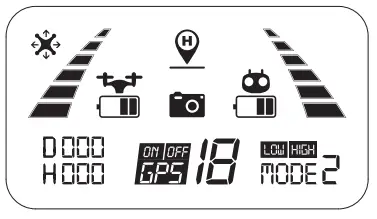
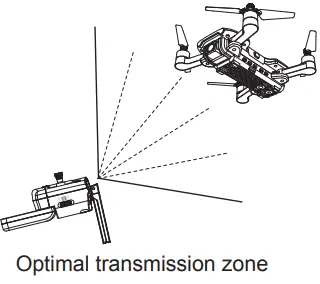
Optimal transmission zone
To obtain a satisfied flight experience, please make sure that your B7 is flying ahead of the remote controller and no
obstacles between the aircraft and the remote controller.
Throttle Control Stick Mode
Throttle mode switch
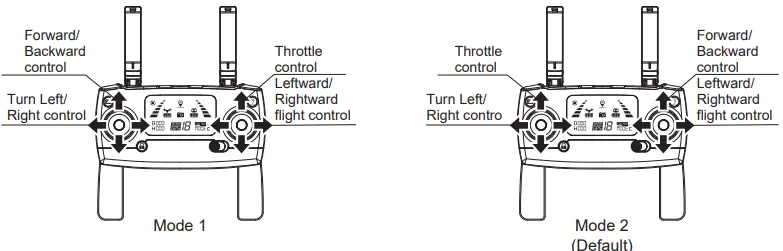
- Mode 1: The right stick serves as the throttle.
- Mode 2: The left stick serves as the throttle.
- The remote controller is set at Mode 2 by default.
How to change throttle mode
- Step 1. Keep pressing the red button “
 ” and turn on the remote controller, the remote controller is under signal
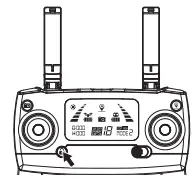
connection status (Pic. 1); - Step 2. Keep pressing the RTH button “ ” for 3 seconds to choose the throttle control mode (Pic. 2). The throttle control mode will change according to each press. The mode number is shown on the LCD screen. The throttle control mode is set at mode 2 by default.

Attention:
To change the stick mode of the remote controller, please make sure that the remote controller is under signal connection status (the indicator light keep flashing). If not, the stick mode could not be changed.
 ” and turn on the remote controller, the remote controller is under signal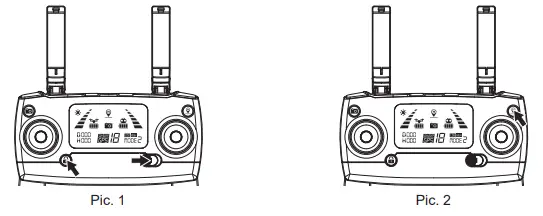
Install the Mobile Phone Holder
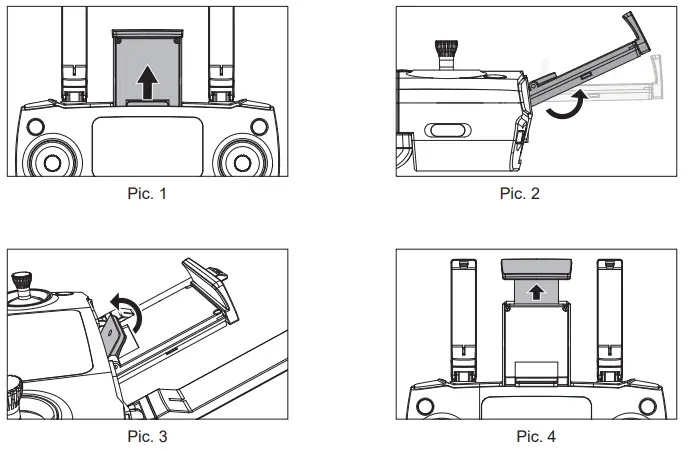
- Pull out the mobile phone holder upwards completely (Pic. 1);
- Tilt the holder 30 degrees towards you and then you will hear a click sound (Pic. 2);
- Rotate and fix the support board in place (Pic. 3);
- Adjust the mobile phone holder upward or downward according to the size of your mobile phone (Pic. 4).

APP Download & Installation
This section introduces how to download the “M RC PRO” APP and connect with mobile device.
FPV Real-time Image Transmission Software “M RC PRO”
Where to download “M RC PRO” APP
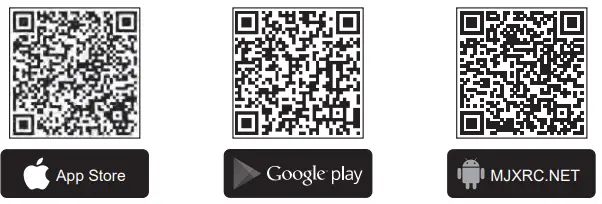
- For Apple IOS system, please turn to Apple store, search “M RC PRO” or scan the QR code at right side to download the software.
- For Android system, please turn to Google play, search “M RC PRO” or scan the QR code at right side to download the software. Or scan “MJXRC. NET” QR code to download the software.

How to link the “M RC PRO” to the camera
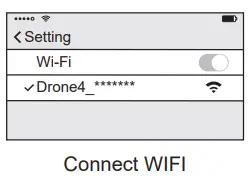
Power on the aircraft, then enter phone setting option. Turn on WiFi, find “Drone4_*******” on the list and connect it. When “  ” legend is shown, it means WiFi connection is successful. Exit settings and tap “M RC PRO” APP at your mobile device.
Photos and video saving feature
- If the camera is without TF card, videos and photos will be saved at the APP.(The image definition of video and photo is APP received image quality).
- If the camera is with TF card, videos and photos will be saved at the TF card.
- Videos and photos in the TF card can be downloaded to the APP.
Tips: Only mobile phones that support 5G WIFI (802.11.ac) can make FPV connections.
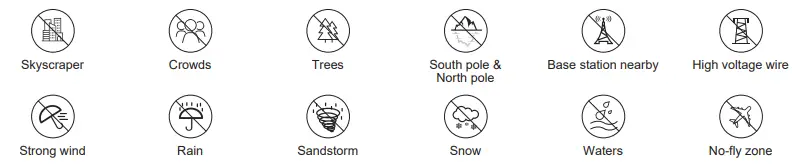
- Forbid to fly in following locations, surroundings and scenes.
- The drone is for 16+ years old, otherwise please play under qualified supervisor.
- Please comply with local flight laws and regulations, fly reasonably and legally.
Flight
This section introduces safe flight requirements and basic aircraft operations.
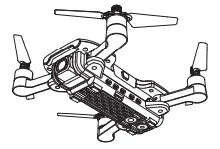
Flight Environment Requirements
- Please don’t fly in such bad weather conditions as high temperature, snow, strong wind (≥level 5), rain or fog.
- Always choose a wide open area for every flight. Tall structures and large metal structures may affect the accuracy of the onboard compass and GPS system.
- Well away from people and property. Never fly directly over people or animals.
- To minimize interference, please do not fly the aircraft in locations near power lines, base stations, electrical substations and broadcasting towers.
- Aircraft and battery performance is subject to environment factors like temperature. Be very careful when flying over 6KM above sea level since the performance will be affected.
- Your B7 cannot use GPS within the polar regions.
Flight limits and GEO zones
Abide by all laws and regulations when flying your B7. Flight limitations are applied by default to help users operate
this product safely and legally. Flight limitations include altitude limits, distance limits and GEO Zones. Altitude limits, distance limits and GEO Zones function concurrently to manage flight safety when operating in GPS Mode.
Pre-flight Checklist
- The aircraft, remote controller and mobile device are full charged;
- The propellers are installed correctly;
- The arms and propellers are unfolded;
- Ensure the camera lens are clean;
- Only use the designated or approved parts by the manufacturer. Unauthorized parts or parts not from certified manufacturers may cause malfunction or safety issues.
Aircraft Operations
Signal connection between the aircraft and remote controller
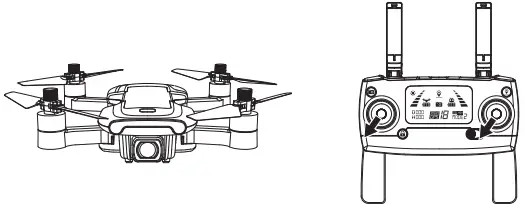
- Keep pressing the red button “ ” and turn on the remote controller (Pic. 1). The remote controller makes 2 beep sounds, and the indicator light “
 ” keeps flashing; the remote controller is under signal connection status.
 - Power on the aircraft (Pic. 2). The aircraft will make beep sounds with front and rear lights flashing and will automatically link to the remote controller. Once the remote controller sends out a long beep sound and the indicator light of the remote controller turns from flashing to solid on and the signal icon “
 ” is shown on the LCD screen, it means that signal connection is succeeded.
- Signal connection is done once for all if the remote controller is not linked to other aircraft.
- Set the connection one by one to avoid signal connection error.
 ” keeps flashing; the remote controller is under signal connection status.
 ” is shown on the LCD screen, it means that signal connection is succeeded.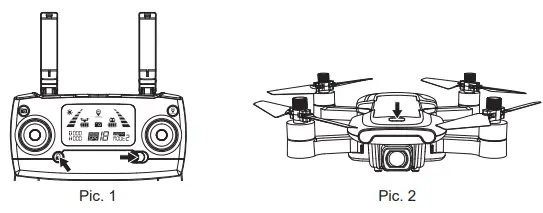
Aircraft initialization detection
After frequency matching, the aircraft will enter into initialization test. In this time, the yellow red green light flash alternately. The aircraft will finish the initialization about 8s in ground, then enter into compass calibration.
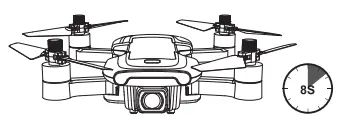
Attention: If the aircraft is always in initialization, can’t enter compass calibration. Please place the aircraft in ground, let the aircraft do gyro calibration to exit the initialization.
Aircraft compass calibration
- Compass calibration should be performed after successful aircraft initialization detection.
- Aircraft compass calibration should be done for every flight. That is to say, if changing new battery or the battery is reinstalled, compass calibration should be done again.
Two steps of compass calibration:
- Step 1: Horizontal calibration
After the initialization, the yellow indicator light flashing, the aircraft enters into the compass horizontal calibration. As seen below picture, rotate the aircraft horizontally for about 3 circles until the indicator light turns green and flash, which means the horizontal calibration is complete.
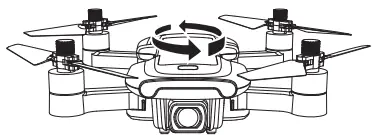
- Step 2: Vertical calibration
Hold the aircraft with camera facing up, and rotate it 360 degrees along the central axis for about 3 circles until the lights of the aircraft change from flashing to solid on, the compass calibration is successful.
Attention: To fly at GPS mode, please choose an open and wide space for the flight, and make sure that the satellite amount is over 7. - Please do not calibrate the compass in strong magnetic area, such as magnetic field, parking place or construction areas with underground reinforcement.
- Please do not carry magnetic materials with you (such as keys, cell phones, etc) when calibrating compass.
- Please keep away from big metal when calibrating compass.
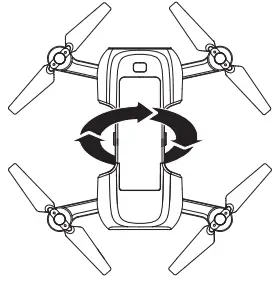
Manual gyro calibration
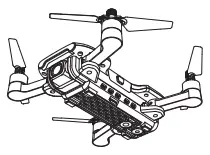
After the aircraft and the remote controller are banded, set the aircraft on flat ground and follow the indication photo as below to calibrate the gyro. Once the aircraft lights turn from flashing to solid on, it means that the gyro calibration is succeeded.
The gyroscope calibration was done at the factory. Gyroscope calibration is not needed unless the aircraft can not exit the aircraft initialization detection procedure.
How to lock and unlock the aircraft
- Unlock the aircraft
Short-press the red button “” . The motors rotate and the aircraft is unlocked. - Lock the aircraft
There are 2 ways to lock the aircraft that you can find it as below:- Method 1: After the aircraft landing, pull the throttle to the bottom and hold for 3 seconds. The motor will stop and aircraft will be locked.
- Method 2: The aircraft will be locked automatically once no any operation in 15 seconds after unlocked.

- ! Emergency stop:
- Beyond 30 meters distance and 15 meters altitude, press the “ ” and hold for 3 seconds, the aircraft will be stop.
- The function is only for emergency, please don’t use it in normal flight.
- Beyond 30 meters distance and 15 meters altitude, press the “
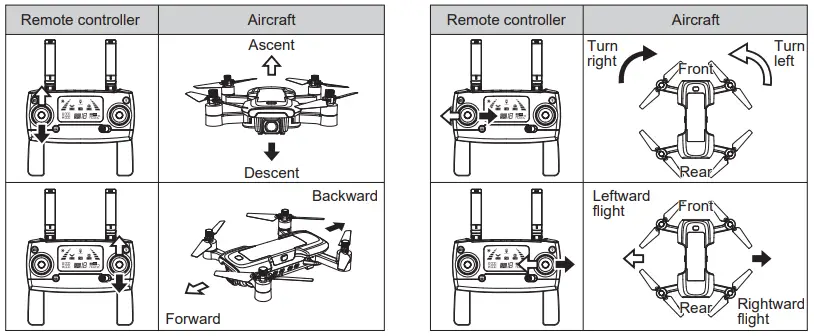
Operate the aircraft
Test Flight
Basic flight operation steps
- Place the aircraft in a wide open area that its front is your front.
- Turn on the aircraft and remote controller.
- Connect the remote controller with the aircraft and then proceed aircraft initialization detection.
- Operate the “M RC PRO” APP, connect your device with Bugs 7, enter into the Camera interface.
- Unlock the aircraft.
- Pull up the throttle stick then the aircraft takes off, and control the aircraft flight by left/right stick.
- Pull down the throttle stick to land the aircraft.
- Pull down the throttle stick to the bottom position and keep for 3 seconds to lock the aircraft.
- Pull out the battery from the aircraft and then turn off the remote controller.
Video suggestion and tips
- Do pre-flight checklist;
- Choose appropriate gimbal shooting angle;
- Fly in a good weather with no wind;
- Perform test flights to establish flight routes and to preview scenes;
- Push the control stick gently to keep the aircraft movement smooth and stable.
Please bear proper operation and flight safety guidelines in mind as it is very important for all of us. For more information, please turn to Appendix.
Appendix
Product Parameters
| Aircraft | |
| Gross Weight (Battery and propellers included) | B7: ≤249g |
| Dimensions | Folded: 140*75*55mm(length*width*height) Unfolded: 240*235*55mm(length*width*height) |
| Diagonal | 175mm |
| Max Flight Weight | 249g (The drone can’t fly with loading other parts) |
| Max Ascent Speed | 3m/s |
| Max Descent Speed | 2m/s |
| Max Speed | 32km/h |
| Flight Height Limitation | 120m |
| Max Tilt Angle | 35° |
| Max Angular Velocity | 200°/s |
| Operating Temperature Range | 0℃-40℃ |
| GNSS | GPS |
| Hovering Accuracy Range | Indoor: Vertical±0.3m Outdoor: Vertical±0.3m Horizontal±0.3m Horizontal±0.5m |
| Operating Frequency | 2.4-2.4835GHz (Transmitter) 5.15-5.25GHz (FPV) |
| Transmission Power (EIRP) | 2.4GHz≤2dBm 5GHz≤16dBm |
| Gimbal | |
| Gimbal Style | Manual Angle Range |
| Controllable Range | Tilt: 0° to -90° |
| Camera | |
| Image Sensor | 1/2.7 inch CMOS |
| Lens | FOV: approx.120° Aperture: f/2.5 Focal length: 3.6mm |
| ISO Range | 100-1600 (Auto) |
| Electronic Shutter Speed | Electronic Shutter: 1/30s-1/10000s |
| Still Image Size | 3840×2160 |
| Still Photography Modes | Single Shot |
| Video Resolution | 3840×2160 |
| Color Mode | RGB Mode |
| Max Video Bitrate | Video 20Mbit/Transmission 2Mbit |
| Local Video Frame Rate (In TF Card): | 4K@16FPS,2.5K@25FPS |
| Maximum Frame Rate | 720P@20FPS |
| Supported File System | FAT32 |
| Photo Format | JPEG Format |
| Video Format | MP4, Compressed Format H.264 |
| SD Cards | Micro SD Card, Support for 32GB Capacity Expansion Maximally, Class 10 or Up. |
| Operating Temperature | 0℃-40℃ |
| Remote Controller | |
| Transmitter Item # | GR811A |
| Operating Frequency | 2.4-2.4835GHz |
| Max Transmission Distance | 300m |
| Operating Temperature | 0℃-40℃ |
| Battery | AA*2 |
| Transmission Power (EIRP) | 2.4GHz≤2dBm |
| Operating Current/Voltage | 200mA@3V |
| Charger | |
| Standard Input | 5V/2-2.1A |
| Standard Output | 7.6V/2A |
| Rated Power | 15.2W |
| Aircraft Battery | |
| Capacity | 1500mAh |
| Voltage | 7.6V |
| Battery Type | Li-po |
| Energy | 11.4Wh |
| Net Weight | about 74g |
| Charging Temperature Range | 5℃-40℃ |
| Charging Current | 2A (Max) 2A Adaptor |
| Charging Time | 150 minutes |
| APP | |
| APP Name | M RC PRO |
| Image Transmission System | WIFI 5GHz |
| Real-time Image Transmission | 720p@20fps |
| Latency | 200-300ms |
| Required Operating System | iOS 9.0 or later Android 4.4 or later |
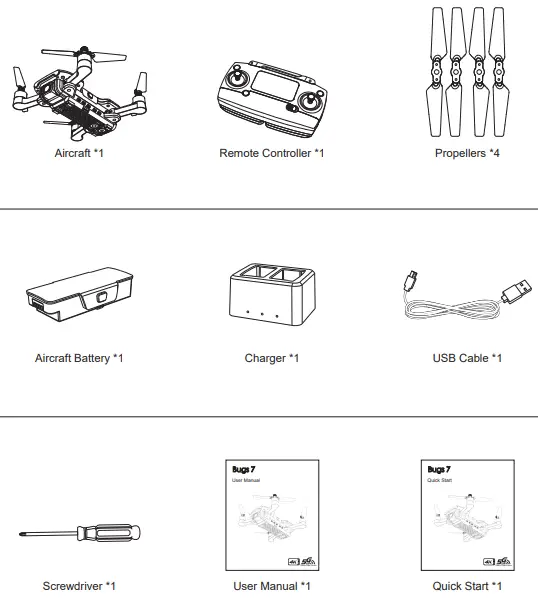
Packing Detail
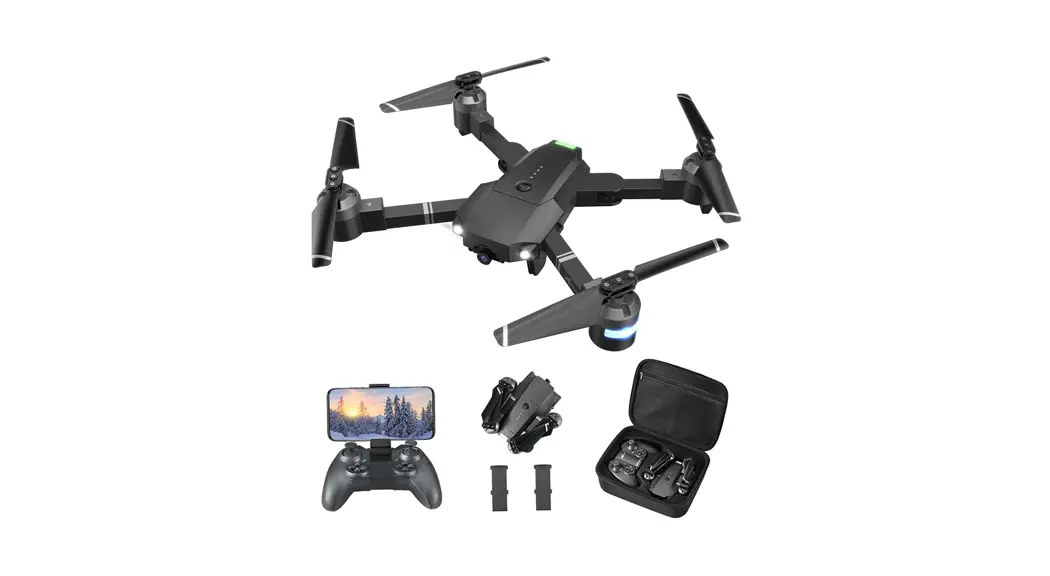
Full package includes the following parts.
Important Statement
- This aircraft is not a toy, but hobby grade model. It should be assembled and operated properly. Pilot must operate this aircraft in safe way. Improper operation may cause injury or property damage.
- This aircraft is applicable for pilots aged 14+ who are with skilled flying experience.
- Users are in full charge of proper operating this aircraft. Manufacturer and dealers disclaim any responsibility for damages caused by misuse.
- Keep the small accessories away from kids to avoid accident.
Flight Safety Guidelines
Hobby grade radio control aircraft is somewhat considered to be the highest danger potential article. Users should firmly uphold the principle of “safety comes first”. Never fly the aircraft near airports, above crowds or in zones storing dangerous goods and understand the responsibility of the accident may cause by improper operations.
- Stay away from obstacles, crowds, power lines, trees or waters
Always choose a wide open area for every flight, well away from people and property. Never fly directly over people or animals. Please don’t fly in such bad weather conditions as high temperature, snow, strong wind (≥level 5), rain or fog. Maintain a 7ft (2m) distance from the aircraft when taking off and landing. - Keep the aircraft in dry environment
The aircraft is composed by sophisticated electronic components and mechanical parts. To avoid damages on the mechanical and electronic components, please keep the aircraft in dry environment and use clean cloth to wipe the surface and keep it clean. - Practice flying together with skillful pilot
Beginners are suggested to practice flying together with skillful pilot’s guidance. Do not fly alone. - Bear proper operation and safe flight guidelines in mind
Please take a careful look at the manuals before flights for important information of product functions and operation tips, and learn how to use the accessory, safe flight always comes first. Stay informed of and abide strictly by relevant local laws and regulations. Keep away from any non-flight zones and respect other people’s privacy. - Safe flying
Please make sure you are in good shape mentally before every flight. Fly the aircraft as per your flying experience. Never fly under influence of alcohol or drugs. Keep the remote controller at least 20 cm away from your body when flying the aircraft. - Keep distance from a flying aircraft
Never use your hands to touch a flying aircraft under any circumstance. Don’t approach and touch a landed aircraft before its propellers are completely locked. - Keep away from heat source
The aircraft is made of metal, fiber, plastic, electronic component and other material. Please keep it away from the heat source to avoid deformation or even damage caused by sun exposure and high temperature. - Environmental protection requirements
To protect our blue planet, so please recycle the aircraft as per local laws and regulations.
FCC
Note:
- Changes or modifications not expressly approved by the party responsible for compliance could void the user’s authority to operate the equipment.
- This equipment has been tested and found to comply with the limits for a Class B digital device, pursuant to part 15 of the FCC Rules. These limits are designed to provide reasonable protection against harmful interference in a residential installation. This equipment generates, uses and can radiate radio frequency energy and, if not installed and used in accordance with the instructions, may cause harmful interference to radio communications. However, there is no guarantee that interference will not occur in a particular installation. If this equipment does cause harmful interference to radio or television reception, which can be determined by turning the equipment off and on, the user is encouraged to try to correct the interference by one or more of the following measures:
- Reorient or relocate the receiving antenna.
- Increase the separation between the equipment and receiver.
- Connect the equipment into an outlet on a circuit different from that to which the receiver is connected.—
- Consult the dealer or an experienced radio/TV technician for help.
- The device for operation in the band 5150-5250 MHz is only for indoor use to reduce the potential for harmful interference to co-channel mobile satellite svstems.
- This device complies with part 15 of the FCC Rules. Operation is subject to the following two conditions:
- This device may not cause harmful interference, and
- This device must accept any interference received, including interference that may cause undesired operation.
- FCC RF Radiation Exposure Statement Caution:
To maintain compliance with the FCC’s RF exposure guidelines, place the Aircraft at least 20cm from nearby
persons and Remote Controller no more than 20cm from nearby person.
 MJX | Dream Of The Future