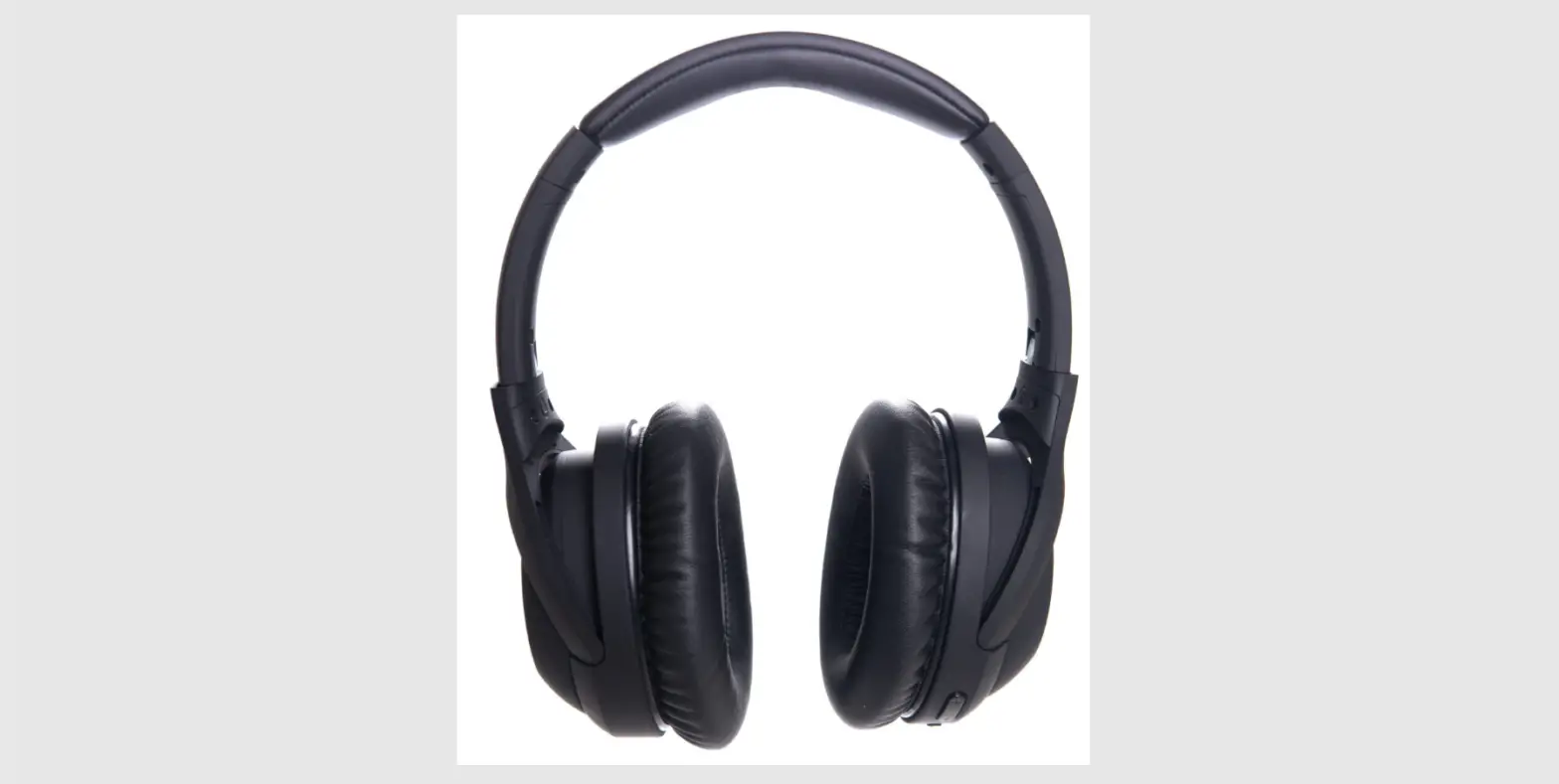
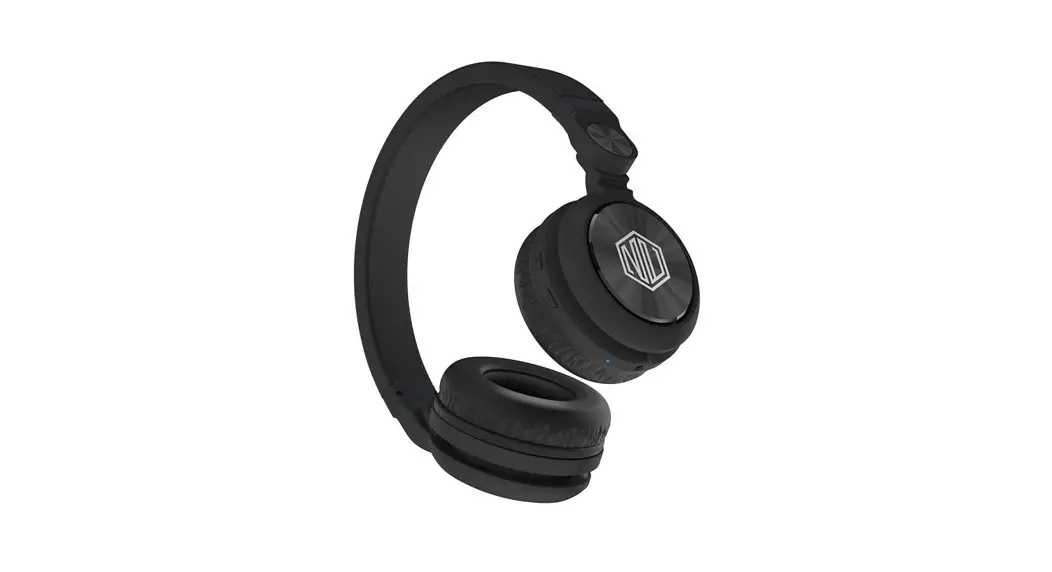
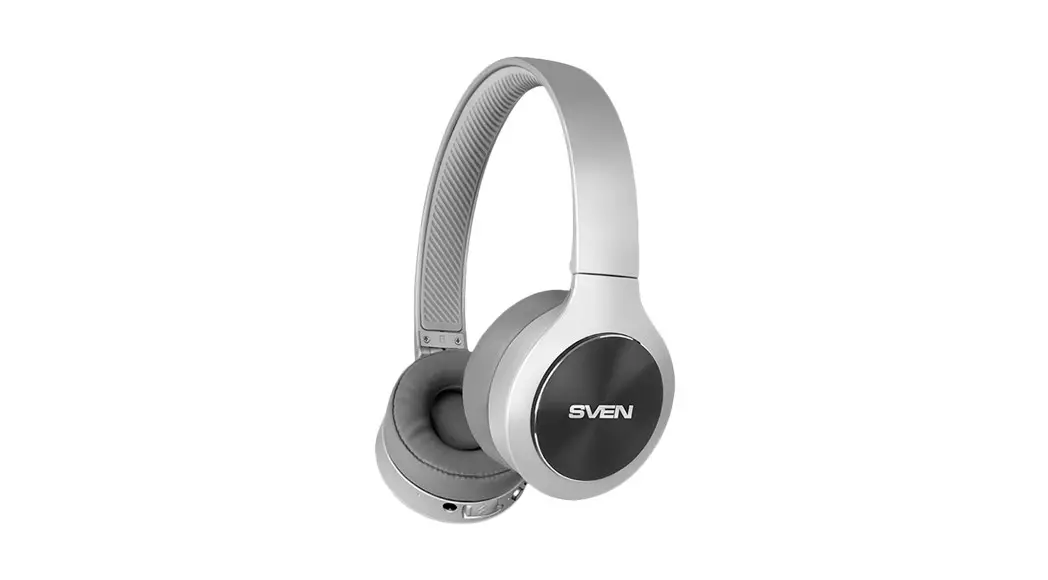
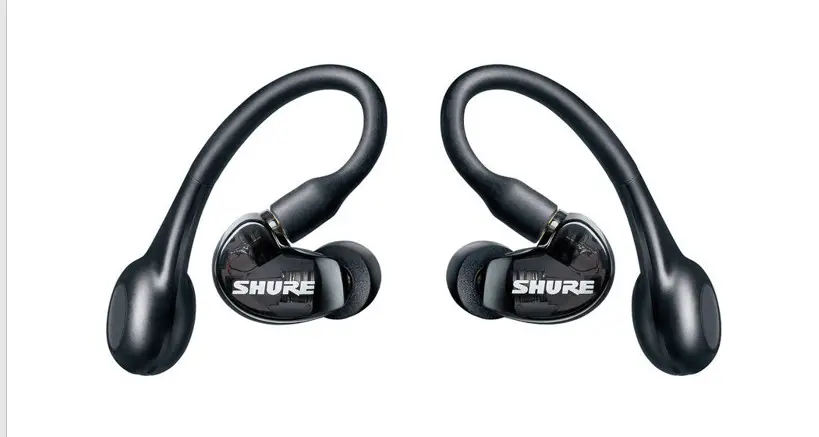
NiTRO-X Headphones
Product Information: – Product Name: NiTRO-X
headphones – Brand: Sound by Sweden – Concept: New Generation of
Sound – Design: Indorses proven technical properties, innovative,
and highest material standards – Purpose: Offers the highest level
of music listening pleasure – Warranty: One-year (1) warranty from
the date of purchase – Support: Contact [email protected]
for any questions or assistance Product Usage
Instructions: 1. Charging – Start by
charging the headphones until the red LED on the left earcup shines
green. 2. Pairing – Press the power button on the
headphone for 5 seconds to activate pairing mode. The headphone LED
will blink red and blue in pairing mode. – The voice prompt
“NiTRO-X connected” will indicate when the pairing is completed. 3.
Functions – Enable/Disable noise cancelling: The
LED on the button shines white when the noise cancelling mode is
activated. – Microphone for voice calls. – Input for 3.5mm audio
cable: Used when listening with an aux-cable instead of wireless
audio transmission (the mic for calls is not activated in this
mode). – LED indicator for headphones power on and pairing mode. –
Multifunction button: – On/Off: Hold down the button for 3 seconds.
– Answer/end calls: Click the button. – Play/pause music: Click the
button. – Activate voice assistant (Siri/Google): Hold down the
button for 2 seconds. – Lower the volume: Click the button. – Skip
back: Hold the button. – Increase the volume: Click the button. –
Skip forward: Hold the button. 4. ANC &
Transparency – NiTRO-X has 3 modes to filter out
disturbing ambient noise. – Transparency mode: Double click on the
noise reduction button to activate. It filters out ambient noise
but lets through and amplifies conversation sound for communication
with surroundings. – Noise cancelling on: Press the noise reduction
button once to activate. It filters out disturbing ambient noise
like fan noise and traffic. Note: It is recommended to never listen
to volume levels above comfortable levels to avoid irreversible
hearing damage. Avoid charging the NiTRO-X with a Power Delivery
(PD) charger as it can destroy the electronics in the headphone.
MANUAL
Introduktion
SV
Vi gratulerar dig till köpet av dina nya NiTRO-X!
Våra produkter utvecklas och produceras i enlighet med vårt koncept som vi har valt att kalla “New Generation of Sound”. Det innebär att produkten ska ha en tekniskt förankrad och innovativ design samt att samtliga komponenter ska vara tillverkade av högsta möjliga materialkvalitet. Konstruktionen ska vara genomtänkt och optimerad för att ge användaren många år av högsta möjliga lyssningsglädje.
Rekommendationer Lyssna aldrig på högre ljudvolym än vad som upplevs bekvämt. Du riskerar annars att få bestående skador på din hörsel.
Ladda inte NiTRO-X med så kallad PD-laddare (Power Delivery) då detta kan förstöra elektroniken i hörluren.
Support & garanti
SV
Support Att du som kund ska vara nöjd med dina NiTRO-X ser vi på Sound by Sweden som en självklarhet. Skulle du ha några frågor som rör våra produkter når du vår kundsupport på: [email protected]
Garanti Vi lämnar ett (1) års garanti på NiTRO-X räknat från inköpsdatum (se särskilda villkor gällande förbrukningsdelar på soundbysweden.com). Garantin gäller i de länder där det finns en, av Sound by Sweden AB, utsedd och godkänd återförsäljare. Garantin omfattar påvisbara material- eller fabrikationsfel. Denna garanti begränsar inte tvingande lagstiftning eller konsumenträtt.
Snabbstart
SV
1. Ladda dina NiTRO-X tills dess att LED-dioden på den vänstra hörlurskåpan lyser grön. Dioden lyser rött under själva laddningsprocessen.
2. Aktivera Bluetooth® på den sändande enheten (ex. telefonen).
3. Håll on/off knappen intryckt 5 sekunder att aktivera hörlurens parningsfunktion. Du hör rösten säga “Pairing”. Hörlurens LED blinkar röd och blå när hörluren är i parningsläget.
4. Anslut genom att välja “NiTRO-X OE” i listan av tillgängliga Bluetooth® enheter på sändande enheten.
5. Du hör rösten säga “NiTRO-X connected” när enheterna är parade med varandra.
6. Klart att börja använda hörlurarna.
Knapparnas funktioner
SV
1. Aktivera/avaktivera brusreducering (LED:en på knappen lyser vitt när brusreduceringsfunktionen är aktiverad).
2. Mikrofon för samtal. 3. Ingång för 3.5mm ljudkabel. Används vid lyssning med
aux-kabel då man inte vill ha trådlös ljudöverföring (vid lyssning med kabel är mikrofonen för samtal ej aktiverad). 4. LED indikator för hörlur påslagen samt parningsläge. 5. Multifunktionsknapp: – På/Av genom att hålla knappen nedtryckt i 3 sekunder. – Svara/avsluta samtal med ett knapptryck. – Håll knappen nedtryckt 2 sekunder för att aktivera röstassistenten (Siri/Google). – Starta/pausa musik genom ett knapptryck. 6. – Sänk volymen genom att trycka på knappen. – Ändra till tidigare låt genom att hålla knappen nedtryckt. 7. – Höj volymen genom att trycka på knappen. – Ändra till nästa låt genom att hålla knappen nedtryckt. 8. LED indikator för laddning. 9. Laddningsport för USB C-kabel (laddkabel medföljer).
Brusreducering & Medhörning SV
NiTRO-X har 3 lägen för att filtrera bort störande omginingsljud.
1. “Transparency mode” (medhörning) där man filtrerar bort störande omgivningsljud men samtidigt släpper igenom och förstärker samtalsljud, så att du kan kommunicera med din omgivning. Medhörningsläget aktiveras genom att dubbelklicka på knappen för brusreducering, när funktionen aktiveras säger hörluren “Transparency mode”.
2. “Noise cancelling on” som filtrerar bort störande omgivningsljud såsom fläktljud, trafikljud m.m. Funktionen aktiveras genom att trycka 1 gång på brusreduceringsknappen. Hörluren säger då “Noise cancelling on”.
3. “Noise cancelling off” där man filtrerar bort störande omgivningsljud passivt med hjälp av hörlurkuddarna. Hörluren startar automatiskt i detta läge när man sätter på hörluren, då hörluren drar minst ström i detta läge.
Samtliga 3 lägen kan aktiveras även om man inte använder hörlurarna för musik eller samtal.
OBS! Använd inte brusreduceringsläget när du befinner dig i omgivningar som kräver din uppmärksamhet, ex. trafikmiljö.
Röstindikator
SV
NiTRO-X använder röstindikator för att informera om operationellt läge.
1. När hörluren startas säger rösten “Power on”.
2. När hörluren söker efter enhet att ansluta till säger rösten “Pairing”.
3. När hörluren ansluter till en annan enhet säger rösten “NiTRO-X connected”.
4. När batteriet når en batterinivå på 10% säger rösten “Battery low”.
5. När hörluren stängs av säger rösten “Power off”.
6. När hörluren aktiverar brusreducering säger den “Noise cancelling on”.
7. När hörluren aktiverar medhörningen säger den “Transparancy mode”.
8. När hörluren växlar till enbart passiv brusreducering säger den “Noise cancelling off”.
Introduction
ENG
Congratulations to your new NiTRO-X headphones!
Sound by Sweden products are developed and produced according to our “New Generation of Sound” concept, meaning that the design should indorse proven technical properties, be innovative as well as consist of highest material standards. The concept should always result in a product offering the highest level of music listening pleasure.
Recommendation Never listen to volume above comfortable levels. If you do,you might damage your hearing irreversibly.
Do not charge your NiTRO-X with a so-called PD charger (Power Delivery) as this can destroy the electronic in the headphone.
Support & Warranty
ENG
Support We aim at nothing less than 100% satisfaction from your new NiTRO-X. Should you have any questions regarding your headphone, please contact our support: [email protected]
Warranty We provide a one-year (1) warranty on this product, starting from the date of purchase (see special conditions applicable to consumable parts at soundbysweden.com). The warranty is valid in any country where there is one, of Sound by Sweden AB, appointed and authorized distributor or reseller. Sound by Sweden AB warrants this product against defects in materials or workmanship. The warranty does not limit local warranty or consumer rights legislations.
Quick start
ENG
1. Start by charging the headphones until the red LED on the left earcup shine green.
2. Activate Bluetooth® on your transmitting device.
3. Press the power button on the headphone for 5 seconds to activate paring mode. The headphone LED blinking red and blue in pairing mode.
4. Choose NiTRO-X OE in your transmitting device, under Bluetooth® menu.
5. The voice prompt “NiTRO-X connected” will indicate when the pairing is completed.
6. The headphones are now ready to use.
Functions
ENG
1. Enable/Disable noise cancelling (LED on the button shines white when the noise cancelling mode is activated)
2. Microphone for voice calls. 3. Input for 3.5mm audio cable. Used when listening with
aux-cable instead of wireless audio transmission (when listening with cable, the mic for calls is not activated). 4. Led indicator for headphones power on and pairing mode. 5. Multifunction button: – On/Off by holding down the button for 3 seconds. – Answer/end calls by clicking the button. – Play/pause music by clicking the button. – Activate voice assistant by holding down the button for
2 seconds (Siri/Google). 6. – Lower the volume by clicking the button.
– Hold button to skip back. 7. – Increase the volume by clicking the button.
– Hold button to skip forward. 8. LED indicator for charging status. 9. Charging port for USB-C cable (included in package).
ANC & Transparency
ENG
NiTRO-X has 3 modes to filter out disturbing ambient noise.
1. “Transparency mode” (communication) where you filter out disturbing ambient noise but at the same time let
through and amplify conversation sound, so you can communicate with your surroundings. Transparency is
activated by double clicking on the noise reduction button, when the function is activated the headphone says
“Transparency mode”.
2. “Noise cancelling on” where you filter out disturbing ambient noise such as fan noise, traffic etc. The function is activated by pressing the noise reduction button once.
The headphone then says “Noise canceling on”.
3. “Noise cancelling off” where you filter out disturbing ambient noise only by passive noise reduction.The headphone automatically starts in this position when you power on the headphone. The headphone consumes the least current in this mode.
ALL 3 modes can be activated on the earphones even if you do not use them for music or calls.
NOTE! Do not use the noise cancelling mode when you are in an environment that requires yours attention, ex. traffic environments.
Voice indicator
ENG
NiTRO-X uses voice indicator to indicate operating mode.
1. When starting the headphone you´ll hear the voice prompt “Power on”.
2. When the headphone searches for another device to connect to, you´ll hear the voice prompt “Pairing”.
3. When the headphone connects to another device you´ll hear the voice prompt “NiTRO-X connected”.
4. When the battery reaches a level of 10% you’ll hear the voice prompt “Battery low”.
5. When you turn off your NiTRO-X you’ll hear the voice prompt “Power off”.
6. When the headphone activate the Noise cancelling, you´ll hear the voice prompt “Noise cancelling on”.
7. When the headphone activate the transparency mode, you´ll hear the voice prompt “Transparency mode”.
8. When you switch to only passive noise reduction, you´ll hear the voice prompt “Noise cancelling off”.
 Sound by Sweden | Marknadsledande hörlurar | Powered by SUPRA