 Instructions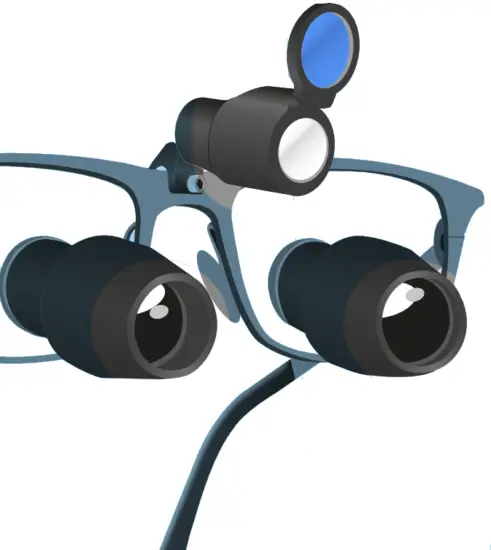
iShields® Instructions
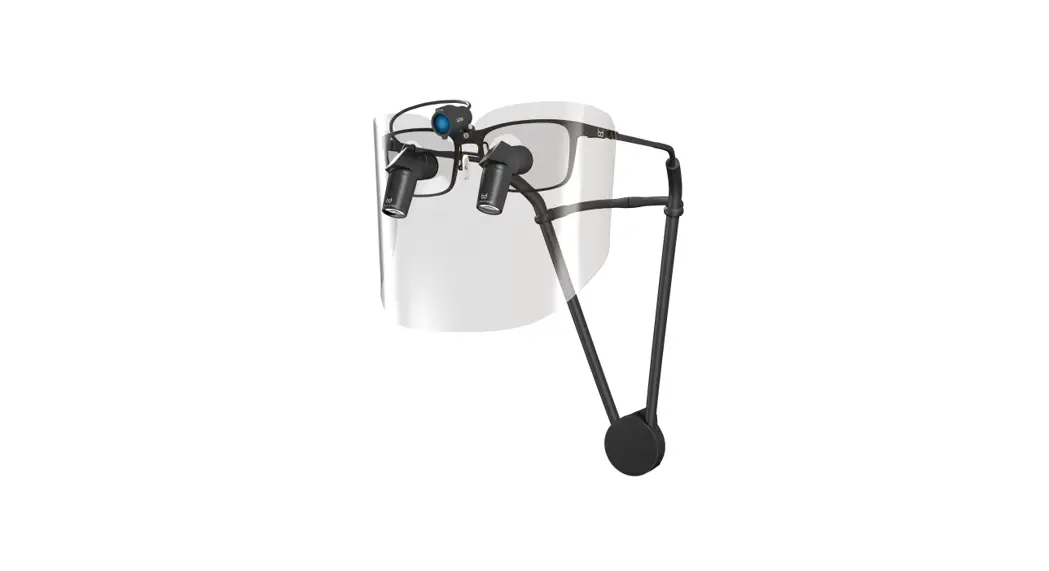
iShields® is a magnetic visor system that acts as a barrier against sprays, splashes, and splatters of bodily fluids. As a form of Personal Protective Equipment (PPE), the device is designed to be used by qualified medical, dental and veterinary healthcare professionals and must be used with the attachment brackets provided. For full protection you should use with further PPE, such as surgical masks
What’s included
>> x1 Set of iShield® Brackets (Included with first order only)
>> x12 iShield® Visors (Galilean System or Prismatic System)
Attaching the iShield® Bracket
Our iShields® system easily attaches to your loupes, via a specific bracket that goes on the arms of the frames.
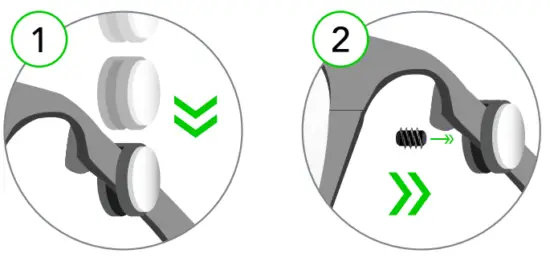
This bracket varies depending on the style of your frames. (1) Slide a bracket over each arm of your spectacles and (2) tighten the grub screws to secure them in place. Please ensure the magnet is facing outwards.
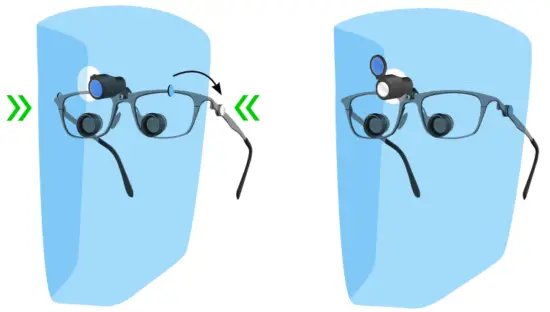
Attaching iShield® Galilean
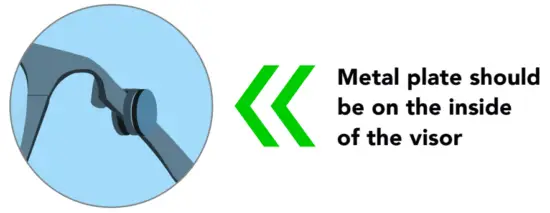
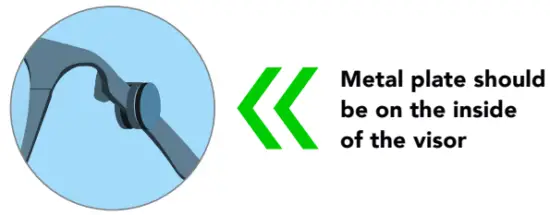
- Please remove the protective film from the iShield before use. Ensure you have the visor the right way round. The metal plate on the inside of the visor should have contact with the magnet on the bracket.

- Bring the left and right sides of the shields towards the magnetic brackets and the visor will attach into place.

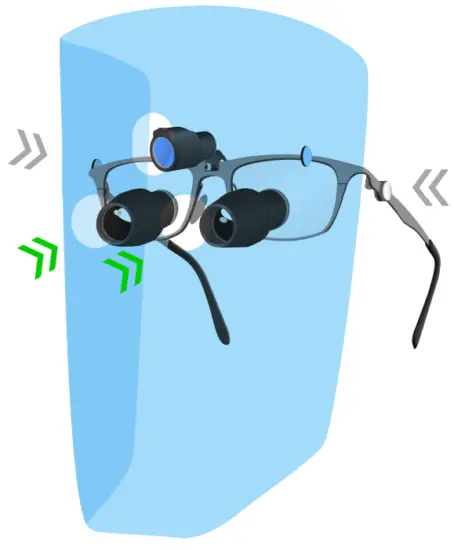
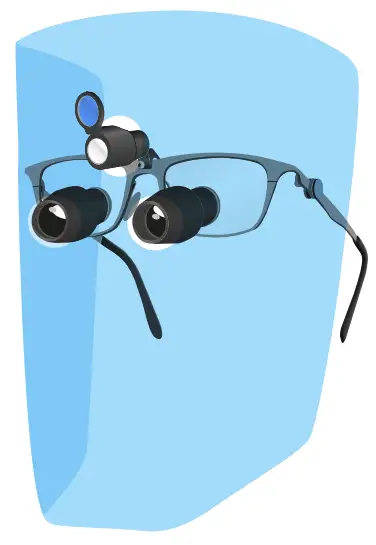
Attaching iShield® Prismatic
- Please remove the protective film from the iShield before use. Ensure you have the visor the right way round. The metal plate on the inside of the visor should have contact with the magnet on the bracket.


- Align the two telescope holes and pass the telescopes through. Bring the left and right contact plates in the proximity of the magnetic brackets to attach the visor into place.

Adjusting your iShields®
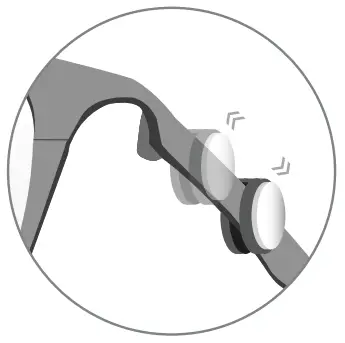
You can easily adjust your brackets to ensure the visor sits where it is most suitable for you. Attaching the brackets further or closer to the arm hinge will adjust the distance of the iShields® from your face. The closer the bracket is to the hinge, the larger the space between the visor and your face.
Cleaning and re-using your iShields®
Bryant Dental iShields® are disposable. You should not re-use your visor without undertaking an appropriate risk assessment and sanitizing with 70% Isopropyl Alcohol. We strongly advise you exercise clinical judgment before choosing to re-use your iShields®. 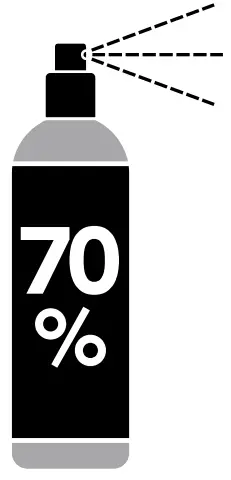
 70% Isopropyl Alcohol ONLY
Ordering iShields®
Qualified medical, dental and veterinary healthcare professionals can order iShields® directly from our website www.bryant.dental, ensuring quick and efficient delivery.
Each box contains 12 visors per box.
There are two versions: a Galilean system for 2.5x/2.8x loupes and a Prismatic system for 3.5x / 5.0/ 7.5x.
Safety Instructions
CONDITIONS Avoid exposure to high heat. Handle gently to prevent drops and scratches. Do not re-use without appropriate risk assessment. iShields® do not provide particulate filtration or complete protection to the nasal membranes or conjunctiva.
Technical SPECIFICATION
| Material | » Polyethylene Phthalate Polymer » N52 Neodymium Magnets |
| Dimensions | 325mm (w) x 230mm (h) |
Disposal Notice Please dispose of clinical waste after use in accordance with your local regulations and guidelines
This product helps protect against certain particulate contaminants but does not eliminate exposure to or risk of contracting disease or infection.
Parts List:
| Part Name | Part Code | Model Number |
| iShield® Galilean | 5.06068E+12 | ISGA1 |
| iShield® Prismatic | 5.06068E+12 | ISPR1 |
| iShield® Bracket | xx Frame Specific xx* | ISB1xx |
* xx code is specific to your frame
Applicable Standards:
| Personal Protective Equipment 2016/425 | » Certificate Number: 1N200404.DSP0025 » Notified Body: ENTE CERTIFICAZIONE MACCHINE SRL (1282), Intertek (0086) |
US California Proposition 65 Bisphenol-A (bullet) EN 71-3:2013+A3:2018-Migration of Certain Elements
 | Follow instructions for use |
 | Keep away from Pacemakers |
 | This device is not sterile |
 | Meets requirements of the PPE Directive 2016/425 |
Known Contraindications: None
 Bryant Dental, The Barns, Hilltop Farm, Lyne Lane, Lyne, KT16 0AW United Kingdom.
This is not a medical device
Disclaimer: Intended to be worn with additional PPE. This device has not been tested or qualified to prevent or reduce infection and does not provide particulate filtration. This device has not been disinfected or cleaned. Non-sterile.
Avoid exposure to high heat. This device has been evaluated to be compatible with cleaning with 70% Isopropyl Alcohol.
Bryant Dental, The Barns, Hilltop Farm, Lyne Lane, Lyne, KT16 0AW iShields®, and Bryant Dental® have registered trademarks in the United Kingdom and Australia.
Registered in England & Wales No. 10396020. Registered in Australia No. 634 752 980 Technical documentation can be provided at www.bryant.dental/certificates
 +44 (0)1932 320064
 +44 (0)7990 113723
www.bryant.dental
IFU/UK/1606/1.1