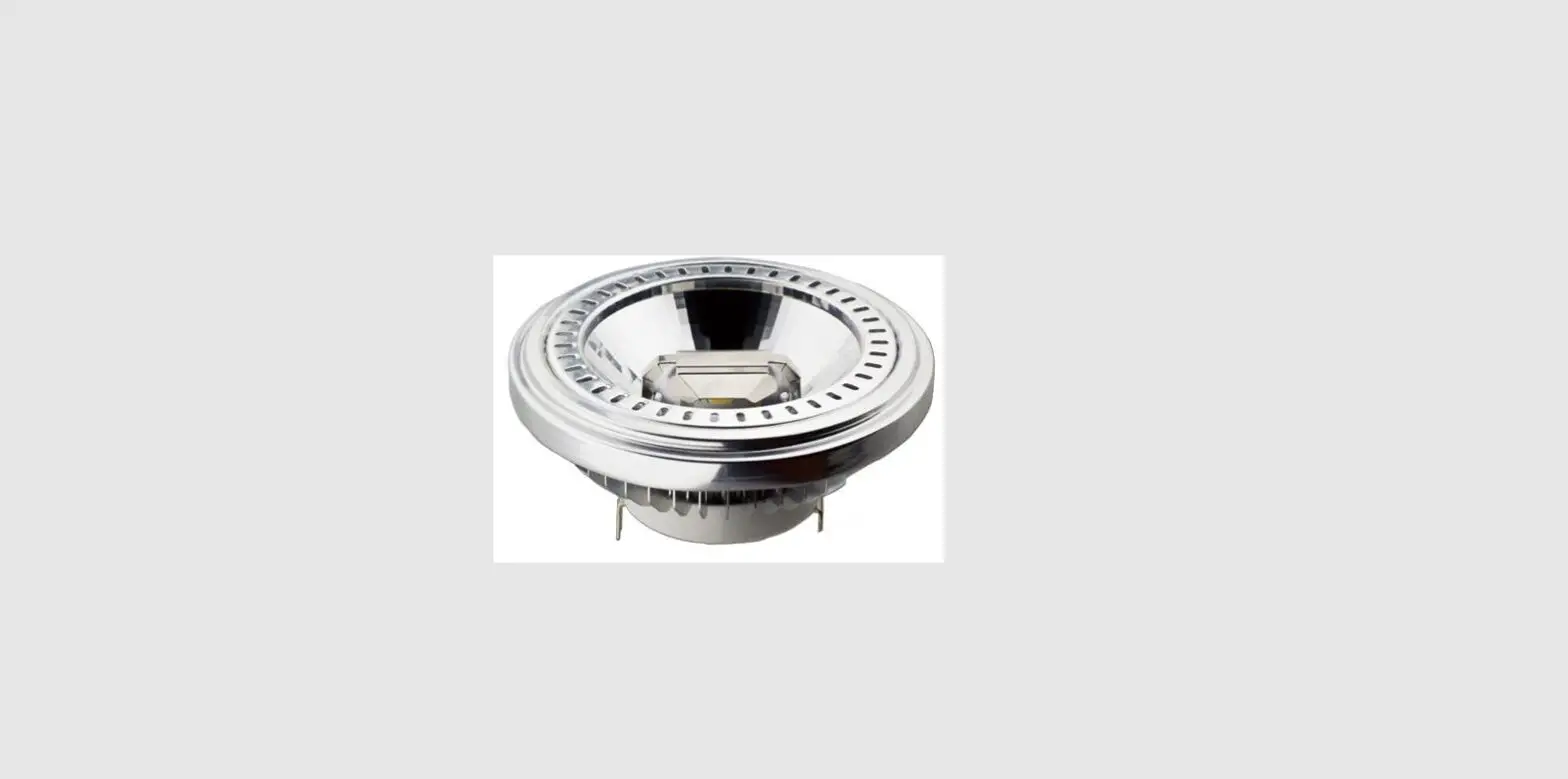
 iFlight B011639 BLITZ 1.6W VTX LED Indicator
 iFlight B011639 BLITZ 1.6W VTX LED Indicator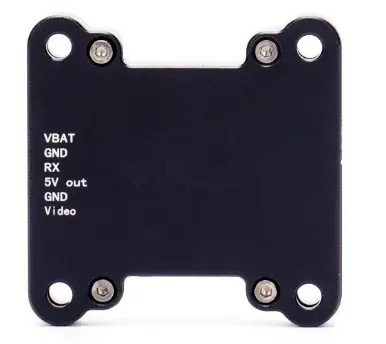
Product Information
The IFLIGHT BLITZ VTX 1.6W is a video transmitter designed for use in drones or other similar applications. It has a power output of 1.6W and supports multiple power levels including 25mW, 400mW, 800mW, and 1600mW. The VTX has a mounting pattern of 30.5*30.5mm and uses an MMCX interface for connectivity. It also features VTX telemetry using IRC Tramp technology. The weight of the VTX is 19g.
Product Usage Instructions
Mounting and Installation
- Ensure that there is enough space around the VTX for proper air convection to dissipate heat. Insufficient cooling can trigger overheat protection and reduce or even switch off power transmission.
- Before installation, read the instructions carefully for properwiring.
Power Connection
- Make sure to connect the VBAT (Positive input) and GND (Negative) ports correctly to the power source.
- Check the voltage range and ensure the correct positive and negative polarity before switching on the power to prevent component damage.
Antenna Installation
- It is recommended to install the antenna before powering on the VTX to extend the module’s lifespan.
- Note that antennas must be installed before powering on to prevent potential damage to the VTX.
Band and Channel Selection
- Use the Band button (blue LED) to switch between bands (A to R). Press and hold the button for 2 seconds to switch the band.
- Use the Channel button (red LED) to switch between channels (1 to 8). Short press the button to change the channel.
Output Power Selection
- Short press the Power button to change the output power level.
- The LED indicator will flash to indicate the selected power level: 1 flash for 25mW, 2 flashes for 100mW, and 3 flashes for 200mW.
Connection to Flight Controller (FC)
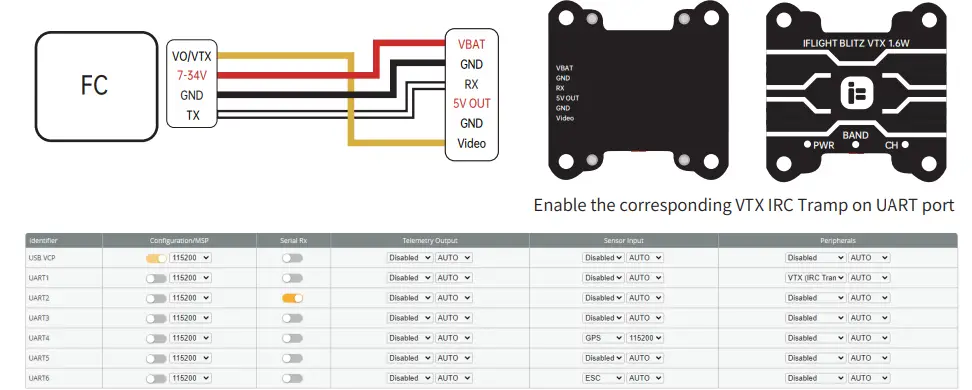
- If using with an FC, connect the VTX to the FC using the following connections:
- VTX 7-34V: Connect to the VO/VTX port on the FC.
- GND: Connect to the GND port on the FC.
- RX: Connect to the IRC Tramp signal input on the FC.
- 5V OUT: Connect to the 5V power output on the FC.
- VIDEO: Connect to the video signal input on the FC.
- Enable the corresponding VTX IRC Tramp on UART port of the FC.
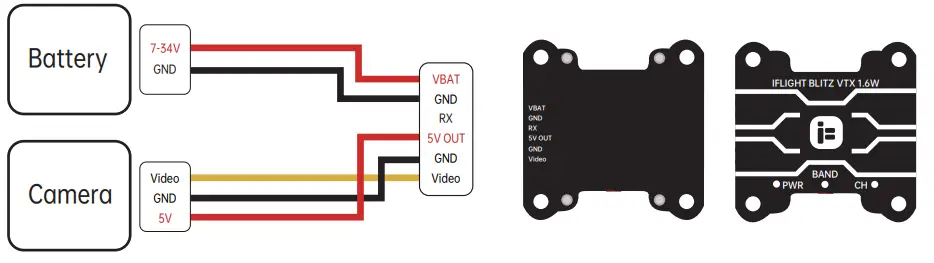
Connection without Flight Controller
- If using the VTX without an FC, connect it as follows:
- Battery: Connect to a power source with a voltage range of 7-34V.
- GND: Connect to the ground.
- Video: Connect to the camera’s video signal input.
- Camera GND: Connect to the camera’s ground.
- 5V: Connect to a 5V power source (optional).
BLITZ 1.6W VTX Instructions
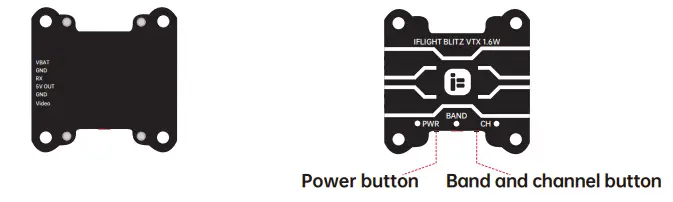
LED Indicator and Function Button
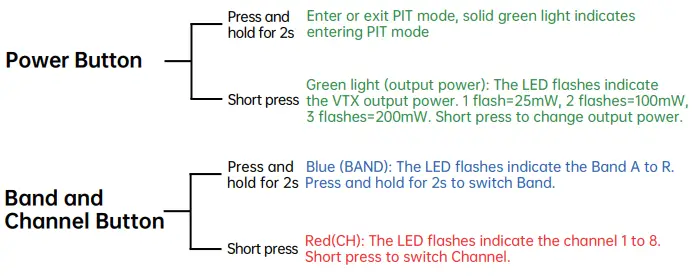
Frequency Table
Note: Antennas must be installed BEFORE powering on.
The VTX can be damaged when using without proper cooling.
| BAND | CH | |||||||
| CH1 | CH2 | CH3 | CH4 | CH5 | CH6 | CH7 | CH8 | |
| A | 5865MHz | 5845MHz | 5825MHz | 5805MHz | 5785MHz | 5765MHz | 5745MHz | 5725MHz |
| B | 5733MHz | 5752MHz | 5771MHz | 5790MHz | 5809MHz | 5828MHz | 5847MHz | 5866MHz |
| E | 5705MHz | 5685MHz | 5665MHz | 5645MHz | 5885MHz | 5905MHz | 5925MHz | 5945MHz |
| F | 5740MHz | 5760MHz | 5780MHz | 5800MHz | 5820MHz | 5840MHz | 5860MHz | 5880MHz |
| R | 5658MHz | 5695MHz | 5732MHz | 5769MHz | 5806MHz | 5843MHz | 5880MHz | 5917MHz |
Specs:
- Power levels:25mW/400mW/800mW/1600mW Mounting pattern: 30.5*30.5mm
- Interface:MMCX
- VTX telemetry:IRC Tramp
- Weight:19g
Ports:
- VBAT: Positive input GND: Negative
- RX: IRC Tramp signal
- input 5V OUT: 5V
- power output GND: Negative
- VIDEO: Video signal input
Attention:
- Please keep enough space when you install the VTX to ensure air convection around the module for heat dissipation. Otherwise, the module will enable overheat protection and the power transmission will be reduced or even switched off.
- It is recommended to ensure the correct voltage range and the correct positive and negative polarity before switching on the power to avoid burning the components.
- It is recommended that before switching on the power, make sure that the antenna has been installed, it can extend the life of the module.
- Please read the instructions for proper wiring before use.
Connect VTX to FC
Connect VTX without FC