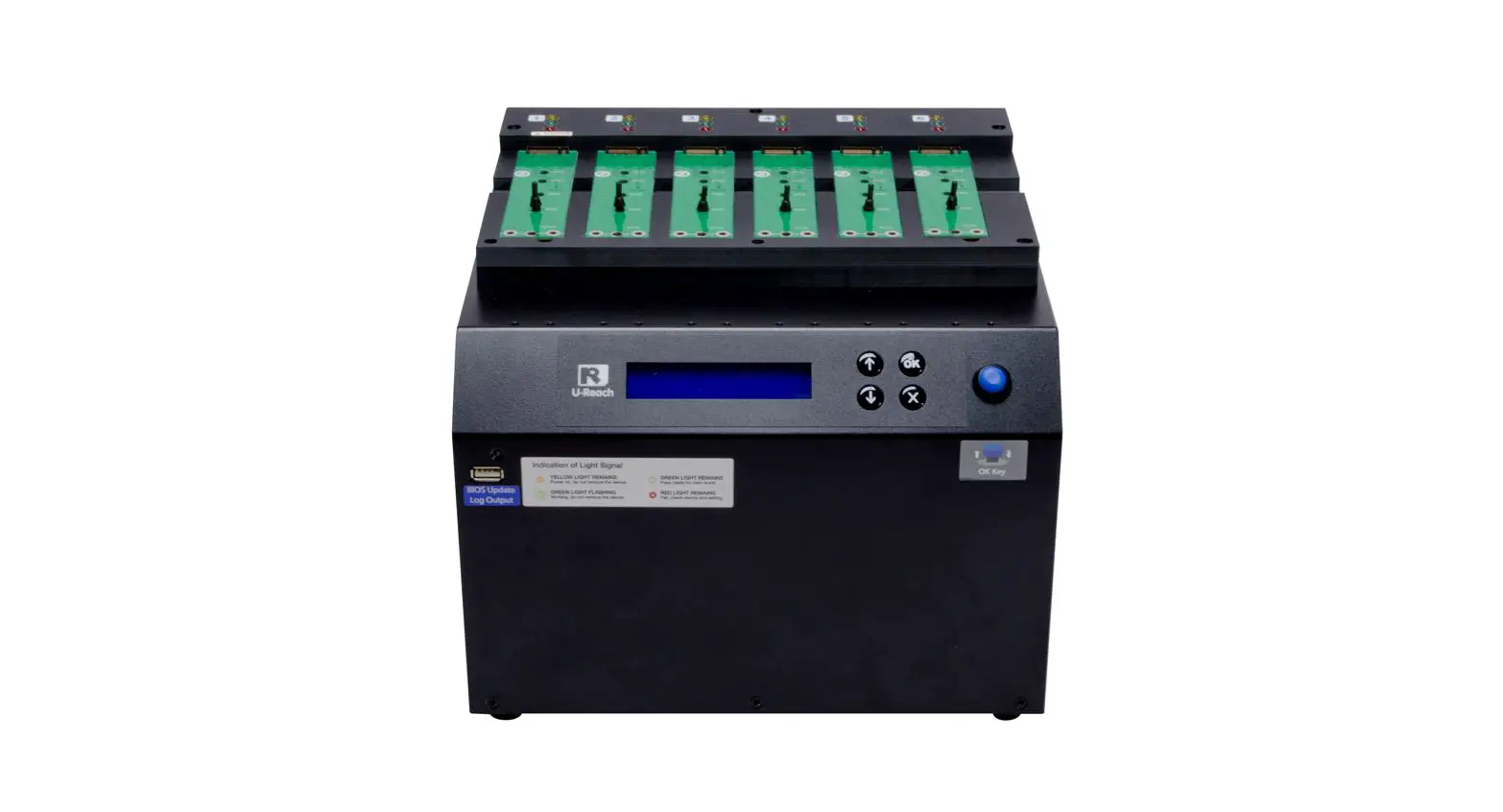

UReach NV-BM Series M.2 NVMe SSD Duplicator
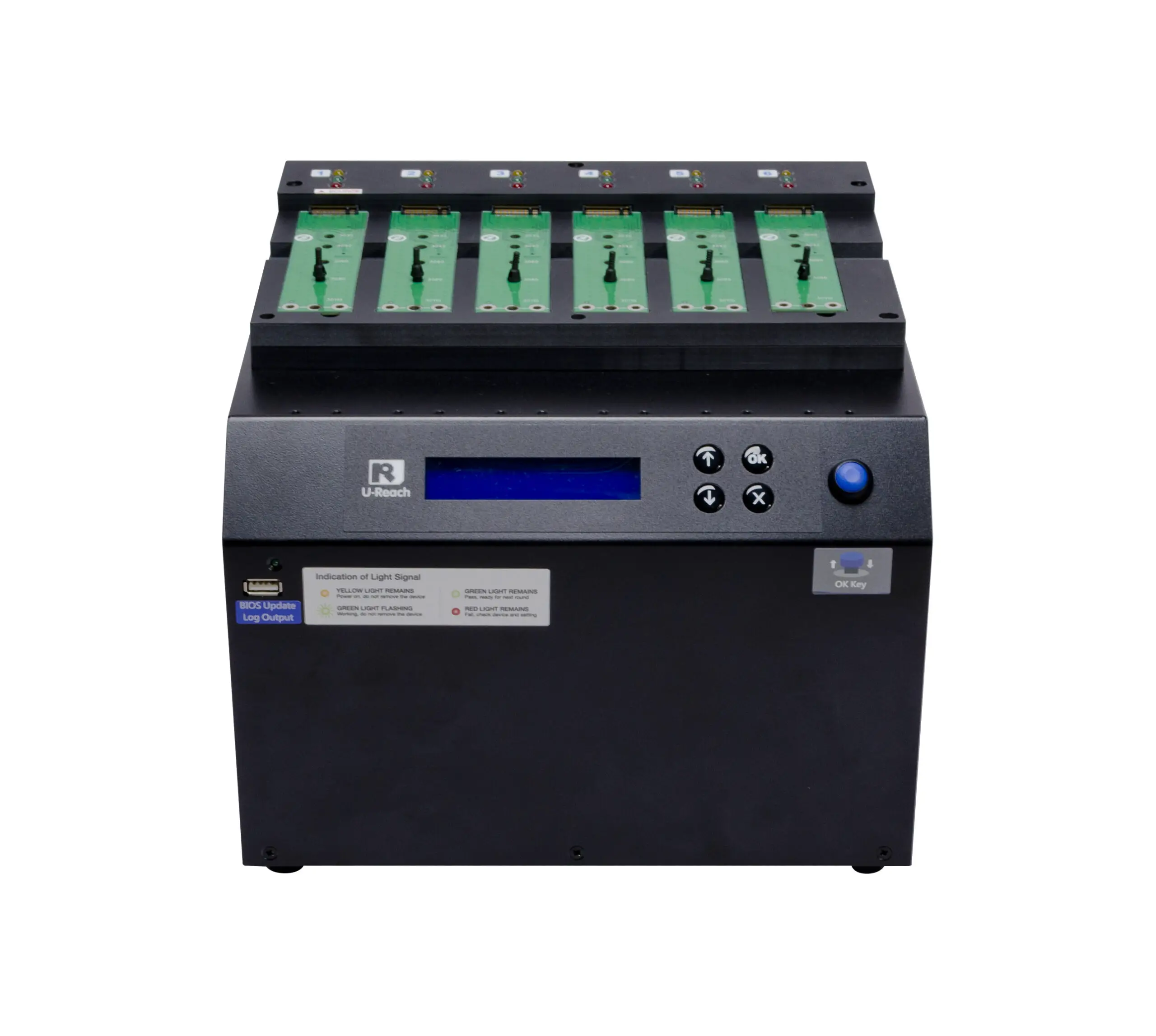
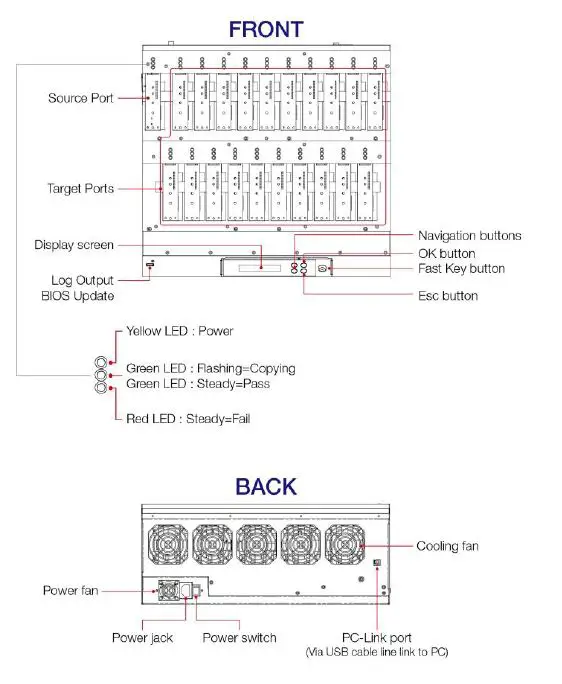
PRODUCT DIAGRAM
- Verify the Source device as qualified and functional.
- Use of source and target devices with the same capacity is recommended.
- Use of Copy+Compare function is recommended for verilying data correctness.
- DO NOT power off the machine during the fimware upgrade process.
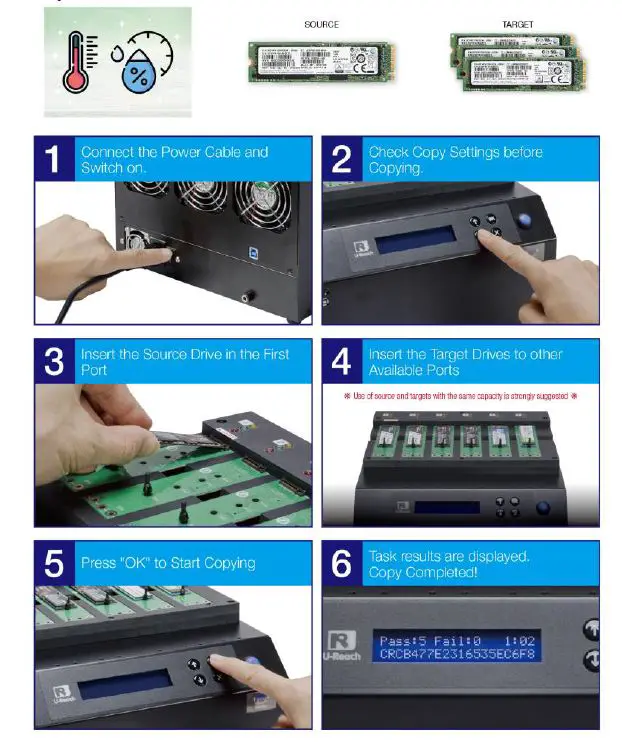
HOW TO START DUPLICATION?
You need to prepare the following items:
- Clean working environment with good ventilation.
- quality source drive
- few quality target drives


www.ureach-usa.com
E-mail: [email protected]
United States Headquarters
3340 Riverside Dr. Suite C,
Chino, CA 91710
TEL:+1-909-628-7030