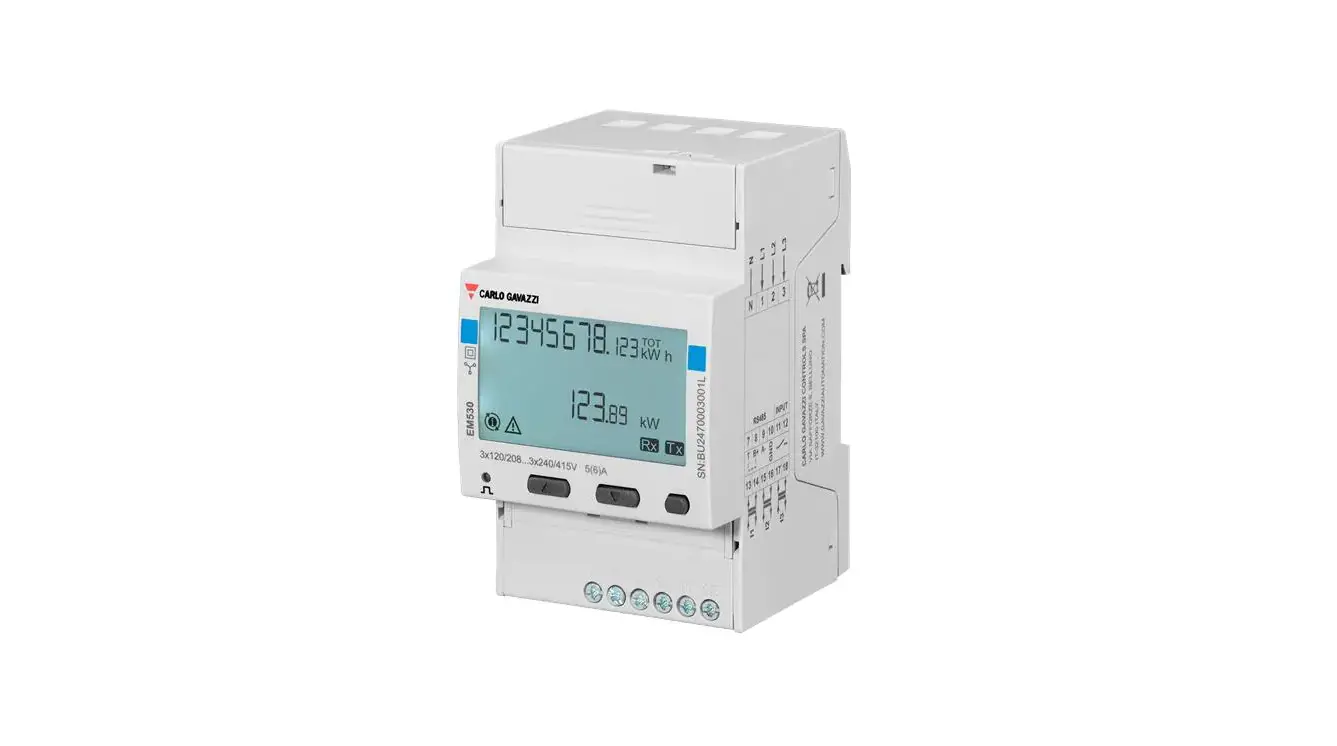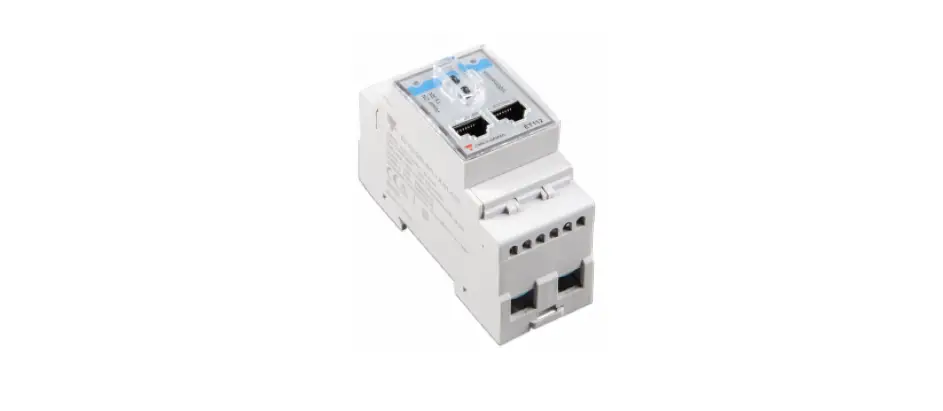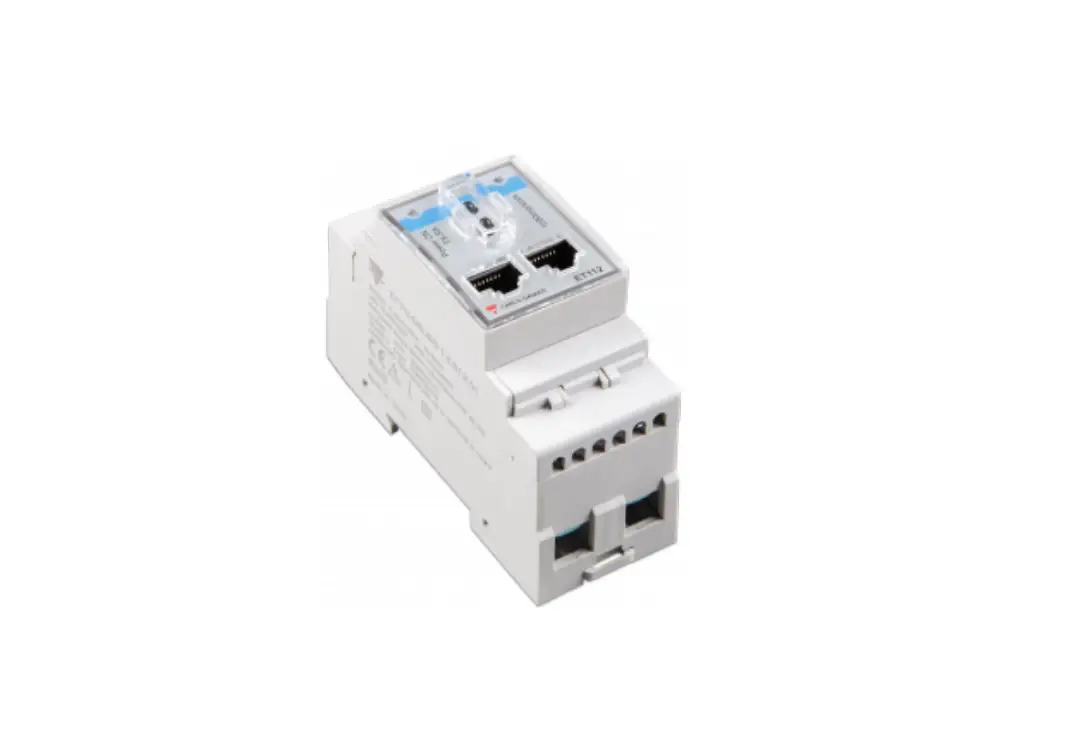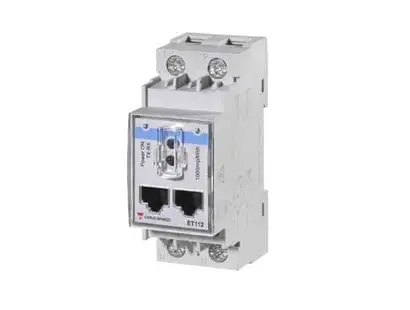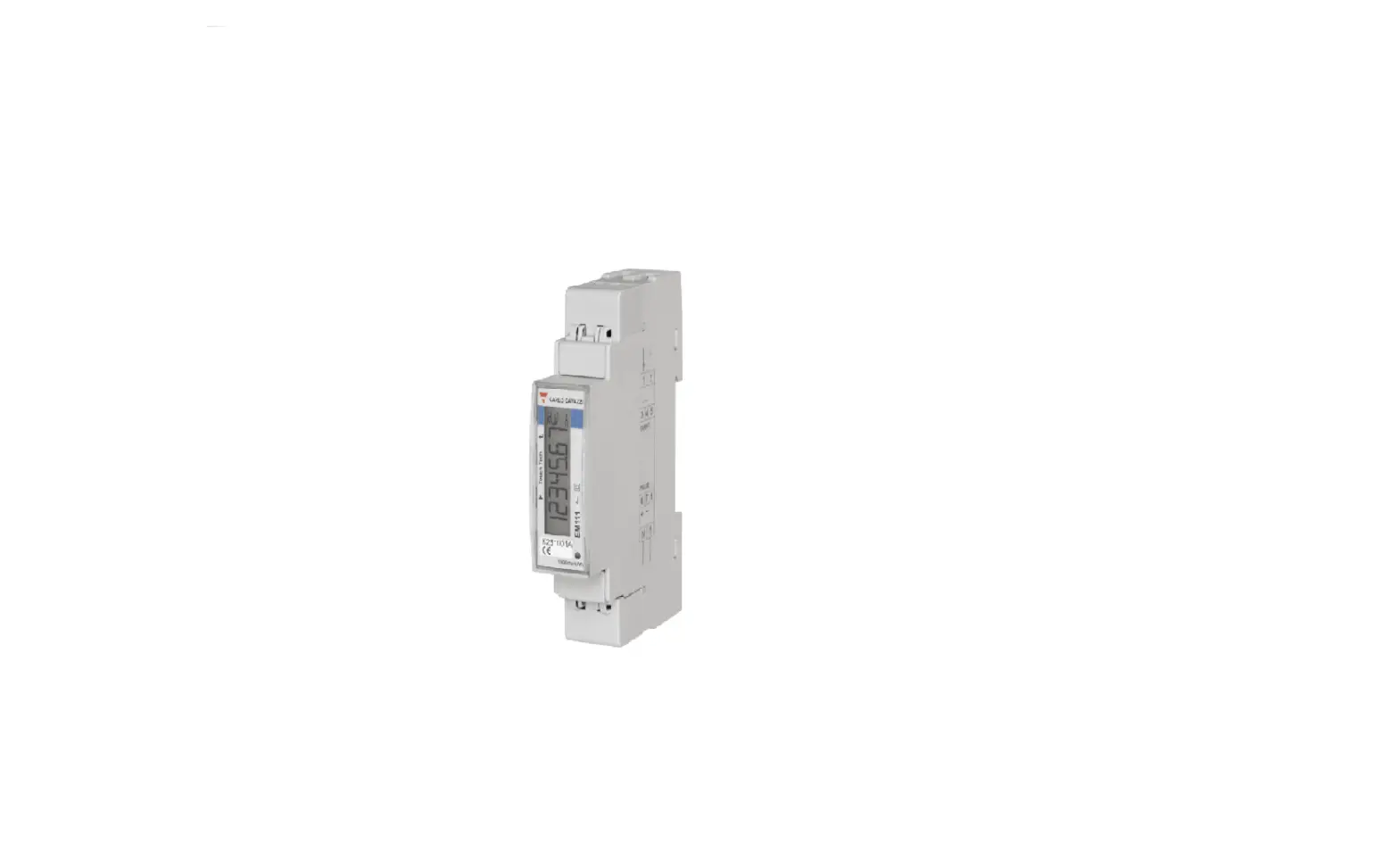

CARLO GAVAZZI EM111 AV5 Energy Management Energy Analyzer
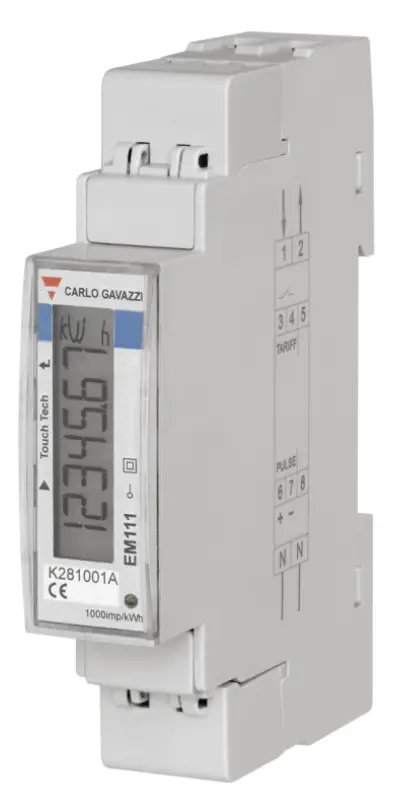
Installation and use instructions
5 A CT connection single-phase energy analyzer with Modbus interface Code 8022144
The analyzer measures active and reactive energy, summing (easy connection mode on) or separating imported energy from exported energy. It manages two energy tariffs using a digital input or Modbus command. It is equipped with an output to communicate measurements: RS485 Modbus port. It measures one DIN module, with backlit LCD display with sensitive touch screen areas for page scrolling and parameters setting.
Features
Electrical specifications
| Power | Self-powered (via measured voltage) |
| Consumption | ≤ 1 W, ≤ 8 VA |
| Rated current | 5 A |
| Maximum current (continuing) | 6 A |
| Minimum current | 0.25 A |
| Start up current | 5mA |
| Rated voltage | 230 V LN, from -30% to +20% |
| Frequency | 45-65 Hz |
| Accuracy class | Active energy: Class 1 (EN62053-21) Reactive energy: Class 2 (EN62053-23) |
Environmental specifications
| Working temperature | From –25 to +65 °C/from –13 to +149 °F |
| Storage temperature R.H.: | From –30 to +80 °C/from –22 to +176 °F From 0 to 90% non-condensing @ 40°C |
Output specifications
| Modbus RS485 port output | Modbus RTU protocol |
NOTE: for further details, see relevant protocol available on request. To set output parameters, see Parameters menu (Fig. 12).
LED specifications
| Pulse weight | Proportional to the current transformer ratio: | |
| Weight (pulses/kWh) | CT ratio | |
| 100 | 25-60 | |
| 1000 | ≤ 25 | |
Duration max 90 ms
Color Red and orange
General features
| Terminals | 1, 2, N, L: section 2.5–6 mm2, torque 1.1 Nm 3-8: section 1.5 mm2, torque 0.4 Nm |
| Protection grade | Front: IP51, terminals: IP20 |
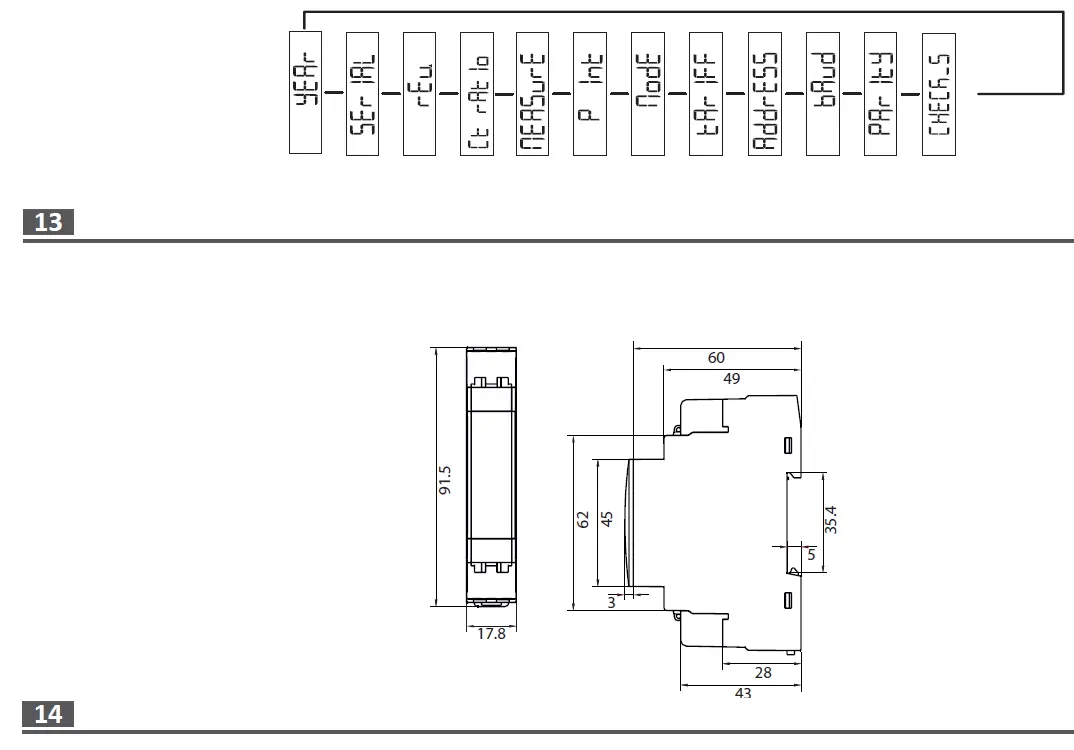
| Dimensions | See Fig. 14. |
Cleaning
Use a slightly dampened cloth to clean the instrument display; do not use abrasives or solvents.
SERVICE AND WARRANTY
In the event of malfunction, fault or for information on the warranty, contact the CARLO GAVAZZI branch or distributor in your country.
GENERAL WARNINGS
DANGER: Live parts. Heart attack, burns and other injuries. Disconnect the power supply and load before installing the analyzer.
The energy analyzer should only be installed by qualified/authorized personnel.
These instructions are an integral part of the product. They should be consulted for all situations tied to installation and use. They should be kept within easy reach of operators, in a clean place and in good conditions.
Code key (analyzer side) EM111-DIN
| AV5 | . | 1 | . | X | . | S1 | . | X |
| 230 V L-N ac, 5(6) A, CT connection | Single-phase current system, two-wire | Self-powered (via measured voltage) | Output type: Modbus RS485 port | No option included | ||||
Product (Fig. 1)
| Produ Area | ct (Fig. 1) Description |
| A | Current, voltage and communication connection terminals. |
| B | Backlit LCD display with sensitive touch screen areas. |
| C | Model, feature summary and serial number. |
| D | LED: • blinking red: depending on CT ratio • orange on: current connected in opposite direction. Control only run if the imported and exported energies are measured separately (Measure = b). |
| E | Sealable terminal caps. |
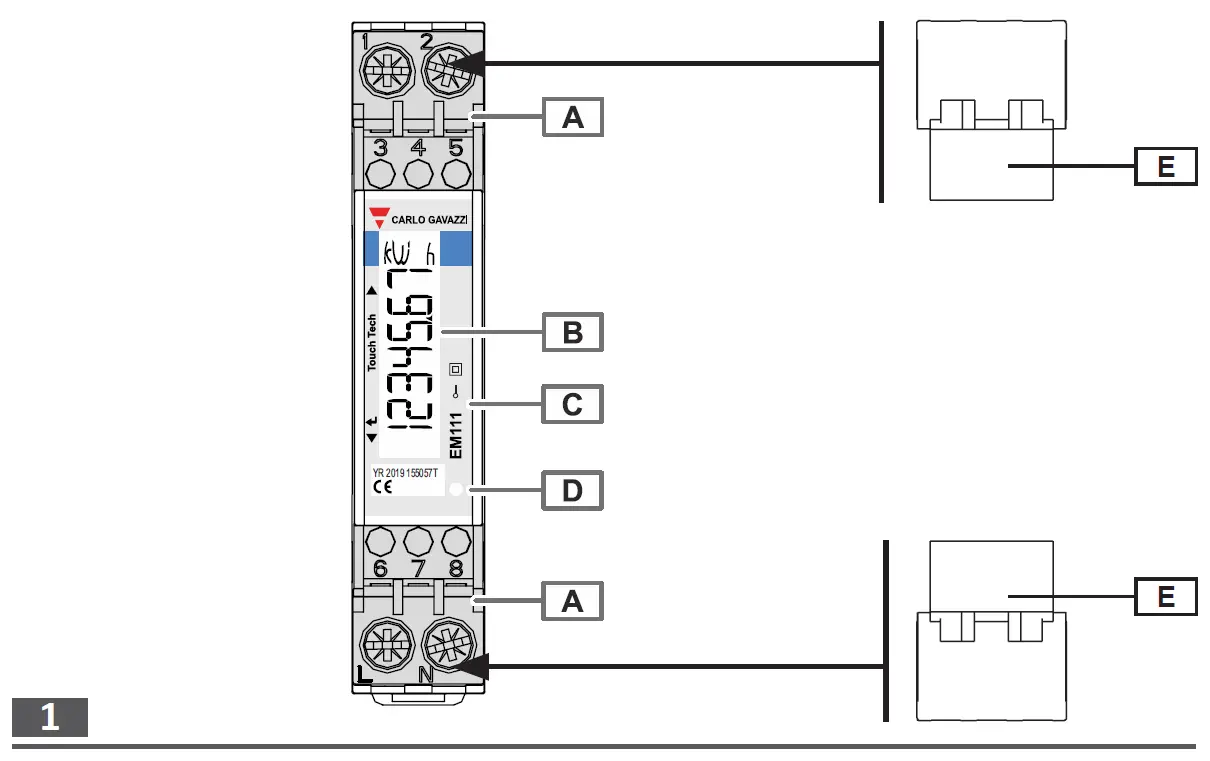
In case you want to mount the sealing terminal caps (Fig.1 E) remember to lock them with the appropriate cable sealing.
Connection diagrams
| Diagram | Description |
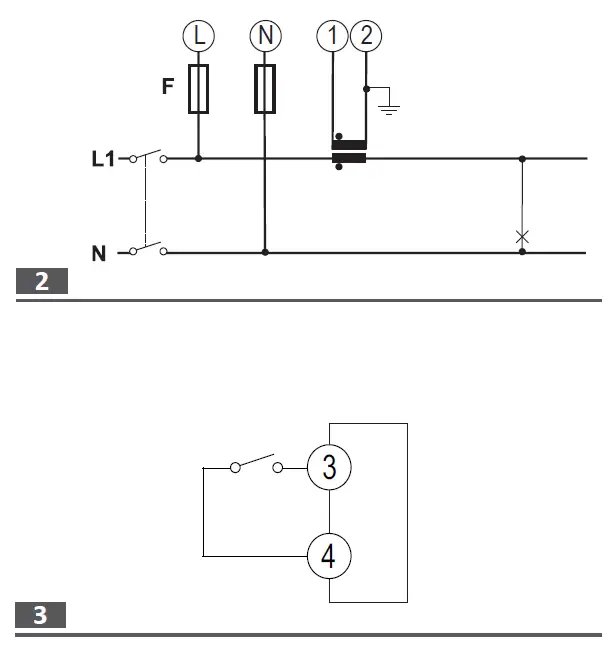
| Fig. 2 | Single-phase system 315 mA fuse (F), if required by local law. |
| Fig. 3 | Digital input. Open contact = tariff 1, closed contact = tariff 2. |
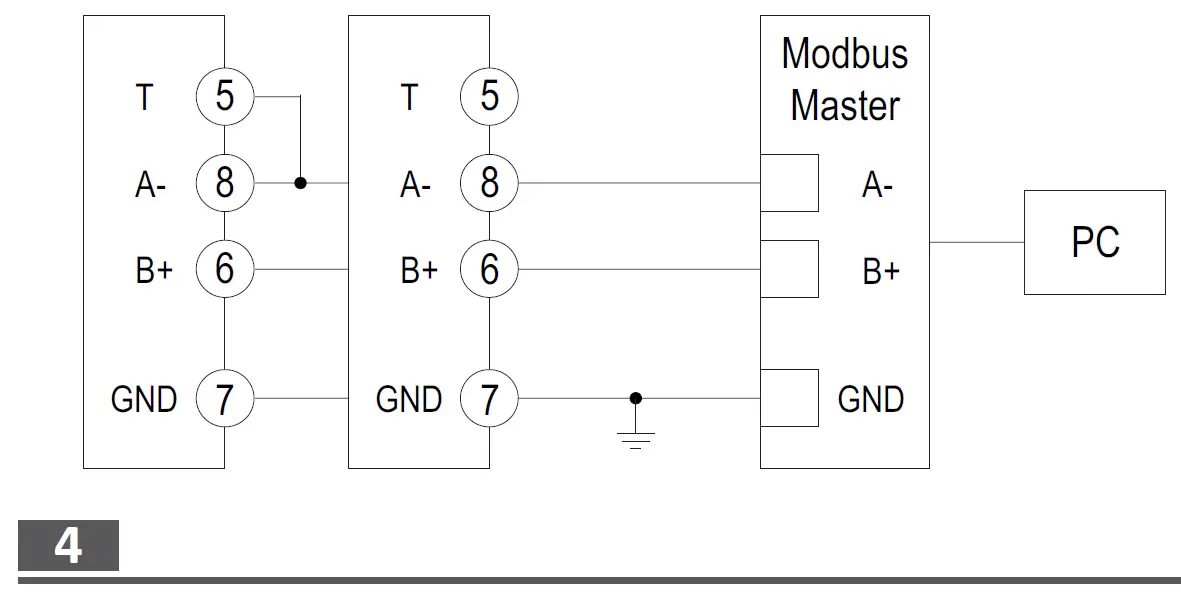
| Fig. 4 | RS485 Modbus with Master Note: additional instruments with RS485 are connected in parallel. The serial output must only be terminated on the last network device connecting terminals A- and T. For connections longer than 1000 m use a signal repeater. Maximum 247 transceivers on the same bus. |
| Area | Function |
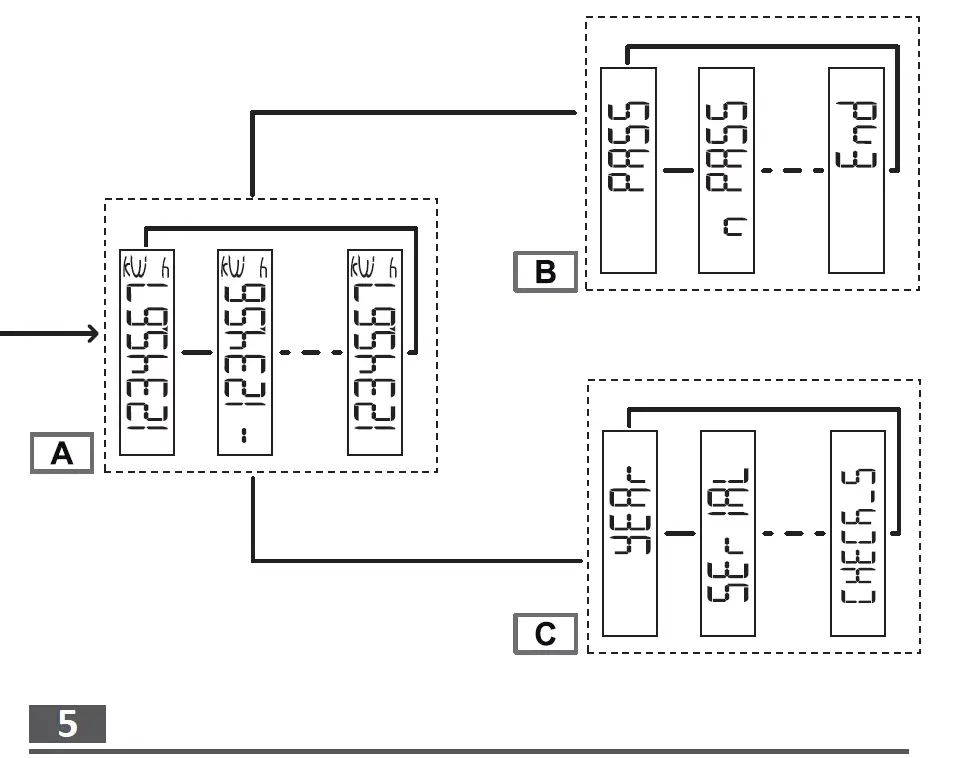
| A | Measurement menu. Measurements displayed by default when turned on. Pages are characterized by the reference unit of measure. |
| B | Parameter menu. Parameter settings pages. Require login password. |
| C | Information menu. The pages display information and set parameters without having to enter a password. |
Commands
Navigation
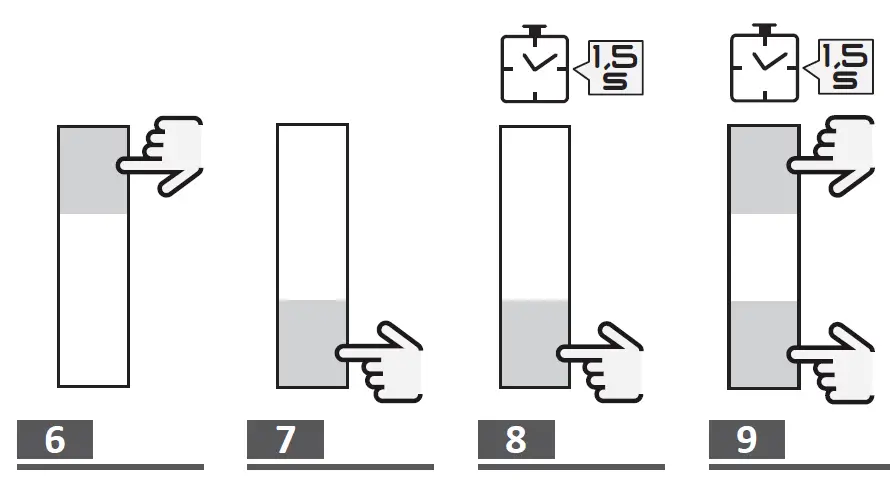
Operation Command
View the next page Fig. 6
View the previous page Fig. 7
Open the parameter menu Fig. 8
Exit the parameter menu Fig. 8 (page End)
Open the information menu Fig. 9
Exit the information menu Fig. 9
NOTE: after 120s of disuse, the measurement home page is displayed and the command only works if touched twice. Upon first touch of the touch command area, the display back light turns on.
Parameter settings
| Operation | Command |
| Increase a parameter value | Fig. 6 |
| View the next value option | Fig. 6 |
| Decrease a parameter value | Fig. 7 |
| View the previous value option | Fig. 7 |
| Confirm a value | Fig. 8 |
| Open the parameter settings page | Fig. 8 |
| Quickly confirm the 0000 default password | Fig. 9 |
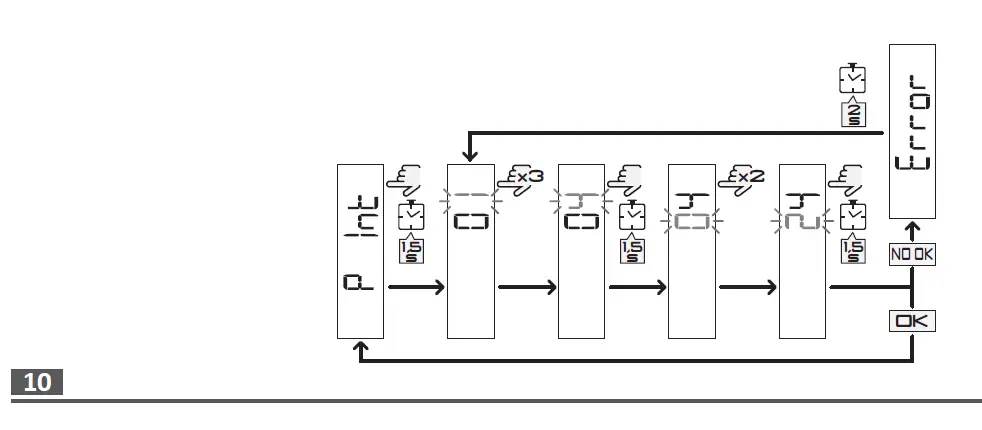
Setting a parameter (Fig. 10)
Procedure example: how to set P int=24.
NOTE: the first displayed value is the current one. Settings are applied when the value is confirmed. The set value is out of range if Error appears. After 120 s of disuse on a value being set, the title page is displayed (P int in the figure). After another 120 s, the initial measurement page is displayed.
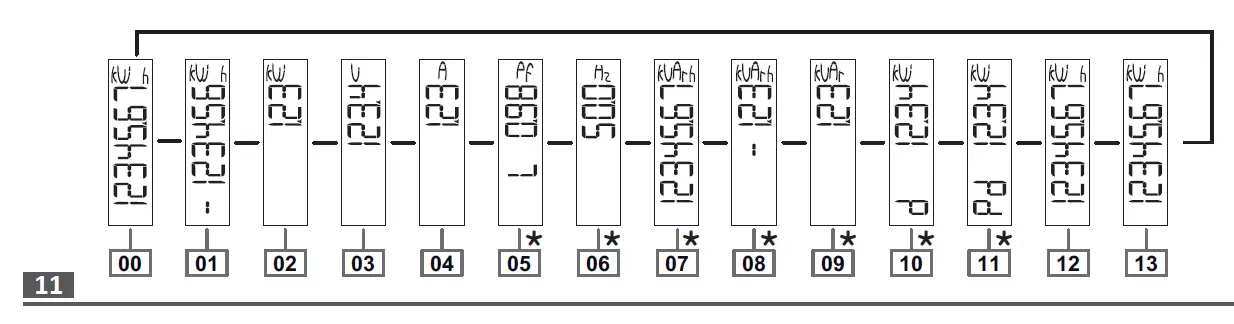
NOTE *: only displayed if full display mode is set (Mode = Full).
| Page | Description |
| 00 | Home page. Total imported active energy. If easy connection is on (Measure = A), it indicates total active energy without considering the direction. |
| 01 | Only if imported and exported energy are measured separately (Measure = b). Total exported active energy. |
| 02 | Active power |
| 03 | Voltage |
| 04 | Current |
| 05 | Power factor (L = inductive, C = capacitive) |
| 06 | Frequency |
| 07 | Total imported reactive energy. If easy connection is on (Measure = A), it indicates total reactive energy without considering the direction. |
| 08 | Only if imported and exported energy are measured separately (Measure = b). Total exported reactive energy. |
| 09 | Reactive power |
| 10 | Requested average power (d = demand) calculated for the set interval. The value remains the same for the entire interval. It is = 0 during the first start up interval. |
| 11 | Maximum requested power (Pd = Peak demand) reached since last reset |
| 12 | Active energy imported with tariff 1. tar 1 appears after 5 s and remains displayed for 2 s. Displayed if tariff management is on (Tariff = on). |
| 13 | Active energy imported with tariff 2. tar 2 appears after 5 s and remains displayed for 2 s. Displayed if tariff management is on (Tariff = on). |
Measurement faults
If the measured signal exceeds the admitted analyzer limits, a specific message appears:
- EEE blinking: the measured value is out of limits
- EEE on: the measurement depends on a value that is out of limits
NOTE: active and reactive energy measurements are displayed but do not change.
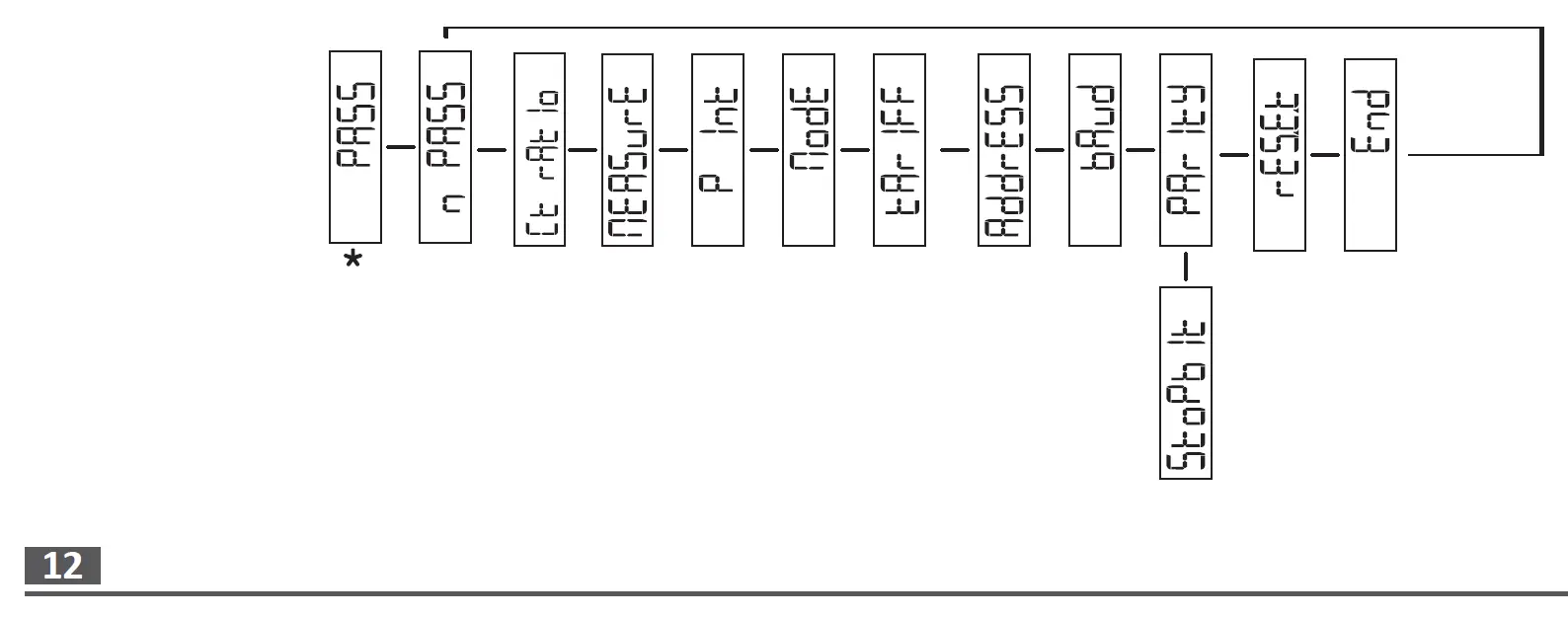
NOTE *: the value settings page automatically opens after 3 s.
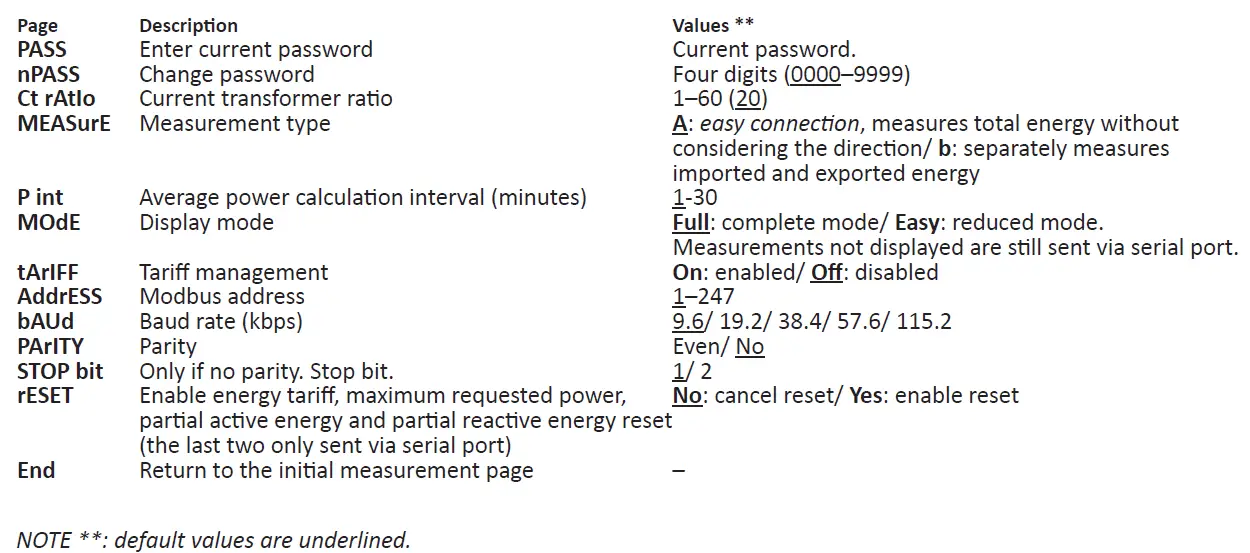
NOTE: the value automatically alternates every 2 s with the page title.
| Page | Description |
| YEAr | Year of manufacture |
| SErIAL | Serial number, corresponds to the one indicated on the front print |
| rEv. | Firmware revision |
| Ct rAtIo | Current transformer ratio |
| MEASurE | Measurement type |
| P int | Requested average power calculation interval |
| ModE | Display mode |
| tArIFF | Enabling tariff management and any current tariff |
| AddrESS | Modbus address, 01 by default. |
| bAUd | Baud rate |
| Parity CHECK_S | Parity and any stop bit Checksum |
 Automation.com - News & Resources for Industrial Automation
 Carlo Gavazzi Automation Components
 Carlo Gavazzi - Product Selection