
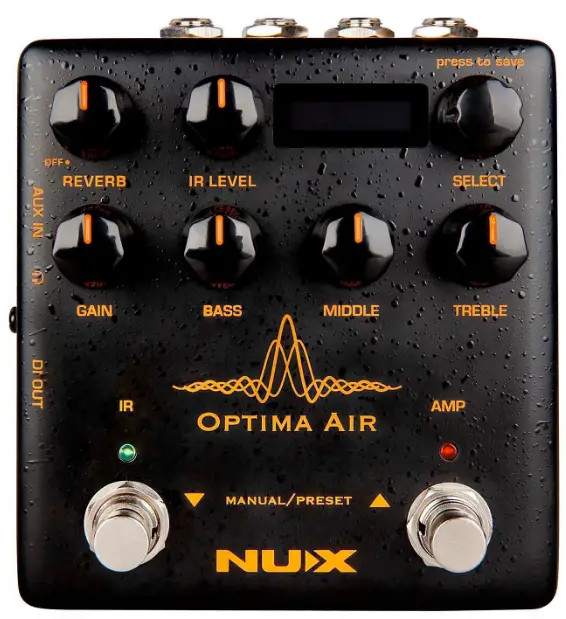
NUX NAI-5 Optima Air Acoustic Guitar Simulator Pedal
Copyright
Copyright 2019 Cherub Technology Co. All rights reserved. NUX and Optima Air Acoustic Simulator & IR Loader are trademarks of Cherub Technology Co. Other product names modeled in this product are trademarks of their respective companies that do not endorse and are not associated or affiliated with Cherub Technology Co.
Accuracy
Whilst every effort has been made to ensure the accuracy and content of this manual, Cherub Technology Co. makes no representations or warranties regarding the contents.
IMPORTANT SAFETY INSTRUCTIONS
BEFORE CONNECTING, READ THE INSTRUCTIONS
WARNING: To reduce the risk of fire or electric shock, do not expose
CAUTION: To reduce the risk of fire or electric shock, do not remove this appliance to rain or moisture. screws. No user-serviceable parts inside. Refer servicing to qualified service personnel.
CAUTION: This equipment has been tested and found to comply with the limits for a Class B digital device pursuant to Part 15 of FCC Rules. Operation is subject to the following two conditions: (1) This device may not cause harmful interference, and (2) this device must accept any interference received, including interference that may cause undesired operation.
- Use only the supplied power supply or power cord. If you are not sure of the type of power available, consult your dealer.
- Do not place near heat sources, such as radiators, heat registers, or appliances that produce heat.
- Guard against objects or liquids entering the enclosure.
- Do not attempt to service this product yourself, as opening or removing covers may expose you to dangerous voltage points or other risks. Refer all servicing to qualified service personnel.
- Servicing is required when the apparatus has been damaged in any way, such as when the power supply cord or plug is damaged, liquid has been spilled or objects have fallen into the apparatus, the apparatus has been exposed to rain or moisture, does not operate normally or has been dropped.
- The power supply cord should be unplugged when the unit is to be unused for long periods of time.
- Protect the power cord from being walked on or pinched particularly at plugs, convenience receptacles and at the point where they exit from the apparatus.
- Prolonged listening at high volume levels may cause irreparable hearing loss and/or damage. Always be sure to practice “safe listening”.
Follow all instructions and heed all warnings KEEP THESE INSTRUCTIONS!
Overview
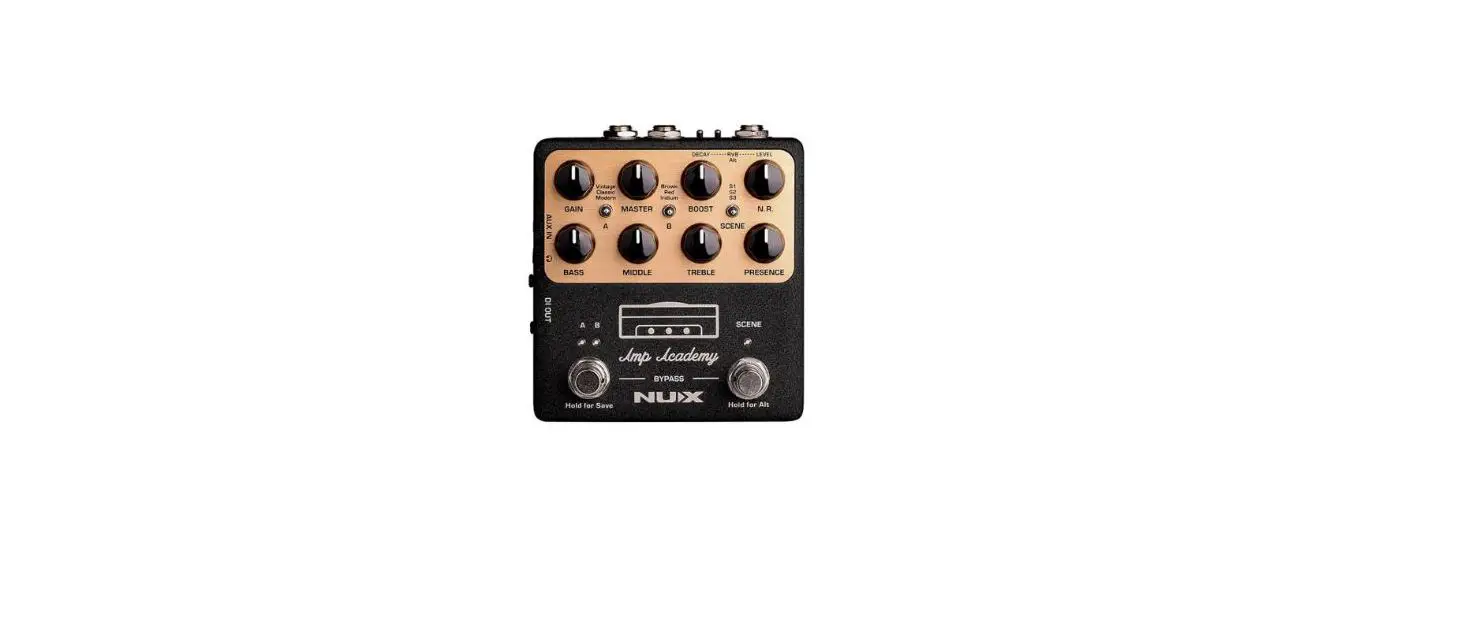
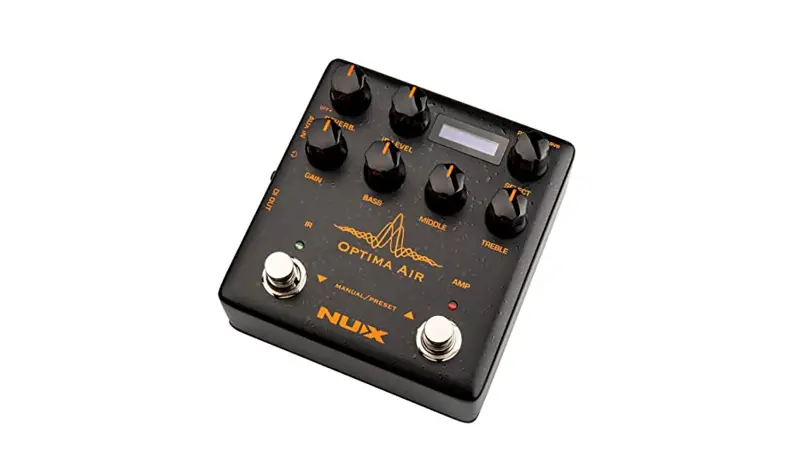
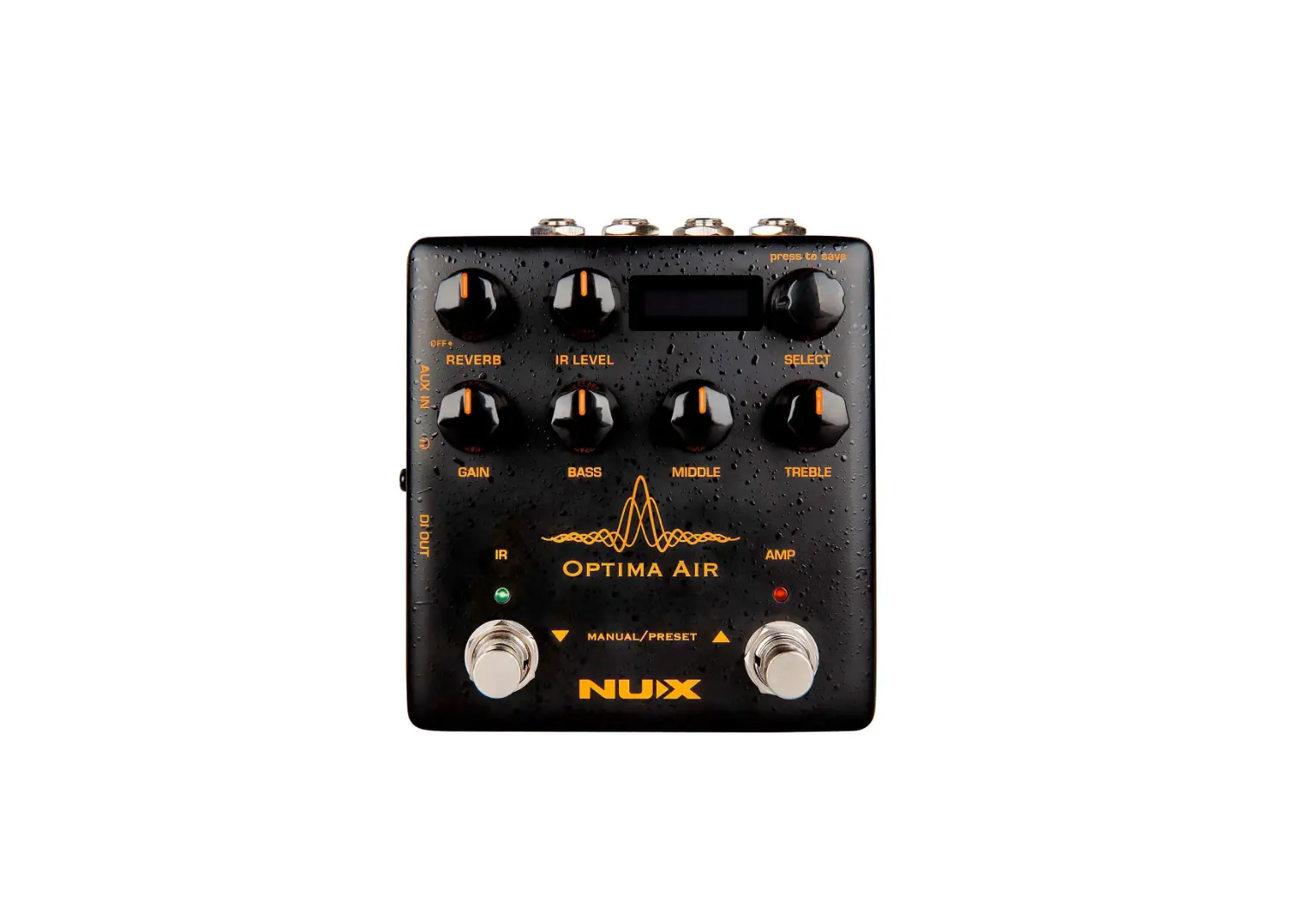
- NUX Optima Air is a dual-switch acoustic guitar simulator with a preamp for acoustic and electric guitar players. It simulates the acoustic guitar profiles with the bestoptimized sound depending on your guitar and pickup type.
- IR loader combined with a preamp which is equipped with 3-band EQ and Gain controls.
- And there is an additional one-knob-control Reverb effect. If you want to connect any effect pedal you can use the SEND/RETURN effects loop and add the Optima Air into your pedal chain.
- NUX Optima Air has a unique profile capture function, you can create your own acoustic guitar profile and create your own IR file by capturing your favorite acoustic guitar’s sound.
- There is an XLR DI output for direct line/mixer connection, headphones output for silent play and auxiliary input to connect a music player to play along.
Features
- 32bit/48kHz sampling quality
- Dual-switch Impulse Response and Pre-Amp controls
- 15 built-in acoustic guitar profiles with IR level control
- 9 preset slots
- Reverb effect
- Gain, Bass, Middle and Treble controls
- 6.35mm (1/4-inch) Mono jack input, and output
- 6.35mm (1/4-inch) Send/Return, effects loop
- 3.5mm (1 /8-inch) auxiliary input
- 3.5mm (1 /8-inch) headphone input
- XLR DI out
- Micro B USB port
Control Panel
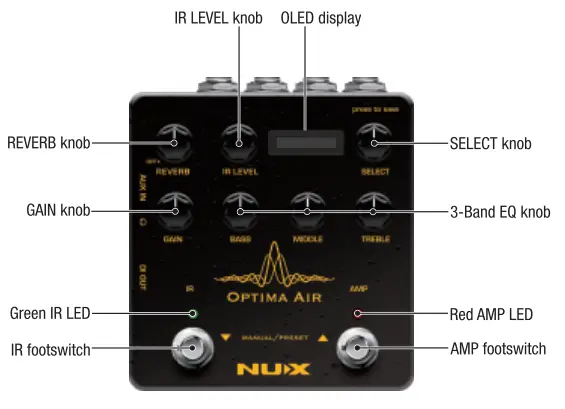
REVERB knob
One Knob Reverb effect control. It adjusts the Dry/Wet and Decay parameters. Or you can turn it OFF by tweaking to 0.
GAIN knob
Adjusts the input signal level.
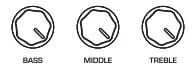
3-Band EQ Knob
- BASS knob
Adjusts the low-frequency level. - MIDDLE knob
Adjusts the selected middle frequency level. - TREBLE knob
Adjusts the high-frequency level.
IR LEVEL knob
Adjusts the Impulse Response file level, you can tweak it for a well-balanced volume with a preamp section.
OLEO display
SELECT (Press to save) knob
In manual mode; you can choose the IR file. And you can save your customized preset by pushing the knob. (See: Editing a Preset)
Green IR LED
It shows the ON/OFF status.
Red AMP LED
It shows the ON/OFF status.
IR footswitch
- Manual Mode: Engage/disengage the selected IR file. Acoustic guitar simulation ON/OFF.
- Preset Mode: Bank DOWN.
Also; if you are editing a preset, you can push the IR footswitch to exit without saving. (See: Editing a Preset)
AMP footswitch
- Manual Mode: Activates the pre-amp section. When you engage the AMP, you can use the Gain and the 3-band EQ.
- Preset Mode: Bank UP.
Also; If you are editing a preset, while you changing the preset name you can push the AMP footswitch and move the cursor to the next selection area to choose a letter, number or symbol (See: Editing a Preset) Push the IR and AMP footswitches together to switch the pedal mode to MANUAL or PRESET mode.
I/0 Jacks
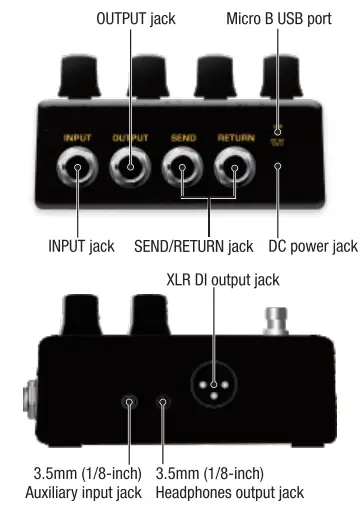
INPUT jack
6.35mm (1/4-inch) jack input.
OUTPUT jack
6.35mm (1/4-inch) jack output.
SEND/RETURN jack
6.35mm (1/4-inch) effects loop.
DC power jack
9V Negative TIP power adapter input. ( 9V ®-(e-0)
Micro B USB port
You can connect the pedal to your computer to use the Optima Air software to create, edit and save your presets. And update the pedal when a new firmware released. Visit nuxefx.com for the details.
3.5mm (1/8-inch) Auxiliary input jack
You can connect music player to play along with the music.
3.5mm (1/8-inch) Headphones
For silent practice.
XLR DI Output jack
For direct connection to mixer (or PA system).
Optima Air Impulse Response Function
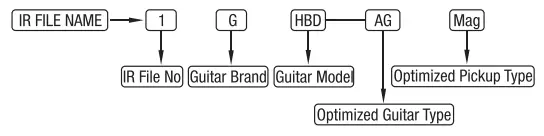
Optima Air is loaded with 15 impulse response files. Each impulse response file is optimized for the guitar type and the pickup type. The IR file names are included the guitar profile, optimized guitar type, and pickup type. Press the IR footswitch to activate/deactivate the IR function.
For Example:
Impulse Response Files List
| IR No | Brand | Model | Optimized Guitar Type | Optimized Pickup Type |
| 1 | Gibson | Humming Bird | Acoustic | Magnetic |
| 2 | Gibson | Humming Bird | Electric | Magnetic |
| 3 | Gibson | Humming Bird | Acoustic or Electric | Piezo |
| 4 | Gibson | J15 | Acoustic | Magnetic |
| 5 | Gibson | J15 | Electric | Magnetic |
| 6 | Gibson | J15 | Acoustic or Electric | Piezo |
| 7 8 | D45 | Acoustic | Magnetic | |
| D45 | Electric | Magnetic | ||
| 9 | D45 | Acoustic or Electric | Piezo | |
| 10 | — | HD28 | Acoustic or Electric | Piezo |
| 11 | Taylor | 814 | Acoustic or Electric | Piezo |
| 12 | Gibson | J200 | Electric | Magnetic |
| 13 | Gibson | J45 | Electric | Magnetic |
| 14 | Martin | HD28 | Electric | Magnetic |
| 15 | Taylor | 314 | Electric | Magnetic |
*All of the brand and model names mentioned on this page are Trademarks of their respective owners, which are in no way associated or affiliated with NUX Effects and Cherub Technology CO. LTD.
Optima Air Pre-Amp
NUX Optima Air equipped with a pre-amp that allows you to enhance your sound by using the 3-band equalizer. And you can adjust the input gain control to increase/decrease your guitar signal’s level. Press the AMP footswitch to activate/deactivate the pre-amp function.
Manual Mode / Preset Mode
Press IR and AMP footswitches at the same time to change the pedal mode. You will see the IR file name on the screen in manual mode, and the preset name in preset mode.
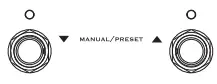
In manual mode; you can adjust everything manually, and use the IR and AMP footswitches the engage the function. If you want to keep your tone, you can store as a preset. You can create and save 9 presets and recall with BANK UP (AMP) and BANK DOWN (IR) footswitches.
Creating/Editing a Preset
In manual mode or preset mode, when you adjust any of the parameters you can save it by pushing the Select knob.

If you make any changes on the preset during the preset mode, the asterisk symbol will appear on the screen. After you set your tone, push the select knob to choose a bank and write the preset’s name.
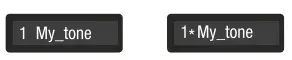
When you push the Select knob, you will see the preset name on the screen, turn the Select knob to choose a bank first. Then push the AMP footswitch and move the cursor to the next selection area and choose a letter, number or symbol and write the preset name. If you want to exit without saving, push the IR footswitch.
Capturing a Guitar Profile
Run the pedal in capturing mode; press the IR footswitch and hold, plug in the power cable. You need to use a condenser microphone for better result. Connect the acoustic guitar to the Optima Air’s input, place the microphone and connect to a microphone to a microphone preamp. And connect the microphone preamp’s output to the Optima Air’s Return (Please check the picture). Make sure everything’s connected, and you are all set to capture.
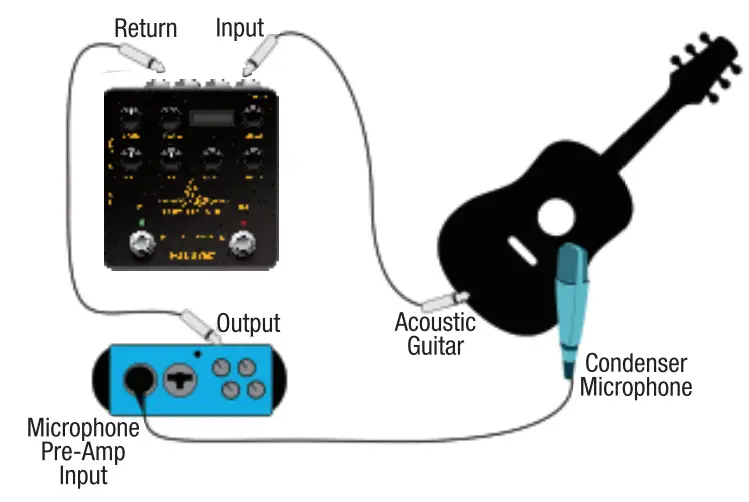
You can see the input level and the return level on the pedal screen, make sure the levels are not reaching to the MAX (Peak) level, or too low to capture it. Usually, 60% to 80% is the best level for capturing. You can press the IR footswitch when you are ready. It will count down from 3 to 1 then you could start to play guitar to send the audio signal to Optima Air to capture and process. Just play as clean as you can, and use the finger position or chords you are playing most of the time. Capturing the record will take 10 seconds, you can also see it on the screen, the RED AMP LED will start blinking when the recording is done. You can press the AMP footswitch to save, or you can press the IR button to restart the capturing.
Specifications
- Sampling rate: 48kHz
- AID Converter: 32bit
- Siagnal Processing: 32bit
- Frequency Response: 20Hz-20kHz- ± 1 dB
- Maximum input level: 3.8Vrms(+ 13.BdBu)
- Signal Delay: 1 ms
- Maximum output level: 3.8Vrms(+ 13.BdBu)
- Dynamic Range: 104dBu
- THD+N Rato: 0.035%@ 1Vrms,1kHz
0.1% @1.5Vrms,1kHz 1% @3.8Vrms,1kHz - Input Impedance: 5MO
- Output Impedance: 1 kO
- Return Impedance: 5MO
- Send Impedance: 1000
- Power: 9V DC(Negative tip,Optional ACD-006A adapter)
- Current Draw: < 200mA
- Dimensions: 105mm(L) x 115mm(W) x 58mm(H)
- Weight: 420g
Accessories: User manual, Warranty card
*Specifications and features are subject to change without notice.