 USER MANUAL
REMOTE CONTROL
QUICK CONNECT DUCTLESS MINI-SPLIT MODELS 3PAMSHQCW09-U230, 3PAMSHQCW12-U230, 3PAMSHQCW18-U230
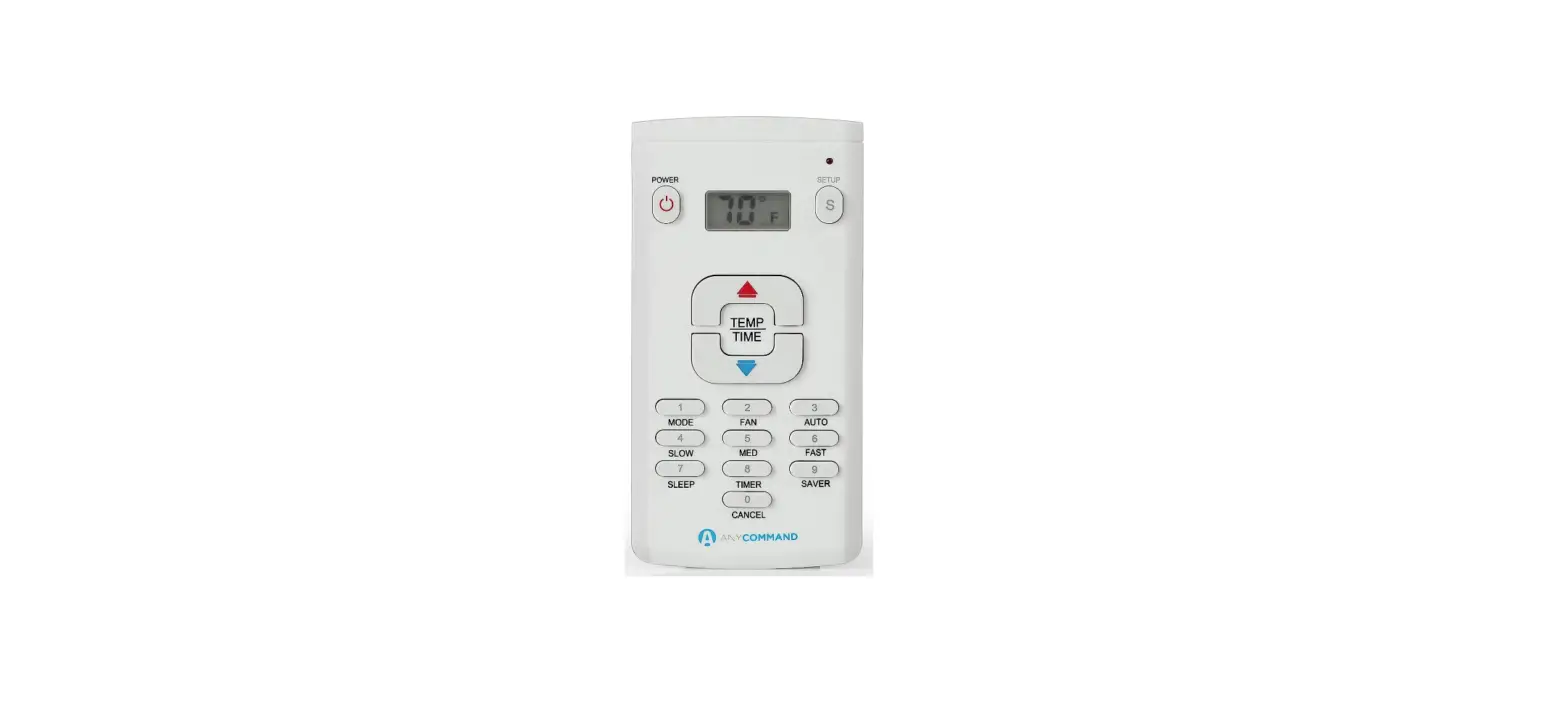
Remote Controller Instructions
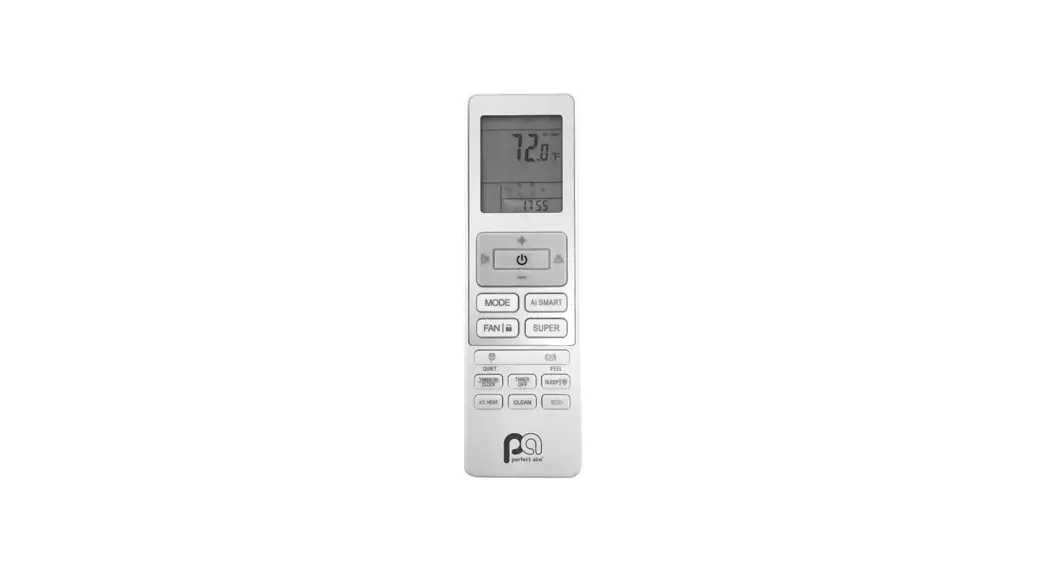
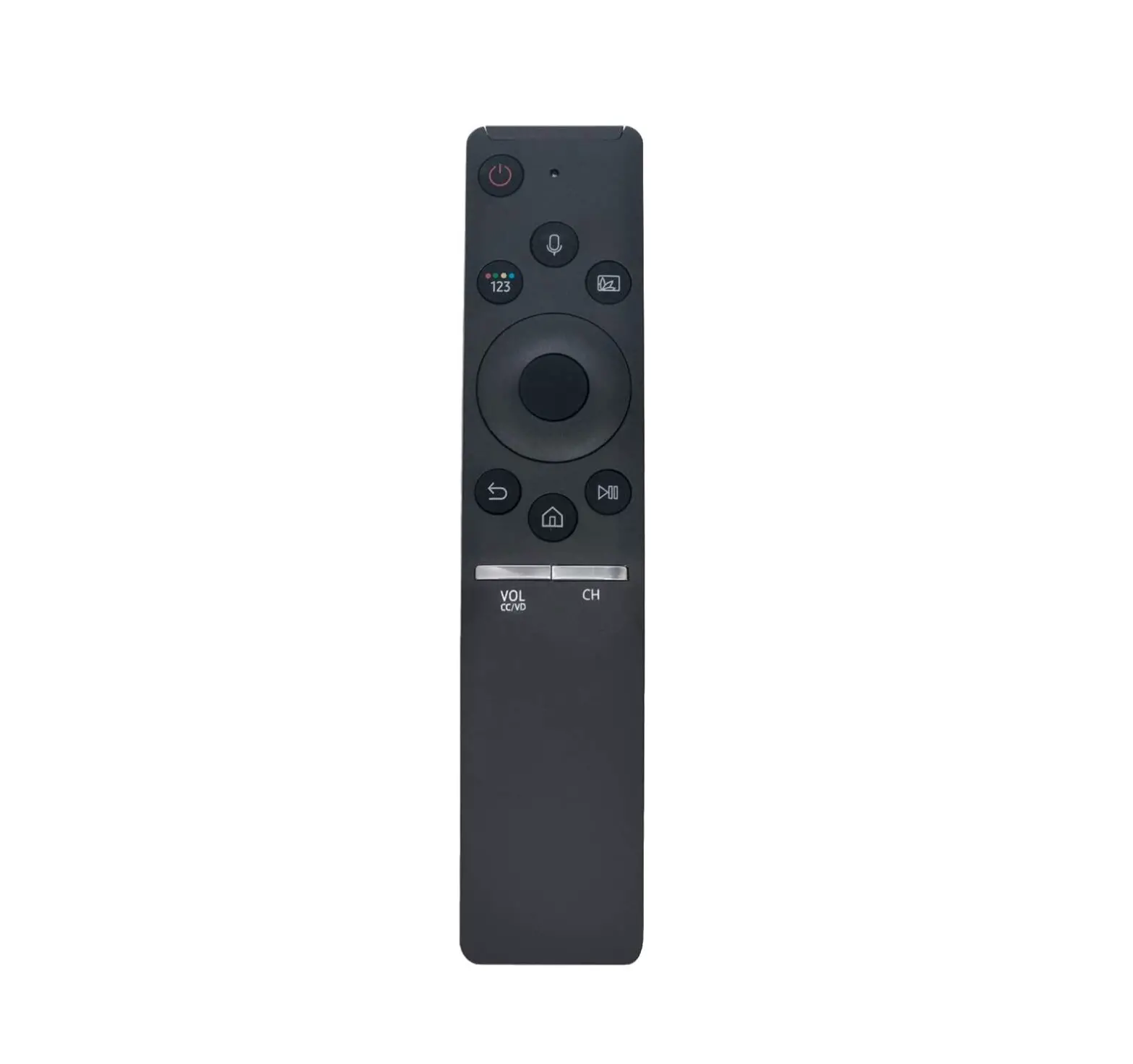
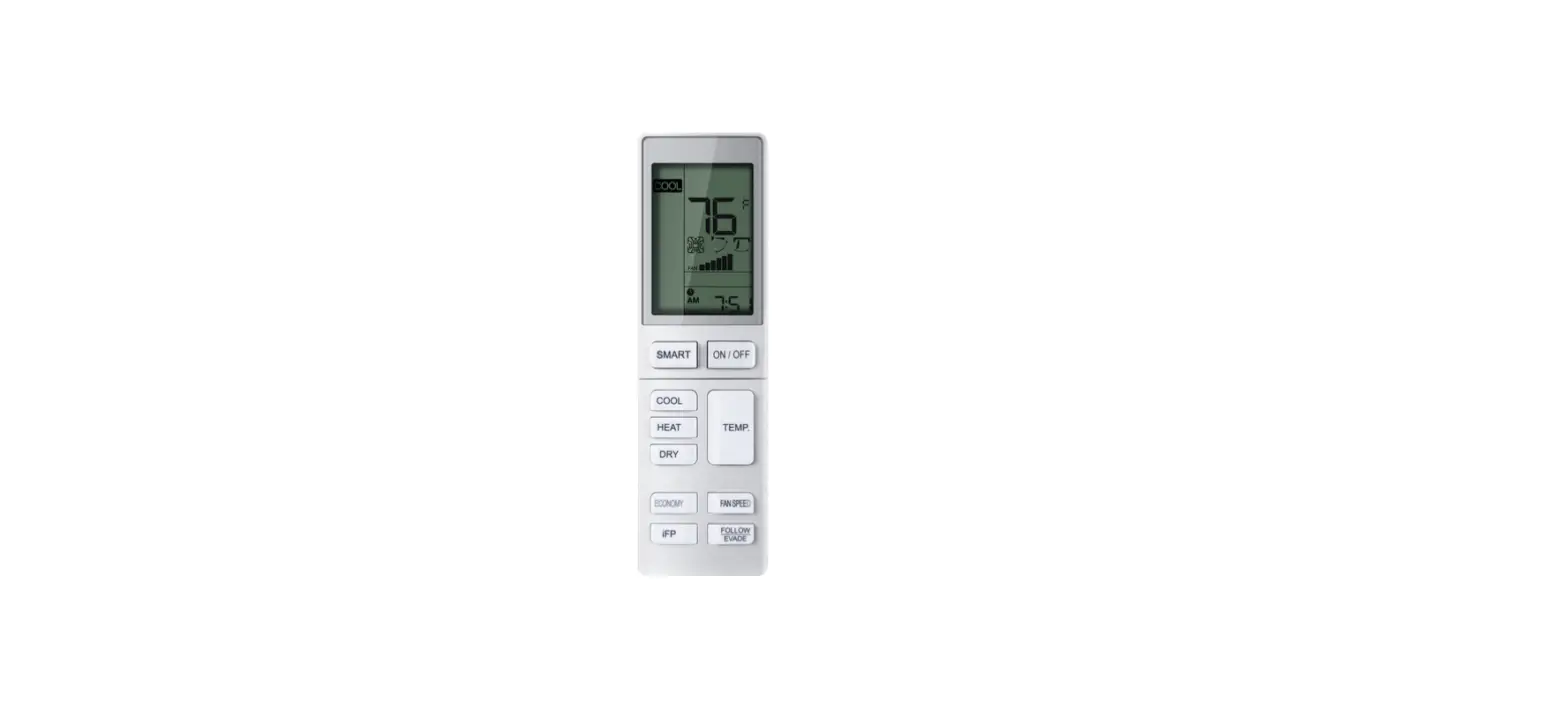
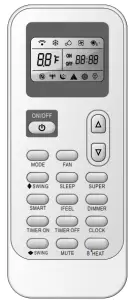
Remote controller
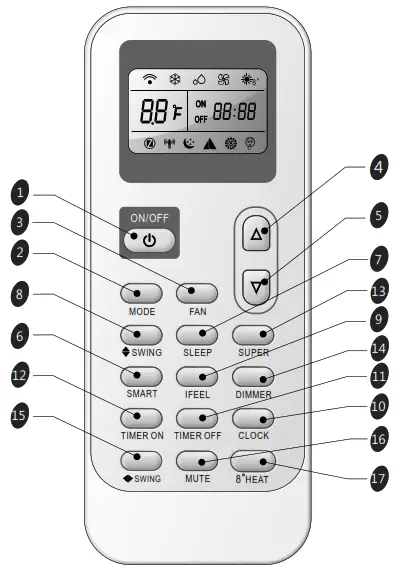
Remote controller
- ON/OFF BUTTON
The appliance will turn on when the button is pushed or will be turned off when pushed again. - MODE BUTTON
Press this button to select the operation mode. - FAN BUTTON
1 Used to select fan speed in sequence auto, higher, high, medium, low or lower. - ROOM TEMPERATURE
4 5 2 SETTING BUTTONS
Used to adjust the room temperature, the timer, and the clock function. - SMART BUTTON
Used to automatically set temperature and fan speeds based on the room temperature. - SLEEP BUTTON
Used to set or cancel Sleep Mode operation. - be shut off. Used to stop or start vertical adjustment louver swinging and set the desired up/down airflow direction.
- I FEEL BUTTON
Used to set IFEEL temperature sensing mode operation. Press it once, the IFEEL function will be started. Press it again, the IFEEL function will be shut off. - CLOCK BUTTON
Used to set the current time. - TIMER ON/OFF BUTTON
Used to set or cancel the timer operation. - SUPER BUTTON
Used to start or stop the fast cooling/heating. (Fast cooling operates at high fan speed with 61°F(16℃) set temp automatically; Fast heating operates at auto fan speed with 86°F(30℃) set temp automatically.) - DIMMER BUTTON
When you press this button, all the displays of the indoor unit will be hidden. Press any button to resume display. - SWING BUTTON
Used to stop or start Horizontal adjustment louver swinging and set the desired left/right airflow direction. - MUTE BUTTON
Fan speed is automatically set at lower fan speed. - 8°C/46°F HEAT BUTTON
Used to automatically set the heating mode, when a lower temperature operation is desired.
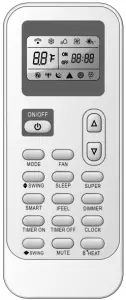
 | Cooling indicator |
 | Auto fan speed |
 | Lower fan speed |
 | Smart indicator |
 | I feel |
 | Dry indicator |
 | Higher fan speed |
 | Sleep 1 indicator |
 | Super indicator |
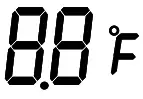 | Display temperature |
 | Fan only indicator |
 | High fan speed |
 | Sleep 2 indicator |
 | Mute indicator |
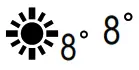 | Heating indicator 8 |
 | Medium fan speed |
 | Sleep 3 indicator |
 | Signal transmit |
 | Heating indicator |
 | Low fan speed |
 | Sleep 4 indicator |
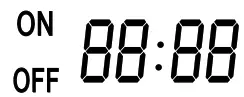 Display set timer
Display current time
Note: Each mode and relevant function will be further specified in the following pages.
How to Insert the Batteries
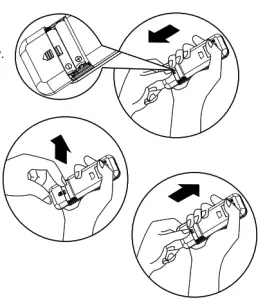
Remove the battery cover according to the direction of the arrow.
Insert new batteries making sure that the (+) and (-) of battery are matched correctly.
Reattach the cover by sliding it back into position.
Note: Use 2 LR03 AAA(1.5volt) batteries. Do not use rechargeable batteries. Replace batteries with new ones of the same type when the display becomes dim.
Storage and Tips for Using the Remote Controller
The remote controller may be stored or mounted on the wall with a remote control holder.
Note: The remote controller holder is an optional part.
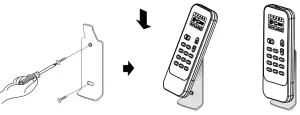
How to Use
To operate, aim the remote control at the signal receptor on the air conditioning unit. The remote control will operate the air conditioner at a distance up to 23 ft (7 m) when pointing at the signal receptor of the indoor unit.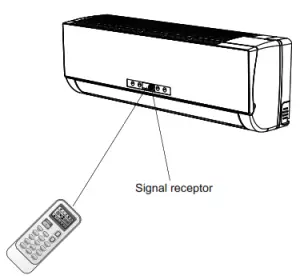
 CAUTIONS
For appropriate signal transmission between remote controller and
indoor unit, keep the signal receiver away from the following items:
- Direct sunlight or other strong lights or heat
- Flat-panel television screen or other electrical appliances that react to the remote controller
Additionally, the air conditioner will not operate if curtains, doors or other materials block the signals from the remote controller to the indoor unit. If the signal may not be transmitted properly, either move these materials or consult your local dealer.
Operation instructions
Operation modes
Selecting mode
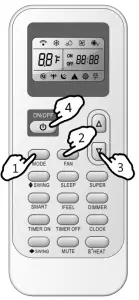
Each time the MODE button is pressed, the operation mode is changed in sequence:1.

 Heating mode is NOT available for cooling only air conditioner
FAN mode
Each time the “FAN” button is pressed, the fan speed is changed in sequence:

At “FAN ONLY” mode, the “Auto” is not available.2.
At “DRY” mode, Fan speed is set at “AUTO” automatically, “FAN” button is ineffective in this case.
Setting temperature
 Press once to raise temperature setting by 1°F 1℃.
 3. Press once to lower temperature setting by 1°F 1℃.
| Range of available set temperature | |
| *HEATING, COOLING | 61°F ~ 86°F(16℃~30℃) |
| DRY | -7 ~ 7 |
| FAN ONLY | unable to set |
Note:
Press and hold the “ MODE” button and “ button ”
together for 3 seconds will alternate the temperature display between the ℃ and °F scale.
Note: Heating mode is NOT available for cooling-only models.
Note: At “Dry” mode, the unit can decrease or rise 7°F by the remote controller if you feel uncomfortable.
Turning on
Press the button, when the appliance receives the signal, the RUN indicator of the indoor unit lights up.
 4.
SWING, SMART, TIMER ON, TIMER OFF, CLOCK,8° HEATING, SLEEP, and SUPER operation modes will be specified in the following pages.
- Changing modes during operation, sometimes the unit does not respond at once. Wait 3 minutes.
- During heating operation, airflow is not discharged at the beginning. After 2-5 minutes, the airflow will be discharged until the temperature of the indoor heat exchanger rises.
- Wait 3 minutes before restarting the appliance.
Airflow direction control
Airflow direction control
Vertical airflow(Horizontal airflow) is automatically adjusted to a certain
angle in accordance with the operation mode after turning on the unit.
| Operation mode | Direction of airflow |
| COOLING, DRY | horizontal |
| *HEATING, FAN ONLY | downward |
The direction of airflow can be also adjusted to your own requirement by pressing the “SWING” button of the remote controller.5
*Heating mode is only available for heat pump models.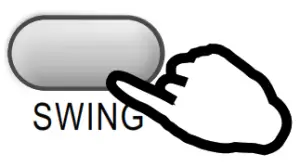
Vertical airflow control (with the remote controller)
Use a remote controller to set various angles of flow or specific angle as you like.
Swinging airflow
Pressing the ”  SWING” button once, the vertical adjustment louver will swing up and down automatically.
Desired direction airflow
Press the ” SWING” button again when the louvers swing to a suitable angle as desired.
Horizontal airflow control (with the remote controller)
Use a remote controller to set various angles of flow or specific angles as you like.
Swinging airflow
Pressing the “ SWING” button once, the horizontal adjustment louver will swing left and right automatically.
Desired direction airflow
Press the ” SWING” button again when the louvers swing to a suitable angle as desired.
NOTE:If the unit doesn’t have four ways airflow function, you can adjust horizontal airflow by yourself.(invalid for some models)Do not turn the vertical adjustment louvers manually, otherwise, malfunction may occur. If that happens, turn off the unit first and cut off the power supply, then restore the power supply again.
It is better not to let the vertical adjustment louver tilt downward for a long time at COOLING or DRY mode to prevent condensed water from dripping.
SMART mode
In this mode, temperature and fan speed are automatically set based on the actual room temperature.
Operation mode and temperature are determined by indoor temperature
Heat pump models
Heat pump models
| Indoor temperature | Operation mode | Target temperature |
| 70°F(21°C) or below | HEATING | 72°F(22°C) |
| 70°F-73°F(21 °C—’23°C) | FAN ONLY | |
| 73°F-79°F(23°C-26°C) | DRY | Room temperature decrease 2°F(2°C ) after operating for 3 minutes |
| Over 79°F(26°C) | COOLING | 79°F(26°C) |
Cooling only models
| Indoor temperature | Operation mode | Target temperature |
| 73°F(23°C) or below | FAN ONLY | |
| 73°F-79°F(23°C-26°C) | DRY | Room temperature decrease 2°F(2°C ) after operating for 3 minutes |
| Over 79°F(26°C) | COOLING | 79°F(26°C) |
The SMART button is ineffective in SUPER mode. Press MODE button cancels SMART mode.
Note: Temperature, airflow, and direction are controlled automatically in SMART mode. However, for the inverter you can choose from -7°C to 7°C (1 degree Celsius = 1.8 degrees Fahrenheit.) If you still feel uncomfortable.
| What you can do in SMART mode | ||
| Your feeling | button | adjustment procedure |
| Uncomfortable because of unsuitable air flow volume. |  | Indoor fan speed alternates among Auto, Higher, High, Medium, Low and Lower each time this button is pressed. |
| Uncomfortable because of unsuitable flow direction. | 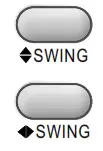 | Press it once, the vertical adjustment louver swings to change vertical airflow direction. Press it again, swings stops. For horizontal airflow direction, please refer to the previous page for details. |
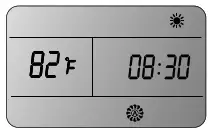
You can adjust the real-time by pressing the CLOCK button, then using and buttons to get the correct time, press clock button again the real-time is set.
TIMER mode
It is convenient to set the timer on with TIMER ON buttons in the morning to achieve a comfortable room temperature in the evening.
How to set the TIMER ON
The TIMER ON button can be used to set the timer to switch on the appliance at your desired time.
i) Press the TIMER ON button and when “ON 12:00” flashes on the LCD display, you can then press the  or
or buttons to select the time you wish for the appliance to turn on.
Increase Decrease
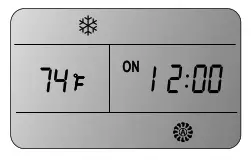
| Press the | | or | | button once to increase or decrease the time setting by 1 minute. |
| Press the | | or | | button within 2 seconds to increase or decrease the time setting by 10 minutes. |
| Press the | | or | | button for 5 seconds to increase or decrease the time by 1 hour. |
Note: If you don’t set the time in 10 seconds after you press the TIMER ON button, the remote control will exit the TIMER ON mode automatically.
When your desired time is displayed on the LCD, press the TIMER ON button and confirm it.
ii) A “beep” will sound.
“ON” stops flashing.
The TIMER indicator on the indoor unit lights up.(invalid for some models)
iii) After the set timer is displayed for 5 seconds the clock will be displayed on the remote control.
How to cancel TIMER ON
Press the TIMER ON button again. You will hear a “beep” and the indicator will disappear, canceling the TIMER ON function.
Note: It is similar to set TIMER OFF. You can make the appliance switch off automatically at your desired time.
8° HEATING mode
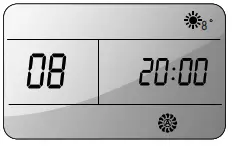
8° HEAT button is used to set 8°C (46°F) heating mode. In this mode, the fan speed is automatically set to “AUTO”.
The 8° HEATING mode will be started when you press the 8° HEAT button in heat mode.
If you and SWING button, you can escape from 8°HEATING mode. Then the display will disappear and the 8°HEATING mode will be canceled. press any button except for TIMER ON, TIMER OFF, CLOCK, IFEEL 8
Note: In mode, the temperature is set 8 . 8°HEATING default ℃ mode can be set only when the air conditioner works in the heating mode. 8°HEATING
SUPER mode
SUPER mode is used to start or stop fast cooling or heating. In SUPER mode, the super indicator will. display on LCD
Fast cooling operates at high fan speed, changing the set temperature automatically to 61°F(16℃); Fast heating operates at auto fan speed, changing the set temperature automatically to 86 °F(30℃).
SUPER mode can be set when the appliance is in operation or energized. In SUPER mode, you can set temperature, airflow direction or timer.
If you want to turn off SUPER mode, press the SUPER, MODE, FAN, ON/OFF or SLEEP button, the display will return to the original model.
Note:
The SMART button is not available in SUPER mode.
The Appliance will continue working in SUPER mode if you don’t escape from it by pressing any of the buttons mentioned above.
Heating is NOT available for cooling only air conditioners.
For the first generation of products, you can’t set temperature in super mode, but you can press the TEMPERATURE SETTING button to escape super mode.
SLEEP mode can be set in COOLING, HEATING, or DRY mode.
This function gives you a more comfortable environment to sleep in.
The appliance will stop automatically after operating for 8 hours.
Fan speed is automatically set to low speed.
Each time the SLEEP button is pressed, the operation mode is changed in sequence:

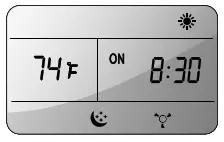
SLEEP mode 1:
- The set temperature will rise by 2°F (2°C) at most if the appliance operates in cooling mode for 2 hours constantly.
- The set temperature will decrease by 2°F (2°C) at most if the appliance operates in heating mode for 2 hours constantly..
SLEEP mode 2:
- The set temperature will rise by 2 ) if the appliance operates in cooling °F(2℃ mode for 2 hours constantly, decrease by 1°F(1℃) after 6 hours, then decrease by 1°F(1℃) after 7 hours.
- The set temperature will decrease by 2°F(2℃) if the appliance operates in heating mode for hours constantly, rise by 1°F(1℃) after 6 hours, then rise by 1°F(1℃) after 7 hours.
SLEEP mode 3:
- The set temperature will rise by 1 ) if the appliance operates in cooling °F(1℃ mode for 1 hour, rise by 2°F(2℃) after 2 hours, then decrease by 2°F(2℃) after 6 hours, decrease by 1°F(1℃) after 7 hours.
- The set temperature will decrease by 2°F(2℃) if the appliance operates in heating mode for 1 hour , decrease by 2°F(2℃) after 2 hours, then rise by 2°F(2℃) after 6 hours, rise by 2°F(2℃) after 7 hours.
SLEEP mode 4:
- The set temperature will stay steady.
Note: Heating is NOT available for cooling only air conditioners.
Note: Press SUPER , SMART, MODE, SLEEP or FAN button cancel SLEEP mode.
IFEEL mode
In IFEEL mode, the temperature sensor built in the remote controller is activated and transmits the signal back the unit. The unit can adjust the temperature to
provide maximum comfort.
Note: When using IFEEL mode, advice to put the remote in the place where the indoor unit can receive the signal easily.
Note: When stopping the air conditioner, advice to cancel the IFEEL mode so as to save energy.

5401 Dansher Road
Countryside, IL 60525
844-4PA-AIRE | 844-472-2473 | [email protected]
CANADA SUPPORT 877-997-2473 | [email protected]
www.perfectaire.us