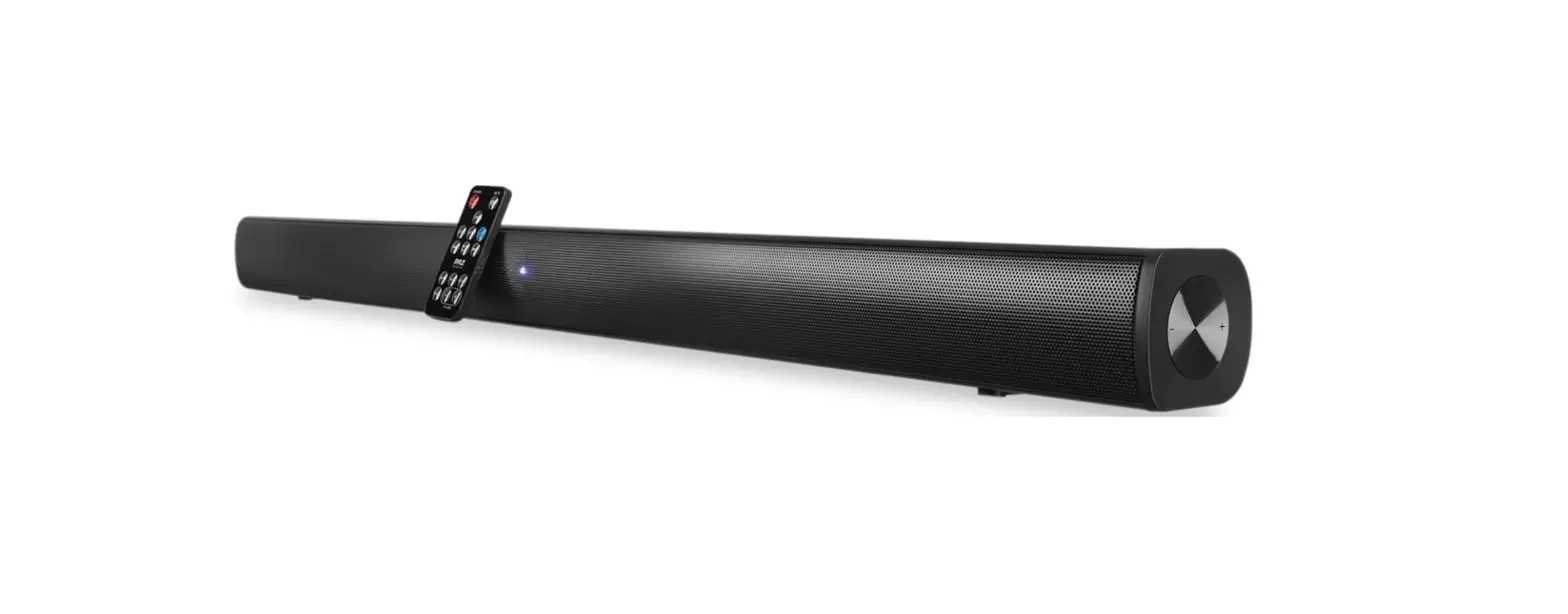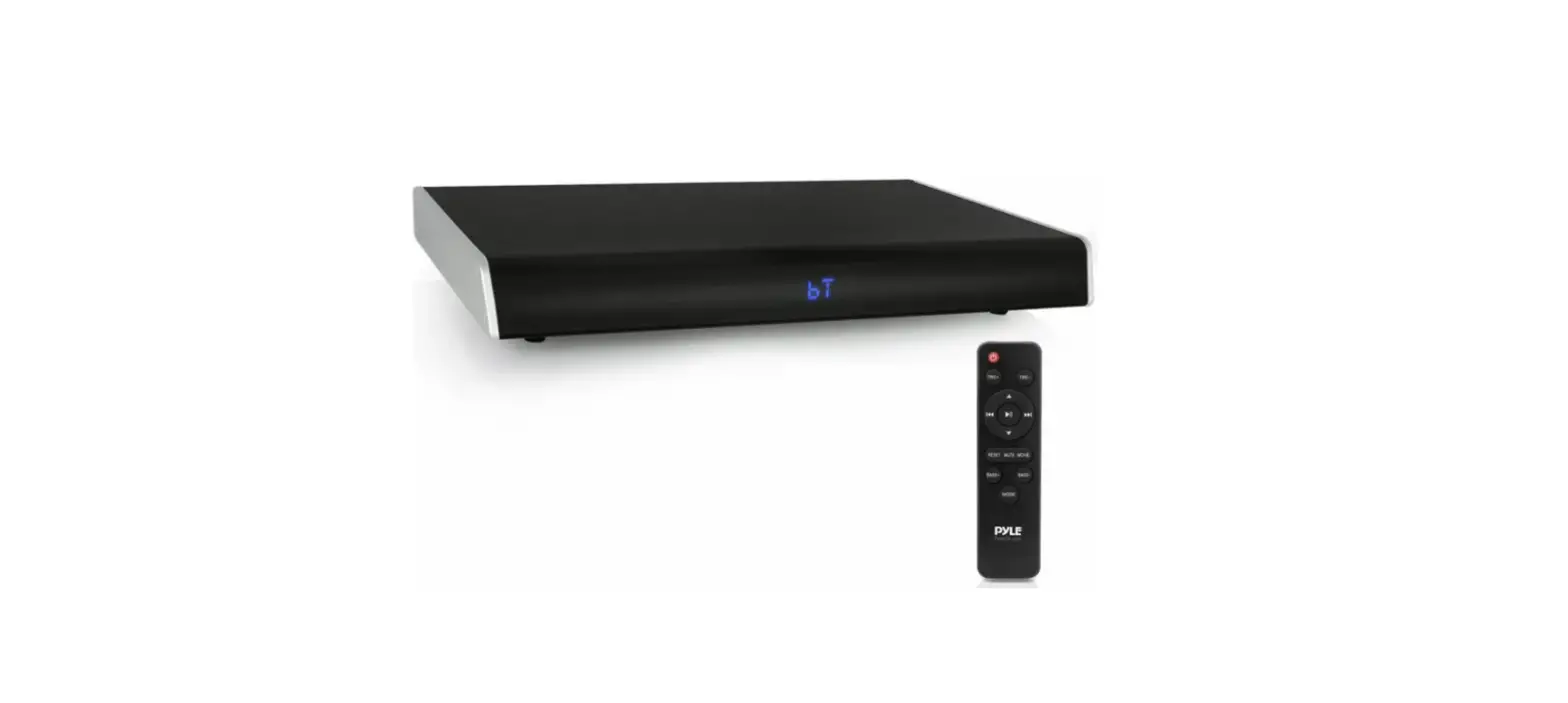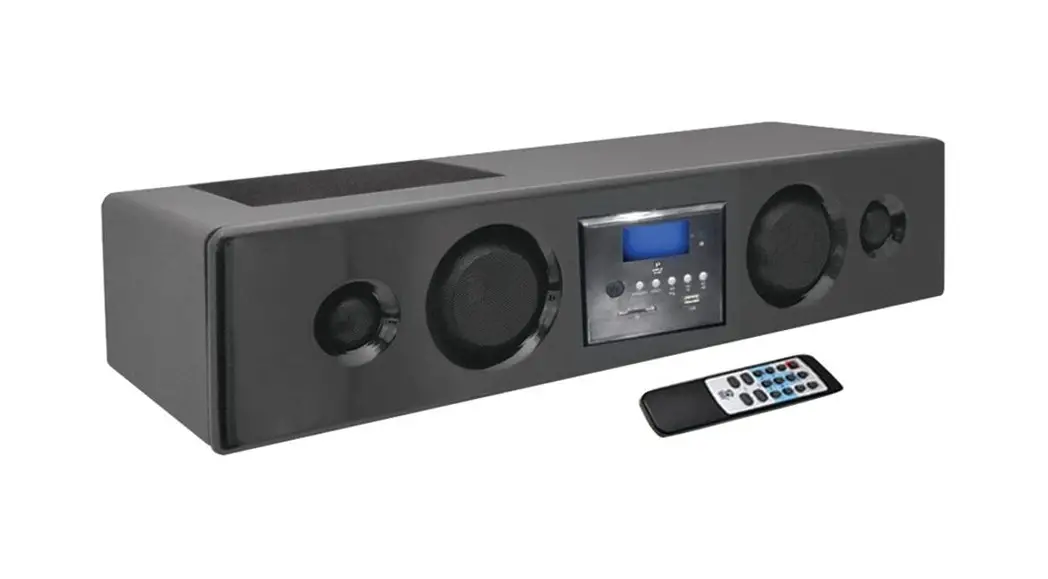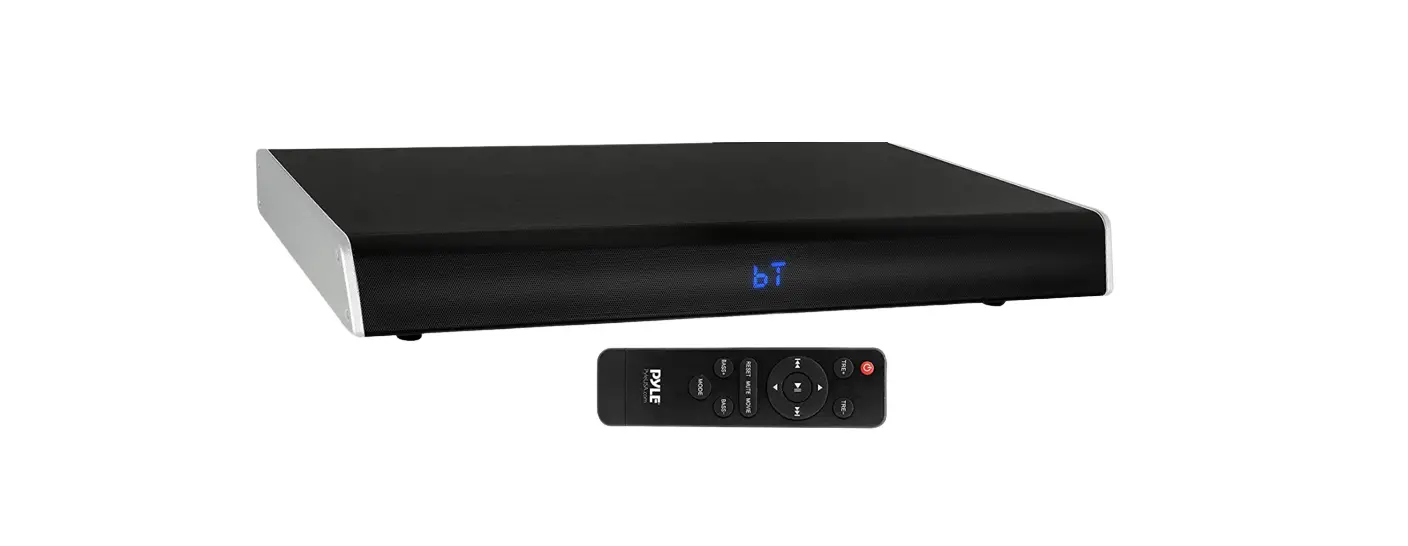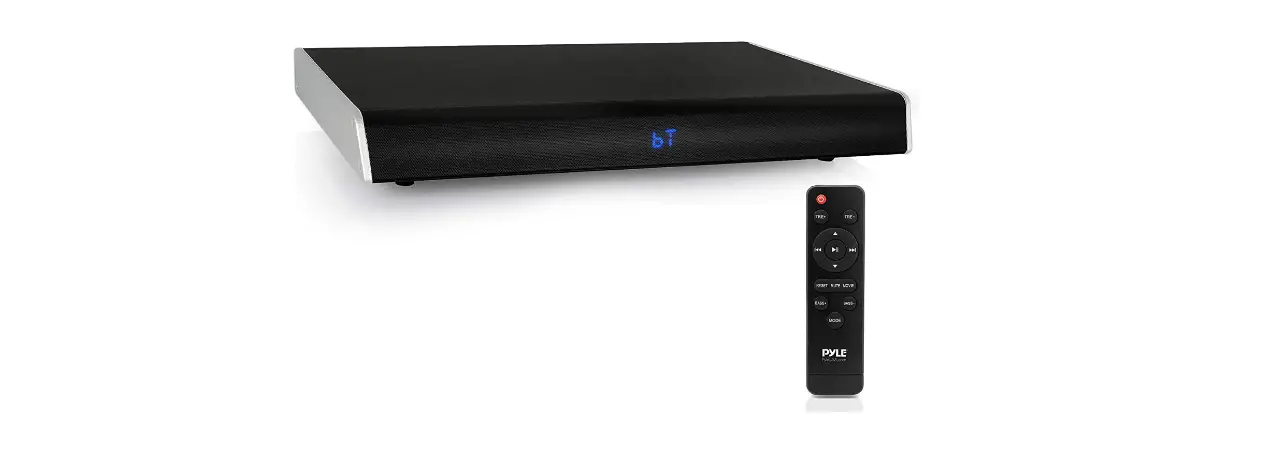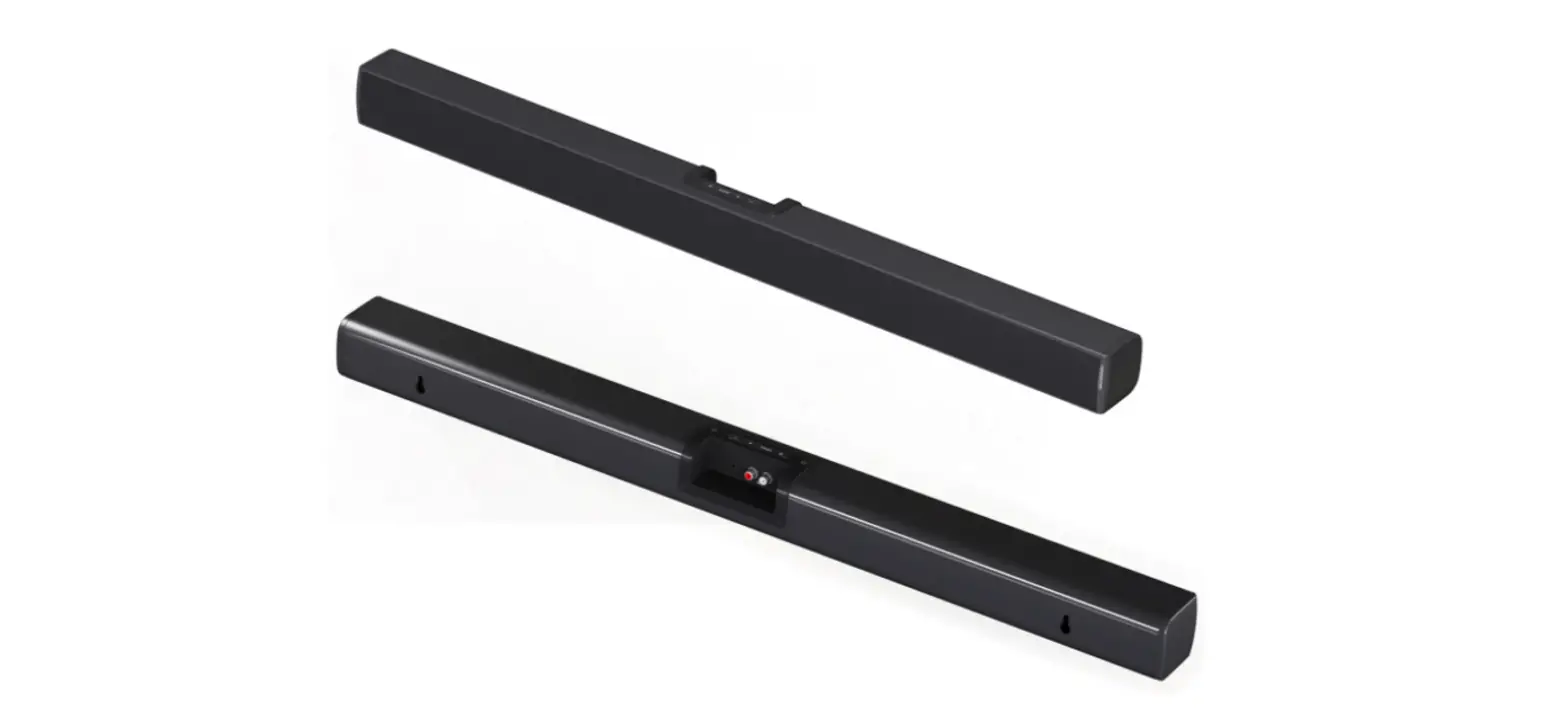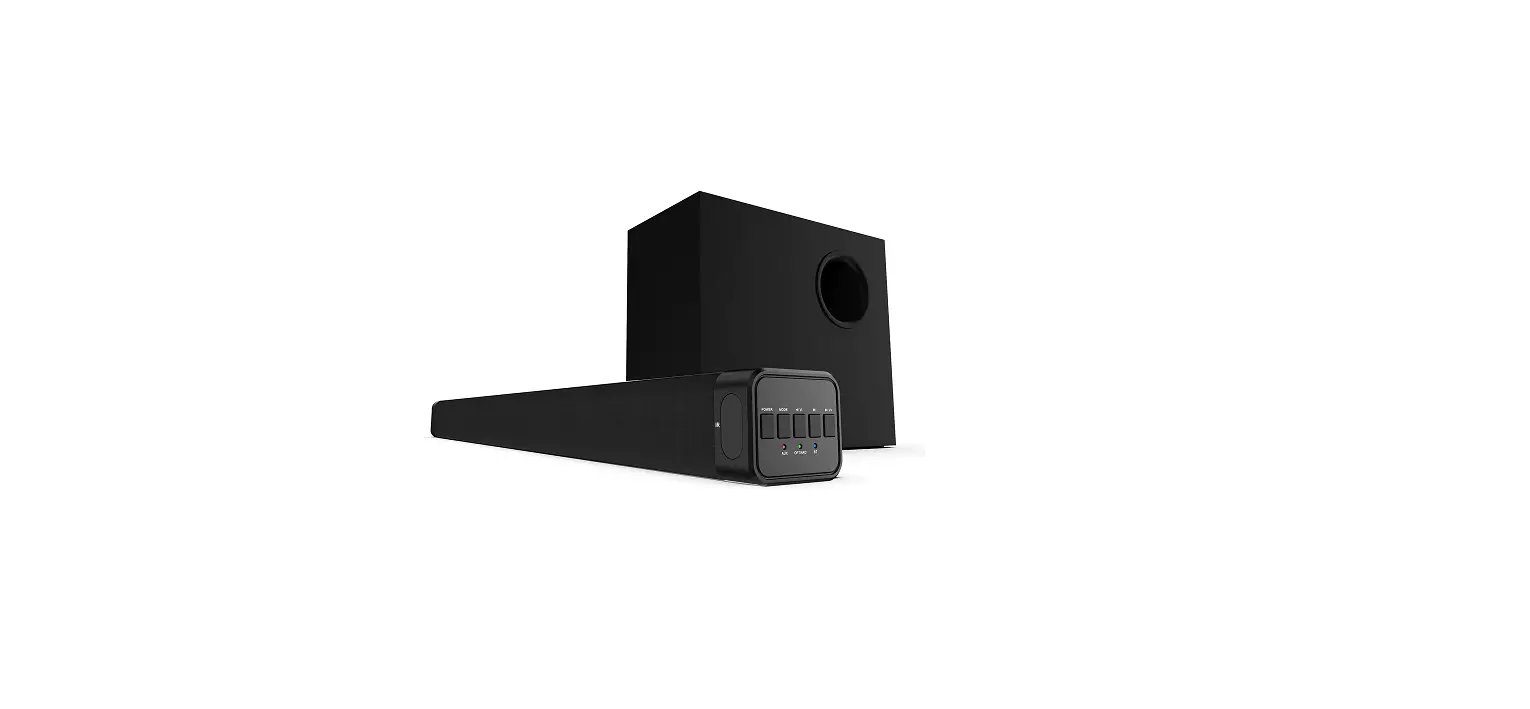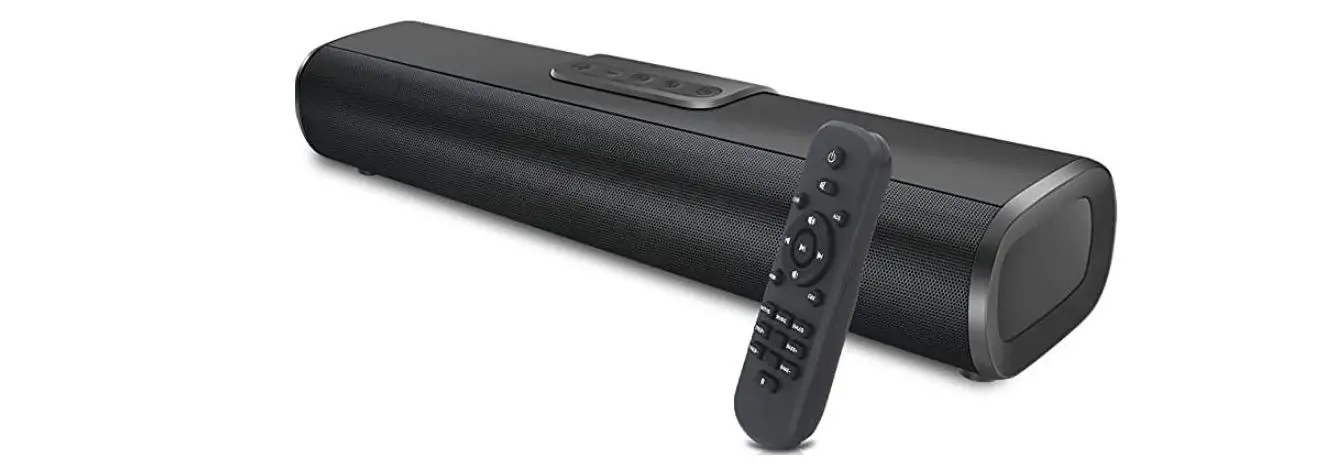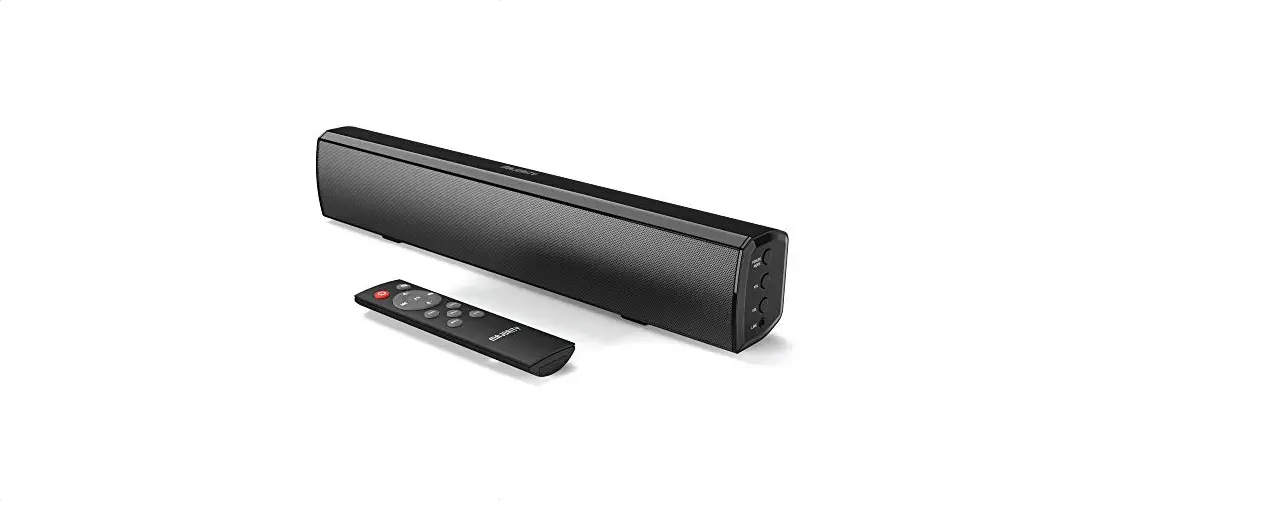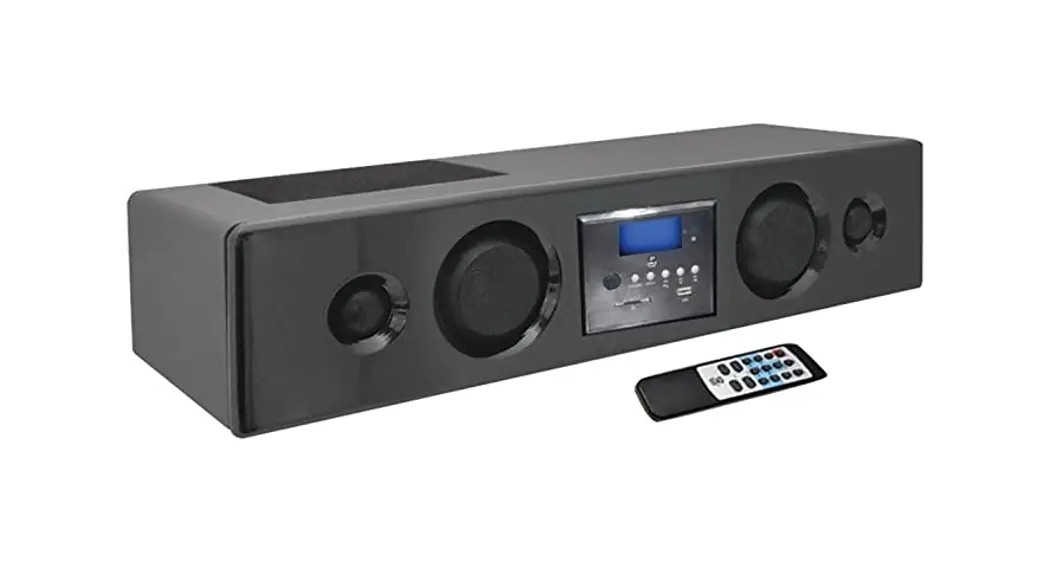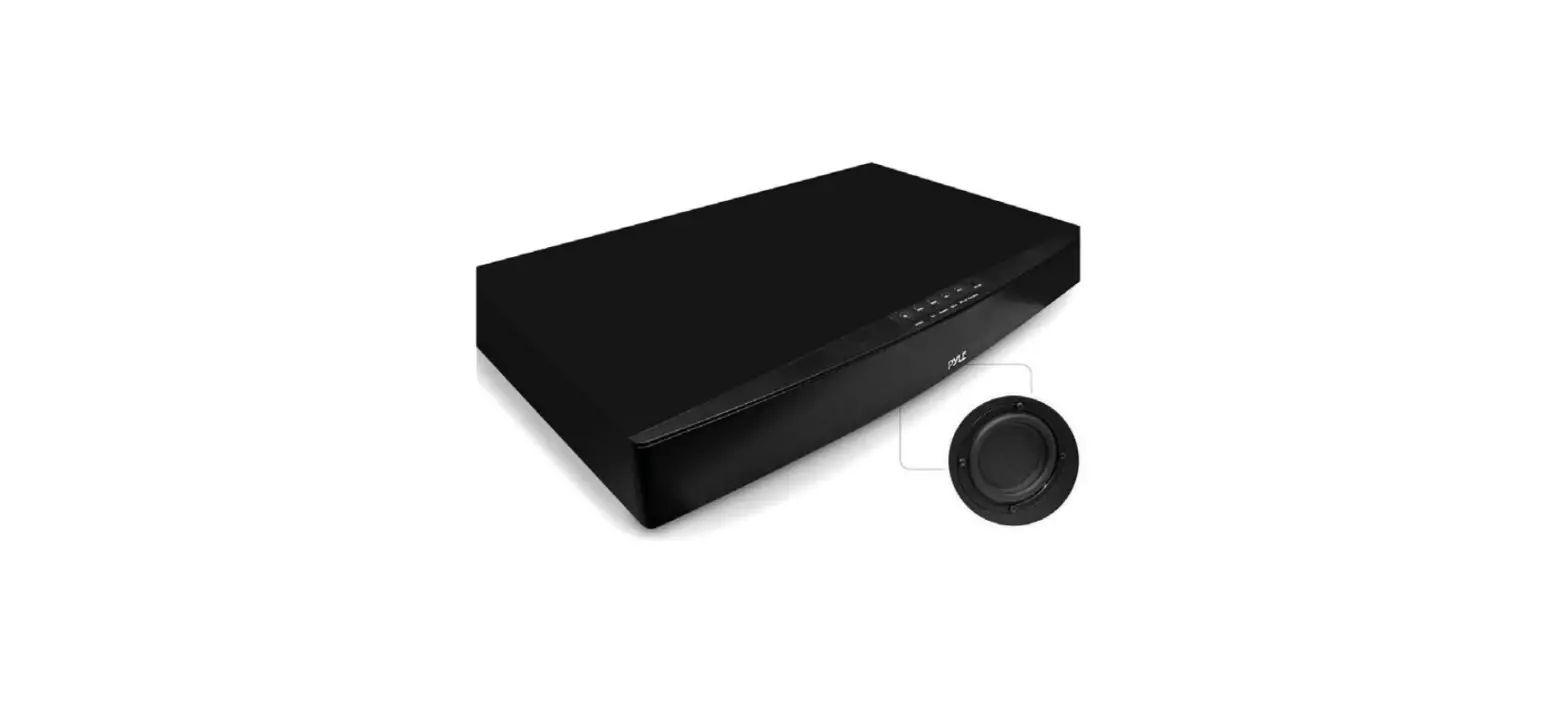

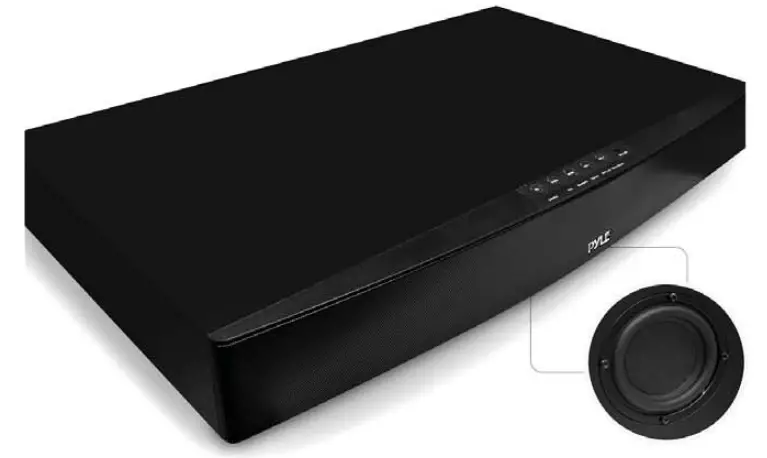
Pyle PSBV600BT TV Soundbar Soundbase Bluetooth
Important Safety Instructions
CAUTION
TO REDUCE THE RISK OF ELECTRIC SHOCK, DO NOT REMOVE THE COVER (OR BACK). NO USER-SERVICEABLE PARTS INSIDE. REFER SERVICING TO QUALIFIED SERVICE PERSONNEL.
RISK OF ELECTRIC SHOCK DO NOT OPEN
The lightning flash with the arrowhead symbol, within an equilateral triangle, is intended to alert the user to the presence of uninsulated “dangerous voltage” within the product’s enclosure that may b of sufficient magnitude as to
constitute a risk of electric shock to persons.
The exclamation point within an equilateral triangle is intended to alert the user to the presence o f important operatin g and maintenance (servicing) instructions in the literature accompanying the appliance.
Safety
- Read these instructions – All the safety and operating instructions should be read before this product is operated.
- Keep these instructions – The safety and operating instructions should be retained for future reference.
- Heed all warnings – All warnings on the appliance and in the operating instructions should be adhered to.
- Follow all instructions – All operating and use instructions should be followed.
- Do not use this apparatus near water
- The appliance should not be used near water or moisture – for example, in a wet basement or near a swimming pool and the like.
- Clean only with a dry cloth.
- Do not block any ventilation openings.
Installing in accordance with the manufacturer’s instructions. - Do not install near any heat sources such as radiators, heaters, stoves, or other apparatus (including amplifiers) that produce heat.
- Do not defeat the safety purpose of the polarized or grounding plug. A polarized plug has two blades one wider than the other. A grounding plug has two blades and a third grounding prong.
The wide blade or the third prong is provided for your safety. If the provided plug does not fit into your outlet, consult an electrician for the replacement of the obsolete outlet. - Protect the power cord from being walked on or pinched, particularly at plugs, convenience receptacles and at the point where they exit from the apparatus.
- Only use attachments/accessories specified by the manufacturer.
- Use only with the cart, stand, tripod, bracket, or table specified by the manufacturer, or sold with the apparatus. When a cart or rack is used, use caution when moving the cart/ apparatus combination to avoid injury from tip-over.
- Unplug the apparatus during lightning storms or when unused for long periods of time.
- Refer all servicing to qualified personnel. Servicing is required when the apparatus has been damaged in any way, such as a power supply cord or plug is damaged, liquid has been spilled or objects have fallen into the apparatus, the unit has been exposed to rain or moisture, does not operate normally, or has been dropped.
- This equipment is a Class II or double-insulated electrical appliance. It has been designed in such a way that it does not require a safety connection to the electrical earth.
Caution:
- Use of controls or adjustments or performance of procedures other than those described herein may result in hazardous radiation exposure or other unsafe operation.
- To reduce the risk of fire or electric shock, do not expose this apparatus to rain or moisture. The apparatus must not be exposed to dripping or splashing and objects filled with liquids, such as vases, must not be placed on the apparatus.
- The mains plug/appliance coupler is used as the disconnect device, the disconnect device must remain readily operable.
Warning
- The battery (battery or batteries or battery pack) must not be exposed to excessive heat such as sunshine, fire or the like.
- Before operating this system, check the voltage of this system to see if it is identical to the voltage of your local power supply.
- The ventilation should not be impeded by covering the ventilation openings with items such as newspaper, tablecloths, curtains etc.
- Make sure there is at least 20 cm of space above and at least a Scam of space on each side of the unit.
- Do not place this unit close to strong magnetic fields.
- Do not place the unit on the amplifier or receiver.
- Do not place this unit close to damp areas as the moisture will affect the life of the laser head. Should any solid object or liquid fall into the system, unplug the system and have it checked by qualified personnel before operating it any further.
- Do not attempt to clean the unit with chemical solvents as this might damage the finish.
- Use a clean, dry, or slightly damp cloth.
DO NOT INGEST BATTERY, CHEMICAL BURN HAZARD
The remote control supplied with this product contains a coin/button cell battery. If the coin/button cell battery is swallowed, it can cause severe internal burns in just 2 hours and lead to death. Keep new and used batteries away from children. If the battery compartment does not close securely, stop using the product and keep it away from children. If you think batteries might have been swallowed or placed inside any part of the body, seek immediate medical attention.
Identifying the Parts
Main Unit
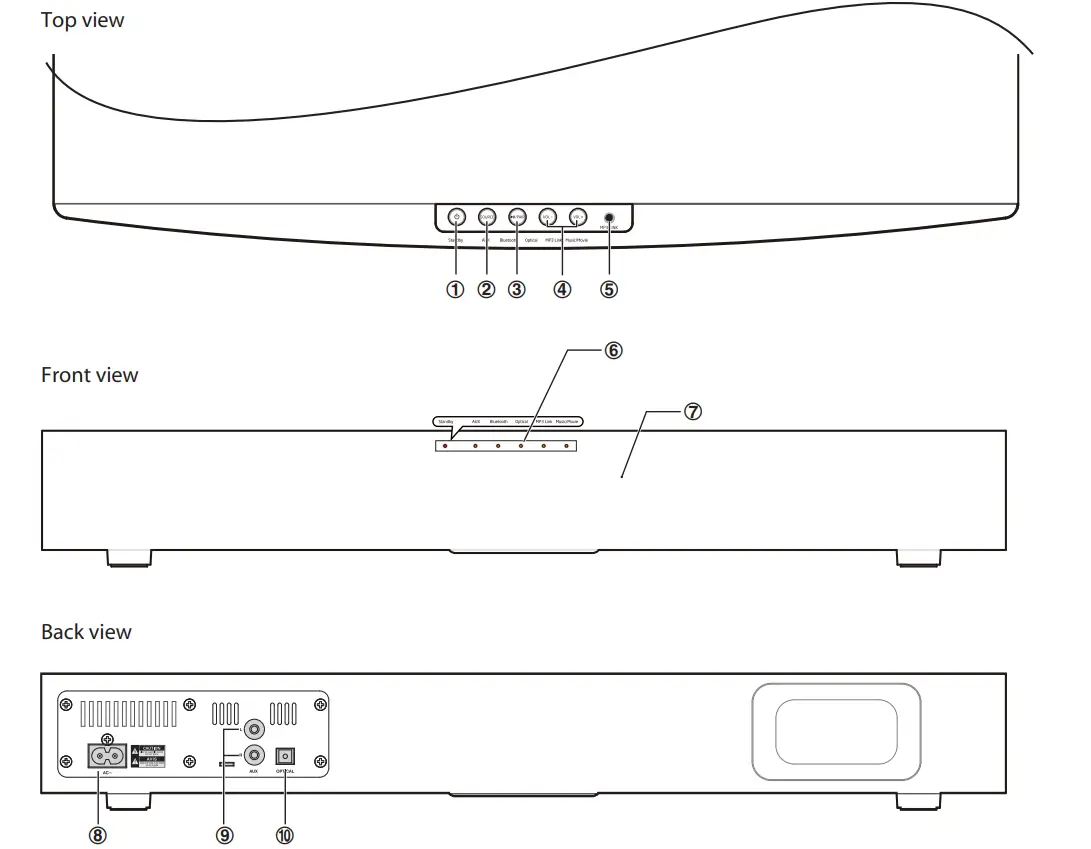
- POWER
Switch the unit between the ON and STANDBY modes. - SoURCE
Select the play function. - PAIR
- Play/pause/resume playback in Bluetooth mode.
- Press and hold this button to activate the pairing function in BLUETOOTH mode and disconnect the existing paired Bluetooth device.
- VOL+/vOL Increase/decrease the volume level.
- MP3 LINK Socket Connect to an external audio device.
- Status LED Indicators
- Standby indicator lights up red when the unit is in STANDBY mode.
- Aux/Bluetooth/Optical/Mp3 Link indicator lights up when which function is active.
- Music/Movie
- In MOVIE EQ mode: Flight up steadily.
- In MUSIC EQ mode: Light flash.
- Remote Control Sensor
- AC Socket
- Connect to the power cord.
- AUX (R/L) Socket
- OPTICAL Socket
- Connect to a digital amplifier.
Remote Control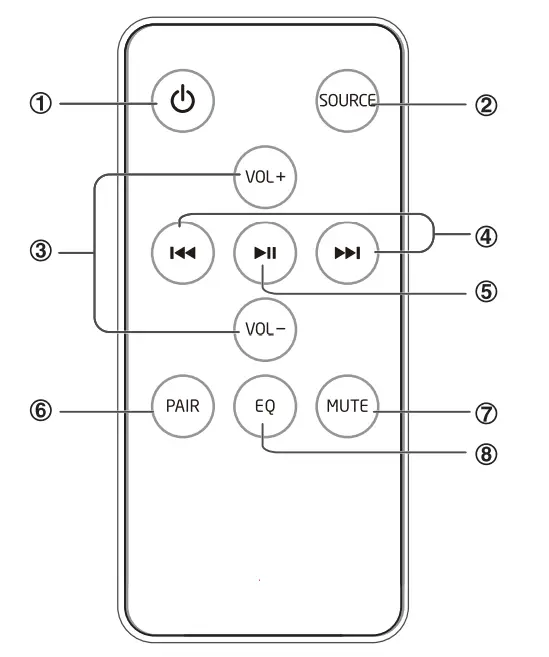
- Switch the unit between ON and STANDBY modes.
- SOURCE Select the play function.
- VOL+vOL- Increase/Decrease the volume level.
- Skip to the previous track/skip to the next track in Bluetooth mode.
- Play/pause/resume playback in Bluetooth mode.
- PAIR Activate the pairing function in Bluetooth mode and disconnect the existing paired Bluetooth device.
- MUTE Mute or resume the sound.
- EQ Select a preset sound effect.
Preparations
Prepare the Remote Control
The provided Remote Control allows the unit to be operated from a distance.
- Even if the Remote Control is operated within the effective range (6m), remote control operation may be impossible if there are any obstacles between the unit and the remote control.
- If the Remote Control is operated near other products which generate infrared rays, or if other remote control devices using infra-red rays are used near the unit, it may operate incorrectly. Conversely, the other products may operate incorrectly.
First-time use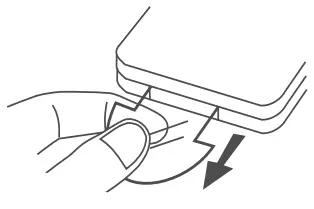
The unit has a pre-installed lithium CR2025 battery. Remove the protective tab to activate the remote control battery.
Replace the Remote Control Battery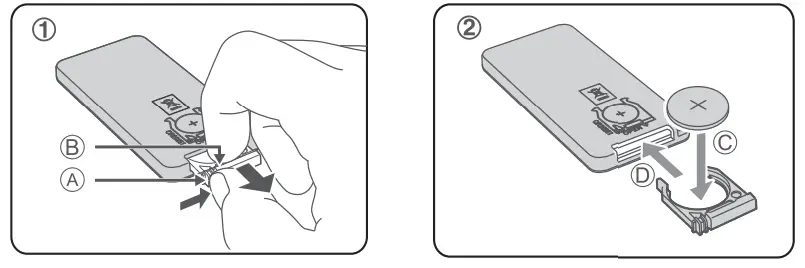
- Pull out the battery tray and remove the old battery.
- Place a new CR2025 battery into the battery tray with the correct polarity (+/-) as indicated.
- Insert the battery tray back into the slot.
Precautions Concerning Batteries
- When the Remote Control is not to be used for a long time (more than a month), remove the battery from the Remote Control to prevent it from leaking.
- If the batteries leak, wipe away the leakage inside the battery compartment and replace the batteries with new ones.
- Do not use any batteries other than those specitied.
- Do not heat or disassemble batteries. Never throw them in fire or water.
- Do not carry or store batteries with other metallic objects. Doing so could cause batteries to short circuit, leak or explode.
- Never recharge a battery unless it is confirmed to be a rechargeable type.
Placing a TV or Monitor
the unit supports a TV up to a maximum dimension of 48 cm (W) x 22 cm (D) for its base and within a maximum load of 20 kg.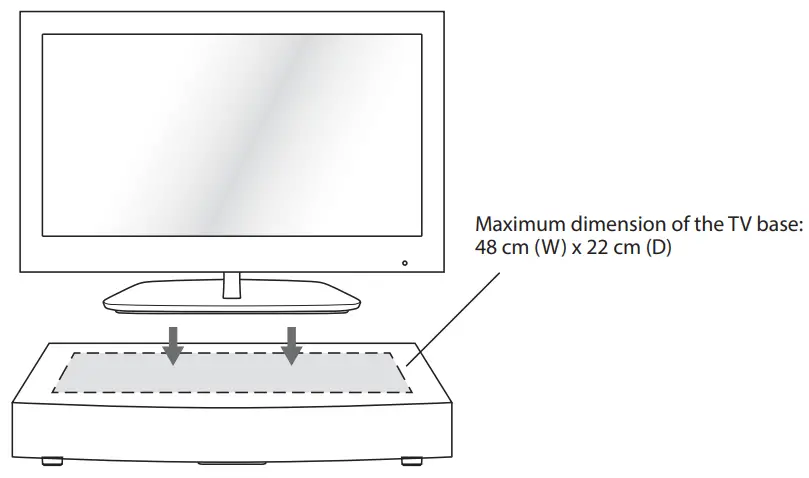
Note
Ensure the TV is placed properly. Turning the volume up too loud may cause the TV to vibrate and fall over.
Connections
Use the OPTICAL Connection
- Remove the protective cap of the OPTICAL socket, then connect an OPTICAL cable (not included) to the TV’s OPTICAL OUT socket and the OPTICAL socket on the unit.
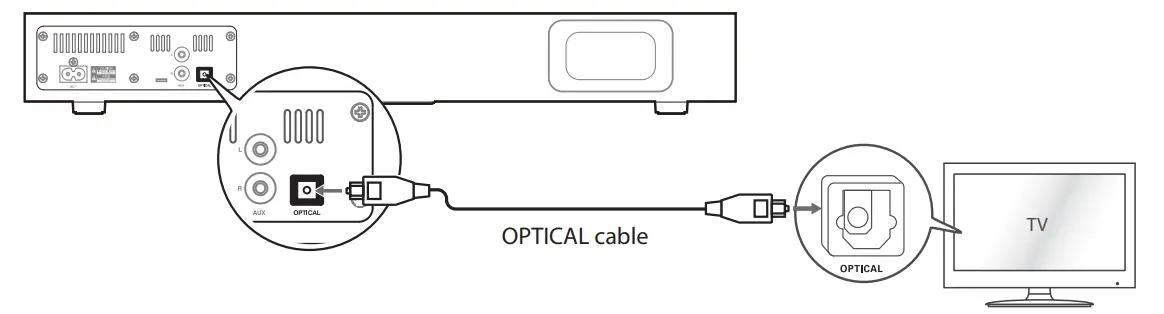
Tip: If there is no sound coming out of the soundbar and the indicator flash quickly. Make sure the audio setting of your source player (e.g. DVD player, game player, TV) is setted to PCM with OPTICAL input.
Use the AUX Connection
- Use an RCA stereo audio cable (not included) to connect the TV’s audio output sockets to the AUX (R/L) socket on the unit.
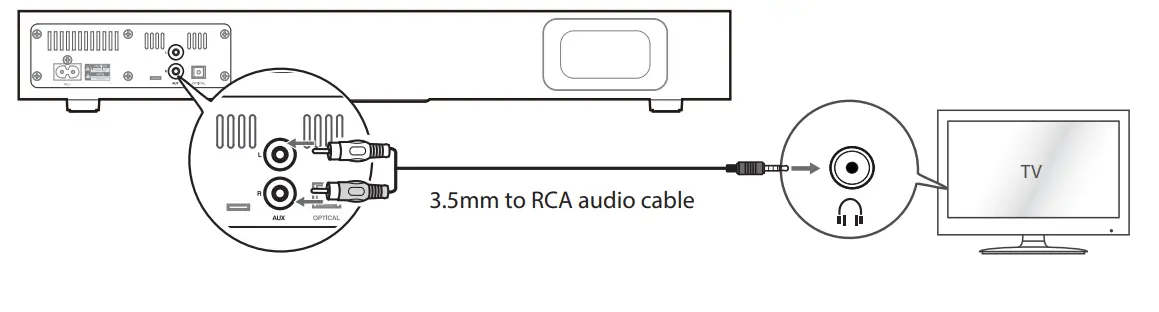
Use the MP3 Link Connection
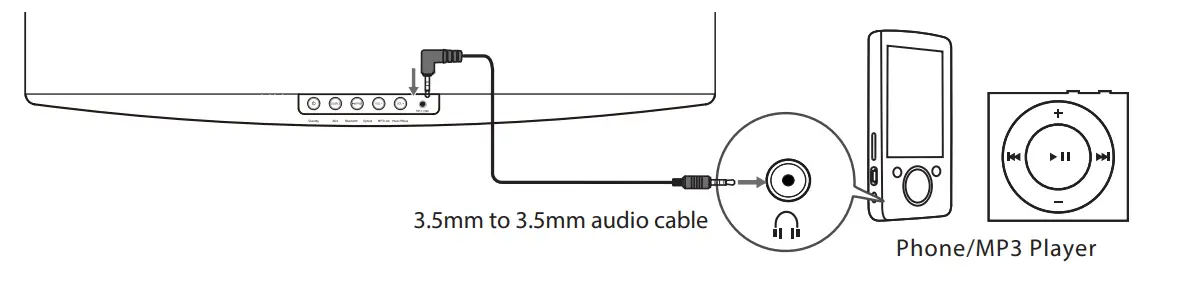
- Connect a 3.5mm to 3.5mm audio cable (included) to the MP3 LINK socket on the unit and the audio output socket on external audio device (e.g.MP3 player, iPhone…).
Connect Power
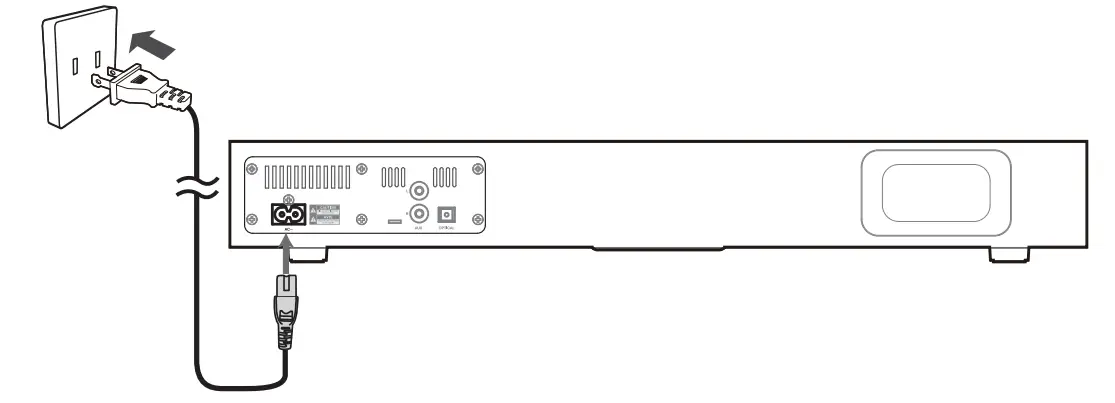
- Risk of product damage! Ensure that the power supply voltage corresponds to the voltage printed on the back or the underside of the unit.
- This unit is designed to operate with the provided mains cable.
- Connecting the unit to any other power source may cause damage to the unit. Unwind the mains cable to its full length. Connect the mains plug to a mains socket. Make sure the mains plug is fully inserted into the mains socket. AC~ socket on the unit and a wall outlet.
Note:
- Ensure all connections are connected before connecting to the mains power socket.
- Be sure to unplug the power cord from the outlet when the system is not in use for an extended period of time.
General Operation
Standby/ON
When you first connect the unit to the mains socket, the unit will be in standby mode and the Standby Indicator will be red.
- Press the U button to switch the main unit ON.
- Press the button again to switch the unit back to STANDBY mode.
- The POWER indicator will light up red.
- Disconnect the mains plug from the mains socket if you want to switch the unit OFF completely.
- If the unit is idle for over 15 minutes, the unit will automatically switch to Standby mode.
Select Modes
- Press the SoURCE button repeatedly on the unit or on the remote control to switch between AUX, OPTICAL, MPS LInk, and BLUETOOTH modes.
Adjust the Volume
- Press the VoL +/-button to adjust the volume.
- If you wish to turn the sound off, press the MUTE button on the remote control.
- Press the MUTE button again or press the VoL+/- button to resume normal listening.
- While adjusting the volume, the status indicator flashes quickly. While the volume level reaches itsS maximum level, if yo press the VoL+ button again, the status indicator flashes once. While the volume level reaches its minimum level, it you press the VoL – button again, the status indicator flashes once.
Select the Equalizer
While playing, press the EQ button on the remote control to select between preset equalizers:
Movie (recommended for viewing movies), Music (recommended for listening to music).
- When AUX or OPTICAL mode is selected, the equaliser will be set to MOVIE. The Music/ Movie Indicator will light up steadily.
- When BLUETOOTH or MP3 LINK mode is selected, the equaliser will be set to MUSIC. The Music/Movie Indicator will flash
AUX/OPTICAL/Mp3 Link Operation
- Ensure that the Sound Stand is connected to the TV or audio device.
- Press the SOURCE button repeatedly on the unit or on the remote control to switch between AUX or OPTICAL or Mp3 Link mode.
- Operate your audio device directly for playback features.
- Press the VOL +/– button to adjust the volume to your desired level.
BLUETOOTH Operation
You can listen to tracks from a media device if it is connected to the unit via Bluetooth.
Pair Bluetooth-enabled Devices
Note
- The operational range between the main unit and a Bluetooth device is approximately 8 meters.
- Before you connect a Bluetooth device to this unit, familiarize yourself with the Bluetooth capabilities of the device.
- Compatibility with all Bluetooth devices is not guaranteed.
- Any obstacle between this unit and a Bluetooth device can reduce the operational range.
- Keep this unit away from other electronic devices that may cause interference.
To connect your device to the unit via Bluetooth, follow the steps below
- During ON mode, press the SoURCE button repeatedly on the unit or on the remote control to select Bluetooth mode. The Bluetooth indicator will flash slowly.
- The system has entered pairing mode. Or press the PAIR button on the remote control or press and hold the Iu/PAIR button on the main unit to be searchable. The Bluetooth indicator will flash rapidly.
- Activate your Bluetooth device and select the search mode. “PSBV600BT” will appear on your Bluetooth device list.
- Select “PSBV600BT” in the pairing list. The Bluetooth indicator will light up solidly while the pairing succeeds.
- To disconnect the Bluetooth function, switch to another function on the unit or disable the function from your Bluetooth device.
Tips
- Enter”0000″ for the password if necessary.
- If there is an existing connection, press the PAIR button on the remote control or press and hold the1/PAIR button on the main unit to re-activate the pairing mode, the existing connection will be interrupted, the BLUETOOTH indicator will flash.
- If no other Bluetooth device pairs with this player within two minutes, the player will recover its previous connection.
- The player will also be disconnected when your device is moved beyond the operational range.
- If you want to reconnect your device to this player, place it within the operational range.
- If the device is moved beyond the operational range, when it is brought back, please check if the device is still connected to the player.
- If the connection is lost, follow the instructions above to pair your device to the player.
Listen to Music from Bluetooth Device
If the connected Bluetooth device supports Advanced Audio Distribution Profile (A2DP), you can listen to the music stored on the device through the player. If the device also supports Audio Video Remote Control Profile (AVRCP), you can use the player’s remote control to play music stored on the device.
- Pair your device with the player.
- Play music via your device (if it supports A2DP).
- Use supplied remote control to control play (if it supports AVRCP).
- To pause/resume play, press the BF button.
- To skip to a track, press the H,G buttons.
Troubleshooting
To keep the warranty valid, never try to repair the system yourselt. If you encounter problems when using this unit, check the following points before requesting service.
No power
- Ensure the mains cable is connected securely.
- Make sure that the unit is switched on.
The remote control does not function
- Use the remote control near the unit.
- Point the remote control at the remote control sensor on the unit.
- Replace the battery in the remote control with a new one.
- Remove any obstacles between the remote control and the unit.
Loud hum or noise is heard
- The plugs and sockets are dirty. Wipe them with a cloth slightly moistened with an appropriate non-abrasive cleaning solution.
- The unit does not respond when pressing any buttons
- The unit may freeze up during use. Switch the unit off and then on again at the mains socket to reset the unit.
No sound output
- Make sure that the unit is not muted. Press MUTE or VOL+ to resume normal listening Ensure the audio setting of the input source (e.g. TV, game console, DVD player, etc.) is set to PCM mode while using an optical connection.
The sound output effect sounds unfamiliar
- Press EQ on the remote control to select the preset EQ mode tor the optimal sound output effect.
- I can’t find the Bluetooth name of this unit on my Bluetooth device for Bluetooth pairing Ensure that the unit is switched on.
- Ensure that the Bluetooth function is activated on your Bluetooth device. The unit has a Bluetooth function that can receive a signal within 8 meters. Keep a distance of 8 meters between.
Specifications
General
- Power requirements: AC120V~ 60Hz
- Power consumption:18 W
- Output power RMS:15W x 2 + 30W
- Total harmonic distortion:1%(1kHz, 1W)
- Audio input sensitivity:700mV
- Frequency response:40Hz – 20KHz
- Dimension (W x H x D) :525 x 75 x 305 mm
Speakers
- Front Impedanc:3 X 2
- Woofer Impedance:6
Remote
- Distance:6m
- Angle:30O
Standard Accessories
- Remote Control:x 1
- Instruction Manual 😡 1
- AC Power Cord:x 1
- RCA – 3.5mm audio Cable:x 1
Design and specifications are subject to change without notice.
FAQS
What are the dimentions (W x L x H)?
If it’s 25″, my tv’s 24″ pedestal will fit on it, but at 21″ it would hang over the edge, not good. Why the discrepancy?
No
Yes
The product dimension ( L x W x H) is 20.6” x 12.0” x 3.0” inches. You may check other details of the unit by visiting our website pyleaudio.com. Type the model number on the search box PSBV600BT for more details.
3″x12″x21 3/4″
its a $100 sound bar – you get what you pay for – you want deep rich base – spend $300 – you want functional buy this for $+/- 100.
Being a new item most universal remote will not have the IR code, so we suggest Code Learning remote controls. Look into Logitech they offer a good selection
Upgrade to a Sony sound base. With a HDMI connection between TV and speakers it will do exactly like you ask via HDMI-CNC control. The Pyle cannot do that.
Great sound I never had old version.
Most likely. I programmed it into a Harmony remote. As long as the direct tv remote has learning capability you should be ok.
It comes with a remote, I am still trying to find the remote code for the Directv remote.
unfortunately no. It doesn’t have a card reader. You may check other details of the unit by visiting our website pyleaudio.com. Type the model number on the search box PSBV600BT for more details.
Its universal for just about any Brand of TV as long as it has Audio Output’s
Yes but if your looking for just a center I would look for something different. Don’t get me wrong this is a very good sounding system but the highs are just not up to par for quality center speaker, IMO. My son uses it more for gaming and it works great for that.
if it is a flat tv.