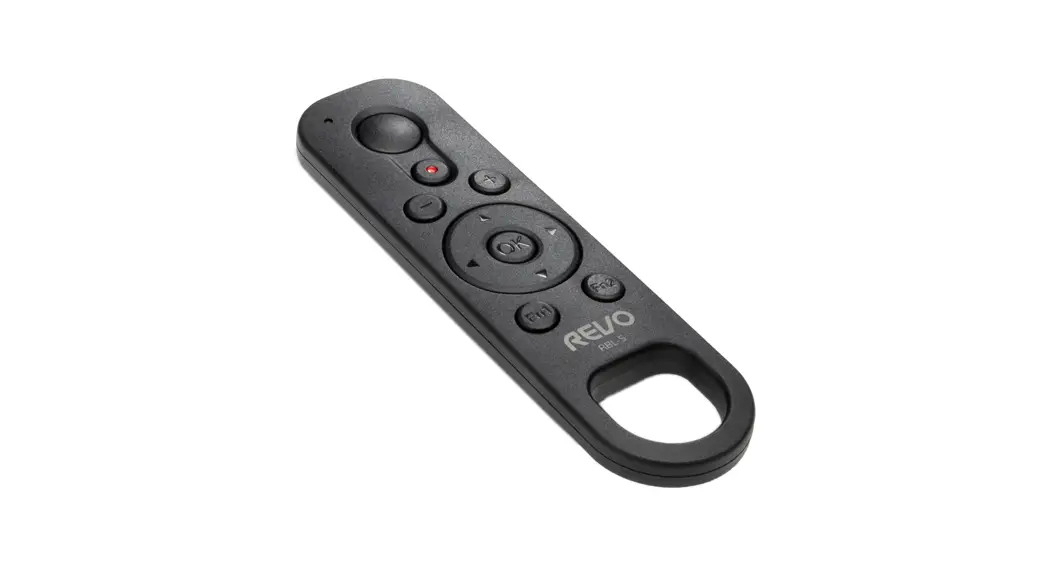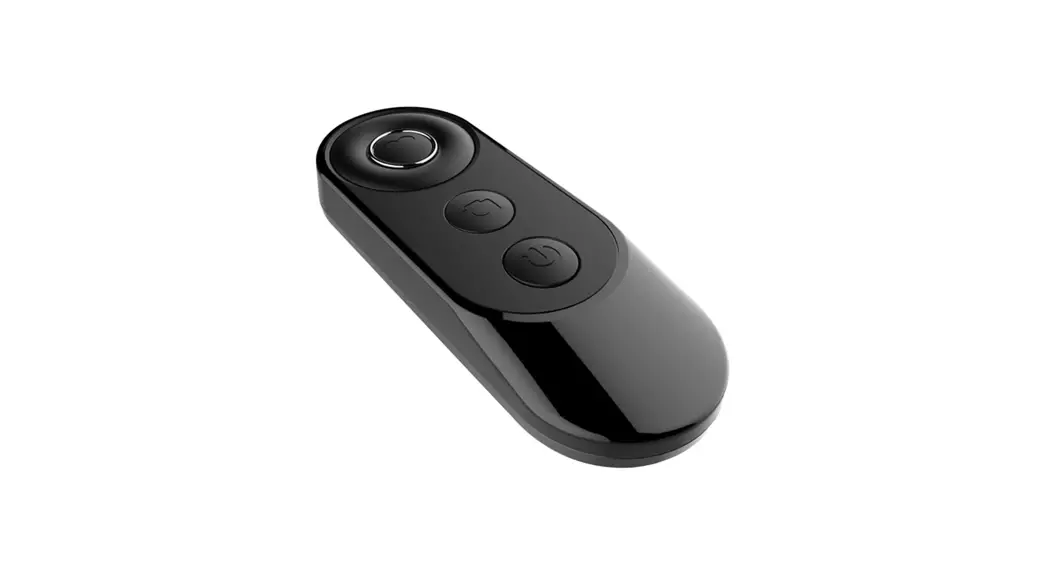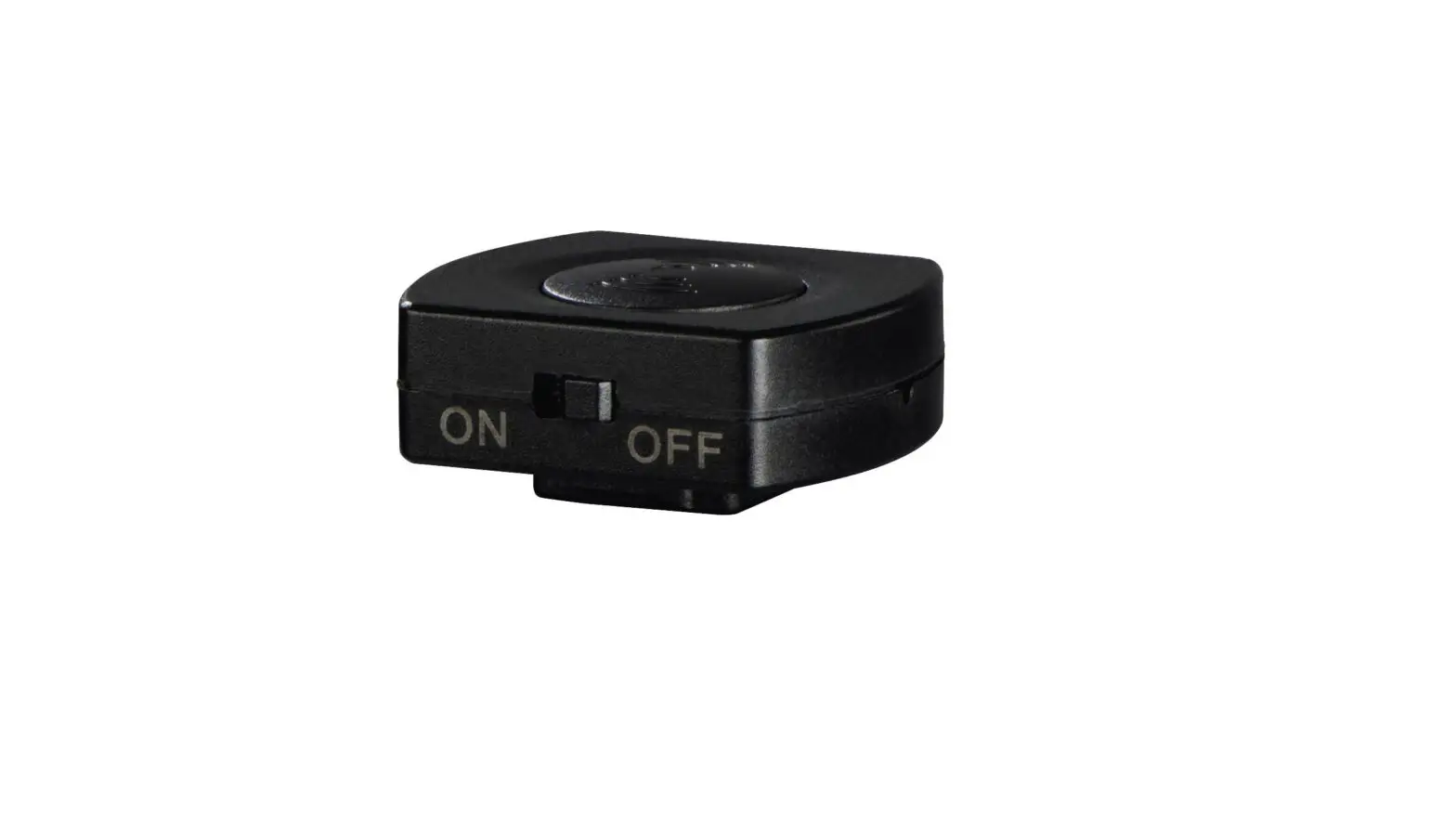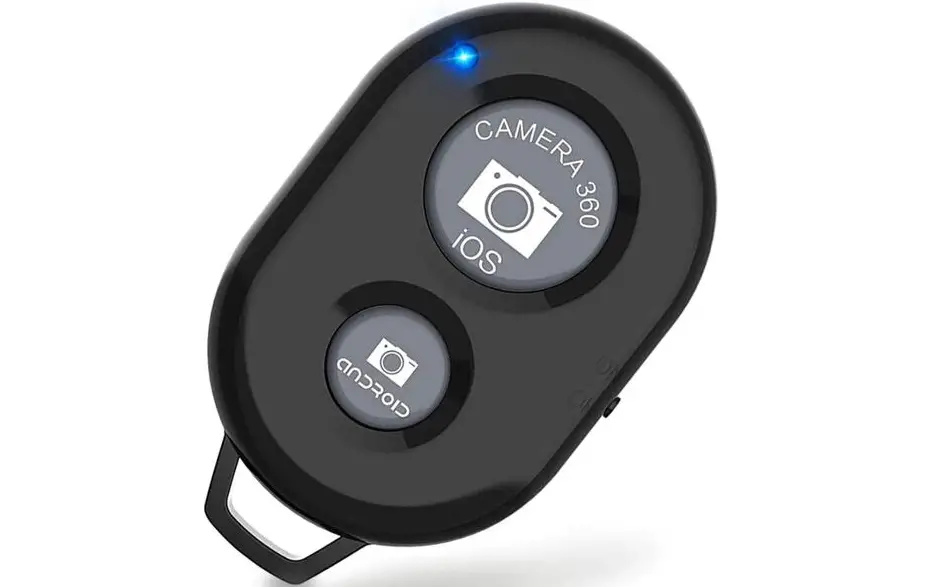

REVO RBL-N Bluetooth Remote Shutter Contrl for Select Nikon Camera
Introduction
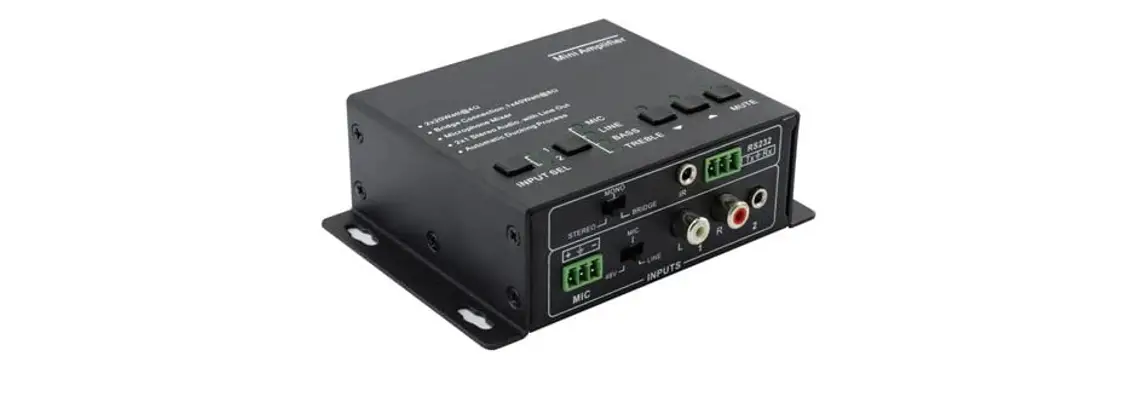
The KanexPro Mini Audio Amplifier is a quarter-rack width digital amplifier (Class D) with equalizer control and Mic mixer. It’s a simple yet powerful device delivering 2×20 Watts@4Ohm default output with built-in volume/ bass feature. It also supports dual mono-output with 2 stereo audio selectable inputs. The Microphone mixer includes independent volume control with balance switching. Supports balanced/ unbalanced signals.
This Mini Audio Amplifier is mainly used during lectures, house of worship centers and various musical events where Mic mixing together with equalizing audio is critical.
2. Features
- Fast switching audio amplifier
- 2×20 Watt@4Ohm as the default amplifier output
- Bridge connection supported by switching the amplifier to be 1x40Watt@8Ohm
- Supports Dual-mono output
- Built-in Microphone mixer (separately controllable)
- Line audio output, with volume controllable.
- MIC input supports 48V phantom power
- MIC port with balanced switching suppress
- Supports balanced/ unbalanced signals
- Supports Ducking power technology
- Ultra low inrush current
- Two stereo audio inputs, switchable by button, remote or RS232.
- Volume/Bass/Treble controllable by buttons or RS232
- Optional control by IR remote
- Convection cooled, antistatic case design
- LED indicator, for power and operating status
- IR remote (optional) not included
- Internal Universal power adaptable (100-240 volt AC, 50/60Hz)
Specification
| Audio Input | Audio Output | ||
| Input | 2xstereo audio, 1xMIC | Output | 1xamplifier, 1xstereo audio |
| Input Connector | 2xRCA 1×3.5mm jack 1xcaptive screw connector, | Output Connector | 1xcaptivescrew connector 1×3.5mm jack |
| Input Impedance | >10KΩ | Output Impedance | 50Ω/stereo, 4~8Ω/Amplifier |
| Audio General | |||
| Frequency Response | 20Hz ~ 20KHz | CMRR | >70dB@20Hz~20KHz |
| SNR | 80dB at maximum output | Bandwidth | 20Hz ~ 25KHz |
| Stereo Channel Separation | >75dB@20Hz to 20KHz | THD + Noise | 1%@1KHz, 0.3%@20KHz at nominal level |
| Voltage Gain | 32dB | Power Output | 2×20 Watts (4 Ohms) |
| Control Function | |||
| RS232 Control | RS-232, 9-pin female D connector | Pin Configurations | 2 = TX, 3 = RX, 5 = GND |
| IR Remote | Optional IR remote | ||
| TCP/IP Control | TCP/IP controlled | ||
Audio Connection
Audio Output
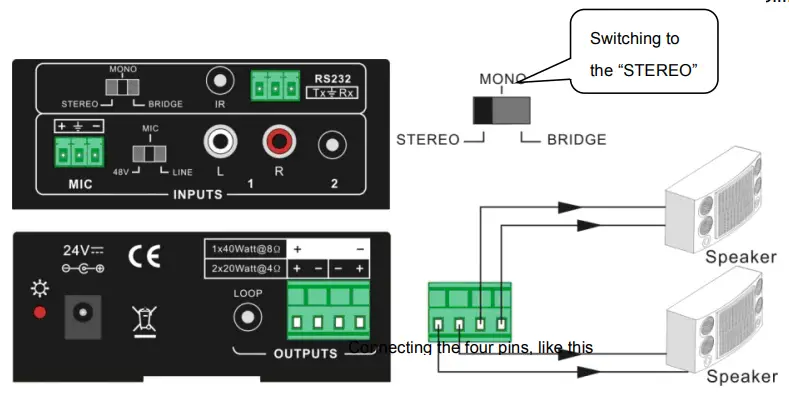
Default output: 2x20Watt@4Ohm
The default output of amplifier is 2x20Watt@4Ohm, so user can connect the amplifier output in the regular way. As the picture below:
Bridge connection: 1x40Watt@8Ohm
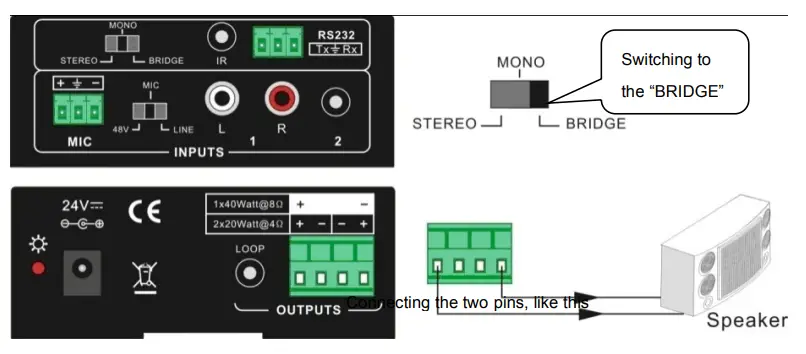
The AP2DBL has the bridge connection, to double the output power at 1x40Watt@8Ohm. It will sum up the input left channel and input right channel to be mono output, and the power is up to 40Watt.
The bridge connection is:
Dual-mono output:
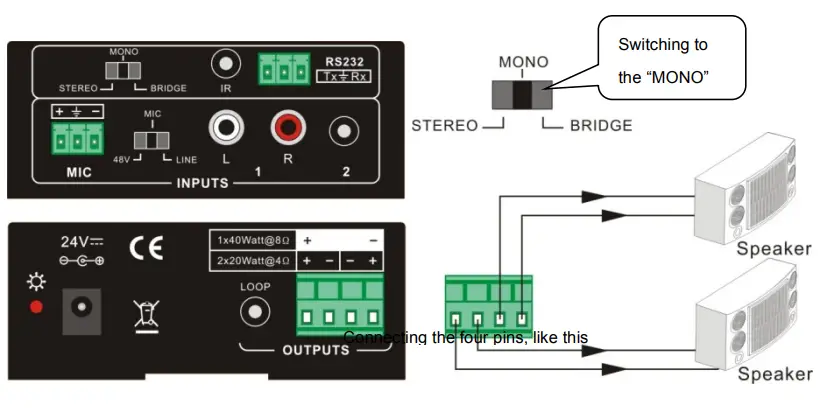
The AP2DBL also has the function of double-mono output. It can sum up the left and right channel, to be the mono audio output. In this way, the both of the outputs are showing the same mono audio.
The connection is:
Microphone input
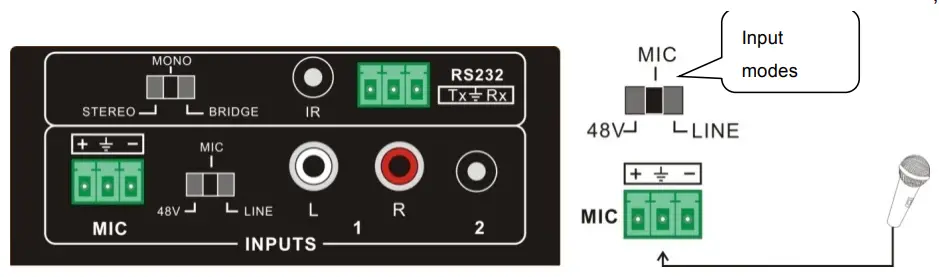
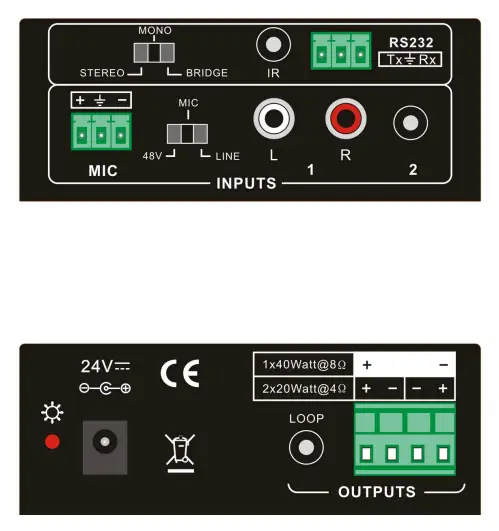
The microphone input of AP2DBL has three modes, and different modes use different connections, as the picture below:
48V phantom power input
When the switch turns to “48V”, the MIC input will provide a 48V phantom power. This is usually used for power supply for condenser microphone, Connection is: “+” Connects to positive, “-” connects to negative and “╧” to ground.
NOTE: In this mode, only a condenser microphone can be connected to it.
MIC input
When the switch turns to “MIC”, the microphone input is used for connecting with dynamic microphone. There are two different connections:
- Unbalanced connection:
“╧” connects to ground, and “-” connects to signal.
“╧” connects to ground, and “+” connects to signal. - Balanced connection: “+” connects to positive, “-” connects to negative and “╧” connects to ground.
LINE input
When the switch turns to “LINE”, the microphone input is used for connecting with normal audio or wireless microphone output. There are two different connections:
- Unbalanced connection:
“╧” connects to ground, and “-” connects to signal.
“╧” connects to ground, and “+” connects to signal. - Balanced connection: “+” connects to positive, “-” connects to negative and “╧” connects to ground.
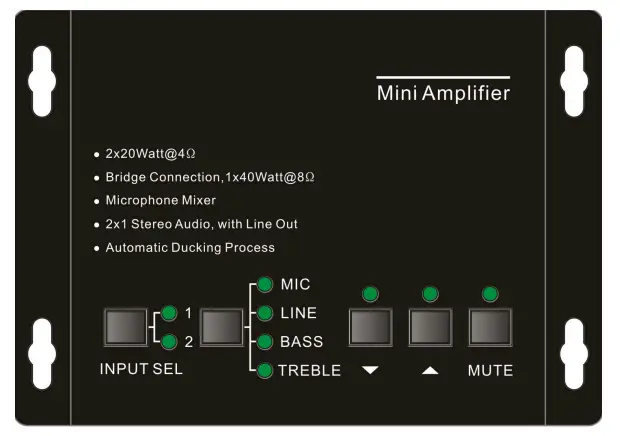
The buttons provides the control of volume/EQ control and switching.
Audio switching
There are two switchable stereo audio inputs, one 2xRCA input, and one 3.5mm jack input, switchable through the buttons as below:
Volume/EQ controlling
The buttons can control the line volume and MIC volume.
The buttons, and controlled up/down/mute will select the MIC Volume/LINE bass/LINE treble by the function buttons. Please check the picture below:
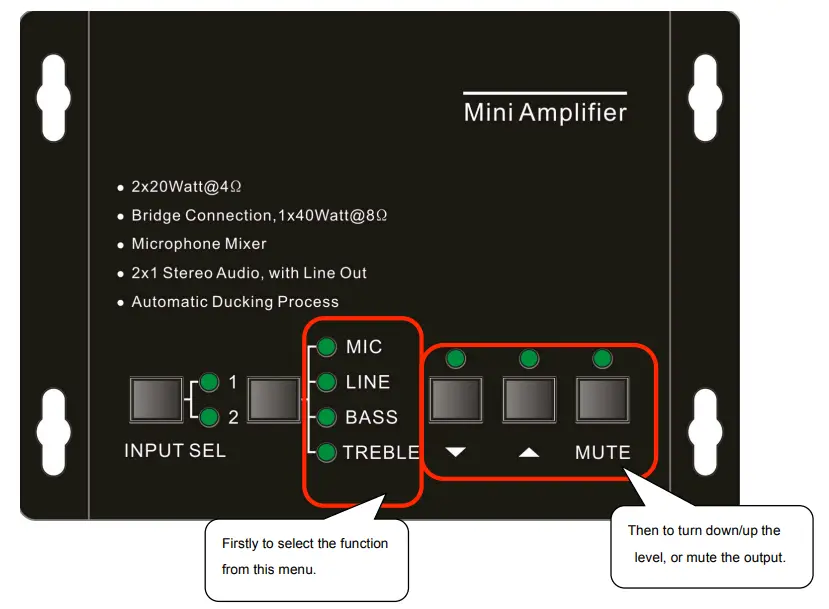
For example, to turn up the line volume, you should select the “LINE” first, and then press the button “ ”.
RS232 Communication Protocol:
| Command | Function Description | Feedback Code |
| 1A1. | Switching the audio to input 1 | A: 1 -> 1 |
| 2A1. | Switching the audio to input 2 | A: 2 -> 1 |
| 0A0. | Mute Audio of MIC and Line out | Mute Audio |
| 1A0. | Mute audio of MIC | Mute MIC |
| 2A0. | Mute audio of line out | Mute LIN |
| 0A1. | Unmute Audio | Unmute Audio |
|
600% |
Checking the working status | A: 1 -> 1 Volume: 30 Bass: 00 Treble: 00 |
| 601% | MIC volume up | Volume of MIC: 51 |
| 602% | MIC volume down | Volume of MIC: 51 |
| 603% | Line volume up | Volume of LINE: 51 |
| 604% | Line volume down | Volume of LINE: 51 |
| 605% | Bass level up | Bass of LINE: 04 |
| 606% | Bass level down | Bass of LINE: 04 |
| 607% | Treble level up | Treble of LINE: 04 |
| 608% | Treble level down | Treble of LINE: 04 |
|
609% | Initialization, back to the default setting | A: 1 -> 1 Volume: 50 Bass: 04 Treble: 04 |
| Command | Function Description | Feedback Code |
| 5[x][x]% | Preset MIC volume, [xx] arranges from [00] to [60]. 61 degrees in total. | Volume of MIC: 50 |
| 7[x][x]% | Preset line volume, [xx] arranges from [00] to [60]. 61 degrees in total. | Volume of LINE: 50 |
| 8[x][x]% | Preset the bass level, [xx] arranges from [00] to [08]. 9 degrees in total. | Bass of LINE: 04 |
| 9[x][x]% | Preset the treble level, [xx] arranges from [00] to [08]. 9 degrees in total. | Treble of LINE: 04 |
Notice:
- The letter inside bracket [ ] is the variable code, which is the changeable.
- The bracket [ ] is not included to the RS232 commands.
- Any dot “.” after the letters is part of the commands.
Example 1:
Switching the input 2 to the line out. We should send the RS232 command: [2A1.]
Example 2:
Turning up the volume of line audio. We should send the RS232 command: [603%]
Example 3:
Preset the MIC volume to “21” degree. We should send the RS232 command: [521%]
Example 4:
Checking the working status of PA2B. We should send the RS232 command: [600%]
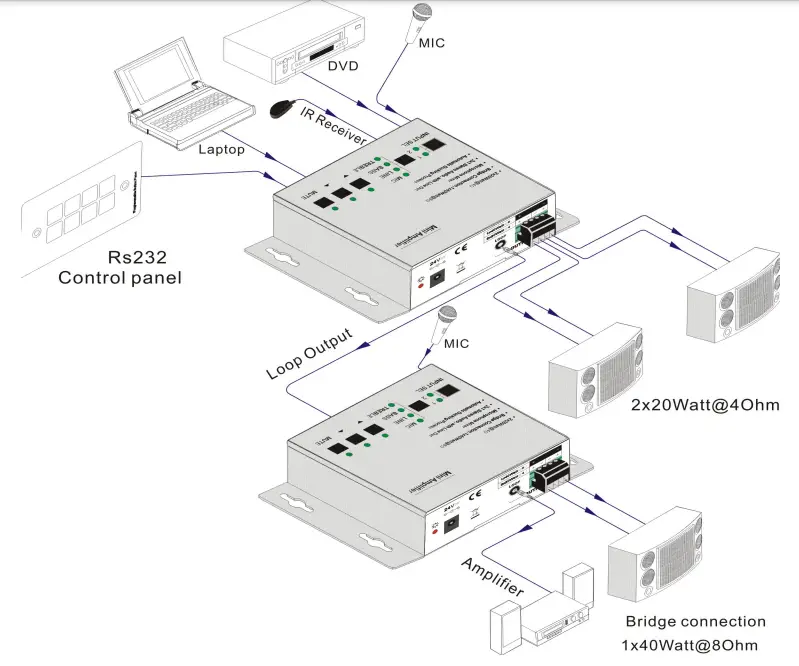
Application Diagram
Panel Drawing
Warranty
Limited Warranty
KanexPro ™ warrants that (a) its products (the “Product”) will perform greatly in agreement with the accompanying written materials for a period of 12 months (1 full year) from the date of receipt and (b) that the product will be free from defects in materials and workmanship under normal use and service for a period of 1 year.
CUSTOMER REMEDIES
KanexPro’s entire liability and Customer’s exclusive remedy shall be, at KanexPro option, either return of the price paid for the product, or repair or replacement of the Product that does not meet this Limited Warranty and which is returned to KanexPro with a copy of customers’ receipt. This Limited Warranty is void if failure of the Product has resulted from accident, abuse, or misapplication. Any replacement Product will be warranted for the remainder of the original warranty period of 1 year, whichever is longer.
NO OTHER WARRANTIES
TO THE MAXIMUM EXTENT PERMITTED BY APPLICABLE LAW, KANEX DISCLAIMS ALL OTHER WARRANTIES, EITHER EXPRESS OR IMPLIED, INCLUDING, BUT NOT LIMITED TO IMPLIED WARRANTIES OF MERCHANTABILITY AND FITNESS FOR A PARTICULAR PURPOSE, WITH REGARD TO THE PRODUCT AND ANY RELATED WRITTEN MA- TERIALS. THIS LIMITED WARRANTY GIVES CUSTOMERS SPECIFIC LEGAL RIGHTS. CUSTOMERS MAY HAVE OTHER RIGHTS DEPENDING ON THE JURISDICTION.
NO LIABILITY FOR DAMAGES
TO THE MAXIMUM EXTENT PERMITTED BY APPLICABLE LAW, IN NO EVENT SHALL KANEX BE LIABLE FOR ANY DAMAGES WHATSOEVER (INCLUDING WITHOUT LIMITATION, SPECIAL, INCIDENTAL, CONSEQUENTIAL, OR INDIRECT DAMAGES FOR PERSONAL INJURY, LOSS OF BUSINESS PROFITS, BUSINESS INTERRRUPTION, LOSS OF BUSINESS INFORMATION, OR ANY OTHER PECUNIARY LOSS) ARISING OUT OF THE USE OF OR INABILITY TO USE THIS PRODUCT, EVEN IF KANEX HAS BEEN ADVISED OF THE POSSIBILITY OF SUCH DAMAGES.
Brea, California KanexPro.com MPN: AP2DBL