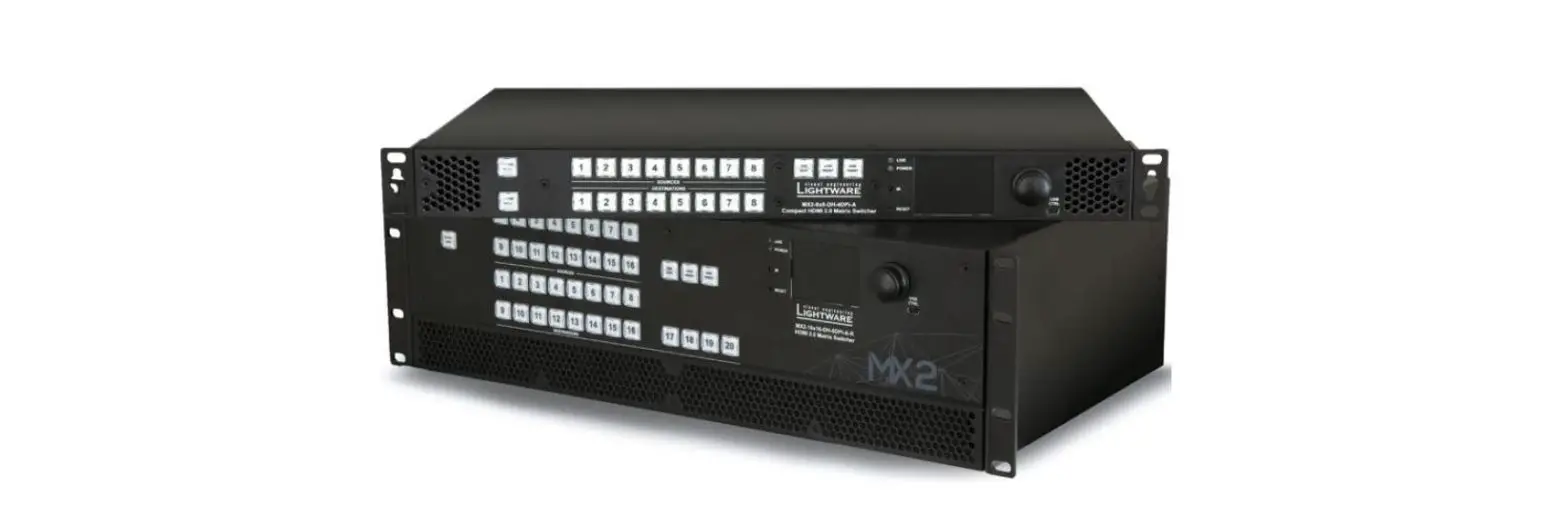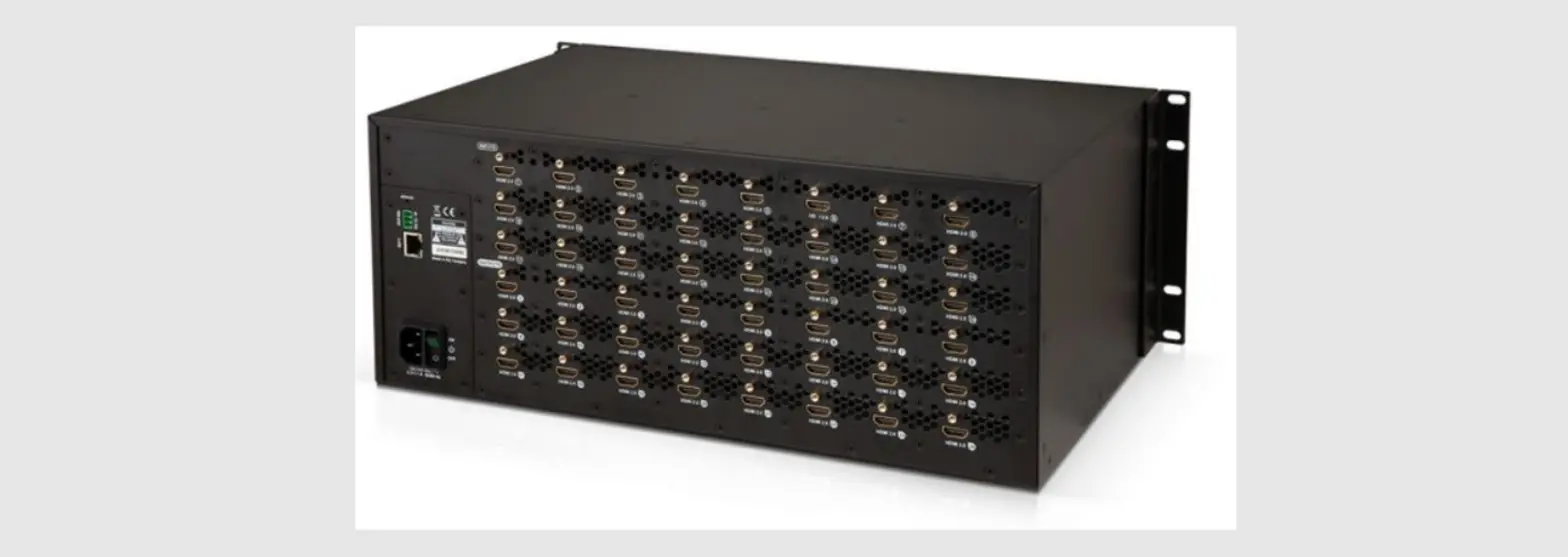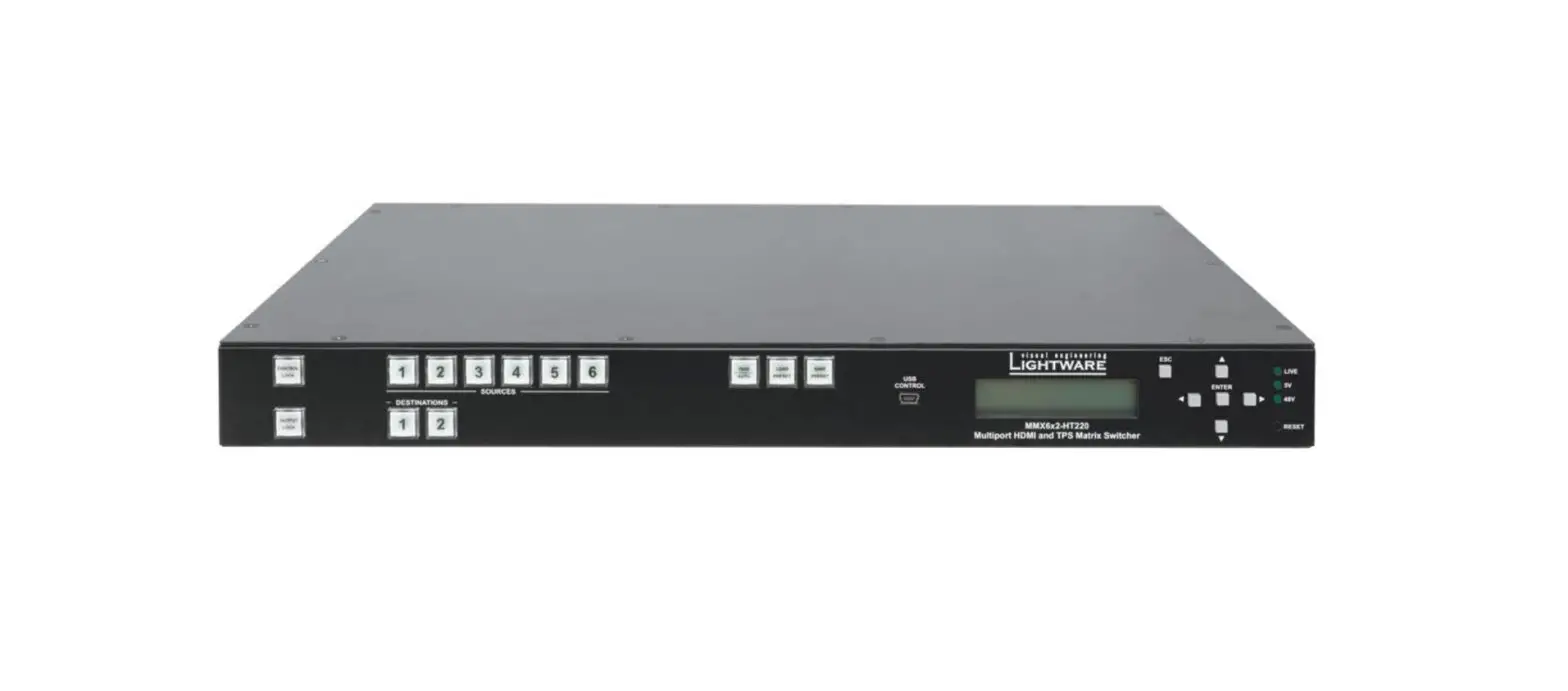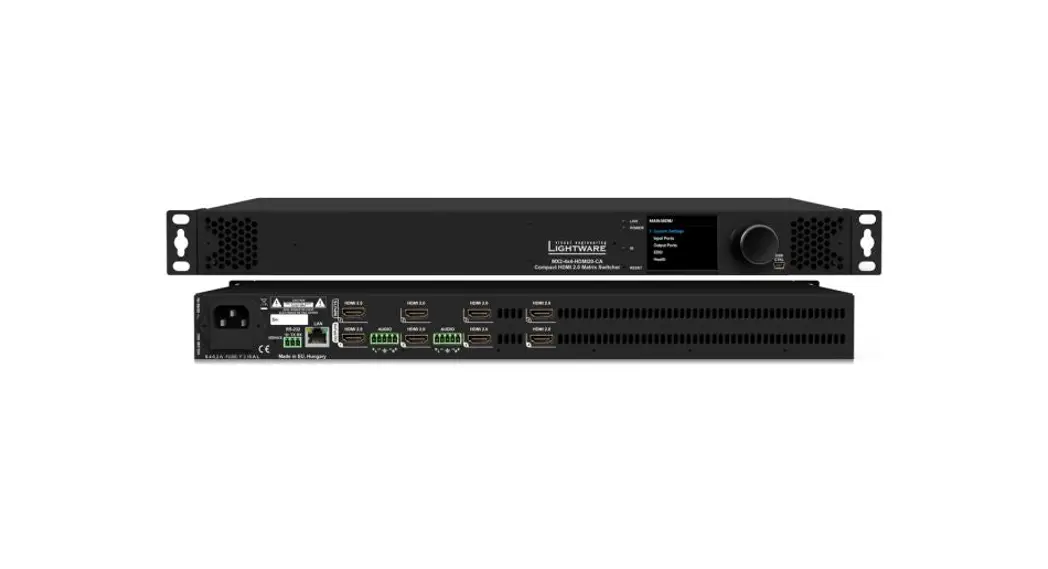

Quick Start Guide
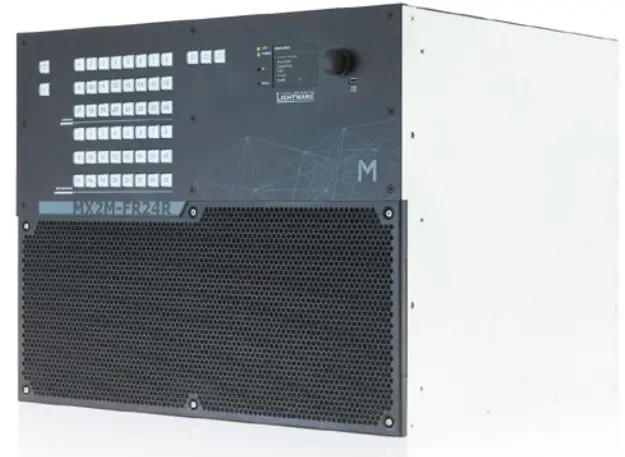
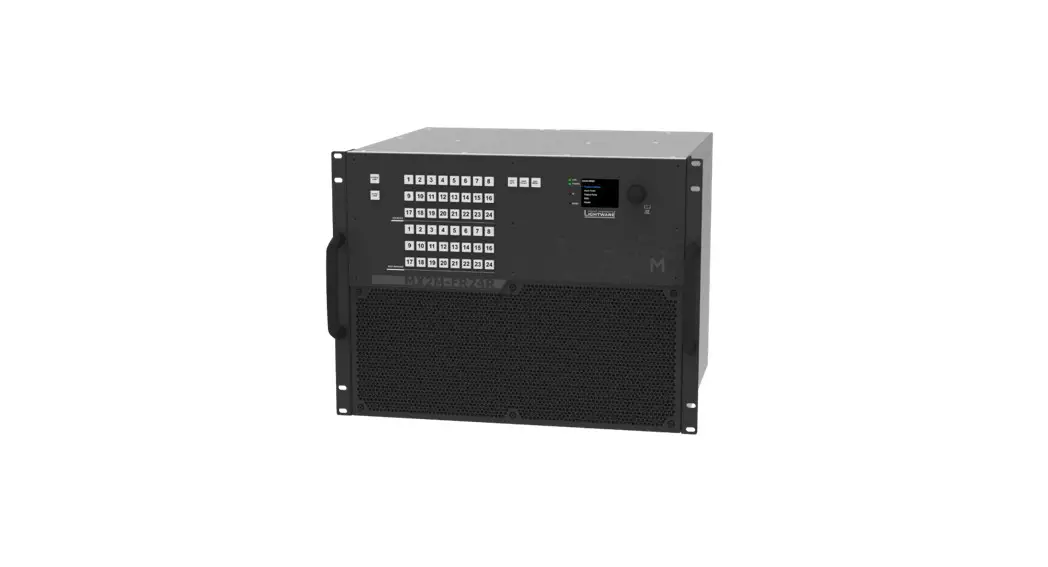
MX2M-FR24R
Important Safety Instructions
Please read the supplied safety instruction document before using the product and keep it available for future reference.

 CAUTION – The use of controls or adjustments or any performance of procedures other than those specified herein may result in hazardous radiation exposure.
Introduction
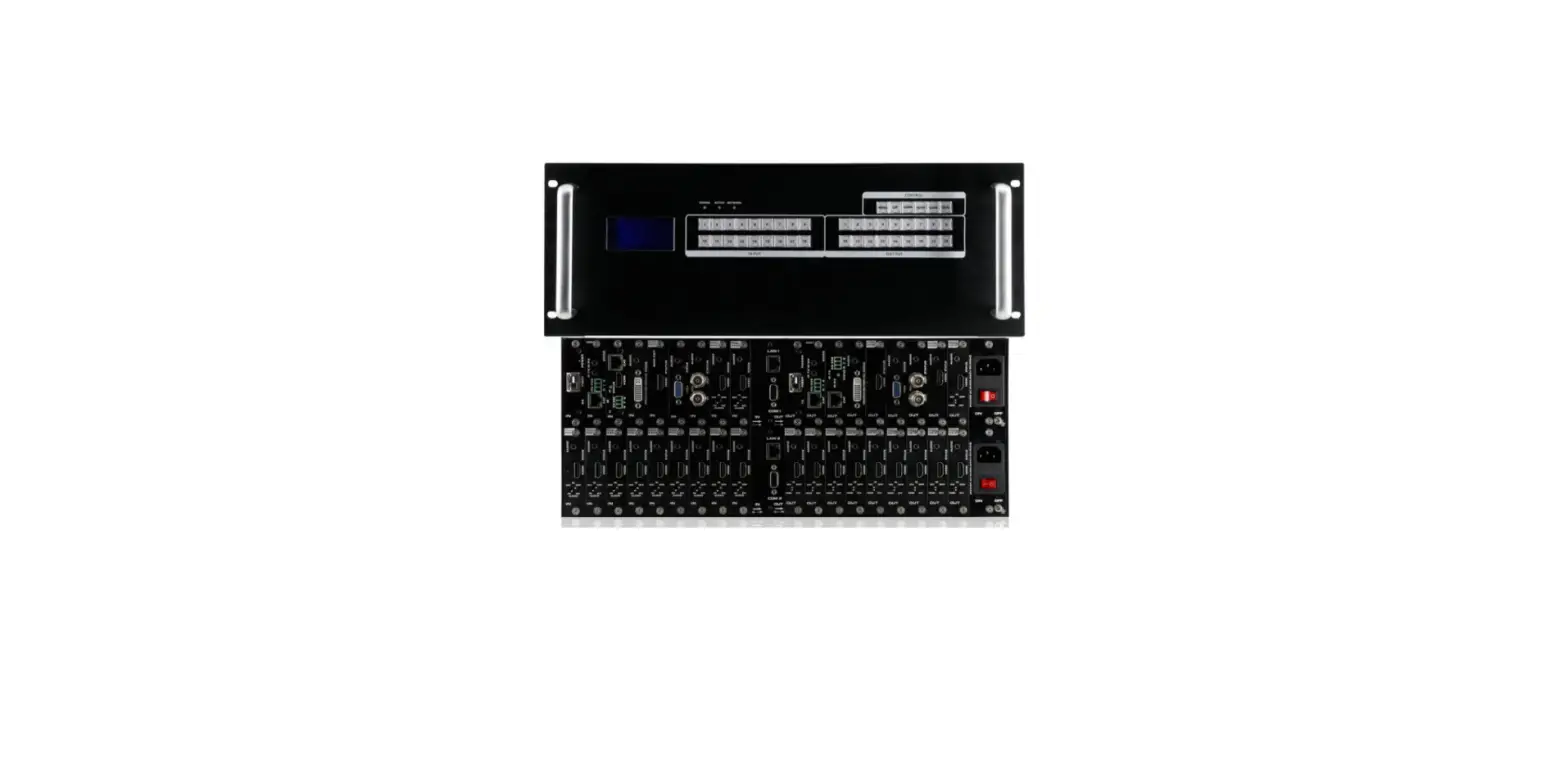
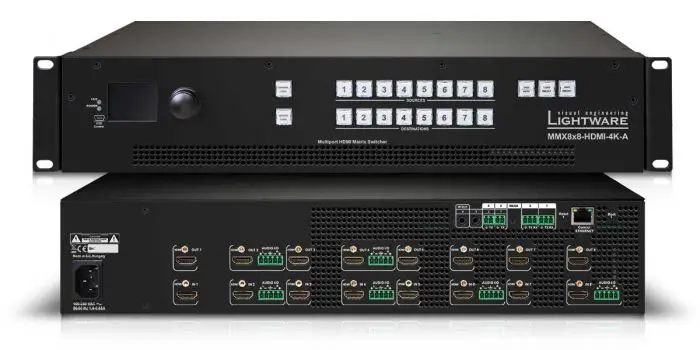
Thank you for choosing Light ware. MX2M-FR24R is a member of the Light ware MX2 modular matrix switcher series, supporting uncompromised 4K UHD resolution at 60Hz with 4:4:4 sampling pattern and with down conversion capabilities to 4:2:2, supporting HDCP 1.x and 2.3, 3D, Dolby True HD and DTS-HD Master Audio. The non-blocking matrix architecture distributes and switches 24 video signals to 24 outputs, distributed along six 4-port boards respectively per direction. Besides the six 4-port input and six 4-port output video boards, there are four low speed installable slots for Dante audio.
Control for connected extenders is served by Ethernet layer. The Ethernet layer can also be used for IP extension, as well as for command injection for IR and serial control by third party devices.
For operation safety power redundancy is available, and PSU drawers are field-exchangeable for ease of maintenance.
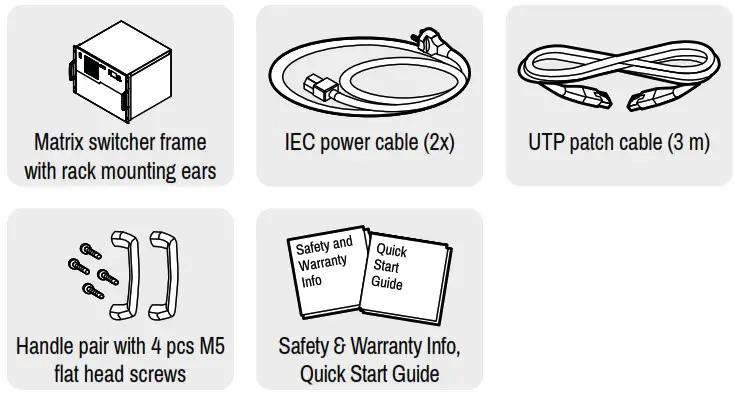
Box Contents
Powering On
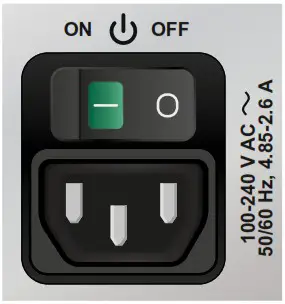
Connect the power cords to the AC input of the power supply units and turn it on by the power switch. During the initial self-test and loading of the latest settings, The matrix is about to start text appears on the LCD screen and the router reloads its last configuration.
Redundant, Hot-Swappable Power Supplies
The matrix has redundant PSUs which can be switched on and off without interrupting the video transmission. Using one or both of the PSUs at the same time is also possible.
The double PSU allows to connect them for two different AC power lines to ensure the continuous power for the matrix. The PSU units are hot-swappable.
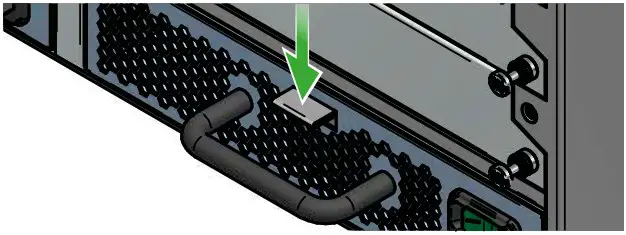
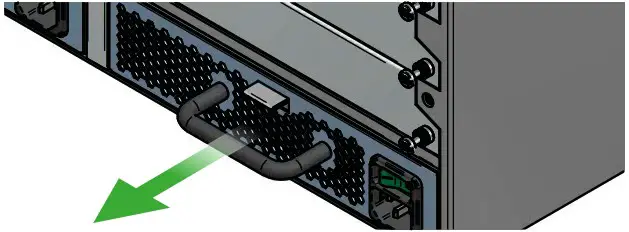
Removing of the PSU Units
- Turn off the PSU using the power switch and disconnect the power cord.
- Push down the fixing plate on the PSU.

- Pull out the PSU using the handle.

Front View
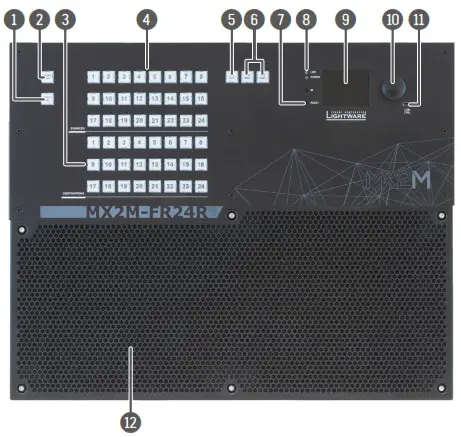
| 1 Output lock | Locks and protects one or more outputs. |
| 2 Control lock | Disables or enables front panel button operations. Red light means the switching and function buttons are disabled. |
| 3 Destinations | Buttons to select an output or to see the state of an output. |
| 4 Sources | Buttons to select an input, to select a preset number or to view the state of the selected input port. |
| 5 Take / Auto | Switching between Take and Autotake working modes; keepthe button pressed for 3 seconds to toggle the modes. |
| 6 Preset buttons | Performing preset operations (Load and Save). |
| 7 Reset button | Reboots the matrix; the same as switching it off and on again. |
| 8 Status LEDs | The status LEDs give immediate feedback about the matrix. |
LIVE off The device is powered off.
 blinking (green) The unit is on and operates properly.
POWER off The unit is powered off or it has internal voltage problem. on (green) The device is powered on.
| 9 LCD screen | LCD screen showing the most important settings and parameters in the front panel menu. |
| 10 Jog dial control knob | Easy setting and menu navigation by the jog dial control. |
| 11 USB control | USB connection for Lightware Device Controller (LDC) software. |
| 12 Ventilation grille and dustfilter | To ensure the correct ventilation and avoid overheating provide enough free space around the ventilation holes. |
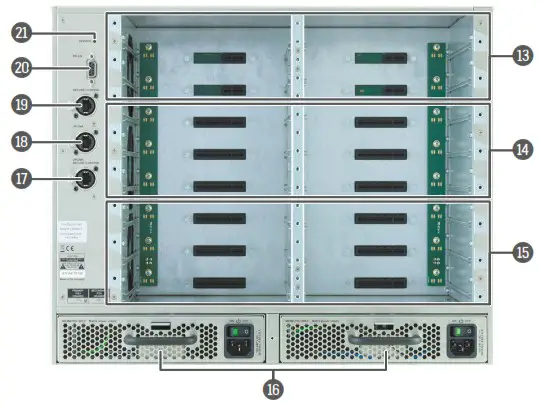
| 13 Auxiliary board slots | Board slots for the auxiliary (AUX) I/O boards. These slots support low-speed boards only. |
| 14 Input board slots | Board slots for the AV input boards. These slots support highspeed input boards and low-speed boards either. |
| 14 Output board slots | Board slots for the AV output boards. These slots support highspeed output boards and low-speed boards either. |
| 16 Power supply units | Hot swap slots for power supply units. The matrix has redundant PSUs which can be switched on and off without interrupting the video transmission. Using one or both of the PSUs at the same time is also possible. The double PSU allows to connect them for two different AC power lines to ensure the continuous power for the matrix. |
| 17 Uplink / Secure control connector | Neutrik ether CON Ethernet connectors with 1 Gbps Ethernet connections for user Ethernet access or control the matrix switcher. |
| 18 Uplink connector | Neutrik ether CON Ethernet connectors with 1 Gbps Ethernet connections for user Ethernet access. |
| 19 Secure control connector | Neutrik ether CON Ethernet connector with 1 Gbps Ethernet connection to control the device and firmware upgrade purpose. |
| 20 RS-232 connector | 9-pole D-SUB connector for serial communication to control the device. |
| 21 Service button | Hidden button for special operations. |
Mounting Options
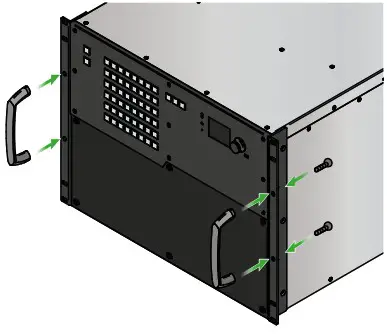
Fixing the Handles
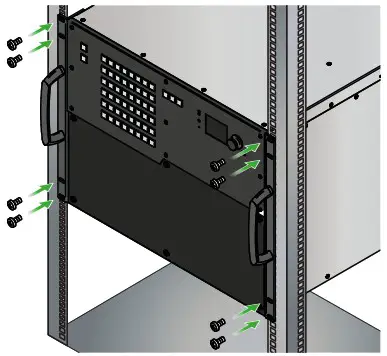
Two handles can be mounted on the rack ears of the matrix switcher. Fasten the 2x 2 pcs M5 flat head fixing screws to fix the handles to the rack ears.
Mounting as a Standard Rack Installation
Two rack ears are supplied with the product, which are fixed on left and right side with 2x 4 pcs fixing screws as shown in the picture.
The default position allows mounting the device as a standard rack unit installation.
Always use all the eight screws for fixing the device ears to the rack rail. Choose properly sized screws for mounting. Keep minimum two threads left after the nut screw. The screws for the rack cabinet are notsupplied to the device. The matrix is rack-size width and 8U high.
Board Replacement
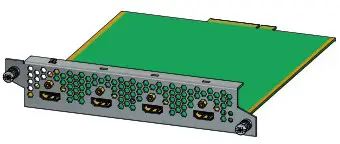
Please pay attention to the protection against electrostatic discharge when touching a board. Do not touch the electrical components on the board as the electrostatic discharge may damage them. Please check the orientation of the slots. The AUX, IB and OB cards are assigned to dedicated board slots in the matrix. See the layout of the input/output board slots on the other side of this document. The MX2M series I/O boards are hot-swappable devices. The matrix switcher is not required powering off before the board replacement procedure.
The steps of replacing an auxiliary, input or output board is the following:
- Disconnect all the cables from the rear side of the affected board.
- Loose the fixing screws on the rear side of the board.
- Pull out the board and put it in an ESD-safe bag.
- Place the new board into the desired empty slot. Be careful when you insert the board into the socket connector.
- Tighten the screws to fix the board to the frame.
- Connect the necessary cables to the boards and switch on the matrix.
- Wait until the booting procedure of the board is completed.
- Connect to the matrix switcher using Lightware Device Controller (LDC) to set the necessary port parameters.
Further information on the device is available at www.lightware.com.
The User’s Manual is also available via the QR code below:

Contact Us
[email protected]
+36 1 255 3800
[email protected]
+36 1 255 3810
Lightware Visual Engineering PLC.
Budapest, Hungary Doc. ver.: 1.1
19210020
Connections
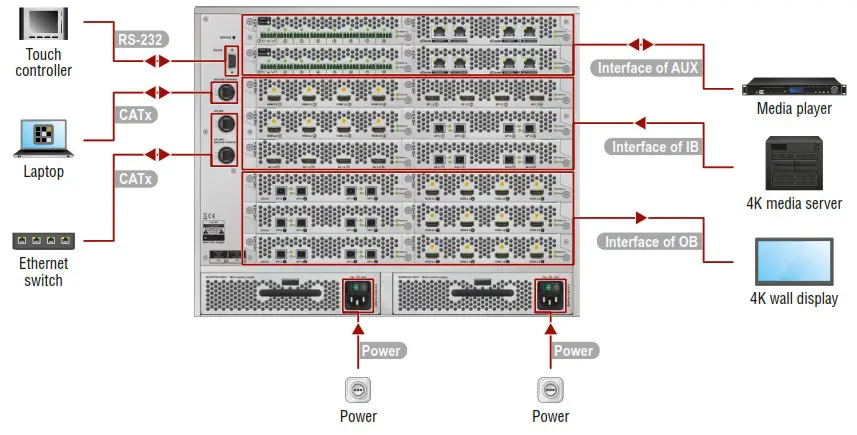
| RS-232 | Optionally for RS-232 control: connect a controller device (e.g. touch panel) to the RS-232 port. |
| CATx | Connect the matrix switcher to a controller device (e.g. laptop) via the Secure Control port over a CATx cable. The port supports 1 GbE data transmission. |
| CATx | Connect the matrix switcher to a LAN via the Uplink and Uplink / Secure Control ports over CATx cables. The Uplink port is for user Ethernet access; the Uplink / Secure control port is for user Ethernet access or control the matrix switcher. Both ports support 1 GbE data transmission. |
| Power | Connect the power cord to the AC power socket and to the matrix. The matrix has redundant PSUs which can be switched on and off without interrupting the video transmission. Using one or both of the PSUs at the same time is also possible. The double PSU allows to connect them for two different AC power lines to ensure the continuous power for the matrix. |
| Interface of AUX | Connect the source / sink / controlled devices (e.g. media player) to the ports of the MX2M-AUX series boards via the interface of the board. |
| Interface of IB | Connect the AV source devices (e.g. 4K media server) to the ports of the MX2M-IB series boards via the interface of the board (HDMI, fiber optical, etc). |
| Interface of OB | Connect the AV sink devices to the ports (e.g. 4K wall display) of the MX2M-OB series boards via the interface of the board (HDMI, fiber optical, etc). |
Navigation in the LCD Menu
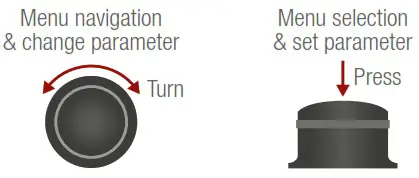
The front panel has a color LCD showing the most important settings and parameters. The jog dial control knob can be used to navigate between the menu items or change the value of a parameter. The knob can be pressed to enter a menu or edit/set a parameter.
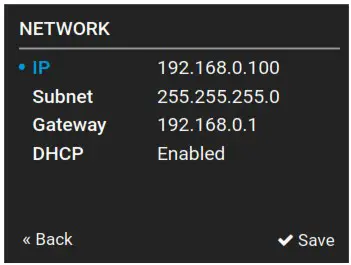
Set Static IP Address
The IP address of the endpoint can be set from the front panel:
- Navigate to the System settings / Network / DHCP menu and check the current state of the DHCP. If the setting is Enabled change it to Disabled. After this navigate to Save and press Enter.
- Navigate to the System settings / Network / Static IP menu, and select the Static IP address, Subnet mask, Static gateway options. Set the parameters by the front panel buttons according to your network requirements.
- Navigate to Save and press Enter.
Set Dynamic IP Address (DHCP)
- Navigate to the System settings / Network / DHCP menu and check the current state of the DHCP. If the setting is Disabled change it to Enabled.
- Navigate to the Save submenu (the last one of the Network menu) and press Enter.
Restore Factory Default Settings
Navigate to the System settings / Restore factory defaults menu and press Enter. After the confirmation the device reboots and the factory default values are reloaded in the device.
Factory Default Settings
| IP address | Dynamic (DHCP is enabled) |
| LW2 control protocol port number | 10001 |
| LW2 control protocol port number | 6107 |
| HTTP port number | 80 |
| RS-232 port setting | 115200 BAUD, 8N1 |
| Crosspoint setting | 11 to all outputs |
| HDCP on inputloutput | Allow HDCP 2.2 and HDCP 1.4 / Depends on input |
| Conversion mode | Passthrough |
| Signal type (HDMIIDVI) | Auto |
| Emulated EDID | F139 (3840x2160p60 universal FIDMI 2.0, UHD, PCM audio) |
| EDID memory storage | 148 factory 1100 User memory slots |
Take and Autotake Modes
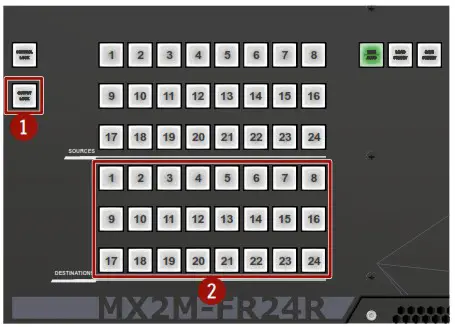
Press and hold the Take button for two seconds to change between Take and Autotake modes. When the Take button continuously illuminates green, Autotake mode is selected.
Switching and Locking Operations in TAKE Mode
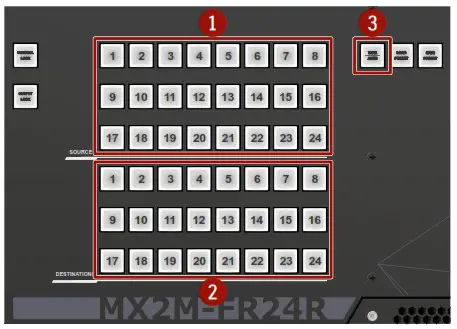
Take mode allows the user to connect or disconnect multiple outputs to an input at once. This mode is useful when time delay is not allowed between multiple switching. The commands are only realized when the Take button is pressed.
Connection change
- Press shortly the desired source button.
- Press shortly the desired destination button(s).
- Press shortly the Take button.
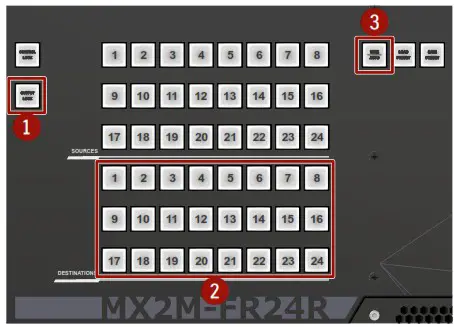
Output lock
- Press shortly the Output Lock button.
- Press shortly a destination button.
- Press shortly the Take button.
Control Lock
If the button illuminates in red the switching and function buttons, and the jog dial control knob are disabled. Press and hold the Control lock button for three seconds to toggle the state. When the front panel buttons are locked, remote control (RS-232, USB, Ethernet) is still available.
Switching and Locking Operations in AUTOTAKE Mode
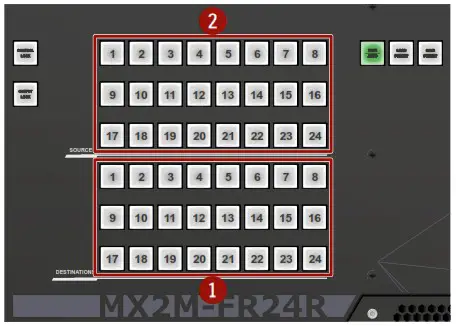
Auto take mode is useful when immediate actions must be taken or fast switching is needed between sources on a particular destination. In this mode switching occurs immediately upon pressing one of the input selector buttons.
Connection change
- Press shortly the desired destination button.
- Press shortly the desired source button.

Output lock
- Press shortly the Output Lock button.
- Press shortly a destination button.

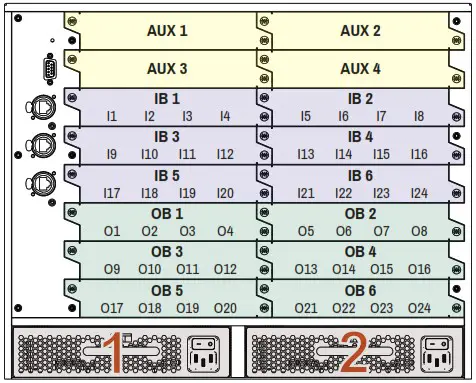
Layout of the Input/Output Board Slots and Port Numbering
The following figure shows the layout of the auxiliary (AUX), input (IB) and output (OB) board slots on the rear side of the matrix and the port numbering of the cards.
Status LEDs of the I/O Boards
PWR/Live
| off | The board is not powered. |
 | lit at 50% brightness | The board is under booting procedure. |
 | blinking fast between 0% and 100% brightness | The board is fitted in an inappropriate slot (input in an output, output in an input slot). Hence, it is not passing video. |
 | blinking between 50% and 100% brightness | The board is operational (the embedded software is running on the controller). |
Active
| off | The control sequence has not been completed. |
| on | The control sequence has been completed and the board is being controlled by the matrix switcher. |
| blinking (slow) | The device is under firmware upgrade procedure (bootload mode). |
 | blinking (fast) | The board is fitted in an inappropriate slot (input in an output, output in an input slot). Hence, it is not passing video. |
Software Control – Using Light ware Device Controller (LDC)
The device can be controlled from a computer using the Light ware Device Controller software. The application is available at www.lightware.com (Support / Downloads section), install it on a Windows PC or a macOS and connect to the device via LAN, USB or RS-232.

Software Control – Built-in Web
The built-in website of the matrix allows to connect and control the matrix via a web browser. Open a web browser (Mozilla Firefox or Google Chrome is recommended) and connect the device by writing the IP address of the matrix into the address bar. The built-in web and Lightware Device Controller Software has the same look and functionality.
 Lightware Visual Engineering