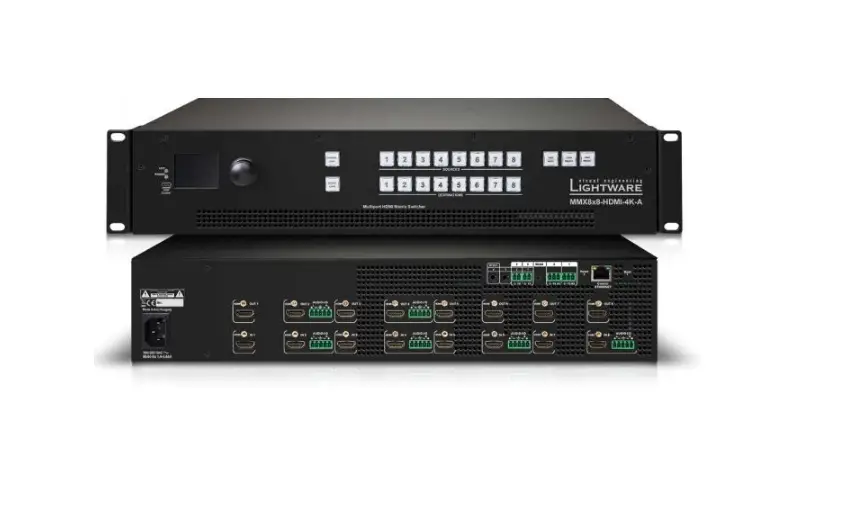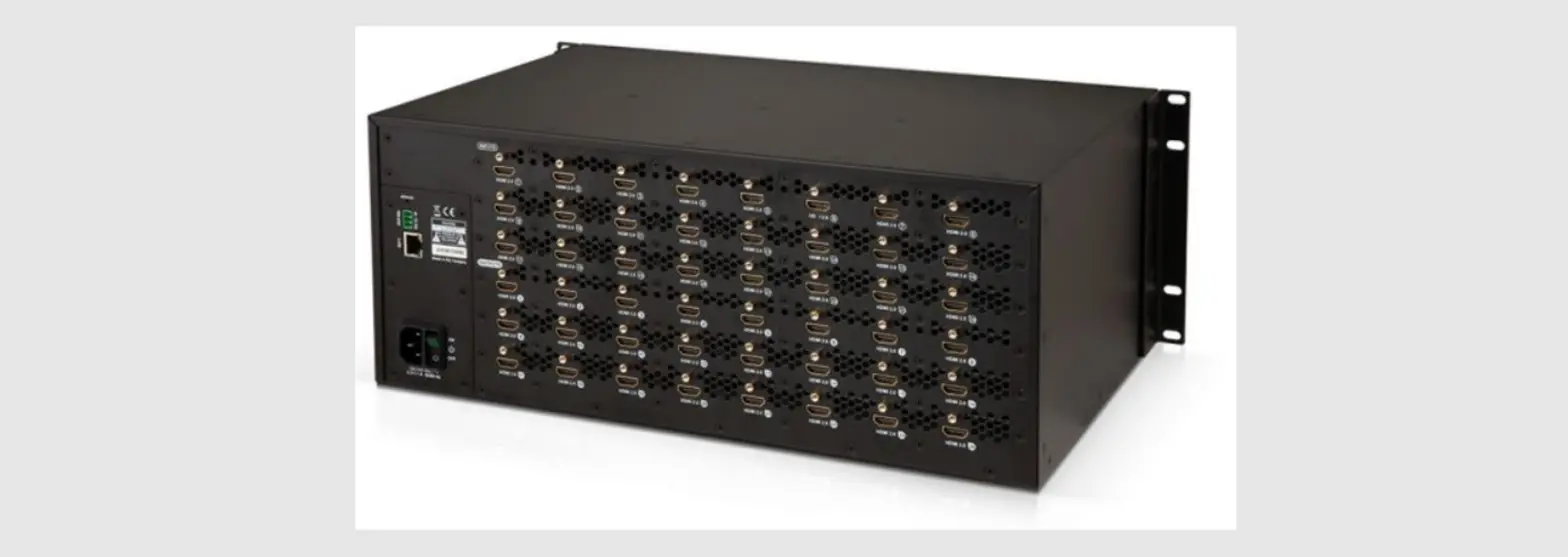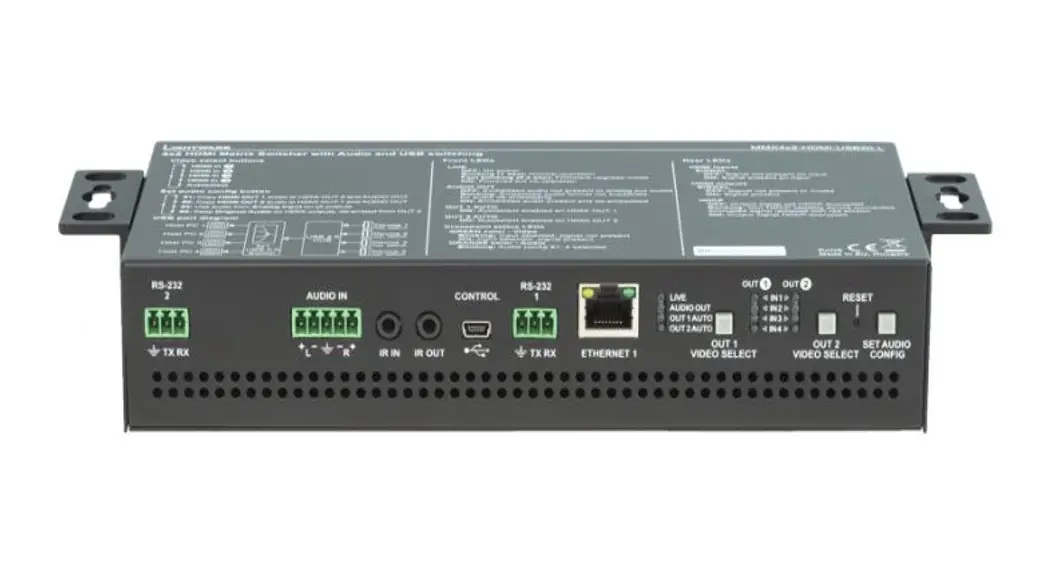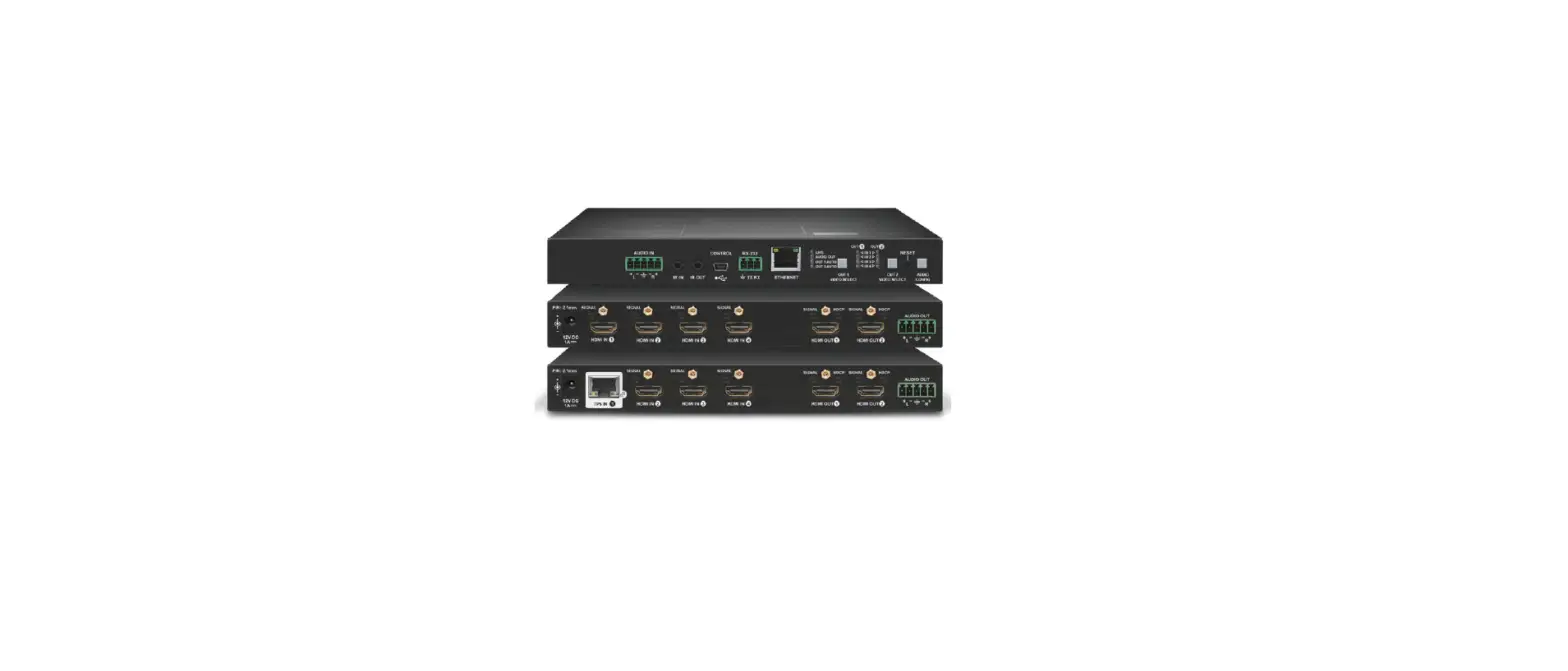

Quick Start Guide
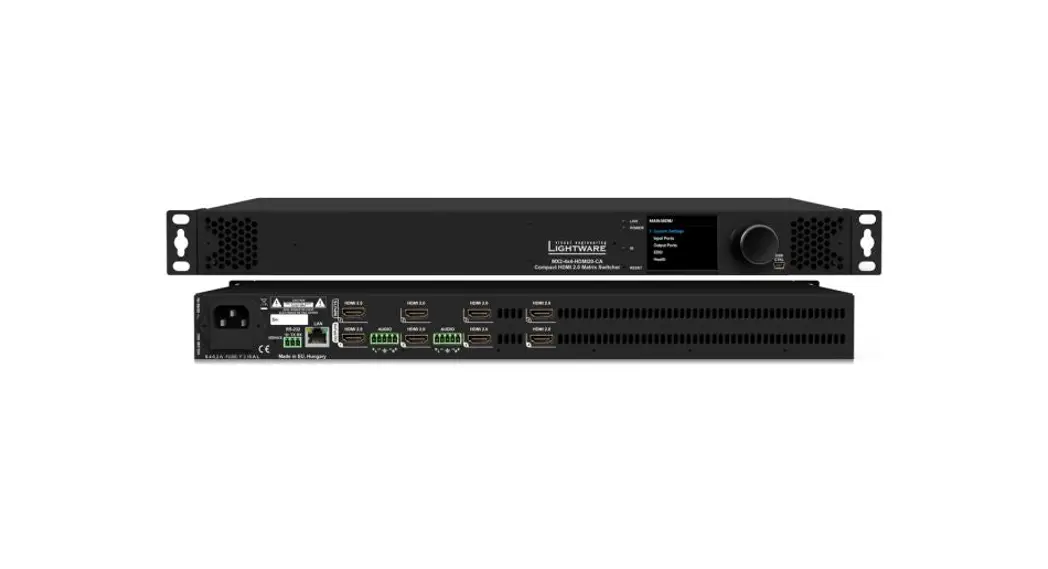
MX2-4×4-HDMI20-CA, MX2-8×4-HDMI20-CA
MX2-8×8-HDMI20-L, -CA, -Audio, -Audio-L
MX2-16×16-HDMI20, -R, -Audio, -Audio-R
MX2-16×8-HDMI20-Audio-R
MX2-24×24-HDMI20, -R, -Audio, -Audio-R
MX2-32×32-HDMI20-A-R, MX2-48×48-HDMI20-A-R
Important Safety Instructions
Please read the supplied safety instruction document before using the product and keep it available for future reference.
Introduction
The MX2-HDMI20 series is the Lightware HDMI 2.0 standalone matrix switcher family that supports uncompressed 4K UHD resolution at 60Hz 4:4:4. It has an outstanding port density that makes it particularly suitable for rental and fixes install applications, as well as for futureproof operation centers. It is a perfect choice for installations where DMI 2.0 compliant input and output ports are required.
Front Panel Operations – LCD Menu and Navigation
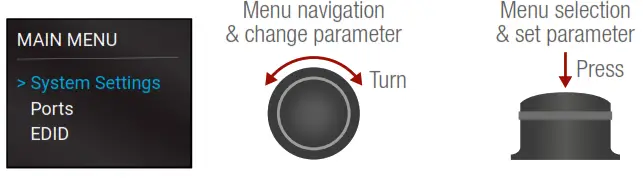
The front panel has a color LCD showing the most important settings and parameters. The jog dial control knob can be used to navigate between the menu items or change the value of a parameter. The knob can be pressed to enter a menu or edit/set a parameter.
Powering On
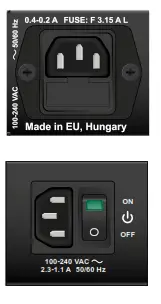
Connect the power cords to the AC input of the Power Supply Units (PSU).
- The MX2-8X8-HDMI20 models are immediately powered on.
After the self-test (about 20 seconds), the router reloads its last configuration and it is ready to use. - The MX2-16X16-HDMI20 and MX2-24X24-HDMI20 models are assembled with a power button. After switching the power switch to the ON position, the router starts up. If the mains’ switch is in the ON position, then the matrix starts up immediately when the power cord is connected to the AC source. During the initial self-test and loading of the latest settings, The matrix is about to start text appears on the LCD screen and the router reloads its last configuration.
 After switching ON, the router reloads the latest settings that were used before it was switched off. The router has an internal emergency memory that stores all current settings and configurations.
Redundant Power Supplies
The -R suffix in the model name shows that the model has redundant PSUs that can be switched on and off without interrupting the video transmission. Using one or both of the PSUs at the same time is also possible.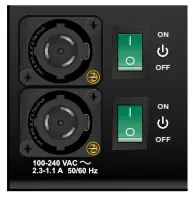
The double PSU allows to connect them for two different AC power lines to ensure continuous power for the matrix.
Front Panel Operations
Press and hold the Take button for two seconds to change between Taking and Auto take modes.
When the Take button continuously illuminates green, Auto take mode is selected.
Switching and Locking Operations in AUTO TAKE Mode Auto take mode is useful when immediate actions must be taken or fast switching is needed between sources on a particular destination. In this mode, switching occurs immediately upon pressing one of the input selector buttons.
| Switching Operations | 1. Press and release the desired destination button. The pressed destination button and the actually connected source button light up green. If no source is connected (the output is muted) no source button will light up. | 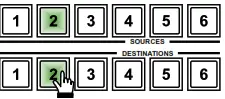 |
| 2. Press and release the desired source button. The switch action will be executed immediately. Switching between sources to the selected destination can be done directly. | 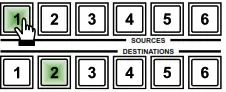 | |
| Locking an Output | 1. Press and release the required destination button. Now the selected destination button and the currently configured source button light up (view mode). | 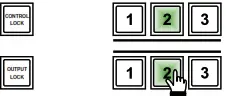 |
| 2. Press and release the Output Lock button; it lights up in red, and the lock function is activated at once. No source can be changed at the locked destination. | 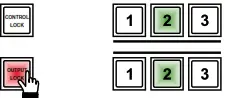 |
Switching and Locking Operations in taking Mode
Take mode allows the user to connect or disconnect multiple outputs to input at once. This mode is useful when the time delay is not allowed between multiple switching. The commands are only realized when the Take button is pressed.
| Switching Operations | 1. First press and release the desired source button. The pressed source button and all destination buttons which are currently connected to the source light up. | 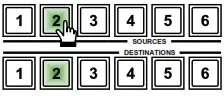 |
| 2. Press and release the desired destination buttons which have to be (dis)connected from/to the selected source. The preselected destination buttons will blink. | 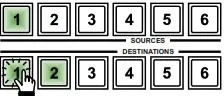 | |
| 3. Press and release the Take button. The selected input is switched to the selected output(s). | 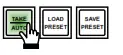 | |
| Locking an Output | 1. Press and release the Output Lock button. It starts to blink and all the buttons of any locked destinations light up (view state). | 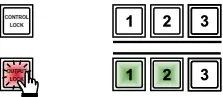 |
| 2. Press and release a destination button. It starts to blink (more destinations can be selected sequentially). | 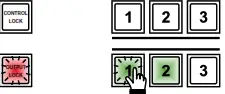 | |
| 3. Press and release the Take button. The selected destinations are now locked. | 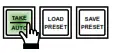 |
Control Lock
If the button illuminates in red the switching and function buttons, and the jog dial control knob is disabled. Press and hold the Control Lock button for three seconds to toggle the state.When the front panel buttons are locked, remote control (RS-232, USB, Ethernet) is still available.
Software Control – Using Lightware Device Controller (LDC)
 The device can be controlled from a computer using the Lightware Device Controller software. The application is available at www.lightware.com (Support / Downloads section), install it on a Windows PC or a macOS, and connect to the device via LAN, USB, or RS-232.
Software Control – Built-in Web
The built-in website of the matrix allows to connect and control the matrix via a web browser. Open a web browser (Mozilla Firefox or Google Chrome is recommended) and connect the device by writing the IP address of the matrix into the address bar. The built-in web and Lightware Device Controller Software has the same look and functionality.
Firmware Upgrade
 Lightware Device Updater2 (LDU2) is an easy and comfortable way to keep your device up-to-date. Establish the connection via Ethernet. Download and install LDU2 software from the company’s website www.lightware.com where you can find the latest firmware package as well.
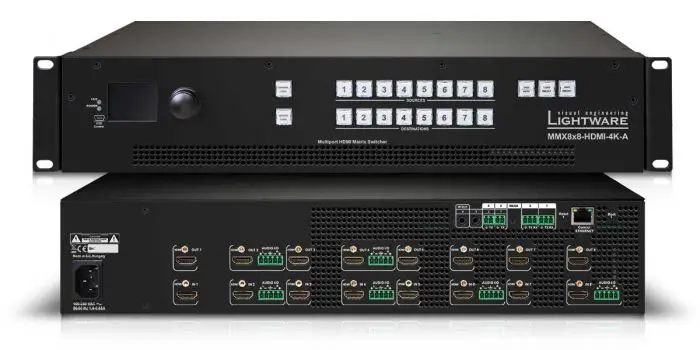
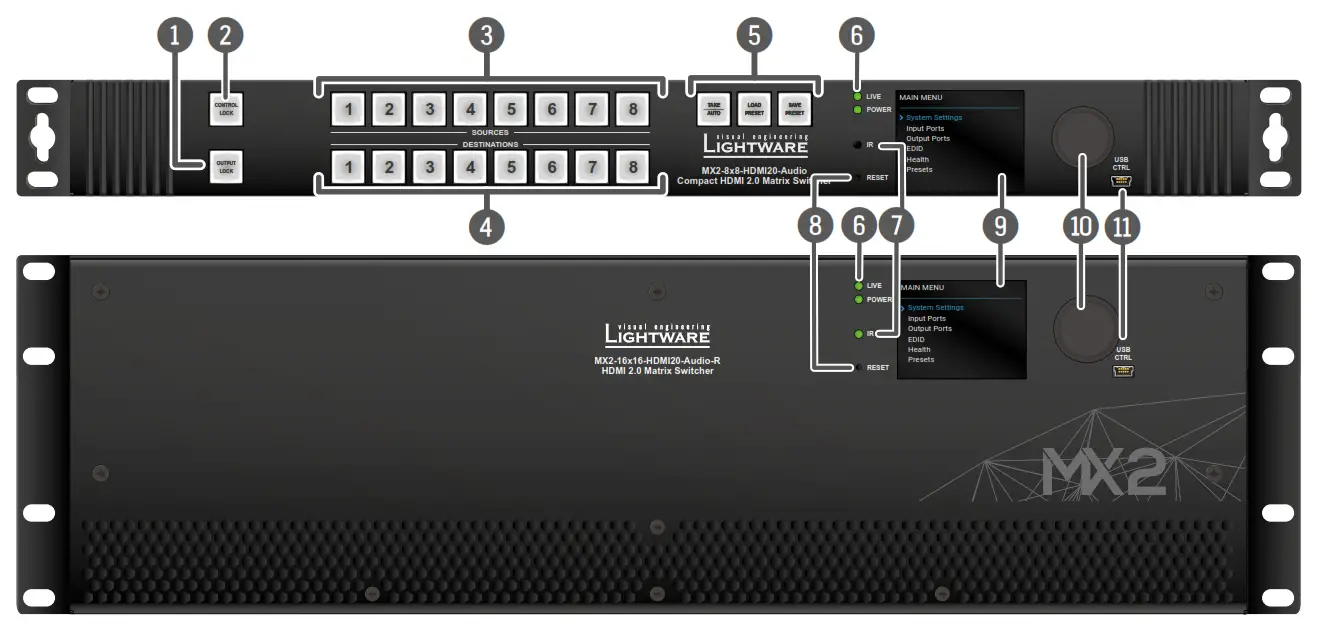
Front View of MX2-8X8-HDMI20-AUDIO and MX2-16×16-HDMI20-Audio-R
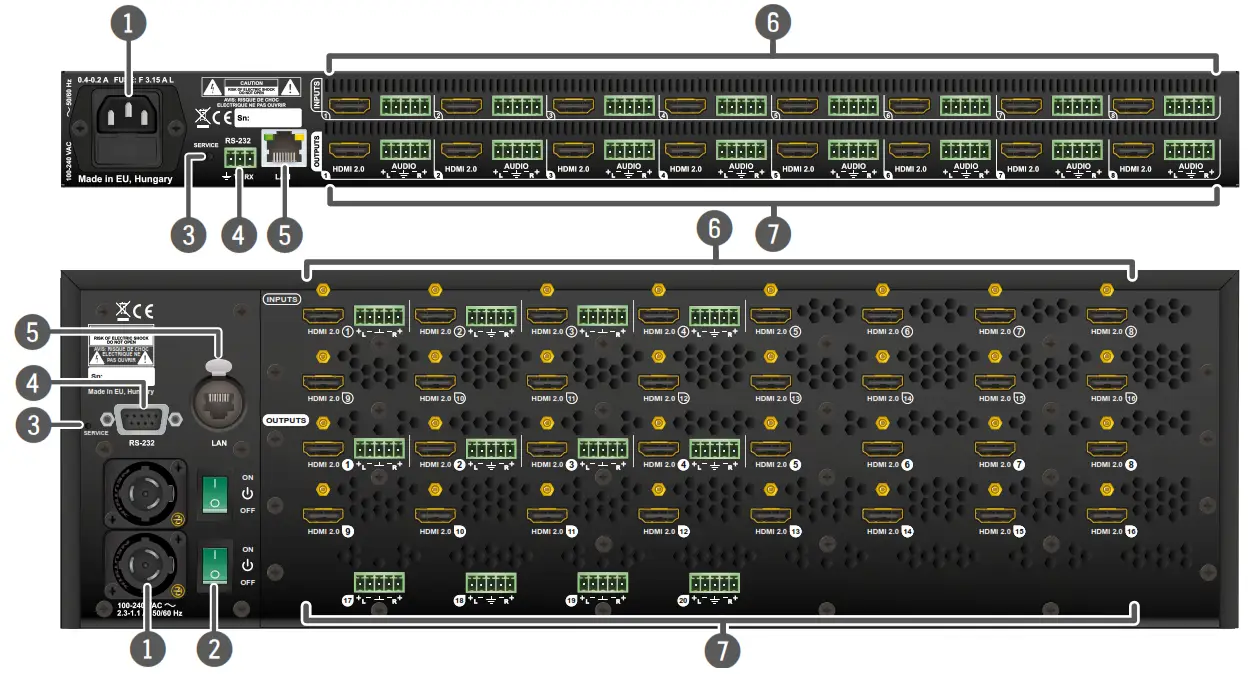
Rear View of MX2-8X8-HDMI20-AUDIO and MX2-16×16-HDMI20-Audio-R
| Box Contents |  |  |  | 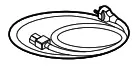 | 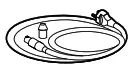 |  |  |  | 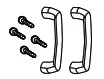 |
| MX2-4×4-HDMI20-CA |  | | | | – | – | | (2x) | – |
| MX2-8×4-HDMI20-CA | | | | | – | – | | (4x) | – |
| MX2-8×8-HDMI20-L | | | | | – | – | | – | – |
| MX2-8×8-HDMI20-CA | | | | | – | – | | (4x) | – |
| MX2-8X8-HDMI20-Audio | | | | | – | – | | (16x) | – |
| MX2-8X8-HDMI20-Audio-L | | | | | – | – | | (16x) | – |
| MX2-16×8-HDMI20-Audio-R | | | | | (2x) | | – | (12x) | – |
| MX2-16×16-HDMI20 | | | | | – | – | | – | – |
| MX2-16×16-HDMI20-Audio | | | | | – | – | | (12x) | – |
| MX2-16×16-HDMI20-R | | | | – | (2x) | | – | – | – |
| MX2-16×16-HDMI20-Audio-R | | | | – | (2x) | | – | (12x) | – |
| MX2-24×24-HDMI20 | | | | | – | – | | – | – |
| MX2-24×24-HDMI20-Audio | | | | | – | – | | (16x) | – |
| MX2-24×24-HDMI20-R | | | | – | (2x) | | – | – | – |
| MX2-24×24-HDMI20-Audio-R | | | | – | (2x) | | – | (16x) | – |
| MX2-32×32-HDMI20-A-R | | | | – | (2x) | | – | (32x) | |
| MX2-48×48-HDMI20-A-R | | | | – | (2x) | | – | (32x) | |
Connecting Steps – MX2-8X8-HDMI20-AUDIO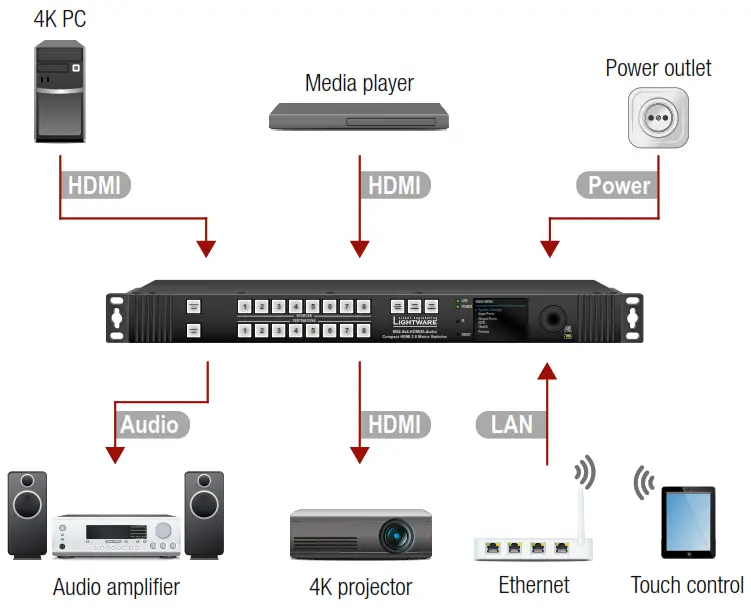
 | Connect the desired source to an HDMI input port. |
 | Optionally connect an audio source to the Audio input port which is located next to the connected HDMI input port. |
| Connect a sink device to an HDMI output port. |
| Optionally connect an audio device (e.g. amplifier) to the Phoenix Audio output port which is located next to the connected HDMI output port. |
 | In order to control the matrix via Ethernet, connect the device to a LAN switch/ router, and connect a controller (e.g. Touch panel). |
 | Connect the power cord to the AC power socket and to the matrix. |
Always use high-quality HDMI cables for connecting sources and displays.
Ventilation To ensure the correct ventilation and avoid overheating let enough free space around the appliance. Do not cover the appliance, let the ventilation holes free.
The following pictures show the direction of the airflow:

Mounting Options
M4x8 size is the longest allowed screw for fixing the ears to the housing. The longer screw may touch internal parts.
Mounting as a Standard Rack Installation – with front rack ears
All models can be mounted into the rack cabinet.
Two rack ears are supplied with the product, which is fixed on the left and right sides as shown in the picture. The default position allows mounting the device as a standard rack unit installation.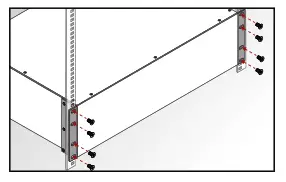
Under-desk Mounting – with front and rear rack earsUnder-desk mounting is available for the one rack unit-high models.
Please do the following steps:
- Release and remove the fixing screws of both rack ears on the matrix.
- Rotate the rack ears by 90° to the desired direction.
- Insert the screws into the holes and fix the front ears to the matrix.
- Fix the two other rear ears (not supplied with the product) by the screws on both sides.
- Fix the matrix by the rack ears to the desired surface (screws not supplied).
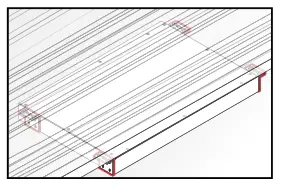
Two rack ears are supplied with the product; further rack ears can be purchased separately.
Fixing the Handles
Two handles can be mounted on the rack ears of the MX2-32×32-HDMI20-A-R and MX2-48×48-HDMI20-A-R matrix switchers. Fasten the 2×2 pcs fixing screws to fix the handles to the rack ears.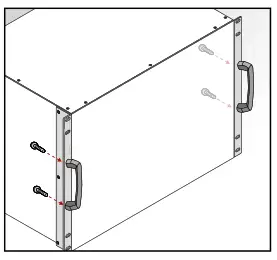
Factory Default Settings
| IP address | Dynamic (DHCP is enabled) |
| RS-232 port setting | 57600 BAUD |
| RS-232 port control protocol | LW3 protocol |
| Crosspoint setting | I1 to all |
| HDCP on input/output | Allow HDCP 2.2 and HDCP 1.4 / Depending on input |
| Conversion mode | Passthrough |
| Signal type | Auto |
| Emulated EDID | F49 – (Universal HDMI, all audio, deep color support) |
| EDID memory storage | 144 factory / 100 User memory slots |
| Audio source | HDMI |
| Audio mode (HDMI out) | HDMI |
Port Diagram
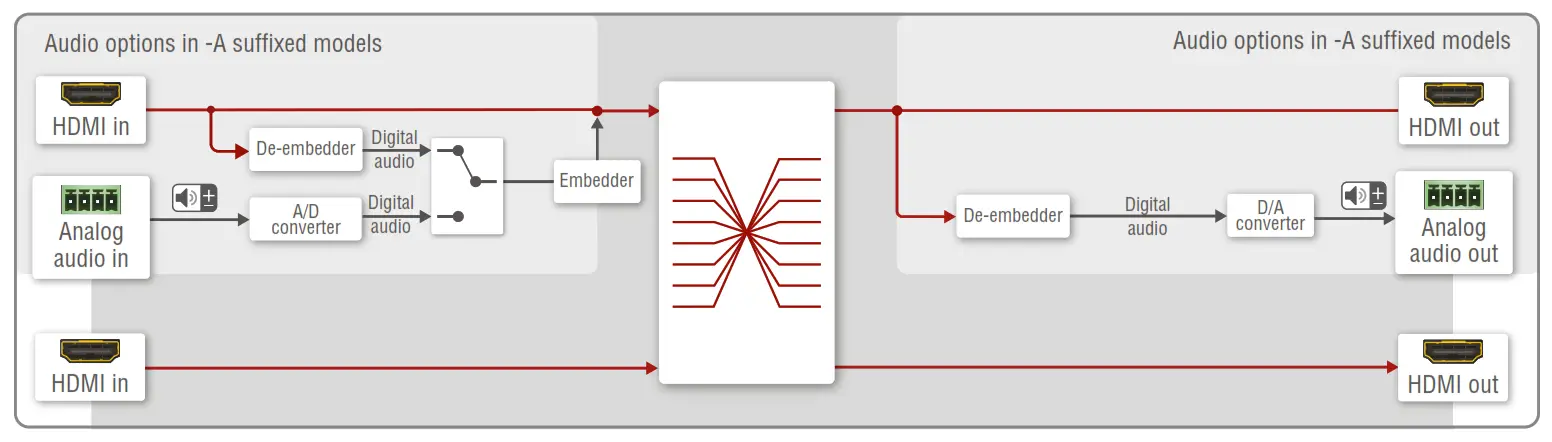
Analog Audio Options
The -Audio suffix in the model name refers to the analog audio option. An external audio signal can be embedded in the HDMI stream by the Analog Audio input port. In this case, the audio from the analog input port is converted and embedded in the HDMI stream. Furthermore, the Analog audio output ports allow to de-embed the audio of the HDMI output stream. Please note that only stereo LPCM can be de-embedded from the HDMI signal.
| 1 | Output Lock* | Locks one or more outputs. |
| 2 | Control Lock* | Disables or enables front panel operations. Red light means the switching and function buttons are disabled. |
| 3 | Sources* | Buttons to select an input, to select a preset number, or to view the state of the selected input port. |
| 4 | Destinations* | Buttons to select an output or to see the state of the output. |
| 5 | Function Buttons* | Function buttons switch between working modes (Take /Auto take) and perform Preset operations. |
| 6 | Status LEDs | Blinking LIVE LED indicates normal operation; POWER LED is dark in the case of an internal voltage problem. |
| 7 | IR detector LED | Reserved for future developments. |
| 8 | Reset Button | Reboots the matrix (the same as disconnecting from the power source and reconnecting again). |
| 9 | Color Display | LCD screen shows the most important settings and parameters in the front panel menu. |
| 10 | Jog Dial ControlKnob | Easy setting and menu navigation by the jog dial control. |
| 11 | USB Control | USB connector for local control functions (e.g. Lightware Device Controller software). |
*In MX2-8×8-HDMI20-L, -Audio, -Audio-L; MX2-16×16-HDMI20, -R; MX2-24×24-HDMI20, -R models.
| 1 | AC Connector |
|
| 2 | Power Switch | The matrix can be switched on/off by the power switch. |
| 3 | Service Button | Hidden button for special operations. |
| 4 | RS-232 Port | ƒ In the -R suffixed models: 9-pole D-SUB connector. ƒ Other models: 3-pole Phoenix connector. |
| 5 | LAN |
|
| 6 | Input Ports | HDMI input ports for sources. Audio input ports (5-pole Phoenix) for balanced analog audio the input signal (in -Audio suffixed models). |
| 7 | Output Ports | HDMI output ports for connecting sink devices. Audio output ports* (5-pole Phoenix) for the balanced analog audio output signal. The signal is de-embedded from the given HDMI port (in -Audio suffixed models). |
*There are four additional audio outputs in the MX2-16×16-HDMI20-Audio and MX2-16×16-HDMI20-Audio-R models.
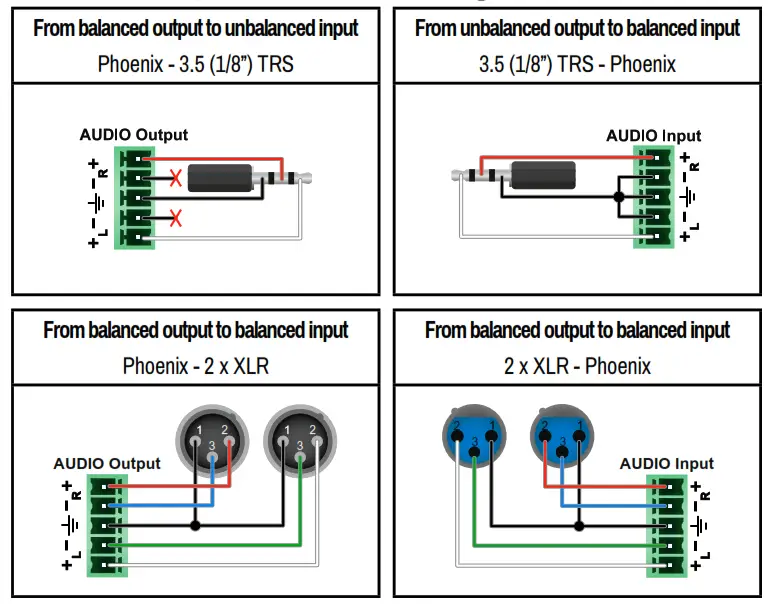
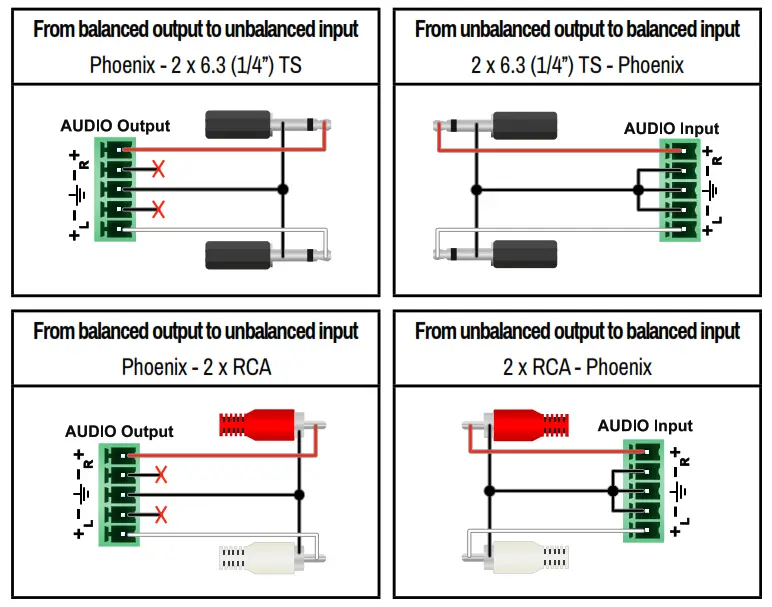
Audio Cable Wiring Guide
The -A or -Audio suffixed models are built with 5-pole Phoenix input and output connectors. See below a few examples of the most common assembling cases.
Wiring Guide for RS-232 Data Transmission
Certain models of the MX2-HDMI20 series matrix switchers are built with a 3-pole Phoenix connector. See the below examples of connecting to a DCE (Data Circuit- terminating Equipment) or a DTE (Data Terminal Equipment) type device: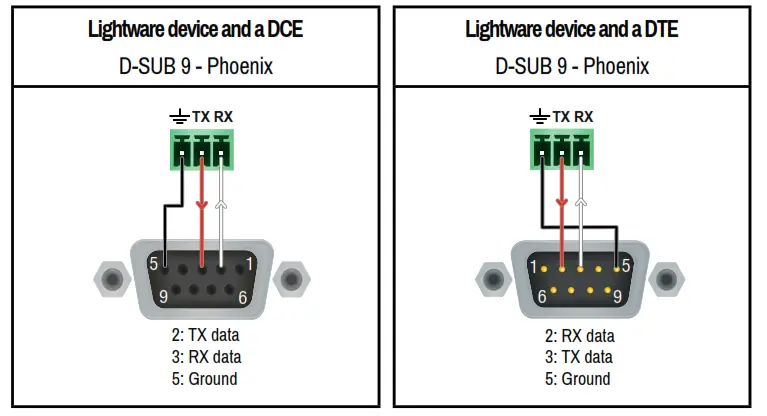
For more information about the cable, wiring sees the user’s manual of the device or Cable Wiring Guide on our website www.lightware.com/support/guides-and-white-papers.
Further Information
The document is valid with the following firmware version: 1.7.0
The User’s manual of this appliance is available at www.lightware.com.
See the Downloads section on the dedicated product page.
Contact Us
[email protected]
+36 1 255 3800
[email protected]
+36 1 255 3810
Lightware Visual Engineering LLC.
Peterdy 15, Budapest H-1071, Hungary
Doc. ver.: 1.5
19200184