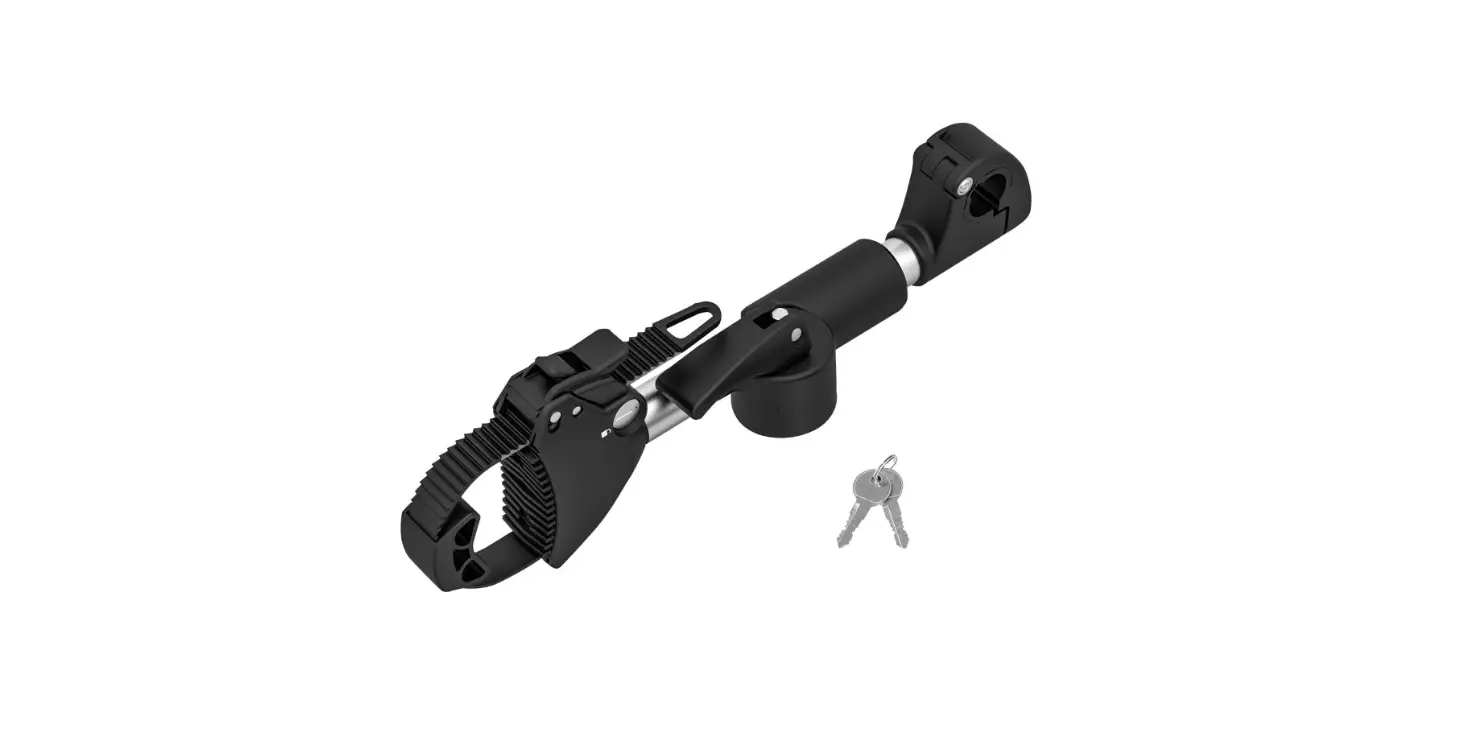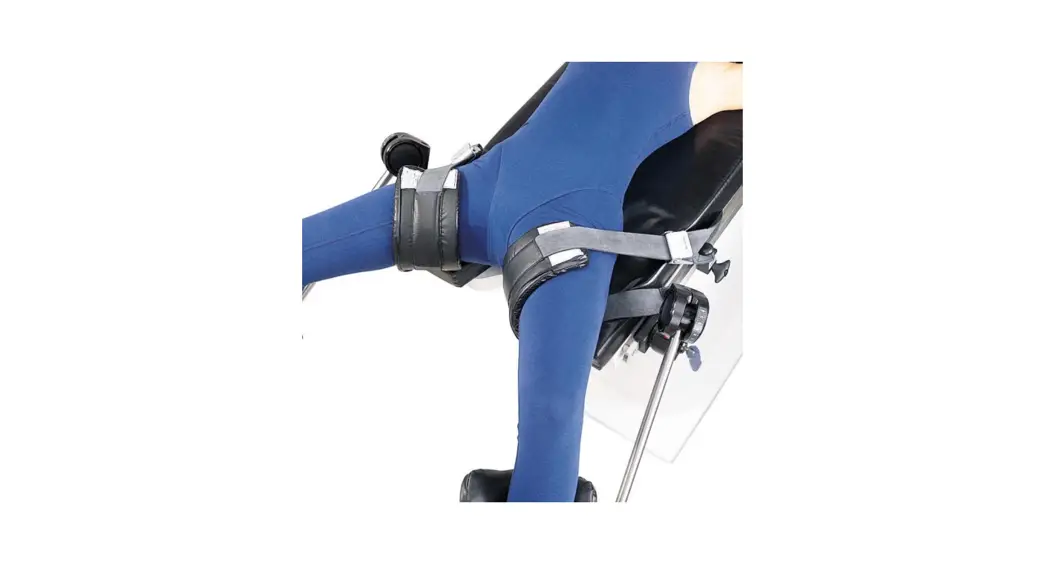

Reverse Trend. Restraint Strap
Instructions for Use
Product No. P056397904
80028200
Version A
IMPORTANT NOTICES
 Prior to using this or any other type of medical apparatus with a patient, it is recommended that you read the Instructions for Use and familiarize yourself with the product.
- Read and understand all warnings in this manual and on the device itself prior to use with a patient.
- The symbol is intended to alert the user to important procedures or safety instructions regarding the use of this device. The
 symbol on the labels is intended to show when the IFU should be referenced for use.
 - The techniques detailed in this manual are only manufacturer’s suggestions. The final responsibility for patient care with respect to this device remains with the attending physician.
- Device function should be checked prior to each usage.
- This device should only be operated by trained personnel.
- All modifications, upgrades, or repairs must be performed by an authorized specialist.
- Keep this manual available for future reference.
- Any serious incident that has occurred in relation to the device should be reported to the manufacturer and the competent authority listed in this document.
General Information
AMATECH Corporation is a subsidiary of Allen Medical Systems, Inc. which is a subsidiary of Hill-Rom, Inc. (NYSE: HRC), a leading worldwide manufacturer and provider of medical technologies and related services for the health care industry. As an industry leader in patient positioning, our passion is improving patient outcomes and caregiver safety, while enhancing our customers’ efficiency. Our inspiration comes from providing innovative solutions to address our customers’ most pressing needs. We immerse ourselves in our customers’ world, to better address these needs and the daily challenges of their environment. Whether developing a solution to address patient positioning challenges or creating a system to offer safe and effective surgical site access for the surgical team, we are committed to providing products of exceptional value and quality.
1.1 Copyright Notice:
Revision
© 2019 Allen Medical Systems Inc. ALL RIGHTS RESERVED.
No part of this text shall be reproduced or transmitted in any form or by any means, electronic or mechanical, including photocopying, recording, or by any information or retrieval system without written permission from Allen Medical Systems, Inc. (Allen Medical).
The information in this manual is confidential and may not be disclosed to third parties without the prior written consent of Allen Medical.
1.2 Trademarks:
Trademark information can be found in www.allenmedical.com/pages/termsconditions.
Product may be covered by one or more patents. Please consult listing at www.hill-rom.com/patents for any patent(s).
1.3 Contact Details:
For complains or ordering information, please contact your supplier and refer to the catalog. All modifications, upgrades, or repairs must be performed by an authorized specialist.
1.4 Safety Considerations:
1.4.1 Safety hazard symbol notice: DO NOT USE IF PRODUCT SHOWS VISIBLE DAMAGE AND MATERIAL DEGRADATION.
1.4.2 Equipment misuse notice:
Do not use product if package is damaged or unintentionally opened before use.
All modifications, upgrades, or repairs must be performed by an authorized specialist.
1.4.3 Notice to users and/or patients:
Any serious incident that has occurred in relation to the device should be reported using the contact details provided in section 1.3 of this Instruction for Use and to the
competent authority of the Member State in which the user and/or patient is established.
Note: Refer to the surgical table manufacturer’s user guide for instructions on use.
Always refer to the surgical table manufacturer’s weight limits.
NEVER EXCEED THE WEIGHT CAPACITY OF THE OPERATING ROOM TABLE
1.4.4 Safe disposal:
Customers should adhere to all federal, state, regional, and/or local laws and regulations as it pertains to the safe disposal of medical devices and accessories.
If in doubt, the users of the device shall first contact their supplier for guidance on safe disposal protocols.
1.5 Operating the system:
1.5.1 Applicable Symbols:
| Symbol used | Description | Reference |
MD | Indicates the device is a medical device | MDR 2017/745 |
 | Indicates the medical device manufacturer | EN ISO 15223-1 |
SN | Indicates the manufacturer’s serial number. The device serial number is encoded as 1 YYWWSSSSSSS. •YY indicates the year of manufacture. i.e. 118WWSSSSSSS where 18 represents the year 2018. •WW indicates the number of the manufacturing week per a standard shop calendar. (Leading zeros included.) •SSSSSSS is a sequential unique number. | EN ISO 15223-1 |
GTIN | Indicates the medical device Global Trade Item Number | 21 CFR 830 MDR 2017/745 |
 | Indicates the date when the medical device was manufactured | EN ISO 15223-1 |
LOT | Indicates the manufacturer’s lot code using the Julian Date yyddd, where yy indicates the last two digits of the year and ddd indicates the day of the year. i.e. April 4th, 2019 would be represented as 19094. | EN ISO 15223-1 |
REF | Indicates the manufacturer’s catalogue number | EN ISO 15223-1 |
 | Indicates the need for the user to consult the instructions for use for important cautionary information such as warnings and precautions | EN ISO 15223-1 |
 | Indicates the device do not contain natural rubber or dry natural rubber latex | EN ISO 15223-1 |
 | Indicates the authorized representative in the European Community | EN ISO 15223-1 |
 | Indicates the Medical Device complies to REGULATION (EU) 2017/745 | MDR 2017/745 |
 | Indicates a Warning | IEC 60601-1 |
| Intended to show when the IFU should be referenced for use | EN ISO 15223-1 |
1.5.2 Intended User and Patient Population:
Intended User: Surgeons, Nurses, Doctors, Physicians and OR healthcare professionals involved in the device intended procedure. Not intended for Lay persons.
Intended Populations:
This device is intended to be used with patients that do not exceed the weight in the safe working load field specified in the product specification section 4.2.
1.5.3 Compliance with medical device regulations:This product is a non-invasive, Class I Medical Device. This system is CE-marked according to Annex VIII, Rule 1, of the Medical Device Regulations (REGULATION (EU) 2017/745)
1.6 EMC considerations:
This is not an electromechanical device. Therefore, EMC Declarations are not applicable.
1.7 EC authorized representative: HILL-ROM SAS
B.P. 14 – Z.I. DU TALHOUET
56330 PLUVIGNER
FRANCE
TEL: +33 (0)2 97 50 92 12
1.8 Manufacturing Information: ALLEN MEDICAL SYSTEMS, INC.
100 DISCOVERY WAY
ACTON, MA 01720 USA USA
800-433-5774 (NORTH AMERICA)
+1 978-266-4200 (INTERNATIONAL)
System
2.1 System components Identification: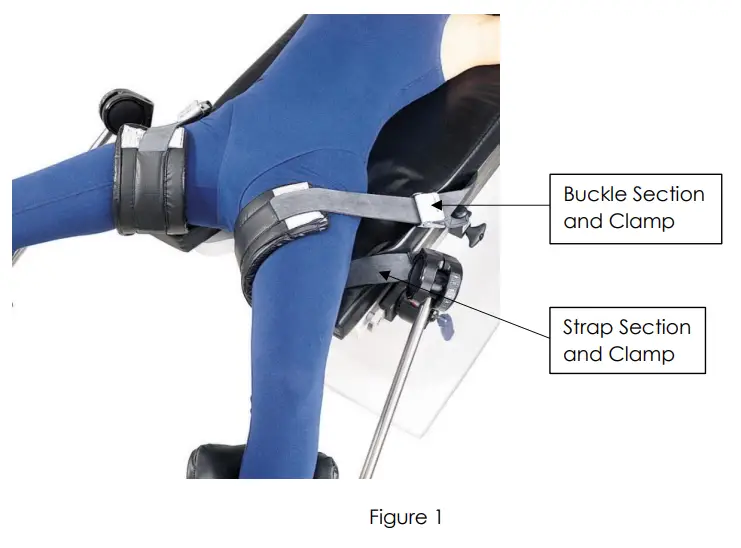 2.2 Product Code and Description:
P056397904 – Reverse Trend. Restraint Strap
2.3 List of Accessories and Consumable Components Table:
The following list are accessories and components that may be used with this device.
| Name of Accessory | Product Number |
| Not Applicable | Not Applicable |
| Name of Consumable | Product Number |
| Not Applicable | Not Applicable |
Note: Consult the corresponding IFU for the products mentioned in the above table.
2.4 Indication for use:
The Nissen strap is used in a variety of surgical procedures including, but not limited to gynecology, urology, laparoscopy, general and robotic surgery during Reverse Trendelenburg positioning. These devices are capable of being used with a broad patient population as determined appropriate by the caregiver or institution.
2.5 Intended use:
The Nissen strap is designed to position and support the patient’s upper leg in a variety of surgical procedures including, but not limited to gynecology, urology, laparoscopy, general and robotic surgery during Reverse Trendelenburg positioning. These devices are intended to be used by healthcare professionals within the Operating Room setting.
Equipment Setup and Use:
3.1 Prior to use:
a. Inspect the product looking for any visible damage or sharp edges that could be caused by a drop or impact during storage.
b. Make sure product has been properly cleaned and disinfected and wiped dry prior to each use.
3.2 Setup:
a. Position the Strap Mount on the table rail adjacent to the patient’s thigh. Turn the locking knob clockwise to secure it to the rail.
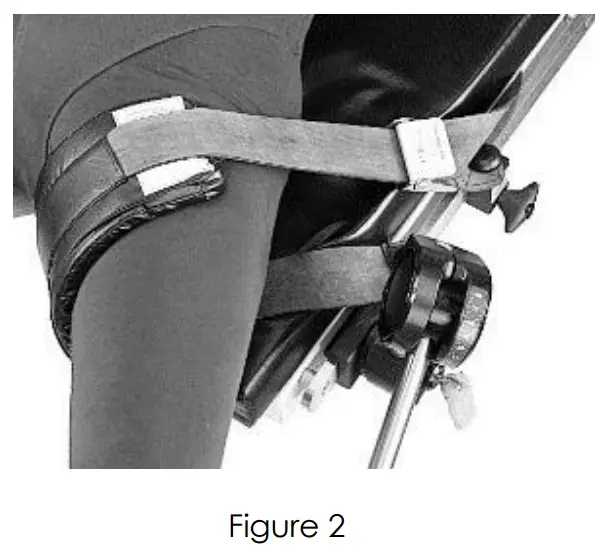
b. Pull the strap under and around the patient’s thigh. The pad must be between the thigh and the strap encircling the thigh.
c. Position the buckle mount 150mm (6″) from the strap mount on the table rail toward the head end of the table. Turn the locking knob clockwise to secure it.
d. Pull the strap through the buckle until it is taut, and the patient is held on the table.
e. Repeat the same steps for the other strap.
3.3 Device controls and indicators:
Controls and indicators of this device are described within the Setup instructions.
3.4 Storage, Handling and Removal Instructions:
3.4.1 Storage and Handling:
The product should be stored in a clean and safe environment to prevent product damage. See storage Specifications under Product Specification section.
3.4.2 Removal Instruction:
a. Loosen the strap from the buckle.
b. Turn the locking knob anticlockwise and remove the strap mount.
c. Release the patient thigh and remove the buckle section mount.
3.5 Troubleshooting Guide:
This device does not have a troubleshooting guide. For technical support user of the device shall first contact his or her supplier.
3.6 Device Maintenance:
Make sure that all labels are installed and can be read. Replace labels as necessary by using a plastic scraper to remove the label. Use an alcohol wipe to remove any adhesive residue. Contact Allen Medical Systems, Inc. if you need to repair or replace the device contact us using the information from the contact details section (1.3).
Safety Precautions and General Information:
4.1 General Safety Warnings and Cautions: WARNING:
a. Do not use if product shows visible damage.
b. Prior to using this device, please read the instructions for equipment set up and use. Familiarize yourself with the product before application on a patient.
c. To prevent patient and/or user injury and/or equipment damage, examine the device and surgical-table side rails for potential damage or wear prior to use. Do not use the device if damage is visible, if parts are missing or if it does not function as expected.
d. To prevent patient and/or user injury and/or equipment damage, verify the device attaching clamps completely touch the table-side rails and are firmly in place. Apply device only to U.S. standard side rails. Test the locking mechanism to ensure no movement when elevated or pushed.
 CAUTION:
a. To prevent patient and/or equipment damage, do not over tighten the strap and buckle.
b. To prevent patient and/or user injury and/or equipment damage: all modifications, upgrades, or repairs must be performed by an authorized specialist. Failure to comply may void warranty.
c. Do not exceed safe working load shown in the product specification table.
4.2 Product Specifications:
| Mechanical Specifications | Description |
| Product Dimensions | 48″ x 4.5 1″ (122cm x 11.4cm x 2.5cm) |
| Material | Fusion 3, Steel, Stainless Steel, Aluminum and Low-Density Polyethylene |
| Safe Working Load on the device | 500 lbs (226 kg) |
| Overall Weight of Complete Device | 3.96 lbs 1.8 lc. |
| Storage Specifications | Description |
| Storage temperature | -290 C to +600 C |
| Storage Relative humidity range | 15% to 85% |
| Operating temperature | This device is intended to be used in a controlled Operating Room environment. |
| Operating Relative humidity range | |
| Electrical SpecificatIons | Description |
| Not Ap.licable. | Not Applicable. |
| Software Specificattons | Description |
| Not Applicable. | Not Applicable. |
| Compatibility Specifications | Description |
| Operating Room Table Compatibility | The Reverse Trend. Restraint Strap is compatible with US Rail size. |
Note: Consult the corresponding IFU for the products mentioned in the above table.
4.3 Sterilization Instruction:
This device is not intended to be sterilized. Equipment damage may occur.
4.4 Cleaning and Disinfection Instruction: WARNING:
- Do not use bleach or products that contain bleach to clean the device. Injury or equipment damage can occur.
- After each use, clean the device with alcohol-based wipes.
- Do not put the device into water. Equipment damage can occur.
- Use a cloth and a quaternary ammonium disinfecting/cleaning solution to clean and disinfect the device.
- Read and follow the manufacturer’s recommendation for low-level disinfection.
- Read and follow the cleaning product’s instructions. Use caution in areas where liquid can get into the mechanism.
- Wipe the device with a clean, dry cloth.
- Make sure that the device is dry before you store it or use it again.
CAUTION: DO NOT IMMERSE PADS IN ANY LIQUID
CAUTION: DO NOT USE BLEACH OR PHENOLICS ON PADS
List of Applicable Standards:
| SI. no | Standa | Description |
| 1 | EN 62366-1 | Medical devices – Part 1: Application of usability engineering to medical devices |
| 2. | EN ISO 14971 | Medical devices- Application of risk management to medical devices. |
| 3 | EN 1041 | Information supplied by the manufacturer of medical devices |
| 4. | EN ISO 15223-1 | Medical devices – Symbols to be used with medical device labels, labelling and information to be supplied – Part 1: General requirements |
| 5. | EN ISO 10993-1 | Biological evaluation of medical devices – Part 1: Evaluation and testing within a risk management process |
| 6. | IEC 60601-2-46 | Medical electrical equipment – Part 2-46: Particular requirements for the basic safety and essential performance of operating tables |
| 7 | ISTA | International Safe Transit Association standards for package testing |
Document Number: 80028200
Version: A
Issue Date: 23 MAR 2020Y
Ref Blank Template: 80025118
 Patents | Hillrom