


INSTRUCTION MANUAL
Please read this book thoroughly before operating the bike
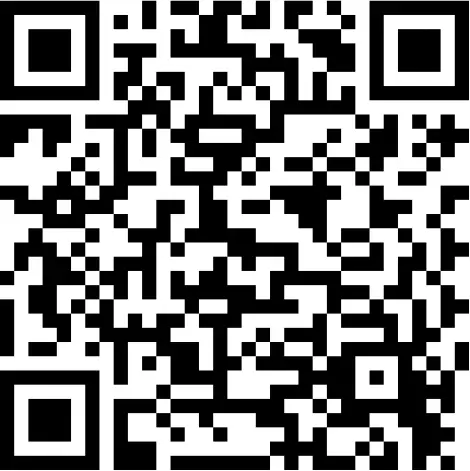
Scan the QR code for a step-by-step video guide on how to assemble your exercise bike.

Scan the QR code to view our support center for more technical resolutions and FAQ’s about your item.
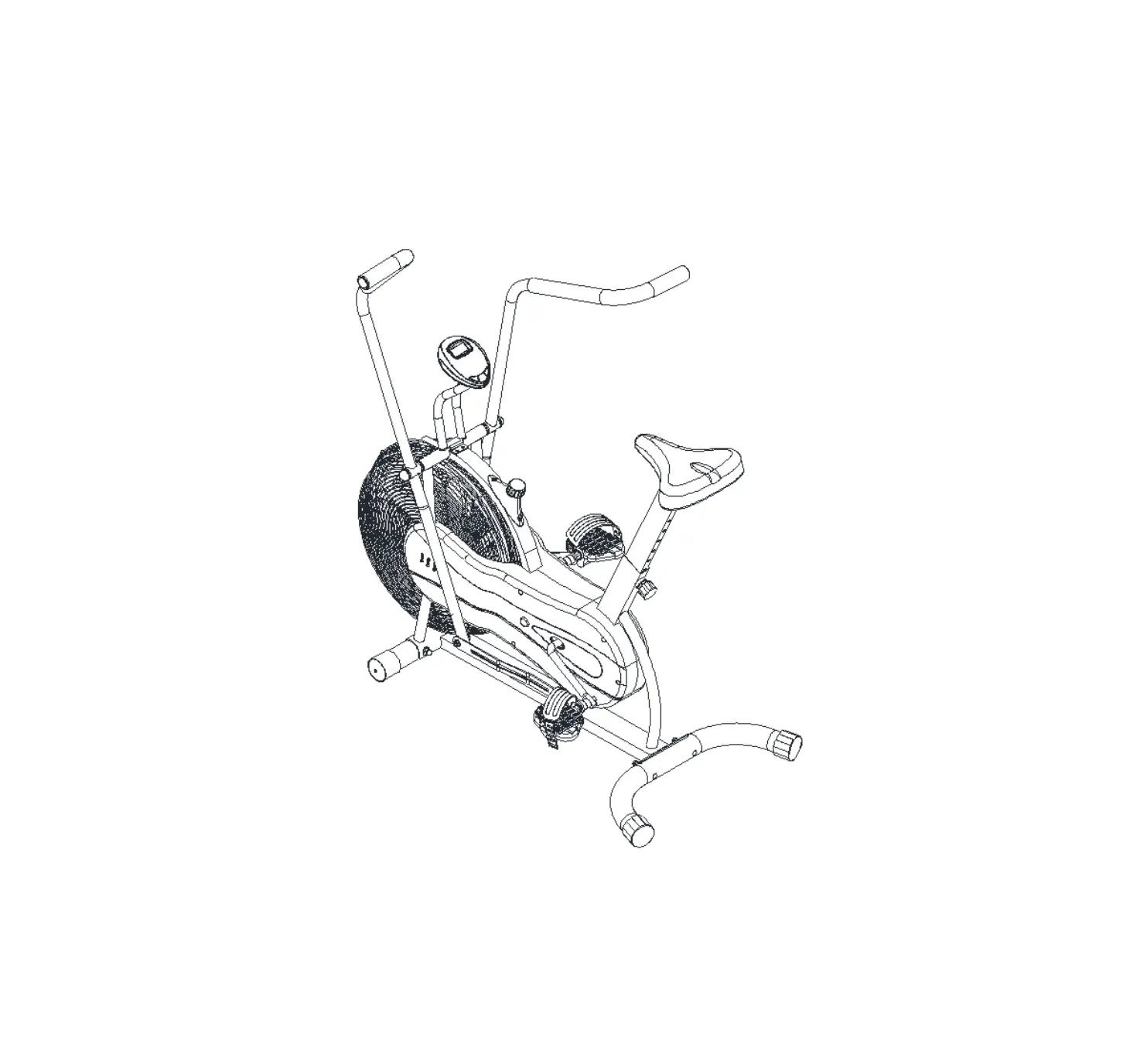
EXPLODED DIAGRAM
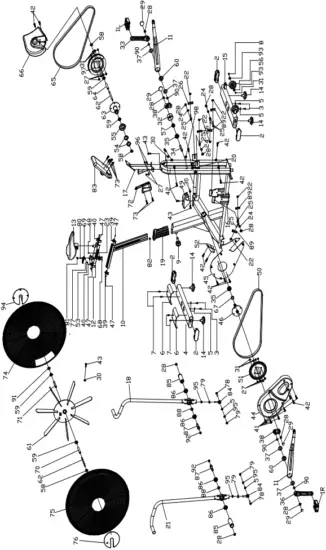
NO | NAME | QUANTITY | SPEC |
| 1 | PEDAL | 1 | JD-304V (9/16″) |
2 | END CAP3 | 4 | 120*40*35 |
| 3 | BOLT 1 | 4 | M10*30 |
4 | REAR STABILIZER | 1 | WELDING |
| 5 | FLAT WASHER | 6 | 10 |
6 | FRONT COVER | 2 | 160*128*3 |
| 7 | BOLT 1 | 4 | GB/845-85 ST4.8X19 |
8 | BOLT 2 | 2 | M8*40 |
| 9 | SHAPE KNOB | 1 | φ50*91 (M16*35) |
10 | VERTICAL SEAT POST | 1 | WELDING |
| 11 | Drive assembly | 2 | WELDING |
12 | SEAT POST | 1 | WELDING |
| 13 | SEAT | 1 | VL-6038E |
14 | STOPPER | 4 | φ70*41/(M16X25) |
| 15 | FRONT STABILIZER | 1 | WELDING |
16 | MAIN FRAME | 1 | WELDING |
| 17 | Electronic watch connecting assembly | 1 | WELDING |
18 | The left handlebar assembly | 1 | WELDING |
| 19 | PLASTIC SLEEVE | 1 | 103*53.5*178 |
20 | SENSOR | 1 | SR-202 |
| 21 | Right handlebar assembly | 1 | WELDING |
22 | NUT | 6 | M6 |
| 23 | FIXING NUT 2 | 1 | φ44.8*16.5 |
24 | FLAT WASHER | 4 | 12 |
| 25 | FIXING BOLT | 6 | M6*58 |
26 | Pull out the fixed piece | 2 | δ3 |
| 27 | BOLT 1 | 10 | M8*16 |
28 | NUT | 10 | M12X1.25 |
| 29 | CRANK END CAP | 4 | φ28*6.5 |
30 | Sprocket buckle | 6 | δ1 |
31 | NUT | 10 | GB/T 889.1-2000 M8 |
| 32 | PLASTIC RING | 1 | φ56*28 |
33 | LEFT CRANK | 1 | 170*15 |
| 34 | LONG FIXING TUBE | 1 | φ25*φ20.2*41.2 |
35 | BEARING | 2 | 6004ZZ (NBK) |
| 36 | RIGHT CRANK | 1 | 170*15 |
37 | Outer spring | 4 | 42 |
| 38 | Crank drive assembly | 2 | 80*65 |
39 | COVER | 2 | 56*23.6*24.6 |
| 40 | COVER | 2 | 58*36.3*22.7 |
41 | SCREW 1 | 6 | GB/T 845-1985 ST4.2*19 |
| 42 | SCREW 2 | 14 | GB/T 845-1985 ST4.2*19 |
43 | SCREW 3 | 6 | GB/845-85 ST4.8*19 |
44 | CHAIN COVER 1 | 1 | 478*270*60 |
| 45 | CHAIN COVER 2 | 1 | 469*241*23 |
46 | AXIS | 1 | φ20*162 |
| 47 | BOLT 7 | 6 | M4*12 |
48 | BOLT 8 | 1 | M5*18 |
| 49 | CHAIN COVER | 1 | 146*65*73 |
50 | SHORT CHAIN WHEEL | 1 | P=12.7, 66 |
| 51 | BELT WHEEL | 1 | P=12.7,Z=52T |
52 | FRONT COVER | 1 | 122*56*45 |
| 53 | Handle base | 1 | 41.5*30*30 |
54 | LOCK NUT | 2 | M33*1*4 |
| 55 | CHAIN WHEEL 1 | 1 | A7K-16 1/2″*1/8″ 16T (1.37”) |
56 | WHEEL | 2 | φ75*24 |
| 57 | FIXING NUT | 1 | M20*1.0 |
58 | FIXING NUT 2 | 3 | M12X1.25 H=6 |
| 59 | BEARING | 4 | 6001ZZ |
60 | BEARING | 2 | 6004ZZ |
| 61 | Rim assembly | 1 | φ640*69 |
62 | FLYWHEEL SHAFT | 2 | φ12*160 |
| 63 | Double drive assembly | 1 | φ110*107 |
64 | Double drive inner sleeve | 1 | φ16*φ12.2*91.1 |
| 65 | BELT | 1 | 5PK1346 |
66 | CHAIN COVER 3 | 1 | 248*269*80 |
| 67 | SHORT FIXING TUBE | 1 | φ25*φ20.5*9 |
68 | BOLT 1 | 2 | GB/845-85 M4*12 |
| 69 | Handle | 1 | 79*32*32.6 |
70 | Flywheel outer tube | 1 | φ16*φ12.2*35 |
| 71 | Flywheel inner casing | 1 | φ16*φ12.2*53.1 |
72 | BOTTLE HOLDER | 1 | φ6 |
| 73 | SCREW 3 | 2 | GB/T 5780-2000 M5*10 |
74 | The left wheel cover | 1 | φ690*55 |
| 75 | Right wheel cover | 1 | φ690*55 |
76 | Fan baffle | 1 | φ170*10 |
| 77 | Handle rotary copper sleeve | 1 | φ12*20 |
78 | BOLT 3 | 2 | M10*45 |
| 79 | NUT | 4 | GB/T 889.1-2000 M10 |
80 | BOLT 16 | 1 | M6*35 |
| 81 | Handle cover | 1 | φ16.4*10.3*5.5 |
82 | LITTLE RUBBER | 1 | 19.6*15.6*13.7 |
83 | COMPUTER | 1 | SI-8210 |
| 84 | Universal joint | 2 | 70*28 (M10) |
85 | Foot lever | 2 | φ 38*110(M16*1.5) |
| 86 | BEARING | 4 | 6203ZZ |
87 | Foot lever | 2 | φ22*110(M16*1.5) |
| 88 | Foot lever bushing | 2 | φ24*φ17.2*11.1 |
89 | Small retaining plate | 4 | δ3 |
| 90 | corrugated gasket | 4 | φ20 |
91 | FIXING NUT 1 | 1 | M12X1.25 H=10 |
| 92 | NUT | 2 | GB/T 889.1-2000 M16 H=12 |
93 | BEARING | 4 | 608ZZ |
| 94 | Fan baffle | 1 | φ170*10 |
95 | SPRING WASHER | 4 | GB/T 859-1987 10 |
| 96 | SPRING WASHER 2 | 2 | GB/T 859-1987 8 |
97 | BELT WHEEL | 1 | φ200*24 |
| 98 | Plastic plug | 1 | φ14*14 |
1 Safety Instructions
Please pay attention to the following instructions before operating this bike.
USER SAFETY PRECAUTIONS
PRIOR TO USE
- Assemble the bike according to the instruction manual.
- Consult your doctor before beginning any exercise program.
- Read instructions.
- Read warning labels.
- Read emergency stop procedures.
- Maximum user weight is 130kg/ 20.4 St.
- Inspect unit. If damaged, DO NOT USE.
- Ensure every bolt and screw is securely tightened.
DURING USE
- DO NOT use for stretching and DO NOT attach straps or other devices.
- DO NOT allow children aged 12 or younger to be on or near the machine.
- Stop exercising if you feel faint, dizzy, or encounter pain.
- Keep all clothing and accessories clear of moving parts.
- DO NOT jump onto the exercise bike.
 WARNING WARNING |
|
EXERCISE SAFETY PRECAUTIONS
- Use sports clothes and gym shoes.
- DO NOT use with bare feet.
- This model should only be used at home, DO NOT use for commercial purposes.
FACILITY SAFETY PRECAUTIONS
- DO NOT operate this bike in damp or wet locations.
- Use caution when getting on or off the bike.
- Check the exercise bike for worn or loose components before each use. DO NOT use until worn or damaged parts are replaced.
- Maintain regularly. Refer to Preventive Maintenance chapter.
- DO NOT use the bike if: (1) the bike is not working adequately or (3) the bike has been dropped or damaged.
- DO NOT use the exercise bike outdoors.
- Read the instruction manual completely before using the bike.
- Ensure all users wear appropriate footwear on JLL® equipment.
- Set up and operate the bike on a level surface. DO NOT operate in small restricted areas or on plush carpet.
- As far as possible provide the following clearances: 0.5 m at each side and 2 m at the back. Be sure your exercise bike is clear of walls, equipment and other hard surfaces.
- DO NOT modify the bike in any way. Any modifications will void the warranty.
- All the data displayed by the monitor is for reference purposes only.
WARNING STICKERS
Warning stickers indicate a potentially hazardous situation which, if not avoided, could result in death or serious injury. Carefully read the following caution and warning labels before using the unit.
| WARNING |
| It is strictly forbidden to touch any moving parts of the bike. |
| WARNING |
| Keep small children and pets a safe distance from bike when in use. |
2 Assembly
PREPARING SITE
To find the ideal location to set up this bike, ensure that:
- Area is well illuminated and well ventilated.
- Surface is level.
- There is enough space to access the unit and emergency dismount. If it is possible, keep the following clearances: 0.5 m at each side and 2 m at the back.
- The bike is placed in an environment with a relative humidity range of 30-50%. Please ensure the temperature is kept constant. Do not use in a moist or damp environment as this may impact on the integrity and performance of the machine.
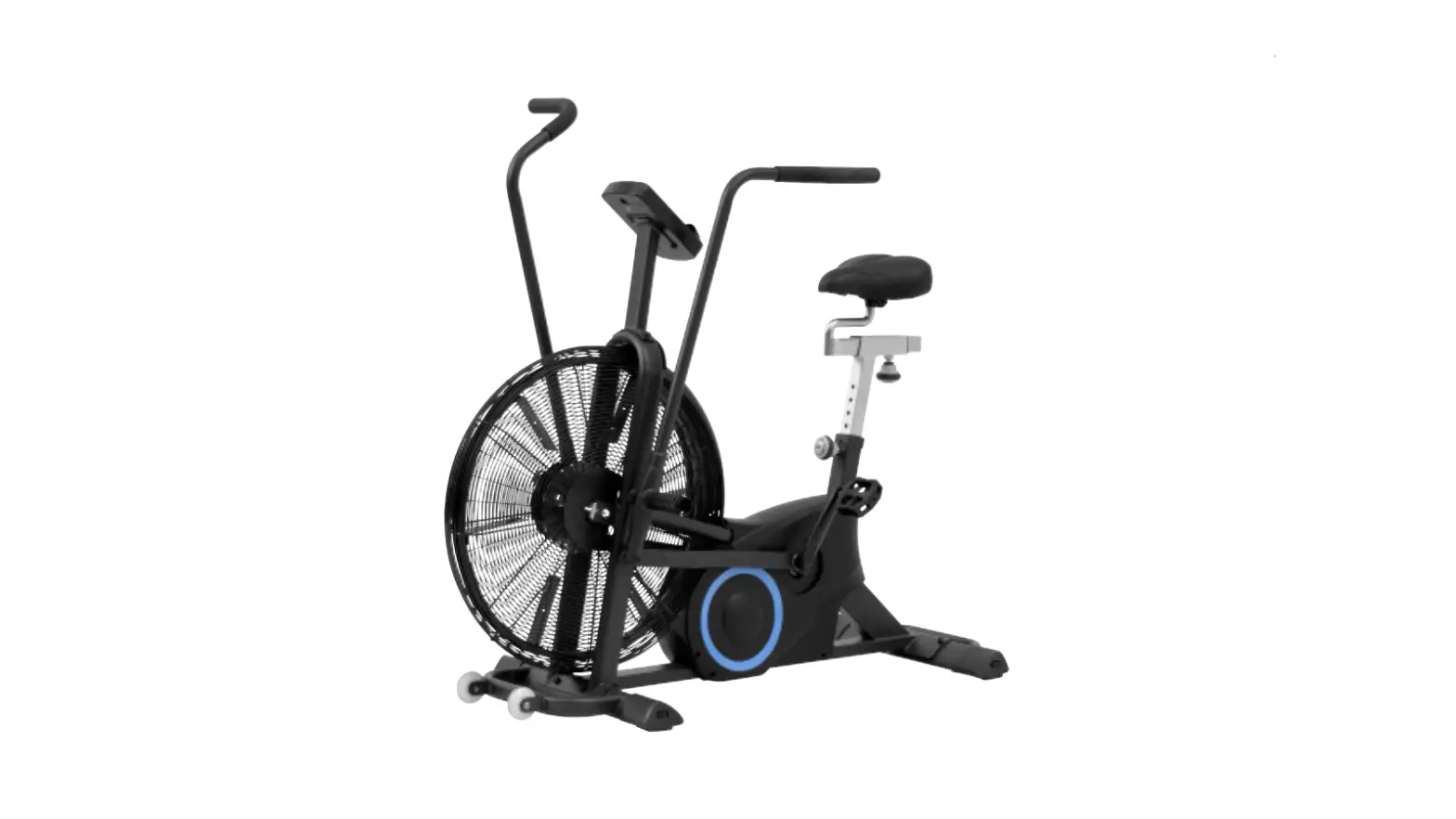
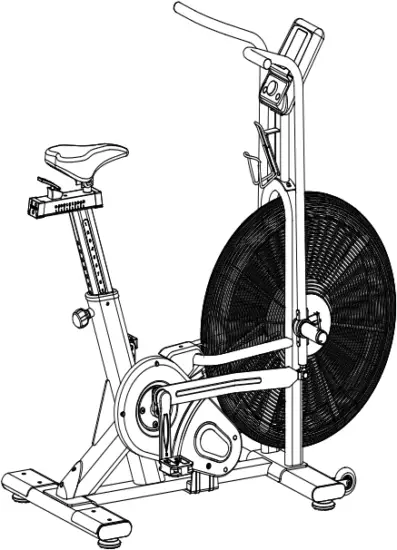
DIAGRAM
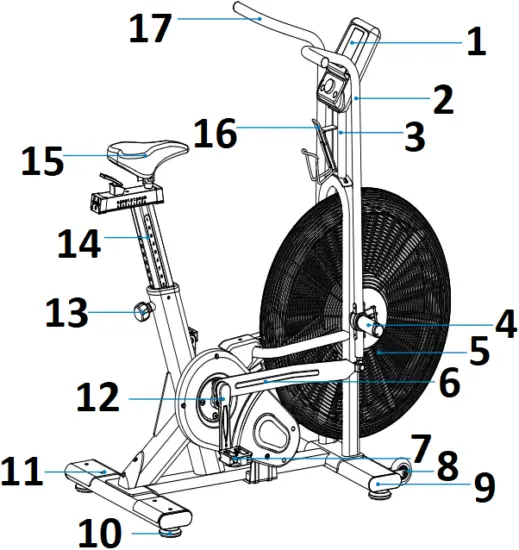
- Monitor
- Right Handlebar
- Monitor Mount
- Foot Lever
- Flywheel
- Right Drive Assembly
- Right Pedal
- Transport Wheel
- Front Stabilizer
- Rubber Feet
- Rear Stabilizer
- Crank Arm
- Spring Loaded Knob
- Seat Post
- Saddle
- Bottle Holder
- Left Handlebar
CONTENT LISTING
See diagram (left) and content listing (below) for the exercise bike box contents. See Customer Service chapter for contact information if any parts are missing.
BOX CONTENTS
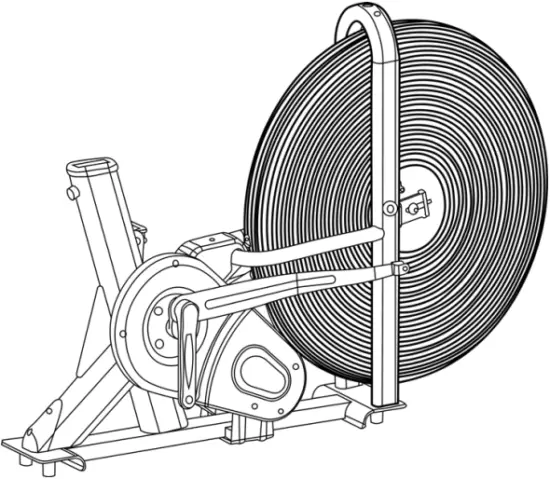
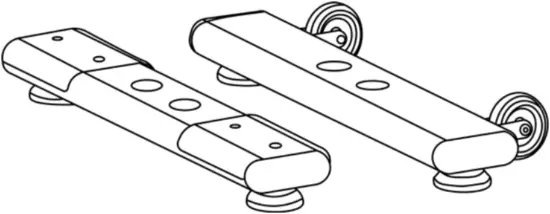
Exercise Bike Base Front and Rear Stabilizers
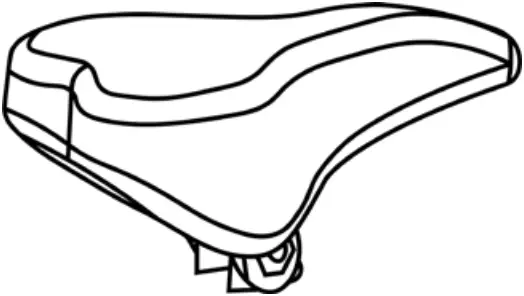
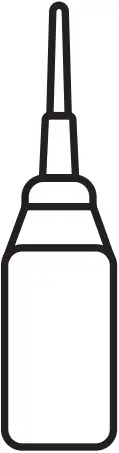
Saddle Oil Bottle x2
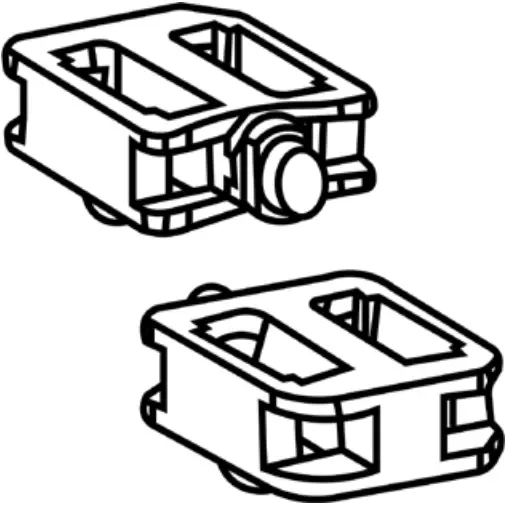
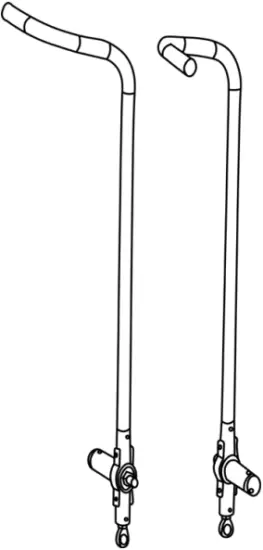
Pedals x2 Handlebars
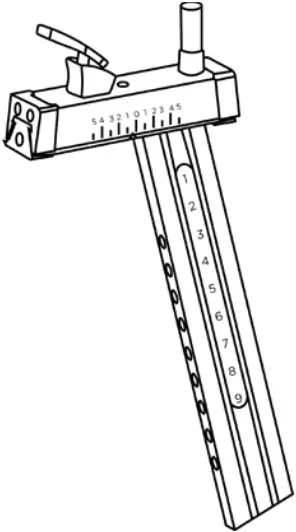
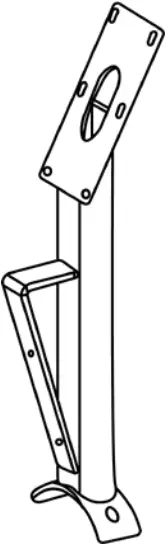
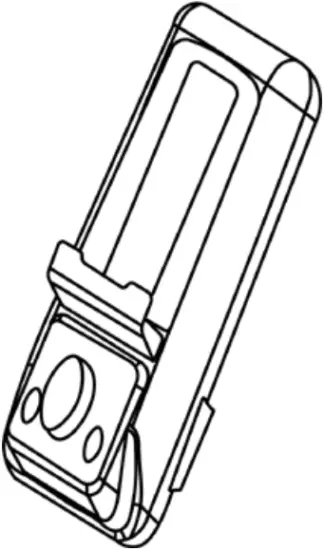
Seat Post Monitor Stand Monitor
Tools Pack² Manual
² TOOLS PACK
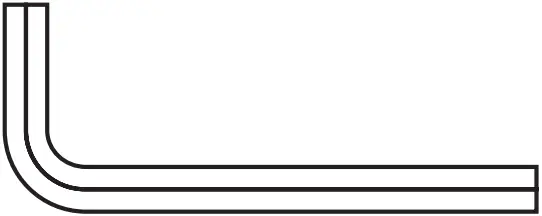
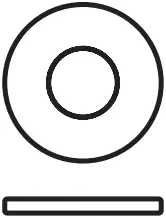
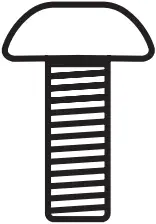
3mm Allen Key Flat Washer M10 Allen Head Bolt
x1 x4 x4
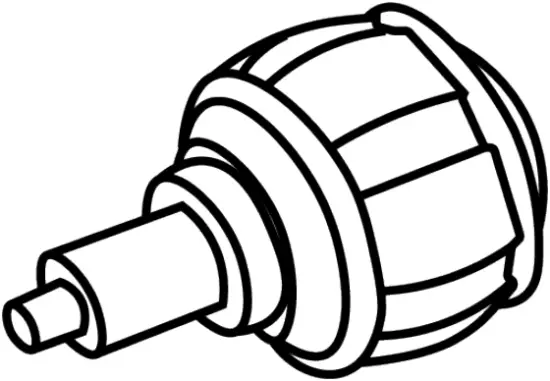
4mm Allen Key Spring Loaded Knob
x1 x1
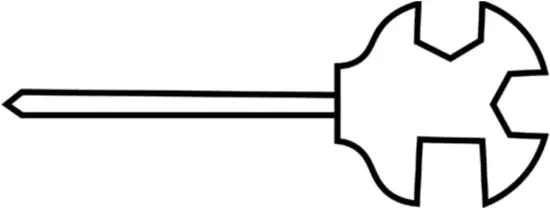
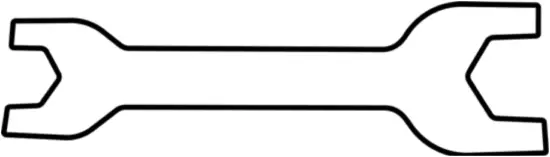
6mm Allen Key Multi-tool Wrench
x1 x1 x2
SONIC 1 ASSEMBLY
The bike has been assembled and tested at the factory, so you shouldn’t have any problems putting all the parts together. Components are designed to fit together, and only basic tools are required for the assembly process. Inside the box you will find a Tools Pack (Hex Allen Key, Multi-tool, Washers and Bolts). See previous page.
To assemble your JLL SONIC 1 please follow these easy steps:
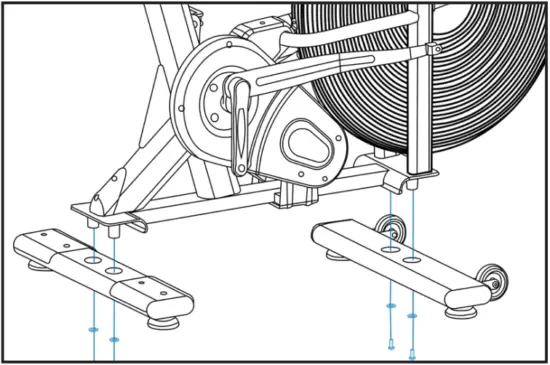
STEP 1
Attach the front and rear stabilizers to the main frame using 4 x flat washers and 2 x bolts (Bolt 1).
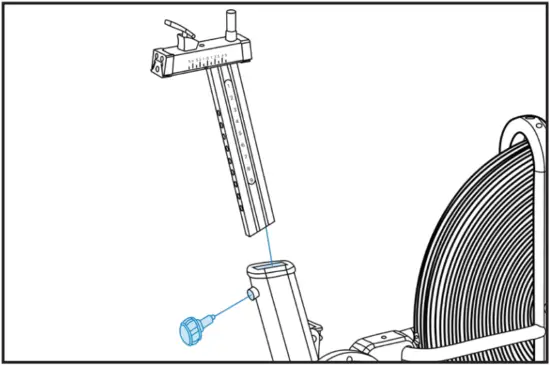
STEP 2
Slide the vertile seat post into the main frame and secure using the spring loaded knob.
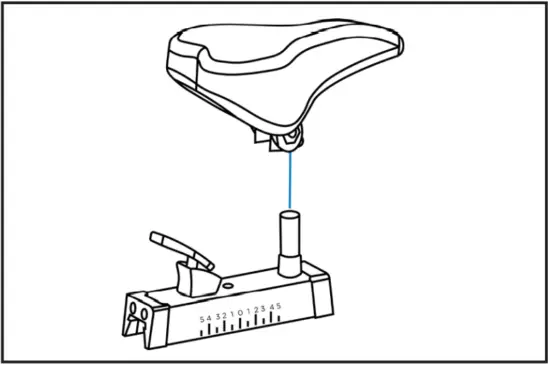
STEP 3
Fix the saddle to the seat post by placing it on top and tightening the bolts on either side.
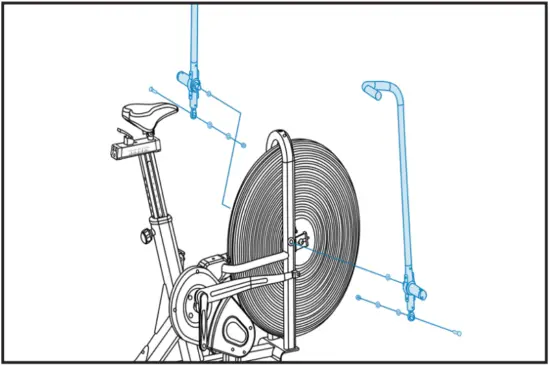
STEP 4
Attach the right and left handlebars to the main frame by lifting up the drive assembly, aligning the holes to the ball joint at the bottom of the handlebars. Insert 1 x hex bolt (Bolt 3), add 1 x spring washer and 1 x flat washer to the other side and secure with a hex nut.
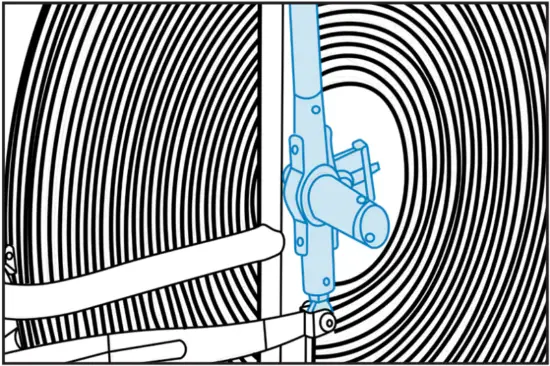
STEP 5
Screw the foot lever on either side towards the front of the bike to secure the handlebars.
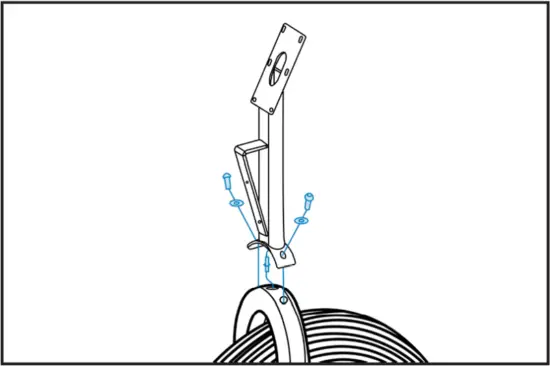
STEP 6
Clip together the connection wire from the main frame to the monitor stand. Then attach the monitor stand to frame using 2 x Allen head bolts and 2 x washers. NOTE: Make sure the pins within the wires are straight.
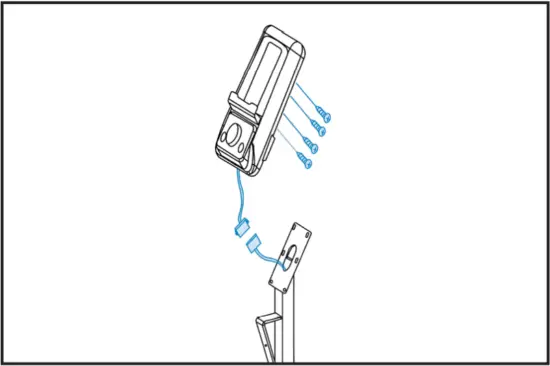
STEP 7
Clip together the connection wire from the monitor to the frame then, attach the monitor to the monitor stand using the four screws in the back of the monitor.
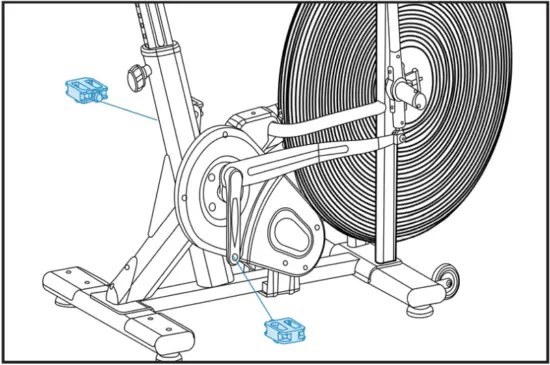
STEP 8
Connect the pedals to their appropriate cranks. The right pedal should be threaded clockwise and the left pedal anti-clockwise.
| WARNING: HEAVY EQUIPMENT |
|
MONITOR CONFIGURATION
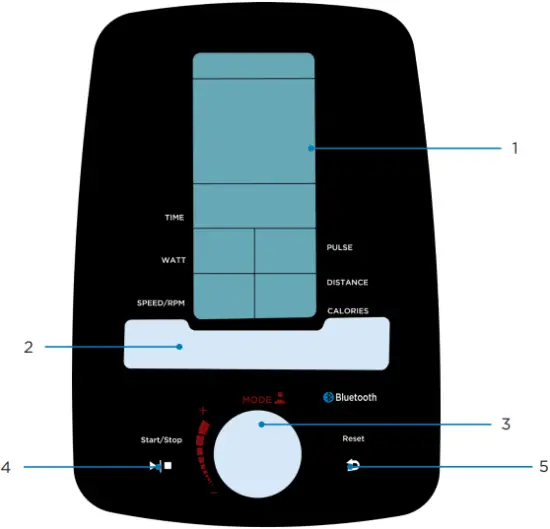
1 | LCD display | 4 | Start/Stop Button |
2 | Tablet Holder | 5 | Reset Button |
3 | Dial/Mode Button |
TESTING THE BIKE OPERATION
Use the following instructions to test the correct operation of the bike.
- Sit on the bike and begin to pedal, check to feel the difficulty of pedalling changing the faster you go.
- Whilst pedalling on the bike make sure there are no noise issues or wobbling coming from the bike.
SPECIFICATIONS
| Display | LCD Displays: Time, speed, distance, calories, RPM, Watt and scan mode. |
| Transport | Built-in wheels. |
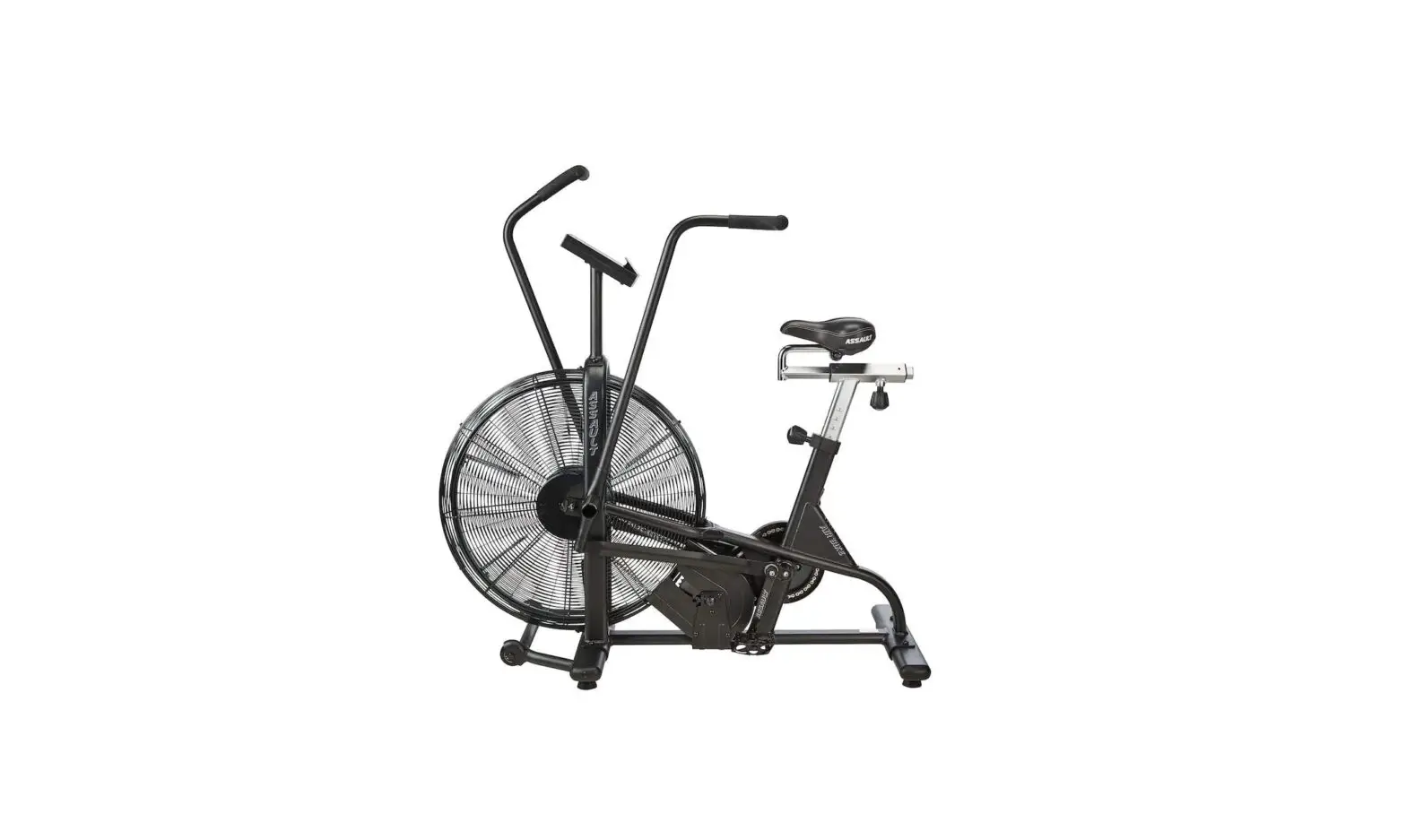
| Flywheel | Fan based flywheel |
| Resistance | Levels of resistance change with air flow. |
| Safety | Secure cage around the fan. |
| Working Temperature | 5° C – 40° C |
| Crank | 3 piece crank system on the pedals making it stronger and more reliable. |
| Seat | 9 levels of verticle adjustment, 5 levels of horizontal adjustment |
| Pedals | Fitted pedals |
| Handlebars | Long L shaped handlebars for comfort and power control |
| Maximum User Weight | 130kg, 20.4 St |
| Occupying Area | 139 cm (Length) x 67 cm (Width) x 124 cm (Height) |
| Packaging Dimensions | Box 1 – 132 cm (Length) x 27.5 cm (Width) x 89 cm (Height) Box 2 – 63 cm (Length) x 35 cm (Width) x 19.5 cm (Height) |
| Gross Weight | Box 1 – 49.5kg Box 2 – 11.5kg |
| Net Weight | Box 1 – 43kg Box 2 – 10.5kg |
3 Operation
Read all instructions, warnings and safety procedures located in the Safety chapter before using the bike.
DATA READOUTS
As you exercise, the bike keeps track of the following data:
- Time: The total time you have been working out. Display time as hours: minutes.
- Speed: Your current speed, displayed in miles per hour (mph).
- Distance: The total accumulated distance, in miles during your workout.
- Calories: The total accumulated calories burned during your workout.
- RPM: Displays the revolutions per minute.
- Watt: Displays the power consumption during your workout.
- Scan Mode: Displays each function continuously one after another.
Please Note: The pulse function on the monitor is only active when used in conjuction with a heart rate band / smart watch and is used whilst in the iConsole app.
(Heart rate band / smart watch are not provided)
SETUP
POWER ON
Insert the batteries into the back of the monitor, this will initiate the power along with a buzzer sound. All the LCD segments will be shown then you will be able to go to the user setting mode. After 4 minutes of no activity the monitor will power off.
USER DATA SETTINGS
Use the silver dial to select a user group from 1-4, press the dial to select. From then on you can set the gender, age, height (in) and weight (kg).
WORKOUT MODE SELECTION
After entering the data settings use the dial to select the workout mode. You can target time, distance, calories, heart rate, watt and watt program. Press the start/stop button to begin the workout.
WATT PROGRAM
Use the dial to select: Beginner, Advance or Sporty
Next set the duration of your workout, when you begin all the other settings will display accordingly. The graphic will also show both you and a coach going head to head in a race simulation.
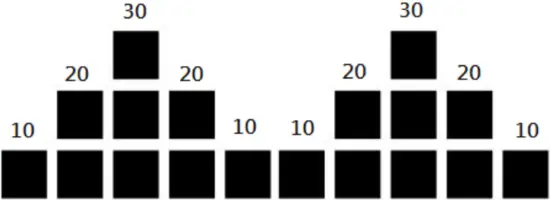
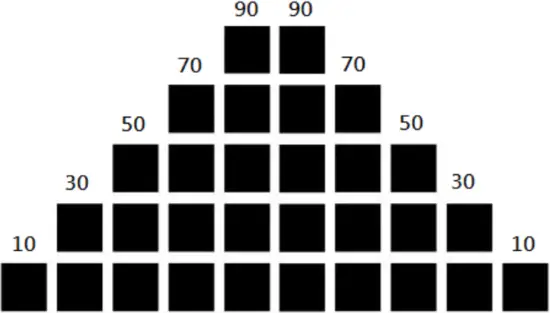
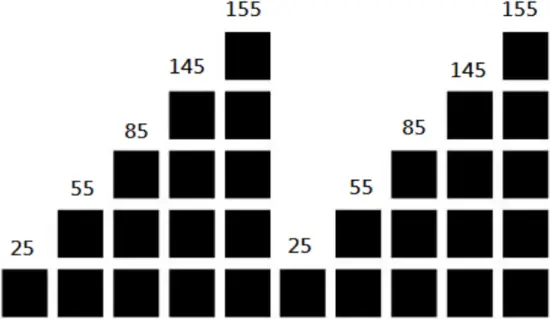
Beginner Advance Sporty
BLUETOOTH FUNCTION
This monitor is equipped with Bluetooth which is designed to connect to the iConsole app which can be downloaded from the app store or google play on your device. Bluetooth also allows you to connect to a heart rate band or smart watch should you have one.
 ICONSOLE APP
This monitor is equipped with Bluetooth which is designed to connect to the iConsole app. Once connected the monitor will power off and all readings will be displayed within the app.


ICONSOLE APP INSTRUCTIONS
4 Maintenance
Maintenance must be performed on a regular basis. Performing maintenance actions can aid in providing safe and trouble-free operation of all JLL® equipment.
JLL® are not responsible for performing regular inspection and maintenance actions for your machine. JLL® representatives are available to answer any questions that you may have on +44 (0)800 6123 988.
PREVENTIVE MAINTENANCE ACTIVITIES
Every JLL® bike that comes from the factory is already maintained, however, you just need to follow simple steps to maintain it. Keeping the bike in a clean state will help to prolong its life. Perform regular preventive maintenance to ensure normal operation of the unit. Keep a log of all maintenance actions to assist in staying current with all preventive maintenance activities. JLL® is not responsible for performing regular inspection or maintenance.
Read all instructions and warnings listed both in this chapter and in the Safety chapter. Contact JLL® Customer Service on +44 (0)800 6123 988 for any maintenance or service concerns.
Requirements:
- Water
- Dry cloth
- Vacuum
| WARNING |
|
Depending on where the bike is placed, you may experience dry air, causing a common experience of static electricity. You can notice that by walking across a carpet and then touching a metal object. On your bike you may experience a shock due to the build-up of static electricity on your body and the discharge path of the bike. If you experience this type of situation, you may want to increase the humidity to a comfortable level through the use of a humidifier.
Check your machine regularly for rust. If rust starts to appear on the screws it means the item is not housed in the correct environment and will need to be moved to a more suitable room. Any rust will indicate there may be moisture in the air and as a result this could impact on the integrity and performance of your machine.
| WARNING |
|
EXERCISE BIKE CLEANING
Keep the pedals free of dust and debris for smooth running and preventing injuries. Dust/debris may cause damage to the chain and other moving parts.
After every workout use a neat, dry cloth for cleaning the bike and the handlebars to prevent the item of corrosion. Wipe away any sweat that may have dripped onto the bike. Avoid scratching the display by using a soft cloth.
Vacuum or sweep the floor underneath and around the bike. A treadmill mat can help to reduce dust.
For further cleaning, use a soft cloth or paper towel dampened with water. Do not use abrasive or chemical cleaning agents.
EXERCISE BIKE BALANCE
Place the bike on a level floor to avoid it being off-balance. If that is not possible, level the bike by adjusting the rubber feet located underneath the stabilizers.
Check if the bike is balanced:
- Stand in front of the unit with your hands on the handlebars.
- Gently rock the bike from side to side checking for any movement.
| WARNING: EQUIPMENT HAZARD |
To avoid serious injury or death:
|
5 Additional Information
CONTACT INFORMATION
In case any issues arise, please do not hesitate to contact our Customer Service team on +44 (0)800 6123 988 or email us at [email protected]
You can also visit our support centre at SUPPORT.JLLFITNESS.CO.UK for maintenance and assembly articles & videos.
DISCLAIMER
- You should consult your physician, doctor or other health care professional before starting or taking part in any of our workout guides. It is your responsibility to evaluate your own health before taking part or performing any physical activity you may see associated with JLL Fitness Ltd.
- Always seek professional advice before changing your diet or starting any exercise program.
- JLL Fitness Ltd is not liable for any injuries or damages that may occur when assembling or using this exercise bike.
- By reading this you assume full responsibility for any injuries or changes to your physical well-being. You waive all rights and release JLL Fitness Ltd of blame from any injuries or damages to property that may occur whilst following our advice.
- This manual offers specific instructions on how to assemble and maintain your bike. Failure to follow these directions may result in your warranty being void.
Follow us on Facebook and Twitter @JLLFitness
© JLL Fitness Ltd . All Rights Reserved.
 Support Centre | JLL Fitness