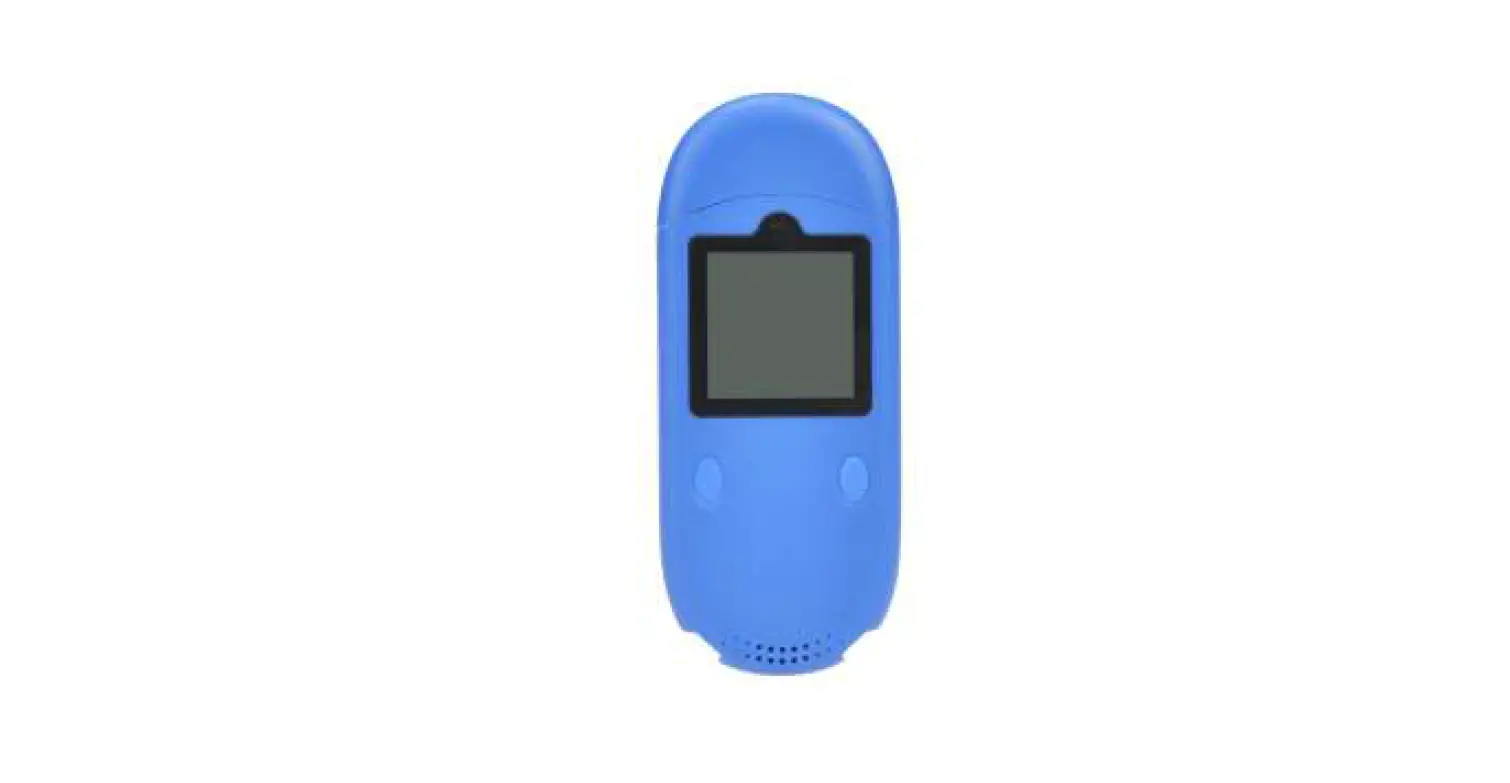

eeLink DB01 Temperature Humidity Beacon for Cold Chain Monitoring Device
Welcome to use our device,please read this manual carefully to install and operate device exactly. This user manual is for reference only. If some contents and operation steps are inconsistent with those for the actual product, the latter will prevail.
DB01 is a Bluetooth beacon data system with a temperature & humidity sensor, It can record data locally or transmit data to the host or cellphone through Bluetooth broadcast, and then upload the data to the server by the host or cellphone, It plays a significant role in logistics and cold chain, helping customers to achieve transparent management, reduce costs, ensure safety, and improve efficiency.
Product Features
- Built-in temperature/humidity sensor
- Built-in light sensor
- Built-in acceleration sensor
- Support temperature and humidity alarm, light alarm, vibration alarm, tilt alarm, low battery alarm
- Bluetooth 5.0 broadcast, meanwhile data saved locally
- Bluetooth connection to mobile phone, send data to APP in the phone
- Connect to a Bluetooth host and send data to the server
- Export CSV data files locally via USB
- Replaceable button battery
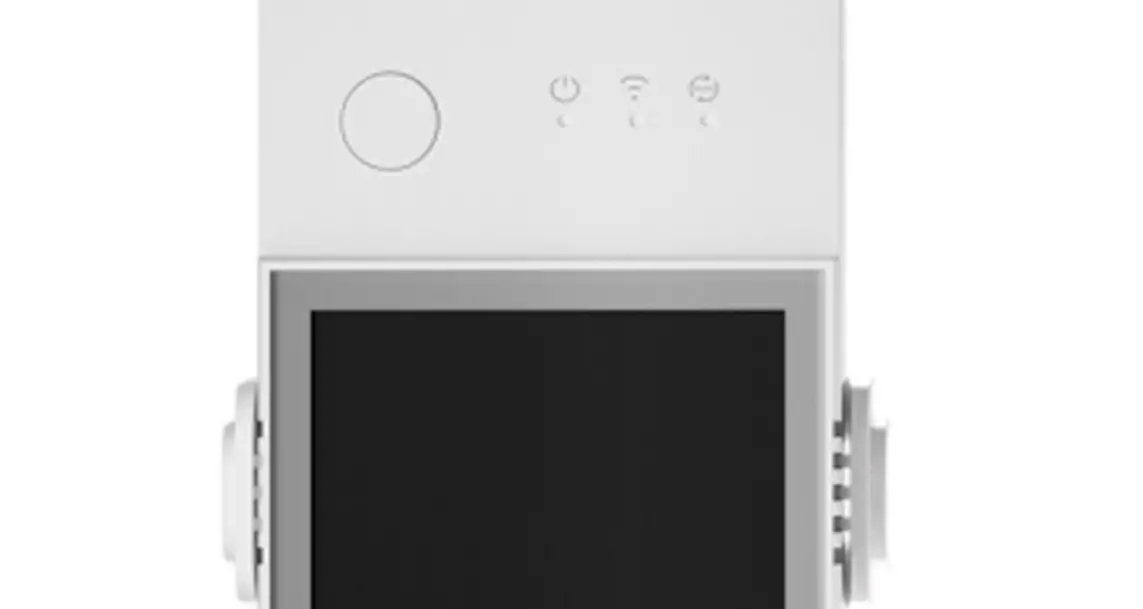
- 120*120px LCD screen, you can view related data
- Waterproof performance grade IP65
- EELINK Beacon Protocol, compatible with Eddystone
Basic Specifications
| Battery Voltage | 3 VDC |
| Battery Capacity | 600mAh |
| Dimensions (mm) | 101(L)X 42(W) X 11.5(H) |
| LCD size (mm) | 24.58 X 24.58 |
| LCD Resolution | 120*120px |
| Bluetooth | BLE5.0 |
| Temperature Arrange | -20℃~60℃ |
| Temperature Accuracy | ± 0.2 ℃ |
| Humidity Arrange | 0%~100% RH |
| Humidity Accuracy | ±2% RH |
| Local Storage Capacity | 54000 sets of data |
| Weight | 42 g |
Components and Accessories
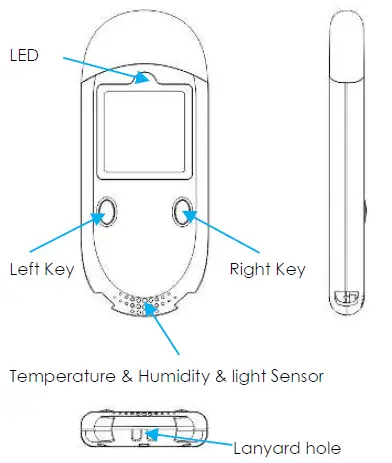
Components
Accessories
- CR2450 Button
- Battery cover opener
- Lanyard
Battery Installation
Open the box and check if model is correct and accessories are complete, otherwise contact your dealer.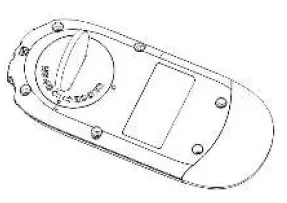
Twist battery cover towards OPEN with the opener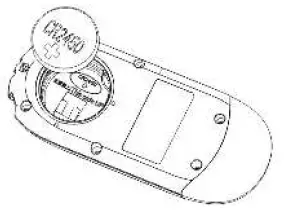
Put in the battery as shown, close the battery cover and tighten it
If you don’t use the device for a long time, please remove the battery.
- Left Button: Turn page / Start recording /
- Mark Right Button: Return / Stop recording
- Left Button+ Right Button: Turn on/off BLE
| Operation | Not in Recording | In Recording | ||
| Short Press | Long Press | Short Press | Long Press | |
| Left Button | Next Page | Start Record | Next Page | Data Mark |
| Right Button | Return Main Menu | View the QR Code | Return Main Menu | Stop Recording |
Main Interface
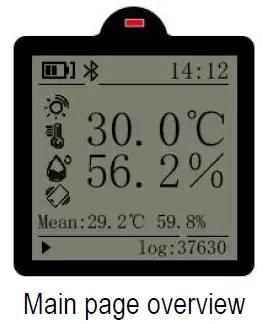
- Current temperature and humidity In the middle of screen.
- The remaining battery capacity at the top left.
- At top left is Open or Close Bluetooth / Bluetooth broadcasting / Bluetooth connection
- The vertical alarm icon on the left only display when an alarm is generated.
- Mean is the average Temperature & Humidity.
- The bottom left icon is the recording status which will only be displayed if it is recording.
- The Log at the bottom right is the current number of records, which will be stored circularly when it is full.

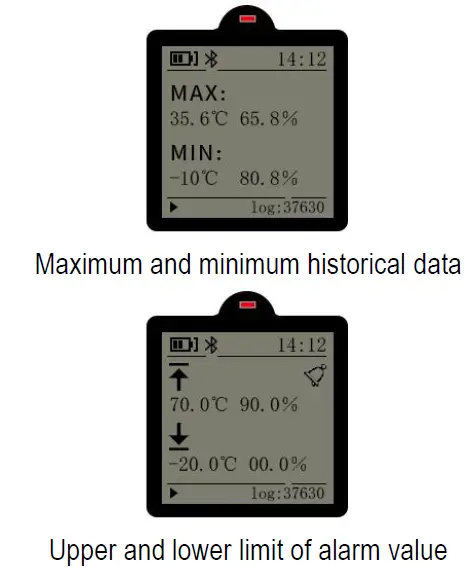
Icon meaning
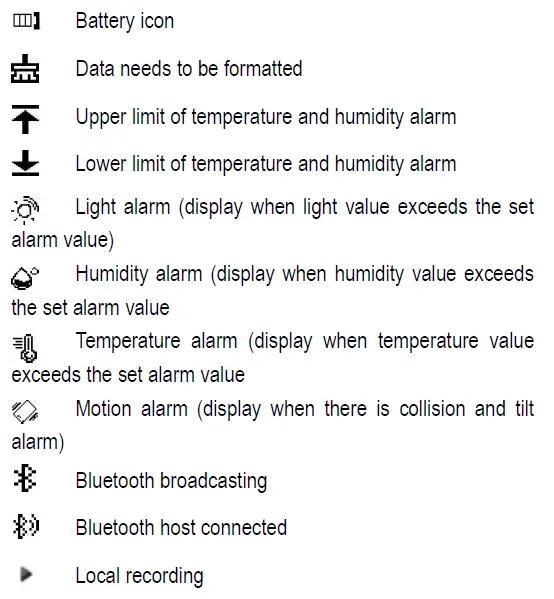
Note:
- When abnormal data is detected, the data needs to be cleared through APP to keep recording normally. At this time, the data needs to be formatted icon will appear.
- The alarm value of light sensor, humidity and temperature can be set in APP.
- When starting to record data, the local recording icon appears.
LED Indicator
When an alarm is triggered, the red LED indicator flashes every second.
In recording status, when use DATA MARK function(long press left button in recording), the red LED flashes once.
APP & WEB
The device can be connected to a mobile phone via Bluetooth. In Keelin-Beacon APP, you can configure various parameters of the device. Historical data can be queried both on web (Beacon Cloud) and APP(Keelin-Beacon).
Parameters Configuration
- Basic parameters: Collection Interval; Storage Interval; Bluetooth broadcasting interval.
- Alarm setting: collision alarm, tilt alarm, light alarm. Up and Low limits value of Alarm: temperature, humidity, light, collision and tilt alarms.
- Password setting: add/modify/remove password.
- Time setting: time synchronization, time zone setting. Name setting: Bluetooth name ( can be numbers, letters, symbols, no more than 8 bytes), it will take effect after modification and restart.
- Other settings: Clear records, OTA, URL broadcast settings, turn on/off Bluetooth, whether to allow keys to stop recording, UID, etc.
Historical Data
The historical data is displayed in form of curves, the PDF/CSV historical files can be exported, and the alarm information will be reminded with red words and charts.
Warranty Rules
Special Statement
- Technology change without notice.
- If the color and appearance are inconsistent with those for the actual product, the latter will prevail.
- Warranty card is only valid for devices with the following IMEI.
- Please take care of the warranty card and show it with the original purchase receipts when enjoying the warranty service.
Warranty Period
Since the date of purchase, passive waste host has one year warranty.
After Sales
Any of the following circumstances not covered by the warranty, but may be appropriate to pay repair:
- More than the warranty period.
- Unauthorized removal or repair damaged.
- Damage caused by improper installation, use, maintenance, custody.
- IMEI label is torn or Obscure.
- Warranty certificate and product models do not match or warranty certificate be altered.
- Damage caused by force majeure.