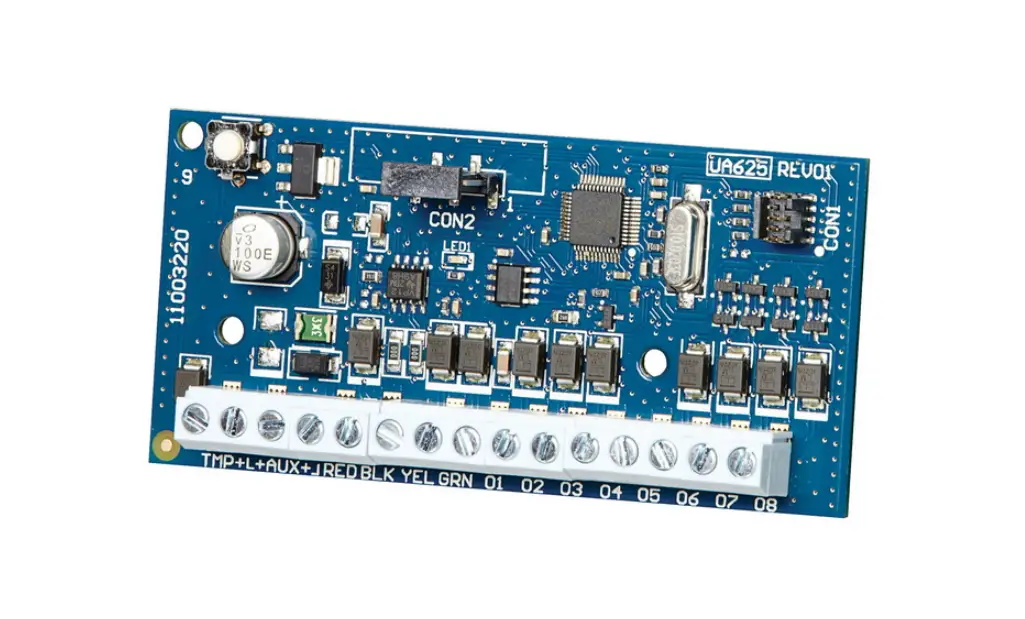
PRT-PX8-DIN Protege DIN Rail 8 Output Expander
PRT-PX8-DIN Protege DIN Rail 8 Output Expander
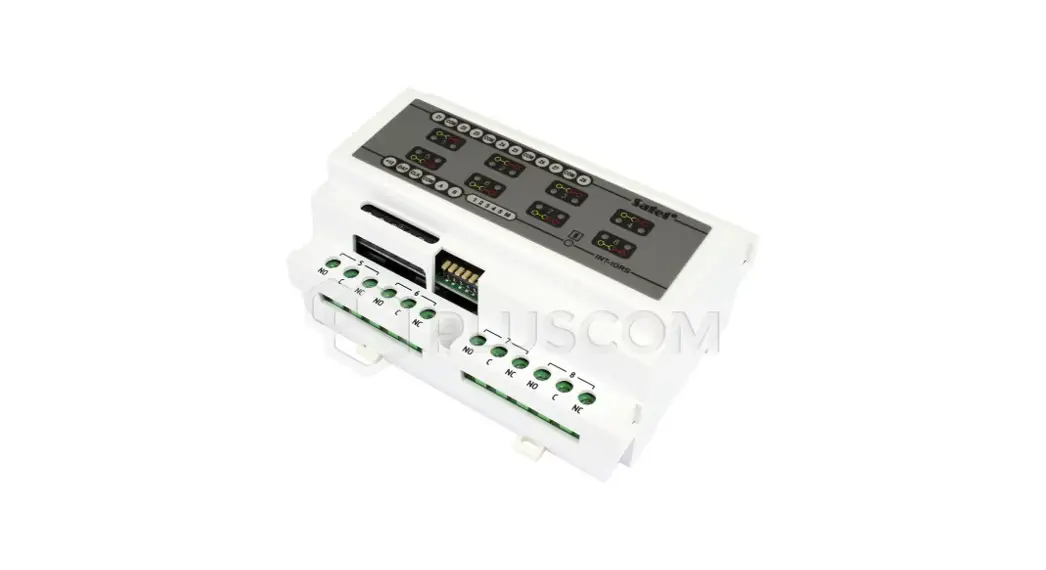
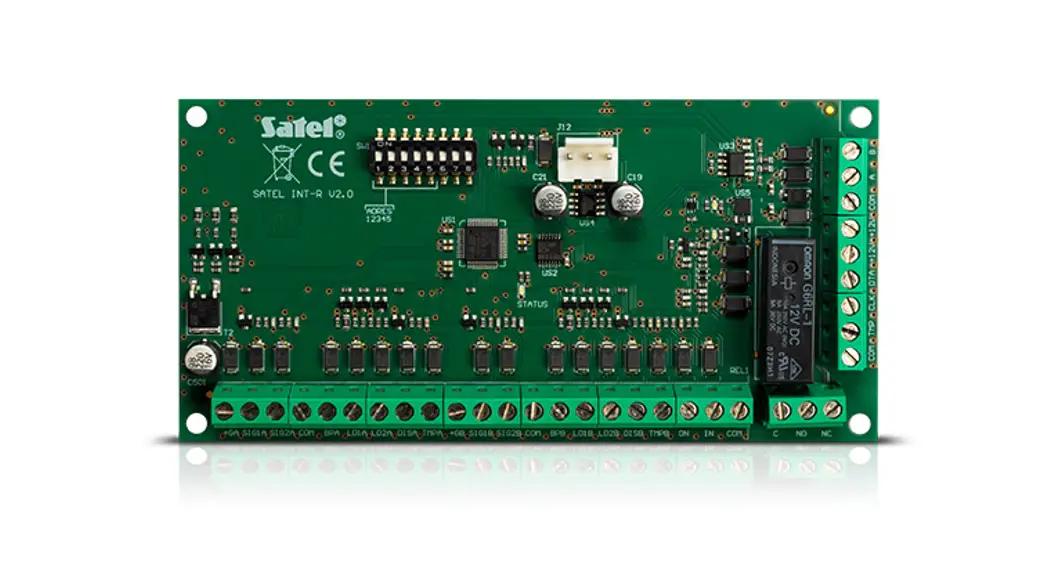
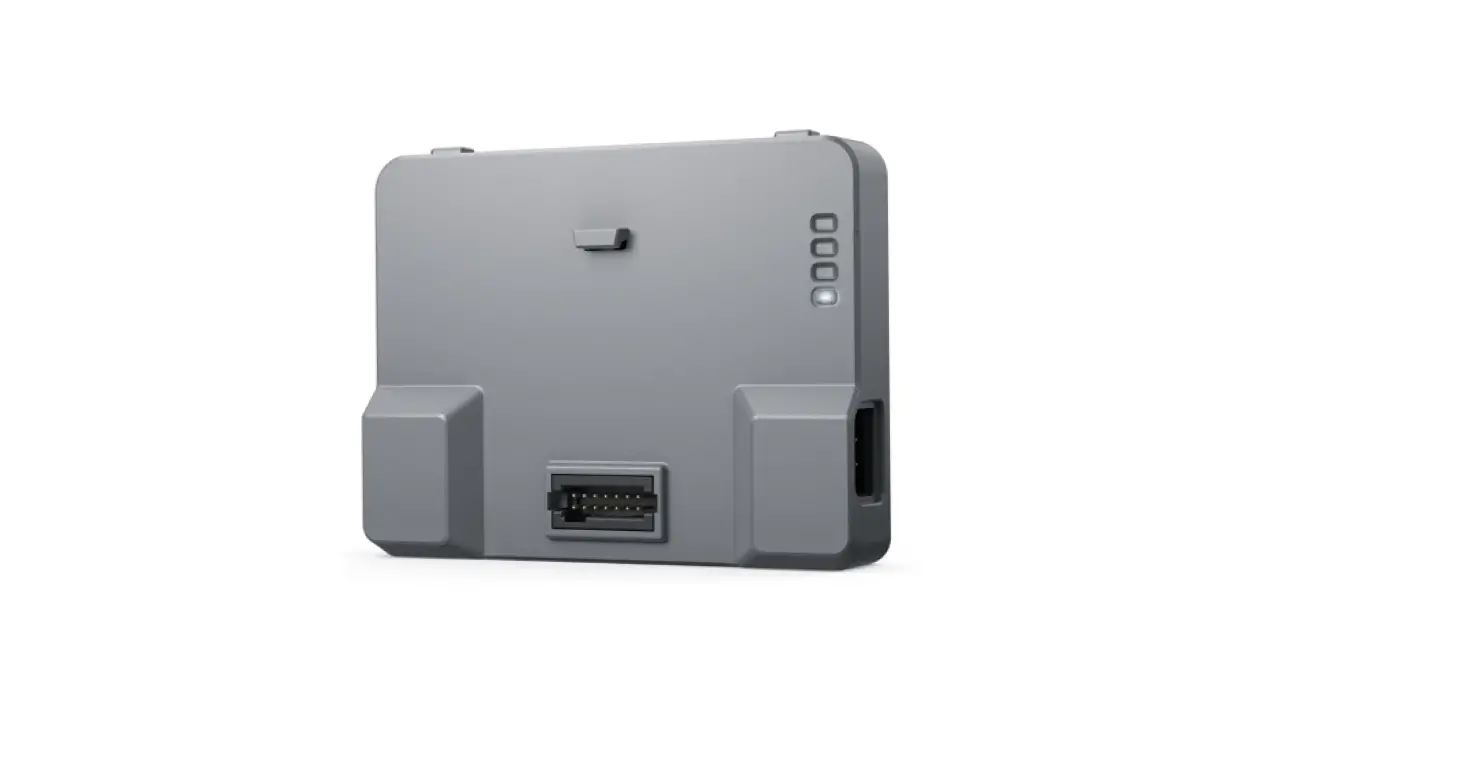
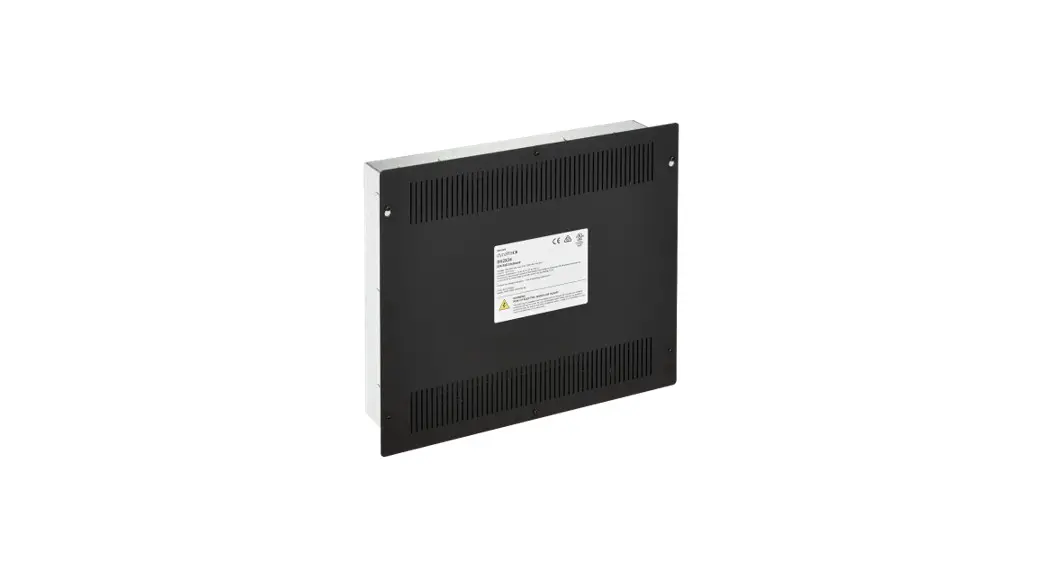
The PRT-PX8-DIN Protege DIN Rail 8 Output Expander is a device
that provides secure encrypted RS-485 module communications with 8
outputs. It is designed for industry standard DIN rail mounting and
supports online and remote upgradable firmware.
Installation Requirements
The device must be installed in accordance with the product
installation instructions, UL 681 – Installation and Classification
of Burglar and Holdup Systems, UL 827 – Central-Station Alarm
Services, CAN/ULC-S301, Central and Monitoring Station Burglar
Alarm Systems, CAN/ULC-S302, Installation and Classification of
Burglar Alarm Systems for Financial and Commercial Premises, Safes
and Vaults, CAN/ULC-S561, Installation and Services for Fire Signal
Receiving Centres and Systems, The National Electrical Code,
ANSI/NFPA 70, The Canadian Electrical Code, Part I, CSA C22.1,
AS/NZS 2201.1 Intruder Alarm Systems, and the Local Authority
Having Jurisdiction (AHJ).
Grounding Requirements
The device must be effectively grounded to prevent elevated
voltages which may result in undue hazard to connected equipment or
persons. Grounding is done for three basic reasons: safety,
component protection, and noise reduction. Safety grounding ensures
that all metalwork is at the same ground potential. The impedance
between the Protege system and the building scheme ground must
conform to the requirements of national and local industrial safety
regulations or electrical codes. The integrity of all ground
connections should be checked periodically. General safety dictates
that all metal parts are connected to earth with separate copper
wire or wires of the appropriate gauge.
Mounting
The device is designed for industry standard DIN rail mounting.
Follow the instructions in the product installation manual to mount
the device securely.
Wiring Diagram
Refer to the wiring diagram in the product installation manual
to connect the device to DC power, encrypted module network, and
outputs.
Address Configuration
Refer to the address configuration section in the product
installation manual to set the device address.
LED Indicators
The device has multiple LED indicators for status, fault, power,
and output. Refer to the LED indicator section in the product
installation manual to interpret the indications.
Error Code Indication
The device has an error code indication feature. Refer to the
error code indication section in the product installation manual to
interpret the error codes.
PRT-PX8-DIN
Protege DIN Rail 8 Output Expander Installation Manual
The specifications and descriptions of products and services contained in this document were correct at the time of printing. Integrated Control Technology Limited reserves the right to change specifications or withdraw products without notice. No part of this document may be reproduced, photocopied, or transmitted in any form or by any means (electronic or mechanical), for any purpose, without the express written permission of Integrated Control Technology Limited. Designed and manufactured by Integrated Control Technology Limited, Protege® and the Protege® Logo are registered trademarks of Integrated Control Technology Limited. All other brand or product names are trademarks or registered trademarks of their respective holders.
Copyright © Integrated Control Technology Limited 2003-2022. All rights reserved.
Last Published: 16-Jun-22 12:14 PM
PRT-PX8-DIN | Protege DIN Rail 8 Output Expander | Installation Manual
2
Contents
Introduction
5
Installation Requirements
6
Grounding Requirements
7
Safety Grounding
7
Earth Ground Connection
7
Mounting
9
Removal
9
Wiring Diagram
10
DC Power & Encrypted Module Network
11
Outputs
12
Outputs 1 to 8
12
Trouble Inputs
13
Address Configuration
14
LED Indicators
15
Status Indicator
15
Fault Indicator
15
Power Indicator
15
Output Indicators
15
Error Code Indication
16
Error Code Display
16
Mechanical Diagram
17
Mechanical Layout
18
Technical Specifications
19
New Zealand and Australia
20
European Standards
21
UK Conformity Assessment Mark
23
UL and ULC Installation Requirements
24
UL/ULC Installation Cabinet Options
24
ULC Compliance Requirements
24
CAN/ULC-S304
24
CAN/ULC-S319
27
CAN/ULC-S559
28
UL Compliance Requirements
33
UL1610
33
PRT-PX8-DIN | Protege DIN Rail 8 Output Expander | Installation Manual
3
UL294
34
FCC Compliance Statements
36
Industry Canada Statement
37
Disclaimer and Warranty
38
PRT-PX8-DIN | Protege DIN Rail 8 Output Expander | Installation Manual
4
Introduction
The Protege DIN Rail 8 Output Expander extends the number of outputs on the system by 8, featuring high current Form C relays for controlled automation of building systems including lighting and HVAC. Flexible module network architecture allows large numbers of modules to be connected to the RS-485 module network. Up to 250 modules can be connected to the Protege system in any combination to the network, over a distance of up to 900M (3000ft). Further span can be achieved with the use of a network repeater module. The current features of the output expander include:
Secure encrypted RS-485 module communications 8 outputs Industry standard DIN rail mounting Online and remote upgradable firmware
PRT-PX8-DIN | Protege DIN Rail 8 Output Expander | Installation Manual
5
Installation Requirements
This equipment is to be installed in accordance with:
The product installation instructions UL 681 – Installation and Classification of Burglar and Holdup Systems UL 827 – Central-Station Alarm Services CAN/ULC-S301, Central and Monitoring Station Burglar Alarm Systems CAN/ULC-S302, Installation and Classification of Burglar Alarm Systems for Financial and Commercial
Premises, Safes and Vaults CAN/ULC-S561, Installation and Services for Fire Signal Receiving Centres and Systems The National Electrical Code, ANSI/NFPA 70 The Canadian Electrical Code, Part I, CSA C22.1 AS/NZS 2201.1 Intruder Alarm Systems The Local Authority Having Jurisdiction (AHJ)
PRT-PX8-DIN | Protege DIN Rail 8 Output Expander | Installation Manual
6
Grounding Requirements
An effectively grounded product is one that is intentionally connected to earth ground through a ground connection or connections of sufficiently low impedance and having sufficient current-carrying capacity to prevent elevated voltages which may result in undue hazard to connected equipment or to persons.
Grounding of the Protege system is done for three basic reasons:
1. Safety
2. Component protection
3. Noise reduction
Safety Grounding
The object of safety grounding is to ensure that all metalwork is at the same ground (or earth) potential. Impedance between the Protege system and the building scheme ground must conform to the requirements of national and local industrial safety regulations or electrical codes. These will vary based on country, type of distribution system and other factors. The integrity of all ground connections should be checked periodically.
General safety dictates that all metal parts are connected to earth with separate copper wire or wires of the appropriate gauge.
Earth Ground Connection
The DIN rail enclosure and the DIN rail modules must be grounded to a suitable single-point earth ground connection in the installation. A minimum 14AWG solid copper wire (or thicker, in accordance with local authorities) shall be used from the Protege system’s earth connection points.
The DIN rail enclosure includes an earth ground single-point link connection via the metallic enclosure. This singlepoint link is the Protege system’s earth ground. All modules that have earth ground connections and that are installed in the same enclosure shall be connected to this single point. A single-point earth ground connection avoids the creation of ground loops in the system and provides a single reference point to earth ground.
DIN Rail Ground Connections (one or more cabinets installed in the same room)
Module Network (RS-485 N+, N-, NA, NB)
DIN Rail Enclosure
Additional DIN Rail Enclosure(s)
Controller
Dialer’s Earth Ground Connection
Power Supply
V-
AC Mains Wiring
Earth Ground Link Connection
Reader Expander Input Expander Output Expander
PRT-PX8-DIN | Protege DIN Rail 8 Output Expander | Installation Manual
7
DIN Rail Ground Connections (multiple cabinets in different rooms, sectors, or buildings)
Module Network (RS-485 N+, N-, NA and NB)
DIN Rail Enclosure
Controller
Dialer’s Earth Ground Connection
Power Supply V-
DIN Rail Enclosure Reader Expander Input Expander Output Expander
DIN Rail Enclosure Input Expander Input Expander Input Expander
Earth Ground Link Connection
Sector or Building #1
Sector or Building #2
Sector or Building #3
The Dialer’s Earth Ground Connection applies to modem model controllers only. Note that the DIN rail enclosure earth terminal is connected to the power supply V- terminal. There must be only one single earth grounding point per system.
PRT-PX8-DIN | Protege DIN Rail 8 Output Expander | Installation Manual
8
Mounting
Protege DIN rail modules are designed to mount on standard DIN rail either in dedicated DIN cabinets or on generic DIN rail mounting strip. When installing a DIN rail module, ensure that there is adequate clearance around all sides of the device and that air flow to the vents of the unit is not restricted. It is recommended that you install the module in a location that will facilitate easy access for wiring. It is also recommended that the module is installed in an electrical room, communication equipment room, secure cabinet, or in an accessible area of the ceiling.
1. Position the DIN rail module with the labeling in the correct orientation. 2. Hook the mounting tabs (opposite the tab clip) under the edge of the DIN rail. 3. Push the DIN rail module against the mount until the tab clips over the rail.
Removal
A Protege DIN rail module can be removed from the DIN rail mount using the following steps:
1. Insert a flat blade screwdriver into the hole in the module tab clip. 2. Lever the tab outwards and rotate the unit off the DIN rail mount.
PRT-PX8-DIN | Protege DIN Rail 8 Output Expander | Installation Manual
9
Wiring Diagram
NC C NO NC C NO V- V+
RELAY 8
RELAY 7
12VDC OUT
NC C NO NC C NO V- V+
RELAY 6
RELAY 5
12VDC OUT
Output Expander
12VDC IN RS485 NETWORK
N+ N- NA NB
12VDC OUT
RELAY 1
RELAY 2
V+ V- NO C NC NO C NC
12VDC OUT
RELAY 3
RELAY 4
V+ V- NO C NC NO C NC
N+ N- NA NB
System controller or module supplying power to networked devices
White Blue Black Red
N+ N- NA NB
–
Power Supply
+ +
–
Power Supply
1k
–
+ + –
Electric Locking Device
Next modules on network
8 Ohm 30W Siren or 1.1A (Typical)
CAUTION: INCORRECT WIRING MAY RESULT IN DAMAGE TO THE UNIT
Wiring
AUX WIRING: Min 22AWG Max 16AWG. (Depends on length and current consumption). For wire/cable size, a maximum of 5% voltage drop at the terminals of the powered device has to be observed. MODULE NETWORK WIRING: Recommended Belden 9842 or equivalent. 24AWG twisted pair with characteristic impedance of 120ohm or CAT5e / CAT6 are also supported for data transmission when using ground in the same cable. Max 900m (3000ft).
Do not use extra wires to power devices.
Outputs 1-8
The 8 outputs each have a Form C relay. These outputs can be used to activate bell sirens, lighting circuits, door locks, relay accessory products and other automation points.
0V +12V AUX
LED 1k5 OHM
V+ V- NO C NC NO C NC
Address Configuration
The module address is configured via programming and will require reference to the module serial number. The serial number can be found on the identification sticker on the side of the module. Please refer to the system controller configuration guide for address programming details.
LED Power
Status
Description
Green
Correct module input voltage applied.
Off
Incorrect module input voltage applied.
Slow green flashing Module successfully registered with controller.
Fast green flashing Module attempting registration with controller.
Single red flash
Module communication activity.
Slow red flashing Module is in boot mode awaiting firmware update.
Red
Module is in error state.
Error code is displayed by flashing the red Status Indicator ON and OFF rapidly with a delay of 1.5 seconds between each cycle.
Number of Flashes
Error Description
1
Unknown Error Code
Fault
2
Firmware Version
3
Address Too High
4
Address in Use
5
Controller Secured
6
Serial Number Fault
7
Locked Device
For further details, refer to the Error Code Display section in the installation manual.
Off Output 1-8
Red
Output is OFF. Output is ON.
PRT-PX8-DIN | Protege DIN Rail 8 Output Expander | Installation Manual
10
DC Power & Encrypted Module Network
The expander incorporates encrypted RS-485 communications technology, and both module and network power are supplied by the N+ and N- terminals.
N+ NNA NB
Network communications input from the Controller or previous module
Connection of the communications and DC supply should be performed according to the diagram shown above. It is important that the N+ network communications power be 12VDC supplied from an independent battery backed power supply unit capable of supplying the required voltage to all devices on the RS-485 network.
Warning:
The 12V N+ and N- communication input must be supplied from only one point. Connections from more than one 12V supply may cause failure or damage to the unit or the device supplying network power.
The 330 ohm EOL (End of Line) resistor provided in the accessory bag must be inserted between the NA and NB terminals of the first and last modules on the RS-485 network. These are the modules physically located at the ends of the RS-485 network cabling.
End of Line Resistors:
First Module on RS-485 Network
N+ N- NA NB
Last Module on RS-485 Network
N+ N- NA NB
330R
To Next Module
From Previous Module
330R
PRT-PX8-DIN | Protege DIN Rail 8 Output Expander | Installation Manual
11
Outputs
The output expander has 8 programmable outputs. These outputs are used to activate bell sirens, lighting circuits, door locks, relay accessory products and other automation points.
Outputs 1 to 8
The 8 outputs each have a Form C output relay. The connection example below shows the control of an external LED indicator.
0V +12VAUX
LED
1K5 OHM
Warning: Switching inductive loads that can produce high back EMF voltages or large voltage-induced spikes can cause the module to behave unexpectedly and should be avoided. A suitable isolation circuit must be installed between the relay contacts of the module and the inductive load.
NO C NC
RELAY
PRT-PX8-DIN | Protege DIN Rail 8 Output Expander | Installation Manual
12
Trouble Inputs
Each output expander can monitor up to 8 trouble inputs.
Trouble inputs are used to monitor the module status and in most cases are not physically connected to an external input.
The following table details the trouble inputs that are configured in the system and the trouble type and group that they activate.
Input Number PXxxx:01-07 PXxxx:08
Description Reserved Module Offline
Type None Module Offline
Group None System
Replace ‘xxx’ with the appropriate address of the module that you are programming.
PRT-PX8-DIN | Protege DIN Rail 8 Output Expander | Installation Manual
13
Address Configuration
The module address is configured via programming and will require knowledge of the module serial number. The serial number can be found on the identification sticker on the product. Refer to the Protege system controller installation manual for address programming details.
The controller has a set limit on the number of modules of each type that it can support. When adding and configuring modules always refer to the Maximum Module Addresses table in the controller installation manual.
PRT-PX8-DIN | Protege DIN Rail 8 Output Expander | Installation Manual
14
LED Indicators
Protege DIN rail modules feature comprehensive diagnostic indicators that can aid the installer in diagnosing faults and conditions. In some cases an indicator may have multiple meanings depending on the status indicator display at the time.
Status Indicator
The status indicator displays the module status.
State Fast flash (green) Slow flash (green) Flashing (red)
Description Module attempting registration with controller Module successfully registered with controller Module communications activity
When the fault and status indicators are flashing alternately, the module is in identification mode, enabling the installer to easily identify the module in question. Upon either a module update or the identification time period expiring, the module will return to normal operation.
Fault Indicator
The fault indicator is lit any time the module is operating in non-standard mode. If the fault indicator is flashing, the module requires a firmware update or is in firmware update mode. When the fault indicator is on, the status indicator will flash an error code.
State Continuous slow flash (red)
Description Module is in boot mode awaiting firmware update
Constantly on (red)
Module is in error state and will flash an error code with the status indicator
Power Indicator
The power indicator is lit whenever the correct module input voltage is applied across the N+ and N- terminals.
State Constantly on (green) Constantly off
Description Correct module input voltage applied Incorrect module input voltage applied
Output Indicators
The output indicators will show the status of the outputs. State Constantly on (red) Constantly off
Description Output is ON Output is OFF
PRT-PX8-DIN | Protege DIN Rail 8 Output Expander | Installation Manual
15
Error Code Indication
When the module attempts to register or communicate with the system controller a registration error can be generated indicating that it was not successful.
Error Code Display
The following table is only valid if the fault indicator is constantly on and the status indicator is flashing red.
If the fault indicator is flashing the module requires a firmware update or is currently in firmware update mode.
The status indicator will flash red with the error code number. The error code number is shown with a 250ms on and off period (duty cycle) with a delay of 1.5 seconds between each display cycle.
Flash 1 2
3
4
5 6 7
Error Description
Unknown Error Code The error code returned by the system controller could not be understood by the module.
Firmware Version The firmware version on the module is not compatible with the system controller. To clear this error, update the module using the module update feature in the controller’s web interface.
Address Too High The module address is above the maximum number available on the system controller. To clear this error change the address to one within the range set on the system controller, restart the module by disconnecting the power.
Address In Use The address is already in use by another module. To clear this error set the address to one that is not currently occupied. Use the view network status command to list the attached devices, or the network update command to refresh the registered device list.
Controller Secured Registration Not Allowed The controller is not accepting any module registrations. To allow module registrations use the network secure command to change the setting to not secured.
Serial Number Fault The serial number in the device is not valid. Return the unit to the distributor for replacement.
Locked Device The module or system controller is a locked device and cannot communicate on the network. Return the unit to the distributor for replacement.
PRT-PX8-DIN | Protege DIN Rail 8 Output Expander | Installation Manual
16
Mechanical Diagram
The mechanical diagram shown below outlines the essential details needed to help ensure the correct installation of the output expander.
PRT-PX8-DIN | Protege DIN Rail 8 Output Expander | Installation Manual
17
Mechanical Layout
The mechanical layout below outlines the essential details needed to help ensure correct installation and mounting. All measurements are shown in millimeters.
156.80
Front
90.00 44.68
17.03
42.40
156.80 72.00
Back
42.40
(2x) Screw
4.67 Hole
35.40
139.18
PRT-PX8-DIN | Protege DIN Rail 8 Output Expander | Installation Manual
18
Technical Specifications
The following specifications are important and vital to the correct operation of this product. Failure to adhere to the specifications will result in any warranty or guarantee that was provided becoming null and void.
Ordering Information
PRT-PX8-DIN
Protege DIN Rail 8 Output Expander
Power Supply
DC Input Voltage
11-14VDC
DC Output Voltage (DC IN Pass-Through)
10.83-14.0VDC 0.7A (Typical) Electronic Shutdown at 1.1A
Operating Current
80mA (Typical)
Total Combined Current*
3.25A (Max)
Low Voltage Cutout
8.7VDC
Low Voltage Restore
10.5VDC
Communication
RS-485
Module Network
Outputs
Relay Outputs
8 Form C relays – 7A N.O./N.C. at 30 VAC/DC resistive/inductive
Dimensions
Dimensions (L x W x H)
156 x 90 x 60mm (6.14 x 3.54 x 2.36″)
Net Weight
340g (12oz)
Gross Weight
410g (14.5oz)
Operating Conditions
Operating Temperature
UL/ULC 0° to 49°C (32° to 120°F) : EU EN -10° to 55°C (14° to 131°F)
Storage Temperature
-10° to 85°C (14° to 185°F)
Humidity
0%-93% non-condensing, indoor use only (relative humidity)
Mean Time Between Failures (MTBF)
587,177 hours (calculated using RFD 2000 (UTE C 80-810) Standard)
* The total combined current refers to the current that will be drawn from the external power supply to supply the expander and any devices connected to its outputs. The auxiliary outputs are directly connected via thermal resettable fuses to the N+ N- input terminals, and the maximum current is governed by the trip level of these fuses.
It is important that the unit is installed in a dry cool location that is not affected by humidity. Do not locate the unit in air conditioning or a boiler room that can exceed the temperature or humidity specifications.
Integrated Control Technology continually strives to increase the performance of its products. As a result these specifications may change without notice. We recommend consulting our website (www.ict.co) for the latest documentation and product information.
PRT-PX8-DIN | Protege DIN Rail 8 Output Expander | Installation Manual
19
New Zealand and Australia
General Product Statement
The RCM compliance label indicates that the supplier of the device asserts that it complies with all applicable standards.
PRT-PX8-DIN | Protege DIN Rail 8 Output Expander | Installation Manual
20
European Standards
CE Statement
Conforms where applicable to European Union (EU) Low Voltage Directive (LVD) 2014/35/EU, Electromagnetic Compatibility (EMC) Directive 2014/30/EU, Radio Equipment Directive (RED)2014/53/EU and RoHS Recast (RoHS2) Directive: 2011/65/EU + Amendment Directive (EU) 2015/863.
This equipment complies with the rules, of the Official Journal of the European Union, for governing the Self Declaration of the CE Marking for the European Union as specified in the above directive(s).
WEEE
Information on Disposal for Users of Waste Electrical & Electronic Equipment
This symbol on the product(s) and / or accompanying documents means that used electrical and electronic products should not be mixed with general household waste. For proper treatment, recovery and recycling, please take this product(s) to designated collection points where it will be accepted free of charge.
Alternatively, in some countries you may be able to return your products to your local retailer upon purchase of an equivalent new product.
Disposing of this product correctly will help save valuable resources and prevent any potential negative effects on human health and the environment, which could otherwise arise from inappropriate waste handling.
Please contact your local authority for further details of your nearest designated collection point.
Penalties may be applicable for incorrect disposal of this waste, in accordance with your national legislation.
For business users in the European Union
If you wish to discard electrical and electronic equipment, please contact your dealer or supplier for further information.
Information on Disposal in other Countries outside the European Union
This symbol is only valid in the European Union. If you wish to discard this product please contact your local authorities or dealer and ask for the correct method of disposal.
EN50131 Standards
This component meets the requirements and conditions for full compliance with EN50131 series of standards for equipment classification.
EN 50131-1:2006+A2:2017, EN 50131-3:2009, EN 50131-6:2008+A1:2014, EN 50131-10:2014, EN 50136-1:2012, EN 50136-2:2013, EN 60839-11-1:2013
Security Grade 4 Environmental Class II Equipment Class: Fixed Readers Environmental Class: IVA, IK07 SP1 (PSTN voice protocol) SP2 (PSTN digital protocol) SP6 (LAN Ethernet) and DP1 (LAN Ethernet + PSTN) SP6 (LAN Ethernet) and DP1 (LAN Ethernet + USB-4G modem)
Tests EMC (operational) according to EN 55032:2015 Radiated disturbance EN 55032:2015 Power frequency magnetic field immunity tests (EN 61000-4-8)
PRT-PX8-DIN | Protege DIN Rail 8 Output Expander | Installation Manual
21
To comply with EN 50131-1, EN 60839-11 Security Grade 4 and AS/NZS2201.1 class 4&5 Vibration Detection for PreTamper Alarm, protection is provided by a DSC SS-102 Shockgard Seismic vibration sensor mounted within the system enclosure. Alarm output is provided by a pair of non-latching, N.C. (normally closed) relay contacts, opening for a minimum of 1 second on detection of an alarm connected in series with the 24Hr tamper input (TP) on the PSU (or any other system input designated/programmed as a 24Hr Tamper Alarm).
This relay is normally energized to give fail-safe operation in the event of a power loss. Indication of detection is provided by a LED situated on the front cover. The vibration sensor is fully protected from tampering by a N.C. micro switch operated by removal of the cover.
Enclosure EN-DIN-24 has been tested and certified to EN50131.
By design, the enclosures for all Integrated Control Technology products, EN-DIN-11, EN-DIN-12 and EN-DIN-24ATTACK, comply with the EN 50131 standards. Tamper protection against removal of the cover as well as removal from mounting is provided by tamper switch.
Warning: Enclosures supplied by 3rd parties may not be EN50131-compliant, and should not be claimed as such.
PRT-PX8-DIN | Protege DIN Rail 8 Output Expander | Installation Manual
22
UK Conformity Assessment Mark
General Product Statement
The UKCA Compliance Label indicates that the supplier of the device asserts that it complies with all applicable standards.
PRT-PX8-DIN | Protege DIN Rail 8 Output Expander | Installation Manual
23
UL and ULC Installation Requirements
Only UL / ULC listed compatible products are intended to be connected to a UL / ULC listed control system.
UL/ULC Installation Cabinet Options
ULC Central Station Fire Monitoring, UL/ULC Central Station Alarm Installations
Cabinet Model EN-DIN-24-ATTACK
UL/ULC Installation Listings UL1610, UL1635, UL1076, ULC-S304, ULC-S559
ULC Fire Monitoring
Cabinet Model EN-DIN-12 EN-DIN-24 EN-DIN-24-ATTACK EN-DIN-11V
ULC Installation Listings ULC-S559
Electronic Access Control System Installations
Cabinet Model EN-DIN-12 EN-DIN-24 EN-DIN-24-ATTACK
UL/ULC Installation Listings UL294, UL1076, ULC-ORD-C1076-86, CAN/ULC-S319
UL
All cabinet installations of this type must be located inside the Protected Area.
ULC Not to be mounted on the exterior of a vault, safe or stockroom.
All cabinet internal covers and lids/doors must be connected to the cabinet’s main ground point for electrical safety and static discharge protection.
ULC Compliance Requirements
CAN/ULC-S304
Auto Arming Control units that support auto arming shall provide an audible signal throughout the protected area not less than 10 min prior to the auto arming taking place. The control unit shall allow authorized users to cancel the auto arming sequence and transmit such cancelation to the signal receiving center with the identification of the authorized user that canceled the action.
PRT-PX8-DIN | Protege DIN Rail 8 Output Expander | Installation Manual
24
The following options must be enabled in the Protege system when using the Auto Arming feature. When the defer warning time is programmed to 10 minutes, the output group will be activated 10 minutes before the system performs the Auto Arming in the associated Area.
– The Defer Output or Output Group must be programmed. Refer to the section Areas | Outputs in the Operator Reference Manual for programming instructions.
– The Defer Warning Time must be programmed to not less than 10 minutes. Refer to the section Areas | Configuration in the Operator Reference Manual.
– The Defer Automatic Arming option must be enabled. Refer to the section Areas | Options (2) in the Operator Reference Manual.
Arming Signal A bell or visual indicator used as an arming acknowledgment signal must be listed to a ULC security, signaling or fire standard. If intended to be mounted outside, it must be rated for outdoor use.
Double EOL Input Configuration Only double EOL Input Configuration shall be used. Refer to the Inputs section of this manual and the section Inputs | Options in the Operator Reference Manual.
Multiplex System and Poll Time The Protege controller is compatible with the ArmorIP Internet Monitoring Receiver. Poll Time must be set to 40 seconds and the Grace Time must be set to 20 seconds.
In the Protege system, the reporting service must be configured to 40 seconds. The following options are required for the service selected as Report IP type:
– The Log Polling Message option must be enabled. Refer to the section Report IP | Options in the Operator Reference Manual.
– The Poll Time must be programmed to 40 seconds. Refer to the Report IP | General section in the Operator Reference Manual.
Central Station Signal Receiver The common equipment of each signal receiving center control unit shall be limited to 1000 alarm systems.
Number of attempts In the event of unsuccessful communication, a digital alarm communicator transmitter shall make a minimum of 5 and a maximum of 10 attempts. Where the maximum number of attempts to complete the sequence is reached, an indication of the failure shall be made at the premises.
In the Protege system, the reporting service selected as Contact ID must have the number of attempts programmed to 5 attempts. The Dial Attempts option must be programmed. Refer to the section Contact ID | Settings in the Operator Reference Manual.
If the PRT-4G-USB cellular modem is being used as the secondary reporting option in the installation, the Report IP service assigned to the cellular modem must be programmed as above.
Check-In Time DACT communication channel check-in time is not to exceed 24 hrs.
Trouble Input Service Test Report – The Test Report Time must be programmed. Refer to the section Controllers | Configuration in the Operator Reference Manual.
– The Generate Input Restore on Test Input option must be enabled. Refer to the section Controller | Options in the Operator Reference Manual.
– The Test Report Time is Periodic option must be enabled. Refer to the section Controller | Options in the Operator Reference Manual.
Primary Communication Channel The first attempt to send a status change signal shall utilize the primary communication channel.
The Report IP and Contact ID services must be programmed and enabled within the Protege system, and the CID service must be set as the backup service.
PRT-PX8-DIN | Protege DIN Rail 8 Output Expander | Installation Manual
25
If the PRT-4G-USB cellular modem option is being used as the secondary reporting option in the installation, the Report IP service assigned to the cellular modem must be configured as the backup service.
The following options are required:
– The Contact ID Reporting Service must be enabled and the Service Mode must be configured to start with the operating system.
– Refer to the section Contact ID in the Operator Reference Manual. – The Report IP Service must be enabled as the primary communication channel and the Service Mode
must be configured to start with the operating system. The Reporting Protocol must be set to ArmorIP, and the Backup Service must be configured to use the Contact ID Service.
If the PRT-4G-USB cellular modem option is being used as the secondary reporting option in the installation, the Backup Service must be configured to use the Report IP service assigned to the cellular modem.
– Refer to the section Report IP in the Operator Reference Manual. – All ULC S304 P3 applications must transmit signals simultaneously over both the primary
communications channel and the Backup Service. This will occur automatically with the above programming.
Status Change Signal An attempt to send a status change signal shall utilize both primary and secondary communication channels.
Local Annunciation if Signal Reporting Failure Failure of the primary communication channel or secondary communication channel shall result in a trouble signal being transmitted to the signal receiving center within 240 seconds of the detection of the fault. Failure of either communication channel shall be annunciated locally within 180 seconds of the fault.
The following options must be enabled in the Protege system:
– The Ethernet Link Failure trouble input must be programmed. – The Trouble Input Area must be armed. Refer to the section Trouble Inputs | Areas and Input Types in the
Operator Reference Manual.
– The Log Modem Events to Event Buffer option must be selected in the backup reporting service. Network and Domain Access
Neither the subscriber control unit nor the signal receiving center receiver shall be susceptible to security breaches in general-purpose operating systems.
Network access policies should be set to restrict unauthorized network access and “spoofing” or “denial of service” attacks.
Ethernet Connections All ethernet network connections shall be installed within the same room as the equipment.
Encryption For active communications channel security, encryption shall be enabled at all times.
The ArmorIP-E (UDP) protocol must be used and the Encryption Type must be set to AES-256.
The following options must be enabled for the Report IP service in the Protege system.
– The Reporting Protocol must be set to ArmorIP (UDP) Encrypted. The AES key must be set as specified by monitoring station.
– Refer to the section Report IP | General in the Operator Reference Manual. Server Configuration
Where a server is employed for control over network addressing, encryption or re-transmission, such shall be designed to remain in the “on state” at all times.
Communicators are not suitable for active communication channel security and medium or high risk applications unless such can be “online” at all times, have a minimum 128 bit encryption scheme, have encryption enabled, network and domain security implemented.
Network access policies shall be set to restrict unauthorized network access and “spoofing” or “denial of service” attacks.
PRT-PX8-DIN | Protege DIN Rail 8 Output Expander | Installation Manual
26
Internet Service Provider (ISP) The Internet Service Provider (ISP) providing service shall meet the following requirements: – redundant servers/systems – back-up power – routers with firewalls enabled and – methods to identify and protect against “Denial of Service” attacks (i.e. via “spoofing”)
Information Technology Equipment, Products or Components of Products Products or components of products, which perform communications functions only, shall comply with the requirements applicable to communications equipment as specified in CAN/CSA-C22.2 No. 62368-1, Audio/video, information and communication technology equipment – Part 1: Safety requirements. Where network interfaces, such as the following, are internal to the subscriber control unit or receiver, compliance to CAN/CSA-C22.2 No. 62368-1 is adequate. Such components include, but are not limited to: – A) Hubs; – B) Routers; – C) Network interface devices; – D) Third-party communications service providers; – E) Digital subscriber line (DSL) modems; and – F) Cable modems.
Backup Power Requirements Power for network equipment such as hubs, switchers, routers, servers, modems, etc., shall be backed up or powered by an uninterruptible power supply (UPS), stand-by battery or the control unit, capable of facilitating 24h standby, compliant with Clauses 16.1.2 and 16.4.1 of CAN/ULC-S304.
For communications equipment employed at the protected premises or signal receiving center and intended to facilitate packet switched communications, as defined in CAN/ULC-S304, 24h back-up power is required. Compromise Attempt Events ArmorIP detects the reception of any invalid packet on the programmed port as a potential system compromise attempt. Each compromise attempt sends a notification to the receiver, and logs a Compromise Attempt event under the Live Panel Events.
The event is sent with the following details: – Account Code as defined in the Serial Receiver settings – Event Code 0x163 – Group Code as defined in the Serial Receiver settings – Point Code as defined in the Serial Receiver settings Refer to the section Global Settings | Serial Receiver in the ArmorIP Version 3 Internet Monitoring Application User Manual.
For UL and ULC installations the Central Station Receiving software must have the Contact ID details as specified, programmed for the Compromise Attempt event. Power Supply Mains Power Connection If a flexible cord is used to connect to line voltage, strain relief must be provided for the cord inside the enclosure or at the knockout.
The power supply is not intended to be mounted on the exterior of vault, safe, or stockroom.
CAN/ULC-S319
The Protege controller and reader expander module are intended to be mounted within the enclosure (refer to UL/ULC Installation Cabinet Options), installed inside the protected premise, and are CAN/ULC-S319 Listed for Class I applications only.
Exit devices and wiring must be installed within the protected area. For the Protege controller and reader expander module, all RS-485 and reader terminal connections must be
made using shielded grounded cable.
All readers must be connected with shielded, grounded cable.
PRT-PX8-DIN | Protege DIN Rail 8 Output Expander | Installation Manual
27
A bell or visual indicator used as an arming acknowledgment signal must be listed to a ULC security, signaling or fire standard. If intended to be mounted outside, it must be rated for outdoor use.
Fail secure locking mechanisms shall only be installed where allowed by the local authority having jurisdiction (AHJ) and shall not impair the operation of panic hardware and emergency egress.
If fire resistance is required for door assembly, portal locking device(s) must be evaluated to ULC-S533 and CAN/ULC-S104.
Must be installed with CAN/ULC-S319 listed portal locking device(s) for ULC installations. If a flexible cord is used to connect to line voltage, strain relief must be provided for the cord inside the
enclosure or at the knockout.
The power supply is not intended to be mounted on the exterior of vault, safe, or stockroom.
CAN/ULC-S559
Signal Reporting Any fault of an active communication system shall be annunciated and recorded at the signal receiving center within 180 s of the occurrence of the fault.
The Report IP and Contact ID services must be programmed and enabled within the Protege system. The following options are required: – The Contact ID Reporting Service must be enabled and the Service Mode must be configured to start
with the operating system. – Refer to the section Contact ID in the Operator Reference Manual. – The Report IP Service must be enabled as the primary communication channel, the Service Mode must
be configured to start with the operating system, and the Reporting Protocol must be set to ArmorIP. – Refer to the section Report IP in the Operator Reference Manual. – The Trouble Area must be armed. Refer to the section Trouble Inputs | Areas and Input Types in the
Operator Reference Manual. In the ArmorIP Internet Monitoring Software the Poll Time must be set to 40 seconds and the Grace Time must be set to 20 seconds. Refer to the section Poll/Grace Time in the ArmorIP Version 3 Internet Monitoring Application User Manual. Central Station Signal Receiver The maximum number of signal transmitting units connected to any transmission channel shall conform to the manufacturer’s recommendations. The ArmorIP Receiver supports up to 10000 simultaneous connections.
Refer to the section Internet Connections Requirements in the ArmorIP Receiver Installation Manual for further details. Number of attempts In the event of unsuccessful communication, a digital alarm communicator transmitter shall make a minimum of 5 and a maximum of 10 attempts. Where the maximum number of attempts to complete the sequence is reached, an indication of the failure shall be made at the premises.
In the Protege system, the reporting service selected as Contact ID must have the number of attempts programmed to 5 attempts. The Dialing Attempts option must be programmed. Refer to the section Contact ID | Settings in the Operator Reference Manual.
If the PRT-4G-USB cellular modem is being used as the secondary reporting option in the installation, the Report IP service assigned to the cellular modem must be programmed as above.
Check-In Time DACT communication channel check-in time is not to exceed 24 hrs.
Trouble Input Service Test Report – The Test Report Time must be programmed. Refer to the section Controllers | Configuration in the Operator Reference Manual. – The Generate Input Restore on Test Input option must be enabled. Refer to the section Controller | Options in the Operator Reference Manual.
PRT-PX8-DIN | Protege DIN Rail 8 Output Expander | Installation Manual
28
– The Test Report Time is Periodic option must be enabled. Refer to the section Controller | Options in the Operator Reference Manual.
Ethernet Connections All ethernet network connections shall be installed within the same room as the equipment.
External Wiring All wiring extending outside of the enclosure must be protected by conduit.
Power Supply Mains Power Connection If a flexible cord is used to connect to line voltage, strain relief must be provided for the cord inside the enclosure or at the knockout.
The power supply is not intended to be mounted on the exterior of vault, safe, or stockroom.
Arming Signal A bell or visual indicator used as an arming acknowledgment signal must be listed to a ULC security, signaling or fire standard. If intended to be mounted outside, it must be rated for outdoor use.
Keypad Wiring The RS-485 connection to the keypad must be wired such that the shorts and other faults on the RS-485 line connection of the keypad will not cause the controller to malfunction.
Fire Areas Fire areas shall be separated from burglar areas through area partitioning.
NOTE: Any available dry relay contact on the Protege controller or output expander may be used for the FACP system, provided the selected output is programmed as the Report OK output.
PRT-PX8-DIN | Protege DIN Rail 8 Output Expander | Installation Manual
29
CAN/ULC-S559 CONTROLLER ACTIVE COMMUNICATION
Metal Conduit
Note: All cables shall be protected within metal conduits.
ENCLOSURE
MAINS SUPPLY (120V AC)
ULC certified 12V DC Power Supply
CONTROLLER
12V DC
AC
+
+
AC
–
–
ETHERNET
485
485
AC BATT 12VDC FAIL FAIL + – C NC C NC
24h Standby / Backup Required for Telecom Equipment
TELECOM EQUIPMENT
INTERNET
FIRE ALARM PANEL FIRE
SUPERVISORY TROUBLE
COM STATUS / FB
Z1
Z2
Z3
Programmable Output
N.O Zone Contact RESET Push Button
Z4
* The AC FAIL output on the Power Supply MUSTbe programmed to follow the AC Trouble Input as follows: AC FAIL = OPEN on fail
* Fire zones shall be separated from burglar zones through area partitioning. * Fire zones Z1-Z3 shall be used exclusively for fire monitoring and cannot be programmed to activate the bell output * Fire Zone Z4 N.O Push Button to be used as monitoring reset switch.
+AUX- Z1 COM Z2 Z3 COM Z4
Typical Zone Circuits
Value 1 Value 2 Monitored Status
1K
1K
Open, Close, Tamper, Short
6K8 2K2 Open, Close, Tamper, Short
10K 10K Open, Close, Tamper, Short
2K2 2K2 Open, Close, Tamper, Short
4K7 2K2 Open, Close, Tamper, Short
4K7 4K7 Open, Close, Tamper, Short
N.C Zone Contact N.C Tamper Value 2 Value 1
* EOL resistor must be installed at the Fire Alarm Control Panel Output.
PRT-PX8-DIN | Protege DIN Rail 8 Output Expander | Installation Manual
30
CAN/ULC-S559 CONTROLLER PASSIVE COMMUNICATION: MODEM DIALER
Metal Conduit
Note: All cables shall be protected within metal conduits.a
ENCLOSURE
MAINS SUPPLY (120V AC)
ULC certified 12V DC Power Supply
CONTROLLER
AC
+ 12V DC +
AC
–
–
ETHERNET
485
485
AC BATT 12VDC FAIL FAIL + – C NC C NC
24h Standby / Backup Required for Telecom Equipment
TELECOM EQUIPMENT
INTERNET
FIRE ALARM PANEL FIRE
SUPERVISORY TROUBLE
COM STATUS / FB
DIALER
TELECOM EQUIPMENT
PSTN
Z1
Z2
Z3
Programmable Output
N.O Zone Contact RESET Push Button
Z4
* The AC FAIL output on the Power Supply MUSTbe programmed to follow the AC Trouble Input as follows: AC FAIL = OPEN on fail
* Fire zones shall be separated from burglar zones through area partitioning. * Fire zones Z1-Z3 shall be used exclusively for fire monitoring and cannot be programmed to activate the bell output * Fire Zone Z4 N.O Push Button to be used as monitoring reset switch.
+AUX- Z1 COM Z2 Z3 COM Z4
Typical Zone Circuits
Value 1 Value 2 Monitored Status
1K
1K
Open, Close, Tamper, Short
6K8 2K2 Open, Close, Tamper, Short
10K 10K Open, Close, Tamper, Short
2K2 2K2 Open, Close, Tamper, Short
4K7 2K2 Open, Close, Tamper, Short
4K7 4K7 Open, Close, Tamper, Short
N.C Zone Contact N.C Tamper Value 2 Value 1
* EOL resistor must be installed at the Fire Alarm Control Panel Output.
PRT-PX8-DIN | Protege DIN Rail 8 Output Expander | Installation Manual
31
CAN/ULC-S559 CONTROLLER ACTIVE COMMUNICATION: CELLULAR MODEM
Metal Conduit
Note: All cables shall be protected within metal conduits.
ENCLOSURE
MAINS SUPPLY (120V AC)
ULC certified 12V DC Power Supply
CONTROLLER
AC
+ 12V DC +
AC
–
–
ETHERNET
485
485
24h Standby / Backup Required for Telecom Equipment
TELECOM EQUIPMENT
INTERNET
FIRE ALARM PANEL FIRE
SUPERVISORY TROUBLE
COM STATUS / FB
AC BATT 12VDC FAIL FAIL + – C NC C NC
CELLULAR MODEM SIM ANTENNA
USB
12VDC IN
N+ N-
USB
ANTENNA
CELLULAR NETWORK
Z1
Z2
Z3
Programmable Output
N.O Zone Contact RESET Push Button
Z4
* The AC FAIL output on the Power Supply MUSTbe programmed to follow the AC Trouble Input as follows: AC FAIL = OPEN on fail
* Fire zones shall be separated from burglar zones through area partitioning. * Fire zones Z1-Z3 shall be used exclusively for fire monitoring and cannot be programmed to activate the bell output * Fire Zone Z4 N.O Push Button to be used as monitoring reset switch.
+AUX- Z1 COM Z2 Z3 COM Z4
Typical Zone Circuits
Value 1 Value 2 Monitored Status
1K
1K
Open, Close, Tamper, Short
6K8 2K2 Open, Close, Tamper, Short
10K 10K Open, Close, Tamper, Short
2K2 2K2 Open, Close, Tamper, Short
4K7 2K2 Open, Close, Tamper, Short
4K7 4K7 Open, Close, Tamper, Short
N.C Zone Contact N.C Tamper Value 2 Value 1
* EOL resistor must be installed at the Fire Alarm Control Panel Output.
Fire area inputs must be programmed as follows:
– FACP Fire Alarm Signal input type must be programmed as Fire. – Supervisory Trouble Signal input type must be programmed as 24 HR Silent. – Trouble Signal input type must be programmed as 24 HR Silent. Please refer to the section Inputs | Areas and Input Types in the Operator Reference Manual. All fire area inputs must be placed into an area and this area must be armed. Please refer to the section Inputs | Areas and Input Types in the Operator Reference Manual. COM Status FACP system with a COM STATUS input must have this input connected to one of the dry relay contacts of the Relay1 or Relay2 outputs of the Protege controller and the selected output must be programmed as the Report OK output in the Contact ID Service. Note: Any available dry relay contact on the Protege controller or output expander may be used for the FACP system, provided the selected output is programmed as the Report OK output.
PRT-PX8-DIN | Protege DIN Rail 8 Output Expander | Installation Manual
32
Please refer to section Contact ID | Settings in the Operator Reference Manual. Fire inputs Z1-Z3 shall be used exclusively for fire monitoring and cannot be programmed to activate the bell
output.
UL Compliance Requirements
UL1610
For Security Grade 4 installations, two forms of reporting are required. This can be satisfied using the onboard 2400bps modem included with the modem controller model, or through the incorporation of the PRT-4G-USB cellular modem module into the installation with the non-modem controller model.
A local alarm sounding device, alarm housing, and control unit shall comply with the mercantile requirements in the Standard for Police Station Connected Burglar Alarm Units and Systems, UL365.
A bell or visual indicator used as an arming acknowledgement signal must be listed to a UL security, signaling or fire standard. If intended to be mounted outside, it must be rated for outdoor use.
Exit and entry delay must not exceed 60 seconds. To program the entry and exit delay time, refer to the section Areas | Configuration in the Operator Reference Manual.
All ethernet network connections shall be installed within the same room as the equipment. Signals between the premises control unit and the receiving equipment, when not carried by wireless means,
shall be protected by the following method: – Onboard modem telco connection must be dedicated to the Protege controller.
Modem model only.
– Ethernet connection to the Internet Service Provider (ISP) with a fixed IP Address must be dedicated to the Protege controller.
To comply with the dual signal line transmission system requirement, both transmission lines (onboard modem and IP reporting) must be enabled. Signals shall be sent simultaneously to both the primary communications channel and the Backup Service. The Report IP and Contact ID services must be programmed and enabled within the Protege system. The following options are required: – The Contact ID Reporting Service must be enabled and the Service Mode must be configured to start with the operating system. – Refer to the section Contact ID in the Operator Reference Manual. – The Report IP Service must be enabled as the primary communication channel, the Service Mode must be configured to start with the operating system, and the Reporting Protocol must be set to ArmorIP. – Refer to the section Report IP in the Operator Reference Manual.
When more than one means of signal transmission is used, loss of communication with the receiving system shall be annunciated at the receiver within 200 seconds. If a fault is detected on any of the signal transmission means, at least one of the signal transmission channels shall send a signal to the central-station to report the fault within 200 seconds. The Report IP and Contact ID services must be programmed and enabled within the Protege system. The Protege controller is compatible with the ArmorIP Internet Monitoring Receiver. Poll Time must be set to 40 seconds and the Grace Time must be set to 20 seconds. In the Protege system, the reporting service must be configured to 40 seconds. The following options are required for the service selected as Report IP type: – The Poll Time must be programmed to 40 seconds. Refer to the Report IP | General section in the Operator Reference Manual – The Contact ID Reporting Service must be enabled and the Service Mode must be configured to start with the operating system. – Refer to the section Contact ID in the Operator Reference Manual
PRT-PX8-DIN | Protege DIN Rail 8 Output Expander | Installation Manual
33
– The Report IP Service must be enabled as the primary communication channel, the Service Mode must be configured to start with the operating system, and the Reporting Protocol must be set to ArmorIP.
– Refer to the section Report IP in the Operator Reference Manual. – The Trouble Input Area must be armed in 24h mode. Refer to the section Trouble Inputs | Areas and Input
Types in the Operator Reference Manual.
In the event of unsuccessful communication, a digital alarm communicator transmitter shall make a minimum of 5 and a maximum of 10 attempts. Where the maximum number of attempts to complete the sequence is reached, an indication of the failure shall be made at the premises.
In the Protege system, the reporting service selected as Contact ID must have the number of attempts programmed to 5 attempts. The following options are required:
– The Dial Attempts option must be programmed. Refer to the section Contact ID | Settings in the Operator Reference Manual.
DACT communication channel check-in time is not to exceed 24 hrs. Trouble Zone Service Test Report
– The Test Report Time must be programmed. Refer to the section Controllers | Configuration in the Operator Reference Manual.
– The Generate Input Restore on Test Input option must be enabled. Refer to the section Controller | Options in the Operator Reference Manual.
– The Test Report Time is Periodic option must be enabled. Refer to the section Controller | Options in the Operator Reference Manual.
– ArmorIP detects the reception of any invalid packet on the programmed port as a potential system compromise attempt. Each compromise attempt sends a notification to the receiver, and logs a Compromise Attempt event under the Live Panel Events.
The event is sent with the following details:
Account Code as defined in the Serial Receiver settings Event Code 0x163 Group Code as defined in the Serial Receiver settings Point Code as defined in the Serial Receiver settings Refer to the section Global Settings | Serial Receiver in the ArmorIP Version 3 Internet Monitoring Application User Manual.
For UL and ULC installations the Central Station Receiving software must have the Contact ID details as specified, programmed for the Compromise Attempt event. If a flexible cord is used to connect to line voltage, strain relief must be provided for the cord inside the enclosure or at the knockout.
The power supply is not intended to be mounted on the exterior of vault, safe, or stockroom.
UL294
The Protege controller and reader expander module are intended to be mounted within the enclosure (refer to UL/ULC Installation Cabinet Options), installed inside the protected premise, and are UL 294 Listed for Attack Class I applications only.
Exit devices and wiring must be installed within the protected area. For the Protege controller and reader expander module, all RS485 and reader terminal connections must be
made using shielded grounded cable.
All readers must be connected with shielded, grounded cable. A bell or visual indicator used as an arming acknowledgment signal must be listed to a UL security, signaling or
fire standard. If intended to be mounted outside, it must be rated for outdoor use.
Fail secure locking mechanism shall only be installed where allowed by the local authority having jurisdiction (AHJ) and shall not impair the operation of panic hardware and emergency egress.
If fire resistance is required for door assembly, portal locking device(s) must be evaluated to UL10B or UL10C. Must be installed with UL 1034 listed electronic locks for UL installations.
PRT-PX8-DIN | Protege DIN Rail 8 Output Expander | Installation Manual
34
AC power on shall be indicated by an external panel mount LED (Lumex SSI-LXH312GD-150) and fitted into a dedicated 4mm hole in the cabinet to provide external visibility. This shall be wired between 12V and a PGM output that is programmed to follow the AC trouble input as shown below:
LED
1K5 OHM
BZ L1 D1 DO
READER 1
Z4 V- Z3 Z2 V- Z1 V- V+
INPUT 1-4
12VDC OUT
If a flexible cord is used to connect to line voltage, strain relief must be provided for the cord inside the enclosure or at the knockout.
The power supply is not intended to be mounted on the exterior of vault, safe, or stockroom.
PRT-PX8-DIN | Protege DIN Rail 8 Output Expander | Installation Manual
35
FCC Compliance Statements
FCC Rules and Regulations CFR 47, Part 15, Subpart B
This equipment complies with the limits for a Class A digital device, pursuant to Part 15 of the FCC rules. Operation is subject to the following two conditions:
This device may not cause harmful interference. This device must accept any interference received, including interference that may cause undesired operation. NOTE: THE GRANTEE IS NOT RESPONSIBLE FOR ANY CHANGES OR MODIFICATIONS NOT EXPRESSLY APPROVED BY THE PARTY RESPONSIBLE FOR COMPLIANCE. SUCH MODIFICATIONS COULD VOID THE USER’S AUTHORITY TO OPERATE THE EQUIPMENT.
PRT-PX8-DIN | Protege DIN Rail 8 Output Expander | Installation Manual
36
Industry Canada Statement
ICES-003
This class A digital apparatus complies with Canadian ICES-003. Cet appareil numérique de la classe A est conforme à la norme NMB-003 du Canada. CAN ICES-3 (A)/NMB-3(A)
PRT-PX8-DIN | Protege DIN Rail 8 Output Expander | Installation Manual
37
Disclaimer and Warranty
Disclaimer: Whilst every effort has been made to ensure accuracy in the representation of this product, neither Integrated Control Technology Ltd nor its employees shall be liable under any circumstances to any party in respect of decisions or actions they may make as a result of using this information. In accordance with the ICT policy of enhanced development, design and specifications are subject to change without notice. For warranty information, see our Standard Product Warranty.
PRT-PX8-DIN | Protege DIN Rail 8 Output Expander | Installation Manual
38
Submitted to UL 16-Jun-22
Designers & manufacturers of integrated electronic access control, security and automation products. Designed & manufactured by Integrated Control Technology Ltd. Copyright © Integrated Control Technology Limited 2003-2022. All rights reserved.
Disclaimer: Whilst every effort has been made to ensure accuracy in the representation of this product, neither Integrated Control Technology Ltd nor its employees shall be liable under any circumstances to any party in respect of decisions or actions they may make as a result of using this information. In accordance with the ICT policy of enhanced development, design and specifications are subject to change without notice.
www.ict.co
16-Jun-22
 ICT Unified Access Control & Intruder Detection Technology