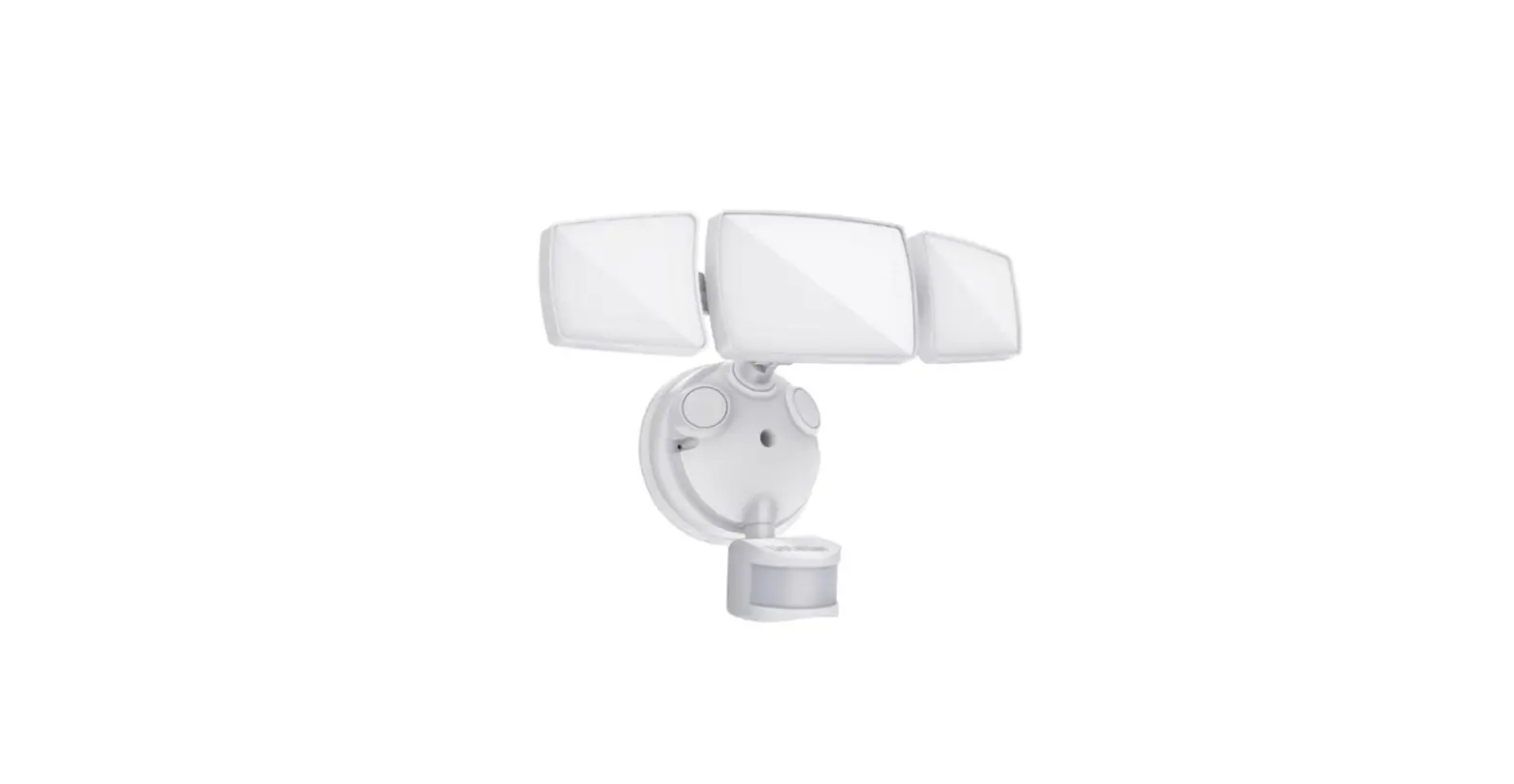
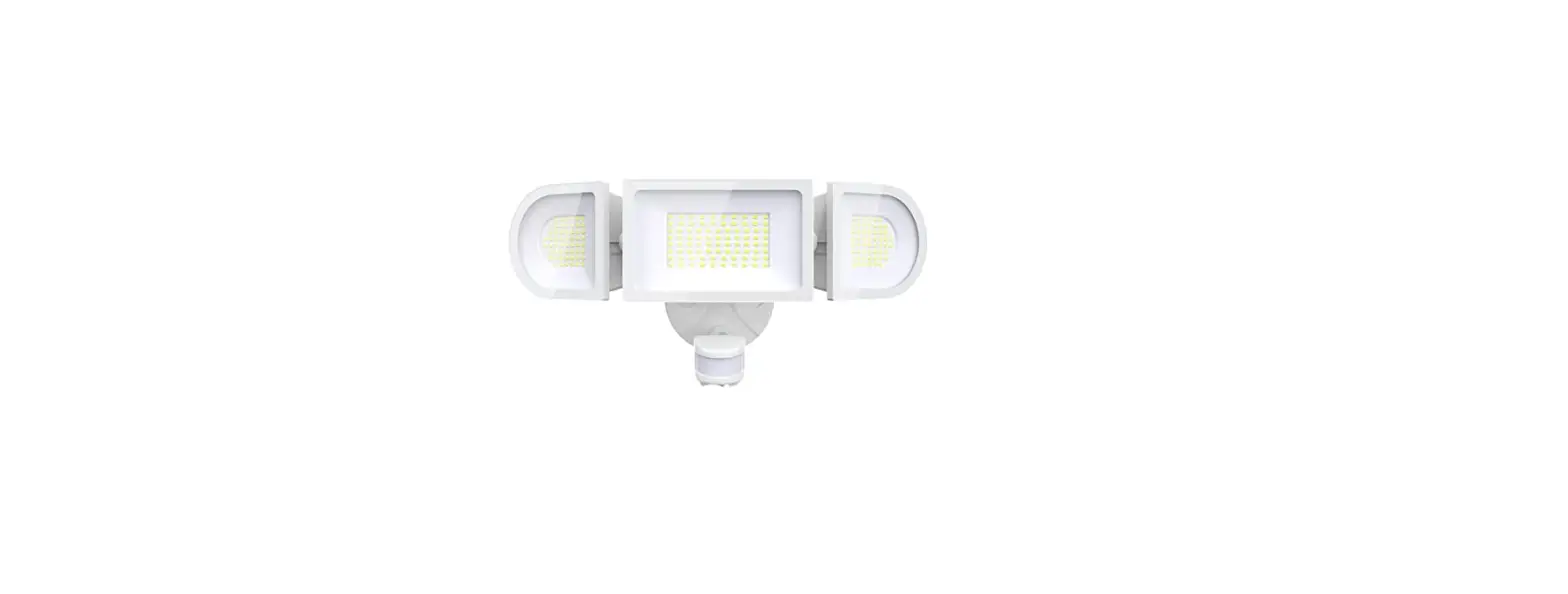
58185 LED Wi-Fi Smart Security Light
Product Information
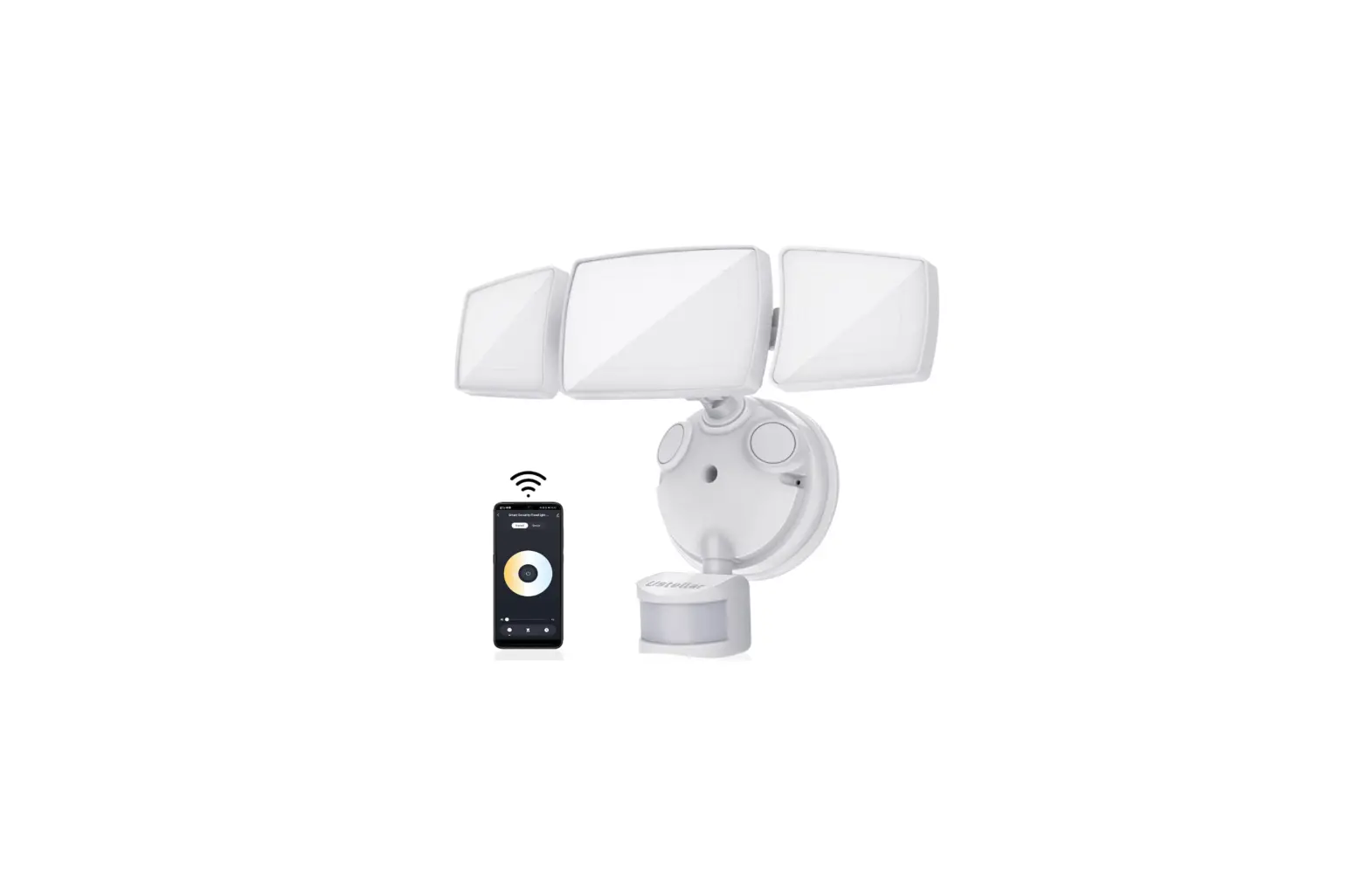
The Enbrighten LED Wi-Fi Smart Security Light is a versatile
lighting solution that offers motion-sensing activation,
scheduling, dimming, and more. With the free Enbrighten Wi-Fi app,
you can easily control and customize your lighting settings to keep
your home safely lit.
Product Models: 58185, 58186
For additional Enbrighten products, visit our website at
enbrightenwifi.com.
Product Usage Instructions
Installation
- Before starting the installation, ensure that the power is
turned off. - Refer to the user manual or watch the provided video for
detailed installation instructions. You can access the video by
scanning the code or visiting byjasco.com/58185i. - If you encounter any issues or need assistance, contact our
support team at 1-800-654-8483 between 7AM-8PM, M-F, Central
Time.
Step 5: Make electrical connections
Use wire strippers to strip the house AC power supply wires to
expose 3/8in. of wire.
Route the wires through the gasket and push the house AC supply
wires into the connectors with matching colors (black, white,
green/yellow). Neatly arrange them inside the junction box.
Step 6: Install mounting plate
Align the mounting plate with the gasket and mounting bracket,
noting the indicator arrow. Insert the mounting plate bolt through
the mounting plate, gasket, and into the mounting bracket.
Step 7: Mount light fixture
Using the keyed center post as a guide, firmly push the light
fixture onto the mounting plate. Tighten the fixture bolt to the
mounting plate. Place the rubber plug over the hole and remove the
protective film from the motion sensor.
Step 8: Waterproofing
Apply exterior use waterproof caulk sealant to any gaps behind
the mounting plate and wall/eave to ensure proper
waterproofing.
Operation
To operate your Enbrighten security light remotely, you need to
download and use the Enbrighten app. Follow these steps:
- Download the Enbrighten app on your smart device.
- Install the app and create an account.
- Turn on electricity at the main circuit breaker or fuse
box. - Follow the in-app instructions and available resources to set
up your smart device. Note that a 2.4GHz Wi-Fi connection is
required.
Voice Control
The Enbrighten LED Wi-Fi Smart Security Light is compatible with
Amazon Alexa and Google Assistant for voice control. To enable
voice control:
- Create an account in the Enbrighten app.
- Follow the on-screen instructions to add devices, create
schedules, and control the smart security light from anywhere. - Follow the steps in the Amazon Alexa or Google Assistant app to
connect the Enbrighten app or select Support in the Enbrighten app
for further assistance.
Make sure to read the entire manual, including safety
instructions, and ensure that all parts are present before
installing your Enbrighten security light. Save this user manual
for future reference.
If you have any additional questions or require further
assistance, please feel free to contact our support team.
LED Wi-Fi Smart Security Light
Your Enbrighten LED Wi-Fi Smart Security Light features motion-sensing activation, scheduling, dimming and more to keep your home safely lit — all using the free Enbrighten Wi-Fi app.
Models: 58185, 58186
Thank you for your purchase!
Instructions made easy
Read instructions or watch easy-to-follow video. Scan code or visit
byjasco.com/58185i
For deals, to register your purchase and to tell us how we’re doing, simply scan the code or visit
byjasco.com/deals
Like our product? Leave a review on amazon.com
For additional Enbrighten products, visit our website. enbrightenwifi.com.
Having problems? Let us know how we can help.
1-800-654-8483 between 7AM-8PM, M-F, Central Time.
INSTALLATION (CONT.)
WARNING: BE SURE POWER IS OFF BEFORE WIRING
Exposed Insulated
wire
wire
3/8-7/16
Step 5: Make electrical connections Use wire strippers to strip the house AC power supply wires to expose 3/8in. of wire.
JUNCTION BOX
FRONT
Step 5: Make electrical connections (cont.) Route the wires through the gasket and push the house AC supply wires into the connectors with matching colors — black, white, green/yellow. Neatly arrange them inside the junction box.
Step 6: Install mounting plate
Align the mounting plate with
the gasket and mounting
bracket noting the indicator
FRONT
arrow. Insert the mounting
plate bolt through the
mounting plate, through the
gasket and into the mounting
bracket.
INSTALLATION (CONT.)
FRONT
Step 7: Mount light fixture Using the keyed center post as a guide, firmly push the light fixture onto the mounting plate. Tighten the fixture bolt to the mounting plate. Place the rubber plug over the hole and remove the protective film from motion sensor.
Step 8: Waterproofing Apply exterior use waterproof caulk sealant to any gaps behind the mounting plate and wall/eave.
OPERATION
Remotely operate your security light with the easy-to-use Enbrighten app. Follow the in-app instructions and available resources to set up your smart device. Note: Requires 2.4GHz Wi-Fi connection.
SETTING UP
Before installing your Enbrighten security light, it is important to read the entire manual, all safety instructions and ensure all parts are present. Save this user manual for later use. INSIDE THE BOX
A
x2 B
E
x1
H L 1 ¡¢£¤¥¡ ¦¥”
x2 C F K
x2 D
x1
x1
I
FRONT
G
F
E
D
J
A, B, C. Mounting bracket screws D. Rubber plug E. Fixture bolt F. Mounting plate bolt G. Mounting bracket
I. Light fixture J. Motion sensor K. Mounting plate L. Push-in connectors
H. Gasket
TOOLS NEEDED
Phillips-head screwdriver
Silicone caulk sealant
Wire strippers/cutters
Safety goggles
AC voltage tester
Ladder
CONNECTION SETUP
Download the app
§0¨© 0 ¨ ¨0 !©#$© © %&& § © Google Play.
Install the smart device
1.
2.
Install smart security light
Turn on electricity at the main circuit breaker or fuse box
Set up account
1.
2.
Voice control
Compatible with Amazon Alexa and Google Assistant
Create an account in the Enbrighten app
Follow the on-screen instructions to add devices, create schedules and control the smart security light from anywhere
Follow the steps in the Amazon Alexa or Google Assistant app to connect the Enbrighten app or select “Support” in the Enbrighten app.
Default settings: Before adjustements are made in the app, the flood light will automatically activate when motion is detected in low-light conditions. To override these default settings, you can use the app to activate preset timers, create custom schedules and more.
INSTALLATION
WARNING: Ensure electricity is TURNED OFF at the main circuit breaker or fuse box. DO NOT ATTEMPT TO INSTALL FIXTURE WITH THE POWER ON. Verify that power is OFF at the junction box using the AC voltage tester before installation.
Wall Mount
Eave Mount
OR
Step 1: Choose mounting location Select a round, waterproof surface-mount or recessed electrical junction box hardwired to 120VAC — ideal height is 8ft. above ground.
Step 2: Remove mounting plate Use the two holes on the mounting plate to gently remove it from the back of the light fixture.
JUNCTION BOX
Note: You only need to use the
mounting bracket screws that
match your junction box.
FRONT
Step 3: Install mounting bracket With the “FRONT” side facing you, use the mounting bracket screws (A, B or C) to install the bracket to the junction box.
Step 4: Route wires Hold the mounting plate over the mounting bracket with the directional arrow for wall or eave mount in the indicated direction. Route wires through the hole not blocked by mounting bracket.
IMPORTANT: Do not screw into place or install wires yet
WARRANTY
Jasco Products Company warrants this product to be free from manufacturing defects for five years from the original date of consumer purchase. This warranty is limited to the repair or replacement of this product only and does not extend to consequential or incidental damage to other products that may be used with this product. This warranty is in lieu of all other warranties, expressed or implied. Some states do not allow limitations on how long an implied warranty lasts or permit the exclusion or limitation of incidental or consequential damage, so the above limitations may not apply to you. This warranty gives you specific rights and you may also have other rights which vary from state to state. Please contact our U.S.-based Consumer Care at 1-800-654-8483 (option 1) between 7AM 8PM, M-F, Central Time or www.byjasco.com if the unit should prove defective within the warranty period.
SPECIFICATIONS
Model #: AWL1017-I-016-W Power requirements 120VAC, 60Hz Electrical load 14W Operating modes Test, motion, manual, schedule Flood light lumens 1471.3lm Color temperature Cool white (4000K) Sensing angle Up to 210° Range High, medium, low; adjustable up to 70ft Dimming 10%-100% with Enbrighten app
CARE AND CLEANING
· DO NOT spray the light fixture with a hose or power washer. · DO NOT use paints, solvents or other chemicals on this light fixture. · To prolong the original appearance, clean only with clean water and a soft, damp cloth.
SAFETY INSTRUCTIONS
WARNINGS TO REDUCE THE RISK OF ELECTRIC SHOCK, FIRE OR INJURY:
1. Read all SAFETY INSTRUCTIONS and USER MANUAL before attempting to install or operate. 2. Install in accordance with all local and national electrical codes. Consult a local licensed electrician or
electrical contractor if you are not sure about the installation. 3. For use only in a circuit protected by a fuse or circuit breaker. 4. Must be properly grounded. 5. DO NOT ATTEMPT TO INSTALL FIXTURE WITH THE POWER ON. Ensure electricity is TURNED OFF
at the main circuit breaker or fuse box. All wiring connections must be made with the POWER OFF to avoid personal injury and/or damage to the fixture. Verify power is OFF at the junction box using AC voltage tester before installation. 6. Double-check all connections to be sure they are tight and correct and no wires are pinched. 7. Account for small parts and destroy packaging material, as these may be hazardous to children. 8. If installed OUTDOORS, mount to a WATERPROOF surface mount or recessed electrical junction box with a 120 VAC power source. Seal all gaps behind mounting plate with waterproof caulk. 9. NOTICE: DO NOT connect Wi-Fi product to a dimmer switch or timer. 10. Wear well-fitted safety glasses during the entire installation procedure.
MADE IN VIETNAM/HECHO EN VIETNAM
Distributed by Jasco Products Company LLC, 10 E. Memorial Rd., Oklahoma City, OK 73114. ©JASCO 2022 | 58185, 58186 | 12/16/21 v4
App store is a service mark of Apple Inc., Google and Google Play are trademarks of Google LLC. Amazon, Alexa and all related logos are trademarks of Amazon.com, Inc. or its affiliates.
LED wifi Luz de seguridad inteligente
Su luz de seguridad inteligente LED wifi Enbrighten cuenta con activación por detección de movimiento, programación, regulación de la luminosidad y más para mantener su casa iluminada de manera segura; y todo lo puede hacer desde la app gratuita wifi de Enbrighten.
Modelos: 58185, 58186
INSTALACIÓN (CONT.)
ADVERTENCIA: ASEGÚRESE DE QUE LA ELECTRICIDAD ESTÉ DESCONECTADA ANTES DE INSTALAR EL CABLEADO
Cable
Cable
expuesto aislado
¡Gracias por su compra!
Instrucciones fáciles
Ofertas exclusivas
Lea las instrucciones o mire el video con el paso a paso. Escanee el código o visite byjasco.com/58185i
Para acceder a ofertas, registrar su compra y darnos su opinión sobre nosotros, tan solo escanee el código o visite
byjasco.com/deals
¿Le gusta nuestro producto? Déjenos una reseña en amazon.com
Para ver más productos Enbrighten, visite nuestro sitio web: enbrightenwifi.com.
¿Tiene algún
problema? Díganos cómo podemos ayudar. 1-800-654-8483, de lunes a viernes, de 7 a. m. a 8 p. m., hora estándar del centro.
INSTALACIÓN (CONT.)
FRONT
1 a 1,1 cm
Paso 5: Haga las conexiones eléctricas Use los pelacables para dejar al descubierto 1 cm (3/8″) del cable de alimentación de CA de la casa.
CAJA DE CONEXIONES
FRONT
Paso 5: Haga las conexiones eléctricas (cont.) Pase los cables a través de la junta y empuje los cables de alimentación de CA de la casa en los conectores con los mismos colores: negro, blanco, verde/ amarillo. Ordénelos bien dentro de la caja de conexiones.
Paso 6: Instale la placa de montaje Alinee la placa de montaje con la junta y el soporte de montaje FRONT teniendo en cuenta la flecha indicadora. Inserte el perno de la placa de montaje a través de la placa de montaje, la junta y en el soporte de montaje.
Paso 7: Monte la lámpara Con el orificio central como guía, presione firmemente la lámpara en la placa de montaje. Apriete el perno de la lámpara en la placa de montaje. Coloque el tapón de goma sobre el orificio y retire la película protectora del sensor de movimiento.
Paso 8: Impermeabilización Aplique un sellador impermeabilizante para uso en exteriores en los huecos detrás de la placa de montaje y la pared o el alero.
FUNCIONAMIENTO
Opere de forma remota la luz de seguridad con la app Enbrighten fácil de usar. Siga las instrucciones en la app y los recursos disponibles para configurar su dispositivo inteligente.
Nota: Requiere conexión wifi de 2,4 GHz.
PREPARACIÓN
Antes de instalar la luz de seguridad Enbrighten, es importante leer el manual completo, todas las instrucciones de seguridad y asegurarse de que estén todas las piezas. Guarde este manual del usuario para su uso posterior. DENTRO DE LA CAJA
A
x2 B
E
x1
H L
CAJA DE CONEXIONES
x2 C F K
x2 D
x1
x1
I
FRONT
G
F
E
D
J
A, B, C. Tornillos del soporte de montaje D. Tapón de goma E. Perno de la lámpara F. Perno de la placa de montaje G. Soporte de montaje
I. Lámpara J. Sensor de movimiento K. Placa de montaje L. Conectores enchufables
H. Junta
HERRAMIENTAS NECESARIAS
Destornillador Phillips
Sellador de silicona
Cortacables/pelacables
Gafas de seguridad
Voltímetro de CA
Escalera
PREPARAR LA CONEXIÓN
Descargue la app
Ins(‘)2 2) 3456754(48o inteligente
1.
2.
9scanee el código QR arriba o busque Enbrighten en el App Store o en
Google Play.
Descargue en la
ACTÍVELA
Instale la luz de seguridad inteligente
Conecte la electricidad en el disyuntor principal o la caja de fusibles.
Cree una cuenta
1.
2.
Cree una cuenta en la app Enbrighten
Siga las instrucciones en pantalla para agregar dispositivos, crear programas de horarios y controlar la luz de seguridad inteligente desde cualquier lugar
Control por voz
Compatible con Amazon Alexa y el Asistente de Google
funciona con
funciona con
Siga los pasos en la app de Amazon Alexa o del Asistente de Google para conectar la app Enbrighten o seleccione “Support” (Asistencia) en la app Enbrighten.
Configuración predeterminada: Antes de realizar los ajustes en la app, la luz de reflector se activará automáticamente cuando se detecte movimiento en condiciones con poca iluminación. Para anular esta configuración predeterminada, puede usar la app para activar los temporizadores predeterminados, crear programas de horarios personalizados y mucho más.
INSTALACIÓN
ADVERTENCIA: Asegúrese de que la electricidad esté DESCONECTADA en el disyuntor principal o la caja de fusibles. NO INTENTE INSTALAR LA LÁMPARA CON LA ELECTRICIDAD CONECTADA. Compruebe que la electricidad esté DESCONECTADA en la caja de conexiones con un voltímetro de CA antes de la instalación.
Montaje en pared
Montaje en alero
O
Paso 1: Elija el lugar de montaje Seleccione una caja de conexiones eléctricas de montaje en la superficie o empotrada cableada a 120 VCA. La altura ideal es de 2,45 m (8 pies) sobre el nivel del suelo.
Paso 2: Retire la placa de montaje Use los dos orificios en la placa de montaje para extraerla con cuidado de la parte posterior de la lámpara.
CAJA DE CONEXIONES
Nota: Solo debe usar los
tornillos para el soporte de
montaje que coincidan con su
FRONT
caja de conexiones.
Paso 3: Instale el soporte de montaje Con el lado del “FRENTE” hacia usted, use los tornillos para el soporte de montaje (A, B o C) para instalar el soporte de la caja de conexiones.
Paso 4: Encamine los cables Sostenga la placa de montaje sobre el soporte de montaje con la flecha de dirección para montaje en una pared o un alero en la dirección indicada. Pase los cables a través del orificio que no está bloqueado por el soporte de montaje.
IMPORTANTE: No lo atornille en su lugar ni instale los cables todavía.
GARANTÍA
Jasco Products Company garantiza que este producto estará libre de defectos de fabricación durante cinco años a partir de la fecha de compra original del consumidor. Esta garantía se limita a la reparación o el reemplazo solo de este producto y no se extiende a daños consecuentes o incidentales a otros productos que puedan usarse con este producto. Esta garantía se otorga en lugar de todas las demás garantías expresas o implícitas. Algunos estados no permiten limitaciones a la duración de una garantía implícita ni permiten la exclusión de daños incidentales o consecuentes, por lo que las limitaciones anteriores pueden no aplicarse a usted. Esta garantía le otorga derechos específicos y posiblemente tiene otros derechos que pueden variar de un estado a otro. Comuníquese con nuestro Servicio al Consumidor con sede en EE. UU. al 1-800-654-8483 (opción 1) entre las 7 a. m. y las 8 p. m., hora estándar del centro, o en www.byjasco.com si la unidad resulta defectuosa dentro del período de garantía.
ESPECIFICACIONES
Modelo n.º: AWL1017-I-016-W Requisitos de energía: 120 VCA, 60 Hz Carga eléctrica: 14 W Modos de operación: prueba, movimiento, manual, programado Lúmenes de la luz de reflector: 1471,3 lm Temperatura del color: blanca fría (4000K) Ángulo de detección: hasta 210° Rango: alto, medio, bajo; ajustable a un máximo de 21,3 m (70 pies) Regulación: 10 % a 100 % con la app Enbrighten
CUIDADO Y LIMPIEZA
· NO rocíe la lámpara con una manguera o una máquina de lavado de alta presión. · NO use pinturas, solventes u otras sustancias químicas en esta lámpara. · A fin de prolongar la apariencia original, limpie solamente con agua limpia y un paño suave humedecido.
INSTRUCCIONES DE SEGURIDAD
ADVERTENCIAS PARA REDUCIR EL RIESGO DE DESCARGA ELÉCTRICA, INCENDIO O LESIONES:
1. Lea todas las INSTRUCCIONES DE SEGURIDAD y el MANUAL DEL USUARIO antes de la instalación u operación. 2. Instale de acuerdo con todos los códigos eléctricos locales y nacionales. Consulte a un electricista profesional
local o contratista electricista local si no está seguro de la instalación. 3. Para uso exclusivo en un circuito protegido por un fusible o disyuntor. 4. Debe estar conectado a tierra adecuadamente. 5. NO INTENTE INSTALAR LA LÁMPARA CON LA ELECTRICIDAD CONECTADA. Asegúrese de que la electricidad
esté DESCONECTADA en el disyuntor principal o la caja de fusibles. Todas las conexiones de los cables deben hacerse con la ELECTRICIDAD DESCONECTADA para evitar lesiones personales o daños a la lámpara. Compruebe que la electricidad esté APAGADA en la caja de conexiones con un voltímetro de CA antes de la instalación. 6. Verifique todas las conexiones para asegurarse de que estén ajustadas y correctas, sin cables pellizcados. 7. Contabilice las piezas pequeñas y destruya el material de empaque, ya que pueden ser peligrosos para los niños. 8. Si hace la instalación en el EXTERIOR, monte en una superficie IMPERMEABLE o en una caja de conexiones empotrada con una fuente de alimentación de 120 VCA. Selle todos los huecos detrás de la placa de montaje con sellador resistente al agua. 9. AVISO: NO conecte un producto wifi a un interruptor regulador de intensidad o un temporizador. 10. Use gafas de seguridad que le ajusten bien durante el procedimiento de instalación completo.
MADE IN VIETNAM/HECHO EN VIETNAM
Distribuido por Jasco Products Company LLC, 10 E. Memorial Rd., Oklahoma City, OK 73114. ©JASCO 2022 | 58185, 58186 | 12/16/21 v4
App store es una marca de servicio de Apple Inc., Google y Google Play son marcas de Google LLC. Amazon, Alexa y todos los logotipos relacionados son marcas registradas de Amazon.com, Inc. o sus filiales.