 ROADSTART® 600A 12V LITHIUM-ION JUMP
STARTER POWER PACK
MODEL NO: RS600
User Manual
Thank you for purchasing a Sealey product. Manufactured to a high standard, this product will, if used according to these instructions, and properly maintained, give you years of trouble-free performance.
IMPORTANT: PLEASE READ THESE INSTRUCTIONS CAREFULLY. NOTE THE SAFE OPERATIONAL REQUIREMENTS, WARNINGS & CAUTIONS. USE THE PRODUCT CORRECTLY AND WITH CARE FOR THE PURPOSE FOR WHICH IT IS INTENDED. FAILURE TO DO SO MAY CAUSE DAMAGE AND/OR PERSONAL INJURY WILL INVALIDATE THE WARRANTY. KEEP THESE INSTRUCTIONS SAFE FOR FUTURE USE.
 | Refer to the instruction manual |
 | Wear eye protection |
 | Wear protective gloves |
 | Warning: Electricity |
SAFETY
Modern vehicles contain extensive electronic systems. You are required to check with the vehicle Manufacturer, for any specific instructions regarding the use of this type of equipment on each vehicle. No liability will be accepted for damage/injury, where this product is not used in accordance with all instructions. Ensure that the vehicle is in a well-ventilated area.Apply the handbrake and select neutral or ‘park’ before attempting to start.Ensure that the ignition switch and all ancillary electrical equipment are switched off.Keep clear of any pulleys, belts, etc. that will move once the engine starts.Take care to ensure correct connection polarity; red clamp to positive, black clamp to negative.Energize the unit only at ambient temperatures between -30°C and 40°C.When not in use, switch off and store in a cool, dry place out of the reach of children.
 DO NOT allow this power pack to become wet. DO NOT dismantle this unit: there are no user-serviceable parts inside. DO NOT use in explosive atmospheres (e.g. the presence of flammable liquids, gases, or dust). DO NOT use the unit if it appears damaged in any way. DO NOT use this product for any purpose other than that for which it is designed. DO NOT leave in direct sunlight or be exposed to heat. DO NOT use abrasive or solvent cleaners on this product. DO NOT allow children to play with this product DO NOT allow the positive and negative clamps to touch.
1.1.BATTERY SAFETY
‰ WARNING! To reduce the risk of burns or fire:DO NOT attempt to open, disassemble, modify or service the battery pack. DO NOT crush, puncture, short external contacts or dispose of in fire or water.DO NOT expose to temperatures above 60°C (140°).Replace only with the battery pack designated for this product.Recycle or dispose of used batteries as stipulated by local regulation.If the electrolyte in the cells gets on your skin, thoroughly wash with soap and water. If it gets in your eyes, rinse thoroughly with cool water and seek immediate medical attention.
INTRODUCTION
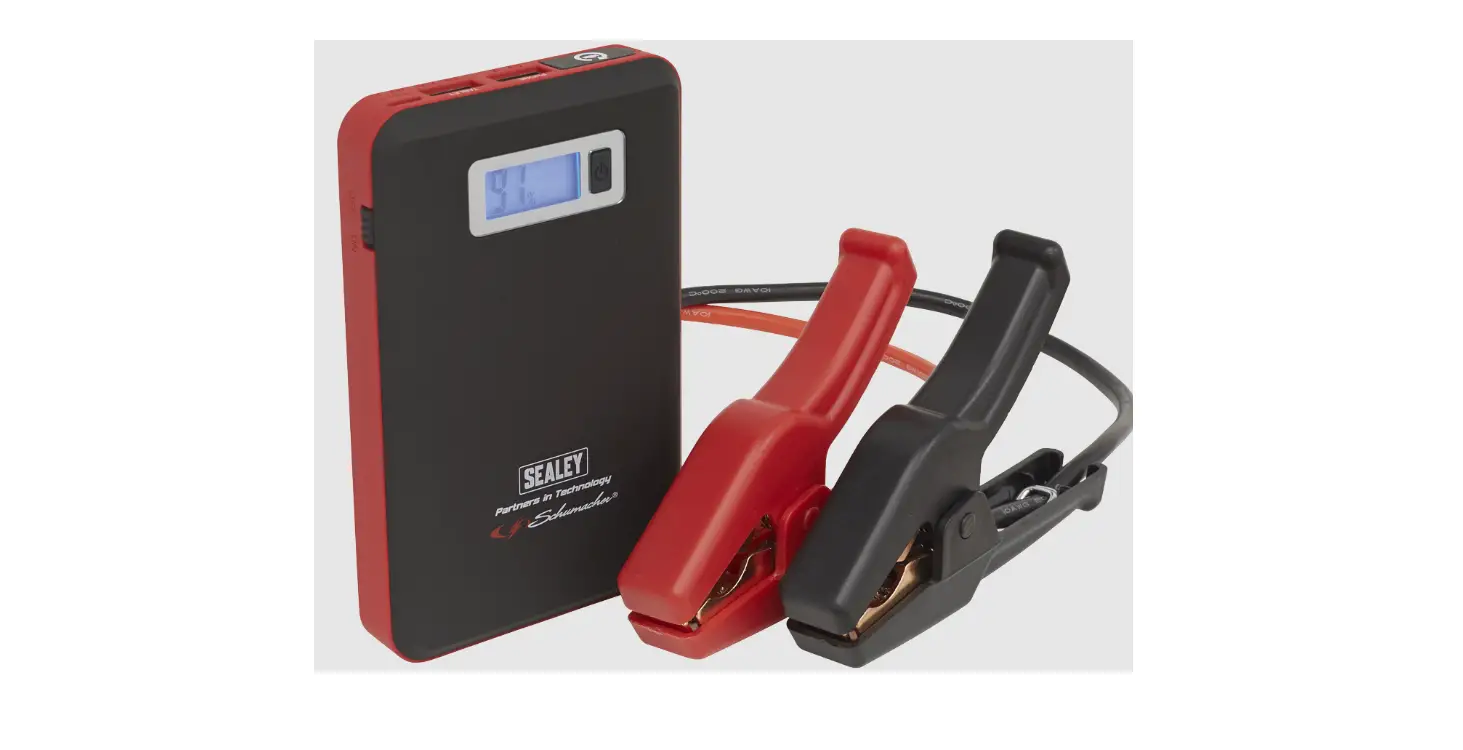
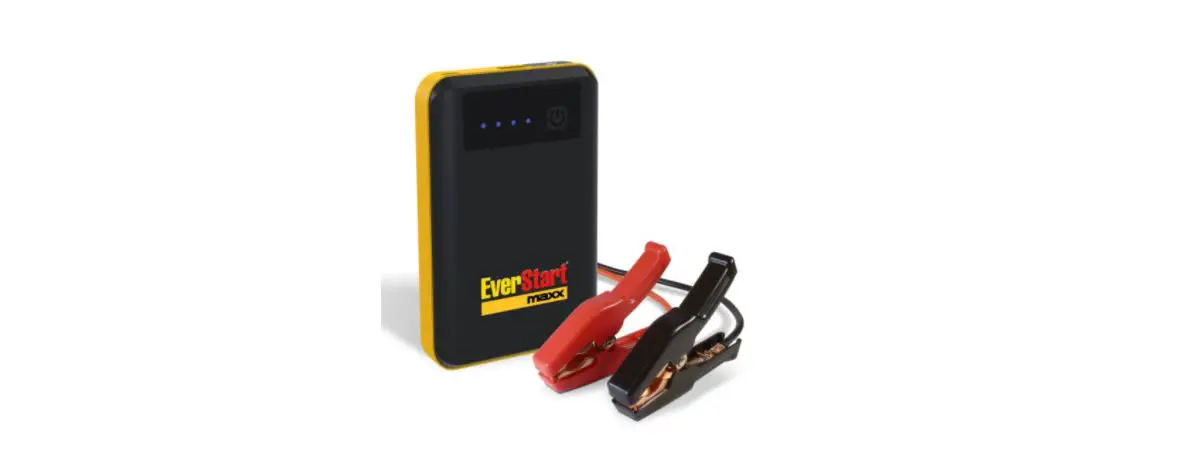
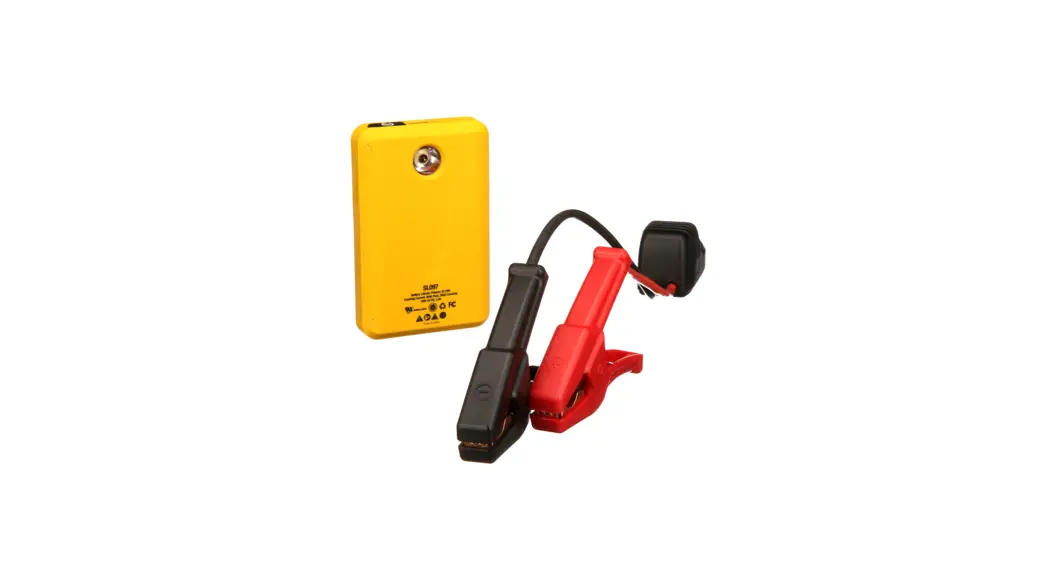
Slim pocket-sized 12V jump starter pack that benefits from being compact and lightweight. Powered by Lithium-ion technology and fully protected against short circuits, overload, and reverse polarity. Fitted with a 7,200mAh @3.7v Lithium-ion battery with 5V/1.5A Micro USB input & 5V/2.1A USB Type A outlet for powering or charging a variety of small electronic devices. Capable of starting an average 4ltr petrol or 2.5ltr diesel engine. Integral LED flashlight. Waterproof to IP66 rating.
SPECIFICATION
Model no: ………………………………………………………….. RS600
Auxiliary Output:………………………………… USB (x1) – 5V/2.1A
Cable & Clamp Length: ………………………………………. 385mm
Capacity: ………………………..7.2Ah @ 3.7V or 1.8Ah @ 14.8V
Maximum Current: ………………….600A Peak, 300A Cranking.
Maximum Starting Capacity: …………….. 4L Petrol/2.5L Diesel
Size (W x D x H): ………………………………….85 x 27 x 140mm
Voltage: ………………………………………………………………….12V
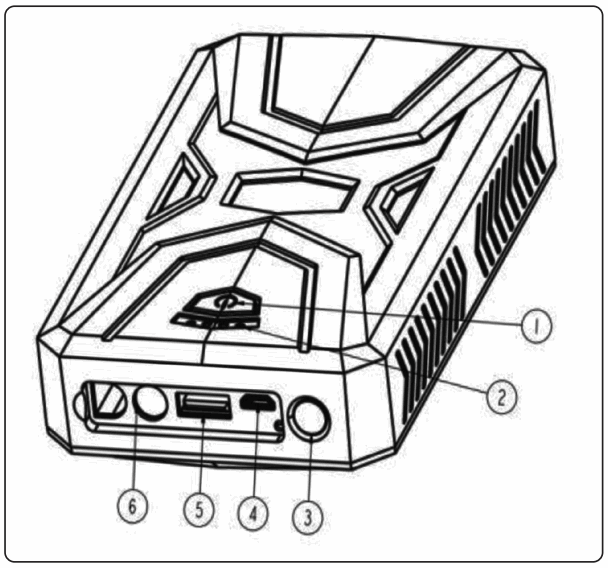
OPERATION
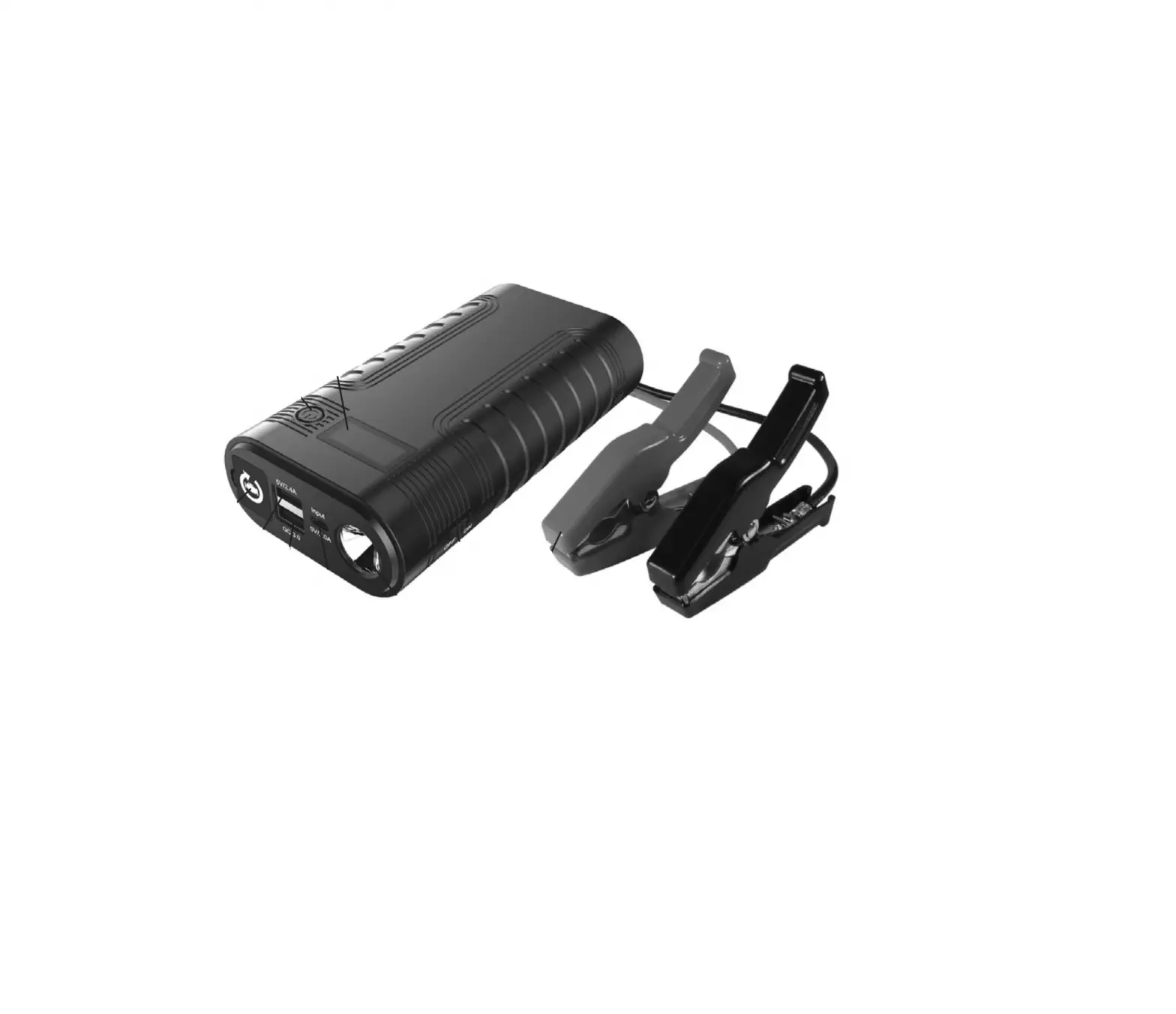
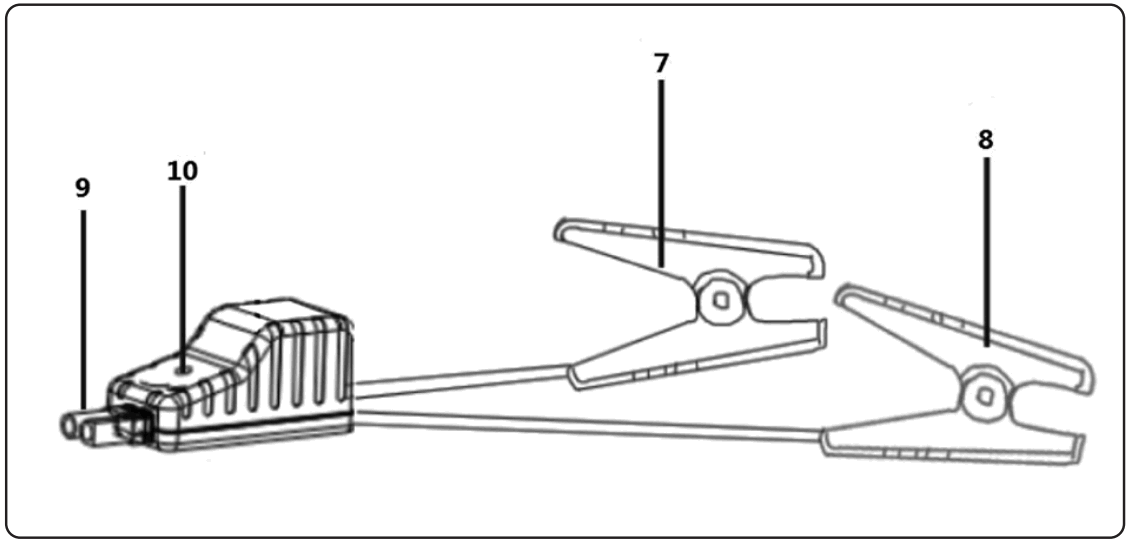
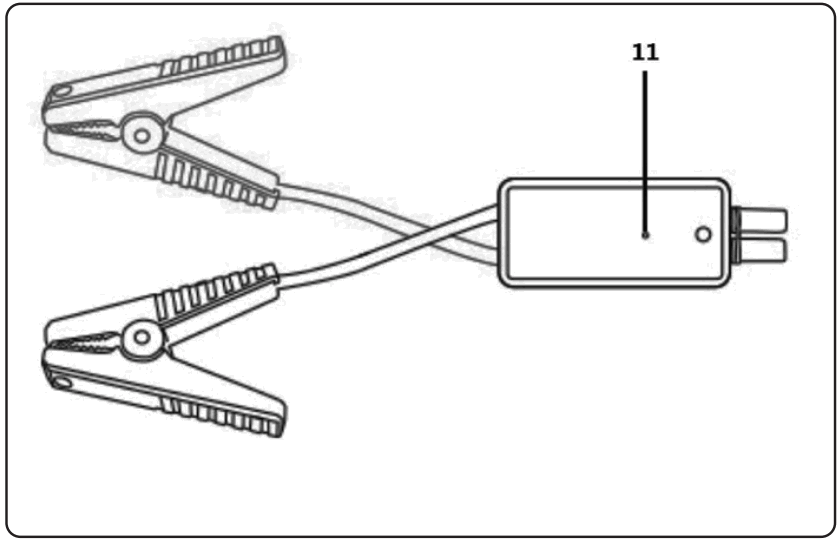
| Item no. | Description |
| 1 | On / Off Button |
| 2 | Charge Indicator LEDs |
| 3 | LED Torch / Flashlight |
| 4 | Micro USB Input |
| 5 | USB Output |
| 6 | Jump Start Port |
| 7 | Negative (Black) Clamp |
| 8 | Positive (Red) Clamp |
| 9 | Jump Start Connector |
| 10 | Clamp Indicator Light |
| 11 | Force Start Button |
 |  |  |
4.1. CHARGING THE UNIT
NOTE: Ensure the unit is fully charged before first use.
4.1.1. Connect the unit to a power source using the Micro USB cable.
4.1.2. Press the On/Off button to turn on the unit. Charge indicator lights will flash while charging and are fully lit once fully charged.
4.1.3. Unplug the cable when fully charged.
4.2. CHARGING EXTERNAL DEVICES
4.2.1. Connect the unit to the external device via the USB cable.
4.2.2. Press the On/Off button to turn on the unit.
4.2.3. Turn the unit off and disconnect the cable when the external device is fully charged.
4.3.LED TORCH/FLASHLIGHT
4.3.1. Press and hold the On/Off button for approximately 3 seconds to turn the torch on constantly.
4.3.2. To cycle through settings, press once more for S.O.S. flash, once more for constant flash, and once more for Off.
4.4.JUMP STARTING
NOTE: Before attempting to start your vehicle, ensure that at least 3 of the 4 Charge Indicator lights are lit.
NOTE: When the Jump Start Connector is connected to the unit, DO NOT allow the battery clamps to touch each other.
4.4.1. Insert Jump Start Connector into the unit and connect the battery clamps to the battery terminals.
4.4.2. The Clamp Indicator LED will flash red and green indicating it is safe to proceed.
NOTE: If only the red Clamp Indicator LED is lit, the Clamps may be connected in reverse. Reverse connections.
4.4.3. If the engine does not start, disconnect the Clamps, wait for 30 seconds and try again.
4.4.4. After 3 attempts, it is possible to use the Force Start function as described below.
4.4.5. Force Start method: Connect the clamps to the battery terminals and hold the Force Start Button down for 3 seconds. If the indicator light of the Clamp is solid green, you need to start the vehicle within 30 seconds.
TROUBLESHOOTING
| LED State | Status |
| The red/green light will flash | Ready to work |
| The red light is always on | 1. Battery clamp is reversely connected. -Check whether the clamp is reversely connected. Correct if required. 2. The clamp is short-circuited. -Check whether two clamps are touching or connected to the same metal surface. |
| The red light is always on | In reverse charging protection, the voltage of the car battery is higher than 12.6V. -No jump starter is needed, the car battery is enough to start your car. |
| The red light flashes quickly | The temperature of the clamp exceeds 65(+/-5) degrees. -Remove the clamp until the red/green light flashes. |
| The green light flashes slowly | The voltage of the jump starter is too low. -Recharge unit. |
MAINTENANCE
6.1. After use and before performing cleaning, unplug and disconnect the unit.
6.2. Use a dry cloth to wipe all battery corrosion and other dirt or oil from the battery clamps, cords, and the outer case.
 ENVIRONMENT PROTECTION
Recycle unwanted materials instead of disposing of them as waste. All tools, accessories, and packaging should be sorted, taken to a recycling center, and disposed of in a manner that is compatible with the environment. When the product becomes completely unserviceable and requires disposal, drain any fluids (if applicable) into approved containers and dispose of the product and fluids according to local regulations.
 WEEE REGULATIONS
Dispose of this product at the end of its working life in compliance with the EU Directive on Waste Electrical and Electronic Equipment (WEEE). When the product is no longer required, it must be disposed of in an environmentally protective way. Contact your local solid waste authority for recycling information.
 BATTERY REMOVAL
Under the Waste Batteries and Accumulators Regulations 2009, Jack Sealey Ltd are required to inform potential purchasers of products containing batteries (as defined within these regulations), that they are registered with Valpak’s registered compliance scheme. Jack Sealey Ltd’s Batteries Producer Registration Number (BPRN) is BPRN00705.
Note: It is our policy to continually improve products and as such we reserve the right to alter data, specifications, and component parts without prior notice.
Important: No Liability is accepted for incorrect use of this product.
Warranty: Guarantee is 12 months from purchase date, proof of which is required for any claim.
 https://qrco.de/bcy2E9
REGISTER YOUR PURCHASE HERE
Sealey Group, Kempson Way,
Suffolk Business Park, Bury St Edmunds,
Suffolk. IP32 7AR 01284 757500
 01284 703534
 [email protected]
 www.sealey.co.uk
© Jack Sealey Limited
Original Language Version
RS800 Issue:1 30/05/22
 Sealey - Leading Professional Tool & Workshop Equipment Supplier