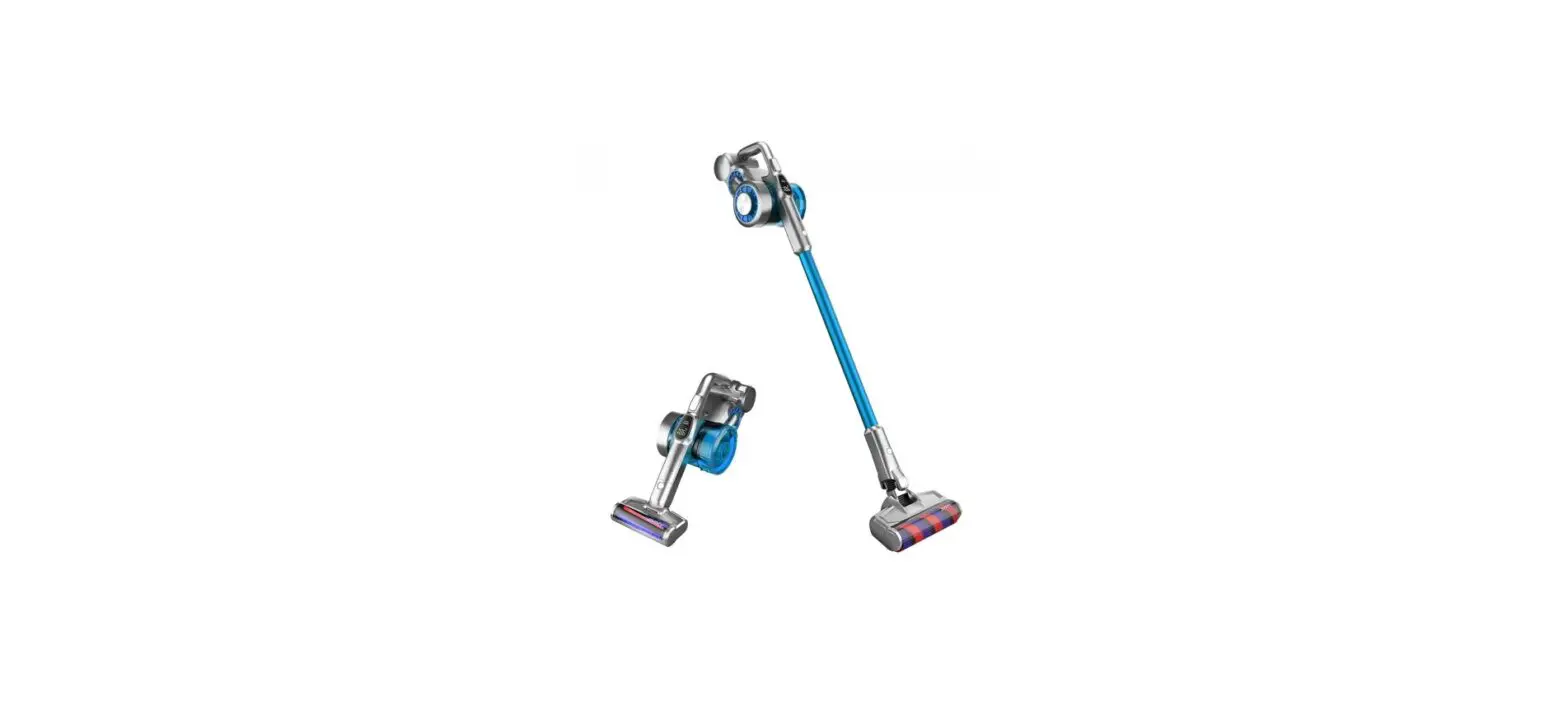
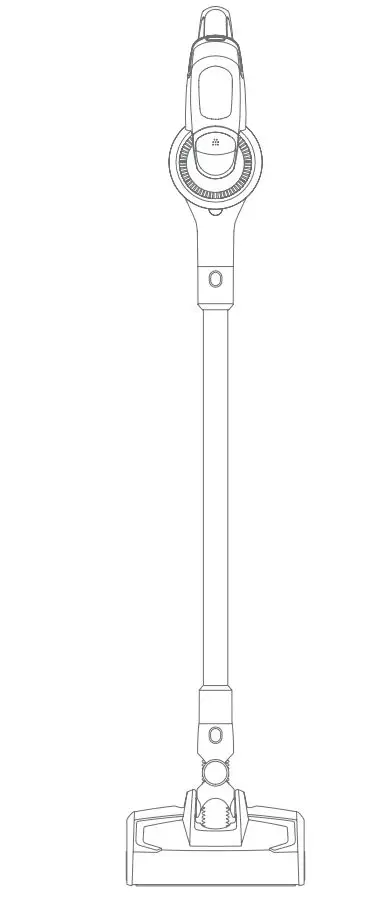
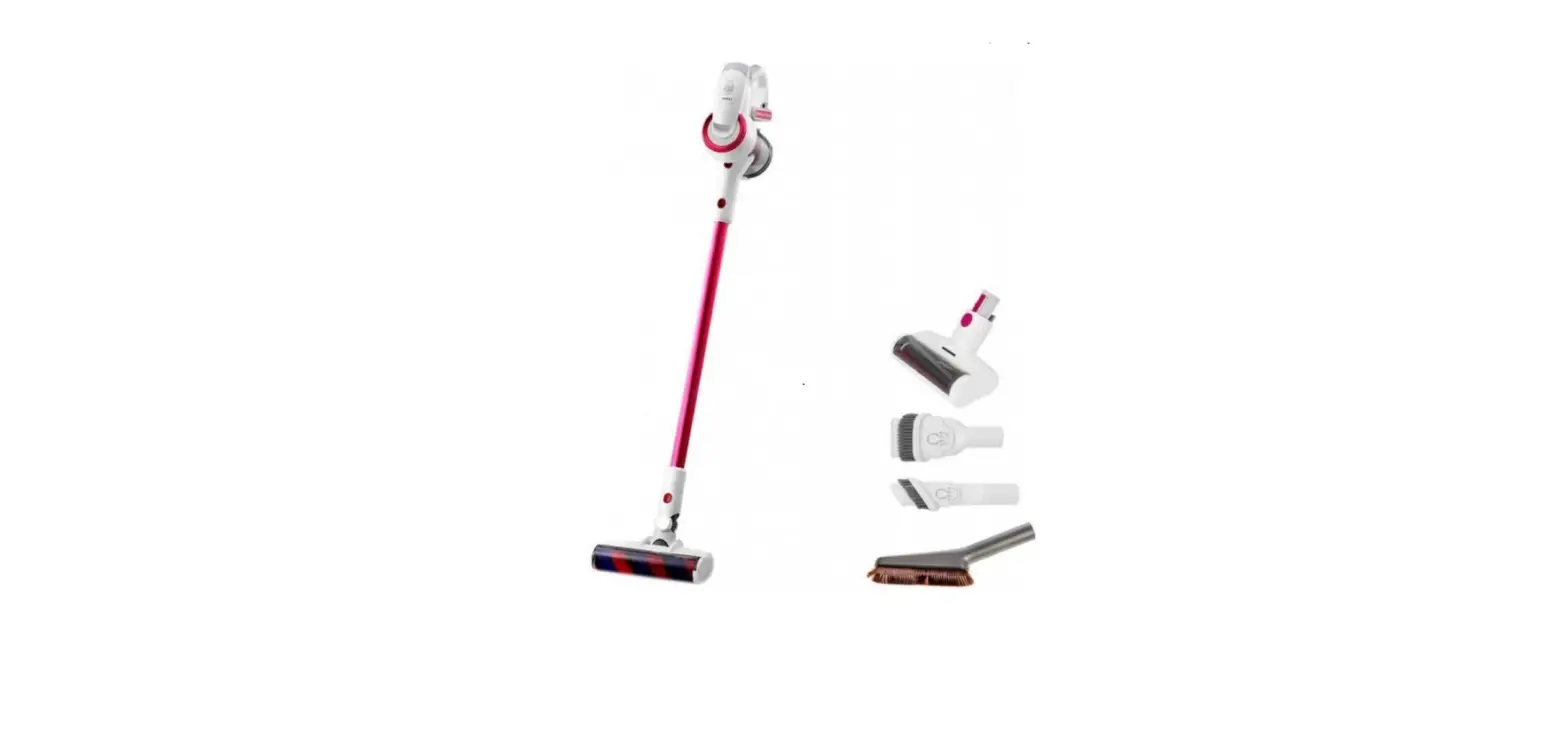
HW10 3 In 1 Full House Cleaning Cordless Vacuum and Washer
Product Information:
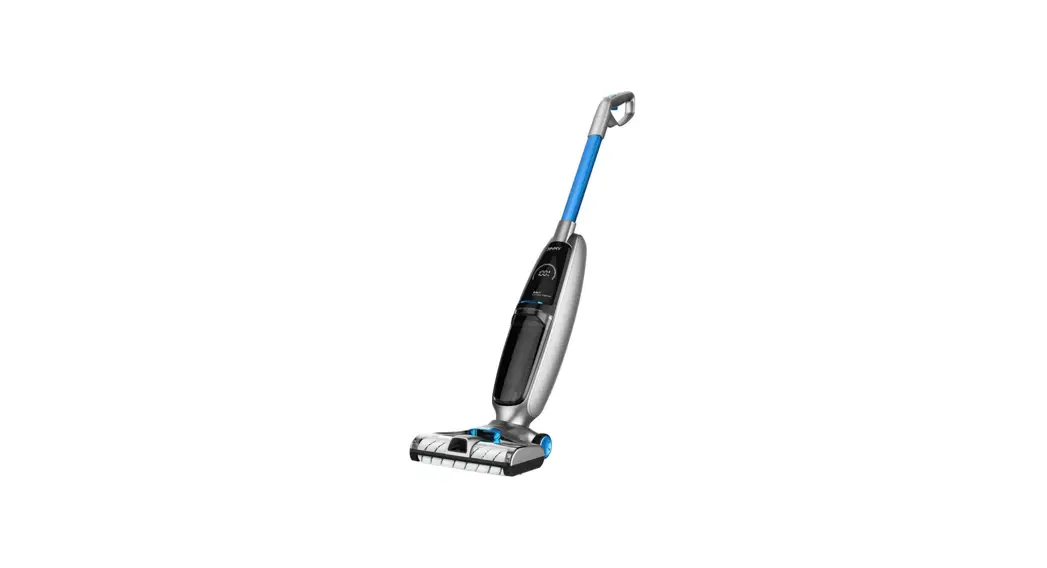
The HW10 3 in 1 Full House Cleaning Cordless Vacuum&Washer
is a versatile cleaning tool that combines the functions of a
vacuum cleaner and a washer. It is designed to provide efficient
and convenient cleaning for your home.
The product features various components, including a metal tube,
handheld cleaner, upright cleaner, dirty water tank, clean water
tank, battery pack, charger base, and various accessories such as
cleaning brushes and tools.
Key Features:
- 3-in-1 functionality: Vacuuming, washing, and drying
- Cordless design for easy maneuverability
- LCD screen for displaying cleaning settings and battery
status - Mute button for reducing noise during operation
- Self-cleaning button for easy maintenance
- Multiple cleaning modes for different surfaces
- Detachable handheld cleaner for spot cleaning
- Large capacity dirty water and clean water tanks
- Long-lasting battery for extended cleaning sessions
Product Usage Instructions:
Metal Tube Assembly and Disassembly:
To assemble the metal tube:
- Insert the metal tube into the main body vertically until a
click sound is heard. - Ensure that the metal tube is firmly locked.
To disassemble the metal tube:
- Push the metal tube release button down to the end.
- Pull the metal tube upward to remove it.
Battery Pack Assembly and Disassembly:
To assemble the battery pack:
- Slide the battery pack along the slot and press it down firmly
until a click sound is heard. - Ensure that the battery pack is locked.
To disassemble the battery pack:
- Press the battery pack release button.
- Pull the battery pack in the opposite direction of the assembly
to unlock it.
Note: The battery pack doesn’t need to be taken out frequently,
except for replacement purposes.
Handheld Vacuum Cleaner Assembly:
To assemble the handheld vacuum cleaner:
- Insert the dust cup suction inlet of the handheld vacuum into
the groove of the main body cover. - Push the handheld cleaner towards the metal tube until a click
sound is heard.
To remove the handheld vacuum cleaner:
- Press the handheld release button.
- Lift the handheld vacuum cleaner diagonally upwards.
Charge Base Assembly:
To assemble the charge base:
- Press the charge base upper towards the charge base lower until
a click sound is heard.
Charging Holder Assembly:
To assemble the charging holder:
- Press holder 1 and holder 2 into the charging base until a
click sound is heard.
Placing Machine to Charging Base:
To put the machine back to the charging base:
- Hold the machine handle to lift the machine.
- Aim the charging slot on the bottom of the machine to the
charging socket on the charging base. - Put the machine into the charging base.
To use the machine:
- Hold the machine handle and lift it out from the charging
base.
Dirty Water Tank Assembly and Disassembly:
To remove the dirty water tank:
- Hold the machine with one hand and hold the dirty water tank
with another hand. - Press the dirty water tank release button to pull out the dirty
water tank.
To assemble the dirty water tank:
- Place the dirty water tank bottom into the main body.
- Push the dirty water tank towards the main body until a click
sound is heard.
HW10
3 in 1 Full House Cleaning Cordless Vacuum&Washer
Instruction Manual
Product Assembly
Parts Name
Metal tube cover Spray button Handle on/off button Handle mode button
Battery release button LCD screen Mute Button
Handheld on/off button Handheld mode button Dust cup release button
Suction inlet release
Dirty water tank release button
Clean water tank handle Clean water tank filling plug Spray mouth
Self cleaning button Handle push button
Metal tube
Handheld release button Battery pack Decorative lights Handheld cleaner
Dust cup Metal tube release button
Dirty water tank Upright cleaner
Clean water tank Wheel
Charger base upper
Holder 1
Holder 2
Cleaning brush Cleaning solution
Upholstery Adaptor tool
Charger base lower 2
Electric mattress head
Crevice tool
Carpet brushroll
Packing List
Handheld cleaner
Floorhead
Metal tube
Battery pack
Cleaning solution
1
1
1
1
1
Electric mattress
head
Upholstery tool
Crevice tool
Charger Charger base upper base lower
1
1
1
1
1
Adaptor 1
Holder 1 1
Carpet brushroll
1
Cleaning brush
1
Holder 2
Instruction Manual
1
1
Product assembly and
1
2
disassembly
Note: Cut off electricity before product assembly and disassembly.
Metal tube assembly and disassembly
Insert the metal tube into the mainbody vertically until a”click”sound is heard. Make sure metal tube is firmly locked(Fig1). To remove the metal tube, push the metal tube release button down to the end and pull the metal tube upward.(Fig2)
Battery pack assembly and disassembly
1.Slide battery pack along the slot and press the battery pack down firmly until a”click”sound is heard. The battery pack is locked. 2.Press the battery pack release button and pull the battery pack in the direction opposite to the assembly to unlock the battery pack.(Fig3) Note: Except for the replacement of the battery pack, the battery pack doesn’t need to be taken out frequently.
Handheld vacuum cleaner assembly
Insert the dust cup suction inlet of the handheld vacuum into the groove of the mainbody cover. Push the handheld cleaner towards the metal tube until a “click” sound is heard, the handheld vacuum cleaner is installed successfully to mainbody. And machine is used as a upright vacuum cleaner at this time (Fig4). To remove the handheld vacuum cleaner, just press the handheld release button and lift the handheld vacuum cleaner diagonally upwards. (Fig5)
Charge base assembly
Press charge base upper towards charge base lower until a “click” sound is heard. (Fig6-1)
Metal tube 3
4 Handheld vacuum cleaner
6-1
Battery pack
Metal tube release button Battery pack release button
5 Handheld release button
Charger base upper Charger base lower
3
Charging holder assembly
Press the holder 1 and holder 2 into the charging base until a “click” sound is heard.(Fig6-2)
Place machine to charging base
To put machine back to charging base, hold machine handle to lift the machine,, aim charging slot on bottom of machine to the charging socket on charging base and put the machine into charging base. To use the machine, hold machine handle and lift out machine from charging base. (Fig7)
Dirty water tank assembly and disassembly
To take off dirty water tank, hold machine with one hand and hold dirty water tank with another hand, press dirty water tank release button to pull out dirty water tank. (Fig8-1) To assemble dirty water tank, place dirty water tank bottom into mainbody, push dirty water tank towards mainbody until a “click” sound is heard. (Fig8-2)
Brushroll window and brushroll assembly and disassembly
To take off brushroll window, hold brushroll window latch and pull upward to remove brushroll window. To assemble brushroll window, align the clips on two sides of brushroll window with the slots on two sides of floorhead. Press brushroll window down until a “click” sound is heard. (Fig9) To disassemble the brushroll, pull the brushroll cap outward to take out brushrol. To assemble the brushroll, hold brushroll cap, slide brushroll over the cylinder until brushroll reaches the end. (Fig10)
Clean water tank assembly and disassembly
To take off clean water tank, hold the clean water tank handle and pull out the clean water tank. To assemble clean water tank, put the clean water tank back to nozzle, align with the brushroll window. (Fig11)
Use of the Product
Note: When using it for the first time, please fully charge the machine before using it.
Use of upright vacuum cleaner
Press the handle on/off button, the LCD screen and decorative lights will light up, default is in Auto mode (Fig12), press the mode button to switch to Floor mode (Fig13), press the mode 4
6-2 holder2
holder1
Charging base
7 Charging socket
Charging slot
8-1
8-2
Pulsante di rilascio del serbatoio dell’acqua sporca
Corpo principale
9
Brushroll
Clean water tank handle
Brushroll window Brushroll window latch
10
11
Clean water tank handle
Brushroll cap 12
Clean water tank 13
button twice to switch to Turbo mode (Fig14) , press the mode button three time to switch to Carpet mode(Fig15). Press the mode button again to go back to Auto mode. Press the handle on/off button again to turn off the machine, the display screen and the decorative lights go out.
Note:
1. When cleaning carpet, please clean the floorhead first (refer to ” Cleaning and Maintenance, Floorhead Cleaning” for details) and replace the carpet brushroll. 2. When the battery level is lower than 20%, it cannot be switched to Carpet mode and Turbo mode.
Water spray function
When upright vacuum cleaner is working, press the water spray button, the spray mouth sprays fan-shaped water; release the water spray button to stop spraying water. (Fig16)
Use of handheld vacuum cleaner
Take off handheld cleaner, press the handheld on/off button, the display and decorative lights will light up, default is in ECO mode (Fig17), press the handheld mode button to switch to MAX mode (Fig18), Then press the handheld mode button to switch back to ECO mode; Press the handheld on/off button again to turn off the machine, the display screen and the decorative lights go out.
The handheld vacuum cleaner can be connected with upholstery tool, crevice tool, electric mattress head or metal tube, to clean different areas. 1.Connect with upholstery tool to clean the dust and particles on furniture surface . (Fig19-1) 2.Connect with metal tube to clean dust on high places. Open the metal tube top cover, push the handle button upwards to extend the metal tube, and then insert the tube to suction inlet of the handheld vacuum cleaner to clean the dust in high place. (Fig19-2) 3.Connect with crevice tool to clean narrow places. (Fig 19-3) 4.Connect electric mattress head to clean dust, hair, dust mite ect on bed or fabric sofa. (Fig19-4) Note: 1. When the battery is lower than 20%, it cannot be switched to max mode. 2. When using handheld vacuum cleaner, do not vacuum water, otherwise it will cause motor defect.
14
15
16
17
18 19-2
19-1 Handheld cleaner
Button Upholstery tool
19-3
Metal tube extension Metal rod tube
Crevice tool
19-4 Electric mattress head
5
Machine charging
20
21
Connect the adapter to the power supply, put the
upright vacuum cleaner into the charging base to
start charging.(Fig20)
Note:
1. Before the first use, please fully charge the battery
pack, and before the second charge, please empty the
battery to ensure the life of the battery pack;
2. If the product is to be long idled, please charge it
once every three months;
22
23
3. When not charging, please remove the adapter from
the socket to prevent the danger of accidental touching.
Brushroll air-drying function
In the charging mode, press and hold the handle
mode button for 3 seconds to enter the brushroll
air-drying mode for 4 hours. During the air-drying
process, the decorative light is on, and the brushroll will rotate slightly at intervals to adjust
24
the air-drying position; Press again mode button
to turn off the drying mode.
Note:This mode is designed to prevent humid brushroll
from breeding bacteria or odors. (The display is shown
in Fig21)
25 Water filling plug
Clean water tank
Brushroll & air path self-cleaning function
In the charging mode, press the self-cleaning button to enter the cleaning mode (The display is
shown in Fig22).After the self-cleaning is completed, the machine enters brushroll air-drying mode
and returns to the charging mode; during the self-cleaning process, to end the self-cleaning mode in
advance , press on/off button and machine will return to charging mode.
Note: 1. Self clean mode is only to clean floorhead air path and hardfloor brushroll. Do not run self clean on the carpet brushroll. 2. Before turning on the self clean mode, please empty dirty water in the dirty water tank first, check that the machine has been firmly placed on the charging stand, the adapter is plugged into the socket and connected to the charging stand. The clean water tank retains at least 1/2 water volume; After completing self cleaning, please clean the dirty water tank again. 3. When the battery is less than or equal to 10% power, the self-cleaning mode cannot be turned on, and it can be turned on normally after charging for a period of time.
Clean water tank empty indicator
When using the water spray function, the voice/screen shows “No clean water, fill in water” (Fig 23 and Fig24 alternately display), please turn off the machine and add water to the clean water tank.When using the clea self clean mode, if it is detected that there is no water in the clean water tank, the brushroll self cleaning will be stopped. To continue self cleaning, please add water to the clean water tank and empty the dirty water tank, then restart self clean mode. Note:When adding clean water, you can add the equipped JIMMY cleaning solution, the ratio is about 1 bottle cap of cleaning solution to one full water tank, the water temperature cannot exceed 40°C.
Fill up clean water tank: After removing the clean water tank, open the water filling plug, turn it to the side to expose the water inlet hole, pour clean water and cleaning solution in, and then plug back to the original position and reinstall the clean water tank to floorhead. (Fig25)
6
Dirty water tank full indicator
26
27
When the upright vacuum cleaner detects that the dirty water tank is full, the whole machine will stop and give a voice reminder. Please clean the full dirty water tank and put it back. (Fig26 and Fig27 alternately display)
When it is detected that the dirty water tank is full
in self clean mode, the machine will stop working
and give a voice reminder. Please clean the full
28
29
dirty water tank and put it back.
Dirty water tank cleaning: Take out dirty water tank upper cover and filter frame, dump the dirty water, assemble the dirty water tank after washing, and put it back on the floorhead. (refer to ” Cleaning and Maintenance of dirty water
tank” for details)
Brushroll stuck indicator
30
31-1
When the cleaner is in working or cleaning mode, if the brushroll is stuck, the whole machine will stop and give a voice reminder. (Fig28 and Fig29 alternately display) Please take out the brushroll, clean up the foreign matter or entangled hair on the brushroll.
Brushroll cleaning: After removing the window, 31-2
31-3
pull out brushroll, use the blade on the cleaning
brush to cut the hairs winding on brushroll, and
clean the foreign matter attached to the brushroll
and floorhead, Install brushroll and window back.
(Fig30) (refer to ” Cleaning and Maintenance of
Floorhead Assembly ” for details)
Air path blocked indicator
31-4
31-5
When the upright cleaner is in working or self clean mode, if the air path is blocked, the machine will stop working and give a voice reminder. Please follow the instruction on display screen to check the possible blocked parts and clean up.
When handheld vacuum cleaner is working, if the air path is blocked, cleaner will automatically stop. At this time, the dust cup and HEPA need to be cleaned. (The content displayed on the screen is: the blockage of the upright vacuum cleaner is shown in Fig31-131-231-3 31-431-5, and the blockage of the handheld vacuum cleaner is shown in Fig31-131-2)
Air path cleaning: 1.Disassemble the dirty water tank, take out dirty water tank upper cover and filter, wash all parts and them asssemble back. 2.Use pipe brush to clean the dirt, foreign objects and hair inside air path of floorhead. 3.Remove the dust cup, empty the dust cup, remove HEPA, then take out cyclone and disassemble it, clean all parts and reassemble the dust cup. (Refer to “Cleaning and Maintenance” for details)
7
Voice function
The voice of the new machine is turned on by default, press the mute button to turn off the voice function; press the mute button again to turn on the voice function. (Fig32) Note:When using handheld vacuum cleaner, there is no voice function.
Battery power indicator
When the upright cleaner is working, if the voice reminds ” Low battery. Please charge the battery “, Please use it after charging. (Fig33)
When the upright cleaner is working, if the voice reminds ” Low battery. Machine will be turned off soon. Please charge the battery “, the power is about to be exhausted, and it will automatically shut down. Need to charge for use.
When using vacuum cleaner, the icon on top right corner of the sceen displays left battery power: full grid means 75% to 100% battery; 3/4 grid means to 50% to 75% battery; 1/2 grid means 25% to 50% battery; 1/4 grid means 1% to 25% of the battery; the blank means the battery being empty, and it needs to be charged before use.
32
33
Mute button
34 Dirty water tank top cover
Mesh filter
Foam filter
Black soft rubber
Dirty water tank
Foam filter frame
35 Cleaning brush
Cleaning brush storage
Brushroll storage
HEPA / Adaptor storage
Charging base
Cleaning and Maintenance
Dirty water tank cleaning
After turning off the vacuum cleaner, remove the dirty water tank, lift the water tank top cover, and remove the foam filter frame from it, open the flip cover of the foam filter frame, take out the foam filter. Pour out dirty water and dirt in the water tank, then wash dirty water tank, water tank cover, foam filter frame and foam filter. If there is foreign matter in the dirty water tank pipe, it can be cleaned with a cleaning brush; dry the above parts after washing. And then reassemble all the parts back into dirty water tank.(Fig34) Note: 1. After using upright vacuum cleaner, it is recommended to clean the dirty tank immediately; 2. When reinstalling the filter,do not fold the black soft rubber under the filter.
Floorhead cleaning
After removing the brushroll window, brushroll, clean water tank, and dirty water tank, insert the cleaning brush through the circular hole below the installation position of the dirty water tank to clear foreign matter and scales in the pipe, and the clogged hair; Use the blade on the cleaning brush cut off the entangled hair on the brushroll; Wipe the dirty parts of the machine (the brushroll can be placed in the accessory holder for drying ).(Fig35) Note:Do not wash the floorhead separately after removing the brushroll.
8
Dust cup cleaning
Press the dust cup release button to remove the dust cup from the handheld vacuum cleaner; press the suction inlet release button to open the suction inlet and empty the dust cup; Take out the cyclone assembly ; Take out the HEPA filter; Hold the metal mesh, rotate it to unlock the metal mesh, and then remove it downward.(Fig36-1)
After cleaning, wiping, and drying each part, assemble the dust cup in turn, and then installed on the handheld vacuum cleaner.(Fig36-2)
36-1
Dust cup
Suction inlet release 36-2 HEPA filter
Maintenance and Storage
it is recommended to clean the dirty water
tank, filter, brushroll and brushroll window after
Metal mesh
each use. If there is any of below situation: (
HEPA filter leaks dust; Foam filter severely
damaged; The brushroll has serious hair
loss,or has strong vibration and abnormal noise during use), it is recommended to purchase
consumables and replace it to avoid machine performance.
when the machine is long idled, place it in a cool and dry place, avoid direct sunlight or wet environment.
When pack and store the machine, Please be sure to clean the machine and dry all parts to prevent damage to the machine.
Important Safety Instructions
Read all instructions and warnings before using this appliance. Failure to follow the warnings and instructions may result in electric shock, fire or serious injury.
Warning
1.The appliance is only for household use. 2.Before use the product, check whether the local voltage is consistent with the voltage marked on the power adaptor.
3.Inspect the product before use, stop use if the product or adaptor is damaged.
4.Use only as described in this manual.
5.This appliance cannot be used by children and persons with reduced physical, sensory or mental capabilities or lack of experience and knowledge unless they have been given supervision or instruction concerning use of the appliance in a safe way and understand the hazards involved.
6.Do not use this product as a toy. Keep this product away from the reach of children. Take care of children and make sure they will not regard this product as a toy.
7.Do not touch plug with wet hand.
8.Use extra care when cleaning on stairs to prevent falling.
9.Do not use or disassemble or replace any component if there is damage on power cord, plug, battery or conductive parts. Disassembly or replacement of the components by yourself may
9
cause electric shock or fire. JIMMY will not take responsibility. Once damaged, the product need to be repaired or replaced by JIMMY, JIMMY’s distributor or qualified person designated by JIMMY to avoid injury.
10.Recharge only with the adaptor specified by JIMMY. 11.Only to use the battery pack specified by JIMMY. Use of any other battery pack may cause explosion, injury and or product damage.
12.If the product does not operate in accordance with the instructions, is seriously impacted, falls from a height, is damaged, or falls into the water, do not use it and contact JIMMY or JIMMY distributor .
13.Only use JIMMY specified replacement parts or attachments. 14.Do not pull or press the cable. Keep cable away from heated surfaces. Do not place the cable in a closed door or pull it through a sharp edge or corner. Keep the cable away from walking area. Do not operate product across the cable.
15.Unplug the product when it is not used or before repairing.
16.Do not drag the cord or carry cord to move the product, or use cord as handle. 17.The product is a rechargeable electric appliance. Do not leave the machine to run unattended. 18.Remove battery pack when the product is cleaned, repaired or long idled.
19.Do not get close to heating appliance or expose under sunshine longtime, to prevent over heating causing housing deformation.
20.Keep objects that may obstruct air path from air inlet and outlet to prevent machine overheating.
21.Product mainbody and floorhead have electric components, cannot be washed under water. 22.Do not clean or disassemble brushroll cover or brushroll when the machine is power on or under working to prevent injury.
23.Do not use the product to pick up flamming objects like burning charcoal or cigarette etc. 24.Do not use the product to pick up sharp objects like broken glass.
25.Do not use the product to pick up lime, cement, toner, gypsum powder, flour and other ultrafine substances. 26.Do not use the product to pick up acid-base cleaning liquid, washing powder and other corrosive liquids.
27.Do not use the product to pick up inflammable and explosive objects like gasoline, alcohol, perfume, paint, etc.
28.Do not disassemble the closed machine, and do not try to change the performance of the machine. Only get help from the professional personnel of the manufacturer, its maintenance department or similar departments, otherwise it will cause danger.
29.Turn off power and unplug charger if the products is long idled. 30.Product technical specification of this manual are based on results from lab tests of JIMMY or designated third parties. The company reserves all rights for final explanations.
10
About use of the product
1.This product is suitable for hard floor in indoor environment, including waxed floor, rubber floor, tile floor and sealed wood floor, solid wood floor and other flat surface, use of the product on unflat ground may not achieve the best effect. 2.Do not turn on the machine before dirty water tank and clean water tank are assembled in place according to instruction. 3.Do not shake the product up and down or collide violently to prevent dirty water from flowing into the motor; when the product is turned on, do not lift or carry the machine up and down, and do not tilt the product to one side or lay it flat on the floor to prevent dirty water from flowing into the motor. 4.Do not run the product for a long time with the float blocking the air inlet to avoid damage. 5.After using the product, clean the dirty water tank, suction nozzle, air path and store it in ventilated and dry place. Wet place will affect the insulation and life of electrical appliances.
About Cleaning Solution
1.A large amount of cleaning solution entering into the motor may cause damage to the appliance. 2.Mix the solution with clean water according to the instructions (the ratio of solution to clean water is 1:50). It is recommended to use provided cleaning solution. Do not use cleaning solution contains acid, alkali,alcoholic solution or substances harmful to the environment. 3.Keep cleaning solution out of reach of children. If any solution gets into the eyes, immediately flush them with clean water. If any solution is swallowed by accident, see medical care immediately. 4.Dirty water and solution disposal should comply with local environmental regulations.
About disposal of battery
1.The battery in the product contains materials harmful to the environment. Take out the battery pack from the product before disposal. 2.Turn off the product and unplug adaptor before taking out battery pack. 3.Handle the waste battery pack safely and properly. Do not put it into fire, water or soil. 4.If the disposed battery leakage causes pollution to skin or clothes, Wash with clean water and see medical care immediately.
11
Troubleshooting
Please check the following points before contacting the after sale service.
Problem
Possible cause
Solution
Low battery power
Recharge battery
On/off button is not pressed down
Press down on/off button
Can not start or stop during use
Brushroll is entangled Dirty water tank full
Clean brushroll Clean dirty water tank
Battery pack not assembled properly
Reassemble battery pack
Suction inlet blocked
Clean suction inlet and filter
Weak suction
Suction inlet blocked No HEPA assembled
Clean suction inlet and filter Assemble HEPA
Abnormal noise
Suction inlet blocked No HEPA assembled
Clean suction inlet and filter Assemble HEPA
Spray mouth does not spray water
Clean water tank empty
Fill clean water tank
Water spray button not pressed
Press water spray button
Clean water tank not assembled properly Reassemble clean water tank
Water spray out from air path
HEPA and dust cup are put to use without fully dry Metal filter is not assembled in the dirty water tank
Soft plastic folds under the filter
Dry the HEPA and dust cup after washing before use
Assemble metal filter in dirty water tank
Reassemble the filter, the soft glue must not be folded
Note: If the above troubleshooting guide fails to provide a solution or the screen displays error code F1 to F8, please contact after service or local distributor for support.
12
Product Specification
Technical parameters
Product name Model
Rated Power Rated Voltage Battery Capacity Charging Time Adaptor Input
Cordless Vacuum&Washer HW10 400W
25.2V 3800mAh
4h 100-240V 50/60Hz
Circuit
Lithium battery
Water pump
Adaptor Air fan
Handheld contacts Transfer PCB 1 Handheld switch button PCB
Lights
Battery protection PCB
Control PCB
Brushless motor
Trumpet
Display
Mute switch
screen PCB button PCB
Transfer PCB 2
Handle switch button PCB
Self-cleaning switch button PCB
Transfer PCB 3
Dirty water tank PCB
Floorhead motor
13
Manufacturer Information
Manufacturer Address
Kingclean Electric Co., Ltd
No.1 Xiangyang Road, Suzhou New District, Jiangsu Province 215009, China
Disposal
The machine, accessories and packaging should be sorted for environmental-friendly recycling.
Do not dispose of the machine into household waste!
Only for EC countries:
According to the European Guideline 2012/19/EU, machine that are no longer usable, and according to the European Guideline 2006/66/EC, defective or used battery packs/batteries, must be collected separately and disposed of in an environmentally correct manner.
Battery packs/batteries:
Integrated batteries may only be removed for disposal by qualified personnel. Opening the housing shell can damage or destroy the machine. Do not dispose of battery packs/batteries into household waste, fire or water. Battery packs/batteries should, if possible, be discharged, collected, recycled or disposed of in an environmental-friendly manner. Subject to change without notice.
Warranty Information
This product enjoys two years warranty from the date of purchase. Excluded from the guarantee is normal wear, commercial use, alterations to the appliance as purchased, cleaning activities, consequences of improper use or damage by the purchaser or a third person, damage, that can be attributed to external circumstances or caused by the batteries.
14