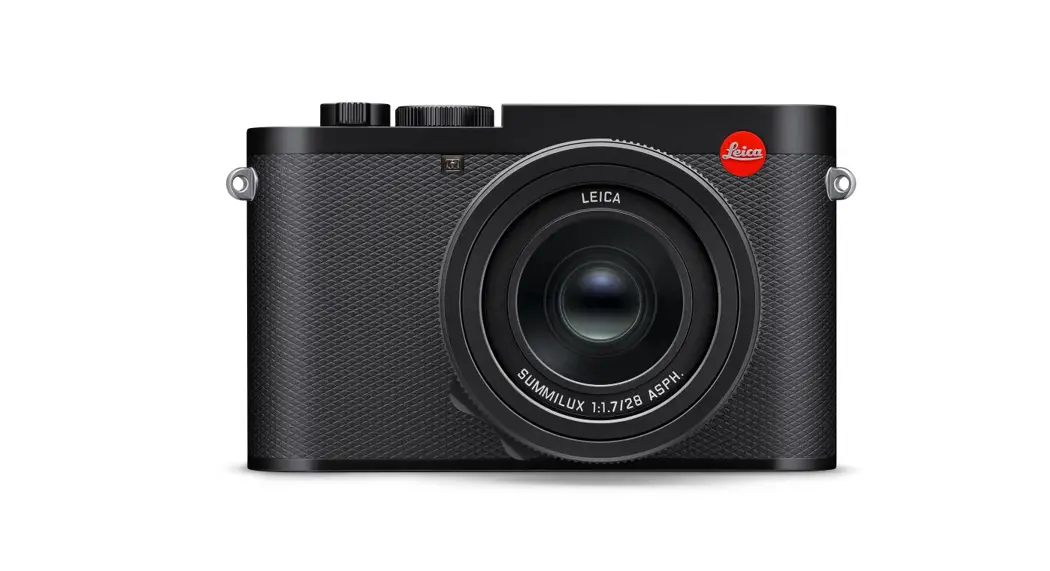
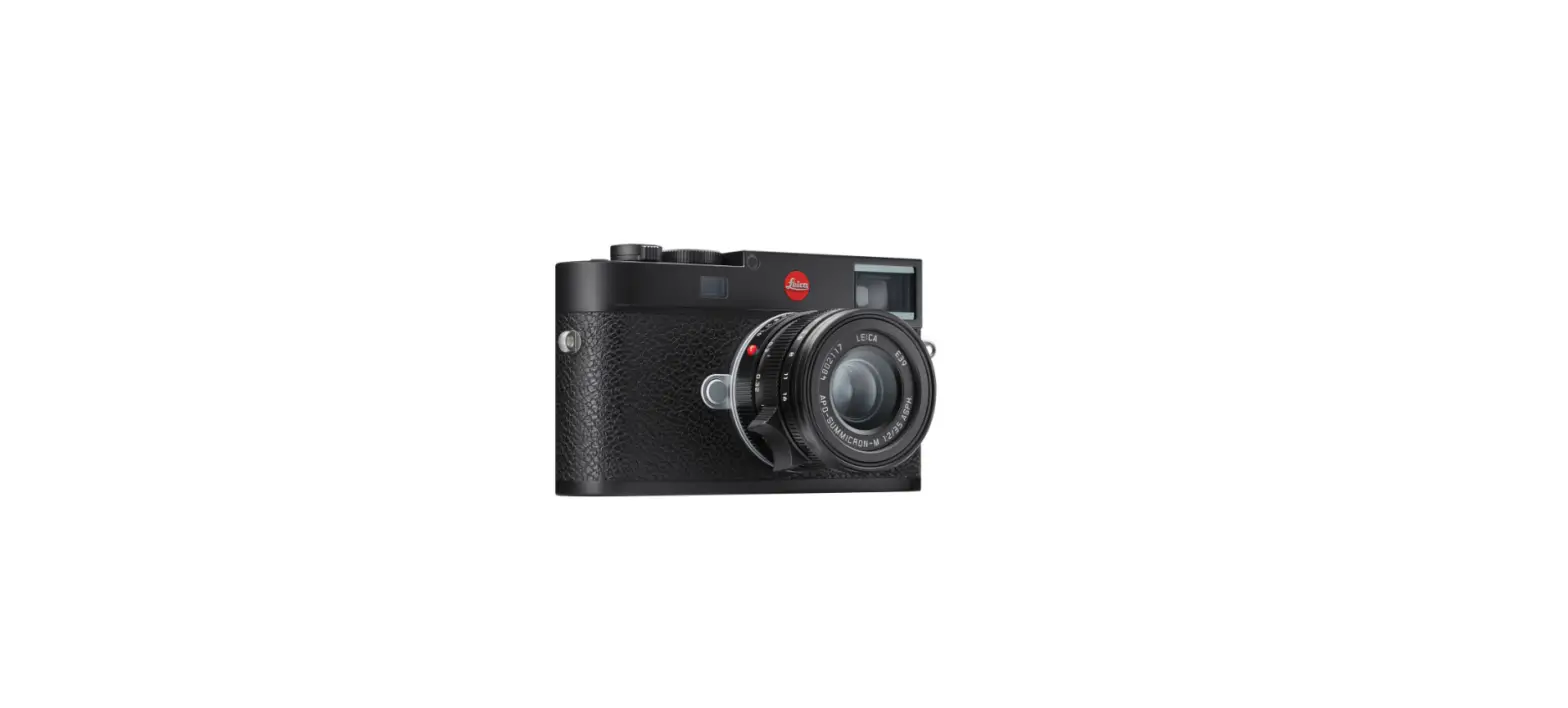
Q3 Digital 35mm Compact Camera
Product Information
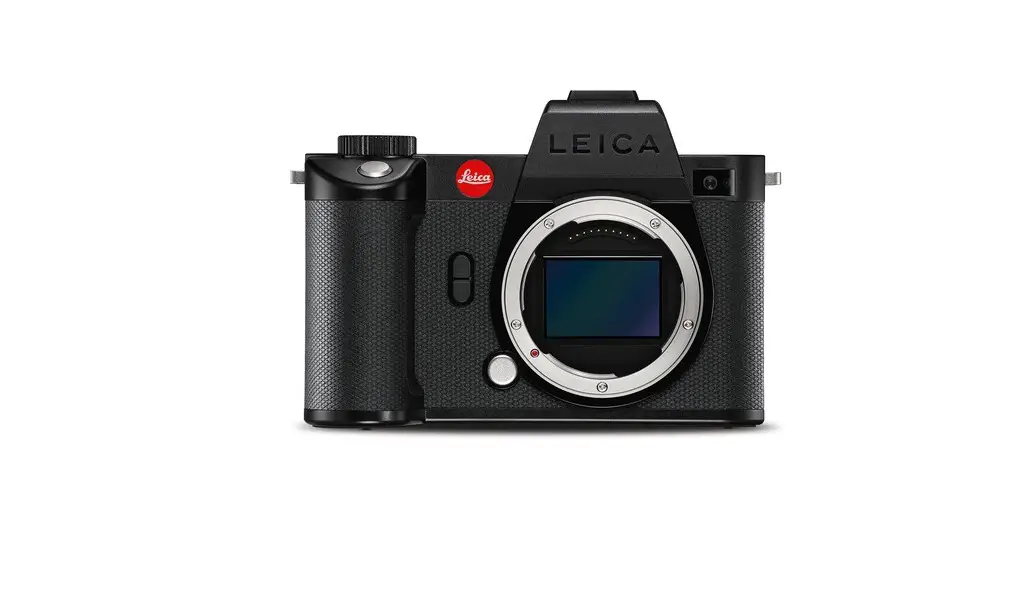
The Leica Q3 is a digital camera with various features and
functions. It has a 3-inch TFT LCD monitor with a resolution of
1,843,200 dots and touch-display capabilities. The camera has a
main switch for turning it on and off, a shutter button for
capturing photos, and a play button for switching between
shooting/recording and review/playback modes. It also includes a
speaker, battery compartment, memory card slot, macro ring, focus
ring, aperture ring, thread protection ring, AF/MF lock release,
focus tab, HDMI port, and USB-C port. The camera supports wireless
charging and tethering via USB-C for both photos and videos.
Product Usage Instructions
- Strap lugs: Attach the camera strap to these lugs for carrying
the camera. - Main switch: Use this switch to turn the camera on or off.
- Shutter button:
- Tap: Use this to focus on the subject in standby mode.
- Press down fully: Use this to take a photo in
shooting/recording mode.
- Play button: Press this button to switch between
shooting/recording and review/playback modes. - LCD panel: This 3-inch TFT LCD monitor with touch-display
capabilities shows the camera’s menu options, live view, and
playback. - Gesture: Use gestures on the LCD panel to perform various
functions:- In shooting/recording mode, you can shift the AF metering field
by using gestures. - In review/playback mode, you can select shots/recordings and
zoom in/out using gestures.
- In shooting/recording mode, you can shift the AF metering field
- Speaker: The built-in speaker allows you to hear audio during
playback. - Battery compartment: Insert the Leica BP-SCL6 battery into this
compartment for power. - Battery release lever: Use this lever to release and remove the
battery from the compartment. - Tripod thread: Attach a tripod to this thread for stability
during photography. - Memory card slot: Insert a memory card into this slot to store
photos and videos. - Alignment point for macro function: Use this point for aligning
the macro ring. - Macro ring: Adjust this ring to focus on close-up
subjects. - Focus ring: Rotate this ring to manually adjust the focus of
the lens. - Aperture ring: Rotate this ring to control the camera’s
aperture settings. - Thread protection ring: Use this ring to protect the camera’s
lens thread. - AF/MF lock release: Press this button to switch between
autofocus (AF) and manual focus (MF) modes. - Focus tab: Use this tab to quickly adjust the focus of the
lens. - HDMI port: Connect an HDMI cable to this port for video
output. - USB-C port: Use this port for tethering, charging, and
connecting the camera to other devices.
Note: When recharging the battery, use a 9 V/3 A (27 W) AC
adapter. Only use the supplied mains cables for charging and do not
attempt to use them for other purposes.
LEICA Q3
KURZANLEITUNG QUICK START GUIDE MODE D’EMPLOI SUCCINCT BEKNOPTE HANDLEIDING GUIDA RAPIDA INSTRUCCIONES ABREVIADAS
PANDUAN RINGKAS
BEZEICHNUNG DER TEILE
45 1
7
6
8
3
2
9
1
26 27 28 29 30
31 32
33 34
25
10 17
11 12
21
15 13
18
24
14 20 19
4
16
23
22
1 Trageösen 2 Hauptschalter
Ein- und Ausschalten der Kamera 3 Auslöser
Antippen:
Automatische Entfernungseinstellung
Aktivieren der Belichtungsmessung und Belichtungssteuerung
Durchdrücken:
Auslösen
Starten und Beenden der Video-Aufnahme
im Stand-by-Betrieb:
Reaktivieren der Kamera 4 Daumenrad
im Menü:
Navigieren in den Menüs
im Aufnahme-Betrieb:
Abhängig von der Belichtungs-Betriebsart
im Wiedergabe-Betrieb:
Vergrößern/Verkleinern der Aufnahme 5 Daumenrad-Taste
im Menü:
Übernahme von Menü-Einstellungen
im Aufnahme-Betrieb:
Direktzugriff auf Menüfunktionen
im Wiedergabe-Betrieb:
Werkseinstellung: Vergrößerung 6 Verschlusszeiten-Einstellrad
A: Automatische Steuerung der Verschlusszeit
2000 1+: Feste Verschlusszeiten 7 Zubehörschuh 8 Mikrofone
Ton-Aufzeichnung erfolgt in Stereo 9 Selbstauslöser-LED/AF-Hilfslicht 10 Sucherokular 11 Augensensor 12 Dioptrien-Einstellrad
Einstellbereich: -4 dpt bis +2 dpt 13 FN-Taste
im Aufnahme-Betrieb:
Direktzugriff auf Menüfunktionen
im Wiedergabe-Betrieb:
Werkseinstellung: Bewerten
14 PLAY-Taste Umschalten zwischen Aufnahme- und Wiedergabe-Betrieb
15 FN-Taste im Aufnahme-Betrieb: Direktzugriff auf Menüfunktionen im Wiedergabe-Betrieb: Werkseinstellung: Einzeln löschen
16 MENU-Taste im Menü: Blättern der Menü-Seiten im Aufnahme-Betrieb: Aufrufen des Menüs im Wiedergabe-Betrieb: Aufrufen des Wiedergabe-Menüs
17 Monitor 3″ TFT LCD, 1 843 200 Bildpunkte (Dots), Touch-Display
Geste Betriebsart Funktion
Aufnahme
Verschieben des AF-Messfelds
Wiedergabe
Auswahl von Aufnahmen
Menü Aufnahme Wiedergabe
Auswahl eines Menüpunktes Zentrieren des AF-Messfelds Vergrößern/Verkleinern der Aufnahme
Aufnahme
AF-Schnelleinstellung
Aufnahme Wiedergabe Aufnahme Wiedergabe
Verkleinern der Live View-Anzeige Verkleinern der Aufnahme Vergrößern der Live View-Anzeige Vergrößern der Aufnahme
Aufnahme
Blättern
Aufnahme/ Wiedergabe
Wechseln der Betriebsart
18 Status-LED Speicherkarten-Zugriff Nutzung der WLAN-Funktion Laufendes Firmware-Update Ladevorgang (,,Wireless Charging” und via USB)
19 Wahltaste im Menü: Navigieren in den Menüs Übernahme von Menü-Einstellungen im Aufnahme-Betrieb: Verschieben des AF-Messfelds
20 Mitteltaste im Menü: Übernahme von Menü-Einstellungen im Aufnahme-Betrieb: Direktzugriff auf Menüfunktionen Werkseinstellung: Info-Profile umschalten im Wiedergabe-Betrieb: Werkseinstellung: Info-Profile umschalten
21 Lautsprecher 22 Akkufach 23 Akku-Entriegelungsschieber 24 Stativgewinde
A 1/4 DIN 4503 (1/4″) 25 Speicherkarten-Schacht 26 Indexpunkt für Makro-Funktion 27 Makro-Einstellring 28 Entfernungs-Einstellring 29 Blenden-Einstellring 30 Gewinde-Schutzring 31 AF/MF-Entriegelung 32 Fingergriff 33 HDMI-Anschluss 34 USB-C-Anschluss
Um die Kamera während eines Akku-Ladevorgangs betreiben zu können, ist ein Netzteil mit 9 V/3 A ( 27 W) zu verwenden.
Es dürfen nur die mitgelieferten Netzkabel verwendet werden. Die Netzkabel dürfen ausschließlich für das mitgelieferte Ladegerät verwendet werden. Versuchen Sie nicht, Netzkabel oder Ladegerät für andere Zwecke zu verwenden.
ZULÄSSIGE VERBINDUNGEN
TETHERING FOTO VIA USB-C
TETHERING VIDEO VIA USB-C + HDMI
WIRELESS CHARGING
Hinweis · Verwenden Sie ein Netzteil mit einer maxima-
len Ausgangsleistung von 100 W oder weniger, das dem USB-PD-Standard entspricht. Stellen Sie sicher, dass es den Sicherheitsstandards IEC62368-1 (ES1, PS2-konform 60 V oder weniger, 100 W oder weniger) entspricht. Wenn Sie sich nicht sicher sind, ob es den Sicherheitsstandards entspricht, wenden Sie sich bitte an den Hersteller des Netzteils.
SICHERHEITSHINWEISE
ALLGEMEIN
· Verwenden Sie Ihre Kamera nicht in unmittelbarer Nähe von Geräten mit starken Magnetfeldern sowie mit elektrostatischen oder elektromagnetischen Feldern (wie z. B. Induktionsöfen, Mikrowellenherde, TVoder Computermonitore, Videospiel-Konsolen, Mobiltelefone, Funkgeräte). Deren elektromagnetische Felder können die Bildaufzeichnungen stören.
· Starke Magnetfelder, z. B. von Lautsprechern oder großen Elektromotoren, können die gespeicherten Daten beschädigen oder die Aufnahmen stören.
· Sollte die Kamera durch die Einwirkung von elektromagnetischen Feldern fehlerhaft arbeiten, schalten Sie sie aus, nehmen Sie den Akku kurz heraus und schalten Sie sie danach wieder ein.
· Bewahren Sie Kleinteile wie z. B. die Zubehörschuh-Abdeckung grundsätzlich wie folgt auf: außerhalb der Reichweite von Kindern an einem vor Verlust und Diebstahl sicheren Ort
· Moderne Elektronikbauelemente reagieren empfindlich auf elektrostatische Entladung. Da sich Menschen, z. B. beim Laufen über synthetischen Teppichboden, leicht auf mehrere 10 000 Volt aufladen können, kann es beim Berühren der Kamera zu einer Entladung kommen, insbesondere dann, wenn sie auf einer leitfähigen Unterlage liegt. Betrifft sie nur das Kameragehäuse, ist diese Entladung für die Elektronik völlig ungefährlich. Aus Sicherheitsgründen sollten allerdings die nach außen geführten Kontakte, beispielsweise diejenigen im Blitzschuh, trotz eingebauter zusätzlicher Schutzschaltungen möglichst nicht berührt werden.
· Verwenden Sie ausschließlich das für dieses Modell vorgesehene Zubehör, um Störungen, Kurzschlüsse oder elektrische Schläge zu vermeiden.
· Versuchen Sie nicht, Gehäuseteile (Abdeckungen) zu entfernen. Fachgerechte Reparaturen sollten nur in autorisierten Servicestellen durchgeführt werden.
· Stellen Sie sicher, dass kein Sand, Staub und Wasser in die Kamera eindringt, z. B. bei Schnee, Regen oder am Strand. Das gilt insbesondere beim Wechseln der Objektive (Bei Systemkameras) sowie beim Einsetzen und Herausnehmen der Speicherkarte und des Akkus. Sand und Staub können sowohl Kamera, Objektive, Speicherkarte als auch den Akku beschädigen. Feuchtigkeit kann Fehlfunktionen und sogar irreparable Schäden an Kamera und Speicherkarte verursachen.
OBJEKTIV
· Ein Objektiv wirkt wie ein Brennglas, wenn praller Sonnenschein frontal auf die Kamera einwirkt. Die Kamera muss deshalb unbedingt vor starker Sonneneinstrahlung geschützt werden. Das Aufsetzen des Objektivdeckels und die Kameraunterbringung im Schatten (oder idealerweise in der Tasche) helfen dabei, Schäden im Inneren der Kamera zu vermeiden.
AKKU
· Neue Akkus müssen vor der ersten Nutzung aufgeladen werden, um für die Nutzung in der Kamera aktiviert zu werden. Dabei empfiehlt es sich, den Akku vollständig zu laden, da Akkus in nur teilweise geladenem Zustand ausgeliefert werden.
· Die vorschriftswidrige Verwendung der Akkus und die Verwendung von nicht vorgesehenen Akkutypen können unter Umständen zu einer Explosion führen!
· Die Akkus dürfen nicht für längere Zeit Sonnenlicht, Hitze, Feuchtigkeit oder Nässe ausgesetzt werden. Ebenso wenig dürfen die Akkus in einem Mikrowellenofen oder einem Hochdruck-Behälter untergebracht werden es besteht Feuer- oder Explosionsgefahr!
· Feuchte oder nasse Akkus dürfen keinesfalls geladen oder in die Kamera eingesetzt werden!
· Halten Sie die Akku-Kontakte stets sauber und frei zugänglich. Lithium-Ionen-Akkus sind zwar gegen Kurzschluss gesichert, dennoch sollten Sie die Kontakte vor Metall-Gegenständen wie Büroklammern oder Schmuckstücken schützen. Ein kurzgeschlossener Akku kann sehr heiß werden und schwere Verbrennungen verursachen.
· Sollte ein Akku hinunterfallen, überprüfen Sie anschließend das Gehäuse und die Kontakte auf etwaige Schäden. Das Einsetzen eines beschädigten Akkus kann seinerseits die Kamera beschädigen.
· Bei Geruchsentwicklung, Verfärbungen, Verformungen, Überhitzung oder Auslaufen von Flüssigkeit muss der Akku sofort aus der Kamera oder dem Ladegerät entnommen und ersetzt werden. Bei weiterem Gebrauch des Akkus besteht sonst Überhitzungs-, Feuer- und/oder Explosionsgefahr!
· Werfen Sie Akkus keinesfalls in Feuer, da sie sonst explodieren können. · Bei auslaufenden Flüssigkeiten oder Verbrennungsgeruch den Akku von Hitzequellen fernhalten. Ausge-
laufene Flüssigkeit kann sich entzünden! · Die Verwendung von anderen, nicht von der Leica Camera AG zugelassenen Ladegeräten kann zu Schä-
den an den Akkus führen, im Extremfall auch zu schwerwiegenden, lebensgefährlichen Verletzungen. · Sorgen Sie dafür, dass die verwendete Netzsteckdose frei zugänglich ist. · Akku und Ladegerät dürfen nicht geöffnet werden. Reparaturen dürfen nur von autorisierten Werkstätten
durchgeführt werden. · Stellen Sie sicher, dass Akkus nicht in Kinderhand gelangen können. Werden Akkus verschluckt, können
sie zu Erstickung führen.
LADEGERÄT
· Wird das Ladegerät in der Nähe von Rundfunkempfängern eingesetzt, kann deren Empfang gestört werden. Sorgen Sie für einen Abstand von mindestens 1 m zwischen den Geräten.
· Wenn das Ladegerät verwendet wird, kann es Geräusche (,,Sirren”) verursachen dies ist normal und keine Fehlfunktion.
· Nehmen Sie das Ladegerät bei Nichtgebrauch vom Netz, da es sonst auch mit nicht eingesetztem Akku eine (sehr geringe) Menge Strom verbraucht.
· Halten Sie die Kontakte des Ladegeräts stets sauber und schließen Sie sie niemals kurz.
SPEICHERKARTE
· Solange eine Aufnahme auf der Speicherkarte gespeichert oder die Speicherkarte ausgelesen wird, darf sie nicht herausgenommen werden. Ebenso darf die Kamera währenddessen nicht ausgeschaltet oder Erschütterungen ausgesetzt werden.
· Solange die Status-LED als Hinweis auf den Speicherzugriff der Kamera leuchtet, dürfen Sie das Fach nicht öffnen und weder Speicherkarte noch Akku entnehmen. Ansonsten können die Daten auf der Karte zerstört werden und bei der Kamera können Fehlfunktionen auftreten.
· Lassen Sie Speicherkarten nicht fallen und biegen Sie sie nicht, da sie sonst beschädigt werden könnten und die darauf gespeicherten Daten verloren gehen können.
· Berühren Sie die Kontakte auf der Rückseite der Speicherkarte nicht und halten Sie Schmutz, Staub und Feuchtigkeit von ihnen fern.
· Sorgen Sie dafür, dass die Speicherkarten für Kinder unzugänglich sind. Beim Verschlucken von Speicherkarten besteht Erstickungsgefahr.
SENSOR
· Höhenstrahlung (z. B. bei Flügen) kann Pixeldefekte verursachen.
TRAGRIEMEN
· Vergewissern Sie sich bitte nach dem Anbringen des Tragriemens, dass die Verschlüsse korrekt montiert sind, um ein Herabfallen der Kamera zu vermeiden.
· Tragriemen sind in der Regel aus besonders belastbarem Material hergestellt. Halten Sie sie deshalb von Kindern fern. Sie sind kein Spielzeug und für Kinder aufgrund von Strangulationsgefahr potenziell gefährlich.
· Verwenden Sie Tragriemen nur in ihrer Funktion als Tragriemen einer Kamera bzw. eines Fernglases. Eine anderweitige Verwendung birgt Verletzungsgefahren und kann eventuell zu Beschädigungen am Tragriemen führen und ist daher nicht gestattet.
· Tragriemen sollten nicht bei sportlichen Aktivitäten an Kameras bzw. Ferngläsern eingesetzt werden, wenn ein besonders hohes Risiko besteht, mit dem Tragriemen hängen zu bleiben (z. B. beim Klettern in den Bergen und vergleichbaren Outdoor-Sportarten).
REGULATORISCHE HINWEISE
Im Menü der Kamera finden Sie die für dieses Gerät spezifischen länderbezogenen Zulassungen. Im Hauptmenü Kamera-Informationen wählen Regulatorische Informationen wählen
Die Symbole auf diesem Produkt (einschließlich Zubehör) haben die folgenden Bedeutungen:
Wechselstrom (AC) Gleichstrom (DC)
Geräte der Klasse II (das Produkt ist doppelt isoliert konstruiert)
ENTSORGUNG ELEKTRISCHER UND ELEKTRONISCHER GERÄTE
(Gilt für die EU sowie andere europäische Länder mit getrennten Sammelsystemen.)
Dieses Gerät enthält elektrische und/oder elektronische Bauteile und darf daher nicht im normalen Hausmüll entsorgt werden. Stattdessen muss es zwecks Recyclings an entsprechenden, von den Gemeinden bereitgestellten Sammelstellen abgegeben werden. Dies ist für Sie kostenlos. Falls das Gerät selbst wechselbare Batterien oder Akkus enthält, müssen diese vorher entnommen werden und ggf. Ihrerseits vorschriftsmäßig entsorgt werden. Weitere Informationen zum Thema bekommen Sie bei Ihrer Gemeindeverwaltung, Ihrem Entsorgungsunternehmen oder in dem Geschäft, in dem Sie dieses Gerät erworben haben.
CE-KENNZEICHNUNG
Die CE-Kennzeichnung unserer Produkte dokumentiert die Einhaltung grundlegender Anforderungen der gültigen EU-Richtlinien.
Deutsch Konformitätserklärung (DoC) Die ,,Leica Camera AG” bestätigt hiermit, dass dieses Produkt den grundlegenden Anforderungen und sonstigen relevanten Vorgaben der Richtlinie 2014/53/ EU entspricht. Kunden können eine Kopie der Original-DoC zu unseren Funkanlagen-Produkten von unserem DoC-Server herunterladen: www.cert.leica-camera.com Wenden Sie sich im Fall weiterer Fragen an den Produkt-Support der Leica Camera AG: Am Leitz-Park 5, 35578 Wetzlar, Deutschland Nutzbares Frequenzband / Einschränkungen für Nutzung: siehe technische Daten
GARANTIE
Neben Ihren gesetzlichen Gewährleistungsansprüchen gegenüber Ihrem Verkäufer erhalten Sie für dieses Leica Produkt zusätzlich von der Leica Camera AG eine Produktgarantie ab dem Kaufdatum bei einem autorisierten Leica Fachhändler. Bisher wurden die Garantiebedingungen der Produktpackung beigelegt. Als neuer Service werden sie nun ausschließlich online zur Verfügung gestellt. Dies hat den Vorteil, dass Sie jederzeit auf die für Ihr Produkt geltenden Garantiebedingungen Zugriff haben. Bitte beachten Sie, dass dies nur für Produkte gilt, die nicht mit beigelegten Garantiebedingungen ausgeliefert werden. Für Produkte mit beigelegten Garantiebedingungen gelten weiterhin ausschließlich diese. Weitere Informationen zu Garantieumfang, Garantieleistungen und Beschränkungen finden Sie unter: warranty.leica-camera.com
Die Leica Q3 ist vor Spritzwasser und Staub geschützt. Die Kamera wurde unter kontrollierten Laborbedingungen getestet und ist nach DIN EN 60529 unter IP52 klassifiziert. Bitte beachten Sie: Der Schutz vor Spritzwasser und Staub ist nicht dauerhaft und verringert sich im Laufe der Zeit. Im Benutzerhandbuch finden Sie eine Anleitung zum Reinigen und Trocknen der Kamera. Die Garantie deckt keine Schäden durch Flüssigkeiten ab. Das Öffnen der Kamera durch einen nicht-autorisierten Händler oder Servicepartner führt zum Erlöschen der Garantie bzgl. Spritzwasser und Staub.
,,Klick”
,,Remove”
2.5/27 W
USB PD
Die Leistung des Netzteils, zum Laden des Akkus in der Kamera, ist abhängig von deren Betriebszustand. Bei ausgeschalteter Kamera ist eine Mindestleistung des Netzteils von 2,5 Watt notwendig. Bei eingeschalteter Kamera ist eine Leistung von mindestens 27 Watt erforderlich.
USB-PD fähig
Use of the Made for Apple badge means that an accessory has been designed to connect specifically to the Apple product(s) identified in the badge and has been certified by the developer to meet Apple performance standards. Apple is not responsible for the operation of this device or its compliance with safety and regulatory standards. Please note that the use of this accessory with an Apple product may affect wireless performance. Apple®, Apple TV®, Apple Watch®, iPad®, iPad Air®, iPad Pro®, iPhone®, and Lightning® are trademarks of Apple Inc., registered in the U.S. and other countries. tvOS® is a trademark of Apple Inc.
Die ausführliche Anleitung zum Download finden Sie unter: de.leica-camera.com/Service-Support/Support/Downloads
Um kostenlos ein gedrucktes Exemplar der ausführlichen Anleitung zu bestellen, registrieren Sie sich bitte unter: www.order-instructions.leica-camera.com
TECHNISCHE DATEN
KAMERA Bezeichnung Leica Q3 Kamera-Typ Digitale Kleinbild-Kompaktkamera Typ-Nr. 6506 Bestell-Nr. 19 080 EU/US/CN, 19 081 JP, 19 082 ROW Speichermedium UHS-II (empfohlen), UHS-I, SD-/SDHC-/SDXCSpeicherkarte Material Ganzmetall-Gehäuse: Magnesium-Druckguss, LederBezug Betriebsbedingungen 0 °C bis +40 °C Nennwerte Eingangsspannung / -strom 7,2 V 2,3 A (Akku), 5 V 3 A / 9 V 2,5 A (USB) Maße (BxHxT) 130 x 80 x 92,9 mm Gewicht Ca. 743 g/658 g (mit/ohne Akku)
SENSOR Sensor-Größe CMOS-Sensor, 62,39 MP/60,3 MP (total/effektiv) Foto-Auflösung DNGTM: 9520 x 6336 Pixel (60,3 MP), 7404 x 4928 Pixel (36,5 MP), 5288 x 3518 Pixel (18,6 MP) JPG: 9520 x 6336 Pixel (60,3 MP), 7392 x 4928 Pixel (36,4 MP), 5280 x 3504 Pixel (18,5 MP)
OBJEKTIV Bezeichnung Leica Summilux 1:1.7/28 ASPH., 11 Linsen in 9 Gliedern, 3 asphärische Linsenflächen Objektiv-Filtergewinde E49
SUCHER/MONITOR
Sucher (EVF)
Auflösung: 5 760 000 Bildpunkte (Dots), 120 B/s, Vergrößerung: 0,79-fach bei Seitenverhältnis 4:3 / 0,76-fach bei Seitenverhältnis 3:2, Bildabdeckung: 100 %, Austrittspupillenlage: 20,75 mm, einstellbar von -4 dpt bis +2 dpt, mit Augensensor für automatische Umschaltung zwischen Sucher und Monitor, zeitl. Verzögerung 0,005 s
Monitor
3″ TFT LCD, 1 843 200 Bildpunkte (Dots), TouchBedienung möglich
AUSSTATTUNG
WLAN Für die Nutzung der WLAN-Funktion ist die App ,,Leica FOTOS” erforderlich. Erhältlich im Apple App StoreTM oder im Google Play StoreTM.
2,4 GHz
5 GHz
EU/ IEEE802.11b/g/n: Client mode:
Access point + client
US/ Kanal 111 (2412 (Nur für Nutzung im
mode:
CN 2462 MHz)
Innenbereich)
IEEE802.11a/n/ac: Kanal
IEEE802.11a/n/ac: Kanal 149165 (57455825 MHz)
3664 (51805320 MHz)
JP
Access point + client
Client mode:
mode:
(Nur für Nutzung im
(Nur für Nutzung im
Innenbereich)
Innenbereich)
IEEE802.11a/n/ac: Kanal
IEEE802.11a/n/ac: Kanal 52144 (52605720 MHz)
3648 (51805240 MHz)
ROW
–
Maximale Leistung (e.i.r.p.): < 14 dBm, Verschlüsselungsmethode: WLAN-kompatible WPATM/WPA2TM/ WPA3TM
Bluetooth
Bluetooth 5.0 LE: Kanal 039 (24022480 MHz), maximale Leistung (e.i.r.p.): 10 dBm
STROMVERSORGUNG
Akku (Leica BP-SCL6)
Lithium-Ionen-Akku, Nennspannung 7,2 V (DC); Kapazität 2200 mAh (mind.), 350 Aufnahmen (nach CIPA-Standard, mit Anzeigen/AF autom. Aus = 5 s); Hersteller: Panasonic Energy (Wuxi) Co. Ltd., hergestellt in China
Ladegerät (Leica BC-SCL4)
Eingang: Wechselspannung 100240 V, 50/60 Hz, 0,25 A, automatisch umschaltend; Ausgang: Gleichspannung 8,4 V, 0,85 A; Hersteller: Salom Electric (Xiamen) Co., Ltd., hergestellt in China
Geschützt durch einen oder mehrere Bestimmungen der unter patentlist.accessadvance.com aufgeführten HEVC-Patente.
Das Produktionsdatum Ihrer Kamera finden Sie auf den Aufklebern in der Garantiekarte bzw. auf der Verpackung. Die Schreibweise ist Jahr/Monat/Tag. Änderungen in Konstruktion und Ausführung vorbehalten.
PART DESIGNATIONS
45 1
7
6
8
3
2
9
1
26 27 28 29 30
31 32
33 34
25
10 17
11 12
21
15 13
18
24
14 20 19
4
16
23
22
1 Strap lugs 2 Main switch
Switching the camera ON/OFF 3 Shutter button
tap:
Autofocusing
Activating exposure metering and exposure control
press down fully:
Shutter release
Video recording Start/Stop
in standby mode:
The camera is reactivated 4 Thumbwheel
in the menu:
Menu navigation
in shooting/recording mode:
Depending on exposure mode
in review/playback mode:
Zooming in/out 5 Thumbwheel button
in the menu:
Applying menu settings
in shooting/recording mode:
Direct access to menu functions
in review/playback mode:
Factory setting: Magnification 6 Shutter-speed dial
A: Automatic shutter speed control 2000 – 1+: Fixed shutter speeds 7 Accessory shoe 8 Microphone Sound is recorded in stereo 9 Self-timer LED/AF assist lamp 10 Viewfinder eyepiece 11 Eye sensor 12 Diopter wheel Setting range: -4 dpt to +2 dpt 13 FN button in shooting/recording mode:
Direct access to menu functions
in review/playback mode:
Factory setting: Rate/Unrate
14 PLAY button Switchover between shooting/recording and review/playback mode
15 FN button in shooting/recording mode: Direct access to menu functions in review/playback mode: Factory setting: Delete single
16 MENU button in the menu: Scrolling through the menu screens in shooting/recording mode: Accessing the menu in review/playback mode: Accessing the review/playback menu
17 LCD panel 3″ TFT LCD, 1,843,200 dots, touch panel
Gesture Operating mode
Function
Shooting/Recording
Shifting the AF metering field
Review/Playback
Selecting shots/ recordings
Menu
Selecting a menu item
Shooting/Recording
Centering of the AF metering field
Review/Playback Zooming in/out
Shooting/Recording AF Quick Setting
Shooting/Recording
Reducing the Live View display
Review/Playback Zooming out
Shooting/Recording
Increasing the Live View display
Review/Playback Picture magnification
Shooting/Recording Scrolling
Shooting/Recording/ Changing the operating
Review/Playback
mode
18 Status LED Memory card access Using the WLAN function Firmware update in progress Charging process (wireless charging and charging via USB)
19 Directional pad in the menu: Menu navigation Applying menu settings in shooting/recording mode: Shifting the AF metering field
20 Center button in the menu: Applying menu settings in shooting/recording mode: Direct access to menu functions Factory setting: Toggle Info Levels in review/playback mode: Factory setting: Toggle Info Levels
21 Speaker 22 Battery compartment 23 Battery release lever 24 Tripod thread
A 1/4 DIN 4503 (1/4″) 25 Memory card slot 26 Alignment point for macro function 27 Macro ring 28 Focus ring 29 Aperture ring 30 Thread protection ring 31 AF/MF lock release 32 Focus tab 33 HDMI port 34 USB-C port
The use of a 9 V/3 A ( 27 W) AC adapter is required where camera operation is desired while the battery is recharging.
Only the mains cables supplied must be used. The mains cables must only be used for the supplied charger unit. Do not attempt to use the mains cable or charger unit for other purposes.
PERMITTED CONNECTION TYPES
TETHERING PHOTO VIA USB-C
TETHERING VIDEO VIA USB-C + HDMI
WIRELESS CHARGING
Note · Use a switching adapter with a max. 100 W
output or less, which complies with the USB-PD standard. Ensure compliance with the safety standards IEC62368-1 (ES1, PS2-compliant 60 V or less, 100 W or less). Contact the manufacturer of the switching adapter if you are not sure that it complies with the safety standards.
SAFETY REMARKS
GENERAL INFORMATION
· Do not use your camera in the immediate vicinity of devices that generate powerful magnetic, electrostatic or electromagnetic fields (e.g. induction ovens, microwave ovens, television sets or computer screens, video game consoles, cell phones, broadcasting equipment). Their electromagnetic fields can interfere with image recordings.
· Strong magnetic fields, e.g. from speakers or large electric motors can damage the stored data or disrupt shooting.
· Switch off the camera, remove the battery briefly, replace it and switch the camera back on in case of a camera malfunction due to the effects of electromagnetic fields.
· Always store small parts e.g. the accessory shoe cover as follows: out of the reach of children in a safe location, where they will not get lost or stolen
· State-of-the-art electronic components are sensitive to static discharge. You can easily pick up charges of several 10,000 volts by simply walking on synthetic floor coverings. A static discharge can occur when you touch the camera and especially if it is placed on a conductive surface. A static discharge on the camera housing poses no risk for the electronics. Despite built-in safety circuits, you should avoid direct contact with external camera contacts like those in the flash shoe.
· Only use accessories specified for this model to prevent faults, short circuits or electric shock. · Do not attempt to remove parts of the housing (covers) yourself. Repairs must be done at authorized
service centers only. · Prevent any sand or dust or water penetration into the camera, e.g. during snowfall or rain or on the
beach. Be extra careful when changing the lens (in system cameras) and when inserting or removing the memory card and rechargeable battery. Sand and dust can damage the camera, the lens, the memory card and the battery. Moisture can cause malfunctions and irreparable damage to the camera and memory card.
LENS
· A camera lens can have the effect of a magnifying glass when exposed to direct frontal sunlight. The camera must therefore be protected against extended exposure to direct sunlight. Attaching the lens cap and keeping the camera in the shade or ideally in its camera case, will help prevent damage to the interior of the camera.
RECHARGEABLE BATTERY
· New batteries must be charged before initial use to be ready for activation in the camera. A full charge is recommended, as the batteries are delivered in an only partially charged state.
· Improper use of the batteries or the use of unapproved battery types may result in an explosion! · Do not expose the rechargeable battery to sunlight, heat, humidity or moisture for prolonged periods of
time. Likewise, the batteries must not be placed in a microwave oven or a high-pressure container as this would pose a fire or explosion hazard! · Do not under any circumstances charge or insert a damp or wet battery into the camera! · Keep the battery contacts clean and easily accessible. Although lithium-ion batteries are secured against short circuits, they should still be protected against contact with metal objects like paper clips or jewelry. A short-circuited battery can get very hot and cause severe burns.
· When a battery is accidentally dropped, make sure to check the housing and the contacts immediately for any damage. A damaged battery can damage the camera.
· The battery must be removed from the camera or charger and must be replaced immediately in case of a strange smell, discoloration, deformation, overheating or leakage. Continued use of the battery may result in overheating, which can cause fire and/or explosion!
· Never throw batteries into a fire as they may explode. · Keep the battery away from sources of heat in case of leakage or if you smell burning. Leaked fluid can
catch fire! · The use of other chargers not approved by Leica Camera AG can cause damage to the batteries and
in extreme cases cause serious or life-threatening injuries. · Make sure that the power socket is freely accessible at all times. · Do not attempt to open the battery or the charger. Repairs must only be carried out by authorized
service centers. · Keep batteries out of the reach of children. Batteries can cause suffocation when swallowed.
CHARGER
· Using the charger in the vicinity of broadcasting receivers may interfere with reception. Ensure a distance of at least 1 m between the charger and the receiver.
· When the charger is in use, it may emit a buzzing sound that is normal and not a malfunction. · Disconnect the charger from the mains when it is not in use, as it consumes electricity (a very small
amount), even if no battery is inserted. · Always keep the charger contacts clean, and never short-circuit them.
MEMORY CARD
· Never remove the memory card during a data save or card reading process. The camera must not be switched off or be subjected to impact or vibrations while working.
· Do not open the cover/remove the memory card or the battery from the camera while the status LED is lit, which indicates memory access. Data on the card may otherwise be destroyed and camera malfunctions may occur.
· Do not drop or bend memory cards as this will cause damage and result in the loss of stored data. · Do not touch the connections on the reverse of the memory card and keep them clean and dry. · Keep memory cards out of the reach of children. Swallowing a memory card may cause suffocation.
SENSOR
· Cosmic radiation (e.g. during flights) may cause pixel defects.
CARRY STRAP
· Once you have attached the carry strap, please make sure that the clips are mounted correctly to prevent the camera from falling.
· Carry straps are usually made of very robust material. You should therefore keep it out of the reach of children. A carry strap is not a toy and poses a strangulation risk.
· Use the carry strap only for its intended purpose on a camera or on binoculars. Any other use poses the risk of injury and may possibly result in damage to the carry strap and is therefore not permitted.
· Carry straps should also not be used for cameras/binoculars during sports activities that pose a risk of entanglement (e.g. when mountain climbing and similar outdoor activities).
REGULATORY INFORMATION
Specific regional approvals for this device can be found in the camera menu. Select Camera Information in the main menu Select Regulatory information
The icons displayed on this product (incl. the accessories) have the following meaning:
Alternating current (AC) Direct current (DC)
Class II devices (the product has a double-insulated design)
DISPOSAL OF ELECTRICAL AND ELECTRONIC EQUIPMENT
(Applies within the EU and for other European countries with active waste separation policies.)
This device contains electrical and/or electronic components which must not be disposed of in general household waste. Instead, it should be disposed of at a recycling collection point provided by your local authority. This service is free of charge. Any standard or rechargeable batteries used in this device must be removed and disposed of separately in accordance with local regulations. Please contact your local authorities, waste disposal collection point or the retailer, from whom you purchased the device for more information on correct waste disposal.
CE MARK
The CE mark on our products documents compliance with the fundamental requirements of applicable EU guidelines.
English Declaration of Conformity (DoC) “Leica Camera AG” hereby declares that this product is in compliance with the basic requirements and other relevant provisions of Directive 2014/53/EU. Customers can download a copy of the original DoC for our Radio Equipment products from our DoC server: www.cert.leica-camera.com Please contact Leica Camera AG, Am Leitz-Park 5, 35578 Wetzlar, Germany in case of any further questions Usable frequency band / restrictions for use: see technical data
WARRANTY
In addition to your statutory warranty rights regarding your retailer, you will receive an additional Leica Camera AG product warranty valid from the date of purchase from an authorized Leica retailer. Previously, the product warranty was included in the packaging with the product. As a new service, the product warranty will from now on only be available online. You will be able to review the warranty conditions for your product at any time, without having to search for the document. Please note that this new policy applies only for products that are no longer delivered with a hardcopy product warranty included in the delivery. Any products still delivered with the warranty document remain governed exclusively by that document. For more information regarding the warranty scope, warranty services and limitations, please visit: warranty.leica-camera.com
Leica Q3 comes with splash water and dust protection. The camera was tested under controlled laboratory conditions and is classes as IP52 in accordance with DIN EN 60529. Please note: The splash water and dust protection coating is not permanent and will diminish over time. The user manual contains instructions on how to clean and dry the camera. The warranty does not cover liquid damage. Any attempt to open the camera casing by an unauthorized retailer or service partner will cause an immediate expiration of the splash water and dust warranty.
,,Klick”
,,Remove”
2.5/27 W
USB PD
Use of the Made for Apple badge means that an accessory has been designed to connect specifically to the Apple product(s) identified in the badge and has been certified by the developer to meet Apple performance standards. Apple is not responsible for the operation of this device or its compliance with safety and regulatory standards. Please note that the use of this accessory with an Apple product may affect wireless performance. Apple®, Apple TV®, Apple Watch®, iPad®, iPad Air®, iPad Pro®, iPhone®, and Lightning® are trademarks of Apple Inc., registered in the U.S. and other countries. tvOS® is a trademark of Apple Inc.
Download the full scope instruction manual here: en.leica-camera.com/Service-Support/Support/Downloads
Please register via the following link if you would like to receive a printed copy of the full scope instruction manual: www.order-instructions.leica-camera.com
TECHNICAL DATA
CAMERA Designation Leica Q3 Camera type Digital 35 mm compact camera Type No. 6506 Order No. 19 080 EU/US/CN, 19 081 JP, 19 082 ROW Storage medium UHS-II (recommended), UHS-I, SD/SDHC/SDXC memory card Material Full metal housing: magnesium die-cast, leather covering Operating conditions 0°C to +40°C Rated values for input voltage/power 7.2 V 2,3 A (battery), 5 V 3 A / 9 V 2.5 A (USB) Dimensions (WxHxD) 130 x 80 x 92.9 mm Weight Approx. 743 g/658 g (with/without battery)
SENSOR Sensor size CMOS sensor, 62.39 MP/60.3 MP (total/effective) Image resolution DNGTM: 9520 x 6336 pixels (60.3 MP), 7404 x 4928 pixels (36.5 MP), 5288 x 3518 pixels (18.6 MP) JPG: 9520 x 6336 pixels (60.3 MP), 7392 x 4928 pixels (36.4 MP), 5280 x 3504 pixels (18.5 MP)
LENS Designation Leica Summilux 28 f/1.7 ASPH., 11 lenses in 9 segments, 3 aspherical lens areas Lens filter thread E49
VIEWFINDER/LCD PANEL
Viewfinder (EVF) Resolution: 5,760,000 dots, 120 fps, magnification: 0.79x at aspect ratio: 4:3 / 0.76x at aspect ratio: 3:2, frame coverage: 100%, exit pupil position: 20.75 mm, setting range -4/+2 dpt, with eye sensor for automatic switchover between viewfinder and LCD panel, time delay 0.005 s
LCD panel 3″ TFT LCD, 1,843,200 dots, touch control available
EQUIPMENT
WLAN The Leica FOTOS app is required to use the WLAN function. The Leica app is available from the Apple App StoreTM or the Google Play StoreTM.
2.4 GHz EU/ IEEE802.11b/g/n: US/ Channel 111 CN (24122462 MHz) JP
ROW
5 GHz
Client mode:
Access point + client mode:
(For indoor use only)
IEEE802.11a/n/ac: Channel
IEEE802.11a/n/ac: Channel 149165 (57455825 MHz)
3664 (51805320 MHz)
Access point + client mode: Client mode:
(For indoor use only)
(For indoor use only)
IEEE802.11a/n/ac: Channel IEEE802.11a/n/ac: Channel 3648 (51805240 MHz) 52144 (52605720 MHz)
–
Maximum output (e.i.r.p.): <14 dBm, encryption method: WLAN-compatible WPATM/WPA2TM/WPA3TM
Bluetooth
Bluetooth 5.0 LE: Channel 039 (24022480 MHz), maximum output (e.i.r.p.): 10 dBm
POWER SUPPLY
Rechargeable battery (Leica BP-SCL6) Lithium-ion rechargeable battery, rated voltage: 7.2 V (DC); capacity: 2200 mAh (min.), 350 shots (based on CIPA standard, with All Displays Auto Off = 5 s); manufacturer: Panasonic Energy (Wuxi) Co. Ltd., Made in China
Charger (Leica BC-SCL4) Input: AC 100240 V, 50/60 Hz, 0.25 A, automatic switchover; output: DC 8.4 V 0.85 A; manufacturer: Salom Electric (Xiamen) Co., Ltd., Made in China
Covered by one or more claims of the HEVC patents listed at patentlist.accessadvance.com.
You will find the manufacturing date of your camera on the stickers in the Warranty Card and/or on the packaging. The date format is year/month/day. Subject to changes in design and model features.
DÉSIGNATION DES PIÈCES
45 1
7
6
8
3
2
9
1
26 27 28 29 30
31 32
33 34
25
10 17
11 12
21
15 13
18
24
14 20 19
4
16
23
22
1 Anneaux de transport 2 Commutateur principal
Mise sous/hors tension de l’appareil photo 3 Déclencheur
légère pression :
Mise au point automatique
Activation de la commande et de la mesure de l’exposition
enfoncer :
Déclencher
Démarrage et arrêt de l’enregistrement vidéo
en mode Veille :
Réactivation de l’appareil 4 Molette
dans le menu :
Navigation dans les menus
en mode Prise de vues :
Dépend du mode d’exposition
en mode Lecture :
Agrandissement/réduction de la prise de vue 5 Touche de molette
dans le menu :
Adoption des réglages du menu
en mode Prise de vues :
Accès direct aux fonctions du menu
en mode Lecture :
Réglage par défaut : agrandissement 6 Molette de vitesse d’obturation
A : commande automatique de la vitesse d’obturation
2000 1+ : vitesses d’obturation fixes 7 Griffe porte-accessoires 8 Microphones
L’enregistrement du son s’effectue en stéréo 9 LED du retardateur / Illuminateur
d’assistance AF 10 Oculaire de viseur 11 Capteur d’oeil 12 Molette de réglage des dioptries
Plage de réglage : -4 dpt à +2 dpt 13 Touche FN
en mode Prise de vues :
Accès direct aux fonctions du menu
en mode Lecture :
Réglage par défaut : Classer
14 Touche PLAY Basculement entre mode Prise de vue et mode Lecture
15 Touche FN en mode Prise de vues : Accès direct aux fonctions du menu en mode Lecture : Réglage par défaut : Supprimer une à une
16 Touche MENU dans le menu : Parcourir les pages du menu en mode Prise de vues : Ouverture du menu en mode Lecture : Ouverture du menu Lecture
17 Écran LCD 3″ TFT, 1 843 200 points d’image (Dots), écran tactile
Geste
Mode de
Fonction
fonctionnement
Prise de vue
Déplacement du champ de mesure AF
Lecture
Sélection de prises de vue
Menu Prise de vue Lecture
Sélection d’une option de menu
Centrage du champ de mesure AF Agrandissement/ réduction de la prise de vue
Prise de vue
Réglage rapide AF
Prise de vue Lecture Prise de vue Lecture
Réduction de l’affichage Live View
Réduction de la prise de vue
Agrandissement de l’affichage Live View
Agrandissement de la prise de vue
Prise de vue
Navigation
Prise de vue / Lecture
Changement de mode de fonctionnement
18 LED d’état Accès à la carte mémoire
Utilisation de la fonction WLAN
Mise à jour en cours du firmware
Processus de charge (« Wireless Charging » et via USB)
19 Touche de sélection dans le menu :
Navigation dans les menus
Adoption des réglages du menu
en mode Prise de vues :
Déplacement du champ de mesure AF 20 Touche centrale
dans le menu :
Adoption des réglages du menu
en mode Prise de vues :
Accès direct aux fonctions du menu
Réglage par défaut : Changer de profil
d’information
en mode Lecture :
Réglage par défaut : Changer de profil
d’information
21 Haut-parleur 22 Logement de la batterie 23 Bouton coulissant de déverrouillage
de la batterie 24 Filetage pour trépied
A 1/4 DIN 4503 (1/4″) 25 Compartiment de carte mémoire 26 Point de repère pour fonction macro 27 Bague macro 28 Bague de mise au point 29 Bague de diaphragme 30 Bague de protection du filetage 31 Déverrouillage AF/MF 32 Poignée de doigt 33 Prise HDMI 34 Port USB-C
Pour pouvoir utiliser l’appareil photo durant un processus de charge de la batterie, il faut utiliser un bloc secteur de 9 V/3 A ( 27 W).
Seuls les câbles d’alimentation fournis peuvent être utilisés. Les câbles d’alimentation ne doivent être utilisés que pour le chargeur fourni. N’essayez pas d’utiliser les câbles d’alimentation ou le chargeur à d’autres fins.
CONNEXIONS AUTORISÉES
PARTAGE DE CONNEXION PHOTO VIA USB-C
PARTAGE DE CONNEXION VIDÉO VIA USB-C + HDMI
WIRELESS CHARGING
Remarque · Utilisez un bloc secteur ayant une puissance
de sortie maximale de 100 W ou moins et conforme à la norme USB-PD. Assurez-vous qu’il est conforme aux normes de sécurité CEI 62368-1 (ES1, conforme PS2 – 60 V ou moins, 100 W ou moins). Si vous n’êtes pas sûr qu’il soit conforme aux normes de sécurité, veuillez contacter le fabricant du bloc secteur.
CONSIGNES DE SÉCURITÉ
GÉNÉRALITÉS
· N’utilisez pas votre appareil à proximité immédiate d’appareils émettant des champs magnétiques, électrostatiques ou électromagnétiques puissants (p. ex. les fours à induction, les fours à micro-ondes, les téléviseurs, les écrans d’ordinateur, les consoles de jeux vidéo, les téléphones portables ou les radios). Leur champ électromagnétique peut perturber l’enregistrement des images.
· Les champs magnétiques puissants, tels que ceux des haut-parleurs ou des gros moteurs électriques, peuvent endommager les données enregistrées ou perturber les prises de vue.
· Si l’appareil présente des défaillances dues à l’interférence de champs électromagnétiques, arrêtez-le, retirez brièvement la batterie et remettez-le ensuite en marche.
· Prenez les précautions qui s’imposent et conservez les petites pièces (p. ex. le cache de griffe porte-accessoires) : hors de portée des enfants dans un endroit où elles ne pourront être ni perdues ni volées
· Les composants électroniques modernes sont sensibles aux décharges électrostatiques. Comme les personnes marchant sur une moquette synthétique peuvent aisément se charger de plusieurs dizaines de milliers de volts, il est possible qu’une décharge électrostatique survienne lors de la prise en main de l’appareil photo, en particulier si celui-ci repose sur un support conducteur. Si seul le boîtier de l’appareil photo est concerné, cette décharge ne présentera absolument aucun risque pour les composants électroniques. Pour des raisons de sécurité, il est en revanche vivement conseillé, malgré la présence de commutateurs de sécurité supplémentaires, de ne pas toucher les contacts débouchant à l’extérieur tels que les contacts du raccord pour flash.
· N’utilisez que les accessoires prévus pour ce modèle afin d’éviter les pannes, les courts-circuits et les décharges électriques.
· N’essayez pas de retirer des pièces du boîtier (caches). Les réparations doivent être effectuées uniquement par un réparateur agréé.
· Assurez-vous que ni sable, ni poussière, ni eau ne puissent s’infiltrer dans l’appareil, notamment en cas de neige, de pluie ou sur la plage. Faites-y particulièrement attention lorsque vous changez d’objectif (pour les appareils photo à objectif) ou lorsque vous insérez ou retirez la carte mémoire ou la batterie. Le sable et la poussière peuvent endommager l’appareil photo, les objectifs, la carte mémoire ainsi que la batterie. L’humidité peut provoquer des dysfonctionnements, voire des dégâts irréversibles à l’appareil photo et à la carte mémoire.
OBJECTIF
· Un objectif agit comme une loupe quand un rayonnement solaire intense irradie la face frontale de l’appareil photo. Par conséquent, il faut impérativement éviter d’exposer l’appareil photo à un rayonnement solaire intense. La mise en place du couvercle d’objectif et la mise de l’appareil photo à l’ombre (de préférence dans sa housse) aident à éviter toute détérioration à l’intérieur de l’appareil photo.
BATTERIE
· Il est nécessaire de charger les batteries neuves avant leur première utilisation afin de les activer pour une utilisation dans l’appareil photo. Il est recommandé de charger complètement la batterie, car les batteries ne sont livrées que partiellement chargées.
· Une utilisation inadéquate des batteries et l’emploi de types de batteries non prévus peuvent le cas échéant entraîner une explosion.
· Il est interdit d’exposer les batteries au rayonnement solaire, à la chaleur ou à l’humidité pendant une durée prolongée. Les batteries ne doivent pas non plus être placées dans un four à micro-ondes ou un récipient à haute pression au risque de provoquer un incendie ou une explosion.
· Il ne faut jamais recharger ni insérer dans l’appareil photo des batteries humides ou mouillées. · Veillez à ce que les contacts de la batterie restent propres et librement accessibles. Les batteries lithium-ion sont
protégées contre les courts-circuits, il convient cependant de protéger les contacts contre les objets métalliques tels que des agrafes ou des bijoux. Une batterie présentant un courtcircuit peut devenir très chaude et provoquer des brûlures graves. · Si une batterie tombe au sol, vérifiez alors que le boîtier et les contacts ne présentent pas de dommages. L’utilisation d’une batterie abîmée peut endommager l’appareil photo. · En cas d’apparition d’odeurs, de décolorations, de déformations, de surchauffe ou d’écoulement de liquide, la batterie doit être immédiatement retirée de l’appareil photo ou du chargeur et remplacée. N’utilisez plus cette batterie, sinon elle risque une surchauffe ou encore de provoquer un incendie et/ou une explosion. · Ne jetez en aucun cas les batteries au feu, sinon elles pourraient exploser. · En cas de fuite de liquide ou d’odeur de brûlé, tenir la batterie éloignée des sources de chaleur. Le liquide qui a coulé peut s’enflammer. · L’utilisation d’autres chargeurs non agréés par Leica Camera AG peut endommager les batteries et, dans le pire des cas, provoquer des blessures graves, voire mortelles. · Veillez à ce que la prise secteur utilisée soit librement accessible. · Ne pas ouvrir la batterie ni le chargeur. Les réparations doivent être réalisées exclusivement par des ateliers agréés. · Assurez-vous que les batteries soient conservées hors de portée des enfants. Si les batteries sont avalées, il y a risque d’étouffement.
CHARGEUR
· Lorsque le chargeur est utilisé à proximité de récepteurs radio, la réception peut s’en trouver perturbée. Veillez à ce que la distance entre les appareils soit au minimum de 1 m.
· Lorsque le chargeur est utilisé, il peut provoquer des bruits (« sifflements »). Ce phénomène est normal et ne constitue pas un dysfonctionnement.
· Débranchez le chargeur du secteur quand vous ne l’utilisez pas. En effet, même sans batterie en place, il consomme une (très faible) quantité d’électricité.
· Assurez-vous que les contacts du chargeur restent propres et ne les mettez en aucun cas en court-circuit.
CARTE MÉMOIRE
· Il convient de ne pas retirer la carte mémoire de l’appareil tant qu’une prise de vue est enregistrée sur celle-ci ou que la carte mémoire est en cours de lecture. Il convient de ne pas non plus éteindre l’appareil photo ni de le secouer durant ce laps de temps.
· Tant que la LED d’état est allumée, ce qui indique que l’appareil accède à la mémoire, n’ouvrez pas le compartiment et ne retirez ni la carte mémoire ni la batterie. Cela pourrait détruire les données et entraîner un dysfonctionnement de l’appareil.
· Ne faites pas tomber les cartes mémoire et ne les pliez pas, sinon elles pourraient être endommagées et les données qu’elles contiennent pourraient être détruites.
· Ne touchez pas les contacts situés à l’arrière des cartes mémoire et tenez-les à l’abri de la saleté, de la poussière et de l’humidité. · Gardez les cartes mémoire hors de portée des enfants. Il existe un risque d’étouffement en cas d’ingestion d’une carte mémoire.
CAPTEUR
· Les rayonnements d’altitude (p. ex. dans les avions) peuvent provoquer des défauts au niveau des pixels.
COURROIE DE PORT
· Après la mise en place de la courroie de port, veuillez vous assurer que les fermetures sont montées correctement pour éviter une chute de l’appareil photo.
· Les courroies de port sont en général en matière particulièrement solide. Pour cette raison, faites en sorte qu’elles soient hors de portée des enfants. Ce ne sont pas des jouets, elles sont potentiellement dangereuses pour les enfants à cause des risques de strangulation.
· Utilisez la courroie de port uniquement pour sa fonction de courroie de port d’appareil photo ou de jumelles. Toute autre utilisation comporte des risques de blessures et peut entraîner, le cas échéant, une détérioration de la courroie de port ; elle est de ce fait prohibée.
· Il convient de ne pas utiliser des courroies de port sur les appareils photo ou les jumelles lors d’activités sportives au cours desquelles il existe un risque particulièrement important de rester accroché avec la courroie de port (par ex. escalade en montagne ou autres sports de plein air comparables).
INDICATIONS D’ORDRE RÉGLEMENTAIRE
Vous trouverez les homologations nationales spécifiques à cet appareil dans le menu de celui-ci. Dans le menu principal, sélectionnez Informations appareil photo Sélectionnez Informations réglementaires
Signification des symboles figurant sur ce produit (accessoires inclus) :
Courant alternatif (AC) Courant continu (DC)
Appareils de classe II (le produit est conçu avec une double isolation)
ÉLIMINATION DES APPAREILS ÉLECTRIQUES ET ÉLECTRONIQUES
(applicable dans l’UE ainsi que dans les autres pays européens possédant des systèmes de tri sélectif)
Cet appareil contient des composants électriques et/ou électroniques et ne doit donc pas être jeté avec les ordures ménagères ordinaires. Au lieu de cela, il doit être déposé à un point de collecte municipal adapté afin d’y être recyclé. Ce dépôt est gratuit. Si l’appareil contient des piles ou des batteries remplaçables, celles-ci doivent être préalablement retirées et, le cas échéant, éliminées séparément par vos soins conformément à la réglementation en vigueur. D’autres informations à ce sujet sont disponibles auprès de l’administration municipale, de la société de traitement des déchets ou du magasin dans lequel vous avez acheté cet appareil.
GARANTIE
En plus de la garantie légale assurée par votre vendeur, Leica Camera AG accorde une garantie produit supplémentaire pour ce produit Leica à compter de la date d’achat chez un revendeur spécialisé Leica agréé. Jusqu’à présent, les conditions de garantie étaient jointes dans l’emballage du produit. En tant que nouveau service, elles seront désormais uniquement mises à disposition en ligne. Ceci présente l’avantage d’avoir un accès permanent aux conditions de garantie applicables à votre produit. Veuillez noter que ceci s’applique uniquement pour les produits qui ne sont pas livrés avec des conditions de garantie jointes. Pour les produits avec conditions de garantie ci-jointes, uniquement ces dernières continuent de s’appliquer. Vous trouverez de plus amples informations sur l’étendue de la garantie, les prestations de garantie et les restrictions à l’adresse : warranty.leica-camera.com
MARQUAGE CE
Le marquage CE de nos produits atteste du respect des exigences de base des normes européennes en vigueur.
Français Déclaration de conformité (DoC) La société « Leica Camera AG » confirme par la présente que ce produit répond aux exigences fondamentales et autres préconisations pertinentes de la directive 2014/53/UE. Les clients peuvent télécharger une copie de la DoC originale de nos d’équipements radioélectriques sur notre serveur de DoC : www.cert.leica-camera.com Si vous avez d’autres questions, veuillez vous adresser à l’assistance produit de Leica Camera AG : Am Leitz-Park 5, 35578 Wetzlar, Allemagne Bande de fréquence utilisable / restrictions d’utilisation : voir les caractéristiques techniques
Le Leica Q3 est protégé contre les projections d’eau et la poussière. L’appareil photo a été testé dans des conditions de laboratoire contrôlées et il est classifié sous IP52 selon DIN EN 60529. Merci de noter que : la protection contre les projections d’eau et la poussière n’est pas permanente et s’altère au fil du temps. Dans le manuel de l’utilisateur, vous trouverez un mode d’emploi pour le nettoyage et le séchage de l’appareil photo. La garantie ne couvre pas les dommages résultant des liquides. L’ouverture de l’appareil photo par un revendeur ou un partenaire de service non agréé entraîne l’extinction de la garantie concernant les projections d’eau et la poussière.
,,Klick”
,,Remove”
2.5/27 W
USB PD
Use of the Made for Apple badge means that an accessory has been designed to connect specifically to the Apple product(s) identified in the badge and has been certified by the developer to meet Apple performance standards. Apple is not responsible for the operation of this device or its compliance with safety and regulatory standards. Please note that the use of this accessory with an Apple product may affect wireless performance. Apple®, Apple TV®, Apple Watch®, iPad®, iPad Air®, iPad Pro®, iPhone®, and Lightning® are trademarks of Apple Inc., registered in the U.S. and other countries. tvOS® is a trademark of Apple Inc.
Il est possible de télécharger la notice complète sur le site : fr.leica-camera.com/Service-Support/Assistance/Downloads
Pour commander gratuitement un exemplaire papier de la notice complète, inscrivez-vous sur le site : www.order-instructions.leica-camera.com
CARACTÉRISTIQUES TECHNIQUES
APPAREIL PHOTO Désignation Leica Q3 Type d’appareil photo Appareil photo compact plein format numérique N° de type 6506 N° de commande 19 080 EU/US/CN, 19 081 JP, 19 082 ROW Support d’enregistrement UHS-II (conseillé), UHS-I, carte mémoire SD/SDHC/ SDXC Matière Boîtier entièrement métallique : fonte de magnésium, housse en cuir Conditions de fonctionnement De 0 °C à +40 °C Valeurs nominales tension/courant d’entrée 7,2 V 2,3 A (batterie), 5 V 3 A / 9 V 2,5 A (USB) Dimensions (lxHxP) 130 x 80 x 92,9 mm Poids
Env. 743 g/658 g (avec/sans batterie)
CAPTEUR Taille du capteur Capteur CMOS, 62,39 MP/60,3 MP (total/effectif) Résolution photo DNGTM : 9520 x 6336 pixels (60,3 MP), 7404 x 4928 pixels (36,5 MP), 5288 x 3518 pixels (18,6 MP) JPG : 9520 x 6336 pixels (60,3 MP), 7392 x 4928 pixels (36,4 MP), 5280 x 3504 pixels (18,5 MP)
OBJECTIF Désignation Leica Summilux 1:1.7/28 ASPH., 11 lentilles en 9 éléments, 3 surfaces de lentilles asphériques Pas de vis pour filtre d’objectif E49
VISEUR/ÉCRAN
Viseur (EVF)
Résolution : 5 760 000 points d’image (dots), 120 ips, agrandissement : 0,79 fois pour le format d’image 4:3 / 0,76 fois pour le format d’image 3:2, recouvrement d’image : 100 %, position de la pupille de sortie : 20,75 mm, plage de réglage : -4 dpt à +2 dpt, avec capteur d’oeil pour commutation automatique entre viseur et écran, retard 0,005 s
Écran
LCD 3″ TFT, 1 843 200 points d’image (Dots), utilisation tactile possible
ÉQUIPEMENT
WLAN L’appli « Leica FOTOS » est nécessaire pour utiliser la fonction WLAN. Elle est disponible sur l’Apple App StoreTM ou le Google Play StoreTM.
2,4 GHz
5 GHz
EU/ IEEE802.11b/g/n : Client mode :
Access point + client
US/ canaux 111
(uniquement pour une
CN (24122462 MHz) utilisation en intérieur)
mode : IEEE802.11a/n/ac : canaux
IEEE802.11a/n/ac : canaux 149165 (57455825 MHz)
3664 (51805320 MHz)
JP
Access point + client
Client mode :
mode :
(uniquement pour une
(uniquement pour une utilisation en intérieur)
utilisation en intérieur) IEEE802.11a/n/ac : canaux
IEEE802.11a/n/ac : canaux 52144 (52605720 MHz)
3648 (51805240 MHz)
ROW
–
Puissance maximale (e.i.r.p.) : < 14 dBm, méthode de chiffrement : WPATM/WPA2TM/WPA3TM compatible WLAN
Bluetooth
Bluetooth 5.0 LE : Canaux 039 (24022480 MHz), puissance maximale (e.i.r.p.) : 10 dBm
ALIMENTATION ÉLECTRIQUE
Batterie (Leica BP-SCL6)
Batterie lithium-ion, tension nominale de 7,2 V (DC) ; capacité : 2200 mAh (minimum), 350 prises de vue (selon la norme CIPA ; avec Arrêt auto. affichages/AF = 5 s) ; fabricant : Panasonic Energy (Wuxi) Co. Ltd., fabriqué en Chine
Chargeur (Leica BC-SCL4)
Entrée : courant alternatif 100 240 V, 50/60 Hz, 0,25 A, inversion automatique ; sortie : courant continu 8,4 V, 0,85 A ; fabricant : Salom Electric (Xiamen) Co., Ltd., fabriqué en Chine
Couvert par une ou plusieurs revendications des brevets HEVC répertoriés sur patentlist.accessadvance.com.
La date de fabrication de votre appareil photo figure sur un autocollant sur la carte de garantie ou sur l’emballage. Cette date est indiquée ainsi : année/mois/jour. Sous réserve de modifications de conception et de fabrication.
NAAM VAN DE ONDERDELEN
45 1
7
6
8
3
2
9
1
26 27 28 29 30
31 32
33 34
25
10 17
11 12
21
15 13
18
24
14 20 19
4
16
23
22
1 Draagoog 2 Hoofdschakelaar
De camera in-/uitschakelen 3 Ontspanner
Aantikken:
Automatische afstandsinstelling
Activeren van de belichtingsmeting en -regeling
Doordrukken:
De opname maken
Starten en stoppen van video-opname
In stand-by-modus:
De camera reactiveren 4 Duimwieltje
In het menu:
Binnen de menu’s navigeren
In de opnamemodus:
Afhankelijk van de belichtingsmodus
In de weergavemodus:
De opname vergroten/verkleinen 5 Duimwieltje-knop
In het menu:
De menu-instellingen accepteren
In de opnamemodus:
Rechtstreekse toegang tot menufuncties
In de weergavemodus:
Fabrieksinstelling: vergroting 6 Sluitertijd-instelwiel
A: automatische regeling van de sluitertijd 2000 – 1+: vaste sluitertden 7 Accessoireschoen 8 Microfoons Het geluid wordt in stereo opgenomen 9 Zelfontspanner-LED / AF-hulplicht 10 Zoekeroculair 11 Oogsensor 12 Dioptrie-instelwiel Instelbereik: -4 dpt tot +2 dpt 13 FN-knop In de opnamemodus:
Rechtstreekse toegang tot menufuncties
In de weergavemodus:
Fabrieksinstelling: Rate/Unrate
14 PLAY-knop Omschakelen tussen opname- en weergavemodus
15 FN-knop In de opnamemodus: Rechtstreekse toegang tot menufuncties In de weergavemodus: Fabrieksinstelling: Delete Single
16 MENU-knop In het menu: In de menupagina´s bladeren In de opnamemodus: Het menu oproepen In de weergavemodus: Het weergavemenu oproepen
17 Monitor 3″ TFT LCD, 1 843 200 beeldpunten (dots), tipscherm
Gebaar Modus Functie
Opname
Het AF-meetveld verplaatsen
Weergave
Opname kiezen
Menu Opname Weergave
Een menupunt kiezen
Het AF-meetveld centreren
De opname vergroten/ verkleinen
Opname
AF-snelinstelling
Opname Weergave Opname Weergave
De Live-View kleiner weergeven
De opname verkleinen
De Live-View groter weergeven
Vergroten van de opname
Opname
Bladeren
Opname / weergave
Andere modus kiezen
18 Status-LED Toegang tot geheugenkaart Gebruik van de WLAN-functie Lopende firmware-update Laden (‘Wireless Charging’ en via USB)
19 Keuzetoets In het menu: Binnen de menu’s navigeren De menu-instellingen accepteren In de opnamemodus: Het AF-meetveld verplaatsen
20 Middentoets In het menu: De menu-instellingen accepteren In de opnamemodus: Rechtstreekse toegang tot menufuncties Fabrieksinstelling: Toggle Info Levels In de weergavemodus: Fabrieksinstelling: Toggle Info Levels
21 Luidsprekers 22 Batterijvak 23 Batterij-ontgrendelingsschuif 24 Statiefschroefdraad
A 1/4 DIN 4503 (1/4″) 25 Geheugenkaartensleuf 26 Indexpunt voor macro-functie 27 Macro-instelring 28 Afstandsinstelring 29 Diafragma-instelring 30 Schroefdraad beschermring 31 AF/MF ontgrendeling 32 Vingergreep 33 HDMI-aansluiting 34 USB-C-aansluiting
Als u de camera wilt gebruiken terwijl de batterij wordt opgeladen, moet u een voeding met 9 V/3 A ( 27 W) gebruiken.
U mag uitsluitend de meegeleverde netsnoeren gebruiken. De netsnoeren mogen uitsluitend worden gebruikt voor de meegeleverde batterijlader. Probeer niet om netsnoer of batterijlader voor andere doeleinden te gebruiken.
BETROUWBARE VERBINDINGEN
TETHERING FOTO VIA USB-C
TETHERING VIDEO VIA USB-C + HDMI
WIRELESS CHARGING
Aanwijzing · Gebruik een voeding met een afgegeven ver-
mogen van uiterlijk 100 W, die voldoet aan de USB-PD-norm. Zorg er beslist voor dat deze voldoet aan de veiligheidsnorm IEC62368-1 (ES1, PS2-conform; uiterlijk 60 V, uiterlijk 100 W) voldoet. Als u niet zeker weet of de voeding aan de veiligheidsnorm voldoet, neem dan contact op met de fabrikant ervan.
VEILIGHEIDSVOORSCHRIFTEN
ALGEMEEN
· Gebruik uw camera niet in de onmiddellijke nabijheid van apparatuur met sterke magneetvelden en met elektrostatische of elektromagnetische velden (zoals inductie-ovens, magnetrons, monitoren van tv of computer, videogame-consoles, mobiele telefoons, zendapparatuur). Hun elektromagnetische velden kunnen de beeldregistraties verstoren.
· Sterke magneetvelden, bijv. die van luidsprekers of grote elektromotoren kunnen de opgeslagen gegevens beschadigen, resp. de opnamen verstoren.
· Als de camera door het effect van elektromagnetische velden niet goed functioneert, deze uitschakelen, de batterij verwijderen en de camera weer inschakelen.
· Bewaar kleine onderdelen (bijvoorbeeld het accessoireschoen-kapje) in principe als volgt: buiten bereik van kinderen op een voor verlies en diefstal veilige locatie
· Moderne elektronische elementen reageren gevoelig op elektrostatische ontlading. Omdat mensen, bijv. bij het lopen over synthetisch tapijt, al snel meer dan 10 000 Volt kunnen opbouwen, kan het bij aanraking van de camera tot een ontlading komen, vooral als deze op een geleidende ondergrond ligt. Wanneer het alleen de camerabehuizing betreft, is deze ontlading voor de elektronica absoluut ongevaarlijk. De elektronica is weliswaar extra beveiligd, maar raak uit veiligheidsoverwegingen toch vooral de naar buiten lopende contacten (zoals die in de flitsschoen) liever niet aan.
· Gebruik uitsluitend de voor dit model bedoelde accessoires om storing, kortsluiting of een elektrische schok te vermijden.
· Probeer nooit onderdelen van de behuizing (afdekkingen) te verwijderen. Vakkundige reparaties mogen uitsluitend door een erkend servicepunt worden verricht.
· Zorg ervoor dat er geen zand, stof en water in de camera binnendringt, bijvoorbeeld bij sneeuw, regen of aan het strand. Dat geldt vooral bij het verwisselen van het objectief (bij systeemcamera’s) en bij het plaatsen en verwijderen van de geheugenkaart en de batterij. Zand en stof kunnen zowel camera, objectieven, geheugenkaart als de batterij beschadigen. Vocht kan tot storingen leiden en zelfs onherstelbare schade aan uw camera en geheugenkaart veroorzaken.
OBJECTIEF
· Een objectief werkt als een brandglas als het volle zonlicht frontaal op de camera staat. De camera moet daarom altijd tegen sterke zonnestraling worden beschermd. Het plaatsen van een objectiefdop, het opbergen van de camera in de schaduw of idealiter in de tas kan helpen interne schade aan de camera te voorkomen.
BATTERIJ
· Om nieuwe batterijen in de camera te gebruiken, moet u ze eerst opladen. Bij levering zijn nieuwe batterijen slechts gedeeltelijk geladen, en daarom wordt aanbevolen ze volledig te laden.
· Als deze batterijen niet volgens de voorschriften worden gebruikt of als er batterijen worden gebruikt die niet voor deze camera zijn bestemd, kan dit eventueel een explosie tot gevolg hebben!
· De batterijen mogen niet voor langere tijd aan zonlicht of hitte en vooral ook niet aan vocht of water worden blootgesteld. Bovendien mogen de batterijen nooit in een magnetron of in een omgeving onder hoge druk worden geplaatst wegens gevaar van brand of explosie!
· Vochtige of natte batterijen mogen beslist niet worden geladen of in de camera worden geplaatst!
· Houd de batterijcontacten steeds schoon en vrij. Lithium-ion batterijen zijn weliswaar tegen kortsluiting beveiligd, maar toch mag u de contacten niet in aanraking laten komen met metalen voorwerpen zoals paperclips of sieraden. Een kortgesloten batterij kan zeer heet worden en ernstige brandwonden veroorzaken.
· Als er een batterij op de grond valt, moet u onmiddellijk de behuizing en contacten op eventuele schade controleren. Het plaatsen van een beschadigde batterij kan ook de camera beschadigen.
· Als er geuren, verkleuringen, vervormingen, oververhitting of lekkages van vloeistof optreden, moet onmiddellijk de batterij uit de camera of oplader worden verwijderd en moet deze worden vervangen. Bij voortgezet gebruik van de batterij is er anders een reëel risico voor oververhitting-, brand- en/of explosiegevaar!
· Werp batterijen nooit in vuur, omdat ze anders kunnen exploderen. · Bij brandlucht of lekkende vloeistoffen moet u de batterij uit de buurt van warmtebronnen houden. De
lekkende vloeistof kan gaan branden! · Het gebruik van andere, niet door Leica Camera AG toegestane, opladers kan tot schade aan de batte-
rijen leiden en in een extreem geval ook tot ernstige, levensgevaarlijke verwondingen. · Zorg ervoor dat het gebruikte stopcontact vrij toegankelijk is. · Batterij en oplader mogen niet worden geopend. Reparaties mogen alleen door erkende werkplaatsen
worden uitgevoerd. · Garandeer dat kinderen niet bij batterijen kunnen. Als batterijen worden ingeslikt, kan dat tot verstik-
king leiden.
OPLAADAPPARAAT
· Wanneer de oplader in de buurt van radio-ontvangers wordt gebruikt, kan de ontvangst worden verstoord. Houd tussen de apparaten een afstand van minimaal 1 m aan.
· Het oplaadapparaat kan bij gebruik geluid (‘zoemen’) veroorzaken dit is normaal en geen storing. · Trek de netstekker van de oplader eruit als hij niet wordt gebruikt, omdat hij ook zonder batterij zeer
weinig stroom verbruikt. · Houd de contacten van de oplader altijd schoon en maak nooit kortsluiting.
GEHEUGENKAART
· Zolang een opname wordt opgeslagen of de geheugenkaart wordt uitgelezen, mag deze niet worden verwijderd. Ondertussen mag de camera ook niet worden uitgeschakeld en niet aan trillingen worden blootgesteld.
· Zolang de status-LED nog brandt, mag u het vak niet openen, noch de geheugenkaart of de batterij eruit nemen, omdat de camera dan nog naar het geheugen aan het wegschrijven is. Anders kunnen de gegevens op de kaart worden beschadigd en kunnen er fouten bij de camera optreden.
· Laat geheugenkaarten niet vallen en buig ze niet, omdat deze anders beschadigd kunnen worden en de opgeslagen gegevens verloren kunnen gaan.
· Raak de contacten aan de achterzijde van de geheugenkaarten niet aan en houd ze vrij van vuil, stof en vocht.
· Zorg ervoor dat de geheugenkaarten voor kinderen ontoegankelijk zijn. Het inslikken van een geheugenkaart kan leiden tot verstikking.
SENSOR
· Hoogtestraling (bijv. bij vluchten) kan pixeldefecten veroorzaken.
DRAAGRIEM
· Controleer na het aanbrengen van de draagriem of de sluitingen correct zijn aangebracht, om te vermijden dat de camera valt.
· Deze draagriem is gemaakt van bijzonder sterk materiaal. Zorg dat kinderen niet bij de draagriem kunnen. De draagriem is geen speelgoed, en voor kinderen mogelijk gevaarlijk vanwege knel- en wurggevaar.
· Gebruik een draagriem uitsluitend in diens functie als draagriem van een camera / verrekijker. Een ander gebruik brengt letselgevaar met zich mee en kan eventueel leiden tot beschadigingen aan de draagriem, en is daarom niet toegestaan.
· Draagriemen mogen niet worden gebruikt aan camera’s / verrekijkers bij sportactiviteiten als een bijzonder hoog risico bestaat, met de draagriem te blijven hangen (bijvoorbeeld bij bergbeklimmen en vergelijkbare outdoor-sporten).
OPMERKINGEN OVER REGELGEVING
In het menu van de camera vindt u de specifieke nationale vergunningen van dit apparaat. In het hoofdmenu, Camera Information kiezen Regulatory Information kiezen
De symbolen op dit product (ook de accessoires) hebben de volgende betekenis:
Wisselspanning (AC) Gelijkspanning (DC)
Apparatuur van de klasse II (het product is dubbel geïsoleerd gebouwd)
MILIEUVRIENDELIJK AFVOEREN VAN ELEKTRISCHE EN ELEKTRONISCHE APPARATUUR
(geldt voor de EU en overige Europese landen met gescheiden inzameling.)
Dit toestel bevat elektrische en/of elektronische onderdelen en mag daarom niet met het normale huisvuil worden meegegeven. In plaats daarvan moet het voor recycling op door de gemeenten beschikbaar gestelde inzamelpunten worden afgegeven. Dit is voor u gratis. Als het toestel zelf verwisselbare batterijen bevat, moeten deze vooraf worden verwijderd en eventueel volgens de voorschriften milieuvriendelijk worden afgevoerd. Meer informatie over dit onderwerp ontvangt u bij uw gemeentelijke instantie, uw afvalverwerkingsbedrijf of de zaak waar u het toestel hebt gekocht.
CE-MARKERING
De CE-markering van onze producten geeft aan dat de basiseisen van de geldende EU-richtlijnen worden nageleefd.
Nederlands Verklaring van Conformiteit (DoC) Bij dezen verklaart “Leica Camera AG” dat dit product in overeenstemming is met de essentiële vereisten en andere relevante uiteenzettingen van Richtlijn 2014/53/EU. Klanten kunnen een kopie downloaden van het originele DoC bij onze radioapparatuur producten vanaf onze DoC server: www.cert.leica-camera.com Neem in geval van verdere vragen contact op met: Leica Camera AG, Am LeitzPark 5, 35578 Wetzlar, Duitsland Bruikbare frequentieband / gebruiksbeperkingen: zie technische gegevens
GARANTIE
Naast uw wettelijke garantieaanspraken ten aanzien van uw verkoper ontvangt u voor dit Leica product ook van Leica Camera AG een productgarantie vanaf de datum van aankoop bij een bevoegde Leica vakleverancier. Tot nog toe vond u de garantievoorwaarden in de productverpakking. Als nieuwe service worden ze nu uitsluitend online aangeboden. Dat heeft het voordeel dat u altijd toegang hebt tot de voor uw product geldende garantievoorwaarden. Let op: dit geldt uitsluitend voor producten waarbij geen fysieke garantievoorwaarden worden geleverd. Voor producten met bijgevoegde garantievoorwaarden gelden verder uitsluitend deze. Meer informatie over de omvang van de garantie, garantieprestaties en beperkingen vindt u onder: warranty.leica-camera.com
De Leica Q3 is spatwater- en stofbestendig. De camera werd onder gecontroleerde laboratoriumomstandigheden getest, en is volgens DIN EN 60529 onder IP52 geclassificeerd. Let op: de bescherming tegen spatwater en stof is niet duurzaam, en neemt na verloop van tijd af. In het gebruikshandboek vindt u een handleiding voor het reinigen en drogen van de camera. De garantie dekt geen schade door vloeistoffen. Als een niet-bevoegde leverancier of Service Partner de camera openmaakt, vervalt de garantie ten aanzien van spatwater en stof.
,,Klick”
,,Remove”
2.5/27 W
USB PD
De uitvoerige handleiding kunt u hier ophalen: en.leica-camera.com/Service-Support/Support/Downloads
Om gratis een gedrukt exemplaar van de uitvoerige handleiding te bestellen, registreert u uzelf onder: www.order-instructions.leica-camera.com
TECHNISCHE GEGEVENS
CAMERA Naam Leica Q3 Cameratype Digitale kleinbeeld-compactcamera Typenummer 6506 Bestelnr. 19 080 EU/US/CN, 19 081 JP, 19 082 ROW Opslagmedium UHS-II (aanbevolen), UHS-I, SD-/SDHC-/SDXCgeheugenkaart Materiaal Geheel metalen behuizing: magnesiumspuitgietstuk, afgewerkt met leer Gebruiksvoorwaarden 0 °C tot +40 °C Nominale waarden ingangsspanning/-stroom 7,2 V 2,3 A (batterij), 5 V 3 A / 9 V 2,5 A (USB) Afmetingen (BxHxD) 130 x 80 x 92,9 mm Gewicht Circa 743 g/658 g (met/zonder batterij)
SENSOR Sensorformaat CMOS-sensor, 62,39 MP/60,3 MP (totaal/effectief) Foto-resolutie DNGTM: 9520 x 6336 pixels (60,3 MP), 7404 x 4928 pixels (36,5 MP), 5288 x 3518 pixels (18,6 MP) JPG: 9520 x 6336 pixels (60,3 MP), 7392 x 4928 pixels (36,4 MP), 5280 x 3504 pixels (18,5 MP)
OBJECTIEF Naam Leica Summilux 1:1.7/28 ASPH., 11 lenzen in 9 delen, 3 asferische lensoppervlakken Objectief-filterschroefdraad E49
ZOEKER/MONITOR
Zoeker (EVF) Resolutie: 5.760.000 beeldpunten (dots); 120 b /s; vergroting: 0,79x bij hoogte-breedteverhouding 4:3 / 0,76x bij hoogte-breedteverhouding 3:2; beeldafdekking: 100%; uittredepupil: 20,75 mm; instelbaar -4 tot +2 dioptrie; met oogsensor voor automatische omschakeling tussen zoeker en monitor; tijdsvertraging 0,005 s
Monitor 3″ TFT LCD, 1 843 200 beeldpunten (dots), tipbediening mogelijk
UITRUSTING
WLAN Voor het gebruik van de WLAN-functie is de app ‘Leica FOTOS’ vereist. Verkrijgbaar in de Apple App StoreTM of in de Google Play StoreTM.
2,4 GHz EU/ IEEE802.11b/g/n: US/ kanaal 111 CN (24122462 MHz)
JP
ROW
5 GHz
Client mode:
Access point + client mode:
(Uitsluitend voor gebruik IEEE802.11a/n/ac: kanaal
binnenshuis)
149165 (57455825 MHz)
IEEE802.11a/n/ac: kanaal 3664 (51805320 MHz)
Access point + client mode: Client mode:
(Uitsluitend voor gebruik (Uitsluitend voor gebruik
binnenshuis)
binnenshuis)
IEEE802.11a/n/ac: kanaal IEEE802.11a/n/ac: kanaal 3648 (51805240 MHz) 52144 (52605720 MHz)
–
Maximaal vermogen (e.i.r.p.): < 14 dBm, encryptiemethode: WLAN-compatible WPATM/WPA2TM/WPA3TM
Bluetooth
Bluetooth 5.0 LE: kanaal 039 (24022480 MHz), maximaal vermogen (e.i.r.p.): 10 dBm
VOEDING
Batterij (Leica BP-SCL6) Lithium-ion batterij, nominale spanning: 7,2 V (DC); capaciteit: 2200 mAh (min.), 350 foto’s (gebaseerd op CIPA-norm, met Displays/AF auto Off = 5 s); fabrikant: Panasonic Energy (Wuxi) Co. Ltd., gefabriceerd in China
Oplaadapparaat (Leica BC-SCL4) Ingang: AC 100-240 V, 50/60 Hz, 0,25 A, automatische omschakeling; uitgang: DC 8,4 V; 0,85 A; Fabrikant: Salom Electric (Xiamen) Co., Ltd., gefabriceerd in China
Gedekt door een of meer claims van de HEVC-patenten vermeld op patentlist.accessadvance.com.
De productiedatum van uw camera vindt u op de stickers in de garantiekaart ofwel op de verpakking. De schrijfwijze is jaar/maand/dag. Wijziging in constructie en uitvoering voorbehouden.
DENOMINAZIONE DEI COMPONENTI
45 1
7
6
8
3
2
9
1
26 27 28 29 30
31 32
33 34
25
10 17
11 12
21
15 13
18
24
14 20 19
4
16
23
22
1 Ganci per tracolla 2 Interruttore generale
Accensione e spegnimento della fotocamera 3 Pulsante di scatto
sfioramento: regolazione automatica della messa a fuoco attivazione della misurazione e il controllo
dell’esposizione
pressione completa: scatto avvio e arresto della ripresa video
nella modalità stand-by: riattivazione della fotocamera 4 Ghiera di selezione nel menu: navigazione nei menu
nella modalità di ripresa: a seconda della modalità di esposizione
nella modalità di riproduzione: ingrandimento/riduzione dell’immagine 5 Pulsante ghiera di selezione nel menu: applicazione delle impostazioni del menu
nella modalità di ripresa: accesso diretto alle funzioni di menu
nella modalità di riproduzione: impostazione di fabbrica: ingrandimento
6 Ghiera del tempo di posa
A: controllo automatico del tempo di posa 2000 1+: tempi di posa invariabili 7 Slitta porta accessori 8 Microfoni La registrazione audio avviene in stereo 9 LED di autoscatto / Luce ausiliaria AF 10 Oculare del mirino 11 Sensore oculare 12 Ghiera di regolazione diottrica Gamma di regolazione: da -4 dpt a +2 dpt 13 Pulsante FN nella modalità di ripresa: accesso diretto alle funzioni di menu
nella modalità di riproduzione: impostazione di fabbrica: Classifica
14 Pulsante PLAY Passaggio dalla modalità di ripresa alla modalità di riproduzione
15 Pulsante FN nella modalità di ripresa: accesso diretto alle funzioni di menu nella modalità di riproduzione: impostazione di fabbrica: Elimina singo-
larmente
16 Pulsante MENU nel menu: navigazione nelle schermate del menu nella modalità di ripresa: richiamo del menu nella modalità di riproduzione: richiamo del menu di riproduzione
17 Monitor 3″ TFT LCD, 1 843 200 pixel (dot), display touchscreen
Sfioramento Modalità Funzione
Scatto
Spostamento del campo di misura AF
Riproduzione Selezione di immagini
Menu
Selezione di una voce di menu
Scatto
Centratura del campo di misura AF
Riproduzione
Ingrandimento/riduzione dell’immagine
Scatto
Impostazione rapida di AF
Scatto
Riduzione dell’indicatore Live View
Riproduzione
Riduzione dell’immagine
Scatto
Ingrandimento dell’indicatore Live View
Riproduzione
Ingrandimento dell’immagine
Scatto
Navigazione
Ripresa/
Cambio di modalità
Riproduzione operativa
18 LED di stato accesso alla scheda di memoria
utilizzo della funzione WLAN
aggiornamento del firmware in corso
processo di ricarica (“wireless charging” e tramite USB)
19 Pulsante di selezione nel menu:
navigazione nei menu
applicazione delle impostazioni del menu
nella modalità di ripresa:
spostamento del campo di misura AF 20 Pulsante centrale
nel menu:
applicazione delle impostazioni del menu
nella modalità di ripresa:
accesso diretto alle funzioni di menu
impostazione di fabbrica: Commuta Info
Profili
nella modalità di riproduzione:
impostazione di fabbrica: Commuta Info
Profili
21 Altoparlante 22 Vano batteria 23 Cursore di sbloccaggio della batteria 24 Attacco filettato per treppiede
A 1/4 DIN 4503 (1/4″) 25 Vano scheda di memoria 26 Punto di riferimento per la funzione
Macro 27 Ghiera di regolazione macro 28 Ghiera di messa a fuoco 29 Ghiera del diaframma 30 Ghiera di protezione della filettatura 31 Sblocco AF/MF 32 Poggiadita 33 Porta HDMI 34 Porta USB-C
Per potere utilizzare la fotocamera durante la ricarica della batteria occorre utilizzare un alimentatore da 9 V/3 A ( 27 W).
Si possono utilizzare esclusivamente i cavi di alimentazione forniti in dotazione. I cavi di alimentazione possono essere utilizzati unicamente per il caricabatterie fornito in dotazione. Non tentare mai di utilizzare il cavo di alimentazione o il caricabatterie per altri scopi.
CONNESSIONI CONSENTITE
TETHERING FOTO TRAMITE USB-C
TETHERING VIDEO TRAMITE USB-C + HDMI
WIRELESS CHARGING
Avvertenza · Utilizzare un alimentatore con una potenza di
uscita massima di 100 W o inferiore conforme allo standard USB Power Delivery. Assicurarsi che corrisponda allo standard di sicurezza IEC62368-1 (ES1, conforme a PS2 60 V o inferiore, 100 W o inferiore). Se non siete sicuri che corrisponda allo standard di sicurezza, siete pregati di rivolgervi al produttore dell’alimentatore.
AVVERTENZE SULLA SICUREZZA
IN GENERALE
· Non utilizzare la fotocamera nelle immediate vicinanze di dispositivi che emettano potenti campi magnetici, elettrostatici o elettromagnetici (come, ad esempio, forni ad induzione, forni a microonde, monitor di TV o computer, console per videogiochi, cellulari, ricetrasmittenti). I loro campi elettromagnetici possono disturbare la registrazione delle immagini.
· Potenti campi magnetici, ad esempio quelli di altoparlanti o grossi motori elettrici, possono danneggiare i dati memorizzati o disturbare la ripresa.
· In caso di malfunzionamento della fotocamera dovuto all’effetto di campi elettromagnetici, spegnere la fotocamera, rimuovere brevemente la batteria e riaccendere la fotocamera.
· Conservare i componenti di piccole dimensioni (come, ad esempio, la copertura della slitta porta accessori) come descritto di seguito: fuori dalla portata dei bambini in un luogo sicuro, protetto da possibili smarrimenti e furti
· I moderni dispositivi elettronici sono estremamente sensibili alle scariche elettrostatiche. Dal momento che il corpo umano può facilmente caricare diverse decine di migliaia di Volt, ad esempio camminando su una moquette sintetica, il contatto con la fotocamera potrebbe produrre una scarica elettrica, soprattutto se poggia su un materiale conduttivo. Se la scarica colpisce solo il corpo macchina, le parti elettroniche non subiranno danni. Nonostante la presenza di circuiti di protezione supplementari integrati, per motivi di sicurezza si consiglia di non toccare i contatti rivolti verso l’esterno, ad esempio quelli della slitta portaflash.
· Per prevenire possibili guasti, cortocircuiti o folgorazioni, utilizzare esclusivamente gli accessori prescritti per questo modello.
· Non tentare di rimuovere parti dell’alloggiamento (coperture). Una corretta riparazione può essere effettuata solo presso un centro assistenza autorizzato.
· Assicurarsi che nella fotocamera non penetrino sabbia, polvere e acqua, ad esempio in caso di neve, pioggia o in spiaggia. Ciò vale soprattutto durante la sostituzione degli obiettivi (per fotocamere di sistema) e l’inserimento o la rimozione della scheda di memoria e della batteria. Sabbia e polvere possono danneggiare la fotocamera, gli obiettivi, la scheda di memoria nonché la batteria. L’umidità può causare malfunzionamenti e addirittura danni irreparabili alla fotocamera e alla scheda di memoria.
OBIETTIVO
· Quando la fotocamera è esposta frontalmente ai raggi diretti del sole, l’obiettivo agisce come una lente focale. Di conseguenza, la fotocamera dovrà essere assolutamente protetta da una forte irradiazione solare. Applicando il copriobiettivo e tenendo la fotocamera all’ombra (o meglio nell’apposita custodia), si possono evitare danni ai componenti interni della fotocamera.
BATTERIA
· Prima di essere utilizzate per la prima volta, le batterie nuove devono essere ricaricate per essere attivate per l’utilizzo nella fotocamera. Si consiglia di ricaricare completamente le batterie, poiché alla consegna sono caricate solo parzialmente.
· Un utilizzo non conforme di queste batterie o l’uso di tipi di batterie non previsti può provocare in alcuni casi esplosioni!
· Le batterie ricaricabili non devono essere esposte per periodi prolungati alla luce del sole, al calore, all’umidità o venire a contatto con liquidi. Inoltre, esse non devono assolutamente essere poste in forni a microonde o contenitori ad alta pressione: pericolo di incendi o di esplosione!
· Batterie umide o bagnate non devono in alcun caso essere ricaricate né inserite nella fotocamera! · I contatti della batteria devono essere sempre puliti e accessibili. Le batterie ricaricabili agli ioni di litio
sono protette contro i cortocircuiti; tuttavia, è buona norma proteggerne i contatti da oggetti di metallo come clip da ufficio o gioielli. Una batteria cortocircuitata può surriscaldarsi e causare gravi ustioni. · Qualora una batteria sia caduta, verificare immediatamente che l’alloggiamento e i contatti non si siano danneggiati. L’inserimento di una batteria danneggiata può provocare danni alla fotocamera. · Se la fotocamera emana uno strano odore, cambia colore, si deforma, si surriscalda oppure presenta una fuoriuscita di liquido, la batteria deve essere subito rimossa dalla fotocamera o dal caricabatterie e sostituita. Continuando a utilizzare batterie in queste condizioni sussiste il rischio di surriscaldamento, d’incendio e/o di esplosione! · Non gettare in alcun caso le batterie nel fuoco, poiché possono esplodere. · In caso di fuoriuscita di liquidi o odore di bruciato, tenere la batteria lontana da fonti di calore. Il liquido fuoriuscito può incendiarsi! · L’uso di caricabatterie diversi, non autorizzati da Leica Camera AG, può danneggiare le batterie provocando, nei casi più estremi, anche lesioni personali gravi con pericolo di morte. · Accertarsi che la presa di rete utilizzata sia liberamente accessibile. · Non aprire mai la batteria e il caricabatterie. Le riparazioni possono essere eseguite esclusivamente presso i centri autorizzati. · Tenere sempre le batterie fuori dalla portata dei bambini. Se ingerite, le batterie possono provocare il soffocamento.
CARICABATTERIE
· Se il caricabatterie viene utilizzato nelle vicinanze di radioricevitori, la ricezione di questi ultimi potrebbe risultare disturbata. Mantenere sempre una distanza di almeno un metro tra i dispositivi.
· Durante l’utilizzo, il caricabatterie può emettere rumori (“ronzii”); si tratta di un fenomeno normale e non rappresenta un’anomalia di funzionamento.
· Scollegare il caricabatterie dalla rete quando non viene utilizzato, poiché, in caso contrario, anche con la batteria non inserita, consuma corrente, sia pure in quantità molto ridotta.
· Mantenere sempre puliti i contatti del caricabatterie e non metterli in corto.
SCHEDA DI MEMORIA
· Non estrarre la scheda di memoria durante il salvataggio di un’immagine o il trasferimento di dati dalla scheda di memoria. Durante queste operazioni, la fotocamera non deve essere né spenta né esposta a urti o vibrazioni.
· Non aprire il vano e non estrarre la scheda di memoria né la batteria finché il LED di stato che indica l’accesso alla memoria della fotocamera è acceso. In caso contrario, i dati sulla scheda possono essere distrutti e la fotocamera può funzionare in modo difettoso.
· Non lasciare cadere le schede di memoria e non piegarle, in quanto potrebbero danneggiarsi e i dati salvati potrebbero andare perduti.
· Non toccare i contatti sul retro della scheda di memoria e tenerli lontani da sporco, polvere e umidità. · Assicurarsi che le schede di memoria siano tenute fuori dalla portata dei bambini. L’ingestione delle
schede di memoria comporta il pericolo di soffocamento.
SENSORE
· Le radiazioni cosmiche (ad esempio, durante i voli) possono causare difetti dei pixel.
TRACOLLA
· Dopo avere applicato la tracolla, occorre accertarsi che le chiusure siano correttamente montate per evitare un’eventuale caduta della fotocamera.
· Questa tracolla è realizzata in un materiale particolarmente resistente. Tenere la tracolla fuori dalla portata dei bambini. La tracolla non è un giocattolo e può essere potenzialmente pericolosa per i bambini (pericolo di strangolamento).
· Utilizzare la tracolla unicamente per la funzione per cui è stata prevista, ossia come cinghia da trasporto per fotocamera o binocolo. Qualsiasi utilizzo diverso comporta il rischio di lesioni e danni alla tracolla stessa e, pertanto, non è consentito.
· Non utilizzare la tracolla come cinghia da trasporto per fotocamere o binocoli durante attività sportive qualora sussista un elevato rischio di rimanere sospesi o impigliati con la cinghia stessa (ad esempio in arrampicate in montagna o sport simili all’aria aperta).
INFORMAZIONI OBBLIGATORIE
Nel menu della fotocamera sono riportate le certificazioni del paese di utilizzo specifiche per questo dispositivo.
Nel menu principale, selezionare Informazioni fotocamera Selezionare Informazioni obbligatorie
I simboli riportati sul prodotto (compresi gli accessori) rappresentano quanto segue:
Corrente alternata (AC) Corrente continua (DC)
Dispositivi di classe II (prodotto costruito con doppio isolamento)
SMALTIMENTO DEI DISPOSITIVI ELETTRICI ED ELETTRONICI
(Si applica all’UE e agli altri Paesi europei con sistemi di raccolta differenziata)
Il presente dispositivo contiene componenti elettrici e/o elettronici e, pertanto, non deve essere smaltito insieme ai normali rifiuti domestici. Il dispositivo deve essere depositato presso gli appositi centri di raccolta allestiti dalle autorità municipali dove sarà riciclato. Questa procedura è gratuita. Se il dispositivo contiene pile o batterie ricaricabili, queste dovranno essere preventivamente rimosse e, se necessario, smaltite da parte dell’utente conformemente alle normative vigenti in materia. Per ulteriori informazioni sull’argomento, rivolgersi all’amministrazione comunale, all’azienda addetta allo smaltimento o al rivenditore dell’apparecchio.
MARCHIO CE
Il marchio CE attesta la conformità dei nostri prodotti ai requisiti fondamentali delle direttive UE vigenti.
Italiano Dichiarazione di conformità (DoC) Con la presente, “Leica Camera AG” dichiara che questo prodotto è conforme ai requisiti essenziali e alle altre disposizioni rilevanti della Direttiva 2014/53/UE. I clienti possono scaricare una copia del DoC originale per i nostri prodotti di apparecchiature radio dal nostro server DoC: www.cert.leica-camera.com In caso di ulteriori domande, contattare: Leica Camera AG, Am Leitz-Park 5, 35578 Wetzlar, Germania Banda di frequenza utilizzabile / limitazioni d’uso: vedi dati tecnici
GARANZIA
Su questo prodotto Leica, oltre ai diritti di garanzia previsti dalla legge nei confronti del proprio rivenditore, Leica Camera AG concede anche due anni di garanzia dalla data di acquisto presso un rivenditore Leica autorizzato. Finora, le condizioni di garanzia valide per il vostro prodotto erano contenute nella confezione del prodotto stesso. Da ora in poi saranno disponibili unicamente online. In questo modo sarà possibile accedervi in qualsiasi momento. Vi preghiamo di osservare che questa opzione è valida solo per i prodotti sprovvisti di condizioni di garanzia a corredo. Per i prodotti con le condizioni di garanzia a corredo saranno valide esclusivamente le condizioni di garanzia allegate. Ulteriori informazioni sulla garanzia, sulle prestazioni e sulle limitazioni di garanzia le troverete al seguente sito: warranty.leica-camera.com
La fotocamera Leica Q3 è antispruzzo e antipolvere. La fotocamera è stata testata in condizioni di laboratorio controllate ed è classificata con un indice di protezione IP52 ai sensi della norma DIN EN 60529. Nota: la protezione antispruzzo e antipolvere non è permanente e diminuisce con il tempo. Nel manuale di istruzioni troverete indicazioni riguardanti la pulizia e l’asciugatura corrette della fotocamera. La garanzia non copre i danni provocati dai liquidi. L’apertura della fotocamera da parte di un rivenditore o di partner dell’assistenza non autorizzati provoca l’estinzione della garanzia riguardante gli spruzzi d’acqua e la polvere.
,,Klick”
,,Remove”
2.5/27 W
USB PD
Use of the Made for Apple badge means that an accessory has been designed to connect specifically to the Apple product(s) identified in the badge and has been certified by the developer to meet Apple performance standards. Apple is not responsible for the operation of this device or its compliance with safety and regulatory standards. Please note that the use of this accessory with an Apple product may affect wireless performance. Apple®, Apple TV®, Apple Watch®, iPad®, iPad Air®, iPad Pro®, iPhone®, and Lightning® are trademarks of Apple Inc., registered in the U.S. and other countries. tvOS® is a trademark of Apple Inc.
Per istruzioni dettagliate, è possibile scaricare il manuale alla pagina: it.leica-camera.com/Assistenza-clienti/Supporto/Downloads
Per ricevere gratuitamente una copia cartacea delle istruzioni dettagliate, si prega di registrarsi all’indirizzo: www.order-instructions.leica-camera.com
SCHEDA TECNICA
FOTOCAMERA Modello Leica Q3 Tipo di fotocamera Fotocamera digitale compatta pieno formato N. modello 6506 Cod. ord. 19 080 EU/US/CN, 19 081 JP, 19 082 ROW Supporti di memoria UHS-II (consigliato), UHS-I, schede di memoria SD/SDHC/SDXC Materiale Corpo esterno interamente metallico: magnesio pressofuso, rivestimento in pelle Condizioni d’esercizio Da 0 °C a +40 °C Valori nominali tensione/corrente di ingresso 7,2 V 2.3 A (batteria), 5 V 3 A / 9 V 2,5 A (USB) Dimensioni (LxAxP) 130 x 80 x 92,9 mm Peso Circa 743 g/658 g (con/senza batteria)
SENSORE Dimensioni del sensore Sensore CMOS, 62,39 MP/60,3 MP (totale/effettivo) Risoluzione foto DNGTM: 9520 x 6336 pixel (60,3 MP), 7404 x 4928 pixel (36,5 MP), 5288 x 3518 pixel (18,6 MP) JPG: 9520 x 6336 pixel (60,3 MP), 7392 x 4928 pixel (36,4 MP), 5280 x 3504 pixel (18,5 MP)
OBIETTIVO Modello Leica Summilux 1:1.7/28 ASPH., 11 lenti in 9 gruppi, 3 elementi a superficie asferica Filettatura per filtri obiettivo E49
MIRINO/MONITOR
Mirino (EVF)
Risoluzione: 5 760 000 punti (dot), 120 B/s, ingrandimento: 0,79x con rapporto di formato 4:3 / 0,76x con rapporto di formato 3:2, copertura dell’immagine: 100 %, posizione pupilla di uscita: 20,75 mm, regolabile da -4 dpt a +2 dpt, con sensore oculare per la commutazione automatica da mirino a monitor e viceversa, ritardo temporale 0,005 s
Monitor
3″ TFT LCD, 1 843 200 punti (dot), possibilità di controllo tattile
DOTAZIONE A CORREDO
WLAN Per utilizzare la funzione WLAN è necessaria la app “Leica FOTOS”. Disponibile nell’Apple App StoreTM o nel Google Play StoreTM.
2,4 GHz
5 GHz
EU/ IEEE802.11b/g/n: Client mode:
Access point + client
US/ canale 111
(solo per uso in interni) mode:
CN (24122462 MHz) IEEE802.11a/n/ac: canali IEEE802.11a/n/ac: canali
3664 (51805320 MHz) 149165 (57455825 MHz)
JP
Access point + client
Client mode:
mode:
(solo per uso in interni)
(solo per uso in interni) IEEE802.11a/n/ac: canali
IEEE802.11a/n/ac: canali 52144 (52605720 MHz)
3648 (51805240 MHz)
ROW
–
Potenza massima di trasmissione (E.I.R.P.): < 14 dBm, metodo di codifica: WLAN compatibile WPATM/WPA2TM/ WPA3TM
Bluetooth
Bluetooth 5.0 LE: canali 039 (24022480 MHz), potenza massima (e.i.r.p.): 10 dBm
ALIMENTAZIONE ELETTRICA
Batteria (Leica BP-SCL6) Batteria ricaricabile agli ioni di litio, tensione nominale 7,2 V (DC); capacità: 2200 mAh (almeno), 350 riprese (in base allo standard CIPA, con Indicatori/AF autom. Off = 5 s); fabbricante: Panasonic Energy (Wuxi) Co. Ltd., Made in China
Caricabatterie (Leica BC-SCL4) Ingresso: AC 100240 V, 50/60 Hz, 0,25 A, commutazione automatica; uscita: DC 8,4 V, 0,85 A; fabbricante: Salom Electric (Xiamen) Co., Ltd., Made in China
Prodotto protetto da uno o più brevetti approvati HEVC elencati in patentlist.accessadvance.com.
La data di produzione della fotocamera è posta sulle etichette nei tagliandi del certificato di garanzia oppure sulla confezione. Il formato della data è anno/ mese/giorno. Con riserva di modifiche alla costruzione e all’esecuzione.
DESIGNACIÓN DE LOS COMPONENTES
45 1
7
6
8
3
2
9
1
26 27 28 29 30
31 32
33 34
25
10 17
11 12
21
15 13
18
24
14 20 19
4
16
23
22
1 Ojales de transporte 2 Interruptor principal
Encendido y apagado de la cámara 3 Disparador
Cuando se toca:
Ajuste automatico del enfoque
Activación de la medición y el control de la exposición
Al presionar:
Disparar
Iniciación/detención de la grabación de vídeo
en modo stand-by:
Reactivación de la cámara 4 Rueda selectora
en el menú:
Navegación por los menús
en el modo de toma:
Dependiendo del modo de exposición
en el modo de reproducción:
Ampliación/reducción de la toma 5 Botón de rueda selectora
en el menú:
Aceptación de los ajustes del menú
en el modo de toma:
Acceso directo a las funciones del menú
en el modo de reproducción:
Configuración de fábrica: aumento 6 Dial de velocidad de obturación
A: control automático de la velocidad de obturación
2000 1+: velocidades de obturación fijas 7 Zapata para accesorios 8 Micrófonos
La grabación de sonido se realiza en estéreo 9 LED del autodisparador / luz auxiliar AF 10 Ocular del visor 11 Sensor de ocular 12 Dial de ajuste de dioptrías
Rango de ajuste: de -4 dpt a +2 dpt 13 Botón FN
en el modo de toma:
Acceso directo a las funciones del menú
en el modo de reproducción:
Configuración de fábrica: Clasificar
14 Botón PLAY
Cambio entre el modo de toma y reproducción 15 Botón FN
en el modo de toma: Acceso directo a las funciones del menú en el modo de reproducción: Configuración de fábrica: Eliminar una
16 Botón MENU en el menú: Desplazamiento por las páginas del menú en el modo de toma: Activación del menú en el modo de reproducción: Acceso al menú de reproducción
17 Monitor LCD TFT de 3″, 1 843 200 píxeles (puntos), pantalla táctil
Control Modo táctil
Toma
Función
Desplazamiento del campo de medición AF
Reproducción Selección de tomas
Menú Toma Reproducción
Selección de una opción de menú
Desplazamiento del campo de medición AF
Ampliación/reducción de la toma
Toma
Configuración rápida de AF
Toma
Reducción de la indicación de Live View
Reproducción Reducción de la toma
Toma
Aumento de la indicación de Live View
Reproducción Ampliación de las tomas
Toma
Hojear
Toma/Repro- Cambio del modo de funcio-
ducción
namiento
18 LED de estado Acceso a tarjetas de memoria
Uso de la función WLAN
Actualización de firmware en curso
Proceso de carga (carga sin cable y con USB) 19 Selector direccional
en el menú:
Navegación por los menús
Aceptación de los ajustes del menú
en el modo de toma:
Desplazamiento del campo de medición AF 20 Botón central
en el menú:
Aceptación de los ajustes del menú
en el modo de toma:
Acceso directo a las funciones del menú
Configuración de fábrica: Cambiar de perfil
de información
en el modo de reproducción:
Configuración de fábrica: Cambiar de perfil
de información
21 Altavoz 22 Compartimento de la batería 23 Pestillo de liberación de la batería 24 Rosca para trípode
A 1/4 DIN 4503 (1/4″) 25 Ranura para tarjetas de memoria 26 Punto de alineación para función macro 27 Dial de ajuste de macro 28 Anillo de enfoque 29 Anillo de ajuste del diafragma 30 Anillo protector de rosca 31 Botón de desbloqueo de AF/MF 32 Agarre para dedo 33 Conexión para HDMI 34 Conexión para USB-C
Para que la cámara pueda funcionar durante el proceso de carga de la batería, es necesario utilizar una fuente de alimentación de 9 V/3 A ( 27 W).
Solamente pueden usarse los cables que le proporcionamos. Los cables proporcionados solamente pueden usarse para el cargador con el que se entregan. No intente utilizar los cables ni los cargadores en otros dispositivos.
CONEXIONES ADMITIDAS
TETHERING PARA FOTOS MEDIANTE USB-C
TETHERING PARA VÍDEO MEDIANTE USB-C + HDMI
CARGA SIN CABLE
Nota · Utilice una fuente de alimentación con una potencia
de salida de 100 W o menos, la que sea adecuada para el estándar del USB-PD. Asegúrese de que la potencia de salida se corresponde con los estándares de seguridad IEC62368-1 (de conformidad con ES1, PS2 60 V o menos, 100 W o menos). Si no está seguro sobre si se corresponde con los estándares de seguridad, póngase en contacto con el fabricante de la fuente de alimentación.
INDICACIONES DE SEGURIDAD
GENERAL
· No emplee su cámara en las proximidades inmediatas de aparatos con campos magnéticos intensos, así como campos electrostáticos o electromagnéticos (como p. ej., hornos de inducción, hornos microondas, monitores de televisión o de ordenador, consolas de videojuegos, teléfonos móviles y aparatos de radio). Sus campos electromagnéticos pueden perturbar las grabaciones de imágenes.
· Los campos magnéticos intensos, p. ej. de altavoces o motores eléctricos potentes, pueden dañar los datos guardados o perjudicar las tomas.
· Si la cámara no funcionara correctamente debido al efecto de campos electromagnéticos, apáguela, retire la batería por un momento y luego vuelva a encenderla.
· Las piezas pequeñas (p. ej. cubierta de la zapata para accesorios) deben guardarse en principio de la siguiente manera: fuera del alcance de los niños en un lugar a salvo de la pérdida y el robo
· Los componentes electrónicos modernos son sensibles a las descargas electrostáticas. Puesto que las personas, al caminar, p. ej., sobre moquetas sintéticas, pueden cargarse fácilmente con más de 10 000 voltios, al tocar su cámara podría producirse una descarga, sobre todo si está colocada sobre una base conductiva. Si solamente afecta a la carcasa de la cámara, esta descarga es totalmente inofensiva para el sistema electrónico. Sin embargo, por motivos de seguridad y en la medida de lo posible, los contactos hacia el exterior, como los de la zapata del flash, no deberían tocarse, a pesar de los dispositivos de protección adicionales incorporados.
· Para evitar averías, cortocircuitos o descargas eléctricas, utilice únicamente los accesorios especificados para este modelo.
· No intente quitar partes de la carcasa de la cámara (cubiertas). Las reparaciones especializadas solo se pueden efectuar en centros de servicio de posventa autorizados.
· Asegúrese de que no penetre arena, polvo ni agua en la cámara, p. ej. cuando nieva, llueve, o en la playa. Tenga esto en cuenta, especialmente, al cambiar el objetivo (en cámaras de sistema) o al introducir o sacar la tarjeta de memoria y de la batería. La arena y el polvo pueden deteriorar tanto la cámara como el objetivo, la tarjeta de memoria y la batería. La humedad puede provocar fallos de funcionamiento e incluso daños irreparables en la cámara y en la tarjeta de memoria.
OBJETIVO
· Un objetivo tiene el efecto de un cristal de combustión cuando un rayo de sol incide frontalmente en la cámara. Por lo tanto, la cámara debe estar protegida de la luz solar intensa. Colocar la tapa del objetivo y guardar la cámara a la sombra o, idealmente, en el estuche ayuda a evitar daños en el interior de la cámara.
BATERÍA
· Las baterías nuevas deben cargarse antes del primer uso para activarla antes de utilizarla en la cámara. Para ello, se recomienda cargar la batería por completo ya que las baterías se entregan solo parcialmente cargadas.
· La utilización contraria a las normas de las baterías y la utilización de tipos de baterías no previstos pueden llegar a producir, en determinadas circunstancias, una explosión.
· La batería no se debe exponer durante un tiempo prolongado a la luz solar, el calor o la humedad. Tampoco la batería se debe colocar en un microondas o en un recipiente de alta presión, para evitar el riesgo de incendio o de explosión.
· En ningún caso deben cargarse o introducirse en la cámara baterías húmedas o mojadas. · Mantenga los contactos de la batería siempre limpios y libremente accesibles. Aunque las baterías de
iones de litio están protegidas contra cortocircuitos, es necesario protegerlas contra el contacto con objetos metálicos, como clips o joyas. Una batería cortocircuitada se puede calentar en exceso y provocar graves quemaduras. · Si se cae la batería, compruebe a continuación la carcasa y los contactos por si han sufrido algún daño. La utilización de una batería dañada puede dañar la cámara. · En caso de emisión de olores, decoloraciones, deformaciones, sobrecalentamiento o salida de líquido, es preciso retirar inmediatamente de la cámara o del cargador la batería y sustituirla. ¡Si se sigue utilizando la batería, existe peligro de sobrecalentamiento, con el consiguiente riesgo de incendio o explosión! · ¡En ningún caso tire las baterías al fuego ya que pueden explotar! · En caso de salida de líquido o de olor a quemado, mantenga la batería alejada de las fuentes de calor. El líquido derramado puede inflamarse. · El empleo de otros cargadores no autorizados por Leica Camera AG puede causar daños en las baterías; en casos extremos, incluso lesiones graves que ponen en peligro la vida. · Procure que pueda accederse libremente al enchufe de red utilizado. · No se deben abrir ni el cargador ni la batería. Las reparaciones deben realizarlas exclusivamente talleres autorizados. · Asegúrese de que las baterías estén siempre fuera del alcance de los niños. Si se tragan las baterías, pueden provocar asfixia.
CARGADOR
· Si el cargador se utiliza cerca de aparatos de radio, puede perturbarse la recepción. Procure mantener una distancia mínima de 1 m entre los aparatos.
· Cuando se utiliza el cargador, pueden producirse ruidos («zumbidos»), esto es normal y no un funcionamiento defectuoso.
· Si no va a utilizar el cargador, desconéctelo de la red, porque de lo contrario consume una cantidad (muy reducida) de corriente, incluso sin batería.
· Mantenga los contactos del cargador siempre limpios y nunca los ponga en cortocircuito.
TARJETA DE MEMORIA
· Mientras se guarda una toma en la tarjeta de memoria o se lee la tarjeta de memoria, esta no puede sacarse. Del mismo modo, la cámara no debe apagarse durante este tiempo ni exponerse a sacudidas.
· No abra el compartimento y no retire ni la batería ni la tarjeta de memoria mientras el LED de estado está encendido indicando el acceso a la memoria de la cámara. De lo contrario pueden destruirse los datos de la tarjeta y producirse funcionamientos erróneos en la cámara.
· No deje caer las tarjetas de memoria y no las doble, de lo contrario pueden dañarse y pueden perderse los datos almacenados.
· No toque los contactos en la parte trasera de la tarjeta de memoria y proteja las tarjetas de la suciedad, el polvo y la humedad.
· Asegure que los niños no tengan acceso a las tarjetas de memoria. En caso de tragarse las tarjetas de memoria existe peligro de asfixia.
SENSOR
· La radiación cósmica (p. ej., en vuelos) puede provocar fallos de píxeles.
CORREA DE TRANSPORTE
· Después de colocar la correa de transporte, asegúrese de que los tirantes estén montados correctamente para evitar que la cámara se caiga.
· Las correas de transporte están fabricadas con un material especialmente resistente. Por lo tanto, mantenga la correa de transporte alejada del alcance de los niños. No es un juguete y, además, es potencialmente peligrosa para los niños.
· Utilice las correas de transporte sólo conforme al uso previsto y de la manera prevista, es decir, como correa de transporte para cámaras o prismáticos. Cualquier otro uso alberga un riesgo de lesiones, así como la posibilidad de causar daños en la correa de transporte, por lo tanto, no está permitido.
· Por la misma razón, no deberán utilizarse las correas de transporte en cámaras ni prismáticos durante las actividades deportivas cuando existe un riesgo particularmente alto de quedarse colgado de la correa de transporte (p. ej. escalada en montañas y deportes al aire libre similares).
INDICACIONES REGULADORAS
En el menú de la cámara encontrará las homologaciones específicas de cada país para este aparato. En el menú principal, seleccione Información de la cámara Seleccione Información reguladora
Los iconos de este producto (incluyendo accesorios) tienen los siguientes significados:
Corriente alterna (AC) Corriente continua (DC)
Dispositivos de la clase II (el producto está construido con doble aislamiento)
ELIMINACIÓN DE APARATOS ELÉCTRICOS Y ELECTRÓNICOS COMO RESIDUOS
(Válido para la UE, así como para otros países europeos con sistemas de recogida separada de residuos.)
Este aparato contiene componentes eléctricos y/o electrónicos y, por ello, no debe eliminarse con la basura doméstica normal. En su lugar, se deberá entregar a los centros de recogida municipales correspondientes para su reciclaje. Esto es gratuito para usted. En caso de que el propio aparato contenga pilas recambiables o baterías, éstas deben retirarse previamente y dado el caso eliminarse conforme a lo prescrito. En su ayuntamiento, en la empresa local de eliminación de residuos o en el comercio en el que haya adquirido este aparato recibirá más información sobre este tema.
MARCADO CE
La marca CE de nuestros productos indica el cumplimiento de los requisitos básicos de las respectivas directivas UE vigentes.
Español Declaración de conformidad (DoC) Por la siguiente, «Leica Camera AG» confirma que este producto cumple con los requisitos y otras normas relevantes de la directriz 2014/53/EU. Los clientes pueden descargar una copia del DoC original de nuestros productos RE desde nuestro servidor DoC: www.cert.leica-camera.com Si tiene cualquier duda, puede dirigirse al equipo de Atención al cliente de Leica Camera AG: Am Leitz-Park 5, 35578 Wetzlar, Alemania Banda de frecuencia utilizable / restricciones de uso: véanse los datos técnicos
GARANTÍA
Además de sus derechos legales frente a su vendedor, también recibirá por parte de Leica Camera AG una garantía adicional para este producto Leica a partir de la fecha de compra en un distribuidor Leica autorizado. Hasta el momento, las condiciones de garantía se habían incluido en el paquete del producto. Como parte del nuevo servicio, ahora están disponibles exclusivamente en línea. Esto tiene la ventaja de que en cualquier momento puede acceder a las condiciones de garantía aplicables a su producto. No obstante, tenga en cuenta que esto solo se aplica a aquellos productos que se entregan sin las condiciones de garantía adjuntas. Para los productos que sigan incluyendo las condiciones de garantía adjuntas, éstas serán las únicas aplicables. Para obtener más información sobre la cobertura de garantía, los servicios de garantía y sus restricciones, consulte: warranty.leica-camera.com
La Leica Q3 cuenta con una protección contra salpicaduras de agua y polvo. Esta cámara ha sido probada bajo condiciones de laboratorio controladas y está clasificada según DIN EN 60529 como IP52. Tenga en cuenta las notas siguientes: Dicha protección contra salpicaduras de agua y polvo no es permanente y disminuye con el tiempo. Consulte el manual de usuario para obtener instrucciones sobre cómo limpiar y secar la cámara. La garantía no cubre daños causados por líquidos. La apertura de la cámara por un distribuidor o agente de servicio no autorizado anulará la garantía por salpicaduras de agua y polvo.
,,Klick”
,,Remove”
2.5/27 W
USB PD
Use of the Made for Apple badge means that an accessory has been designed to connect specifically to the Apple product(s) identified in the badge and has been certified by the developer to meet Apple performance standards. Apple is not responsible for the operation of this device or its compliance with safety and regulatory standards. Please note that the use of this accessory with an Apple product may affect wireless performance. Apple®, Apple TV®, Apple Watch®, iPad®, iPad Air®, iPad Pro®, iPhone®, and Lightning® are trademarks of Apple Inc., registered in the U.S. and other countries. tvOS® is a trademark of Apple Inc.
Las instrucciones detalladas se pueden descargar en: es.leica-camera.com/Servicio-y-asistencia/Asistencia-técnica/Downloads
Para solicitar una copia gratuita del manual de instrucciones detallado, regístrese en: www.order-instructions.leica-camera.com
DATOS TÉCNICOS
CÁMARA Denominación Leica Q3 Tipo de cámara Cámara compacta digital de 35 mm Nº de tipo 6506 N.° de pedido 19 080 EU/US/CN, 19 081 JP, 19 082 ROW Medios de almacenamiento Tarjetas de memoria UHS-II (recomendada), UHS-I, SD-/SDHC-/SDXC Material Carcasa completamente metálica: magnesio fundido bajo presión, forro de cuero Condiciones de uso De 0 a +40 °C Valor nominal de la tensión de entrada / corriente de entrada 7,2 V 2, 3 A (batería), 5 V 3 A / 9 V 2,5 A (USB) Medidas (AxAxP) 130 x 80 x 92,9 mm Peso Aprox. 743 g / 658 g (con/sin batería)
SENSOR Tamaño del sensor Sensor CMOS, 62,39 MP/60,3 MP (total/efectivo) Resolución de foto DNGTM: 9520 x 6336 píxeles (60,3 MP), 7404 x 4928 píxeles (36,5 MP), 5288 x 3518 píxeles (18,6 MP) JPG: 9520 x 6336 píxeles (60,3 MP), 7392 x 4928 píxeles (36,4 MP), 5280 x 3504 píxeles (18,5 MP)
OBJETIVO Denominación Leica Summilux 1:1.7/28 ASPH., 11 lentes en 9 enlaces, 3 superficies de lentes asféricas Rosca para filtros de objetivos E49
VISOR/MONITOR
Visor (EVF)
Resolución: 5.760.000 puntos (dots), 120 fps; aumento: 0,79x en una relación de aspecto 4:3 / 0,76x en una relación de aspecto 3:2; cobertura de imagen: 100 %; posición de la pupila de salida: 20,75 mm; ajustable -4 hasta +2 dpt, con sensor de ocular para conmutación automática entre visor y monitor; retardo de tiempo 0,005 s
Monitor
LCD TFT de 3″, 1 843 200 píxeles (puntos), control táctil posible
EQUIPAMIENTO
WLAN Para usar la función WLAN, se requiere la aplicación Leica FOTOS. Dicha aplicación está disponible en App StoreTM para Apple o Play StoreTM para Google.
2,4 GHz
5 GHz
EU/ IEEE802.11b/g/n: Client mode:
Access point + client
US/ canal 111
(Solo para uso en
CN (24122462 MHz) interiores)
mode: IEEE802.11a/n/ac: canal
IEEE802.11a/n/ac: canal 149165 (57455825 MHz)
3664 (51805320 MHz)
JP
Access point + client
Client mode:
mode:
(Solo para uso en
(Solo para uso en
interiores)
interiores)
IEEE802.11a/n/ac: canal
IEEE802.11a/n/ac: canal 52144 (52605720 MHz)
3648 (51805240 MHz)
ROW
–
Potencia máxima (e.i.r.p.): < 14 dBm, método de codificación: compatible con WLAN, WPATM/WPA2TM/ WPA3TM
Bluetooth
Bluetooth 5.0 LE: canal 039 (24022480 MHz), potencia máxima (e.i.r.p.): 10 dBm
SUMINISTRO DE CORRIENTE
Batería (Leica BP-SCL6)
Batería de iones de litio, tensión nominal 7,2 V (DC); capacidad: 2200 mAh (mín.); 350 tomas (según el estándar CIPA, con Desact. pantallas/AF automát. = 5 s); fabricante: Panasonic Energy (Wuxi) Co. Ltd., fabricada en China
Cargador (Leica BC-SCL4)
Entrada: 100-240 V CA, 50/60 Hz, 0,25 A, conmutación automática; salida: tensión continua 8,4 V, 0,85 A; fabricante: Salom Electric (Xiamen) Co., Ltd., fabricada en China
Las tecnologías están cubiertas por al menos uno de los requisitos de las patentes HEVC que figuran en la lista patentlist.accessadvance.com.
La fecha de producción de su cámara figura en las etiquetas adhesivas en la tarjeta de garantía o en el embalaje. La forma de escritura es año/mes/día. Sujeto a modificaciones del diseño y la ejecución.
45 1
7
6
8
3
2
9
1
26 27 28 29 30
31 32
33 34
25
10 17
11 12
21
15 13
18
24
14 20 19
4
16
23
22
1 2
3
: : : 4 : : : / 5 : : : : 6 A: 2000 – 1+: 7 8 . 9 LED / AF 10 11 12 : -4 dpt ~ +2 dpt 13 FN : : :
14 PLAY
15 FN : : :
16 MENU : : :
17 3″ TFT LCD, 1 843 200 (Dots),
AF
AF
/
AF
/
18 LED WiFi (” ” USB )
19 : : AF
20 : : : : :
21 22 23 24
A 1/4 DIN 4503 (1/4″) 25 26 27 28 29 30 31 AF/MF 32 33 HDMI 34 USB-C
, 9V/3A( 27W) .
. . .
USB-C
USB-C + HDMI
· USB-PD 100 W
. IEC62368-1(ES1, PS2 – 60 V , 100 W ) . .
· , (: , , TV , , , ) . .
· . · , . · , .
· . , . . , . · , . · () . . · , (: , ). ( ) . , , . , .
· . . ( ) .
· . .
· , !
· , , . . !
· ! · . ,
. . · , .
. · , , ,
. ! · . · . ! · Leica Camera AG ,
. · . · . . · . .
· , . 1m .
· , (” “) . . · . ( )
. · .
· . .
· LED . .
· . · , . · . .
· (: ) .
· . · . .
. . · .
, . · (: )
.
. . .
( ) .
(AC) (DC)
II ( )
( EU )
/ . . . , . , .
Leica Leica Camera AG Leica . . . . . . , https://warranty.leica-camera.com .
Leica Q3 . IP52 DIN EN 60529 . : . . . .
,,Klick”
,,Remove”
2.5/27 W
USB PD
Use of the Made for Apple badge means that an accessory has been designed to connect specifically to the Apple product(s) identified in the badge and has been certified by the developer to meet Apple performance standards. Apple is not responsible for the operation of this device or its compliance with safety and regulatory standards. Please note that the use of this accessory with an Apple product may affect wireless performance. Apple®, Apple TV®, Apple Watch®, iPad®, iPad Air®, iPad Pro®, iPhone®, and Lightning® are trademarks of Apple Inc., registered in the U.S. and other countries. tvOS® is a trademark of Apple Inc.
. kr.leica-camera.com/Service-Support/Support/Downloads
. www.order-instructions.leica-camera.com
Leica Q3 35 mm 6506 19 080 EU/US/CN, 19 081 JP, 19 082 ROW UHS-II(), UHS-I, SD/SDHC/SDXC : , 0°C ~ +40°C / 7.2 V 2,3 A (), 5 V 3 A / 9 V 2.5 A (USB) (WxHxD) 130 x 80 x 92.9 mm 743 g/658 g( /)
CMOS , 62.39 MP/60.3 MP ( / ) DNGTM: 9520 x 6336 (60.3 MP), 7404 x 4928 (36.5 MP), 5288 x 3518 (18.6 MP) JPG: 9520 x 6336 (60.3 MP), 7392 x 4928 (36.4 MP), 5280 x 3504 (18.5 MP)
Leica Summilux 28 f/1.7 ASPH., 11x (9x ), 3x E49
/
(EVF) : 5 760 000 (), 120 fps, : 4:3 0.79/ 3:2 0.76, : 100%, : 20.75 mm, -4 dpt ~ +2 dpt , , 0.005
3″ TFT LCD, 1 843 200 (Dots),
Wi-Fi
WLAN “Leica FOTOS” . Apple App StoreTM Google Play StoreTM .
2.4 GHz
5 GHz
EU/ IE-
Client mode:
US/ EE802.11b/g/n: ( )
CN l 111
IEEE802.11a/n/ac:
(24122462 MHz) 3664
(51805320 MHz)
Access point + client mode:
IEEE802.11a/n/ac: 149165 (57455825 MHz)
JP ROW
Access point + client mode:
( )
IEEE802.11a/n/ac: 3648 (51805240 MHz)
Client mode: ( ) IEEE802.11a/n/ac: 52144 (52605720 MHz)
–
: WLAN WPATM/WPA2TM/WPA3TM
Bluetooth Bluetooth 5.0 LE: 0-39 (2402-2480 MHz)
(Leica BP-SCL6) , 7.2V(DC); 2200 mAh (), 350(CIPA , /AF = 5 ); : Panasonic Energy (Wuxi) Co. Ltd., made in China
(Leica BC-SCL4) : AC 100240 V, 50/60 Hz, 0.25 A, , : DC 8.4 V, 0.85 A, : Salom Electric (Xiamen) Co., Ltd., Made in China
patentlist.accessadvance.com HEVC .
. : //. .
45 1
7
6
8
3
2
9
1
26 27 28 29 30
31 32
33 34
25
10 17
11 12
21
15 13
18
24
14 20 19
4
16
23
22
1 2
/ 3
: –
: – : 4 : : : / 5 : : : : 6
A: 2000 1+: –
7 8
9 / 10 11 12 : -4 +2 13 FN : : :
14 PLAY
15 FN : : :
16 MENU : : :
17 3″ TFT -, 1 843 200 ,
/
Live View
Live View
/
18 WiFi (« » USB)
19 : :
20 : : : –
: : –
21 22
23 24
A 1/4 DIN 4503 (1/4″) 25 26 27 28 29 30 31 AF/MF 32 33 HDMI 34 USB-C
9 /3 A ( 27 ), .
. . .
USB-C
USB-C + HDMI
WIRELESS CHARGING
·
100 , USB-PD. , IEC62368-1 ( ES1, PS2 60 , 100 ). , , , , .
· , (, , , , , , ). .
· , , , , .
· , , .
· , , , : , ,
· . , , , , , , , . , . , , , , , .
· , , .
· () . .
· , , , , , . ( ), . , , , . .
· , . . ( ) .
· , . , .
· , !
· , , . , !
· !
· . , – , , , . .
· . .
· , , , . / !
· , . ·
. ! · , Leica Camera AG, –
, . · . · . . · , . .
· . , 1 .
· (« ») .
· , , .
· .
· . .
· , , , , . , .
· , , .
· , , .
· , . .
· (, ) .
· , , .
· , , . . , .
· . , .
· , (, ).
–
, .
( ) :
(AC) (DC)
II ( )
( , , .)
/ , ! , . . , , , . , , .
, , Leica Camera AG, Leica. . . , . , , . . , : warranty.leica-camera.com
Leica Q3 . IP52 DIN EN 60529. : . . . – .
,,Klick”
,,Remove”
2.5/27 W
USB PD
Use of the Made for Apple badge means that an accessory has been designed to connect specifically to the Apple product(s) identified in the badge and has been certified by the developer to meet Apple performance standards. Apple is not responsible for the operation of this device or its compliance with safety and regulatory standards. Please note that the use of this accessory with an Apple product may affect wireless performance. Apple®, Apple TV®, Apple Watch®, iPad®, iPad Air®, iPad Pro®, iPhone®, and Lightning® are trademarks of Apple Inc., registered in the U.S. and other countries. tvOS® is a trademark of Apple Inc.
: ru.leica-camera.com/–/-/ Downloads
, : www.order-instructions.leica-camera.com
Leica Q3 6506 19 080 EU/US/CN, 19 081 JP, 19 082 ROW UHS-II (), UHS-I, SD-/ SDHC-/SDXC : , ; 0°C +40 °C / 7,2 2,3 A ( ), 5 3 A / 9 2,5 A (USB) () 130 x 80 x 92,9
743 /658 (/ )
-, 62,39 /60,3 (/) DNGTM: 9520 x 6336 (60,3 ), 7404 x 4928 (36,5 ), 5288 x 3518 (18,6 ) JPG: 9520 x 6336 (60,3 ), 7392 x 4928 (36,4 ), 5280 x 3504 (18,5 )
Leica Summilux 1:1.7/28 ASPH., 11 9- , 3 E49
/
(EVF; )
: 5 760 000 (Dots), 120 /, : 0,79- 4:3 / 0,76- 3:2, : 100 %, : 20,75 , -4 +2 , , 0,005
3″ TFT , 1843200 ,
Wi-Fi Wi-Fi Leica FOTOS. Apple App StoreTM Google Play StoreTM.
2,4
5
EU/ IEEE802.11b/g/n: Client mode:
Access point + client
US/ 111
( – mode:
CN (24122462 ) )
IEEE802.11a/n/ac:
IEEE802.11a/n/ac: 149165 (57455825 )
3664 (51805320 )
JP
Access point + client
Client mode:
mode:
( –
( – )
)
IEEE802.11a/n/ac:
IEEE802.11a/n/ac: 52144 (52605720 )
3648 (51805240 )
ROW
–
(e.i.r.p.): < 14 , : Wi-Fi WPATM/WPA2TM/ WPA3TM
Bluetooth
Bluetooth 5.0 LE: 039 (24022480 ), (e.i.r.p.): 10
(Leica BP-SCL6)
– , 7,2 (DC); 2200 (.), 350 ( CIPA, /AF . . = 5 .); : Panasonic Energy (Wuxi) Co. Ltd.,
(Leica BC-SCL4)
: 100240 , 50/60 , 0,25 A; ; : 8,4 , 0,85 ; : Salom Electric (Xiamen) Co., Ltd.,
HEVC, patentlist.accessadvance.com.
. : //. .
45 1
7
6
8
3
2
9
1
26 27 28 29 30
31 32
33 34
25
10 17
11 12
21
15 13
18
24
14 20 19
4
16
23
22
1 2
/ 3
/ 4 /
5
6 A: 2000 1+
7 8
9 /AF 10 11
12 -4 dpt+2 dpt
13 FN
14 PLAY
15 FN
1
16 MENU
17 3.0 TFT 1843200
AF
AF /
AF
/
18 LED LAN USB
19 AF
20
21 22 23 24
A 1/41/4DIN4503 25 26 27 28 29 30 31 AF/MF 32 33 HDMI 34 USB-C
9 V/3 A 27 W
USB-C
USB-C+HDMI
· USB-PD100 W
IEC62368-1 ES1PS2-60 V100 W
·
· · ·
· · · · /
·
·
· ·
· ·
· · · · · ·
·
·
· 1 m
· ·
·
·
· LED/
· ·
·
·
· ·
·
·
AC DC
II
EU
/ / / warranty.leica-camera.com
IP52DIN EN 60529
,,Klick”
,,Remove”
2.5/27 W
USB PD
Use of the Made for Apple badge means that an accessory has been designed to connect specifically to the Apple product(s) identified in the badge and has been certified by the developer to meet Apple performance standards. Apple is not responsible for the operation of this device or its compliance with safety and regulatory standards. Please note that the use of this accessory with an Apple product may affect wireless performance. Apple®, Apple TV®, Apple Watch®, iPad®, iPad Air®, iPad Pro®, iPhone®, and Lightning® are trademarks of Apple Inc., registered in the U.S. and other countries. tvOS® is a trademark of Apple Inc.
URL jp.leica-camera.com/-//Downloads
URL www.order-instructions.leica-camera.com
Q3 35 mm 6506 19 080 EU/US/CN19 081 JP19 082 ROW UHS-II UHS-ISD/SDHC/SDXC 0°C+40°C / 7.2 V 2.3 A5 V 3 A / 9 V 2.5 AUSB 130 mm x 80 mm x 92.9 mm 743 g/658 g/
CMOS6239/6030 / DNGTM9520 x 6336460307404 x 4928 36505288 x 35181850 JPG9520 x 6336460307392 x 4928 36405280 x 35041850
28 f/1.7 ASPH.911 3 E49
/
576120 fps0.79 4:30.763:2 10020,75 mm-4 dpt+2 dpt 0.005
3.0 TFT 184 3200
LAN LANLeica FOTOSGoogle Play StoreTM Apple App StoreTM
2.4GHz
5GHz
EU/ IEEE802.11b/g/n
+
US/ 111
CN
24122462 MHz IEEE802.11a/n/ac IEEE802.11a/n/ac
3664 (51805320 MHz)
149165 (57455825 MHz)
JP ROW
+
IEEE802.11a/n/ac
IEEE802.11a/n/ac 52144 (52605720 MHz)
3648 (51805240 MHz)
–
e.i.r.p.< 14 dBmLAN WPATM/WPA2TM/WPA3TM
Bluetooth Bluetooth 5.0 LE03924022480 MHz e.i.r.p.10 dBm
BP-SCL6 7.2 VDC 2200 mAh350CIPA /AF = 5 sPanasonic Energy (Wuxi) Co. Ltd.
BC-SCL4 AC 100240 V50/60 Hz0.25 A DC 8.4 V0.85 ASalom Electric (Xiamen) Co., Ltd.
URLHEVC1 patentlist.accessadvance.com
//
45 1
7
6
8
3
2
9
1
26 27 28 29 30
31 32
33 34
25
10 17
11 12
21
15 13
18
24
14 20 19
4
16
23
22
1 2
3
4 /
5
6 A 2000 1+
7 8
9 LED/
10
11
12 -4 dpt +2 dpt
13 FN
14 PLAY
15 FN
16 MENU
17 3TFT LCD1 843 200Dots
/
/
18 LED WLAN “”USB
19
20
21 22 23 24
A 1/4 DIN 4503 (1/4”) 25 26 27 28 29 30 31 / 32 33 HDMI 34 USB-C
9 V/3 A ( 27 W)
USB-C
USB-C + HDMI
· USB-PD100 W
IEC62368-1 ES1PS2 60 V100 W
·
· · ·
· · · ·
·
· · ·
· ·
· ·
/ · · · Leica · · ·
· 1 · “” · ·
· · LED
· · ·
·
· · · ·
/
AC DC
II
/
LeicaLeica warranty.leica-camera.com
Leica Q3 DIN EN 60529IP52
,,Klick”
,,Remove”
2.5/27 W
USB PD
Use of the Made for Apple badge means that an accessory has been designed to connect specifically to the Apple product(s) identified in the badge and has been certified by the developer to meet Apple performance standards. Apple is not responsible for the operation of this device or its compliance with safety and regulatory standards. Please note that the use of this accessory with an Apple product may affect wireless performance. Apple®, Apple TV®, Apple Watch®, iPad®, iPad Air®, iPad Pro®, iPhone®, and Lightning® are trademarks of Apple Inc., registered in the U.S. and other countries. tvOS® is a trademark of Apple Inc.
www.leica-camera.cn/index.php/service-support/support/download
www.order-instructions.leica-camera.com
/
Leica Q3
5760000120 fps0.79 4:3 / 0.76 3:2100% 20.75 mm-4 dpt +2 dpt 0.005
3TFT LCD1 843 200Dots
6506 19 080 EU/US/CN19 081 JP19 082 ROW UHS-II UHS-ISD-/SDHC-/SDXC 0+40°C / 7.2 V 2.3 A5 V 3 A / 9 V 2.5 AUSB xx 130 x 80 x 92,9 mm 743 g/658 g/
WLAN WLAN”Leica FOTOS”Apple App StoreTMGoogle Play StoreTM
2.4 GHz
5 GHz
/ IEEE802.11b/g/n:
/12411122462
MHz IEEE802.11a/n/ac
36-64
5180-5320 MHz
+
IEEE802.11a/n/ac: 149165 (57455825 MHz)
+
IEEE802.11a/n/ac: IEEE802.11a/n/ac: 52144
3648 (51805240 MHz)
(52605720 MHz)
–
e.i.r.p.< 14 dBmWLAN WPATM/
WPA2TM/WPA3TM
5.0 LE0-392402-2480 MHze.i.r.p. 10 dBm
CMOS62.39 MP/60.3 MP/
Leica BP-SCL6
DNGTM9520 x 633660.3 MP7404 x 492836.5 MP 5288 x 351818.6 MP JPG9520 x 633660.3 MP7392 x 492836.4 MP 5280 x 3504 18.5 MP
7.2 VDC2200 mAh 350CIPA/AF = 5s
Leica BC-SCL4
100240 V50/60 Hz0.25 A 8.4 V0.85 ASalom Electric (Xiamen) Co., Ltd.
Leica Summilux 28 f/1.7 ASPH.9113
E49
HEVC HEVC patentlist.accessadvance.com
//
45 1
7
6
8
3
2
9
1
26 27 28 29 30
31 32
33 34
25
10 17
11 12
21
15 13
18
24
14 20 19
4
16
23
22
1 2
3
4 / 5 6 A 2000 1+ 7 8
9 LED/
10 11 12
-4 dpt +2 dpt 13 FN
14 PLAY
15 FN
16 MENU 17 3TFT LCD1 843 200Dots
/
/
18 LED WLAN USB
19
20
21 22 23 24
A 1/4 DIN 45031/4″ 25 26 27 28 29 30 31 / 32 33 HDMI 34 USB-C
9 V/3 A ( 27 W)
USB-C
USB-C + HDMI
· USB-PD100 W
IEC62368-1 ES1PS2 60 V100 W
·
· · ·
· · · ·
·
· · ·
· ·
· ·
/ · · · Leica · · ·
· 1 · · ·
·
· LED
· · ·
·
· · · ·
/
AC DC
II
/
LeicaLeicaLeica warranty.leica-camera.com
Leica Q3 DIN EN 60529IP52
,,Klick”
,,Remove”
2.5/27 W
USB PD
Use of the Made for Apple badge means that an accessory has been designed to connect specifically to the Apple product(s) identified in the badge and has been certified by the developer to meet Apple performance standards. Apple is not responsible for the operation of this device or its compliance with safety and regulatory standards. Please note that the use of this accessory with an Apple product may affect wireless performance. Apple®, Apple TV®, Apple Watch®, iPad®, iPad Air®, iPad Pro®, iPhone®, and Lightning® are trademarks of Apple Inc., registered in the U.S. and other countries. tvOS® is a trademark of Apple Inc.
zh.leica-camera.com/Service-Support/Support/Downloads
www.order-instructions.leica-camera.com
Leica Q3 6506 19 080 EU/US/CN19 081 JP19 082 ROW UHS-II UHS-ISD-/SDHC-/SDXC 0°C+40°C / 7.2 V 2.3 A ()5 V 3 A / 9 V 2.5 A (USB) xx 130 x 80 x 92,9 mm
/
5760000120 fps0.79 4:3 / 0.76 3:2100% 20.75 mm-4 dpt +2 dpt 0.005
3TFT LCD1 843 200Dots
WLAN WLANLeica FOTOSApple App StoreTMGoogle Play StoreTM
2.4 GHz
5 GHz
/ IEEE802.11b/g/n:
/ 111
(24122462 MHz)
IEEE802.11a/n/ac: 3664
(51805320 MHz)
+
IEEE802.11a/n/ac: 3648 (51805240 MHz)
+ IEEE802.11a/n/ac: 149165 (57455825 MHz)
IEEE802.11a/n/ac: 52144 (52605720 MHz) –
e.i.r.p.< 14 dBmWLAN WPATM/ WPA2TM/WPA3TM
743 g/658 g/
CMOS62.39 MP/60.3 MP/ DNGTM9520 x 6336(60.3 MP)7404 x 4928(36.5 MP) 5288 x 351818.6 MP JPG9520 x 6336(60.3 MP)7392 x 4928(36.4 MP) 5280 x 350418.5 MP
5.0 LE0-392402-2480 MHze.i.r.p. 10 dBm
Leica BP-SCL6 7.2 VDC2200 mAh 350CIPA/AF = 5s
Leica BC-SCL4 100240 V50/60 Hz0.25 A 8.4 V0.85 ASalom Electric ()
Leica Summilux 28 f/1.7 ASPH.9113
E49
HEVC patentlist.accessadvance.com
//
NAMA KOMPONEN
45 1
7
6
8
3
2
9
1
26 27 28 29 30
31 32
33 34
25
10 17
11 12
21
15 13
18
24
14 20 19
4
16
23
22
1 Mata kait 2 Tombol utama
Mengaktifkan dan menonaktifkan kamera 3 Tombol rana
tekan singkat:
Pengaturan jarak otomatis
Mengaktifkan pengukuran dan kontrol pencahayaan
tekan sepenuhnya:
Ambil gambar
Memulai dan menghentikan perekaman video
dalam operasi siaga:
Mengaktifkan ulang kamera 4 Roda ibu jari
dalam menu:
Menavigasi dalam menu
dalam mode pengambilan gambar:
Tergantung pada mode pencahayaan
dalam mode pemutaran:
Memperbesar/memperkecil gambar 5 Tombol roda ibu jari
dalam menu:
Menerapkan pengaturan menu
dalam mode pengambilan gambar:
Akses langsung fungsi menu
dalam mode pemutaran:
Pengaturan pabrik: Perbesaran 6 Roda pengatur kecepatan rana
A: sistem kontrol kecepatan rana otomatis
2000 – 1+: kecepatan rana tetap 7 Dudukan aksesori 8 Mikrofon
Perekaman suara dilakukan dalam mode stereo 9 LED timer otomatis/lampu bantuan AF 10 Lensa mata jendela bidik 11 Sensor mata 12 Roda pengaturan dioptri Kisaran pengaturan: -4 dpt hingga +2 dpt 13 Tombol FN dalam mode pengambilan gambar:
Akses langsung fungsi menu
dalam mode pemutaran:
Pengaturan pabrik: Rate/Unrate
14 Tombol PLAY Beralih antara mode pengambilan gambar dan pemutaran
15 Tombol FN dalam mode pengambilan gambar: Akses langsung fungsi menu dalam mode pemutaran: Pengaturan pabrik: Delete Single
16 Tombol MENU dalam menu: Menggulir halaman menu dalam mode pengambilan gambar: Membuka menu dalam mode pemutaran: Membuka menu peninjauan
17 Monitor LCD TFT 3″, 1.843.200 dot, layar sentuh
Gerakan Mode
Fungsi
Pengambilan Pemindahan bidang
gambar
pengukuran AF
Pemutaran Pemilihan gambar
Menu
Pengambilan gambar
Pemutaran
Memilih item menu
Memusatkan bidang pengukuran AF
Memperbesar/memperkecil gambar
Pengambilan gambar
Pengaturan cepat AF
Pengambilan Memperkecil tampilan
gambar
Live View
Pemutaran Memperkecil gambar
Pengambilan gambar
Pemutaran
Memperbesar tampilan Live View
Memperbesar tampilan gambar
Pengambilan gambar
Menggulir
Pengambilan gambar/ pemutaran
Mengalihkan mode
18 LED status Akses kartu memori Penggunaan fungsi WLAN Pembaruan firmware sedang berjalan Proses pengisian daya (“pengisian daya nirkabel” dan melalui USB)
19 Tombol pilihan dalam menu: Menavigasi dalam menu Menerapkan pengaturan menu dalam mode pengambilan gambar: Pemindahan bidang pengukuran AF
20 Tombol tengah dalam menu: Menerapkan pengaturan menu dalam mode pengambilan gambar: Akses langsung fungsi menu Pengaturan pabrik: Toggle Info Levels dalam mode pemutaran: Pengaturan pabrik: Toggle Info Levels
21 Speaker 22 Tempat baterai 23 Penggeser pelepas baterai 24 Ulir tripod
A 1/4 DIN 4503 (1/4″) 25 Slot kartu memori 26 Titik indeks untuk fungsi makro 27 Ring pengatur makro 28 Ring pengatur jar