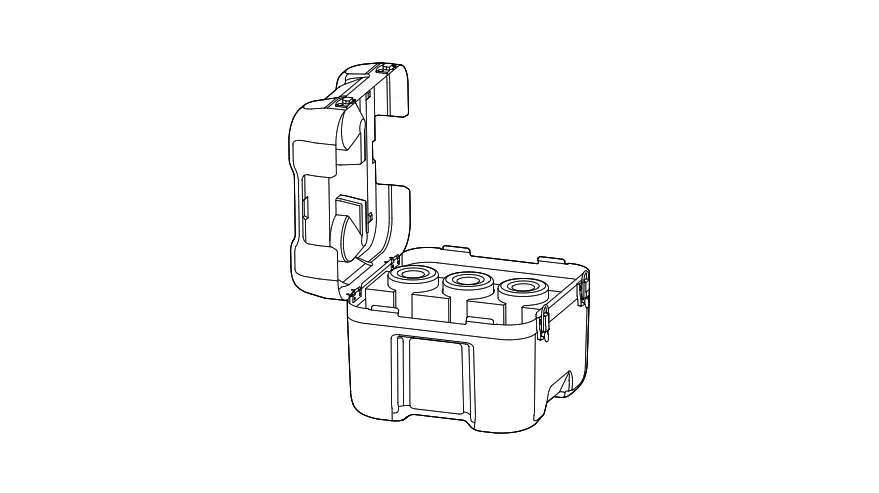
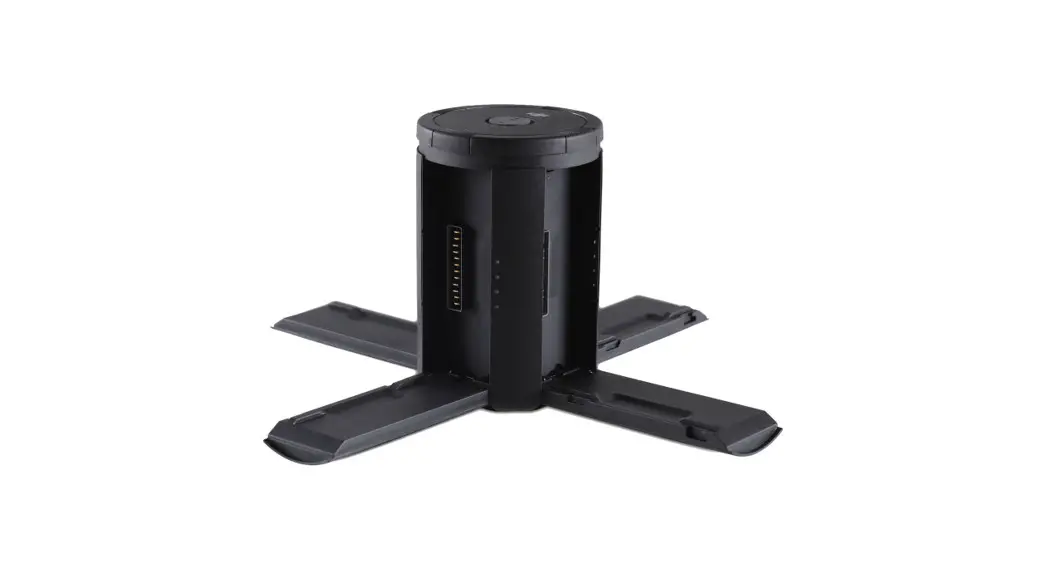
BS65 Intelligent Battery Station
Product Information
Product Name: BS65 Intelligent Battery Station
Version: v1.0
Model Number: YCBZSS00243403
Product Usage Instructions
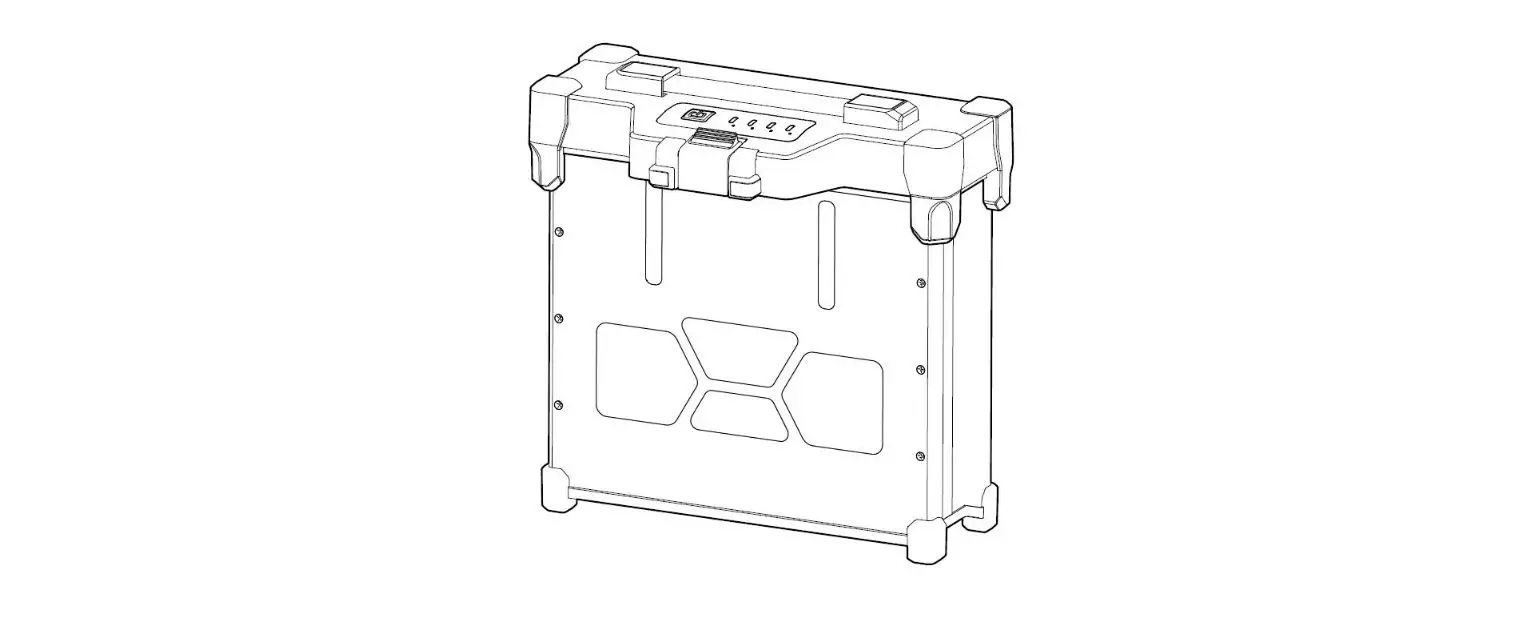
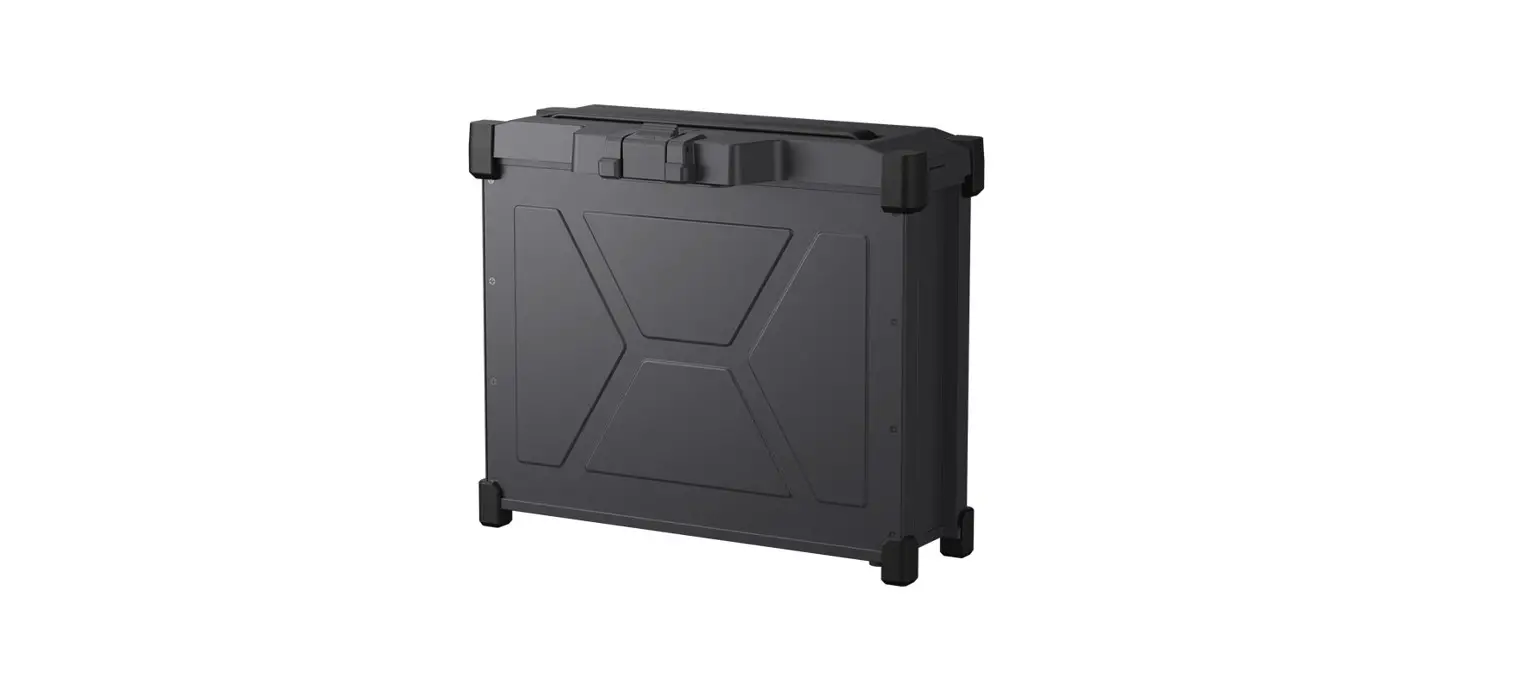
1. Padlock Holes: These holes are provided for attaching
padlocks to secure the battery station.
2. Lock Clip: This clip is used to secure the handlebar in
place.
3. Handle Bar: The handlebar is used to carry the battery
station.
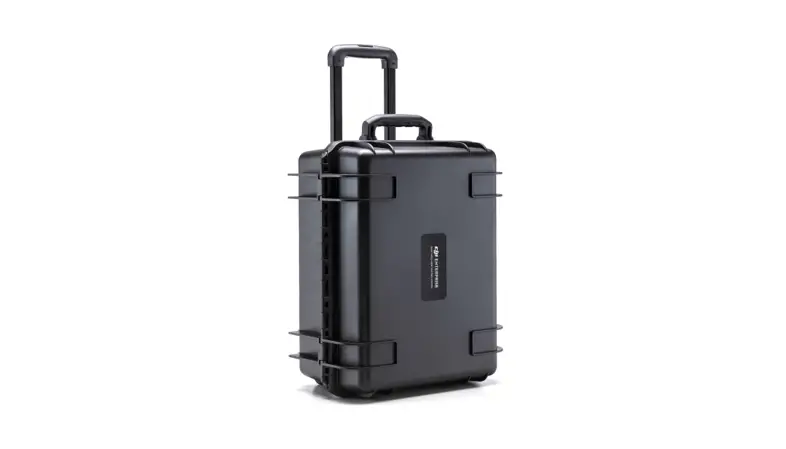
4. Retractable Trolley Handle: Pull out the trolley handle to
easily transport the battery station.
5. AC Power Port: Connect the AC power adapter to this port for
charging the battery station.
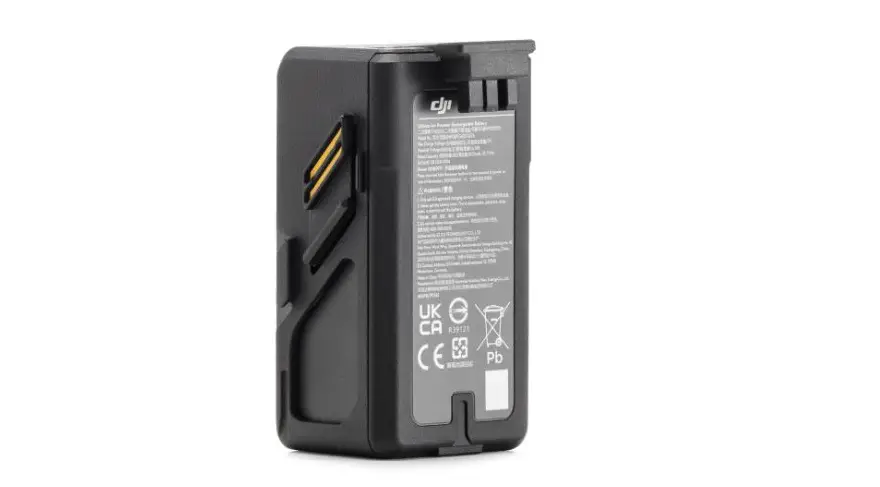
6. TB65 Battery Port: Insert the TB65 batteries into this port
for charging.
7. WB37 Battery Port: Insert the WB37 batteries into this port
for charging.
8. USB-C Charging Port: Use this port to charge devices with
USB-C connection.
9. USB-A Charging Port: Use this port to charge devices with
USB-A connection.
10. Battery LEDs: The LED indicators show the battery level of
the TB65 batteries.
11. WB37 Battery LEDs: The LED indicators show the battery level
of the WB37 batteries.
12. Charging Mode Switch: Use this switch to select the charging
mode.
13. Charging Mode LEDs: The LED indicators show the selected
charging mode.
Disclaimer
By using this product, you acknowledge that you have read,
understood, and accepted the terms and conditions as stated in the
user manual and at https://enterprise.dji.com/matrice-350-rtk.
The product and all associated materials and content are provided
“as is” without any warranties or conditions, except as expressly
provided in the after-sales service policies available at https://www.dji.com/service/policy.
BS65
Intelligent Battery Station
User Guide Bedienungsanleitung Guía del usuario Guide de l’utilisateur Guida dell’utente Gebruiksaanwijzing Manual do utilizador Guia do usuário
v1.0
WE ARE HERE FOR YOU
Contact DJI SUPPORT
DJI is a trademark of DJI. Copyright © 2023 DJI All Rights Reserved.
YCBZSS00243403
2 1
4 3
2 13
5
1
Padlock Holes
Öffnungen für Vorhängeschloss Orificios para candados
Trous de cadenas
Fori per lucchetto
Hangslotgaten
Orifícios de fechadura Furos para cadeado
2
3
Lock Clip
Handle Bar
Verriegelung
Handgriff
Clip de cierre
Asa
Clip de verrouillage Barre de maintien
Fermo
Manubrio
Klemvergrendeling Handgreep
Clipe de bloqueio Barra de pega
Grampo de trava Barra de suporte
4 Pressure Valve Überdruckventil
5 Retractable Trolley Handle
Einziehbarer Trolleygriff
Válvula de presión Asa retráctil maleta
Valve de pression Valvola della pressione Drukventiel
Válvula de pressão
Válvula de pressão
Poignée de mallette rétractable
Impugnatura retrattile
Intrekbare trolleyhandgreep
Punho do carrinho retrátil
Alça retrátil do carrinho
6
7
9 10
8
11 18 17 16
12 13 14 15
6
7
8
9
10
AC Power Port
TB65 Battery Port
WB37 Battery Port
USB-C Charging Port
USB-A Charging Port
TB65
WB37
USB-C
USB-A
TB65
WB37
USB-C
USB-A
AC
TB65
WB37
USB-C
USB-A
AC
TB65 WB37 USB-C USB-A
Wechselstromanschluss
TB65-Akkuschacht
WB37-Akkuschacht
USB-CLadeanschluss
USB-ALadeanschluss
Puerto de
Puerto de
alimentación de CA batería TB65
Puerto de batería WB37
Puerto de carga USB-C
Puerto de carga USB-A
Port d’alimentation Port de
CA
batterie TB65
Port de batterie WB37
Port de recharge USB-C
Port de recharge USB-A
Porta di
Porta della Batteria Porta della Batteria Porta di ricarica
alimentazione C.A. TB65
WB37
USB-C
Porta di ricarica USB-A
AC-voedingspoort TB65-accupoort
WB37-accupoort
USB-C-oplaadpoort
USB-A-aansluiting voor opladen
Orifícios de fechadura
Clipe de bloqueio Barra de pega
Válvula de pressão
Punho do carrinho retrátil
Porta de alimentação CA
Porta de bateria TB65
Porta de bateria WB37
Porta de carregamento USB-C
Porta de carregamento USB-A
Entrada de alimentação CA
Entrada da bateria TB65
Entrada da bateria WB37
Entrada de carregamento USB-C
Entrada de carregamento USB-A
11 TB65 Battery LEDs TB65 TB65 TB65LED TB65 LED TB65-Akku-LEDs Ledes de batería TB65
LED de batterie TB65
LED della Batteria TB65
Leds TB65-accu
LED da bateria TB65
LEDs da bateria TB65
12
13
14
WB37 Battery LEDs
WB37 Battery Level LEDs USB-C Maintenance Port
WB37
WB37
USB-C
WB37
WB37
USB-C
WB37LED
WB37 LED
USB-C
WB37 LED
WB37 LED USB-C
WB37-Akku-LEDs
WB37-Akkustand-LEDs USB-C-Wartungsanschluss
Ledes de batería WB37
Ledes de nivel de batería WB37
Puerto de mantenimiento USB-C
LED de batterie WB37
LED de niveau de batterie WB37
Port de maintenance USB-C
LED della Batteria WB37
LED del livello della Batteria WB37
Porta di manutenzione USB-C
Leds WB37-accu
WB37 Ledlampjes voor USB-C-aansluiting voor
batterijniveau
onderhoud
LED da bateria WB37
LED de nível da bateria Porta de manutenção
WB37
USB-C
LEDs da bateria WB37
LEDs de nível da bateria Entrada de manutenção
WB37
USB-C
15 Power Button Netztaste Botón de encendido
Bouton d’alimentation
Pulsante di accensione
Aan-uitknop
Botão de alimentação
Botão Liga/Desliga
16
17
18
Battery Station LED
Charging Mode Switch Charging Mode LEDs
LED
LED
LED
LED
Akkuladestation-LED
Lademodus-Schalter
Lademodus-LEDs
Led de la estación de baterías
Selector de modo de carga
Ledes de modo de carga
LED de la station de batteries
Commutateur de mode LED de mode de
de recharge
recharge
LED della stazione batteria
Selettore della modalità LED della modalità di
di ricarica
ricarica
Led accustation
Schakelaar voor oplaadmodus
LED’s voor oplaadmodus
Estação de bateria LED
Interruptor do modo de LED do modo de
carregamento
carregamento
LED da estação de baterias
Interruptor do modo de LEDs do modo de
carregamento
carregamento
1
A
B-1
30%
10%
30%
B-2 B-3
10%
30%
10%
30%
20%
40%
2
EN
Disclaimer
By using this product, you signify that you have read, understand, and accept the terms and conditions of this guideline and all instructions at https://enterprise.dji.com/matrice-350-rtk. EXCEPT AS EXPRESSLY PROVIDED IN AFTER-SALES SERVICE POLICIES AVAILABLE AT HTTPS://WWW.DJI. COM/SERVICE/POLICY, THE PRODUCT AND ALL MATERIALS AND CONTENT AVAILABLE THROUGH THE PRODUCT ARE PROVIDED “AS IS” AND ON “AS AVAILABLE BASIS” WITHOUT WARRANTY OR CONDITION OF ANY KIND.
Warnings
1. Keep liquids away from the inside of the battery station. 2. DO NOT close the cover of the battery station when charging. Make sure it is well ventilated
and able to dissipate heat. 3. The battery station is only compatible with the TB65 Intelligent Flight Battery and WB37
Intelligent Battery. DO NOT attempt to use the battery station with other battery models. 4. Place the battery station on a flat and stable surface when in use. Make sure the device is
properly insulated to prevent fire hazards. 5. DO NOT attempt to touch the metal terminals on the battery ports. Clean the metal
terminals with a clean, dry cloth if there is any noticeable buildup when powered off. 6. Take care to avoid injuring your fingers when opening or closing the battery station.
Introduction
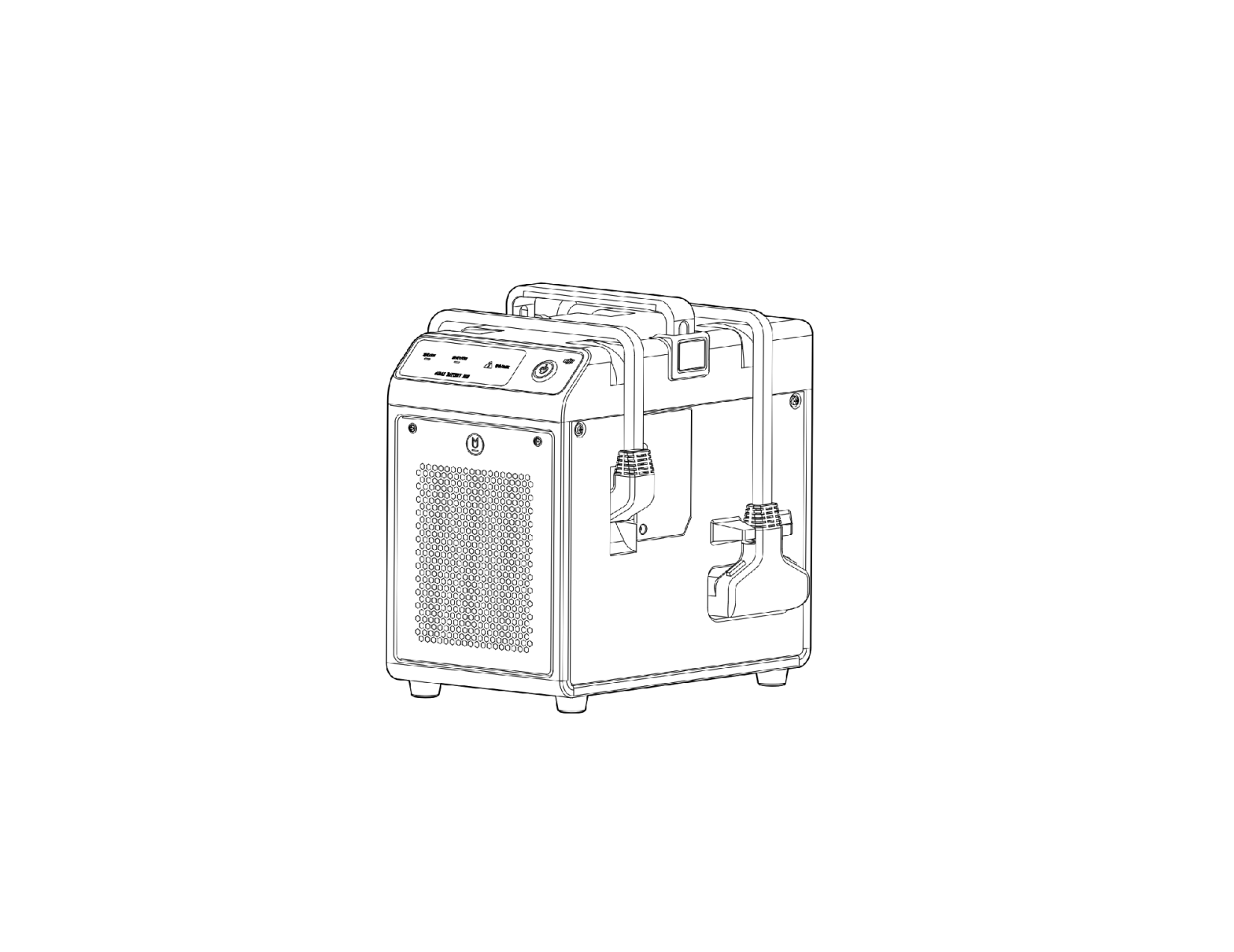
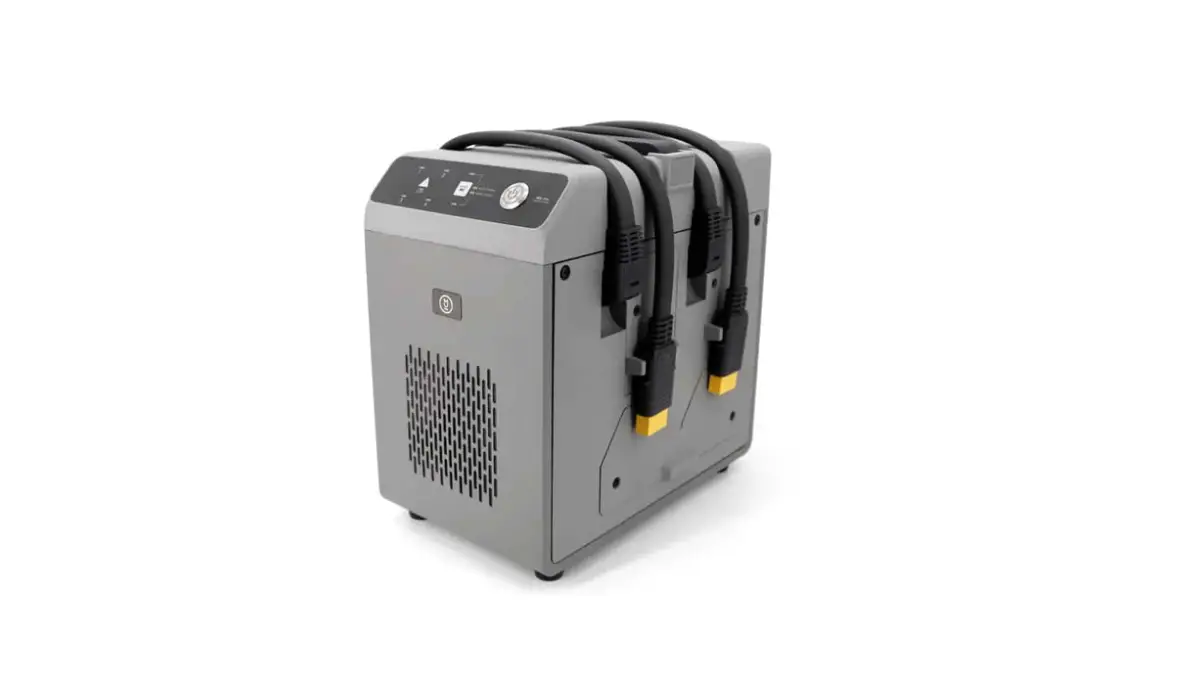
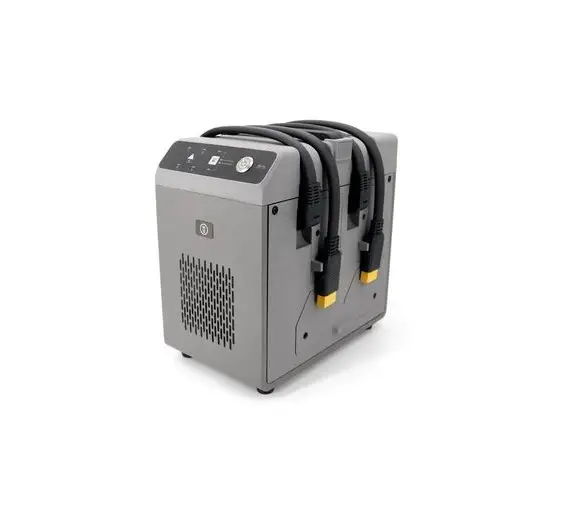
The BS65 Intelligent Battery Station features eight TB65 battery ports, four WB37 battery ports, a USB-C maintenance port, a USB-C charging port and a USB-A charging port. It can charge two TB65 batteries and one WB37 battery simultaneously.
Using the Battery Station (Figure A)
1. Connect the battery station to a power outlet using a AC power cable. 2. Press the power button once to power on the battery station. 3. Charging the TB65 batteries:
a. Align the orange marks on the TB65 battery and the battery port, then insert the batteries into the battery ports.
b. Toggle the charging mode switch to Storage Mode, Ready-to-Fly Mode, or Standard Mode. Storage Mode : Each battery pair is charged to 50% in sequence and kept at 50% after charging. Storage Mode is good for long-term battery storage. Ready-to-Fly Mode : Each battery pair is charged to 90% in sequence and kept at 90% after charging. Ready-to-Fly Mode facilitates quick use of batteries. Standard Mode : Each battery pair is charged to 100% in sequence.
c. The battery station will charge the batteries in pairs. The pair with the highest power will be charged first.
4. Charging the WB37 batteries: Insert the WB37 batteries, and the battery with the highest battery level will be charged first.
5. Charging the DJI RC Plus remote controller: Connect the remote controller to the USB-C charging port using a USB-C to USB-C cable.
The battery station should stay powered on to maintain the battery level in Storage Mode and Ready-to-Fly Mode. Maintaining a high power level in Ready-to-Fly Mode will affect battery life. Power off the battery station after charging, except for special situations such as fire emergencies.
Connect the remote controller to the maintenance port and run DJI Pilot 2 to view battery information, update the firmware, or diagnose the error. When the temperature of the TB65 battery is below 18° C (64.4° F), the batteries will be automatically warmed up after being inserted into battery station and powered on.
Paired Charging of Batteries (Figure B)
TB65 batteries should be used in pairs to extend battery life. Inserted batteries in the top and bottom ports will be automatically paired in the sequence of A, B, C, and D. The charging sequence is illustrated below:
Between paired and a single battery, paired batteries will be charged first. (Figure B-1)
When there are multiple battery pairs, the pair with the highest power will be charged first. (Figure B-2)
When none of the batteries are paired, the two batteries with the highest battery level will be charged first. (Figure B-3)
When the power of the batteries in one pair is not the same, the battery station will charge the one with less power first, and then charge the paired batteries together once their power is the same.
LEDs and Buzzer Description
LED Indicators Power Button Solid green Battery LEDs Blinks green Solid green Blinks yellow Solid yellow
Blinks red
Solid red & buzzer beeps Battery Station LED Blinks yellow Solid red & buzzer beeps
Description
Powered on
Charging Charging completed Warming up/Cooling down Waiting to charge Battery port communication error. Reinsert the battery or try another battery port. Battery error*
Updating battery station firmware Battery station error*
* Connect the remote controller to the maintenance port, run DJI Pilot 2, and tap HMS to diagnose the error.
Specifications
Product model
BS65
Dimensions
580×358×254 mm
Net Weight
8.98 kg
Max Internal Load
12 kg
Compatible Battery Model
TB65 Intelligent Flight Battery WB37 Intelligent Battery
Input
100-120 VAC, 50-60 Hz 220-240 VAC, 50-60 Hz
Output
TB65 Battery Port: 52.8 V, 7 A×2 @100-120 V, 8.9 A×2 @220-240 V (supports up to two outputs simultaneously)
WB37 Battery Port: 8.7 V, 6 A
Output Power
100-120 VAC, 750 W 220-240 VAC, 992 W
USB-C Charging Port
Max. output power of 65 W
USB-A Charging Port
Max. output power of 10 W (5 V, 2 A)
Output Power (when warming up the TB65 battery)
52.8 V, 2 A
No-load Power Consumption < 8 W
Operating Temperature
-20° to 40° C (-4° to 104° F)
Two TB65 batteries charged from 0% to 100%
Charging Time*
100-120 V, 70 minutes
220-240 V, 60 minutes
* Charging times are tested in a lab environment at room temperature. The values provided should be used for reference only.
3
CHS
https://enterprise.dji.com/matrice350-rtk
1. 2. 3. TB65 WB37
4. 5.
6.
BS65 8 TB65 4 WB37 1 USB-C 1 USB-C 1 USB-A 2 TB65 1 WB37
( A)
1. AC 2. 3. TB65
a. TB65 b.
50% 50% 90% 90% 100% c. 4. WB37 5. DJI RC Plus USB-C USB-C
DJI Pilot 2 TB65 18
( B)
TB65 A/B/C/D
B-1 B-2 B-3
LED
/
*
*
* DJI Pilot 2 App
BS65
580×358×254 mm
8.98 kg
12 kg
TB65 WB37
100-120 VAC50-60 Hz 220-240 VAC50-60 Hz
TB65 52.8 V7 A×2@100-120 V 8.9 A×2 @220-240 V
WB37 8.7 V6 A
100-120 VAC750 W 220-240 VAC992 W
USB-C
65 W
USB-A
10 W5 V2 A
TB65
52.8 V2 A
8 W
-20 40
*
TB65 0% 100% 100-120 V70 220-240 V60
*
4
CHT
https://enterprise.dji.com/ matrice-350-rtk
1. 2. 3. TB65 WB37
4. 5.
6.
BS65 8 TB65 4 WB37 1 USB-C 1 USB-C 1 USB-A 2 TB65 1 WB37
A
1. AC 2. 3. TB65
a. TB65 b.
50% 50% 90% 90% 100% c. 4. WB37 5. DJI RC Plus USB-C USB-C
DJI Pilot 2 TB65 18
B
TB65 A/B/C/D
B-1 B-2 B-3
LED
/
*
*
* DJI Pilot 2
BS65
580×358×254 mm
8.98 kg
12 kg
TB65 WB37
100-120 VAC50-60 Hz 220-240 VAC50-60 Hz
TB65 52.8 V7 A×2@100-120 V 8.9 A×2 @220-240 V
WB37 8.7 V6 A
100-120 VAC750 W 220-240 VAC992 W
USB-C
65 W
USB-A
10 W (5 V2 A)
TB65
52.8 V2 A
8 W
-20 40
*
TB65 0% 100% 100-120 V70 220-240 V60
*
5
JP
https:// enterprise.dji.com/matrice-350-rtk (http://www.dji.com/service)
1. 2.
3. DJI 4.
5.
6.
BS65 TB658WB37 4USB-CUSB-CUSB-A1 2TB651WB37
A
1. AC 2. 1 3. TB65
a. TB65
b. 3 5050 9090 100
c.
4. WB37WB37
5. DJI RC PlusUSB-C – USB-CUSB-C
DJI Pilot 2 TB6518
B
TB65 ABCD
B-1
B-2
2 B-3
LED
LED LED
LED
*
*
* DJI Pilot 2[HMS]
USB-C USB-A TB65
*
BS65 580×358×254 mm 8.98 kg 12 kg TB65 WB37 100120 VAC5060 Hz 220240 VAC5060 Hz TB6552.8 V7 A×2 @100120 V 8.9 A×2 @220240 V2
WB378.7 V6 A 100120 VAC750 W 220240 VAC992 W 65 W 10 W (5 V2 A)
52.8 V2 A
< 8 W -2040 2TB650%100% 100120 V70 220240 V60
*
6
KR
https://enterprise.dji.com/matrice-350rtk . DJI A/S (HTTPS://WWW. DJI.COM/SERVICE/POLICY) ` ‘, ` ‘ .
1. . 2. , . . 3. TB65 WB37
. . 4. .
. 5. .
. 6. .
BS65 TB65 8, WB37 4, USB-C 1, USB-C 1, USB-A 1 . TB65 2 WB37 1 .
( A)
1. AC . 2. . 3. TB65 :
a. TB65 . b. , .
: 50% 50% . . : 90% 90% . . : 100% . c. . . 4. WB37 : WB37 . 5. DJI RC Plus : USB-C to USB-C USB-C .
. . .
DJI Pilot 2 . 18°C , .
( B)
TB65 . A, B, C, D . .
. ( B-1) . ( B-2) . ( B-3)
.
LED
LED LED
LED
/ . . *
*
* DJI Pilot 2 HMS .
BS65
580×358×254 mm
8.98 kg
12 kg
TB65 WB37
100~120 VAC, 50~60 Hz
220~240 VAC, 50~60 Hz
TB65 : 52.8 V, 7 A×2 @100~120 V,
8.9 A×2 @220~240 V ( )
WB37 : 8.7 V, 6 A
100~120 VAC, 750 W 220~240 VAC, 992 W
USB-C
65 W
USB-A
10 W (5 V, 2 A)
(TB65 ) 52.8 V, 2 A
< 8 W
-20~40 °C
2 TB65 0%~100%
*
100~120 V, 70 220~240 V, 60
* . .
7
DE
Haftungsausschluss
Durch den Gebrauch dieses Produkts bestätigen Sie, dass Sie die allgemeinen Geschäftsbedingungen dieser Richtlinie und alle Anweisungen auf enterprise.dji.com/ matrice-350-rtk gelesen und verstanden haben sowie diese akzeptieren. SOFERN NICHT AUSDRÜCKLICH IN DEN KUNDENDIENSTRICHTLINIEN UNTER WWW.DJI.COM/SERVICE/POLICY ANGEGEBEN, WERDEN DAS PRODUKT UND ALLE MATERIALIEN UND INHALTE, DIE ÜBER DAS PRODUKT VERFÜGBAR SIND, OHNE GARANTIE UND OHNE BEDINGUNGEN JEGLICHER ART BEREITGESTELLT.
Warnhinweise
1. Achten Sie darauf, dass keine Flüssigkeiten in die Akkuladestation gelangen. 2. Beim Aufladen der Akkuladestation darf die Abdeckung NICHT geschlossen werden. Stellen
Sie sicher, dass sie an einem gut belüfteten Ort steht, an dem Hitze abgeleitet werden kann. 3. Die Akkuladestation ist nur mit der TB65 Intelligent Flight Battery und der WB37 Intelligent
Battery kompatibel. Bitte NICHT die Akkuladestation mit anderen Akkumodellen verwenden. 4. Verwenden Sie die Akkuladestation nur auf einer ebenen und stabilen Fläche. Stellen Sie sicher, dass das Gerät ordnungsgemäß isoliert ist, um Brandgefahren zu vermeiden. 5. Bitte NICHT die Metallklemmen an den Akkuanschlüssen berühren. Reinigen Sie die Metallanschlüsse mit einem sauberen, trockenen Tuch, wenn im ausgeschalteten Zustand erkennbare Ablagerungen vorhanden sind. 6. Achten Sie beim Öffnen und Schließen der Akkuladestation darauf, dass Sie Ihre Finger nicht einklemmen.
Einführung
Die BS65 DJI Battery Station ist mit acht TB65-Akkuanschlüssen, vier WB37-Akkuanschlüssen, einem USB-C-Wartungsanschluss, einem USB-C-Ladeanschluss und einem USB-A-Ladeanschluss ausgestattet. Sie kann zwei TB65-Akkus und einen WB37-Akku gleichzeitig aufladen.
Die Akkuladestation verwenden (Abbildung A)
1. Schließen Sie die Akkuladestation mit einem AC-Netzkabel an eine Steckdose an. 2. Drücken Sie die Netztaste einmal, um die Akkuladestation einzuschalten.
3. Laden der TB65-Akkus: a. Richten Sie die orangenen Markierungen am TB65-Akku und am Akkuanschluss aus und setzen Sie die Akkus in die Akkuanschlüsse ein. b. Stellen Sie den Schalter für den Auflademodus auf Speichermodus, Flugbereitschaftsmodus oder Standardmodus.
Speichermodus : Jedes Akkupaar wird nacheinander auf 50 % aufgeladen. Nach dem Aufladen wird der Ladestand auf 50 % gehalten. Der Speichermodus ist gut geeignet für eine langfristige Akkulagerung.
Flugbereitschaftsmodus : Jedes Akkupaar wird nacheinander auf 90 % aufgeladen. Nach dem Aufladen wird der Ladestand auf 90 % gehalten. Der Flugbereitschaftsmodus erleichtert den schnellen Akkueinsatz.
Standardmodus : Jedes Akkupaar wird nacheinander auf 100 % aufgeladen. c. Die Akkuladestation lädt die Akkus paarweise. Das Paar mit der höchsten Leistung
wird zuerst aufgeladen.
4. Laden der WB37-Akkus: Setzen Sie die WB37-Akkus ein. Der Akku mit dem höchsten Akkustand wird zuerst aufgeladen.
5. Aufladen der DJI RC Plus-Fernsteuerung: Verbinden Sie die Fernsteuerung mit dem USBC-Ladeanschluss mittels eines USB-C-auf-USB-C-Kabels.
Die Akkuladestation muss eingeschaltet bleiben, um den Akkustand im Speichermodus und Flugbereitschaftsmodus aufrechtzuerhalten. Die Aufrechterhaltung einer hohen Leistungsstufe im Flugbereitschaftsmodus beeinträchtigt die Akkulaufzeit. Schalten Sie die Akkuladestation nach dem Aufladen aus, mit Ausnahme besonderer Situationen, wie z. B. Brandfällen.
Verbinden Sie die Fernsteuerung mit dem Wartungsanschluss und starten Sie DJI Pilot 2, um die Akkuinformationen anzuzeigen, die Firmware zu aktualisieren oder eine Diagnose des Fehlers durchzuführen.
Wenn die Temperatur des TB65-Akkus niedriger als 18 °C ist, erwärmen sich die Akkus automatisch, nachdem sie in die Akkuladestation eingesetzt wurden und das Gerät eingeschaltet wurde.
Gekoppeltes Laden von Akkus (Abbildung B)
TB65-Akkus sollten paarweise verwendet werden, um ihre Akkulaufzeit zu verlängern. Eingesetzte Akkus im oberen und unteren Anschluss werden automatisch in der Reihenfolge A, B, C und D gepaart. Die Ladereihenfolge wird unten dargestellt:
Gepaarte Akkus werden zuerst aufgeladen. Danach folgt das Aufladen eines einzelnen Akkus. (Abbildung B-1)
Wenn mehrere Akkupaare vorhanden sind, wird das Paar mit der höchsten Leistung zuerst aufgeladen. (Abbildung B-2)
Wenn keiner der Akkus gepaart ist, dann werden die beiden Akkus mit dem höchsten Akkustand zuerst aufgeladen. (Abbildung B-3)
Wenn die Leistung der Akkus in einem Paar nicht die gleiche ist, lädt die Akkuladestation den Akku mit der geringsten Leistung zuerst auf. Danach lädt sie die gepaarten Akkus gemeinsam auf, sobald ihre Leistung gleich ist.
LEDs und Buzzer-Beschreibung
LED-Anzeigen Netztaste Leuchtet kontinuierlich grün Akku-LEDs Blinkt grün Leuchtet kontinuierlich grün Blinkt gelb Leuchtet kontinuierlich gelb
Blinkt rot
Kontinuierlich rot und Buzzer-Töne Akkuladestation-LED Blinkt gelb Kontinuierlich rot und Buzzer-Töne
Beschreibung
Eingeschaltet
Wird geladen Ladevorgang abgeschlossen Aufwärmen/Abkühlen Wartet auf Start des Ladevorgangs Akkuschacht-Kommunikationsfehler. Akku erneut einsetzen oder einen anderen Akkuschacht verwenden. Akkufehler*
Firmware der Akkuladestation wird aktualisiert Akkuladestationsfehler*
* Die Fernsteuerung mit dem Wartungsanschluss verbinden, DJI Pilot 2 starten und auf ,,HMS” tippen, um eine Diagnose des Fehlers durchzuführen.
Technische Daten
Produktmodell Abmessungen Eigengewicht Max. Zuladung Kompatible Akkus
Eingang
Ausgang
BS65
580 × 358 × 254 mm 8,98 kg 12 kg TB65 Intelligent Flight Battery WB37 Intelligent Battery
100 bis 120 VAC; 50 bis 60 Hz 220 bis 240 VAC; 50 bis 60 Hz TB65-Akkuschacht: 52,8 V, 7 A × 2 bei 100 bis 120 V, 8,9 A × 2 bei 220 bis 240 V (unterstützt bis zu zwei Ausgänge gleichzeitig)
Ausgangsleistung
USB-C-Ladeanschluss USB-A-Ladeanschluss Ausgangsleistung (beim Aufwärmen der TB65-Akkus) Nulllast-Leerlaufleistung Betriebstemperatur
Ladezeit*
WB37-Akkuschacht: 8,7 V; 6 A 100 bis 120 VAC, 750 W 220 bis 240 VAC, 992 W Max. Ausgangsleistung von 65 W Max. Ausgangsleistung von 10 W (5 V; 2 A)
52,8 V; 2 A
< 8 W -20 °C bis 40 °C Zwei TB65-Akkus von 0 % auf 100 % aufgeladen 100 bis 120 V, 70 Minuten 220 bis 240 V, 60 Minuten
* Die Ladezeiten wurden unter Laborbedingungen bei Raumtemperatur ermittelt. Die angegebenen Werte gelten ausschließlich als Referenzwerte.
8
ES
Renuncia de responsabilidad
Al usar este producto, confirma que ha leído, comprendido y acepta los términos y condiciones de este documento y todas las instrucciones recogidas en https://enterprise.dji.com/matrice-350rtk. SALVO SI LAS POLÍTICAS DEL SERVICIO POSVENTA, DISPONIBLES EN HTTPS://WWW.DJI.COM/ SERVICE/POLICY INDICAN LO CONTRARIO DE MANERA EXPRESA, EL PRODUCTO Y TODOS LOS MATERIALES Y CONTENIDOS DISPONIBLES A TRAVÉS DE ESTE SE SUMINISTRAN “EN SU ESTADO ACTUAL” Y “SEGÚN DISPONIBILIDAD”, SIN GARANTÍAS NI CONDICIONES DE NINGÚN TIPO.
Advertencias
1. Mantenga los líquidos alejados del interior de la estación de baterías. 2. NO cierre la tapa de la estación de baterías durante la carga. Asegúrese de que esté bien
ventilada y pueda disipar el calor.
3. La estación de baterías solo es compatible con la batería de vuelo inteligente TB65 y con la batería inteligente WB37. NO use la estación de baterías con otros modelos de batería.
4. Coloque la estación de baterías sobre una superficie lisa y estable cuando la use. Asegúrese de que el dispositivo esté debidamente aislado para evitar el riesgo de incendio.
5. NO toque los terminales metálicos que hay en los puertos de batería. Límpielos con un paño limpio y seco si observa alguna acumulación de suciedad después de apagar la estación.
6. Tenga cuidado de no hacerse daño en los dedos al abrir o cerrar la estación de baterías.
Introducción
La estación de baterías inteligentes BS65 cuenta con ocho puertos de batería TB65, cuatro puertos de batería WB37, un puerto de mantenimiento USB-C, un puerto de carga USB-C y un puerto de carga USB-A. Puede cargar dos baterías TB65 y una batería WB37 simultáneamente.
Uso de la estación de baterías (Imagen A)
1. Conecte la estación de baterías a una toma de corriente con el cable de alimentación de CA. 2. Presione el botón de encendido para encender la estación de baterías.
3. Carga de baterías TB65: a. Alinee las marcas naranjas de la batería TB65 y del puerto de batería y, a continuación, inserte las baterías en los puertos correspondientes. b. Coloque el selector de modo de carga en el modo de almacenamiento, el modo Listo para volar o el modo Estándar.
Modo de almacenamiento : cada par de baterías se carga hasta el 50 % en secuencia y se mantiene en el 50 % después de la carga. El modo de almacenamiento es adecuado para almacenar las baterías durante un tiempo prolongado. Modo Listo para volar : cada par de baterías se carga hasta el 90 % en secuencia y se mantiene en el 90 % después de la carga. Las baterías se pueden usar rápidamente con el modo Listo para volar. Modo Estándar : cada par de baterías se carga hasta el 100 % en secuencia. c. La estación de baterías cargará las baterías por pares. El par que más nivel de carga tenga se cargará primero.
4. Carga de baterías WB37: inserte las baterías WB37; la batería que más nivel de carga tenga se cargará primero.
5. Carga del control remoto DJI RC Plus: conecte el control remoto al puerto de carga USB-C con un cable USB-C a USB-C.
La estación de baterías debe permanecer encendida para mantener el nivel de carga en el modo de almacenamiento y en el modo Listo para volar. Mantener un alto nivel de carga en el modo Listo para volar afectará a la vida útil de la batería. Apague la estación de baterías después de la carga, excepto en situaciones especiales, como emergencias por incendio.
Conecte el control remoto al puerto de mantenimiento y abra la aplicación DJI Pilot 2 para consultar información de la batería, actualizar el firmware o diagnosticar cualquier error.
Si la temperatura de la batería TB65 es inferior a 18 °C (64.4 °F), las baterías se calentarán automáticamente después de insertarlas en la estación de baterías y encenderlas.
Carga emparejada de baterías (Imagen B)
Las baterías TB65 deben usarse por pares para prolongar su vida útil. Las baterías insertadas en los puertos superior e inferior se emparejarán automáticamente siguiendo la secuencia A, B, C y D. La secuencia de carga se ilustra a continuación:
Si hay baterías emparejadas y una batería sin emparejar, las baterías emparejadas se cargarán primero. (Imagen B-1) Si hay varios pares de baterías emparejadas, el par que tenga más nivel de carga se cargará primero. (Imagen B-2) Si ninguna de las baterías está emparejada, las dos baterías con mayor nivel de carga se cargarán primero. (Imagen B-3)
Si el nivel de carga de las baterías de un par no es el mismo, la estación de baterías cargará primero la que menos nivel tenga y, una vez alcanzado el mismo nivel, las cargará juntas.
Descripción de los ledes y del timbre
Indicadores led
Descripción
Botón de encendido
Verde fijo
Encendido
Ledes de batería
Parpadea en verde
Cargando
Verde fijo
Carga completada
Parpadea en amarillo
Calentándose/enfriándose
Amarillo fijo
Esperando para cargar
Parpadea en rojo
Error de comunicación del puerto de batería. Vuelva a insertar la batería o pruebe con otro puerto de batería.
Rojo fijo y pitidos del timbre Error de la batería*
Led de la estación de baterías
Parpadea en amarillo
Actualizando el firmware de la estación de baterías
Rojo fijo y pitidos del timbre Error de la estación de baterías*
* Conecte el control remoto al puerto de mantenimiento, ejecute la aplicación DJI Pilot 2 y pulse HMS para diagnosticar el error.
Especificaciones
Modelo del producto
BS65
Dimensiones Peso neto Carga interna máxima
580 × 358 × 254 mm 8.98 kg 12 kg
Modelo de batería compatible
Batería de vuelo inteligente TB65 Batería inteligente WB37
Entrada
100-120 VCA, 50-60 Hz 220-240 VCA, 50-60 Hz
Salida
Puerto de batería TB65: 52.8 V, 7 A ×2 a 100-120 V; 8.9 A ×2 a 220-240 V (admite hasta dos salidas simultáneas)
Puerto de la batería WB37: 8.7 V, 6 A
Potencia de salida
100-120 VCA, 750 W 220-240 VCA, 992 W
Puerto de carga USB-C
Potencia de salida máx. de 65 W
Puerto de carga USB-A
Potencia de salida (cuando la batería TB65 se está calentando)
Potencia de salida máx. de 10 W (5 V, 2 A) 52.8 V, 2 A
Consumo sin carga de baterías
< 8 W
Temperatura de funcionamiento
De -20 a 40 °C (de -4 a 104 °F)
Tiempo de carga*
Carga de dos baterías TB65 del 0 % al 100 % 100-120 V, 70 minutos 220-240 V, 60 minutos
* Los tiempos de carga se han probado en un entorno de laboratorio a temperatura ambiente. Los valores proporcionados deben usarse solo como referencia.
9
FR
Clause exclusive de responsabilité
En utilisant ce produit, vous déclarez avoir lu, compris et accepté les conditions générales de cette directive ainsi que toutes les instructions figurant sur le site https://enterprise.dji. com/matrice-350-rtk. SAUF MENTION EXPRESSE DANS LES POLITIQUES DU SERVICE APRÈSVENTE DISPONIBLES SUR HTTPS://WWW.DJI.COM/SERVICE/POLICY, LE PRODUIT ET TOUS SES MATÉRIAUX, AINSI QUE TOUT LE CONTENU DISPONIBLE VIA LE PRODUIT SONT FOURNIS « EN L’ÉTAT » ET « SELON LA DISPONIBILITÉ », SANS GARANTIE NI CONDITION.
Avertissements
1. Évitez toute infiltration de liquides à l’intérieur de la station de batteries. 2. NE PAS fermer le couvercle de la station de batteries pendant la recharge. Assurez-vous
qu’elle est bien ventilée et capable de dissiper la chaleur.
3. La station de batteries est uniquement compatible avec la Batterie de Vol Intelligente TB65 et la Batterie Intelligente WB37. NE PAS l’utiliser avec d’autres modèles de batteries.
4. Placez la station de batteries sur une surface plane et stable pendant l’utilisation. Assurezvous que le dispositif est correctement isolé pour éviter tout risque d’incendie.
5. NE PAS essayer de toucher les bornes métalliques des ports de la batterie. Nettoyez lesdites bornes à l’aide d’un chiffon sec et propre en cas de dépôts visibles lorsque le dispositif est éteint.
6. Faites attention à ne pas vous blesser les doigts en ouvrant ou en fermant la station de batteries.
Introduction
La station de batteries intelligentes BS65 dispose de huit ports de batterie TB65, de quatre ports de batterie WB37, d’un port de maintenance USB-C, des ports de recharge USB-C et USB-A. Elle peut simultanément recharger deux batteries TB65 et une batterie WB37.
Utilisation de la station de batteries (figure A)
1. Connectez la station de batteries à une prise de courant via le câble d’alimentation CA. 2. Appuyez une fois sur le bouton d’alimentation pour l’allumer.
3. Recharge des batteries TB65 :
a. Alignez les repères oranges sur les batteries TB65 et le port de batterie, puis insérez les batteries dans les ports de batterie.
b. Basculez le commutateur de mode de recharge sur Mode stockage, Mode Prêt à voler, ou Mode Standard.
Mode Stockage : chaque paire de batteries est chargée à 50 % en séquence et maintenue à 50 % après la recharge. Le mode Stockage est idéal pour le stockage à long terme de la batterie.
Mode Prêt à voler : chaque paire de batteries est chargée à 90 % en séquence et maintenue à 90 % après la recharge. Le mode Prêt à voler facilite l’utilisation rapide des batteries.
Mode Standard : chaque paire de batteries est chargée à 100 % en séquence. c. La station de batteries rechargera les batteries par paire. La paire ayant la charge la
plus élevée sera rechargée en premier.
4. Recharge des batteries WB37 : insérez les batteries WB37 et celle présentant le niveau batterie le plus élevé sera rechargée en premier.
5. Recharge de la radiocommande DJI RC Plus : connectez la radiocommande au port de recharge USB-C à l’aide d’un câble USB-C vers USB-C.
Le station de batteries doit être sous tension pour maintenir le niveau de la batterie en mode Stockage et en mode Prêt à voler. Le maintien d’un niveau élevé de charge en mode Prêt à voler affectera le cycle de vie de la batterie. Mettez la station de batteries hors tension après la recharge, exception faite de situations particulières telles que les urgences en cas d’incendie.
Connectez la radiocommande au port de maintenance et lancez DJI Pilot 2 pour afficher les informations relatives à la batterie, mettre à jour le firmware ou diagnostiquer l’erreur.
Si la température de la batterie TB65 est inférieure à 18 °C (64,4 °F), les batteries se réchauffent automatiquement après leur insertion dans la station de batteries et leur mise sous tension.
Recharge des batteries par paire (figure B)
Les batteries TB65 doivent être utilisées par paire pour prolonger leur cycle de vie. Les batteries insérées dans les ports supérieur et inférieur sont automatiquement appairées dans l’ordre A, B, C et D. La séquence de recharge est illustrée ci-dessous :
Les batteries appairées sont rechargées en premier par rapport aux batteries uniques. (Figure B-1)
En présence de plusieurs paires de batteries, celle ayant la charge la plus élevée sera rechargée en premier. (Figure B-2)
En l’absence de batteries appairées, les deux batteries ayant le niveau de charge le plus élevé seront rechargées en premier. (Figure B-3)
En cas de différence de niveau de charge entre les batteries d’une paire, la station de batteries charge d’abord la batterie au niveau de charge le plus faible, puis les batteries appairées une fois leur niveau de charge identique.
Description des LED et du buzzer
Indicateurs LED Bouton d’alimentation Vert fixe LED de batterie Clignote en vert Vert fixe Clignote en jaune Jaune fixe
Clignote en rouge
Rouge fixe et signaux sonores du buzzer LED de la station de batteries Clignote en jaune Rouge fixe et signaux sonores du buzzer
Description
Allumé
Recharge Recharge terminée Préchauffage/Refroidissement En attente de recharge Erreur de communication avec le port de batterie. Réinsérez la batterie ou essayez un autre port de batterie. Erreur batterie*
Mise à jour du firmware de la station de batteries Erreur de la station de batteries*
* Connectez la radiocommande au port de maintenance, lancez DJI Pilot 2 et appuyez sur HMS pour diagnostiquer l’erreur.
Caractéristiques techniques
Modèle du produit Dimensions Poids net Charge interne max. Modèle de batterie compatible
Entrée
Sortie
BS65 580 × 358 × 254 mm
8,98 kg 12 kg Batterie de Vol Intelligente TB65 Batterie Intelligente WB37 100 à 120 V CA ; 50 à 60 Hz 220 à 240 V CA ; 50 à 60 Hz Port de la batterie TB65 : 52,8 V, 7 A x 2 à 100-120 V, 8,9 A x 2 à 220-240 V (prend en charge jusqu’à deux sorties simultanément)
Puissance de sortie
Port de recharge USB-C Port de recharge USB-A Puissance de sortie (lors du préchauffage de la batterie TB65) Consommation à vide Température de fonctionnement
Temps de recharge*
Port de batterie WB37 : 8,7 V, 6 A 100 à 120 V CA, 750 W 220 à 240 V CA, 992 W Puissance de sortie maximale de 65 W Puissance de sortie maximale de 10 W (5 V, 2 A)
52,8 V, 2 A
< 8 W -20 à 40 °C (de -4 à 104 °F) Deux batteries TB65 chargées de 0 à 100 % 100 à 120 V, 70 minutes 220 à 240 V, 60 minutes
* Les durées de recharge sont testées en laboratoire à température ambiante. Les valeurs fournies doivent être utilisées à titre de référence uniquement.
10
IT
Limitazioni di responsabilità
Utilizzando questo prodotto, l’utente dichiara di aver letto, compreso e accettato i termini e condizioni delle presenti linee guida e tutte le istruzioni riportate sul sito web https://enterprise. dji.com/matrice-350-rtk. SALVO QUANTO ESPRESSAMENTE PREVISTO NELLE CONDIZIONI POSTVENDITA, DISPONIBILI SUL SITO WEB HTTPS://WWW.DJI.COM/SERVICE/POLICY, IL PRODOTTO E TUTTI I MATERIALI E I CONTENUTI DISPONIBILI IN MERITO AD ESSO SONO FORNITI “COSÌ COME SONO” E “IN BASE ALLA DISPONIBILITÀ”, SENZA GARANZIA O CONDIZIONE DI ALCUN TIPO.
Avvertenze
1. Evitare l’ingresso di liquidi all’interno della stazione batteria.
2. NON chiudere il coperchio della stazione batteria durante la ricarica. Accertarsi che sia ben ventilata e in grado di dissipare il calore.
3. La stazione batteria è compatibile esclusivamente con la Batteria di volo intelligente TB65 e con la Batteria intelligente WB37. NON tentare di usare la stazione batteria con altri modelli di batteria.
4. Durante l’utilizzo, posizionare la stazione batteria su una superficie piana e stabile. Assicurarsi che il dispositivo sia correttamente isolato per prevenire i rischi di incendio.
5. NON toccare i terminali in metallo sulle porte della batteria. Se si notano accumuli di sporcizia al momento dello spegnimento, pulire i terminali con un panno asciutto e pulito.
6. Fare attenzione, evitare lesioni alle dita durante l’apertura o la chiusura della stazione batteria.
Introduzione
La Stazione batteria per Batteria intelligente BS65 contiene otto porte per batteria TB65, 4 porte per batteria WB37, una porta di manutenzione USB-C, una porta di ricarica USB-C e una USB-A. È in grado di ricaricare simultaneamente due batterie TB65 e una WB37.
Utilizzo della Stazione batteria (Figura A)
1. Collegare la stazione batteria a una presa di alimentazione tramite il cavo di alimentazione C.A.
2. Premere una volta il pulsante di accensione per accendere la stazione batteria.
3. Ricarica delle batterie TB65:
a. Allineare i contrassegni arancioni presenti sulla batteria TB65 e sulla porta della batteria, quindi inserire le batterie nelle porte.
b. Portare il selettore della modalità di ricarica su Storage Mode (Modalità Conservazione), Ready-to-Fly Mode (Modalità Pronta all’uso) o Standard Mode (Modalità Standard).
Modalità Storage (Modalità Conservazione) : Ogni coppia di batterie è ricaricata al 50% in sequenza e mantenuta al 50% dopo la ricarica. La Modalità Storage (Modalità
Conservazione) è ideale per conservare la batteria a lungo.
Modalità Ready-to-Fly (Modalità Pronta all’uso) : Ogni coppia di batterie è ricaricata al 90% in sequenza e mantenuta al 90% dopo la ricarica. La Modalità Readyto-Fly (Modalità Pronta all’uso) facilita l’uso rapido delle batterie.
Standard Mode (Modalità Standard) sequenza fino a raggiungere il 100%.
: Ogni coppia di batterie è ricaricata in
c. La stazione batteria ricaricherà le batterie a coppie. Sarà caricata per prima la coppia con il livello di carica più alto.
4. Ricarica delle batterie WB37: Inserire le batterie WB37; sarà caricata per prima la batteria con il livello di carica più alto.
5. Ricarica del radiocomando DJI RC Plus: Collegare il radiocomando alla porta di ricarica USB-C per mezzo di un cavo da USB-C a USB-C.
La stazione batteria deve restare accesa per mantenere il livello della batteria in modalità Storage (Modalità Conservazione) e Ready-to-Fly (Modalità Pronta all’uso). Il mantenimento di un livello di ricarica elevato in modalità Ready-to-Fly (Modalità Pronta all’uso) influirà sulla durata della batteria. Spegnere la stazione batteria dopo la ricarica, eccettuando circostanze speciali, come gli incendi.
Collegare il radiocomando alla porta di manutenzione, quindi avviare DJI Pilot 2 per visualizzare le informazioni sulla batteria, aggiornare il firmware o diagnosticare l’errore.
Quando la temperatura della batteria TB65 è al di sotto dei 18 °C, le batterie saranno riscaldate automaticamente dopo l’inserimento nella stazione batteria e l’accensione.
Ricarica abbinata delle batterie (Figura B)
Usare le batterie TB65 a coppie per prolungare la loro durata. Le batterie inserite nelle porte superiori e inferiori saranno abbinate automaticamente nella sequenza A, B, C e D. La sequenza di carica è illustrata qui di seguito:
In caso di presenza sia di batterie in coppia che singole, saranno ricaricate prima quelle in coppia. (Figura B-1)
Quando sono presenti diverse coppie di batterie, sarà caricata per prima la coppia con il livello di carica più alto. (Figura B-2)
Quando nessuna delle batterie è in coppia, saranno caricate per prima le due batterie con il livello di carica più alto. (Figura B-3)
Quando il livello di carica delle batterie di una coppia è differente, la stazione batteria caricherà dapprima la batteria dal livello di carica più basso, per poi caricare le batterie in coppia insieme una volta che il loro livello di carica sia lo stesso.
Descrizione dei LED e del cicalino
Indicatori LED Pulsante di accensione Verde fisso LED della batteria Verde lampeggiante Verde fisso Giallo lampeggiante Giallo fisso
Rosso lampeggiante
Rosso fisso e il cicalino emette un segnale acustico LED della stazione batteria Giallo lampeggiante Rosso fisso e il cicalino emette un segnale acustico
Descrizione
Acceso
Batteria in carica Ricarica completata Riscaldamento/Raffreddamento In attesa di ricarica Errore di comunicazione della porta della batteria. Reinserire la batteria o provare con un’altra porta della batteria. Errore batteria*
Aggiornamento del firmware della stazione batteria Errore della stazione batteria*
* Collegare il radiocomando alla porta di manutenzione, avviare DJI Pilot 2 e toccare HMS per diagnosticare l’errore.
Specifiche tecniche
Modello del prodotto Dimensioni Peso netto Carichi interni massimi Modello di batteria compatibile
Ingresso
Uscita
BS65
580 × 358 × 254 mm 8,98 kg 12 kg Batteria di volo intelligente TB65 Batteria intelligente WB37
100 – 120 V C.A., 50 – 60 Hz 220 – 240 V C.A., 50 – 60 Hz Porta della batteria TB65: 52,8 V, 7 A × 2 a 100 – 120 V, 8,9 A × 2 a 220 – 240 V (supporta fino a due uscite contemporaneamente)
Potenza in uscita
Porta di ricarica USB-C Porta di ricarica USB-A Potenza in uscita (durante il riscaldamento della batteria TB65) Consumo di corrente in assenza di carico Temperatura di esercizio
Tempo di ricarica*
Porta della batteria WB37: 8,7 V, 6 A 100 – 120 V C.A., 750 W 220 – 240 V C.A., 992 W Potenza in uscita massima di 65 W Potenza in uscita massima di 10 W (5 V, 2 A)
52,8 V, 2 A
< 8 W
Da -20°C a +40°C Due batterie TB65 ricaricate dallo 0% al 100%. 100 – 120 V, 70 minuti 220 – 240 V, 60 minuti
* I tempi di ricarica sono stati testati in laboratorio a temperatura ambiente. I valori forniti hanno soltanto valore indicativo.
11
NL
Disclaimer
Door dit product te gebruiken, geeft u aan dat u de algemene voorwaarden van deze richtlijn en alle instructies op https://enterprise.dji.com/matrice-350-rtk hebt gelezen, begrepen en accepteert. BEHALVE ZOALS UITDRUKKELIJK BEPAALD IN HET BELEID VOOR AFTER-SALES SERVICE DAT BESCHIKBAAR IS OP HTTPS://WWW.DJI.COM/SERVICE/POLICY, WORDEN HET PRODUCT EN ALLE MATERIALEN EN INHOUD DIE BESCHIKBAAR ZIJN VIA HET PRODUCT GELEVERD “IN DE HUIDIGE STAAT” EN OP “BASIS VAN BESCHIKBAARHEID”, ZONDER ENIGE GARANTIE OF VOORWAARDE VAN WELKE AARD DAN OOK.
Waarschuwingen
1. Houd vloeistoffen weg van de binnenkant van het accustation. 2. Sluit het deksel van het accustation NIET tijdens het opladen. Zorg ervoor dat het goed
geventileerd is en warmte kan afvoeren. 3. Het accustation is alleen compatibel met de TB65 Intelligent Flight Battery en de WB37
Intelligent Battery. Probeer het accustation NIET te gebruiken met andere accumodellen. 4. Plaats het accustation voor gebruik op een vlakke en stabiele ondergrond. Zorg ervoor dat
het apparaat goed geïsoleerd is, om brandgevaar te voorkomen. 5. Raak de metalen klemmen van de accupoorten NIET aan. Reinig de metalen klemmen met
een schone, droge doek als u na het uitschakelen ophoping van vuil constateert. 6. Zorg ervoor dat u uw vingers niet verwondt bij het openen of sluiten van het accustation.
Inleiding
De BS65 Intelligent Battery Station heeft acht TB65-accupoorten, vier WB37-accupoorten, een USB-C-onderhoudspoort, een USB-C-oplaadpoort en een USB-A-oplaadpoort. Het kan twee TB65-accu’s en één WB37-accu tegelijkertijd opladen.
Gebruik van het accustation (afbeelding A)
1. Sluit het accustation met een netsnoer aan op een stopcontact. 2. Druk één keer op de aan-uitknop om het accustation aan te zetten. 3. De TB65-accu’s opladen:
a. Lijn de oranje markeringen op de TB65-accu en de accupoort uit en plaats de accu’s vervolgens in de accupoorten.
b. Zet de schakelaar van de oplaadmodus in de Opslagmodus, modus ‘Klaar om te vliegen’ of de Standaardmodus. Opslagmodus : Elk accupaar wordt na elkaar tot 50% opgeladen en daarna op 50% gehouden. De opslagmodus is goed voor langdurige opslag van accu’s. Modus ‘Klaar om te vliegen’ : Elk accupaar wordt na elkaar tot 90% opgeladen en daarna op 90% gehouden. De modus ‘Klaar om te vliegen’ maakt snel gebruik van accu’s mogelijk. Standaardmodus : Elk accupaar wordt na elkaar tot 100% opgeladen.
c. Het accustation laadt de accu’s in paren op. Het paar met het hoogste vermogen wordt als eerste opgeladen.
4. De WB37-accu’s opladen: Plaats de WB37-accu’s. De accu met het hoogste accuniveau wordt als eerste opgeladen.
5. Opladen van de DJI RC Plus-afstandsbediening: Sluit de afstandsbediening aan op de USBC-oplaadpoort met behulp van een USB-C naar USB-C-kabel.
Het accustation moet ingeschakeld blijven om het accuniveau in de opslagmodus en de modus ‘Klaar om te vliegen’ te handhaven. Het handhaven van een hoog accuniveau in de modus ‘Klaar om te vliegen’ heeft invloed op de levensduur van de accu. Schakel het accustation na het opladen uit, behalve in speciale situaties zoals brand.
Sluit de afstandsbediening aan op de onderhoudspoort en voer DJI Pilot 2 uit om accuinformatie te bekijken, de firmware bij te werken of de fout te diagnosticeren. Als de temperatuur van de TB65-accu lager is dan 18 °C, worden de accu’s automatisch opgewarmd zodra ze in het accustation worden geplaatst en ingeschakeld.
Gekoppeld opladen van accu’s (afbeelding B)
TB65-accu’s moeten in paren worden gebruikt om de levensduur van de accu’s te verlengen. In de bovenste en onderste poort geplaatste accu’s worden automatisch gekoppeld in de volgorde A, B, C en D. De laadvolgorde wordt hieronder geïllustreerd:
Ten aanzien van gekoppelde en enkele accu’s worden de gekoppelde accu’s als eerste opgeladen. (afbeelding B-1) Wanneer er meerdere accuparen zijn, wordt het paar met het hoogste vermogen als eerste opgeladen. (afbeelding B-2) Als geen van de accu’s is gekoppeld, worden de twee accu’s met het hoogste accuniveau als eerste opgeladen. (afbeelding B-3)
Wanneer de stroom van de accu’s in één paar niet hetzelfde is, laadt het accustation eerst de accu met minder stroom op en laadt vervolgens de gekoppelde accu’s samen op zodra hun stroom hetzelfde is.
Beschrijving LED’s en zoemer
Led-indicatielampjes Aan-uitknop Continu groen Accu-leds Knippert groen Continu groen Knippert geel Continu geel
Knippert rood
Constant rood en zoemer piept Led accustation Knippert geel Constant rood en zoemer piept
Beschrijving
Aan
Opladen Opladen voltooid Opwarmen/afkoelen Wachten op opladen Communicatiefout accupoort. Plaats de accu terug of probeer een andere accupoort. Accufout*
De firmware van het accustation bijwerken Fout accustation*
* Sluit de afstandsbediening op de onderhoudspoort aan, start DJI Pilot 2 en tik op HMS om de fout te diagnosticeren.
Technische gegevens
Productmodel Afmetingen Nettogewicht Max. interne belasting
Compatibel accumodel
Ingangsvermogen
BS65 580×358×254 mm 8,98 kg 12 kg TB65 Intelligent Flight Battery WB37 Intelligent Battery 100 – 120 VAC, 50 – 60 Hz 220 – 240 VAC, 50 – 60 Hz
Uitgang
TB65 accupoort: 52,8 V, 7 A ×2 bij 100-120 V, 8,9 A ×2 bij 220-240 V (ondersteunt maximaal twee uitgangen tegelijk)
WB37 accupoort: 8,7 V, 6 A
Uitgangsvermogen
100 – 120 VAC, 750 W 220 – 240 VAC, 992 W
USB-C-oplaadpoort
Max. uitgangsvermogen van 65 W
USB-A-aansluiting voor opladen
Max. uitgangsvermogen van 10 W (5 V, 2 A)
Uitgangsvermogen (bij het opwarmen van de TB65-accu)
52,8 V, 2 A
Stroomverbruik zonder belasting
< 8 W
Bedrijfstemperatuur
-20 °C tot 40 °C
Oplaadtijd*
Twee TB65-accu’s opgeladen van 0% tot 100% 100 – 120 V, 70 minuten 220 – 240 V, 60 minuten
* Oplaadtijden worden getest in een laboratoriumomgeving bij kamertemperatuur. De verstrekte waarden dienen alleen als referentie.
12
PT
Exoneração de responsabilidade
Ao utilizar este produto, significa que leu, compreendeu e aceita os termos e condições desta diretriz e todas as instruções em https://enterprise.dji.com/matrice-350-rtk. SALVO CONFORME EXPRESSAMENTE PREVISTO NAS POLÍTICAS PÓS-VENDA DISPONÍVEIS EM HTTPS://WWW.DJI. COM/SERVICE/POLICY, O PRODUTO, TODOS OS MATERIAIS E O CONTEÚDO DISPONIBILIZADO ATRAVÉS DO PRODUTO SÃO FORNECIDOS “TAL COMO ESTÃO” E “CONFORME DISPONÍVEIS”, SEM GARANTIA OU CONDIÇÃO DE QUALQUER ESPÉCIE.
Avisos
1. Mantenha os líquidos afastados do interior da estação de bateria. 2. NÃO feche a tampa da estação de bateria durante o carregamento. Certifique-se de que
está bem ventilado e é capaz de dissipar o calor. 3. A estação de bateria é compatível apenas com a bateria de Voo Inteligente TB65 e a bateria
inteligente WB37. NÃO tente utilizar a estação de bateria com outros modelos de bateria. 4. Coloque a estação de bateria sobre uma superfície plana e estável quando estiver a ser
utilizada. Certifique-se de que o dispositivo está devidamente isolado para evitar riscos de incêndio. 5. NÃO tente tocar nos terminais de metal da caixa da bateria. Se existir qualquer acumulação visível de sujidade, limpe os terminais de metal com um pano limpo e seco quando desligado. 6. Tenha atenção para evitar ferimentos nos dedos ao abrir ou fechar a estação de bateria.
Introdução
A Estação de Bateria Inteligente BS65 possui oito portas de bateria TB65, quatro portas de bateria WB37, uma porta de manutenção USB-C, uma porta de carregamento USB-C e uma porta de carregamento USB-A. Pode carregar duas baterias TB65 e uma bateria WB37 em simultâneo.
Usar a Estação de Bateria (Figura A)
1. Ligue a estação de bateria a uma tomada elétrica utilizando o cabo de alimentação CA. 2. Prima botão de alimentação uma vez para ligar a estação de bateria. 3. Carregar as baterias TB65:
a. Alinhe as marcas laranja na bateria TB65 e na porta da bateria e, em seguida, insira as baterias nas portas da bateria.
b. Alterne o interruptor do modo de carregamento para Modo de armazenamento, Modo pronto a voarou Modo padrão. Modo de armazenamento : Cada par de baterias é carregado até 50% em sequência e mantido a 50% após o carregamento. O modo de armazenamento é bom para o armazenamento a longo prazo da bateria. Modo Pronto para Voar : Cada par de baterias é carregado até 90% em sequência e mantido a 90% após o carregamento. O modo pronto a voar facilita a utilização rápida das baterias. Modo Padrão : Cada par de baterias é carregado até 100% em sequência.
c. A estação da bateria irá carregar as baterias aos pares. O par com a potência mais elevada será carregado primeiro.
4. Carregar as baterias WB37: Insira as baterias WB37 e a bateria com o nível de bateria mais elevado será carregada primeiro.
5. Carregar o telecomando DJI RC Plus: Ligue o telecomando à porta de carregamento USB-C utilizando um cabo USB-C para USB-C.
A estação de bateria deve estar ligada para manter o nível da bateria no Modo de Armazenamento e no Modo Pronto para Voar. Manter um nível de potência elevado no Modo Pronto para Voar irá afetar a duração da bateria. Desligue a estação de bateria após o carregamento, exceto em situações especiais como emergências de incêndio.
Ligue o telecomando à porta de manutenção e execute o DJI Pilot 2 para ver as informações da bateria, atualizar o firmware ou diagnosticar o erro. Se a temperatura da bateria TB65 for inferior a 18 °C (64,4 °F), as baterias serão aquecidas automaticamente após serem inseridas na estação de bateria e ligada.
Carregamento emparelhado de baterias (Figura B)
As baterias TB65 devem ser utilizadas em pares para prolongar a vida útil da bateria. As baterias inseridas nas portas superior e inferior serão emparelhadas automaticamente na sequência A, B, C e D. A sequência de carregamento é ilustrada abaixo:
Entre baterias emparelhadas e individuais, as baterias emparelhadas serão carregadas primeiro. (Figura B-1)
Quando existirem vários pares de baterias, o par com a potência mais elevada será carregado primeiro. (Figura B-2)
Quando nenhuma das baterias estiver emparelhada, as duas baterias com nível de energia mais elevado serão carregadas primeiro. (Figura B-3)
Quando a energia das baterias num par não é a mesma, a estação de baterias carrega a bateria com menos energia primeiro e, em seguida, carrega as baterias emparelhadas quando a sua energia for a mesma.
LED e descrição do sinal sonoro
Indicadores LED Botão de alimentação Luz verde continuamente acesa LED da bateria Luz verde a piscar Luz verde continuamente acesa Luz amarela a piscar Luz amarela continuamente acesa
Luz vermelha a piscar
Vermelho sólido e sinais sonoros Estação de bateria LED Luz amarela a piscar Vermelho sólido e sinais sonoros
Descrição
Ligada
Carregar Carregamento concluído Aquecimento/arrefecimento A aguardar para carregar Erro de comunicação da porta da bateria. Reintroduza a bateria ou experimente outra porta de bateria. Erro na bateria*
Atualizar o firmware da estação de bateria Erro da estação de bateria*
* Ligue o telecomando à porta de manutenção, execute a aplicação DJI Pilot 2 e toque em HMS para diagnosticar o erro.
Especificações
Modelo do produto Dimensões Peso líquido Carga interna máx. Modelo de bateria compatível
Entrada
Saída
BS65 580×358×254 mm 8,98 kg 12 kg Bateria de voo inteligente TB65 Bateria inteligente WB37 100-120 V CA, 50-60 Hz 220-240 V CA, 50-60 Hz
Porta de bateria TB65: 52,8 V, 7 A×2 @100-120 V, 8,9 A×2 @220-240 V (suporta até duas saídas simultaneamente)
Potência de saída
Porta de carregamento USB-C Porta de carregamento USB-A Potência de saída (ao aquecer a bateria TB65) Consumo de energia sem carga Temperatura de funcionamento
Tempo de carregamento*
Porta de bateria WB37: 8,7 V, 6 A 100-120 V CA, 750 W 220-240 V CA, 992 W Potência de saída máx. de 65 W Potência de saída máx. de 10 W (5 V, 2 A)
52,8 V, 2 A
< 8 W -20 °C a 40 °C (-4 °F a 104 °F) Duas baterias TB65 carregadas de 0% a 100% 100-120 V, 70 minutos 220-240 V, 60 minutos
* Os tempos de carregamentos são testados em ambiente de laboratório, à temperatura ambiente. Os valores indicados devem ser usados apenas como referência.
13
PT-BR
Isenção de responsabilidade
Ao utilizar este produto, você confirma que leu, compreendeu e aceitou os Termos e Condições desta diretriz e todas as instruções em https://enterprise.dji.com/matrice-350rtk. EXCETO QUANDO EXPRESSAMENTE DETERMINADO PELAS POLÍTICAS DE SERVIÇOS PÓSVENDA DISPONÍVEIS NO SITE HTTPS://WWW.DJI.COM/SERVICE/POLICY, O PRODUTO E TODOS OS MATERIAIS, BEM COMO O CONTEÚDO DISPONIBILIZADO POR MEIO DO PRODUTO, SÃO FORNECIDOS “COMO ESTÃO” E “SUJEITOS À DISPONIBILIDADE”, SEM GARANTIA OU CONDIÇÃO DE QUALQUER TIPO.
Avisos
1. Mantenha líquidos longe do interior da estação de baterias. 2. NÃO feche a tampa da estação de baterias ao carregar. Certifique-se de que esteja bem
ventilada e seja capaz de dissipar calor. 3. A Estação de baterias é compatível somente com a Bateria de Voo Inteligente TB65 e com a
Bateria Inteligente WB37. NÃO tente utilizar a estação de baterias com outros modelos de bateria. 4. Coloque a estação de baterias em uma superfície plana e estável quando em uso. O dispositivo deve estar devidamente isolado para evitar riscos de incêndio. 5. NÃO tente tocar nos terminais metálicos das entradas da bateria. Se houver acúmulo visível de sujeira nos terminais metálicos quando desligado, limpe-os com um pano limpo e seco. 6. Tome cuidado para evitar ferimentos nos dedos ao abrir ou fechar a estação de baterias.
Introdução
A Estação de Baterias Inteligentes BS65 conta com oito entradas da bateria TB65, quatro entradas da bateria WB37, uma entrada de manutenção USB-C, uma entrada de carregamento USB-A e uma USB-C. Pode carregar duas baterias TB65 e uma bateria WB37 simultaneamente.
Como utilizar a estação de baterias (Figura A)
1. Conecte a estação de baterias a uma tomada elétrica utilizando um cabo de carregamento CA. 2. Pressione o botão Liga/Desliga uma vez para ligar a estação de baterias.
3. Como carregar as baterias TB65: a. Alinhe as marcações laranja na bateria TB65 e na entrada da bateria e, em seguida, insira as baterias nas entradas da bateria. b. Alterne o interruptor do modo de carregamento para o modo Armazenamento, modo Pronto para decolar ou modo Padrão.
Modo Armazenamento : cada par de baterias é carregado até 50% em sequência e mantido em 50% após o carregamento. O modo Armazenamento é ideal para armazenamento da bateria por tempo prolongado. Modo Pronto para decolar : cada par de baterias é carregado até 90% em sequência e mantido em 90% após o carregamento. O modo Pronto para decolar facilita o uso rápido das baterias. Modo Padrão : cada par de baterias é carregado até 100% em sequência. c. A estação de baterias carregará as baterias em pares. O par de baterias com a maior carga será carregado primeiro.
4. Como carregar as baterias WB37: insira as baterias WB37 e a bateria com o nível mais alto será carregada primeiro.
5. Como carregar o controle remoto CR Plus DJI: conecte o controle remoto à entrada de carregamento USB-C usando um cabo USB-C para USB-C.
A estação de baterias deve continuar ligada para manter o nível da bateria no modo Armazenamento e no modo Pronto para decolar. Manter alto nível de carga no modo Pronto para decolar afetará a duração da bateria. Desligue a Estação de baterias após o carregamento, exceto em situações especiais, como emergências de incêndio.
Conecte o controle remoto à entrada de manutenção e inicie o DJI Pilot 2 para visualizar as informações da bateria, atualizar o firmware ou diagnosticar o erro.
Quando a temperatura da bateria TB65 estiver abaixo de 18 °C, as baterias serão aquecidas automaticamente após serem inseridas na estação de baterias e ligadas.
Carregamento vinculado de baterias (Figura B)
As baterias TB65 devem ser utilizadas em pares para prolongar a duração da bateria. As baterias inseridas nas entradas superior e inferior serão vinculadas automaticamente na sequência A, B, C e D. A sequência de carregamento é ilustrada abaixo:
Entre baterias vinculadas e únicas, as baterias vinculadas serão carregadas primeiro. (Figura B-1)
Quando houver vários pares de baterias, o par com maior carga será carregado primeiro. (Figura B-2)
Quando nenhuma das baterias estiver vinculada, as duas baterias com o nível mais alto serão carregadas primeiro. (Figura B-3)
Quando a carga das baterias em um par não for a mesma, a estação de baterias carregará primeiro aquela com menos carga para, em seguida, carregar as baterias vinculadas quando a carga for a mesma.
Descrição dos LEDs e do sinal sonoro
Indicadores de LED Botão Liga/Desliga Aceso em verde LEDs da bateria Pisca em verde Aceso em verde Pisca em amarelo Aceso em amarelo
Pisca em vermelho
Vermelho sólido e sinais sonoros LED da estação de baterias Pisca em amarelo Vermelho sólido e sinais sonoros
Descrição
Ligado
Como carregar Carregamento completo Aquecimento/resfriamento Aguardando o carregamento Erro de comunicação da entrada da bateria. Insira a bateria novamente ou tente outra entrada da bateria. Erro da bateria*
Atualizando o firmware da estação de baterias Erro na estação de baterias*
* Conecte o controle remoto à entrada de manutenção, inicie o DJI Pilot 2 e toque em HMS para diagnosticar o erro.
Especificações
Modelo do produto Dimensões Peso líquido Carga interna máx. Modelo de bateria compatível
Entrada
Saída
BS65
580 × 358 × 254 mm 8,98 kg 12 kg Bateria de Voo Inteligente TB65 Bateria Inteligente WB37
100 a 120 Vca, 50 a 60 Hz 220 a 240 Vca, 50 a 60 Hz Entrada da bateria TB65: 52,8 V, 7 A ×2 a 100 a 120 V, 8,9 A ×2 a 220 a 240 V (compatível com até duas saídas simultaneamente)
Potência de saída
Entrada de carregamento USB-C Entrada de carregamento USB-A Potência de saída (ao aquecer a bateria TB65) Consumo de energia sem carga Temperatura de funcionamento
Tempo de carregamento*
Entrada da bateria WB37: 8,7 V, 6 A 100 a 120 Vca, 750 W 220 a 240 Vca, 992 W Potência de saída máx. de 65 W Potência de saída máx. de 10 W (5 V, 2 A)
52,8 V, 2 A
< 8 W -20° a 40 °C Duas baterias TB65 carregadas de 0% a 100% 100 a 120 V, 70 minutos 220 a 240 V, 60 minutos
* Os tempos de carregamento são testados em ambiente laboratorial, em temperatura ambiente. Os valores fornecidos devem ser usados apenas como referência.
14
Compliance Information
FCC Compliance Notice
Supplier’s Declaration of Conformity Product name: BS65 Intelligent Battery Station Model Number: BS65 Responsible Party: DJI Technology, Inc. Responsible Party Address: 435 Portage Ave, Palo Alto, CA 94306 Website: www.dji.com We, DJI Technology, Inc., being the responsible party, declares that the above mentioned model was tested to demonstrate complying with all applicable FCC rules and regulations.
This device complies with Part 15 of the FCC Rules. Operation is subject to the following two conditions: (1) This device may not cause harmful interference, and (2) This device must accept any interference received, including interference that may cause undesired operation.
Any changes or modifications not expressly approved by the party responsible for compliance could void the user’s authority to operate the equipment.
CAN ICES-003 (A) / NMB-003(A)
EU Compliance Statement: SZ DJI TECHNOLOGY CO.,LTD. hereby declares that this device (BS65 Intelligent Battery Station) is in compliance with the essential requirements and other relevant provisions of the Directive 2014/35/EU. A copy of the EU Declaration of Conformity is available online at www.dji.com/euro-compliance EU contact address: DJI GmbH, Industriestrasse 12, 97618, Niederlauer, Germany
GB Compliance Statement: SZ DJI TECHNOLOGY CO., LTD. hereby declares that this device (BS65 Intelligent Battery Station) is in compliance with the essential requirements and other relevant provisions of Electrical Equipment (Safety) Regulations 2016. A copy of the GB Declaration of Conformity is available online at www.dji.com/euro-compliance
Declaración de cumplimiento UE: SZ DJI TECHNOLOGY CO.,LTD. por la presente declara que este dispositivo (BS65 Intelligent Battery Station) cumple los requisitos básicos y el resto de provisiones relevantes de la Directiva 2014/35/EU. Hay disponible online una copia de la Declaración de conformidad UE en www.dji.com/eurocompliance Dirección de contacto de la UE: DJI GmbH, Industriestrasse 12, 97618, Niederlauer, Germany
EU-verklaring van overeenstemming: SZ DJI TECHNOLOGY CO.,LTD. verklaart hierbij dat dit apparat (BS65 Intelligent Battery Station) voldoet aan de essentiële vereisten en andere relevante bepalingen van Richtlijn 2014/35/EU. De EU-verklaring van overeenstemming is online beschikbaar op www.dji.com/euro-compliance Contactadres EU: DJI GmbH, Industriestrasse 12, 97618, Niederlauer, Germany
Declaração de conformidade da UE: A SZ DJI TECHNOLOGY CO.,LTD. declara, através deste documento, que este dispositivo (BS65 Intelligent Battery Station) está em conformidade com os requisitos essenciais e outras disposições relevantes da Diretiva 2014/35/EU. Existe uma cópia da Declaração de conformidade da UE disponível online em www.dji.com/eurocompliance Endereço de contacto na UE: DJI GmbH, Industriestrasse 12, 97618, Niederlauer, Germany
Dichiarazione di conformità UE: SZ DJI TECHNOLOGY CO.,LTD. dichiara che il presente dispositivo (BS65 Intelligent Battery Station) è conforme ai requisiti essenziali e alle altre disposizioni rilevanti della direttiva 2014/35/EU. Una copia della dichiarazione di conformità UE è disponibile online all’indirizzo Web www.dji.com/ euro-compliance Indirizzo di contatto UE: DJI GmbH, Industriestrasse 12, 97618, Niederlauer, Germany
Déclaration de conformité UE : Par la présente, SZ DJI TECHNOLOGY CO.,LTD. déclare que cet appareil (BS65 Intelligent Battery Station) est conforme aux principales exigences et autres clauses pertinentes de la directive européenne 2014/35/EU. Une copie de la déclaration de conformité UE est disponible sur le site www.dji.com/euro-compliance Adresse de contact pour l’UE : DJI GmbH, Industriestrasse 12, 97618, Niederlauer, Germany
EU-Compliance: Hiermit erklärt SZ DJI TECHNOLOGY CO.,LTD. dass dieses Gerät (BS65 Intelligent Battery Station) den wesentlichen Anforderungen und anderen einschlägigen Bestimmungen der EURichtlinie 2014/35/EU entspricht. Eine Kopie der EU-Konformitätserklärung finden Sie online auf www.dji.com/euro-compliance Kontaktadresse innerhalb der EU: DJI GmbH, Industriestrasse 12, 97618, Niederlauer, Germany
: SZ DJI TECHNOLOGY CO.,LTD. , (BS65 Intelligent Battery Station) 2014/35/. www.dji.com/eurocompliance : DJI GmbH, Industriestrasse 12, 97618, Niederlauer,
Prohlásení o shod pro EU: Spolecnost SZ DJI TECHNOLOGY CO.,LTD. tímto prohlasuje, ze tohle zaízení (BS65 Intelligent Battery Station) vyhovuje základním pozadavkm a dalsím píslusným ustanovením smrnice 2014/35/EU. Kopie prohlásení o shod pro EU je k dispozici on-line na webu www.dji.com/euro-compliance Kontaktní adresa v EU: DJI GmbH, Industriestrasse 12, 97618, Niederlauer, Nmecko
EU-overensstemmelseserklæring: SZ DJI TECHNOLOGY CO.,LTD. erklærer hermed, at denne enhed (BS65 Intelligent Battery Station) er i overensstemmelse med de væsentlige krav og andre relevante bestemmelser i direktiv 2014/35/EU. Der er en kopi af EU-overensstemmelseserklæringen tilgængelig online på www.dji.com/eurocompliance EU-kontaktadresse: DJI GmbH, Industriestrasse 12, 97618, Niederlauer, Tyskland
: SZ DJI TECHNOLOGY CO.,LTD. (BS65 Intelligent Battery Station) 2014/35/E. www.dji.com/eurocompliance : DJI GmbH, Industriestrasse 12, 97618, Niederlauer,
ELi vastavuskinnitus Käesolevaga teatab SZ DJI TECHNOLOGY CO.,LTD., et see seade (BS65 Intelligent Battery Station) on kooskõlas direktiivi 2014/35/EL oluliste nõuete ja muude asjakohaste sätetega. ELi vastavusdeklaratsiooni koopia on kättesaadav veebis aadressil www.dji.com/euro-compliance Kontaktaadress ELis: DJI GmbH, Industriestrasse 12, 97618, Niederlauer, Saksamaa
Pranesimas dl atitikties ES reikalavimams Bendrov ,,SZ DJI TECHNOLOGY CO.,LTD. ” tvirtina, kad sis prietaisas (BS65 Intelligent Battery Station) atitinka pagrindinius 2014/35/ES direktyvos reikalavimus ir kitas susijusias nuostatas. ES atitikties deklaracijos kopij galite rasti adresu www.dji.com/euro-compliance ES kontaktinis adresas: ,,DJI GmbH”, Industriestrasse 12, 97618, Niederlauer, Germany (Vokietija)
ES atbilstbas paziojums: SZ DJI TECHNOLOGY CO.,LTD. ar so apliecina, ka s ierce (BS65 Intelligent Battery Station) atbilst direktvas 2014/35/ES pamatprasbm un prjiem btiskiem nosacjumiem. ES atbilstbas deklarcijas kopija pieejama tiessaist vietn www.dji.com/euro-compliance ES kontaktadrese: DJI GmbH, Industriestrasse 12, 97618, Niederlauer, Vcija
EU:n vaatimustenmukaisuusvakuutus: SZ DJI TECHNOLOGY CO.,LTD. ilmoittaa täten, että tämä laite (BS65 Intelligent Battery Station) on direktiivin 2014/35/EU olennaisten vaatimusten ja sen muiden asiaankuuluvien ehtojen mukainen. Kopio EU:n vaatimustenmukaisuusvakuutuksesta on saatavana verkossa osoitteessa www.dji.com/ euro-compliance Yhteystiedot EU:ssa: DJI GmbH, Industriestrasse 12, 97618, Niederlauer, Germany
RÁITEAS Comhlíonta an AE: Dearbhaíonn SZ DJI TECHNOLOGY CO.,LTD. leis seo go bhfuil an gléas seo (BS65 Intelligent Battery Station) de réir na gceanglas riachtanach agus na bhforálacha ábhartha eile sa Treoir 2014/35/AE. Tá coip de Dhearbhú Comhréireachta an AE ar fáil ar líne ag www.dji.com/euro-compliance Seoladh teagmhála san AE: DJI GmbH, Industriestrasse 12, 97618, Niederlauer, Germany
Dikjarazzjoni ta’ Konformità tal-UE: SZ DJI TECHNOLOGY CO.,LTD. hawnhekk tiddikjara li dan l-apparat (BS65 Intelligent Battery Station) huwa konformi mar-rekwiiti essenzjali u ma’ dispoizzjonijiet relevanti ora tad-Direttiva 2014/35/UE. Kopja tad-Dikjarazzjoni ta’ Konformità tal-UE hija disponibbli onlajn fis-sit www.dji.com/eurocompliance Indirizz ta’ kuntatt tal-UE: DJI GmbH, Industriestrasse 12, 97618, Niederlauer, il-ermanja
Declaraia UE de conformitate: Prin prezenta, SZ DJI TECHNOLOGY CO.,LTD. declar faptul c acest dispozitiv (BS65 Intelligent Battery Station) este conform cu cerinele eseniale i celelalte prevederi relevante ale Directivei 2014/35/UE. Un exemplar al Declaraiei UE de conformitate este disponibil online, la adresa www.dji.com/eurocompliance Adresa de contact pentru UE: DJI GmbH, Industriestrasse 12, 97618, Niederlauer, Germania
Izjava EU o skladnosti: Druzba SZ DJI TECHNOLOGY CO.,LTD. izjavlja, da ta naprava (BS65 Intelligent Battery Station) ustreza osnovnim zahtevam in drugim ustreznim dolocbam Direktive 2014/35/EU. Kopija izjave EU o skladnosti je na voljo na spletu na www.dji.com/euro-compliance Kontaktni naslov EU: DJI GmbH, Industriestrasse 12, 97618, Niederlauer, Nemcija
EU Izjava o sukladnosti: Tvrtka SZ DJI TECHNOLOGY CO.,LTD. izjavljuje da je ovaj ureaj (BS65 Intelligent Battery Station) izraen u skladu s osnovnim zahtjevima i ostalim relevantnim odredbama Direktive 2014/35/EU. Kopija EU Izjave o sukladnosti dostupna je na mreznoj stranici www.dji.com/euro-compliance Adresa EU kontakta: DJI GmbH, Industriestrasse 12 97618, Niederlauer, Njemacka
Vyhlásenie o zhode EÚ: SZ DJI TECHNOLOGY CO.,LTD. týmto vyhlasuje, ze toto zariadenie (BS65 Intelligent Battery Station) je v zhode so základnými poziadavkami a alsími relevantnými ustanoveniami smernice 2014/35/EÚ. Kópia tohto Vyhlásenia o zhode EÚ je k dispozícii online na www.dji.com/euro-compliance Kontaktná adresa v EÚ: DJI GmbH, Industriestrasse 12, 97618, Niederlauer, Nemecko
15
Deklaracja zgodnoci UE: Firma SZ DJI Technology Co., Ltd. niniejszym owiadcza, e przedmiotowe urzdzenie (BS65 Intelligent Battery Station) jest zgodne z zasadniczymi wymogami i innymi stosownymi postanowieniami dyrektywy 2014/35/UE. Kopi deklaracji zgodnoci UE mona znale w Internecie na stronie www.dji.com/euro-compliance Adres do kontaktu w UE: DJI GmbH, Industriestrasse 12, 97618, Niederlauer, Niemcy
EU megfelelségi nyilatkozat: A SZ DJI TECHNOLOGY CO.,LTD. ezúton megersíti, hogy ez az eszköz (BS65 Intelligent Battery Station) megfelel a 2014/35/EU Irányelv alapvet követelményeinek és más vonatkozó rendelkezéseinek. Az EU megfelelségi nyilatkozat másolata elérhet a www.dji.com/euro-compliance oldalon EU kapcsolati cím: DJI GmbH, Industriestrasse 12, 97618, Niederlauer, Németország EU-försäkran om efterlevnad: SZ DJI TECHNOLOGY CO.,LTD. härmed förklarar att denna enhet (BS65 Intelligent Battery Station) uppfyller de väsentliga kraven och andra relevanta bestämmelser i direktivet 2014/35/EU. En kopia av EU-försäkran om efterlevnad finns att tillgå online på adressen www.dji.com/eurocompliance Kontaktadress EU: DJI GmbH, Industriestrasse 12, 97618, Niederlauer, Tyskland
Yfirlýsing um fylgni við reglur ESB: SZ DJI TECHNOLOGY CO.,LTD. lýsir hér með yfir að þetta tæki (BS65 Intelligent Battery Station) hlíti mikilvægum kröfum og öðrum viðeigandi ákvæðum tilskipunar 2014/35/ ESB. Nálgast má eintak af ESB-samræmisyfirlýsingunni á netinu áwww.dji.com/euro-compliance Heimilisfang ESB-tengiliðar: DJI GmbH, Industriestrasse 12, 97618, Niederlauer, Germany
AB Uygunluk Beyani: SZ DJI TECHNOLOGY CO.,LTD. bu belge ile bu cihazin (BS65 Intelligent Battery Station) temel gerekliliklere ve 2014/35/EU sayili Direktifin dier ilgili hükümlerine uygun olduunu beyan eder. AB Uygunluk Beyaninin bir kopyasina www.dji.com/euro-compliance adresinden çevrim içi olarak ulailabilir AB için iletiim adresi: DJI GmbH, Industriestrasse 12, 97618, Niederlauer, Almanya
Environmentally friendly disposal Old electrical appliances must not be disposed of together with the residual waste, but have to be disposed of separately. The disposal at the communal collecting point via private persons is for free. The owner of old appliances is responsible to bring the appliances to these collecting points or to similar collection points. With this little personal effort, you contribute to recycle valuable raw materials and the treatment of toxic substances.
Umweltfreundliche Entsorgung Dies ist das Symbol für die getrennte Sammlung von Elektro- und Elektronikgeräten. Elektroaltgeräte dürfen nicht zusammen mit dem Restmüll entsorgt werden (einschließlich Batterien, Akkus und Lampen), sondern müssen separat entsorgt werden. Die Entsorgung an der kommunalen Sammelstelle durch Privatpersonen oder an den von Händlern oder Herstellern eingerichteten Sammelstellen ist kostenlos. Der Besitzer von Altgeräten ist dafür verantwortlich, die persönlichen oder vertraulichen Daten auf den zu entsorgenden Altgeräten zu löschen und die Geräte zu diesen oder ähnlichen Sammelstellen zu bringen. Die Händler sind verpflichtet, Elektroaltgeräte für dich kostenlos zurückzunehmen. Durch diesen geringen Aufwand kannst du zur Wiederverwertung von wertvollen Rohmaterialien beitragen und dafür sorgen, dass umweltschädliche und giftige Substanzen ordnungsgemäß unschädlich gemacht werden.
Tratamiento de residuos responsable con el medio ambiente Los aparatos eléctricos viejos no pueden desecharse junto con los residuos orgánicos, sino que deben ser desechados por separado. Existen puntos limpios donde los ciudadanos pueden dejar estos aparatos gratis. El propietario de los aparatos viejos es responsable de llevarlos a estos puntos limpios o similares puntos de recogida. Con este pequeño esfuerzo estás contribuyendo a reciclar valiosas materias primas y al tratamiento de residuos tóxicos.
Mise au rebut écologique Les appareils électriques usagés ne doivent pas être éliminés avec les déchets résiduels. Ils doivent être éliminés séparément. La mise au rebut au point de collecte municipal par l’intermédiaire de particuliers est gratuite. Il incombe au propriétaire des appareils usagés de les apporter à ces points de collecte ou à des points de collecte similaires. Avec ce petit effort personnel, vous contribuez au recyclage de matières premières précieuses et au traitement des substances toxiques.
Smaltimento ecologico I vecchi dispositivi elettrici non devono essere smaltiti insieme ai rifiuti residui, ma devono essere smaltiti separatamente. Lo smaltimento da parte di soggetti privati presso i punti di raccolta pubblici è gratis. È responsabilità del proprietario dei vecchi dispositivi portarli presso tali punti di raccolta o punti di raccolta analoghi. Grazie a questo piccolo impegno personale contribuirete al riciclo di materie prime preziose e al corretto trattamento di sostanze tossiche.
Milieuvriendelijk afvoeren Oude elektrische apparaten mogen niet worden weggegooid samen met het restafval, maar moeten afzonderlijk worden afgevoerd. Afvoeren via het gemeentelijke inzamelpunt is gratis voor particulieren. De eigenaar van oude toestellen is verantwoordelijk voor het inleveren van de apparaten op deze of vergelijkbare inzamelpunten. Met deze kleine persoonlijke inspanning lever je een bijdrage aan de recycling van waardevolle grondstoffen en de verwerking van giftige stoffen.
Eliminação ecológica Os aparelhos elétricos antigos não podem ser eliminados juntamente com os materiais residuais. Têm de ser eliminados separadamente. A eliminação no ponto de recolha público através de entidades particulares é gratuita. É da responsabilidade do proprietário de aparelhos antigos levá-los a estes pontos de recolha ou a pontos de recolha semelhantes. Com este pequeno esforço pessoal, contribui para a reciclagem de matérias-primas úteis e para o tratamento de substâncias tóxicas.
, . . . .
Ekologicky setrná likvidace Stará elektrická zaízení nesmjí být likvidována spolu se zbytkovým odpadem, ale musí být likvidována samostatn. Likvidace na komunálních sbrných místech prostednictvím soukromých osob je bezplatná. Vlastník starých zaízení odpovídá za to, ze je donese do tchto sbrných míst nebo na obdobná sbrná místa. Tímto mzete pispt k recyklaci hodnotných surovin a zpracování toxických látek.
Miljøvenlig bortskaffelse Gamle elektriske apparater må ikke bortskaffes sammen med restaffald, men skal bortskaffes separat. Bortskaffelse på et fælles indsamlingssted er gratis for privatpersoner. Ejere af gamle apparater er ansvarlige for at bringe apparater hen til disse indsamlingssteder eller til lignende indsamlingssteder. Med denne lille personlige indsats bidrager du til genanvendelse af værdifulde råvarer og behandlingen af giftige stoffer.
, . . . , .
Keskkonnasäästlik kasutuselt kõrvaldamine Vanu elektriseadmeid ei tohi ära visata koos olmejäätmetega, vaid tuleb koguda ja kasutuselt kõrvaldada eraldi. Kohaliku omavalitsuse elektroonikaromude kogumispunktis on äraandmine eraisikutele tasuta. Vanade seadmete sellistesse või sarnastesse kogumispunktidesse toimetamise eest vastutavad seadmete omanikud. Selle väikese isikliku panusega aitate kaasa väärtusliku toorme ringlussevõtule ja mürgiste ainete töötlemisele.
Utilizavimas nekenkiant aplinkai Sen elektrini prietais negalima ismesti kartu su buitinmis atliekomis; juos btina utilizuoti atskirai. Toki prietais utilizavimas per komunalinius atliek surinkimo punktus yra nemokamas. Elektrini prietais savininkai utilizuojamus prietaisus privalo priduoti atitinkamus arba analogiskus atliek surinkimo punktus. Tokiu bdu, ddami nedaug pastang, prisidsite prie verting medziag perdirbimo ir aplinkos apsaugojimo nuo toksini medziag.
Videi draudzga atkritumu likvidsana Vecas elektrisks ierces nedrkst likvidt kop ar prjiem atkritumiem, bet ts jlikvid atsevisi. Privtpersonm atkritumu likvidsana komunlaj savksanas punkt ir bez maksas. Veco iercu pasnieks ir atbildgs par iercu nogdsanu sajos savksanas punktos vai ldzgos savksanas punktos. Ar sm nelielm personiskajm plm js veicint vrtgu izejmaterilu prstrdi un toksisko vielu apstrdi.
Hävittäminen ympäristöystävällisesti Vanhoja sähkölaitteita ei saa hävittää kaatopaikkajätteen mukana, vaan ne on hävitettävä erikseen. Kunnalliseen keräyspisteeseen vieminen on yksityishenkilölle ilmaista. Vanhojen laitteiden omistaja vastaa laitteiden toimittamisesta kyseisiin keräyspisteisiin tai vastaaviin. Tällä vähäisellä henkilökohtaisella vaivalla edistät omalta osaltasi arvokkaiden raaka-aineiden kierrätystä ja myrkyllisten aineiden käsittelyä.
Diúscairt neamhdhíobhálach don chomhshaol Níor cheart seanghléasanna leictreacha a dhiúscairt leis an dramhaíl iarmharach, ach caithfear iad a chur de láimh astu féin. Tá an diúscairt ag an ionad bailiúcháin pobail ag daoine príobháideacha saor in aisce. Tá freagracht ar úinéir seanghléasanna na gléasanna a thabhairt chuig na hionaid bhailiúcháin sin nó chuig ionaid bhailiúcháin den chineál céanna. Le hiarracht bheag phearsanta mar sin, cuidíonn tú le hamhábhair luachmhara a athchúrsáil agus le substaintí tocsaineacha a chóireáil
16
Rimi li jirrispetta l-ambjent L-apparat elettriku qadim ma gandux jintrema flimkien ma’ skart residwu, ida gandu jintrema b’mod separat. Ir-rimi fil-post tal-bir komunali minn persuni privati huwa b’xejn. Is-sit ta’ apparat qadim huwa responsabbli biex iib l-apparat f’dawn il-postijiet tal-bir jew f’postijiet tal-bir simili. B’dan l-isforz personali gir, inti tikkontribwixxi gar-riikla ta’ materja prima prezzjua u gat-trattament ta’ sustanzi tossii.
Eliminarea ecologic Aparatele electrice vechi nu trebuie aruncate odat cu deeurile reziduale, ci trebuie eliminate separat. Eliminarea în cadrul punctului de colectare local de ctre persoane fizice este gratuit. Proprietarii de aparate vechi sunt responsabili pentru transportul acestora la respectivele puncte de colectare sau la alte puncte de colectare similare. Prin acest efort personal nesemnificativ, putei contribui la reciclarea materiilor prime valoroase i la tratarea substanelor toxice.
Okolju prijazno odlaganje Starih elektricnih aparatov ne smete odvreci skupaj z ostanki odpadkov, temvec loceno. Odlaganje na komunalnem zbirnem mestu je za fizicne osebe brezplacno. Lastnik starih naprav je odgovoren, da jih pripelje do teh ali podobnih zbirnih mest. S tako malo osebnega truda prispevate k recikliranju dragocenih surovin in obdelavi strupenih snovi.
Ekolosko odlaganje Stari elektricni ureaji ne smiju se odlagati zajedno s kunim otpadom, ve ih treba odlagati odvojeno. Odlaganje na komunalnom sabirnom mjestu od strane privatnih osoba je besplatno. Vlasnik starih ureaja duzan je donijeti ureaje do tih sabirnih mjesta ili slicnih sabirnih mjesta. Ovim malim osobnim naporom doprinosite recikliranju vrijednih sirovina i pravilnoj obradi otrovnih tvari.
Ekologická likvidácia Staré elektrospotrebice sa nesmú likvidova spolu so zvyskovým odpadom, ale musia sa zlikvidova samostatne. Likvidácia v komunálnom zbernom mieste prostredníctvom súkromných osôb je bezplatná. Majite starých spotrebicov je zodpovedný za prinesenie spotrebicov na tieto zberné miesta alebo na podobné zberné miesta. Týmto malým osobným úsilím prispievate k recyklovaniu cenných surovín a spracovaniu toxických látok
Utylizacja przyjazna dla rodowiska Nie mona usuwa starych urzdze elektrycznych wraz z pozostalymi odpadami. Wymagaj one oddzielnej utylizacji. Utylizacja przez osoby prywatne w punkcie zbiórki odpadów komunalnych jest darmowa. Wlaciciel starych urzdze jest odpowiedzialny za dostarczenie ich do takich lub podobnych punktów zbiórki. Zadajc sobie tak niewielki trud, przyczyniasz si do recyklingu cennych surowców i odpowiedniego postpowania z substancjami toksycznymi.
Környezetbarát hulladékkezelés A régi elektromos készülékeket nem szabad a nem szelektíven gyjtött hulladékkal együtt kidobni, hanem a hulladékkezelésüket elkülönítve kell végezni A közösségi gyjtpontokon a magánszemélyek ingyenesen leadhatják ezeket. A régi készülékek tulajdonosai felelnek azért, hogy e készülékeket ezekre a gyjtpontokra, vagy más gyjtpontokra elhozzák. Ezzel a kis személyes erfeszítéssel Ön is hozzájárul az értékes nyersanyagok újrahasznosításához és a mérgez anyagok kezeléséhez.
Miljövänlig hantering av avfall Gamla elektriska apparater får inte kasseras tillsammans med restavfallet utan måste kasseras separat. Kassering på den lokala insamlingsplatsen för privatpersoner är gratis. Ägaren av gamla apparater ansvarar för att ta apparaterna till dessa insamlingsplatser eller till liknande insamlingsplatser. Med denna lilla personliga insats bidrar du till återvinning av värdefulla råvaror och hantering av giftiga ämnen.
Umhverfisvæn förgun Ekki má farga gömlum raftækjum með úrgangsleifum, heldur þarf að farga þeim sérstaklega. Förgun á almennum söfnunarstöðum er ókeypis fyrir einstaklinga. Eigandi gamalla tækja ber ábyrgð á að koma með tækin á þessa söfnunarstaði eða á svipaða söfnunarstaði. Með þessu litla persónulega átaki stuðlar þú að endurvinnslu verðmætra hráefna og meðferð eitrurefna.
Çevre dostu bertaraf Eski elektrikli cihazlar, dier atiklarla birlikte bertaraf edilmemeli, ayrica atilmalidir. Özel kiiler araciliiyla genel toplama noktasina bertaraf ilemi ücretsiz olarak yapilmaktadir. Eski cihazlarin sahibi, cihazlari bu toplama noktalarina veya benzer toplama noktalarina getirmekten sorumludur. Bu az miktardaki kiisel çabayla, deerli ham maddelerin geri dönütürülmesine ve toksik maddelerin ileme alinmasina katkida bulunmu olursunuz.
BS65 BS65
Unit
Lead (Pb)
Mercury
(Hg)
Cadmium
(Cd)
Hexavalent chromium
(Cr+6)
Polybrominated
biphenyls
(PBB)
Polybrominated diphenyl ethers
(PBDE)
AC
1. 0.1 wt % 0.01 wt %
2.
3.
(Pb) (Hg) (Cd)
(Cr+6)
(PBB)
×
×
×
×
×
SJ/T 11364 GB/T 26572 × GB/T 26572
( ROHS )
(PBDE)
Cet appareil at sa accessoires se recyclent
À DÉPOSER À DÉPOSER EN MAGASIN EN DÉCHÈTERIE
OU
Points de collecte sur www.quefairedemesdechets.fr
17