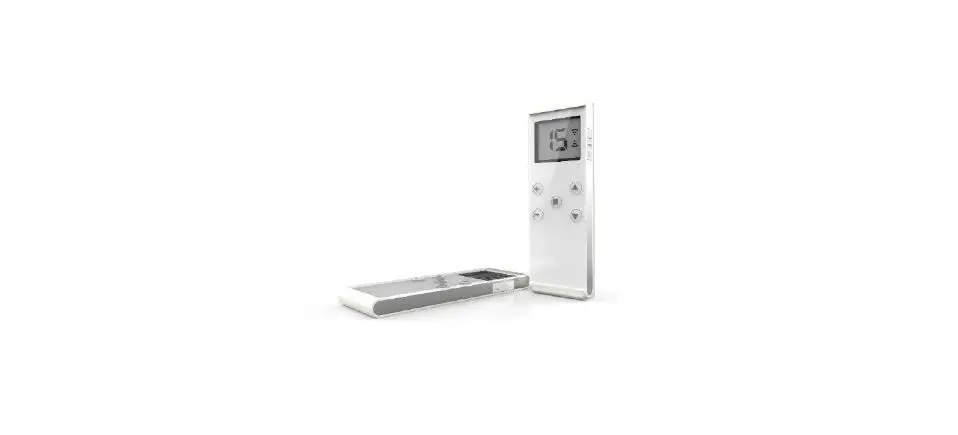
AC231-01 Remote Controller
Product Information:
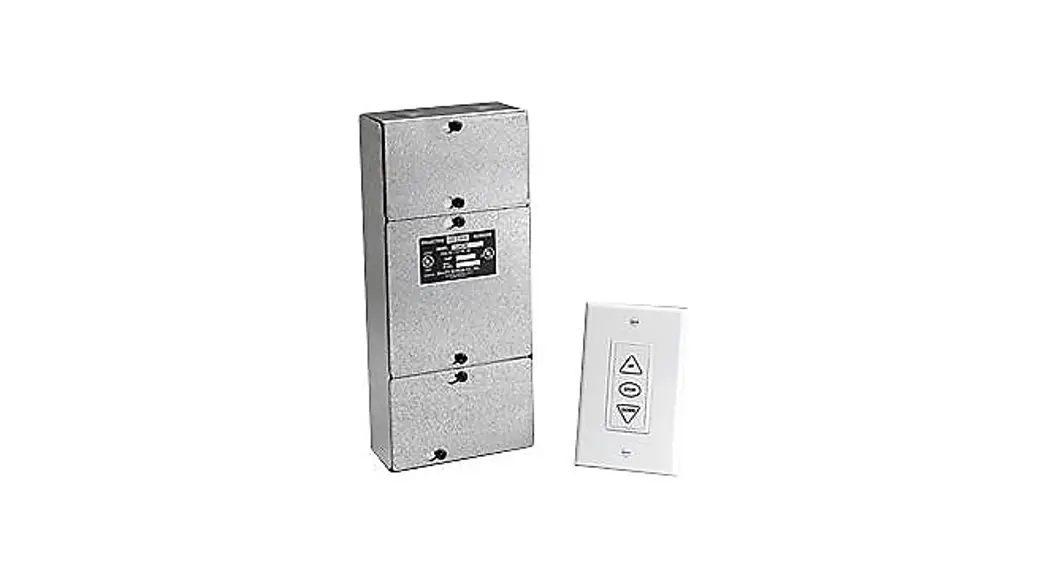
The kit is designed with an elegant and adaptable shape, making
it popular for all decorations. It features a standard 6P crystal
socket interface that is available for RS232/485 middle control and
3/4 line dry contact manual switch. The kit’s model number is
AC231-01, and it operates on a voltage input of 230VAC/120VAC. The
kit’s working temperature ranges from -110 dBm, and it has a
remote/manual operation mode.
Product Usage Instructions:
- To pair the transmitter, press the PROG button on the receiver
for 1s. - To change the direction, there are two methods:
- Method 1: Press the DOWN button on the transmitter within 10s.
The red light on the receiver will flash slowly for 10s, and then
the blue light on the receiver will flash rapidly three times. - Method 2: Pull the direction changing switch on the receiver.
The blue light on the receiver will flash rapidly three times,
indicating that the receiver is programmed.
- Method 1: Press the DOWN button on the transmitter within 10s.
- To add a transmitter, press the STOP button on the transmitter
for 5s. Then, press the DOWN button on the transmitter within 10s.
The blue light on the receiver will flash rapidly three times,
indicating that the transmitter has been added. - To delete a single transmitter, press the STOP button on the
transmitter for 5s. Then, wait for the red light on the receiver to
flash slowly for 10s. Finally, press the STOP button on the
transmitter within 10s.
Please follow the electricity standard and below rules:
- Serial B Manual COMMON line
- Manual STOP line
- Manual DOWN Serial A line
- Ground line
- DOWN STOP ǧ Earth line Null line Live line Common Earth line
DOWN ǧ - U S D C
- D S UC
Note that the working mode for external manual switch is no
power dry contact mode, and the function of this two interface is
the same.
Kit completo – istruzioni
Kit complete – instructions
1. Caratteristiche – Features
Design elegante, adattabile a tutte le applicazioni Fancy shape designed, popular for all decorations
L’involucro è composto da materiale ignifugo e anti UV. Garantisce sicurezza ed è anti-invecchiamento. !Çß Slid up casing, easy for installation
Connettore per RJ12 6P, disponibile per controllo tramite RS232/485 e pulsantiera a contatti puliti. Standard 6P crystal socket interface, available for RS232/485 middle control and 3/4 line dry contact manual switch.
Il cambiamento di direzione è disponibie sia in modalità manuale che remota. Direction changing is available under both manual and remote.
2. Parametri – Parameters
Modello Model AC231-01
Tensione d’ingresso
Temperatura di funzionamento
ß
Working temperature
230VAC/120VAC
-40° C ~ +85° C
Potenza nominale Rated power à
Sensibilità di ricezione
Numero di trasmettitori
Tipologia di controllo
Receiving sensibility Transmitter quantity Operation mode
-110 dBm
Remote/Manual
3. Installazione e cablaggio – Installation and wiring
Prog button
Motor
Step by step Direction switch Indicator light
Serial B Manual COMMON line wǧ Manual STOP line
Manual DOWN Serial A line
Power imput
Istruzioni del commutatore a muro
1) Premi il pulsante salita meno di un secondo per far salire lo schermo.
2) Premi il pulsante discesa meno di un secondo per far scendere lo schermo
Manual switch operate instruction
1) Press up key less than 1’s the motor run up, more than 1’s then loose up, the motor stop
2) Press down key less 1’s and motor run down, more than 1’s loose and motor stop
Ground line
DOWN STOP ǧ Earth line Null line Live line Common Earth line DOWN ǧ
U S D C
D S UC
La modalità di funzionamento per l’interruttore esterno è il controllo manuale a contatti puliti. Il funziona-
!
mento delle due interfacce (RJ12 e manual switch socket) è la stessa
The working mode for external manual switch is no power dry contact mode, the function of this two interface is the same.
Si prega di seguire i seguenti standard elettrici:
– Per evitare errori di ricezione, si prega di non collegare oggetti metallci – Mantenere >1.5m di distanza tra il ricevitore e il pavimento w – Mantenere >0.3m di distanza tra il ricevitore e il trasmettitore – Per ragioni di sicurezza, interrompere l’alimentazione prima del cablaggio §²~ – Proteggere i cavi dalla forza longitudinale dopo l’installazione.
Please follow the eletricity standard and below rules:
À j j j I À§ §
4. Operazioni – Operations
Accoppiamento trasmettitore Transmitter pairing
Accensione Power on
Premere il pulsante PROG sul ricevitore per 1s
Press the PROG button on receiver for 1s
Cambio direzione tasti Direction changing
La luce rossa sul ricevitore lampeggia lentamente per 10 s
À
Metodo 1 – Method 1
Metodo 2 – Method 2
Premere il pulsante inferiore sul trasmettitore entro 10 s
Press DOWN button on
La luce blu sul ricevitore lampeggia rapidamente 3 volte.
Centralina programmata.
À quickly 3 times, programmed
Tirare il cambio di direzione sul ricevitore
Pull the direction changing switch on receiver
La luce blu sul ricevitore lampeggia rapidamente 3 volte.
Centralina programmata
The blue light on receiver programmed
Premere il pulsante STOP sul trasmettitore per 5s
La luce rossa sul ricevitore lampeggia lentamente per 10 s
Premere il pulsante inferiore sul tramittitore
entro 10 s
La luce blu sul ricevitore lampeggia rapidamente 3 (
Press the STOP button on programmed transmittter
for 5s
The red light on receiver
Press DOWN button on
The blue light on receiver
direction changed
Aggiungi nuovo trasmettitore (usando trasmettitore già accoppiato) Add new transmitter
Ogni ricevitore può programmare un massimo di 20 trasmettitori , il ventunesimo coprirà il ventesimo automaticamente Every receiver can programme with at most 20pcs trasmitters, the 21st one will cover the 20th automatically
Premere il pulsante STOP sul trasmettitore per 5s
Press the STOP button on programmed transmittter for 5s
La luce rossa sul ricevitore lampeggia lentamente per 10 s
À
Premere il pulsante superiore sul trasmettitore entro 10s
§Ç§
La luce blu sul ricevitore lampeggia rapidamente 3 volte. Trasmettitore aggiunto
À times, added
Elimina singolo trasmettitore Delete single transmitter
Premere il pulsante STOP sul trasmettitore per 5s
Press the STOP button on programmed transmittter for 5s
La luce rossa sul ricevitore lampeggia lentamente per 10 s
À
Premi il pulsante dietro il trasmettitore entro 10s
§ !j
La luce blu sul ricevitore lampeggia rapidamente 3 volte. Singolo codice eliminato
À times. Delete single code
Elimina tutti i trasmettitori Delete all transmitter
Metodo 1 – Method 1
Premere il pulsante PROG sul ricevitore per 1s Press the PROG button on receiver for 1s
Metodo 2 – Method 2
La luce rossa sul ricevitore lampeggia lentamente per 10 s
À
Premere il pulsante PROG sul ricevitore per 1s Press the PROG button on receiver for 1s
La luce rossa sul ricevitore si spegne. Tutti i codici sono stati cancellati.
The red light on receiver die out, deleted all codes
Premere il pulsante STOP sul trasmettitore per 5s
Press the STOP button on programmed transmittter for 5s
La luce rossa sul ricevitore lampeggia lentamente per 10 s
À
Premi il pulsante dietro il trasmettitore per 7s entro 10s
§ !j
Dopo 1s, la luce blu sul ricevitore lampeggia velocemente 3 volte
quickly 3 times
Dopo 7s, la luce blu sul ricevitore lampeggia velocemente.
Tutti i codici sono eliminati
quickly 3 times, delete all codes
Modalità di controllo – Control mode
Il motore necessiterà di 0.5 secondi per cambiare rotazione. Ogni canale (salita o discesa) rimane attivo per 5 minuti se non viene premuto il tasto stop.
There will be 0.5s for motor to change rotation, the longest time rotation is 5 min.
5. Problemi e soluzioni – Troubles and solutions
ProblemTroubles
Spia luminosa accesa ma con nessuna reazione Indicator light is on, but no reaction
Indicatore su trasmettitore spento o luce spenta Indicator on transmitter off or dull light
Trasmettitore e ricevitore funzionano regolarmente, ma il motore non gira Transmitter and receiver work commonly, motor has no rotating
SoluzioniSolutions
Controllare il cablaggio e la scelta del canale Please check the wiring and channel choosing
Controllare lo stato della batteria Please check the battery power (battery installation)
Controllare il cablaggio del motore Please check motor wiring
Via Nazionale, 1/n – 1/u 38V30i8a600N6Ba0zeBisoeensnaeelnelle,o1l/l(onTN(-T1)N/u)
+ 3+93094064468438030000303 infion@[email protected]