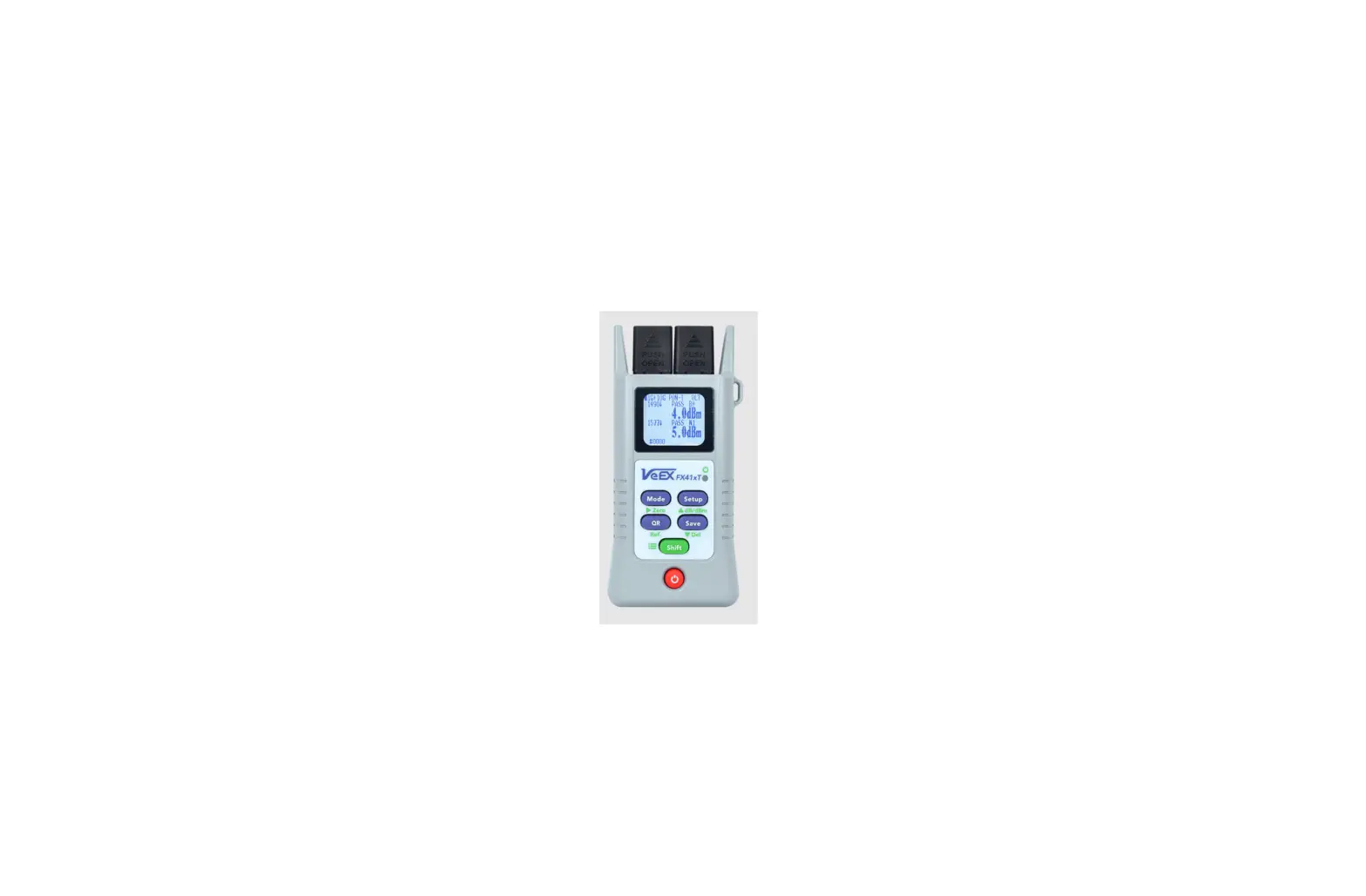
FX120 PON Analyzer and Multi Gig Service Test Set
VeEX FX120 – Product Information and Usage Instructions
Product Information
The VeEX FX120 is a test set that comes with a built-in version
of the user manual. The latest versions of the product’s user
manuals, quick guides, application notes, specifications, etc. are
available in electronic format from the product’s page. The test
set is designed to support product registration, warranty, software
updates, companion utilities, and mobile applications. The product
registration is essential to benefit from the warranty, software
applications, technical support, and specific updates related to
your test set. The warranty coverage is included in the shipping
documents, and you can check the current warranty status of any
VeEX product from their website. The software updates and companion
utilities can be downloaded from the product’s page on the VeEX
website or the Software Download page. The VeEX Apps for iOS and
Android smart devices are available in the Apps section of VeEX’s
website.
Usage Instructions
Before using the VeEX FX120 test set, please register your
product to benefit from the warranty, software applications,
technical support, and specific updates related to your test set.
You can register your product at
https://www.veexinc.com/support/productregistration. Also, register
as a user at https://www.veexinc.com/register since groups may
share test sets.
The latest versions of the product’s user manuals, quick guides,
application notes, specifications, etc. are available in electronic
format from the product’s page:
https://www.veexinc.com/products/fx120.
For software updates, use >Tools >Utilities >VeExpress
>Software Upgrade to download software updates directly to the
test set. For more information, refer to
https://www.veexinc.com/search?search=software upgrade.
If you want to install VeEX Apps for the first time, please
authorize VeEX as a trusted enterprise developer. The VeEX Apps are
available in the Apps section of VeEX’s website
https://www.veexinc.com/apps.php.
If you need any technical support or assistance, please contact
VeEX at https://www.veexinc.com/company/contactus or send an email
to [email protected].
FX120
GETTING STARTED GUIDE
PLEASE PASS THIS INFORMATION ALONG TO END USERS
Dear Valued Customer,
Thank you and congratulations for purchasing a VeEX® product. This product has been carefully developed and thoroughly tested according to strict company procedures and international standards and is designed to operate reliably for many years to come.
As part of our Green Initiative, VeEX does not include printed manuals with product shipments. They are all available online, with this document serving as a convenient way to access such information. For direct access to documentation and resources, use your smartphone or tablet’s camera to scan the following QR codes.
Product Registration
Please register your product to benefit from the warranty, software applications, technical support and specific updates related to your test set. https://www.veexinc.com/support/productregistration Since groups may share test sets, you should also register as a user at https://www.veexinc.com/register
Warranty
A printed copy of the warranty coverage is included with the shipping documents. To check the current warranty status of any VeEX product, please visit: https://www.veexinc.com/support/warranty
Product Documentation
The test set includes a built-in version of the users’ manual. The latest versions of the product’s user manuals, quick guides, application notes, specifications, etc. are also available in electronic format from the product’s page: https://www.veexinc.com/products/fx120
March 2022 | D02-00-095P Rev. A00
©2022 VeEX Inc. All rights reserved.
www.veexinc.com
User’s Manual A direct link to the main product’s user manual is here: https://download.veexinc.com/FX120/UserManual/10728/FX120_User_Manual.pdf function-specific information, please refer to the product’s page link.
Training Videos For any available quick guides and technology training videos, please subscribe to our YouTube channel: https://www.youtube.com/user/VeEXinc
Software Updates and Companion Utilities
Product software, release notes and companion utilities can be downloaded from the product’s page in the VeEX website or in the Software Download page: https://www.veexinc.com/support/software Use >Tools >Utilities >VeExpress >Software Upgrade to download software updates directly to the test set. For more information refer to https://www.veexinc.com/search?search=software upgrade
Mobile Applications
As an Enterprise Developer, any applicable VeEX apps are made available directly from the company’s website. Any applications for iOS and Android smart devices are available in the Apps section of VeEX’s website https://www.veexinc.com/apps.php. When installing VeEX Apps for the first time, users are required to authorize VeEX as a trusted enterprise developer.
Customer Support
Should you need any technical support or assistance, please contact us at https://www.veexinc.com/company/contactus or send an email to [email protected].
VeEX Inc. | 2827 Lakeview Court, Fremont, CA 94538, USA | Tel.: +1.510.651.0500 | Fax: +1.510.651.0505
FX120 | Getting Started Guide
www.veexinc.com
References
 VeEX Inc. | The Verification EXperts
 VeEX Inc. | The Verification EXperts
-
Apps | VeEX Inc. | The Verification EXperts
-
Apps | VeEX Inc. | The Verification EXperts
-
Contact Us | VeEX Inc. | The Verification EXperts
-
FX120 | VeEX Inc. | The Verification EXperts
-
VeEX Inc. | The Verification EXperts
-
Search | VeEX Inc. | The Verification EXperts
-
Register Product | VeEX Inc. | The Verification EXperts
-
Software Updates | VeEX Inc. | The Verification EXperts
-
Warranty | VeEX Inc. | The Verification EXperts
 VeEX Inc. | The Verification EXperts