OONA22-1W Aava Mobile Oy
Product Information
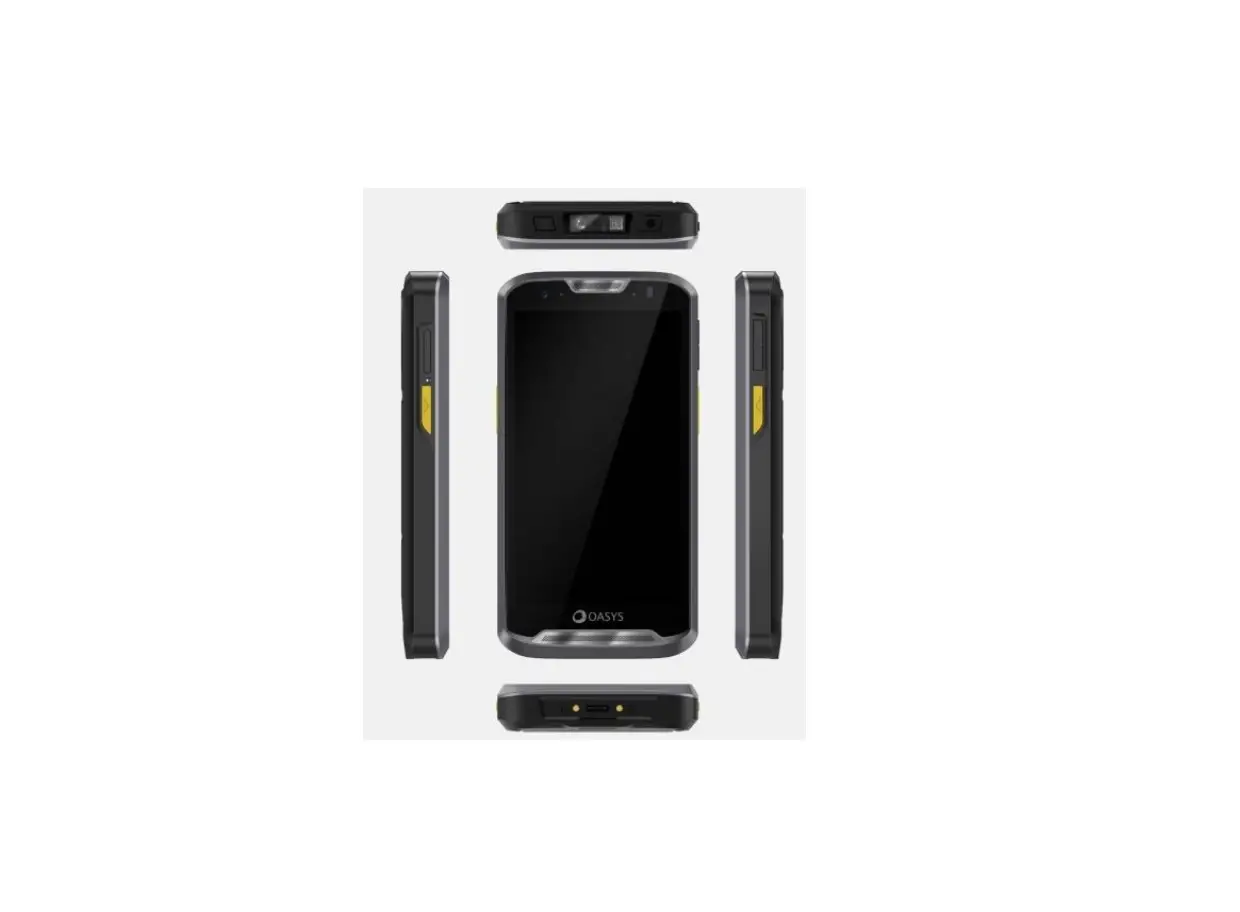
The OONA 22 is a device with various features, buttons, and
interfaces. Here is a breakdown of its components:
- Side View:
- Power Button
- 2 x USB-C interface
- 1 x LAN interface
- 2 x USB-A interface
- Power in connector
- Cover plugs
- Rear View:
- Microphone
- VESA mounting 100×100
- VESA mounting 75×75
- Service USB port
- Label
- Label
- Speaker
- Front View:
- Camera
- NFC antenna
Power Supply
When using the device for the first time, follow these
steps:
- Connect the provided power supply to the device’s plug (5). The
green LEDs of the power supply unit should light up. - Never use a power supply other than the provided one. Ensure
that the AC connection is grounded. - The device will start automatically once power is supplied. To
manually turn on the device, press and hold the power button for at
least 3 seconds. - Follow the instructions displayed on the screen to complete the
setup.
Troubleshooting
If the device freezes and requires a hard reset, press and hold
the power button for approximately 14 seconds. The device will turn
off. When connecting USB3.0 devices while connected to a WLAN
network, ensure that it is a 5GHz connection. Using USB3.0 devices
may cause disconnection from 2.4GHz networks on the device
side.
Important Product and Safety Information
Here are some important tips and warnings regarding product
usage:
- Do not touch or attempt to remove broken glass from the device
if it breaks. Stop using the device until qualified service
personnel replace the glass. - Using the device in extreme temperatures may result in limited
performance. - Avoid exposing the device to excessive dust, humidity, and
moisture. - Be cautious of high volume levels for long periods to prevent
possible hearing damage. - Follow these measures to optimize device performance and
conserve energy:- Close unused applications and data connections.
- Decrease screen brightness and sound volume.
- Deactivate unnecessary sounds like touch panel sound.
- Disconnect the device from the mains outlet when not in
use. - Do not keep unnecessary accessories connected to the
device.
Radio Waves Specifications
The device operates on the following radio waves
specifications:
| Radio | NFC | Bluetooth | 2.4G Wi-Fi | 5G Wi-Fi |
|---|---|---|---|---|
| Frequency | 13.56MHz | 2.4-24835GHz | 2.4-2.4835GHz | 5.15-5.35GHz 5.47-5.725GHz 5.725-5.85GHz |
Conformity Declarations
Depending on the model, the device complies with the following
conformity and compliance statements:
- EU Declaration of Conformity: The device is compliant with
Directive 2011/65/EU and 1999/5/EC or 2014/53/EU (2014/53/EU
supersedes 1999/5/EC from 13th June 2017). The full text of the EU
Declaration of Conformity is available at http://www.aavamobile.com/doc. - Marking and European Economic Area (EEA): The use of RLAN’s
throughout the EEA has certain restrictions. - Wireless Devices Country Approvals: Regulatory markings,
subject to certification, are applied to the device indicating
approval for use in the United States, Canada, and Europe1. For
details of other country markings, refer to the Aava Mobile
Declaration of Conformity (DoC) available at http://www.aavamobile.com/doc.
oona 22 Quick Start Guide
Features, buttons & interfaces
Side View
1 Power Button 2 2 x USB-C interface 3 1 x LAN interface 4 2 x USB-A interface 5 Power in connector 6 Cover plugs
oona 22 Quick-Start-Guide EN 0
Rear view
7 Microphone 11 VESA mounting 100×100 12 VESA mounting 75×75 13 Service USB port 14 Label 15 Label 16 Speaker
Front view
oona 22 Quick-Start-Guide EN 1
17 Camera 18 NFC antenna
oona 22 Quick-Start-Guide EN 2
Power Supply
Using the device for the first time
1. To operate the device please connect the provided power supply to the plug of the device (5). The green LEDs of the power supply unit should light up.
2. Never operate the unit with a power supply other than the provided one. Make sure to use an earthing outlet for AC connection.
3. The device starts automatically once power is supplied. To manually turn on the device press the power button for at least 3 seconds.
4. Follow the instructions on the display to complete the setup.
oona 22 Quick-Start-Guide EN 3
Troubleshooting
In case devices freezes and you need to do a hard reset, press and hold the power button for approx. 14 seconds. Device will be turned off now. Connecting USB3.0 devices while being connected to a WLAN network requires it to be a 5GHz connection to maintain it. 2.4GHz networks will be disconnected on the device side while USB3.0 devices are in use.
Important Product and Safety information
· Do not drop, bend or twist your tablet. This can break tablet display glass, internal circuit boards or mechanics. If the
glass breaks, do not touch the glass parts of the device or attempt to remove the broken glass from the device. Stop
using the device until the glass is replaced by qualified service personnel.
· Do not try to disassembly your tablet. This may damage the device.
· Operate your device in a place where temperature is between -20°C and +50°C. Operation between -20°C to -10°C
will result in limited performance.
· Store your device in a place where temperature is between -20°C and +60°C.
· For operation the socket-outlet shall be installed near the equipment and shall be easily accessible.
· Protect your device from water and moisture intake. Keep connector doors closed when not in use to prevent water
and moisture intake.
· Listen to a headset at a moderate level, and do not place the device loudspeaker outlets near your ear when the
loudspeakers are in use.
· Use only soft, clean and dry lint-free cloth to clean your device.
· Keep the unit and accessories away from small children.
· Switch off your device before boarding to an aircraft.
· Switch off your device in any area with a potentially explosive atmosphere.
· Power rating for the device: 24V
3.0A
· Do not disconnect charger by pulling the cord.
· Do not use damaged power cords or plugs.
· Save energy. You can save energy by doing following.
o Close unused applications and data connections.
o Decrease screen brightness and sound volume.
o Deactivate unnecessary sounds like touch panel sound.
o Disconnect your device from mains outlet when it’s not operated.
o Do no keep unnecessary accessories connected in your device.
· Recycle. Return your used electronic units to dedicated collection points.
Warning Statements
To prevent possible hearing damage, do not listen at high volume levels for long periods.
Radio Waves Specifications
The device has the following radio waves specifications: Radio Waves Specifications
oona 22 Quick-Start-Guide EN 4
Radio NFC Bluetooth 2.4G Wi-Fi
5G Wi-Fi
Frequency 13.56MHz 2.4-24835GHz 2.4-2.4835GHz 5.15-5.35GHz 5.47-5.725GHz 5.725-5.85GHz
Max. Output Power 5±2dBuA/m @10m
8±2dBm(EIRP) 18±2dBm(EIRP) 21±2dBm(EIRP) 21±2dBm(EIRP) 12±2dBm(EIRP)
Conformity Declarations
Depending on the actual model, following conformity / compliance statements are valid. Please check the type label of your device for further information.
EU Declaration of Conformity
Hereby, Aava Mobile declares that the radio equipment OONA22-1W is in compliance with Directive 2011/65/EU and 1999/5/EC or 2014/53/EU (2014/53/EU supersedes 1999/5/EC from 13th June 2017). The full text of the EU Declaration of Conformity is available at the following internet address: http://www.aavamobile.com/doc
Marking and European Economic Area (EEA) The use of RLAN’s, for use throughout the EEA, have the following restrictions:
· Maximum radiated transmit power of 100 mW EIRP in the frequency range 2.400 – 2.4835 GHz · 5.13 – 5.35 GHz is restricted to indoor use only Bluetooth® Wireless Technology for use through the EEA has the following restrictions: · Maximum radiated transmit power of 100mW EIRP in the frequency range 2.400 -2.4835 GHz
Wireless Devices Country Approvals
Regulatory markings, subject to certification, are applied to the device signifying the radio(s) are approved for use in the following countries: United States, Canada, and Europe1. Please refer to the Aava Mobile Declaration of Conformity (DoC) for details of other country markings. This is available at http://www.aavamobile.com/doc.
1 Europe includes: Austria, Belgium, Bulgaria, Croatia, Czech Republic, Cyprus, Denmark, Estonia, Finland, France, Germany, Greece, Hungary, Iceland, Ireland, Italy, Latvia, Liechtenstein, Lithuania, Luxembourg, Malta, Netherlands, Norway, Poland, Portugal, Romania, Slovak Republic, Slovenia, Spain, Sweden, Switzerland and the UK(NI). The device supports WLAN 5150-5350 MHz with indoor usage restrictions.
FCC Compliance Statement
Note: This equipment has been tested and found to comply with the limits for a Class B digital device, pursuant to Part 15 of the FCC rules. These limits are designed to provide reasonable protection against harmful interference in a residential installation. This equipment generates, uses and can radiate radio frequency energy and, if not installed and used in accordance with the instructions, may cause harmful interference to radio communications. However there is no guarantee that interference will not occur in a particular installation. If this equipment does cause harmful interference to radio or television reception, which can be determined by turning the equipment off and on, the user is encouraged to try to correct the interference by one or more of the following measures: · Reorient or relocate the receiving antenna · Increase the separation between the equipment and receiver · Connect the equipment into an outlet on a circuit different from that to which the receiver is connected · Consult the dealer or an experienced radio/TV technician for help.
oona 22 Quick-Start-Guide EN 5
Radio Transmitters (Part 15)
FCC Radiation Exposure Statement This device complies with FCC radiation exposure limits set forth for an uncontrolled environment and it also complies with Part 15 of the FCC RF Rules. This equipment must be installed and operated in accordance with provided instructions and the antenna(s) used for this transmitter must be installed to provide a separation distance of at least 20 cm from all persons and must not be co-located or operating in conjunction with any other antenna or transmitter. End-users and installers must be provided with antenna installation instructions and consider removing the no-collocation statement.
The device meets the exemption from the routine evaluation limits in section 2.5 of RSS 102 and compliance with RSS-102 RF exposure, users can obtain Canadian information on RF exposure and compliance.
This transmitter must not be co-located or operating in conjunction with any other antenna or transmitter. This equipment should be installed and operated with a minimum distance of 20 centimeters between the radiator and your body.
This product has been tested and found to comply with the following standards: · For the worst case positions, the OONA22-1W is in compliance with the IC RSS 102 Issue 5 (RSS 102) and Federal Communications Commission (FCC) Guidelines (KDB) 447498 D03 for uncontrolled exposure. SAR assessment in body worn was conducted with a distance of 0 mm between the housing of the handheld and the flat phantom. · EM 62311:2008: Assessment of electronic and electrical equipment related to human exposure restrictions for electromagnetic fields (0 Hz 300 GHz).
Radio Frequency Interference Requirements – Canada
CAN ICES-3 (B)/NMB-3(B)
Radio Transmitters
This device complies with Industry Canada’s licence-exempt RSSs. Operation is subject to the following two conditions: (1) This device may not cause interference; and (2) This device must accept any interference, including interference that may cause undesired operation of the device. Le présent appareil est conforme aux CNR d’Industrie Canada applicables aux appareils radio exempts de licence. L’exploitation est autorisée aux deux conditions suivantes: (1) l’appareil ne doit pas produire de brouillage, et (2) l’utilisateur de l’appareil doit accepter tout brouillage radio électrique subi même si le brouillage est susceptible d’en compromettre le fonctionnement. For RLAN Devices: The use of 5 GHz RLAN’s, for use in Canada, have the following restrictions: · Restricted Band 5.60 – 5.65 GHz Pour les équipements RLAN: L’utilisation de la bande RLAN 5 GHz au Canada présente les limitations suivantes : · Bande restreinte 5.60 – 5.65 GHz Label Marking: The Term ‘IC:’ before the radio certification only signifies that Industry Canada technical specifications were met. Etiquette de marquage: Le terme “IC” avant la certification radio signifie que le produit est compatible avec le spécification Industrie Canada.
IC type approval ID: (t.b.c.) The device meets the exemption from the routine evaluation limits in section 2.5 of RSS 102 and compliance with RSS-102 RF exposure, users can obtain Canadian information on RF exposure and compliance. Le dispositif rencontre l’exemption des limites courantes d’évaluation dans la section 2.5 de RSS 102 et la conformité à l’exposition de RSS-102 rf, utilisateurs peut obtenir l’information canadienne sur l’exposition et la conformité de rf.
This transmitter must not be co-located or operating in conjunction with any other antenna or transmitter. This equipment should be installed and operated with a minimum distance of 20 centimeters between the radiator and your body. Cet émetteur ne doit pas être Co-placé ou ne fonctionnant en même temps qu’aucune autre antenne ou émetteur. Cet équipement devrait être installé et actionné avec une distance minimum de 20 centimètres entre le radiateur et votre corps.
802.11a Radio Precaution Statement
– The device for operation in the band 5150-5250 MHz is only for indoor use to reduce the potential for harmful interference to co-channel mobile satellite systems;
oona 22 Quick-Start-Guide EN 6
– Users should also be advised that high-power radars are allocated as primary users (i.e. priority users) of the bands 5250-5350 MHz and 5650-5850 MHz and that these radars could cause interference and/or damage to LE-LAN devices.
– Les dispositifs fonctionnant dans la bande 5 150-5 250 MHz sont réservés uniquement pour une utilisation à l’intérieur afin de réduire les risques de brouillage préjudiciable aux systèmes de satellites mobiles utilisant les mêmes canaux;
– De plus, les utilisateurs devraient aussi être avisés que les utilisateurs de radars de haute puissance sont désignés utilisateurs principaux (c.-à-d., qu’ils ont la priorité) pour les bandes 5 250-5 350 MHz et 5 650-5 850 MHz et que ces radars pourraient causer du brouillage et/ou des dommages aux dispositifs LAN-EL.
802.11 Radio Precaution statement
Users are responsible for configuring the channels of operation that comply with their country regulatory standards. A Wireless Network Administrator should review the operating restrictions detailed within the Access Point installation manual.
Radio Frequency Interference Requirements – Brazil
The device meets the SAR limit of 2.0 W/kg established by Anatel (National Telecommunications Agency in Brazil). The product should be kept at least 1.5 cm from the body to ensure compliance with the radio frequency exposure limits.
Waste Electrical and Electronic Equipment (WEEE)
English: For EU Customers: All products at the end of their life must be returned to Aava Mobile for recycling. For information on how to return product, please go to: http://www.aavamobile.com/weee. Français: Clients de l’Union Européenne: Tous les produits en fin de cycle de vie doivent être retournés à Aava Mobile pour recyclage. Pour de plus amples informations sur le retour de produits, consultez : http://www.aavamobile.com/weee. Español: Para clientes en la Unión Europea: todos los productos deberán entregarse a Aava Mobile al final de su ciclo de vida para que sean reciclados. Si desea más información sobre cómo devolver un producto, visite: http://www.aavamobile.com/weee. : : Aava Mobile . , : http://www.aavamobile.com/weee. Deutsch: Für Kunden innerhalb der EU: Alle Produkte müssen am Ende ihrer Lebensdauer zum Recycling an Aava Mobile zurückgesandt werden. Informationen zur Rücksendung von Produkten finden Sie unter http://www.aavamobile.com/weee. Italiano: per i clienti dell’UE: tutti i prodotti che sono giunti al termine del rispettivo ciclo di vita devono essere restituiti a Aava Mobile al fine di consentirne il riciclaggio. Per informazioni sulle modalità di restituzione, visitare il seguente sito Web: http://www.aavamobile.com/weee. Português: Para clientes da UE: todos os produtos no fim de vida devem ser devolvidos à Aava Mobile para reciclagem. Para obter informações sobre como devolver o produto, visite: http://www.aavamobile.com/weee. Nederlands: Voor klanten in de EU: alle producten dienen aan het einde van hun levensduur naar Aava Mobile te worden teruggezonden voor recycling. Raadpleeg http://www.aavamobile.com/weee voor meer informatie over het terugzenden van producten. Polski: Klienci z obszaru Unii Europejskiej: Produkty wycofane z eksploatacji naley zwróci do firmy Aava Mobile w celu ich utylizacji. Informacje na temat zwrotu produktów znajduj si na stronie internetowej http://www.aavamobile.com/weee. Cestina: Pro zákazníky z EU: Vsechny produkty je nutné po skonèení jejich zivotnosti vrátit spoleènosti Aava Mobile k recyklaci. Informace o zpùsobu vrácení produktu najdete na webové stránce: http://www.aavamobile.com/weee. Eesti: EL klientidele: kõik tooted tuleb nende eluea lõppedes tagastada taaskasutamise eesmärgil Aava Mobile’ile. Lisainformatsiooni saamiseks toote tagastamise kohta külastage palun aadressi: http://www.aavamobile.com/weee.
oona 22 Quick-Start-Guide EN 7
Magyar: Az EU-ban vásárlóknak: Minden tönkrement terméket a Aava Mobile vállalathoz kell eljuttatni újrahasznosítás céljából. A termék visszajuttatásának módjával kapcsolatos tudnivalókért látogasson el a http://www.aavamobile.com/weee weboldalra. Svenska: För kunder inom EU: Alla produkter som uppnått sin livslängd måste returneras till Aava Mobile för återvinning. Information om hur du returnerar produkten finns på http://www.aavamobile.com/weee. Suomi: Asiakkaat Euroopan unionin alueella: Kaikki tuotteet on palautettava kierrätettäväksi Aava Mobile-yhtiöön, kun tuotetta ei enää käytetä. Lisätietoja tuotteen palauttamisesta on osoitteessa http://www.aavamobile.com/weee. Dansk: Til kunder i EU: Alle produkter skal returneres til Aava Mobile til recirkulering, når de er udtjent. Læs oplysningerne om returnering af produkter på: http://www.aavamobile.com/weee. : ..: , , Aava Mobile . , http://www.aavamobile.com/weee . Malti: Gal klijenti fl-UE: il-prodotti kollha li jkunu waslu fl-aar tal-ajja ta’ l-uu taghom, iridu jiu rritornati gand Aava Mobile gar-riikla. Gal aktar tagrif dwar kif gandek tirritorna l-prodott, jekk jogbok ur: http://www.aavamobile.com/weee. Românesc: Pentru clienii din UE: Toate produsele, la sfâritul duratei lor de funcionare, trebuie returnate la Aava Mobile pentru reciclare. Pentru informaii despre returnarea produsului, accesai: http://www.aavamobile.com/weee. Slovenski: Za kupce v EU: vsi izdelki se morajo po poteku zivljenjske dobe vrniti podjetju Aava Mobile za reciklazo. Za informacije o vracilu izdelka obiscite: http://www.aavamobile.com/weee. Slovencina: Pre zákazníkov z krajín EU: Vsetky výrobky musia by po uplynutí doby ich zivotnosti vrátené spolocnosti Aava Mobile na recykláciu. Blizsie informácie o vrátení výrobkov nájdete na: http://www.aavamobile.com/weee. Lietuvi: ES vartotojams: visi gaminiai, pasibaigus j eksploatacijos laikui, turi bti grzinti utilizuoti kompanij ,,Aava Mobile”. Daugiau informacijos, kaip grzinti gamin, rasite: http://www.aavamobile.com/weee. Latviesu: ES klientiem: visi produkti pc to kalposanas mza beigm ir jnogd atpaka Aava Mobile otrreizjai prstrdei. Lai iegtu informciju par produktu nogdsanu Aava Mobile, ldzu, skatiet: http://www.aavamobile.com/weee.
oona 22 Quick-Start-Guide EN 8
Aava Mobile Oy Nahkatehtaankatu 2 FI-90130 Oulu, Finland Tel.: +358 8 373 800 Aava Mobile US, LLC 84 Peachtree St., NW Atlanta, GA 30303, USA Tel.: +1 800 656 3470 Aava Mobile GmbH Harksheider Str. 3 22399 Hamburg, Germany Tel.: +49 40 6979 5939 www.oona-solution.com © 2023 Aava Mobile Oy, All rights reserved
oona 22 Quick-Start-Guide EN 9
 Aava Mobile Oy
 Home - oona