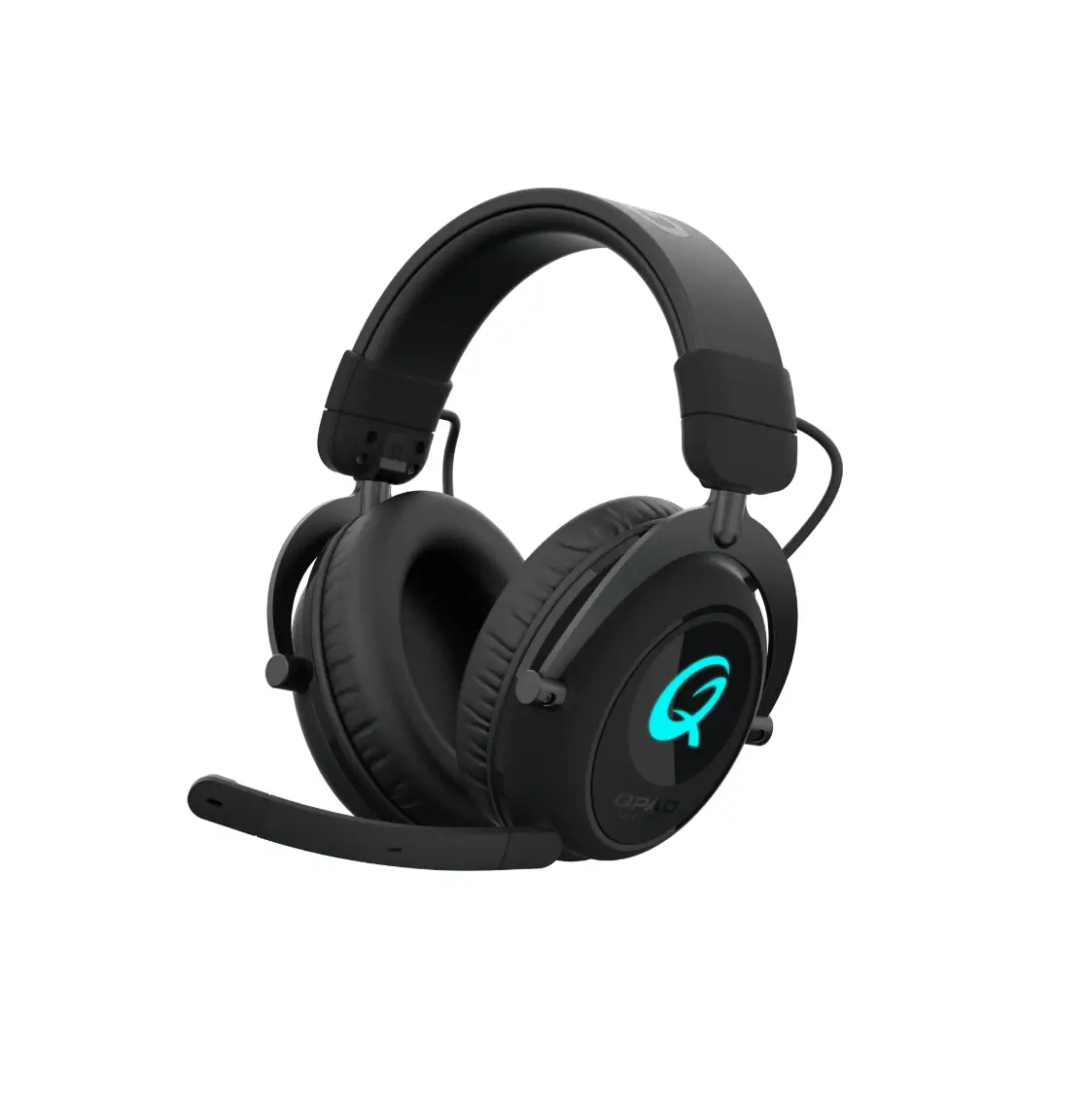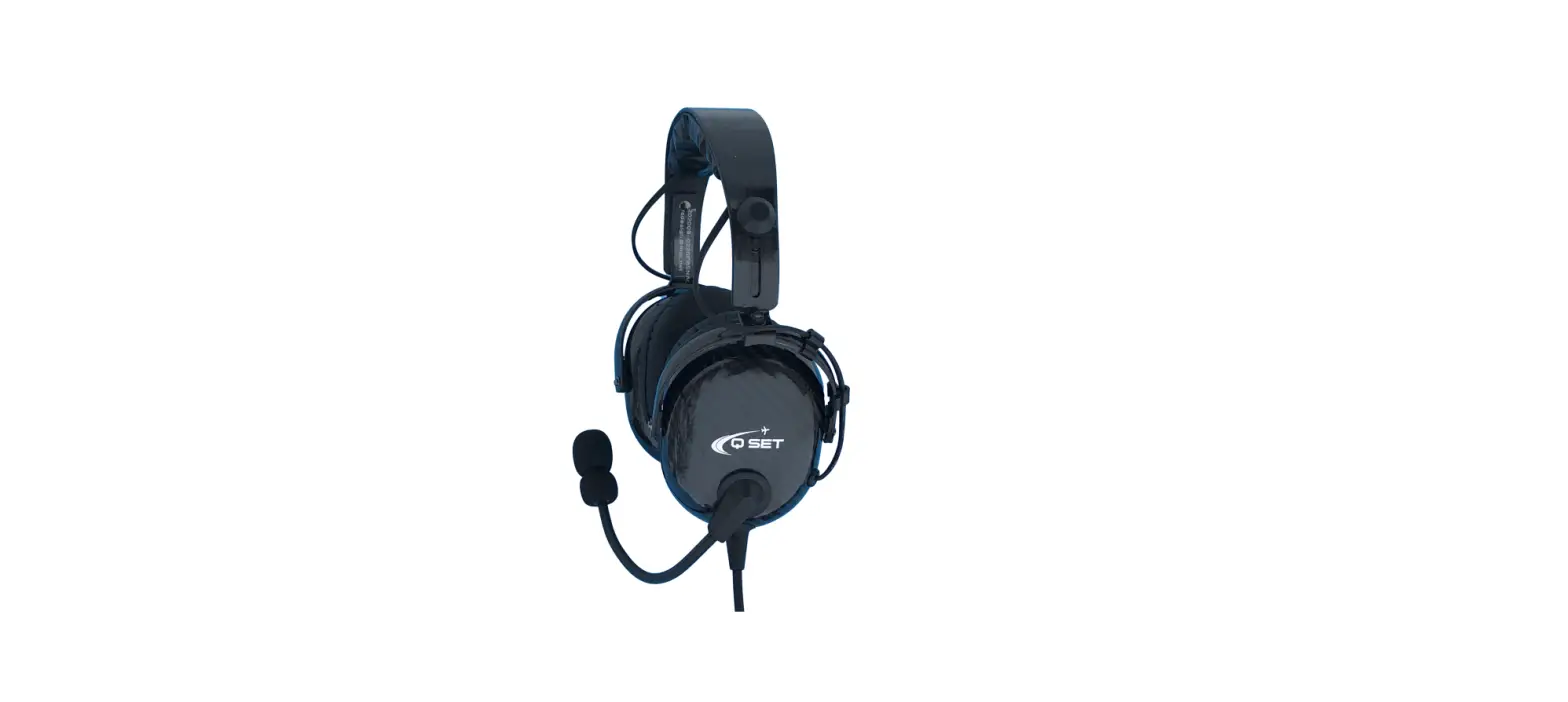

QSET AVIATOR Aviation ANR Headset and Helmet
Introduction
ANR Instruction
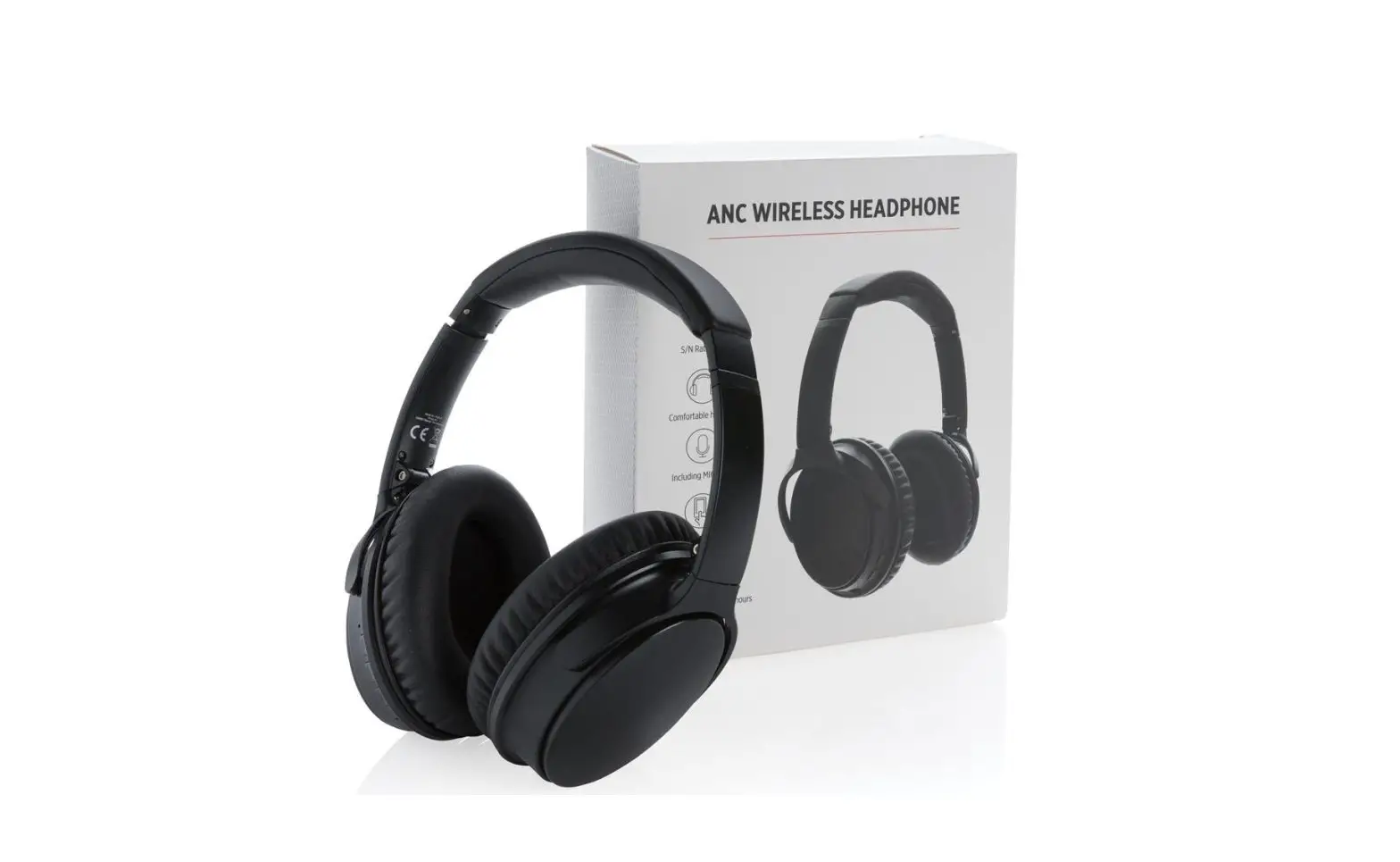
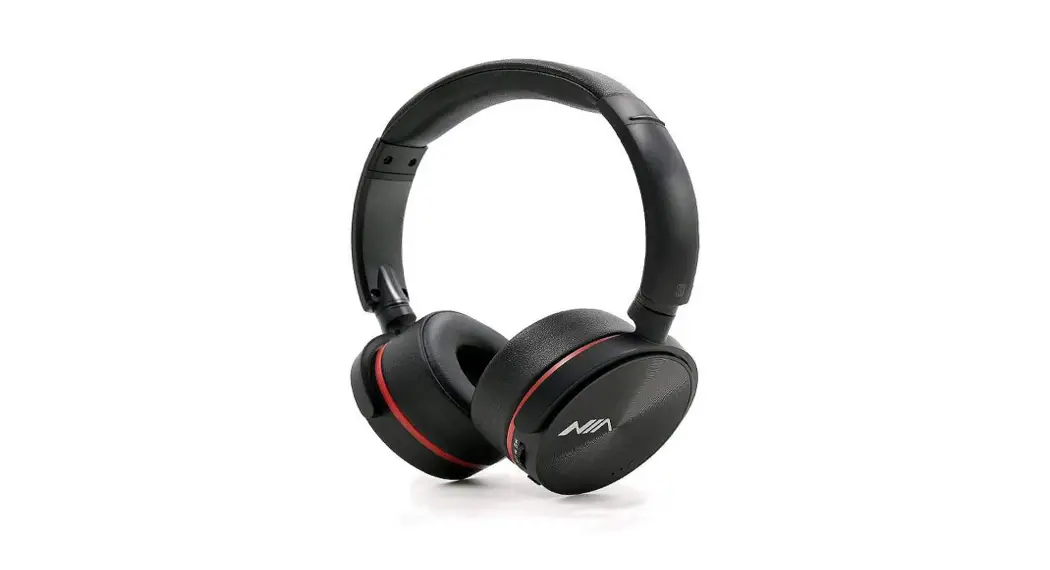
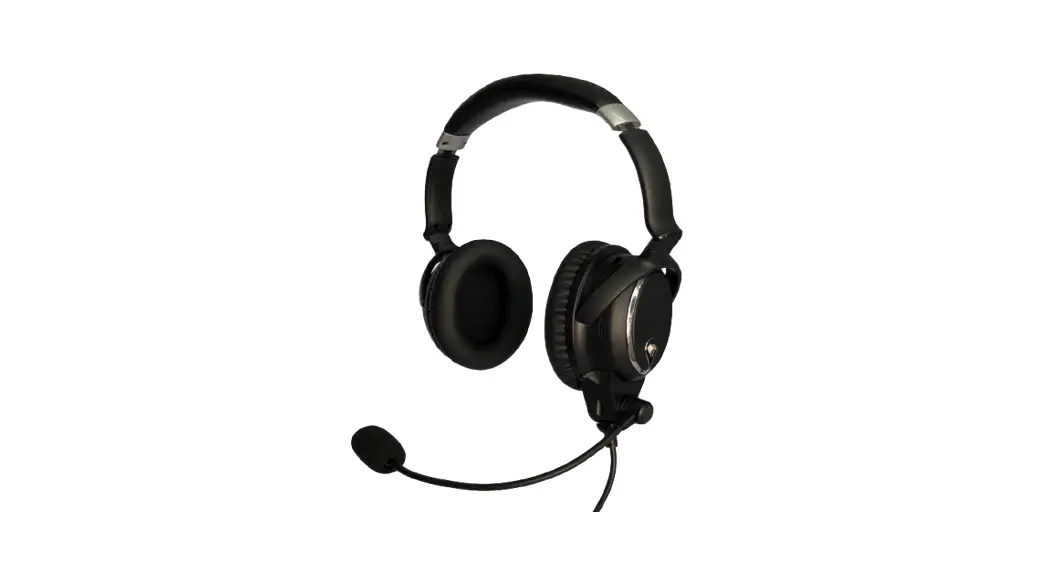
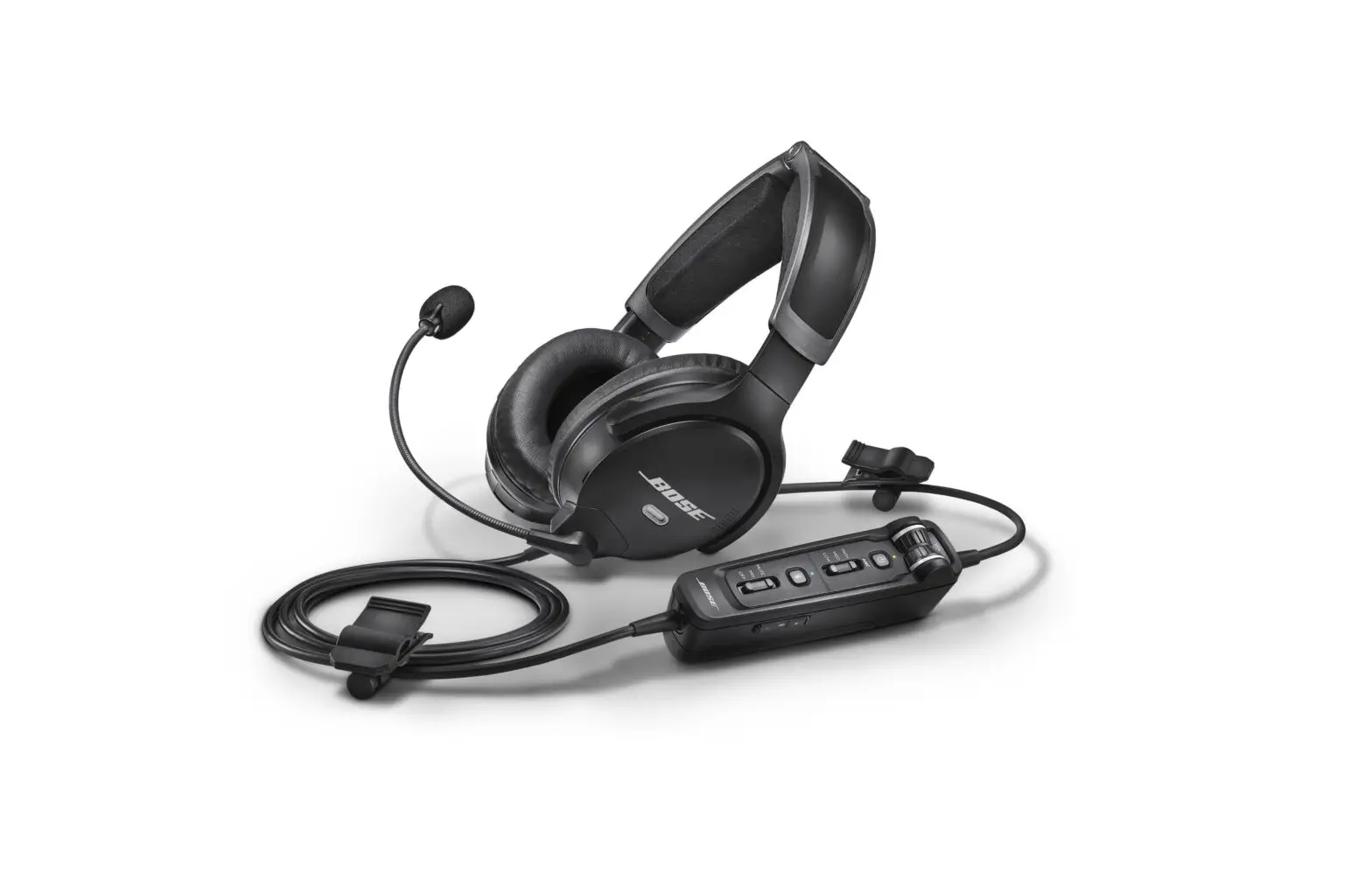
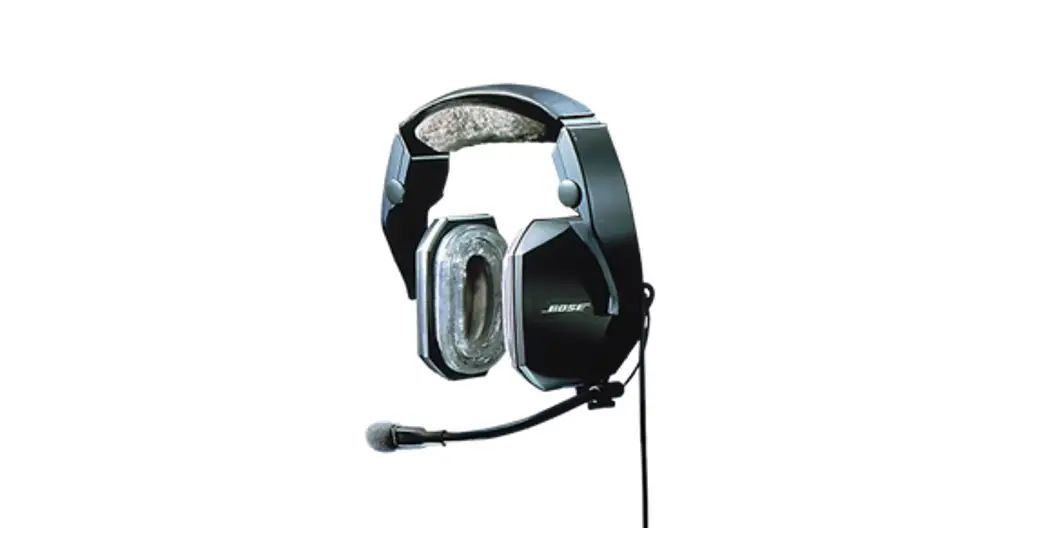
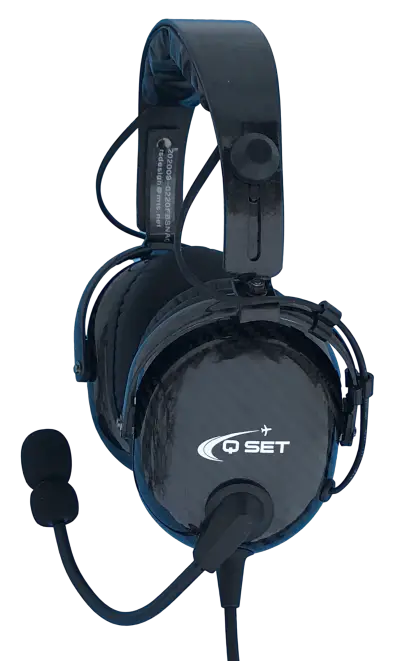
The Active Noise Re-duction CN-1000AC-BT Headset is a head-set that can isolate, offset and cancel noise. In comparison with passive headsets. The noise cancelling circuitry reduces outside noise considerably more than a standard headset, making it extremely comfortable for the pilot of the aircraft.
As of Ser.# 0170 a person can turn on or off the “ANR Auto OFF” feature. A Switch is located on the inside of the battery box.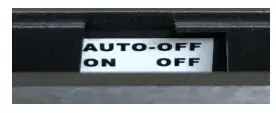
- ANR Active Noise Reduction
- Light weight 290 Grams (Headset)
- Soft leather ear-pads
- Carbon Fiber Construction
- Stereo and Mono
- Clear and Clean Communication
- Separate volume controls Av. Comm & Phone
- Blue Tooth including 3.5 mm aux. input
- Easy store carrying satchel
- AA Battery Power / Opt. A/C Power
- 1 Year Warranty
- Install PDF manual for phone from web
Prepare Headset for Use
REGISTER FOR WARRANTY / www.aviationheadsets.ca / Serial # under Velcro headband.
- Rotate the flexible boom overhead to wear the microphone on either the right or left side of the head.
- Rotate the headset volume control (on the side of the battery box) down to the minimum position, before the headset plug is inserted into the aircraft or intercom.
- With the headband resting securely on the top of the head, check that the ear seals are centered over the ears.
- For best noise cancellation, position the microphone in front of your lips.
- Insert the microphone plug (PJ068) into the aircraft or intercom microphone jack. Insert the earphone plug(PJ055 into the aircraft or intercom earphone jack. / U174 Helicopter / Lemo plug
- Volume Adjustment Procedure: Rotate the volume control up to a comfortable level.
- Auxiliary (AUX) audio input: Insert the plug (3.5mm plug) of your external audio device into the AUX jack on the side of battery box as indicated. The volume is controlled by your audio device.
- Bluetooth function: as indicated in operation 5.
- Adjust and balance Intercom and Headset controls for best audio
Operation
- Insert or change Batteries:
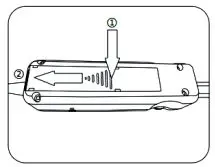
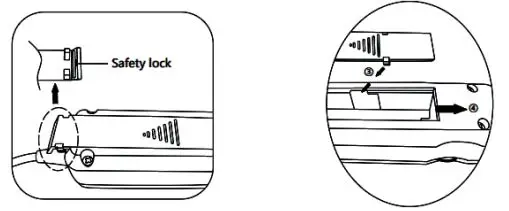
AA Alkaline, No Lithium overheat issue Hi use: Optional A/C power Lemo Controller- press from the base of the triangle on the cover, see Figure

- push the cover out of the safety lock, see Figure

- tilt the end of the cover-up and remove the whole cover; put the batteries in
- put the cover latch into the notch and push it back,
- press from the base of the triangle on the cover, see Figure
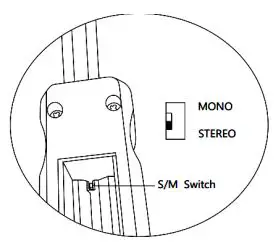
- S/M switch: There is an s / m switch inside the battery box, see Figure 4. Ensure the switch is on Mono to make both ears active (on most aircraft). Mono Controller has no switch / BT is stereo
- Light Indication for Power:
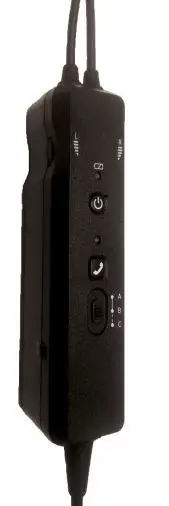
 Press power button for 0.5 seconds, ANR starts working.
Flash in green—battery fully charged;
Flash every 2 seconds in amber—battery low;
Flash every 1 second in red—battery dying. - Mode Setting:
When it is on, press Bluetooth button for 1 second to start the Bluetooth function.
Mode Setting:
A: Intercom Priority —When the intercom is busy, Bluetooth and AUX will be attenuated.
B: Intercom, Bluetooth, and AUX –All three channels are open.
C: Intercom Only –Only intercom is on. Bluetooth and AUX are both off. The prioritization of Bluetooth and AUX is:
Bluetooth phone >AUX > Bluetooth music - Bluetooth works when the mode setting switch is positioned on A or B.
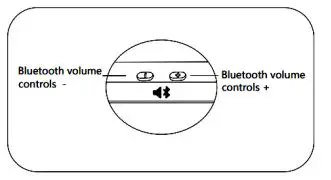
Bluetooth volume control: Press “+” or “-” to turn up or down the volume of blue tooth-connected device. Holding “+” or “-” will keep the volume up or down, see Figure 5
Pairing: device name—BT-ANR; pairing code: 0000 (four zeros). The first Bluetooth device connecting to the headset will be paired automatically.
Pairing the second device: manual pairing is required. Press the Bluetooth button for 5 seconds to start pairing.
Re-pairing: re-pairing starts automatically if the phone moves out of the Bluetooth scope and thus gets disconnected. The phone will be disconnected if the re-pairing cannot succeed In 5 minutes. Re-connecting: click the Bluetooth button to re-connect to the last connected phone. The call ends after the BEEP.
Rejecting calls: Press the Bluetooth button for 3 seconds.
Clearing the pairing record: press both Bluetooth volume control buttons on the side for 3 seconds.
Making calls: dial the number on your phone. Click the Bluetooth button twice to return the last incoming call.
Receiving calls: Press the Bluetooth button and answer the call after the BEEP.
End a call: Press the Bluetooth button. The call ends after the BEEP.
Rejecting calls: Press the Bluetooth button for 3 seconds. Light Indication for Bluetooth:
Flash in blue and red—pairing.
Flash in red twice—disconnected.
Flash in blue regularly –phone connected.
Short flash in blue—line busy. - Turn Off ANR: Press power button for 2 seconds to turn ANR off.
- Use non-rechargeable alkaline AA batteries.
- Shut the power off when ANR is not in use.
- Take out the batteries if ANR is left unused for a long period.

- Lemo Controller
- AA batteries must be installed
- ANR is automatic when using A/C power (USB or 14-28 V)
- Turn on BT use power button.
- XLR connector cables: Plugs: GA / U174 / Lemo /
- Power cables available: straight or curly, USB, 5.5mm x 2.1mm male plug, cigar lighter 14-28V
 Press power button for 0.5 seconds, ANR starts working.
 Re-connecting: click the Bluetooth button to re-connect to the last connected phone. The call ends after the BEEP.
 Light Indication for Bluetooth: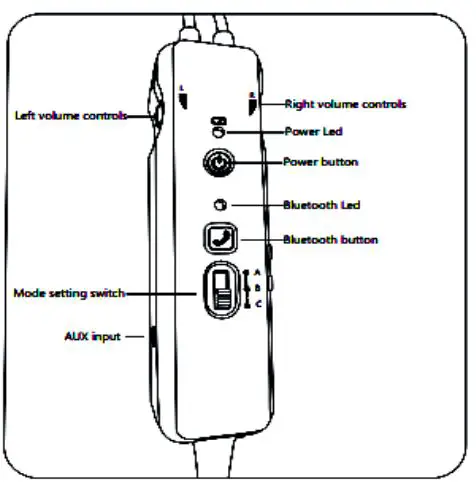
EXPLODED DED \/IEV IEWANDDIS ASSEMBLY IN S TRUCTIONS
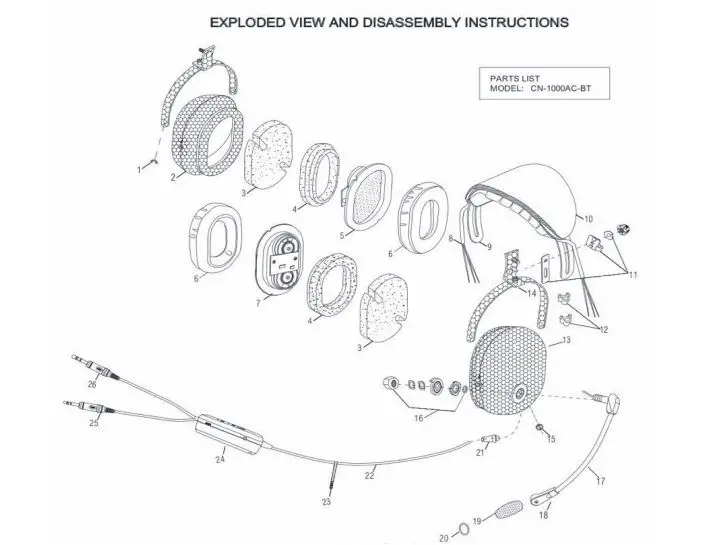
Parts List
| ITEM | P/N | Description |
| 1 | 10ME0069 | RETAINING RING |
| 2 | 10PL0038 | RIGHT CARBON EARCUP |
| 3 | 10SP0055 | ABSORBENT NOISE FILTER (1) |
| 4 | 10SP0056 | ABSORBENT NOISE FILTER (2) |
| 5 | 10EL0046 | NOICE CANCELING PCB (RIGHT) |
| 6 | 10SP0049 | PROTEIN LEATHER EARSEAL |
| 7 | 10EL0047 | NOICE CANCELING PCB (LEFT) |
| 8 | 10CR0020 | OVERHEAD CORD |
| 9 | 10ME0068 | HEADBAND STAINLESS STEEL |
| 10 | 10SP0005 | HEADBAND CUSHION |
| 11 | 10KI0020 | CLAMP KIT |
| 12 | 10PL0002 | OVERHEAD CORD CLAMP |
| ITEM | P/N |
Description | |||||||||||||||||||||||||||||||||||||||||
| 13 | 10PL0041 | LEFT CARBON EARCUP | |||||||||||||||||||||||||||||||||||||||||
| 14 | 10PL0046 | CARBON STIRRUP | |||||||||||||||||||||||||||||||||||||||||
| 15 | 10PL0004 | GROMMET , RUBBER | |||||||||||||||||||||||||||||||||||||||||
| 16 | 10KI0037 | MIC BOOM ATTACHMENT KIT | |||||||||||||||||||||||||||||||||||||||||
| 17 | 10KI0036 | FLEXIBLE BOOM ASSEMBLY | |||||||||||||||||||||||||||||||||||||||||
| 18 | 10EL0045 | ELECTRET MICROPHONE | |||||||||||||||||||||||||||||||||||||||||
| 19 | 10SP0054 | MICROPHONE WINDSCREEN | |||||||||||||||||||||||||||||||||||||||||
| 20 | 10PL0008 | O RING | |||||||||||||||||||||||||||||||||||||||||
| 21 | 10PL0005 | STRAIN RELIEF | |||||||||||||||||||||||||||||||||||||||||
| 22 | 10CR0004 | COMM CORD , STRAIGHT | |||||||||||||||||||||||||||||||||||||||||
| 23 | 10SP0021 | SELF-GRIPPING FASTENER | |||||||||||||||||||||||||||||||||||||||||
| 24 | 10KI0038 | BT BATTERY MODULE | |||||||||||||||||||||||||||||||||||||||||
| 25 | 10CR0005 | Φ 5.2 MOLDED PLUG CORD (PJ068) | |||||||||||||||||||||||||||||||||||||||||
| 26 | 10CR0015 | Φ 6.3 MOLDED PLUG CORD (PJ005) |
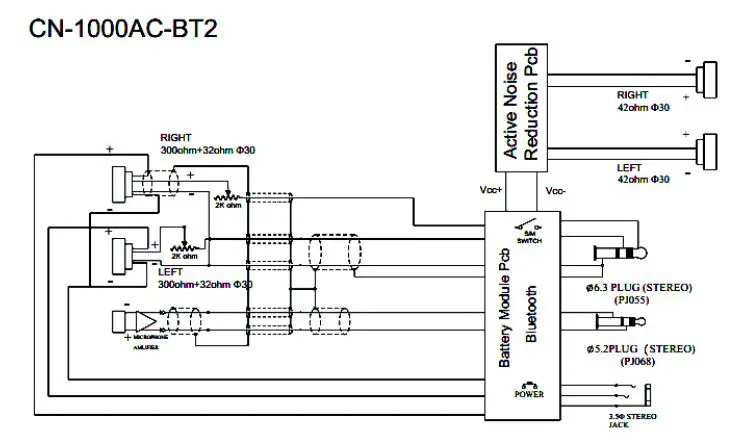
Headset Schematic Diagram
General
Temperature: Operating: – 20 to 70°C
Cordage: Straight cord from headset to molded plug, 150CM
Intercom Connections:
Earphone Plug: PJ-055 (.25” 6.3Φ phone plug)
Microphone Plug: PJ-068 (.206” 5.2Φ phone plug)
Helicopter Plug: U174
Weight: 290g
Serial # Location : Under Velcro headband
ANR Noise Reduction Specifications:
Attenuation Frequency Band …….20Hz~20 KHz
Main Attenuation Frequency Band ….20Hz~600Hz
Attenuation Capability… ……..29dB
Power Consumption ……. ……30 mw
Headset size range Height: 10 to 14 cm
Color: Black Boom: Flexible Boom
Manufactured in China and distributed by:
RS Designs & Consultations
Brandon, Manitoba, Canada
1-204-726-4221
Warranty register: www.aviationheadsets.ca [email protected]