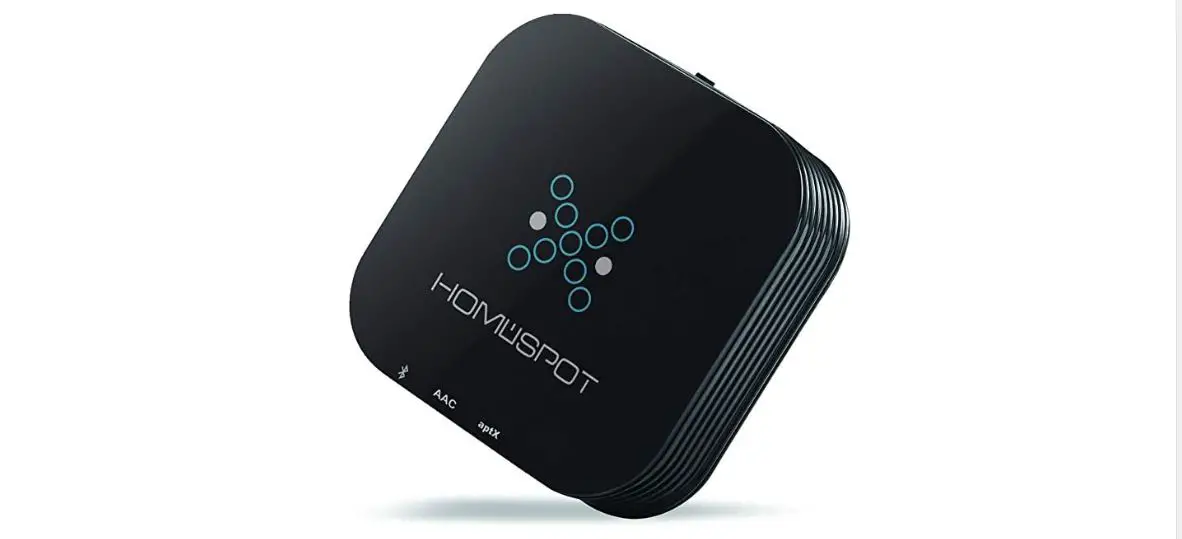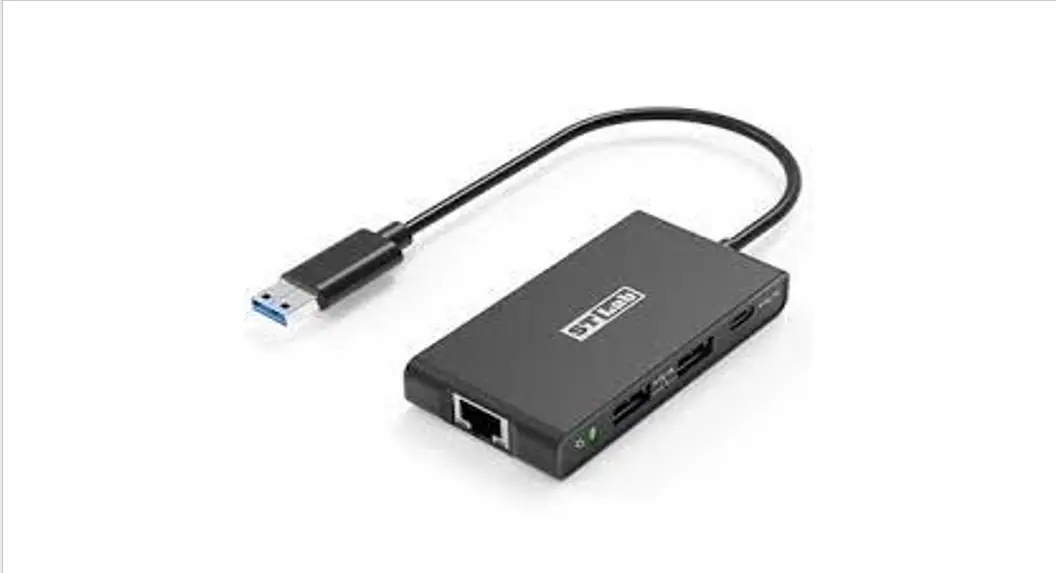

cablematic S2B5232R Wireless Bluetooth Adapter
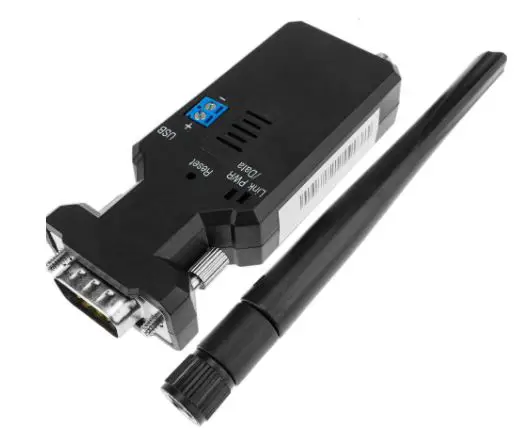
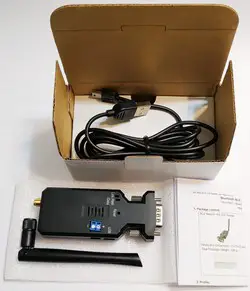
Package content:
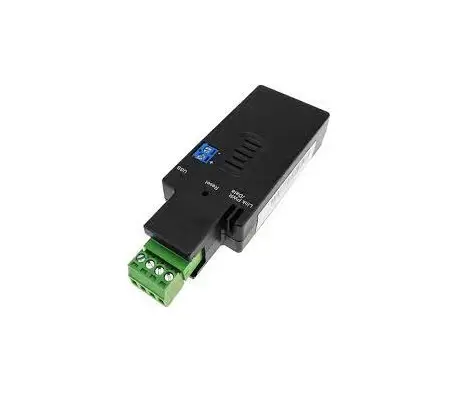
BLE Beacon RS-232 Reader
White Box Dimension: 11 x 6 x 5 (cm)
Total Package Weight: 105 g
- BLE RS-232 reader x 1
- A4 User manual x 1
- Mini USB Cable x 1

- BLE RS-232 reader x 1
- A4 User manual x 1
- Mini USB Cable x 1
Profile:
Top view: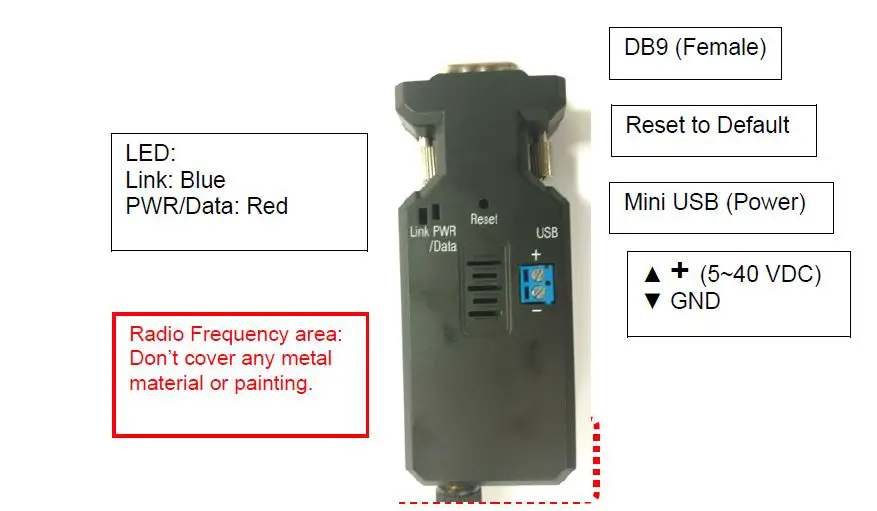
LED Description
Blue Flash when data received
Red Solid when power on
DB9 connector: (Male)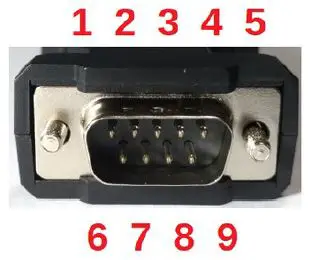
| Pin | Signal | DTE Direction | DCE Direction | Description |
| 1 | N/A | |||
| 2 | RxD | Output | Input | Transmitted data |
| 3 | TxD | Input | Output | Received data |
| 4 | N/A | |||
| 5 | GND | Ground | ||
| 6 | N/A | |||
| 7 | RTS | |||
| 8 | CTS | |||
| 9 | Vin | Power Input (5~27 VDC) |
Rear Side: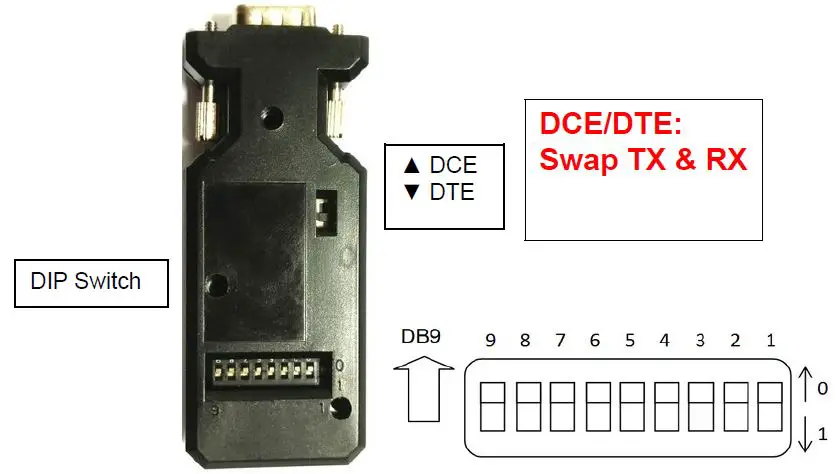
Default: All pin is “0”, Baud rate 9,600 bps., 8 Data bits, None parity, 1 Stop bit.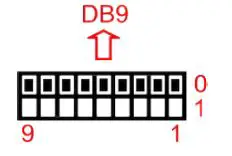 Baud rate option: DIP No. 8 is set to “1” (On): The baud rate is 115,200 bps, 8 Data bits, None parity, 1 Stop bit.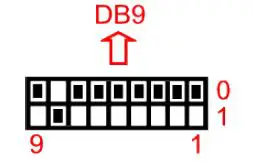
Packet Format:
Default: All DIP switch is “0”. The reader will filter “Uconnect™”, “iBeacon™”,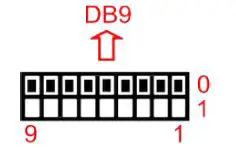
$<msg type>,<reader id>,<tag type>,<tag id>,<battery>,<button>,<G-sensor>,<sensor>,<RSSI>#
| Field | Description |
| $ | start of report |
| msg type | Type of message ex. 0: reserved, 1: Uconnect™ tag 2: iBeacon™, 3: Eddystone™, 4: Altbeacon™ |
| reader id | 6 bytes ID of reader in hex => 12 chars |
| tag type (*) | type of tag ex. 1: tag w/o g-sensor, 2: tag w/ g-sensor .. |
| tag id | 6 bytes ID of tag in hex => 12 chars |
| tag batt (*)(**) | batt voltage of tag in 1/10 volt unit |
| tag button status (*) | button status ex. 0: released, 1: pushed |
| tag motion status (*) | motion status ex. 0: non-moving, 1: moving |
| Sensor (*)(***) | Various sensor data (11 bytes) |
| tag rssi | tag read rssi |
| # | end of report |
Remark
- (*): The message is “0” for iBeacon™, Eddystone™ and Altbeacon™ beacon.
- (**): Eddystone™-TLM version 0 include the Tag battery information, 1/10V; The version is none “0” will display “0” in the “Tag batt” column.
- (***): Tx Power for the iBeacon™, altBeacon™, Eddystone™-UID, Eddystone™-URL and Eddystone™-EID beacon
Example:- $1,00A05053849D,1,00A050172A2C,30,0,0,,-71#
- $2,00A05053849D,0,58E72F0CEF88,0,0,0,0,-48#
- $3,00A05053849D,0,772BB24ADC36,0,0,0,0,-48#
- $4,00A05053849D,0,012AC345EB45,0,0,0,0,-49#
Raw BLE packet: The Bluetooth discovering broadcast will be filtered. All BLE beacon will be reported. DIP No. 1 is set to “1” (On) and “0” else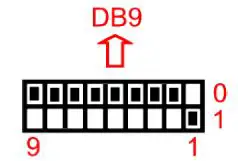
- Prefix: “$”
- First column: RSSI value
- Mac. ID: “00A05053849D”
- Raw packet data is between “$” and “CR” ”LF”
- Suffix: CR LF
EX:
$-78,00A05053849D,0201061BFF5900AABC0100A050172A2C1E00000000000000000000000000BB
$-83,00A05053849D,1EFF06000109200073C68487B4DFB227B7546E97078954811C4EB1E40DC1DF
Add the “>” at the end of Raw BLE packet: DIP No. 2 is set to “1” (On) and “0” else.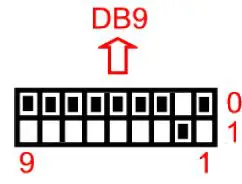
Prefix: “$”
First column: RSSI value
Raw packet data is between “$” and “>”
Suffix: “>
EX: $-85,02010605166E2A850A04160F18090F09425055434B205420383030423635> 3.4 Add the “>” and “CR” “LF”at the end of Raw BLE packet: DIP No. 2 is set to “1” (On) and “0” else 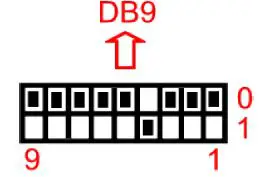 Prefix: “$”
First column: RSSI value
Raw packet data is between “$” and “>”
Suffix: “>” “CR” “LF
Raw iBeacon® packet only: DIP No. 1 & 2 is set to “1” (On) and “0” else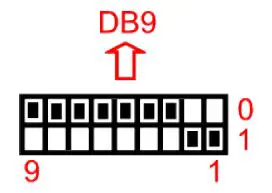
Prefix: “$”
First column: RSSI value
Mac. ID: “00A05053849D”
Raw packet data is between “$” and “CR” ”LF”
Suffix: “CR” ”LF”
EX: $-85,00A05053849D,02010605166E2A850A04160F18090F09425055434B205420383030423635
Raw Eddystone™ packet only: DIP No. 1 & 2 is set to “1” (On) and “0” else
TPMS packet: DIP No. 3 is set to “1” (On) and “0” else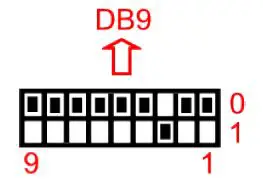 Raw data, EX: 66F35AC800
GPS Tracker & TPMS: DIP No. 1 & 3 is set to “1” (On) and “0” else, Add “AT$SNDTXT=” with TPMS packet as the section 3.6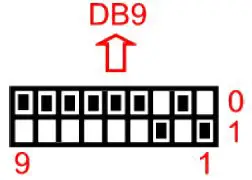
EX: AT$SNDTXT=66F35AC800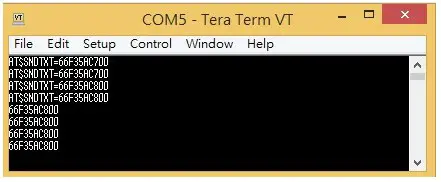
GPS Tracker & iBeacon™ tag In/Out: DIP No. 2 & 3 is set to “1” (On) and “0” else.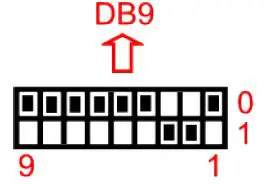
When a new iBeacon™ is detected, flag=1, major, minor, power and RSSI
EX: 1;23A01AF0232A45189C0E323FB773F5EF00010002C523
1 = new beacon
UUID = 23A01AF0232A45189C0E323FB773F5EF
major = 0001
minor = 0002
measured power = C5
RSSI = 0x23
When the iBeacon™ left the device (life time ~30sec.), flag=0
EX: 0;23A01AF0232A45189C0E323FB773F5EF00010002
0 = lost beacon
UUID = 23A01AF0232A45189C0E323FB773F5EF
major = 0001
minor = 0002
Output format: 0x02 [data from §3.8.1 & §3.8.2] 0x0D 0x0A 0x03
EX: 0x02 1;23A01AF0232A45189C0E323FB773F5EF00010002C523 CR LF 0x03
TPMS APP for ID setting: DIP No. 6 is set to “1” (On) and “0” else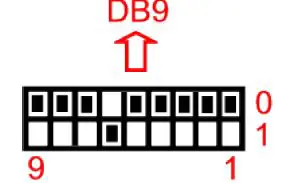
TPMS APP for ID setting: DIP No. 1 & 6 is set to “1” (On) and “0” else, Add “AT$SNDTXT=” with TPMS packet as the section 3.10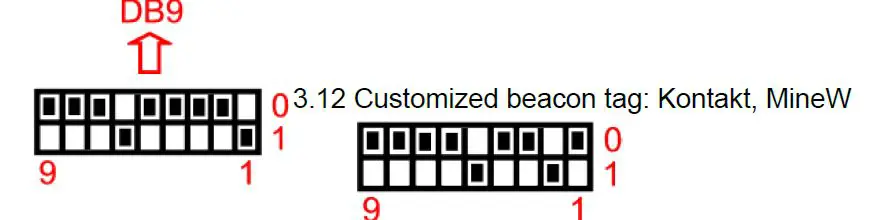
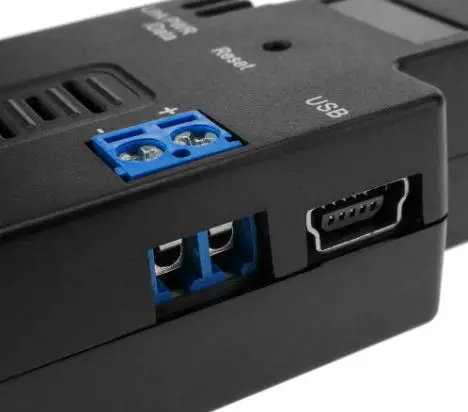
Power supply:
- Voltage: 5~40 VDC, Don’t exceed the limit.
- There’re 3 ways to power the adapter: Mini USB, Terminal Block and pin9 of DB9, please choose one. Don’t power the adapter by more than one source.
- The mini USB cable is inside the standard package.