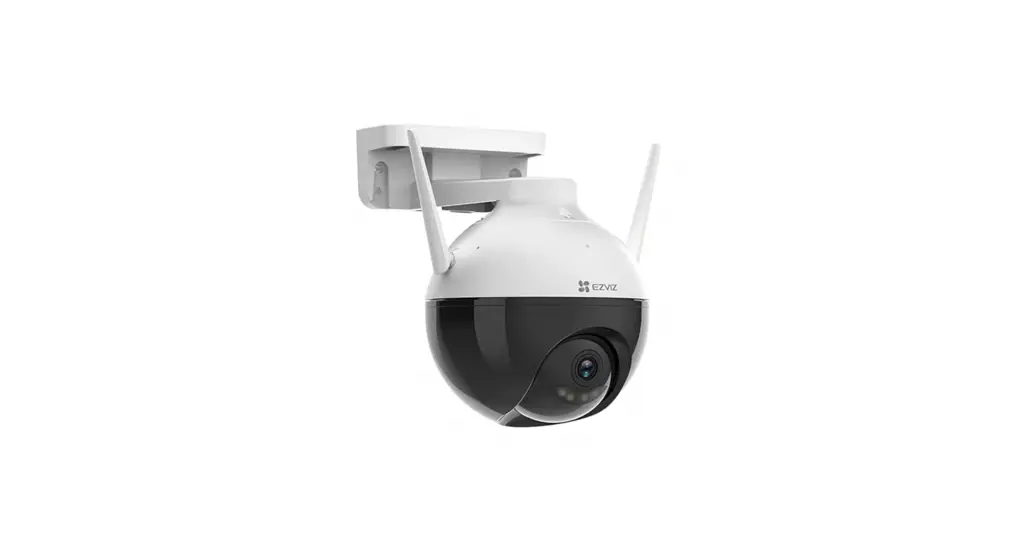
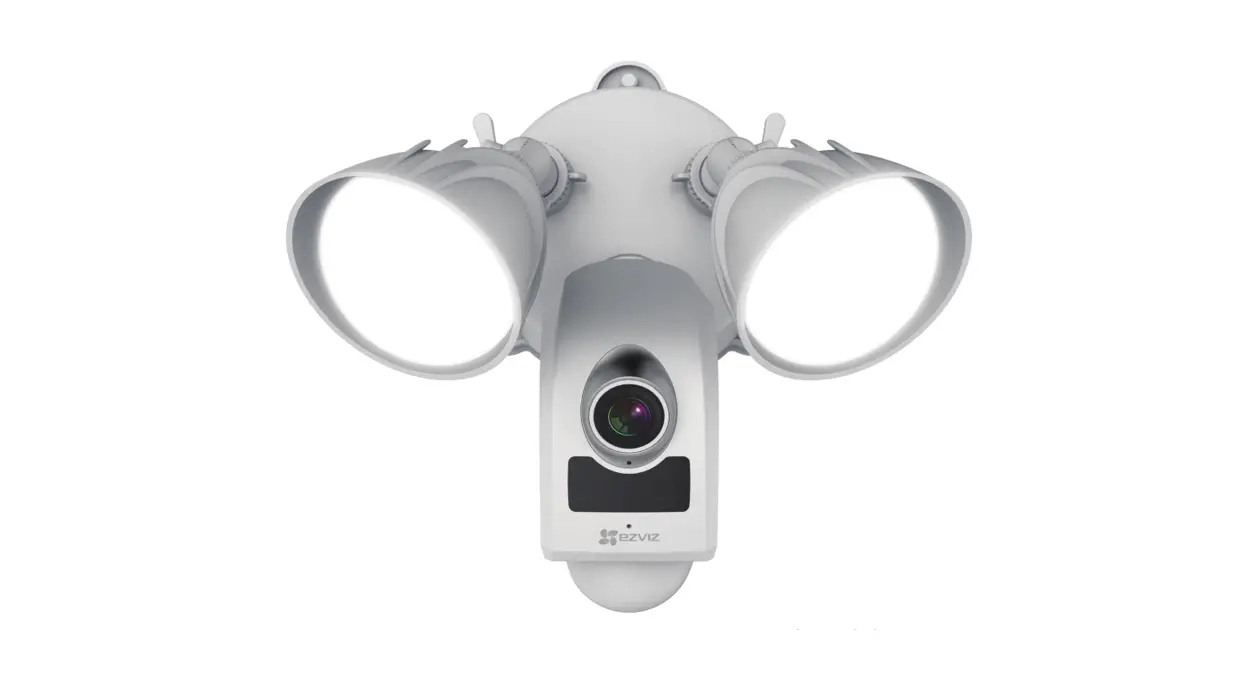
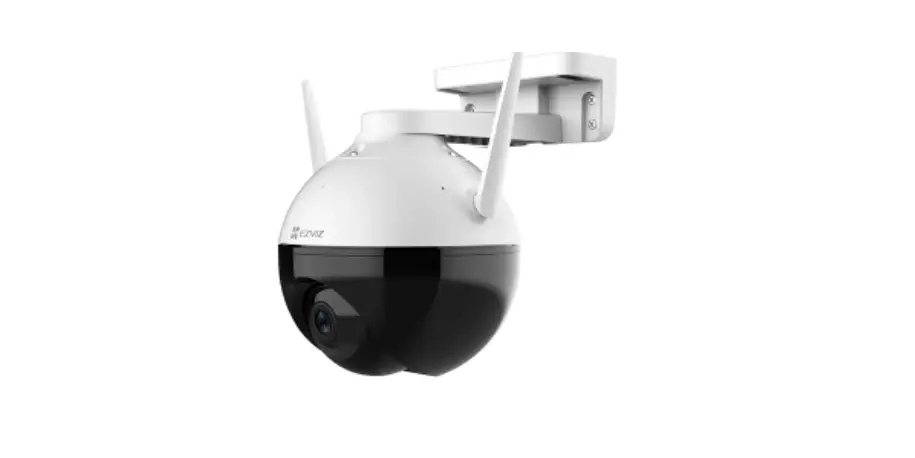
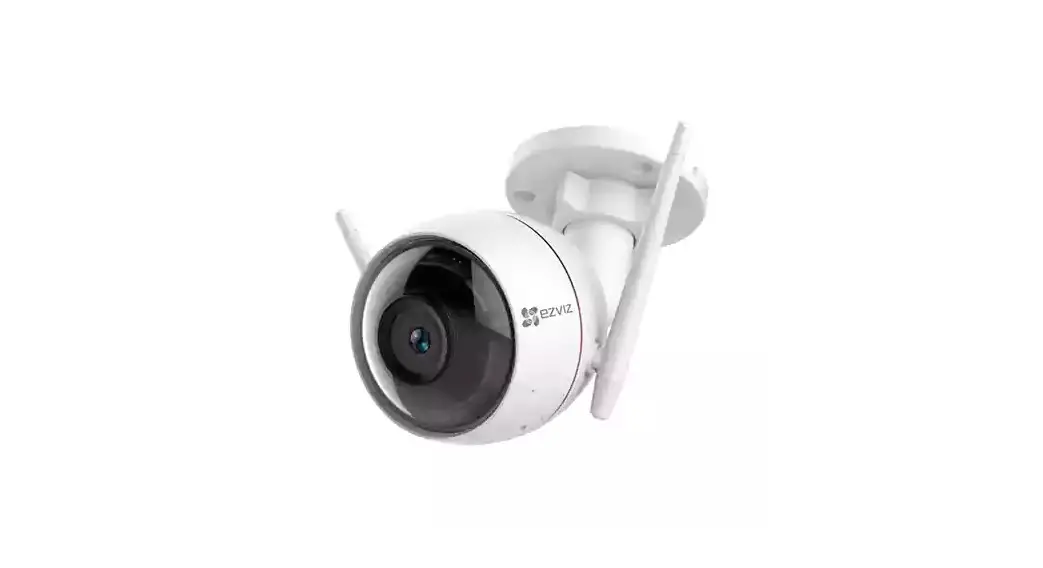
C8PF Security Camera
Product Information
The product described in this user manual is a camera
manufactured by Hangzhou EZVIZ Software Co., Ltd. (referred to as
EZVIZ). The manual provides instructions for using and managing the
product. It contains information about the package contents, basics
of the camera, installation procedures, and operations on the EZVIZ
App.
Package Contents
- Camera
- Drilling Template
- Waterproof Kit
- Screw Kit
- Power Adapter
- Regulatory Information
- Quick Start Guide
Basics
The camera has various ports and components:
- Power Port
- Ethernet Port
- Lens
- MIC (Microphone)
- IR (Infrared) light Lens
- IR light LED Indicator
- Speaker
- RESET Button
- Micro SD Card Slot (Behind the cover)
Product Usage Instructions
Get the EZVIZ App
To use the camera, you need to download and install the EZVIZ
App on your smartphone. Visit the TM website (http://www.ezviz.com)
to find the latest version of the app.
Connect to the Internet
You can connect the camera to the internet using either a wired
or wireless connection.
Option A: Wired Connection
Connect the camera to your router using an Ethernet cable. Use
the provided power adapter to connect the camera to a power
outlet.
Option B: Wireless Connection
If you prefer a wireless connection, follow the instructions in
the app to connect the camera to your Wi-Fi network. Use the
provided power adapter to connect the camera to a power outlet.
Installation
Micro SD Card Installation (Optional)
If you want to store recordings locally, insert a micro SD card
into the designated slot behind the cover of the camera.
Installation Location
Select a suitable location for installing the camera. Use the
provided drilling template and anchor screws for ceiling or wall
mounts.
Installation Procedure
Follow the step-by-step instructions provided in the manual for
installing the camera in your desired location.
Waterproof Kit Installation (Optional)
If you require waterproofing, use the provided waterproof kit
during the installation process.
Operations on the EZVIZ App
The EZVIZ App allows you to control and manage the camera from
your smartphone.
Live View
To view the camera’s live feed, launch the EZVIZ App and tap on
the Live View option. From there, you can view and listen to the
live feed, take snapshots, record videos, and adjust video
definition settings.
The app interface may vary depending on the version installed on
your phone.
- Share: Share your device with others.
- Settings: View or change device settings.
- Snapshot: Take a snapshot.
- Record: Manually start or stop recording.
- Definition: Select video resolution (Hi-Def or Basic).
- Pan/Tilt/Zoom: Rotate the camera for a broader field of
view. - Talk: Communicate with people in front of the camera using the
microphone and speaker. - Picture in Picture: View pictures taken simultaneously by two
lenses in the live view. - Multi-screen Live: Select different window layouts for live
viewing.
Initiatives on the Use of Video Products
This section provides information and guidelines for using video
products responsibly and legally.
INFORMATION FOR PRIVATE HOUSEHOLDS
This section contains specific information relevant to private
households using the product.
COPYRIGHT © Hangzhou EZVIZ Software Co., Ltd. ALL RIGHTS RESERVED.
Any and all information, including, among others, wordings, pictures, graphs are the
properties of Hangzhou EZVIZ Software Co., Ltd. (hereinafter referred to as “EZVIZ”).
This user manual (hereinafter referred to as “the Manual”) cannot be reproduced,
changed, translated, or distributed, partially or wholly, by any means, without the
prior written permission of EZVIZ. Unless otherwise stipulated, EZVIZ does not make
any warranties, guarantees or representations, express or implied, regarding to the
Manual.
About this Manual The Manual includes instructions for using and managing the product. Pictures,
charts, images and all other information hereinafter are for description and
explanation only. The information contained in the Manual is subject to change,
without notice, due to firmware updates or other reasons. Please find the latest
version in the
TM website (http://www.ezviz.com).
Revision Record New release January, 2022
Trademarks Acknowledgement
TM, TM, and other EZVIZ’s trademarks and logos are the properties of
EZVIZ in various jurisdictions. Other trademarks and logos mentioned below are the properties of their respective owners.
Legal Disclaimer TO THE MAXIMUM EXTENT PERMITTED BY APPLICABLE LAW, THE PRODUCT DESCRIBED, WITH ITS HARDWARE, SOFTWARE AND FIRMWARE, IS PROVIDED “AS IS”, WITH ALL FAULTS AND ERRORS, AND EZVIZ MAKES NO WARRANTIES, EXPRESS OR IMPLIED, INCLUDING WITHOUT LIMITATION, MERCHANTABILITY, SATISFACTORY QUALITY, FITNESS FOR A PARTICUL AR PURPOSE, AND NON-INFRINGEMENT OF THIRD PARTY. IN NO EVENT WILL EZVIZ, ITS DIRECTORS, OFFICERS, EMPLOYEES, OR AGENTS BE LIABLE TO YOU FOR ANY SPECIAL, CONSEQUENTIAL, INCIDENTAL, OR INDIRECT DAMAGES, INCLUDING, AMONG OTHERS, DAMAGES FOR LOSS OF BUSINESS PROFITS, BUSINESS INTERRUPTION, OR LOSS OF DATA OR DOCUMENTATION, IN CONNECTION WITH THE USE OF THIS PRODUCT, EVEN IF EZVIZ HAS BEEN ADVISED OF THE POSSIBILITY OF SUCH DAMAGES. TO THE MAXIMUM EXTENT PERMITTED BY APPLICABLE LAW, IN NO EVENT SHALL EZVIZ’S TOTAL LIABILITY FOR ALL DAMAGES EXCEED THE ORIGINAL PURCHASE PRICE OF THE PRODUCT. EZVIZ DOES NOT UNDERTAKE ANY LIABILITY FOR PERSONAL INJURY OR PROPERTY DAMAGE AS THE RESULT OF PRODUCT INTERRUPTION OR SERVICE TERMINATION CAUSED BY: A) IMPROPER INSTALLATION OR USAGE OTHER THAN AS REQUESTED; B) THE PROTECTION OF NATIONAL OR PUBLIC INTERESTS; C) FORCE MAJEURE; D) YOURSELF OR THE THIRD PARTY, INCLUDING WITHOUT LIMITATION, USING ANY THIRD PARTY’S PRODUCTS, SOFTWARE, APPLICATIONS, AND AMONG OTHERS. REGARDING TO THE PRODUCT WITH INTERNET ACCESS, THE USE OF PRODUCT SHALL BE WHOLLY AT YOUR OWN RISKS. EZVIZ SHALL NOT TAKE ANY RESPONSIBILITES FOR ABNORMAL OPERATION, PRIVACY LEAKAGE OR OTHER DAMAGES RESULTING FROM CYBER ATTACK, HACKER ATTACK, VIRUS INSPECTION, OR OTHER INTERNET SECURITY RISKS; HOWEVER, EZVIZ WILL PROVIDE TIMELY TECHNICAL SUPPORT IF REQUIRED. SURVEILLANCE LAWS AND DATA PROTECTION LAWS VARY BY JURISDICTION. PLEASE CHECK ALL RELEVANT LAWS IN YOUR JURISDICTION BEFORE USING THIS PRODUCT IN ORDER TO ENSURE THAT YOUR USE CONFORMS TO THE APPLICABLE LAW. EZVIZ SHALL NOT BE LIABLE IN THE EVENT THAT THIS PRODUCT IS USED WITH ILLEGITIMATE PURPOSES. IN THE EVENT OF ANY CONFLICTS BETWEEN THE ABOVE AND THE APPLICABLE LAW, THE LATTER PREVAILS.
Table of Contents
Overview 1
1 Package Contents 1 2 Basics 1
Get the EZVIZ App 2
Connect to the Internet 2
1 Option A: Wired Connection 2 2 Option B: Wireless Connection2
Installation 3
1 Micro SD Card Installation (Optional)3 2 Installation Location3 3 Installation Procedure 3 4 Waterproof Kit Installation (Optional) 4
Operations on the EZVIZ App 5
1 Live View5 2 Settings6
Initiatives on the Use of Video Products 7
INFORMATION FOR PRIVATE HOUSEHOLDS 8
Overview
1 Package Contents
Camera
Drilling Template
Waterproof Kit
Screw Kit
Power Adapter
Regulatory Information
Quick Start Guide
The power adapter’s appearance is subject to the one you have bought.
2 Basics
Power Port Ethernet Port
Lens MIC
IR light Lens IR light LED Indicator
1
Speaker
Get the EZVIZ App Connect to the Internet
1 Option A: Wired Connection
RESET Button
Micro SD Card Slot
(Behind the cover)
Router
Outlet Power Adapter
DC12V 1A
–
2 Option B: Wireless Connection
2
Power Adapter DC12V 1A
Outlet
Installation
1 Micro SD Card Installation (Optional)
Micro SD Card Slot
(Remove the cover)
2 Installation Location 3 Installation Procedure
3
Drilling Template Anchor Screw
Fig 1 Ceiling Mount Drilling Template
Anchor Screw
Fig 2 Wall Mount
4 Waterproof Kit Installation (Optional)
4
Operations on the EZVIZ App
The app interface may be different due to version update, and the interface of the app you installed on your phone shall prevail.
1 Live View
Launch the EZVIZ app, tap Live View, you can view and listen to a live feed, take snapshots, record videos, and choose video definition as needed.
Icon
Description Share. Share your device. Settings. View or change the device settings.
Snapshot. Take a snapshot. Record. Manually start/stop recording. Definition. Select video resolution from Hi-Def or Basic.
Pan/Tilt/Zoom. Rotate the camera to get broader field of view. Talk. Tap the icon, and then follow the on-screen instructions to talk to or listen to people in front of the camera. Picture in Picture. You can select to see the pictures taken simultaneously by two lens in the live view. Multi-screen Live. Tap to select window layouts.
Tap to zoom.
Swipe left and right across the screen to see more icons.
5
2 Settings
Parameter Audio Audio Mode
Description
When disabled, both live view and record videos will not have audio.
· Intercome: Press and hold to send voice messages. · Voice Call: Tap to start a voice call.
Status Light
If enabled, the LED indicator on the camera will be on; otherwise the LED indicator will not be on.
Alarm Notification
If disabled, notifications will not be pushed to your app once targets are detected.
Time Zone
You can select time zone as needed here.
Date Format
You can select date format as needed here.
Wi-Fi
Make your device offline first, and then you can connect your device to a new network.
Cloud Storage
You can subscribe and manage the cloud storage.
Storage Status
You can see micro SD card capacity, used space and free space here, and also you can enable or disable cloud storage services here
Device Version You can see device version here.
Image Encryption
If enabled, images captured by the camera can only be avaliable after you enter a password.
Change Encryption Password
You can change encryption password here.
Offline Notification
If enabled, notifications will be pushed to your app once the camera is offline.
User Guide
You can read user guide of the camera here.
About Restart Delete Device
You can mark where the device is installed, and get product category, device model, serial number, and device QR code here.
Tap to restart the camera.
Tap to delete the camera from EZVIZ cloud. After you have deleted the camera, videos stored in the cloud will not be deleted. Once you add the camera again, the videos can still be viewed.
6
Initiatives on the Use of Video Products
Thank you for choosing EZVIZ products.
Technology affects every aspect of our life. As a high-tech company, we are increasingly aware of the role technology plays in improving business efficiency and quality of life, but at the same time, the potential harm of its improper usage. For example, video products are capable of recording real, complete and clear images. This provides a high value in retrospect and preserving real-time facts. However, it may also result in the infringement of a third party’s legitimate rights and interests if improper distribution, use and/or processing of video data takes place. With the philosophy of “Technology for the Good”, EZVIZ requests that every end user of video technology and video products shall comply with all the applicable laws and regulations, as well as ethical customs, aiming to jointly create a better community.
Please read the following initiatives carefully:
1. Everyone has a reasonable expectation of privacy, and the installation of video products should not be in conflict with this reasonable expectation. Therefore, a warning notice shall be given in a reasonable and effective manner and clarify the monitoring range, when installing video products in public areas. For non-public areas, a third party’s rights and interests shall be evaluated when installing video products, including but not limited to, installing video products only after obtaining the consent of the stakeholders, and not installing highly-invisible video products.
2. The purpose of video products is to record real activities within a specific time and space and under specific conditions. Therefore, every user shall first reasonably define his/her own rights in such specific scope, in order to avoid infringing on a third party’s portraits, privacy or other legitimate rights.
3. During the use of video products, video image data derived from real scenes will continue to be generated, including a large amount of biological data (such as facial images), and the data could be further applied or reprocessed. Video products themselves could not distinguish good from bad regarding how to use the data based solely on the images captured by the video products. The result of data usage depends on the method and purpose of use of the data controllers. Therefore, data controllers shall not only comply with all the applicable laws and regulations and other normative requirements, but also respect international norms, social morality, good morals, common practices and other non-mandatory requirements, and respect individual privacy, portrait and other rights and interests.
4. The rights, values and other demands of various stakeholders should always be considered when processing video data that is continuously generated by video products. In this regard, product security and data security are extremely crucial. Therefore, every end user and data controller, shall undertake all reasonable and necessary measures to ensure data security and avoid data leakage, improper disclosure and improper use, including but not limited to, setting up access control, selecting a suitable network environment (the Internet or Intranet) where video products are connected, establishing and constantly optimizing network security.
5. Video products have made great contributions to the improvement of social security around the world, and we believe that these products will also play an active role in more aspects of social life. Any abuse of video products in violation of human rights or leading to criminal activities are contrary to the original intent of technological innovation and product development. Therefore, each user shall establish an evaluation and tracking mechanism of their product application to ensure that every product is used in a proper and reasonable manner and with good faith.
7
INFORMATION FOR PRIVATE HOUSEHOLDS
1. Separate collection of waste equipment: Electrical and electronic equipment that has become waste is referred to as waste equipment. Owners of waste equipment must dispose of it separately from unsorted municipal waste. In particular, waste equipment does not belong in household waste, but in special collection and return systems. 2. Batteries and rechargeable batteries as well as lamps: Owners of waste equipment shall, as a rule, separate waste batteries and rechargeable batteries that are not enclosed in the waste equipment, which can be removed from the waste equipment without being destroyed, from the waste equipment before handing them in at a collection point. This does not apply if waste equipment is prepared for reuse with the participation of a public waste management authority. 3. Options for returning waste equipment: Owners of waste equipment from private households can return it free of charge to the collection points of the public waste management authorities or to the take-back points set up by manufacturers or distributors within the meaning of the Electrical and Electronics Equipment Law. Stores with a sales area of at least 400 m² for electrical and electronic equipment and those grocery stores with a total sales area of at least 800 m² that offer electrical and electronic equipment several times a year or on a permanent basis and make it available in the market are required to take it back. This also applies in the case of distribution using means of distance communication, if the storage and shipping areas for electrical and electronic equipment are at least 400 m² or the total storage and shipping areas are at least 800 m². Distributors shall, in principle, ensure take-back by providing suitable return facilities at a reasonable distance from the respective end user. The possibility of returning waste equipment free of charge exists for distributors who are obliged to take it back, among other things, if a new similar device that essentially fulfills the same functions is delivered to an end user. 4. Privacy Notice: Waste equipment often contains sensitive personal data. This applies in particular to devices of information and telecommunications technology such as computers and smartphones. In your own interest, please note that each end user is responsible for deleting the data on the waste equipment to be disposed of. 5. Meaning of the symbol “crossed-out wheelie bin”: The symbol of a crossed-out wheelie bin regularly depicted on electrical and electronic equipment indicates that the respective device is to be collected separately from unsorted municipal waste at the end of its service life.
8
 EZVIZ - Creating Easy Smart Homes