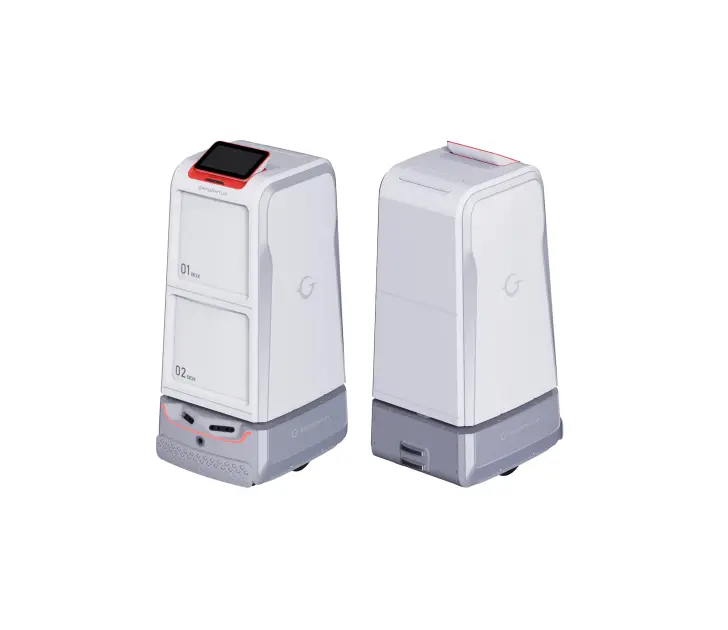
GL-H2 Gargantua-Loyalelf Series Hotels Service Robot
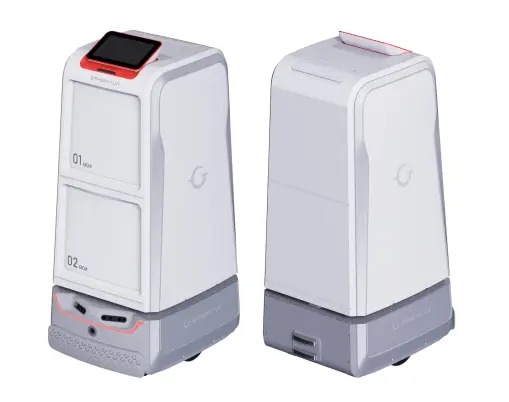
Product Introduction
Overview
Autonomous smart operations GL H2 smart delivery robot responds to the delivery needs of users in hotels and business buildings in real time. It provides intelligent, targeted delivery for customers through SLAM automatic mapping, autonomous path-finding, smart elevator control, safe moving, pickup notification, and autonomous recharging.
Data-driven optimized management GL H2 smart cloud management platform enables real-time monitoring of robot devices. Leveraging features of online management, information statistics, and device monitoring, it is capable of providing exclusive, accurate data models for hotels or business buildings, thus empowering them to improve overall operation capability and service quality.
Autonomous smart operations
GL H2 smart delivery robot responds to the delivery needs of users in hotels and business buildings in real time. It provides intelligent, targeted delivery for customers through SLAM automatic mapping, autonomous path-finding, smart elevator control, safe moving, pickup notification, and autonomous recharging.
Data-driven optimized management GL H2 smart cloud management platform enables real-time monitoring of robot devices. Leveraging features of online management, information statistics, and device monitoring, it is capable of providing exclusive, accurate data models for hotels or business buildings, thus empowering them to improve overall operation capability and service quality.
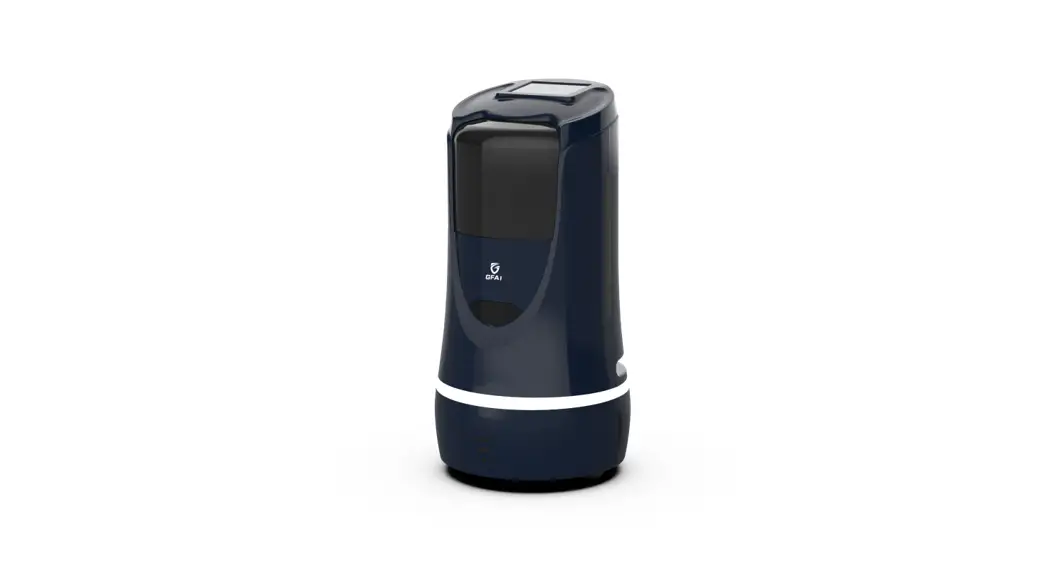
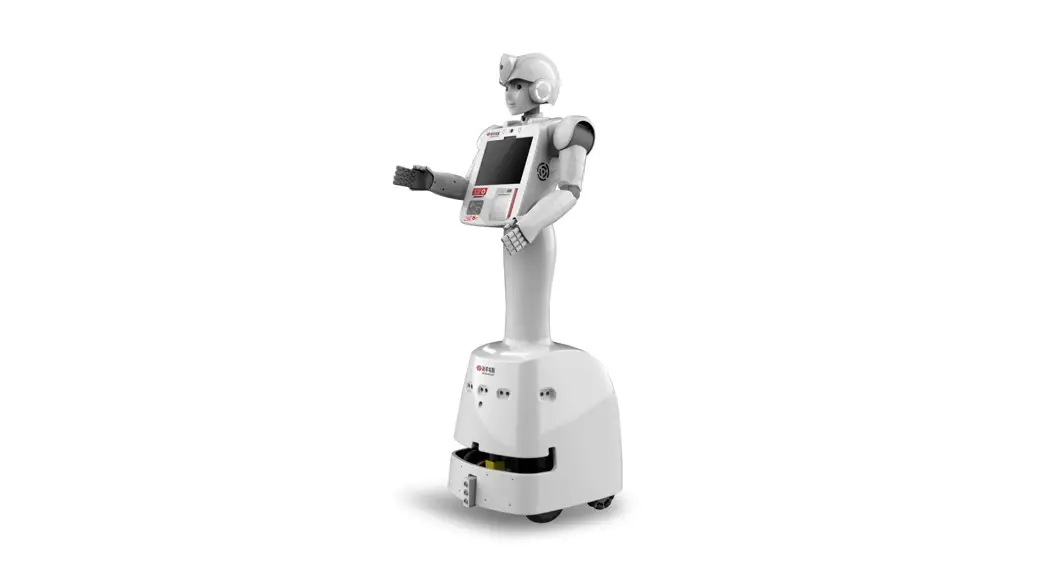
Exterior
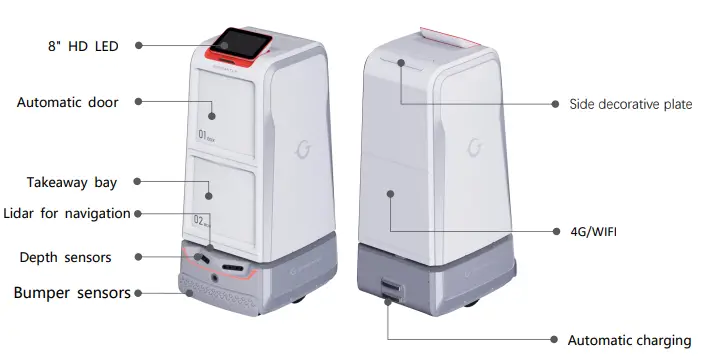
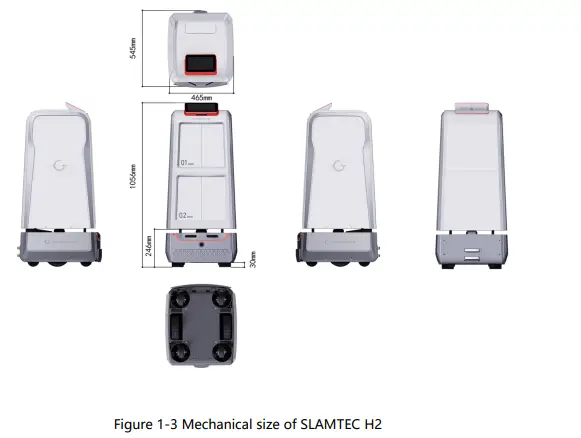
Product Size
Product Parameters
| Robot | ||||||
| Model | GL·H2 | |||||
| Size | 530cm*465cm*1057cm | |||||
| Color | Luxury gold, premium grey, Other color available upon request | |||||
| Full-robot ne weight | 68 kg | |||||
| Maximum load capacity | 30 kg | |||||
| Bay size | Upper takeaway (H)*300mm (D) Lower takeaway (H)*325mm (D) | delivery delivery | bay: bay: | 275mm 300mm | (W)*275mm (W)*275mm | |
| Localization and navigation methods | 2D Lidar | |||||
| Localization accuracy | 5 cm | |||||
| Obstacle | Two depth cameras, magnetic sensors, bumper sensors, and | |||||
| avoidance methods | lidar for multi-sensor fusion | |||||
| Moving speed | 0–1.2 m/s | |||||
| Minimum width for passage | 750 mm | |||||
| Range of movement for overcoming obstacles | 20 mm vertically and 40 mm horizontally | |||||
| Passing slope | 0–10° | |||||
| Battery life | 3–9H | |||||
| Standby time | > 8H | |||||
| Power rating | 60W | |||||
| Rated output | DC 25.2V 2A | |||||
| Charging mode | Autonomous recharging, manual recharging | |||||
| Network ports | 4G/WiFi | |||||
| Applicable | ≤ 2000 m | |||||
| altitude | ||||||
| Management system | Cloud management platform | |||||
| Operating temperature | 0℃–40℃ | |||||
| Operating humidity | 30%–70%RH (No condensation) | |||||
| Charging station | ||||||
| Size | 360mm*150mm*320mm | |||||
| Color | White | |||||
| Rated input | 100V-240V 50/60Hz 3A MAX | |||||
| Rated output | DC 25.5V 6A | |||||
Description of Features
Item Delivery
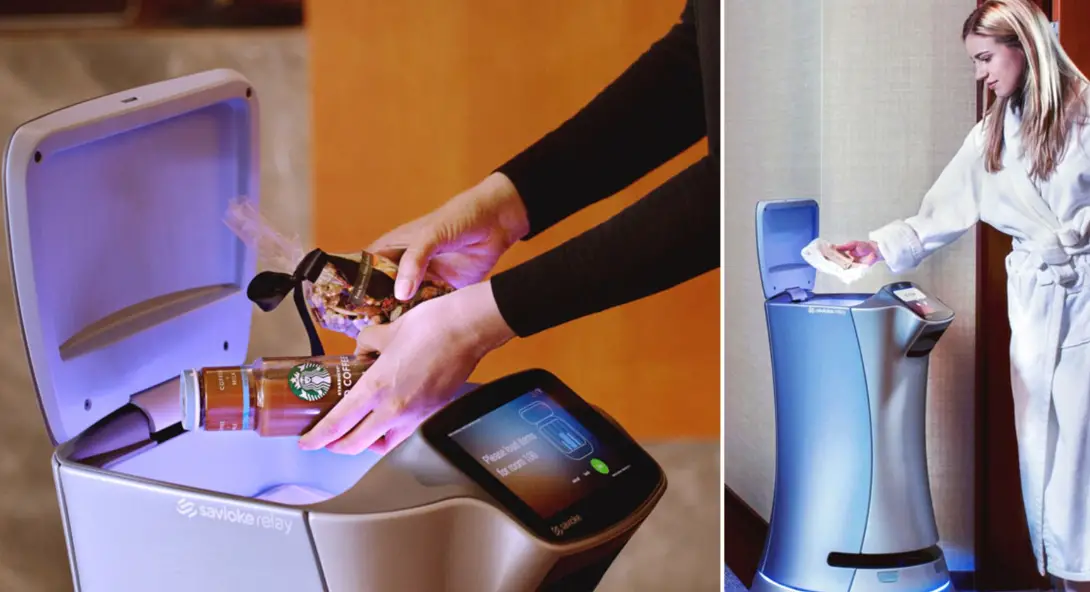
GL-H2 is equipped with two large-capacity item delivery bays, making it suitable for a variety of delivery scenarios such as the delivery of take-out, common disposable goods, wines and drinks. Through unmanned operation, it enables multi-point delivery and replaces the service staff, thus reducing the operating costs of hotels, office buildings, and other places.
The robot supports cross-floor delivery, autonomous elevator calling and taking, and autonomous path-finding.
Example of item delivery process The service staff will perform operations on the screen, place the items into the delivery bay, and enter the room number. Then, the robot will automatically deliver items to the corresponding room and make a call to notify the customer. After the delivery, the robot will return to the charging station automatically.
The robot has two delivery bays. Different from traditional services, it can be dispatched at will. By enabling multi-point delivery at a time, it reduces labor costs while improving operational efficiency.
When the robot is in use, the service staff will run the App on the screen, place the items into the delivery bay, and enter the room number. Then, the robot will automatically deliver items to the corresponding room and call the room phone to notify the customer. After the delivery, the robot will return to the charging station automatically.
Step 1: Home Delivery Services Tap “Home Delivery Services”. Enter the room number, put the items into the bay, and then tap “Start Delivery”.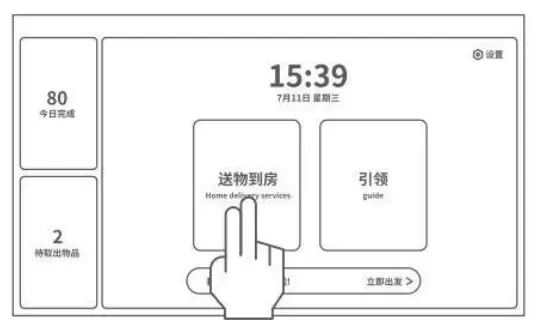
Step 2: Deliver items to the target room After receiving the delivery task, the robot will autonomously plan the path. After reaching the target room, it will notify the user of item pick-up via a call.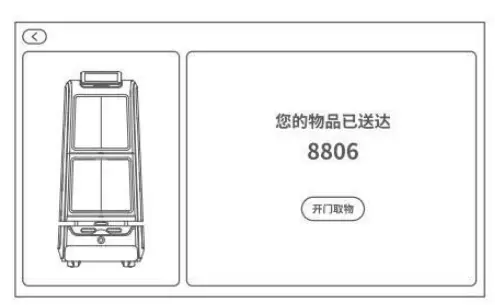
Step 3: Pick up the items The user picks up the items by following the instructions on the screen and taps “Close”.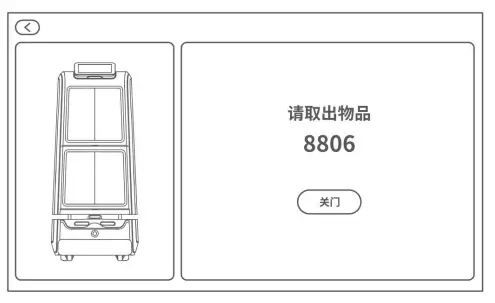
Step 4: Return automatically After the user picks up the items, the robot will return automatically.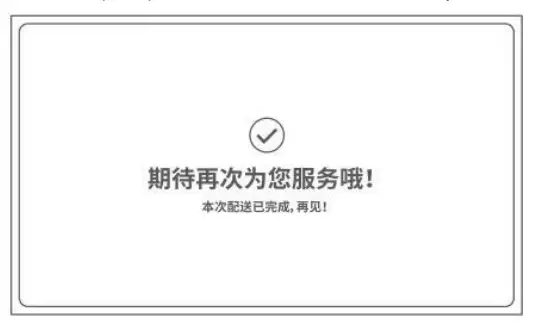
Guide Service
GL-H2 supports the customer guide service. With the machine vision and lidar, it allows for autonomous localization and navigation as well as smart obstacle avoidance. It can move autonomously in indoor environments and guide customers to the designated location.
Autonomous Path-Finding and Obstacle Avoidance
GL·H2 is equipped with SLAM localization and navigation, which enables automatic navigation and path-finding, elevator self-riding, automatic obstacle and pedestrian avoidance, and accurate delivery of items to the destination.
Smart Elevator Control
GL·H2 supports delivery in multi-story buildings by elevator self-riding. It can enter, call, and exit the elevator automatically, avoid obstacles and provide voice alerts when entering and exiting the elevator.
Autonomous Recharging
The robot automatically checks whether the battery is sufficient during the tasks. When the battery level falls below a preset threshold, the robot will automatically return to the charging station for recharging and continue to work when fully charged.
360° Protection
The robot uses multi-sensor fusion methods such as dual-depth cameras, magnetic sensors, bumper sensors, lidar, and ultrasound to accurately identify and avoid moving, static, and suspended obstacles. It also has fall-resistant and collision-resistant protection and emergency stop features, making the delivery process fully protected, secure, and reliable.
Unmanned Delivery
GL·H2 responds in real time from the moment it receives a delivery request from a customer. It provides intelligent, targeted delivery for customers without manual intervention through functions including autonomous localization, autonomous path-finding, smart elevator control, safe moving, pickup notification and autonomous recharging.
Cloud Management Platform
The Gargantua smart cloud management platform enables real- time monitoring of robot devices. Leveraging features of online management, information statistics, and device monitoring, it is capable of providing exclusive, accurate data models for hotels or business buildings, thus empowering them to improve overall operation capability and service quality.
Application Scenarios
Hotels
For hotels GL-H2 can be used to deliver common disposable goods, container retail items, and food to hotel rooms, distribute souvenirs to members and deliver breakfast appointed by VIP customers.
Office Buildings
GL-H2 can be used for express delivery and takeaway delivery in office buildings.
Installation and Power-up
Package Disassembly
- Lower the front wooden pallet and cut the tape used to seal the top of the packaging.
- Remove the bubble wrap and four corner pads.
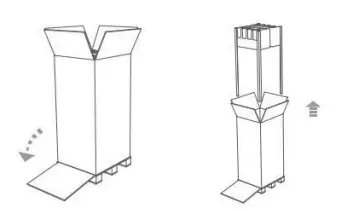
- Remove the packaging.
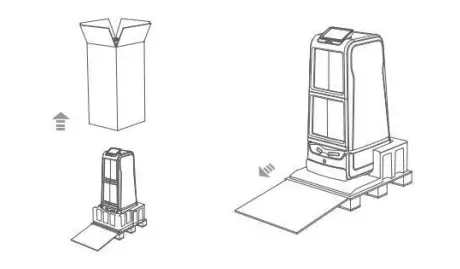
- Remove the front bubble wrap at the lower part and push down the product along the wooden pallet.

Position of the Charging Station
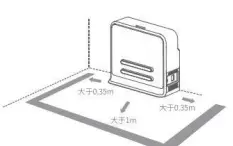
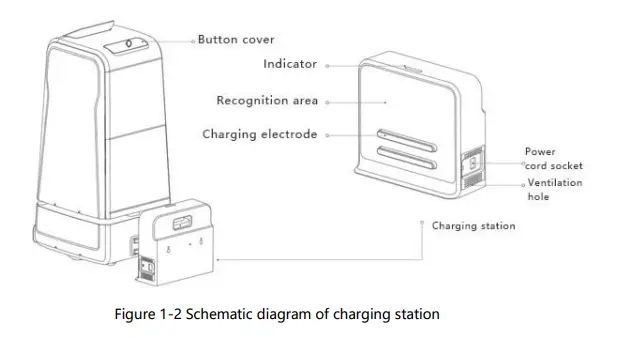
Make sure the charging station is placed against a wall with sufficient space left around it, that is, more than 0.35m on both sides and more than 1m at the front. Do not place the robot next to a mirrored wall or in a hollowed-out area. *Do not place the charging station on soft ground (such as a carpet) which will cause height difference and make the robot fail to charge.
*During actual application, mark the location of the charging station to prevent incorrect recovery after moving.
Power-up & Power-off
Power-up:Long press the power switch until the power switch indicator lights up Power off: Long press the power switch until the power switch indicator goes off. Note: when using for the first time, place the charging pile against the wall and plug in the power supply, ensure that the power indicator of the charging pile is green, push the robot onto the charging pile (the charging port is aligned with the charging pile), and the machine will start automatically.
Initial Use
Power On Configuration For initial use, contact the technical personnel for configuration after the robot is powered on.
Charging
Align the charging pad of the robot with the charging electrode of the charging station. When the front light band of the robot lights up, the charging process starts.
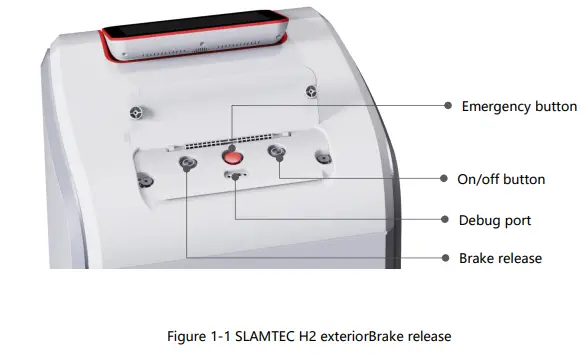
- Emergency stop button description
Pressing the emergency stop button will immediately stop the robot and abort all motion control commands. Also, it is hard to push the robot manually. After the abnormal state is rectified, the emergency stop button can be reset according to the indicated direction. After the robot is restarted, it will work normally.
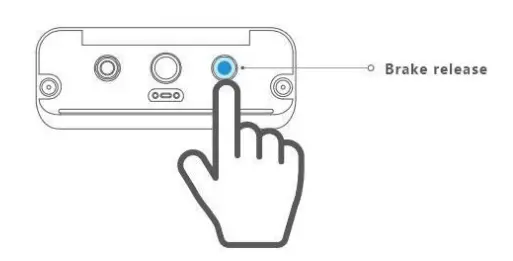
In an emergency, pressing the emergency stop button will immediately stop the robot and abort all motion control commands. Also, it is hard to push the robot manually. - Brake release button description Pressing the brake release button will immediately stop the robot and abort all motion control commands. However, the robot can be manually pushed, for example, to the charging station. After the brake release button is released, the robot will work normally and it is hard to push it manually. The robot will perform tasks normally after receiving a new control command.

Debugging Port
The commissioning port is generally used for factory commissioning, firmware upgrade, and after-sales maintenance.
Maintenance
General Maintenance
Automatic door — Clean the automatic door regularly.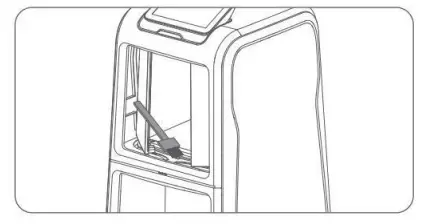
Bay — Wipe the inside of the bay with a soft dry cloth in power-off state.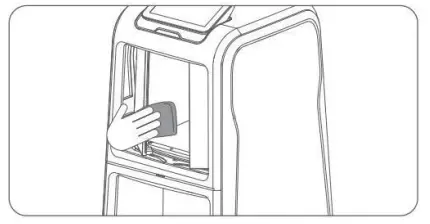
Water collection tray — Push the water collection tray backward with both hands for a certain distance, and take it out. Then, open the cover and clear the water in the tray.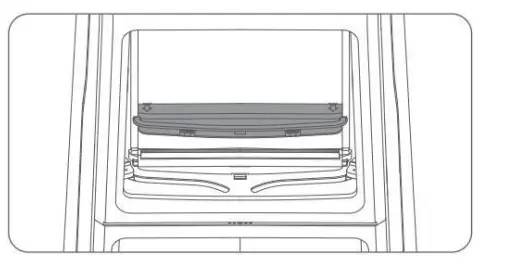
Charging station — Use a soft dry cloth to wipe the charging station and charging electrode in power-off state.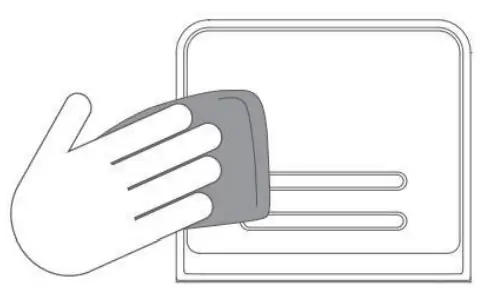
Maintenance Frequency
Robot maintenance primarily includes bay cleaning and inspection, hatch slot inspection, clearance inspection around the radar, foreign matter inspection around drive wheel and universal wheel, and charging station inspection.
The maintenance frequency can be adjusted based on the environment, frequency, intensity, and temperature of robot use.
| GL·H2 Maintenance Schedule | Interval | |||||
| Serial No. | Component | Maintenance Level | Year | Month | Week | Day |
| 1 | Hatch slot | Inspection/cl eaning | Once | |||
| 2 | Depth sensors | Wiping | — | — | Once | — |
| 3 | Bumper | Cleaning | — | — | Once | — |
| 4 | Clearance around radar | Clearance | — | Once | — | — |
| 5 | Universal wheel | Clearing | — | Once | — | — |
| 6 | Drive wheel | Clearing | — | Once | — | — |
| 7 | Charging station | Wiping | — | Once | — | — |
| 8 | Robot body | Inspection (after-sales) | Once | — | — | — |
Special Notes
Charging Station Deployment
To avoid faults or damage, do not use the robot in the following scenarios:
- Overloading transportation
Do not tray more than 15kg items in a single pallet. - Passing obstacle height
Please ensure that there are no obstacles higher than 20mm in front of the robot, since the robot can only pass obstacles with a maximum height of 20mm. Avoid having the robot take paths across uneven ground or other surfaces with large variations in height. - Mechanical impact
Do not push or hit the robot. - Temperature/humidity
Do not use or store the robot in wet locations, or overly hot or humid environment. - Ground obstacles
Please make sure that the robot’s path is clean and free of obstacles such as cables or other items. - Hatch foreign objects
Do not place foreign objects into the gap between the hatch and the bay when the hatch is fully open. 7Outdoor use Do not use the robot outdoors. - Use the robot only at altitudes below 2000m.
Actions to Take in Case of a Fault that Cannot Be Rectified
Immediately (1) Press the brake release button.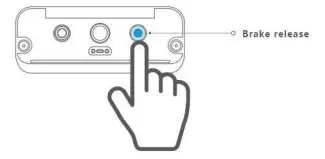
(2) Push the robot back to the charging station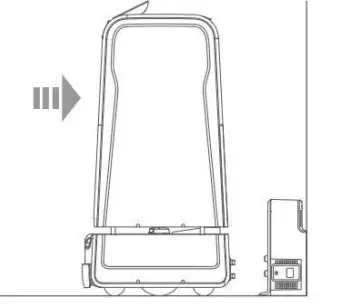
Forced Hatch Opening
Settings -> Forced hatch opening, click “open door” button, only for emergency use.
Precautions
(3) Users are forbidden to remove and replace the battery by themselves.
Using a battery of incorrect type may cause an explosion. If the battery needs to be replaced, contact the manufacturer first and use the same or similar type of battery recommended by the manufacturer. (4) Used battery management: Used batteries should be collected in a designated area or recycled by the battery manufacturer. Do not put used batteries and circuit boards and their components that may contain batteries together with other waste products. For battery recycling, please contact the local recycling agency.
(5) Contamination prevention: Avoid placing the robot in an environment where contaminants exist for long periods of time (e.g., dust, acids, corrosive gases, salts). For minor contamination caused during the delivery and use process of the robot, clean it promptly by referring to the maintenance manual.
(6) Radiation prevention: External light sources (e.g., lasers) will affect the operation of the robot. If any external light source exists in the environment, isolation measures should be taken to avoid interference with the robot which may result in exceptions during robot operation.
(7) Mechanical impact protection: To prevent bumper or collision, make sure that the robot’s path is clean and free of foreign mattes. Do not push or hit the robot while it is carrying out its functions. Otherwise, th robot may malfunction.Storage:
- Store in a cool and dry environment.
- Store in a dry and non-corrosive atmosphere at room temperature of 10-25 degrees. 3. In long-term storage, the robot should be charged once every 6 months.
Transportation and handling: Handle with care to prevent falling, bumping, dragging and upside down.
Common Faults and Troubleshooting
When an exception occurs in the operation of the robot, rectify it by referring to the following table or tips displayed on the screen.
| Serial No. | Fault prompt | Troubleshooting |
| 1 | Bumper sensor exception | Check whether the bumper sensor is stuck and tap the bumper several times to make the bumper recover to the right place. |
| 2 | Automatic door exception | Check whether the door is blocked when it is opened or closed and whether noises are generated. If there is a foreign object in the track, remove the foreign object and restart the robot. |
| 3 | Low power | press the brake release button, and push the robot back to the charging station for charging. |
| 4 | Charging failure of robot |
|
| 5 | System | Push the robot to the charging station and try to |
| crash | restart the robot. | |
| 6 | Power-up failure | Check whether the charging station is connected to the power supply. If the failure persists after the charging station is connected to the robot, contact the after-sale service. |
| 7 | Failure in returning to the charging station |
|
| 8 | Failure in entering/exi ting the elevator |
|
| 9 | Password error |
|
| service. | ||
| 10 | Order creation failure |
|
| Full-robot | GB 4943.1 GB/T 15706 GB/T 16855.1 GB/T 37283 GB/T 37284 | |
| Drive motor | EN IEC 61000-6.1: 2019 EN 61000-6-3: 2007+A1: 2011+AC: 2012 | |
| Lidar | EN 55032: 2015 EN 61000-3-2: 2014 EN 61000-3-3: 2013 EN 55024: 2010 +A1: 2015 IEC 60825(CLASS 1) | |
| Battery | IEC/EN 62133-2: 2017 | |
*Do not use the product in conditions or ways not described in the Manual to avoid damaging the robot. *Please refer to the actual product for precise details. Our company reserves the right to update or change the product without prior notice. *Product manual version: V1.0
Certificate of Conformance
Manufacturer name: Gargantua (Suzhou) Robot Co., LTD Address: Room 308, Modern Logistics Building (112), No. 88, Modern Avenue, Suzhou Industrial Park, Pilot Free Trade Zone, Jiangsu, China Phone: (+86) 400-900-9557
Index of Figures and Tables
Figure 1-1 SLAMTEC H2 exterior……………………………………………………………..
Figure 1-2 Schematic diagram of charging station………………………………………………………………
5 Figure 1-3 Mechanical size of SLAMTEC H2………………………………………………………………………….5
Table 5-1 SLAMTEC H2 maintenance schedule………………………………………