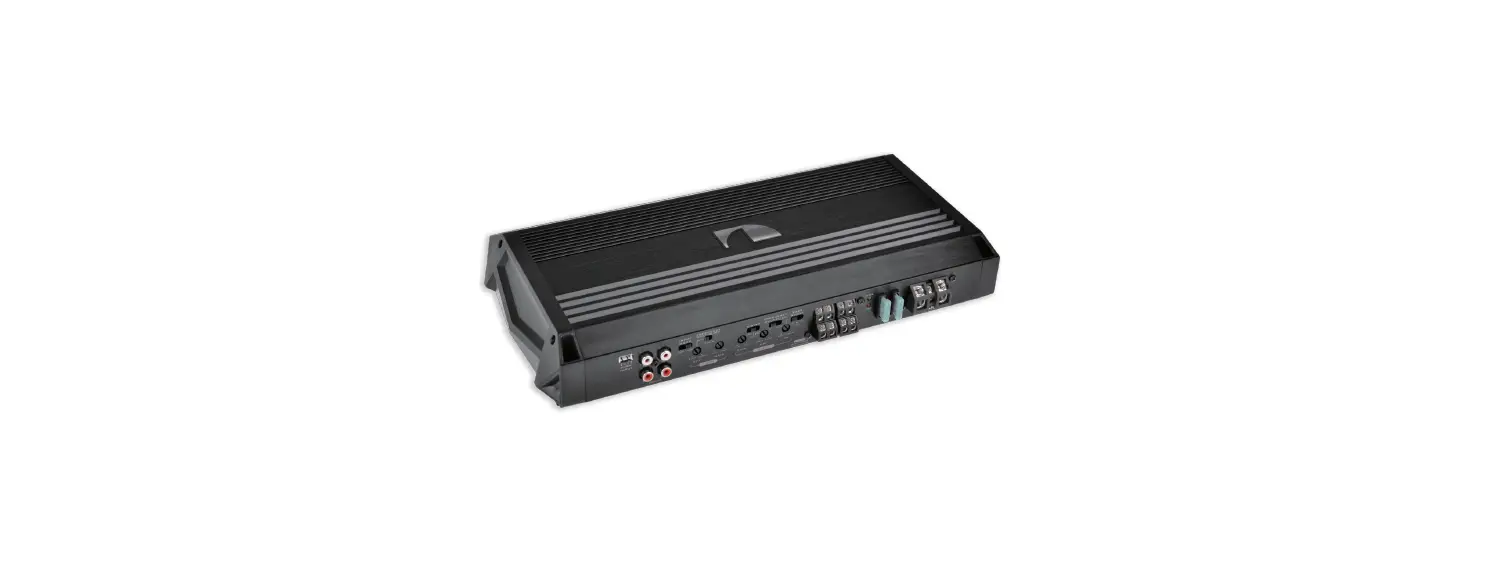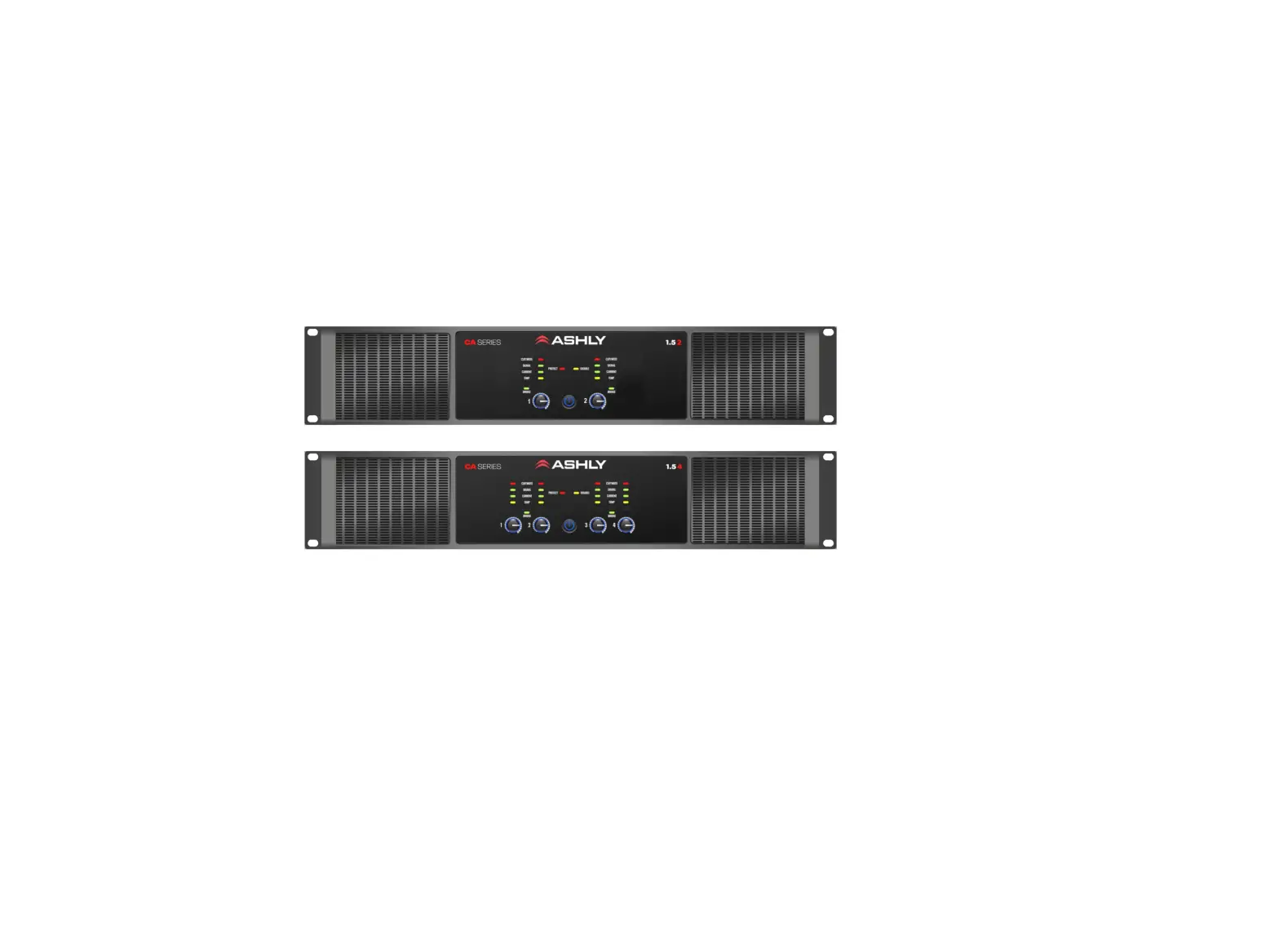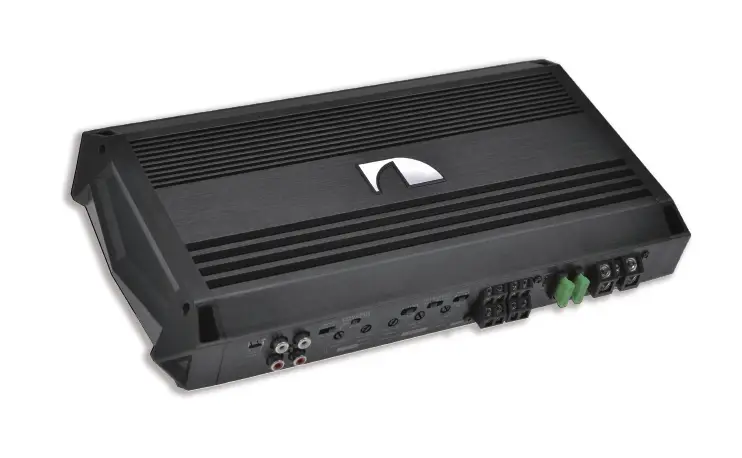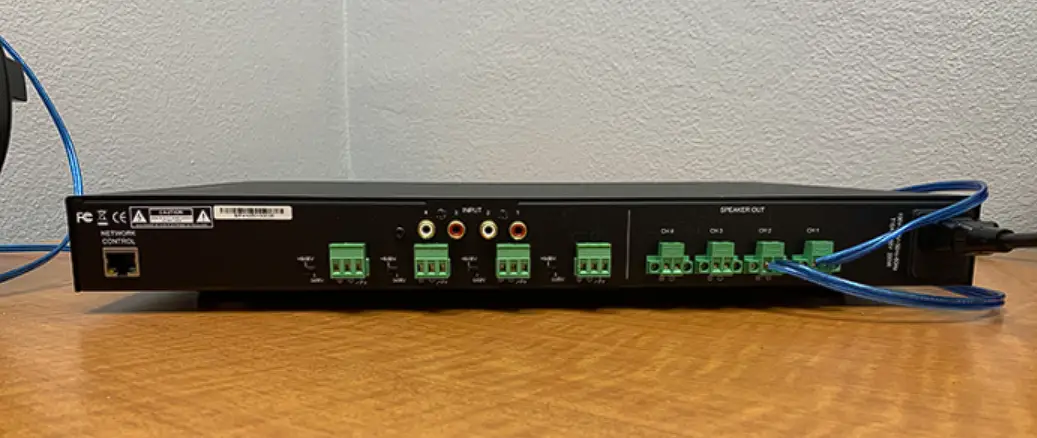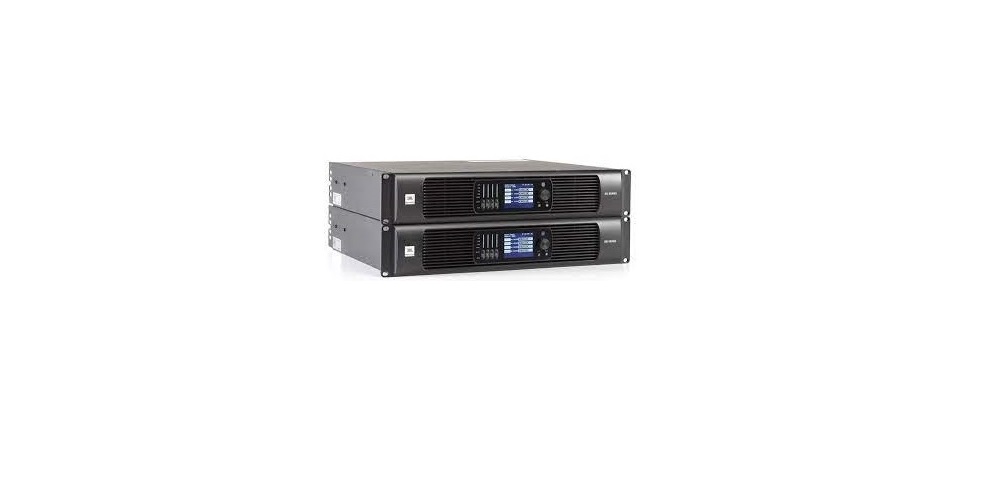
 GA41(L) / GA43(L) / GA46(L)
Four-Channel Switching Mode Power Amplifiers
USER GUIDE
GA41(L) Four Channel Switching Mode Power Amplifiers
 Thank you for choosing KGEAR!
To ensure proper operation, pleasecarefully read this owner’s manual andsafety instruction before using the product.
After reading this manual, be sure to keepit for future reference.
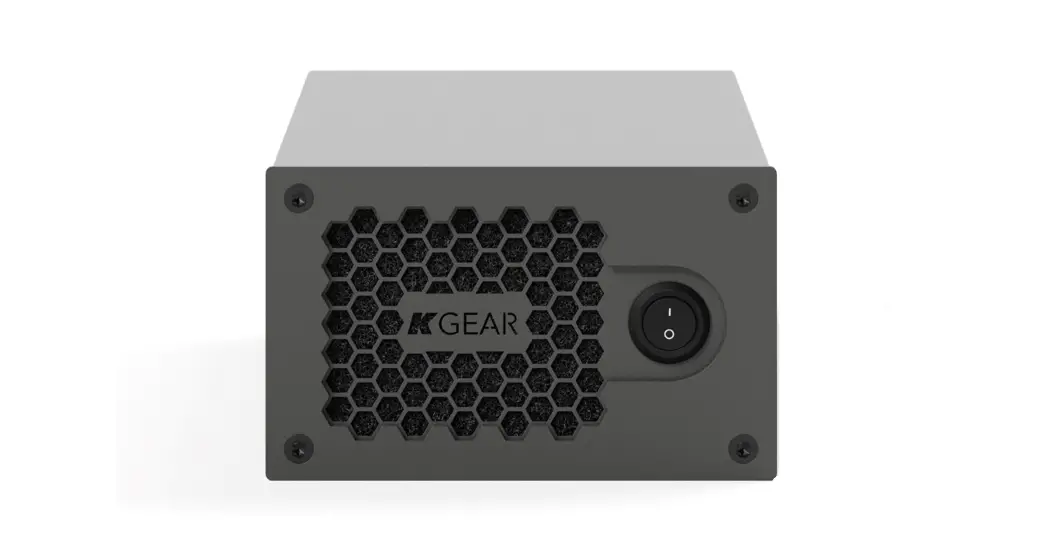
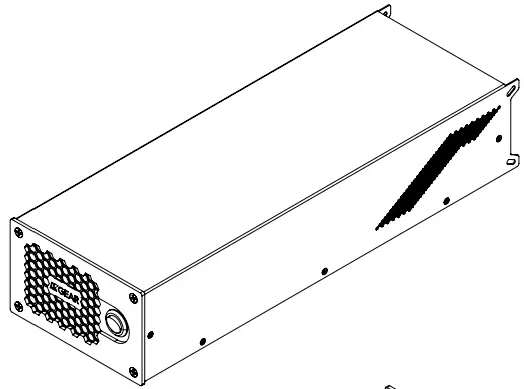
Should you have any questions about your new device please contact K-array customer service at [email protected] it or contact the locadistributor in your country.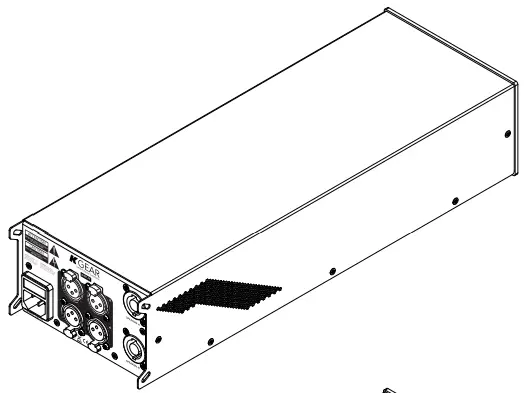 KGEAR amplifiers are professional 4-channel class D amplifier units designed for highly reliable applications where compactness and easy tuning are requested.
Two versions per model are available, both featuring Powersoft™ amp module: the DSP version with built-in digital signal processor, featuring two input channels and four speaker output channels, and the LITE version without DSP with four input and four output channels.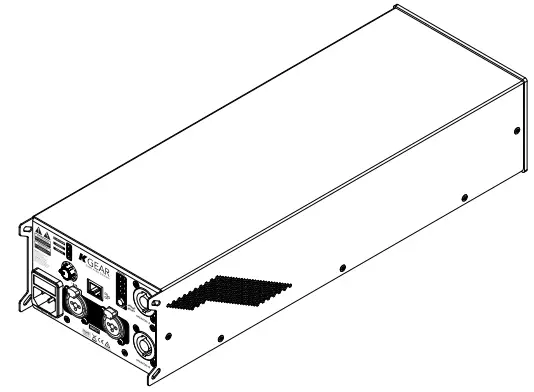
Unpacking
Each KGEAR device is inspected before leaving the factory. Upon arrival, carefully inspect the shipping carton, then examine and test your new device. If you find any damage, immediately notify the shipping company. Check that the following parts are supplied with the product:
- 1x Amplifier unit
- 1x Power cord
AC MAINS Supply
The AC Main connection is made via the provided power cord: before inserting the IEC C13 flying connector into the rear panel inlet, ensure that the main power switch in the front panel is off.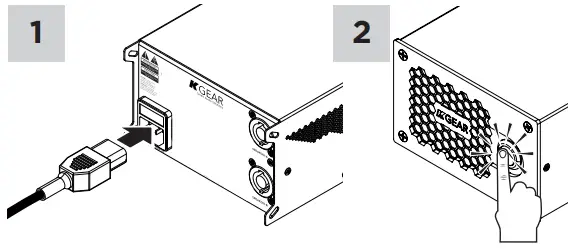 Rear Panel
Amplifeirs With DSP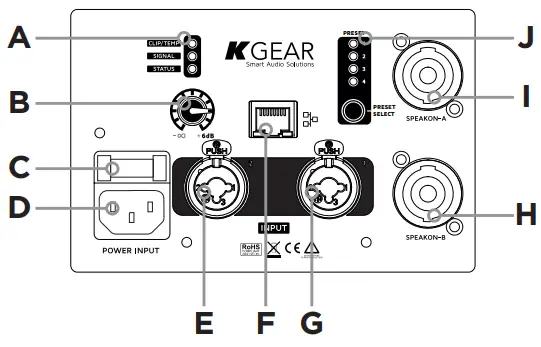 A. Status LEDs
B. Volume potentiometer
C. AC MAINS fuse
D. AC MAINS C13 inlet
E. XLR Combo balanced input channel 2
F. RJ45 Ethernet port
G. XLR Combo balanced input channel 1
H. NL4 SpeakON B speaker output 3 and 4
I. NL4 SpeakON A speaker output 1 and 2
J. DSP preset selector
Amplifiers Without DSP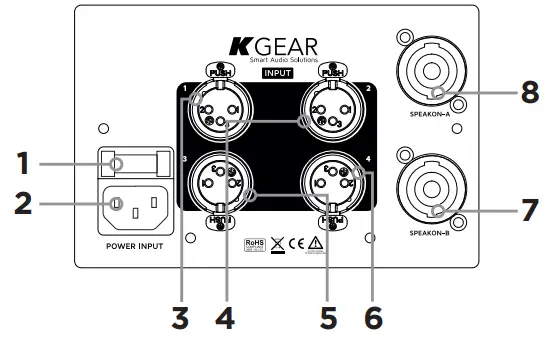
- AC MAINS fuse
- AC MAINS C13 inlet
- XLR balanced input channel 1
- XLR balanced input channel 2
- XLR balanced input channel 3
- XLR balanced input channel 4
- NL4 SpeakON B speaker output 3 and 4
- NL4 SpeakON A speaker output 1 and 2
Front Panel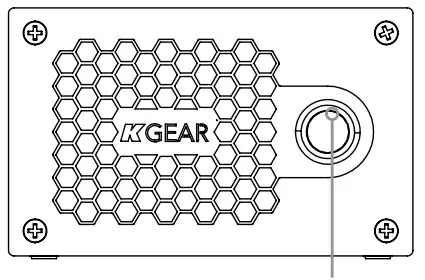 AC MAINS power switch
KGEAR by K-array surl
via P. Romagnoli 17 – 50038 – Scarperia e San Piero –
Firenze – Italy – www.kgear.it
IMPORTANT SAFETY INSTRUCTIONS
 CAUTION
RISK OF ELECTRIC SHOCK DO NOT OPEN ATTENTION. RISQUE DE CHOC ELECTRIQUE NE PAS OUVRIR
CAUTION: TO REDUCE THE RISK OF ELECTRIC SHOCK, DO NOT REMOVE COVER (OR BACK). NO USER-SERVICEABLE PARS INSIDE. REFER SERVICING TO QUALIFIED SERVICE PERSONNEL.
 | This symbol alerts the user to the presence of recommendations about the product’s use and maintenance. |
| The lighting flash with arrowhead symbol within an equilateral triangle is intended to alert the user to the presence of uninsulated, dangerous voltage within the product enclosure that may be of magnitude to constitute a risk of electrical shock. |
 | The exclamation point within an equilateral triangle is intended to alert the user to the presence of important operating and maintenance (servicing) instructions in this guide. |
 | Operator’s manual; operating instructions This symbol identifies the operator’s manual that relates to the operating instructions and indicates that the operating instructions should be considered when operating the device or control close to where the symbol is placed. |
 | For indoor use only This electrical equipment is designed primarily for indoor use. |
 | WEEE Please dispose of this product at the end of its operational lifetime by bringing it to your local collection point or recycling center for such equipment. |
 | This device complies with Restriction of Hazardous Substances Directive. |
Warning. Failure to follow these safety instructions could result in fire, shock or other injury or damage to the device or other property.
General heed and warnings
- Read these instructions.
- Keep these instructions.
- Heed all warnings.
- Follow all instructions.
- Do not use this apparatus near water.
- Clean only with dry cloth.
- Do not block any ventilation openings. Install in accordance with the manufacturer’s instructions.
- Do not install near any heat sources such as radiators, heat registers, stoves, or other apparatus (including amplifiers) that produce heat
- Do not defeat the safety purpose of the polarized or grounding plug. A polarized plug has two blades with one wider than the other. A grounding plug has two blades and a third grounding prong.
The wide blade or the third prong is provided for your safety. If the provided plug does not fit into your outlet, consult an electrician for replacement of the obsolete outlet. - Only use attachments/accessories specified by the manufacturer.
- Protect the power cord from being walked on or pinched particularly at the plugs, convenience receptacles, and at the point where they exit from the apparatus.
- Clean the product only with a soft and dry fabric.
Never use liquid cleaning products, as this may damage the products cosmetic surfaces. - Use only with the cart, stand, tripod, bracket, or table specified by the manufacturer, or sold with the apparatus. When a cart is used, use caution when moving the cart/ apparatus combination to avoid injury from tip-over.

- Unplug this apparatus during lightning storms or when unused for long periods of time.
- Avoid placing the product in a location under direct sunlight or near any appliance that generates UV (Ultra Violet) light, as this may change the product surface finishing and cause a change in color.
- Refer all servicing to qualified service personnel. Servicing is required when the apparatus has been damaged in any way, such as power-supply cord or plug is damaged, liquid has been spilled or objects have fallen into the apparatus, the apparatus has been exposed to rain or moisture, does not operate normally, or has been dropped.
These apparatus are intended for professional use.
Installation and commissioning may only be carried out by qualified and authorized personnel. - CAUTION: These servicing instructions are for use by qualified service personnel only. To reduce the risk of electric shock, do not perform any servicing other than that contained in the operating instructions unless you are qualified to do so.
- WARNING: Only use attachments/accessories specified or provided by the manufacturer (such as the exclusive supply adapter, battery, etc.)
- Before turning the power on or off for all devices, set all volume levels to minimum.
- Use only speaker cables for connecting speakers to the speaker terminals. Be sure to observe the amplifier’s rated load impedance particularly when connecting speakers in parallel. Connecting an impedance load outside the amplifier’s rated range can damage the apparatus.
- KGEAR will not shoulder any responsibilities for products modified without prior authorization.

Installation
KGEAR amplifiers can be set stand alone or rack mounted with the dedicated G-RACK rack mount accessory.
According to Table 35 of IEC/EN 623681:2018, equipments are suitable for mountingat heights ≤ 2 m.
Install in a well ventilated location at 35°C (95°F) max environment temperature.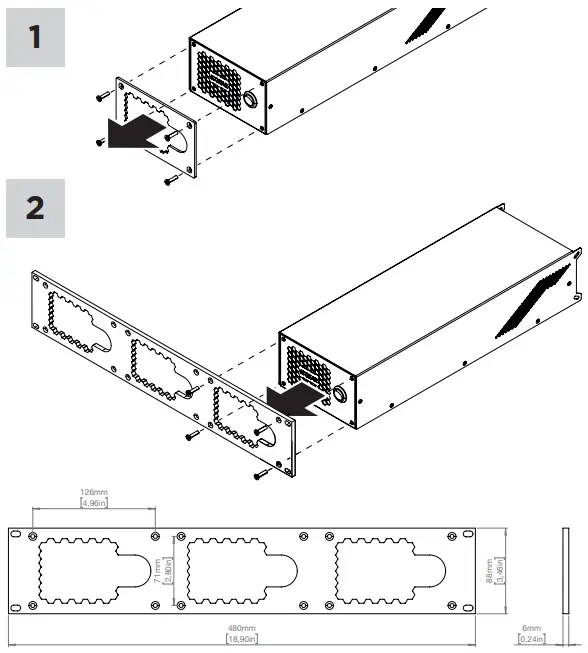 Wiring
Amplifeirs With DSP
The KGEAR GA41, GA43 and GA46 amplifiers implement a DSP allowing to route the two input channels to the four speaker output.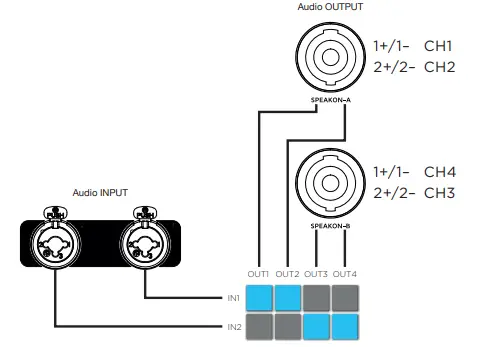 Amplifeirs Without DSP
The KGEAR GA41L, GA43L and GA46L amplifiers are four-in/four-out units with direct routing of line input to the speaker output channels.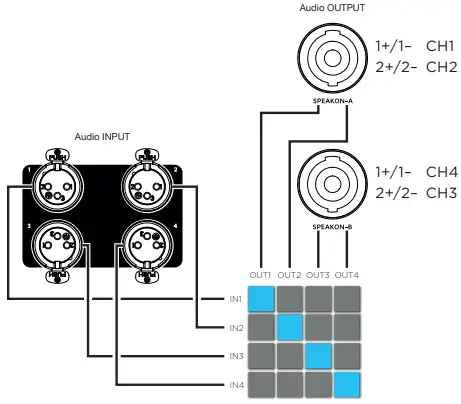 Loudspeaker wiring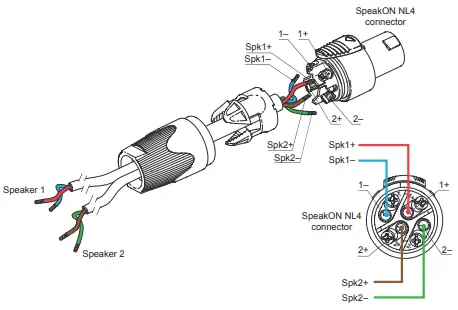
GA43 70V/100V wiring
| Input | Routing | Connector | Wiring | Zone |
| CH1 | OUT 1 | SpeakON-A | BTL 1+ 2– | Zone 1 |
| OUT 2 | ||||
| CH2 | OUT 4 | SpeakON-B | BTL 2+ 1– | Zone 2 |
| OUT 3 |
GA43L 70V/100V wiring
| Input | Routing | Connector | Wiring | Zone |
| CH1 | OUT 1 | SpeakON-A | BTL 1+ 2– | Zone 1 |
| CH2 | OUT 2 | |||
| CH3 | OUT 4 | SpeakON-B | BTL 2+ 1– | Zone 2 |
| CH4 | OUT 3 |
GA46 70V/100V wiring
| Input | Routing | Connecto | Wiring | Zone |
| CH1 | OUT 1 | SpeakON-A | SE 1+ 1– | Zone 1 |
| OUT 2 | SE 2+ 2– | Zone 2 | ||
| CH2 | OUT 4 | SpeakON-B | SE 1+ 1– | Zone 4 |
| OUT 3 | SE 2+ 2– | Zone 3 |
GA46L 70V/100V wiring
| Input | Routing | Connector | Wiring | Zone |
| CH1 | OUT 1 | SpeakON-A | SE 1+ 1– | Zone 1 |
| CH2 | OUT 2 | SE 2+ 2– | Zone 2 | |
| CH3 | OUT 4 | SpeakON-B | SE 1+ 1– | Zone 4 |
| CH4 | OUT 3 | SE 2+ 2– | Zone 3 |
 GA43 SpeakON-A BTL wiring
GA43 SpeakON-B BTL wiring 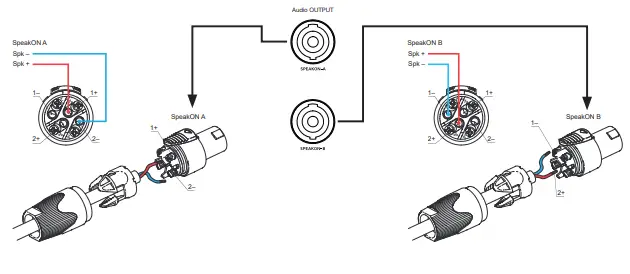 Loudspeaker connection acronyms
BTL: Bridge-Tied-Load
The loudspeaker is connected between two amplifier channels in order to double the voltage (four times the power). Each amplifier channel is loaded with half loudspeaker impedance.
SE: Single-Ended
The simplest and most common method to connect a loudspeaker to the amplifier channel terminals: one channel terminal feeds a varying voltage that represents the signal, while the other is connected to ground.
Service
To obtain service:
- Please have the serial number(s) of the unit(s) available for reference.
- Contact the official KGEAR distributor in your country: find the Distributors and Dealers list on www.kgear.it website. Please describe the problem clearly and completely to the Customer Service.
- You will be contacted back for on-line servicing.
- If the problem cannot be resolved over the phone, you may be required to send the unit in for service. In this instance, you will be provided with an RA (Return Authorization) number which should be included on all shipping documents and correspondence regarding the repair. Shipping charges are the responsibility of the purchaser.
Any attempt to modify or replace components of the device will invalidate your warranty. Service must be performed by an authorized K-array service center.
Cleaning
Use only a soft, dry cloth to clean the housing. Do not use any solvents, chemicals, or cleaning solutions containing alcohol, ammonia, or abrasives. Do not use any sprays near the product or allow liquids to spill into any openings.
Remote Control With ArmoníaPlus
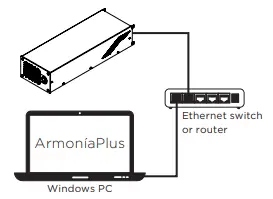
Amplifiers with DSP can be remote controlled and tuned with the ArmoníaPlus software over an Ethernet network.
 https://www.powersoft.com/it/software/armoniaplus/
- Download ArmoníaPlusfrom Powersoft website and install it on your PC.
- Launch ArmoníaPlus.
- Log-in with your ArmoníaPlus account.
- The first time you launch ArmoníaPlus you need to download the KGEAR amplifiers presets form the ArmoníaPlus marketplace.

- Insert «KGEAR» in the search field and add the support to the KGEAR devices you need.

- Connect the PC with ArmoníaPlus and your KGEAR device to the same local network.

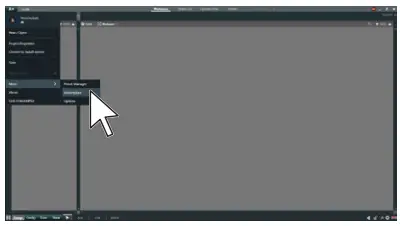
- Click on the Match button in the bottom toolbar.

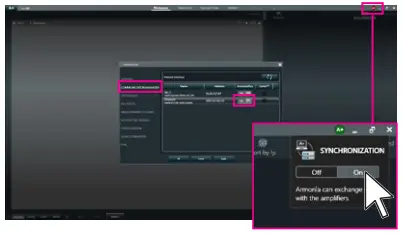
- Chack that the wired network interface is active an that the Syncronization mode is ON.

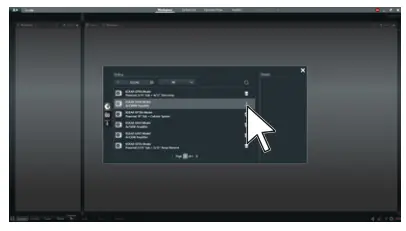
- Click on the Discovery button.
- Wait until ArmoníaPlus shows the device, then drag-and-drop the device from the right panel to the Workspace (left panel): the system takes few seconds to synchronize.
- In order to access the device properties, select the pointer in the bottom toolbar and then double-click on the device in the Workspace.

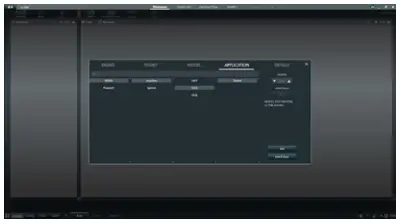
- You can eventually work offline in «Design» mode: click on the Add button in the bottom toolbar.

- In the top menubar, click on the button labeled «Powered Speaker» (we know, it’s weird!).

- In the new window select the Brand / Family / Model / Application according to your needs, the click on Add.

- The device(s) will be added to the Workspace.




Setting Device Preset
The rear panel features four preset buttons that can be assigned to custom device preset.
A device preset includes the entire configuration of the four output channels and input equalization.
In order to customize the current device preset:
A. connect the device to ArmoníaPlus;
B. make your settings;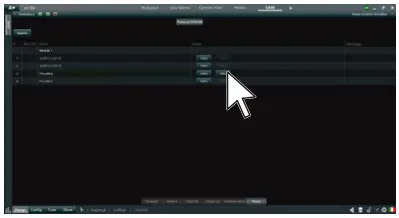 C. go to the preset windows and click on the Save button: the current device configuration will override the previous settings.
Mechanical Drawings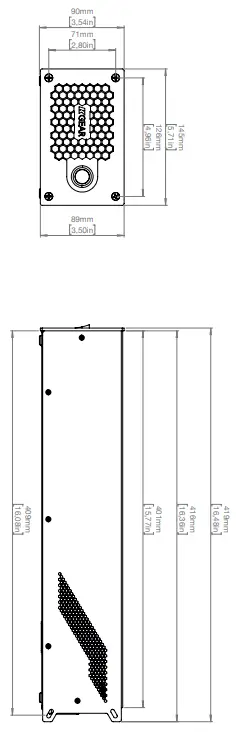
Technical Specifications
GA41(L)
| Technical specifications |
| Type 4-ch Class D power amplifier |
| Output Power 4x 150 Wreak @ 4 n |
| Minimum Impedance 4 LI |
| Frequency Response 20 Hz – 20 kHz |
| Power Consumption 2,2A@100V ,1A@240y,,,110 W |
| Operating Voltage 100-240V AC, 50-60 Hz |
| Protections Thermal protections (power limiting – thermal shutdown), short-circuit overload output protections, stationary high frequency protection |
| GA41 (with DSP) |
| DSP Features Remote control and tuning, Input and Output Delay Parametric input EQ, Output parametric filters |
| Connectors RJ45 for remote control 2x Combo XLR Input 2x SpeakON Output lx VDE (IEC C13) AC MAINS inlet |
| Local and Remote Controls Volume potentiometer, Preset selector, Remote control through Powersoft ArmoniaPlus Software |
| GA41L (without DSP) |
| Connectors 4x XLR balanced Input 2x NL4 SpeakON Output lx VDE (IEC C13) AC MAINS inlet |
| Handling & Finishes |
| Dimension 145 x 90 x 418 mm (5.7 x 3.54 x 16.5 in) |
| Weight 2,6 kg (5.7 lb) |
GA43(L)
| Technical specifications |
| Type 4-ch Class D power amplifier |
| Output Power 4x 750 W ak @ 4 LI 2x 1500 Week @ 70/100 V lines |
| Minimum Impedance 4n |
| Frequency Response 20 Hz – 20 kHz (150 Hz High-Pass filter for 70/100V lines suggested) |
| Power Consumption 6A@100V,,,2,5A@240V,,, 600W |
| Operating V.-, .i. 100-240V AC, 50-60 Hz |
| Protections Thermal protections (power limiting – thermal shutdown), short-circuit overload output protections, stationary high frequency protection |
| GA43 (with DSP) |
| DSP Features Remote control and tuning, Input and Output Delay Parametric input EQ, Output parametric filters |
| Connectors RJ45 for remote control 2x Combo XLR Input 2x SpeakON Output lx VDE (IEC C13) AC MAINS inlet |
| Local and Remote Controls Volume potentiometer, Preset selector, Remote control through Powersoft ArmoniaPlus Software |
| GA43L (without DSP) |
| Connectors 4x XLR balanced Input 2x NL4 SpeakON Output lx VDE (IEC C13) AC MAINS inlet |
| Handling & Finishes |
| Dimensions (Wx. 145 x 90 x 418 mm (5.7 x 3.54 x 16.5 in) |
| Weight 3,6 kg (7.94 lb) |
GA46(L)
| Technical specifications |
| Type 4-ch Class D power amplifier |
| Output Power 4x 1500 Wpm* @ 4 LI 4x 1500 Wpm* @ 70V lines 4x 1500 Wocak @100 V lines (-2 dB max level) |
| Minimum Impedance 4f2 |
| Frequency Response 20 Hz – 20 kHz (150 Hz High-Pass filter for 70/100V lines suggested) |
| Power Consumption 6A@100Vac, 2,5A@240VAc, 600W |
| Operating Voltage 100-240V AC, 50-60 Hz |
| Protections Thermal protections (power limiting – thermal shutdown), short-circuit overload output protections, stationary high frequency protection |
| GA46 (with DSP) |
| DSP Features Remote control and tuning, Input and Output Delay Parametric input EQ, Output parametric filters |
| Connectors RJ45 for remote control 2x Combo XLR Input 2x SpeakON Output lx VDE (IEC C13) AC MAINS inlet |
| Local and Remote Controls Volume potentiometer, Preset selector, Remote control through Powersoft ArmoniaPlus Software |
| GA46L (without DSP) |
| Connectors 4x XLR balanced Input 2x NL4 SpeakON Output lx VDE (IEC C13) AC MAINS inlet |
| Handling & Finishes |
| 145 x 90 x 418 mm (5.7 x 3.54 x 16.5 in) |
| Weight 3,6 kg (7.94 lb) Activate Windows |
 KGEAR
KGEAR