

User Manual
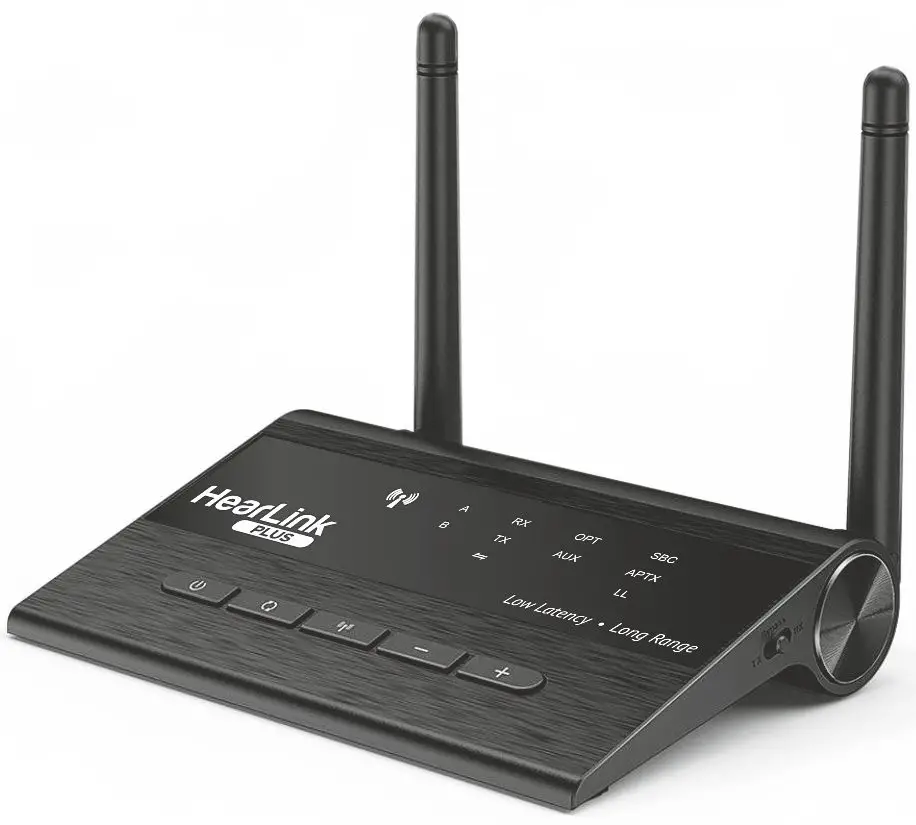
Model: BT5805A
For more information visit our Web site www.WearAndHear.com
Features
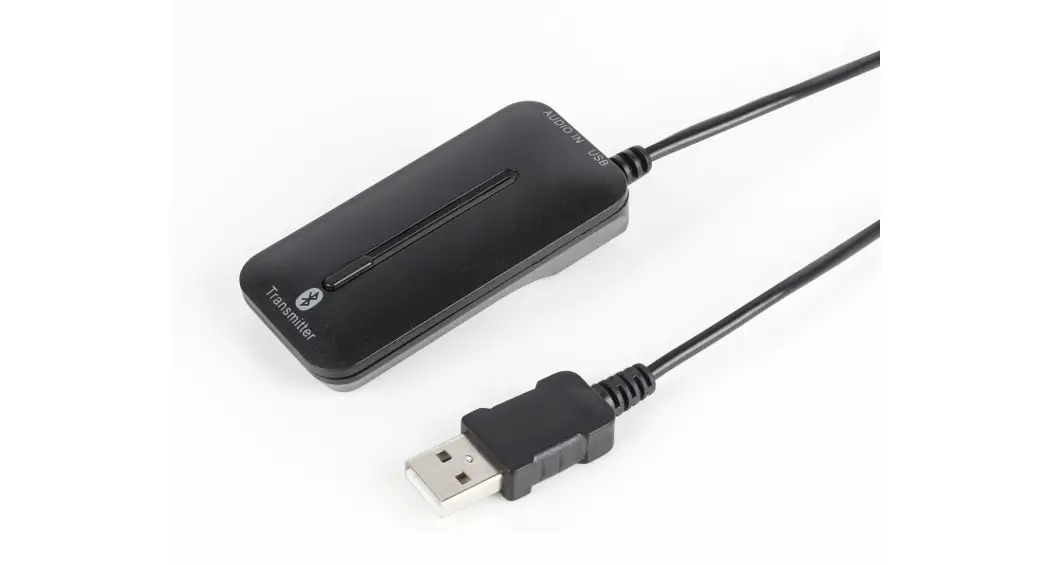
- Transmit stereo audio from a TV set, computer, or any multimedia device to a wireless Bluetooth headset
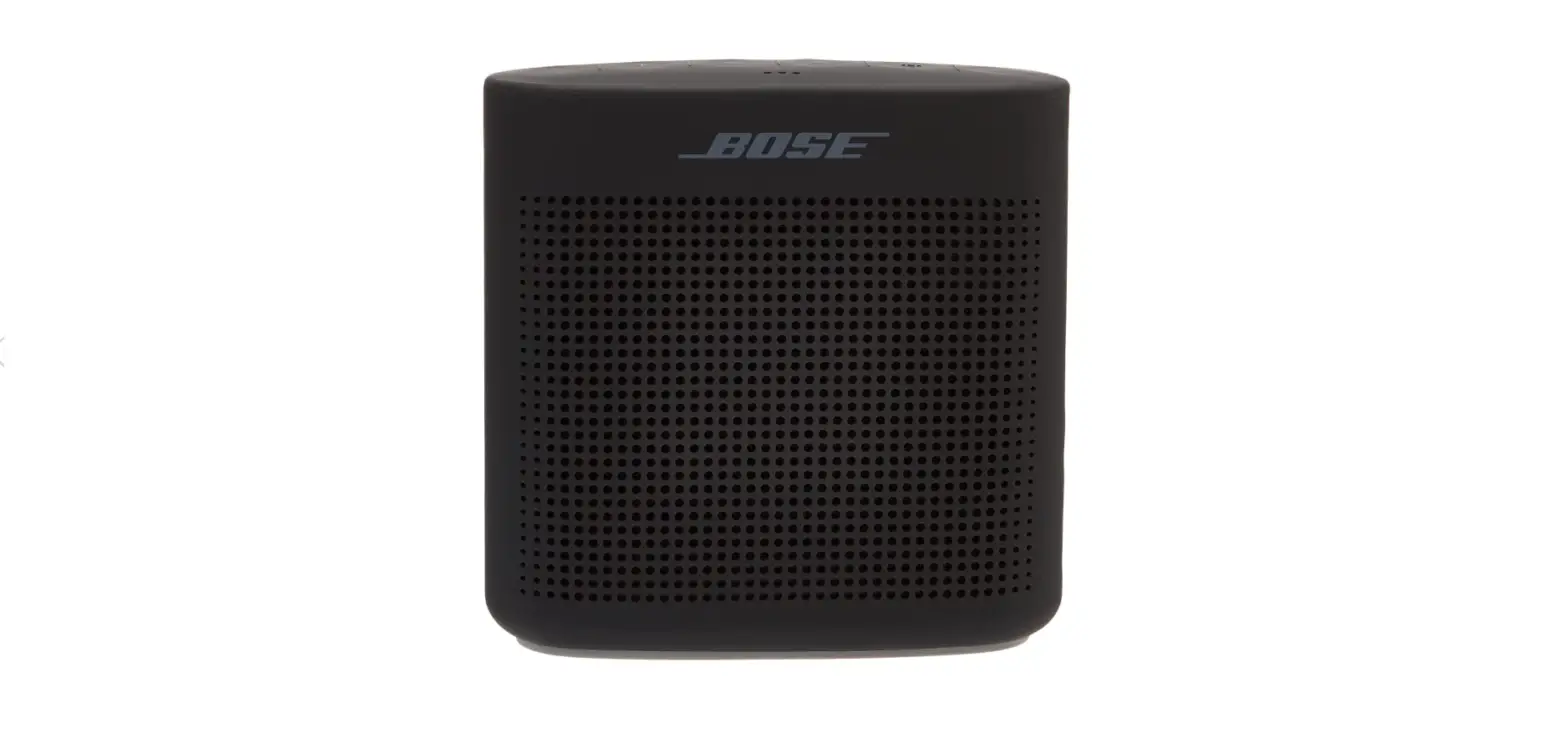
- Bypass stereo audio from the TV set, computer, or any multimedia device to wired stereo speakers
- Connect wireless Bluetooth media to wired stereo speakers
- Broadcast stereo audio to multiple wireless speakers
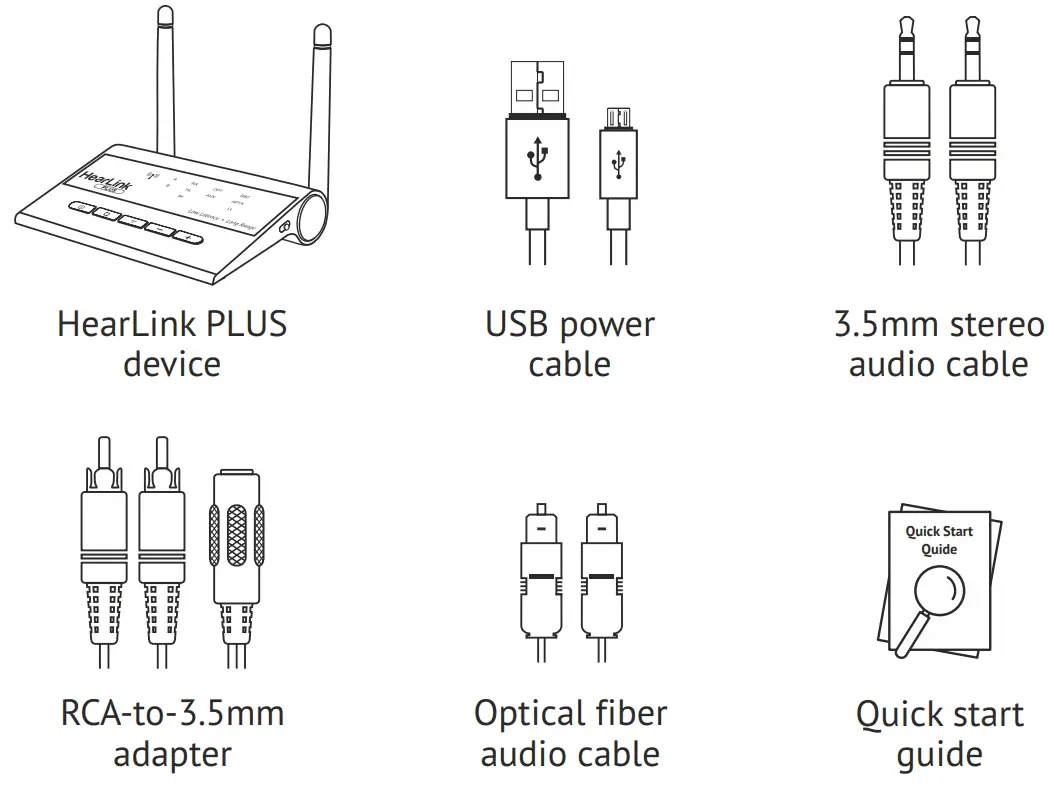
Package Contents
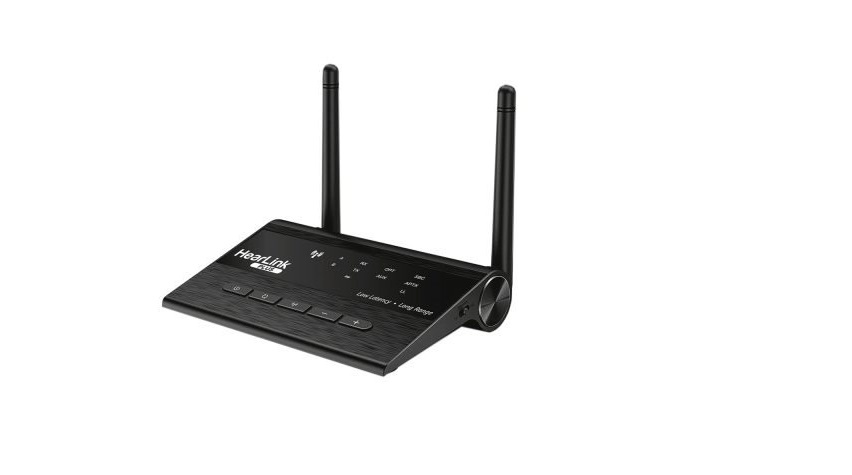
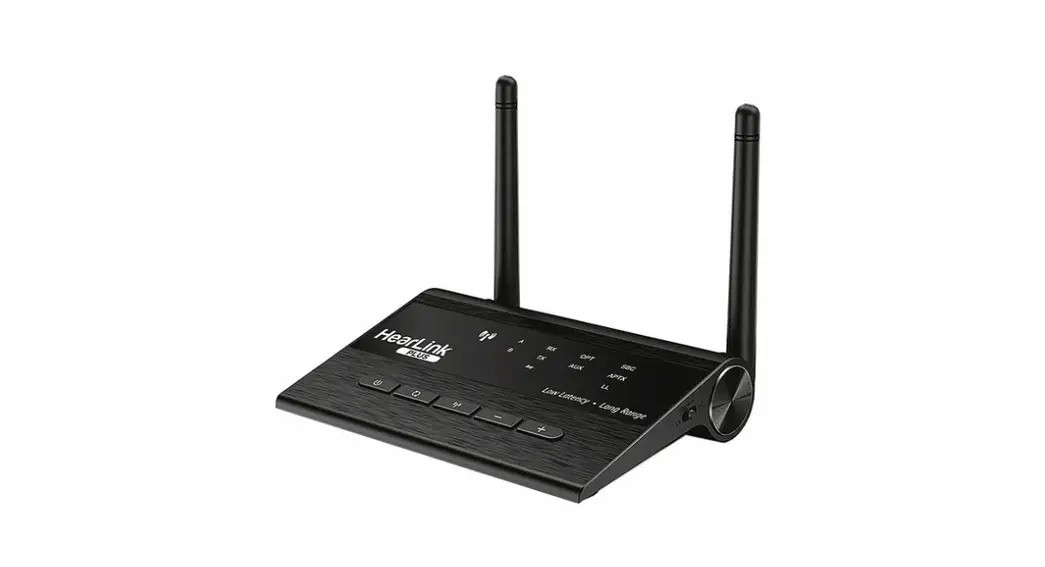
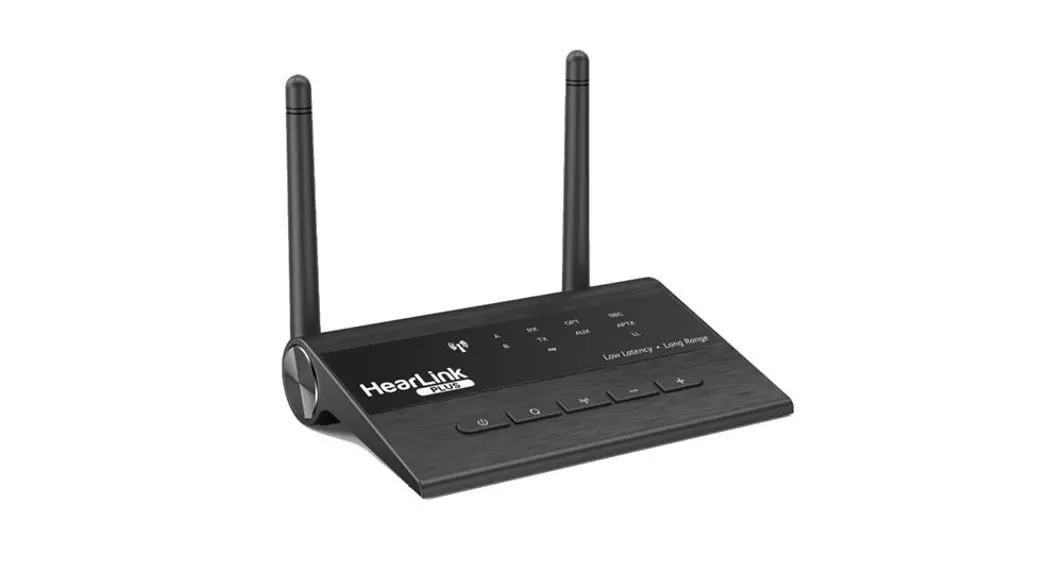
Device Details
 | 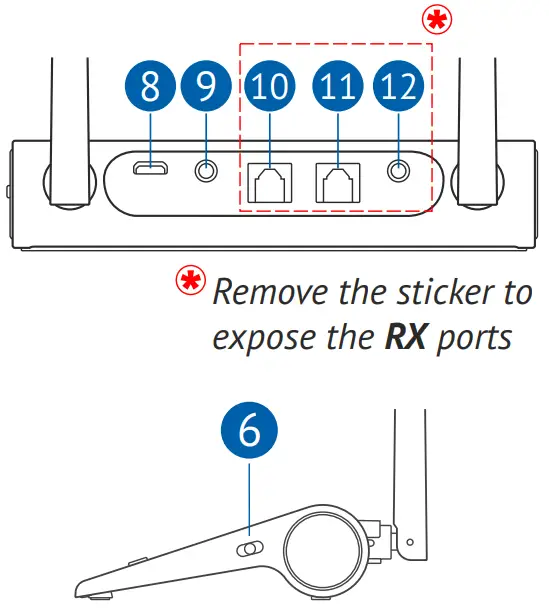 |
1 – Multi-function button: ON/OFF, Play/Pause
2 – Bluetooth function button
3 –  Bluetooth Broadcast Mode button
4-  Previous track/volume down button
5–  Next track/volume up button
6 – Mode switch: Receiver/Transmitter/Bypass
7 – LED indicators
8 – Micro USB power input
9 – AUX stereo input (from TV, Transmitter mode)
10 – Optical input (from TV, Transmitter mode)
11 – Optical output (to the speaker, Receiver mode)
12 – AUX stereo output (to the speaker, Receiver mode)
LED Indicators
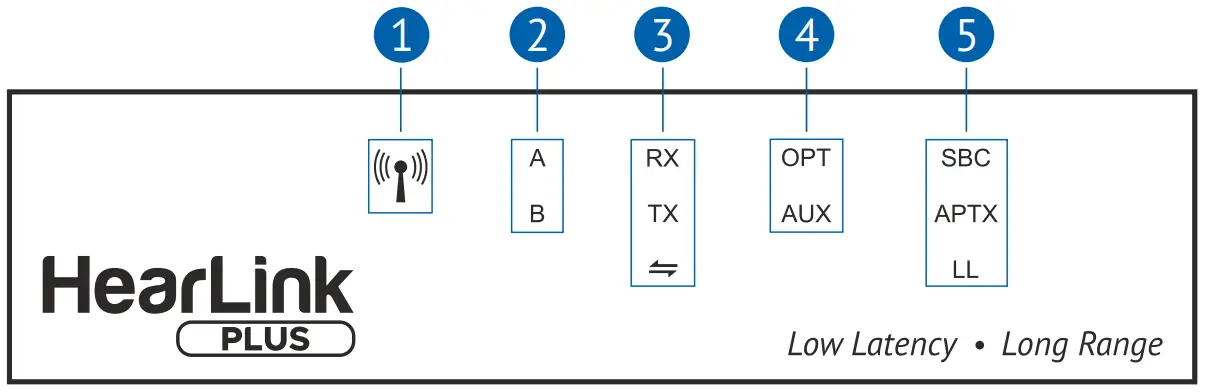
- Bluetooth Broadcast mode: white – Transmitting, blue – Receiving
- Connected headsets/smartphones: A – first, B – second
- Operation mode: RX –Receiver, TX – Transmitter, ⇔-Bypass
- Connected cable: OPT – optical fiber, AUX – audio cable
- Type of connected Bluetooth CODEC: SBC, APTX, LL (low latency)
Turn-ON/OFF
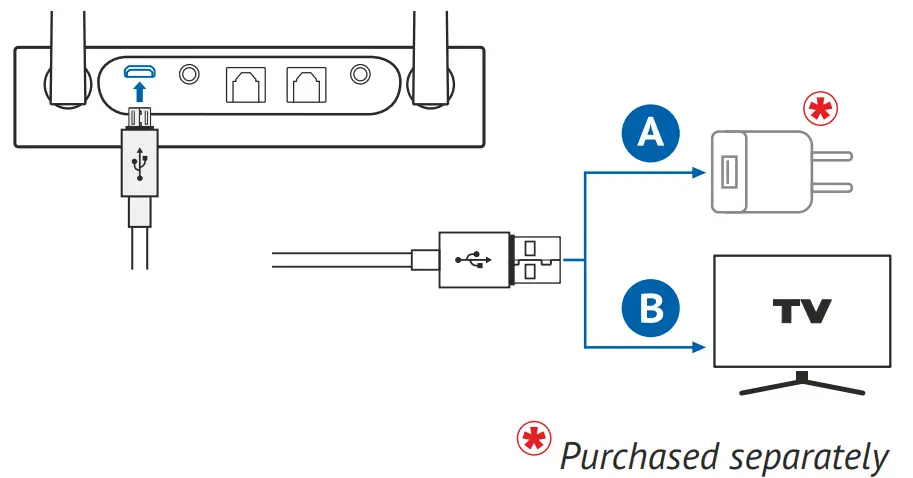
Connect HearLink PLUS to a power outlet (A) or the TV set’s USB port (B) using the supplied USB power cable. HearLink PLUS will turn ON automatically. Unplugging the cable will turn HearLink PLUS OFF.
| Press and hold for 3 sec to turn HearLink PLUS OFF. Press and hold for 2 sec to turn HearLink PLUS ON. |
Bluetooth Transmitter Mode
In Bluetooth Transmitter mode HearLink PLUS transfers audio from the TX input to BeHear (or any other Bluetooth headset). Two headsets can be connected at the same time.
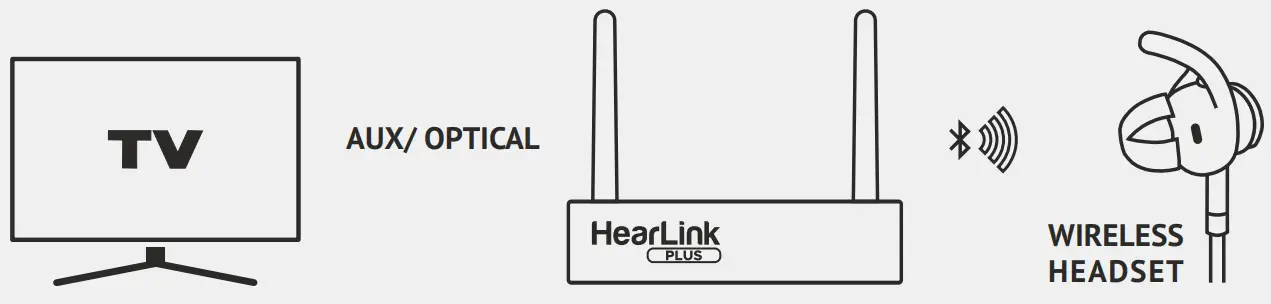
How to Set Up HearLink PLUS
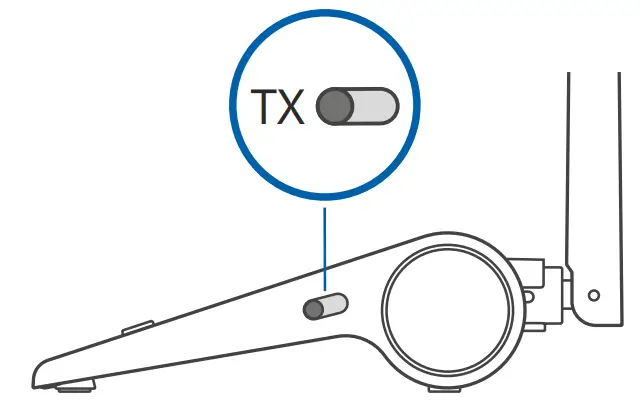
- Ensure that the Mode switch is set to the TX position.
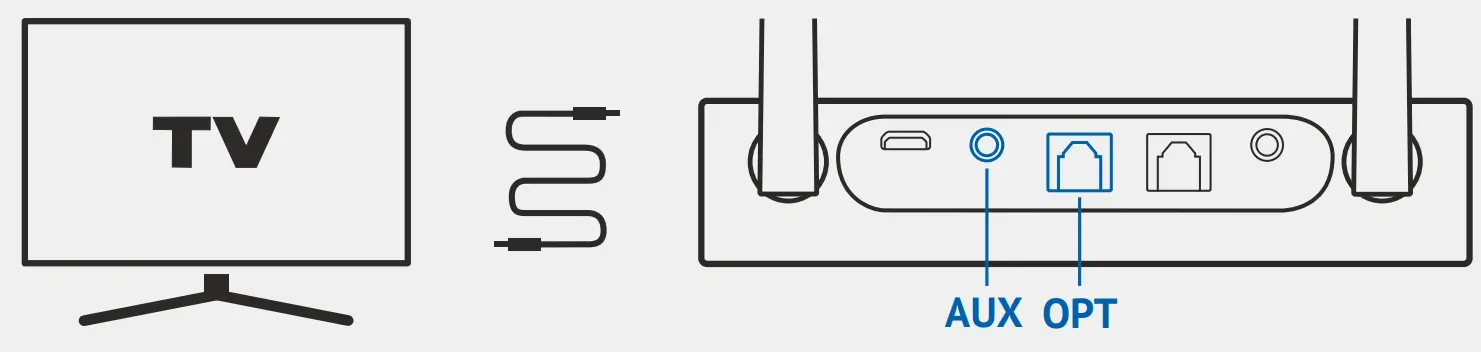
- Connect the HearLink PLUS TX port to the TV (or other multimedia device) via the supplied optical or 3.5mm audio cable. The lit OPT or AUX indicator shows the connection type.
Short press to place HearLink PLUS into pairing mode.
Press and hold for 3 sec to disconnect from a connected headset and enter pairing mode.
When in pairing mode, theTXindicator light will flash quickly. - Place the Bluetooth headset into pairing mode and set it down close to the HearLink PLUS device.
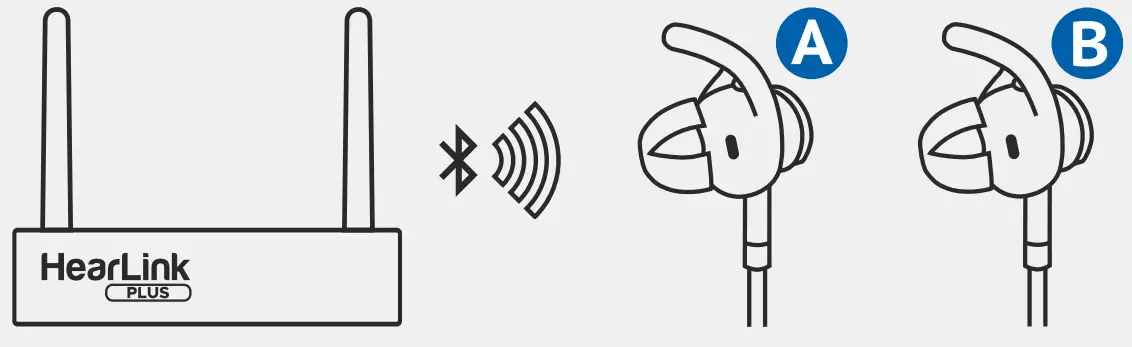
- Wait for 5-30 seconds. HearLink PLUS will pair automatically with the Bluetooth headset.
When pairing is complete theTX theindicator will shine steadily.
The litSBC ,APTX or LLthe text indicates which type of Bluetooth CODEC is being used.
The litAandBtexts indicate which headsets have been connected first and second, respectively.
 | When powered on HearLink PLUS connects automatically to the last connected headset(s). |
Audio Playback
| Short press to toggle audio Play/Pause. |
| Play/Pause can be controlled remotely from the connected BeHear headset. |
| Press to increase the volume. A tone is played when the maximum volume is reached. |
| Press to decrease the volume. A tone is played when the minimum volume is reached. |
Bluetooth Receiver Mode
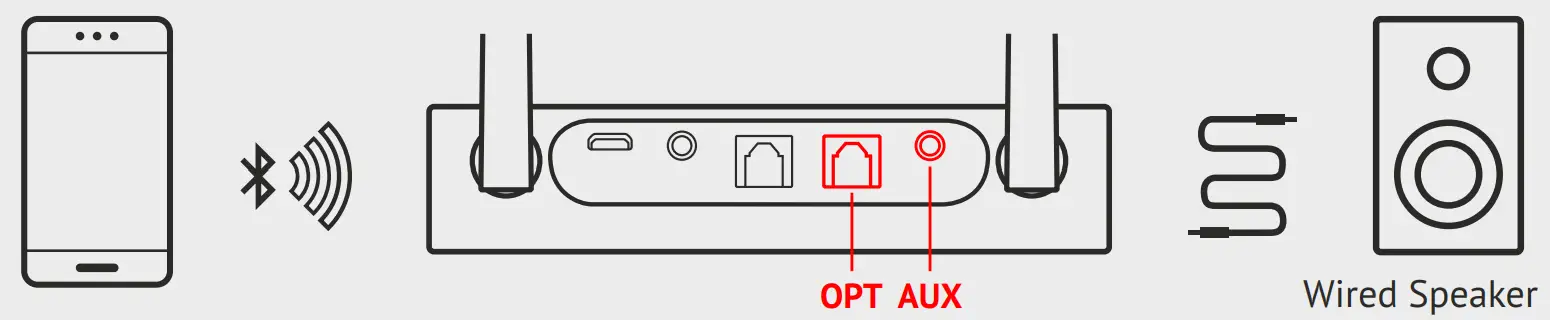
In Bluetooth Receiver mode HearLink PLUS transfers the audio from the Bluetooth device to the speaker or stereo headphone connected to RX output.
Setting Up HearLink PLUS in Receiver Mode
- Set Mode switches to RX position.
- Connect HearLink PLUS RX port to the non-Bluetooth speaker, stereo system, wired-headphone, etc., via optical or 3.5mm audio cable. The lit AUXor
AUXan indicator shows the connection type. - Enable Bluetooth on the target device (e.g., smartphone). Search for “Hearlink PLUS” and tap to connect. If a password is required, enter 0000.
When pairing is complete the indicator will shine steadily.
The litSBC,APTXorLLthe text indicates which type of Bluetooth CODEC is being used.
The litAandBtexts indicate which devices have been connected first and second, respectively.
| Short press to place HearLink PLUS into pairing mode. Press and hold for 3 sec to disconnect from a connected device and enter pairing mode. When in pairing mode, the RX indicator light will flash quickly. |
| When powered on HearLink PLUS connects automatically to the last connected device. |
Audio Playback in Receiver Mode
| Short press to toggle audio Play/Pause. |
| Short press to switch to the next track. Long press to increase the volume. A tone is played when the maximum volume is reached. |
| Short press to switch to the previous track. Long press to decrease the volume. A tone is played when the minimum volume is reached. |
Bluetooth Broadcast Mode
Broadcast Transmission Mode
In Bluetooth Broadcast Transmission mode HearLink PLUS transfers the audio from the TX input to multiple Bluetooth broadcast receivers.
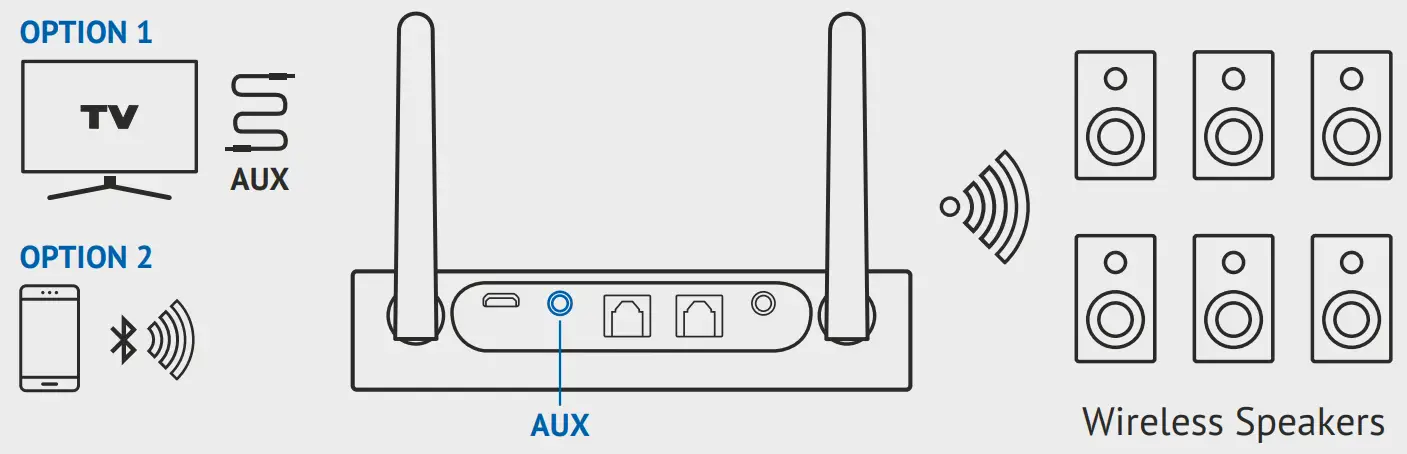
Setting Up HearLink PLUS in Transmission Mode
- Option 1: Set Mode switch to the Bypass position.
Connect HearLink PLUS TX port to TV or other multimedia device via 3.5mm audio cable (optical connection is not supported). TheAUXindicator light will turn on.
Option 2: Set Mode switch to RX position.Press and hold for 3 sec to place HearLink PLUS in Broadcast Transmission mode. The
 indicator will shine steadily white.
Connect HearLink PLUS to the smartphone via Bluetooth (see Bluetooth Receiver mode section).
- Bluetooth broadcasting receivers will connect automatically to HearLink PLUS.
Broadcast Receiving Mode
In Bluetooth Broadcast Receiving mode HearLink PLUS transfers the audio from the Bluetooth broadcast transmitter to the speaker or stereo headphone connected to RX output.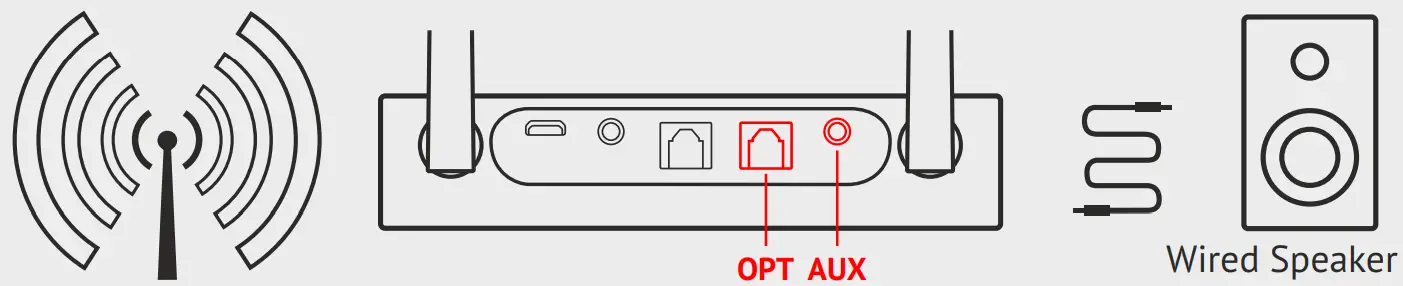
Setting Up HearLink PLUS in Receiving Mode
- Set Mode switches to RX position.
- onnect HearLink PLUS RX port to the non-Bluetooth speaker, stereo system, wired-headphone, etc., via optical or 3.5mm audio cable.
The litOPTorAUXan indicator shows the connection type.Short press to place HearLink PLUS in Broadcast Receiving mode. The blue indicator will blink. - HearLink PLUS will connect automatically to a nearby active Bluetooth broadcast transmitter. The blue indicator will shine steadily.
Audio Playback in Broadcast Mode
| Short press to toggle audio Play/Pause. |
| Increase the volume. Decrease the volume. |
Bypass Mode
In Bypass mode, HearLink PLUS transfers the audio from the TX input to the speaker or stereo headphone connected to RX output.
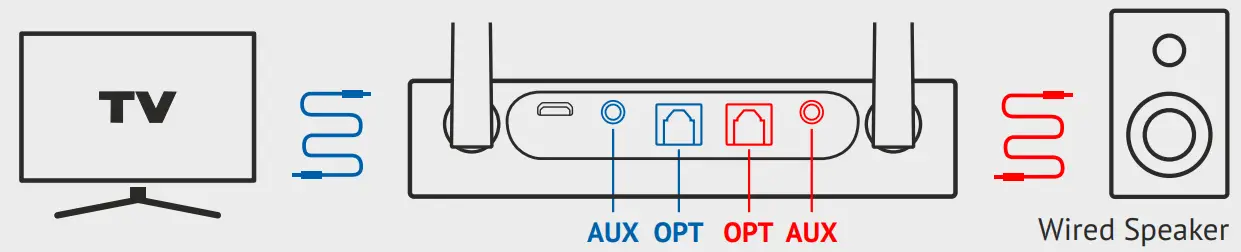
Setting Up HearLink PLUS in Bypass Mode
- Set Mode switch to the Bypass position.
The ⇔indicator will shine steadily in Bypass mode. - Connect Hearlink PLUS TX port to TV or other multimedia device via optical or 3.5mm audio cable. The lit OPT or AUX indicator shows the connection type.
- Connect Hearlink PLUS RX port to a speaker via the same type of cable as the TX port connection.
| AUX-to-AUX or optical-to-optical configurations are supported in Bypass mode. |
Audio Playback in Bypass Mode
| Short press to toggle audio Play/Pause. |
| Increase the volume. A tone is played when the maximum volume is reached. |
| Decrease the volume. A tone is played when the minimum volume is reached. |
Clear Pairing List
| Press and hold for 8 sec until TX or RX indicator blinks twice. |
Automatic Sleep Mode
HearLink PLUS will enter sleep mode automatically when:
- it is not paired with a Bluetooth device within 10 minutes.
- a paired Bluetooth device has been disconnected for more than 10 minutes.
Specifications
| Bluetooth version | V5.0, Class I |
| Operating range | Transmitter mode – up to 60m Receiver mode – up to 40m |
| Supported profiles | A2DP, AVRCP |
| Supported audio CODECs | aptX-LL, aptX, SBC |
| Dual-stream | HearLink PLUS can connect two Bluetooth headsets simultaneously |
| Input/output audio | Stereo analog audio, optical fiber digital audio |
| Power supply | 5VDC, micro-USB |
| Current consumption | Up to 220mA |
| Operating temperature | -10 to +55°C (14 to 131°F) |
| Net weight | 99 g (3.5 oz.) |
| Dimensions | 127mm x 85mm x 26.3mm (5.00 x 3.35 x 1.05 inches) |
FCC Compliance Statement
This equipment has been tested and found to comply with the limits for a Class B digital device, pursuant to part 15 of the FCC Rules. These limits are designed to provide reasonable protection against harmful interference in a residential installation. This equipment generates uses and can radiate radio frequency energy and, if not installed and used in accordance with the instructions, may cause harmful interference to radio communications. However, there is no guarantee that interference will not occur in a particular installation. If this equipment does cause harmful interference to radio or television reception, which can be determined by turning the equipment off and on, the user is encouraged to try to correct the interference by one or more of the following measures:
- Reorient or relocate the receiving antenna.
- Increase the separation between the equipment and receiver.
- Connect the equipment into an outlet on a circuit different from that to which the receiver is connected.
- Consult the dealer or an experienced radio/TV technician for help
Changes or modifications not expressly approved by the party responsible for compliance could void the user’s authority to operate the equipment. This device complies with Part 15 of the FCC Rules. Operation is subject to the following two conditions:
- this device may not cause harmful interference, and
- this device must accept any interference received, including interference that may cause undesired operation.
FCC ID: 2AM3S-BT5805A
EU Compliance Statement
Alango Technologies Ltd. hereby declares that this wireless device is in compliance with the essential requirements and other relevant provisions of the R&TTE Directive. A copy of the EU Declaration of Conformity is available at www.wearandhear.com/compliance.
European Union –
Disposal Information
 | The symbol above means that according to local laws and regulations your product and/or its battery shall be disposed of separately from household waste. When this product reaches its end of life, take it to a collection point designated by local authorities. The separate collection and recycling of your product and/or its battery at the time of disposal will help conserve natural resources and ensure it is recycled in a manner that protects human health and the environment. |
Product Name: HearLink
PLUS Product No.: BT5805A
Doc.: HPUM_EN_Ver.01
 Listening Enhancement Solutions » Life Sounds Better with BeHear